SQLLite and Android
SQLLite
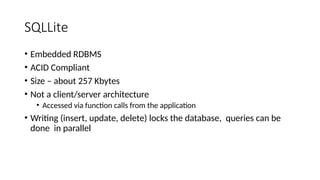
• Embedded RDBMS
• ACID Compliant
• Size – about 257 Kbytes
• Not a client/server architecture
• Accessed via function calls from the application
• Writing (insert, update, delete) locks the database, queries can be
done in parallel
SQLLite
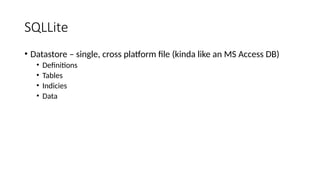
• Datastore – single, cross platform file (kinda like an MS Access DB)
• Definitions
• Tables
• Indicies
• Data
Storage classes
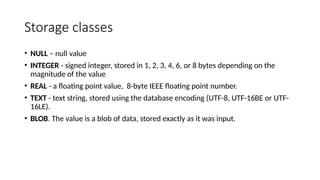
• NULL – null value
• INTEGER - signed integer, stored in 1, 2, 3, 4, 6, or 8 bytes depending on the
magnitude of the value
• REAL - a floating point value, 8-byte IEEE floating point number.
• TEXT - text string, stored using the database encoding (UTF-8, UTF-16BE or UTF-
16LE).
• BLOB. The value is a blob of data, stored exactly as it was input.
android.database.sqlite
• Contains the SQLite database management classes that an application
would use to manage its own private database.
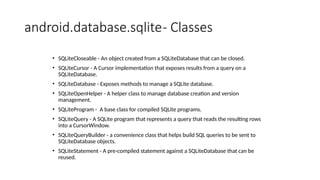
android.database.sqlite- Classes
• SQLiteCloseable - An object created from a SQLiteDatabase that can be closed.
• SQLiteCursor - A Cursor implementation that exposes results from a query on a
SQLiteDatabase.
• SQLiteDatabase - Exposes methods to manage a SQLite database.
• SQLiteOpenHelper - A helper class to manage database creation and version
management.
• SQLiteProgram - A base class for compiled SQLite programs.
• SQLiteQuery - A SQLite program that represents a query that reads the resulting rows
into a CursorWindow.
• SQLiteQueryBuilder - a convenience class that helps build SQL queries to be sent to
SQLiteDatabase objects.
• SQLiteStatement - A pre-compiled statement against a SQLiteDatabase that can be
reused.
android.database.sqlite.SQLiteDatabase
• Contains the methods for: creating, opening, closing, inserting,
updating, deleting and quering an SQLite database
• These methods are similar to JDBC but more method oriented than
what we see with JDBC (remember there is not a RDBMS server
running)
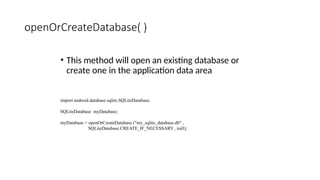
openOrCreateDatabase( )
• This method will open an existing database or
create one in the application data area
import android.database.sqlite.SQLiteDatabase;
SQLiteDatabase myDatabase;
myDatabase = openOrCreateDatabase ("my_sqlite_database.db" ,
SQLiteDatabase.CREATE_IF_NECESSARY , null);
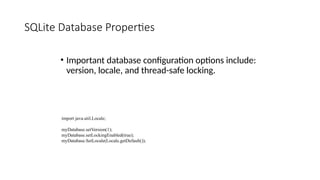
SQLite Database Properties
• Important database configuration options include:
version, locale, and thread-safe locking.
import java.util.Locale;
myDatabase.setVersion(1);
myDatabase.setLockingEnabled(true);
myDatabase.SetLocale(Locale.getDefault());
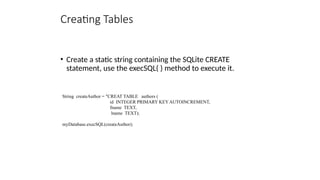
Creating Tables
• Create a static string containing the SQLite CREATE
statement, use the execSQL( ) method to execute it.
String createAuthor = "CREAT TABLE authors (
id INTEGER PRIMARY KEY AUTOINCREMENT,
fname TEXT,
lname TEXT);
myDatabase.execSQL(createAuthor);
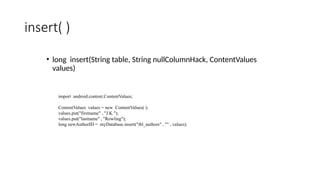
insert( )
• long insert(String table, String nullColumnHack, ContentValues
values)
import android.content.ContentValues;
ContentValues values = new ContentValues( );
values.put("firstname" , "J.K.");
values.put("lastname" , "Rowling");
long newAuthorID = myDatabase.insert("tbl_authors" , "" , values);
update( )
• int update(String table, ContentValues values, String
whereClause, String[ ] whereArgs)
public void updateBookTitle(Integer bookId, String newTitle) {
ContentValues values = new ContentValues();
values.put("title" , newTitle);
myDatabase.update("tbl_books" , values ,
"id=?" , new String[ ] {bookId.toString() } );
}
delete( )
• int delete(String table, String whereClause, String[]
whereArgs)
public void deleteBook(Integer bookId) {
myDatabase.delete("tbl_books" , "id=?" ,
new String[ ] { bookId.toString( ) } ) ;
}
android.database
• http://developer.android.com/reference/android/database/package-summary.ht
ml
• Contains classes and interfaces to explore data returned through a content
provider.
• The main thing you are going to use here is the Cursor interface to get the data
from the resultset that is returned by a query
http://developer.android.com/reference/android/database/Cursor.html
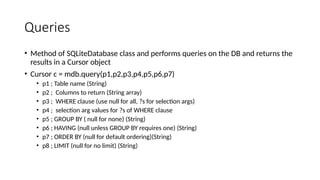
Queries
• Method of SQLiteDatabase class and performs queries on the DB and returns the
results in a Cursor object
• Cursor c = mdb.query(p1,p2,p3,p4,p5,p6,p7)
• p1 ; Table name (String)
• p2 ; Columns to return (String array)
• p3 ; WHERE clause (use null for all, ?s for selection args)
• p4 ; selection arg values for ?s of WHERE clause
• p5 ; GROUP BY ( null for none) (String)
• p6 ; HAVING (null unless GROUP BY requires one) (String)
• p7 ; ORDER BY (null for default ordering)(String)
• p8 ; LIMIT (null for no limit) (String)
Simple Queries
• SQL - "SELECT * FROM ABC;"
SQLite - Cursor c = mdb.query(abc,null,null,null,null,null,null);
• SQL - "SELECT * FROM ABC WHERE C1=5"
SQLite - Cursor c = mdb.query(
abc,null,"c1=?" , new String[ ] {"5"},null,null,null);
• SQL – "SELECT title,id FROM BOOKS ORDER BY title ASC"
SQLite – String colsToReturn [ ] {"title","id"};
String sortOrder = "title ASC";
Cursor c = mdb.query("books",colsToReturn,
null,null,null,null,sortOrder);

Contains the SQLite database management classes that an application would use to manage its own private database.

  • 1.
  • 2.
    SQLLite • Embedded RDBMS •ACID Compliant • Size – about 257 Kbytes • Not a client/server architecture • Accessed via function calls from the application • Writing (insert, update, delete) locks the database, queries can be done in parallel
  • 3.
    SQLLite • Datastore –single, cross platform file (kinda like an MS Access DB) • Definitions • Tables • Indicies • Data
  • 4.
    Storage classes • NULL– null value • INTEGER - signed integer, stored in 1, 2, 3, 4, 6, or 8 bytes depending on the magnitude of the value • REAL - a floating point value, 8-byte IEEE floating point number. • TEXT - text string, stored using the database encoding (UTF-8, UTF-16BE or UTF- 16LE). • BLOB. The value is a blob of data, stored exactly as it was input.
  • 5.
    android.database.sqlite • Contains theSQLite database management classes that an application would use to manage its own private database.
  • 6.
    android.database.sqlite- Classes • SQLiteCloseable- An object created from a SQLiteDatabase that can be closed. • SQLiteCursor - A Cursor implementation that exposes results from a query on a SQLiteDatabase. • SQLiteDatabase - Exposes methods to manage a SQLite database. • SQLiteOpenHelper - A helper class to manage database creation and version management. • SQLiteProgram - A base class for compiled SQLite programs. • SQLiteQuery - A SQLite program that represents a query that reads the resulting rows into a CursorWindow. • SQLiteQueryBuilder - a convenience class that helps build SQL queries to be sent to SQLiteDatabase objects. • SQLiteStatement - A pre-compiled statement against a SQLiteDatabase that can be reused.
  • 7.
    android.database.sqlite.SQLiteDatabase • Contains themethods for: creating, opening, closing, inserting, updating, deleting and quering an SQLite database • These methods are similar to JDBC but more method oriented than what we see with JDBC (remember there is not a RDBMS server running)
  • 8.
    openOrCreateDatabase( ) • Thismethod will open an existing database or create one in the application data area import android.database.sqlite.SQLiteDatabase; SQLiteDatabase myDatabase; myDatabase = openOrCreateDatabase ("my_sqlite_database.db" , SQLiteDatabase.CREATE_IF_NECESSARY , null);
  • 9.
    SQLite Database Properties •Important database configuration options include: version, locale, and thread-safe locking. import java.util.Locale; myDatabase.setVersion(1); myDatabase.setLockingEnabled(true); myDatabase.SetLocale(Locale.getDefault());
  • 10.
    Creating Tables • Createa static string containing the SQLite CREATE statement, use the execSQL( ) method to execute it. String createAuthor = "CREAT TABLE authors ( id INTEGER PRIMARY KEY AUTOINCREMENT, fname TEXT, lname TEXT); myDatabase.execSQL(createAuthor);
  • 11.
    insert( ) • longinsert(String table, String nullColumnHack, ContentValues values) import android.content.ContentValues; ContentValues values = new ContentValues( ); values.put("firstname" , "J.K."); values.put("lastname" , "Rowling"); long newAuthorID = myDatabase.insert("tbl_authors" , "" , values);
  • 12.
    update( ) • intupdate(String table, ContentValues values, String whereClause, String[ ] whereArgs) public void updateBookTitle(Integer bookId, String newTitle) { ContentValues values = new ContentValues(); values.put("title" , newTitle); myDatabase.update("tbl_books" , values , "id=?" , new String[ ] {bookId.toString() } ); }
  • 13.
    delete( ) • intdelete(String table, String whereClause, String[] whereArgs) public void deleteBook(Integer bookId) { myDatabase.delete("tbl_books" , "id=?" , new String[ ] { bookId.toString( ) } ) ; }
  • 14.
    android.database • http://developer.android.com/reference/android/database/package-summary.ht ml • Containsclasses and interfaces to explore data returned through a content provider. • The main thing you are going to use here is the Cursor interface to get the data from the resultset that is returned by a query http://developer.android.com/reference/android/database/Cursor.html
  • 15.
    Queries • Method ofSQLiteDatabase class and performs queries on the DB and returns the results in a Cursor object • Cursor c = mdb.query(p1,p2,p3,p4,p5,p6,p7) • p1 ; Table name (String) • p2 ; Columns to return (String array) • p3 ; WHERE clause (use null for all, ?s for selection args) • p4 ; selection arg values for ?s of WHERE clause • p5 ; GROUP BY ( null for none) (String) • p6 ; HAVING (null unless GROUP BY requires one) (String) • p7 ; ORDER BY (null for default ordering)(String) • p8 ; LIMIT (null for no limit) (String)
  • 16.
    Simple Queries • SQL- "SELECT * FROM ABC;" SQLite - Cursor c = mdb.query(abc,null,null,null,null,null,null); • SQL - "SELECT * FROM ABC WHERE C1=5" SQLite - Cursor c = mdb.query( abc,null,"c1=?" , new String[ ] {"5"},null,null,null); • SQL – "SELECT title,id FROM BOOKS ORDER BY title ASC" SQLite – String colsToReturn [ ] {"title","id"}; String sortOrder = "title ASC"; Cursor c = mdb.query("books",colsToReturn, null,null,null,null,sortOrder);