Downloaded 41 times
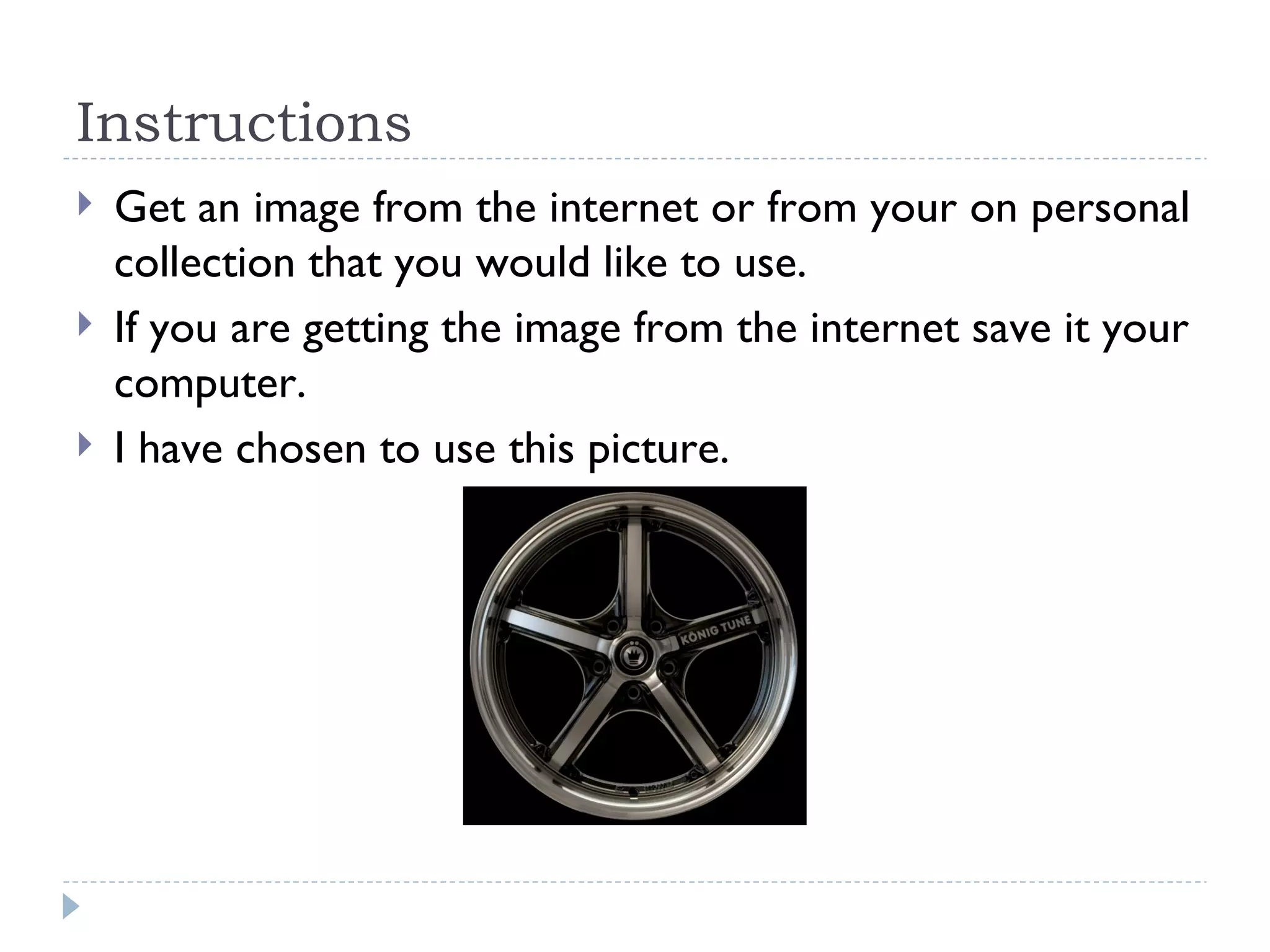
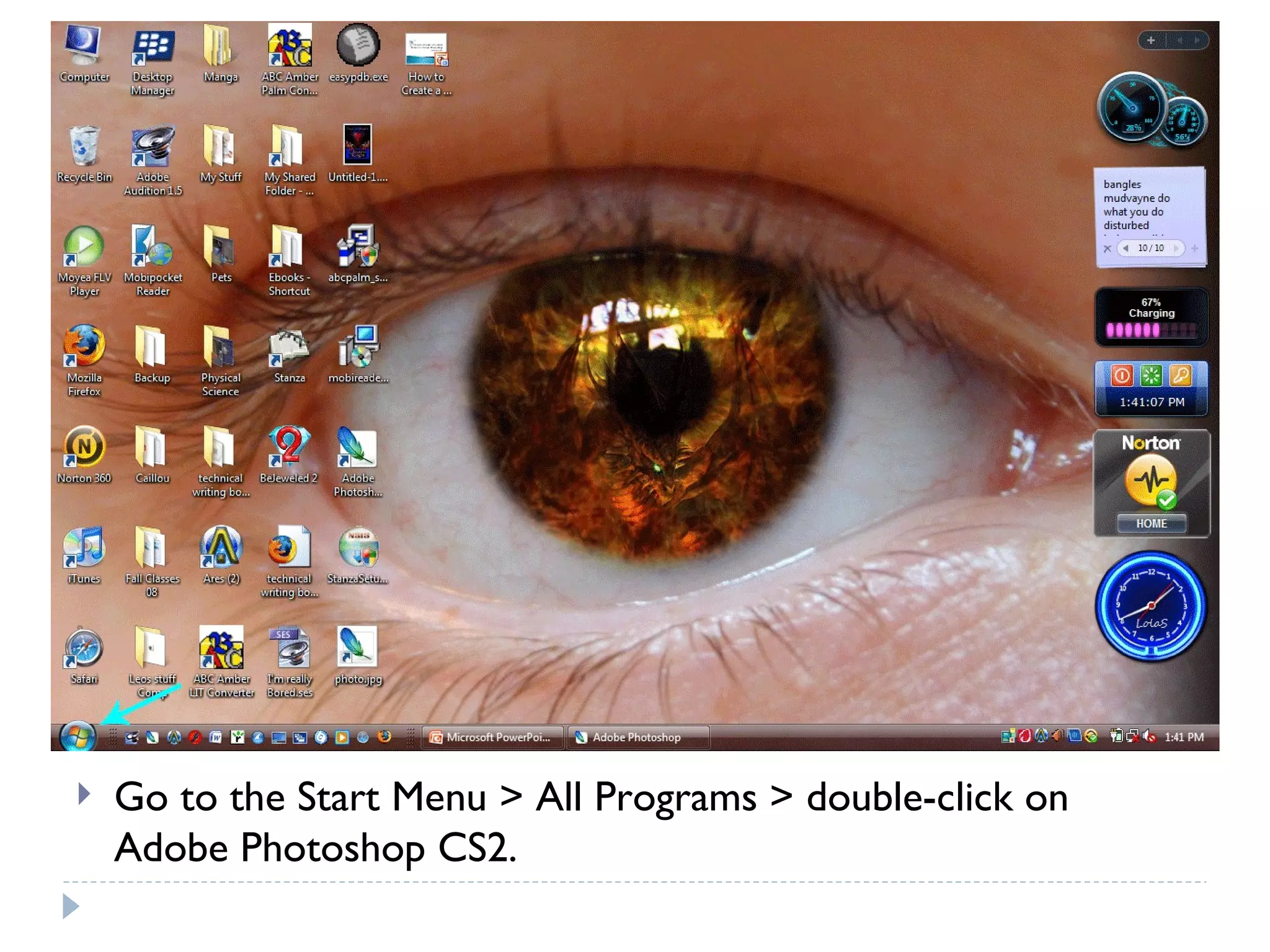
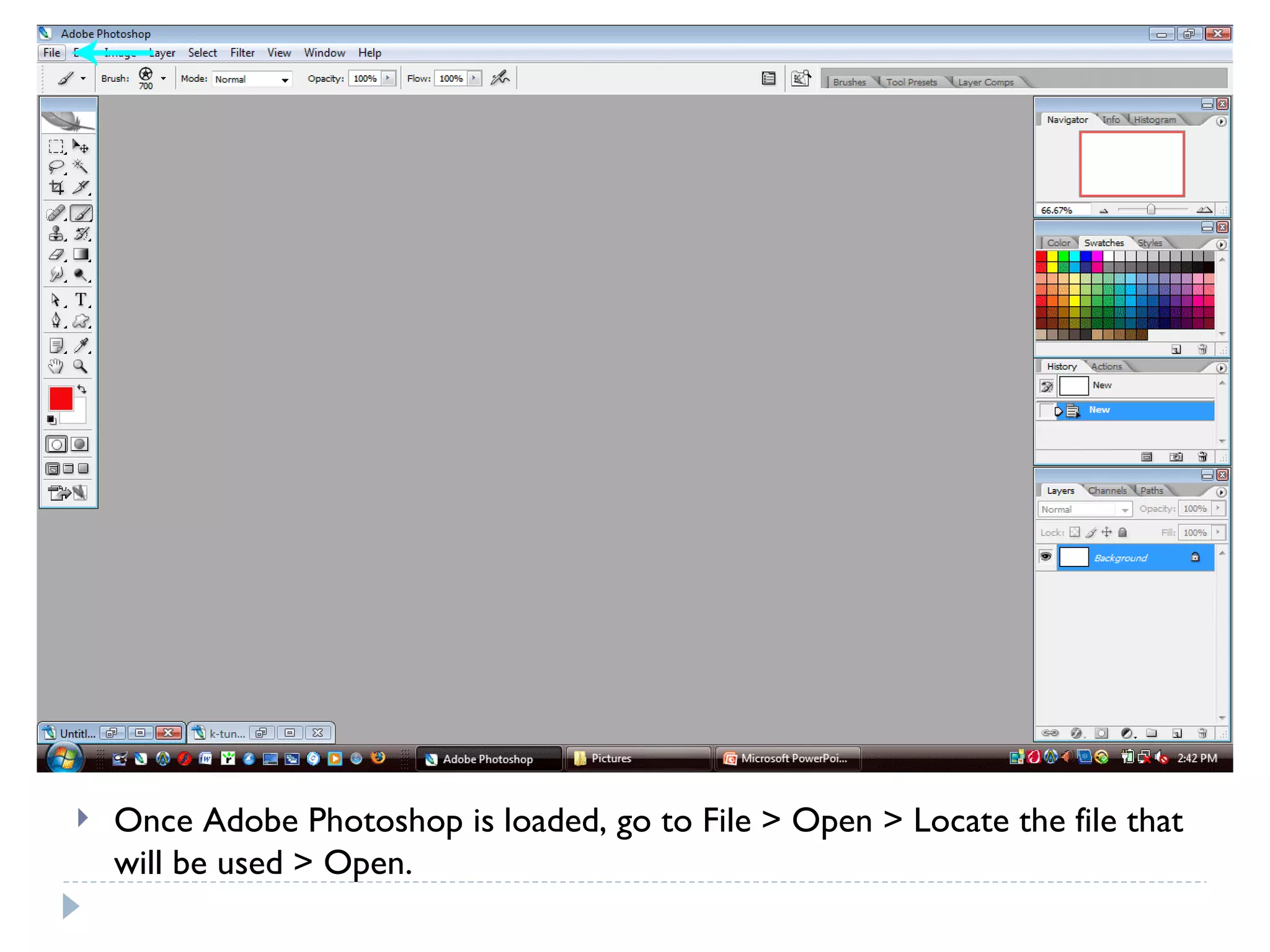
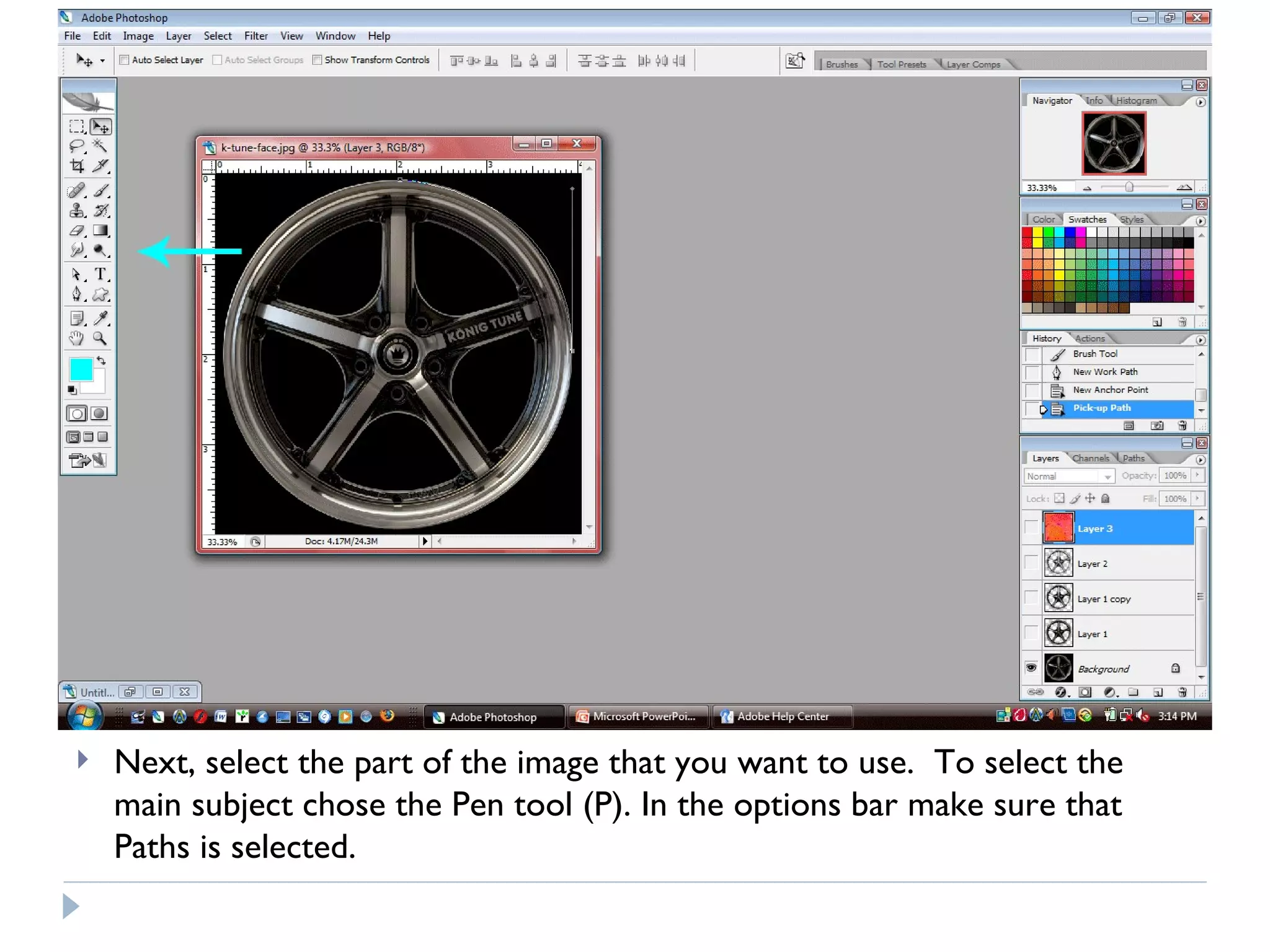
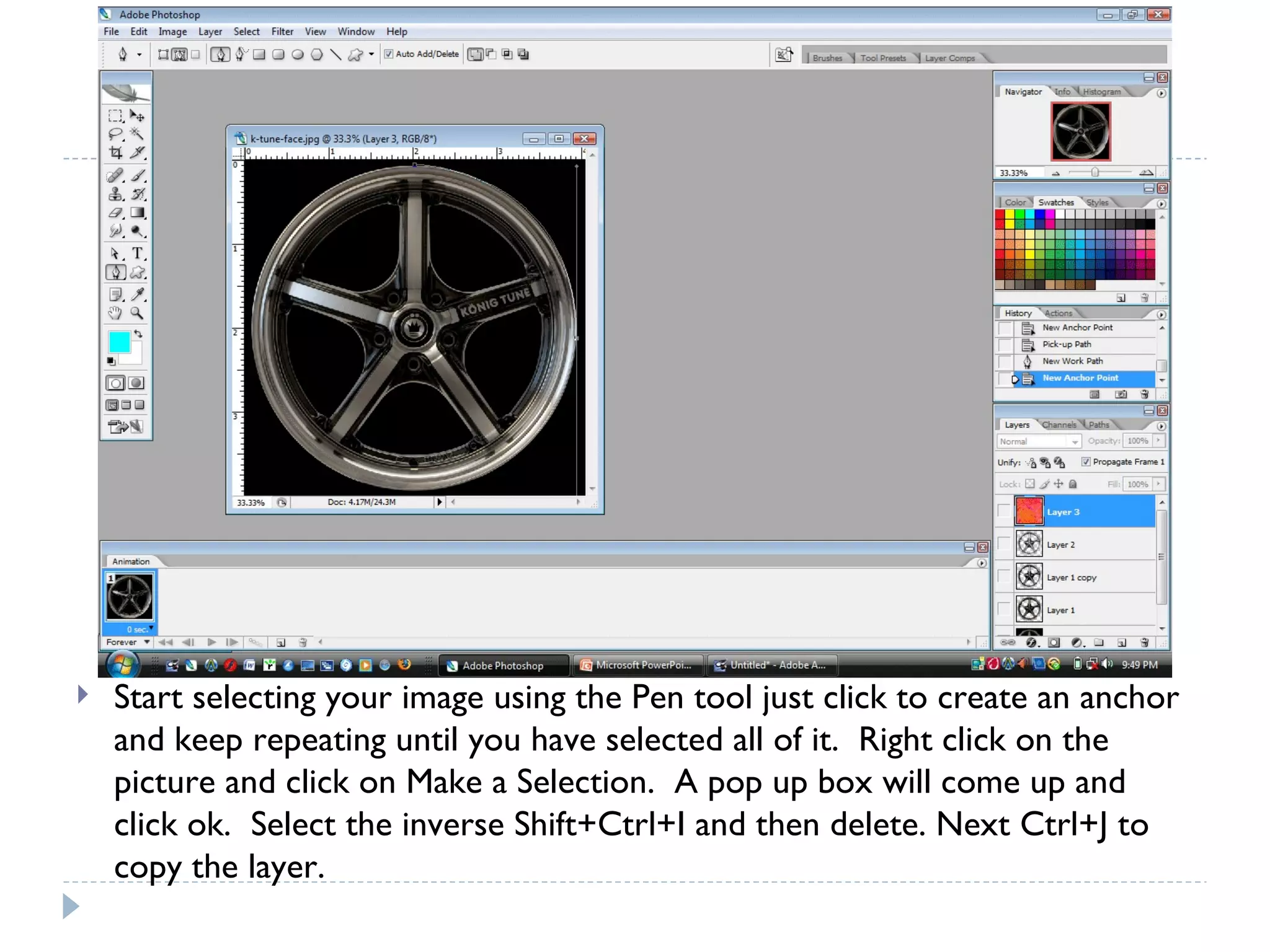
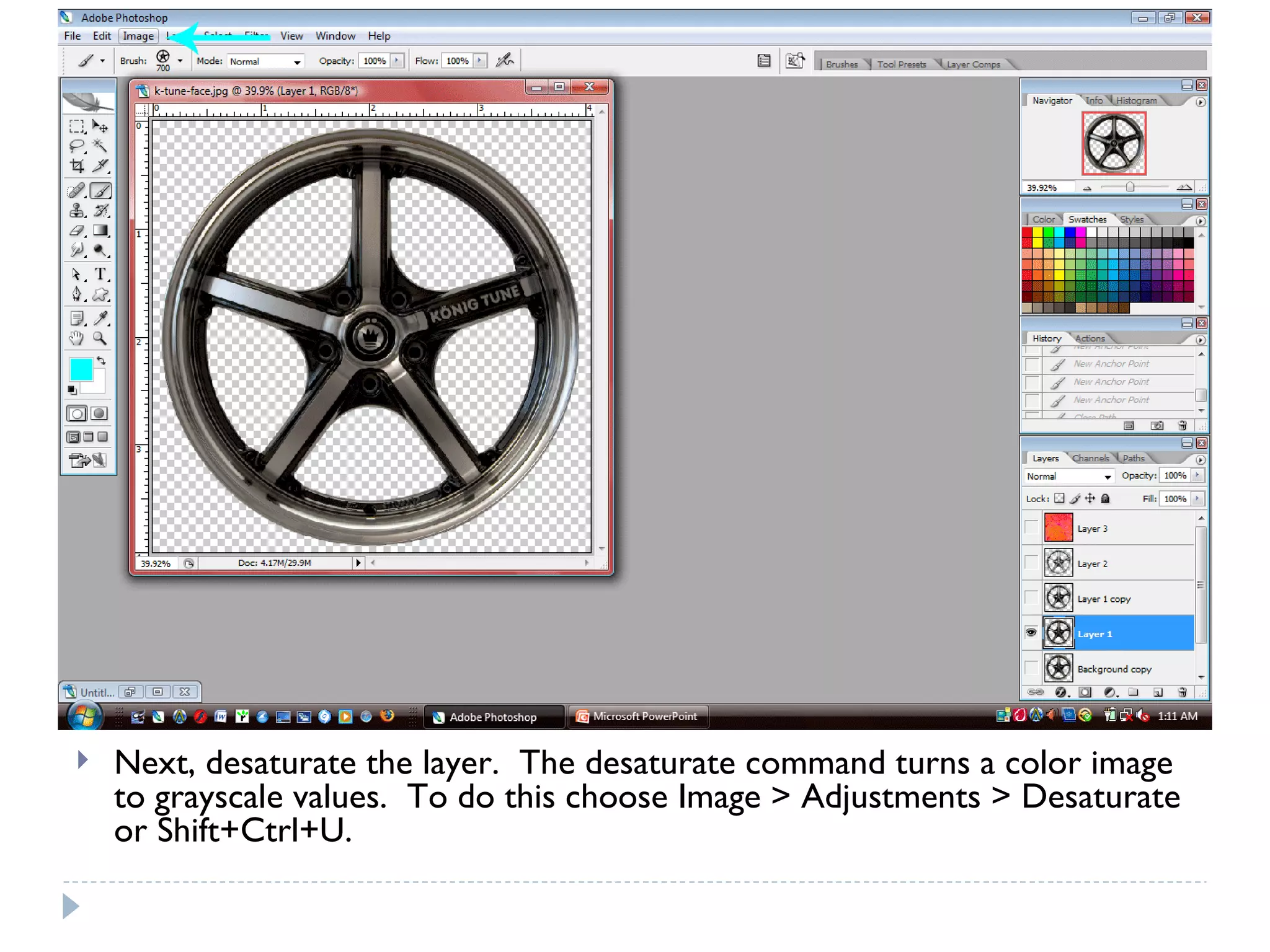
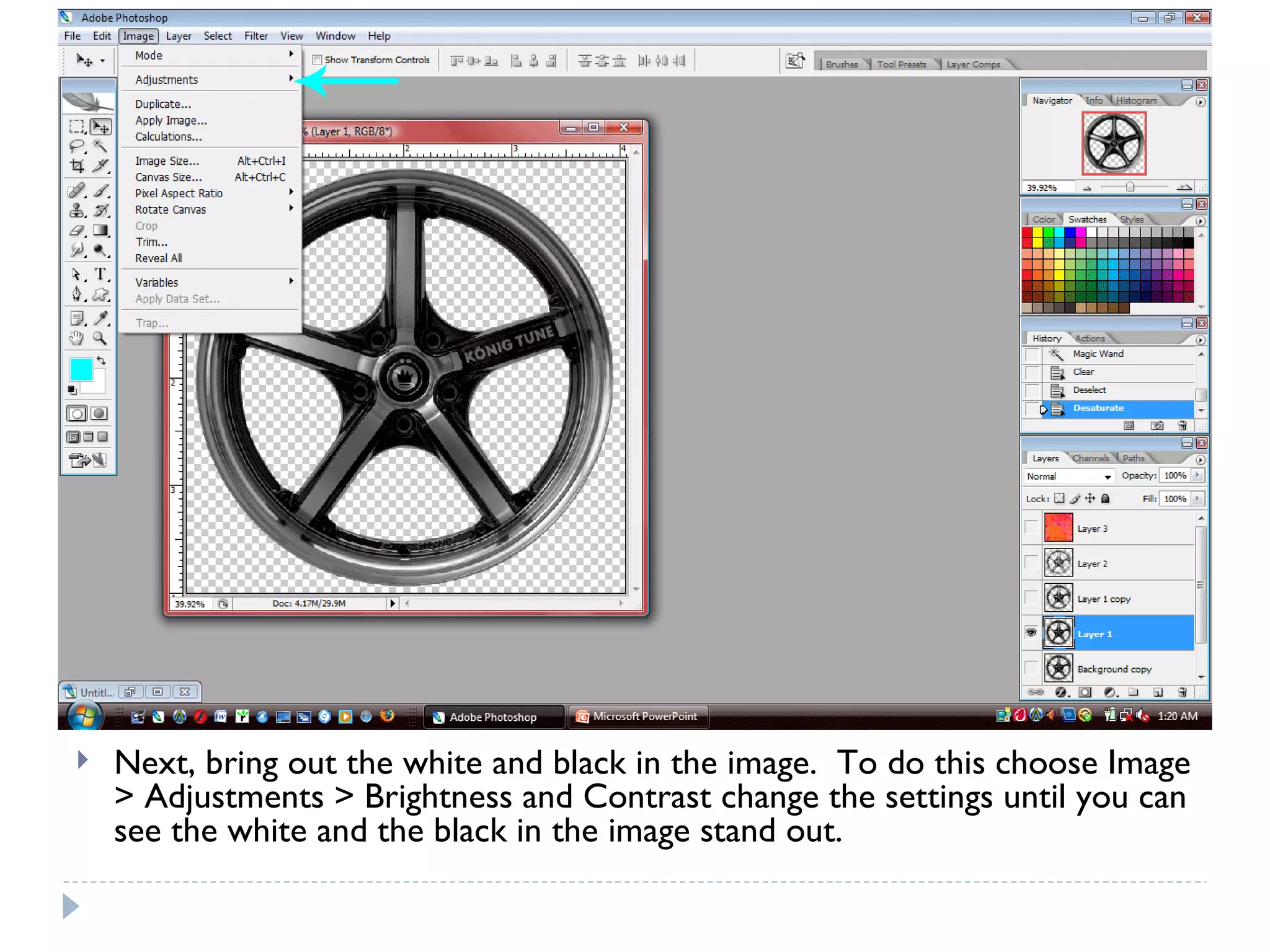
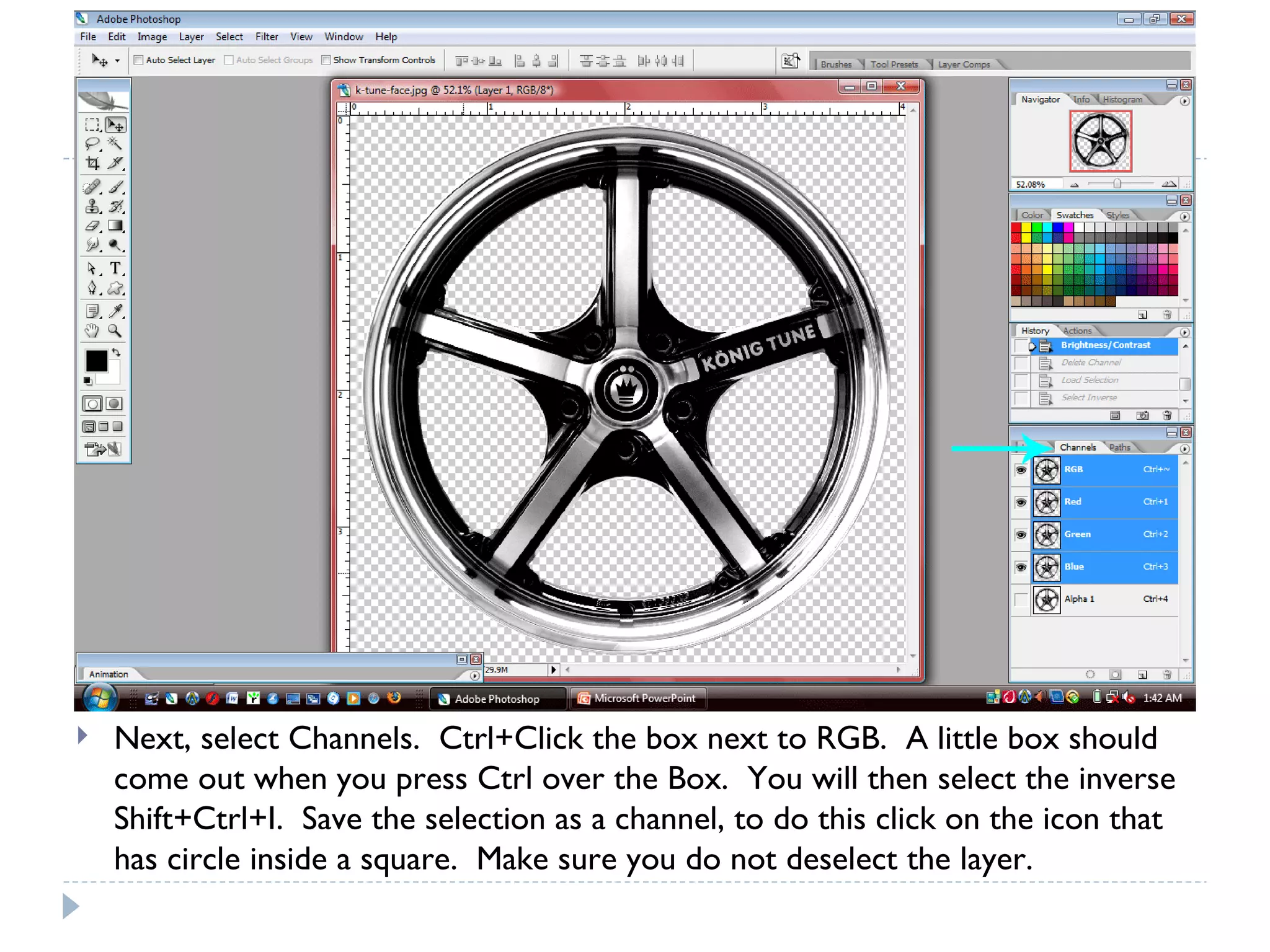
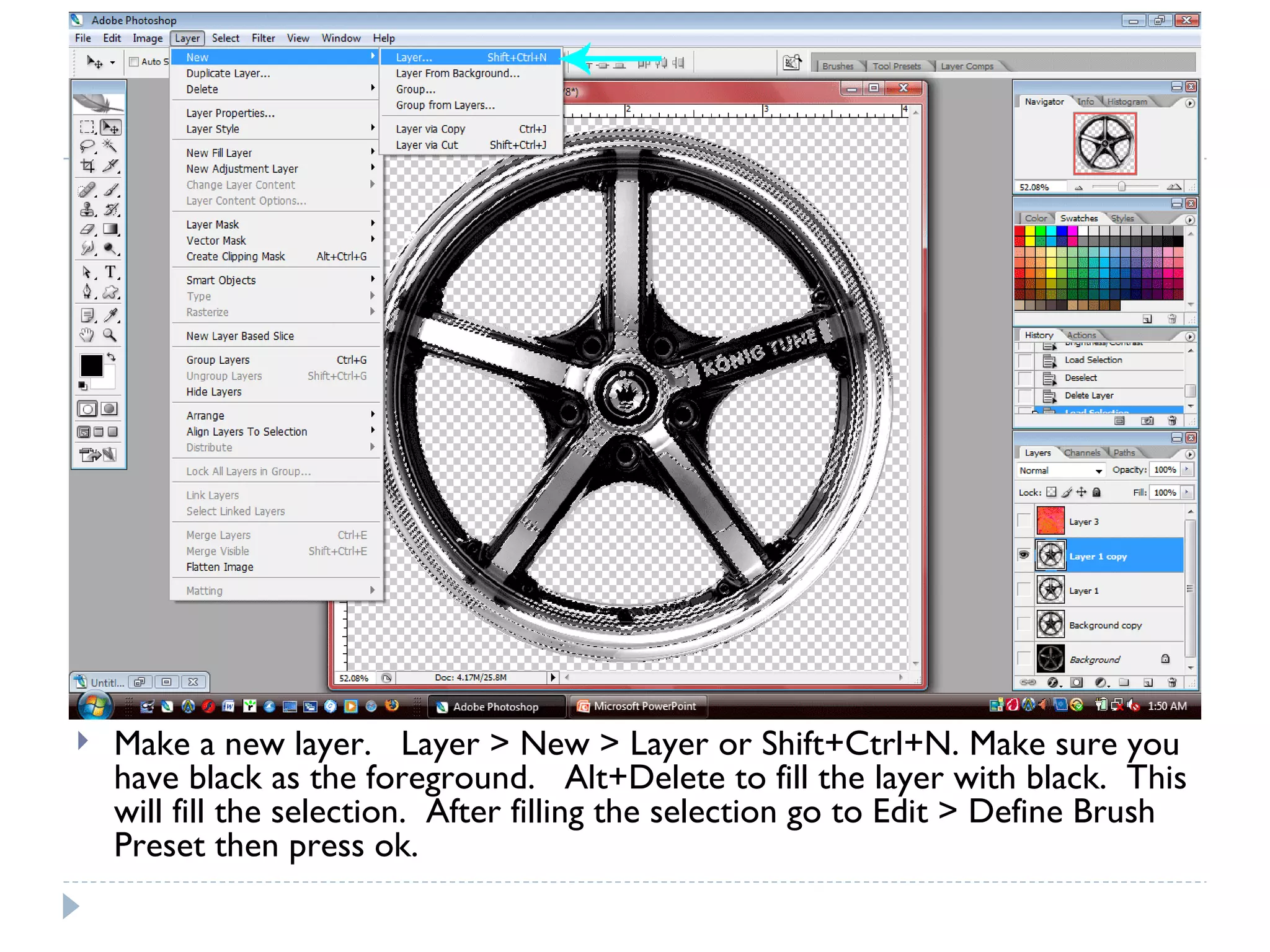
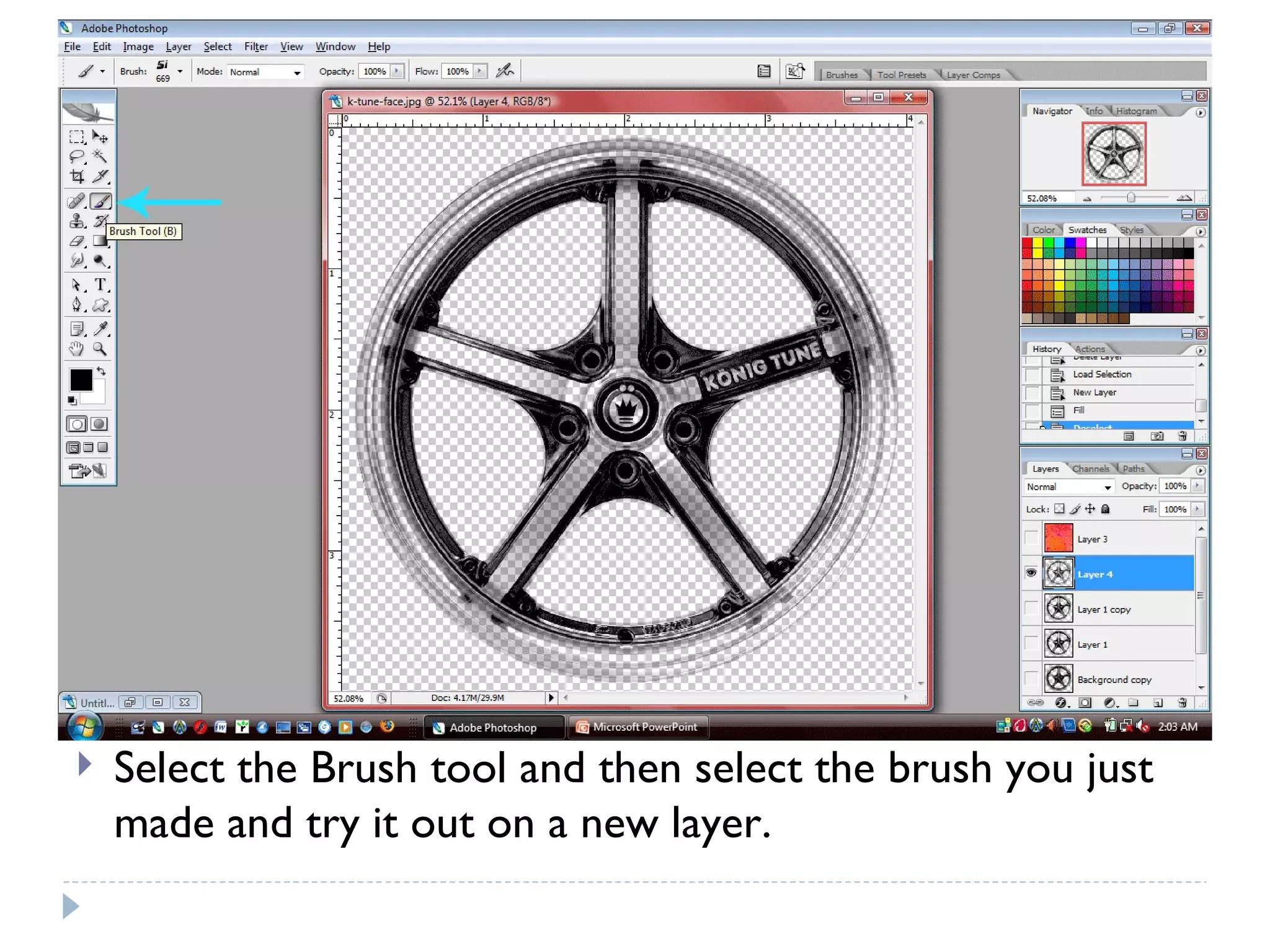
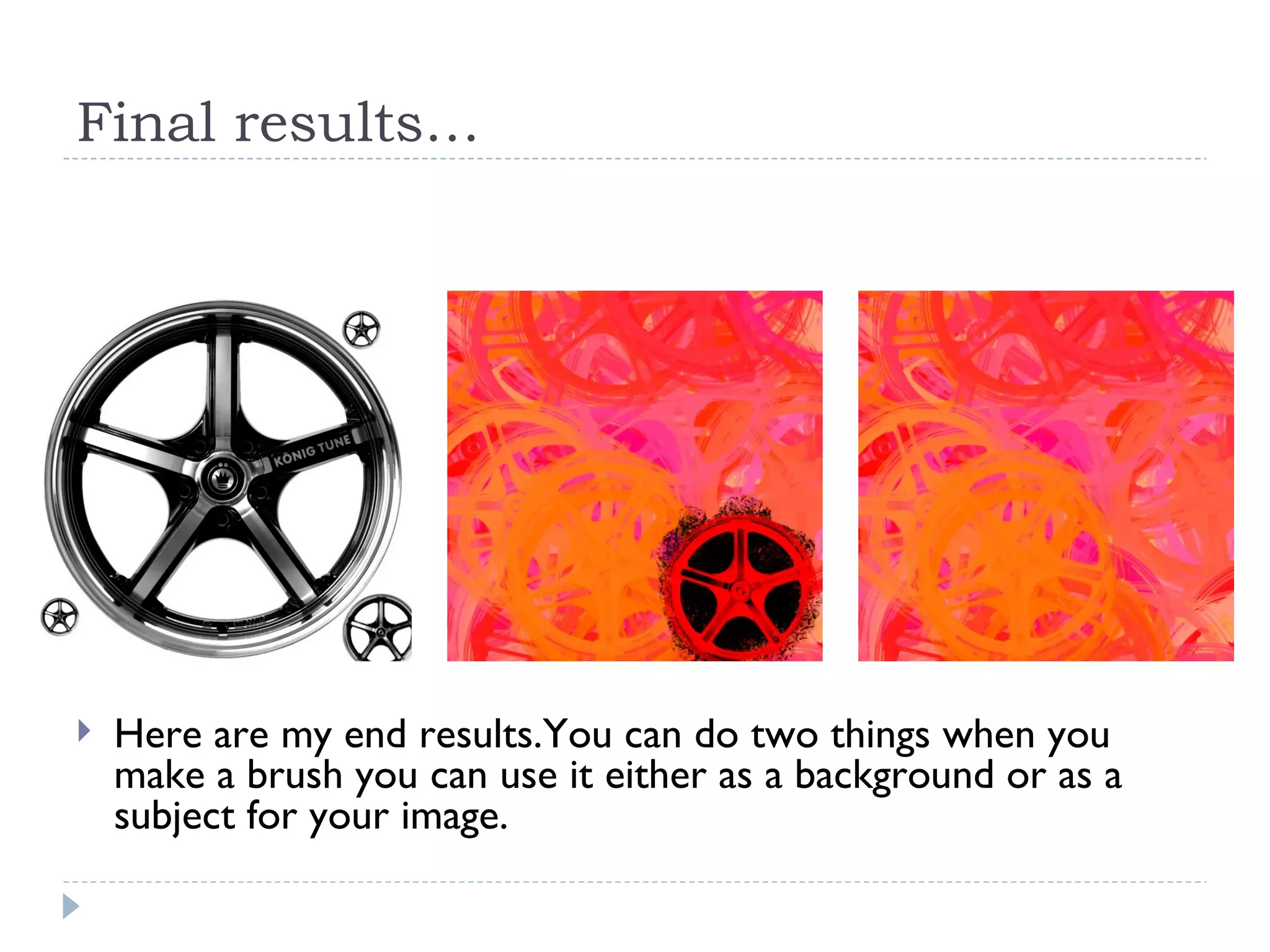
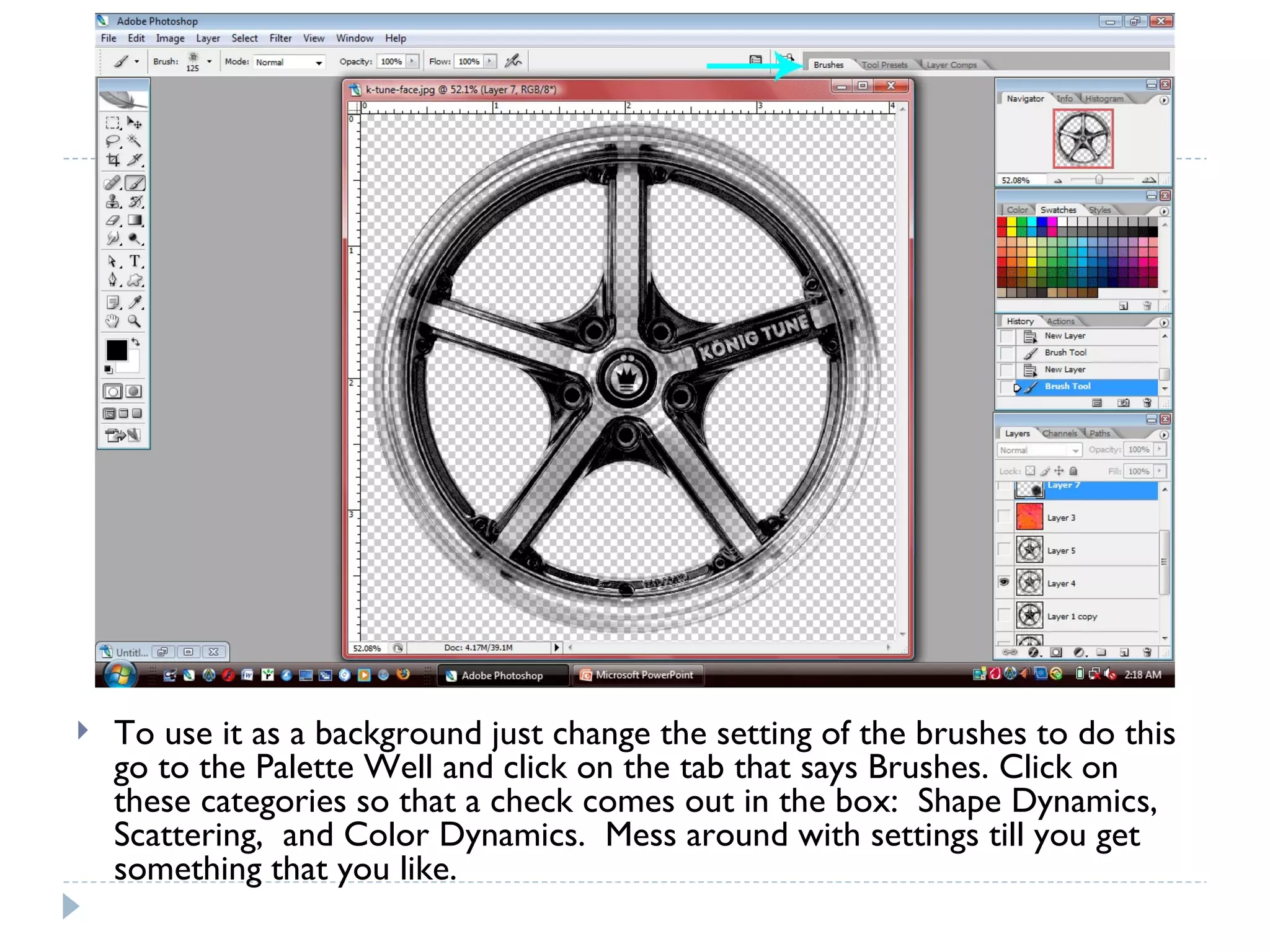

This document provides a tutorial on how to create a custom brush in Adobe Photoshop. It outlines the steps to select an image area, desaturate and adjust the brightness/contrast to create a grayscale selection, save it as a channel, fill it with black to create the brush shape, and define it as a new brush preset that can be used in other projects. Creating custom brushes allows for more unique backgrounds and images compared to only using the default brushes.


![Christine rose nd. tipones [gr. 11 abm, caritas]](https://cdn.slidesharecdn.com/ss_thumbnails/christinerosend-190129074921-thumbnail.jpg?width=640&height=640&fit=bounds)


