HIVE Data Migration
NHN Comico Data Laboratory
Bopyo Hong
2015-11-05
Overview
1. Concept
2. Export Data
from Old Hadoop Cluster
3. Data Copy
from Old Hadoop Cluster to New one
4. Import Data
to New Hadoop Cluster
5. Reference sites
Concept
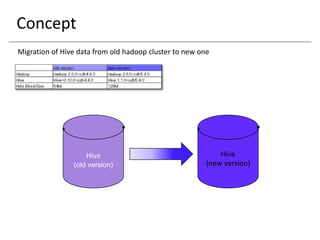
Migration of Hive data from old hadoop cluster to new one
Hive
(old version)
Hive
(new version)
Export Data from Old Hadoop Cluster - 1
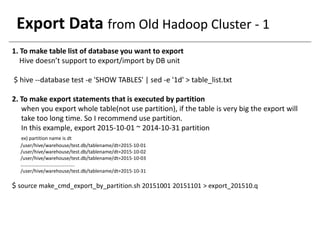
1. To make table list of database you want to export
Hive doesn’t support to export/import by DB unit
$ hive --database test -e 'SHOW TABLES' | sed -e '1d' > table_list.txt
2. To make export statements that is executed by partition
when you export whole table(not use partition), if the table is very big the export will
take too long time. So I recommend use partition.
In this example, export 2015-10-01 ~ 2014-10-31 partition
ex) partition name is dt
/user/hive/warehouse/test.db/tablename/dt=2015-10-01
/user/hive/warehouse/test.db/tablename/dt=2015-10-02
/user/hive/warehouse/test.db/tablename/dt=2015-10-03
……………………………………..
/user/hive/warehouse/test.db/tablename/dt=2015-10-31
$ source make_cmd_export_by_partition.sh 20151001 20151101 > export_201510.q
Export Data from Old Hadoop Cluster - 2
$vi make_cmd_export_by_partition.sh
#!/bin/bash
startdate=$1
enddate=$2
rundate="$startdate"
until [ "$rundate" == "$enddate" ]
do
YEAR=${rundate:0:4}
MONTH=${rundate:4:2}
DAY=${rundate:6:2}
DATE2=${YEAR}'-'${MONTH}'-'${DAY}
TBLS=(`cat table_list.txt`)
for TBL in ${TBLS[@]}
do
echo "export table ${TBL} PARTITION (dt='$DATE2') to '/user/hadoop/temp_export_dir/${TBL}/dt=$DATE2';"
echo
done
rundate=`date --date="$rundate +1 day" +%Y%m%d`
done
Export Data from Old Hadoop Cluster - 3
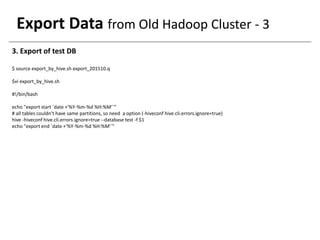
3. Export of test DB
$ source export_by_hive.sh export_201510.q
$vi export_by_hive.sh
#!/bin/bash
echo "export start `date +'%Y-%m-%d %H:%M'`“
# all tables couldn’t have same partitions, so need a option (-hiveconf hive.cli.errors.ignore=true)
hive -hiveconf hive.cli.errors.ignore=true --database test -f $1
echo "export end `date +'%Y-%m-%d %H:%M'`"
Data Copy from old hadoop cluster to new one
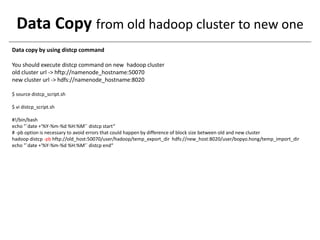
Data copy by using distcp command
You should execute distcp command on new hadoop cluster
old cluster url -> hftp://namenode_hostname:50070
new cluster url -> hdfs://namenode_hostname:8020
$ source distcp_script.sh
$ vi distcp_script.sh
#!/bin/bash
echo "`date +'%Y-%m-%d %H:%M'` distcp start“
# -pb option is necessary to avoid errors that could happen by difference of block size between old and new cluster
hadoop distcp -pb hftp://old_host:50070/user/hadoop/temp_export_dir hdfs://new_host:8020/user/bopyo.hong/temp_import_dir
echo "`date +'%Y-%m-%d %H:%M'` distcp end“
Import Data to New Hadoop Cluster - 1
1. To make import statement that is executed by partition
$ source make_cmd_import_by_partition.sh 20151001 20151101 > import_201510.q
$ vi make_cmd_import_by_partition.sh
#!/bin/bash
TBLS=(`cat table_list.txt`)
startdate=$1
enddate=$2
rundate="$startdate"
until [ "$rundate" == "$enddate" ]
do
YEAR=${rundate:0:4}
MONTH=${rundate:4:2}
DAY=${rundate:6:2}
DATE2=${YEAR}'-'${MONTH}'-'${DAY}
for TBL in ${TBLS[@]}
do
echo "import table ${TBL} PARTITION (dt='$DATE2') from '/user/bopyo.hong/temp_import_dir/${TBL}/dt=$DATE2';"
echo
done
rundate=`date --date="$rundate +1 day" +%Y%m%d`
done
Import Data to New Hadoop Cluster - 2
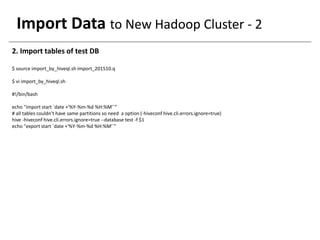
2. Import tables of test DB
$ source import_by_hiveql.sh import_201510.q
$ vi import_by_hiveql.sh
#!/bin/bash
echo "import start `date +'%Y-%m-%d %H:%M'`“
# all tables couldn’t have same partitions so need a option (-hiveconf hive.cli.errors.ignore=true)
hive -hiveconf hive.cli.errors.ignore=true --database test -f $1
echo "export start `date +'%Y-%m-%d %H:%M'`"
Reference site
https://cwiki.apache.org/confluence/display/Hive/LanguageManual+ImportExport
http://kickstarthadoop.blogspot.jp/2012/08/how-to-migrate-hive-table-from-one-hive.html
https://hadoop.apache.org/docs/r2.7.1/hadoop-distcp/DistCp.html#Command_Line_Options

Hive data migration (export/import)

  • 1.
    HIVE Data Migration NHNComico Data Laboratory Bopyo Hong 2015-11-05
  • 2.
    Overview 1. Concept 2. ExportData from Old Hadoop Cluster 3. Data Copy from Old Hadoop Cluster to New one 4. Import Data to New Hadoop Cluster 5. Reference sites
  • 3.
    Concept Migration of Hivedata from old hadoop cluster to new one Hive (old version) Hive (new version)
  • 4.
    Export Data fromOld Hadoop Cluster - 1 1. To make table list of database you want to export Hive doesn’t support to export/import by DB unit $ hive --database test -e 'SHOW TABLES' | sed -e '1d' > table_list.txt 2. To make export statements that is executed by partition when you export whole table(not use partition), if the table is very big the export will take too long time. So I recommend use partition. In this example, export 2015-10-01 ~ 2014-10-31 partition ex) partition name is dt /user/hive/warehouse/test.db/tablename/dt=2015-10-01 /user/hive/warehouse/test.db/tablename/dt=2015-10-02 /user/hive/warehouse/test.db/tablename/dt=2015-10-03 …………………………………….. /user/hive/warehouse/test.db/tablename/dt=2015-10-31 $ source make_cmd_export_by_partition.sh 20151001 20151101 > export_201510.q
  • 5.
    Export Data fromOld Hadoop Cluster - 2 $vi make_cmd_export_by_partition.sh #!/bin/bash startdate=$1 enddate=$2 rundate="$startdate" until [ "$rundate" == "$enddate" ] do YEAR=${rundate:0:4} MONTH=${rundate:4:2} DAY=${rundate:6:2} DATE2=${YEAR}'-'${MONTH}'-'${DAY} TBLS=(`cat table_list.txt`) for TBL in ${TBLS[@]} do echo "export table ${TBL} PARTITION (dt='$DATE2') to '/user/hadoop/temp_export_dir/${TBL}/dt=$DATE2';" echo done rundate=`date --date="$rundate +1 day" +%Y%m%d` done
  • 6.
    Export Data fromOld Hadoop Cluster - 3 3. Export of test DB $ source export_by_hive.sh export_201510.q $vi export_by_hive.sh #!/bin/bash echo "export start `date +'%Y-%m-%d %H:%M'`“ # all tables couldn’t have same partitions, so need a option (-hiveconf hive.cli.errors.ignore=true) hive -hiveconf hive.cli.errors.ignore=true --database test -f $1 echo "export end `date +'%Y-%m-%d %H:%M'`"
  • 7.
    Data Copy fromold hadoop cluster to new one Data copy by using distcp command You should execute distcp command on new hadoop cluster old cluster url -> hftp://namenode_hostname:50070 new cluster url -> hdfs://namenode_hostname:8020 $ source distcp_script.sh $ vi distcp_script.sh #!/bin/bash echo "`date +'%Y-%m-%d %H:%M'` distcp start“ # -pb option is necessary to avoid errors that could happen by difference of block size between old and new cluster hadoop distcp -pb hftp://old_host:50070/user/hadoop/temp_export_dir hdfs://new_host:8020/user/bopyo.hong/temp_import_dir echo "`date +'%Y-%m-%d %H:%M'` distcp end“
  • 8.
    Import Data toNew Hadoop Cluster - 1 1. To make import statement that is executed by partition $ source make_cmd_import_by_partition.sh 20151001 20151101 > import_201510.q $ vi make_cmd_import_by_partition.sh #!/bin/bash TBLS=(`cat table_list.txt`) startdate=$1 enddate=$2 rundate="$startdate" until [ "$rundate" == "$enddate" ] do YEAR=${rundate:0:4} MONTH=${rundate:4:2} DAY=${rundate:6:2} DATE2=${YEAR}'-'${MONTH}'-'${DAY} for TBL in ${TBLS[@]} do echo "import table ${TBL} PARTITION (dt='$DATE2') from '/user/bopyo.hong/temp_import_dir/${TBL}/dt=$DATE2';" echo done rundate=`date --date="$rundate +1 day" +%Y%m%d` done
  • 9.
    Import Data toNew Hadoop Cluster - 2 2. Import tables of test DB $ source import_by_hiveql.sh import_201510.q $ vi import_by_hiveql.sh #!/bin/bash echo "import start `date +'%Y-%m-%d %H:%M'`“ # all tables couldn’t have same partitions so need a option (-hiveconf hive.cli.errors.ignore=true) hive -hiveconf hive.cli.errors.ignore=true --database test -f $1 echo "export start `date +'%Y-%m-%d %H:%M'`"
  • 10.