Welcome to HBase
NoSQL
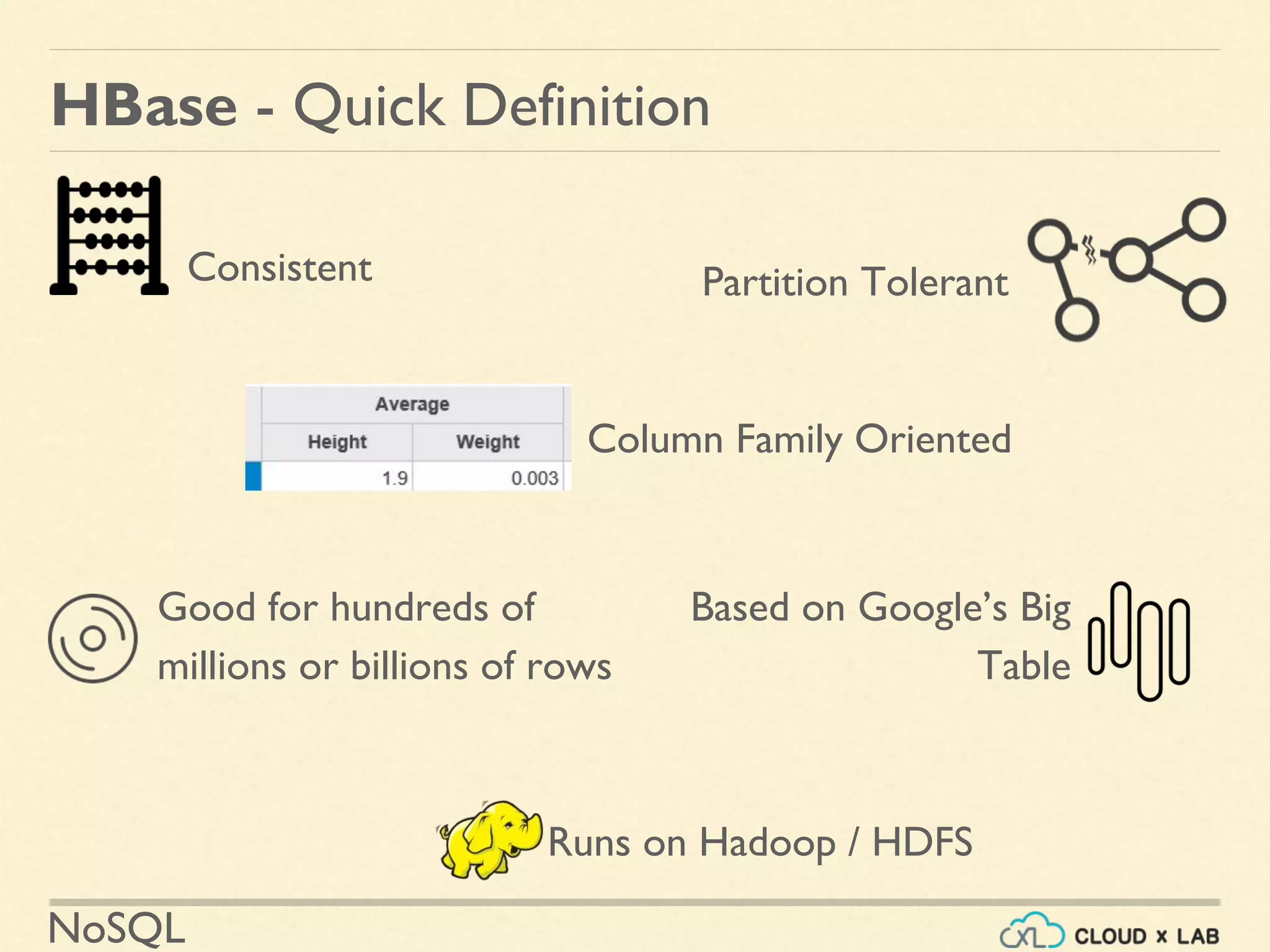
Good for hundreds of
millions or billions of rows
Based on Google’s Big
Table
HBase - Quick Definition
Partition TolerantConsistent
Column Family Oriented
Runs on Hadoop / HDFS
HBase
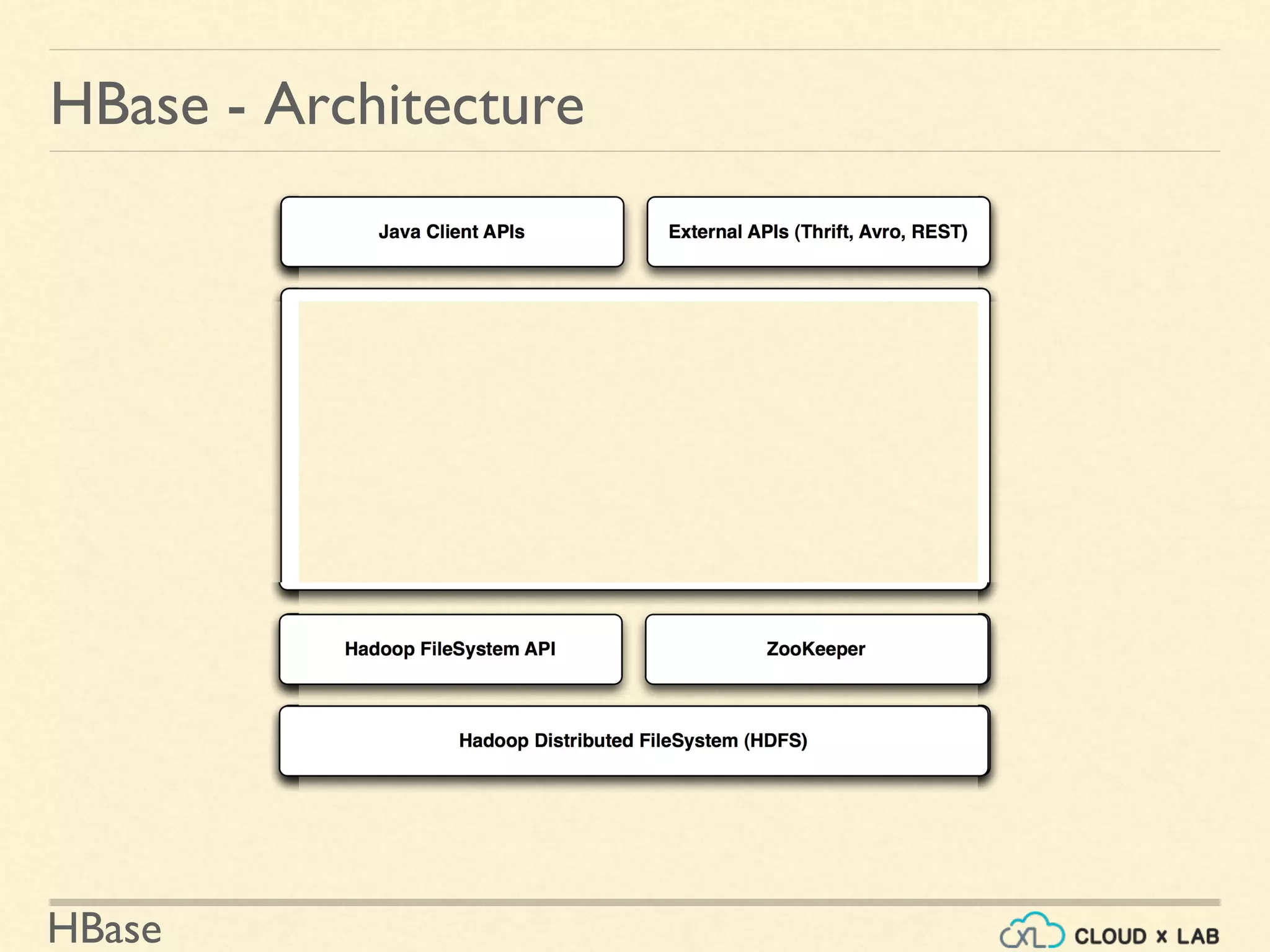
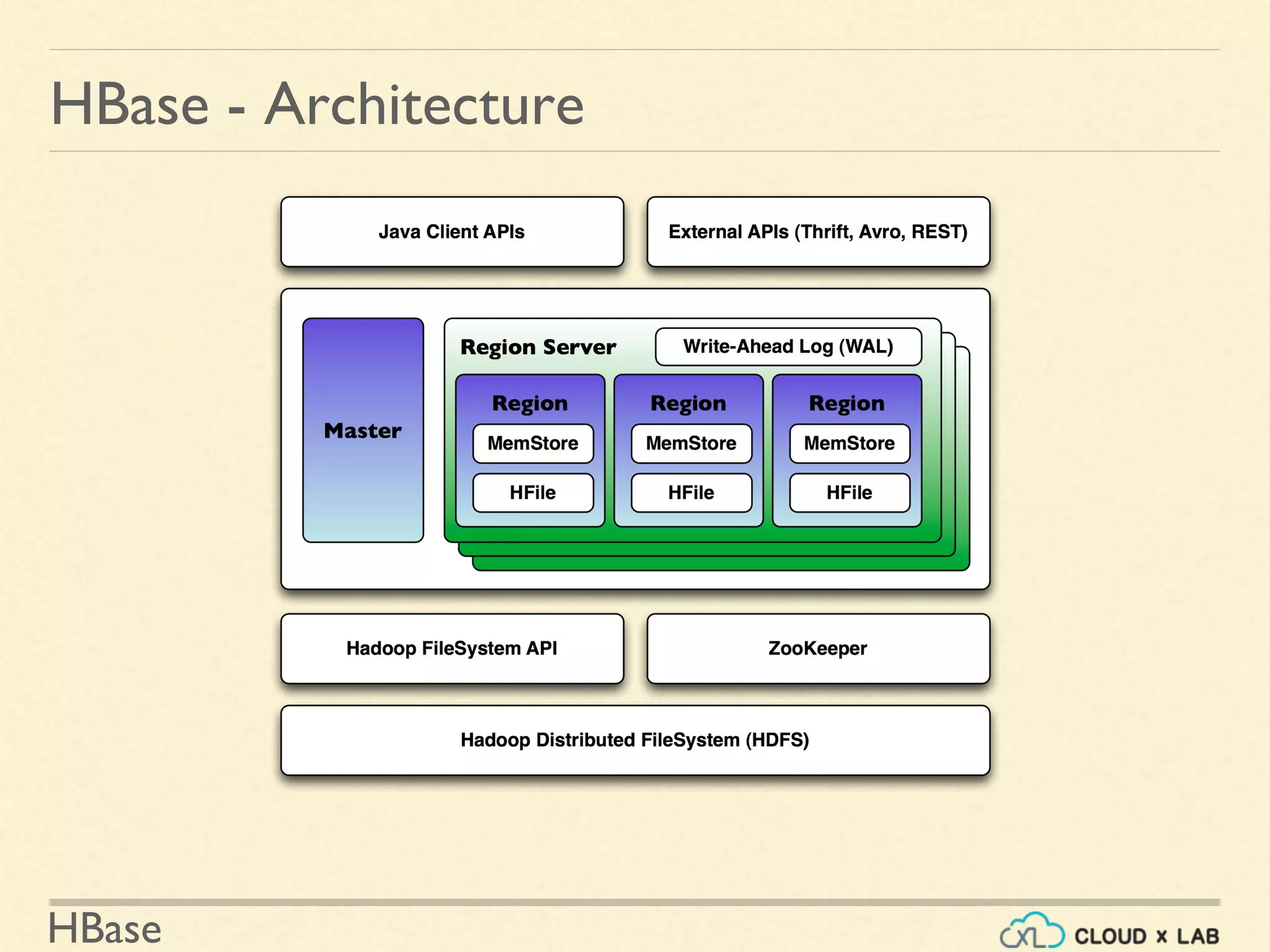
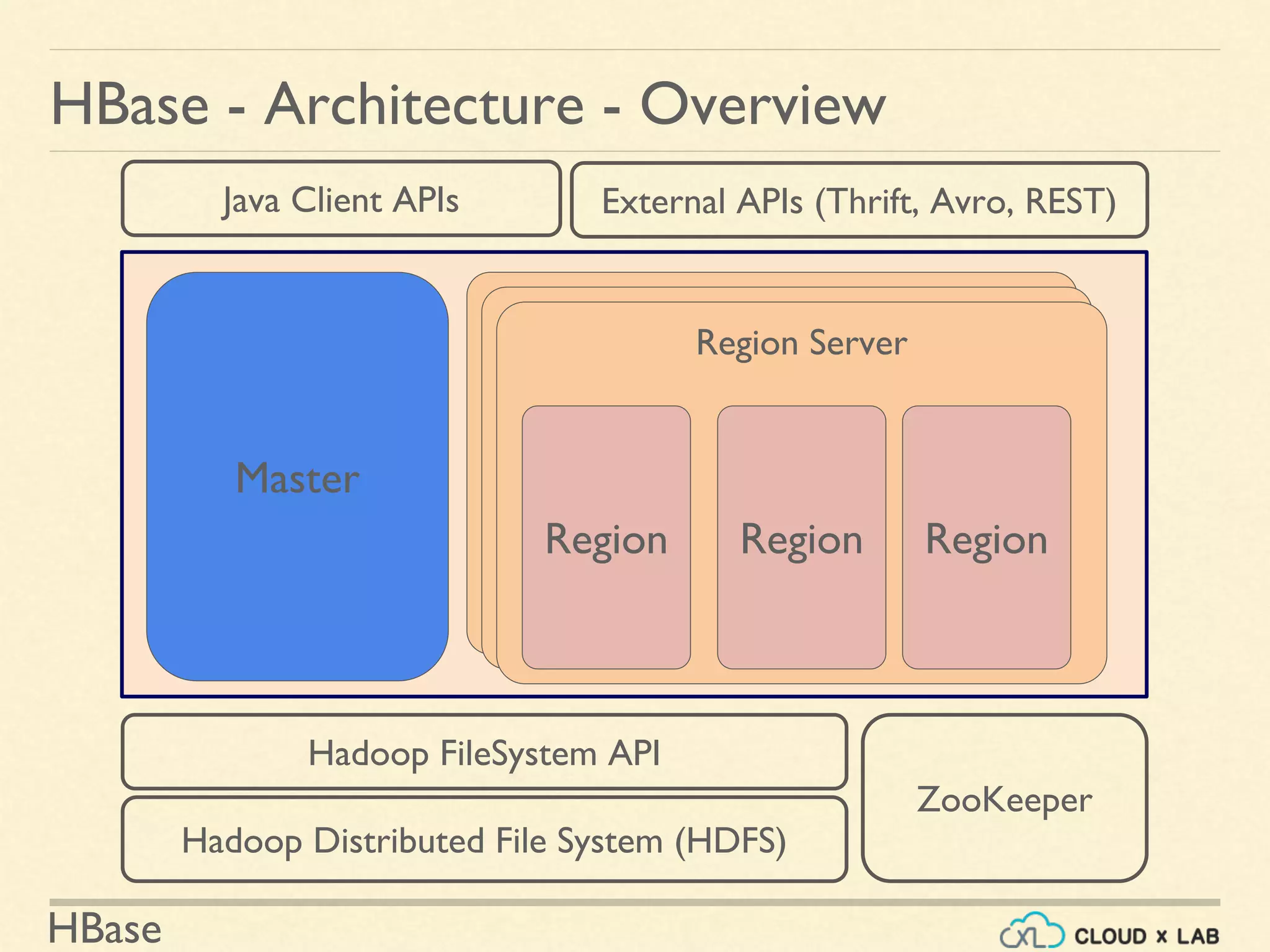
HBase - Architecture - Overview
Hadoop Distributed File System (HDFS)
Hadoop FileSystem API
HBase
ZooKeeper
Java Client APIs External APIs (Thrift, Avro, REST)
Master
Region ServerRegion ServerRegion Server
Region Region Region
HBase
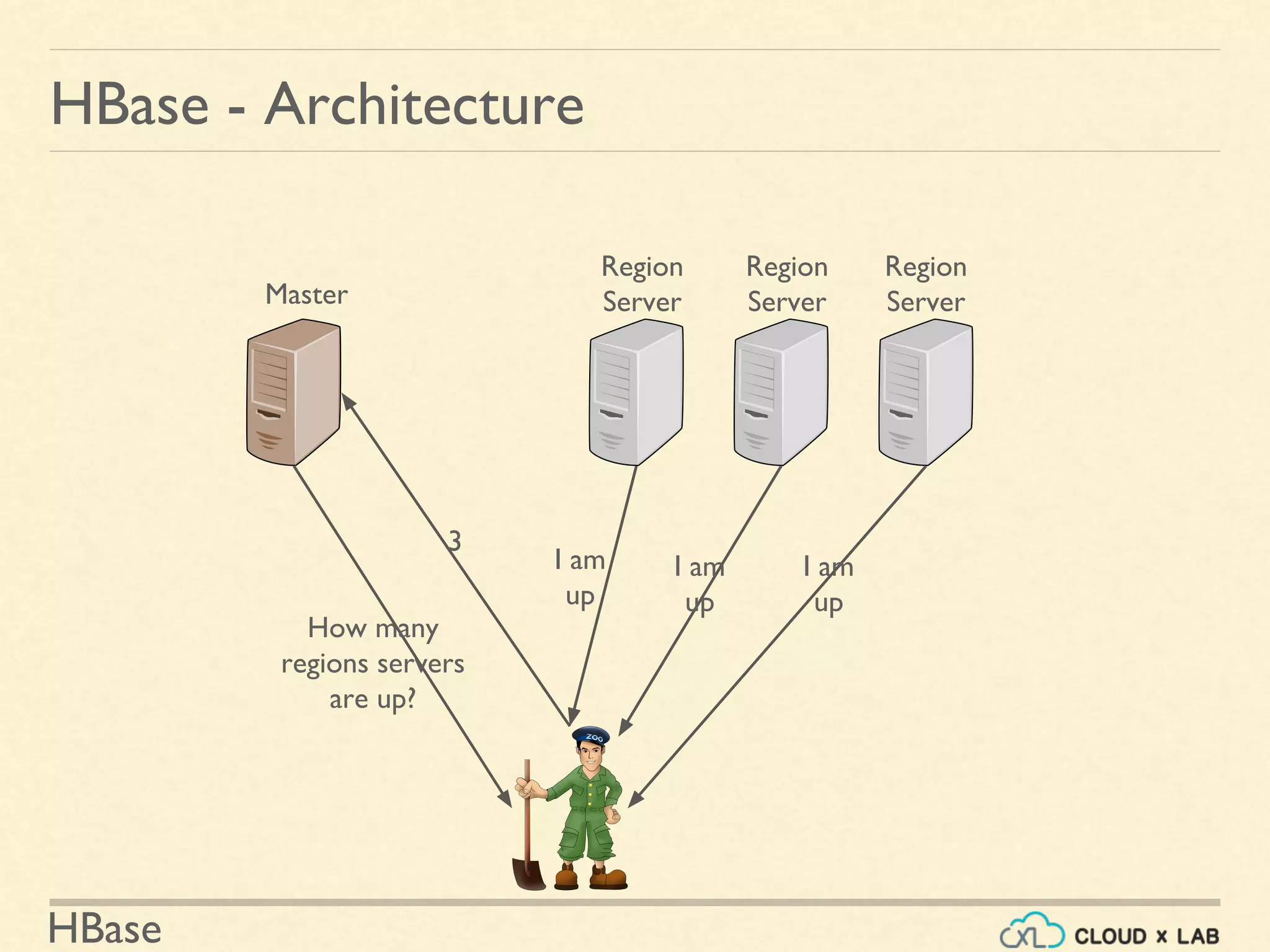
HBase - Architecture
Master
Region
Server
Region
Server
Region
Server
I am
up
I am
up
I am
up
How many
regions servers
are up?
3
HBase
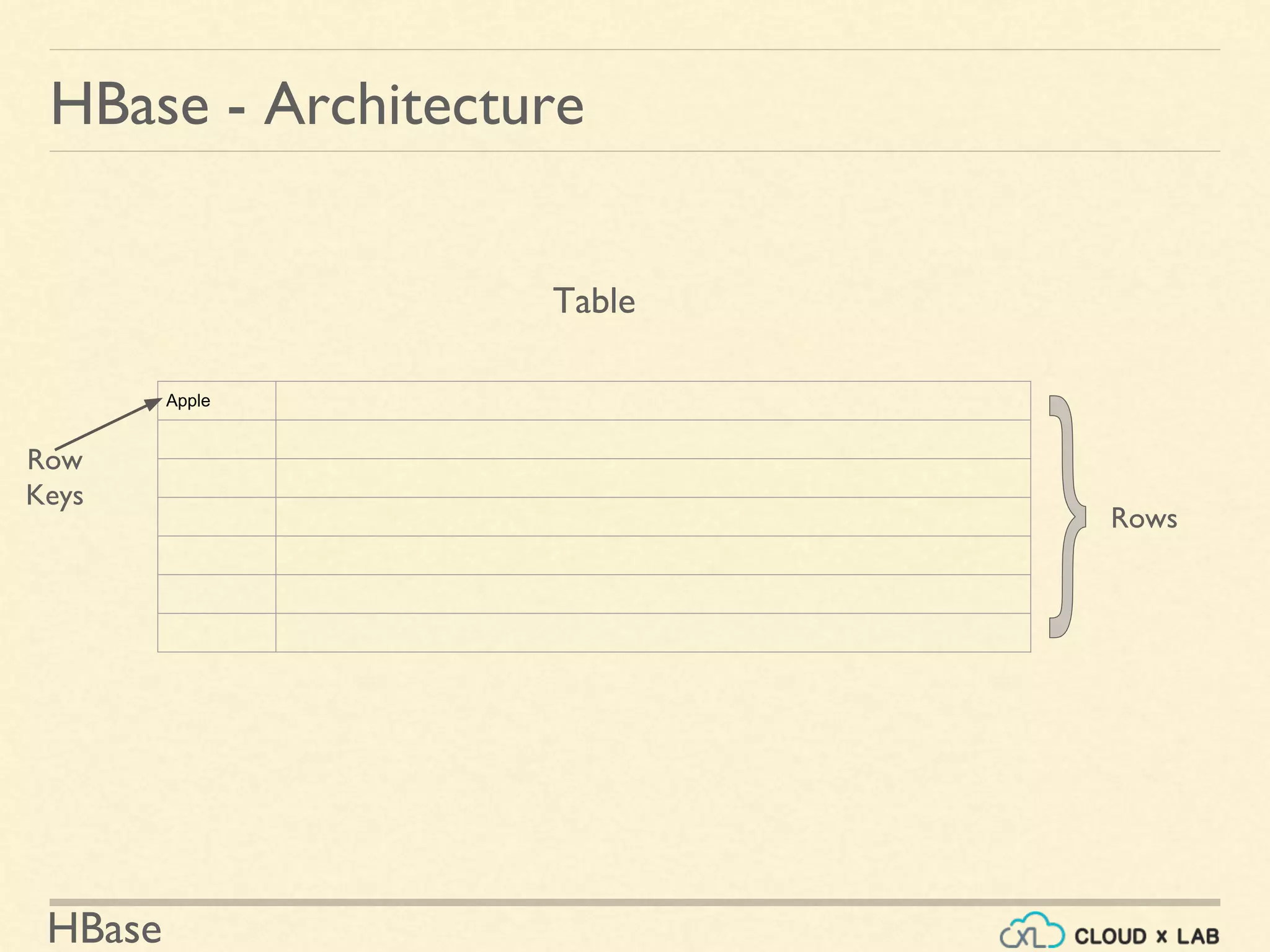
HBase - Architecture
Apple
Rows
Table
Row
Keys
HBase
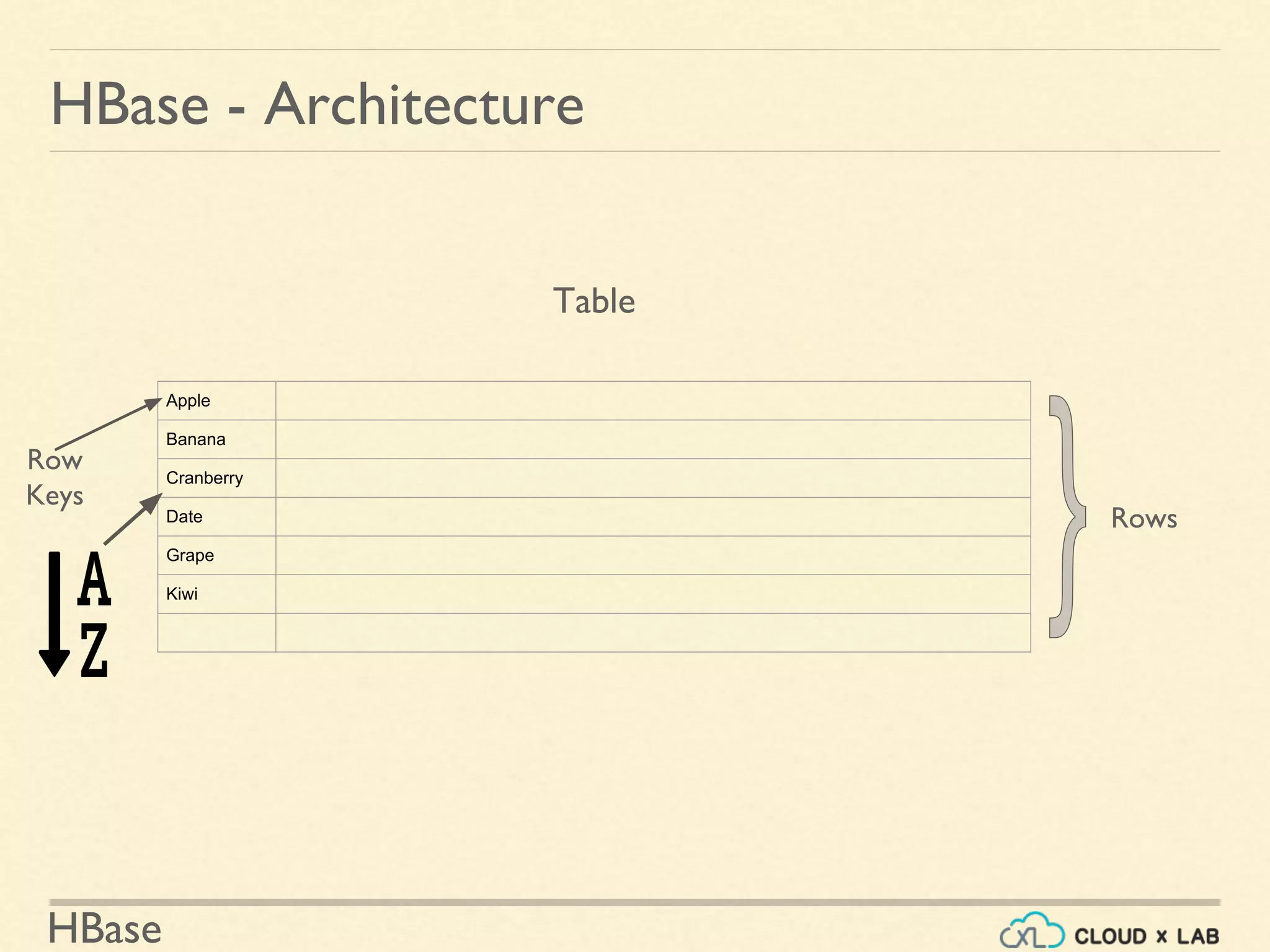
HBase - Architecture
Apple
Banana
Cranberry
Date
Grape
Kiwi
Rows
Table
Row
Keys
HBase
HBase - Architecture
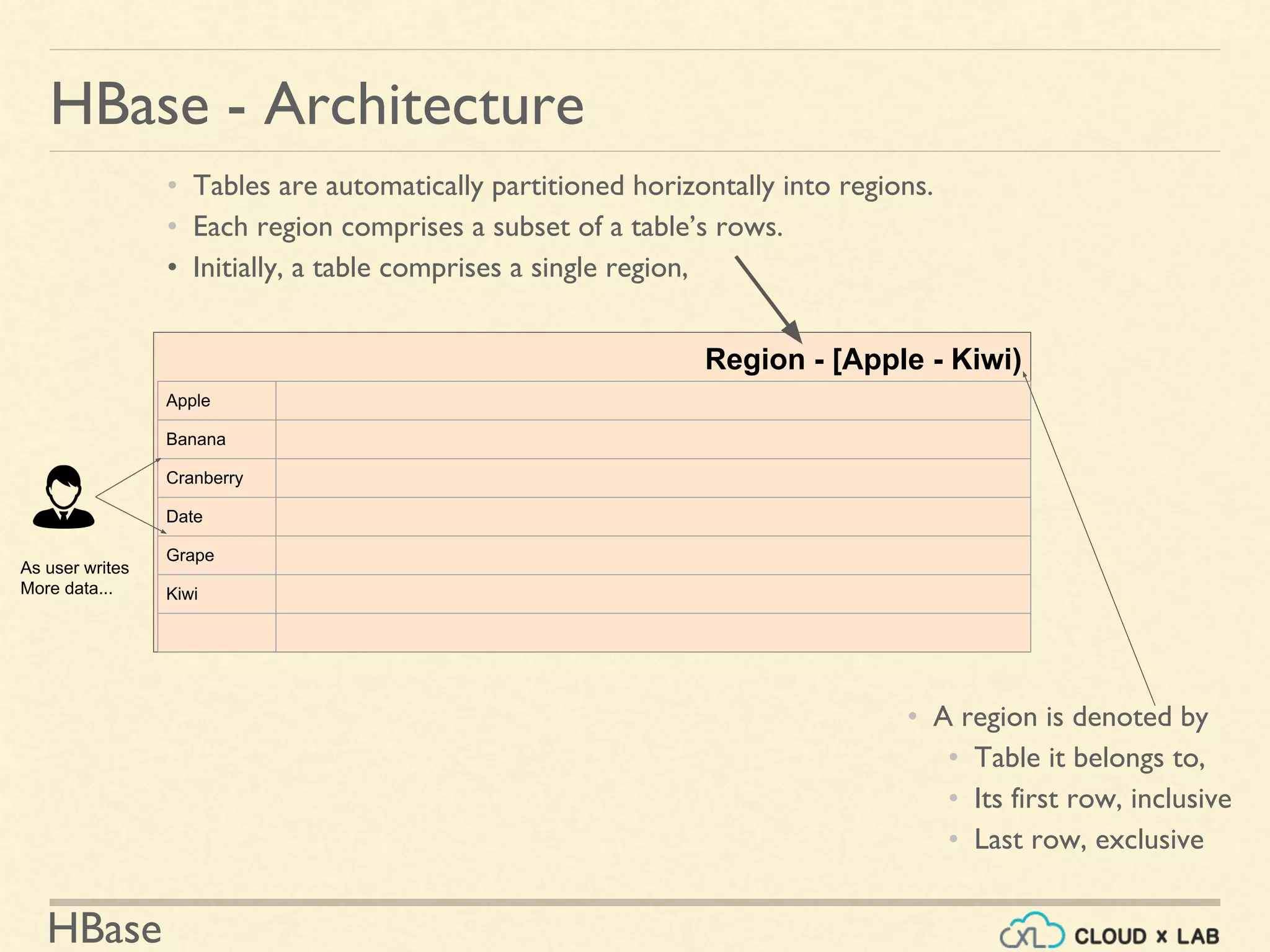
Region - [Apple - Kiwi)
Apple
Banana
Cranberry
Date
Grape
Kiwi
As user writes
More data...
• A region is denoted by
• Table it belongs to,
• Its first row, inclusive
• Last row, exclusive
• Tables are automatically partitioned horizontally into regions.
• Each region comprises a subset of a table’s rows.
• Initially, a table comprises a single region,
HBase
HBase - Architecture
Region - (Apple - $]
Apple
Banana
Bilberry
Cranberry
Cucumber
Date
Grape
Kiwi
As user writes
More data...
HBase
HBase - Architecture
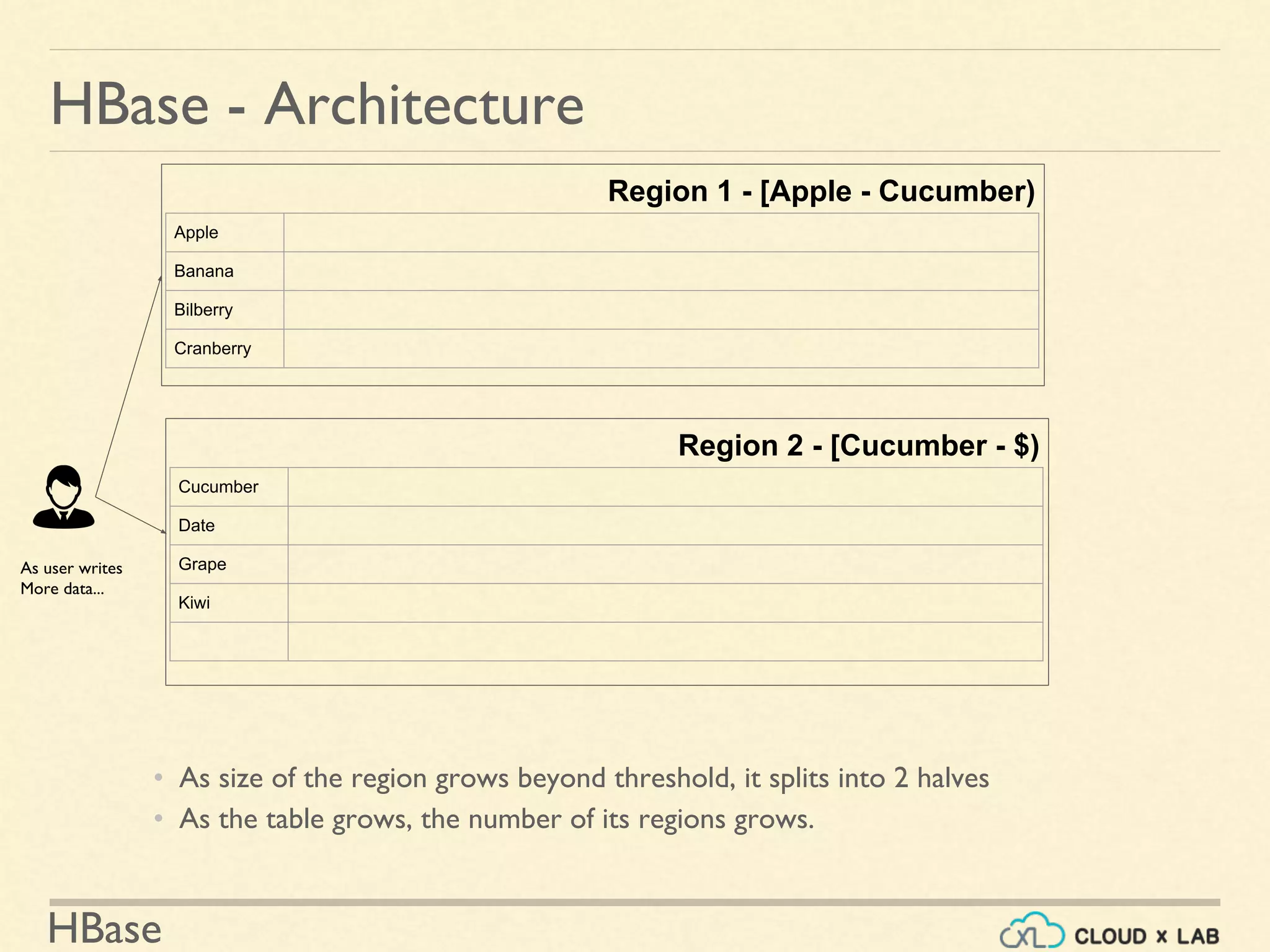
Region 1 - [Apple - Cucumber)
Apple
Banana
Bilberry
Cranberry
As user writes
More data...
Region 2 - [Cucumber - $)
Cucumber
Date
Grape
Kiwi
• As size of the region grows beyond threshold, it splits into 2 halves
• As the table grows, the number of its regions grows.
HBase
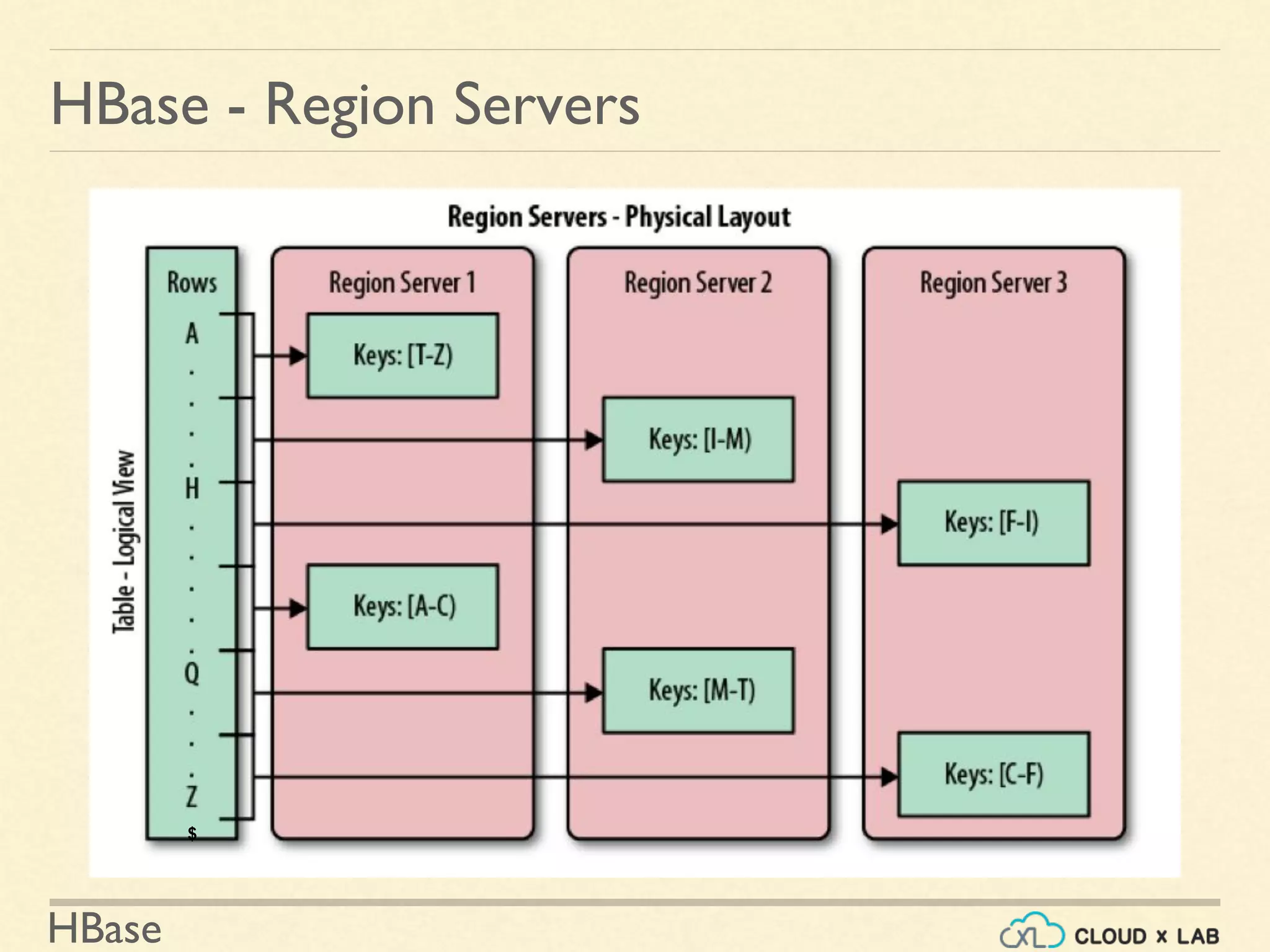
HBase - Region Servers
$
HBase
Data Modeling?
Process of structuring your data using the constructs provided
by a datastore to solve your problem.
HBase - Data Model
Requirements Technology
● Database features
● Limitations
HBase
HBase - Data Model
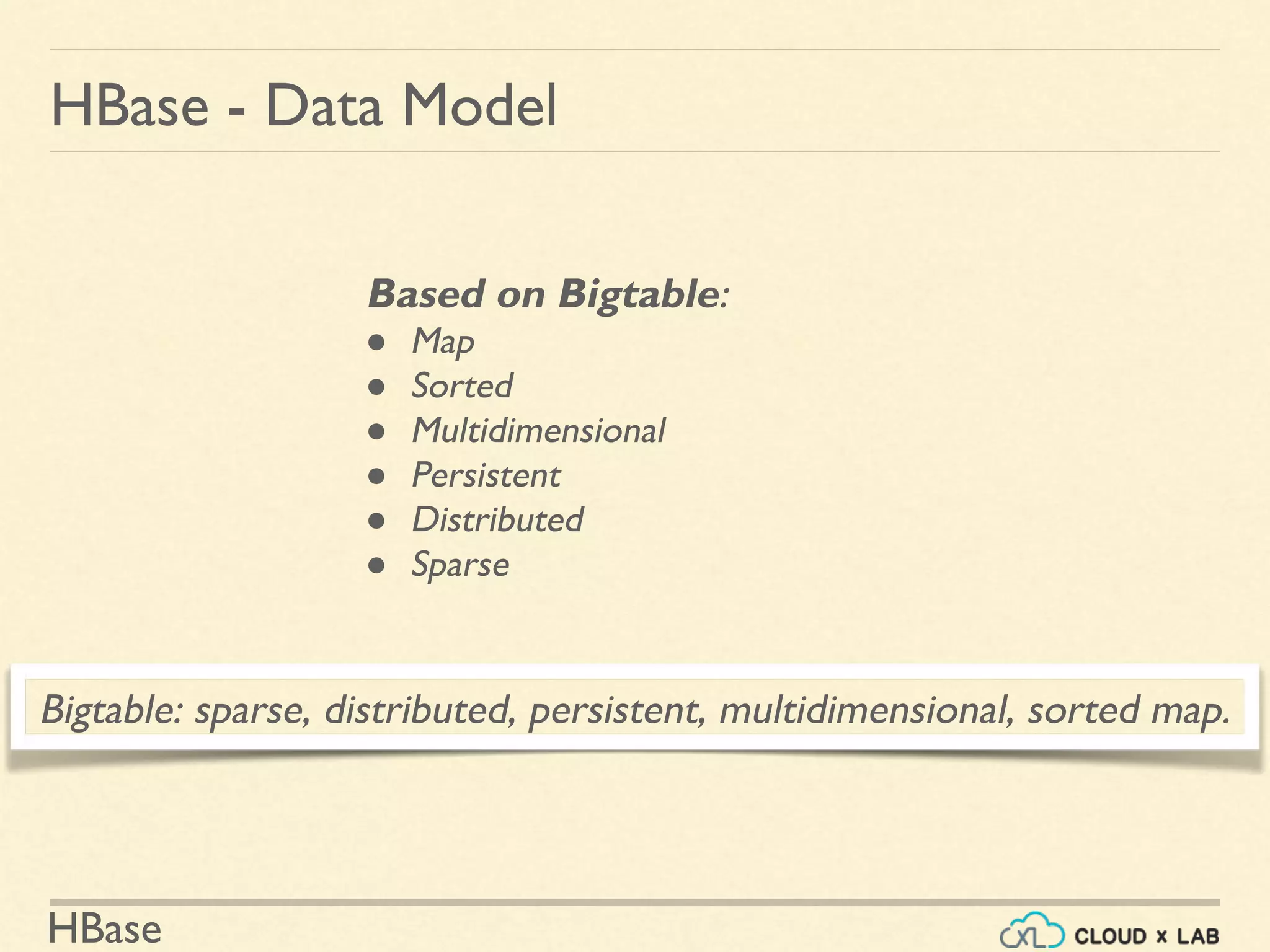
Based on Bigtable:
● Map
● Sorted
● Multidimensional
● Persistent
● Distributed
● Sparse
Bigtable: sparse, distributed, persistent, multidimensional, sorted map.
HBase
HBase - Data Model
Table:
• HBase organizes data into tables.
• Table names are Strings that are safe for file
system path.
HBase
HBase - Data Model
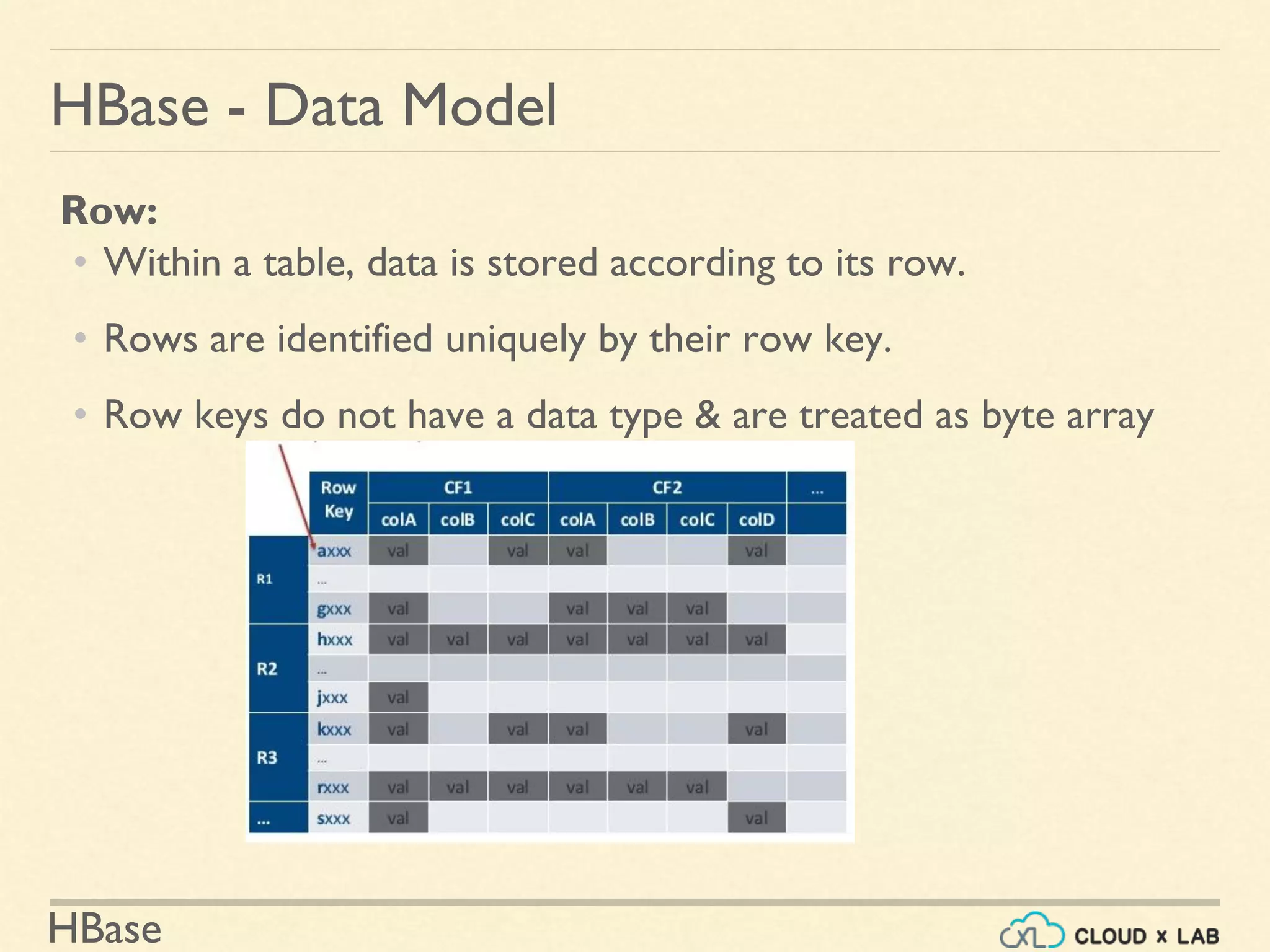
Row:
• Within a table, data is stored according to its row.
• Rows are identified uniquely by their row key.
• Row keys do not have a data type & are treated as byte array
HBase
HBase - Data Model
Column Family:
• Data within a row is grouped by column family.
• Impacts the physical arrangement of data.
• They must be defined up front and are not easily modified.
• Every row in a table has the same column families
• A row need not store data in all its families.
• Are Strings that are safe for use in a file system path
HBase
HBase - Data Model
Column Qualifier or Column:
• Data within a column family is addressed by column qualifier
• Column qualifiers need not be specified in advance.
• Column qualifiers need not be consistent between rows.
• Like row keys, column qualifiers don’t have data type
• Are always treated as a byte[ ].
HBase
HBase - Data Model
Cell:
• (tablename, row key, column family, column qualifier, version)
• identifies a cell.
• Values are of type byte[ ].
Row Key
HBase
HBase - Data Model
Version / Timestamp:
• Values within a cell are versioned.
• Version number, which by default is the write timestamp
• If not specified in write, the current time is used.
• If not specified in read, the latest value is returned.
• The number of versions retained by HBase is configured for each
column family.
• The default number of cell versions is three
HBase
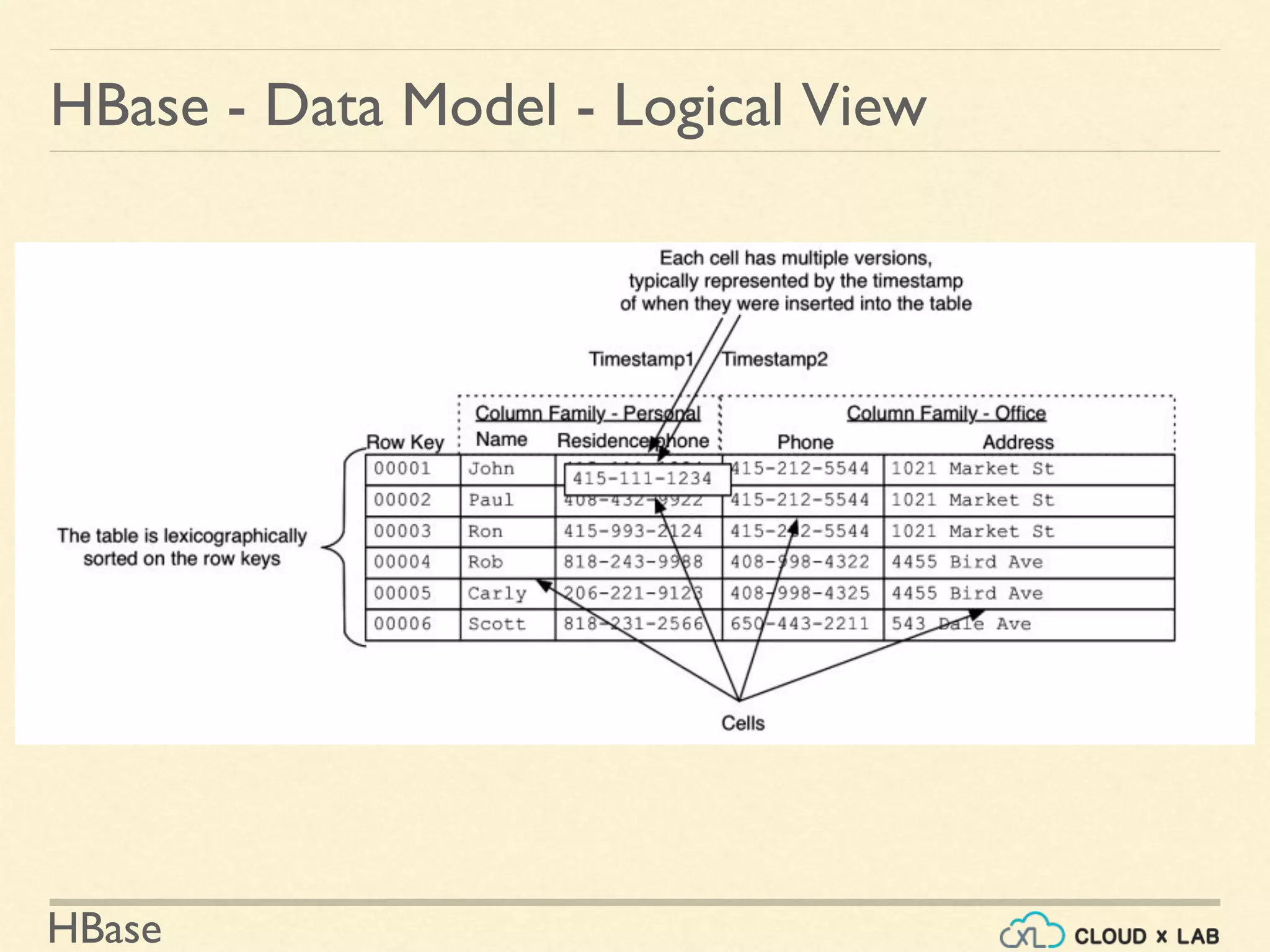
HBase - Data Model - Logical View
HBase
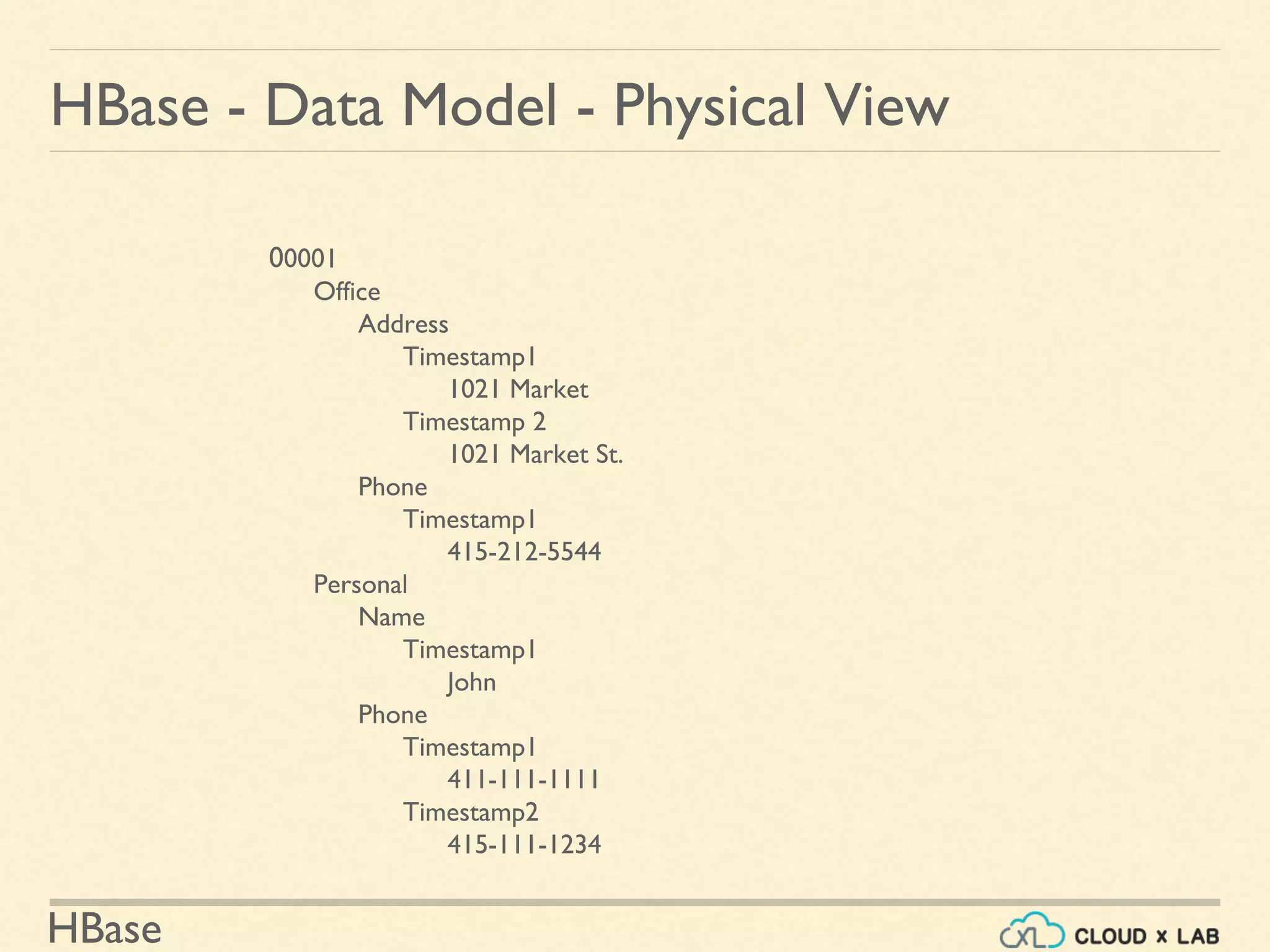
00001
Office
Address
Timestamp1
1021 Market
Timestamp 2
1021 Market St.
Phone
Timestamp1
415-212-5544
Personal
Name
Timestamp1
John
Phone
Timestamp1
411-111-1111
Timestamp2
415-111-1234
HBase - Data Model - Physical View
HBase
Data Model - Design Guidelines
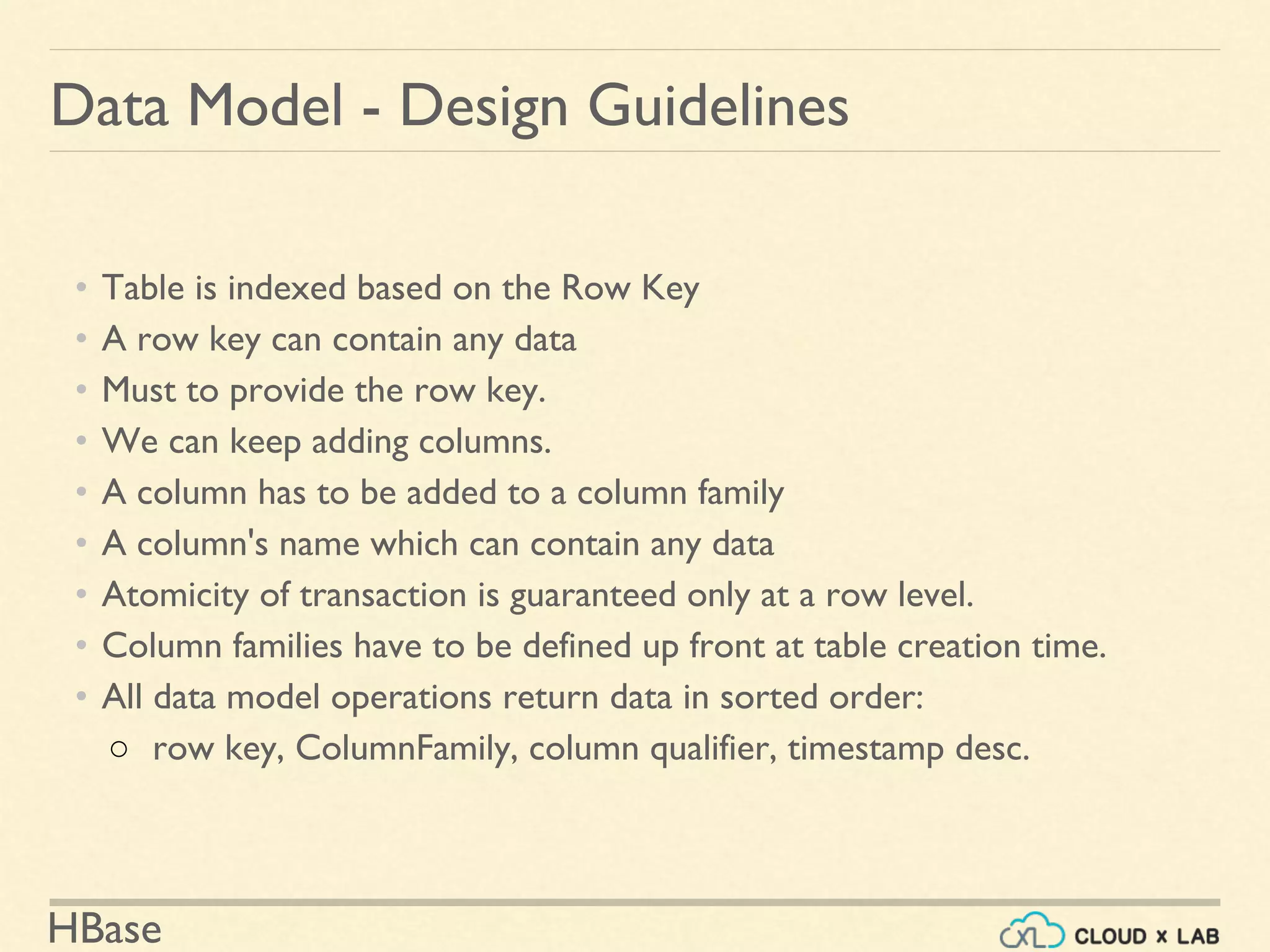
• Table is indexed based on the Row Key
• A row key can contain any data
• Must to provide the row key.
• We can keep adding columns.
• A column has to be added to a column family
• A column's name which can contain any data
• Atomicity of transaction is guaranteed only at a row level.
• Column families have to be defined up front at table creation time.
• All data model operations return data in sorted order:
○ row key, ColumnFamily, column qualifier, timestamp desc.
HBase
Data Model - Example - Webtable - Search Engine
HBase
Data Model - Example - Webtable
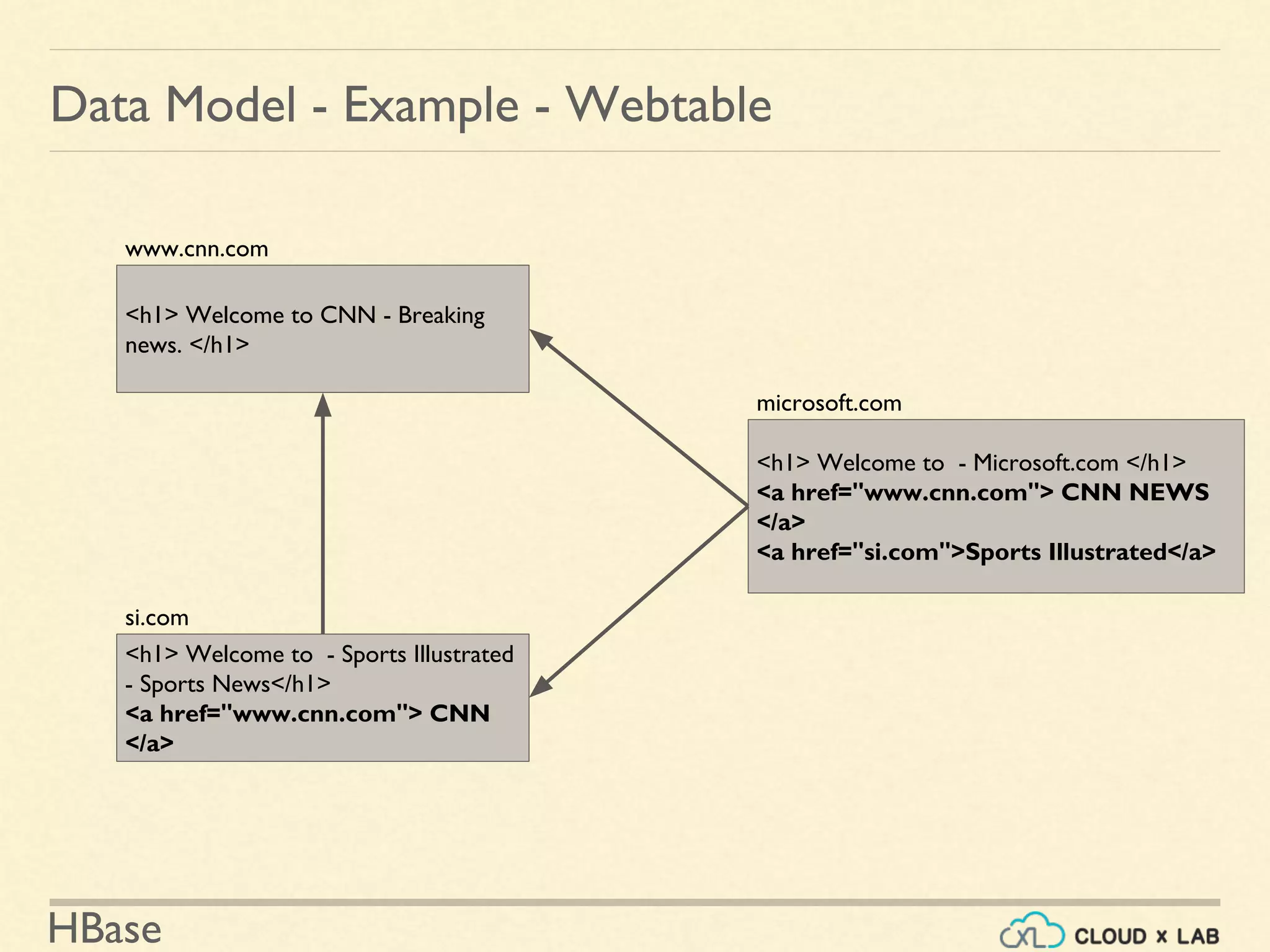
<h1> Welcome to CNN - Breaking
news. </h1>
www.cnn.com
<h1> Welcome to - Sports Illustrated
- Sports News</h1>
<a href="www.cnn.com"> CNN
</a>
si.com
<h1> Welcome to - Microsoft.com </h1>
<a href="www.cnn.com"> CNN NEWS
</a>
<a href="si.com">Sports Illustrated</a>
microsoft.com
HBase
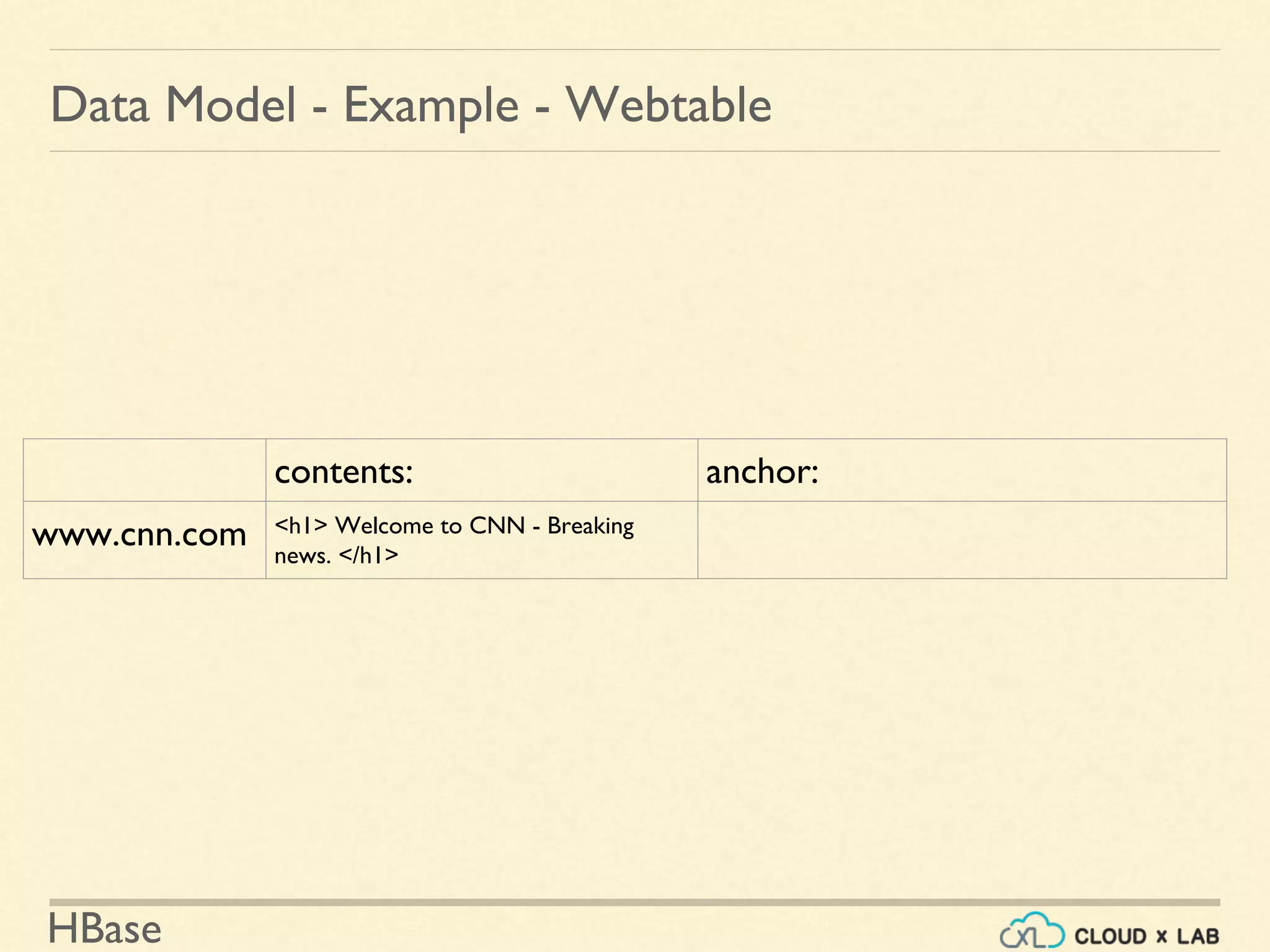
Data Model - Example - Webtable
contents: anchor:
www.cnn.com <h1> Welcome to CNN - Breaking
news. </h1>
HBase
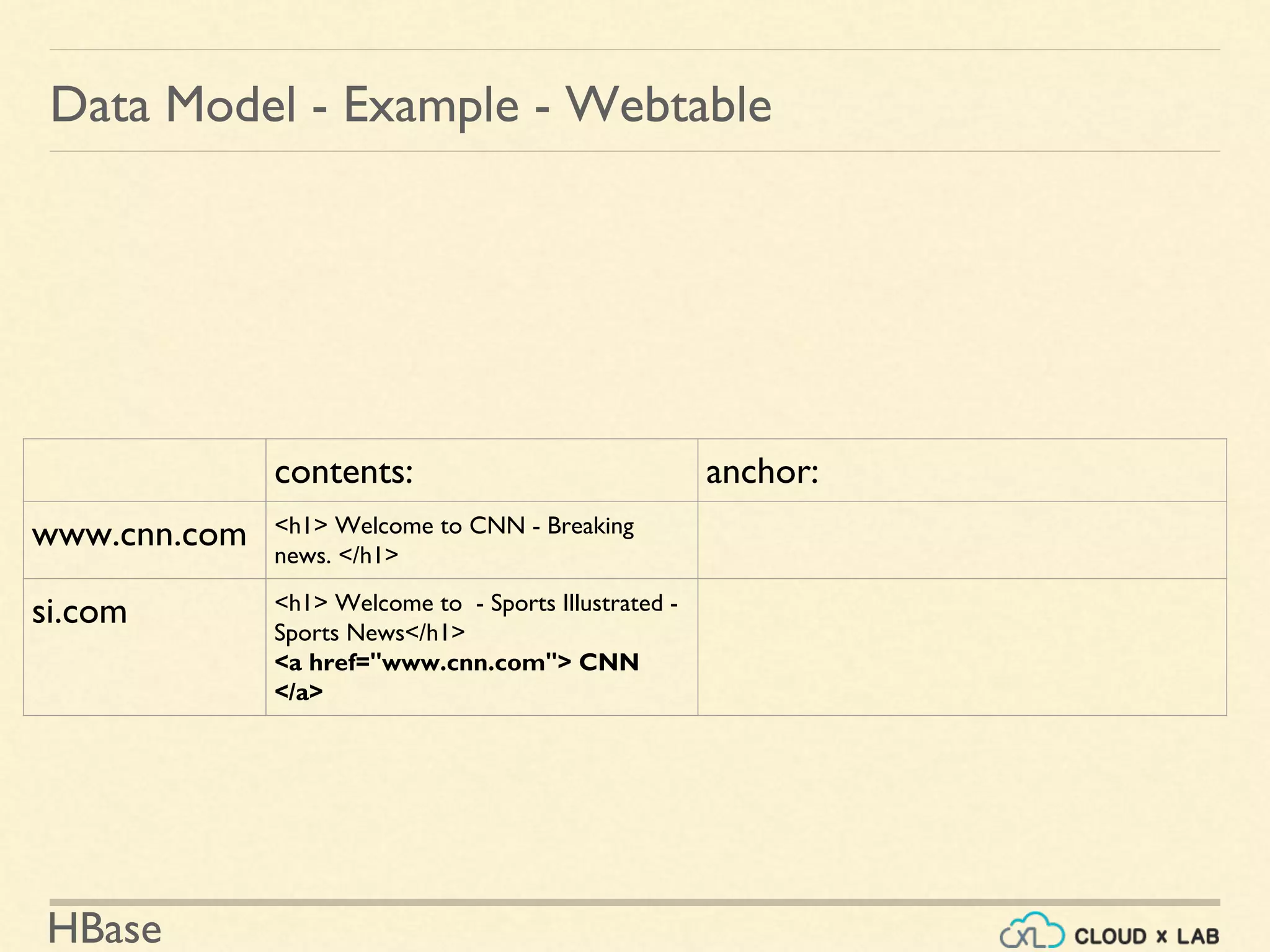
Data Model - Example - Webtable
contents: anchor:
www.cnn.com <h1> Welcome to CNN - Breaking
news. </h1>
si.com <h1> Welcome to - Sports Illustrated -
Sports News</h1>
<a href="www.cnn.com"> CNN
</a>
HBase
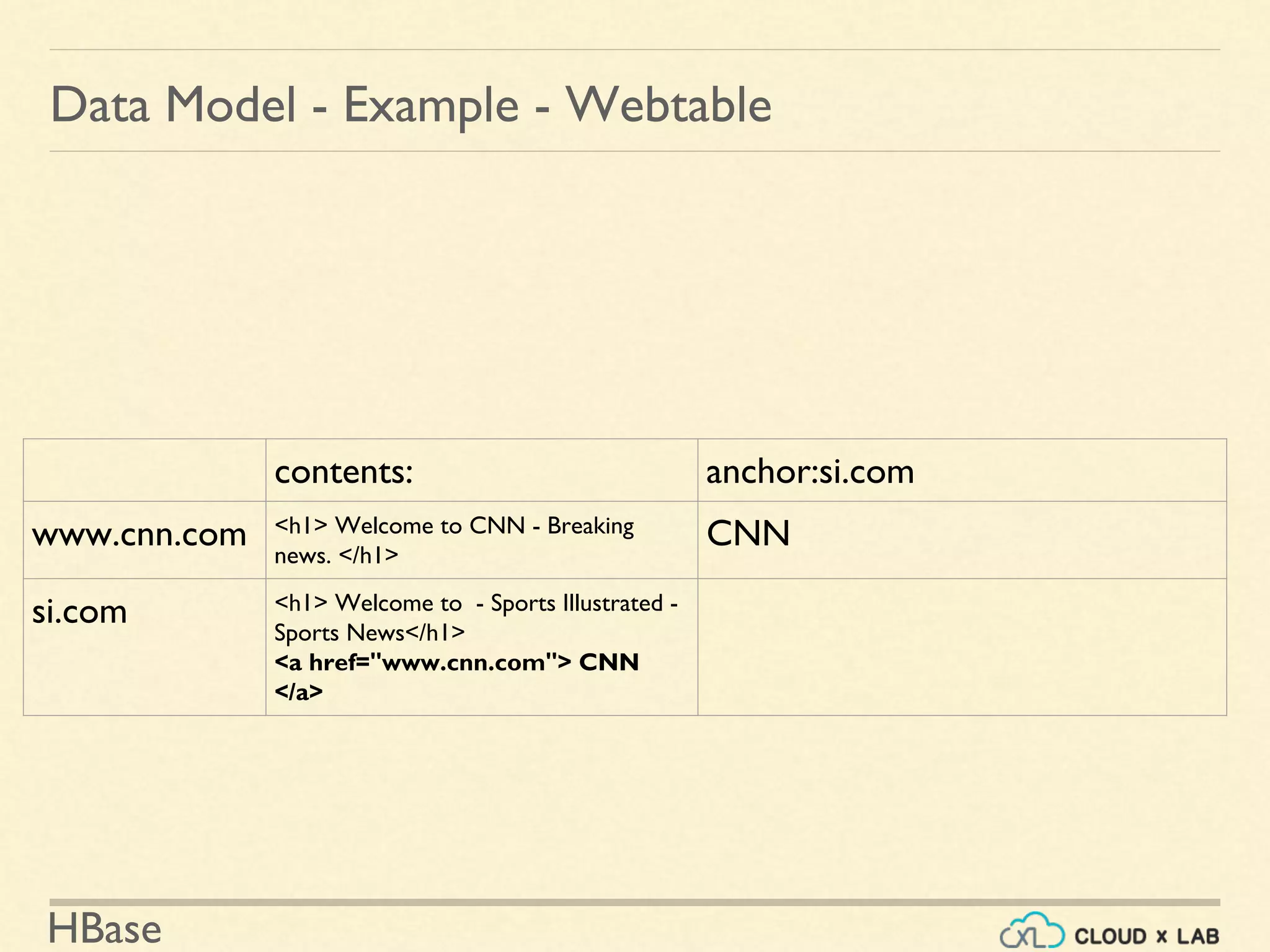
Data Model - Example - Webtable
contents: anchor:si.com
www.cnn.com <h1> Welcome to CNN - Breaking
news. </h1>
CNN
si.com <h1> Welcome to - Sports Illustrated -
Sports News</h1>
<a href="www.cnn.com"> CNN
</a>
HBase
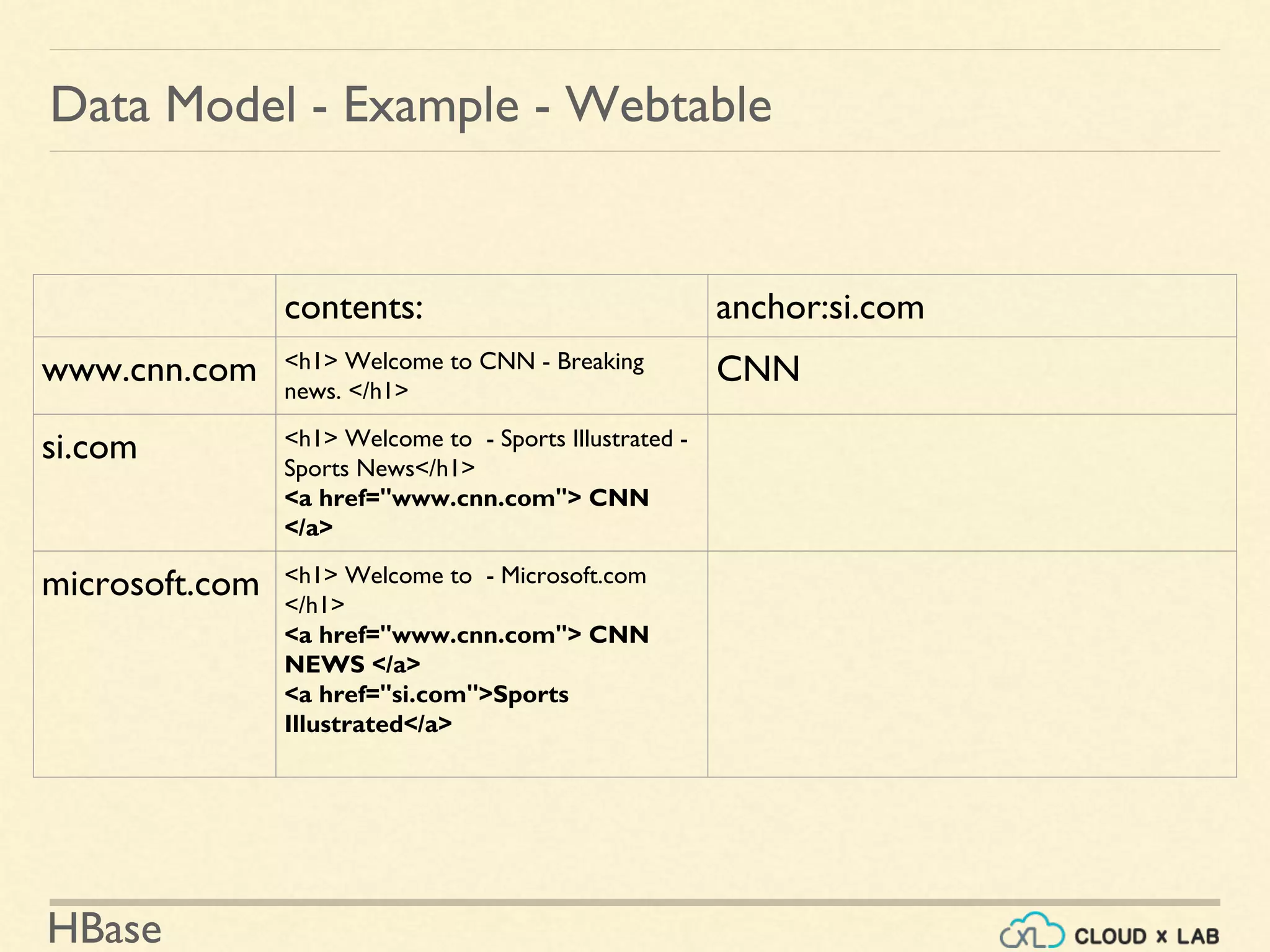
Data Model - Example - Webtable
contents: anchor:si.com
www.cnn.com <h1> Welcome to CNN - Breaking
news. </h1>
CNN
si.com <h1> Welcome to - Sports Illustrated -
Sports News</h1>
<a href="www.cnn.com"> CNN
</a>
microsoft.com <h1> Welcome to - Microsoft.com
</h1>
<a href="www.cnn.com"> CNN
NEWS </a>
<a href="si.com">Sports
Illustrated</a>
HBase
Data Model - Example - Webtable
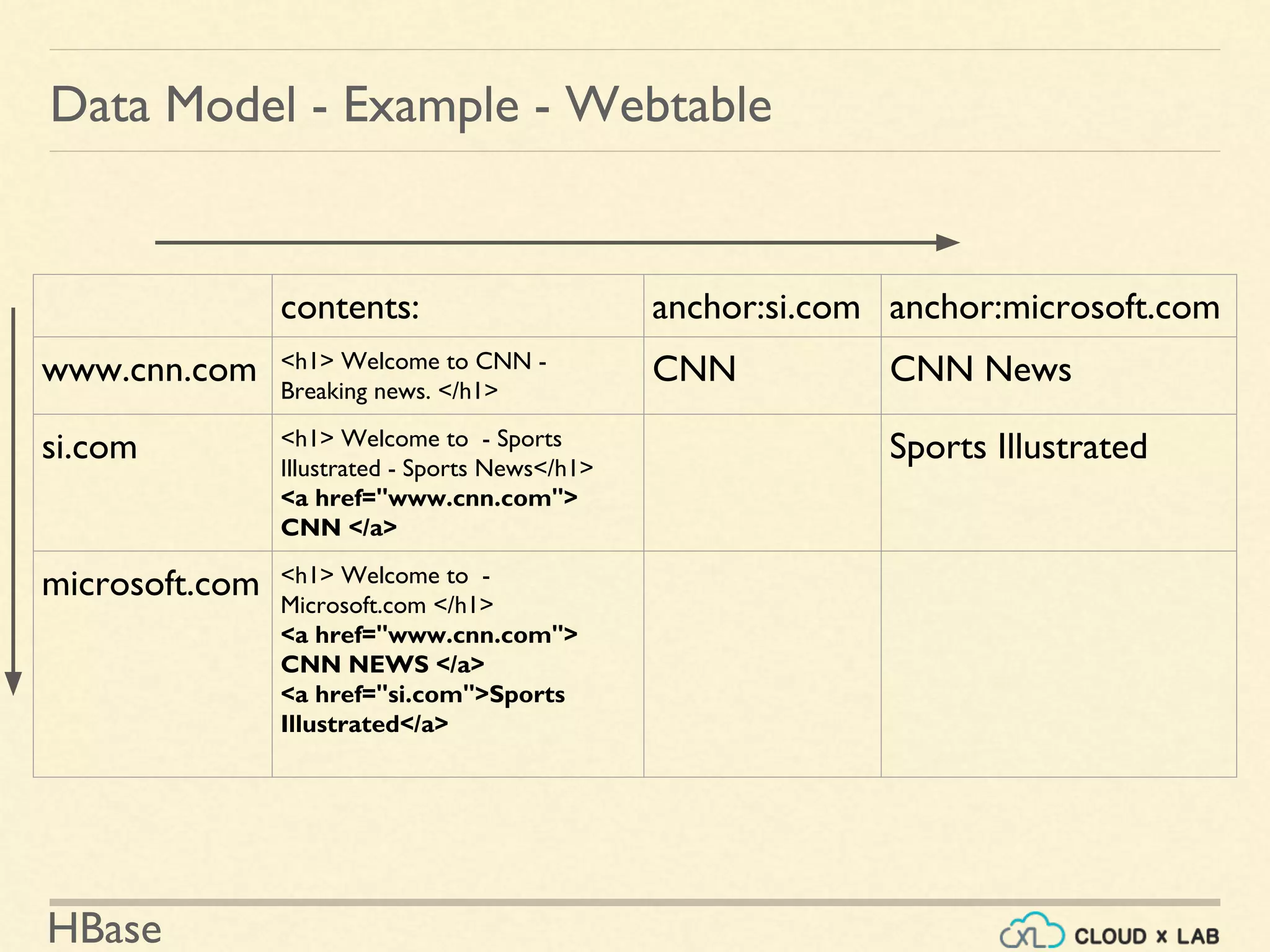
contents: anchor:si.com anchor:microsoft.com
www.cnn.com <h1> Welcome to CNN -
Breaking news. </h1>
CNN CNN News
si.com <h1> Welcome to - Sports
Illustrated - Sports News</h1>
<a href="www.cnn.com">
CNN </a>
Sports Illustrated
microsoft.com <h1> Welcome to -
Microsoft.com </h1>
<a href="www.cnn.com">
CNN NEWS </a>
<a href="si.com">Sports
Illustrated</a>
HBase
Data Model - Example - Webtable
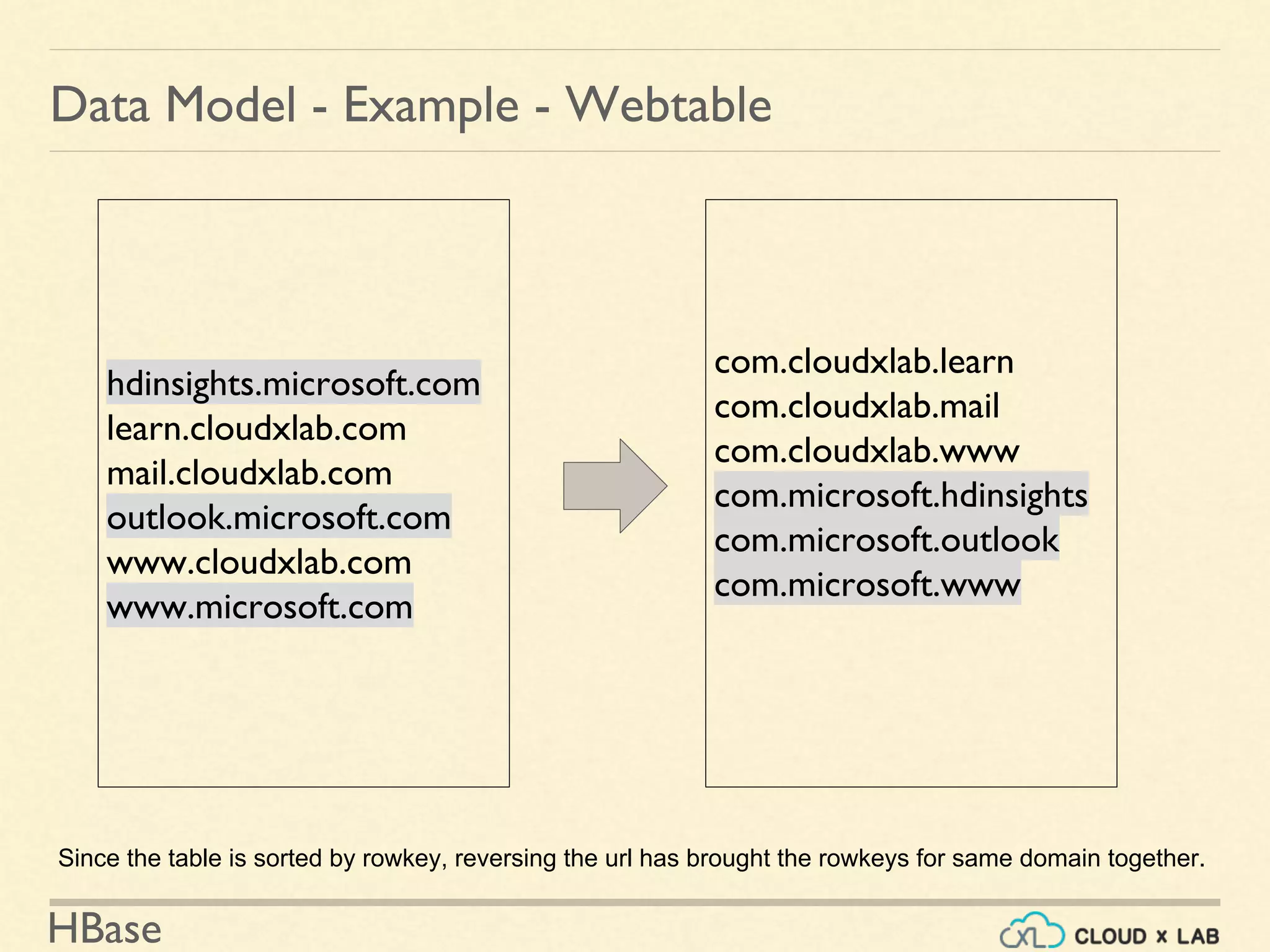
hdinsights.microsoft.com
learn.cloudxlab.com
mail.cloudxlab.com
outlook.microsoft.com
www.cloudxlab.com
www.microsoft.com
com.cloudxlab.learn
com.cloudxlab.mail
com.cloudxlab.www
com.microsoft.hdinsights
com.microsoft.outlook
com.microsoft.www
Since the table is sorted by rowkey, reversing the url has brought the rowkeys for same domain together.
HBase
Data Model - Example - Webtable
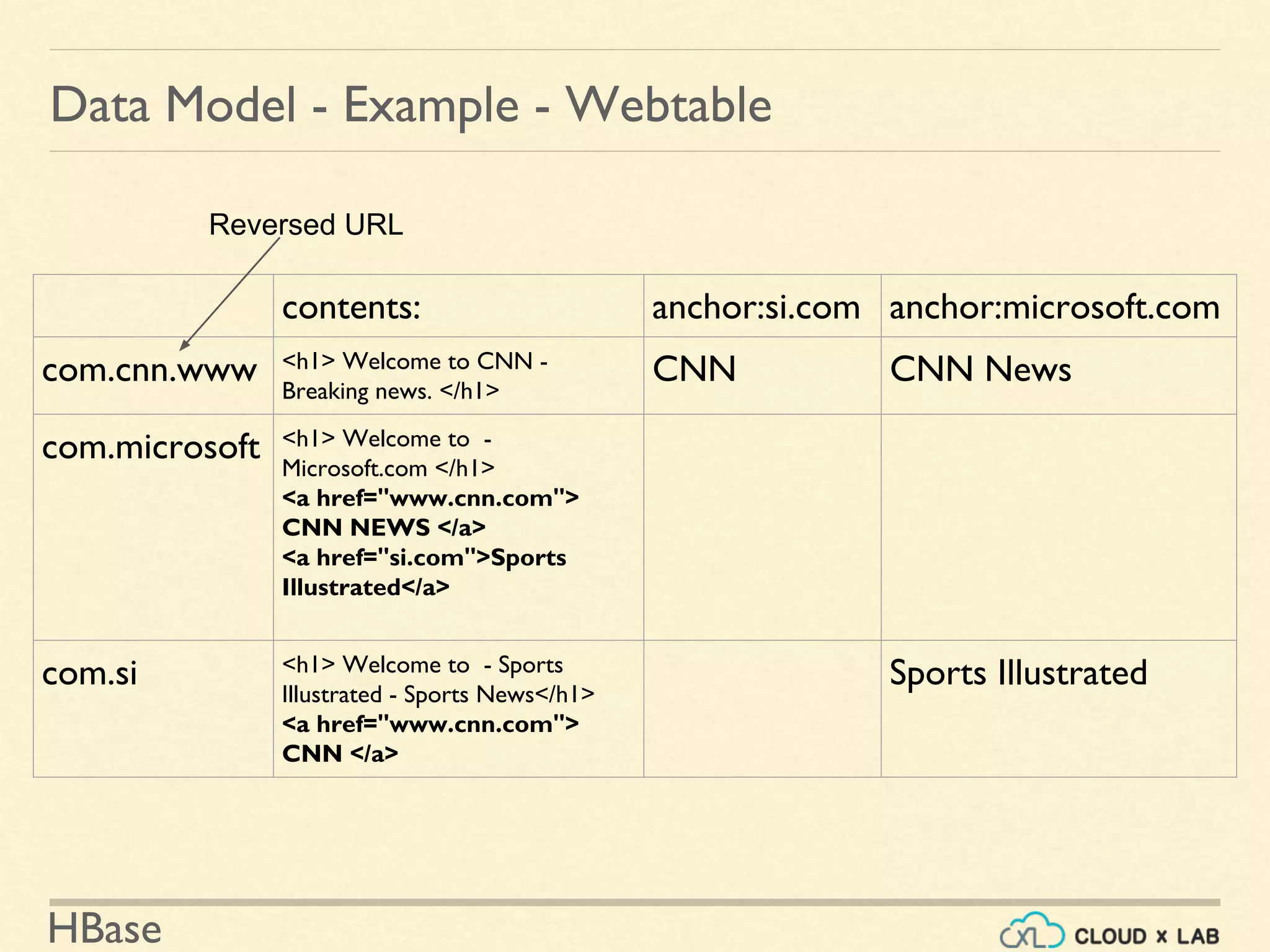
contents: anchor:si.com anchor:microsoft.com
com.cnn.www <h1> Welcome to CNN -
Breaking news. </h1>
CNN CNN News
com.microsoft <h1> Welcome to -
Microsoft.com </h1>
<a href="www.cnn.com">
CNN NEWS </a>
<a href="si.com">Sports
Illustrated</a>
com.si <h1> Welcome to - Sports
Illustrated - Sports News</h1>
<a href="www.cnn.com">
CNN </a>
Sports Illustrated
Reversed URL
HBase
Data Model - Example - Webtable
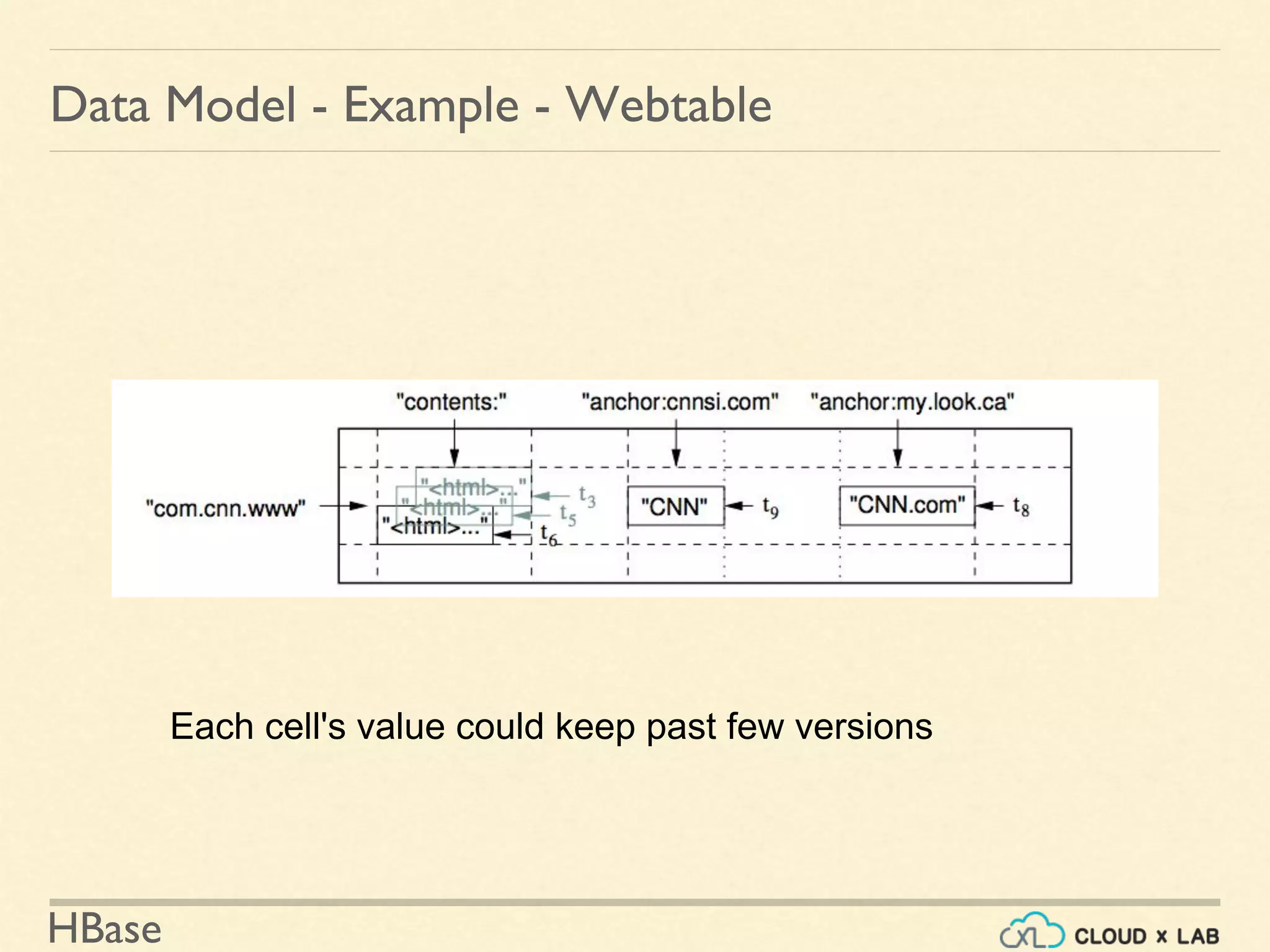
Each cell's value could keep past few versions
HBase
Hands On
HBase
HBase - Shell
Quick Hello!
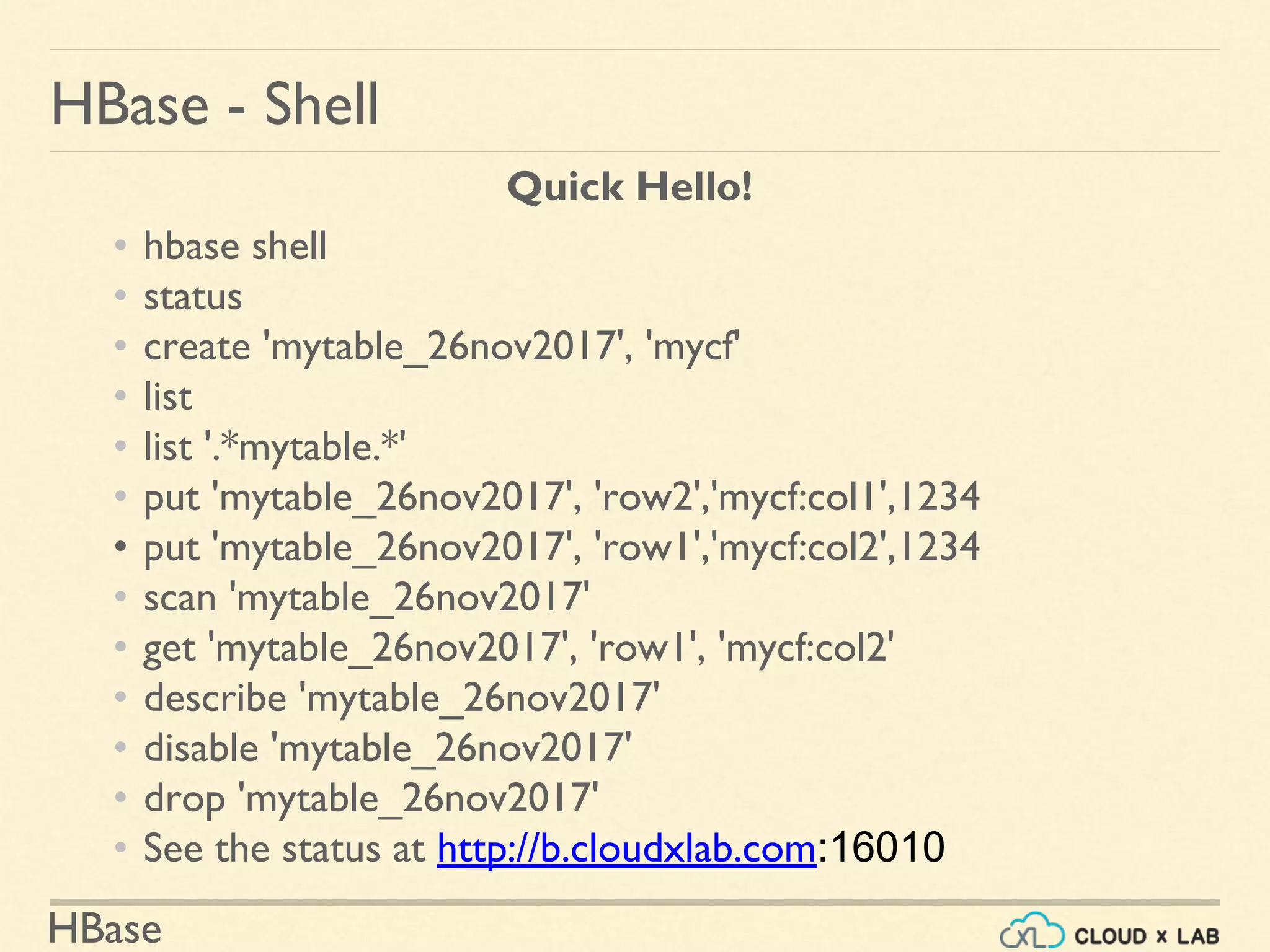
• hbase shell
• status
• create 'mytable_26nov2017', 'mycf'
• list
• list '.*mytable.*'
• put 'mytable_26nov2017', 'row2','mycf:col1',1234
• put 'mytable_26nov2017', 'row1','mycf:col2',1234
• scan 'mytable_26nov2017'
• get 'mytable_26nov2017', 'row1', 'mycf:col2'
• describe 'mytable_26nov2017'
• disable 'mytable_26nov2017'
• drop 'mytable_26nov2017'
• See the status at http://b.cloudxlab.com:16010
HBase
HBase - Physical Store
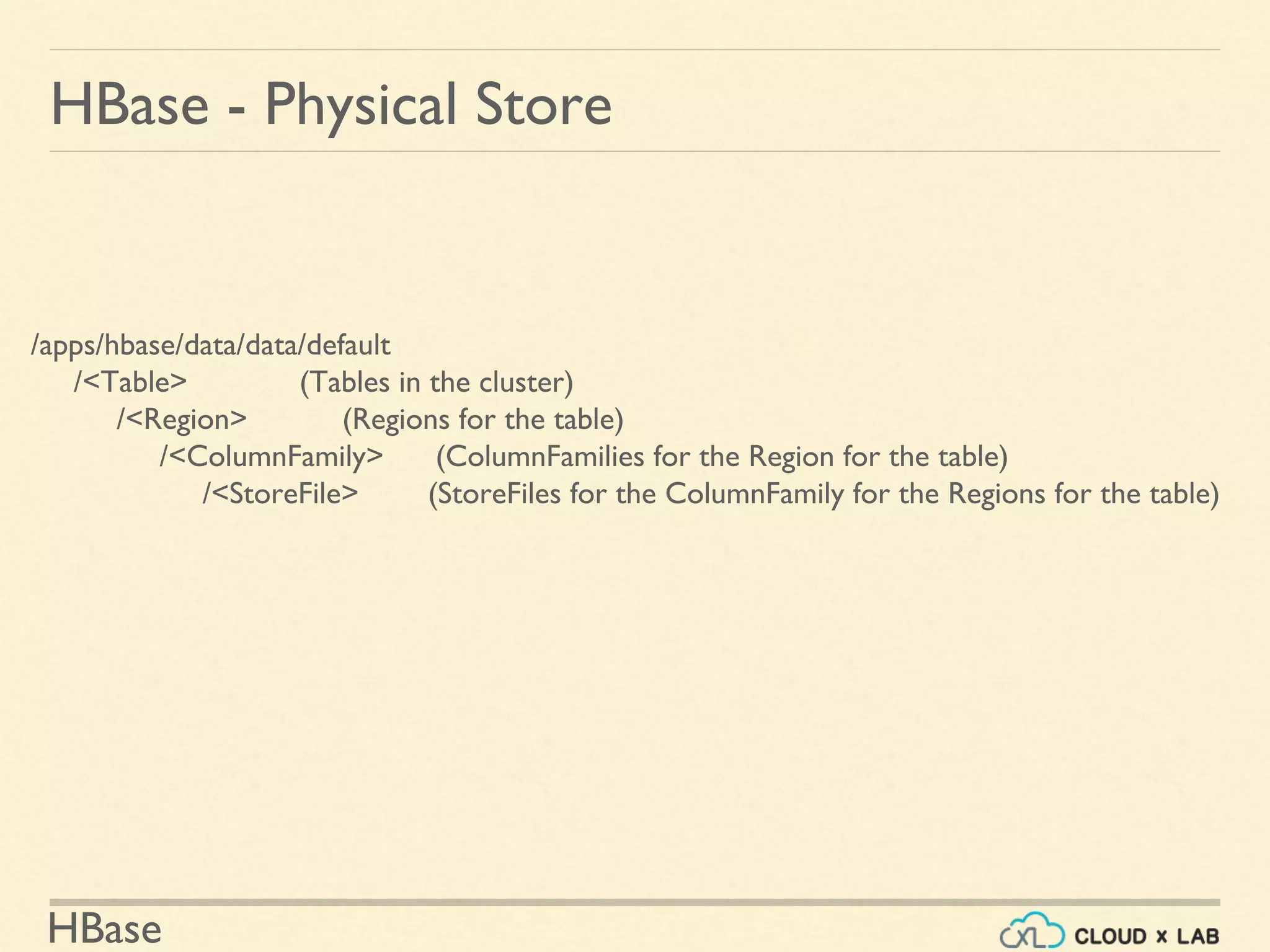
/apps/hbase/data/data/default
/<Table> (Tables in the cluster)
/<Region> (Regions for the table)
/<ColumnFamily> (ColumnFamilies for the Region for the table)
/<StoreFile> (StoreFiles for the ColumnFamily for the Regions for the table)
HBase
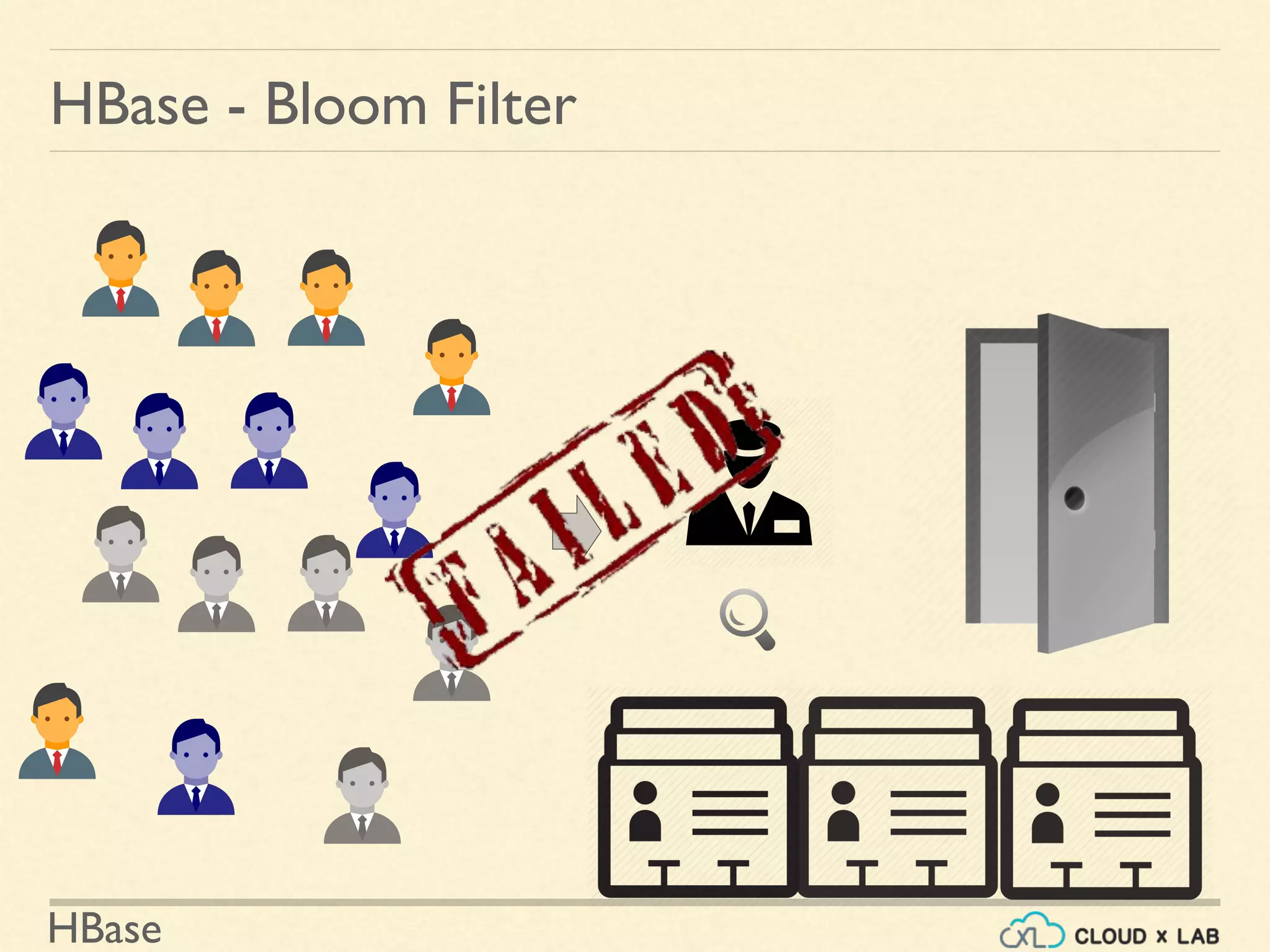
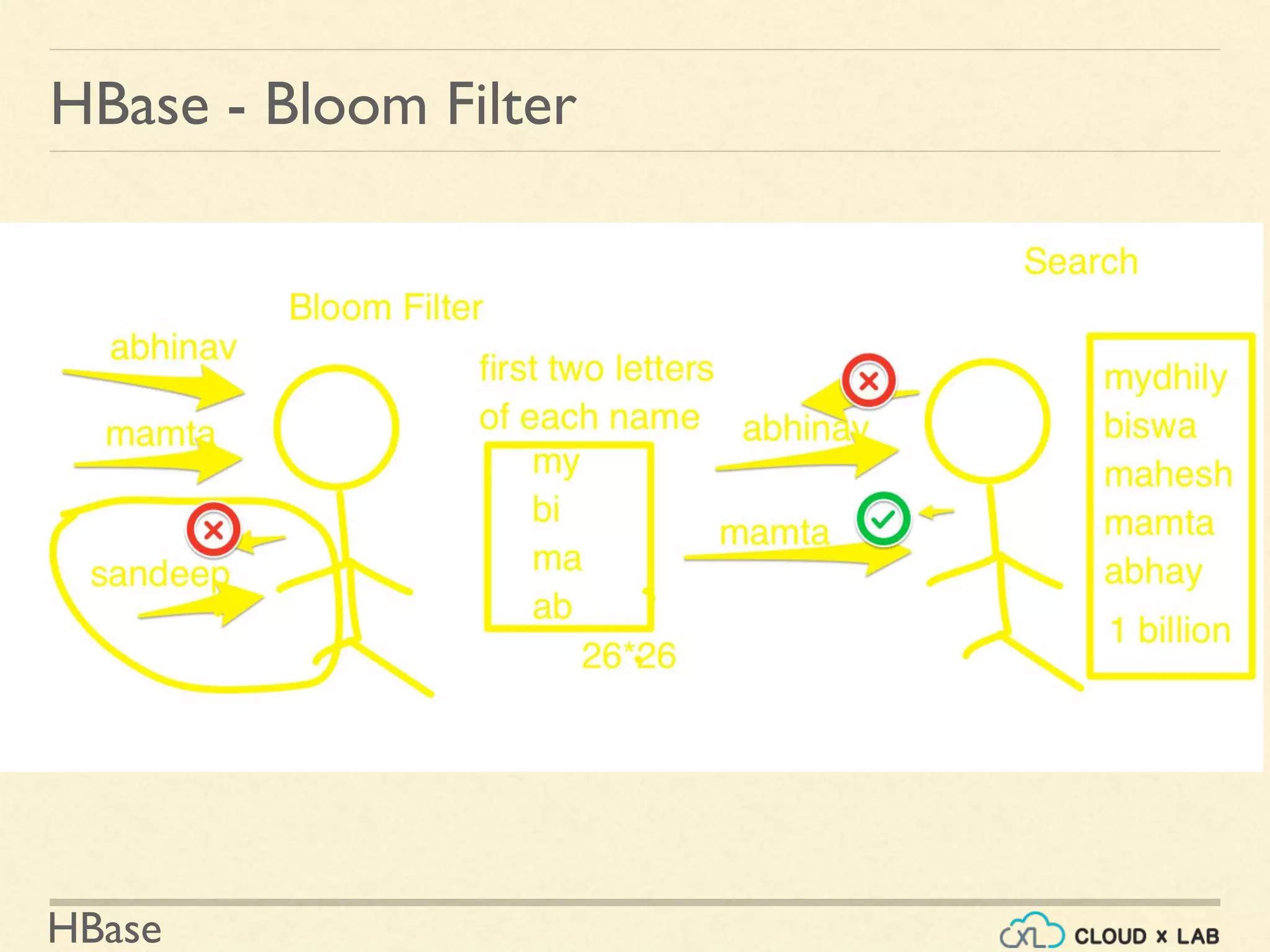
HBase - Bloom Filter
HBase
HBase - Bloom Filter
HBase
HBase - Bloom Filter
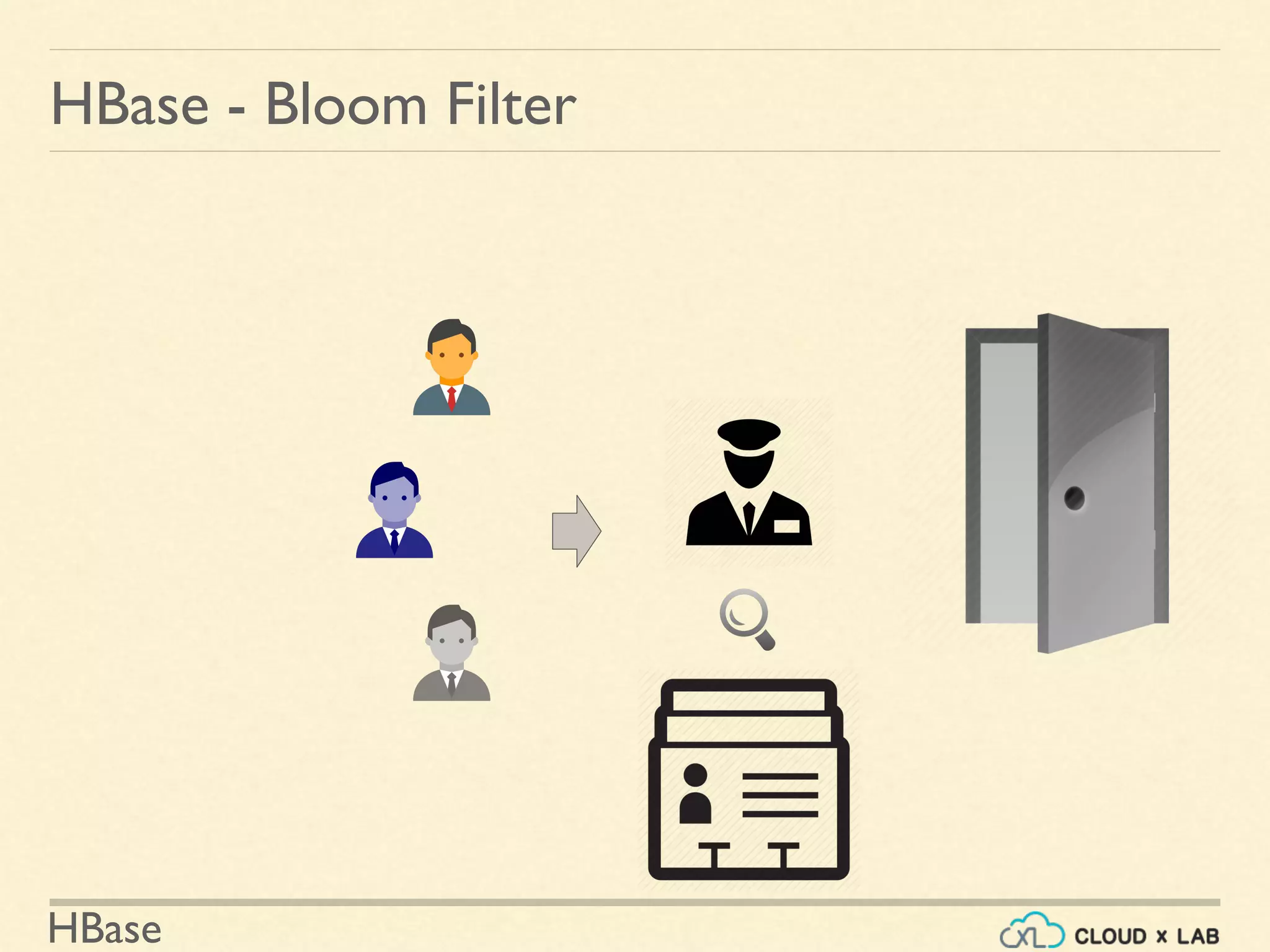
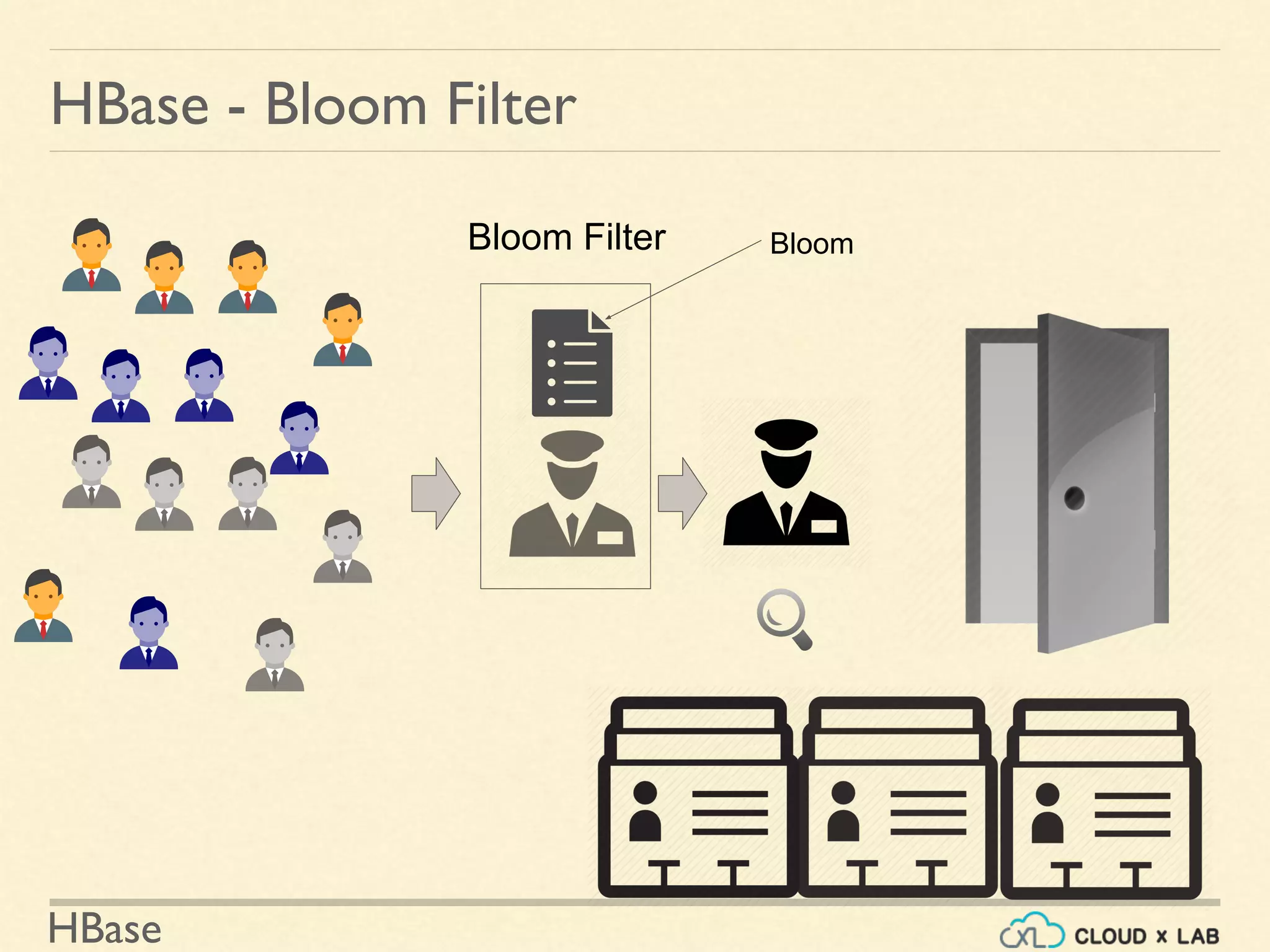
Bloom Filter Bloom
HBase
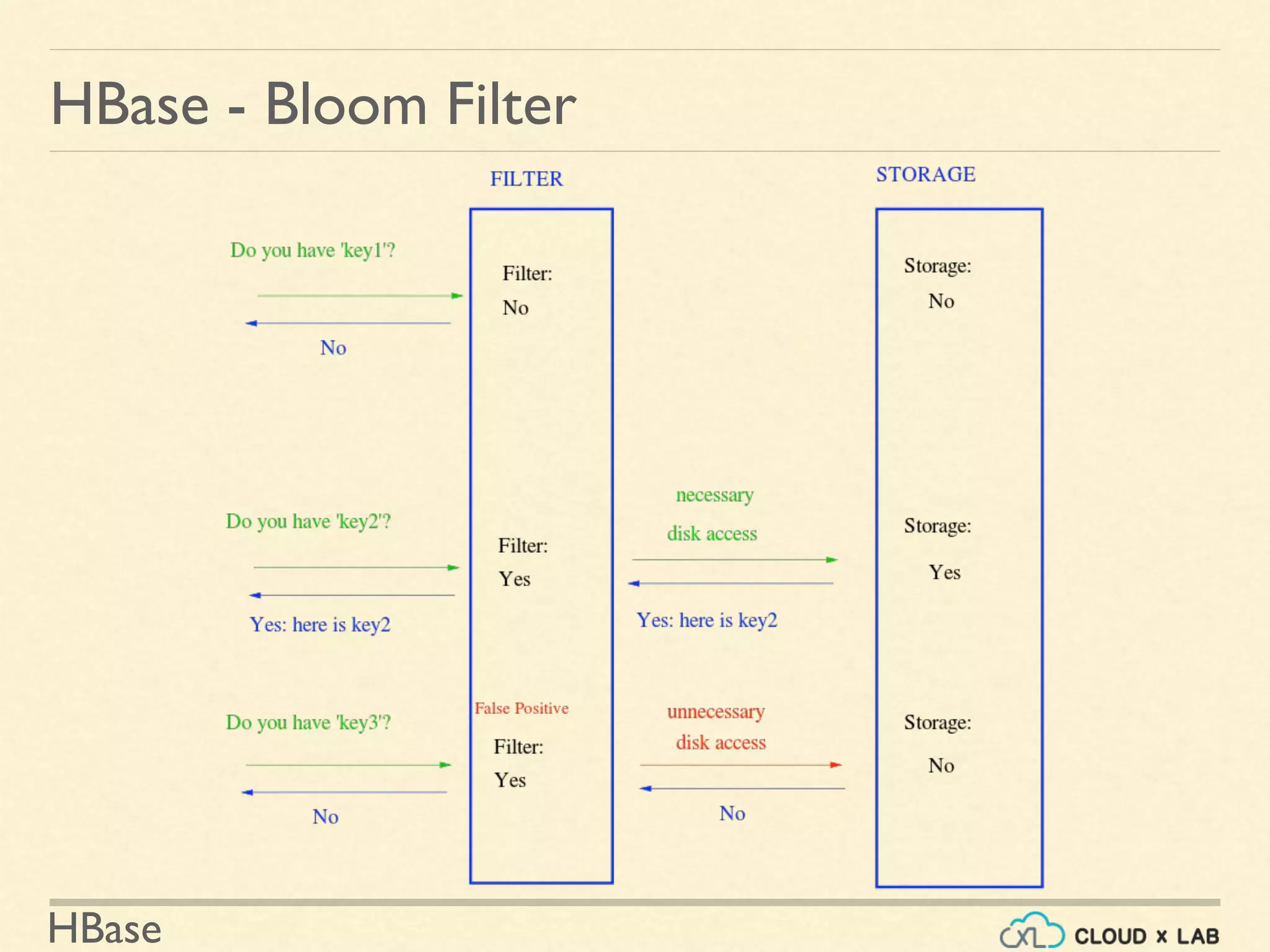
HBase - Bloom Filter
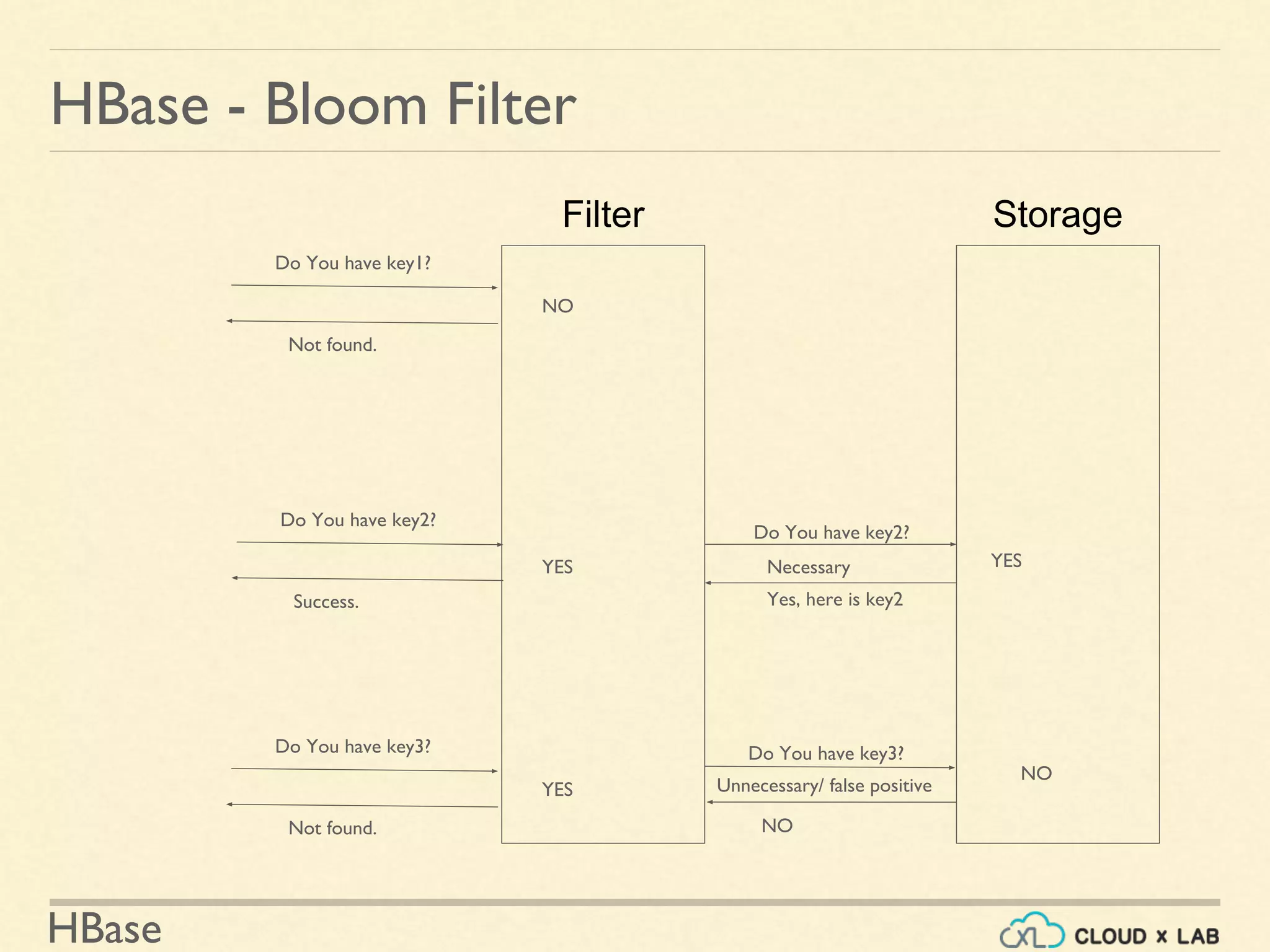
StorageFilter
Do You have key1?
Not found.
NO
Do You have key2?
Yes, here is key2
YES
Do You have key3?
NO
NO
Do You have key2?
Success.
Do You have key3?
Not found.
YES
Necessary
Unnecessary/ false positive
YES
HBase
HBase - Bloom
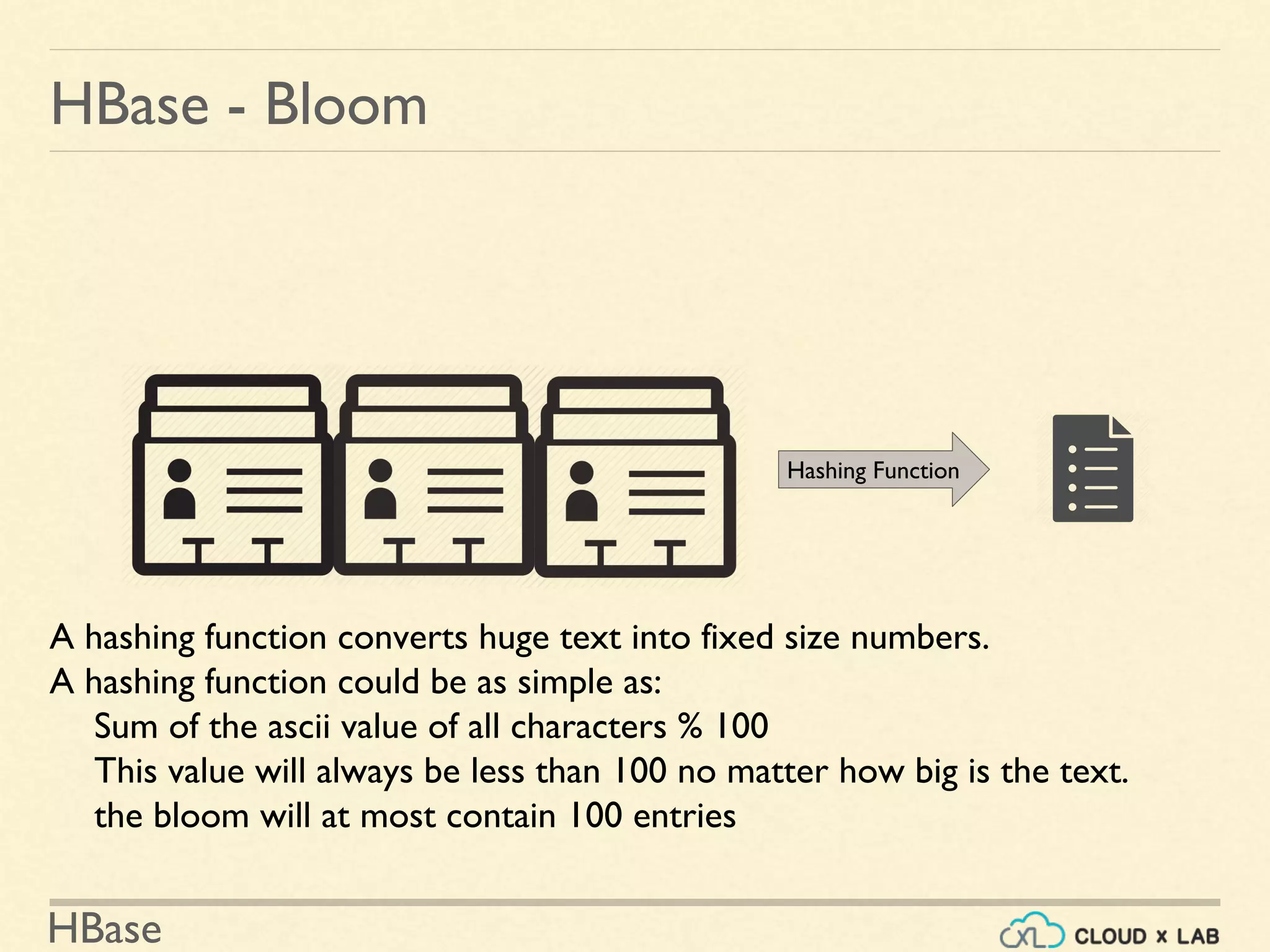
Hashing Function
A hashing function converts huge text into fixed size numbers.
A hashing function could be as simple as:
Sum of the ascii value of all characters % 100
This value will always be less than 100 no matter how big is the text.
the bloom will at most contain 100 entries
HBase
HBase - Bloom
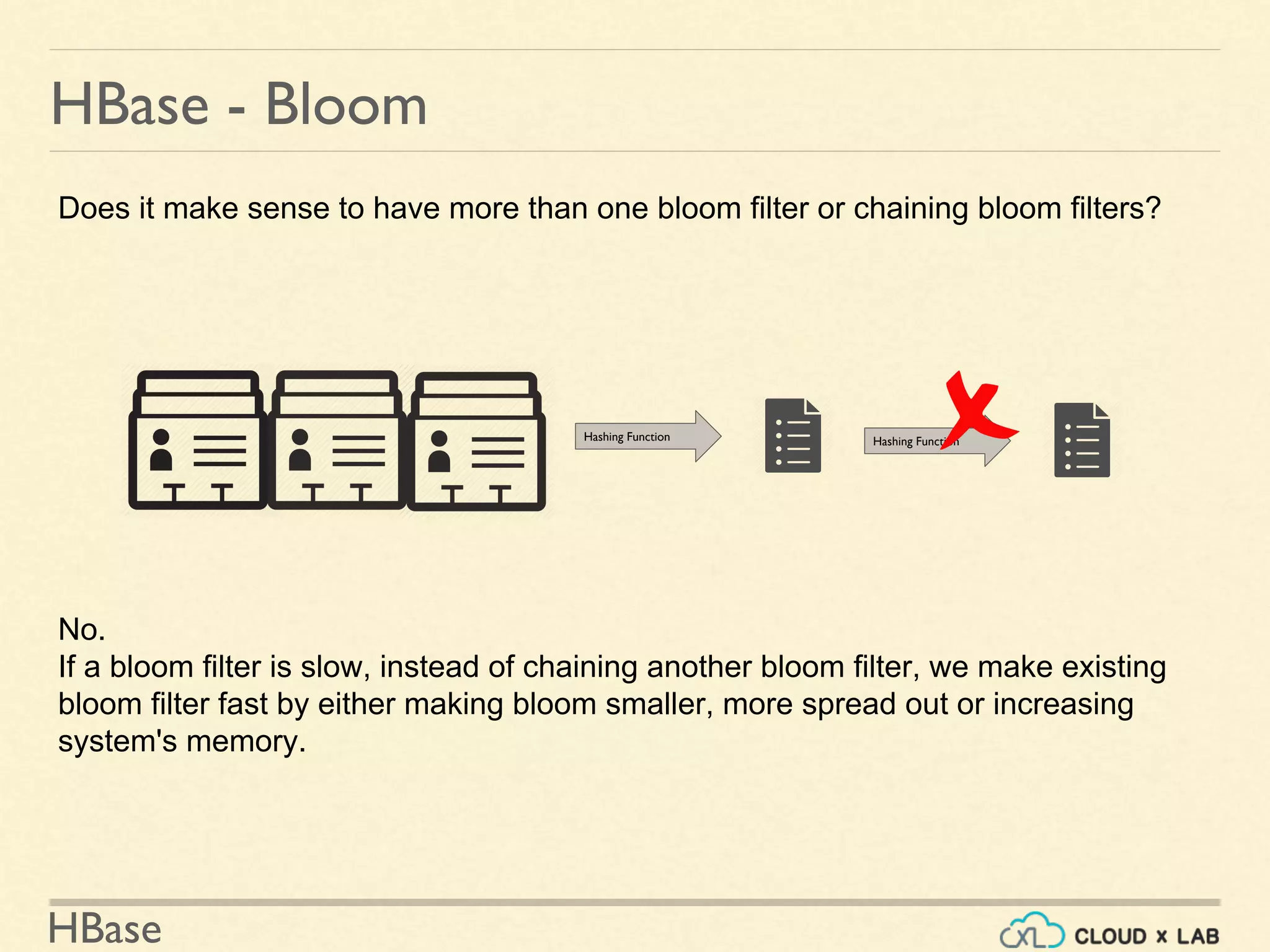
Hashing Function Hashing Function
Does it make sense to have more than one bloom filter or chaining bloom filters?
No.
If a bloom filter is slow, instead of chaining another bloom filter, we make existing
bloom filter fast by either making bloom smaller, more spread out or increasing
system's memory.
HBase
1
5
6
10
11
15
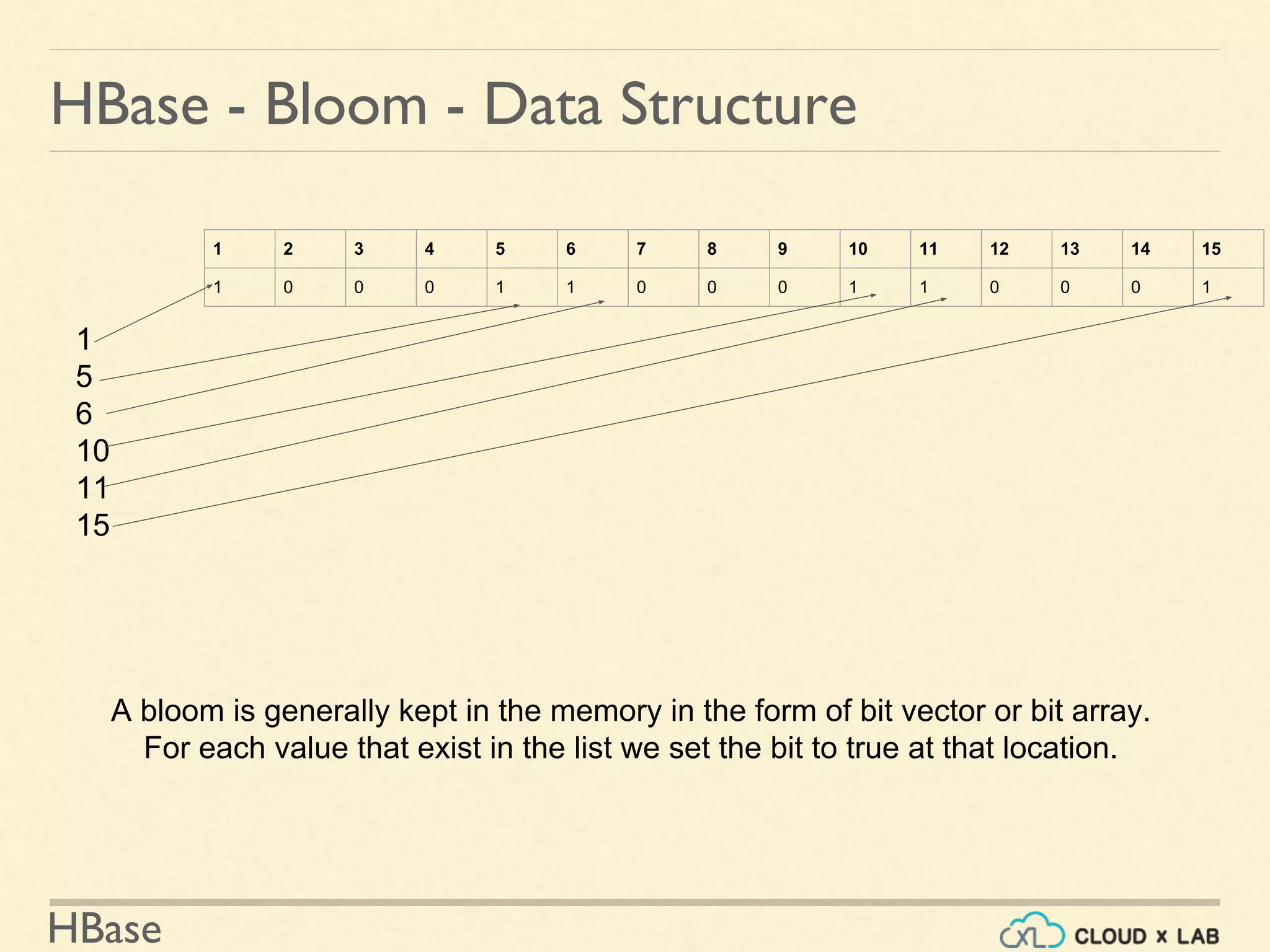
HBase - Bloom - Data Structure
A bloom is generally kept in the memory in the form of bit vector or bit array.
For each value that exist in the list we set the bit to true at that location.
1 2 3 4 5 6 7 8 9 10 11 12 13 14 15
1 0 0 0 1 1 0 0 0 1 1 0 0 0 1
HBase
HBase - Bloom Filter
● Bloom Filters can be enabled per-ColumnFamily
● Use HColumnDescriptor.setBloomFilterType(NONE | ROW | ROWCOL)
○ If NONE, no bloom filter
○ If ROW, the hash of the row key will be added to the bloom on each insert.
○ If ROWCOL, the hash of the row key + column family + column qualifier will be
added to the bloom on each key insert.
See More details:
1. https://www.quora.com/How-are-bloom-filters-used-in-HBase
2. http://hbase.apache.org/0.94/book/perf.reading.html#blooms
HBase
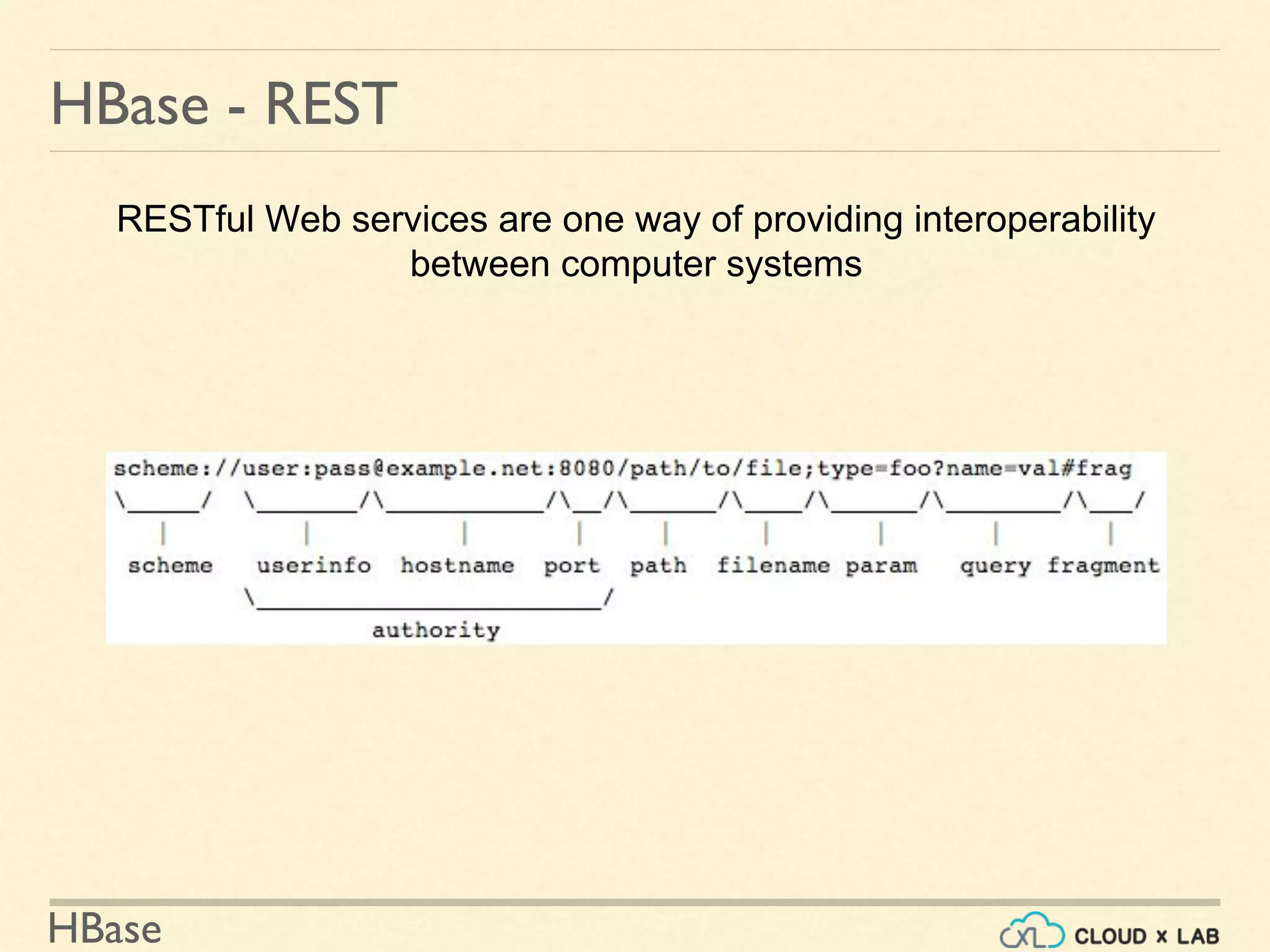
HBase - REST
RESTful Web services are one way of providing interoperability
between computer systems
HBase
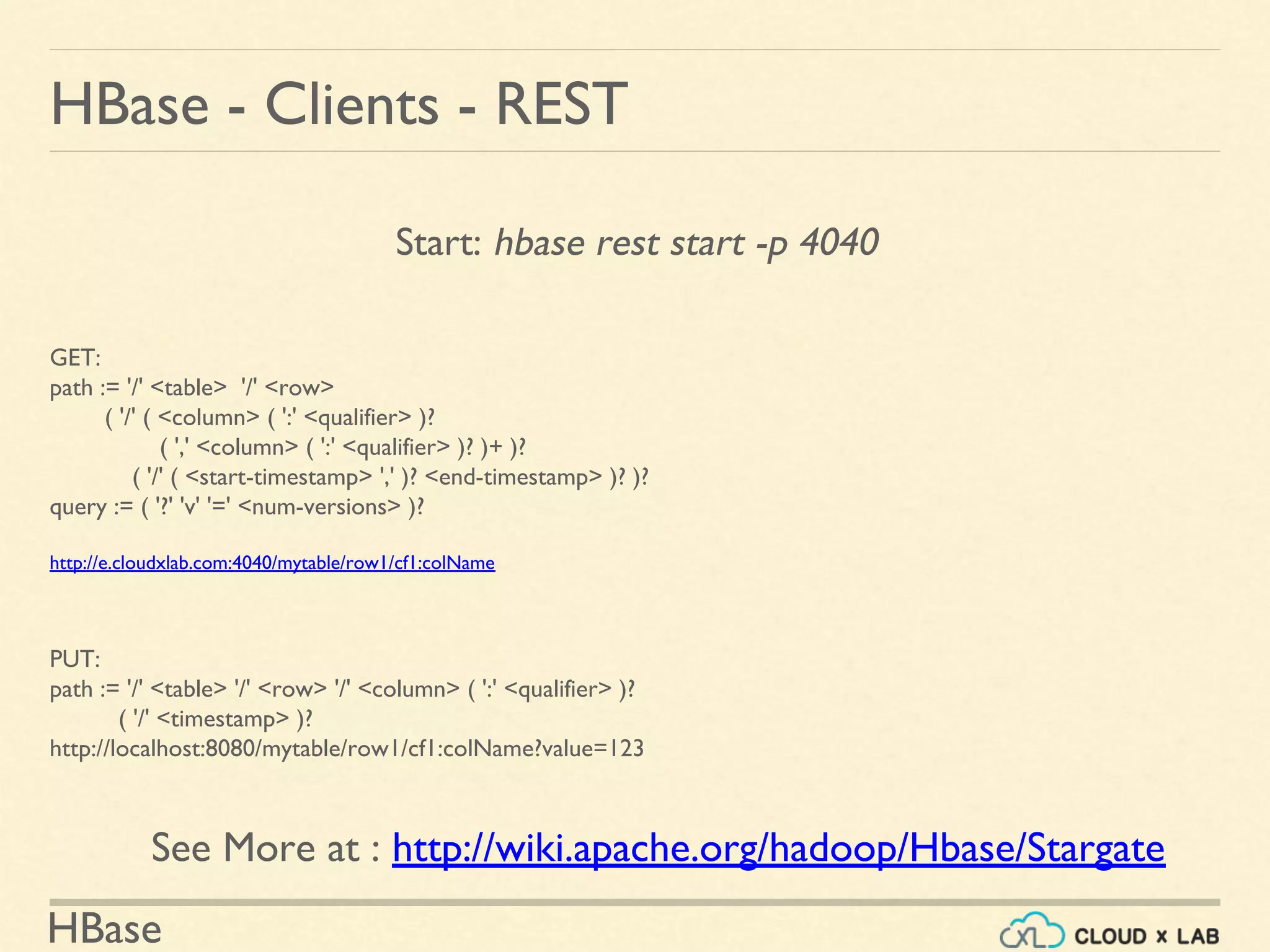
Start: hbase rest start -p 4040
HBase - Clients - REST
GET:
path := '/' <table> '/' <row>
( '/' ( <column> ( ':' <qualifier> )?
( ',' <column> ( ':' <qualifier> )? )+ )?
( '/' ( <start-timestamp> ',' )? <end-timestamp> )? )?
query := ( '?' 'v' '=' <num-versions> )?
http://e.cloudxlab.com:4040/mytable/row1/cf1:colName
PUT:
path := '/' <table> '/' <row> '/' <column> ( ':' <qualifier> )?
( '/' <timestamp> )?
http://localhost:8080/mytable/row1/cf1:colName?value=123
See More at : http://wiki.apache.org/hadoop/Hbase/Stargate
HBase
HBase - Clients - JDBC
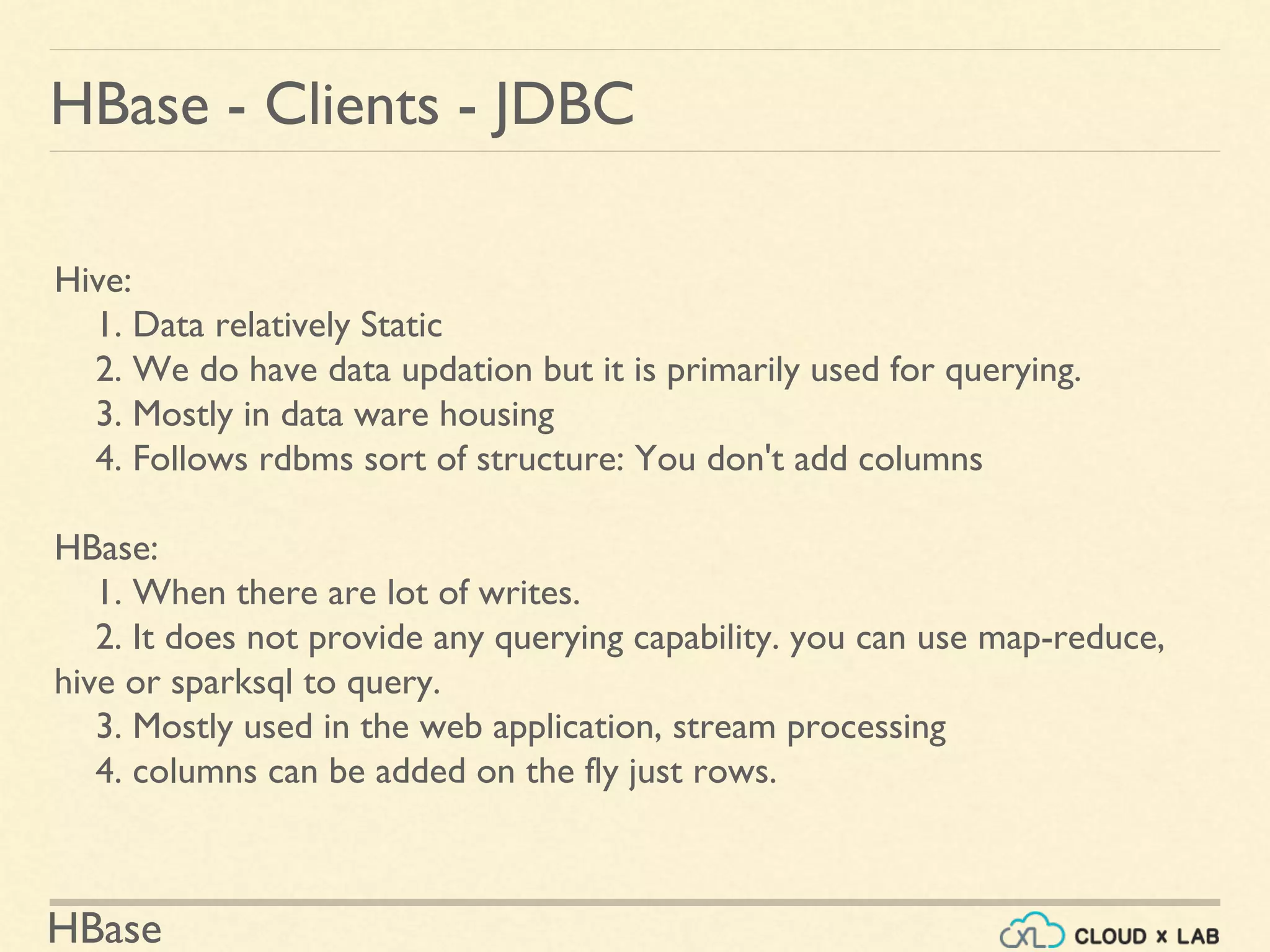
Hive:
1. Data relatively Static
2. We do have data updation but it is primarily used for querying.
3. Mostly in data ware housing
4. Follows rdbms sort of structure: You don't add columns
HBase:
1. When there are lot of writes.
2. It does not provide any querying capability. you can use map-reduce,
hive or sparksql to query.
3. Mostly used in the web application, stream processing
4. columns can be added on the fly just rows.
HBase
HBase - Clients - JDBC
http://phoenix.apache.org/
Thank you!
HBase
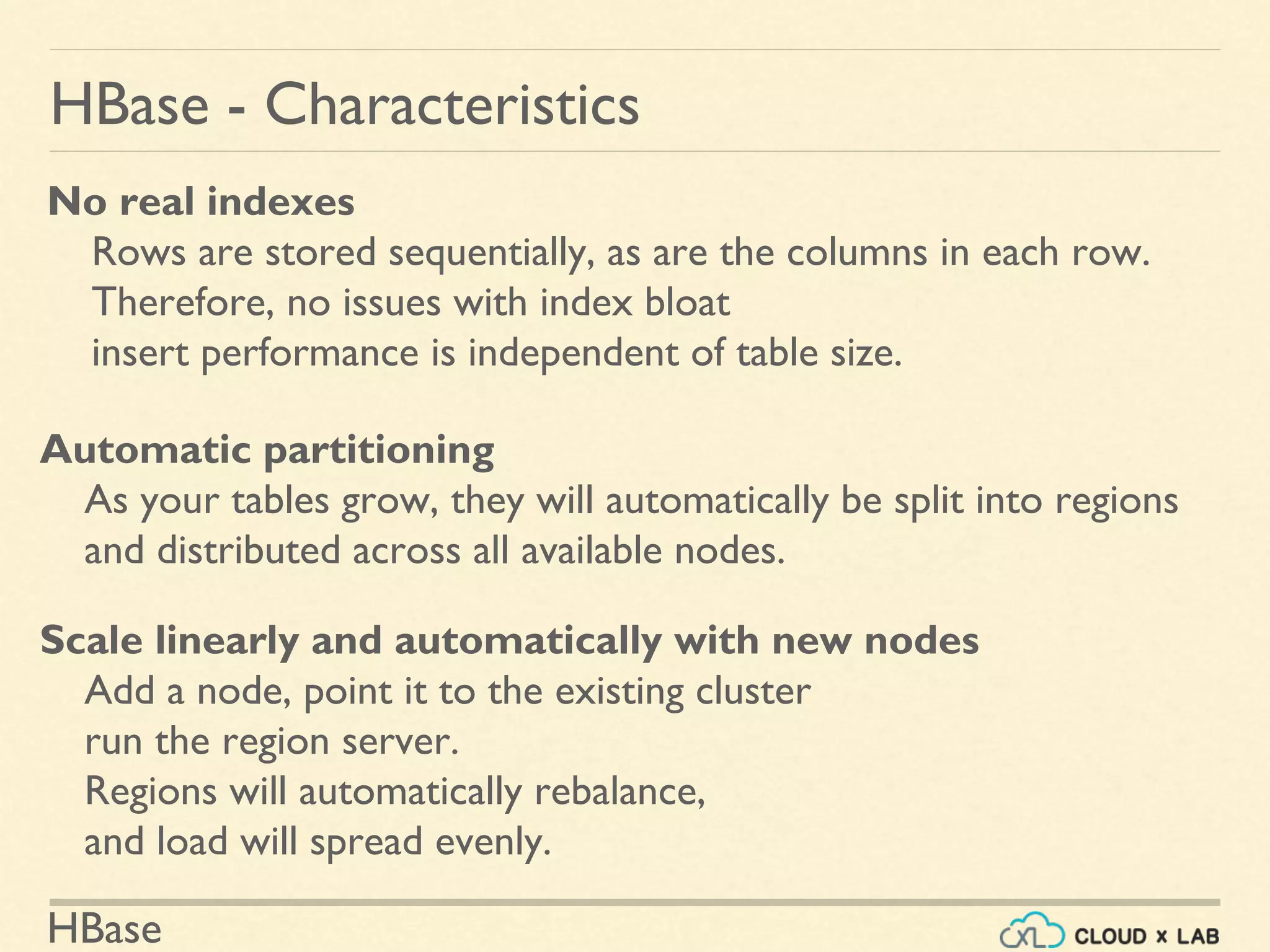
HBase - Characteristics
No real indexes
Rows are stored sequentially, as are the columns in each row.
Therefore, no issues with index bloat
insert performance is independent of table size.
Automatic partitioning
As your tables grow, they will automatically be split into regions
and distributed across all available nodes.
Scale linearly and automatically with new nodes
Add a node, point it to the existing cluster
run the region server.
Regions will automatically rebalance,
and load will spread evenly.
HBase
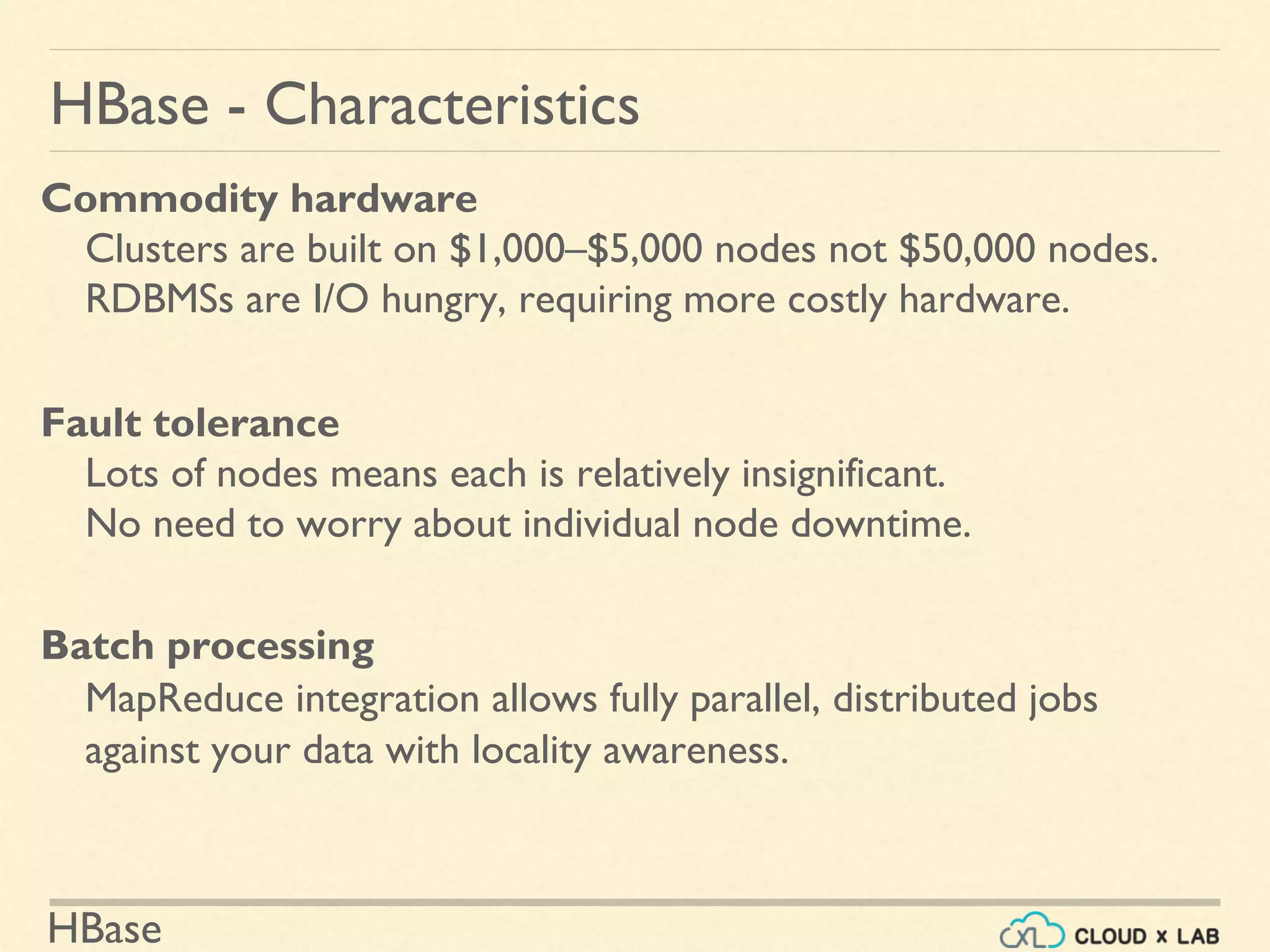
HBase - Characteristics
Commodity hardware
Clusters are built on $1,000–$5,000 nodes not $50,000 nodes.
RDBMSs are I/O hungry, requiring more costly hardware.
Fault tolerance
Lots of nodes means each is relatively insignificant.
No need to worry about individual node downtime.
Batch processing
MapReduce integration allows fully parallel, distributed jobs
against your data with locality awareness.
HBase
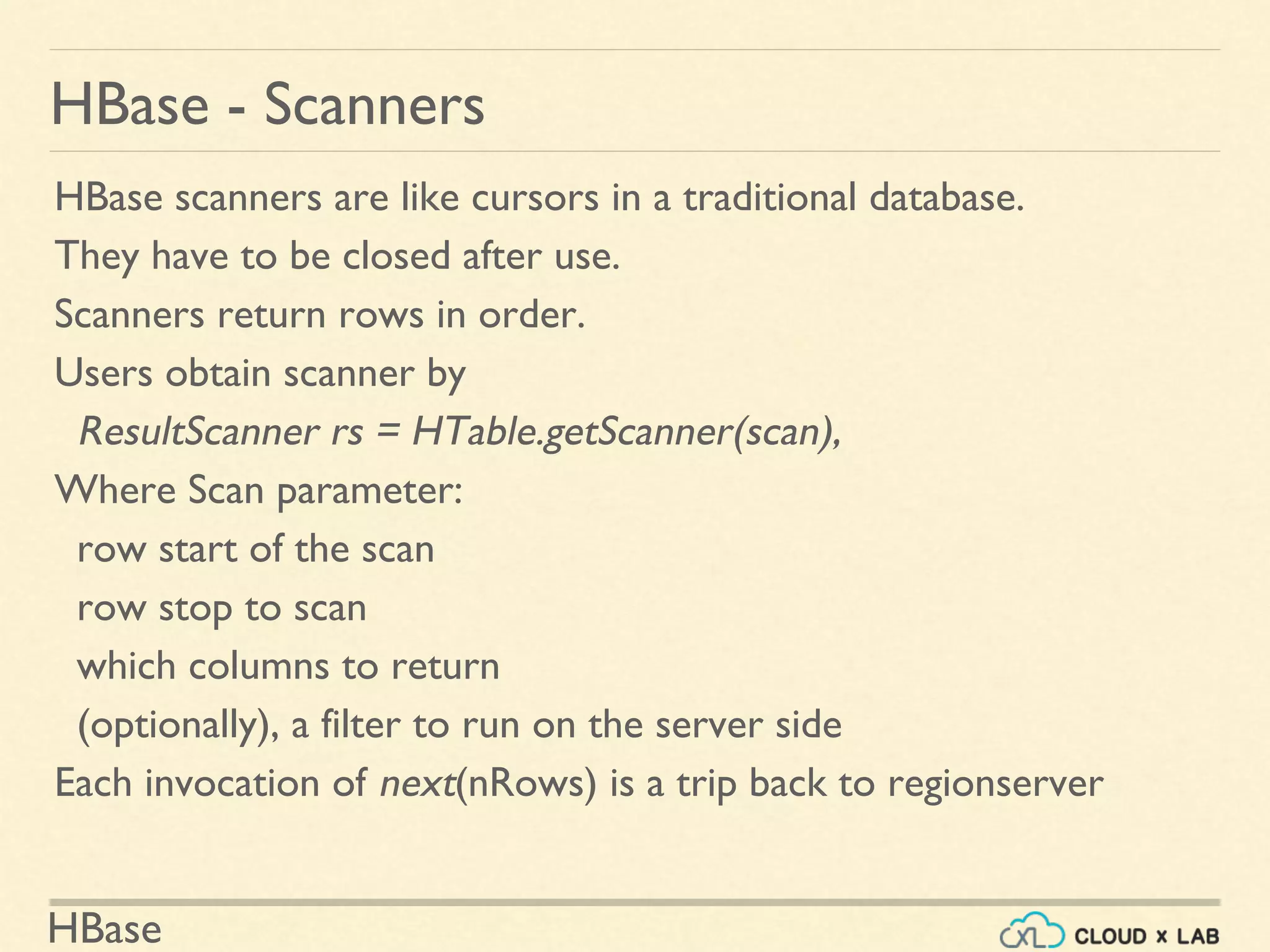
HBase - Scanners
HBase scanners are like cursors in a traditional database.
They have to be closed after use.
Scanners return rows in order.
Users obtain scanner by
ResultScanner rs = HTable.getScanner(scan),
Where Scan parameter:
row start of the scan
row stop to scan
which columns to return
(optionally), a filter to run on the server side
Each invocation of next(nRows) is a trip back to regionserver
HBase
Configuration config = HBaseConfiguration.create();
// Create table
HBaseAdmin admin = new HBaseAdmin(config);
HTableDescriptor htd = new HTableDescriptor("test");
HColumnDescriptor hcd = new HColumnDescriptor("cf1"); htd.addFamily(hcd);
admin.createTable(htd);
byte [] tablename = htd.getName();
HTableDescriptor [] tables = admin.listTables();
if (tables.length != 1 && Bytes.equals(tablename, tables[0].getName())) {
throw new IOException("Failed create of table"); }
// Run some operations -- a put, a get, and a scan -- against the table.
HTable table = new HTable(config, tablename);
byte [] row1 = Bytes.toBytes("row1");
Put p1 = new Put(row1);
byte [] databytes = Bytes.toBytes("cf1");
p1.add(databytes, Bytes.toBytes("col1"), Bytes.toBytes("value1")); table.put(p1);
Get g = new Get(row1);
…
HBase - Clients - Java
HBase
HBase - Clients - MapReduce - Mapper
//NOTE: Creates one mapper per region
//See more at http://hbase.apache.org/0.94/book/mapreduce.html
public static class MyMapper extends TableMapper<Text, IntWritable> {
public static final byte[] CF = "cf".getBytes();
public static final byte[] ATTR1 = "attr1".getBytes();
private final IntWritable ONE = new IntWritable(1);
private Text text = new Text();
public void map(ImmutableBytesWritable row, Result value, Context context)
throws IOException, InterruptedException {
String val = new String(value.getValue(CF, ATTR1));
text.set(val); // we can only emit Writables...
context.write(text, ONE);
}
}
HBase
HBase - Clients - MapReduce - Reducer
public static class MyTableReducer extends TableReducer<Text, IntWritable,
ImmutableBytesWritable> {
public static final byte[] CF = "cf".getBytes();
public static final byte[] COUNT = "count".getBytes();
public void reduce(Text key, Iterable<IntWritable> values, Context context)
throws IOException, InterruptedException {
int i = 0;
for (IntWritable val : values) {
i += val.get();
}
Put put = new Put(Bytes.toBytes(key.toString()));
put.add(CF, COUNT, Bytes.toBytes(i));
context.write(null, put);
}
}
HBase
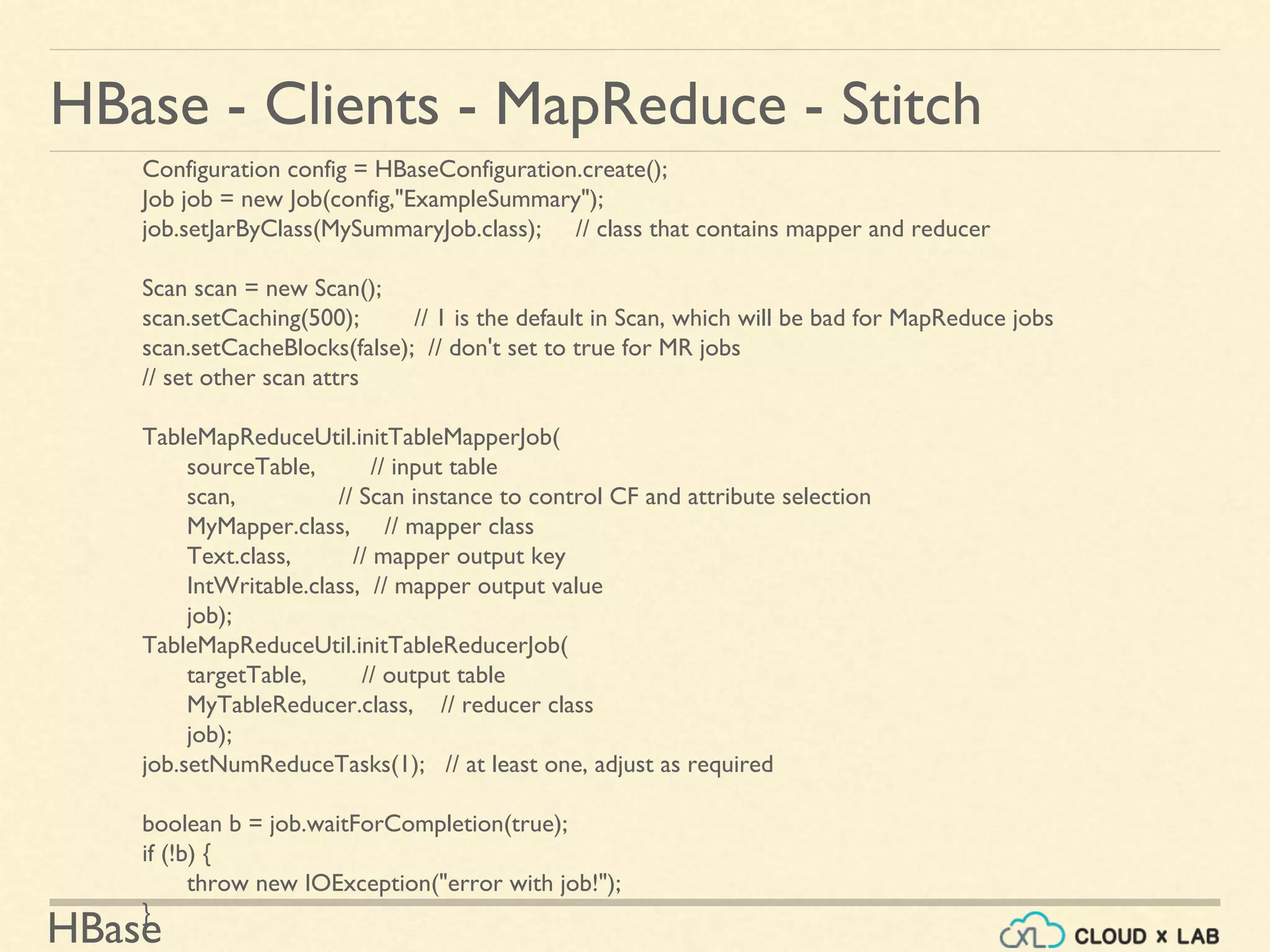
HBase - Clients - MapReduce - Stitch
Configuration config = HBaseConfiguration.create();
Job job = new Job(config,"ExampleSummary");
job.setJarByClass(MySummaryJob.class); // class that contains mapper and reducer
Scan scan = new Scan();
scan.setCaching(500); // 1 is the default in Scan, which will be bad for MapReduce jobs
scan.setCacheBlocks(false); // don't set to true for MR jobs
// set other scan attrs
TableMapReduceUtil.initTableMapperJob(
sourceTable, // input table
scan, // Scan instance to control CF and attribute selection
MyMapper.class, // mapper class
Text.class, // mapper output key
IntWritable.class, // mapper output value
job);
TableMapReduceUtil.initTableReducerJob(
targetTable, // output table
MyTableReducer.class, // reducer class
job);
job.setNumReduceTasks(1); // at least one, adjust as required
boolean b = job.waitForCompletion(true);
if (!b) {
throw new IOException("error with job!");
}
HBase
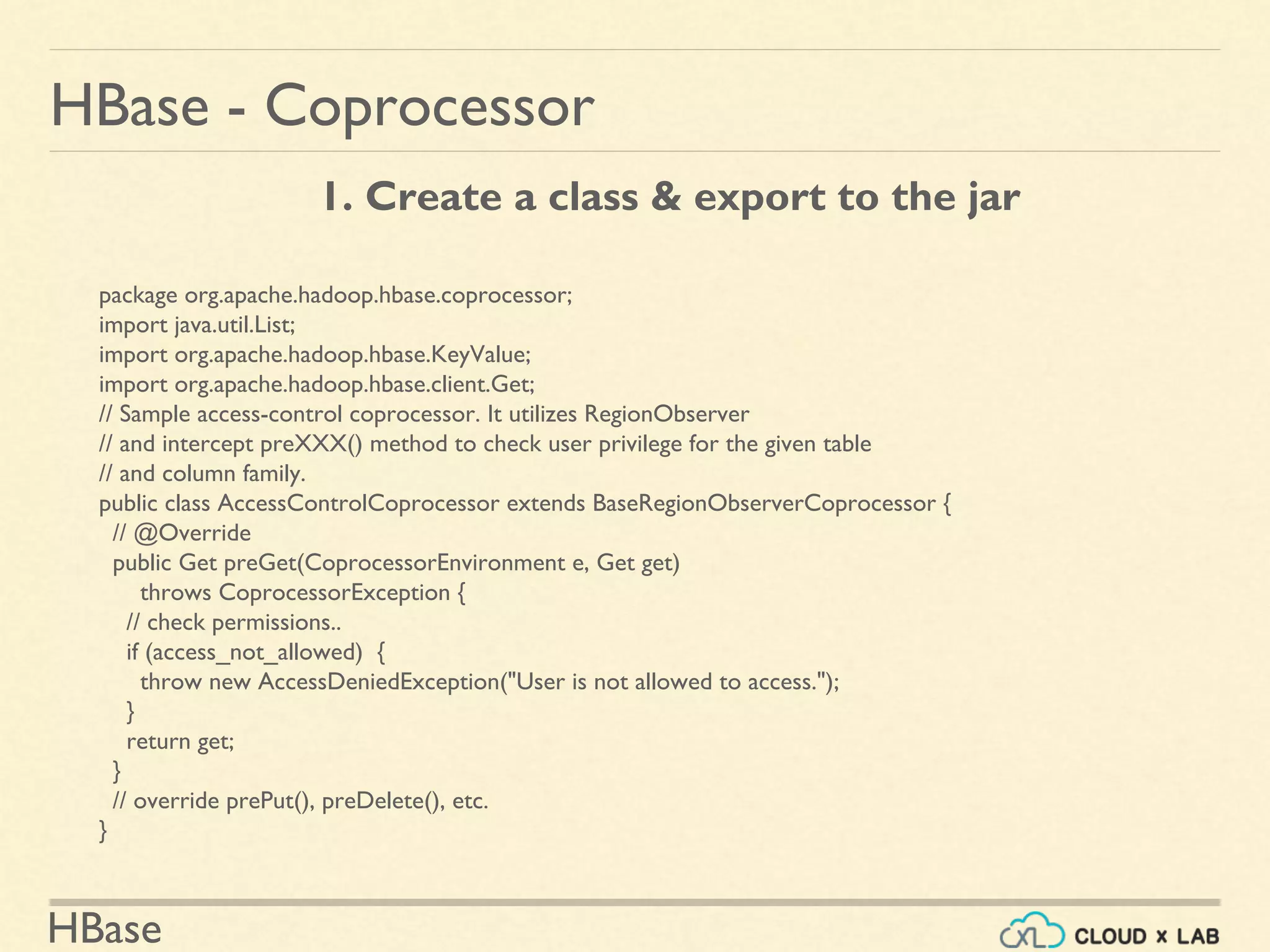
HBase - Coprocessor
package org.apache.hadoop.hbase.coprocessor;
import java.util.List;
import org.apache.hadoop.hbase.KeyValue;
import org.apache.hadoop.hbase.client.Get;
// Sample access-control coprocessor. It utilizes RegionObserver
// and intercept preXXX() method to check user privilege for the given table
// and column family.
public class AccessControlCoprocessor extends BaseRegionObserverCoprocessor {
// @Override
public Get preGet(CoprocessorEnvironment e, Get get)
throws CoprocessorException {
// check permissions..
if (access_not_allowed) {
throw new AccessDeniedException("User is not allowed to access.");
}
return get;
}
// override prePut(), preDelete(), etc.
}
1. Create a class & export to the jar
HBase
HBase - Coprocessor
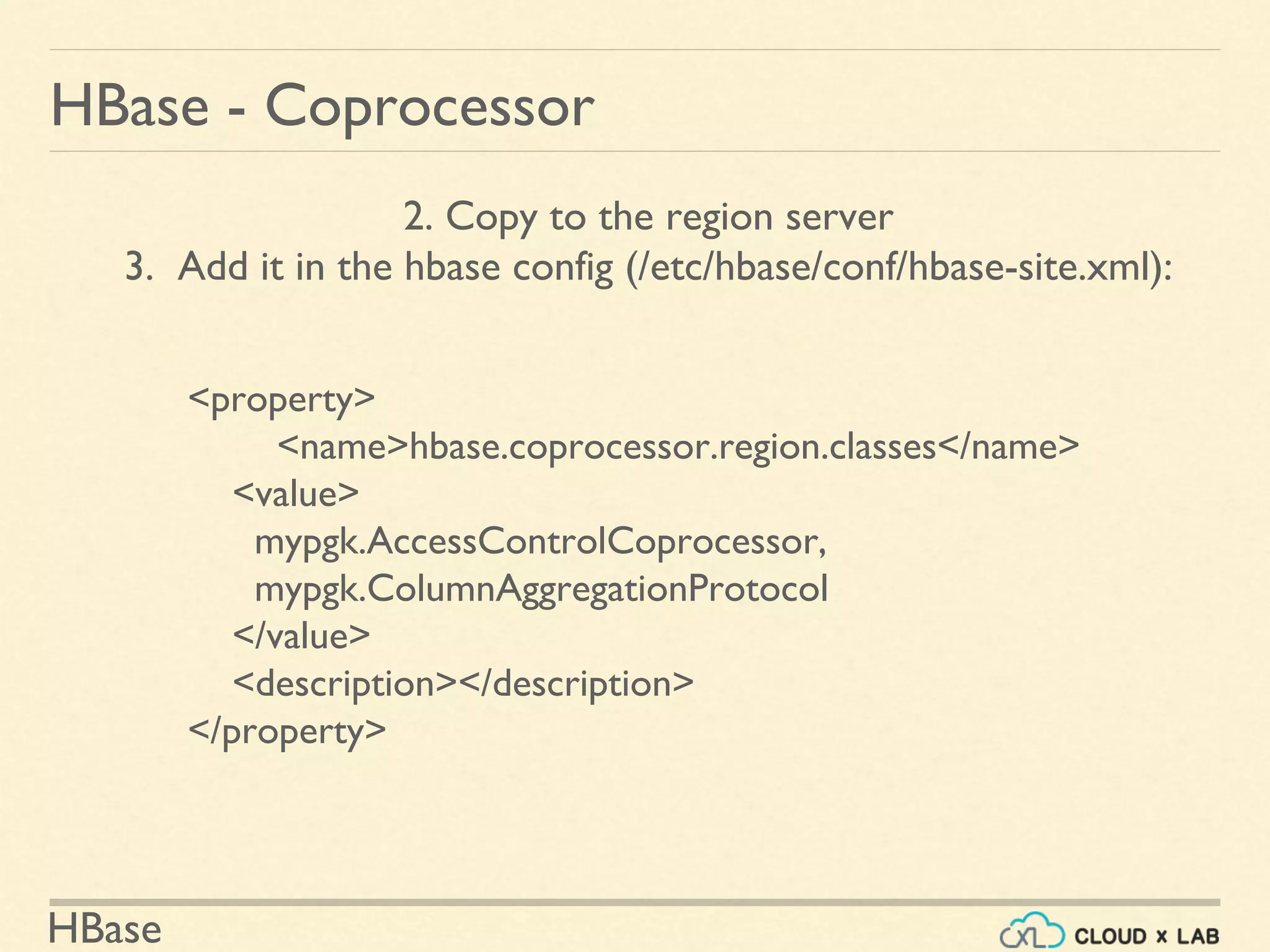
2. Copy to the region server
3. Add it in the hbase config (/etc/hbase/conf/hbase-site.xml):
<property>
<name>hbase.coprocessor.region.classes</name>
<value>
mypgk.AccessControlCoprocessor,
mypgk.ColumnAggregationProtocol
</value>
<description></description>
</property>
HBase
HBase - Coprocessor
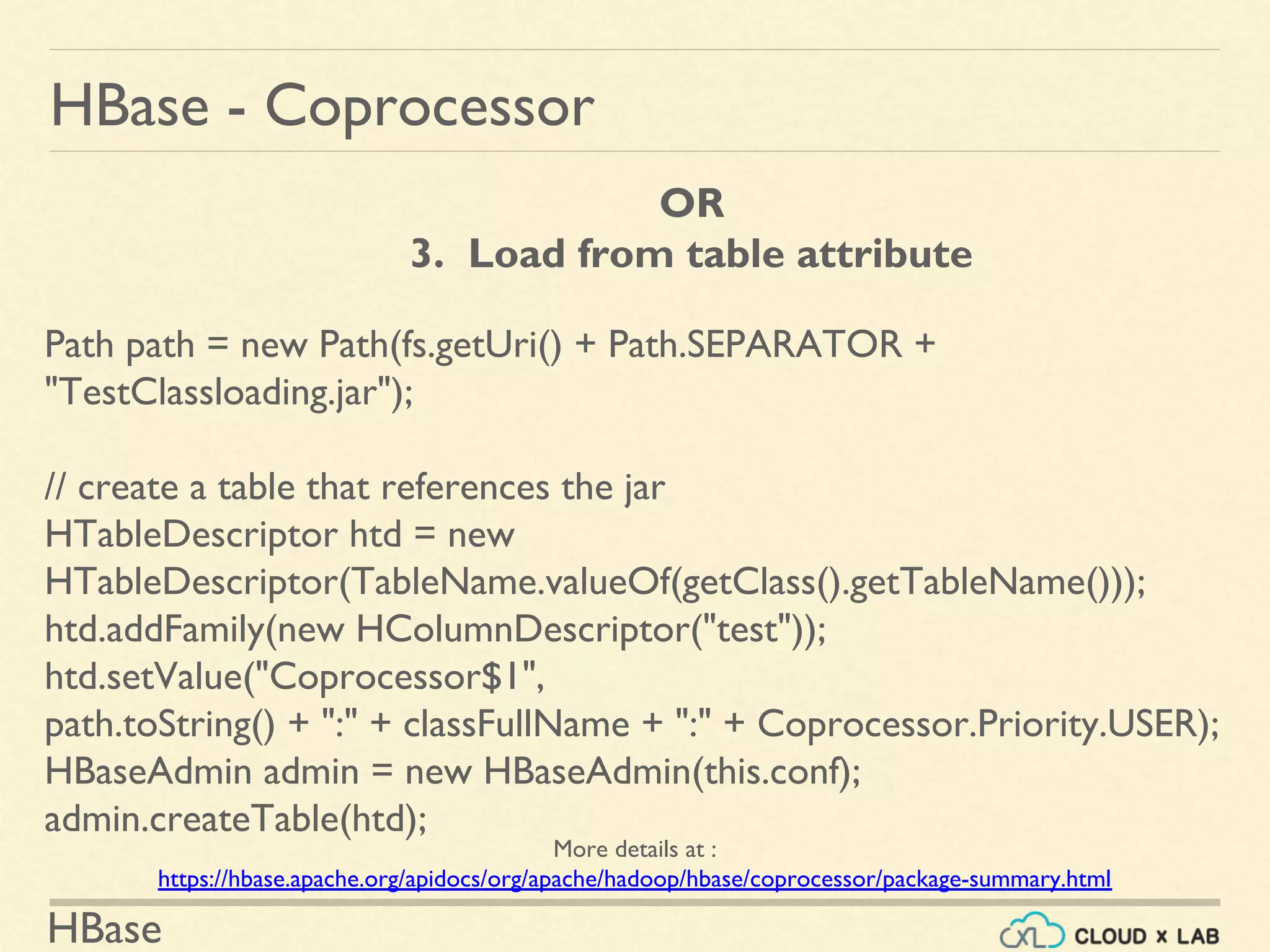
OR
3. Load from table attribute
Path path = new Path(fs.getUri() + Path.SEPARATOR +
"TestClassloading.jar");
// create a table that references the jar
HTableDescriptor htd = new
HTableDescriptor(TableName.valueOf(getClass().getTableName()));
htd.addFamily(new HColumnDescriptor("test"));
htd.setValue("Coprocessor$1",
path.toString() + ":" + classFullName + ":" + Coprocessor.Priority.USER);
HBaseAdmin admin = new HBaseAdmin(this.conf);
admin.createTable(htd);
More details at :
https://hbase.apache.org/apidocs/org/apache/hadoop/hbase/coprocessor/package-summary.html
HBase
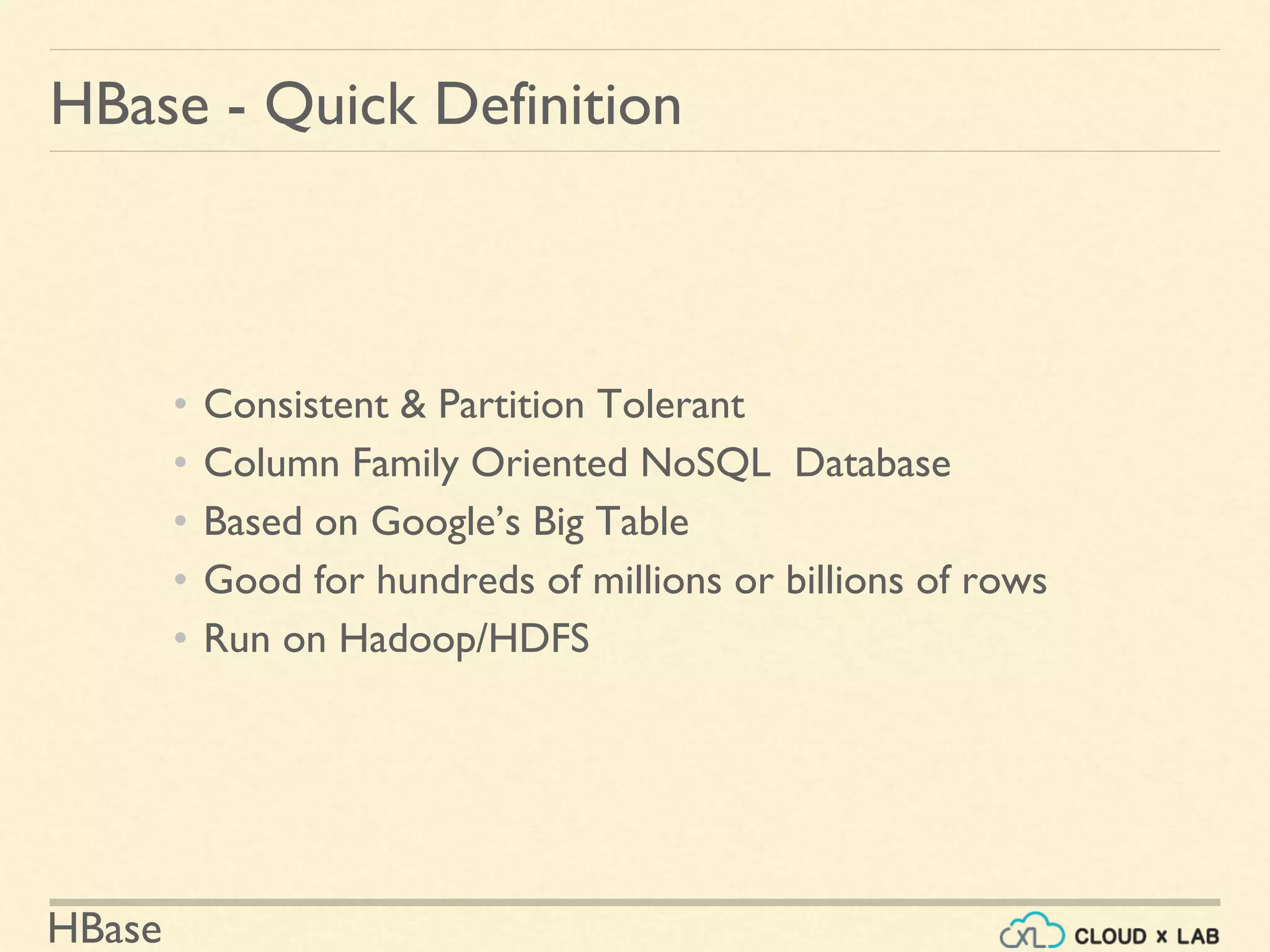
• Consistent & Partition Tolerant
• Column Family Oriented NoSQL Database
• Based on Google’s Big Table
• Good for hundreds of millions or billions of rows
• Run on Hadoop/HDFS
HBase - Quick Definition
HBase
HBase - Architecture
HBase
HBase - Architecture
HBase
Data Model - Example - Webtable
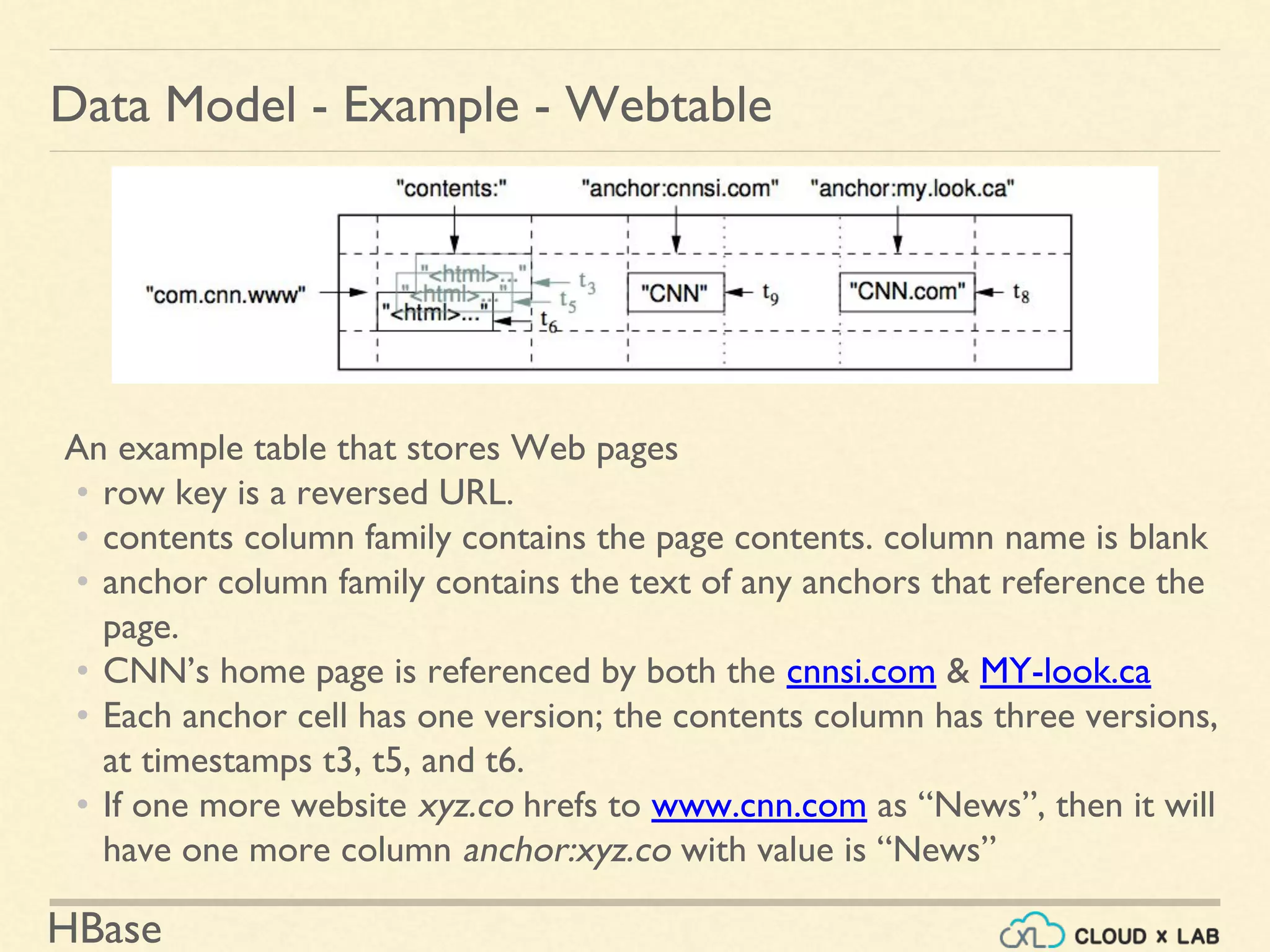
An example table that stores Web pages
• row key is a reversed URL.
• contents column family contains the page contents. column name is blank
• anchor column family contains the text of any anchors that reference the
page.
• CNN’s home page is referenced by both the cnnsi.com & MY-look.ca
• Each anchor cell has one version; the contents column has three versions,
at timestamps t3, t5, and t6.
• If one more website xyz.co hrefs to www.cnn.com as “News”, then it will
have one more column anchor:xyz.co with value is “News”
HBase
HBase - Shell
Quick Hello!
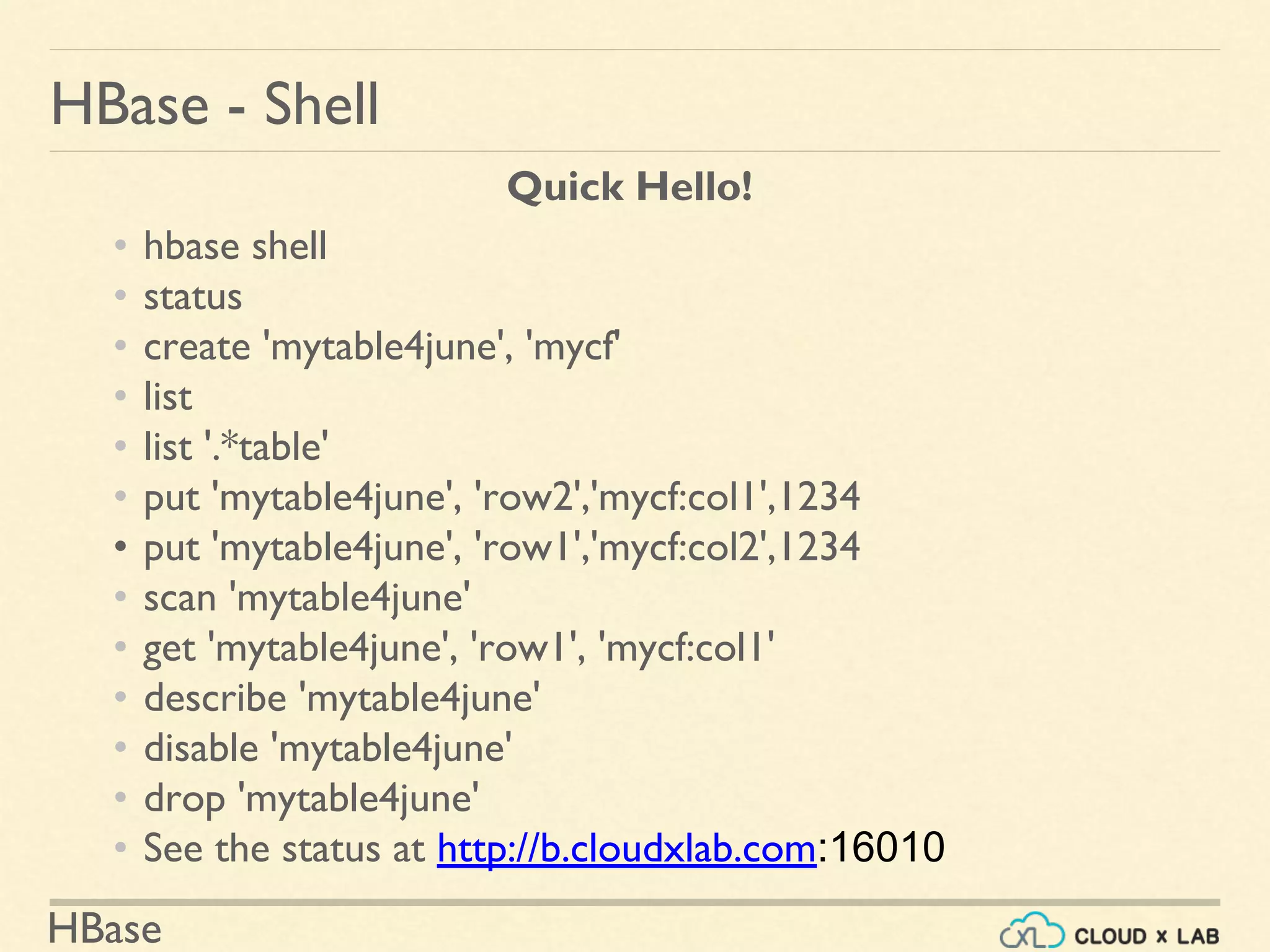
• hbase shell
• status
• create 'mytable4june', 'mycf'
• list
• list '.*table'
• put 'mytable4june', 'row2','mycf:col1',1234
• put 'mytable4june', 'row1','mycf:col2',1234
• scan 'mytable4june'
• get 'mytable4june', 'row1', 'mycf:col1'
• describe 'mytable4june'
• disable 'mytable4june'
• drop 'mytable4june'
• See the status at http://b.cloudxlab.com:16010
HBase
HBase - Bloom Filter
HBase
HBase - Bloom Filter
HBase
Data Model - Design Guidelines
• Indexing is based on the Row Key.
• Tables are sorted based on the row key.
• Each region of the table has sorted row key space - [start key, end key|.
• Everything in HBase tables is stored as a byte[ ].
• Atomicity is guaranteed only at a row level. No multi-row transactions.
• Column families have to be defined up front at table creation time.
• Column qualifiers are dynamic and can be defined at write time. They are
stored as byte[ ] so you can even put data in them.
• All data model operations return data in sorted order:
• row key, ColumnFamily, column qualifier, timestamp desc

Introduction to HBase | Big Data Hadoop Spark Tutorial | CloudxLab

  • 1.
  • 2.
    NoSQL Good for hundredsof millions or billions of rows Based on Google’s Big Table HBase - Quick Definition Partition TolerantConsistent Column Family Oriented Runs on Hadoop / HDFS
  • 3.
    HBase HBase - Architecture- Overview Hadoop Distributed File System (HDFS) Hadoop FileSystem API HBase ZooKeeper Java Client APIs External APIs (Thrift, Avro, REST) Master Region ServerRegion ServerRegion Server Region Region Region
  • 4.
    HBase HBase - Architecture Master Region Server Region Server Region Server Iam up I am up I am up How many regions servers are up? 3
  • 5.
  • 6.
  • 7.
    HBase HBase - Architecture Region- [Apple - Kiwi) Apple Banana Cranberry Date Grape Kiwi As user writes More data... • A region is denoted by • Table it belongs to, • Its first row, inclusive • Last row, exclusive • Tables are automatically partitioned horizontally into regions. • Each region comprises a subset of a table’s rows. • Initially, a table comprises a single region,
  • 8.
    HBase HBase - Architecture Region- (Apple - $] Apple Banana Bilberry Cranberry Cucumber Date Grape Kiwi As user writes More data...
  • 9.
    HBase HBase - Architecture Region1 - [Apple - Cucumber) Apple Banana Bilberry Cranberry As user writes More data... Region 2 - [Cucumber - $) Cucumber Date Grape Kiwi • As size of the region grows beyond threshold, it splits into 2 halves • As the table grows, the number of its regions grows.
  • 10.
  • 11.
    HBase Data Modeling? Process ofstructuring your data using the constructs provided by a datastore to solve your problem. HBase - Data Model Requirements Technology ● Database features ● Limitations
  • 12.
    HBase HBase - DataModel Based on Bigtable: ● Map ● Sorted ● Multidimensional ● Persistent ● Distributed ● Sparse Bigtable: sparse, distributed, persistent, multidimensional, sorted map.
  • 13.
    HBase HBase - DataModel Table: • HBase organizes data into tables. • Table names are Strings that are safe for file system path.
  • 14.
    HBase HBase - DataModel Row: • Within a table, data is stored according to its row. • Rows are identified uniquely by their row key. • Row keys do not have a data type & are treated as byte array
  • 15.
    HBase HBase - DataModel Column Family: • Data within a row is grouped by column family. • Impacts the physical arrangement of data. • They must be defined up front and are not easily modified. • Every row in a table has the same column families • A row need not store data in all its families. • Are Strings that are safe for use in a file system path
  • 16.
    HBase HBase - DataModel Column Qualifier or Column: • Data within a column family is addressed by column qualifier • Column qualifiers need not be specified in advance. • Column qualifiers need not be consistent between rows. • Like row keys, column qualifiers don’t have data type • Are always treated as a byte[ ].
  • 17.
    HBase HBase - DataModel Cell: • (tablename, row key, column family, column qualifier, version) • identifies a cell. • Values are of type byte[ ]. Row Key
  • 18.
    HBase HBase - DataModel Version / Timestamp: • Values within a cell are versioned. • Version number, which by default is the write timestamp • If not specified in write, the current time is used. • If not specified in read, the latest value is returned. • The number of versions retained by HBase is configured for each column family. • The default number of cell versions is three
  • 19.
    HBase HBase - DataModel - Logical View
  • 20.
    HBase 00001 Office Address Timestamp1 1021 Market Timestamp 2 1021Market St. Phone Timestamp1 415-212-5544 Personal Name Timestamp1 John Phone Timestamp1 411-111-1111 Timestamp2 415-111-1234 HBase - Data Model - Physical View
  • 21.
    HBase Data Model -Design Guidelines • Table is indexed based on the Row Key • A row key can contain any data • Must to provide the row key. • We can keep adding columns. • A column has to be added to a column family • A column's name which can contain any data • Atomicity of transaction is guaranteed only at a row level. • Column families have to be defined up front at table creation time. • All data model operations return data in sorted order: ○ row key, ColumnFamily, column qualifier, timestamp desc.
  • 22.
    HBase Data Model -Example - Webtable - Search Engine
  • 23.
    HBase Data Model -Example - Webtable <h1> Welcome to CNN - Breaking news. </h1> www.cnn.com <h1> Welcome to - Sports Illustrated - Sports News</h1> <a href="www.cnn.com"> CNN </a> si.com <h1> Welcome to - Microsoft.com </h1> <a href="www.cnn.com"> CNN NEWS </a> <a href="si.com">Sports Illustrated</a> microsoft.com
  • 24.
    HBase Data Model -Example - Webtable contents: anchor: www.cnn.com <h1> Welcome to CNN - Breaking news. </h1>
  • 25.
    HBase Data Model -Example - Webtable contents: anchor: www.cnn.com <h1> Welcome to CNN - Breaking news. </h1> si.com <h1> Welcome to - Sports Illustrated - Sports News</h1> <a href="www.cnn.com"> CNN </a>
  • 26.
    HBase Data Model -Example - Webtable contents: anchor:si.com www.cnn.com <h1> Welcome to CNN - Breaking news. </h1> CNN si.com <h1> Welcome to - Sports Illustrated - Sports News</h1> <a href="www.cnn.com"> CNN </a>
  • 27.
    HBase Data Model -Example - Webtable contents: anchor:si.com www.cnn.com <h1> Welcome to CNN - Breaking news. </h1> CNN si.com <h1> Welcome to - Sports Illustrated - Sports News</h1> <a href="www.cnn.com"> CNN </a> microsoft.com <h1> Welcome to - Microsoft.com </h1> <a href="www.cnn.com"> CNN NEWS </a> <a href="si.com">Sports Illustrated</a>
  • 28.
    HBase Data Model -Example - Webtable contents: anchor:si.com anchor:microsoft.com www.cnn.com <h1> Welcome to CNN - Breaking news. </h1> CNN CNN News si.com <h1> Welcome to - Sports Illustrated - Sports News</h1> <a href="www.cnn.com"> CNN </a> Sports Illustrated microsoft.com <h1> Welcome to - Microsoft.com </h1> <a href="www.cnn.com"> CNN NEWS </a> <a href="si.com">Sports Illustrated</a>
  • 29.
    HBase Data Model -Example - Webtable hdinsights.microsoft.com learn.cloudxlab.com mail.cloudxlab.com outlook.microsoft.com www.cloudxlab.com www.microsoft.com com.cloudxlab.learn com.cloudxlab.mail com.cloudxlab.www com.microsoft.hdinsights com.microsoft.outlook com.microsoft.www Since the table is sorted by rowkey, reversing the url has brought the rowkeys for same domain together.
  • 30.
    HBase Data Model -Example - Webtable contents: anchor:si.com anchor:microsoft.com com.cnn.www <h1> Welcome to CNN - Breaking news. </h1> CNN CNN News com.microsoft <h1> Welcome to - Microsoft.com </h1> <a href="www.cnn.com"> CNN NEWS </a> <a href="si.com">Sports Illustrated</a> com.si <h1> Welcome to - Sports Illustrated - Sports News</h1> <a href="www.cnn.com"> CNN </a> Sports Illustrated Reversed URL
  • 31.
    HBase Data Model -Example - Webtable Each cell's value could keep past few versions
  • 32.
  • 33.
    HBase HBase - Shell QuickHello! • hbase shell • status • create 'mytable_26nov2017', 'mycf' • list • list '.*mytable.*' • put 'mytable_26nov2017', 'row2','mycf:col1',1234 • put 'mytable_26nov2017', 'row1','mycf:col2',1234 • scan 'mytable_26nov2017' • get 'mytable_26nov2017', 'row1', 'mycf:col2' • describe 'mytable_26nov2017' • disable 'mytable_26nov2017' • drop 'mytable_26nov2017' • See the status at http://b.cloudxlab.com:16010
  • 34.
    HBase HBase - PhysicalStore /apps/hbase/data/data/default /<Table> (Tables in the cluster) /<Region> (Regions for the table) /<ColumnFamily> (ColumnFamilies for the Region for the table) /<StoreFile> (StoreFiles for the ColumnFamily for the Regions for the table)
  • 35.
  • 36.
  • 37.
    HBase HBase - BloomFilter Bloom Filter Bloom
  • 38.
    HBase HBase - BloomFilter StorageFilter Do You have key1? Not found. NO Do You have key2? Yes, here is key2 YES Do You have key3? NO NO Do You have key2? Success. Do You have key3? Not found. YES Necessary Unnecessary/ false positive YES
  • 39.
    HBase HBase - Bloom HashingFunction A hashing function converts huge text into fixed size numbers. A hashing function could be as simple as: Sum of the ascii value of all characters % 100 This value will always be less than 100 no matter how big is the text. the bloom will at most contain 100 entries
  • 40.
    HBase HBase - Bloom HashingFunction Hashing Function Does it make sense to have more than one bloom filter or chaining bloom filters? No. If a bloom filter is slow, instead of chaining another bloom filter, we make existing bloom filter fast by either making bloom smaller, more spread out or increasing system's memory.
  • 41.
    HBase 1 5 6 10 11 15 HBase - Bloom- Data Structure A bloom is generally kept in the memory in the form of bit vector or bit array. For each value that exist in the list we set the bit to true at that location. 1 2 3 4 5 6 7 8 9 10 11 12 13 14 15 1 0 0 0 1 1 0 0 0 1 1 0 0 0 1
  • 42.
    HBase HBase - BloomFilter ● Bloom Filters can be enabled per-ColumnFamily ● Use HColumnDescriptor.setBloomFilterType(NONE | ROW | ROWCOL) ○ If NONE, no bloom filter ○ If ROW, the hash of the row key will be added to the bloom on each insert. ○ If ROWCOL, the hash of the row key + column family + column qualifier will be added to the bloom on each key insert. See More details: 1. https://www.quora.com/How-are-bloom-filters-used-in-HBase 2. http://hbase.apache.org/0.94/book/perf.reading.html#blooms
  • 43.
    HBase HBase - REST RESTfulWeb services are one way of providing interoperability between computer systems
  • 44.
    HBase Start: hbase reststart -p 4040 HBase - Clients - REST GET: path := '/' <table> '/' <row> ( '/' ( <column> ( ':' <qualifier> )? ( ',' <column> ( ':' <qualifier> )? )+ )? ( '/' ( <start-timestamp> ',' )? <end-timestamp> )? )? query := ( '?' 'v' '=' <num-versions> )? http://e.cloudxlab.com:4040/mytable/row1/cf1:colName PUT: path := '/' <table> '/' <row> '/' <column> ( ':' <qualifier> )? ( '/' <timestamp> )? http://localhost:8080/mytable/row1/cf1:colName?value=123 See More at : http://wiki.apache.org/hadoop/Hbase/Stargate
  • 45.
    HBase HBase - Clients- JDBC Hive: 1. Data relatively Static 2. We do have data updation but it is primarily used for querying. 3. Mostly in data ware housing 4. Follows rdbms sort of structure: You don't add columns HBase: 1. When there are lot of writes. 2. It does not provide any querying capability. you can use map-reduce, hive or sparksql to query. 3. Mostly used in the web application, stream processing 4. columns can be added on the fly just rows.
  • 46.
    HBase HBase - Clients- JDBC http://phoenix.apache.org/
  • 47.
  • 48.
    HBase HBase - Characteristics Noreal indexes Rows are stored sequentially, as are the columns in each row. Therefore, no issues with index bloat insert performance is independent of table size. Automatic partitioning As your tables grow, they will automatically be split into regions and distributed across all available nodes. Scale linearly and automatically with new nodes Add a node, point it to the existing cluster run the region server. Regions will automatically rebalance, and load will spread evenly.
  • 49.
    HBase HBase - Characteristics Commodityhardware Clusters are built on $1,000–$5,000 nodes not $50,000 nodes. RDBMSs are I/O hungry, requiring more costly hardware. Fault tolerance Lots of nodes means each is relatively insignificant. No need to worry about individual node downtime. Batch processing MapReduce integration allows fully parallel, distributed jobs against your data with locality awareness.
  • 50.
    HBase HBase - Scanners HBasescanners are like cursors in a traditional database. They have to be closed after use. Scanners return rows in order. Users obtain scanner by ResultScanner rs = HTable.getScanner(scan), Where Scan parameter: row start of the scan row stop to scan which columns to return (optionally), a filter to run on the server side Each invocation of next(nRows) is a trip back to regionserver
  • 51.
    HBase Configuration config =HBaseConfiguration.create(); // Create table HBaseAdmin admin = new HBaseAdmin(config); HTableDescriptor htd = new HTableDescriptor("test"); HColumnDescriptor hcd = new HColumnDescriptor("cf1"); htd.addFamily(hcd); admin.createTable(htd); byte [] tablename = htd.getName(); HTableDescriptor [] tables = admin.listTables(); if (tables.length != 1 && Bytes.equals(tablename, tables[0].getName())) { throw new IOException("Failed create of table"); } // Run some operations -- a put, a get, and a scan -- against the table. HTable table = new HTable(config, tablename); byte [] row1 = Bytes.toBytes("row1"); Put p1 = new Put(row1); byte [] databytes = Bytes.toBytes("cf1"); p1.add(databytes, Bytes.toBytes("col1"), Bytes.toBytes("value1")); table.put(p1); Get g = new Get(row1); … HBase - Clients - Java
  • 52.
    HBase HBase - Clients- MapReduce - Mapper //NOTE: Creates one mapper per region //See more at http://hbase.apache.org/0.94/book/mapreduce.html public static class MyMapper extends TableMapper<Text, IntWritable> { public static final byte[] CF = "cf".getBytes(); public static final byte[] ATTR1 = "attr1".getBytes(); private final IntWritable ONE = new IntWritable(1); private Text text = new Text(); public void map(ImmutableBytesWritable row, Result value, Context context) throws IOException, InterruptedException { String val = new String(value.getValue(CF, ATTR1)); text.set(val); // we can only emit Writables... context.write(text, ONE); } }
  • 53.
    HBase HBase - Clients- MapReduce - Reducer public static class MyTableReducer extends TableReducer<Text, IntWritable, ImmutableBytesWritable> { public static final byte[] CF = "cf".getBytes(); public static final byte[] COUNT = "count".getBytes(); public void reduce(Text key, Iterable<IntWritable> values, Context context) throws IOException, InterruptedException { int i = 0; for (IntWritable val : values) { i += val.get(); } Put put = new Put(Bytes.toBytes(key.toString())); put.add(CF, COUNT, Bytes.toBytes(i)); context.write(null, put); } }
  • 54.
    HBase HBase - Clients- MapReduce - Stitch Configuration config = HBaseConfiguration.create(); Job job = new Job(config,"ExampleSummary"); job.setJarByClass(MySummaryJob.class); // class that contains mapper and reducer Scan scan = new Scan(); scan.setCaching(500); // 1 is the default in Scan, which will be bad for MapReduce jobs scan.setCacheBlocks(false); // don't set to true for MR jobs // set other scan attrs TableMapReduceUtil.initTableMapperJob( sourceTable, // input table scan, // Scan instance to control CF and attribute selection MyMapper.class, // mapper class Text.class, // mapper output key IntWritable.class, // mapper output value job); TableMapReduceUtil.initTableReducerJob( targetTable, // output table MyTableReducer.class, // reducer class job); job.setNumReduceTasks(1); // at least one, adjust as required boolean b = job.waitForCompletion(true); if (!b) { throw new IOException("error with job!"); }
  • 55.
    HBase HBase - Coprocessor packageorg.apache.hadoop.hbase.coprocessor; import java.util.List; import org.apache.hadoop.hbase.KeyValue; import org.apache.hadoop.hbase.client.Get; // Sample access-control coprocessor. It utilizes RegionObserver // and intercept preXXX() method to check user privilege for the given table // and column family. public class AccessControlCoprocessor extends BaseRegionObserverCoprocessor { // @Override public Get preGet(CoprocessorEnvironment e, Get get) throws CoprocessorException { // check permissions.. if (access_not_allowed) { throw new AccessDeniedException("User is not allowed to access."); } return get; } // override prePut(), preDelete(), etc. } 1. Create a class & export to the jar
  • 56.
    HBase HBase - Coprocessor 2.Copy to the region server 3. Add it in the hbase config (/etc/hbase/conf/hbase-site.xml): <property> <name>hbase.coprocessor.region.classes</name> <value> mypgk.AccessControlCoprocessor, mypgk.ColumnAggregationProtocol </value> <description></description> </property>
  • 57.
    HBase HBase - Coprocessor OR 3.Load from table attribute Path path = new Path(fs.getUri() + Path.SEPARATOR + "TestClassloading.jar"); // create a table that references the jar HTableDescriptor htd = new HTableDescriptor(TableName.valueOf(getClass().getTableName())); htd.addFamily(new HColumnDescriptor("test")); htd.setValue("Coprocessor$1", path.toString() + ":" + classFullName + ":" + Coprocessor.Priority.USER); HBaseAdmin admin = new HBaseAdmin(this.conf); admin.createTable(htd); More details at : https://hbase.apache.org/apidocs/org/apache/hadoop/hbase/coprocessor/package-summary.html
  • 58.
    HBase • Consistent &Partition Tolerant • Column Family Oriented NoSQL Database • Based on Google’s Big Table • Good for hundreds of millions or billions of rows • Run on Hadoop/HDFS HBase - Quick Definition
  • 59.
  • 60.
  • 61.
    HBase Data Model -Example - Webtable An example table that stores Web pages • row key is a reversed URL. • contents column family contains the page contents. column name is blank • anchor column family contains the text of any anchors that reference the page. • CNN’s home page is referenced by both the cnnsi.com & MY-look.ca • Each anchor cell has one version; the contents column has three versions, at timestamps t3, t5, and t6. • If one more website xyz.co hrefs to www.cnn.com as “News”, then it will have one more column anchor:xyz.co with value is “News”
  • 62.
    HBase HBase - Shell QuickHello! • hbase shell • status • create 'mytable4june', 'mycf' • list • list '.*table' • put 'mytable4june', 'row2','mycf:col1',1234 • put 'mytable4june', 'row1','mycf:col2',1234 • scan 'mytable4june' • get 'mytable4june', 'row1', 'mycf:col1' • describe 'mytable4june' • disable 'mytable4june' • drop 'mytable4june' • See the status at http://b.cloudxlab.com:16010
  • 63.
  • 64.
  • 65.
    HBase Data Model -Design Guidelines • Indexing is based on the Row Key. • Tables are sorted based on the row key. • Each region of the table has sorted row key space - [start key, end key|. • Everything in HBase tables is stored as a byte[ ]. • Atomicity is guaranteed only at a row level. No multi-row transactions. • Column families have to be defined up front at table creation time. • Column qualifiers are dynamic and can be defined at write time. They are stored as byte[ ] so you can even put data in them. • All data model operations return data in sorted order: • row key, ColumnFamily, column qualifier, timestamp desc