Higher Thinking
Skills Through IT-
Based Projects
Key Elements of a
Constructivist Approach
 The teacher creating the
learning environment;
 The teacher giving student the
tools and facilities; and
 The teacher facilitating
learning.
FOUR IT-BASED PROJECTS
I. RESOURCE-BASED PROJECTS
II. SIMPLE CREATIONS
III. GUIDED HYPERMEDIA PROJECTS
IV. WEB-BASED PROJECTS
I. RESOURCE-BASED
PROJECTS
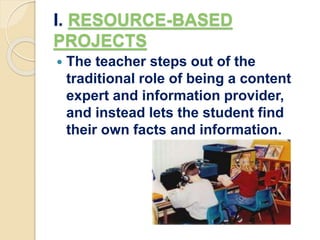
 The teacher steps out of the
traditional role of being a content
expert and information provider,
and instead lets the student find
their own facts and information.
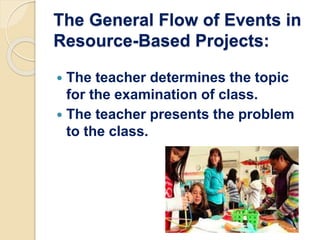
The General Flow of Events in
Resource-Based Projects:
 The teacher determines the topic
for the examination of class.
 The teacher presents the problem
to the class.
 The students find information on
the problem/questions.
 Students organized their
information in response to the
problems/questions.
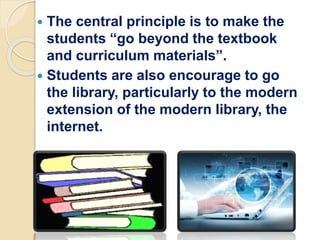
 The central principle is to make the
students “go beyond the textbook
and curriculum materials”.
 Students are also encourage to go
the library, particularly to the modern
extension of the modern library, the
internet.
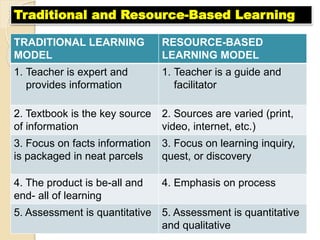
TRADITIONAL LEARNING
MODEL
RESOURCE-BASED
LEARNING MODEL
1. Teacher is expert and
provides information
1. Teacher is a guide and
facilitator
2. Textbook is the key source
of information
2. Sources are varied (print,
video, internet, etc.)
3. Focus on facts information
is packaged in neat parcels
3. Focus on learning inquiry,
quest, or discovery
4. The product is be-all and
end- all of learning
4. Emphasis on process
5. Assessment is quantitative 5. Assessment is quantitative
and qualitative
Traditional and Resource-Based Learning
II. SIMPLE CREATIONS
 Student can also be assigned to
create their software materials to
supplement the need for relevant
and effective materials.
 Creating is more consonant with
planning, making, assembling,
designing, or building.
Three Kinds of Skills/Abilities
for Creativity
1. ANALYZING – Distinguishing
similarities and differences seeing
the project as a problem to solved.
II. SYNTHESIZING – Making
spontaneous connections among
ideas, does generating interesting
new ideas.
III. PROMOTING – Selling of a new
ideas to allow the public to test the
ideas of themselves.
Five Key Tasks to Develop
Creativity
1. Define the task – clarify the goal of
the completed project to the student.
2. Brainstorm – the students
themselves will be allowed to generate
their own ideas on the project. Rather
than shoot down ideas, the teacher
encourage ideas exchange.
3. Judged the ideas – the students
themselves make an appraisal for or
against any idea. Only when students
are completely of checks should the
teacher intervene.
4. Act – the students do their work with
the teacher as a facilitator.
5. Adopt flexibility – the students
should be allowed to shift gears and not
follow an action path rigidly.
III. Guided Hypermedia Projects
 The production of self-made
multimedia projects can be
approached into two different ways:
A. INSTRUCTIVE TOOL
B. CONSTRUCTIVE TOOL
INSTRUCTIVE TOOLS
- Such as in the production by
students of a power point
presentation of a selective topic.
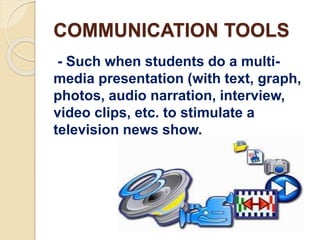
COMMUNICATION TOOLS
- Such when students do a multi-
media presentation (with text, graph,
photos, audio narration, interview,
video clips, etc. to stimulate a
television news show.
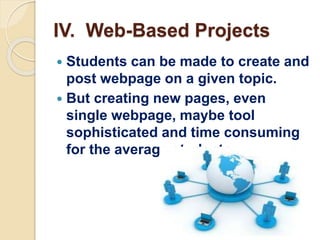
IV. Web-Based Projects
 Students can be made to create and
post webpage on a given topic.
 But creating new pages, even
single webpage, maybe tool
sophisticated and time consuming
for the average students.
References:
 jenniferecleo.blogspot.com/2015/12/higher-
thinking-skills-through-it-based.html
 https://www.slideshare.net/mobile/FhloriLuna/
higher-thinking-skills-through-itbased-
projects-79174769?qid=9fb9dc1e-ef2e-4847-
b8e0-e43abdfde8ad
 https://www.slideshare.net/mobile/LunaKiks/h
igher-thinking-skills-through-it-based-
projects-50958194?qid=26133f07-bcc4-4fb6-
821f-ffeee7cf100c&v=&b=&from_search=9
 Ivygenmaybuagas.blogspot.com/2015_08_01
archive.html
 annekristinesedtech2.blogspot.com/2015/03/l
esson-8-higher-thinking-skills-through.html
Prepared by:
 Fenomeno, Lemuel B.
 Mallorca, Clarissa
 Rosales, Ben
Resource-Based Projects
 an educational model designed to
actively engage students with multiple
resources in both print and non-print
form.
 incorporated into planned, authentic
tasks afford students opportunities to
develop the skills and techniques
necessary to become autonomous,
self-directed learners and effective
users of information.
BACK
Guided Hypermedia Project
HYPERMEDIA
 a non-sequential format that uses
hypertext and multimedia elements
to present information to users.
 combines the concepts of hypertext
and multimedia to allow rich
interaction between the user and
the material.
BACK
Hypertext
 itself is basically the same as
regular text except that it contains
connections within the text to other
documents.
BACK
Multimedia
 it is usually used to describe the
integration of text, graphics,
animation, sound, video and music
in an interactive software
environment.
BACK

Higher thinking skills through it based pojects

  • 1.
  • 2.
    Key Elements ofa Constructivist Approach  The teacher creating the learning environment;  The teacher giving student the tools and facilities; and  The teacher facilitating learning.
  • 3.
    FOUR IT-BASED PROJECTS I.RESOURCE-BASED PROJECTS II. SIMPLE CREATIONS III. GUIDED HYPERMEDIA PROJECTS IV. WEB-BASED PROJECTS
  • 4.
    I. RESOURCE-BASED PROJECTS  Theteacher steps out of the traditional role of being a content expert and information provider, and instead lets the student find their own facts and information.
  • 5.
    The General Flowof Events in Resource-Based Projects:  The teacher determines the topic for the examination of class.  The teacher presents the problem to the class.
  • 6.
     The studentsfind information on the problem/questions.  Students organized their information in response to the problems/questions.
  • 7.
     The centralprinciple is to make the students “go beyond the textbook and curriculum materials”.  Students are also encourage to go the library, particularly to the modern extension of the modern library, the internet.
  • 8.
    TRADITIONAL LEARNING MODEL RESOURCE-BASED LEARNING MODEL 1.Teacher is expert and provides information 1. Teacher is a guide and facilitator 2. Textbook is the key source of information 2. Sources are varied (print, video, internet, etc.) 3. Focus on facts information is packaged in neat parcels 3. Focus on learning inquiry, quest, or discovery 4. The product is be-all and end- all of learning 4. Emphasis on process 5. Assessment is quantitative 5. Assessment is quantitative and qualitative Traditional and Resource-Based Learning
  • 9.
    II. SIMPLE CREATIONS Student can also be assigned to create their software materials to supplement the need for relevant and effective materials.  Creating is more consonant with planning, making, assembling, designing, or building.
  • 10.
    Three Kinds ofSkills/Abilities for Creativity 1. ANALYZING – Distinguishing similarities and differences seeing the project as a problem to solved.
  • 11.
    II. SYNTHESIZING –Making spontaneous connections among ideas, does generating interesting new ideas.
  • 12.
    III. PROMOTING –Selling of a new ideas to allow the public to test the ideas of themselves.
  • 13.
    Five Key Tasksto Develop Creativity 1. Define the task – clarify the goal of the completed project to the student.
  • 14.
    2. Brainstorm –the students themselves will be allowed to generate their own ideas on the project. Rather than shoot down ideas, the teacher encourage ideas exchange.
  • 15.
    3. Judged theideas – the students themselves make an appraisal for or against any idea. Only when students are completely of checks should the teacher intervene.
  • 16.
    4. Act –the students do their work with the teacher as a facilitator.
  • 17.
    5. Adopt flexibility– the students should be allowed to shift gears and not follow an action path rigidly.
  • 18.
    III. Guided HypermediaProjects  The production of self-made multimedia projects can be approached into two different ways: A. INSTRUCTIVE TOOL B. CONSTRUCTIVE TOOL
  • 19.
    INSTRUCTIVE TOOLS - Suchas in the production by students of a power point presentation of a selective topic.
  • 20.
    COMMUNICATION TOOLS - Suchwhen students do a multi- media presentation (with text, graph, photos, audio narration, interview, video clips, etc. to stimulate a television news show.
  • 21.
    IV. Web-Based Projects Students can be made to create and post webpage on a given topic.  But creating new pages, even single webpage, maybe tool sophisticated and time consuming for the average students.
  • 22.
    References:  jenniferecleo.blogspot.com/2015/12/higher- thinking-skills-through-it-based.html  https://www.slideshare.net/mobile/FhloriLuna/ higher-thinking-skills-through-itbased- projects-79174769?qid=9fb9dc1e-ef2e-4847- b8e0-e43abdfde8ad https://www.slideshare.net/mobile/LunaKiks/h igher-thinking-skills-through-it-based- projects-50958194?qid=26133f07-bcc4-4fb6- 821f-ffeee7cf100c&v=&b=&from_search=9  Ivygenmaybuagas.blogspot.com/2015_08_01 archive.html  annekristinesedtech2.blogspot.com/2015/03/l esson-8-higher-thinking-skills-through.html
  • 23.
    Prepared by:  Fenomeno,Lemuel B.  Mallorca, Clarissa  Rosales, Ben
  • 24.
    Resource-Based Projects  aneducational model designed to actively engage students with multiple resources in both print and non-print form.  incorporated into planned, authentic tasks afford students opportunities to develop the skills and techniques necessary to become autonomous, self-directed learners and effective users of information. BACK
  • 25.
    Guided Hypermedia Project HYPERMEDIA a non-sequential format that uses hypertext and multimedia elements to present information to users.  combines the concepts of hypertext and multimedia to allow rich interaction between the user and the material. BACK
  • 26.
    Hypertext  itself isbasically the same as regular text except that it contains connections within the text to other documents. BACK
  • 27.
    Multimedia  it isusually used to describe the integration of text, graphics, animation, sound, video and music in an interactive software environment. BACK