google
analytics
@devonvsmith
google
analytics
@devonvsmith
I’m Devon Smith

Founded the analytics practice at Threespot

Digital agency in DC, exclusively serving nonprofits, foundations, & government agencies

I’m using their data, but hopefully anonymized

Focus on *communications* data in large part
slideshare.net/devonvsmith
05: secrets
40: Reports
20: data
20: process
05: beyond GA
@devonvsmith
90 minutes together to look at:

5 secrets, 7 reports, 5 front-end code implementations, 6 admin customization, and 1 script 

Assume you have some knowledge about GA

Happy to stay after to discuss Q&A, or reach out to me on Twitter, also posted on Slideshare
step 1
ask questions &
test hypotheses
Don’t just open GA and click around to see what you can find

Develop a list of questions you want to get answered,

or a list of hypotheses you want to prove/disprove

Look for the data to support those, and lead to new questions
step 2
Use less data
Sounds counter-intuitive, but look at the leaf, not the forest

Ignore everything about your site except for one data point

Advanced segments, advanced searches, secondary dimensions
step 3
add better data
Don’t rely only on the data that GA gives you by default

Front-end code for event tracking, social actions, linking accounts, customize admin section
step 4
extract data
Process: use the tools built into GA to export data in various forms, 

so that you can manipulate it in excel/google spreadsheets
step 5
add insights
Google Analytics only tells you what is happening, 

not why, or how you should change your approach. 

Every report you deliver to stakeholders using GA data should include a 

“Here’s what we’re going to do differently next time around” section.
Better
Reports
@devonvsmith
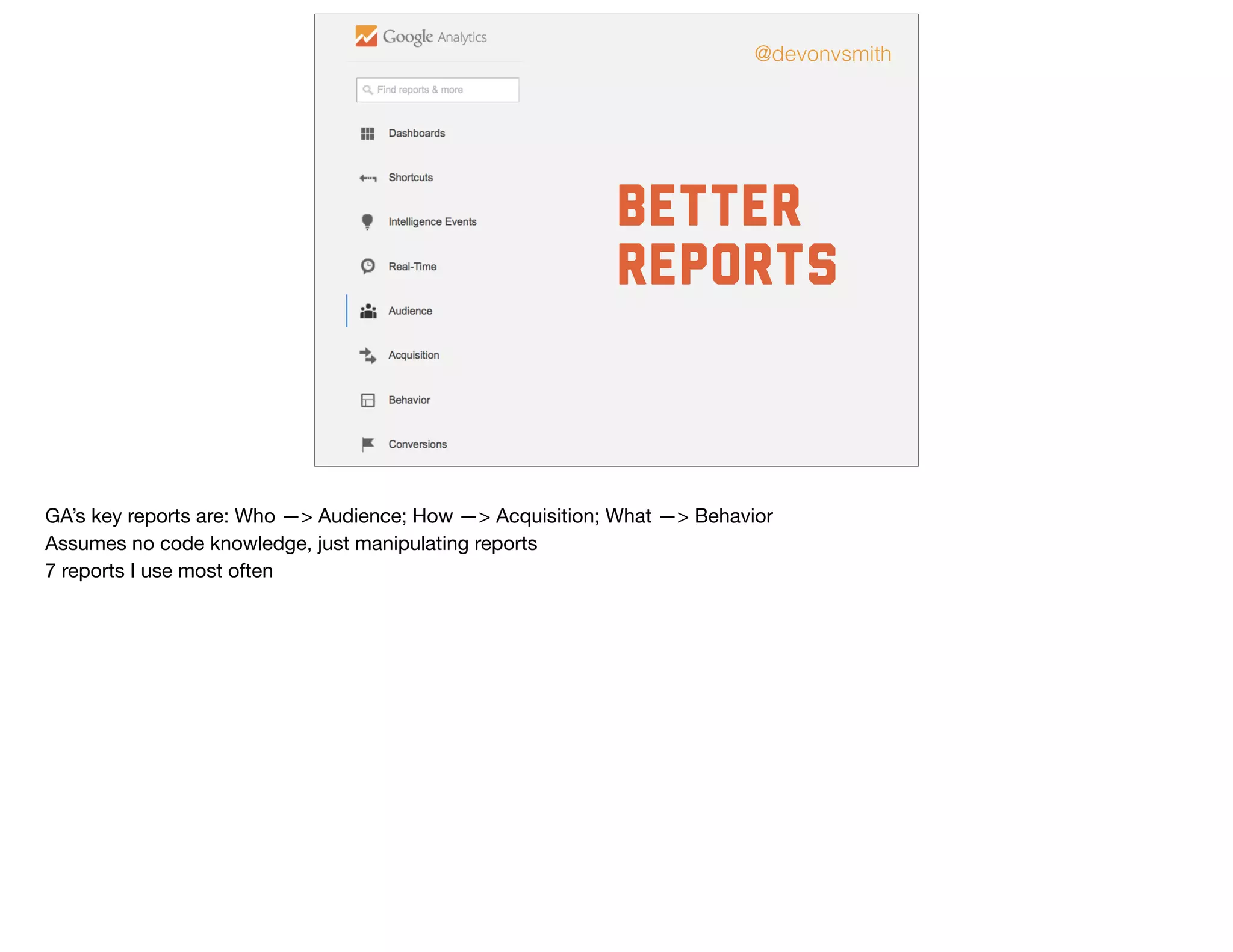
GA’s key reports are: Who —> Audience; How —> Acquisition; What —> Behavior

Assumes no code knowledge, just manipulating reports

7 reports I use most often
@devonvsmith
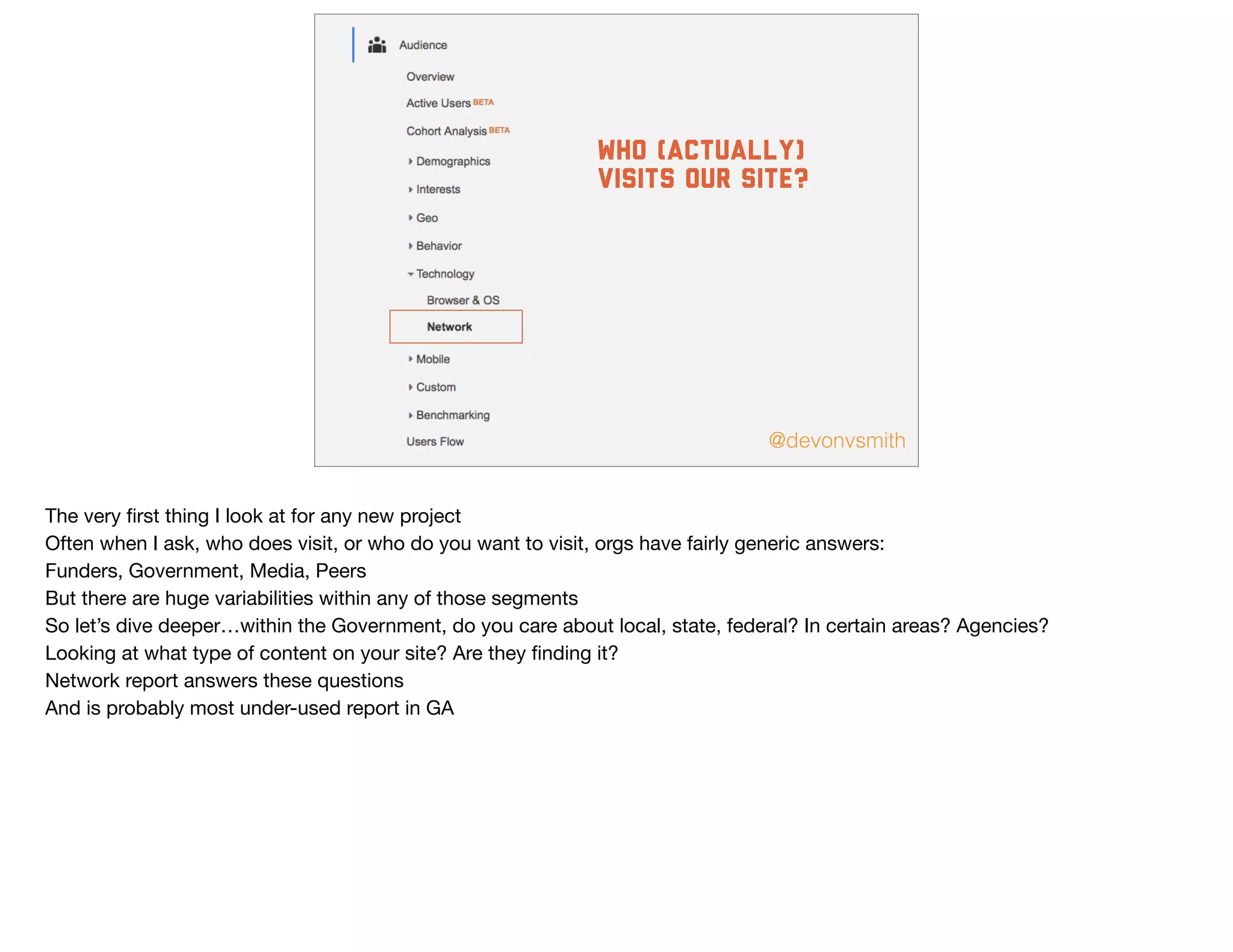
who (actually)
visits our site?
The very first thing I look at for any new project

Often when I ask, who does visit, or who do you want to visit, orgs have fairly generic answers:

Funders, Government, Media, Peers

But there are huge variabilities within any of those segments

So let’s dive deeper…within the Government, do you care about local, state, federal? In certain areas? Agencies?

Looking at what type of content on your site? Are they finding it? 

Network report answers these questions

And is probably most under-used report in GA
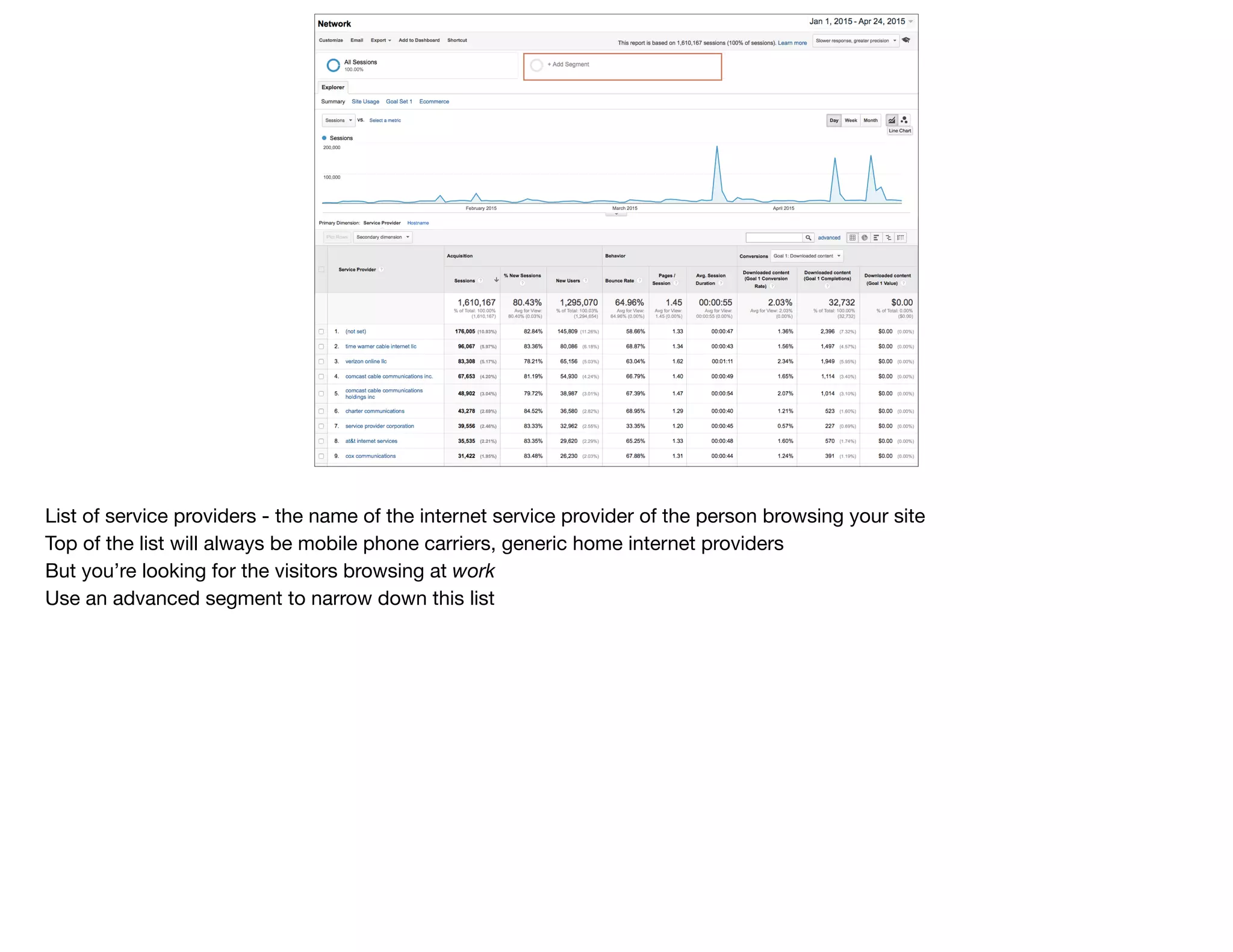
List of service providers - the name of the internet service provider of the person browsing your site

Top of the list will always be mobile phone carriers, generic home internet providers

But you’re looking for the visitors browsing at work
Use an advanced segment to narrow down this list
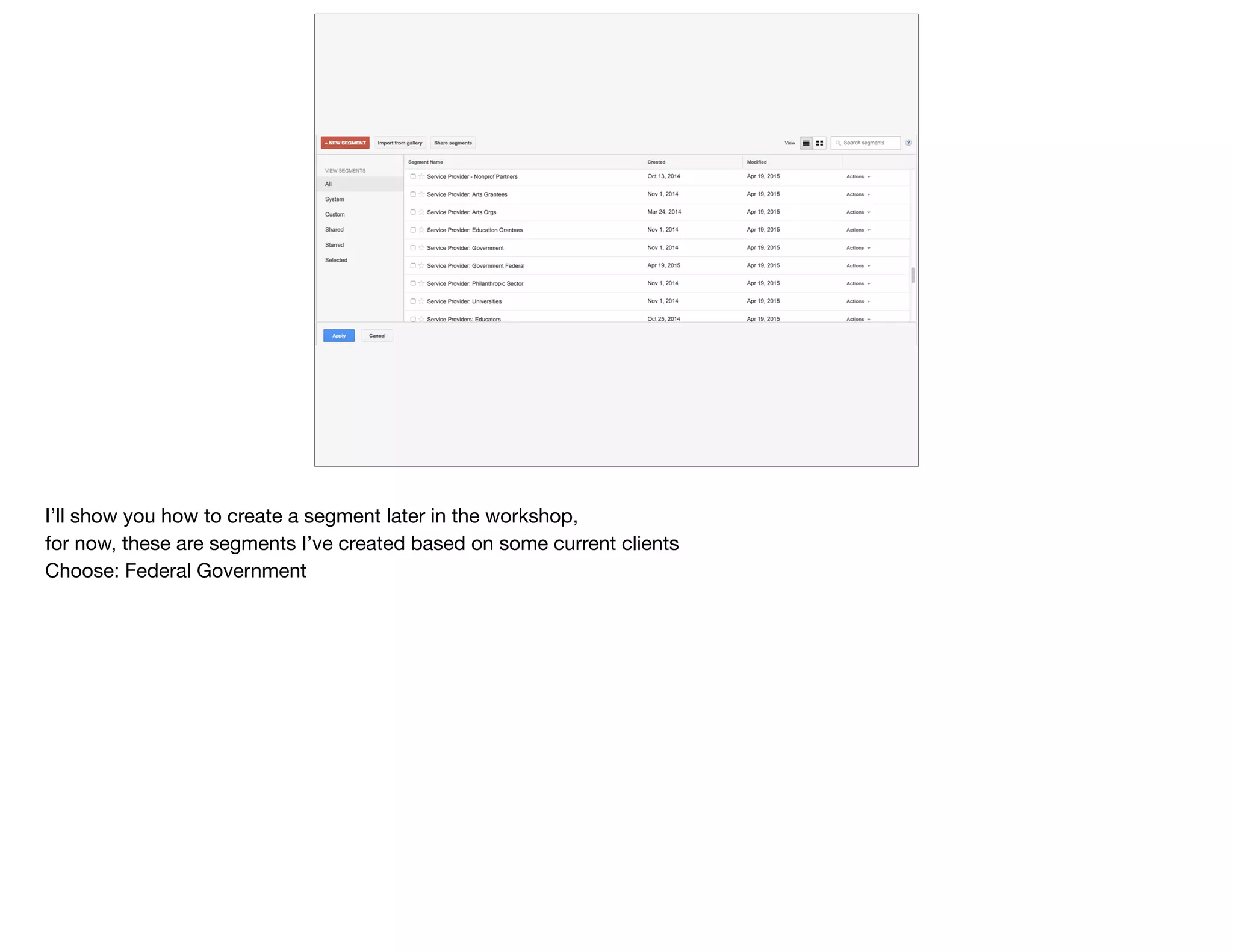
I’ll show you how to create a segment later in the workshop, 

for now, these are segments I’ve created based on some current clients

Choose: Federal Government
[share link to segment]
Hovering over a segment shows you who’s in it

I’m looking for those providers whose names include any of these; exclude those
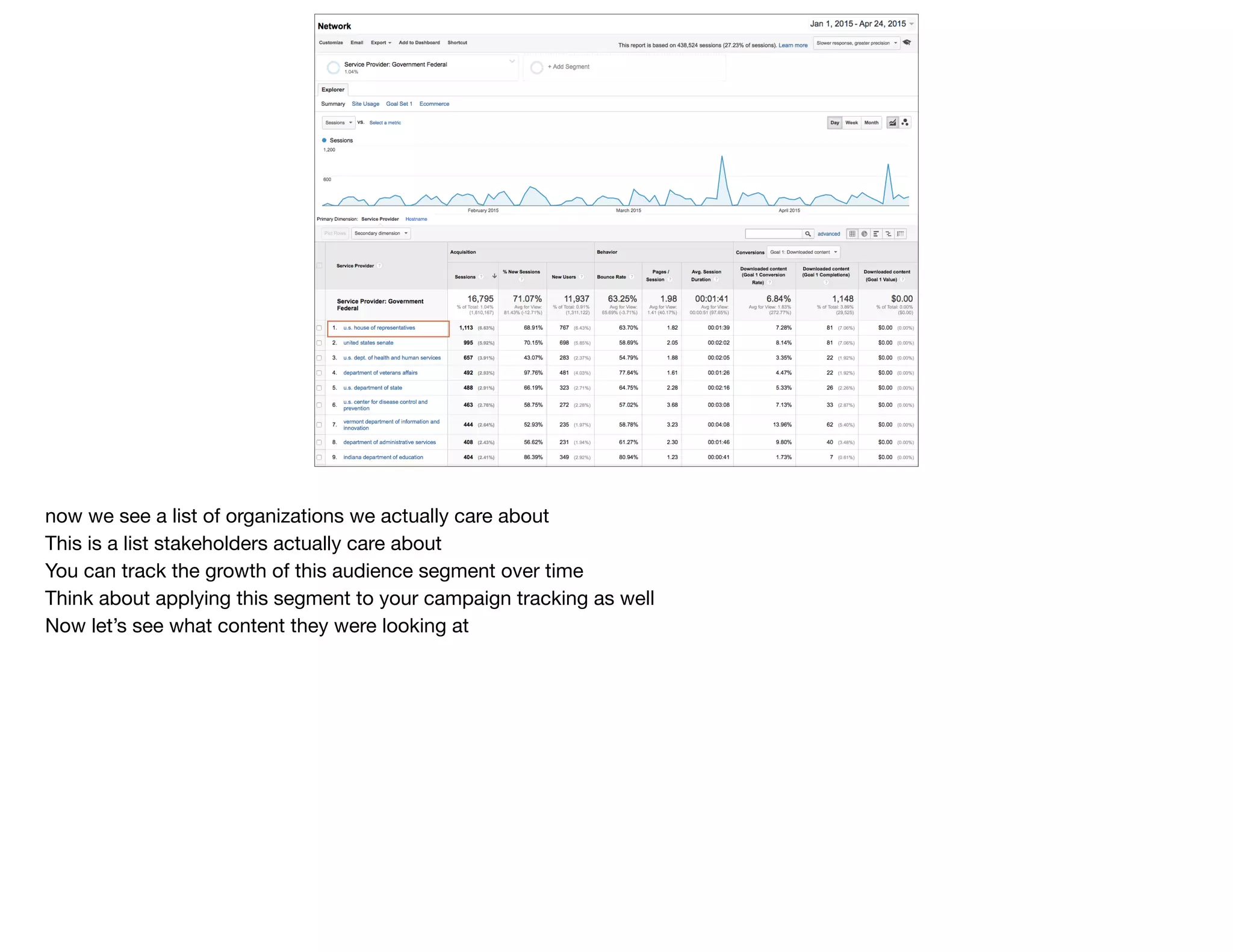
now we see a list of organizations we actually care about

This is a list stakeholders actually care about

You can track the growth of this audience segment over time

Think about applying this segment to your campaign tracking as well

Now let’s see what content they were looking at
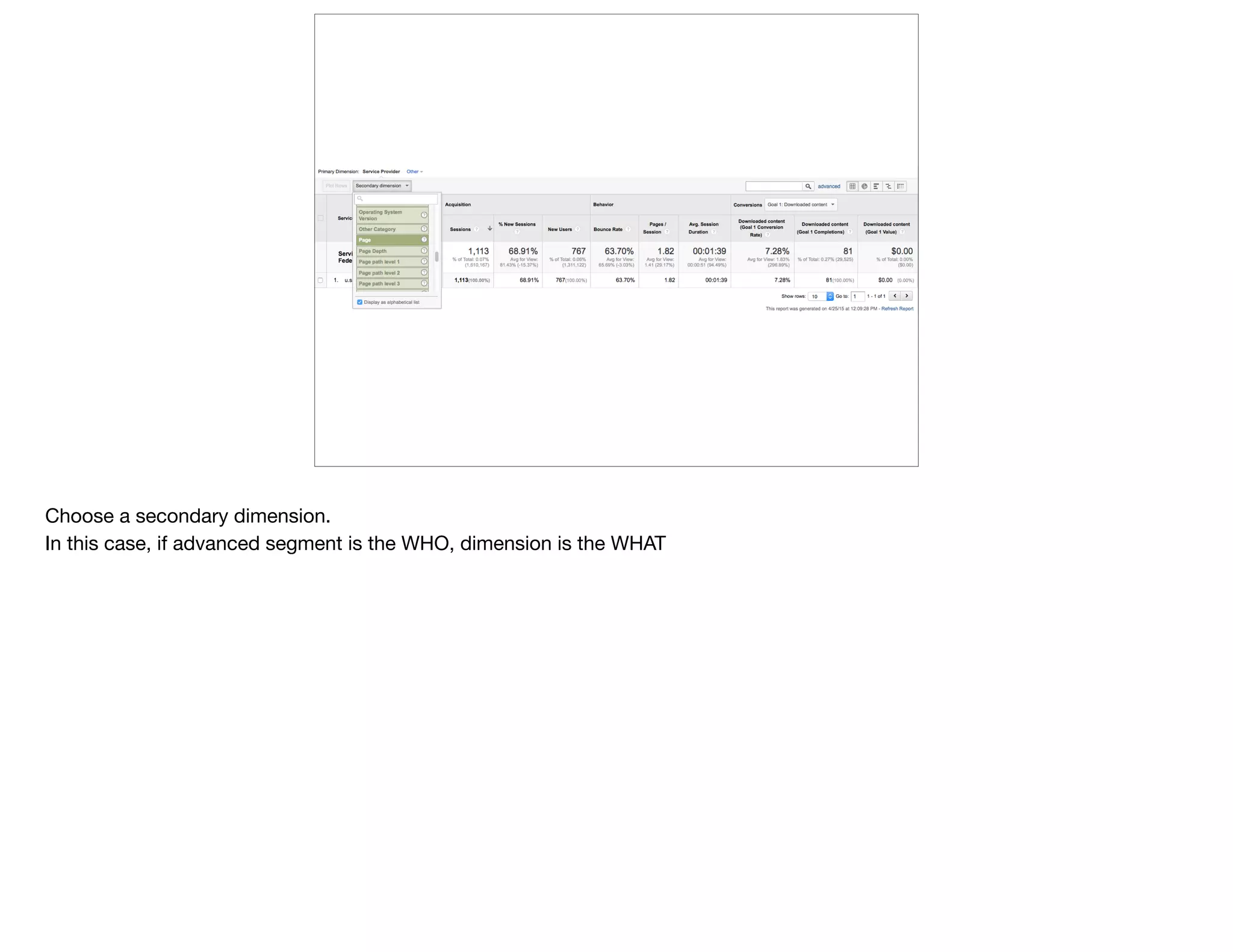
Choose a secondary dimension.

In this case, if advanced segment is the WHO, dimension is the WHAT
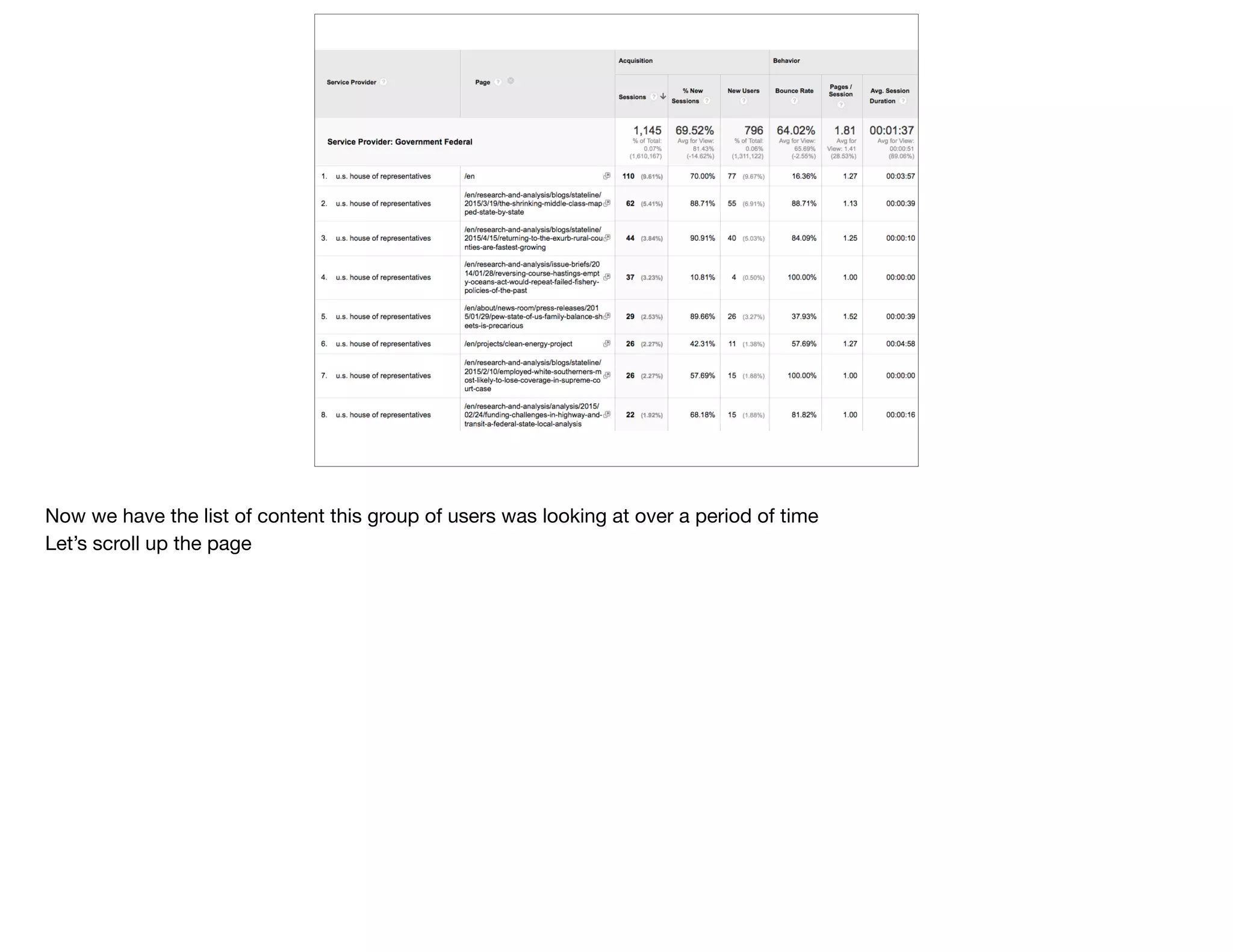
Now we have the list of content this group of users was looking at over a period of time

Let’s scroll up the page
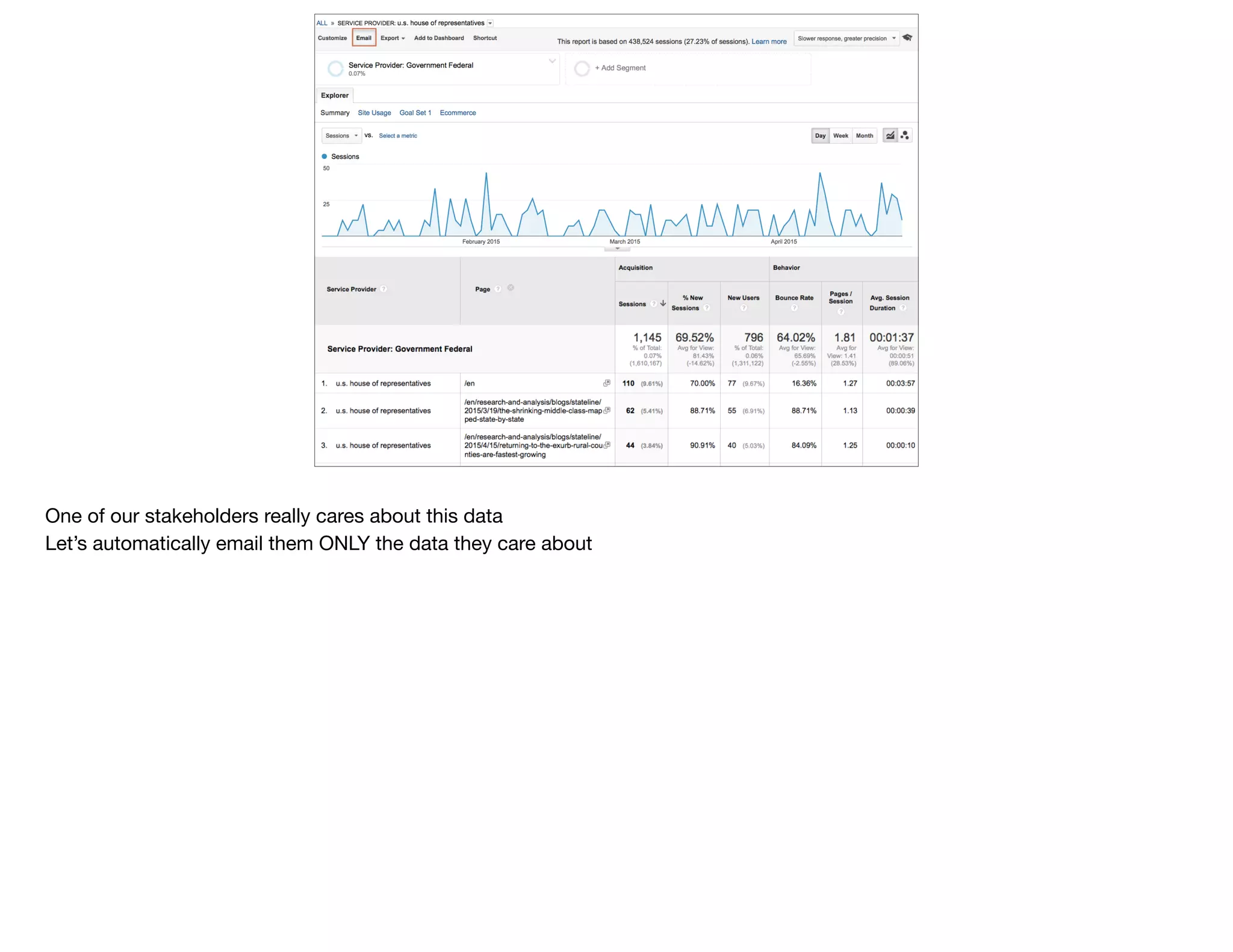
One of our stakeholders really cares about this data

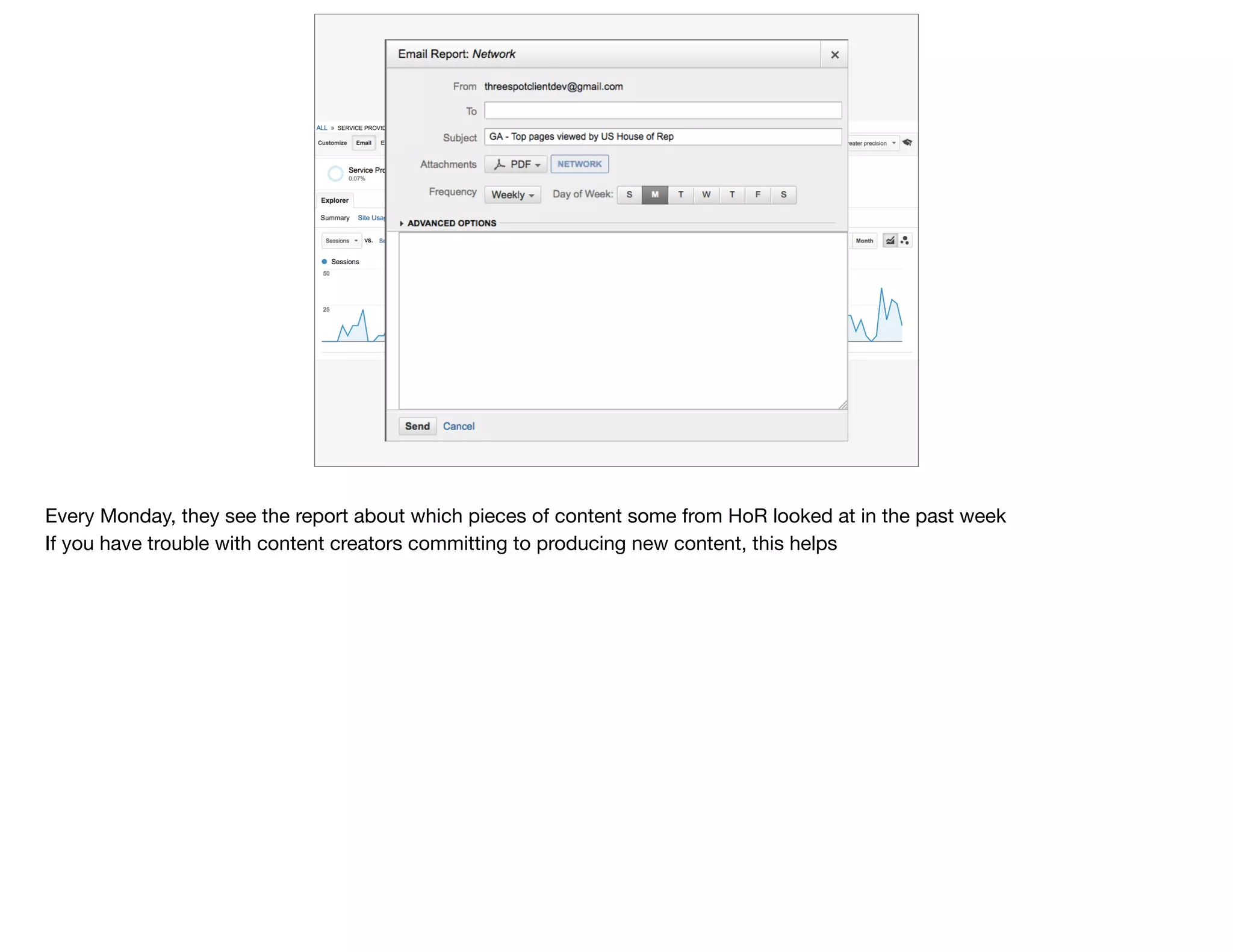
Let’s automatically email them ONLY the data they care about
Every Monday, they see the report about which pieces of content some from HoR looked at in the past week

If you have trouble with content creators committing to producing new content, this helps
@devonvsmith
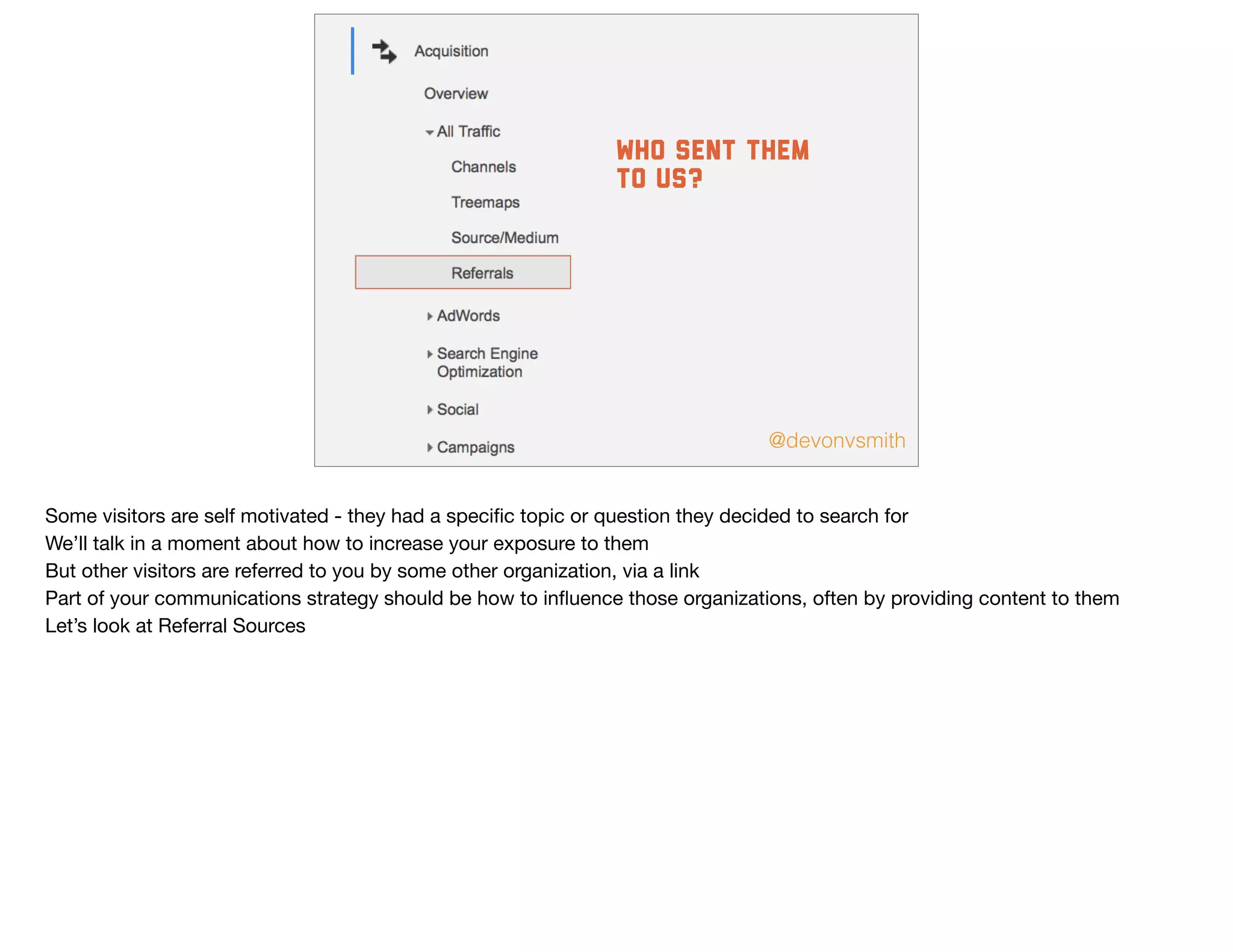
who sent them
to us?
Some visitors are self motivated - they had a specific topic or question they decided to search for

We’ll talk in a moment about how to increase your exposure to them

But other visitors are referred to you by some other organization, via a link

Part of your communications strategy should be how to influence those organizations, often by providing content to them

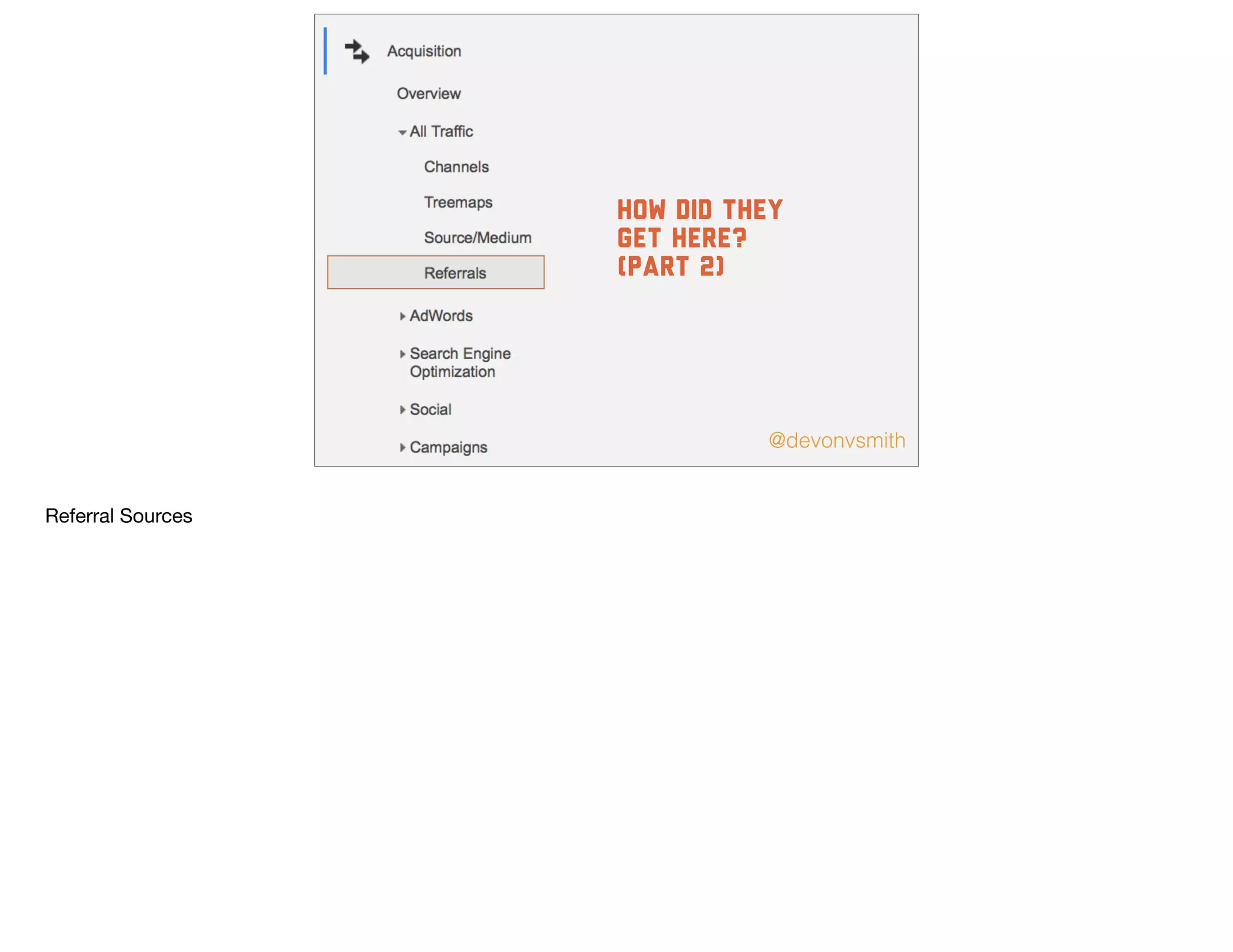
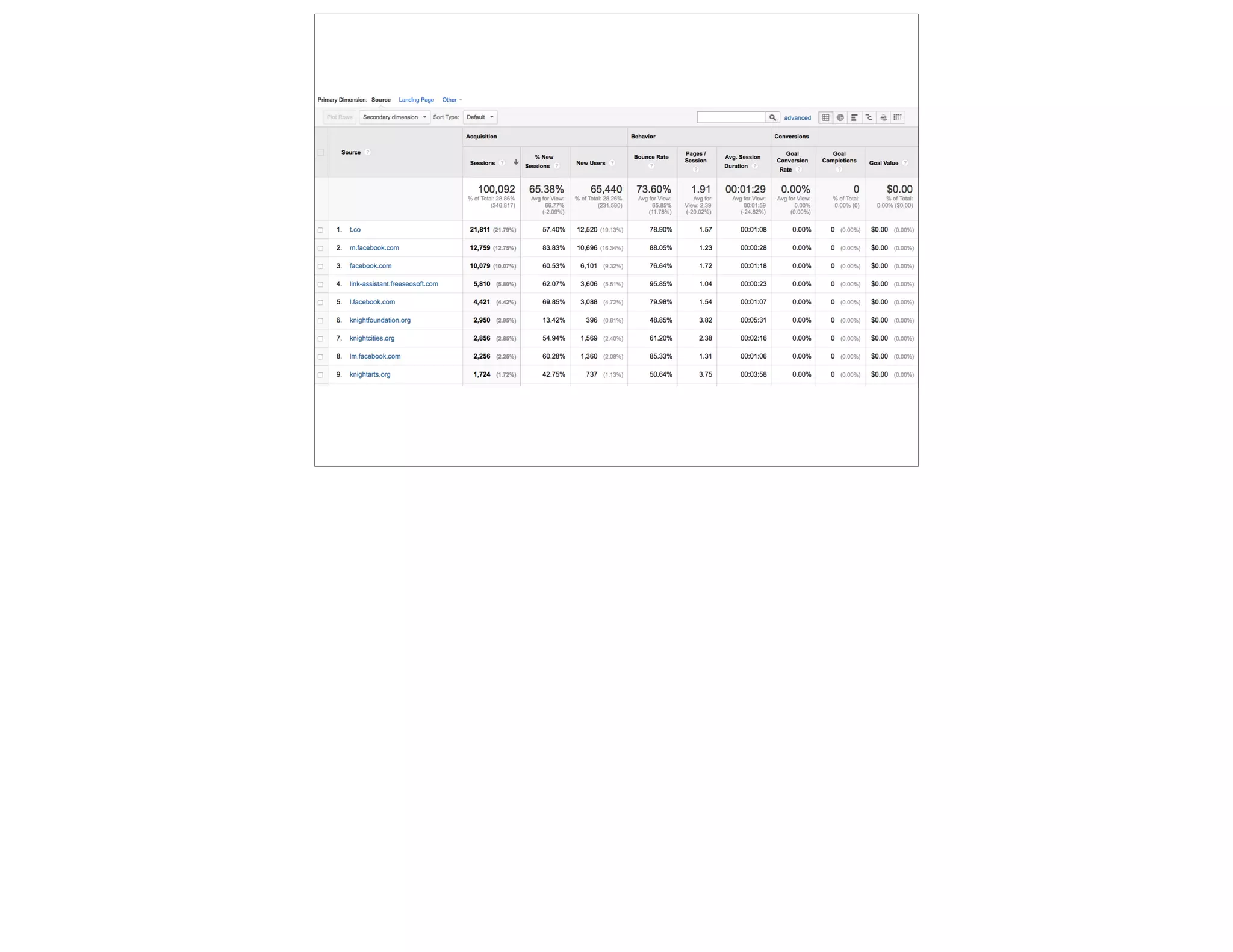
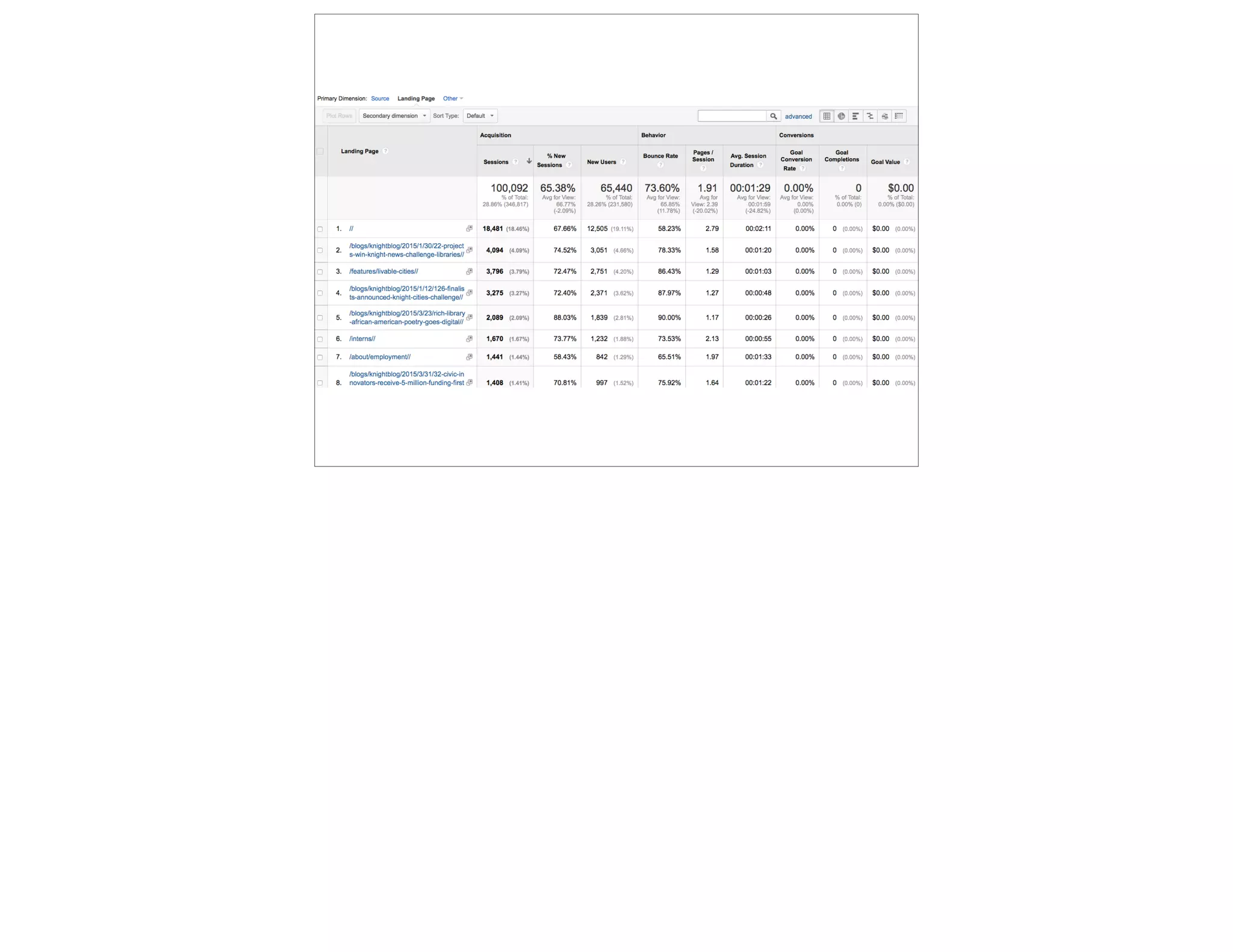
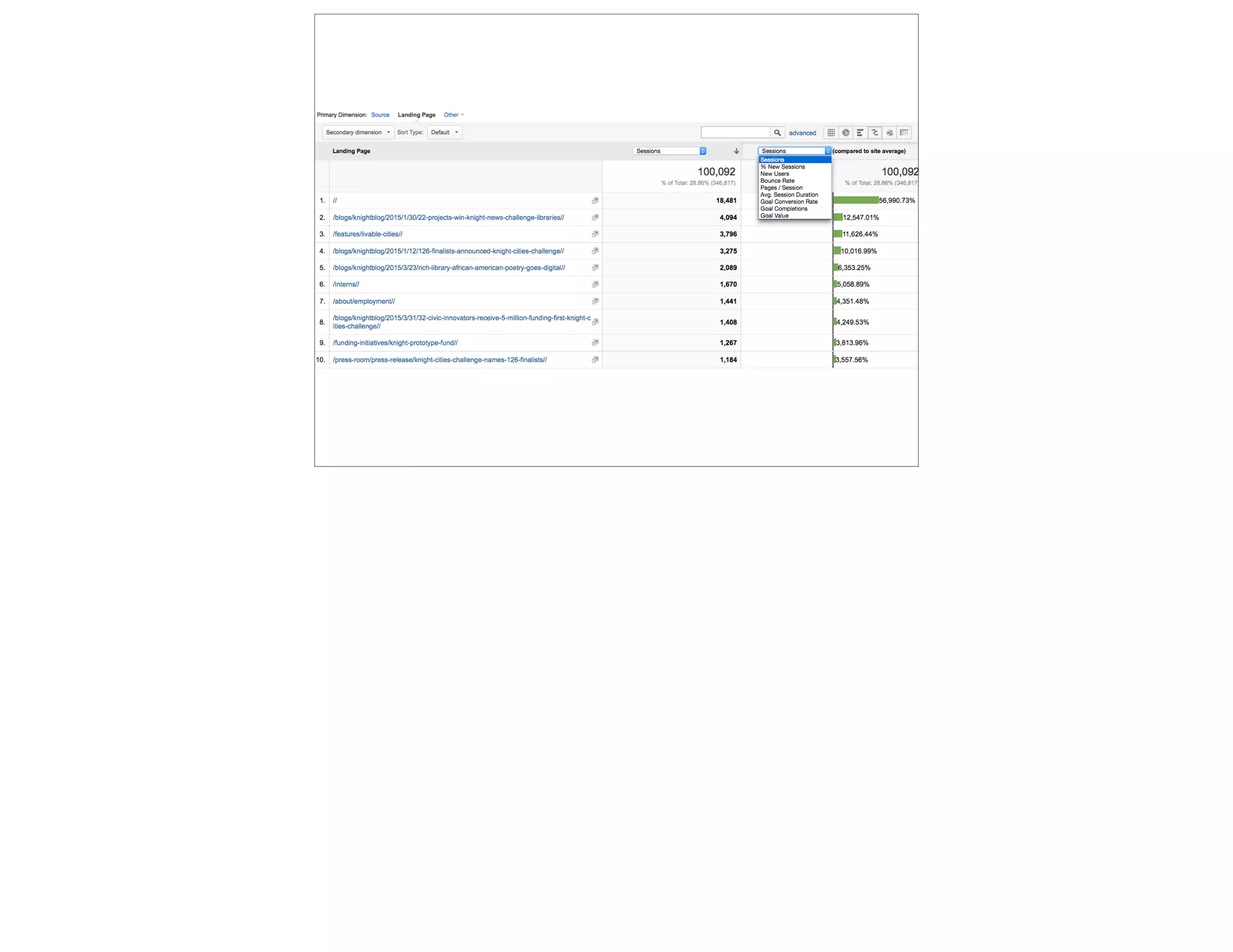
Let’s look at Referral Sources
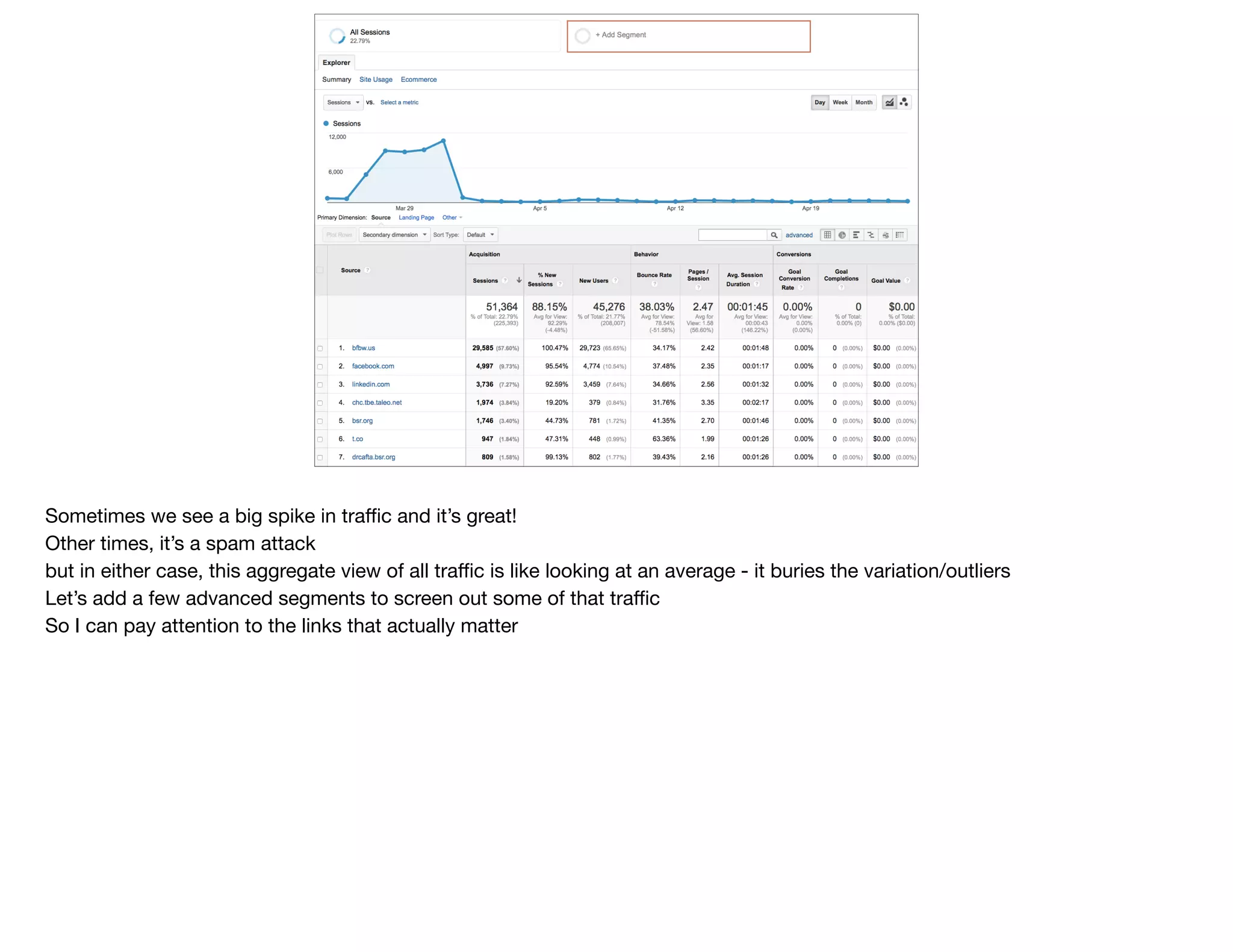
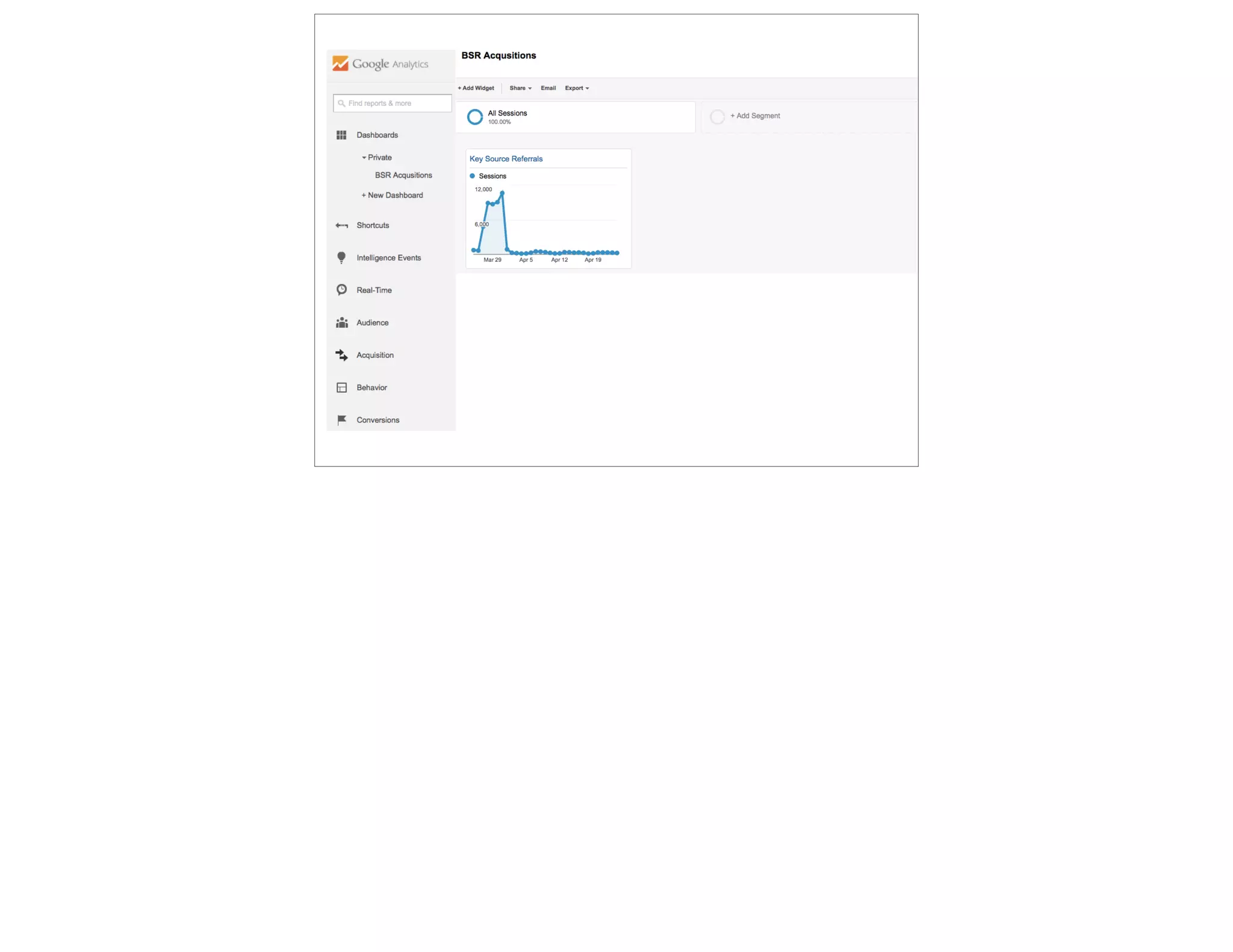
Sometimes we see a big spike in traffic and it’s great!

Other times, it’s a spam attack

but in either case, this aggregate view of all traffic is like looking at an average - it buries the variation/outliers

Let’s add a few advanced segments to screen out some of that traffic

So I can pay attention to the links that actually matter
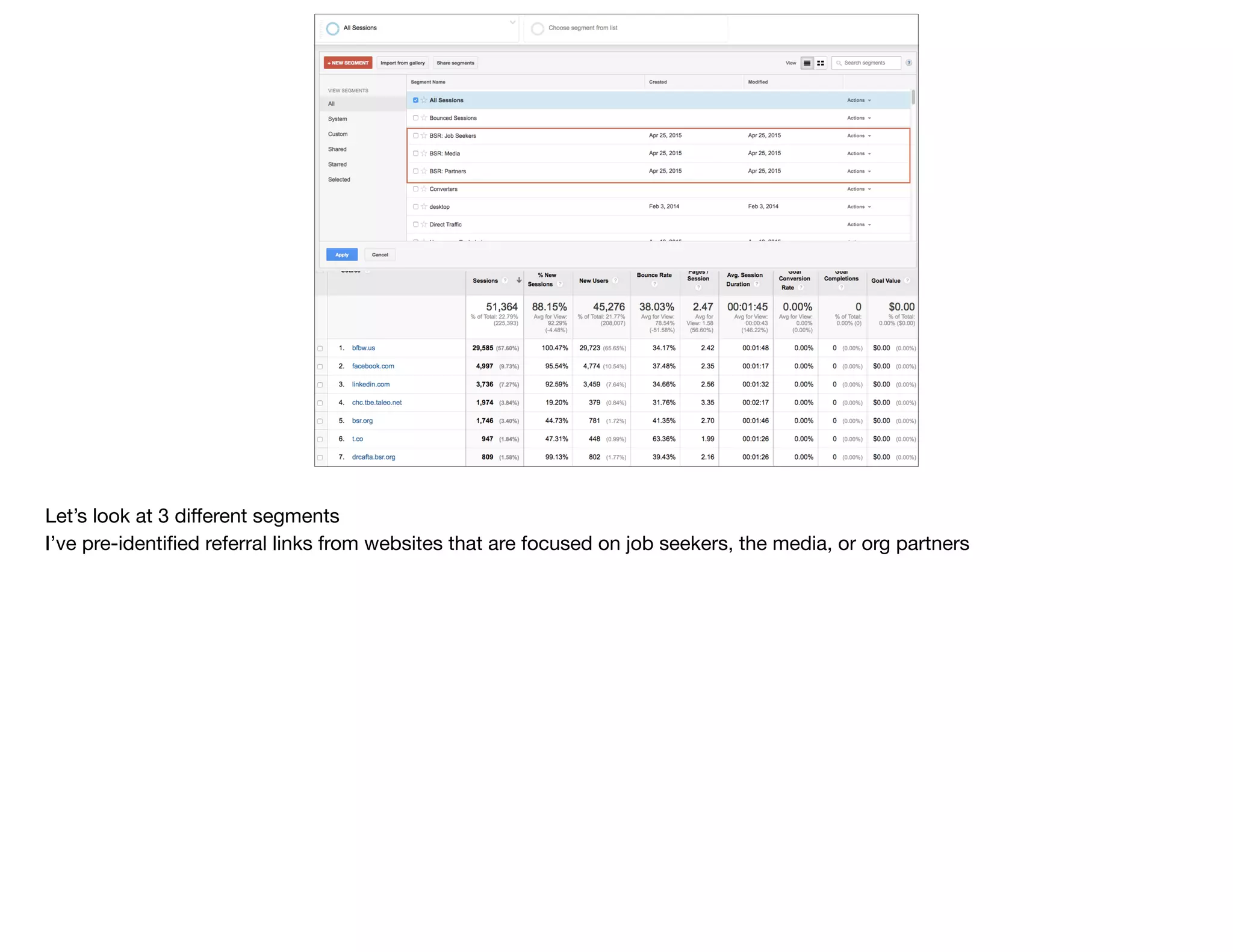
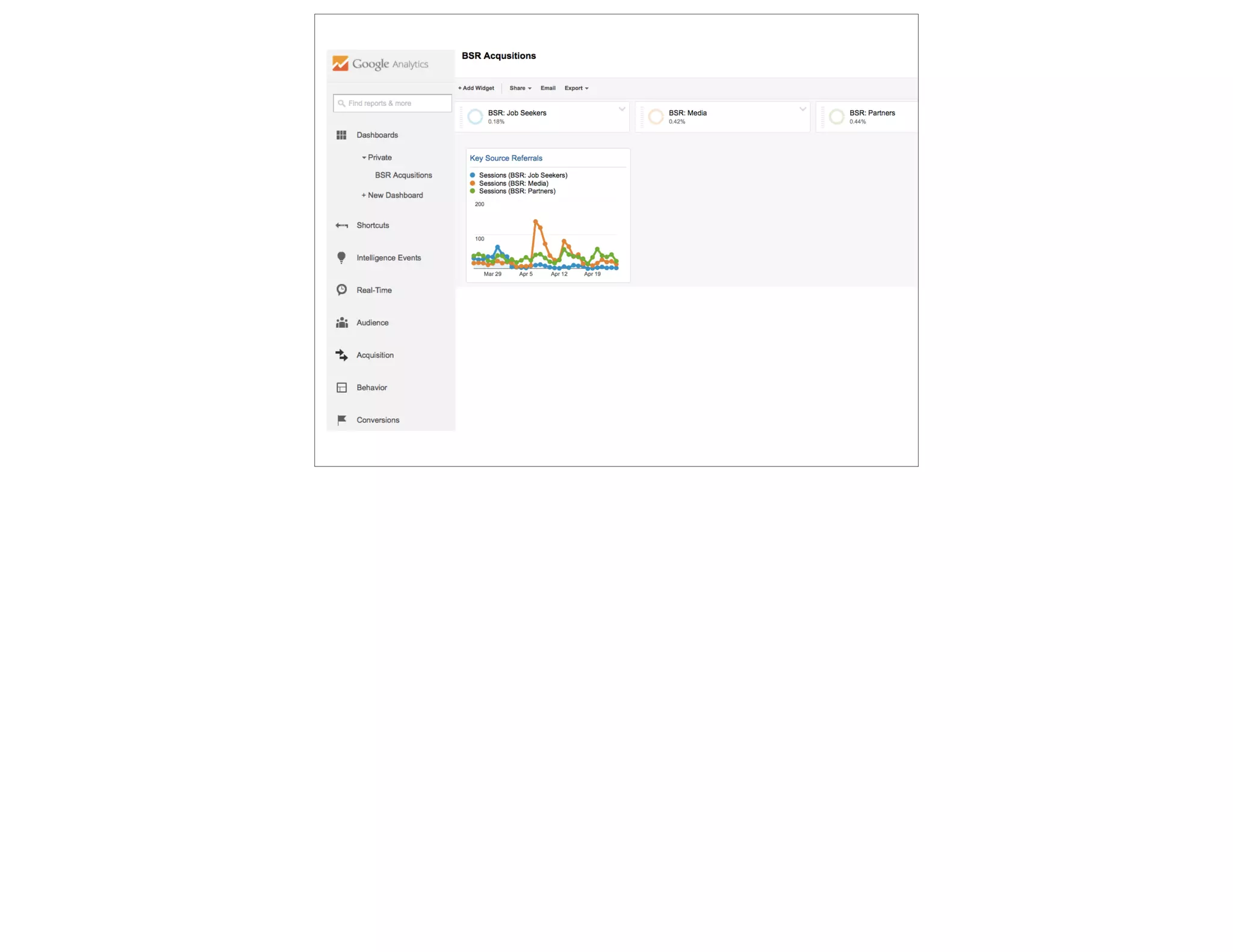
Let’s look at 3 different segments

I’ve pre-identified referral links from websites that are focused on job seekers, the media, or org partners
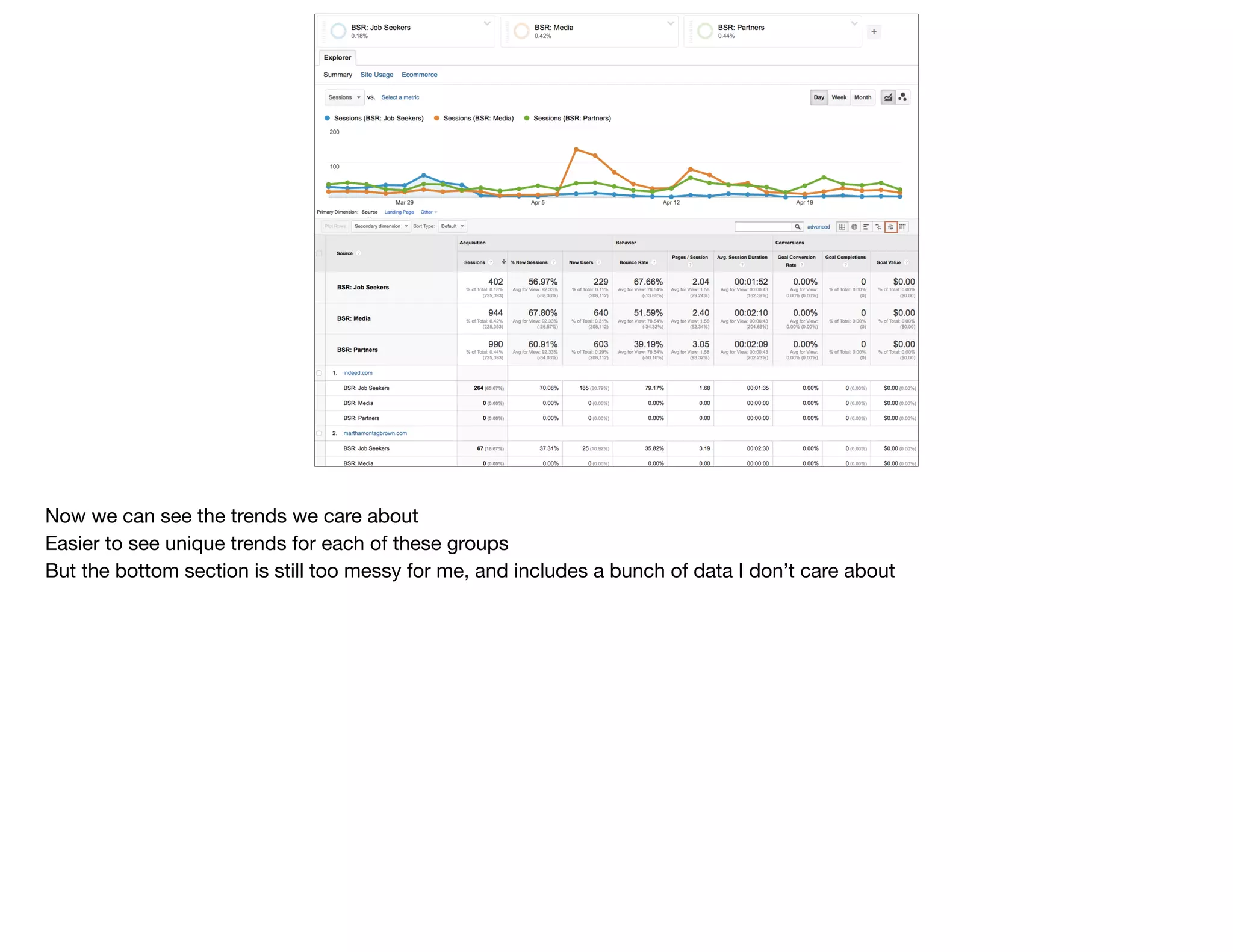
Now we can see the trends we care about

Easier to see unique trends for each of these groups

But the bottom section is still too messy for me, and includes a bunch of data I don’t care about
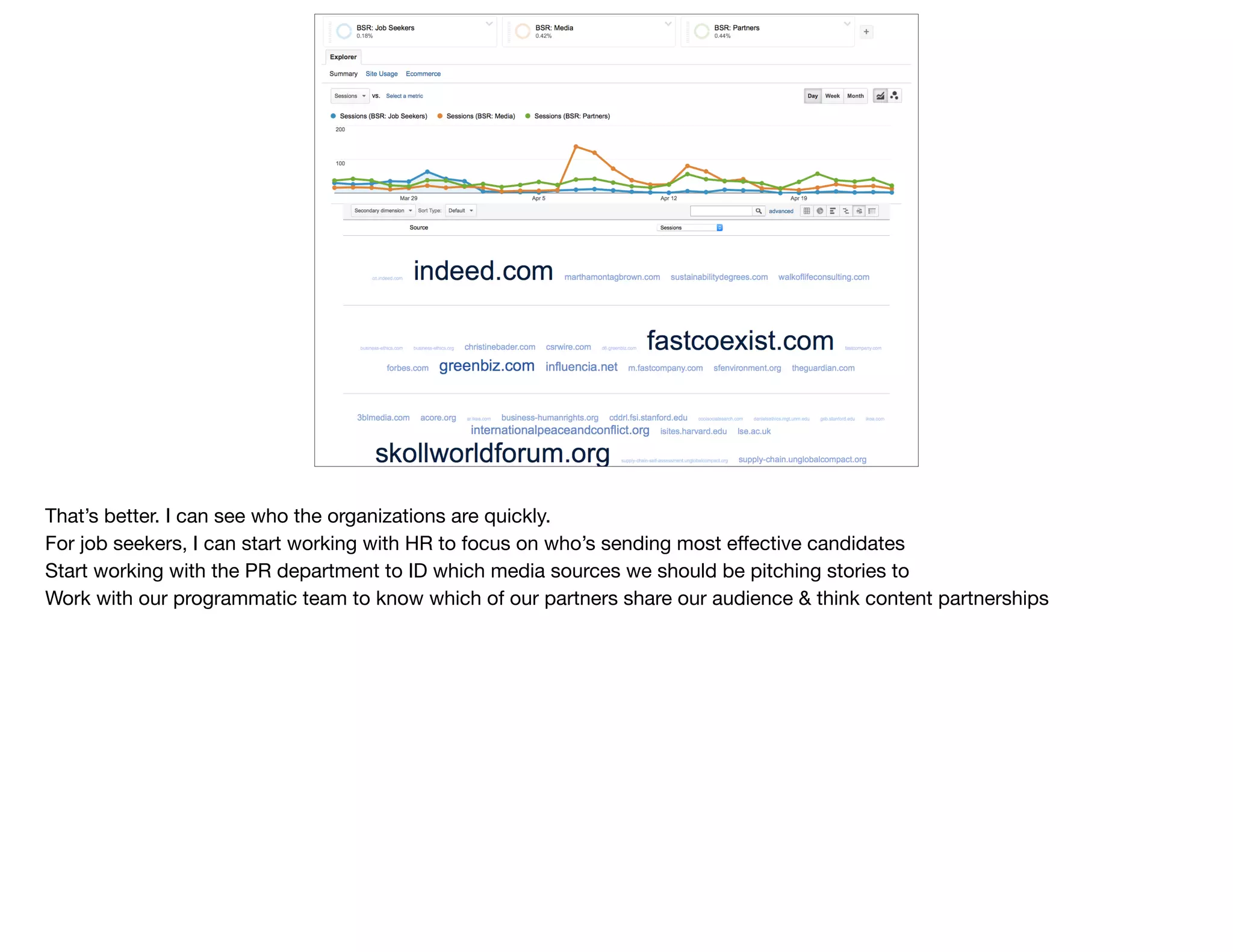
That’s better. I can see who the organizations are quickly.

For job seekers, I can start working with HR to focus on who’s sending most effective candidates

Start working with the PR department to ID which media sources we should be pitching stories to

Work with our programmatic team to know which of our partners share our audience & think content partnerships
@devonvsmith
What are they
looking for?
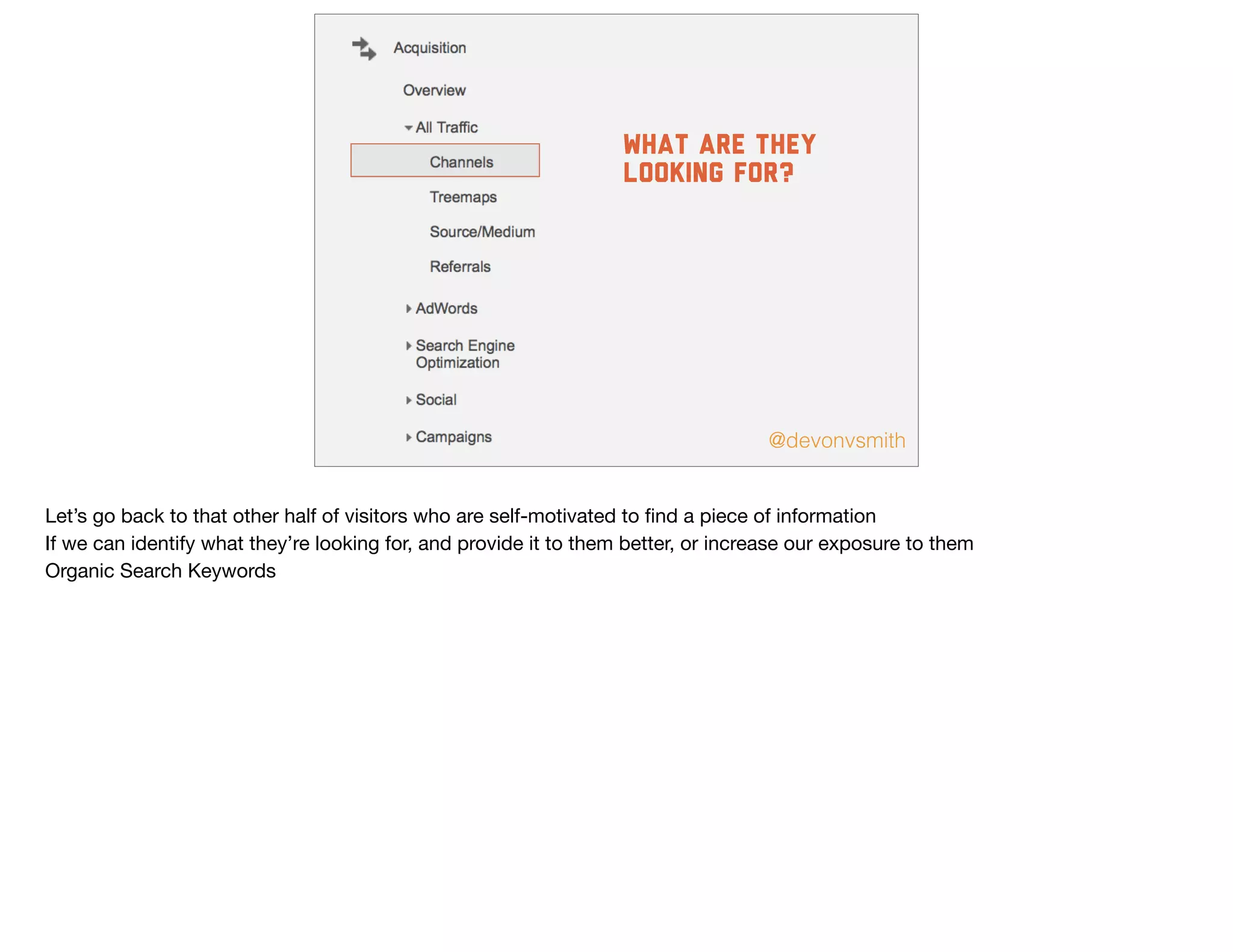
Let’s go back to that other half of visitors who are self-motivated to find a piece of information

If we can identify what they’re looking for, and provide it to them better, or increase our exposure to them

Organic Search Keywords
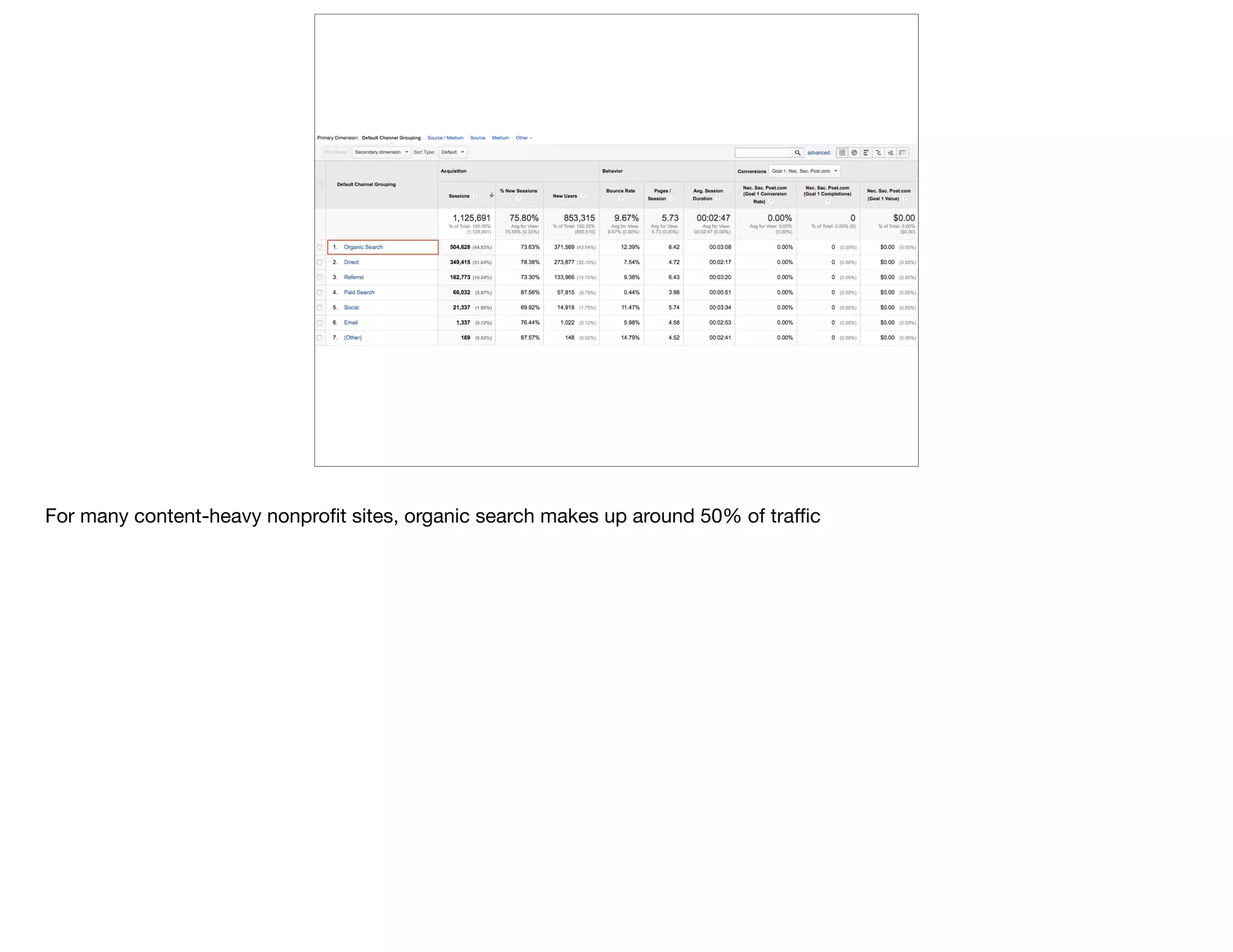
For many content-heavy nonprofit sites, organic search makes up around 50% of traffic
f
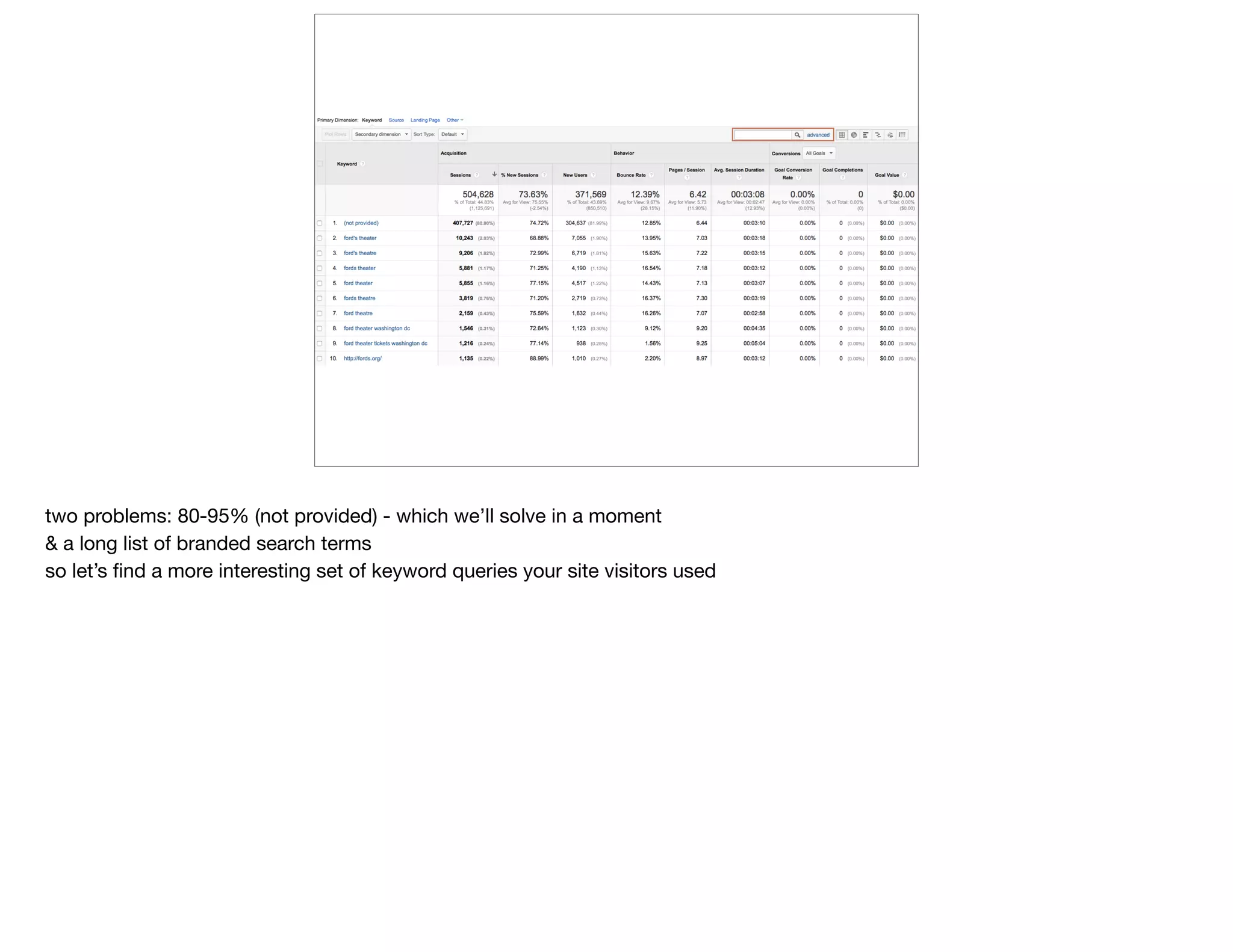
two problems: 80-95% (not provided) - which we’ll solve in a moment

& a long list of branded search terms

so let’s find a more interesting set of keyword queries your site visitors used
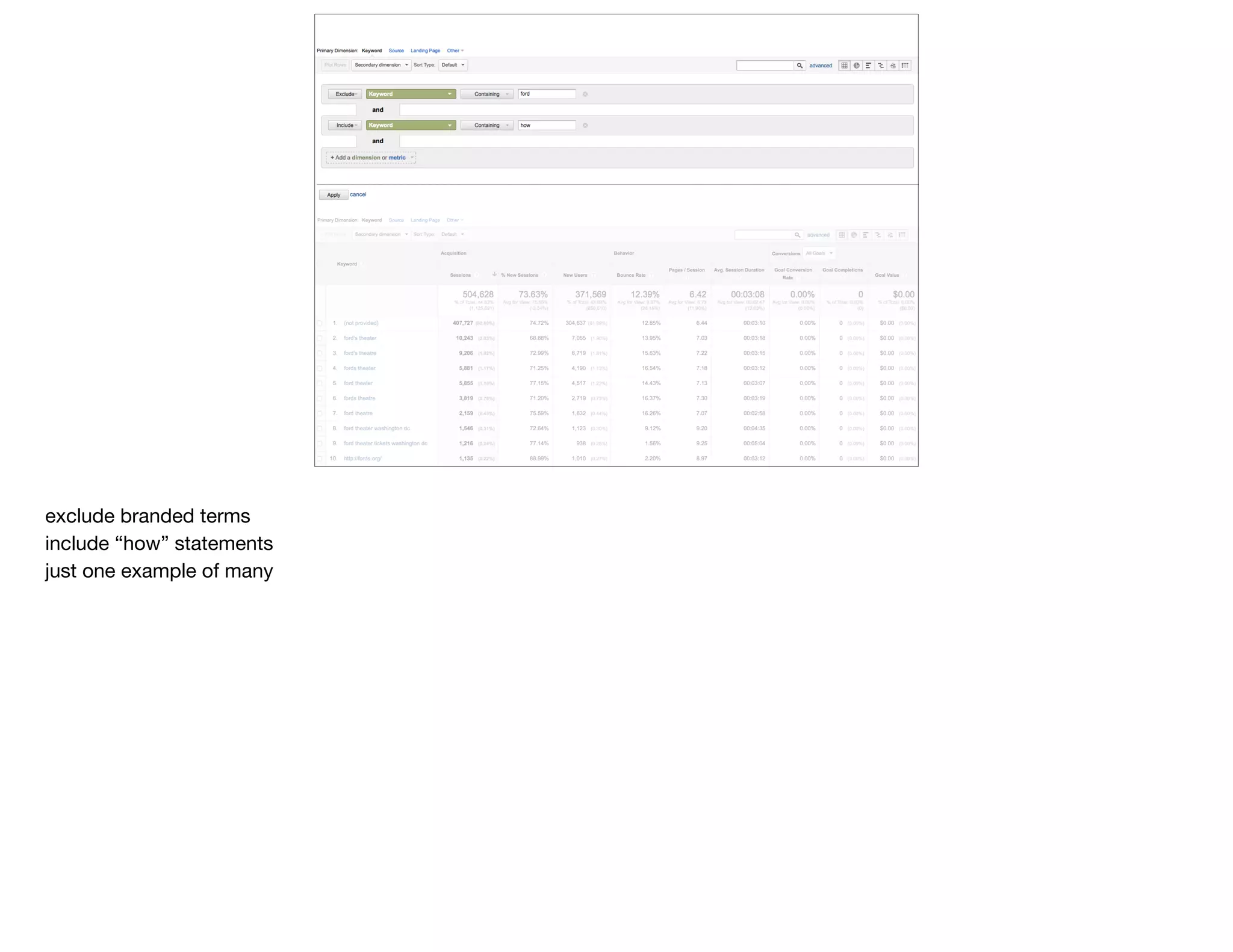
exclude branded terms

include “how” statements

just one example of many
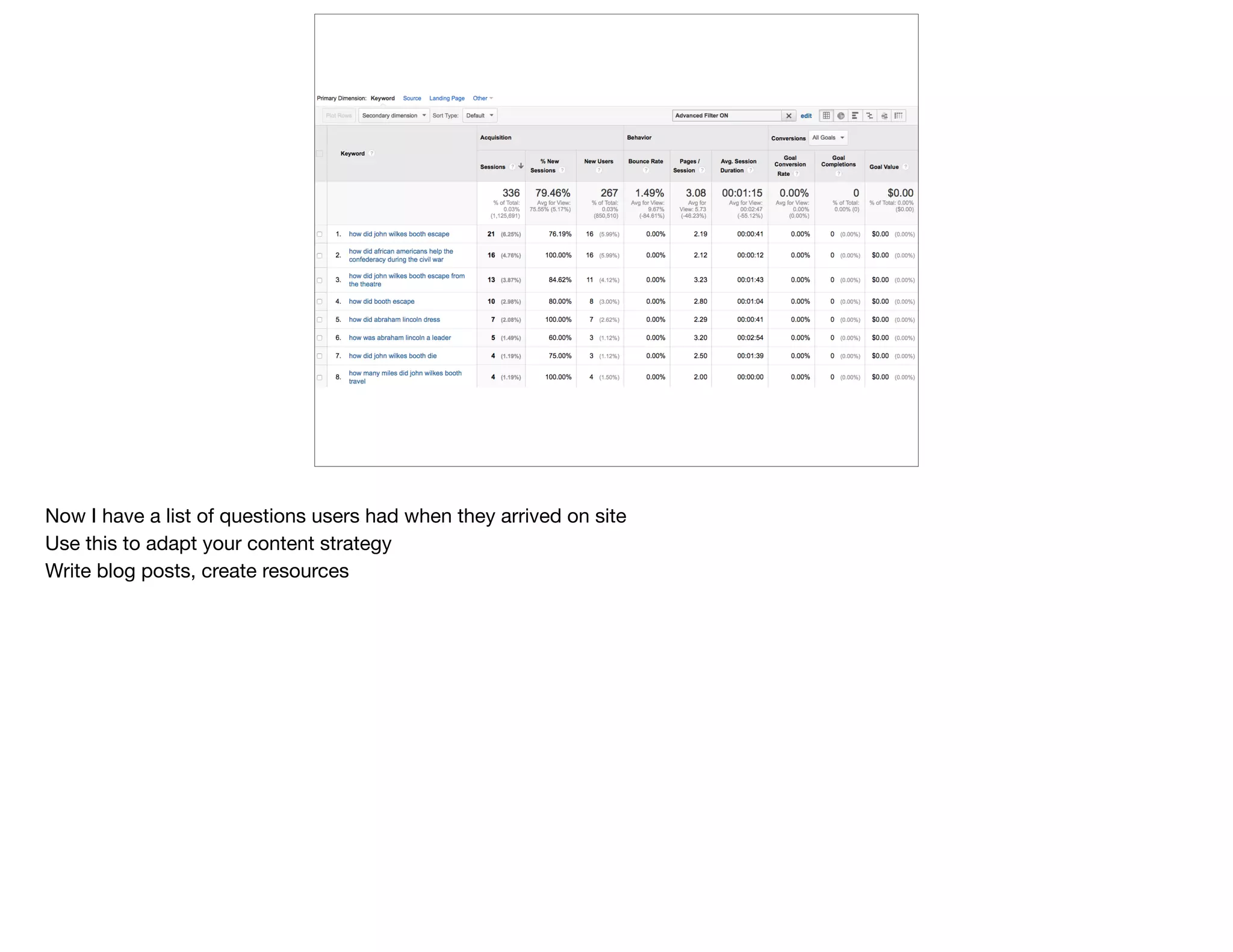
Now I have a list of questions users had when they arrived on site

Use this to adapt your content strategy

Write blog posts, create resources
@devonvsmith
What (else) are
they looking for?
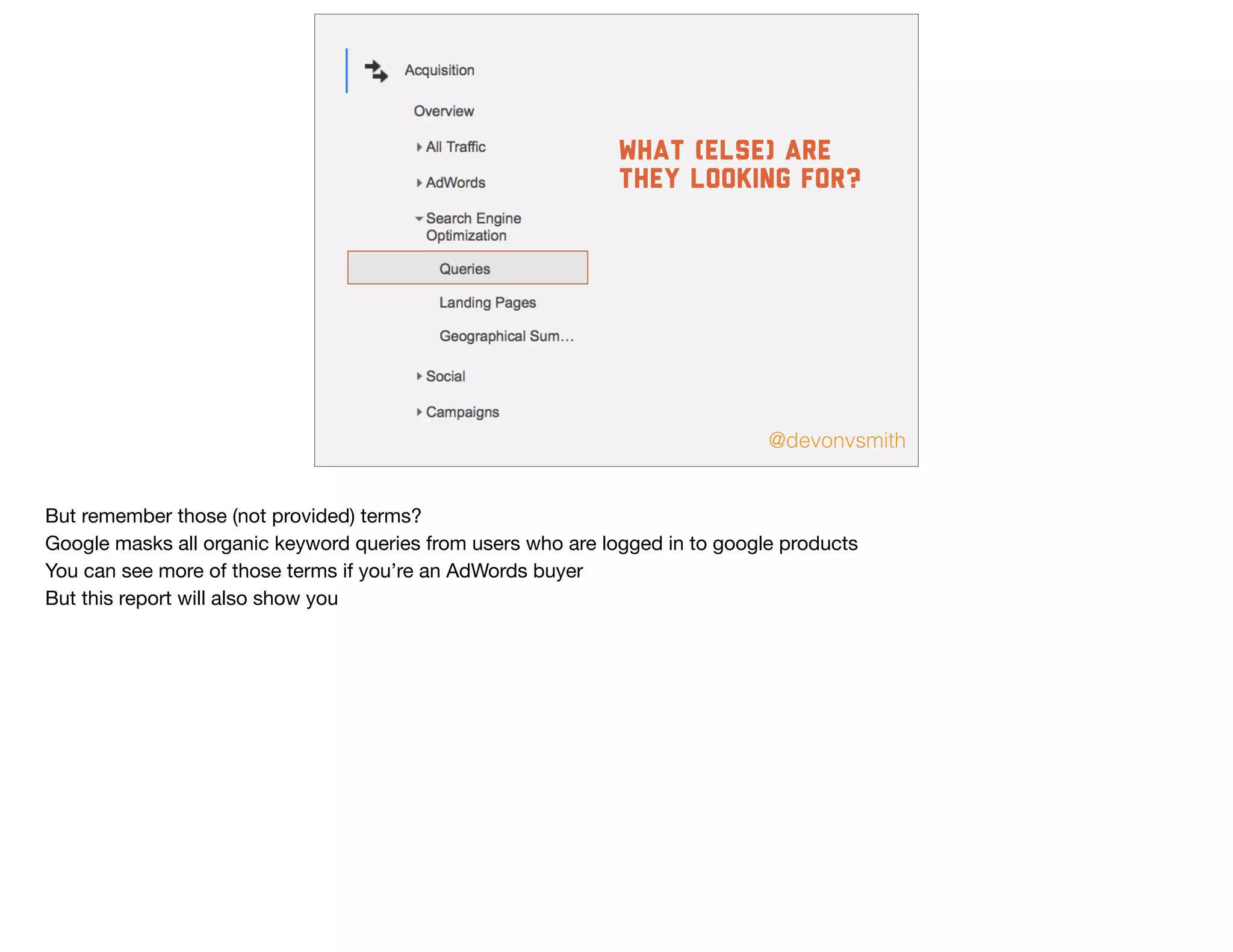
But remember those (not provided) terms?

Google masks all organic keyword queries from users who are logged in to google products

You can see more of those terms if you’re an AdWords buyer

But this report will also show you
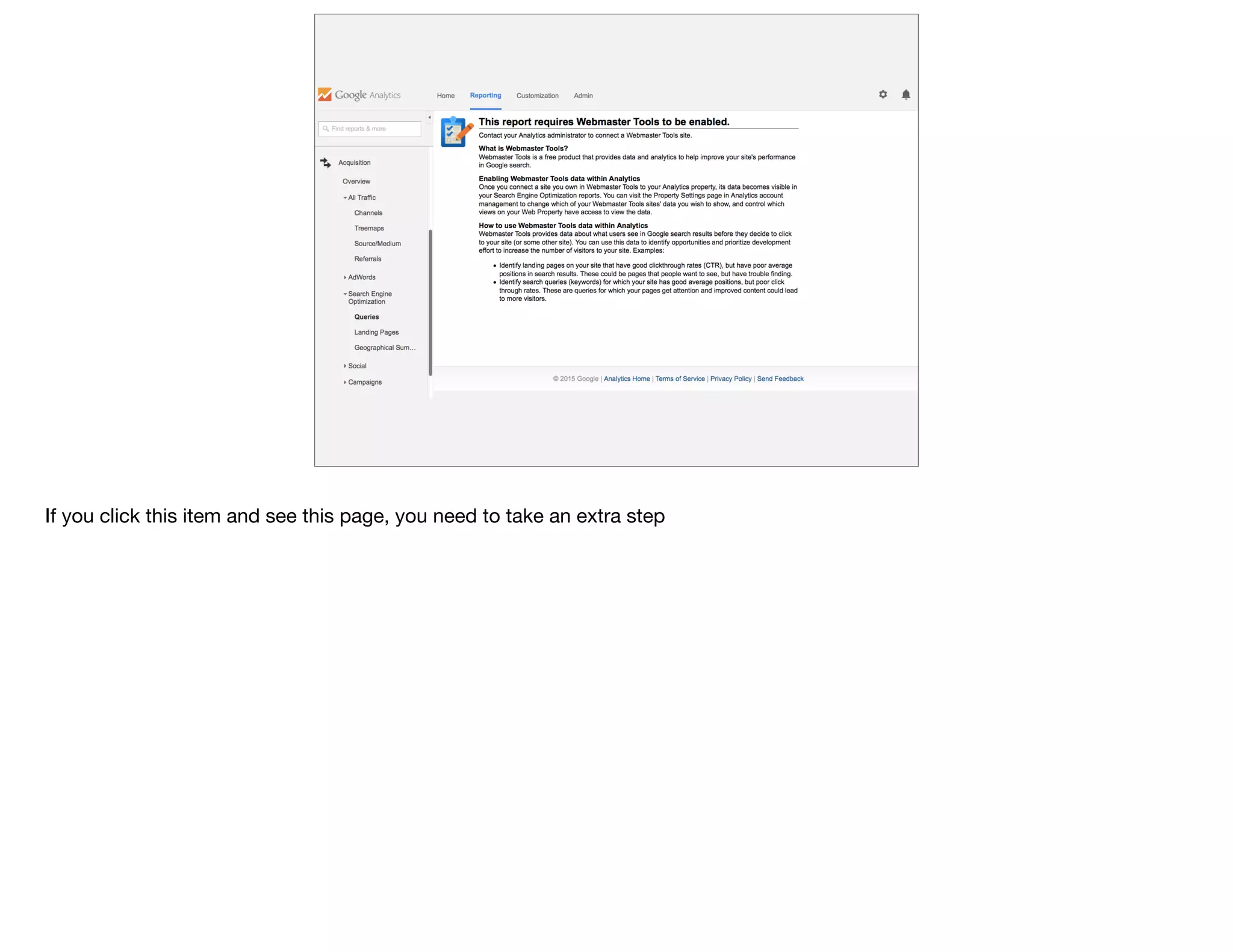
If you click this item and see this page, you need to take an extra step
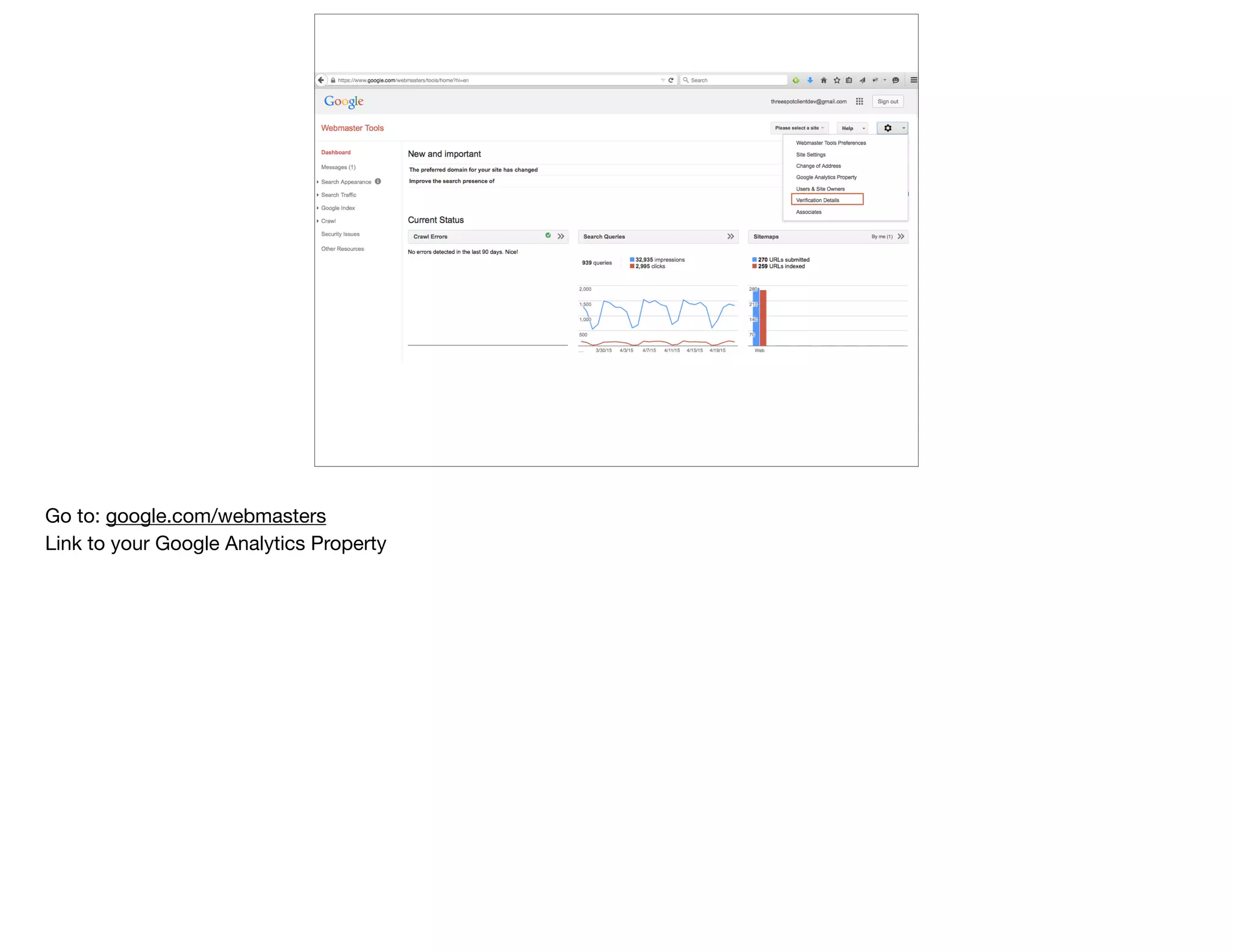
Go to: google.com/webmasters

Link to your Google Analytics Property
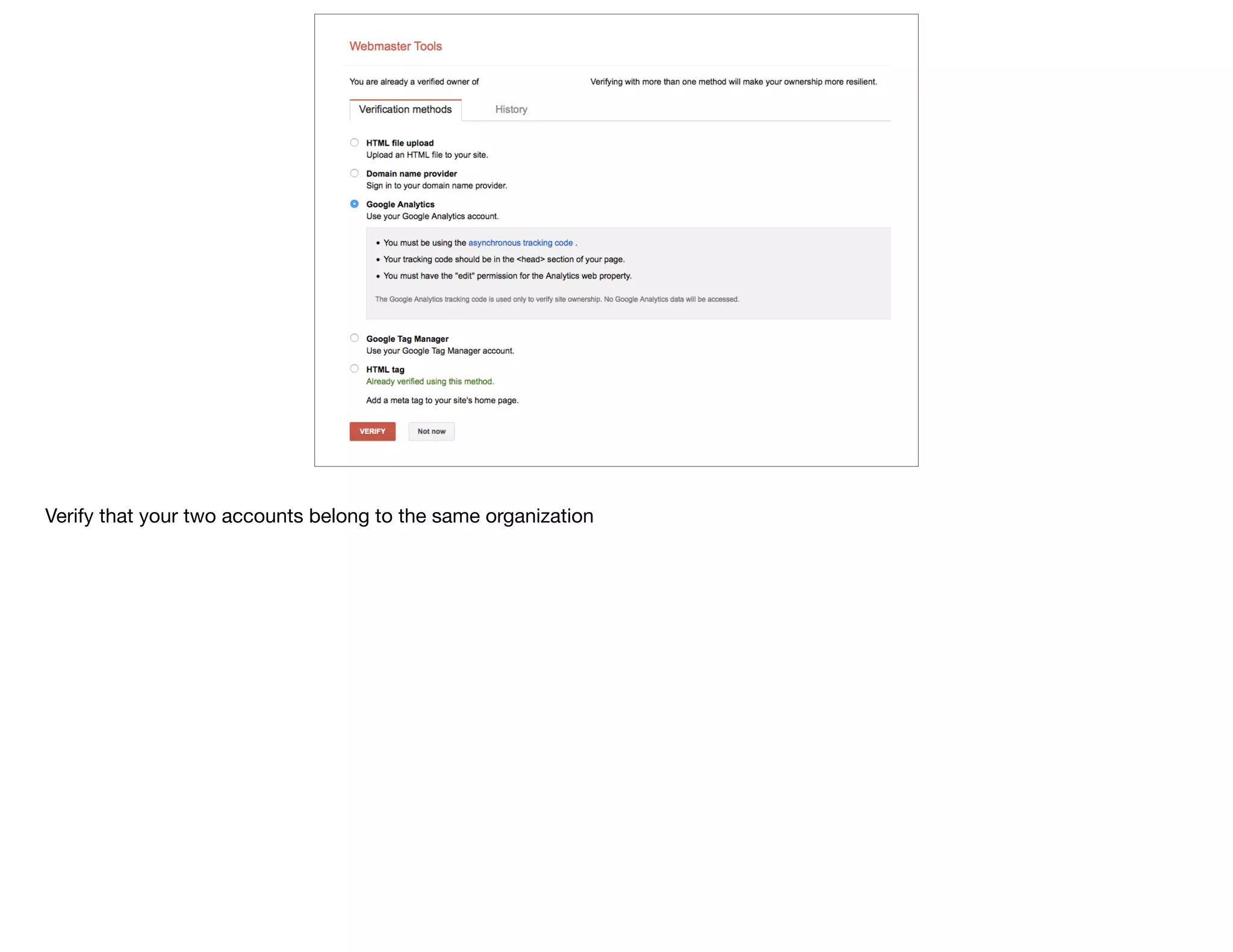
Verify that your two accounts belong to the same organization
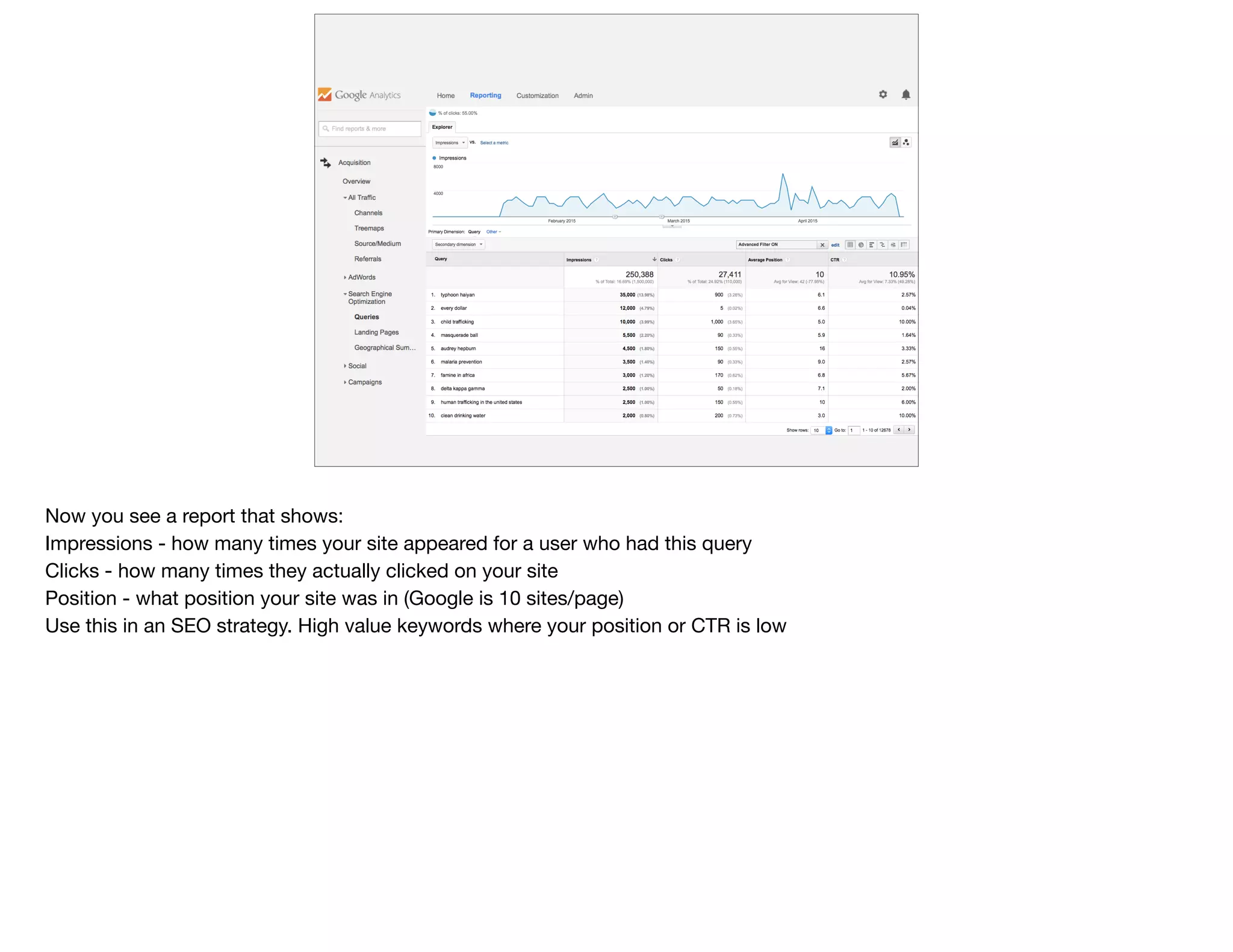
Now you see a report that shows:

Impressions - how many times your site appeared for a user who had this query 

Clicks - how many times they actually clicked on your site

Position - what position your site was in (Google is 10 sites/page)

Use this in an SEO strategy. High value keywords where your position or CTR is low
@devonvsmith
What are they
looking for
right [here]?
That was all about keyword queries visitors use in an external search engine to FIND your site

But once they get to your site, they often still can’t find what they’re looking for

Again, let’s focus on a single page
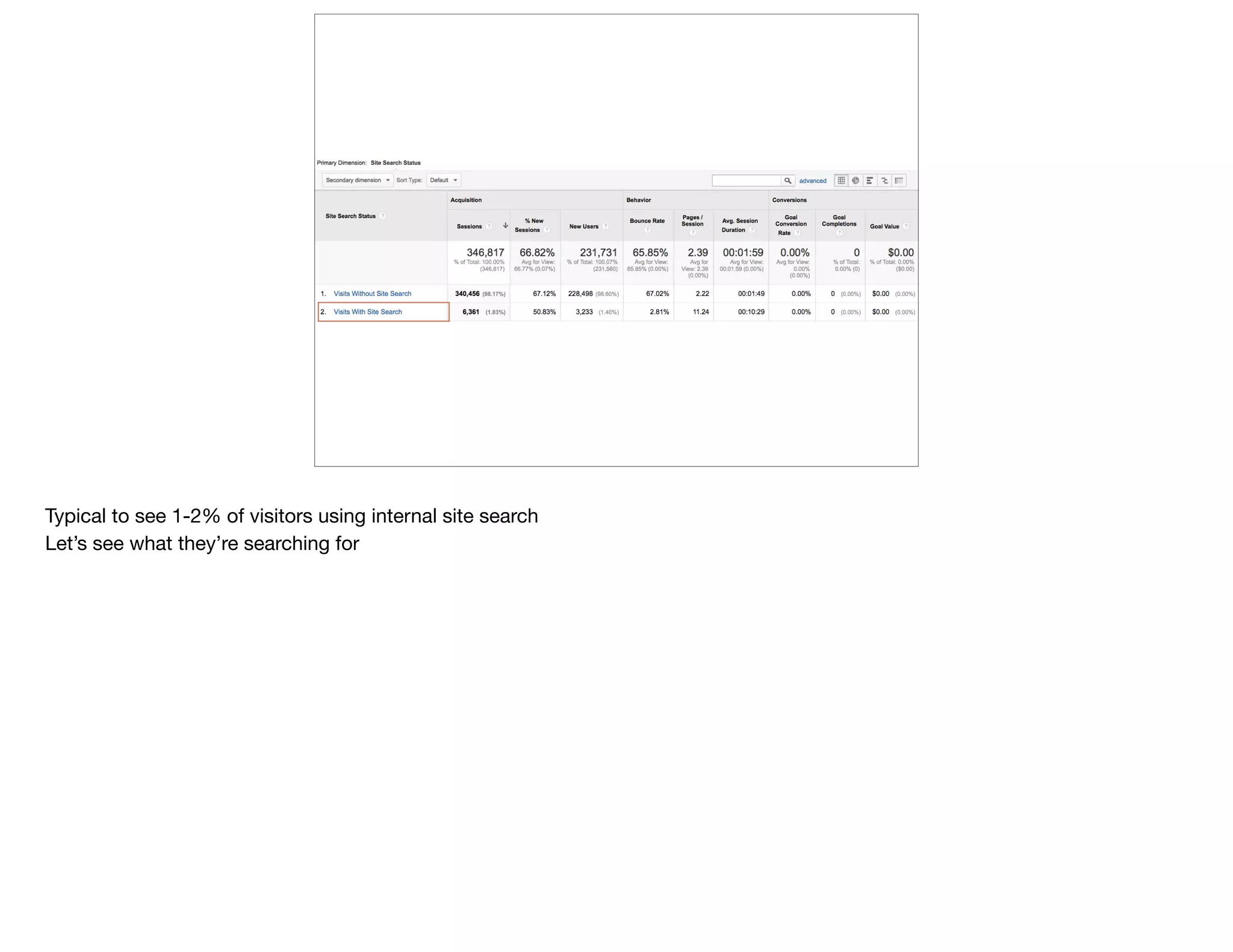
Typical to see 1-2% of visitors using internal site search

Let’s see what they’re searching for
Long list

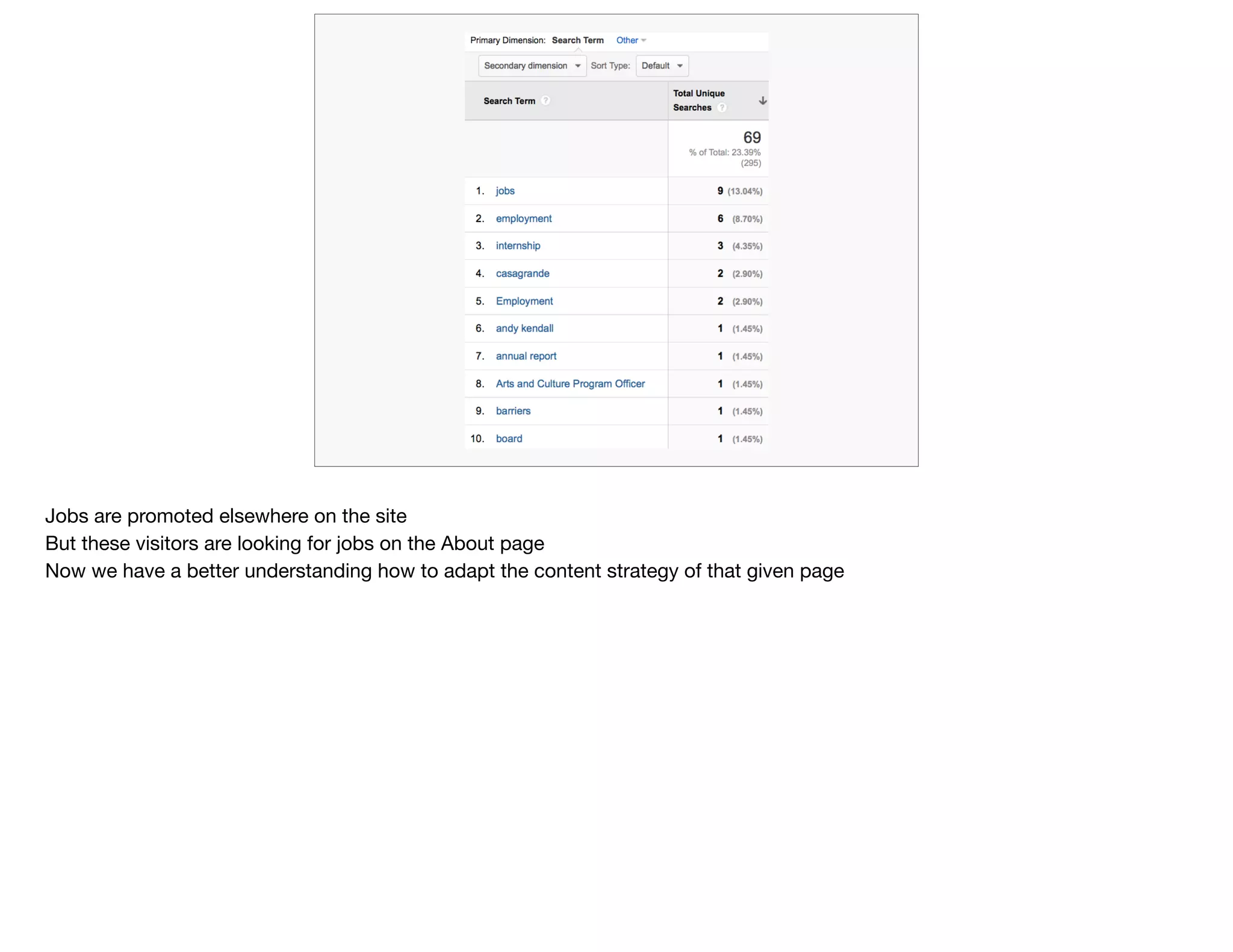
Often, top of list is a [null] result because your search field is confusing

And jobs-related

For foundations, “logo” is common bc your grantees are looking for it

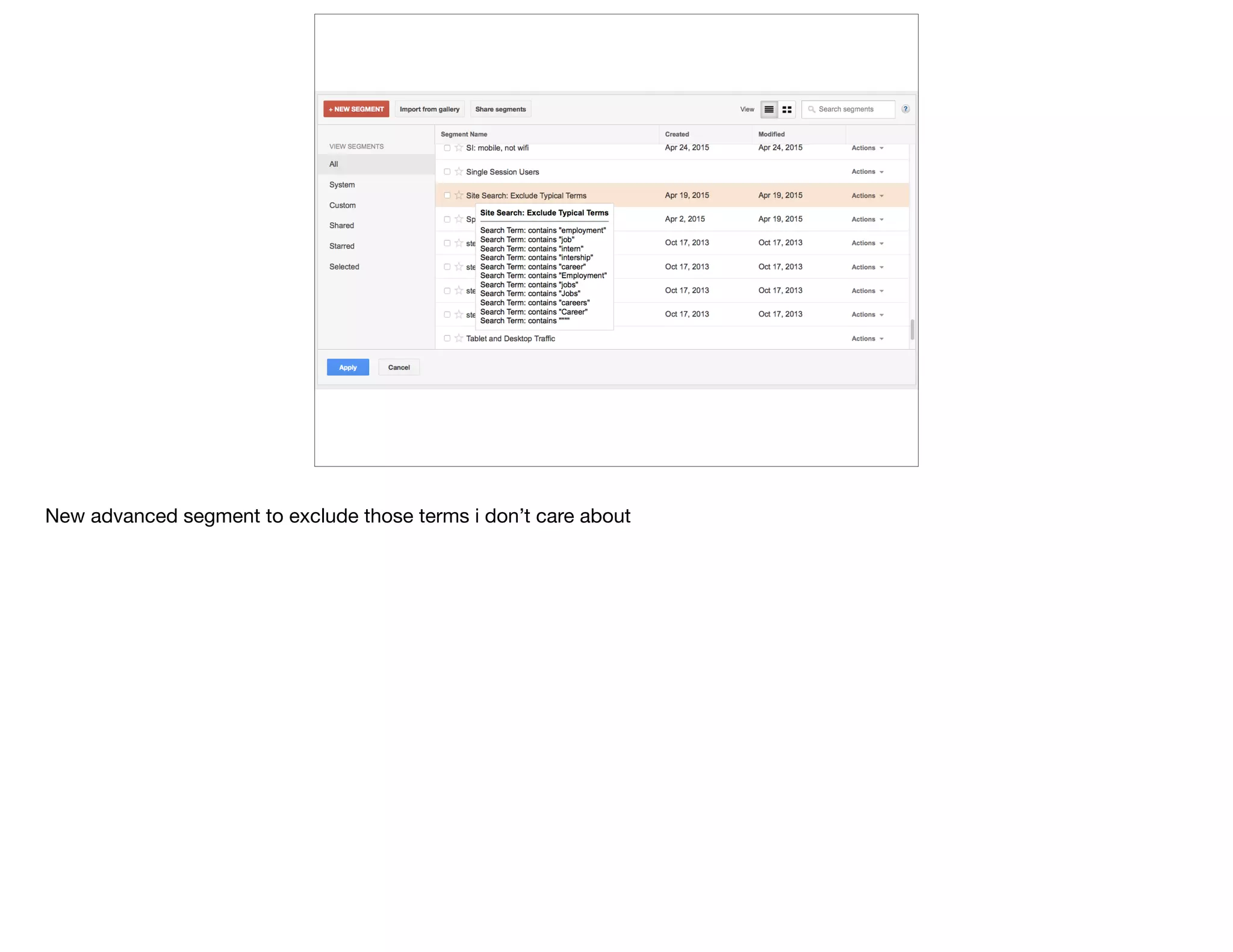
Let’s screen out those words we don’t need, so we can focus on what is important/different each month
New advanced segment to exclude those terms i don’t care about
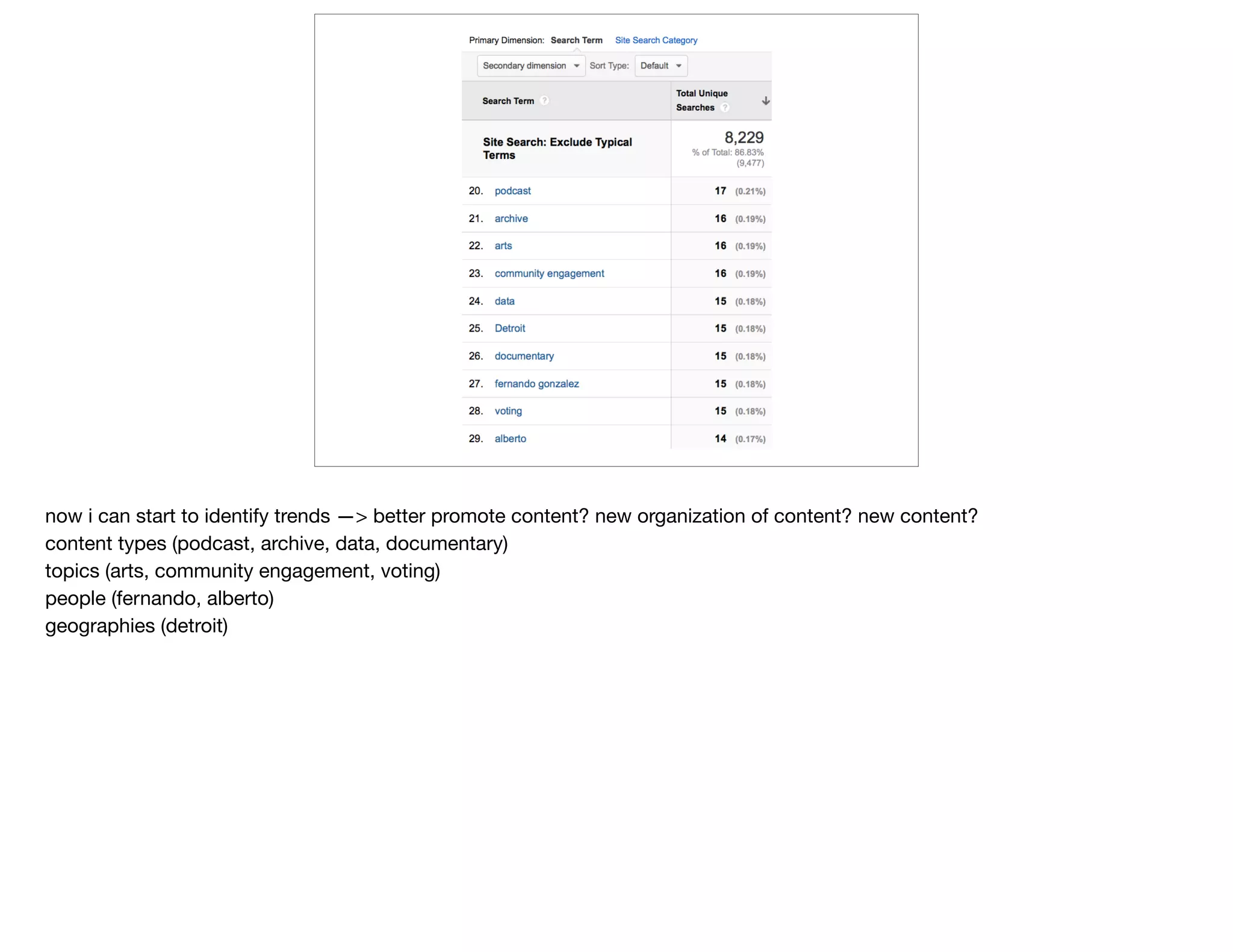
now i can start to identify trends —> better promote content? new organization of content? new content?

content types (podcast, archive, data, documentary)

topics (arts, community engagement, voting)
people (fernando, alberto)
geographies (detroit)
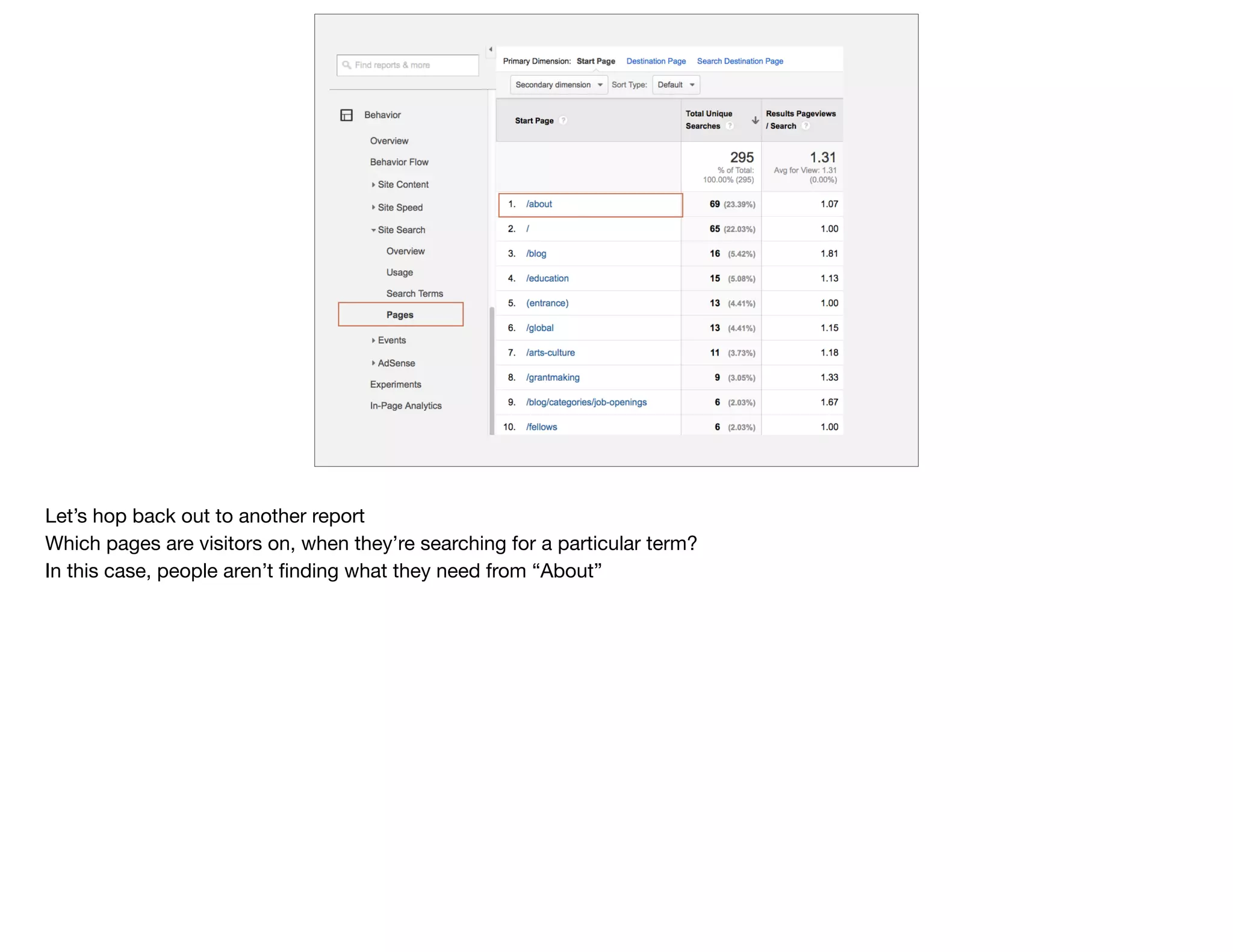
Let’s hop back out to another report

Which pages are visitors on, when they’re searching for a particular term?

In this case, people aren’t finding what they need from “About”
Jobs are promoted elsewhere on the site

But these visitors are looking for jobs on the About page

Now we have a better understanding how to adapt the content strategy of that given page
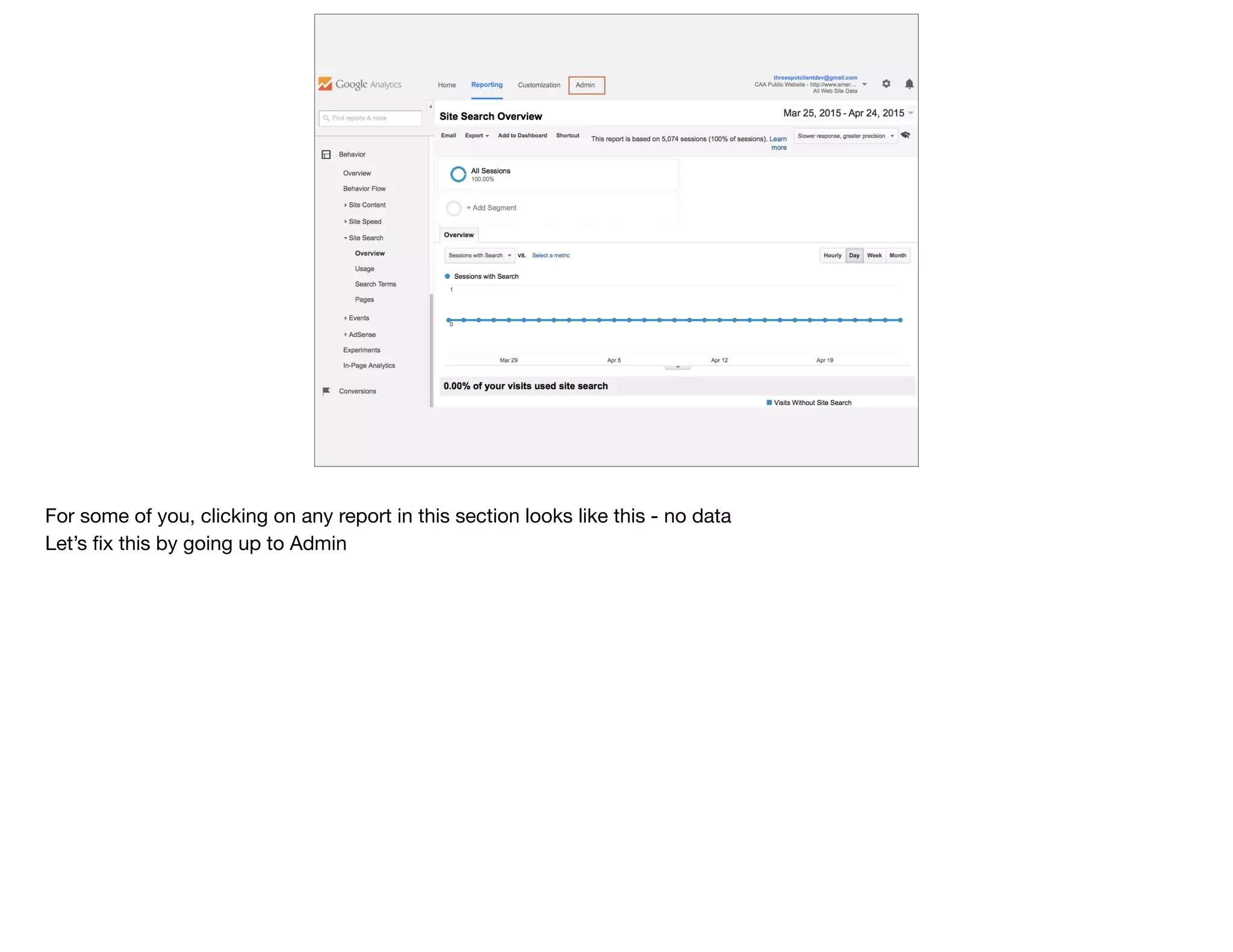
For some of you, clicking on any report in this section looks like this - no data

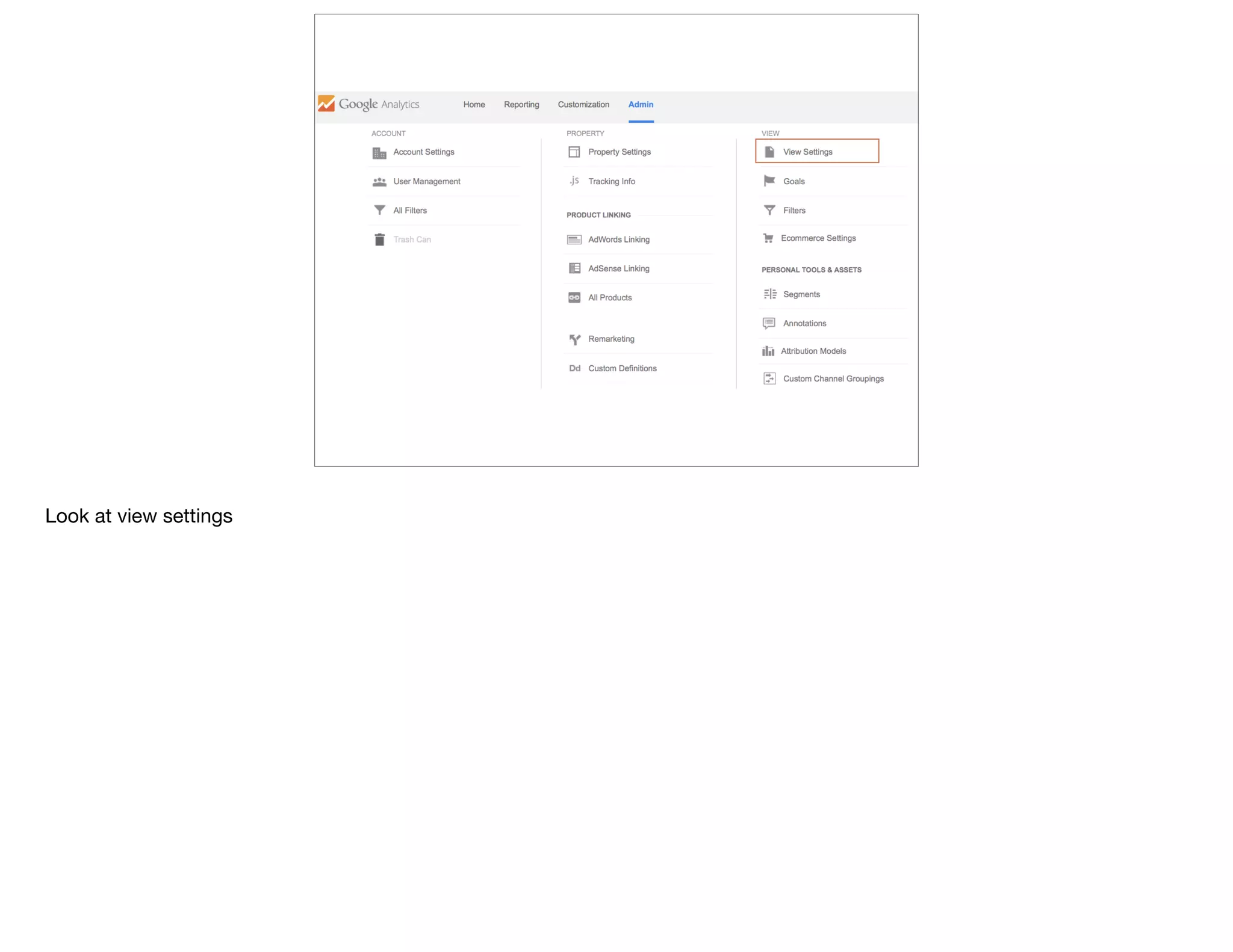
Let’s fix this by going up to Admin
Look at view settings
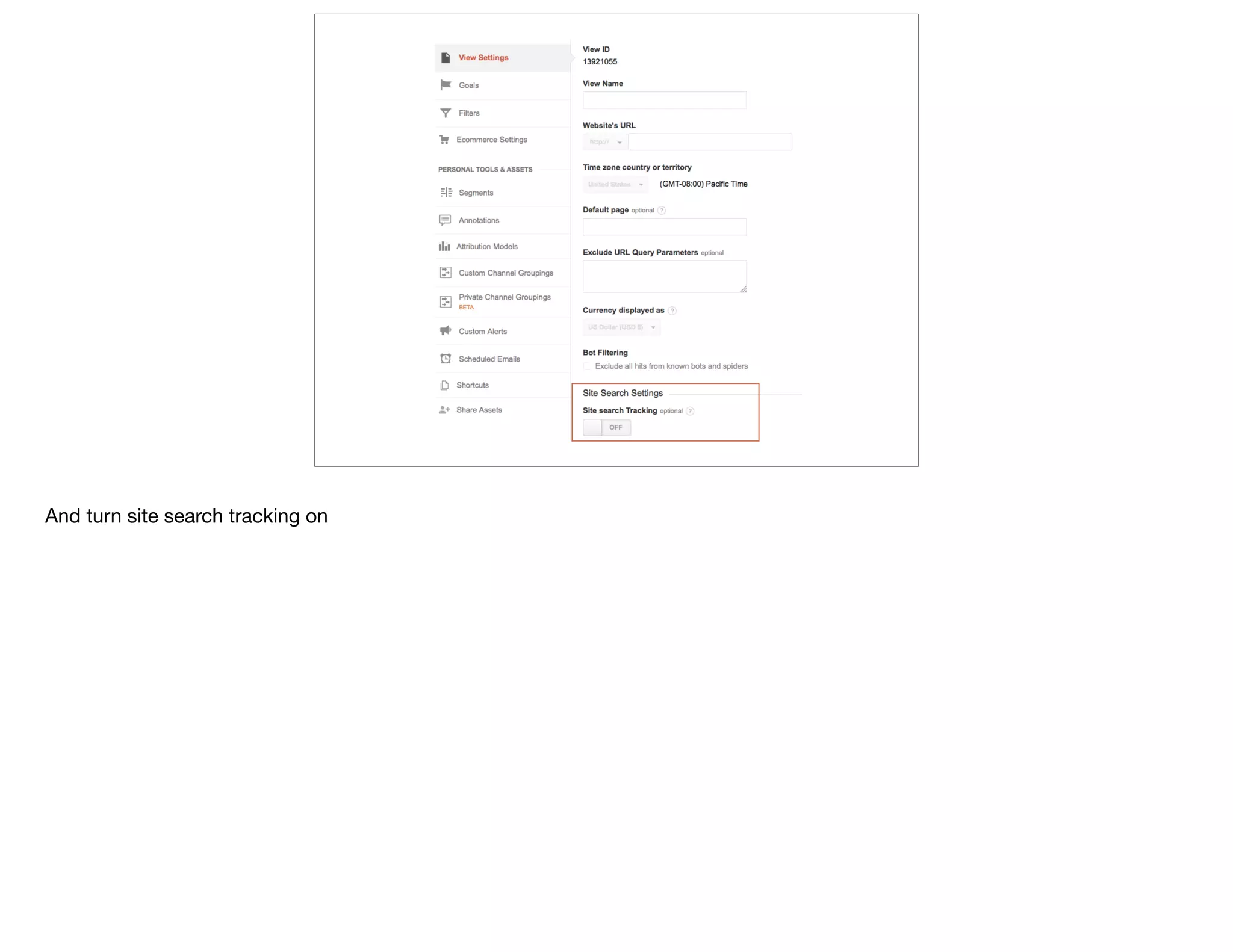
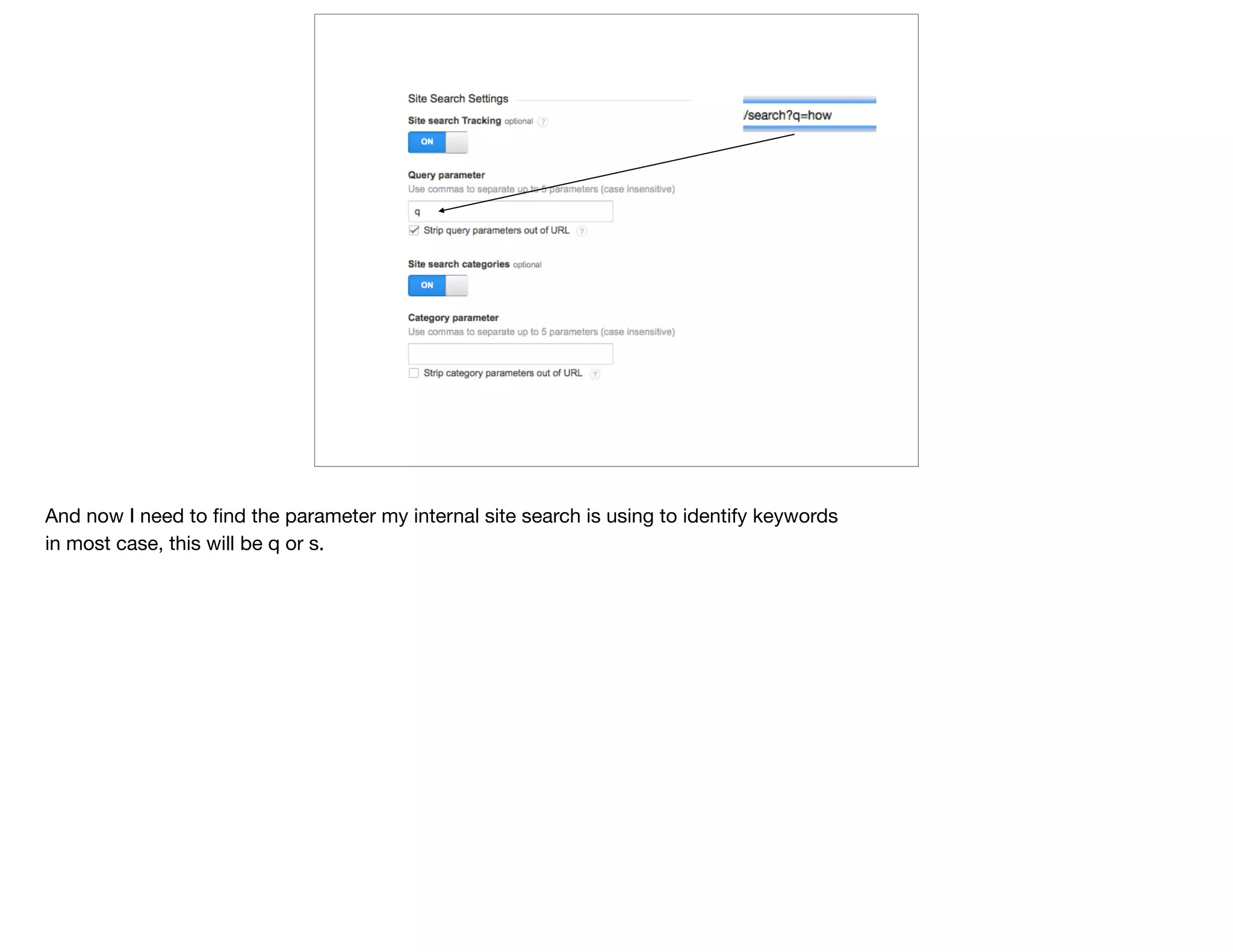
And turn site search tracking on
And now I need to find the parameter my internal site search is using to identify keywords

in most case, this will be q or s.
@devonvsmith
what do users need
from [this] page?
Secret: Most orgs, the majority of your users will not see your homepage during their visit

(BTW: use an advanced segment to prove that)

But your homepage is typically your most viewed page overall

So stakeholders care a lot about their place on the homepage

but what do your users actually need?

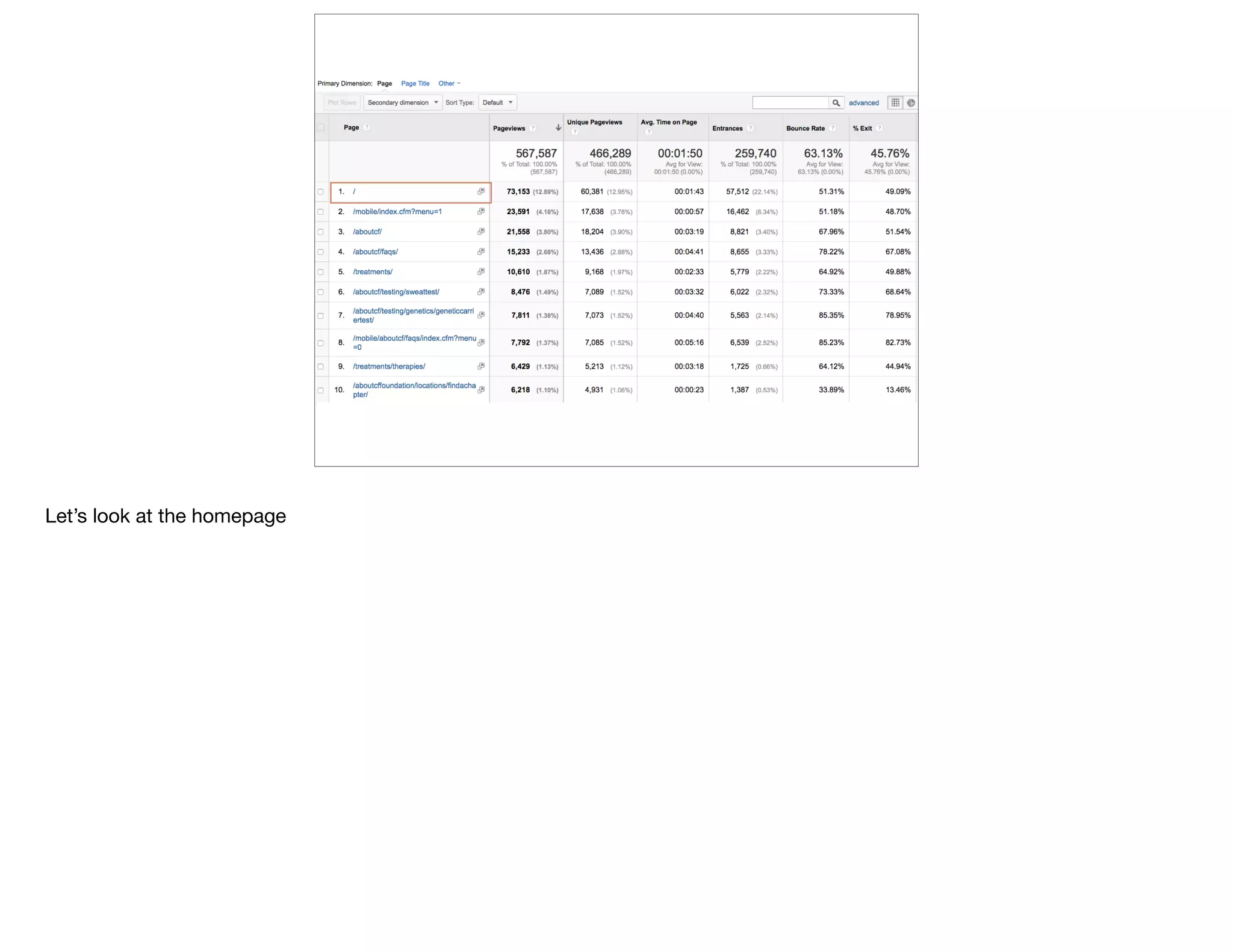
Let’s look at a Navigation Path
Let’s look at the homepage
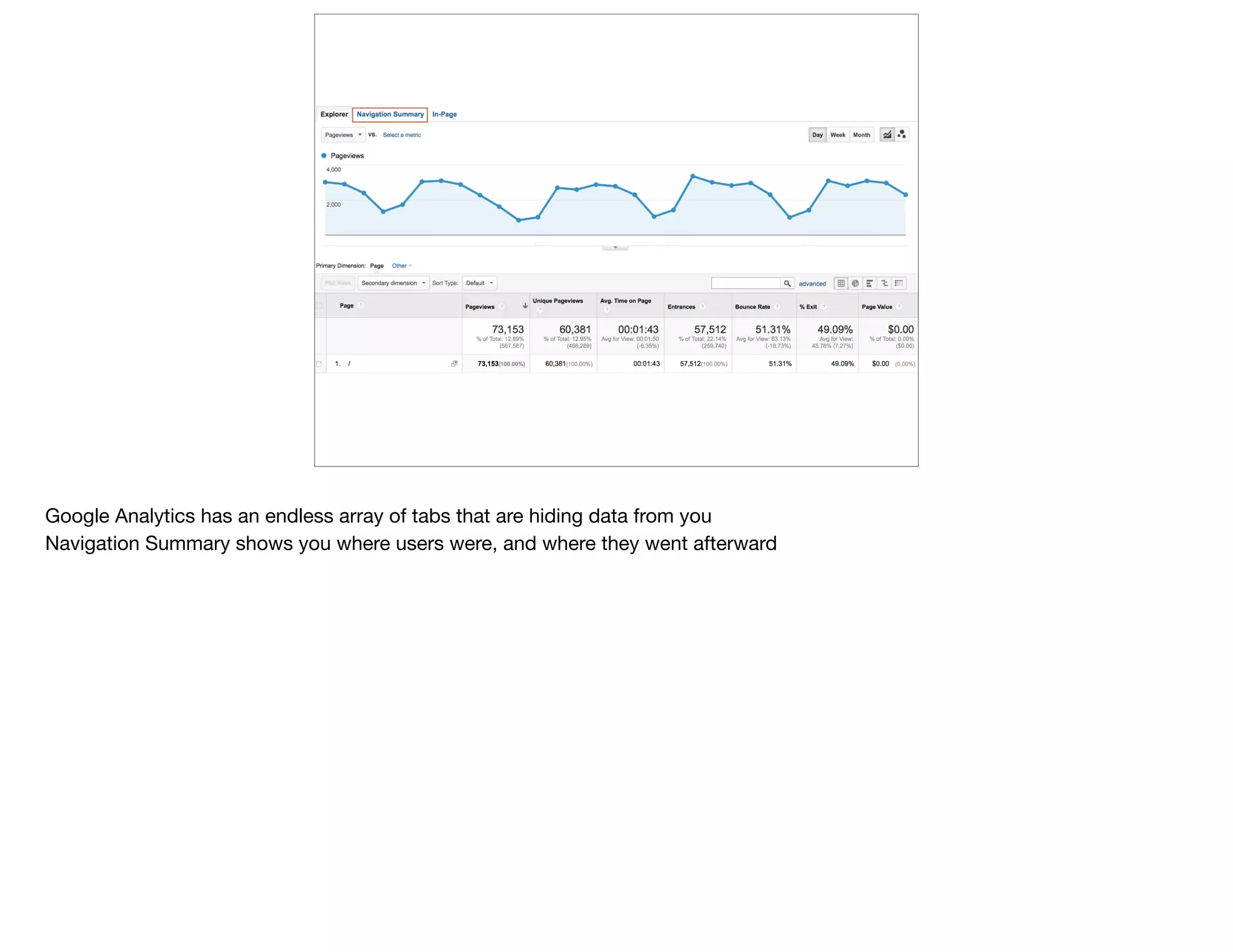
Google Analytics has an endless array of tabs that are hiding data from you

Navigation Summary shows you where users were, and where they went afterward
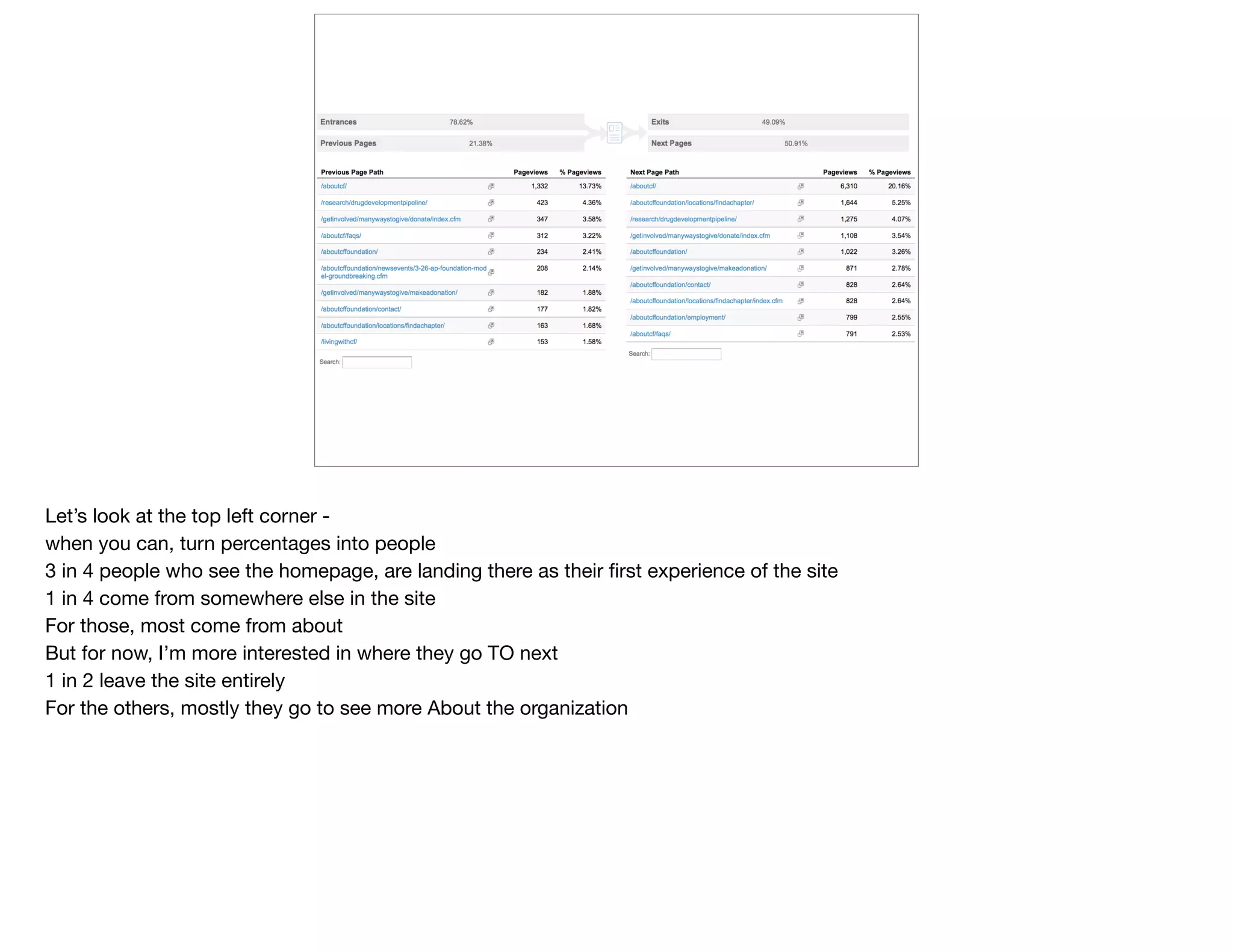
Let’s look at the top left corner - 

when you can, turn percentages into people

3 in 4 people who see the homepage, are landing there as their first experience of the site

1 in 4 come from somewhere else in the site

For those, most come from about

But for now, I’m more interested in where they go TO next

1 in 2 leave the site entirely

For the others, mostly they go to see more About the organization
So how do we take a homepage like this, with dozens of links, 

and simplify based on what users actually need
@devonvsmith
how much is
[that] action worth?
Goals - high hopes, low follow through

For the nonprofits, foundations, & gov I work with, a lack of goals implemented in GA is not your problem

A lack of clear goals in general might be

When you’re not an e-commerce, it’s harder to put a value on a goal

How much it’s worth to download a PDF depends on who is downloading
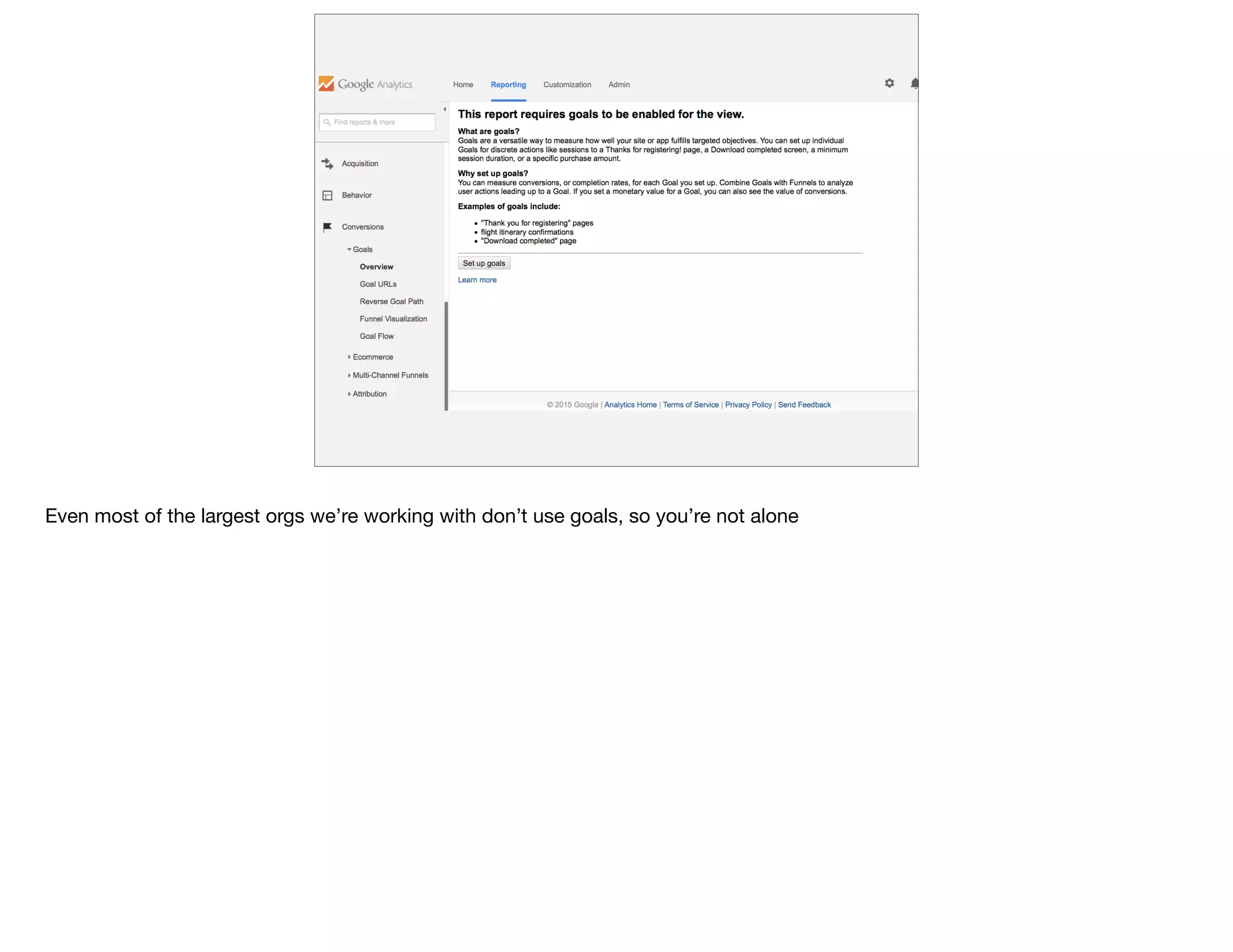
Even most of the largest orgs we’re working with don’t use goals, so you’re not alone
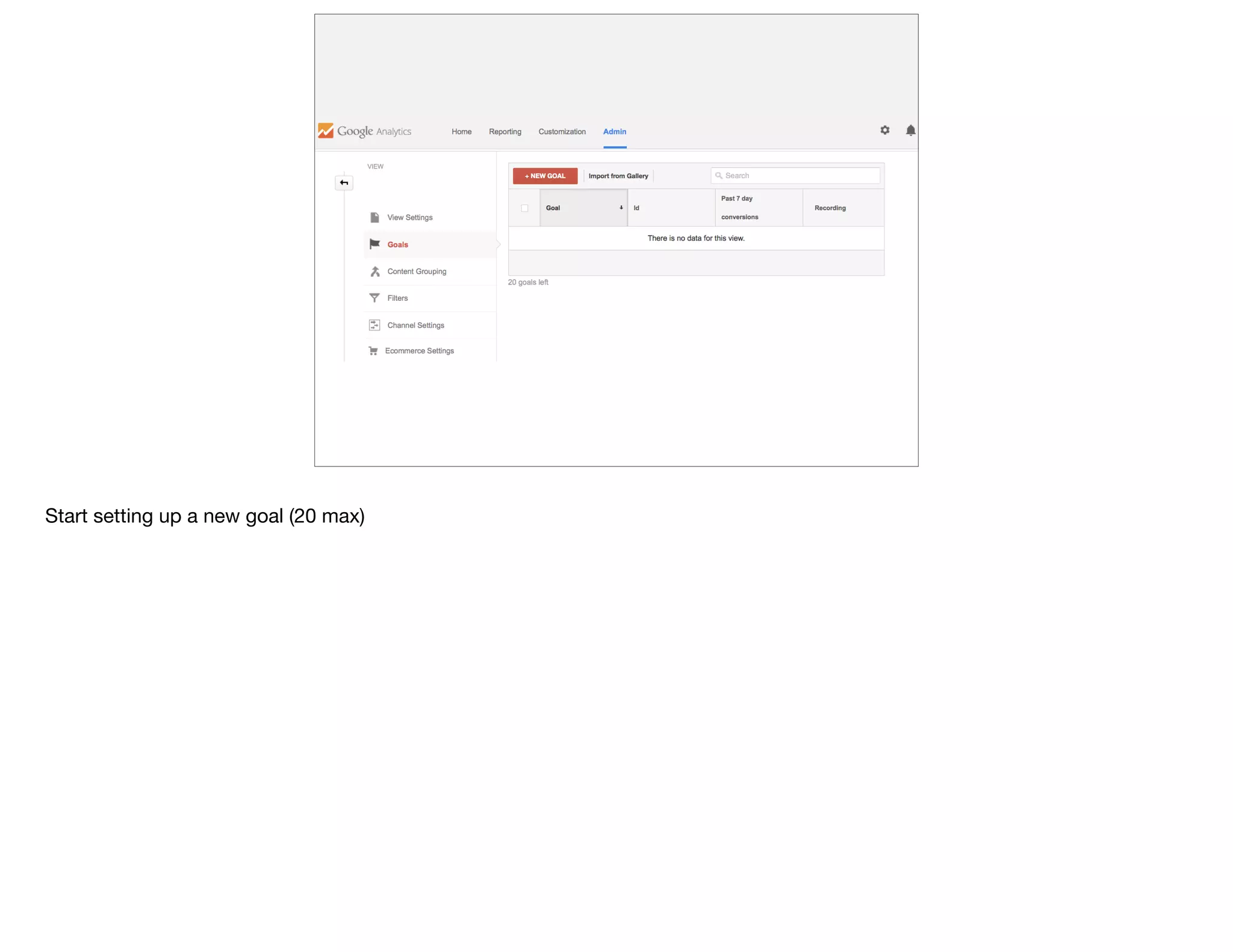
Start setting up a new goal (20 max)
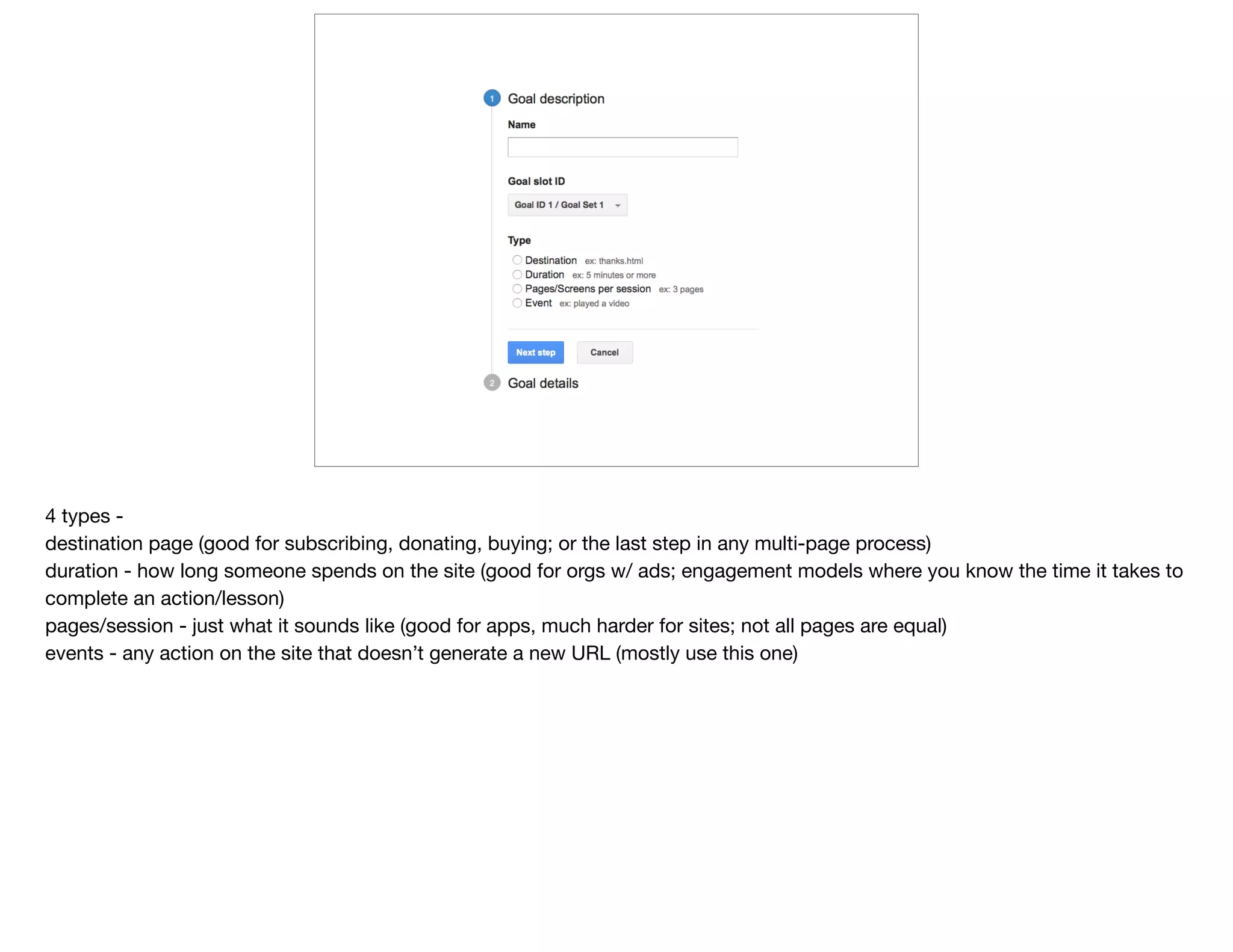
4 types - 

destination page (good for subscribing, donating, buying; or the last step in any multi-page process)

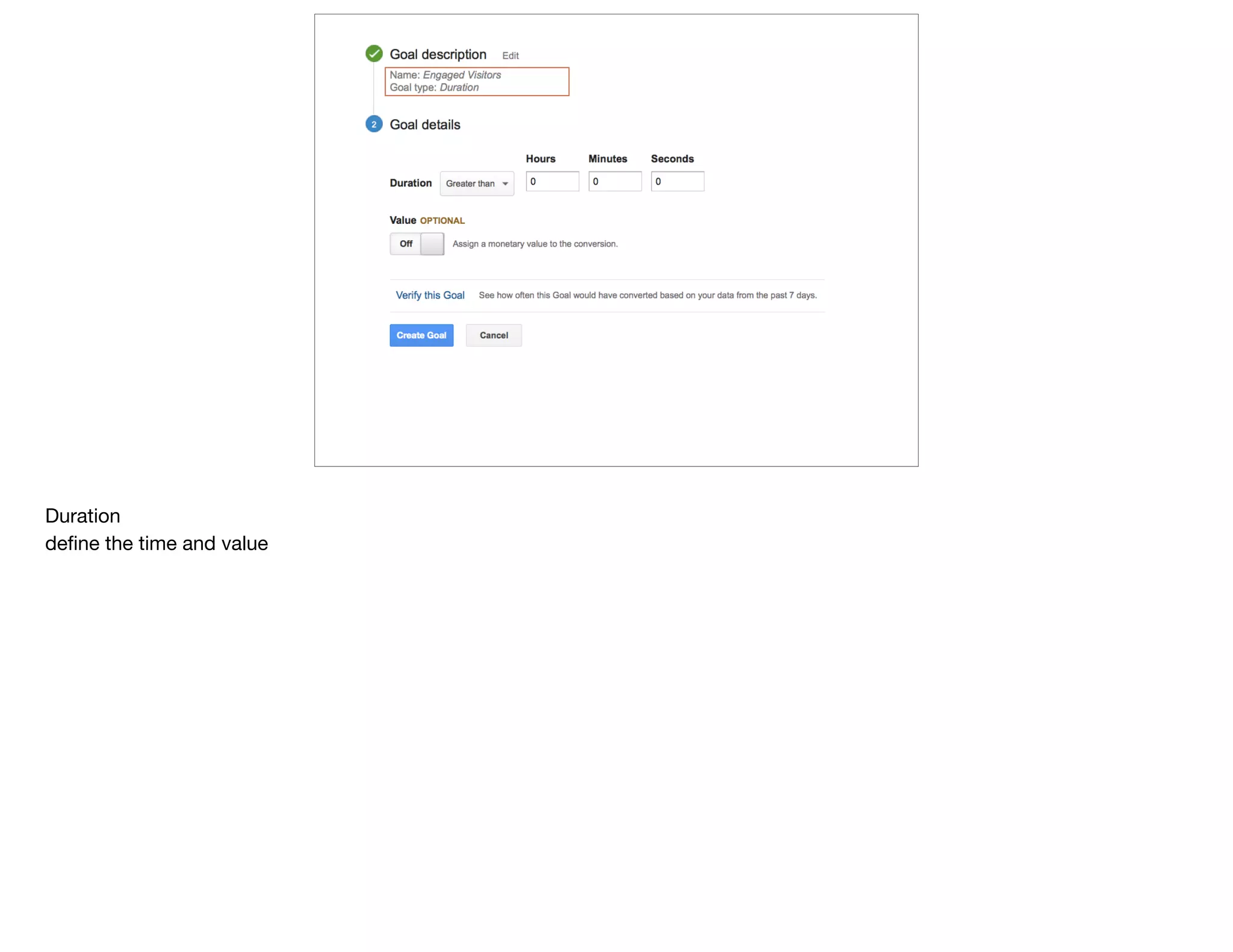
duration - how long someone spends on the site (good for orgs w/ ads; engagement models where you know the time it takes to
complete an action/lesson)

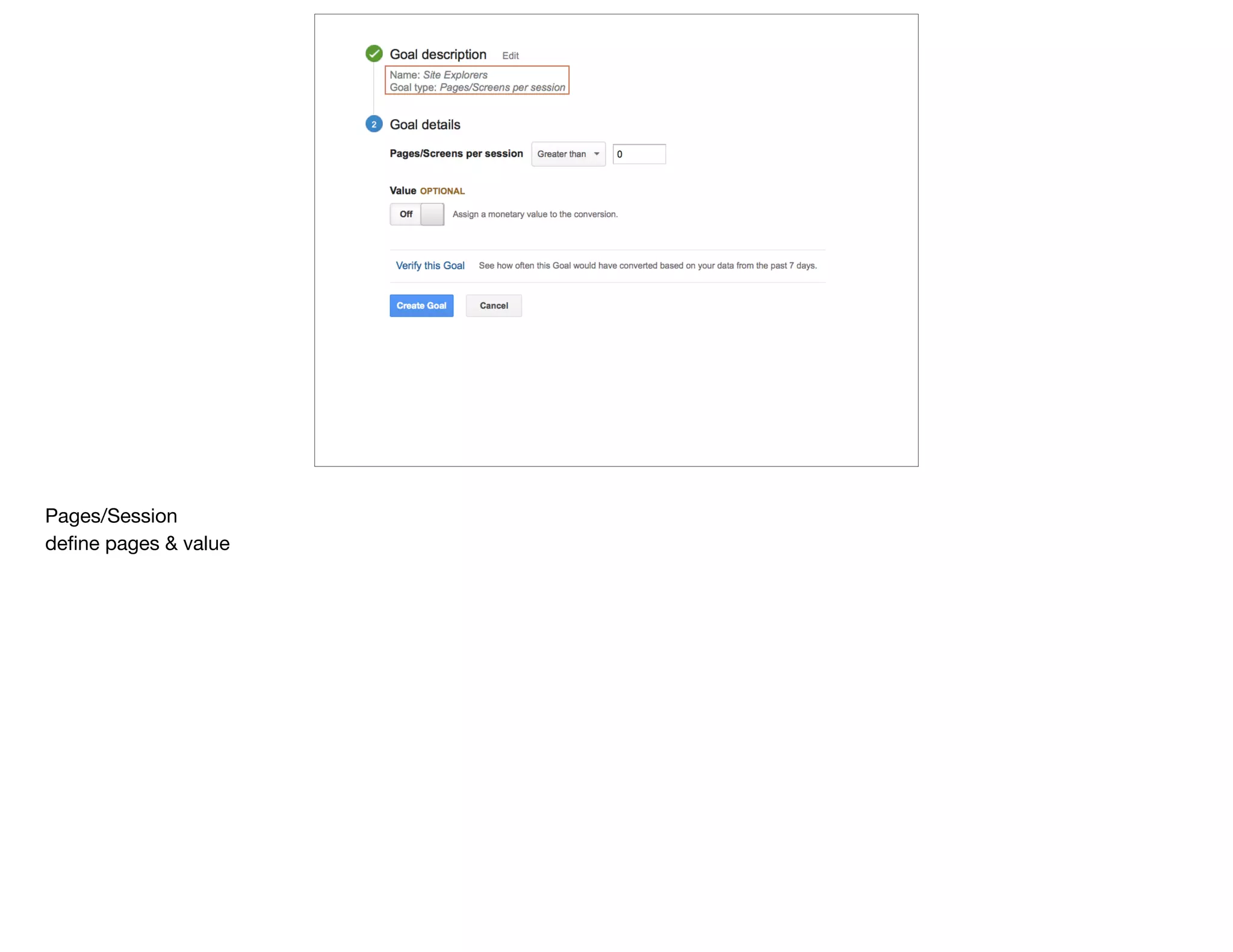
pages/session - just what it sounds like (good for apps, much harder for sites; not all pages are equal)

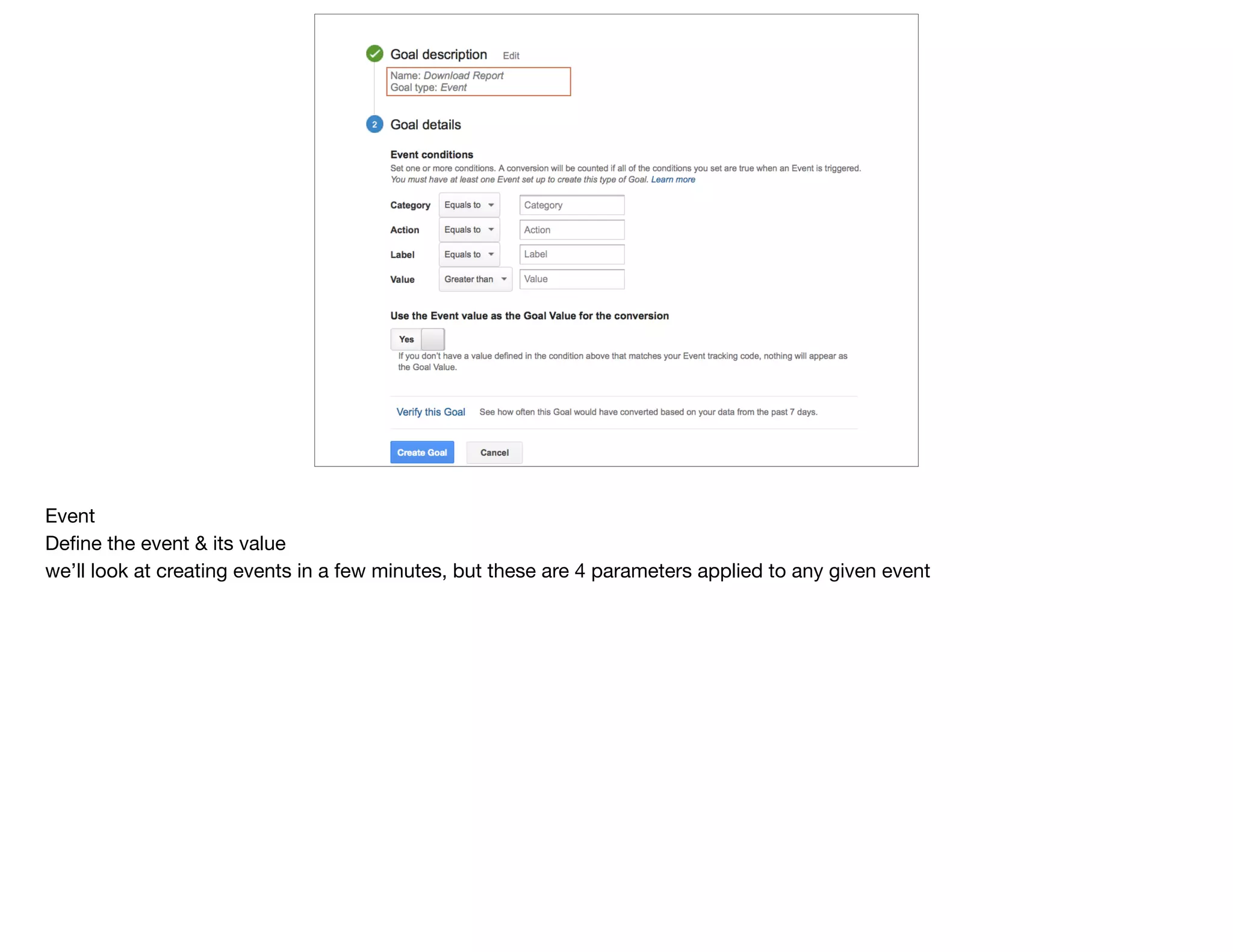
events - any action on the site that doesn’t generate a new URL (mostly use this one)
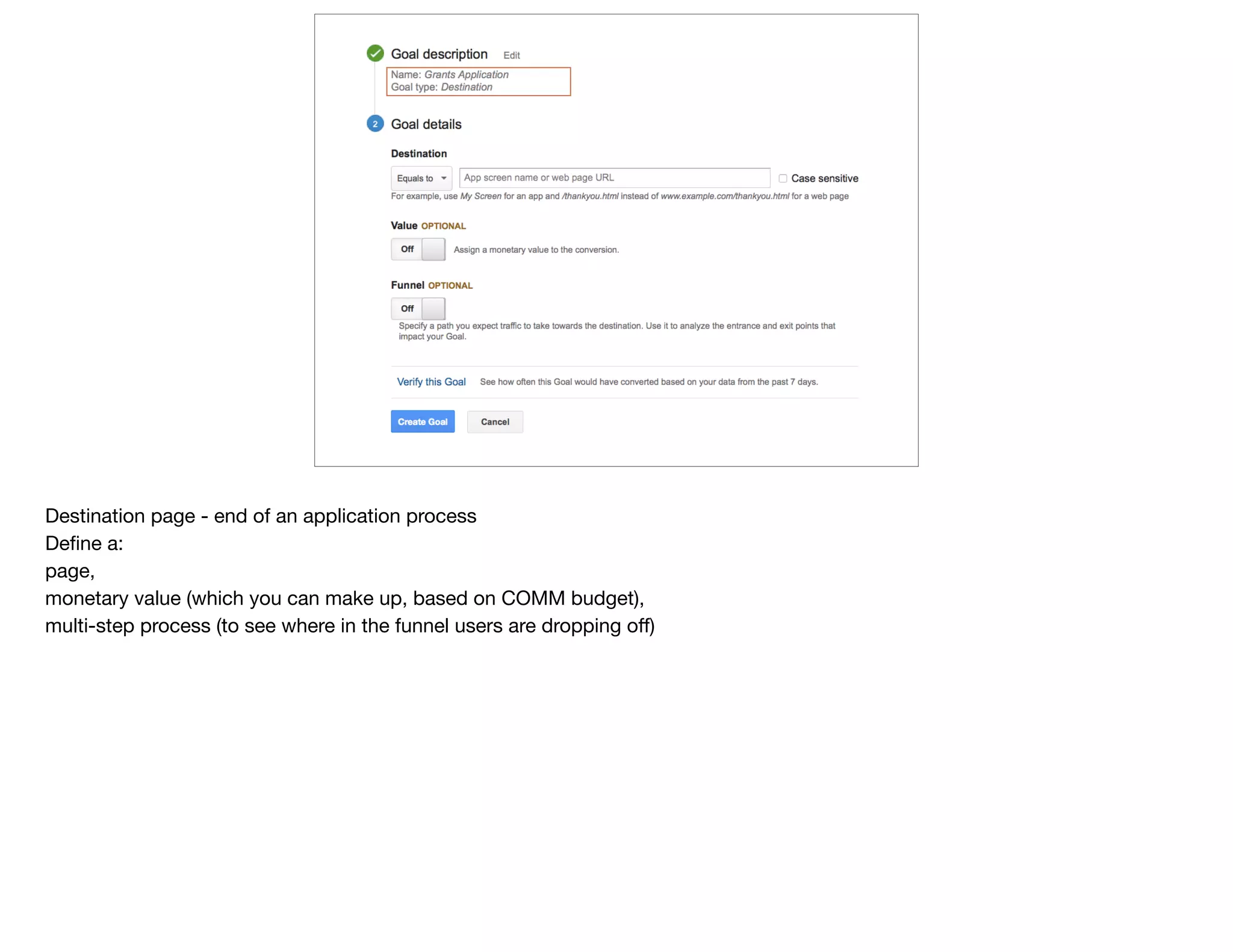
Destination page - end of an application process

Define a: 

page, 

monetary value (which you can make up, based on COMM budget),

multi-step process (to see where in the funnel users are dropping off)
Duration

define the time and value
Pages/Session

define pages & value
Event

Define the event & its value

we’ll look at creating events in a few minutes, but these are 4 parameters applied to any given event
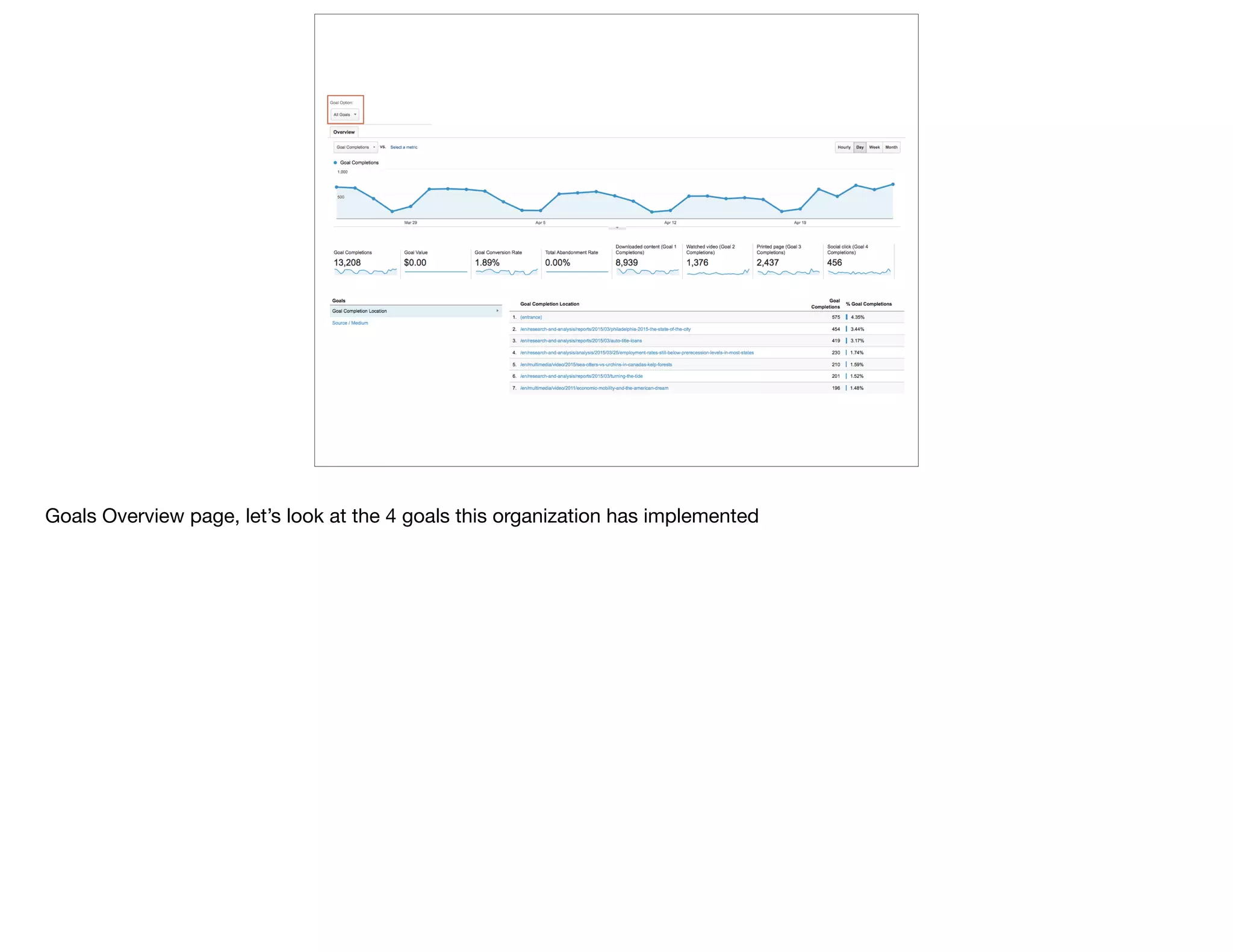
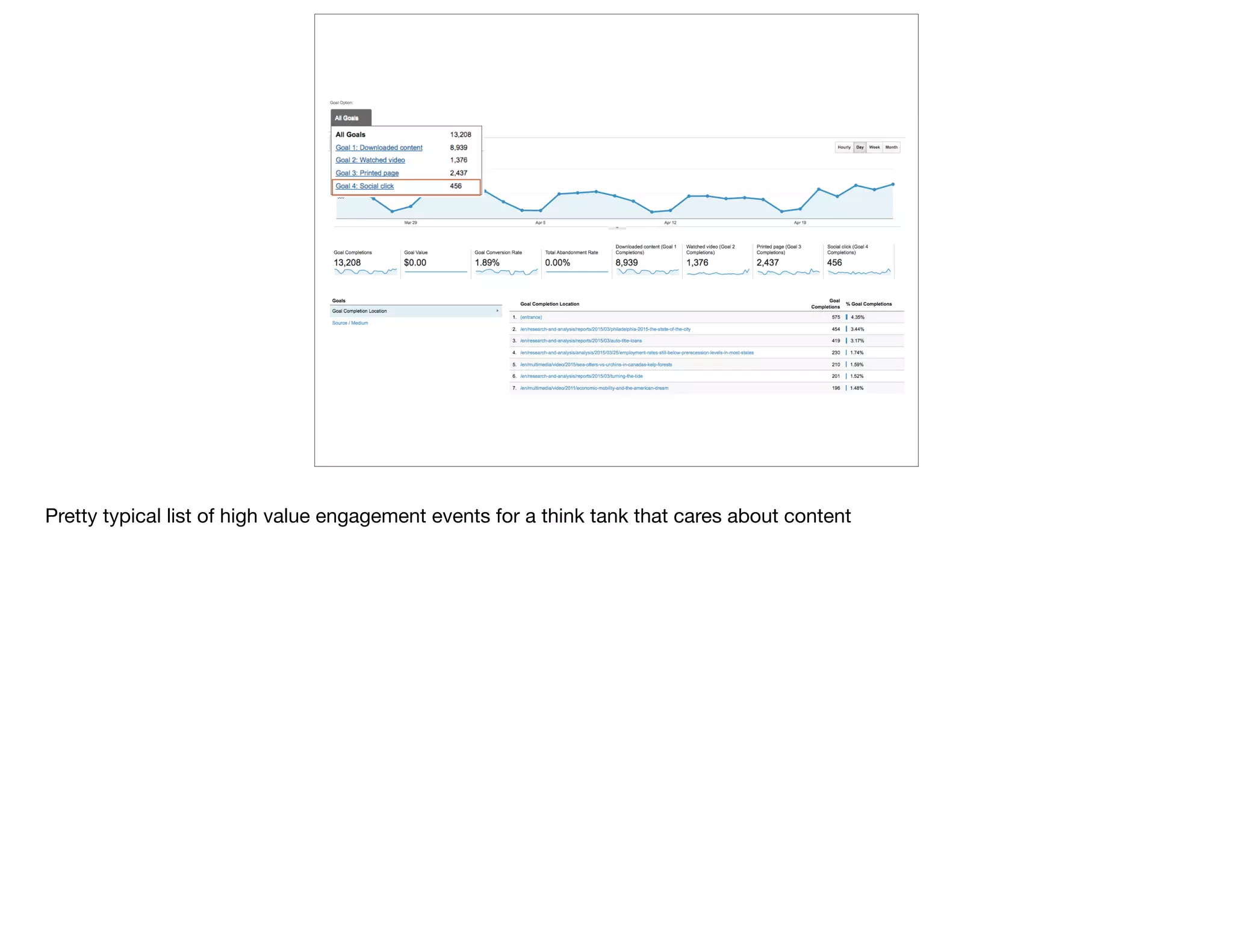
Goals Overview page, let’s look at the 4 goals this organization has implemented
Pretty typical list of high value engagement events for a think tank that cares about content
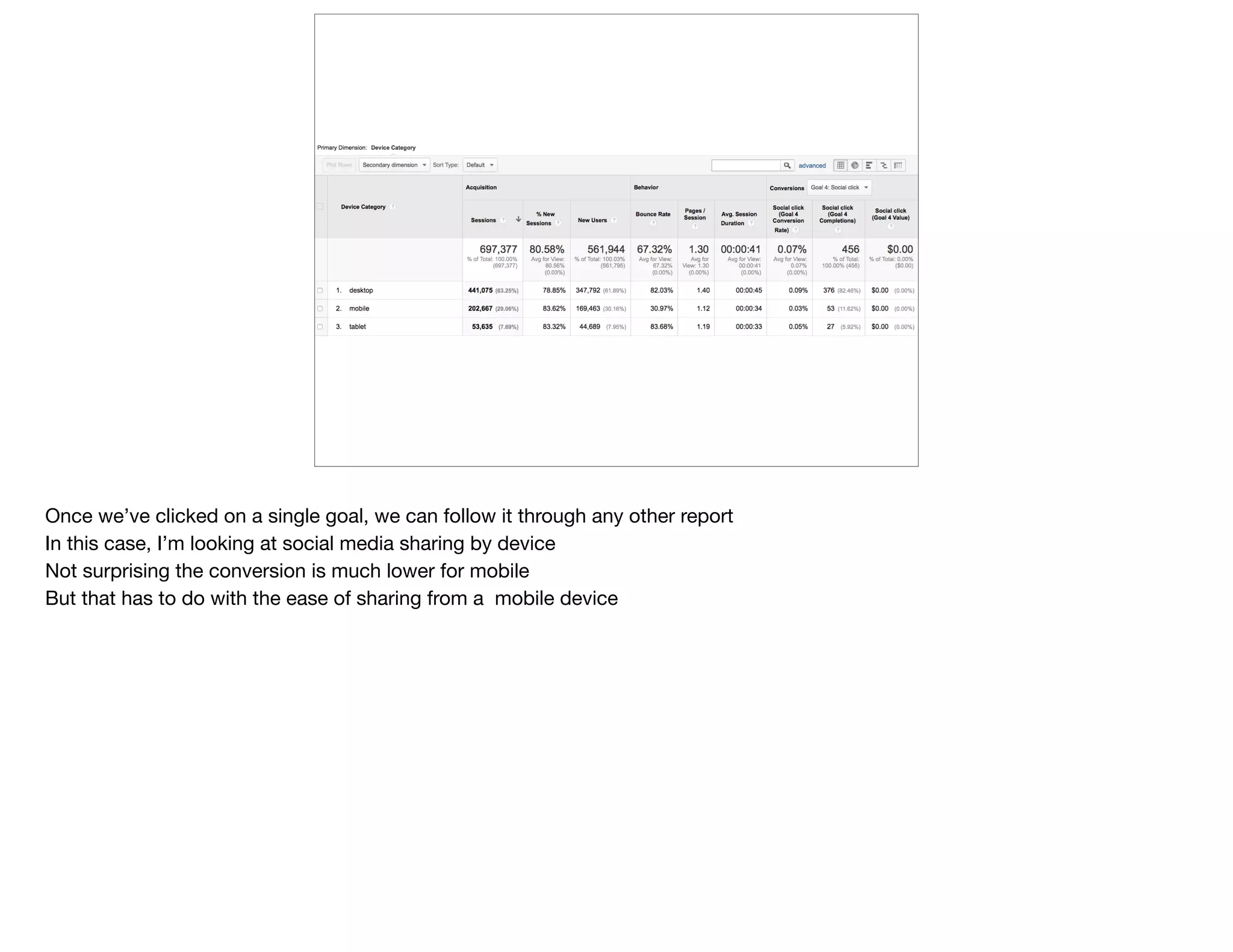
Once we’ve clicked on a single goal, we can follow it through any other report

In this case, I’m looking at social media sharing by device

Not surprising the conversion is much lower for mobile

But that has to do with the ease of sharing from a mobile device
@devonvsmith
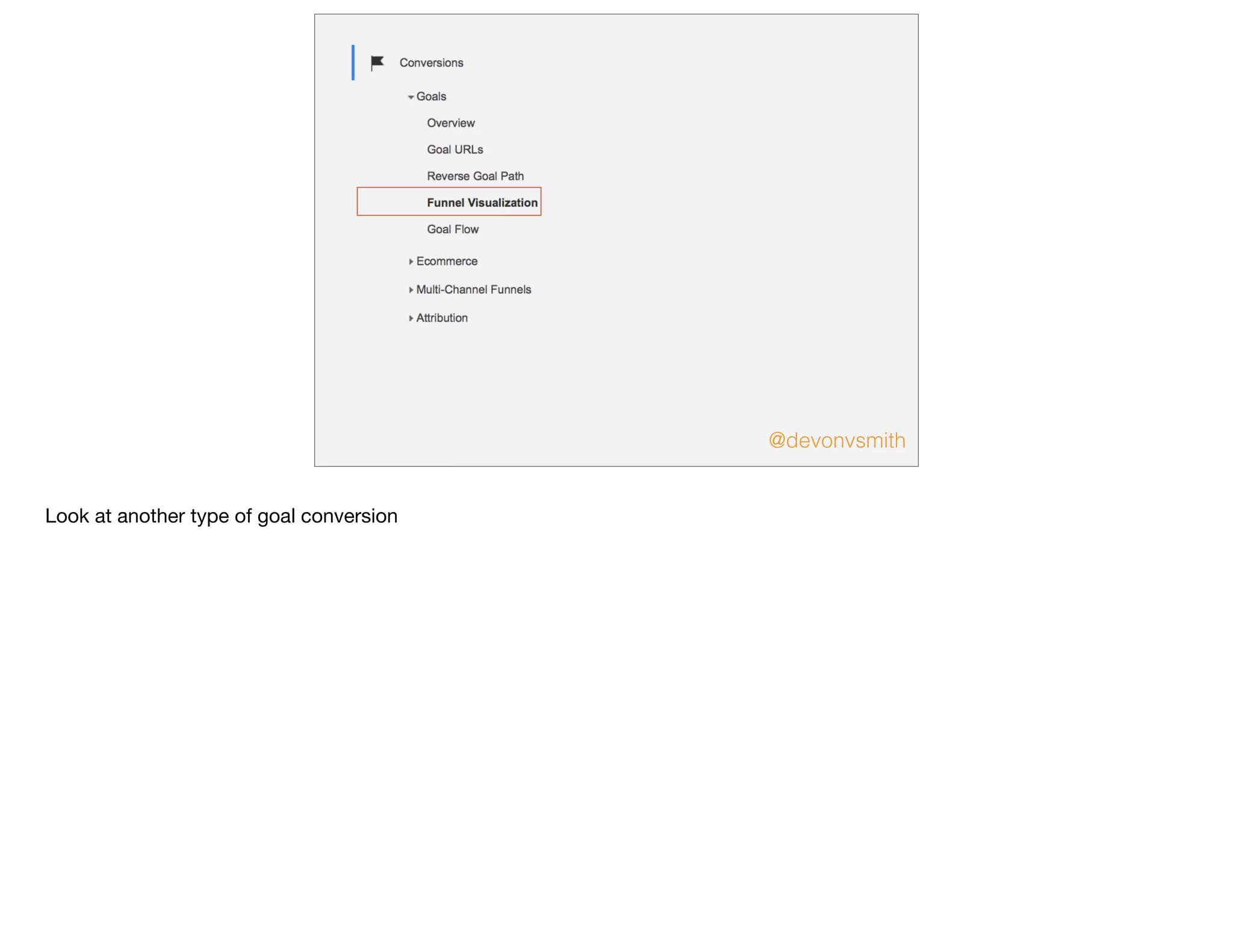
Look at another type of goal conversion
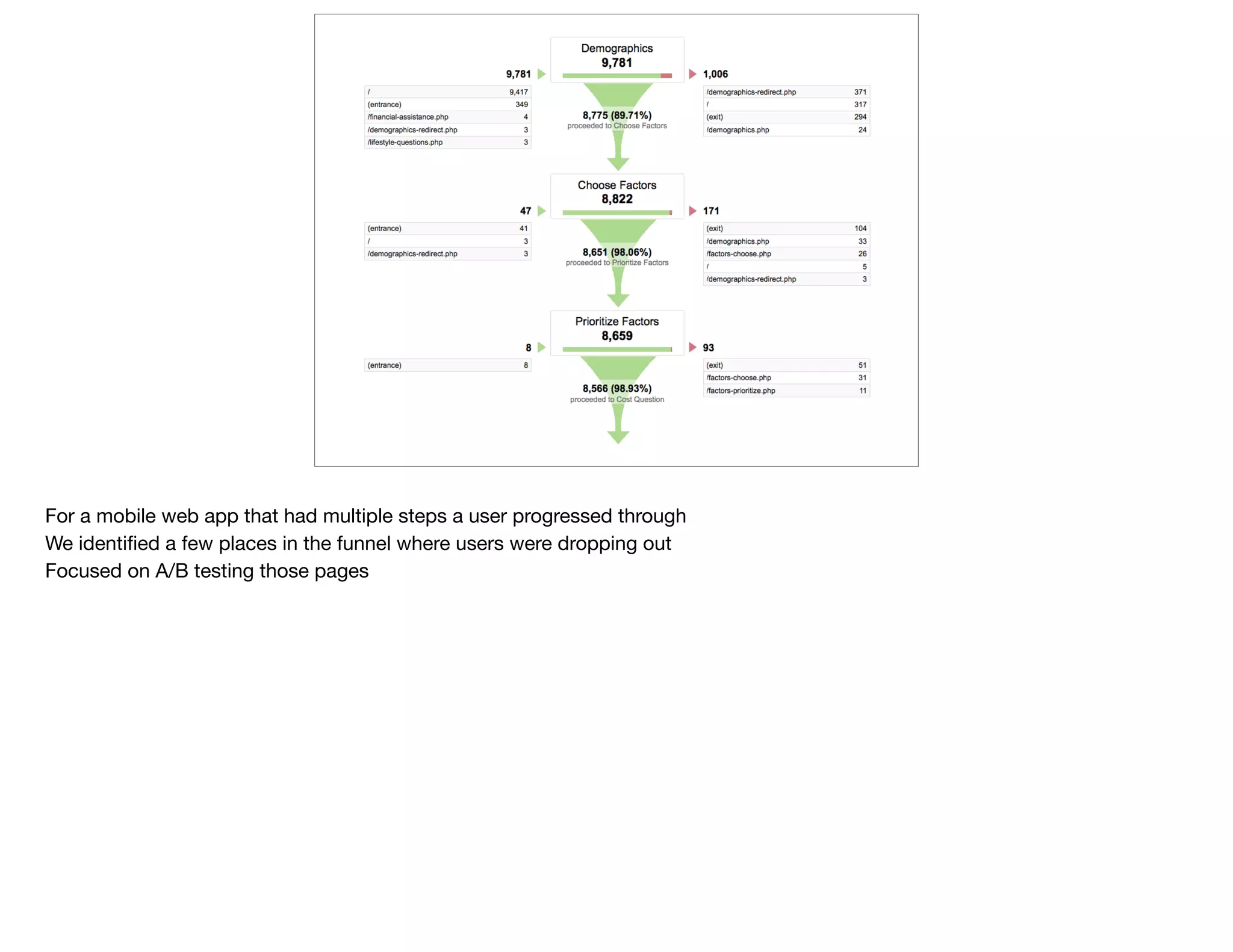
For a mobile web app that had multiple steps a user progressed through

We identified a few places in the funnel where users were dropping out

Focused on A/B testing those pages
Better
data
@devonvsmith
5 pieces of data you can add to your Google Analytics implementation

I’ve included front end code in the first few to show as example

but it’s just a piece of the overall implementation (dependencies)
@devonvsmith
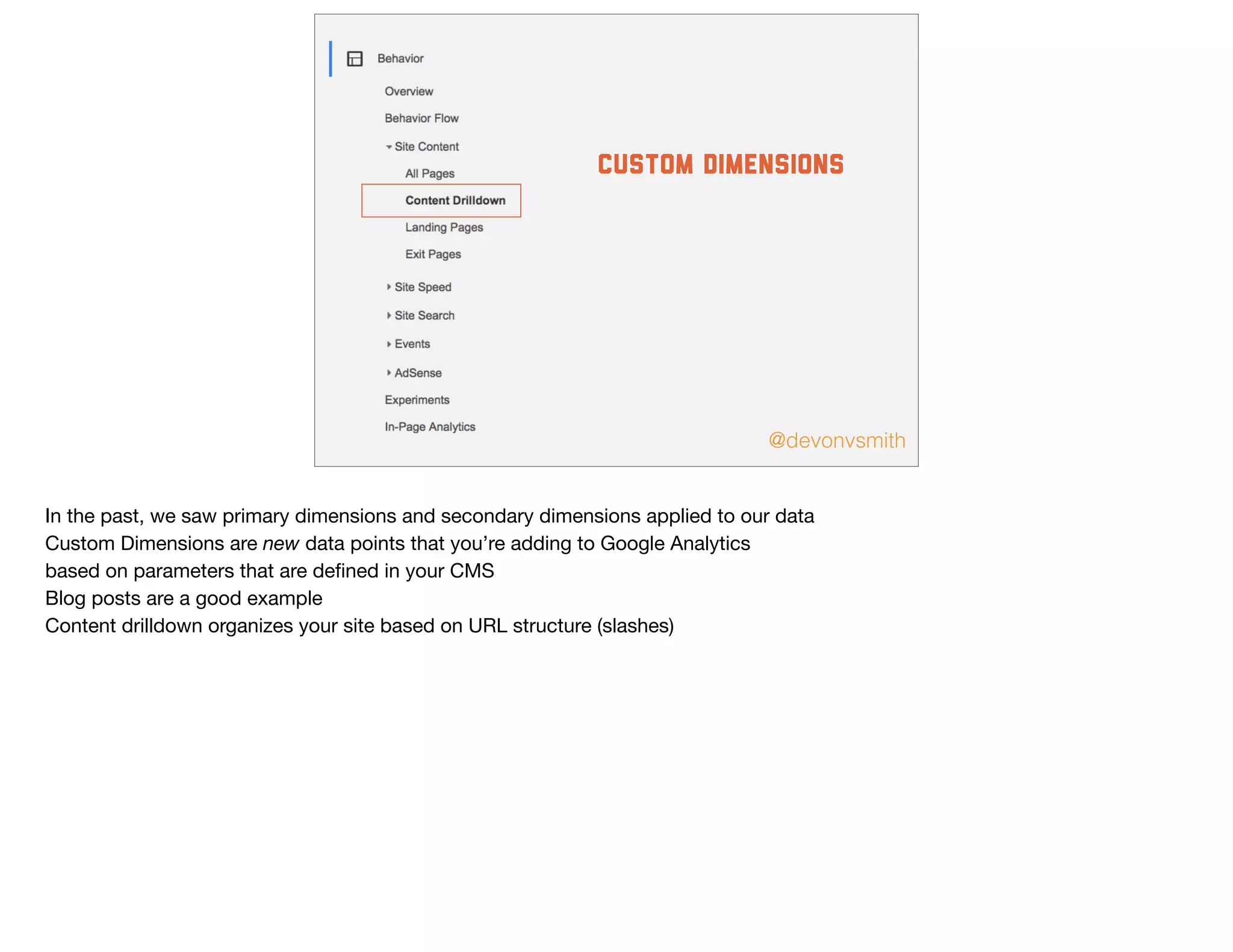
custom dimensions
In the past, we saw primary dimensions and secondary dimensions applied to our data

Custom Dimensions are new data points that you’re adding to Google Analytics

based on parameters that are defined in your CMS

Blog posts are a good example

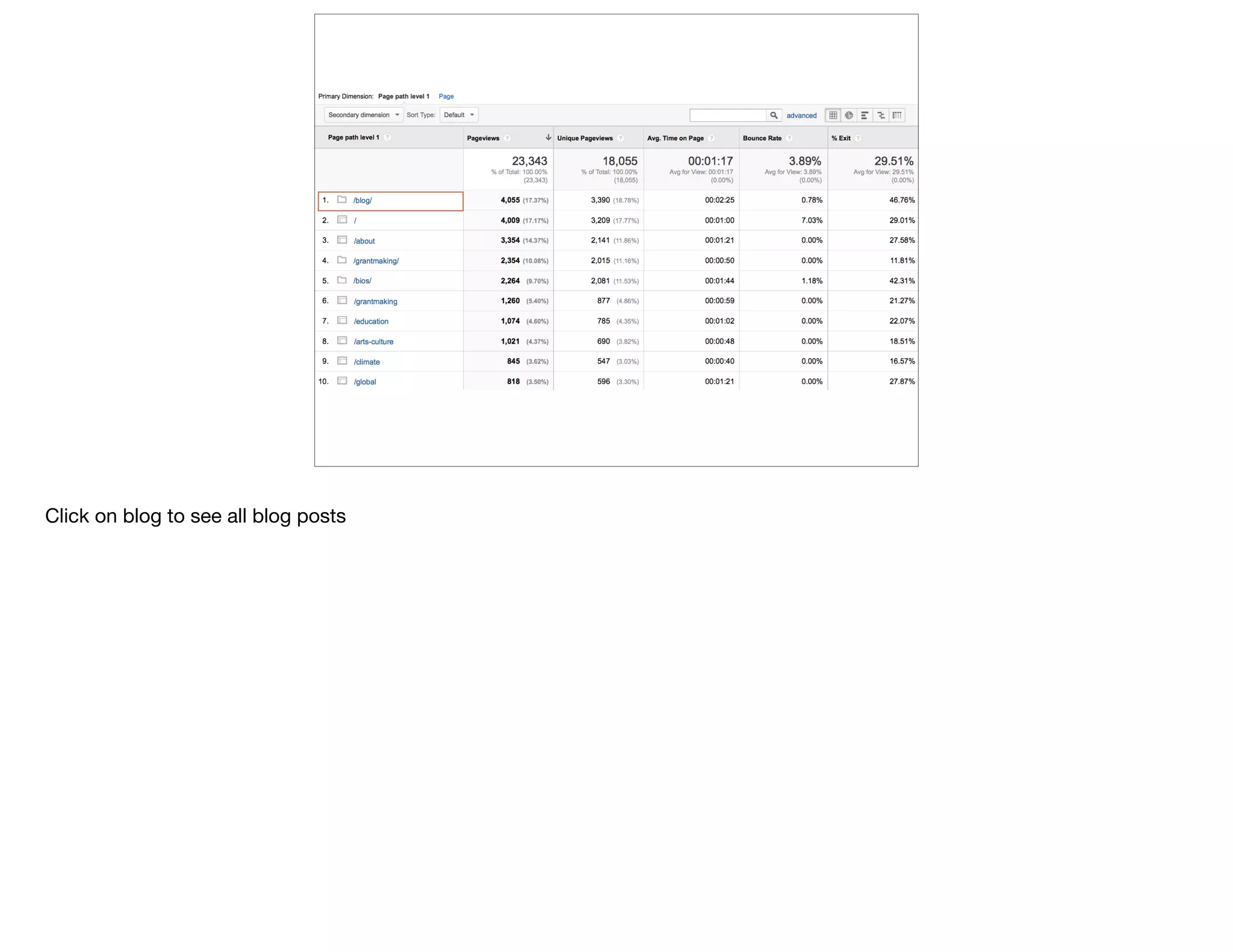
Content drilldown organizes your site based on URL structure (slashes)
Click on blog to see all blog posts
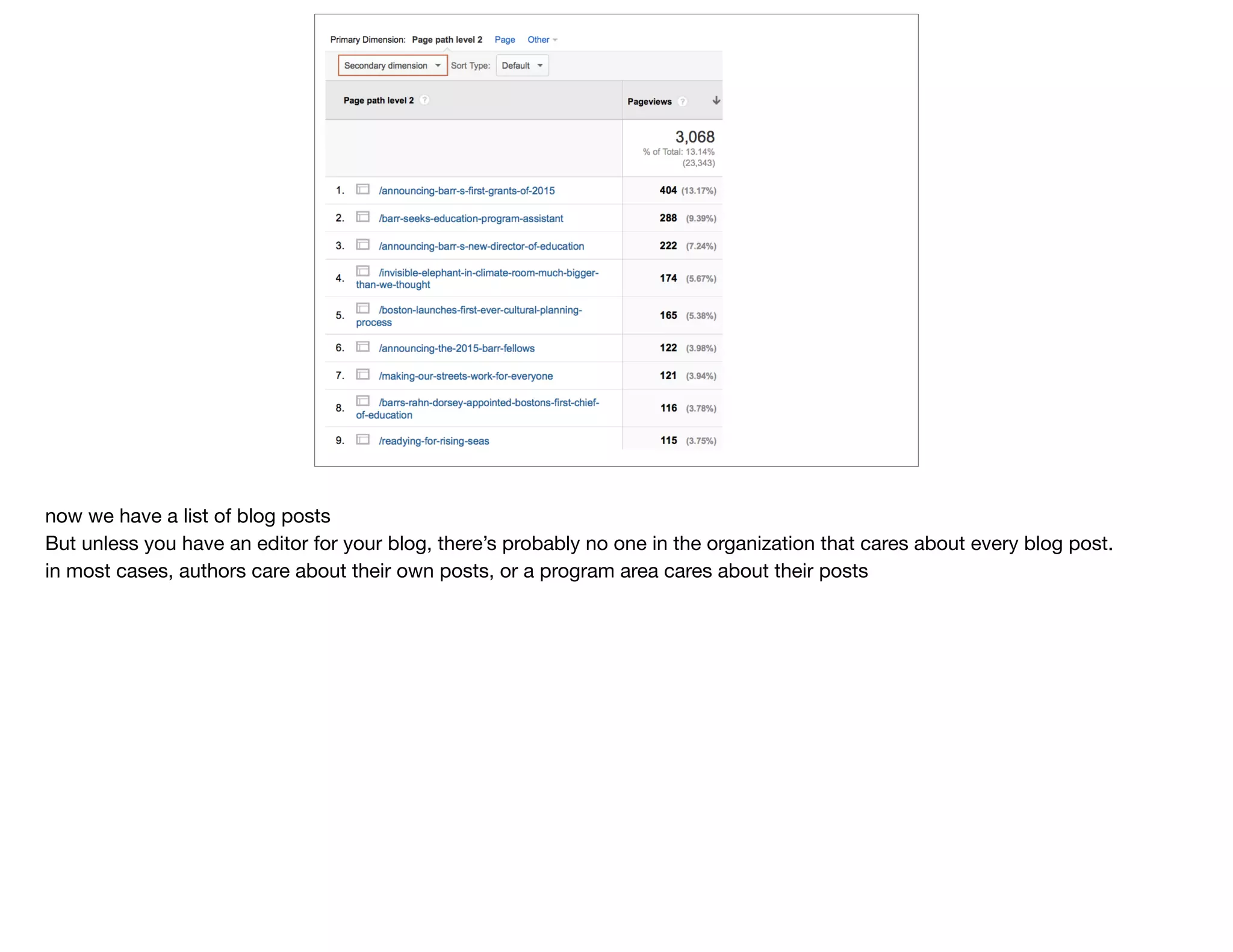
now we have a list of blog posts

But unless you have an editor for your blog, there’s probably no one in the organization that cares about every blog post. 

in most cases, authors care about their own posts, or a program area cares about their posts
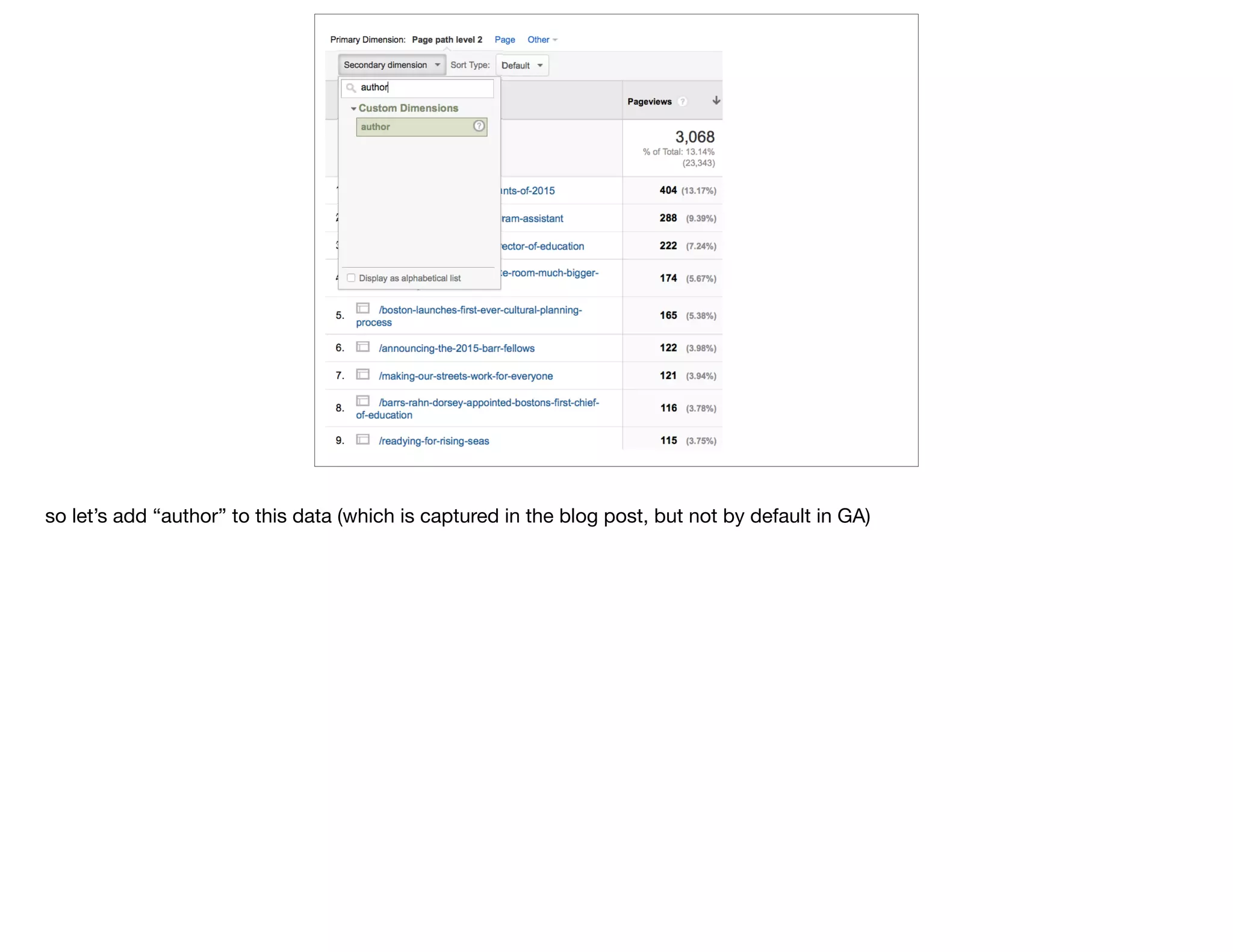
so let’s add “author” to this data (which is captured in the blog post, but not by default in GA)
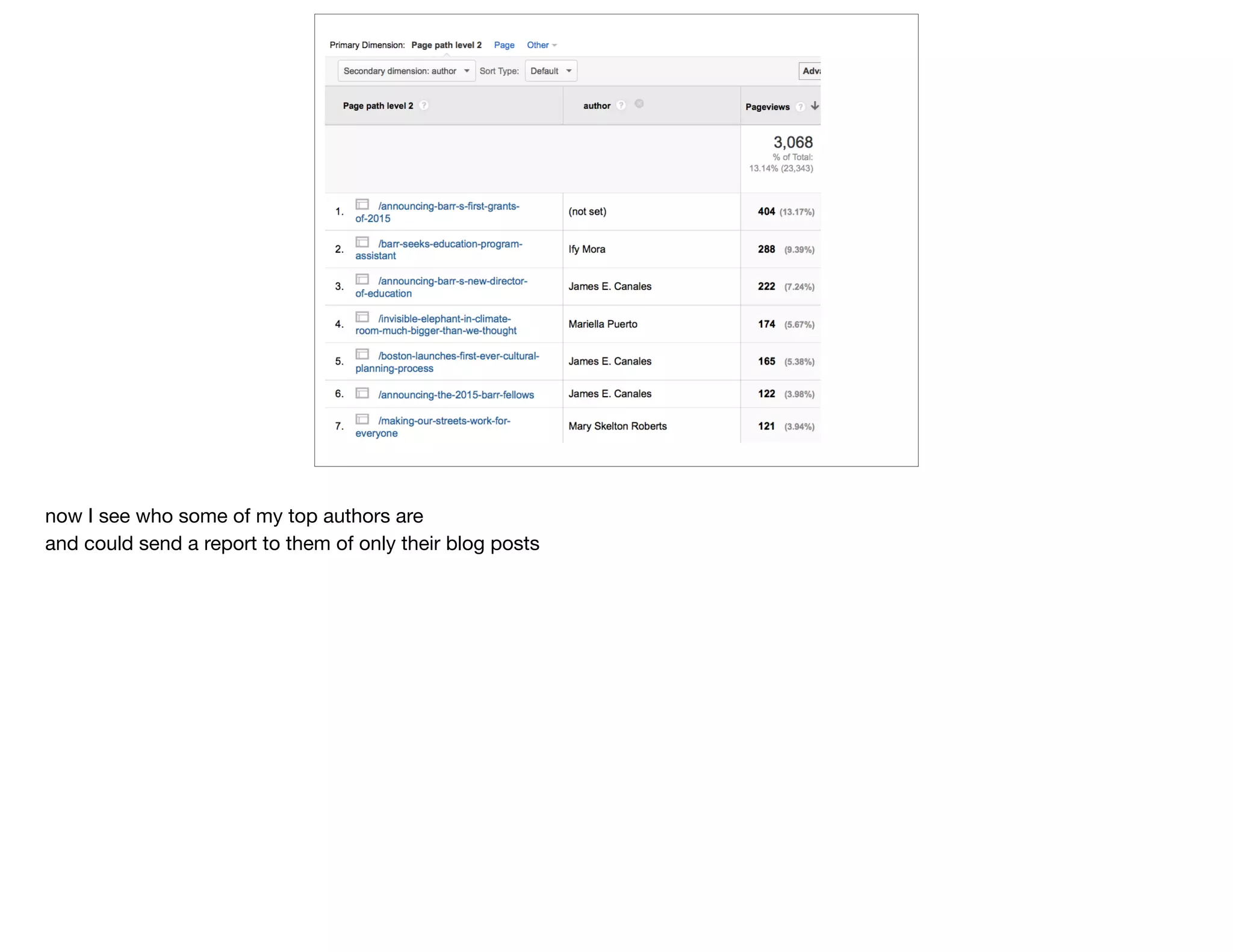
now I see who some of my top authors are

and could send a report to them of only their blog posts
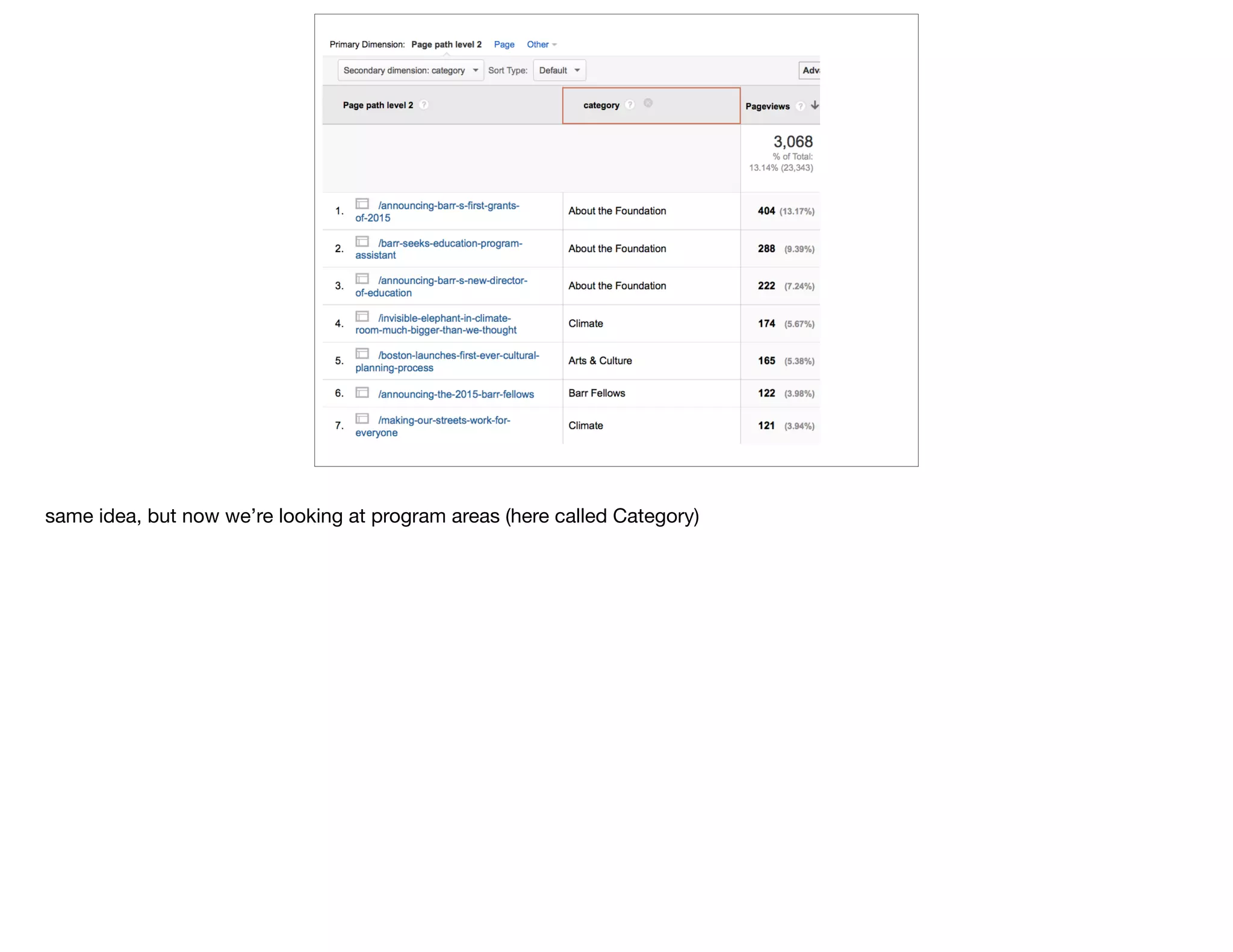
same idea, but now we’re looking at program areas (here called Category)
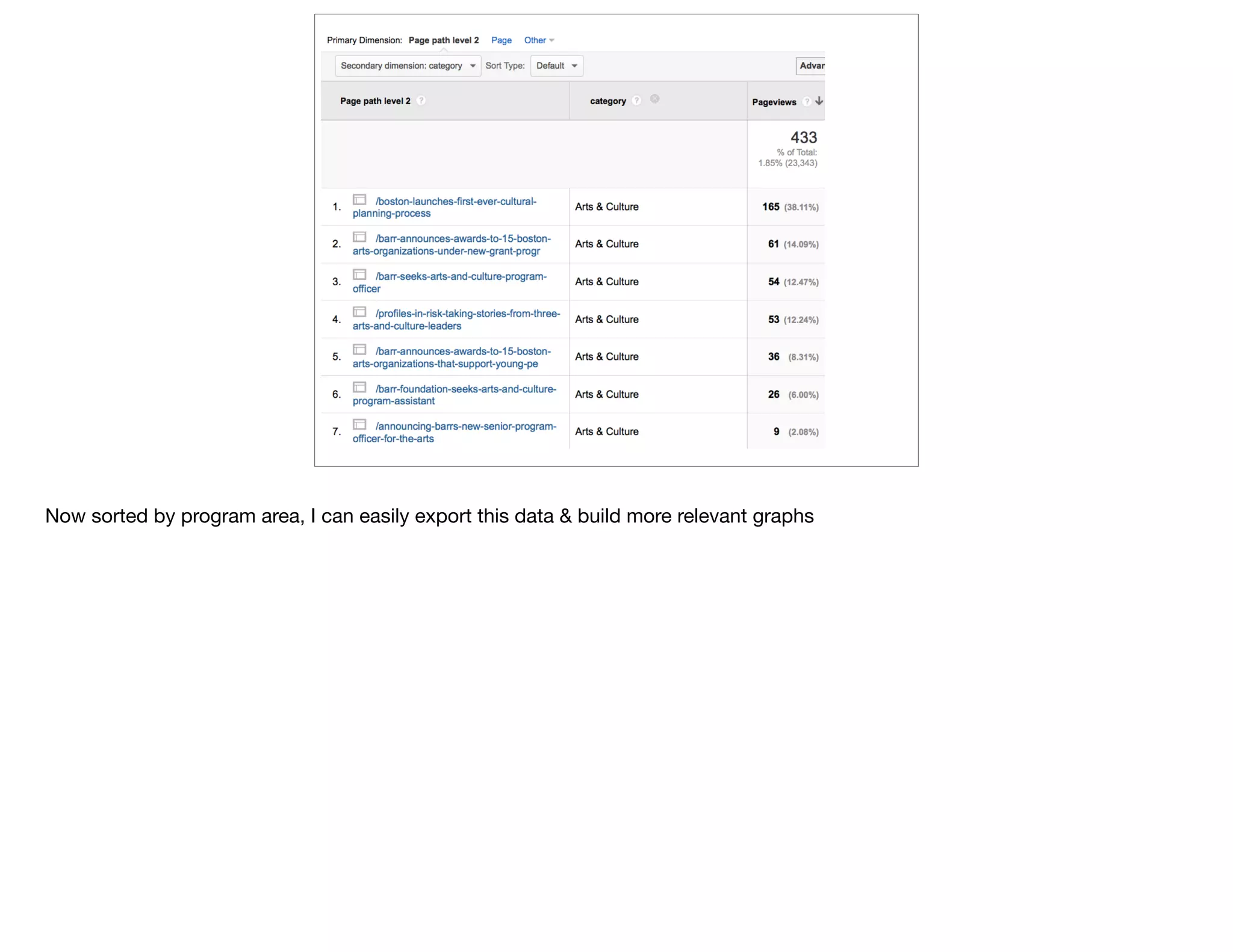
Now sorted by program area, I can easily export this data & build more relevant graphs
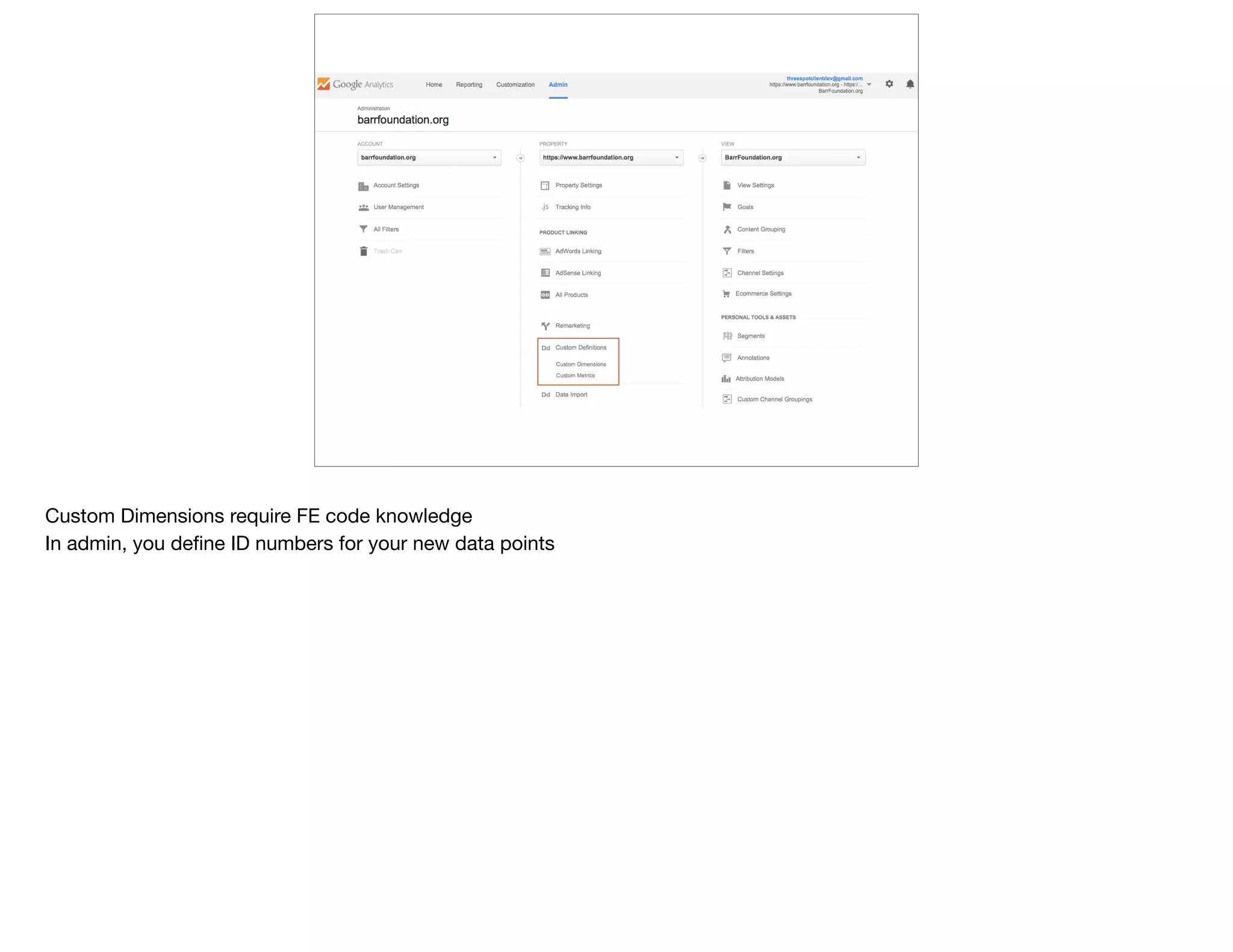
Custom Dimensions require FE code knowledge

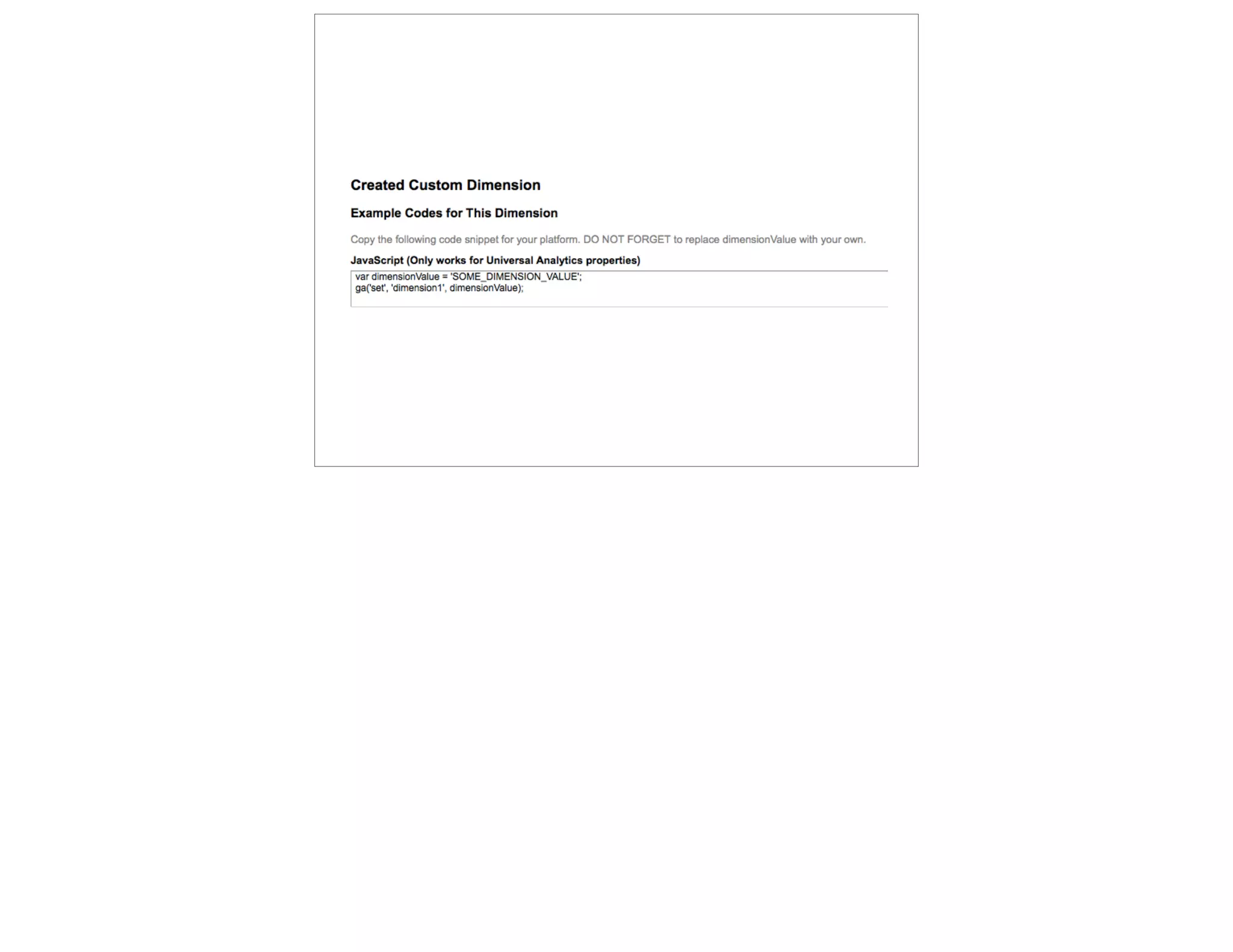
In admin, you define ID numbers for your new data points
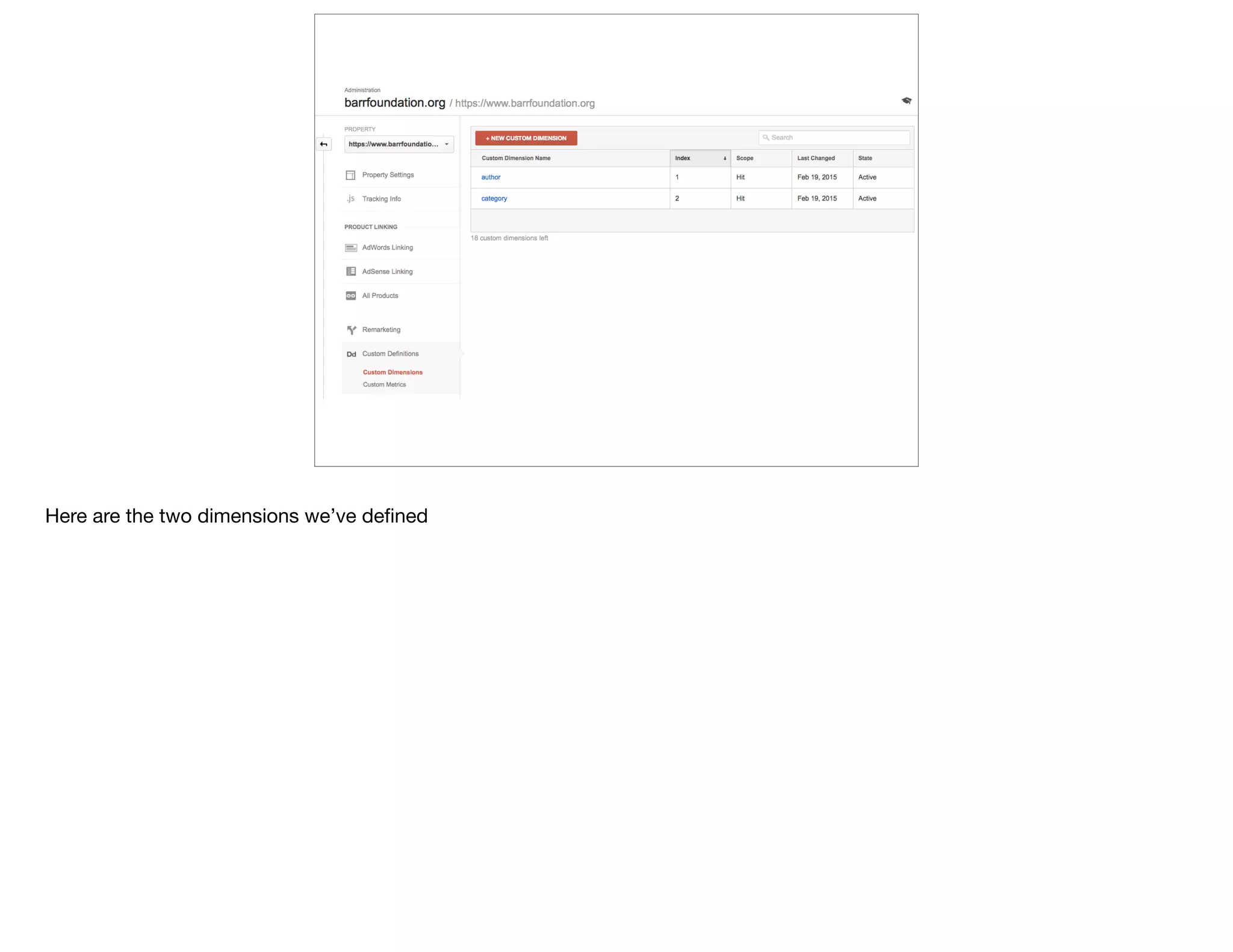
Here are the two dimensions we’ve defined
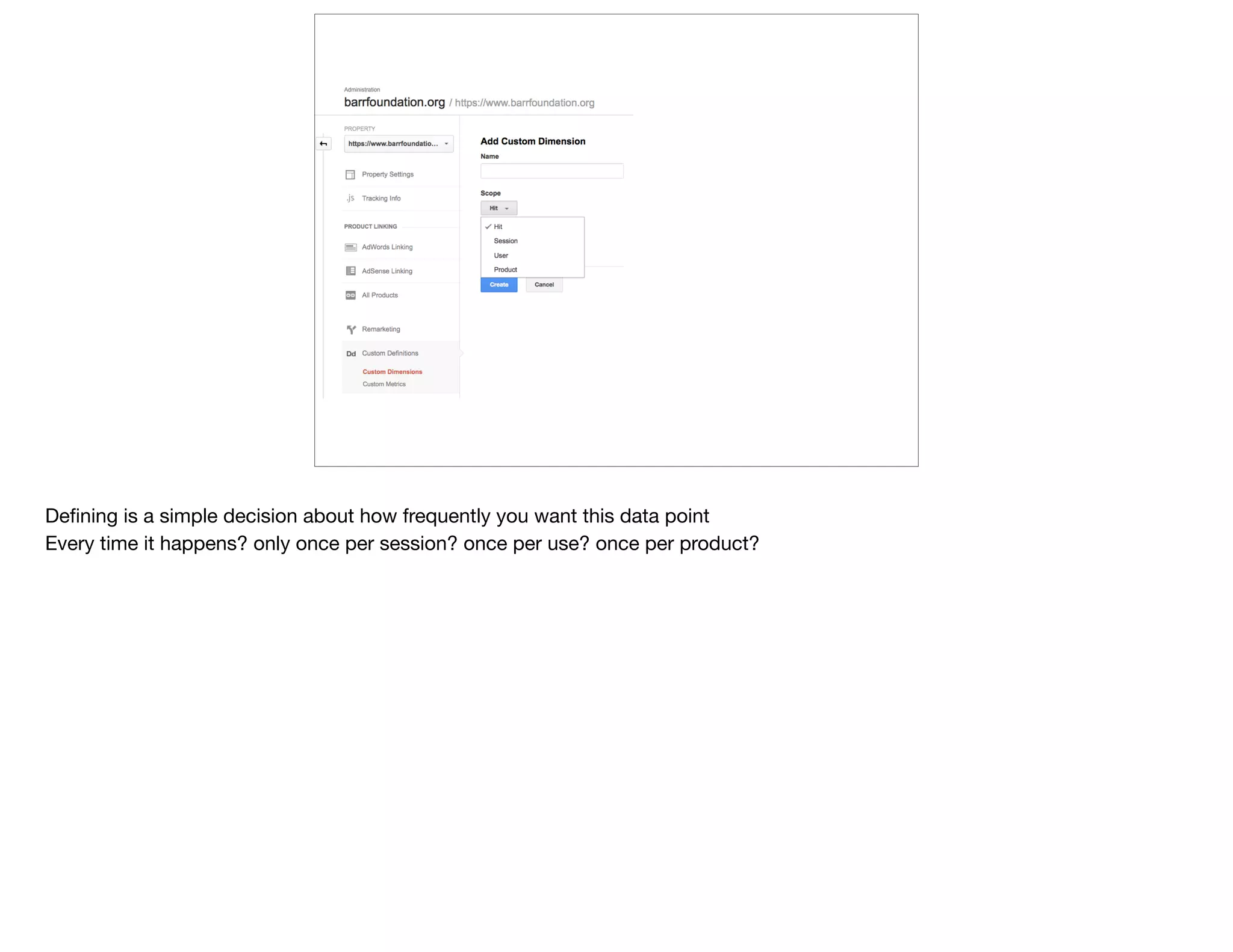
Defining is a simple decision about how frequently you want this data point 

Every time it happens? only once per session? once per use? once per product?
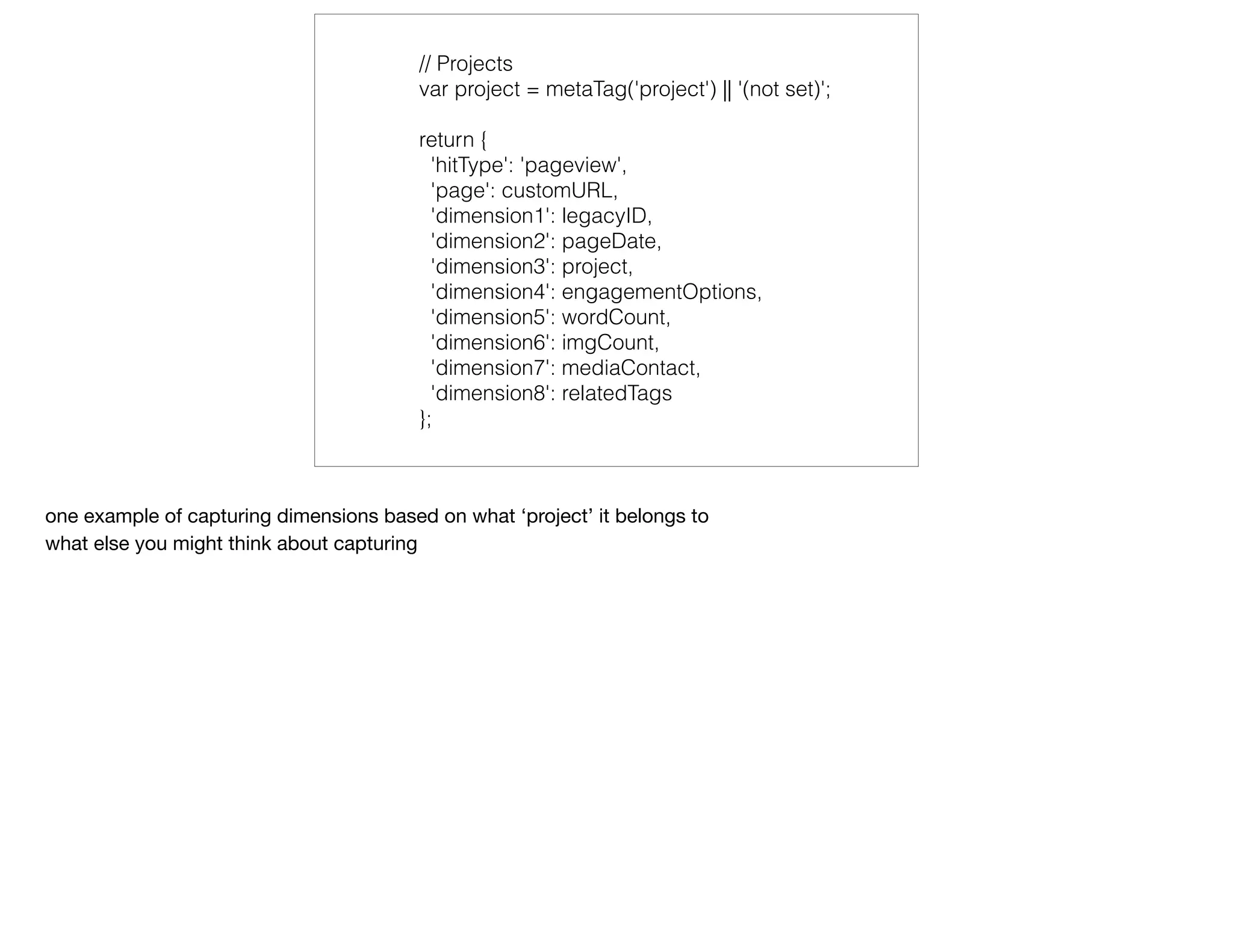
// Projects
var project = metaTag('project') || '(not set)';
return {
'hitType': 'pageview',
'page': customURL,
'dimension1': legacyID,
'dimension2': pageDate,
'dimension3': project,
'dimension4': engagementOptions,
'dimension5': wordCount,
'dimension6': imgCount,
'dimension7': mediaContact,
'dimension8': relatedTags
};
one example of capturing dimensions based on what ‘project’ it belongs to

what else you might think about capturing
@devonvsmith
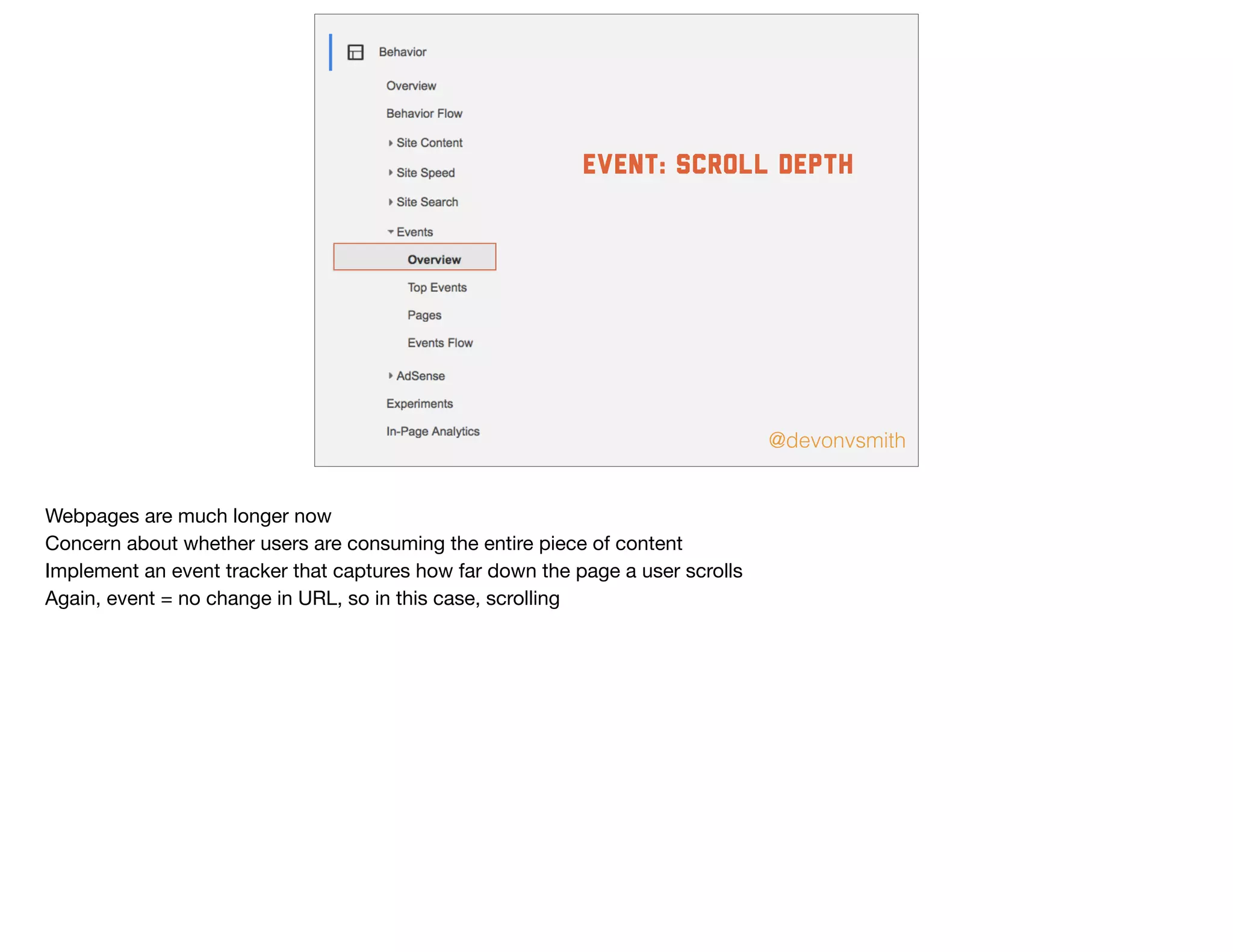
event: Scroll depth
Webpages are much longer now

Concern about whether users are consuming the entire piece of content

Implement an event tracker that captures how far down the page a user scrolls

Again, event = no change in URL, so in this case, scrolling
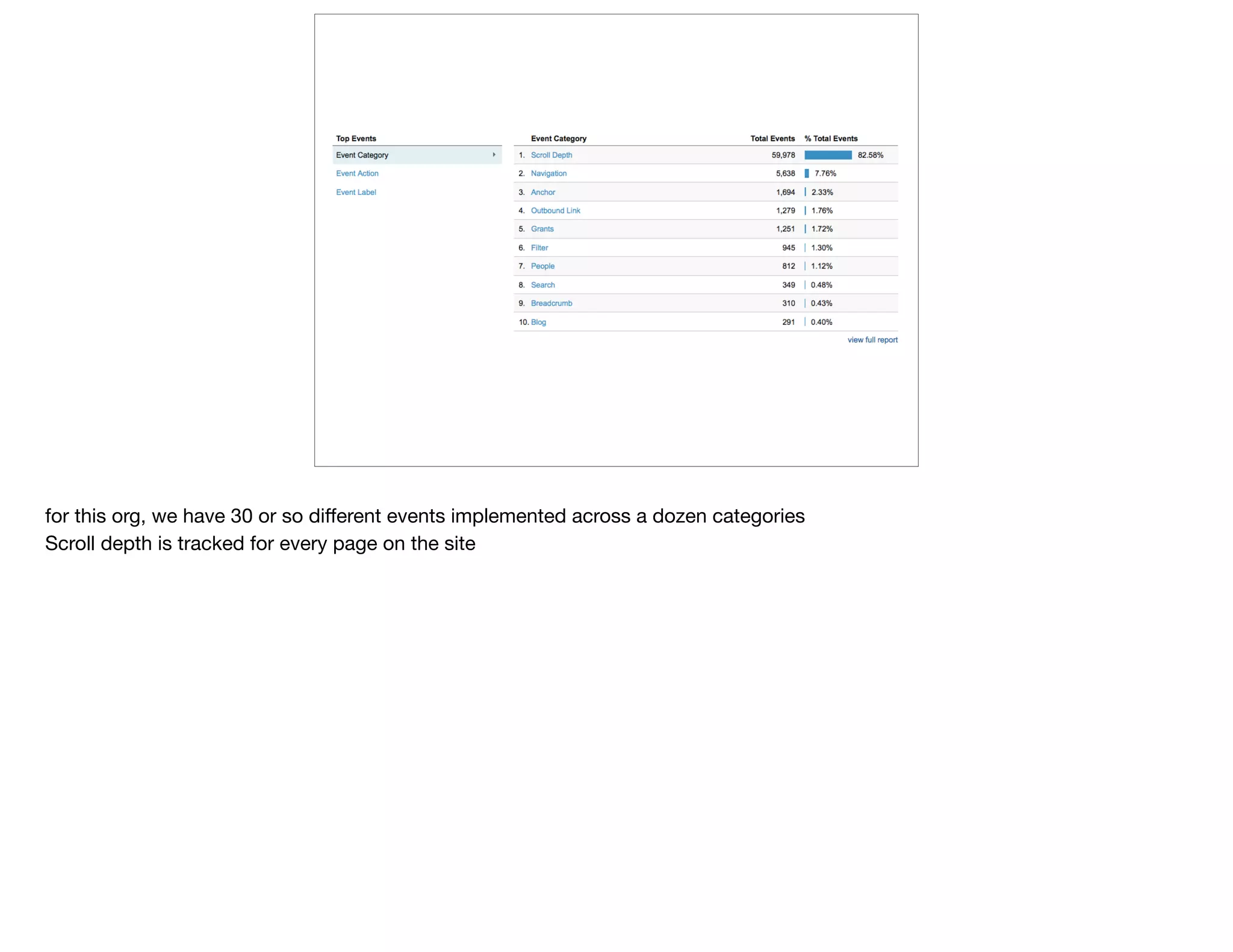
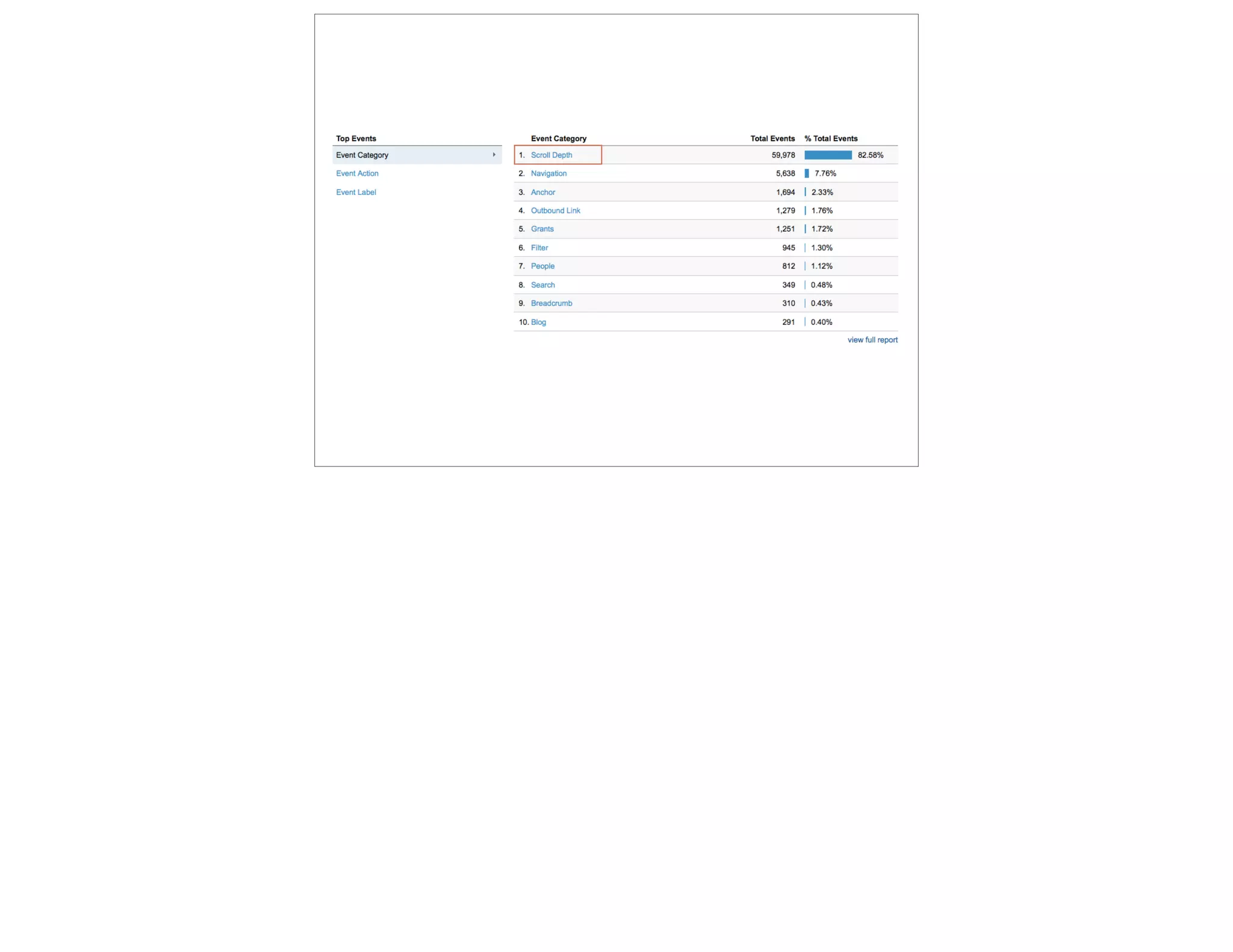
for this org, we have 30 or so different events implemented across a dozen categories

Scroll depth is tracked for every page on the site
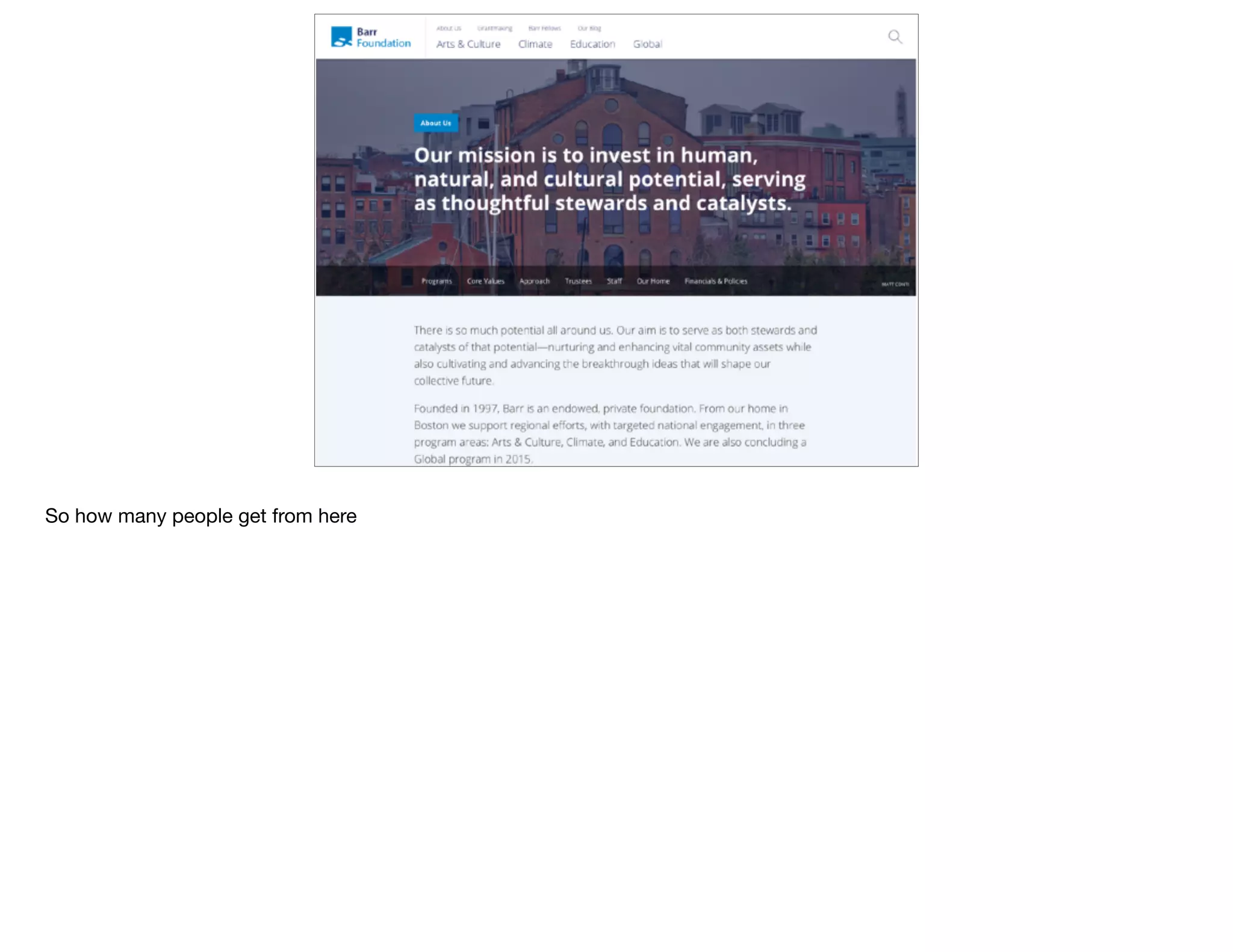
So how many people get from here
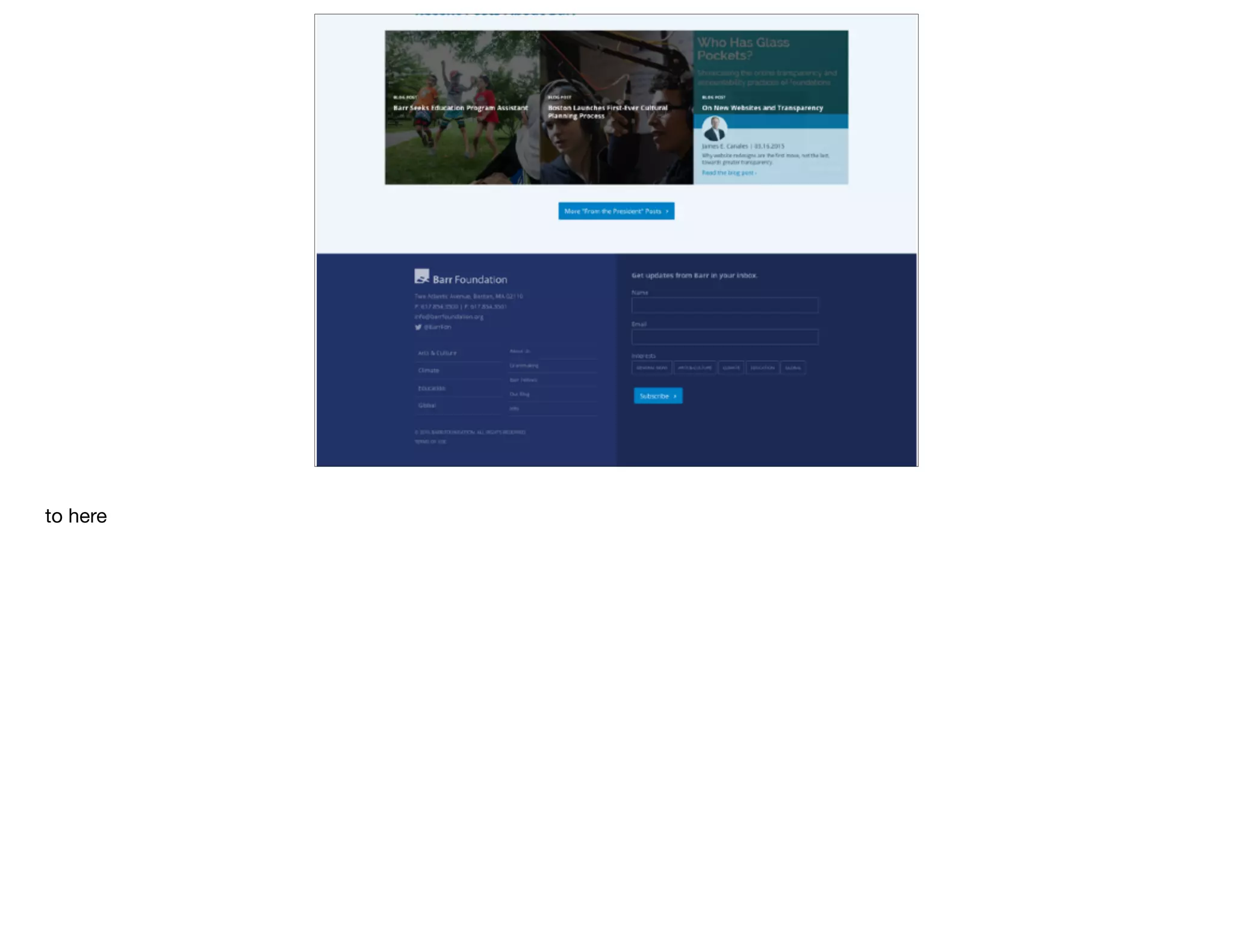
to here
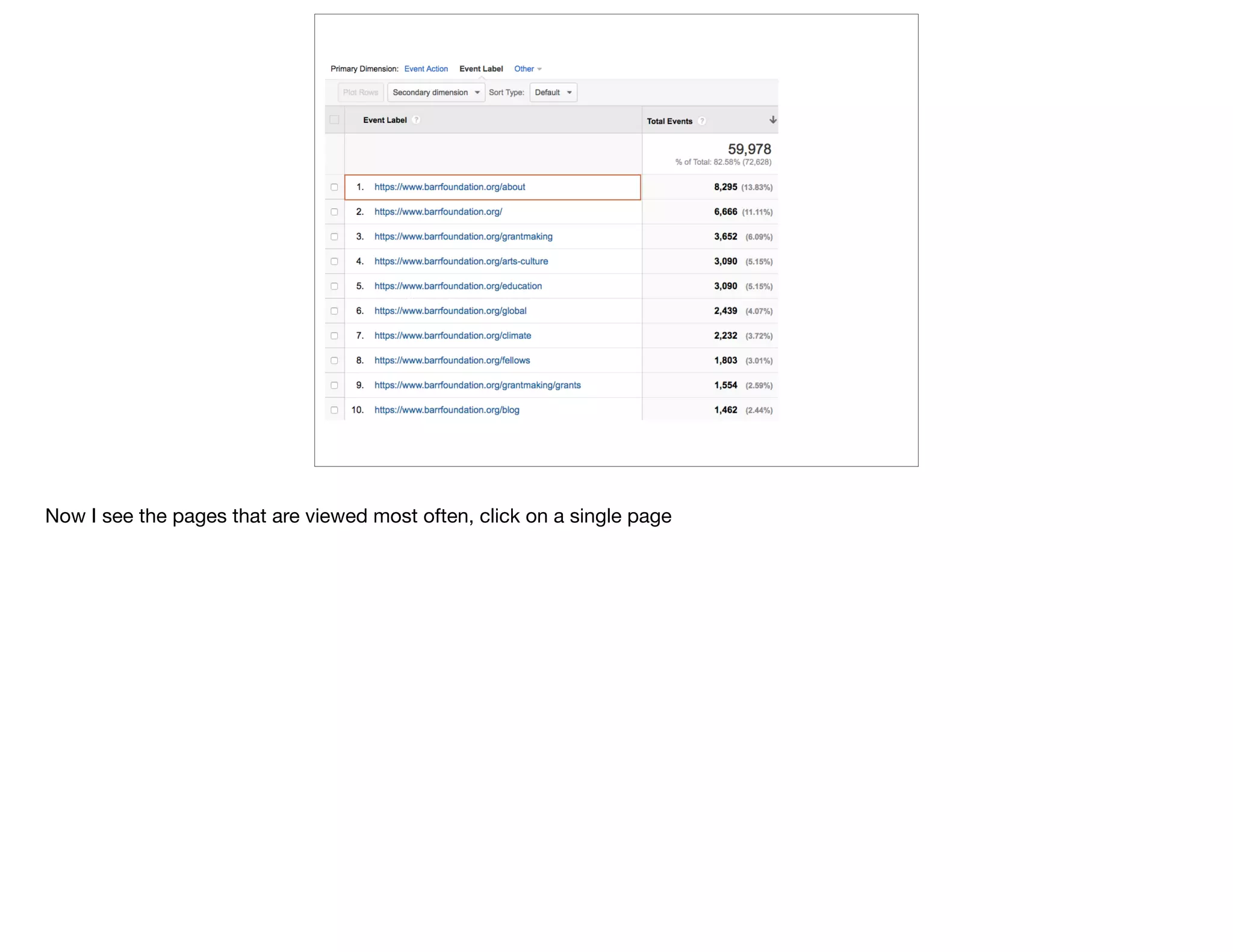
Now I see the pages that are viewed most often, click on a single page
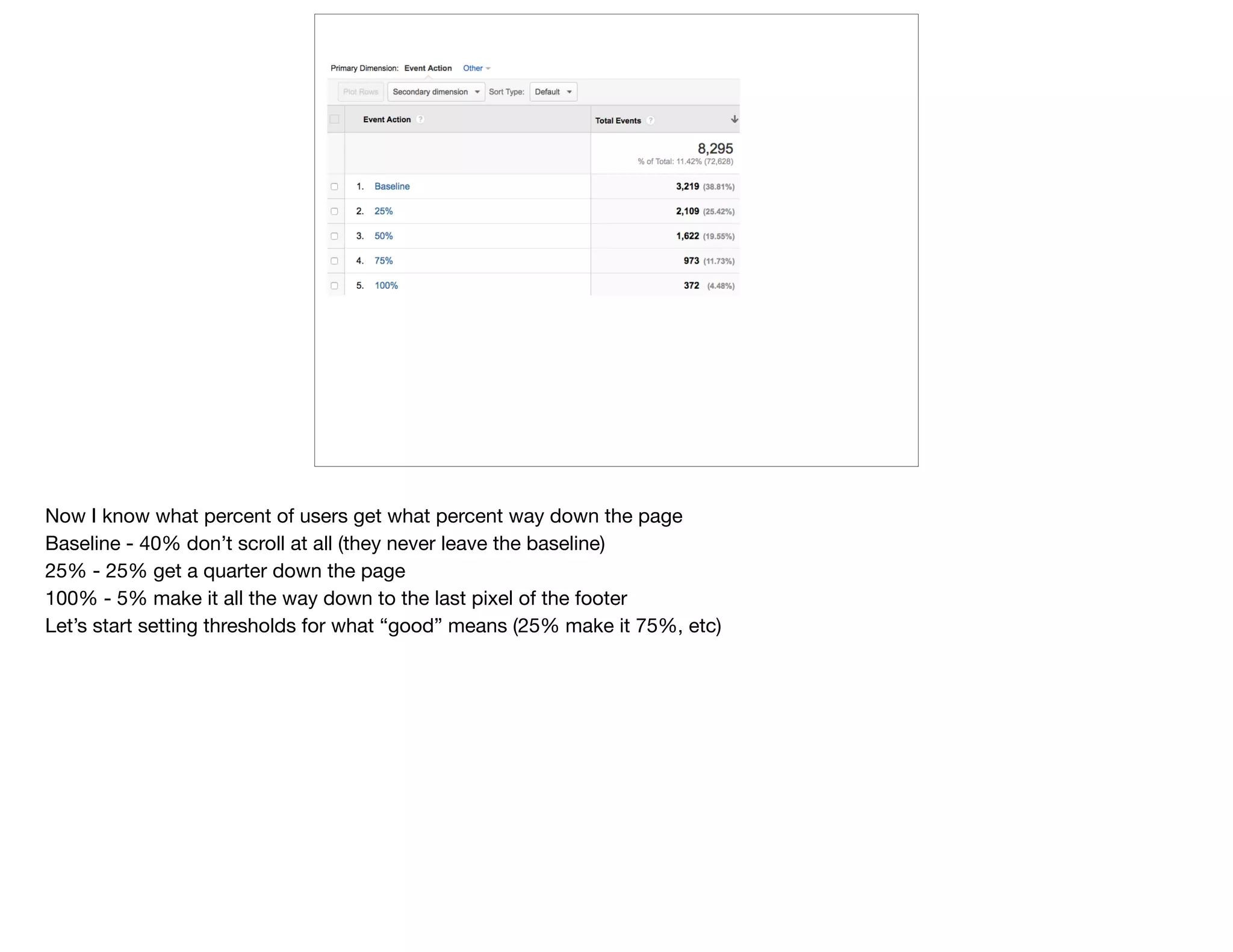
Now I know what percent of users get what percent way down the page

Baseline - 40% don’t scroll at all (they never leave the baseline)

25% - 25% get a quarter down the page

100% - 5% make it all the way down to the last pixel of the footer

Let’s start setting thresholds for what “good” means (25% make it 75%, etc)
http://scrolldepth.parsnip.io/
Open source plugin for GA for Wordpress

We took this code and adapted for ruby on rails
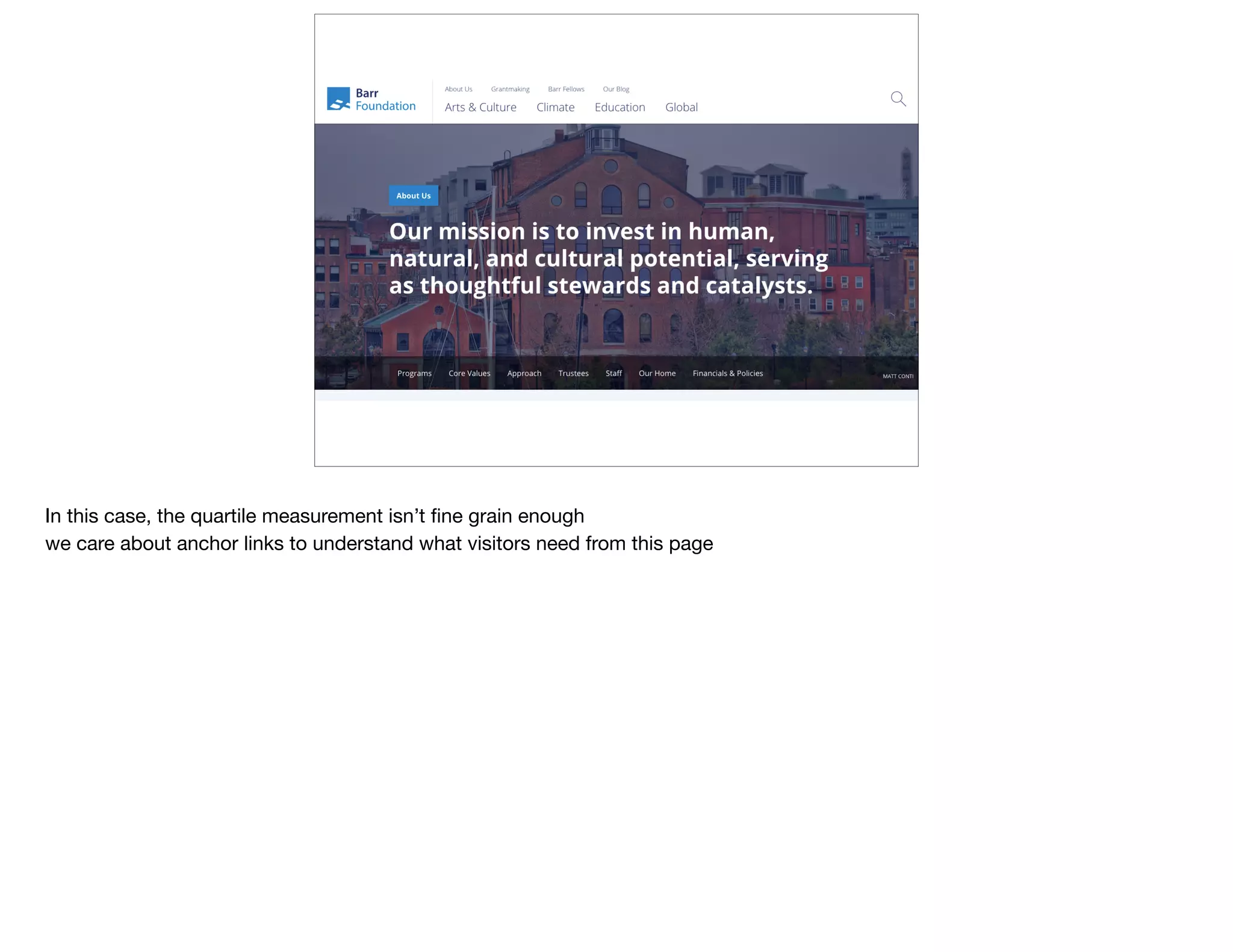
In this case, the quartile measurement isn’t fine grain enough

we care about anchor links to understand what visitors need from this page
@devonvsmith
event: anchor link
Anchor Links - Barr
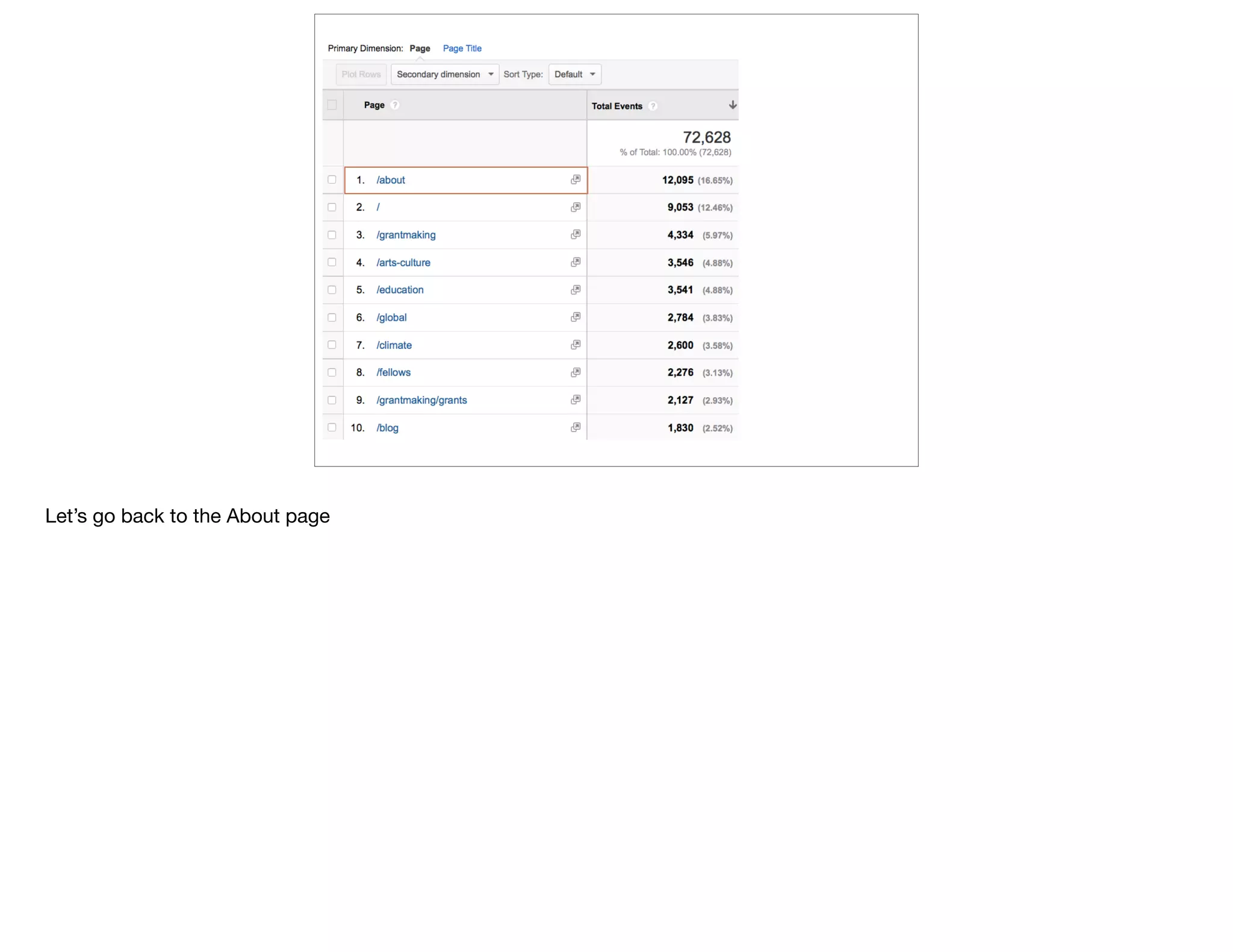
Let’s go back to the About page
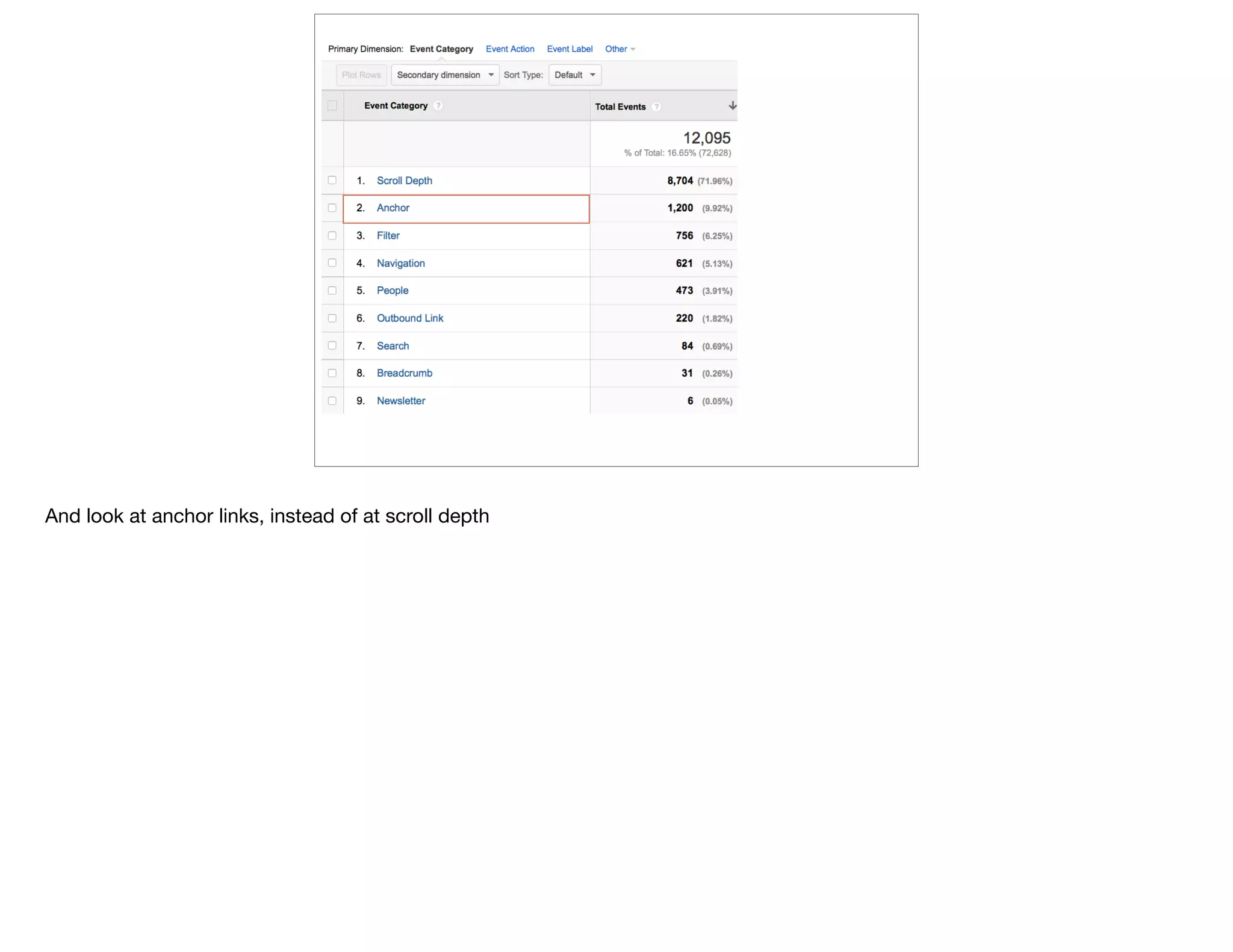
And look at anchor links, instead of at scroll depth
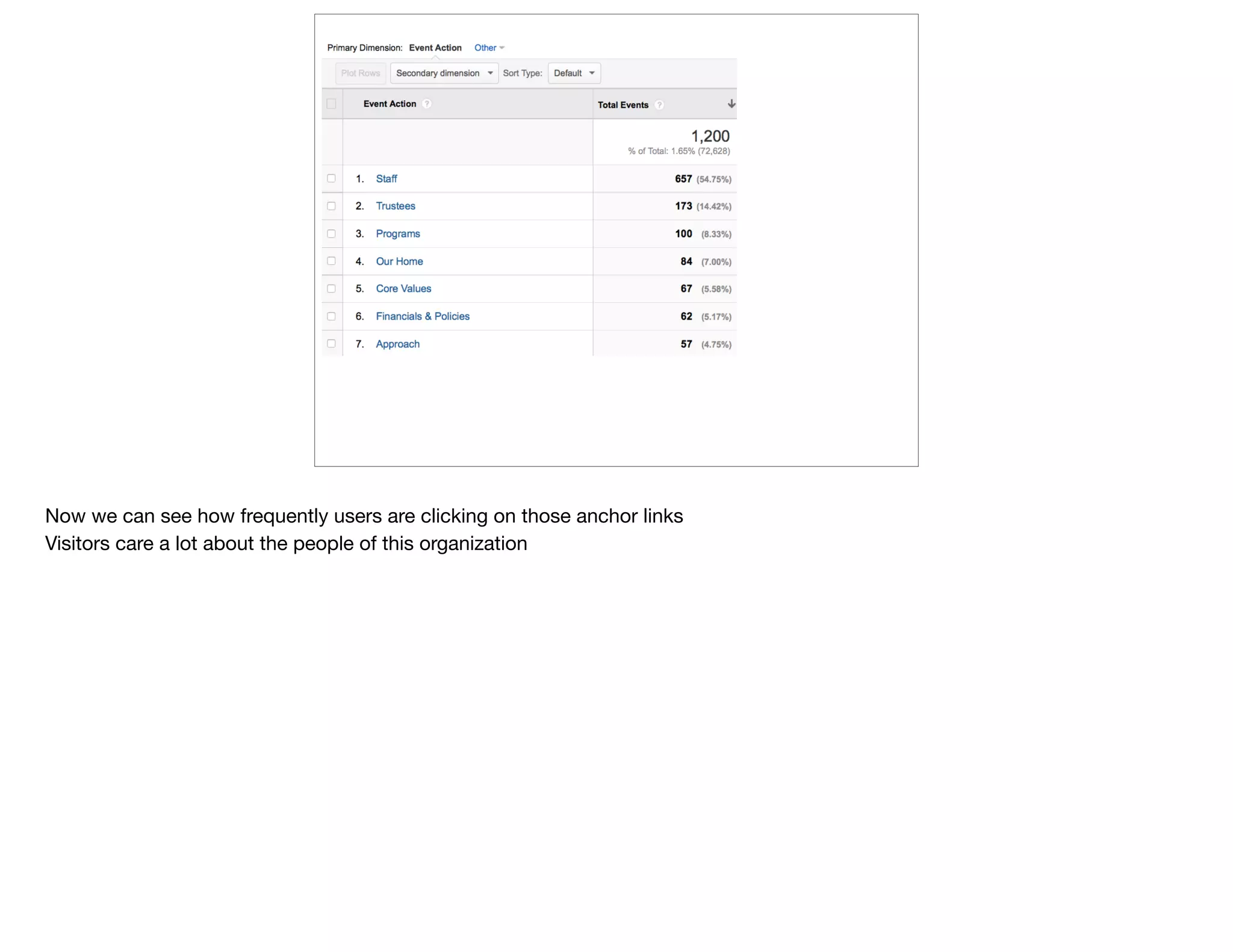
Now we can see how frequently users are clicking on those anchor links

Visitors care a lot about the people of this organization
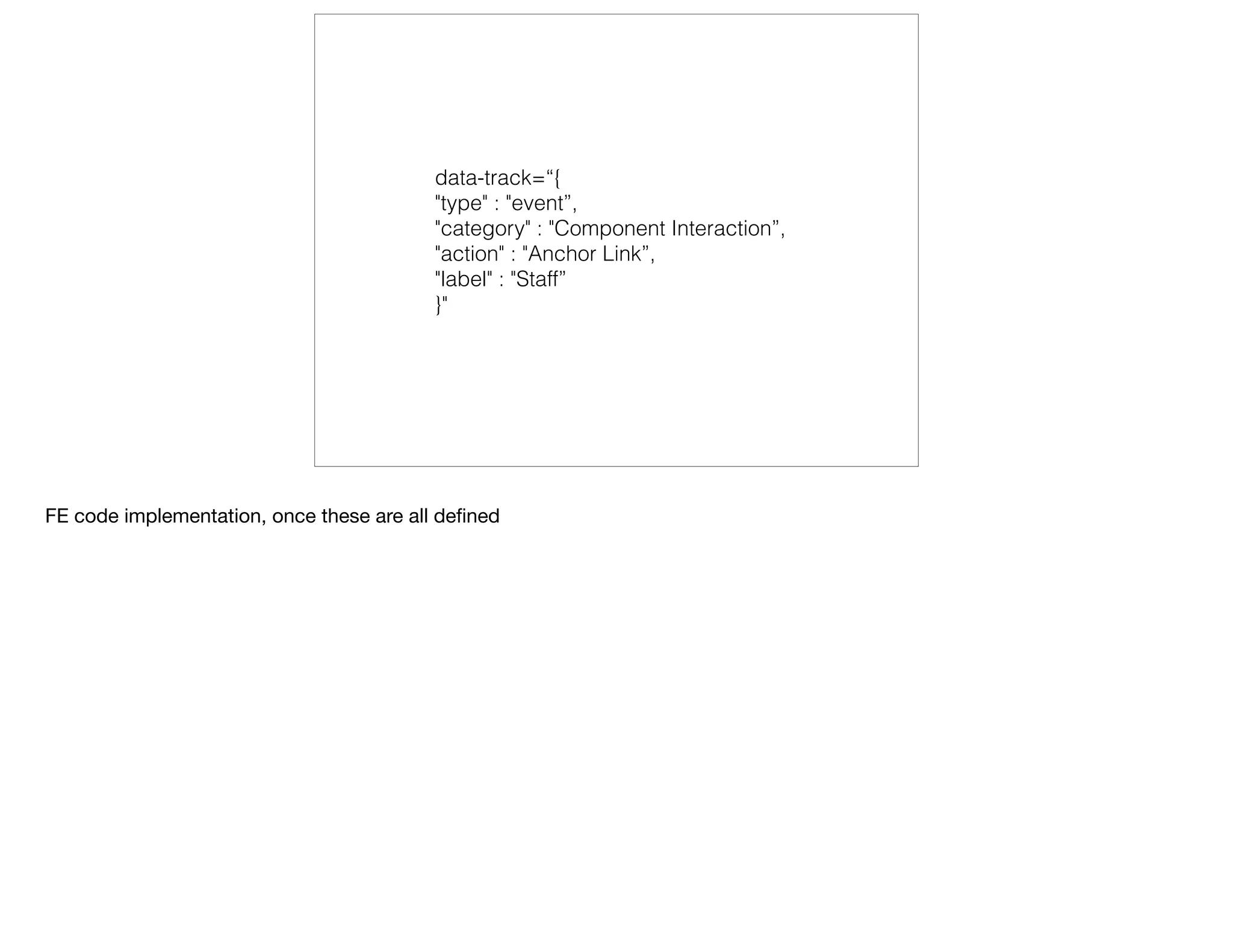
data-track=“{ 
"type" : "event”, 
"category" : "Component Interaction”, 
"action" : "Anchor Link”, 
"label" : "Staff” 
}"
FE code implementation, once these are all defined
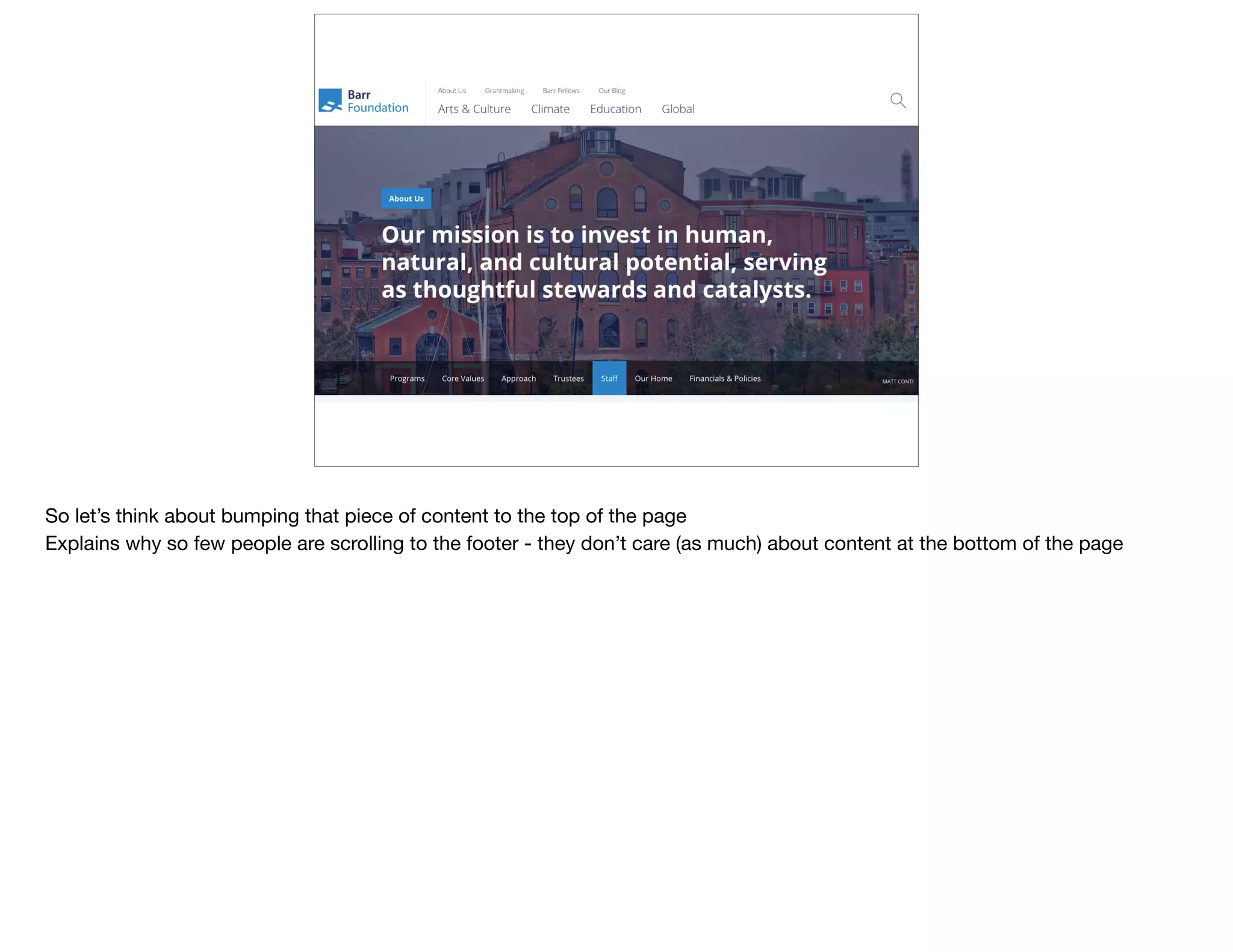
So let’s think about bumping that piece of content to the top of the page

Explains why so few people are scrolling to the footer - they don’t care (as much) about content at the bottom of the page
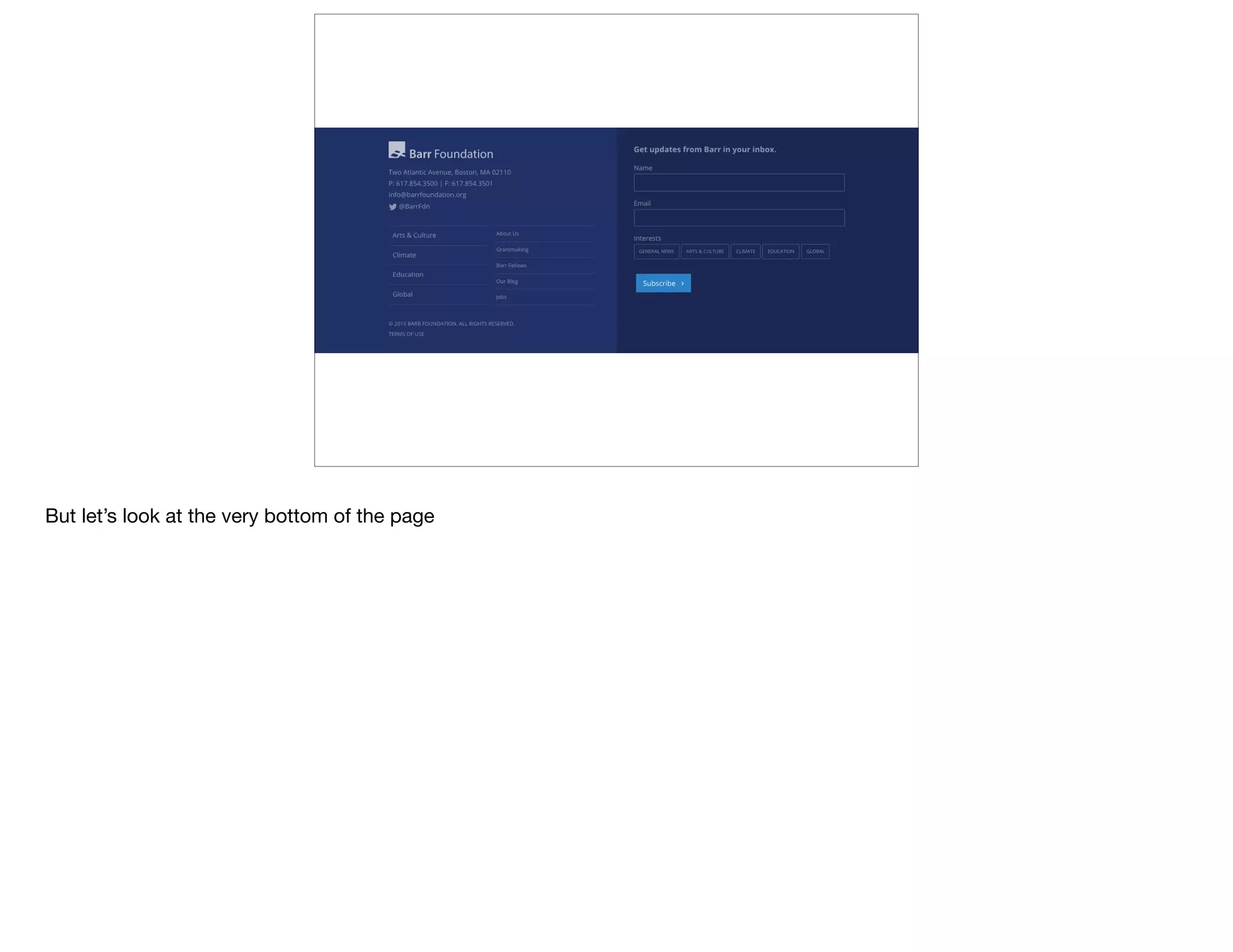
But let’s look at the very bottom of the page
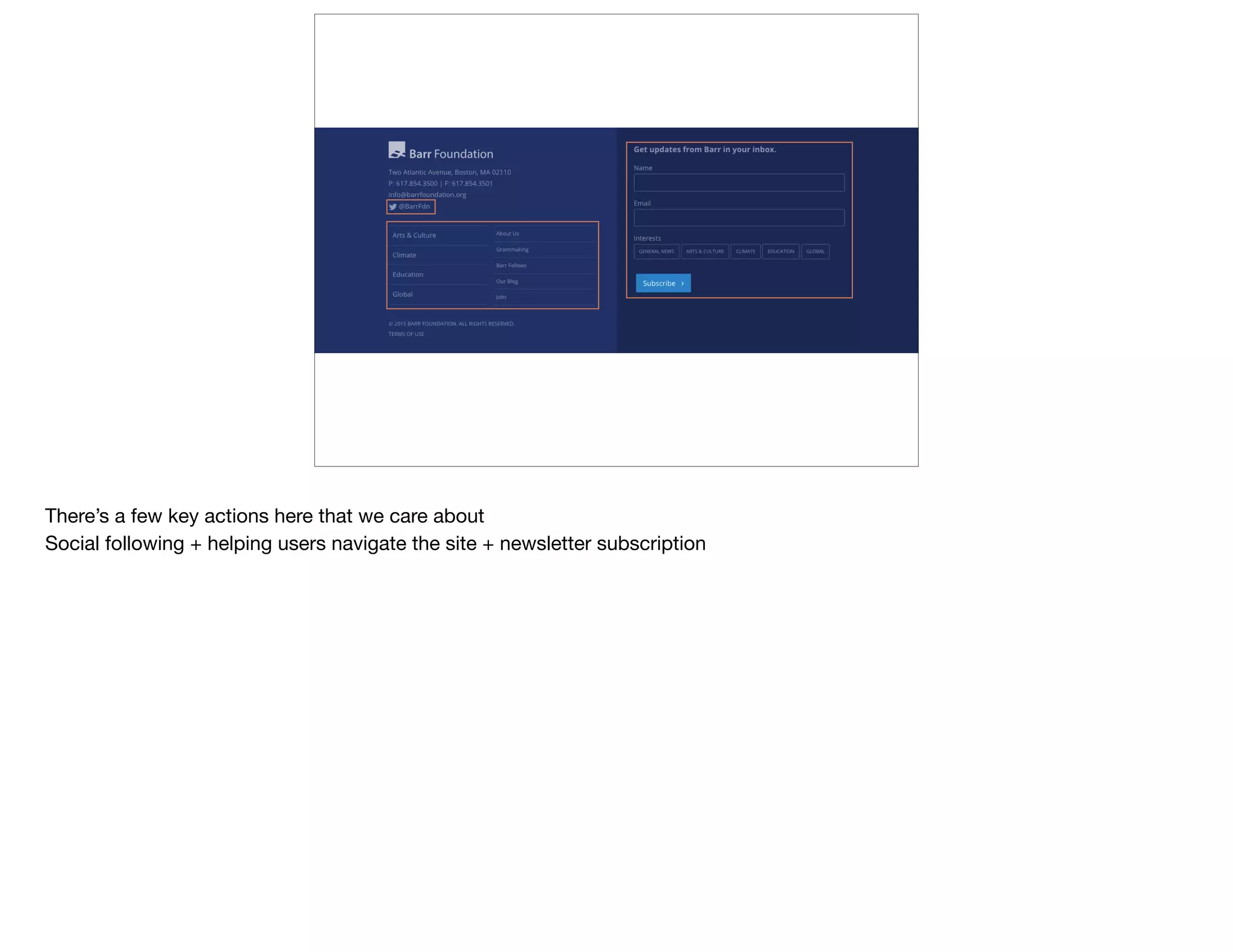
There’s a few key actions here that we care about

Social following + helping users navigate the site + newsletter subscription
@devonvsmith
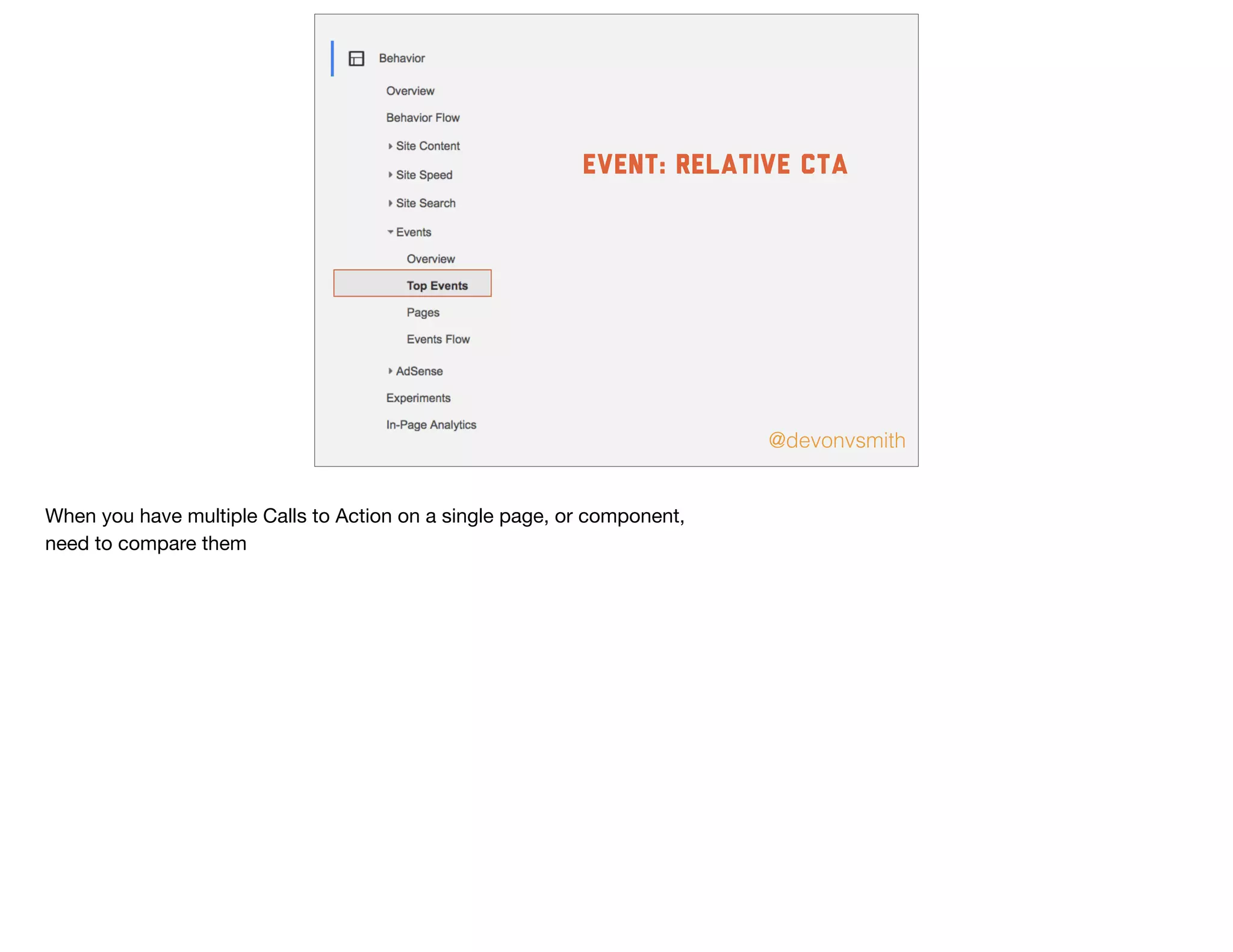
event: relative CTA
When you have multiple Calls to Action on a single page, or component, 

need to compare them
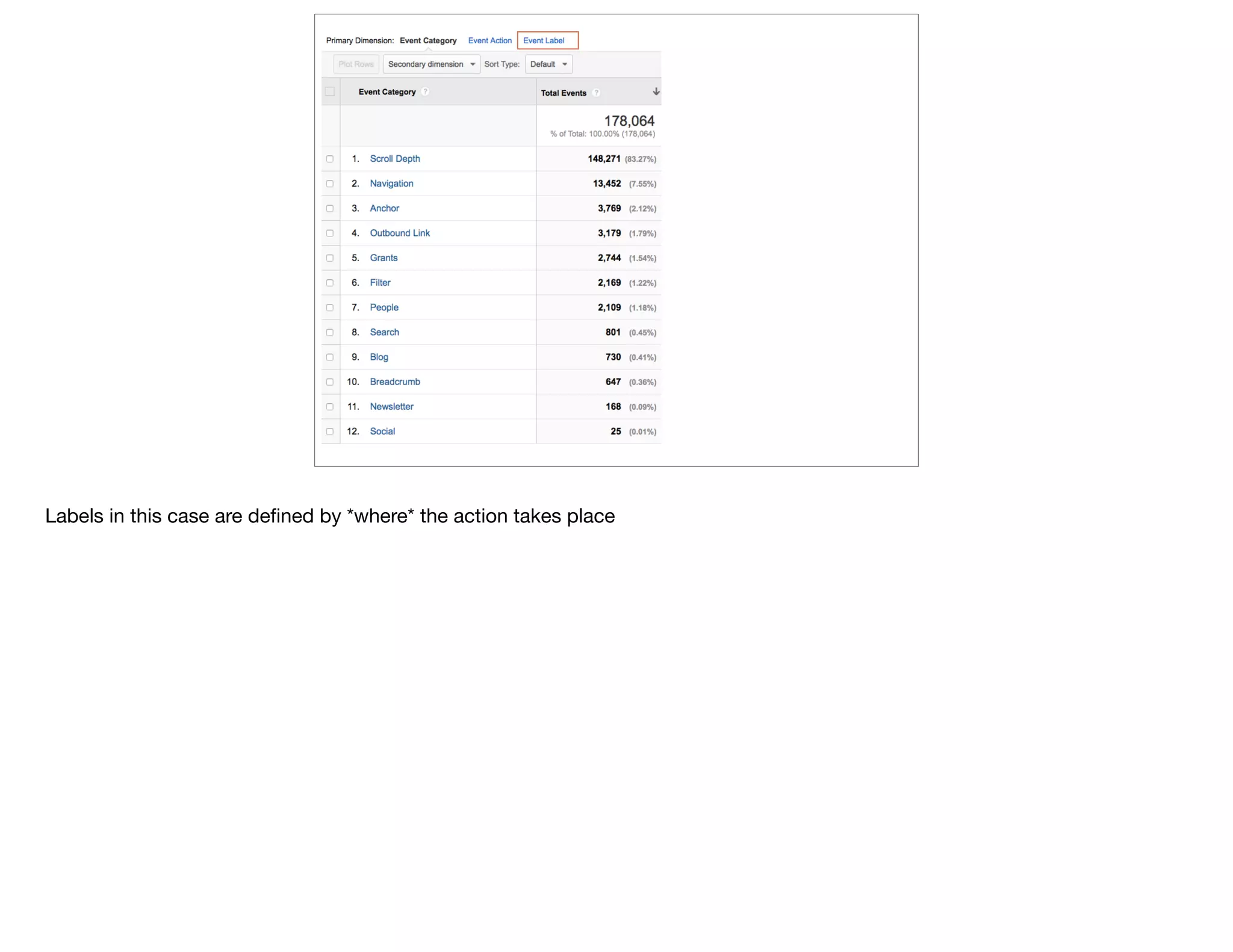
Labels in this case are defined by *where* the action takes place
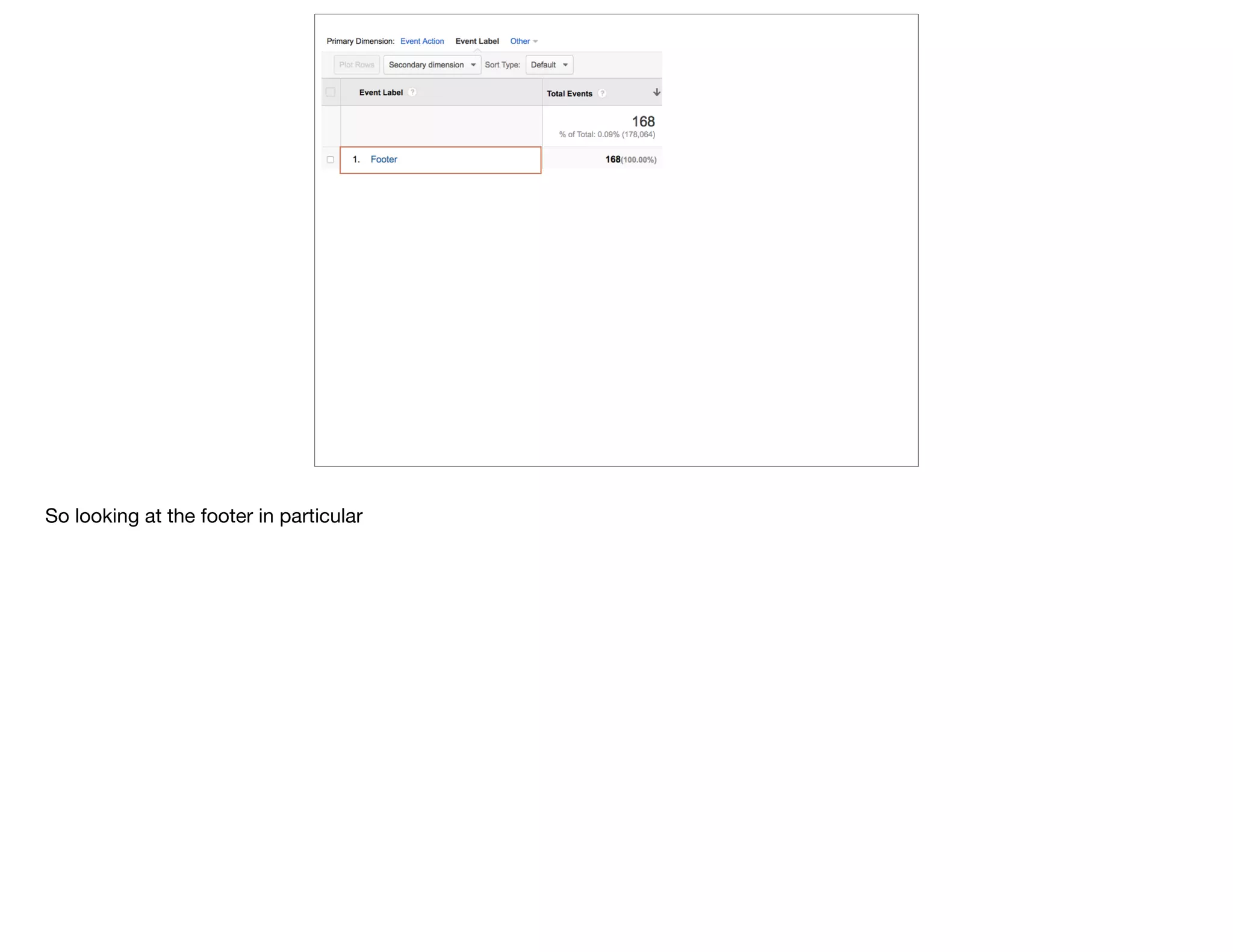
So looking at the footer in particular
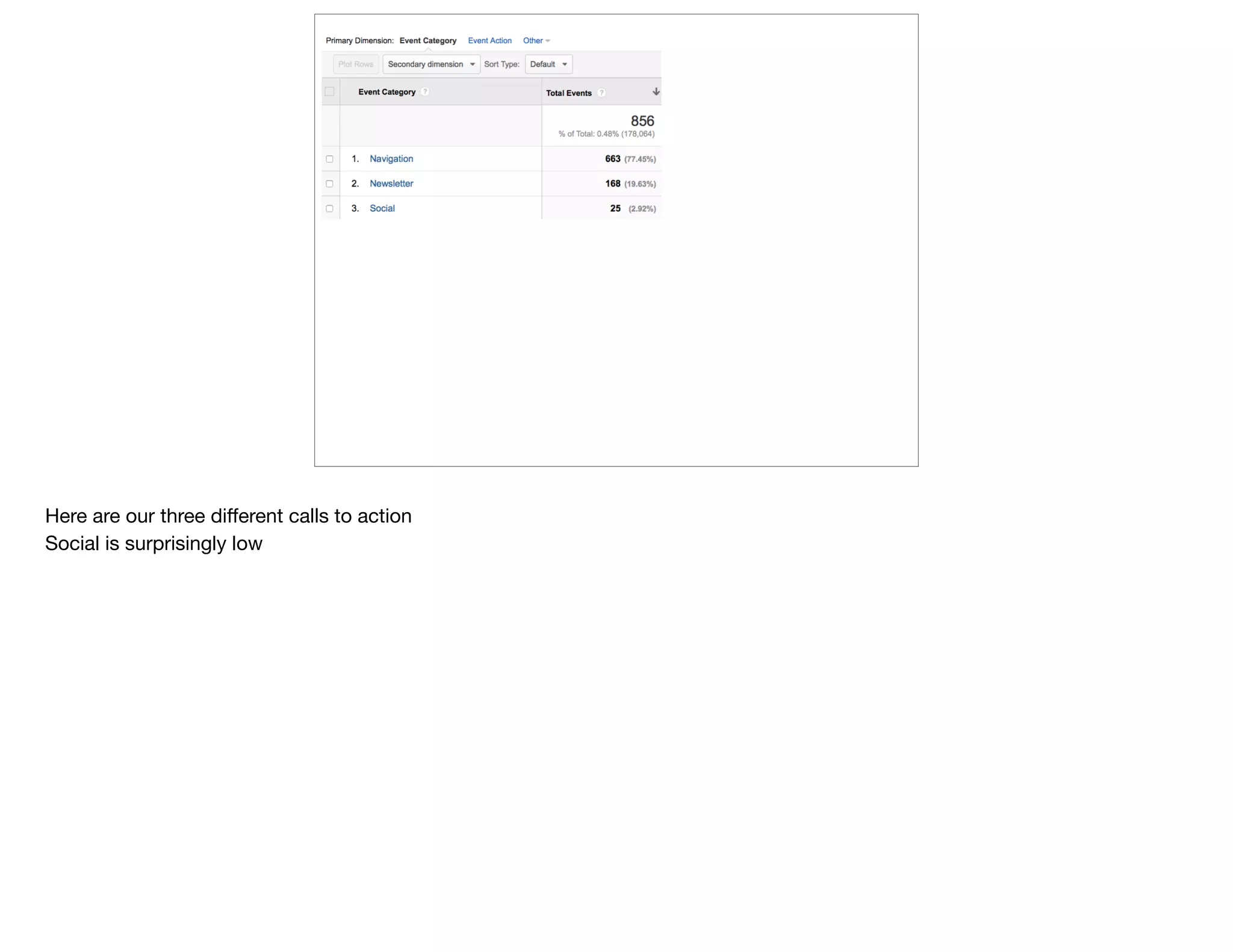
Here are our three different calls to action

Social is surprisingly low
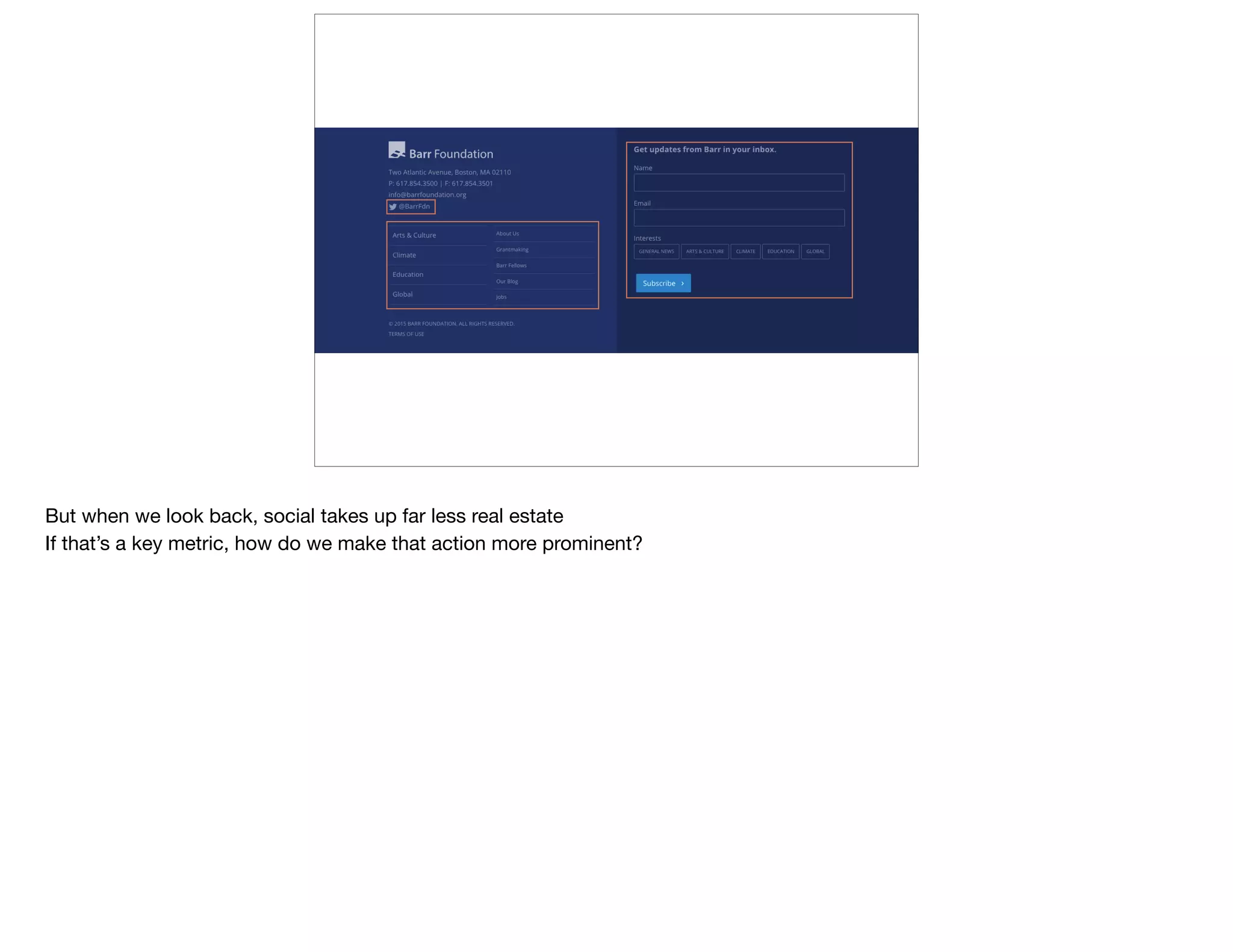
But when we look back, social takes up far less real estate 

If that’s a key metric, how do we make that action more prominent?
@devonvsmith
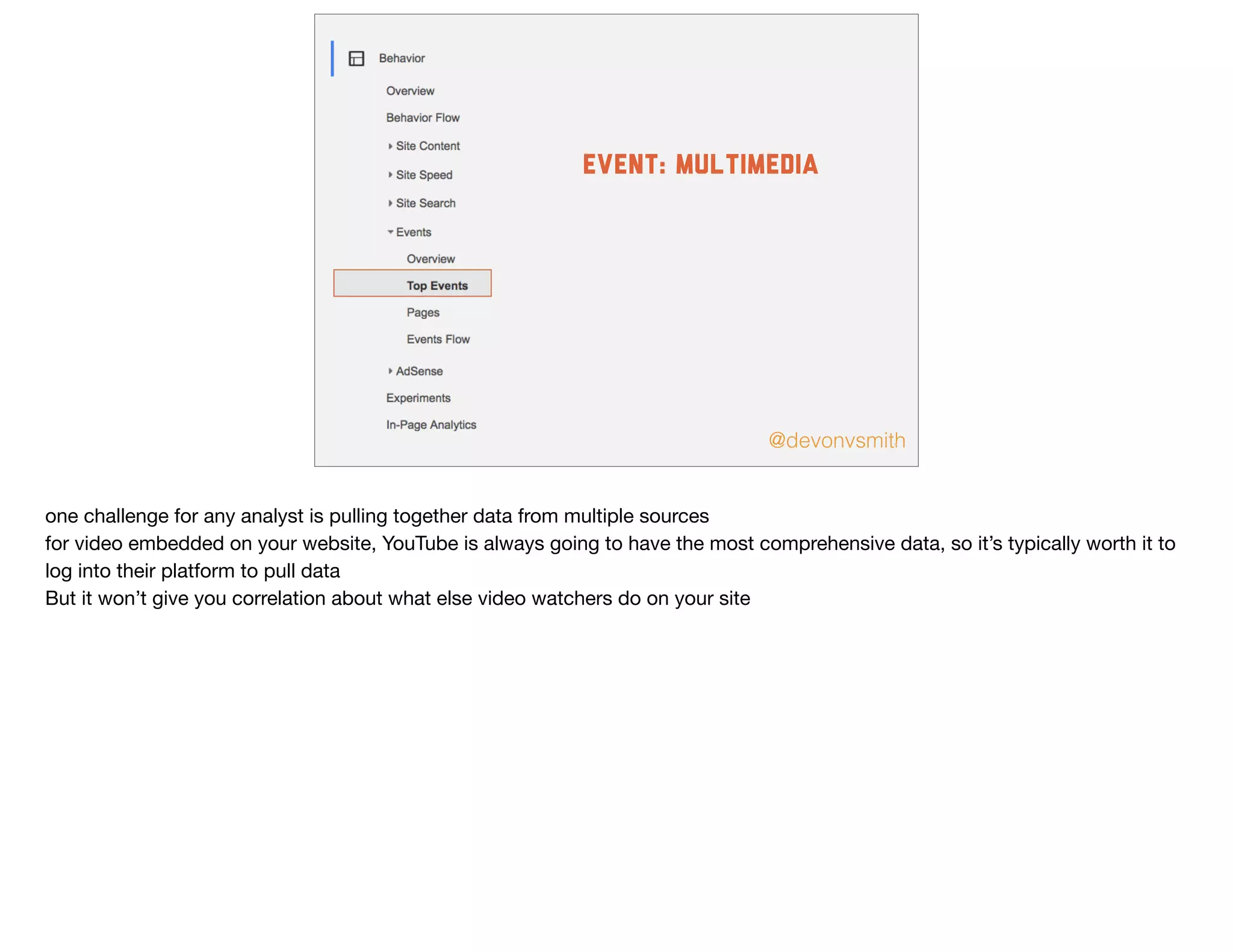
event: multimedia
one challenge for any analyst is pulling together data from multiple sources

for video embedded on your website, YouTube is always going to have the most comprehensive data, so it’s typically worth it to
log into their platform to pull data

But it won’t give you correlation about what else video watchers do on your site
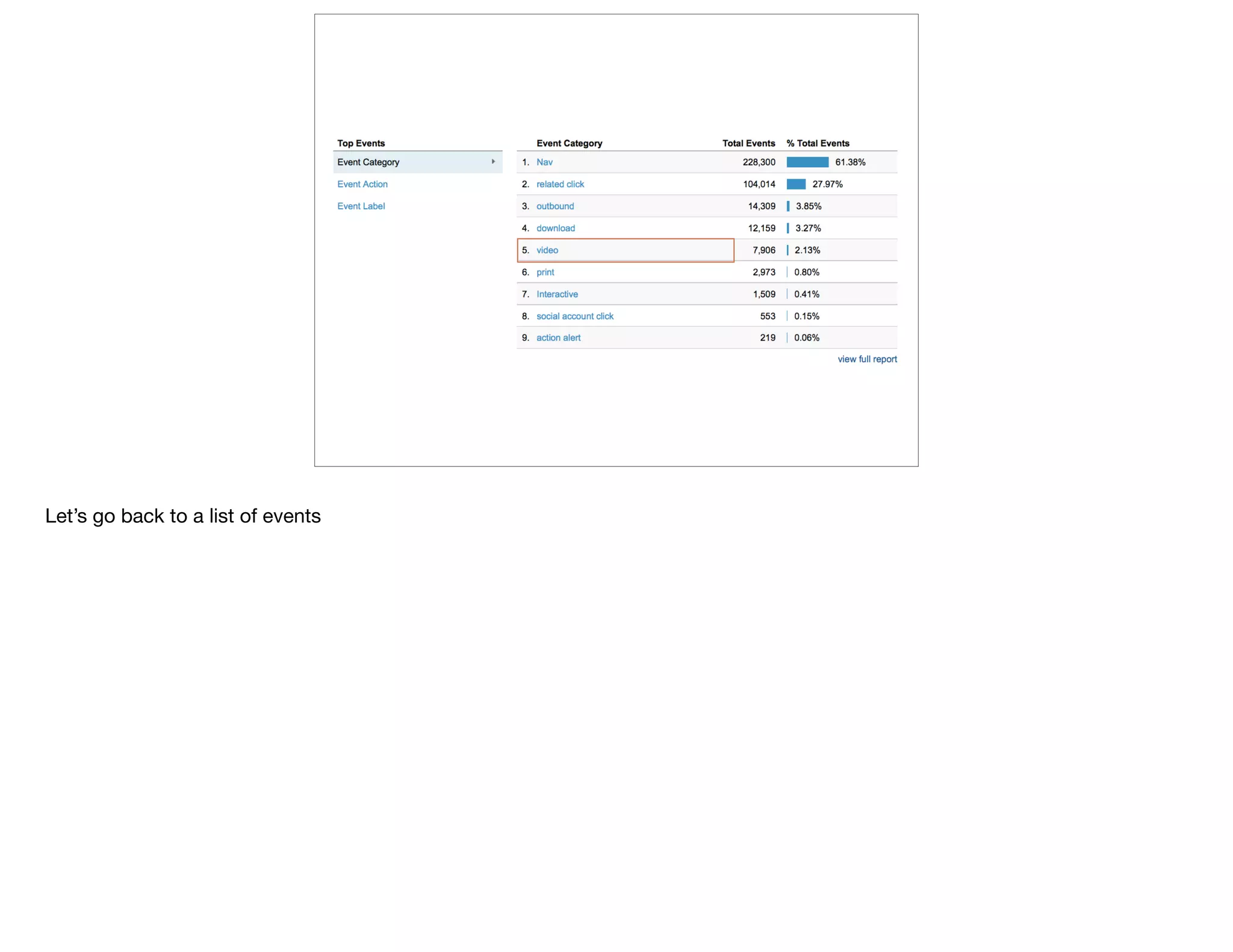
Let’s go back to a list of events
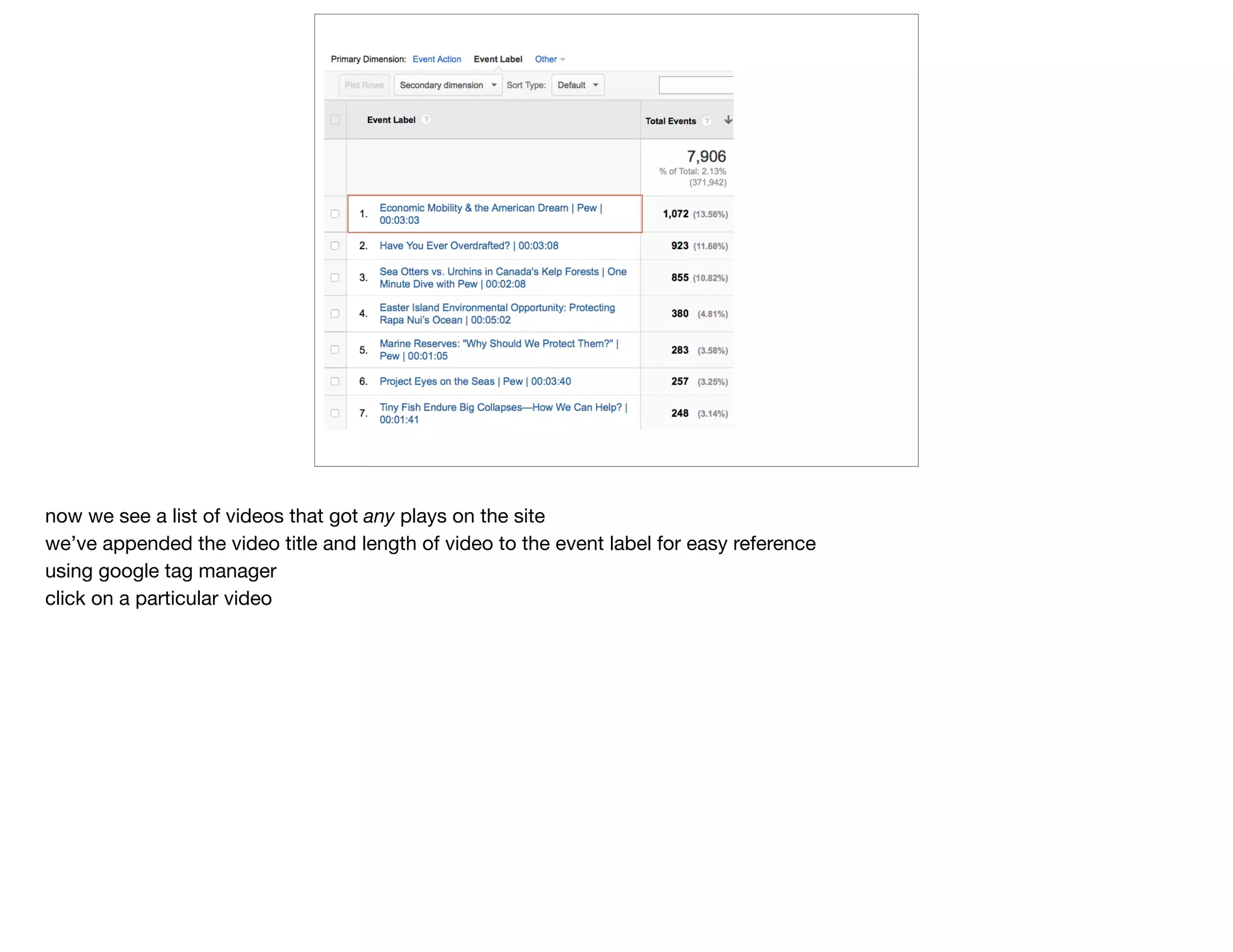
now we see a list of videos that got any plays on the site

we’ve appended the video title and length of video to the event label for easy reference

using google tag manager

click on a particular video
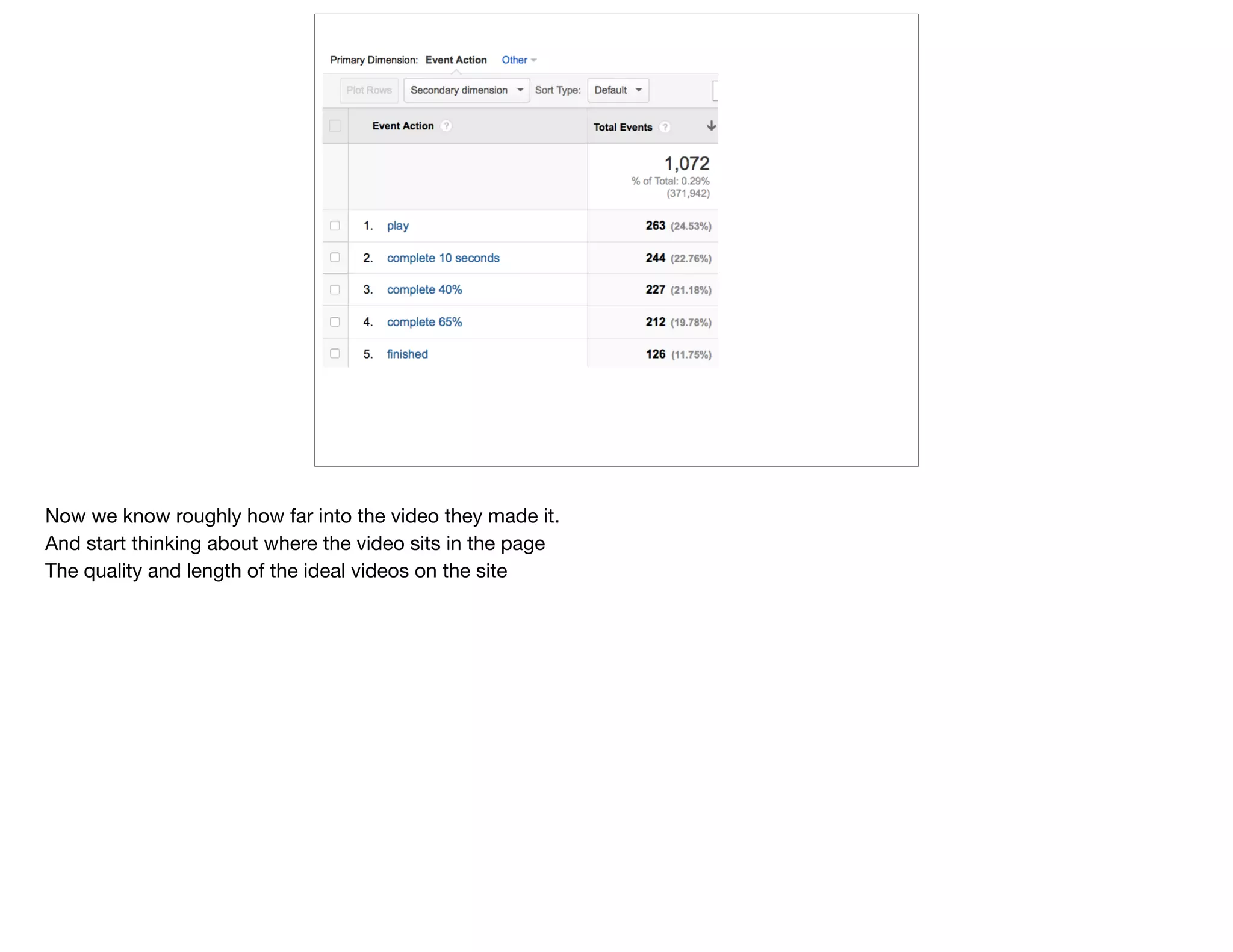
Now we know roughly how far into the video they made it.

And start thinking about where the video sits in the page

The quality and length of the ideal videos on the site
Better
Process
@devonvsmith
six different ways to be more efficient with your data process in GA
advanced segments
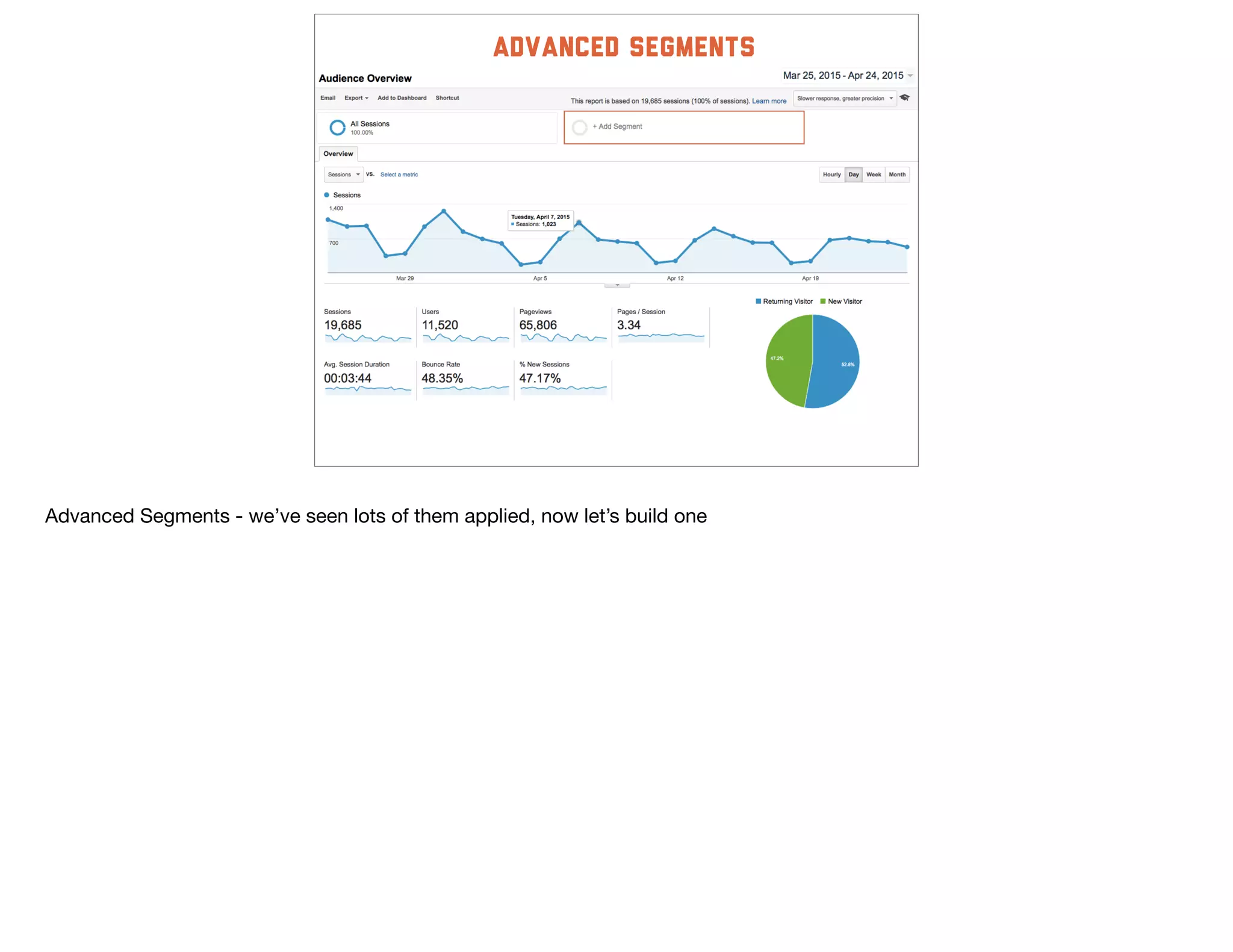
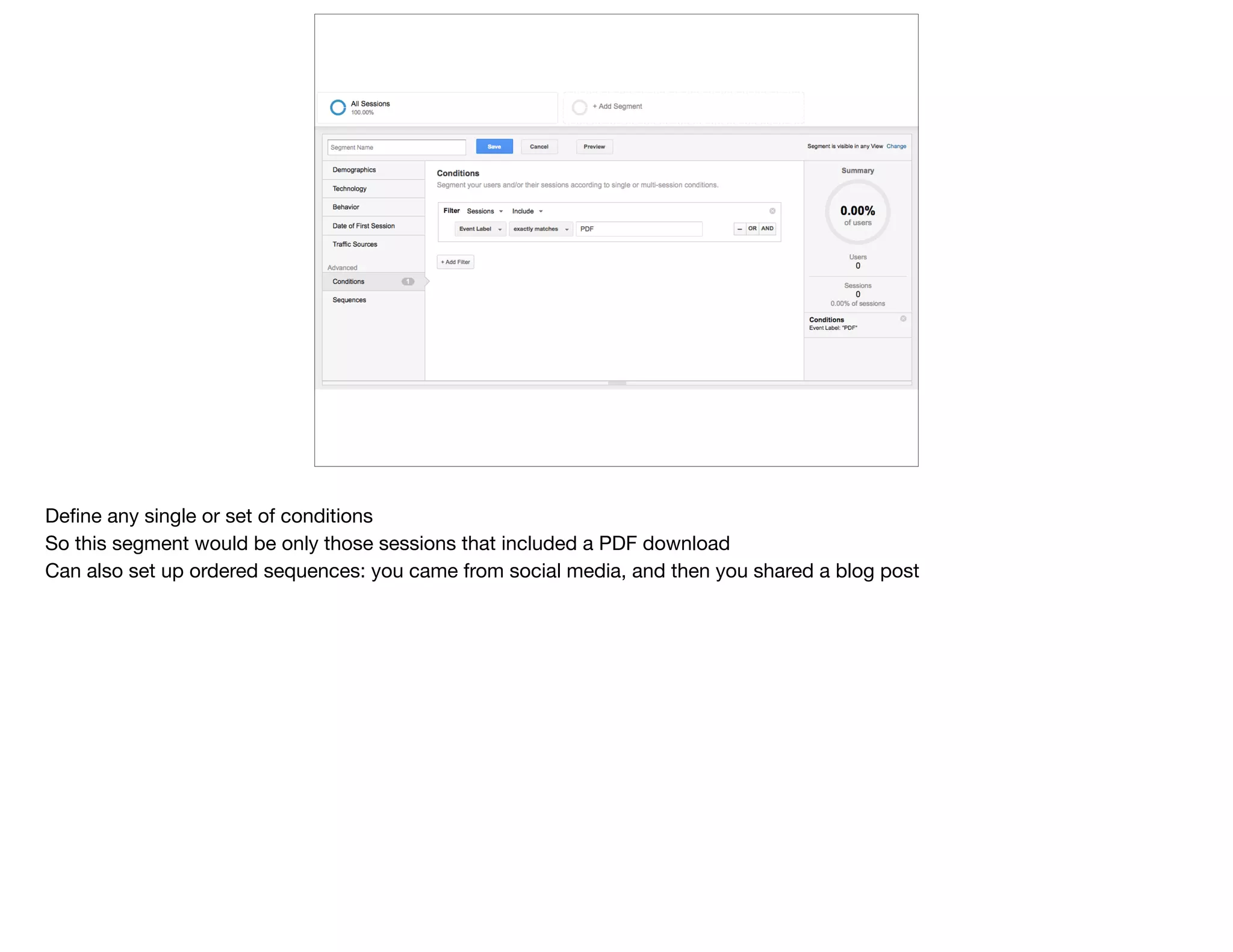
Advanced Segments - we’ve seen lots of them applied, now let’s build one
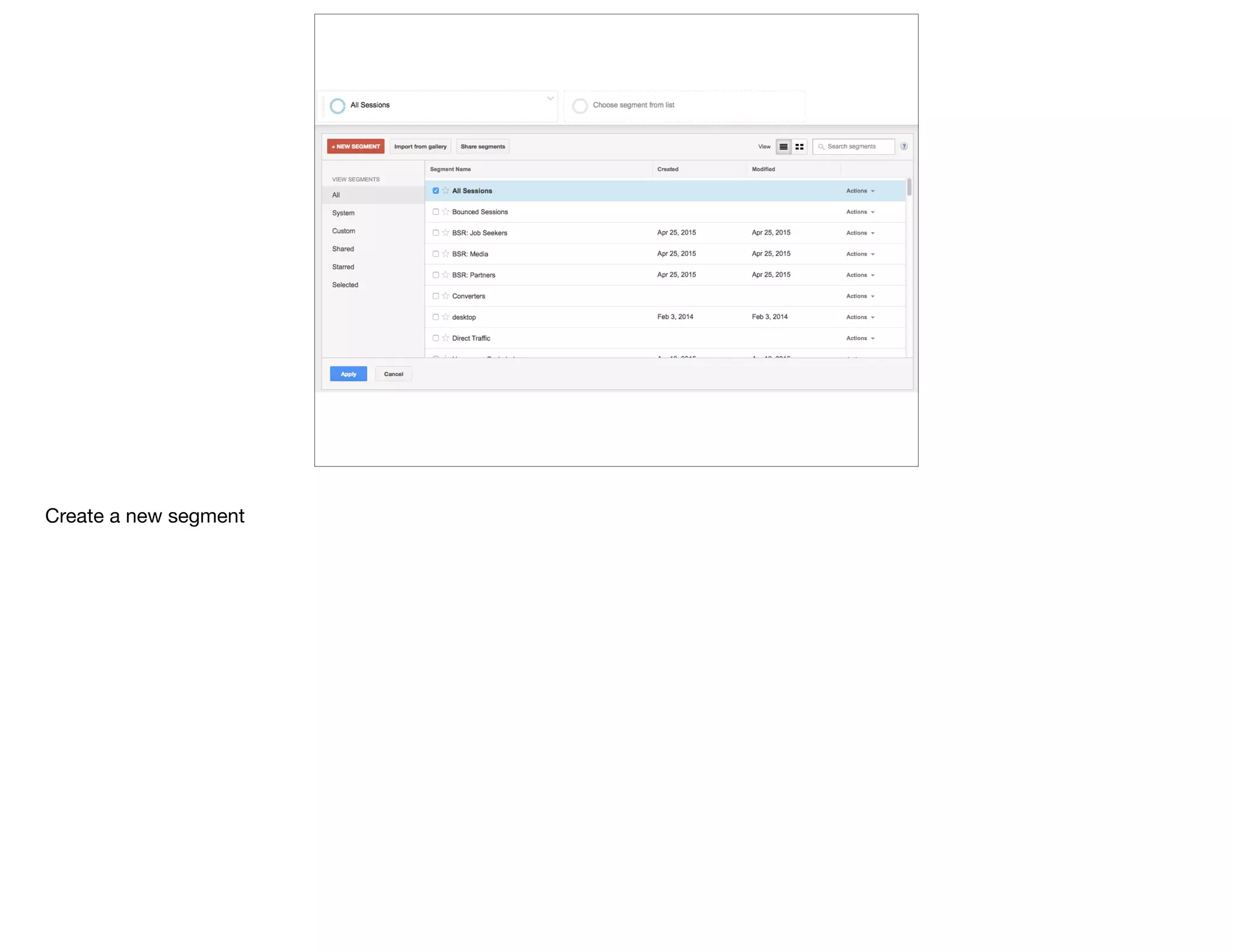
Create a new segment
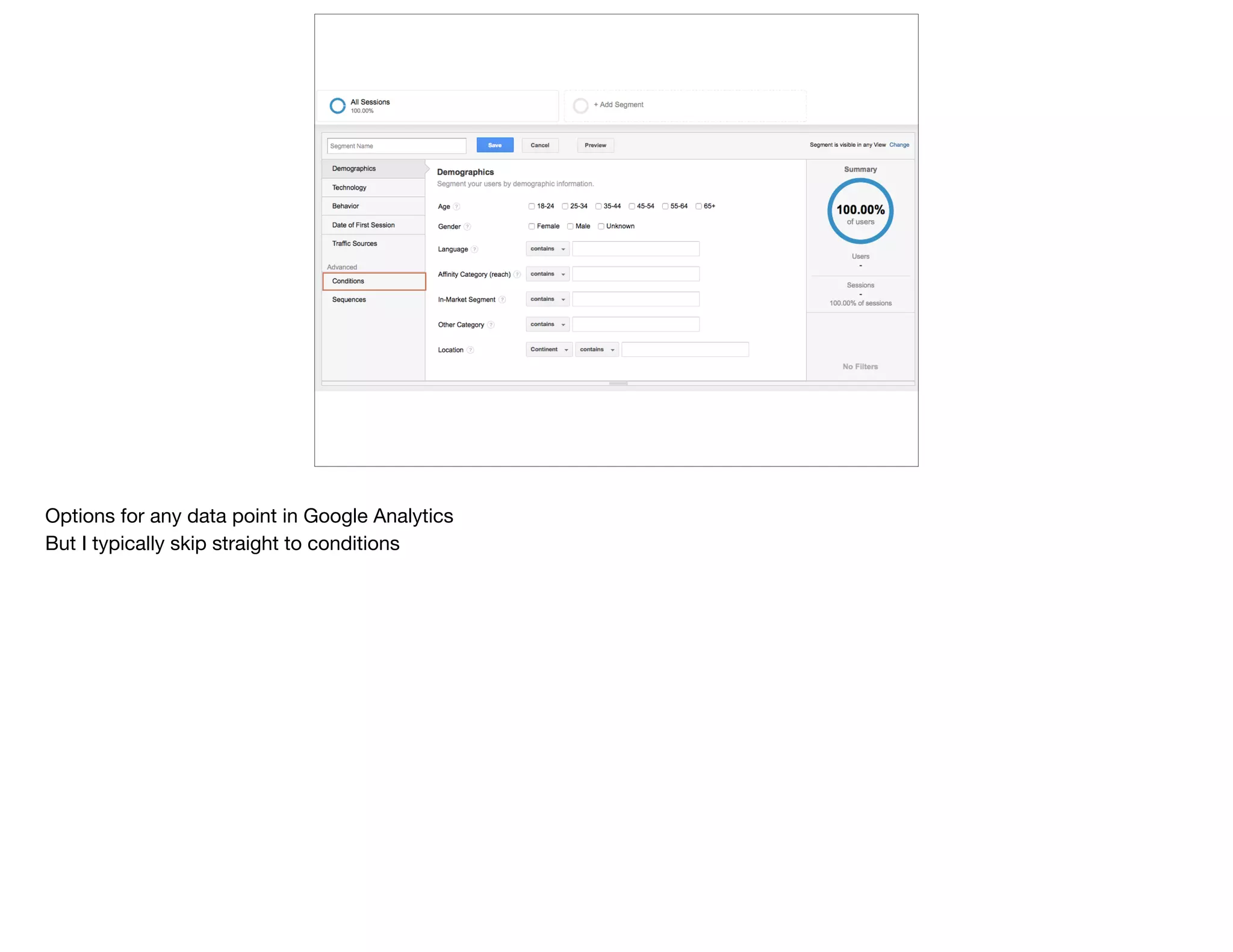
Options for any data point in Google Analytics

But I typically skip straight to conditions
Define any single or set of conditions

So this segment would be only those sessions that included a PDF download

Can also set up ordered sequences: you came from social media, and then you shared a blog post
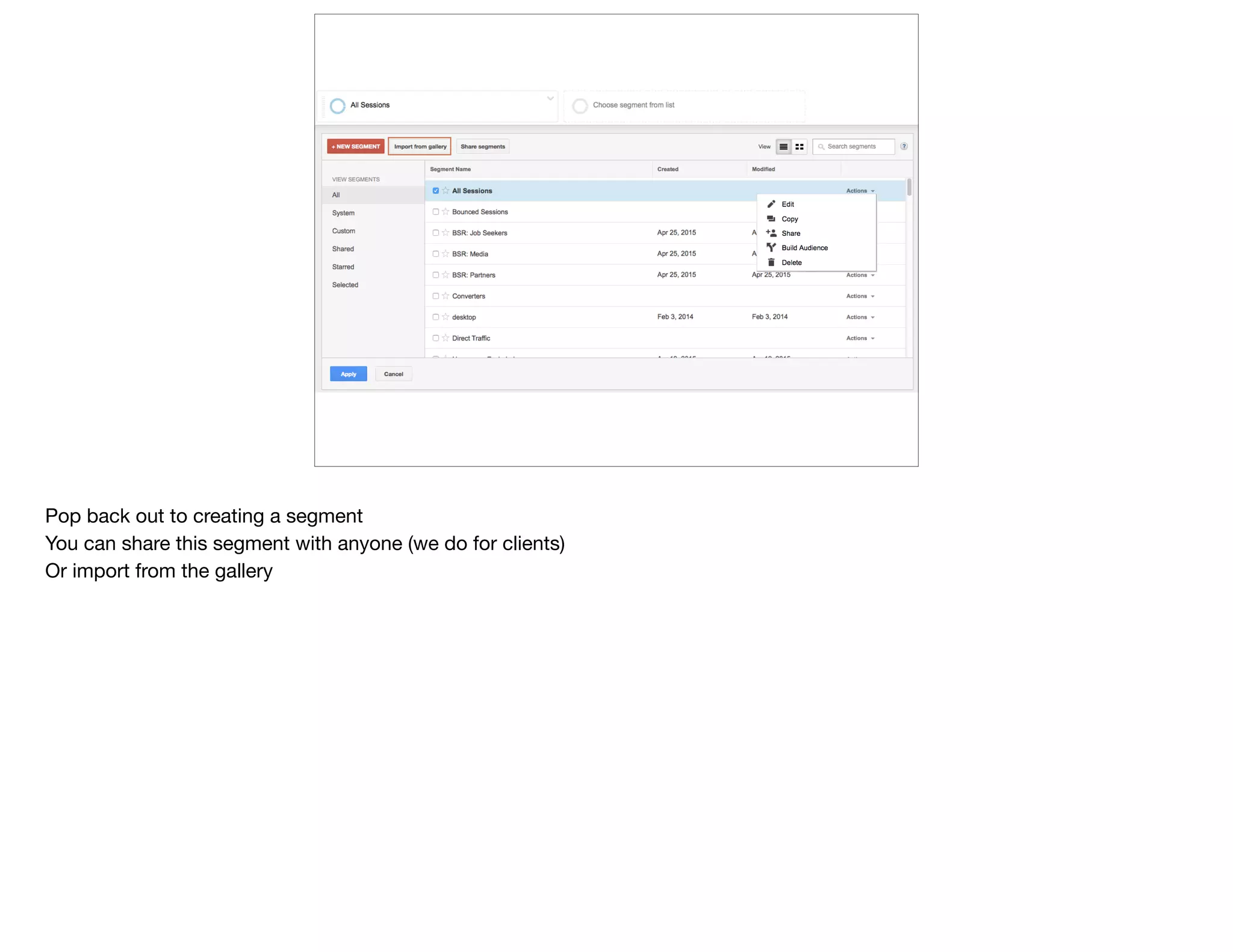
Pop back out to creating a segment

You can share this segment with anyone (we do for clients)

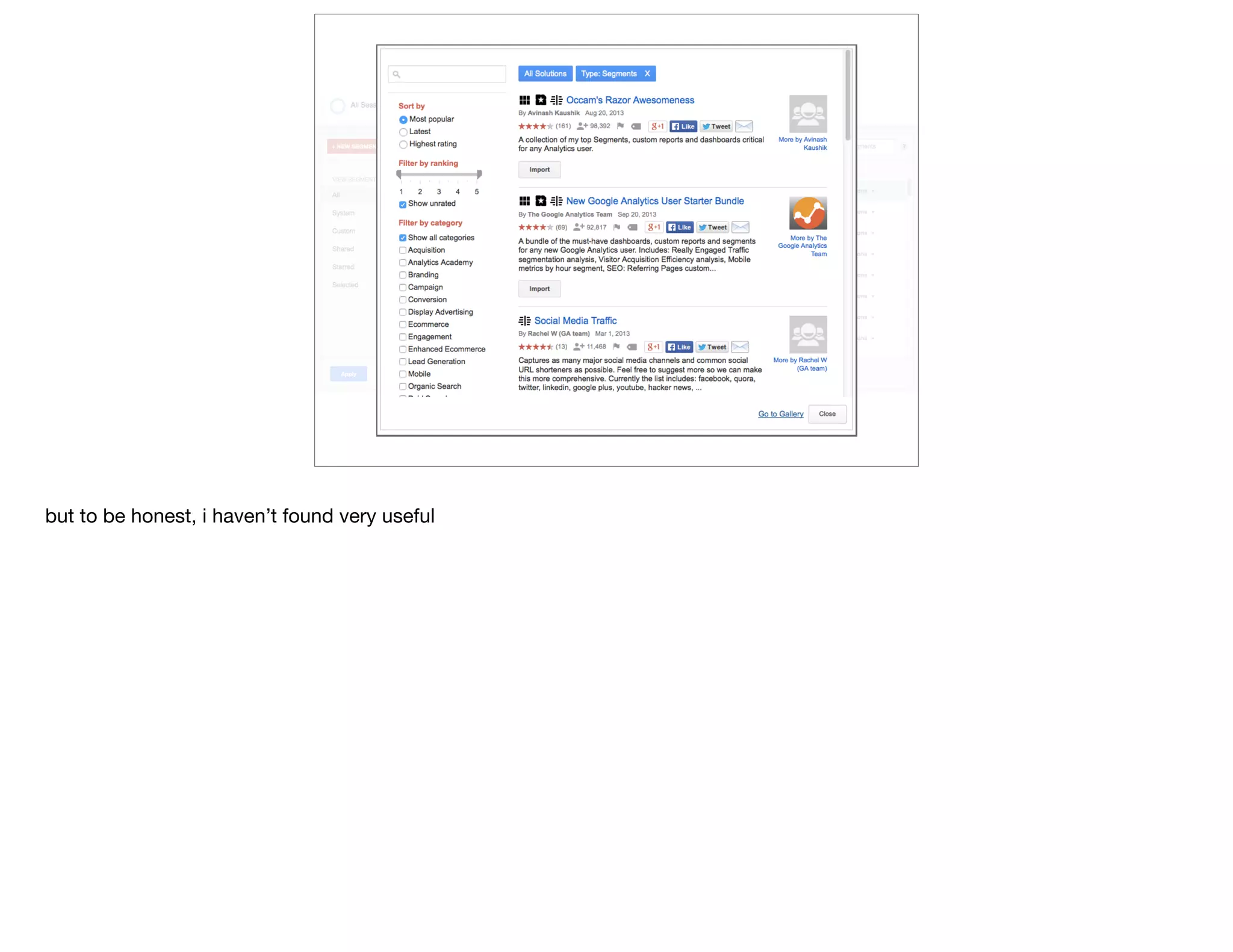
Or import from the gallery
but to be honest, i haven’t found very useful
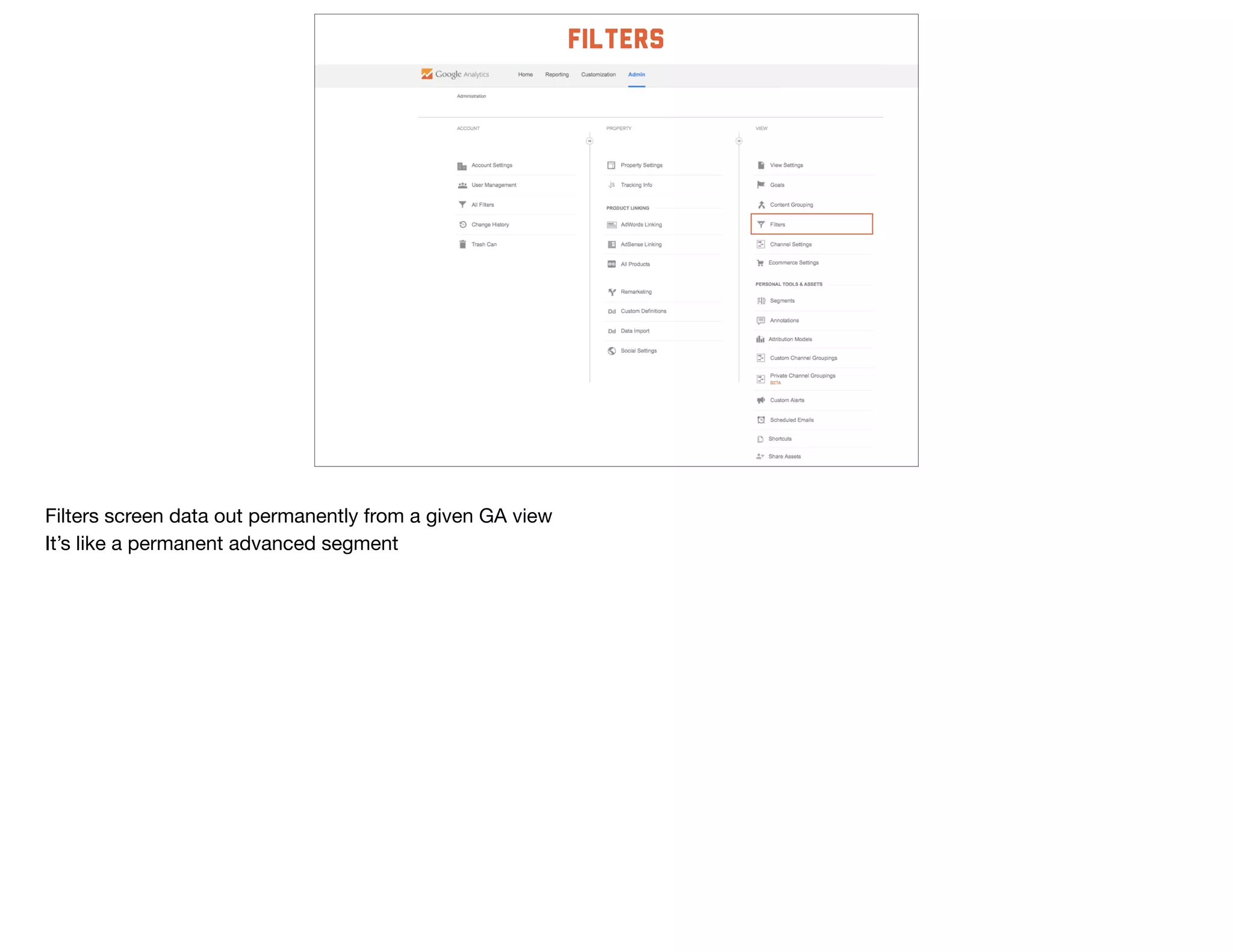
filters
Filters screen data out permanently from a given GA view

It’s like a permanent advanced segment
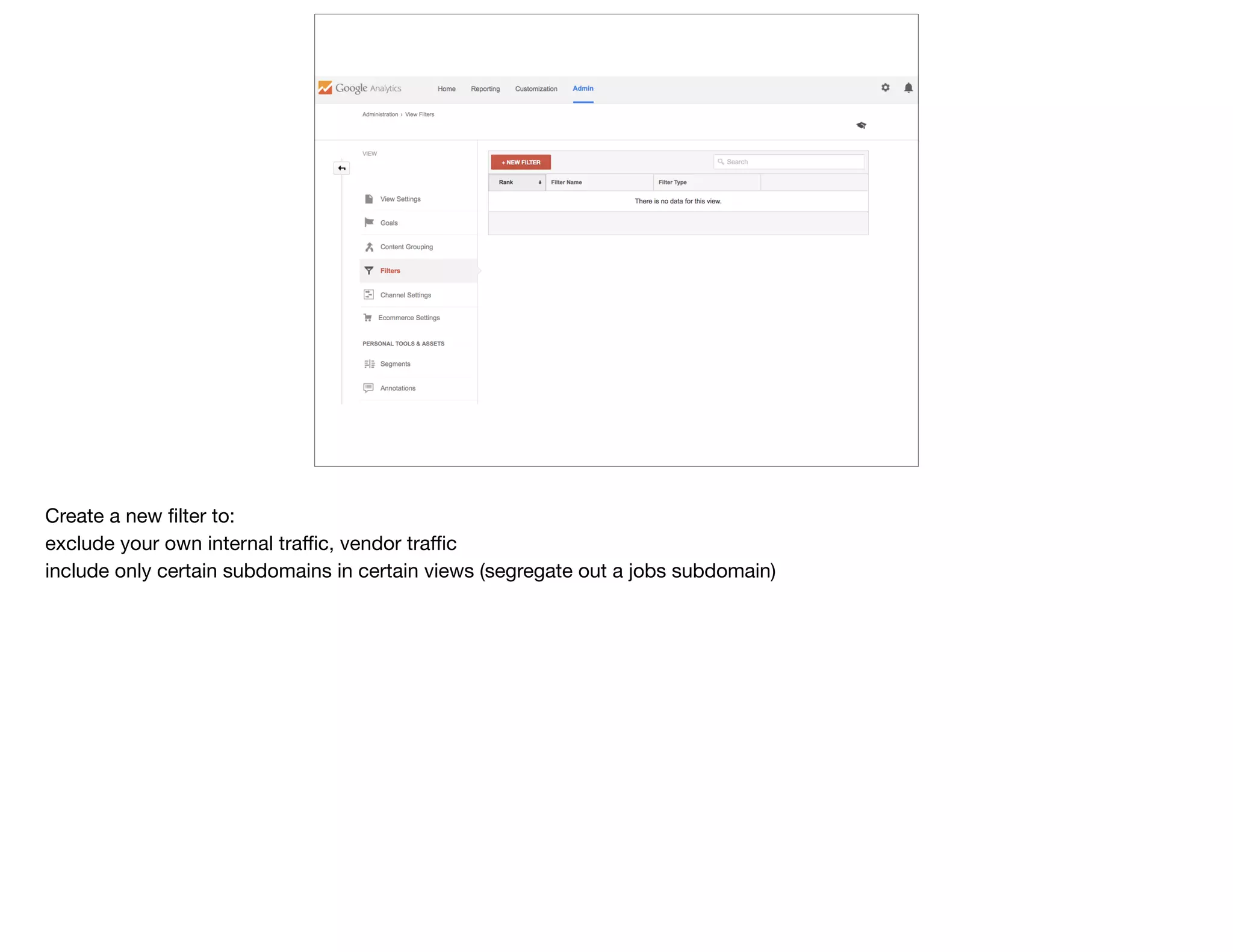
Create a new filter to:

exclude your own internal traffic, vendor traffic

include only certain subdomains in certain views (segregate out a jobs subdomain)
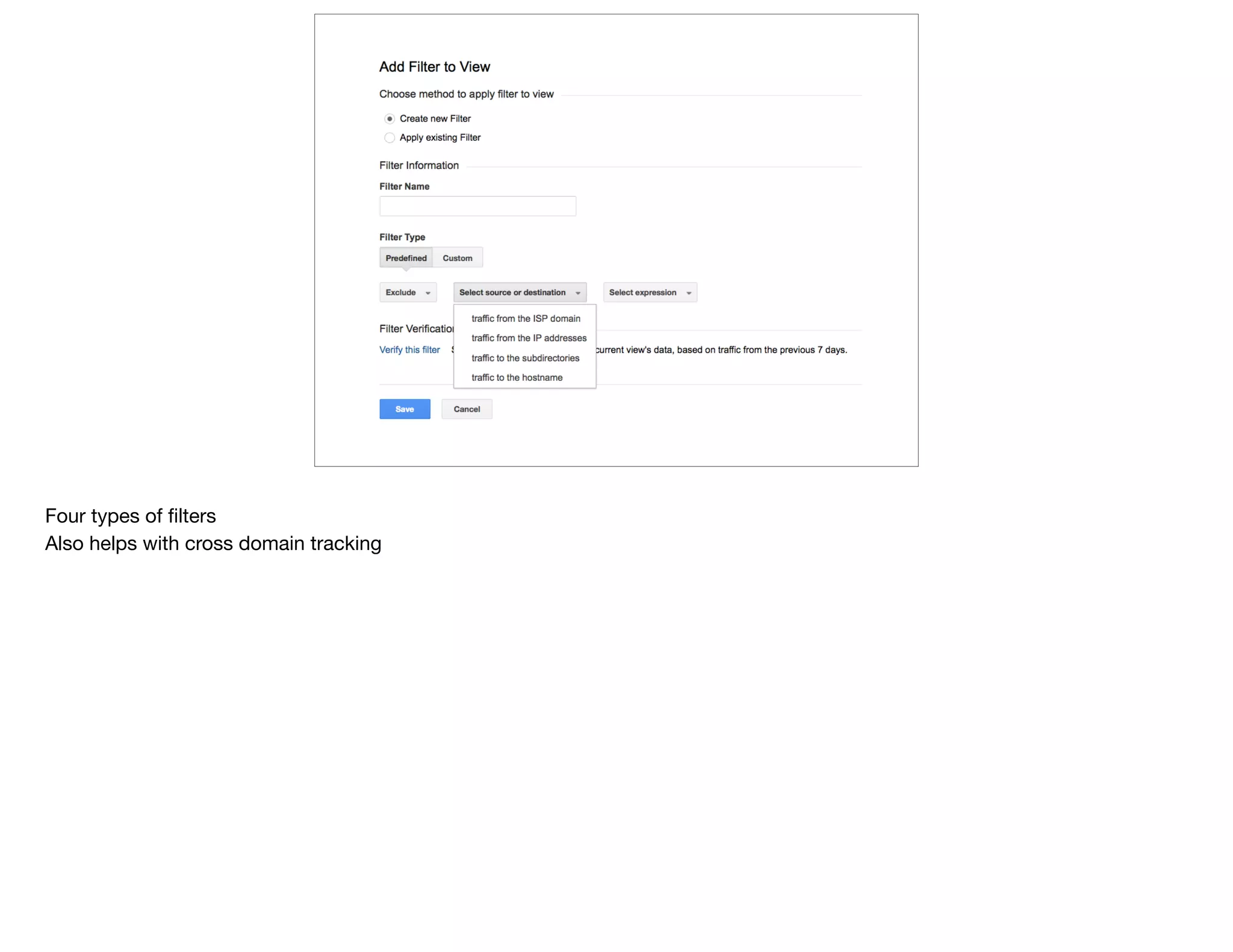
Four types of filters

Also helps with cross domain tracking
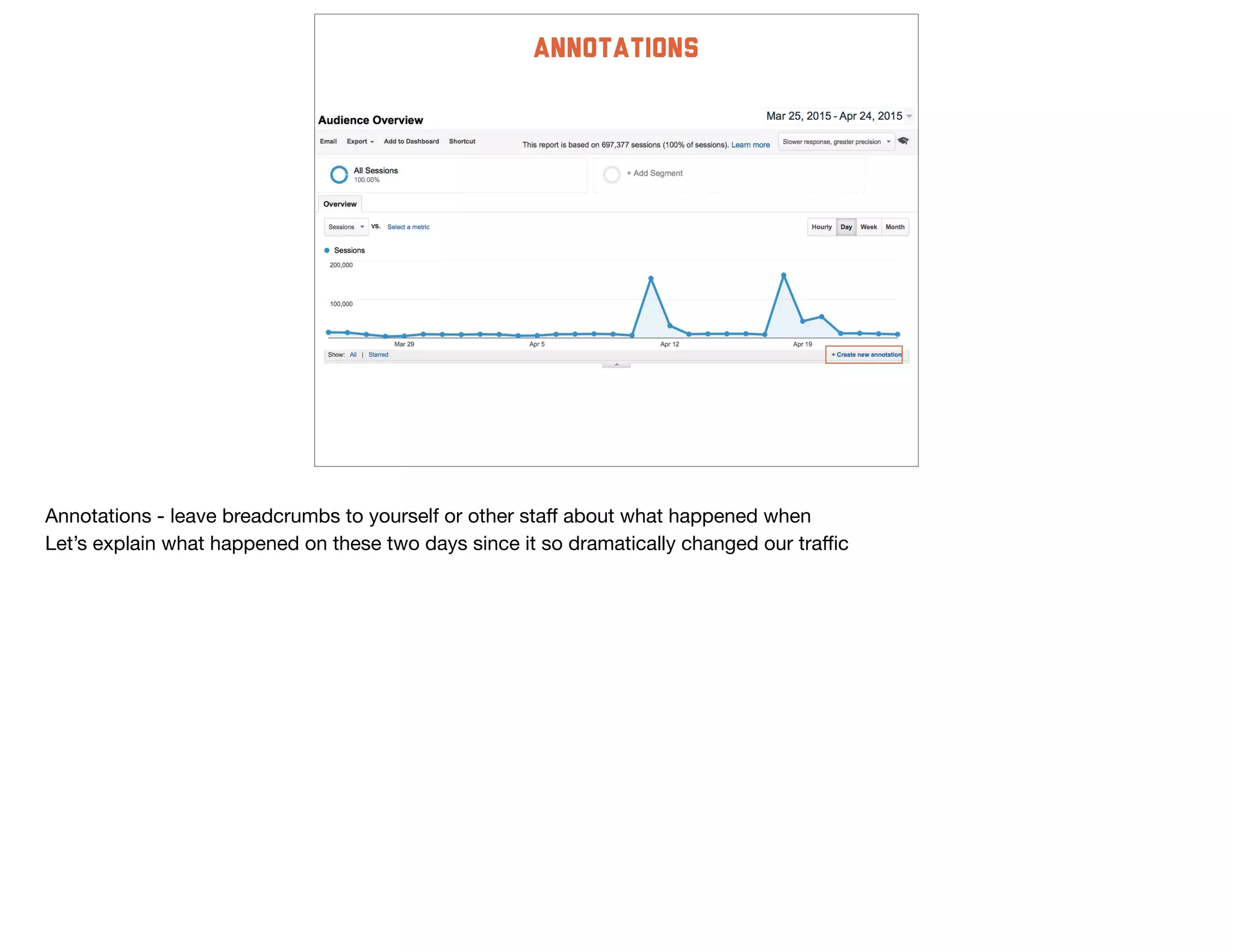
Annotations
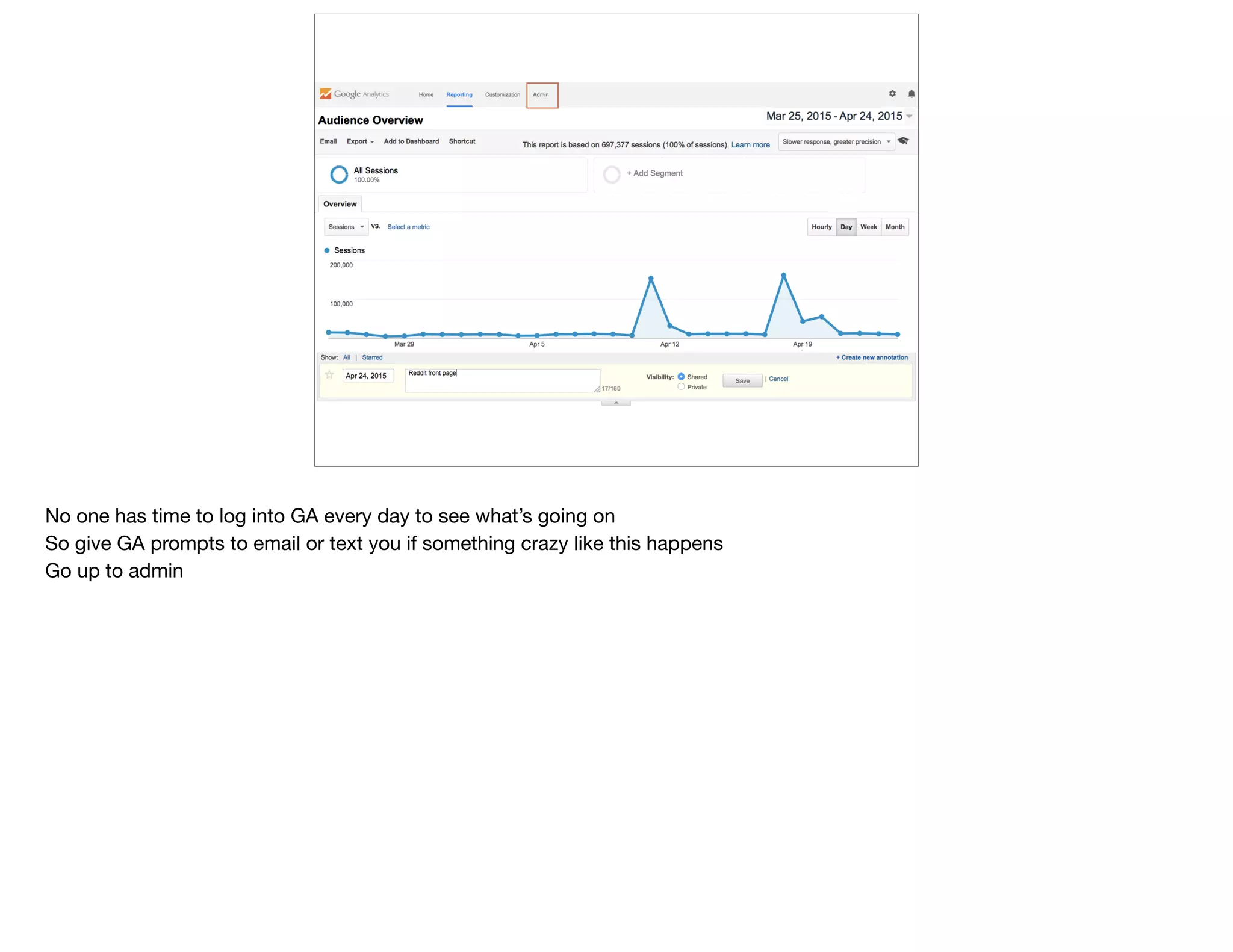
Annotations - leave breadcrumbs to yourself or other staff about what happened when

Let’s explain what happened on these two days since it so dramatically changed our traffic
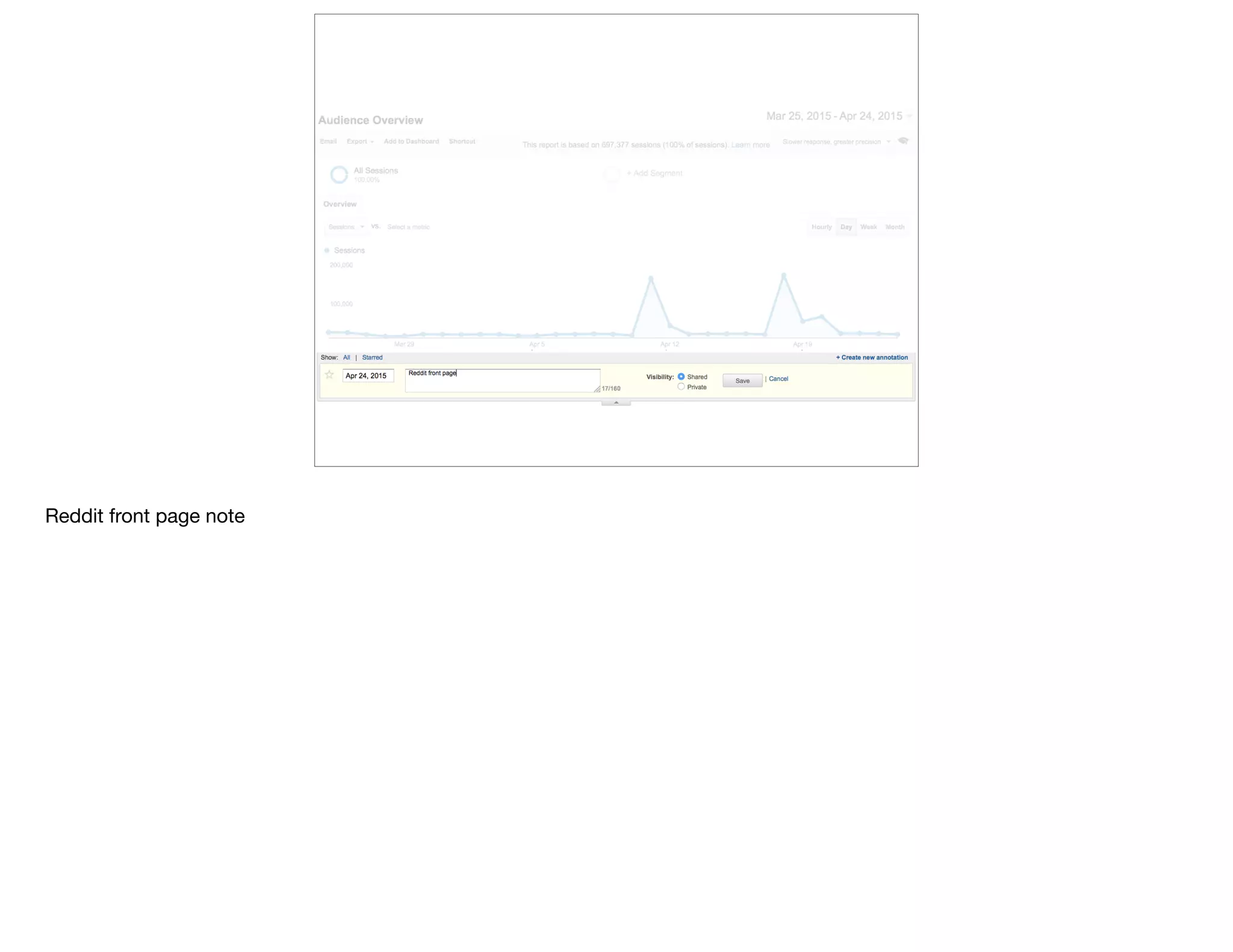
Reddit front page note
No one has time to log into GA every day to see what’s going on

So give GA prompts to email or text you if something crazy like this happens

Go up to admin
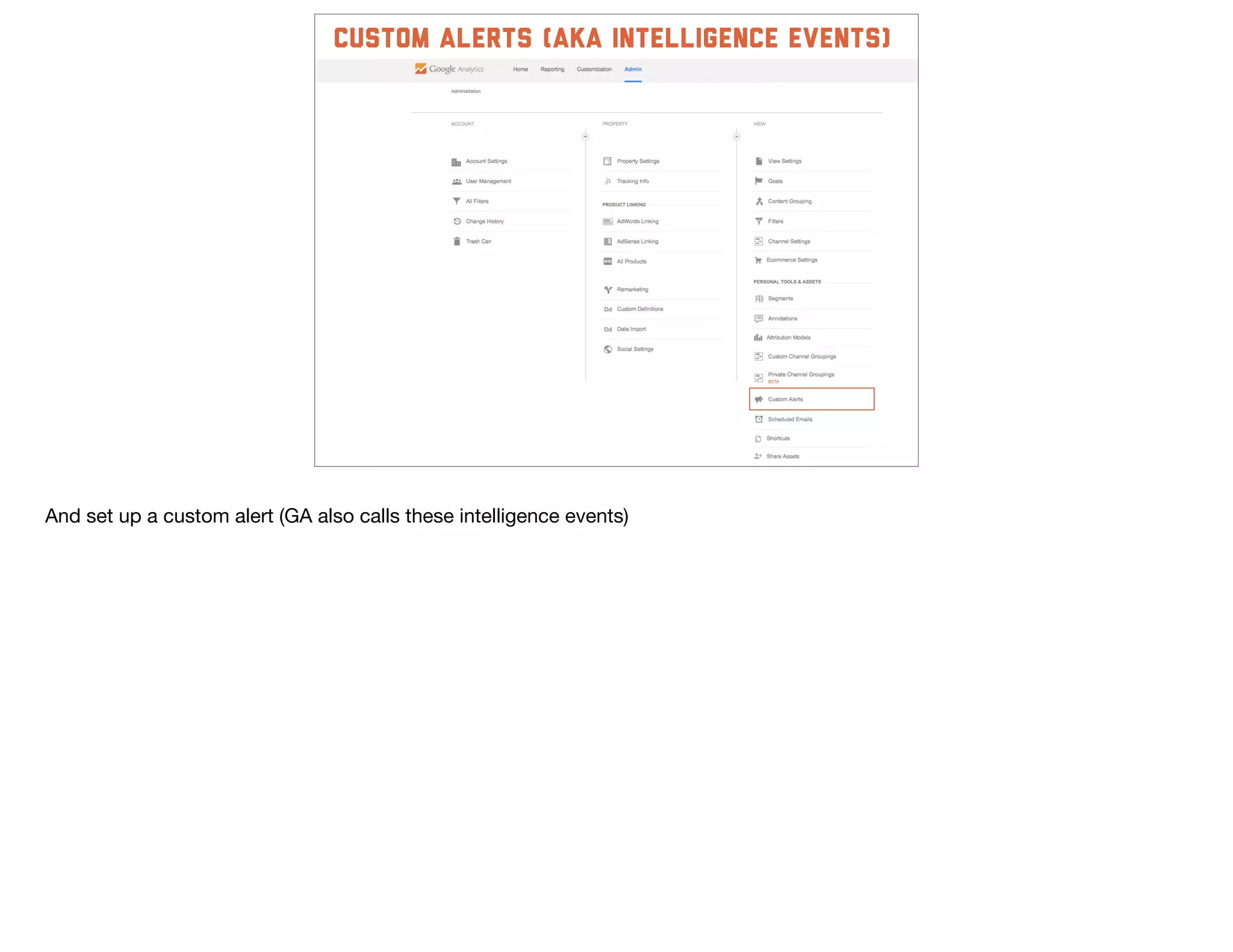
custom alerts (aka intelligence events)
And set up a custom alert (GA also calls these intelligence events)
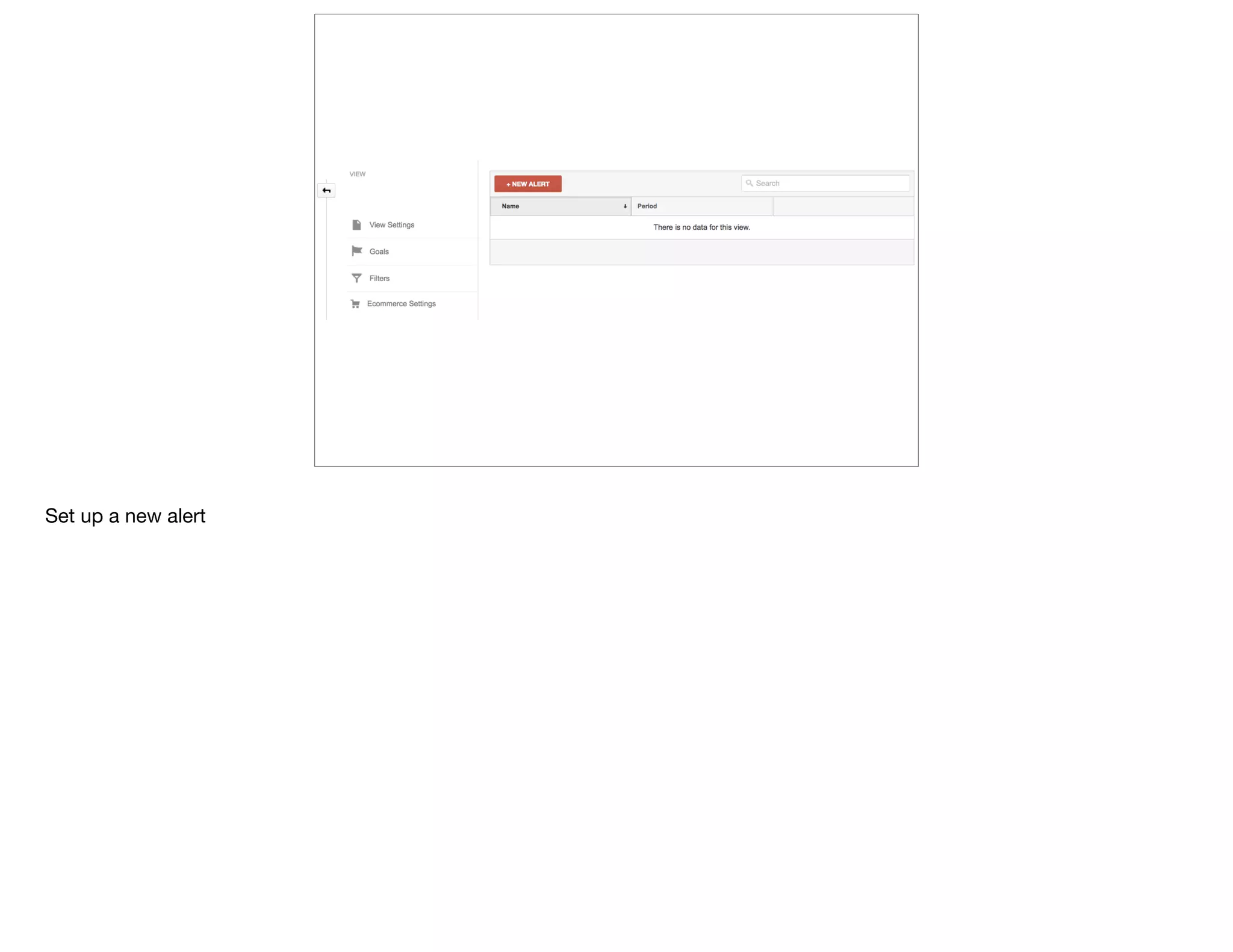
Set up a new alert
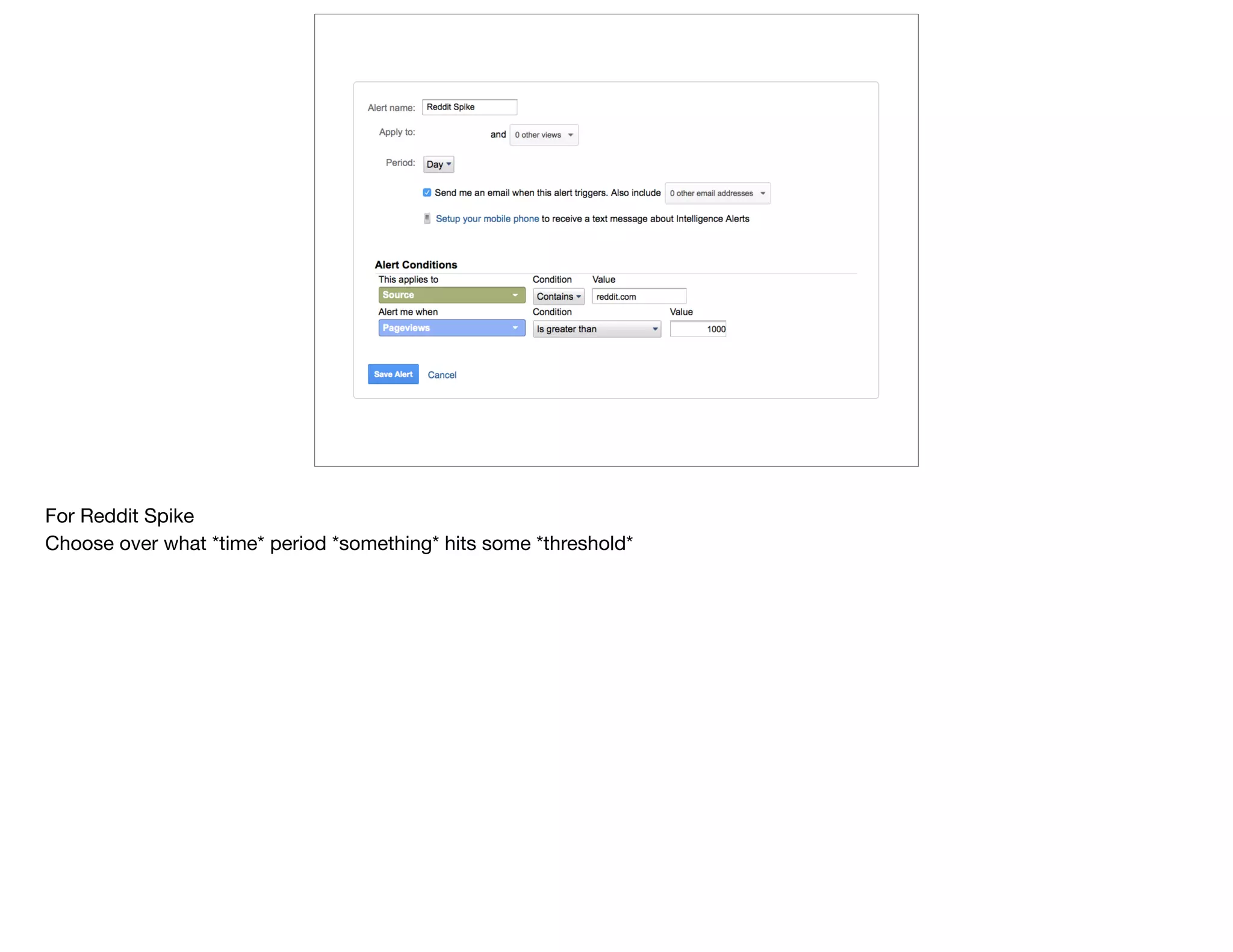
For Reddit Spike

Choose over what *time* period *something* hits some *threshold*
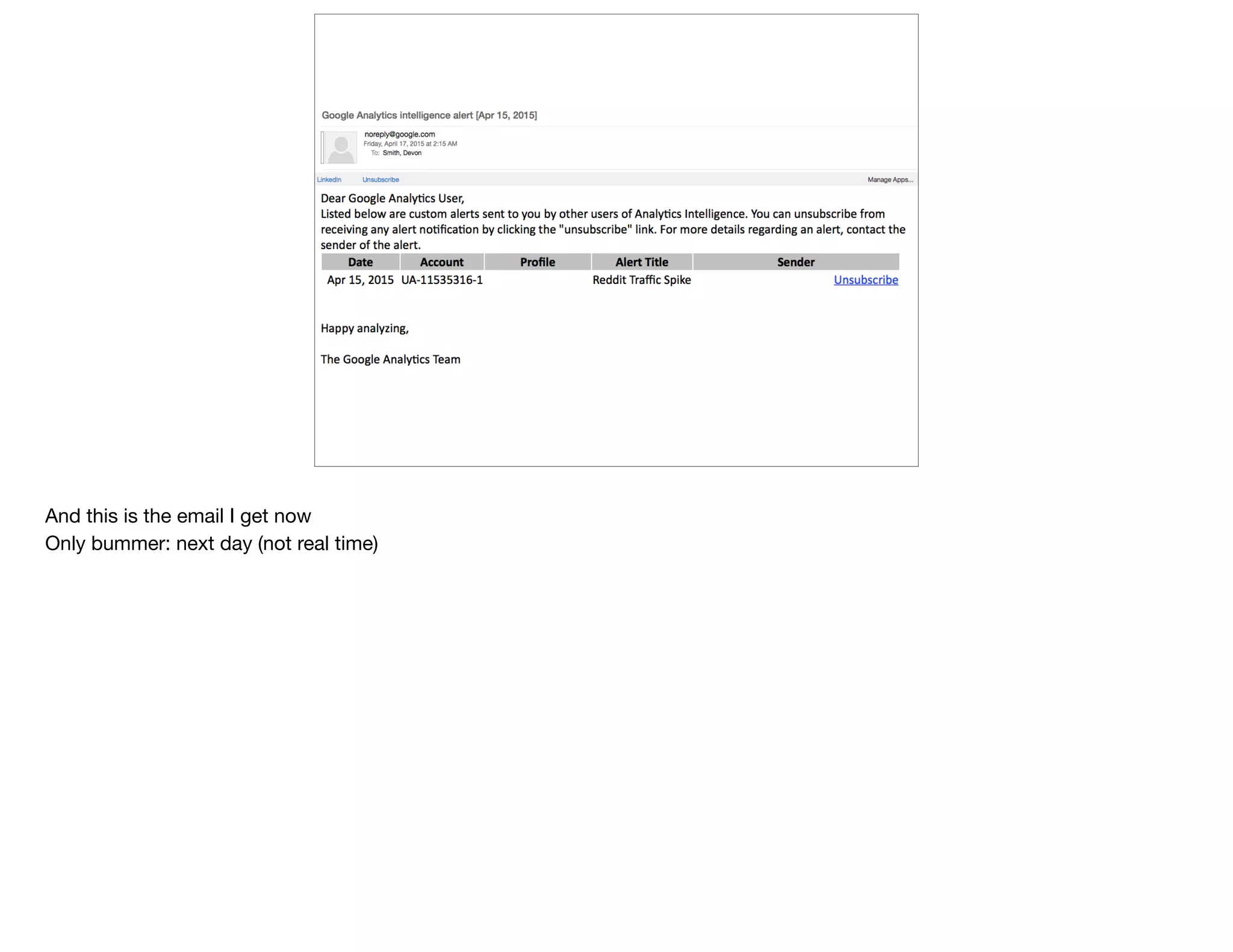
And this is the email I get now

Only bummer: next day (not real time)
shortcuts
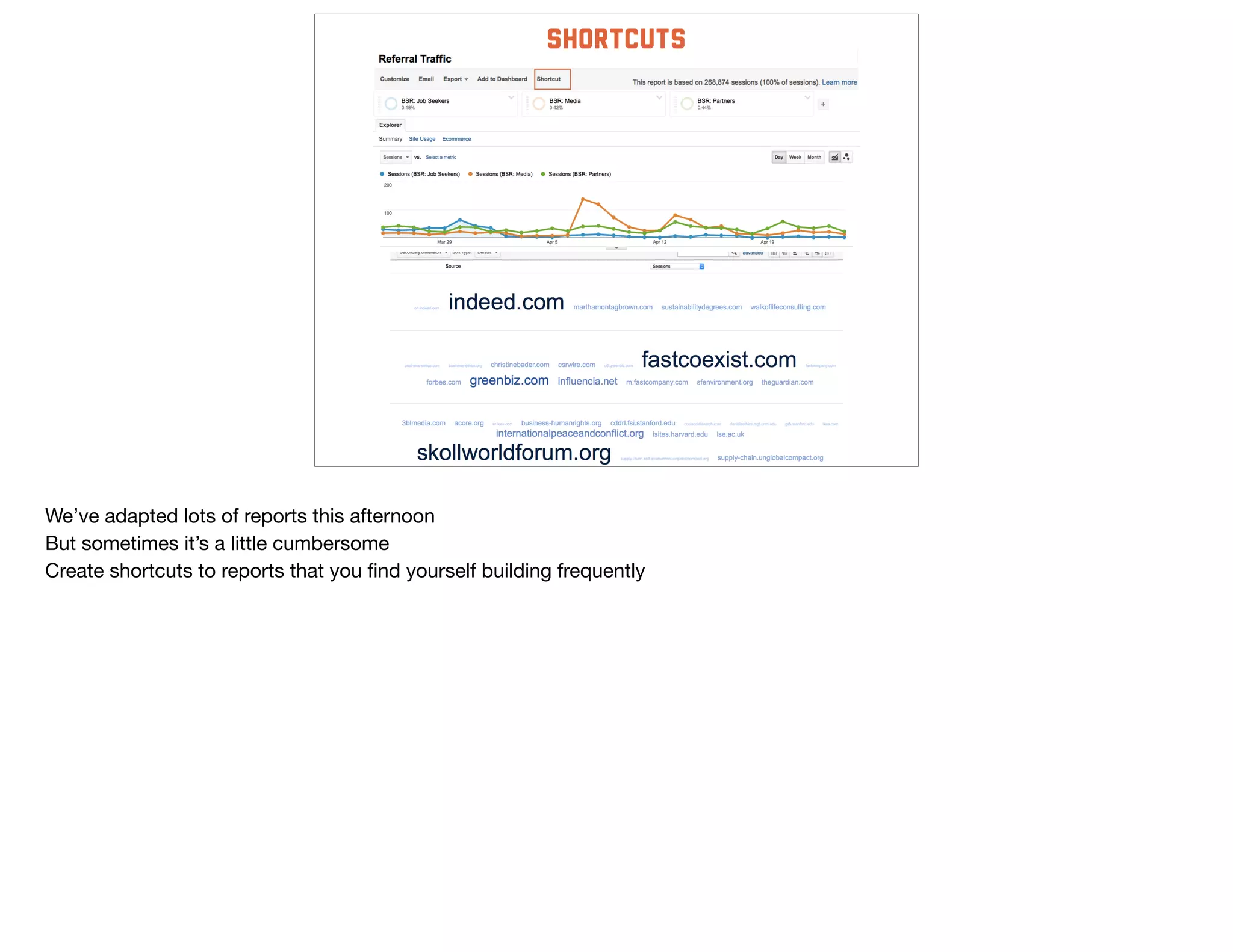
We’ve adapted lots of reports this afternoon

But sometimes it’s a little cumbersome

Create shortcuts to reports that you find yourself building frequently
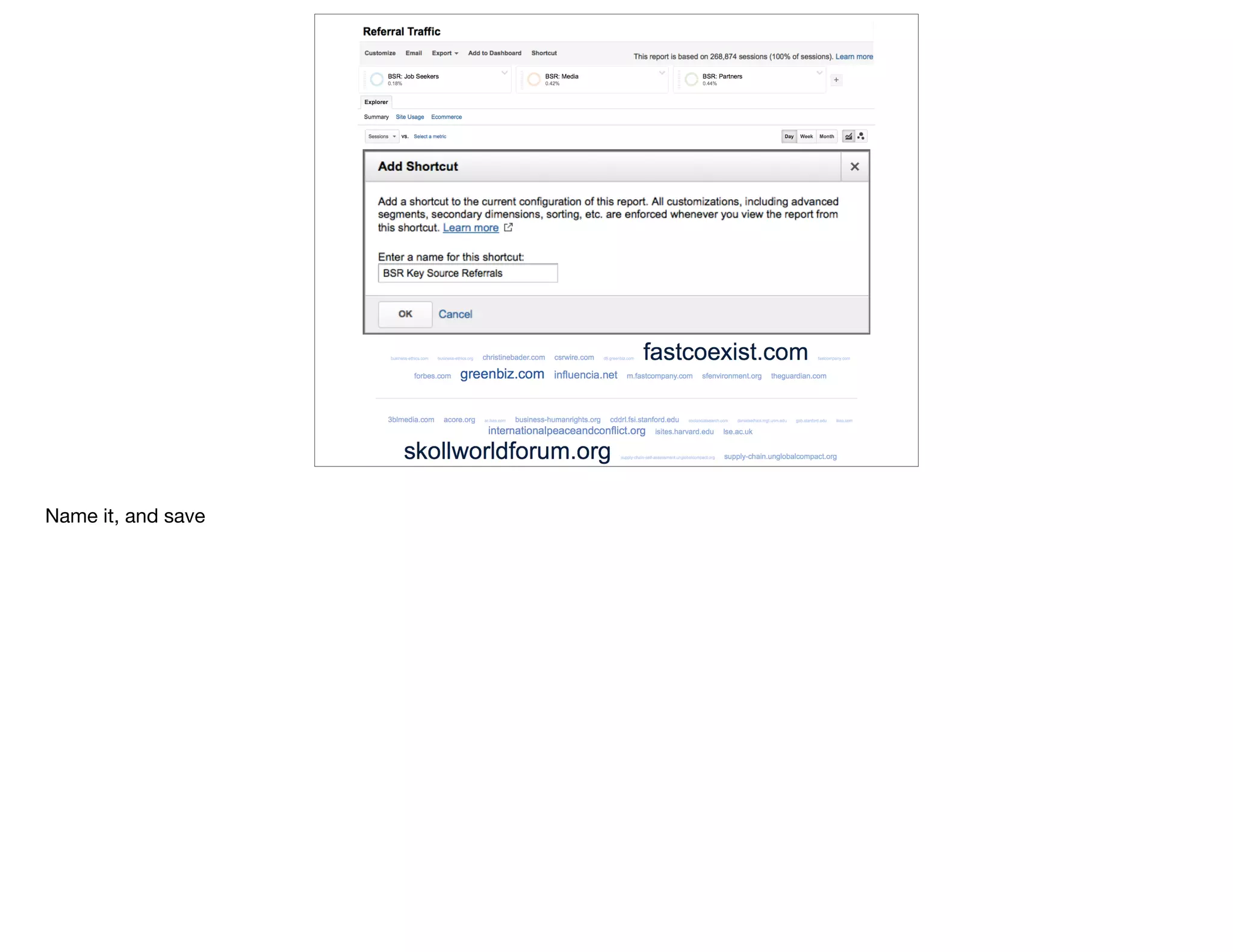
Name it, and save
@devonvsmith
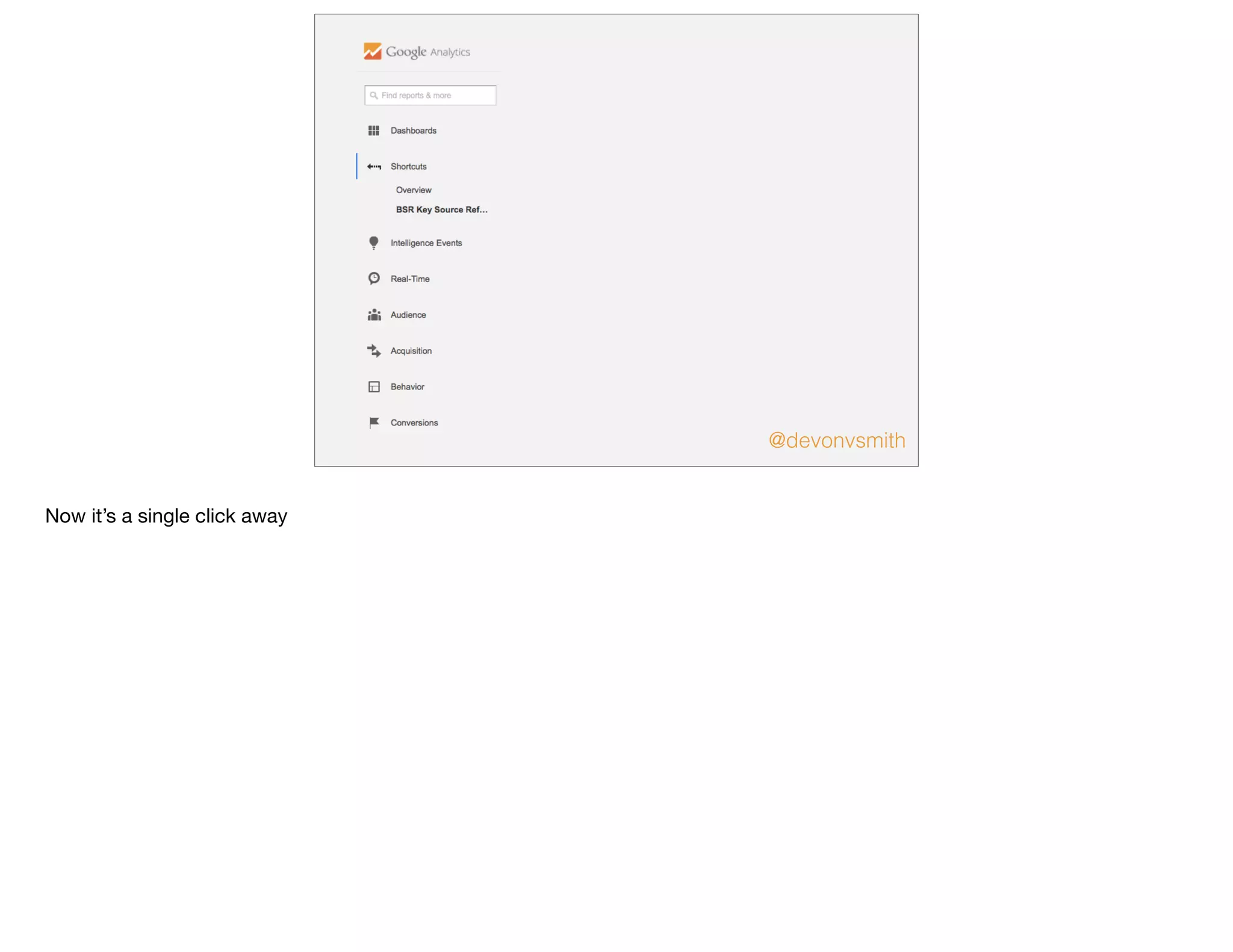
Now it’s a single click away
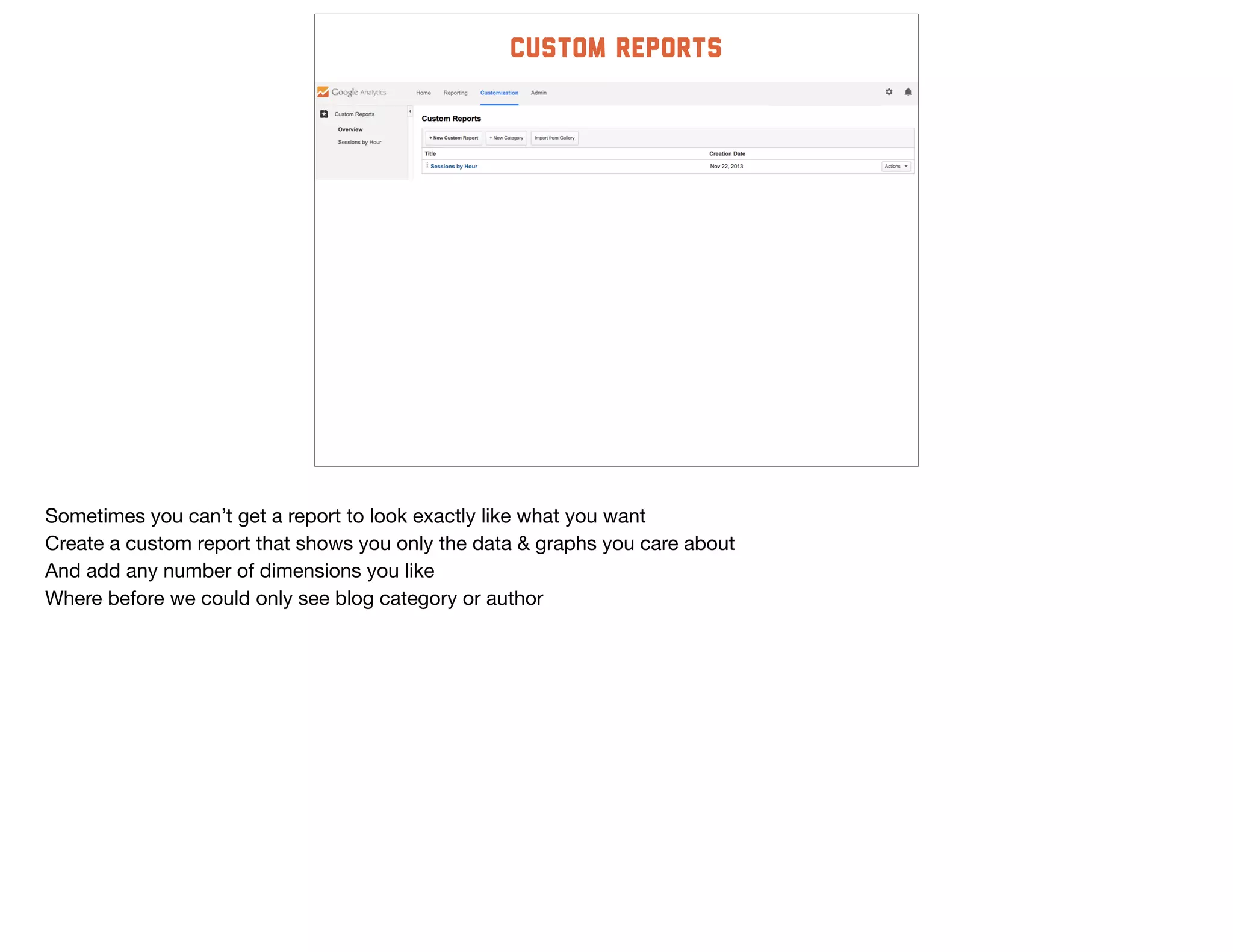
custom reports
Sometimes you can’t get a report to look exactly like what you want

Create a custom report that shows you only the data & graphs you care about

And add any number of dimensions you like

Where before we could only see blog category or author
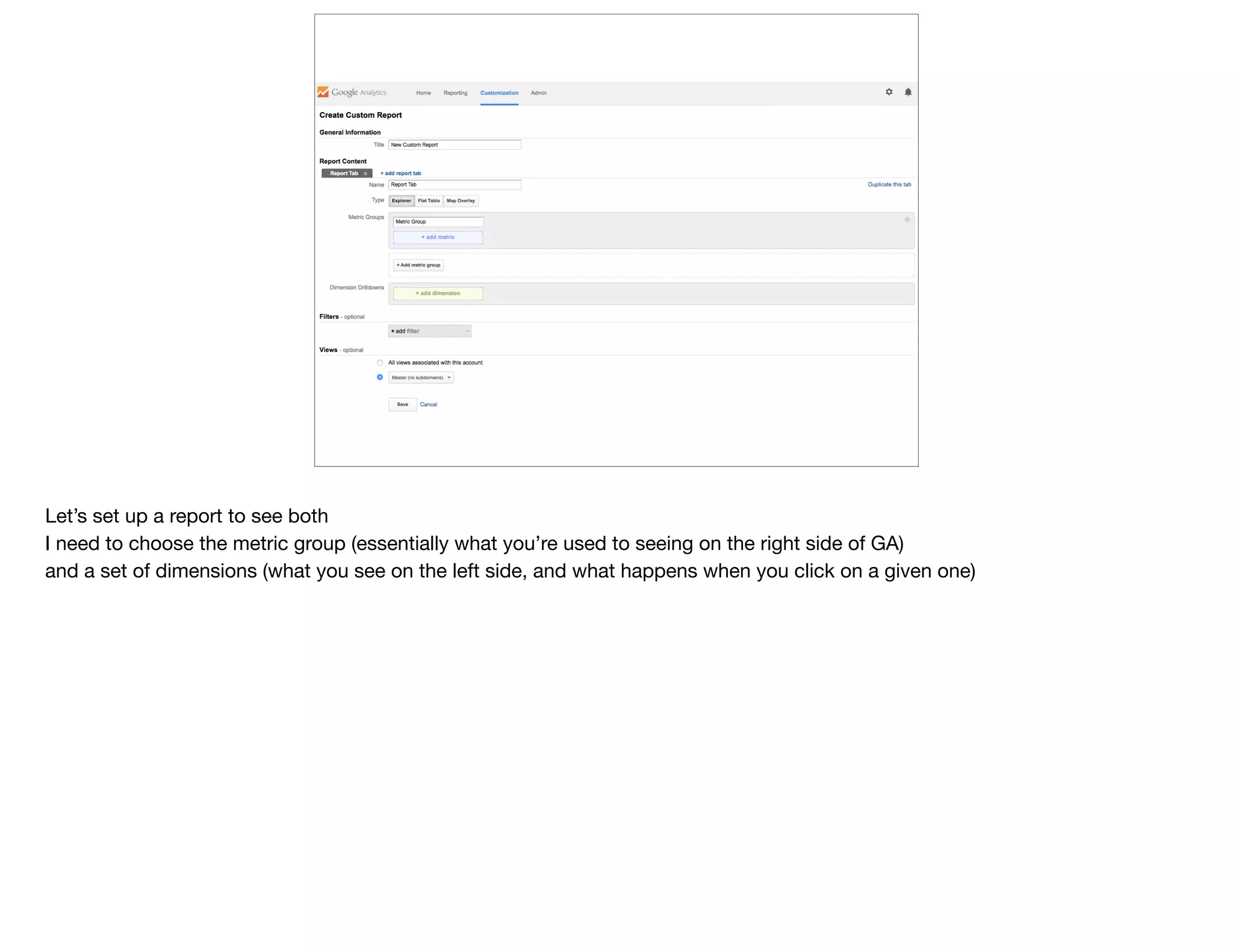
Let’s set up a report to see both

I need to choose the metric group (essentially what you’re used to seeing on the right side of GA)

and a set of dimensions (what you see on the left side, and what happens when you click on a given one)
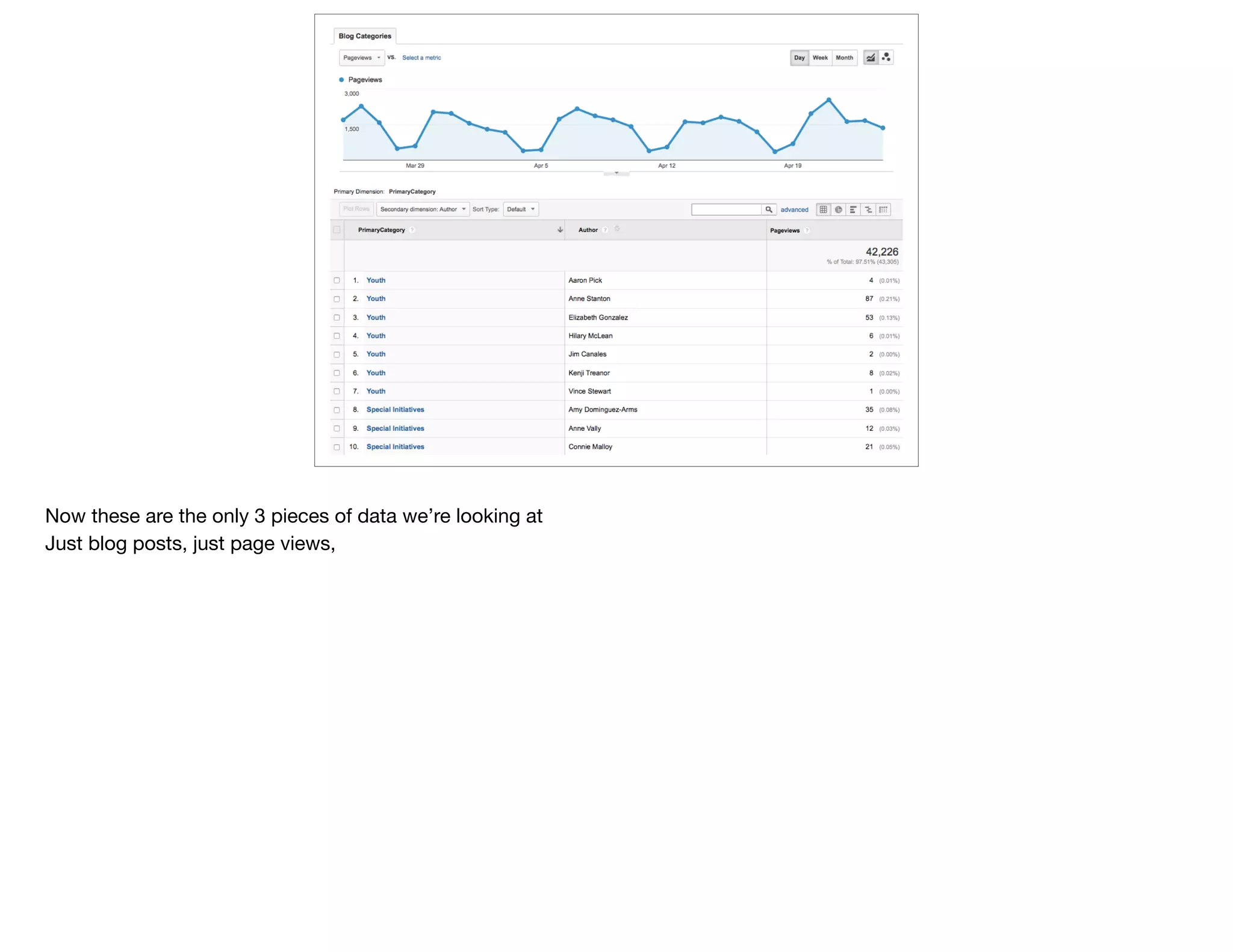
Now these are the only 3 pieces of data we’re looking at

Just blog posts, just page views,
beyond
google
Analytics
@devonvsmith
Thanks!
@devonvsmith
slideshare.net/devonvsmith
Foundations: Irvine, Barr, Knight, Pew Trusts, Cystic Fibrosis Foundation

Nonprofits: Planned Parenthood, Business for Social Responsibility, Ford’s Theatre, Smithsonian, UNICEF
even
more
data
@devonvsmith
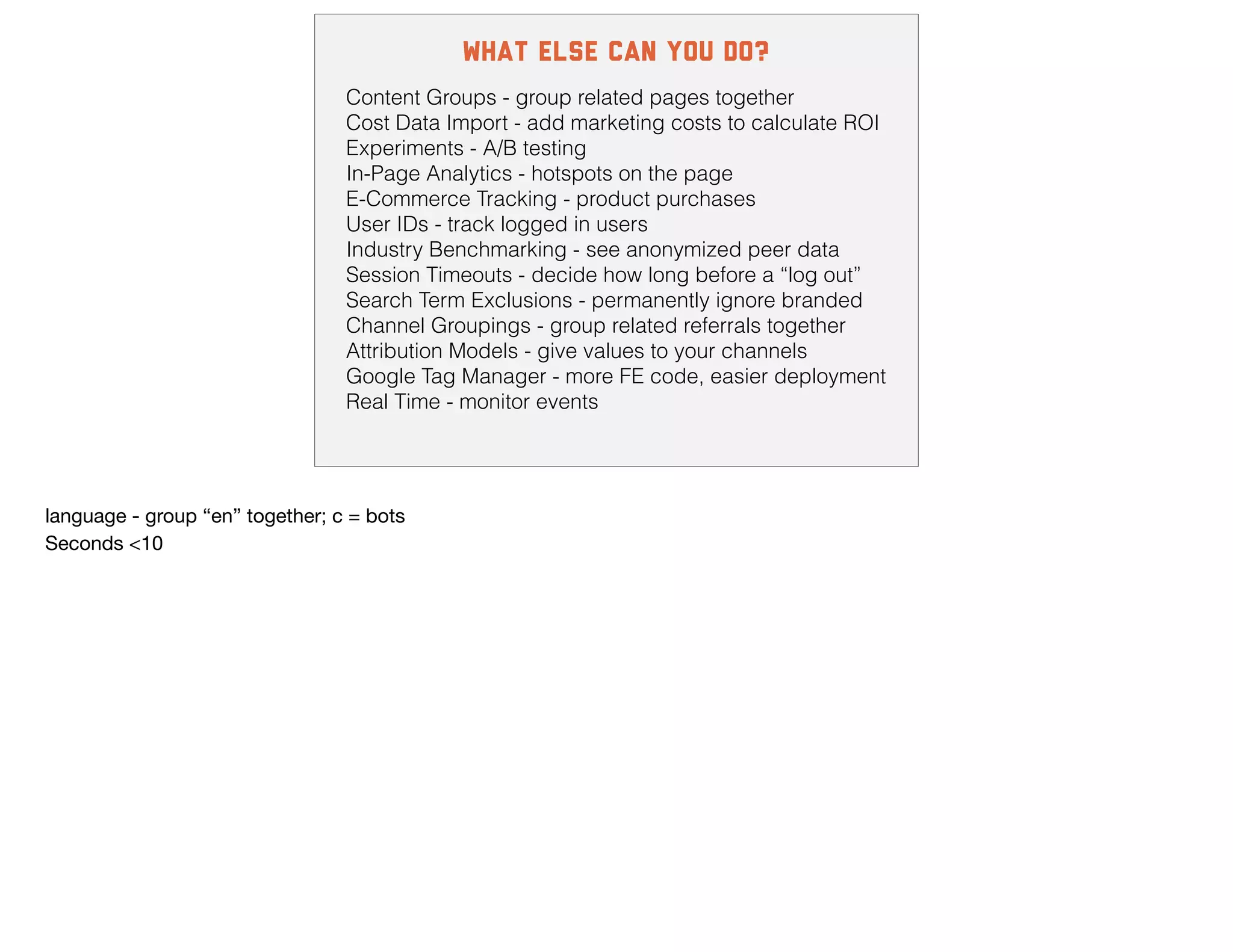
what else can you do?
Content Groups - group related pages together
Cost Data Import - add marketing costs to calculate ROI
Experiments - A/B testing
In-Page Analytics - hotspots on the page
E-Commerce Tracking - product purchases
User IDs - track logged in users
Industry Benchmarking - see anonymized peer data
Session Timeouts - decide how long before a “log out”
Search Term Exclusions - permanently ignore branded
Channel Groupings - group related referrals together
Attribution Models - give values to your channels
Google Tag Manager - more FE code, easier deployment
Real Time - monitor events
language - group “en” together; c = bots

Seconds <10
@devonvsmith
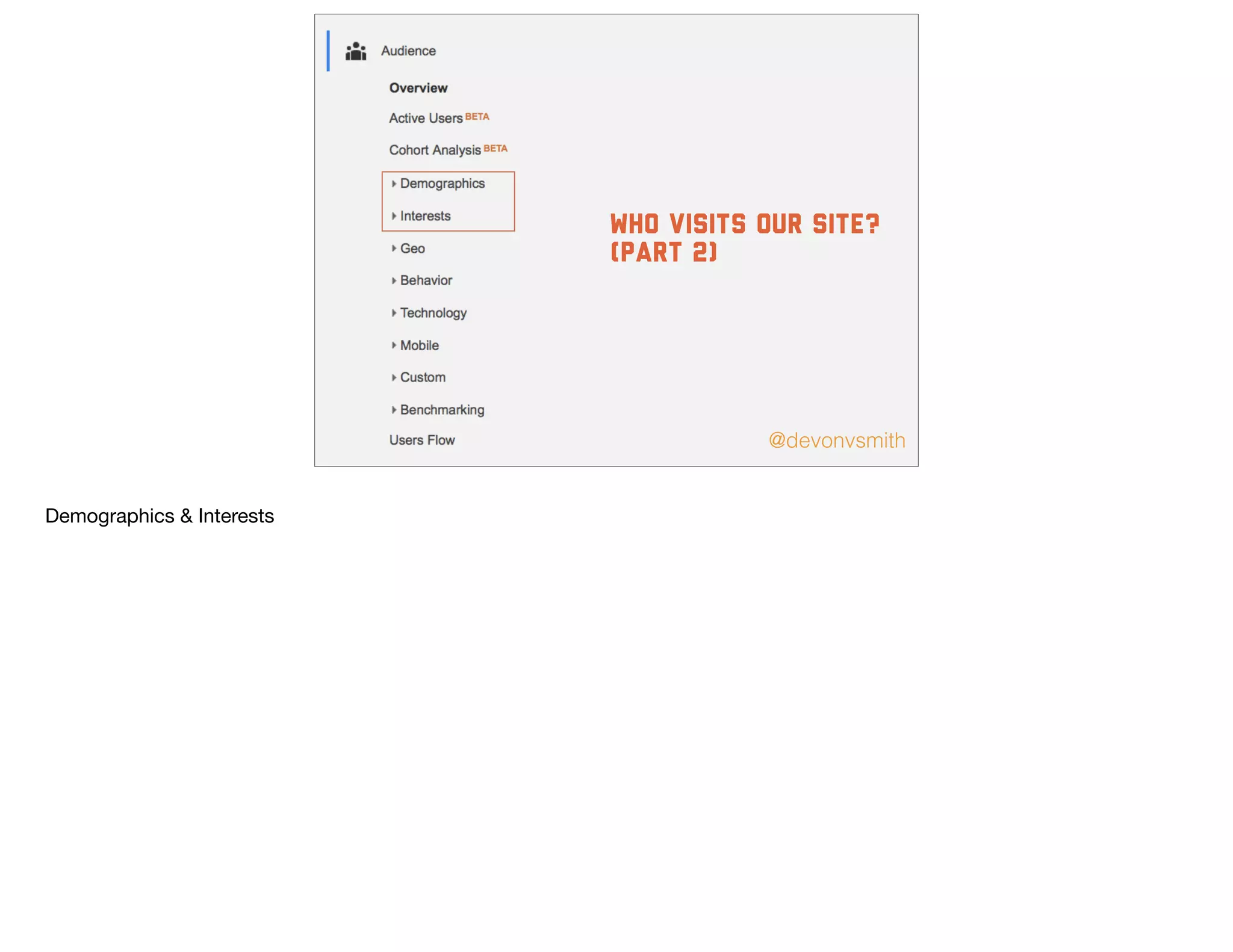
who visits our site?
(part 2)
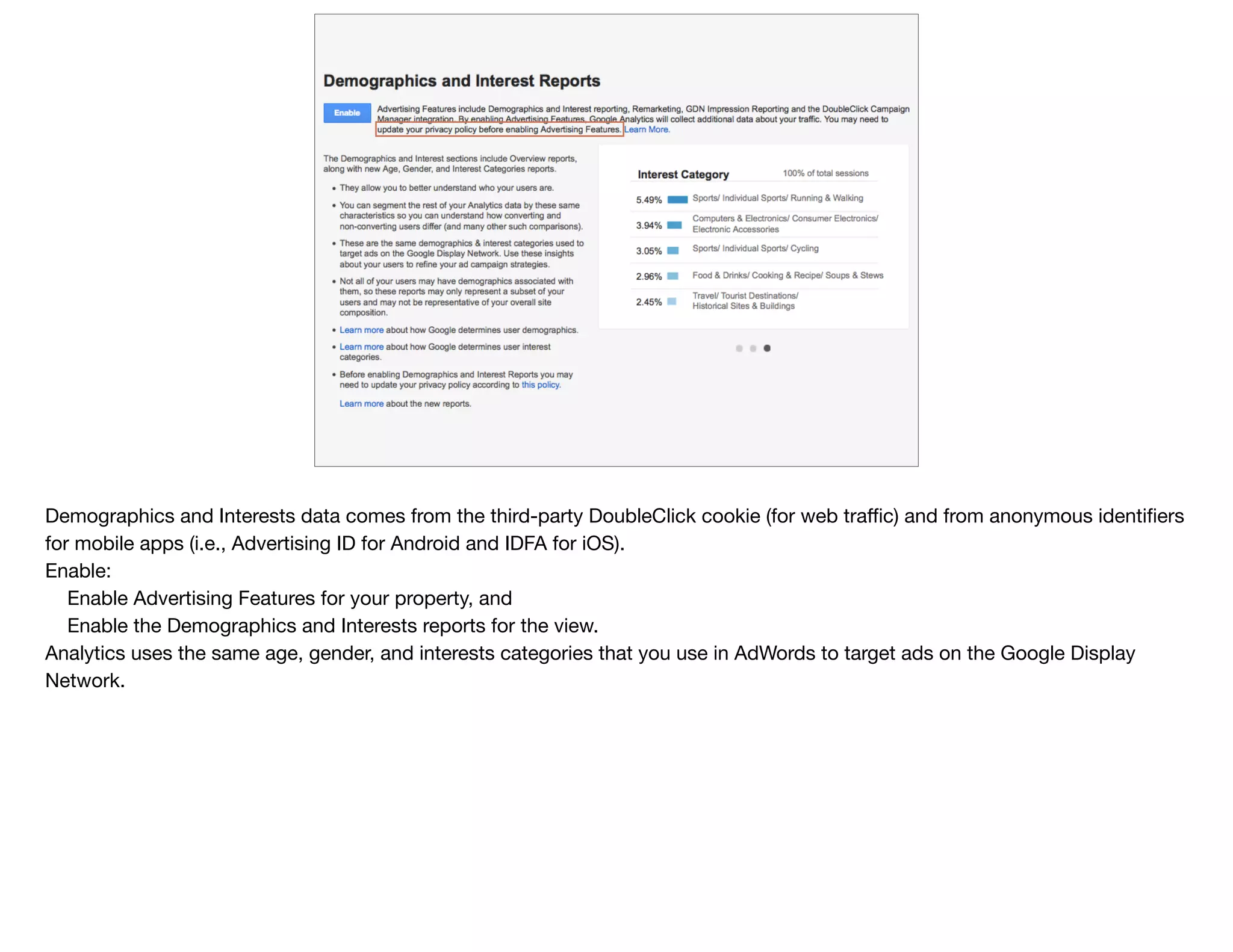
Demographics & Interests
Demographics and Interests data comes from the third-party DoubleClick cookie (for web traffic) and from anonymous identifiers
for mobile apps (i.e., Advertising ID for Android and IDFA for iOS).

Enable:

Enable Advertising Features for your property, and

Enable the Demographics and Interests reports for the view.

Analytics uses the same age, gender, and interests categories that you use in AdWords to target ads on the Google Display
Network.
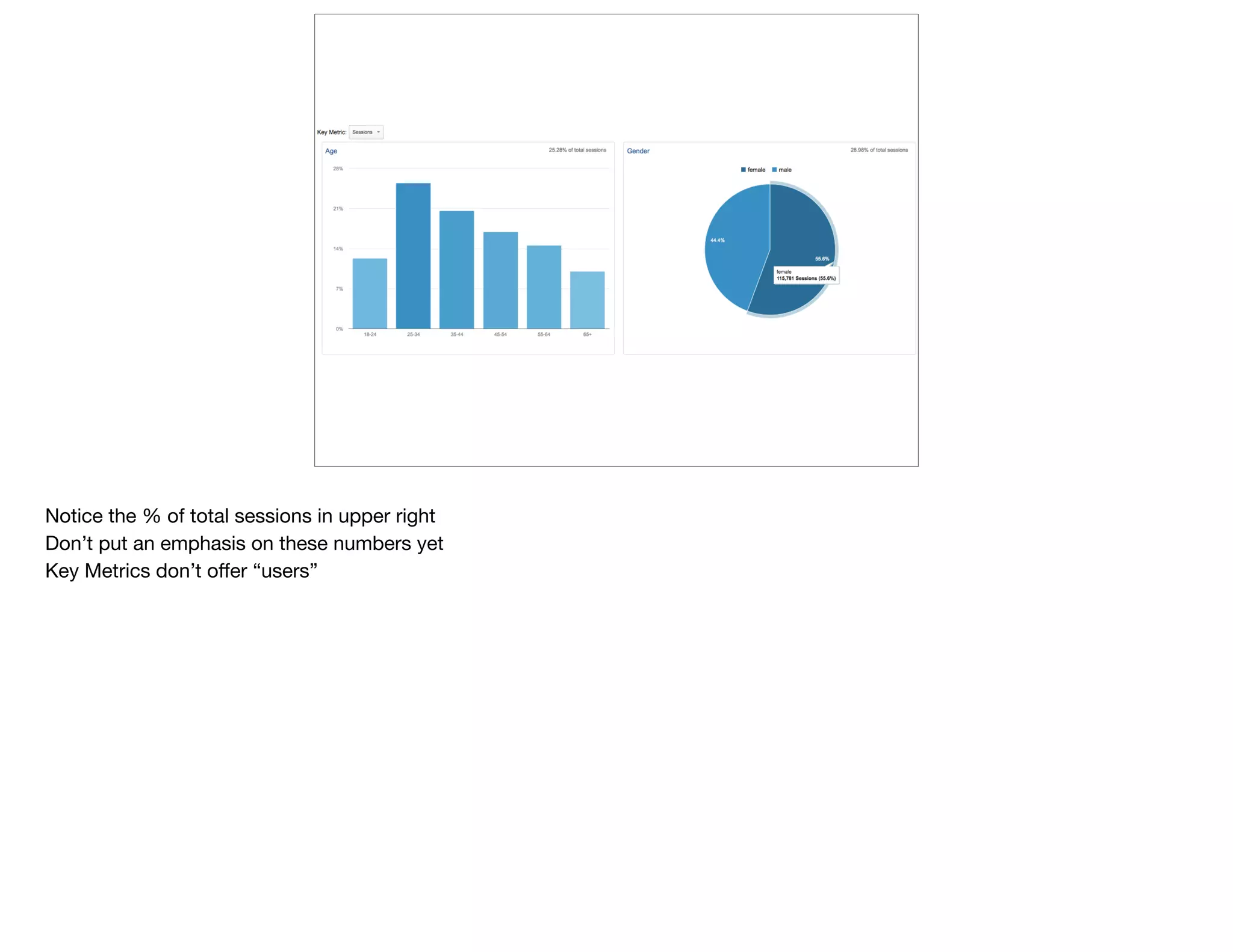
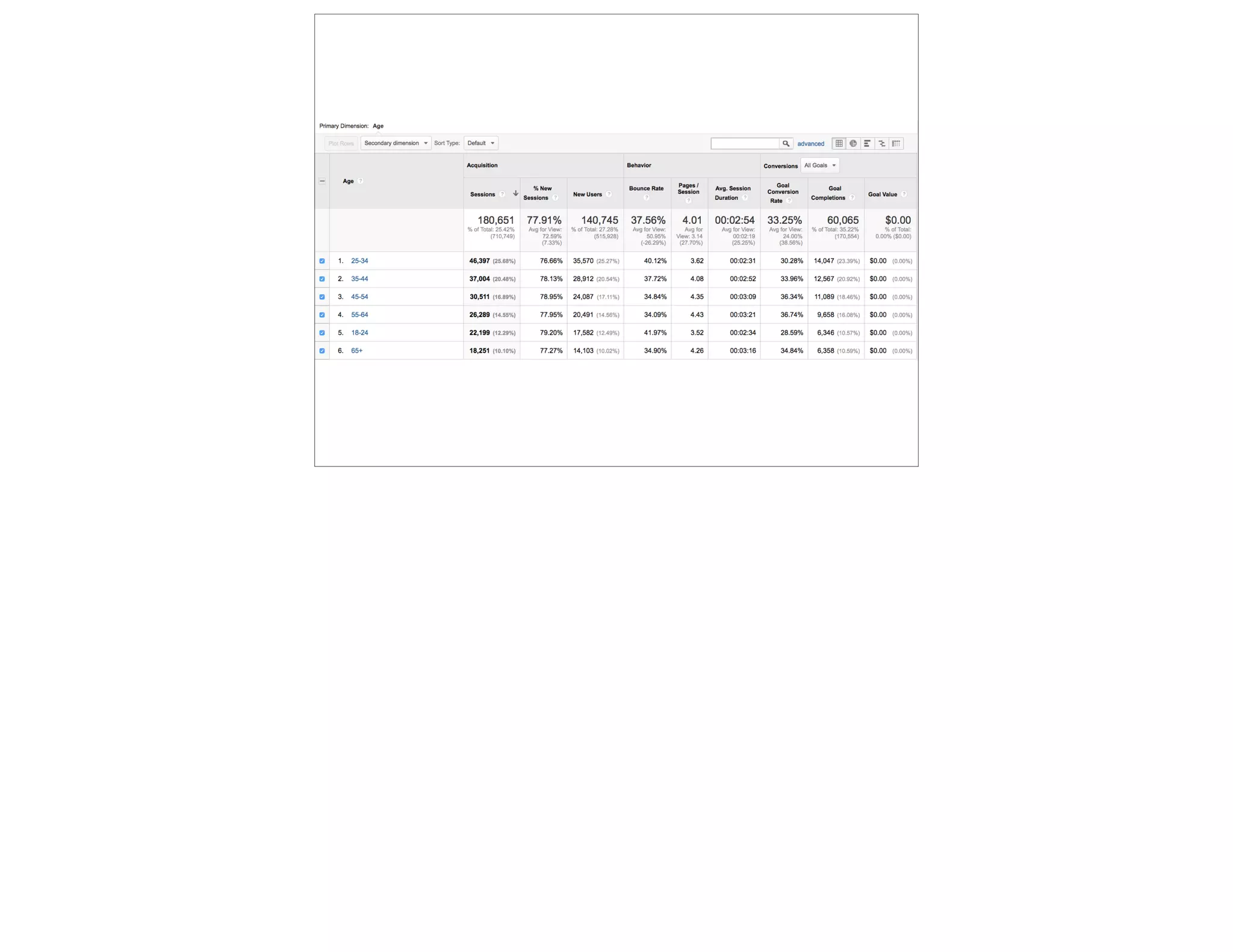
Notice the % of total sessions in upper right

Don’t put an emphasis on these numbers yet

Key Metrics don’t offer “users”
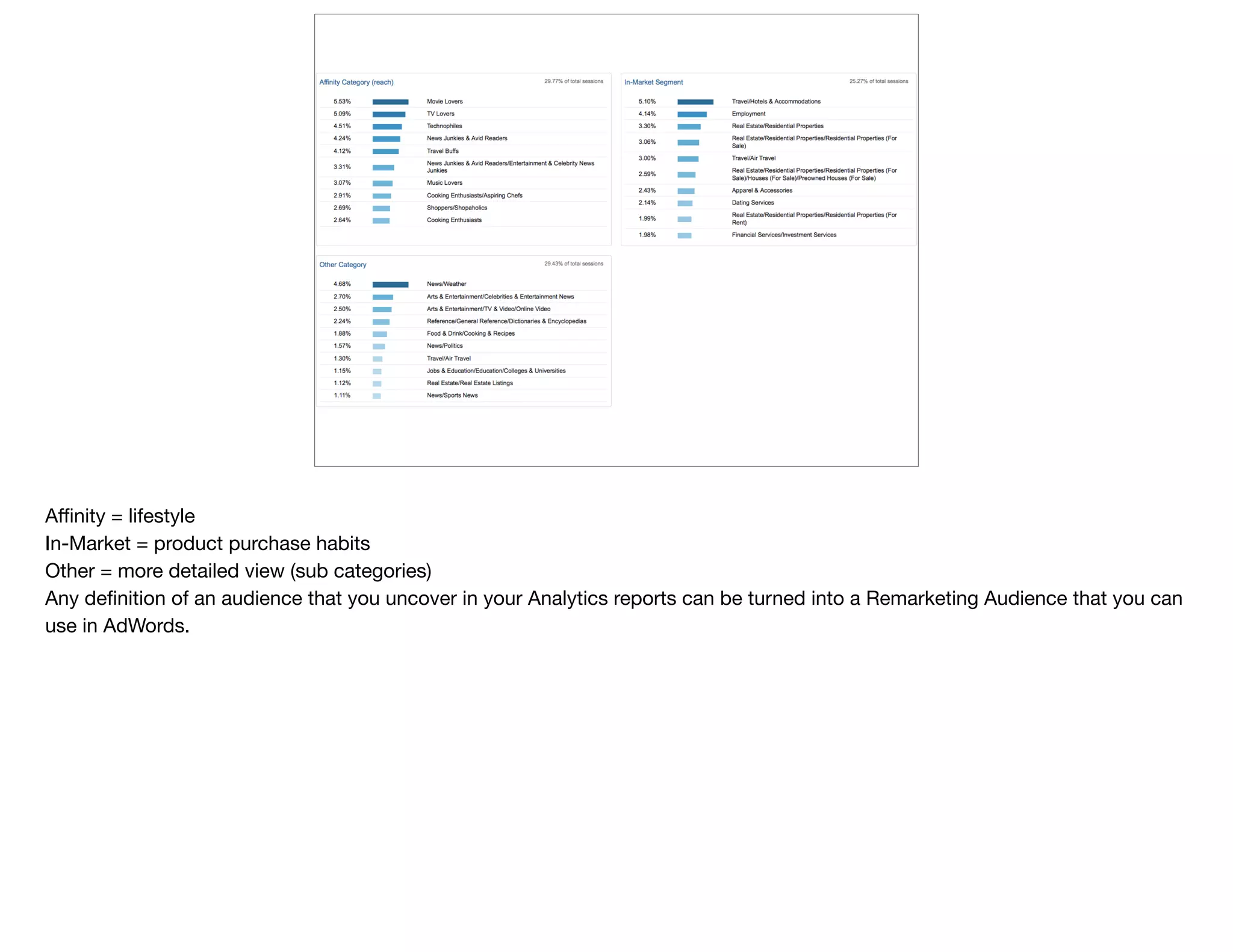
Affinity = lifestyle

In-Market = product purchase habits

Other = more detailed view (sub categories)

Any definition of an audience that you uncover in your Analytics reports can be turned into a Remarketing Audience that you can
use in AdWords.
@devonvsmith
how did they
get here?
(part 2)
Referral Sources
@devonvsmith
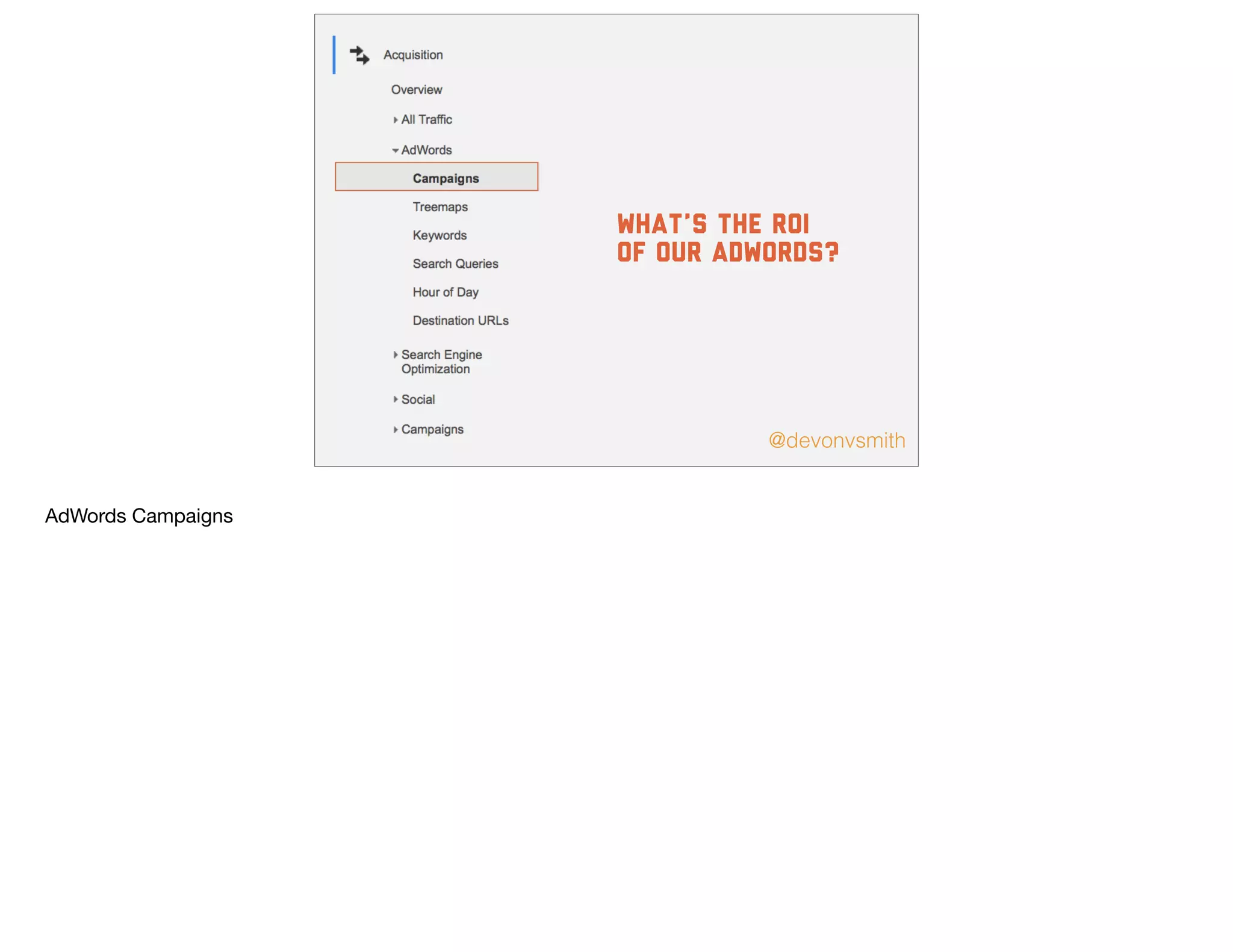
What’s the ROI
of our adwords?
AdWords Campaigns
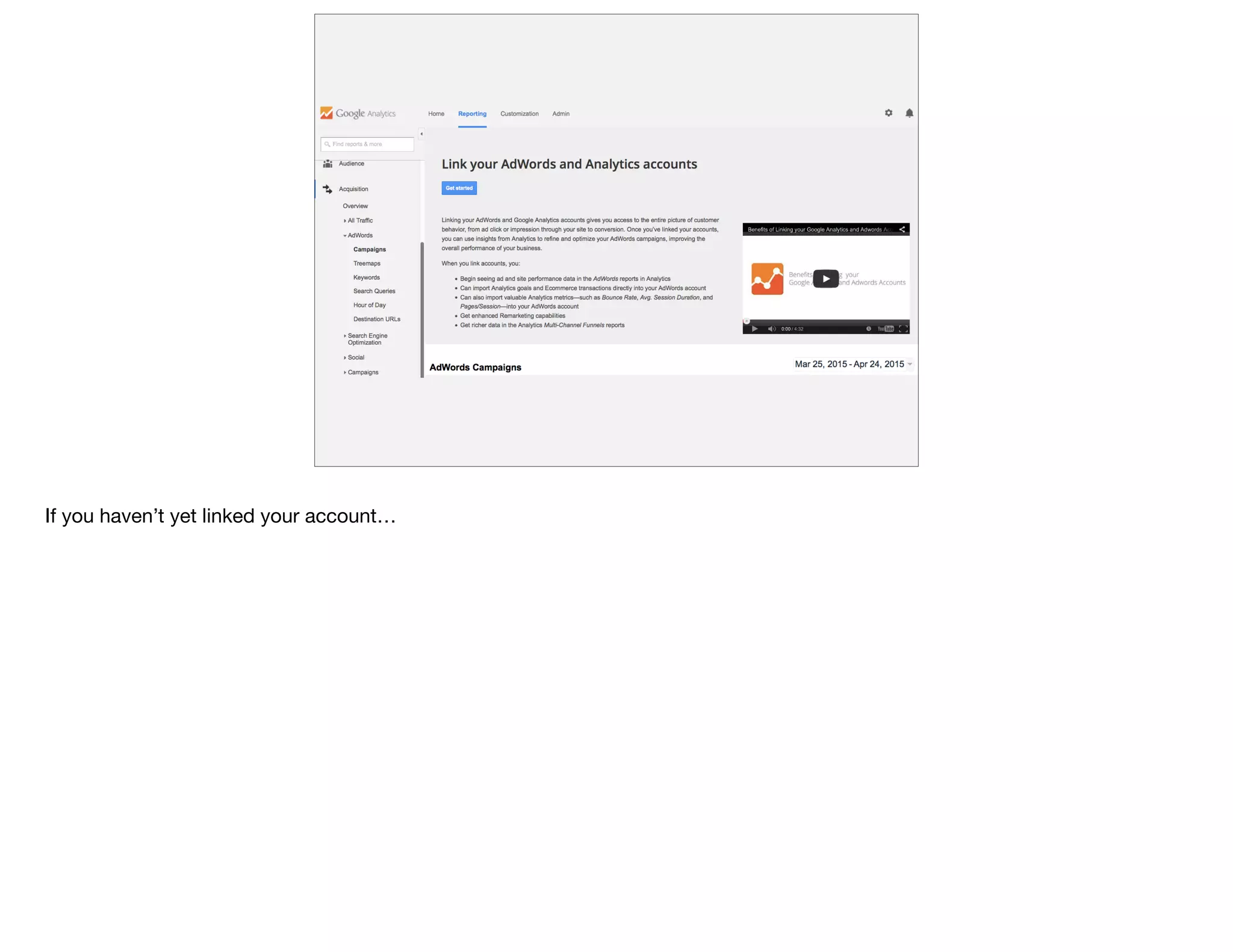
If you haven’t yet linked your account…
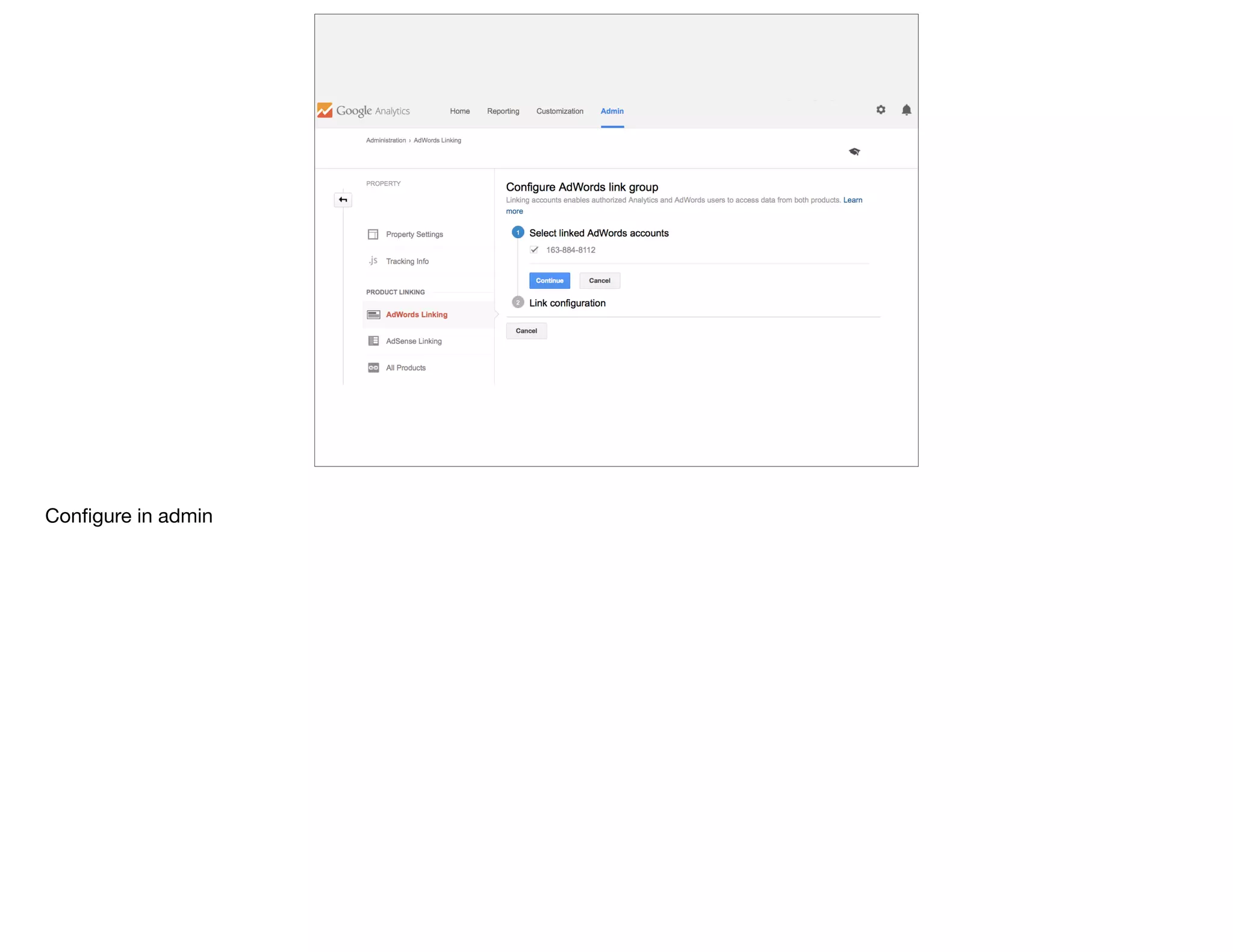
Configure in admin
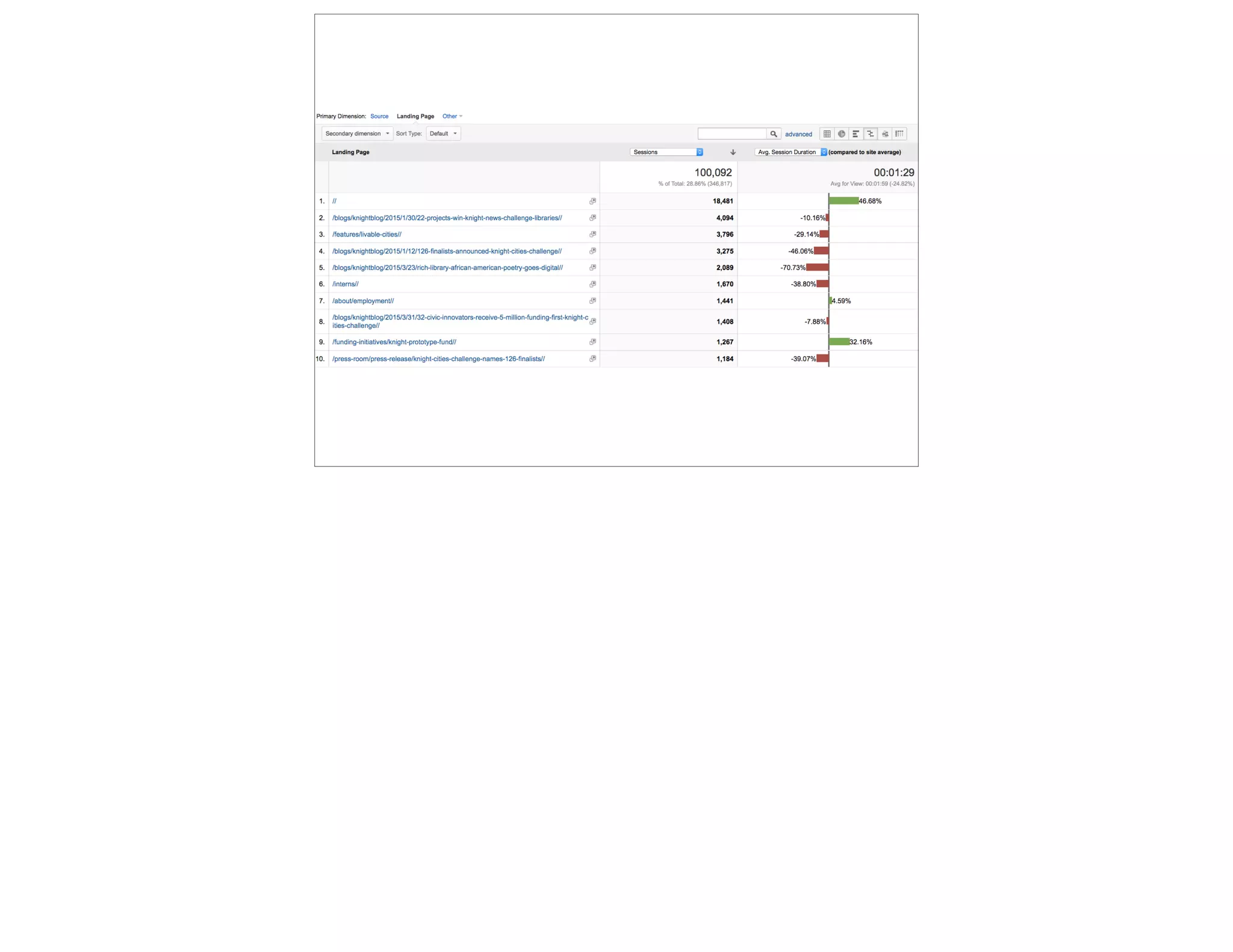
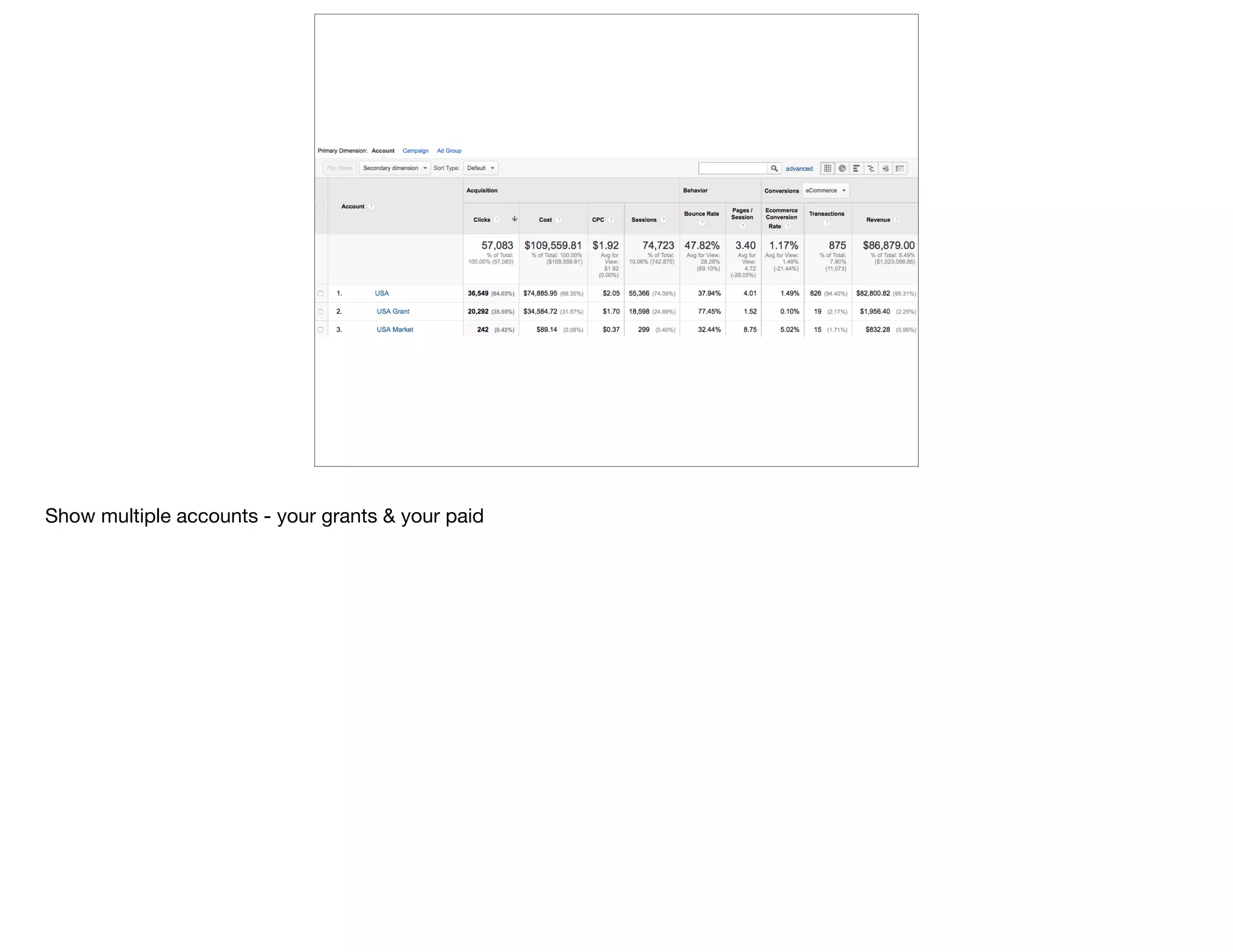
Show multiple accounts - your grants & your paid
@devonvsmith
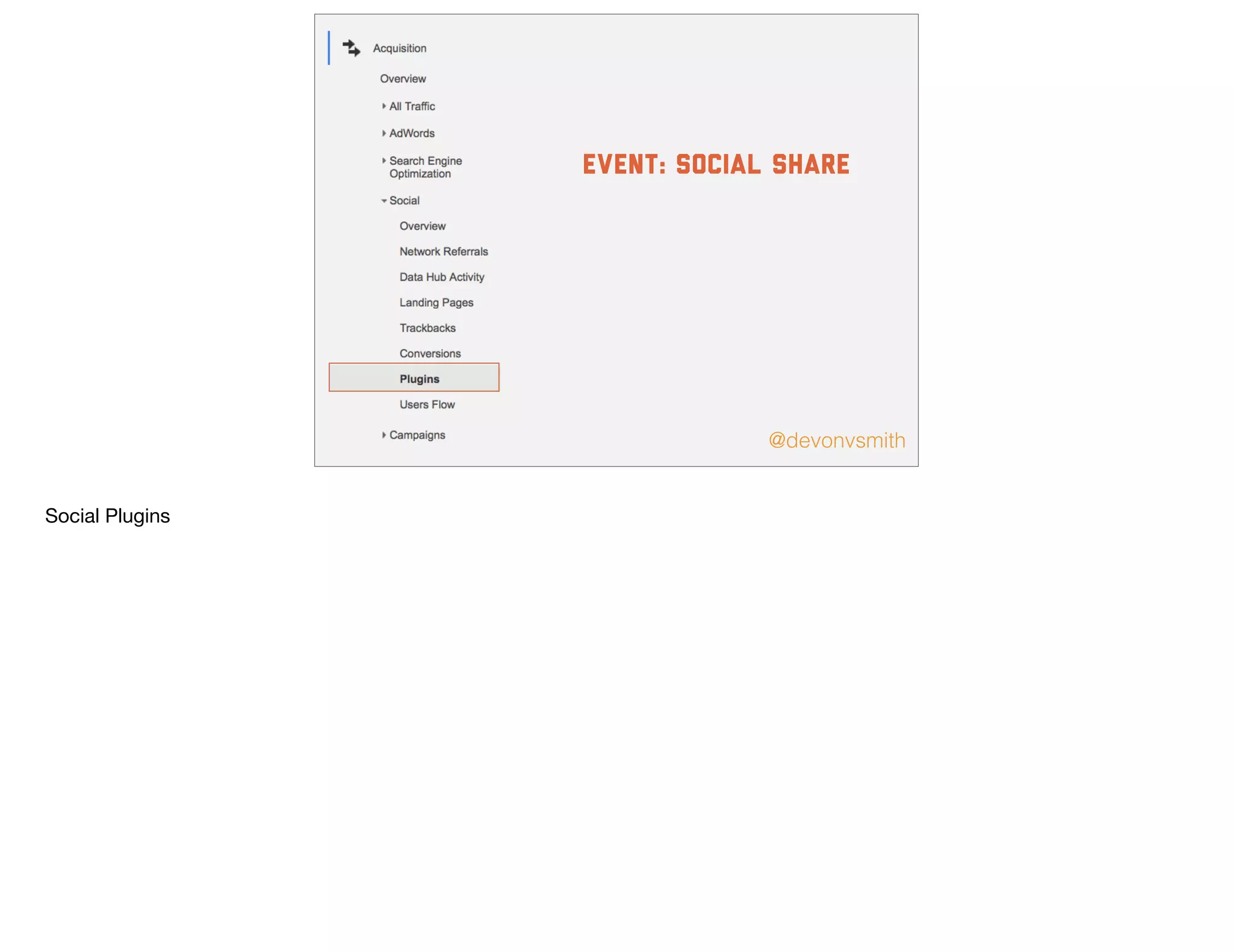
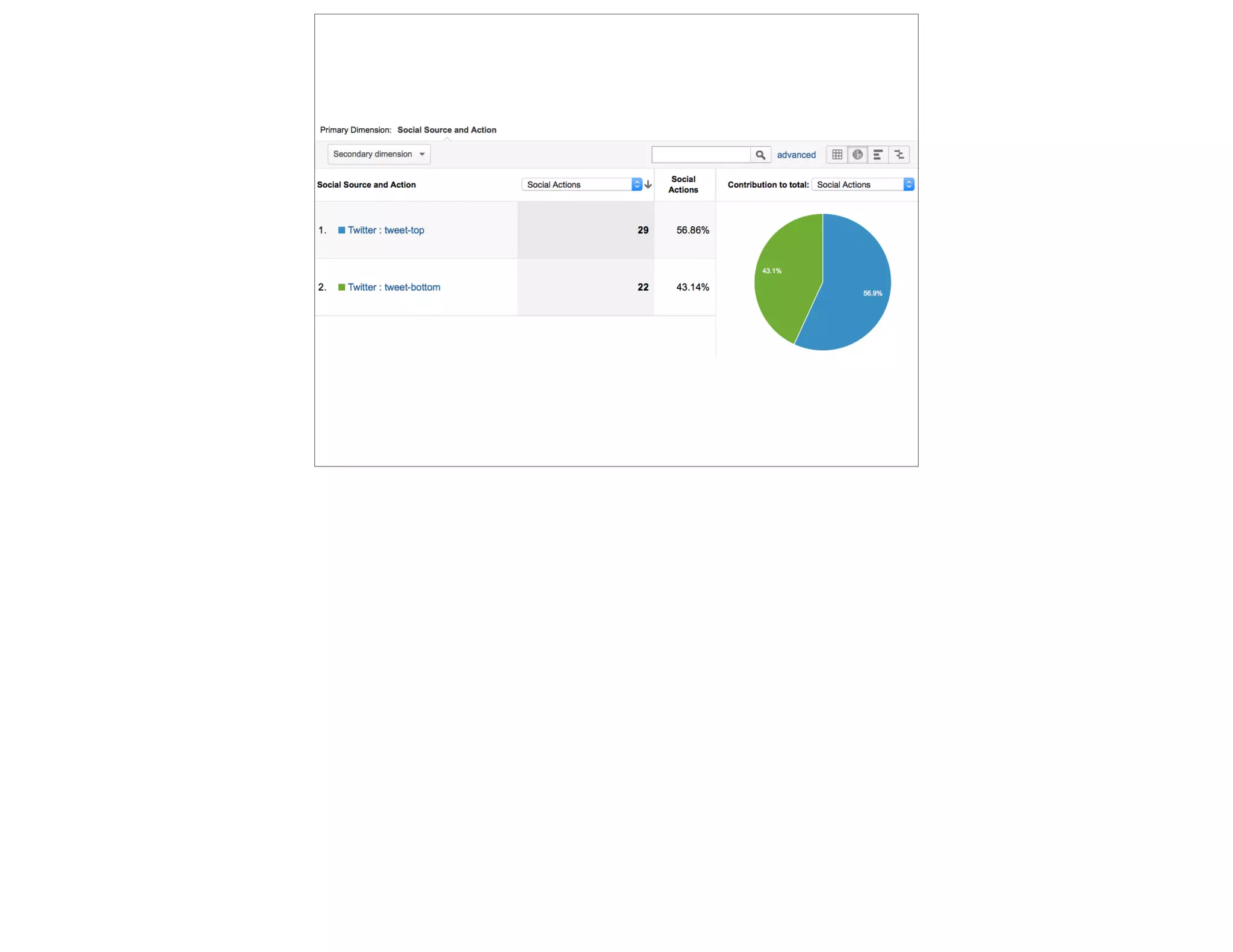
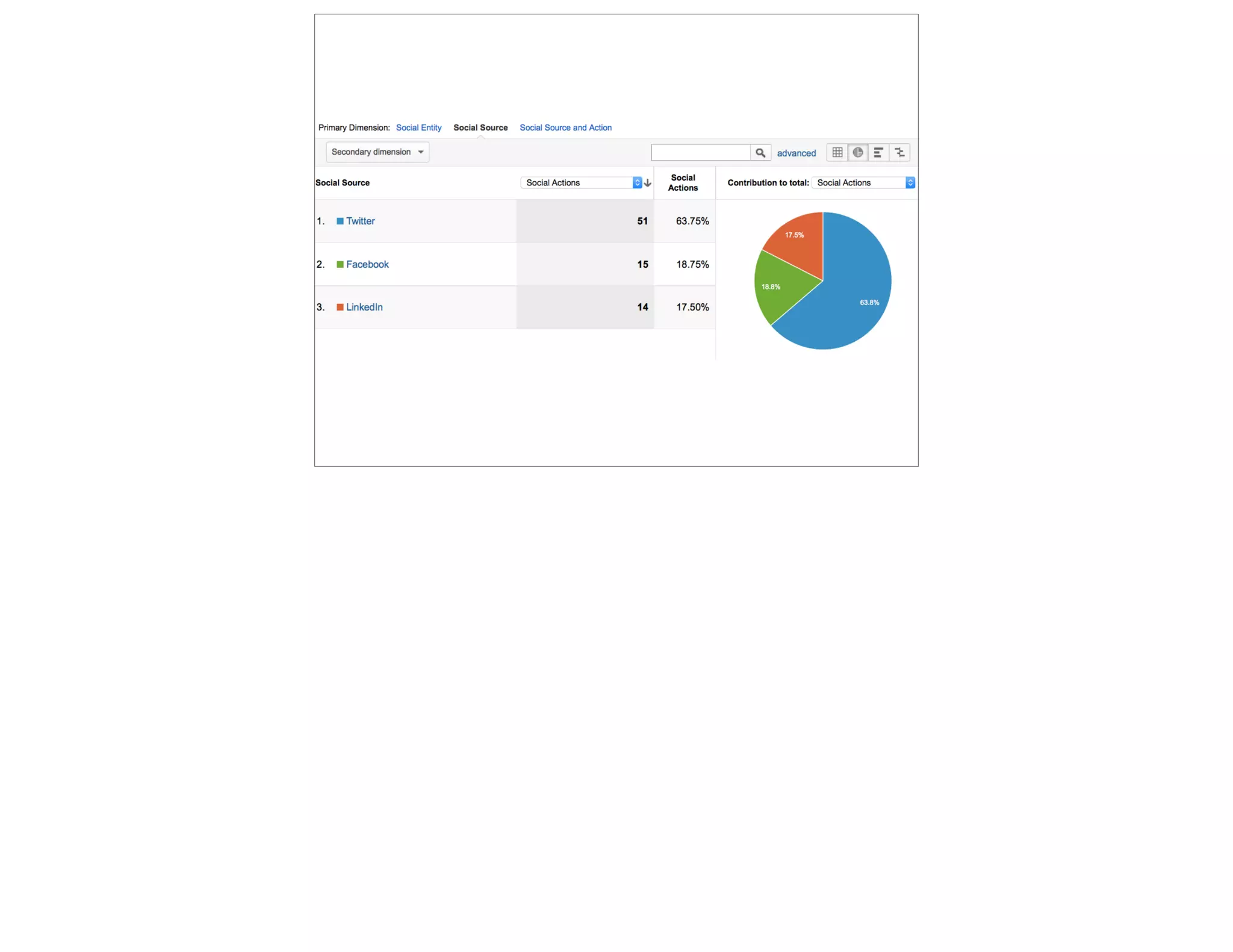
event: social share
Social Plugins
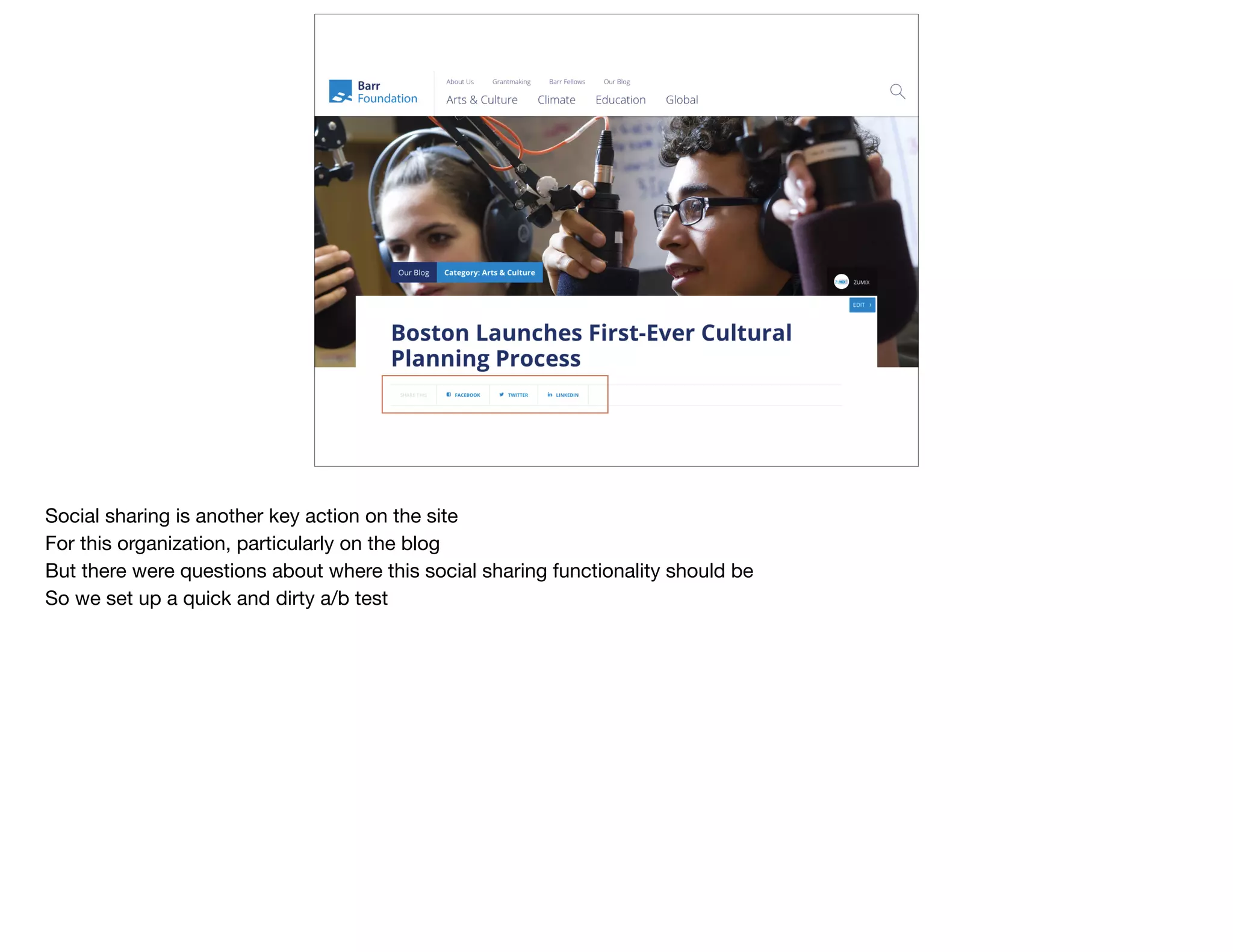
Social sharing is another key action on the site

For this organization, particularly on the blog

But there were questions about where this social sharing functionality should be

So we set up a quick and dirty a/b test
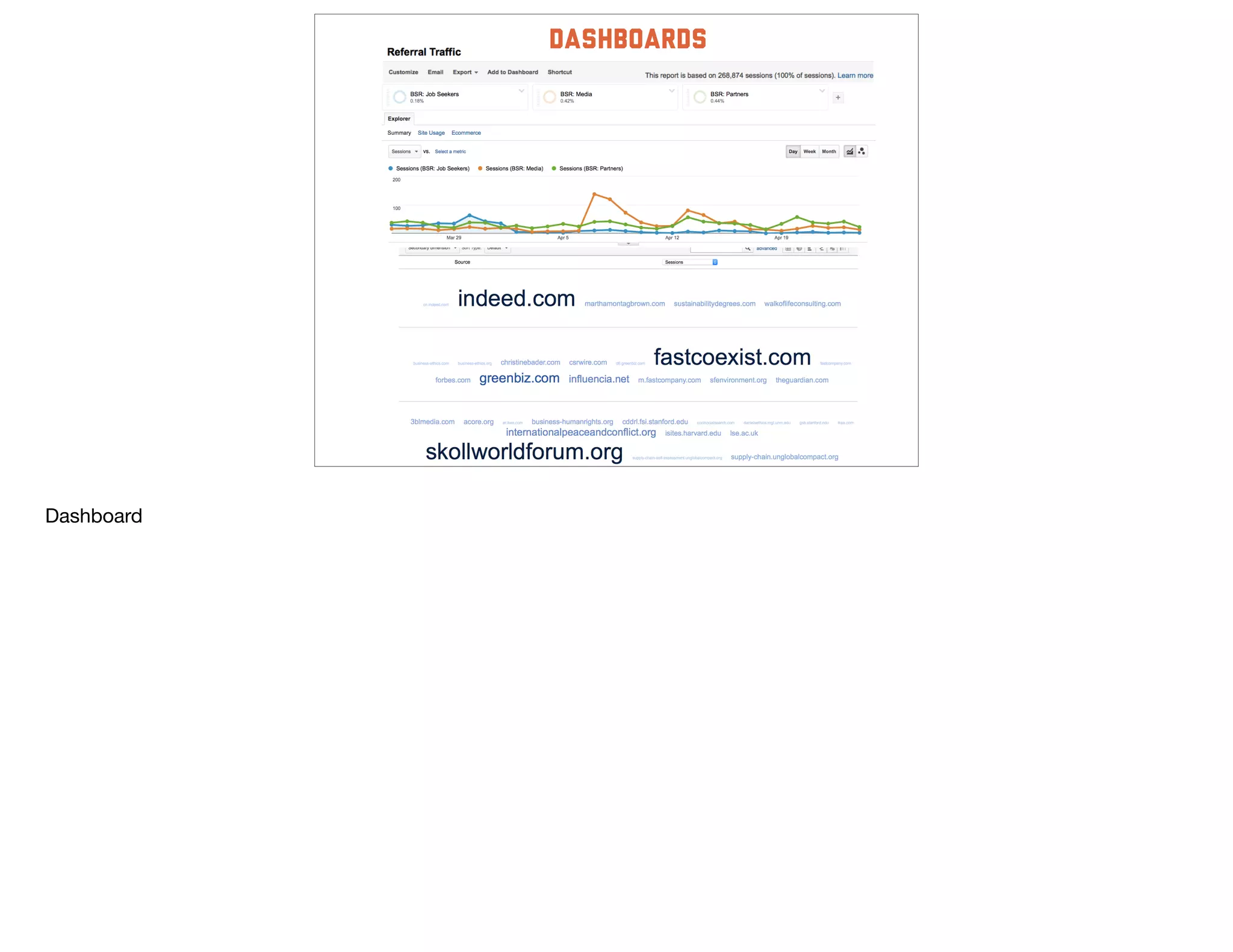
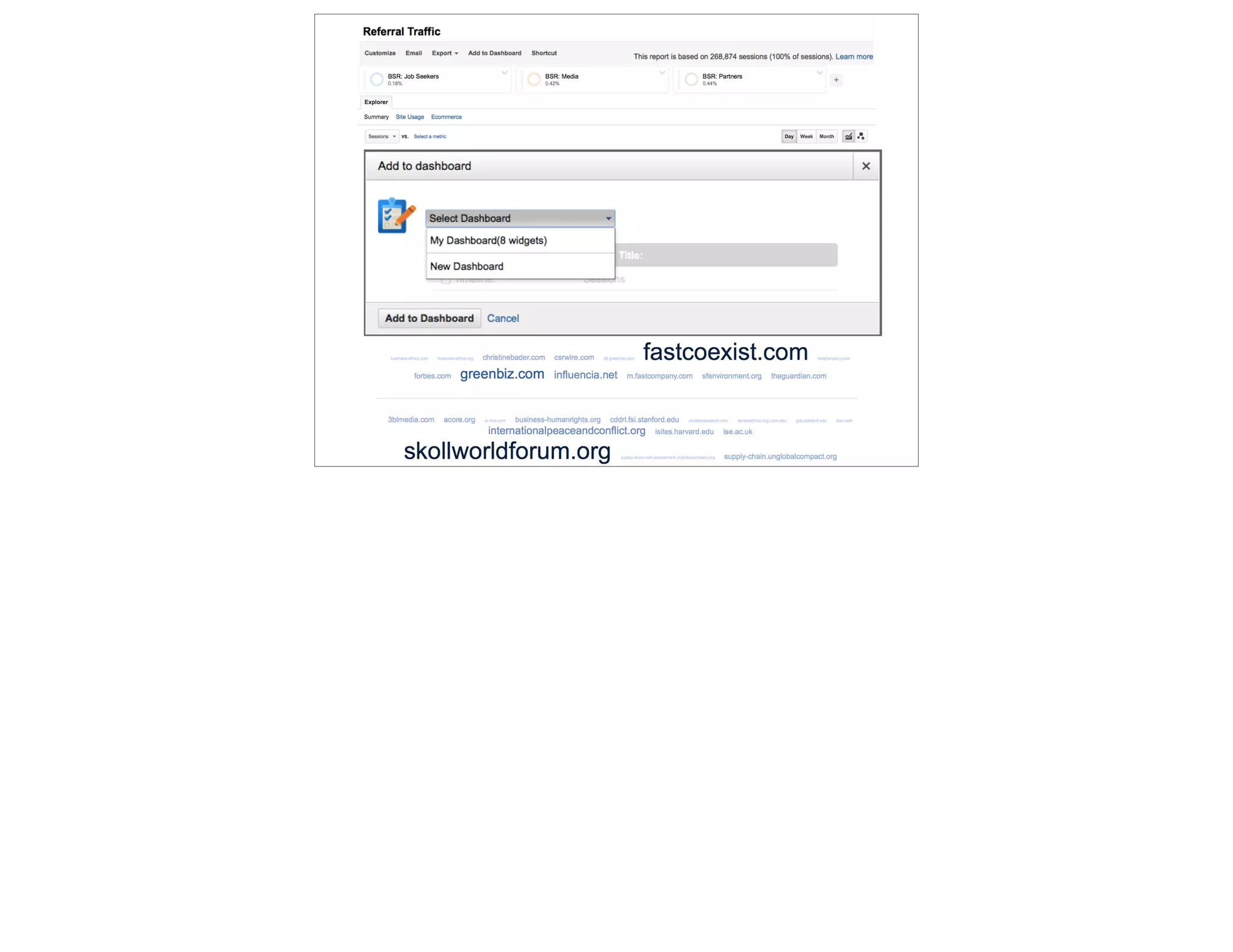
dashboards
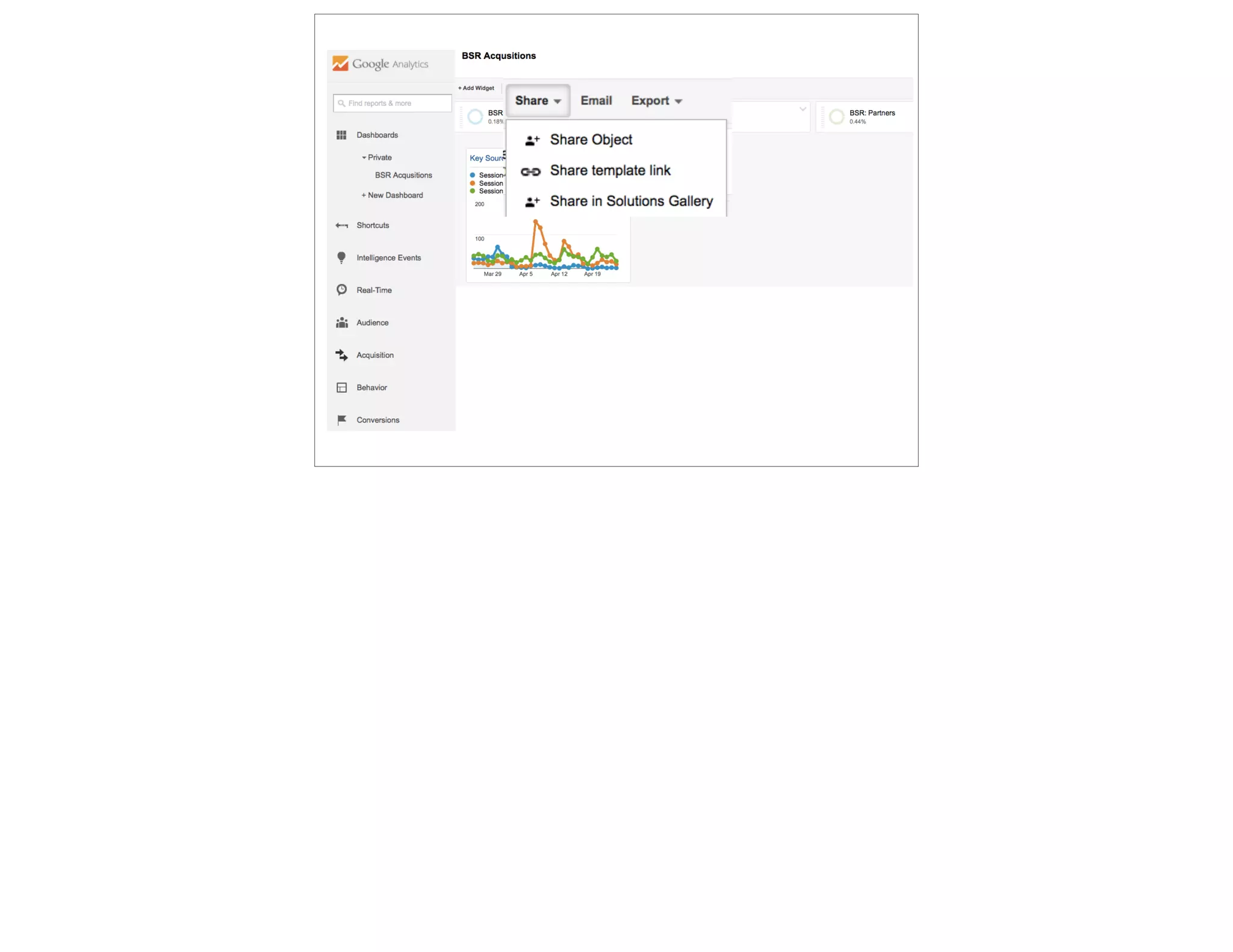
Dashboard
Hidden Secrets of Google Analytics - Do Good Data  2015

Hidden Secrets of Google Analytics - Do Good Data 2015

  • 1.
  • 2.
    google analytics @devonvsmith I’m Devon Smith Foundedthe analytics practice at Threespot Digital agency in DC, exclusively serving nonprofits, foundations, & government agencies I’m using their data, but hopefully anonymized Focus on *communications* data in large part
  • 3.
    slideshare.net/devonvsmith 05: secrets 40: Reports 20:data 20: process 05: beyond GA @devonvsmith 90 minutes together to look at: 5 secrets, 7 reports, 5 front-end code implementations, 6 admin customization, and 1 script Assume you have some knowledge about GA Happy to stay after to discuss Q&A, or reach out to me on Twitter, also posted on Slideshare
  • 4.
    step 1 ask questions& test hypotheses Don’t just open GA and click around to see what you can find Develop a list of questions you want to get answered, or a list of hypotheses you want to prove/disprove Look for the data to support those, and lead to new questions
  • 5.
    step 2 Use lessdata Sounds counter-intuitive, but look at the leaf, not the forest Ignore everything about your site except for one data point Advanced segments, advanced searches, secondary dimensions
  • 6.
    step 3 add betterdata Don’t rely only on the data that GA gives you by default Front-end code for event tracking, social actions, linking accounts, customize admin section
  • 7.
    step 4 extract data Process:use the tools built into GA to export data in various forms, so that you can manipulate it in excel/google spreadsheets
  • 8.
    step 5 add insights GoogleAnalytics only tells you what is happening, not why, or how you should change your approach. Every report you deliver to stakeholders using GA data should include a “Here’s what we’re going to do differently next time around” section.
  • 9.
    Better Reports @devonvsmith GA’s key reportsare: Who —> Audience; How —> Acquisition; What —> Behavior Assumes no code knowledge, just manipulating reports 7 reports I use most often
  • 10.
    @devonvsmith who (actually) visits oursite? The very first thing I look at for any new project Often when I ask, who does visit, or who do you want to visit, orgs have fairly generic answers: Funders, Government, Media, Peers But there are huge variabilities within any of those segments So let’s dive deeper…within the Government, do you care about local, state, federal? In certain areas? Agencies? Looking at what type of content on your site? Are they finding it? Network report answers these questions And is probably most under-used report in GA
  • 11.
    List of serviceproviders - the name of the internet service provider of the person browsing your site Top of the list will always be mobile phone carriers, generic home internet providers But you’re looking for the visitors browsing at work Use an advanced segment to narrow down this list
  • 12.
    I’ll show youhow to create a segment later in the workshop, for now, these are segments I’ve created based on some current clients Choose: Federal Government
  • 13.
    [share link tosegment] Hovering over a segment shows you who’s in it I’m looking for those providers whose names include any of these; exclude those
  • 14.
    now we seea list of organizations we actually care about This is a list stakeholders actually care about You can track the growth of this audience segment over time Think about applying this segment to your campaign tracking as well Now let’s see what content they were looking at
  • 15.
    Choose a secondarydimension. In this case, if advanced segment is the WHO, dimension is the WHAT
  • 16.
    Now we havethe list of content this group of users was looking at over a period of time Let’s scroll up the page
  • 17.
    One of ourstakeholders really cares about this data Let’s automatically email them ONLY the data they care about
  • 18.
    Every Monday, theysee the report about which pieces of content some from HoR looked at in the past week If you have trouble with content creators committing to producing new content, this helps
  • 19.
    @devonvsmith who sent them tous? Some visitors are self motivated - they had a specific topic or question they decided to search for We’ll talk in a moment about how to increase your exposure to them But other visitors are referred to you by some other organization, via a link Part of your communications strategy should be how to influence those organizations, often by providing content to them Let’s look at Referral Sources
  • 20.
    Sometimes we seea big spike in traffic and it’s great! Other times, it’s a spam attack but in either case, this aggregate view of all traffic is like looking at an average - it buries the variation/outliers Let’s add a few advanced segments to screen out some of that traffic So I can pay attention to the links that actually matter
  • 21.
    Let’s look at3 different segments I’ve pre-identified referral links from websites that are focused on job seekers, the media, or org partners
  • 22.
    Now we cansee the trends we care about Easier to see unique trends for each of these groups But the bottom section is still too messy for me, and includes a bunch of data I don’t care about
  • 23.
    That’s better. Ican see who the organizations are quickly. For job seekers, I can start working with HR to focus on who’s sending most effective candidates Start working with the PR department to ID which media sources we should be pitching stories to Work with our programmatic team to know which of our partners share our audience & think content partnerships
  • 24.
    @devonvsmith What are they lookingfor? Let’s go back to that other half of visitors who are self-motivated to find a piece of information If we can identify what they’re looking for, and provide it to them better, or increase our exposure to them Organic Search Keywords
  • 25.
    For many content-heavynonprofit sites, organic search makes up around 50% of traffic
  • 26.
    f two problems: 80-95%(not provided) - which we’ll solve in a moment & a long list of branded search terms so let’s find a more interesting set of keyword queries your site visitors used
  • 27.
    exclude branded terms include“how” statements just one example of many
  • 28.
    Now I havea list of questions users had when they arrived on site Use this to adapt your content strategy Write blog posts, create resources
  • 29.
    @devonvsmith What (else) are theylooking for? But remember those (not provided) terms? Google masks all organic keyword queries from users who are logged in to google products You can see more of those terms if you’re an AdWords buyer But this report will also show you
  • 30.
    If you clickthis item and see this page, you need to take an extra step
  • 31.
    Go to: google.com/webmasters Linkto your Google Analytics Property
  • 32.
    Verify that yourtwo accounts belong to the same organization
  • 33.
    Now you seea report that shows: Impressions - how many times your site appeared for a user who had this query Clicks - how many times they actually clicked on your site Position - what position your site was in (Google is 10 sites/page) Use this in an SEO strategy. High value keywords where your position or CTR is low
  • 34.
    @devonvsmith What are they lookingfor right [here]? That was all about keyword queries visitors use in an external search engine to FIND your site But once they get to your site, they often still can’t find what they’re looking for Again, let’s focus on a single page
  • 35.
    Typical to see1-2% of visitors using internal site search Let’s see what they’re searching for
  • 36.
    Long list Often, topof list is a [null] result because your search field is confusing And jobs-related For foundations, “logo” is common bc your grantees are looking for it Let’s screen out those words we don’t need, so we can focus on what is important/different each month
  • 37.
    New advanced segmentto exclude those terms i don’t care about
  • 38.
    now i canstart to identify trends —> better promote content? new organization of content? new content? content types (podcast, archive, data, documentary) topics (arts, community engagement, voting) people (fernando, alberto) geographies (detroit)
  • 39.
    Let’s hop backout to another report Which pages are visitors on, when they’re searching for a particular term? In this case, people aren’t finding what they need from “About”
  • 40.
    Jobs are promotedelsewhere on the site But these visitors are looking for jobs on the About page Now we have a better understanding how to adapt the content strategy of that given page
  • 41.
    For some ofyou, clicking on any report in this section looks like this - no data Let’s fix this by going up to Admin
  • 42.
    Look at viewsettings
  • 43.
    And turn sitesearch tracking on
  • 44.
    And now Ineed to find the parameter my internal site search is using to identify keywords in most case, this will be q or s.
  • 45.
    @devonvsmith what do usersneed from [this] page? Secret: Most orgs, the majority of your users will not see your homepage during their visit (BTW: use an advanced segment to prove that) But your homepage is typically your most viewed page overall So stakeholders care a lot about their place on the homepage but what do your users actually need? Let’s look at a Navigation Path
  • 46.
    Let’s look atthe homepage
  • 47.
    Google Analytics hasan endless array of tabs that are hiding data from you Navigation Summary shows you where users were, and where they went afterward
  • 48.
    Let’s look atthe top left corner - when you can, turn percentages into people 3 in 4 people who see the homepage, are landing there as their first experience of the site 1 in 4 come from somewhere else in the site For those, most come from about But for now, I’m more interested in where they go TO next 1 in 2 leave the site entirely For the others, mostly they go to see more About the organization
  • 49.
    So how dowe take a homepage like this, with dozens of links, and simplify based on what users actually need
  • 50.
    @devonvsmith how much is [that]action worth? Goals - high hopes, low follow through For the nonprofits, foundations, & gov I work with, a lack of goals implemented in GA is not your problem A lack of clear goals in general might be When you’re not an e-commerce, it’s harder to put a value on a goal How much it’s worth to download a PDF depends on who is downloading
  • 51.
    Even most ofthe largest orgs we’re working with don’t use goals, so you’re not alone
  • 52.
    Start setting upa new goal (20 max)
  • 53.
    4 types - destination page (good for subscribing, donating, buying; or the last step in any multi-page process) duration - how long someone spends on the site (good for orgs w/ ads; engagement models where you know the time it takes to complete an action/lesson) pages/session - just what it sounds like (good for apps, much harder for sites; not all pages are equal) events - any action on the site that doesn’t generate a new URL (mostly use this one)
  • 54.
    Destination page -end of an application process Define a: page, monetary value (which you can make up, based on COMM budget), multi-step process (to see where in the funnel users are dropping off)
  • 55.
  • 56.
  • 57.
    Event Define the event& its value we’ll look at creating events in a few minutes, but these are 4 parameters applied to any given event
  • 58.
    Goals Overview page,let’s look at the 4 goals this organization has implemented
  • 59.
    Pretty typical listof high value engagement events for a think tank that cares about content
  • 60.
    Once we’ve clickedon a single goal, we can follow it through any other report In this case, I’m looking at social media sharing by device Not surprising the conversion is much lower for mobile But that has to do with the ease of sharing from a mobile device
  • 61.
    @devonvsmith Look at anothertype of goal conversion
  • 62.
    For a mobileweb app that had multiple steps a user progressed through We identified a few places in the funnel where users were dropping out Focused on A/B testing those pages
  • 63.
    Better data @devonvsmith 5 pieces ofdata you can add to your Google Analytics implementation I’ve included front end code in the first few to show as example but it’s just a piece of the overall implementation (dependencies)
  • 64.
    @devonvsmith custom dimensions In thepast, we saw primary dimensions and secondary dimensions applied to our data Custom Dimensions are new data points that you’re adding to Google Analytics based on parameters that are defined in your CMS Blog posts are a good example Content drilldown organizes your site based on URL structure (slashes)
  • 65.
    Click on blogto see all blog posts
  • 66.
    now we havea list of blog posts But unless you have an editor for your blog, there’s probably no one in the organization that cares about every blog post. in most cases, authors care about their own posts, or a program area cares about their posts
  • 67.
    so let’s add“author” to this data (which is captured in the blog post, but not by default in GA)
  • 68.
    now I seewho some of my top authors are and could send a report to them of only their blog posts
  • 69.
    same idea, butnow we’re looking at program areas (here called Category)
  • 70.
    Now sorted byprogram area, I can easily export this data & build more relevant graphs
  • 71.
    Custom Dimensions requireFE code knowledge In admin, you define ID numbers for your new data points
  • 72.
    Here are thetwo dimensions we’ve defined
  • 73.
    Defining is asimple decision about how frequently you want this data point Every time it happens? only once per session? once per use? once per product?
  • 75.
    // Projects var project= metaTag('project') || '(not set)'; return { 'hitType': 'pageview', 'page': customURL, 'dimension1': legacyID, 'dimension2': pageDate, 'dimension3': project, 'dimension4': engagementOptions, 'dimension5': wordCount, 'dimension6': imgCount, 'dimension7': mediaContact, 'dimension8': relatedTags }; one example of capturing dimensions based on what ‘project’ it belongs to what else you might think about capturing
  • 76.
    @devonvsmith event: Scroll depth Webpagesare much longer now Concern about whether users are consuming the entire piece of content Implement an event tracker that captures how far down the page a user scrolls Again, event = no change in URL, so in this case, scrolling
  • 77.
    for this org,we have 30 or so different events implemented across a dozen categories Scroll depth is tracked for every page on the site
  • 78.
    So how manypeople get from here
  • 79.
  • 81.
    Now I seethe pages that are viewed most often, click on a single page
  • 82.
    Now I knowwhat percent of users get what percent way down the page Baseline - 40% don’t scroll at all (they never leave the baseline) 25% - 25% get a quarter down the page 100% - 5% make it all the way down to the last pixel of the footer Let’s start setting thresholds for what “good” means (25% make it 75%, etc)
  • 83.
    http://scrolldepth.parsnip.io/ Open source pluginfor GA for Wordpress We took this code and adapted for ruby on rails
  • 84.
    In this case,the quartile measurement isn’t fine grain enough we care about anchor links to understand what visitors need from this page
  • 85.
  • 86.
    Let’s go backto the About page
  • 87.
    And look atanchor links, instead of at scroll depth
  • 88.
    Now we cansee how frequently users are clicking on those anchor links Visitors care a lot about the people of this organization
  • 89.
    data-track=“{  "type" : "event”,  "category": "Component Interaction”,  "action" : "Anchor Link”,  "label" : "Staff”  }" FE code implementation, once these are all defined
  • 90.
    So let’s thinkabout bumping that piece of content to the top of the page Explains why so few people are scrolling to the footer - they don’t care (as much) about content at the bottom of the page
  • 91.
    But let’s lookat the very bottom of the page
  • 92.
    There’s a fewkey actions here that we care about Social following + helping users navigate the site + newsletter subscription
  • 93.
    @devonvsmith event: relative CTA Whenyou have multiple Calls to Action on a single page, or component, need to compare them
  • 94.
    Labels in thiscase are defined by *where* the action takes place
  • 95.
    So looking atthe footer in particular
  • 96.
    Here are ourthree different calls to action Social is surprisingly low
  • 97.
    But when welook back, social takes up far less real estate If that’s a key metric, how do we make that action more prominent?
  • 98.
    @devonvsmith event: multimedia one challengefor any analyst is pulling together data from multiple sources for video embedded on your website, YouTube is always going to have the most comprehensive data, so it’s typically worth it to log into their platform to pull data But it won’t give you correlation about what else video watchers do on your site
  • 99.
    Let’s go backto a list of events
  • 100.
    now we seea list of videos that got any plays on the site we’ve appended the video title and length of video to the event label for easy reference using google tag manager click on a particular video
  • 101.
    Now we knowroughly how far into the video they made it. And start thinking about where the video sits in the page The quality and length of the ideal videos on the site
  • 102.
    Better Process @devonvsmith six different waysto be more efficient with your data process in GA
  • 103.
    advanced segments Advanced Segments- we’ve seen lots of them applied, now let’s build one
  • 104.
    Create a newsegment
  • 105.
    Options for anydata point in Google Analytics But I typically skip straight to conditions
  • 106.
    Define any singleor set of conditions So this segment would be only those sessions that included a PDF download Can also set up ordered sequences: you came from social media, and then you shared a blog post
  • 107.
    Pop back outto creating a segment You can share this segment with anyone (we do for clients) Or import from the gallery
  • 108.
    but to behonest, i haven’t found very useful
  • 109.
    filters Filters screen dataout permanently from a given GA view It’s like a permanent advanced segment
  • 110.
    Create a newfilter to: exclude your own internal traffic, vendor traffic include only certain subdomains in certain views (segregate out a jobs subdomain)
  • 111.
    Four types offilters Also helps with cross domain tracking
  • 112.
    Annotations Annotations - leavebreadcrumbs to yourself or other staff about what happened when Let’s explain what happened on these two days since it so dramatically changed our traffic
  • 113.
  • 114.
    No one hastime to log into GA every day to see what’s going on So give GA prompts to email or text you if something crazy like this happens Go up to admin
  • 115.
    custom alerts (akaintelligence events) And set up a custom alert (GA also calls these intelligence events)
  • 116.
    Set up anew alert
  • 117.
    For Reddit Spike Chooseover what *time* period *something* hits some *threshold*
  • 118.
    And this isthe email I get now Only bummer: next day (not real time)
  • 119.
    shortcuts We’ve adapted lotsof reports this afternoon But sometimes it’s a little cumbersome Create shortcuts to reports that you find yourself building frequently
  • 120.
  • 121.
    @devonvsmith Now it’s asingle click away
  • 122.
    custom reports Sometimes youcan’t get a report to look exactly like what you want Create a custom report that shows you only the data & graphs you care about And add any number of dimensions you like Where before we could only see blog category or author
  • 123.
    Let’s set upa report to see both I need to choose the metric group (essentially what you’re used to seeing on the right side of GA) and a set of dimensions (what you see on the left side, and what happens when you click on a given one)
  • 124.
    Now these arethe only 3 pieces of data we’re looking at Just blog posts, just page views,
  • 125.
  • 126.
    Thanks! @devonvsmith slideshare.net/devonvsmith Foundations: Irvine, Barr,Knight, Pew Trusts, Cystic Fibrosis Foundation Nonprofits: Planned Parenthood, Business for Social Responsibility, Ford’s Theatre, Smithsonian, UNICEF
  • 127.
  • 128.
    what else canyou do? Content Groups - group related pages together Cost Data Import - add marketing costs to calculate ROI Experiments - A/B testing In-Page Analytics - hotspots on the page E-Commerce Tracking - product purchases User IDs - track logged in users Industry Benchmarking - see anonymized peer data Session Timeouts - decide how long before a “log out” Search Term Exclusions - permanently ignore branded Channel Groupings - group related referrals together Attribution Models - give values to your channels Google Tag Manager - more FE code, easier deployment Real Time - monitor events language - group “en” together; c = bots Seconds <10
  • 129.
    @devonvsmith who visits oursite? (part 2) Demographics & Interests
  • 130.
    Demographics and Interestsdata comes from the third-party DoubleClick cookie (for web traffic) and from anonymous identifiers for mobile apps (i.e., Advertising ID for Android and IDFA for iOS). Enable: Enable Advertising Features for your property, and Enable the Demographics and Interests reports for the view. Analytics uses the same age, gender, and interests categories that you use in AdWords to target ads on the Google Display Network.
  • 131.
    Notice the %of total sessions in upper right Don’t put an emphasis on these numbers yet Key Metrics don’t offer “users”
  • 133.
    Affinity = lifestyle In-Market= product purchase habits Other = more detailed view (sub categories) Any definition of an audience that you uncover in your Analytics reports can be turned into a Remarketing Audience that you can use in AdWords.
  • 134.
    @devonvsmith how did they gethere? (part 2) Referral Sources
  • 139.
    @devonvsmith What’s the ROI ofour adwords? AdWords Campaigns
  • 140.
    If you haven’tyet linked your account…
  • 141.
  • 142.
    Show multiple accounts- your grants & your paid
  • 143.
  • 144.
    Social sharing isanother key action on the site For this organization, particularly on the blog But there were questions about where this social sharing functionality should be So we set up a quick and dirty a/b test
  • 150.