





How to use Google Analytics
to redesign your website
May 27, 2015
Marie Wiese
Agenda
1. The truth about website objectives
2. Collecting the right data
3. Analyzing the website
4. Making decisions
5. Making changes
6. Reviewing results
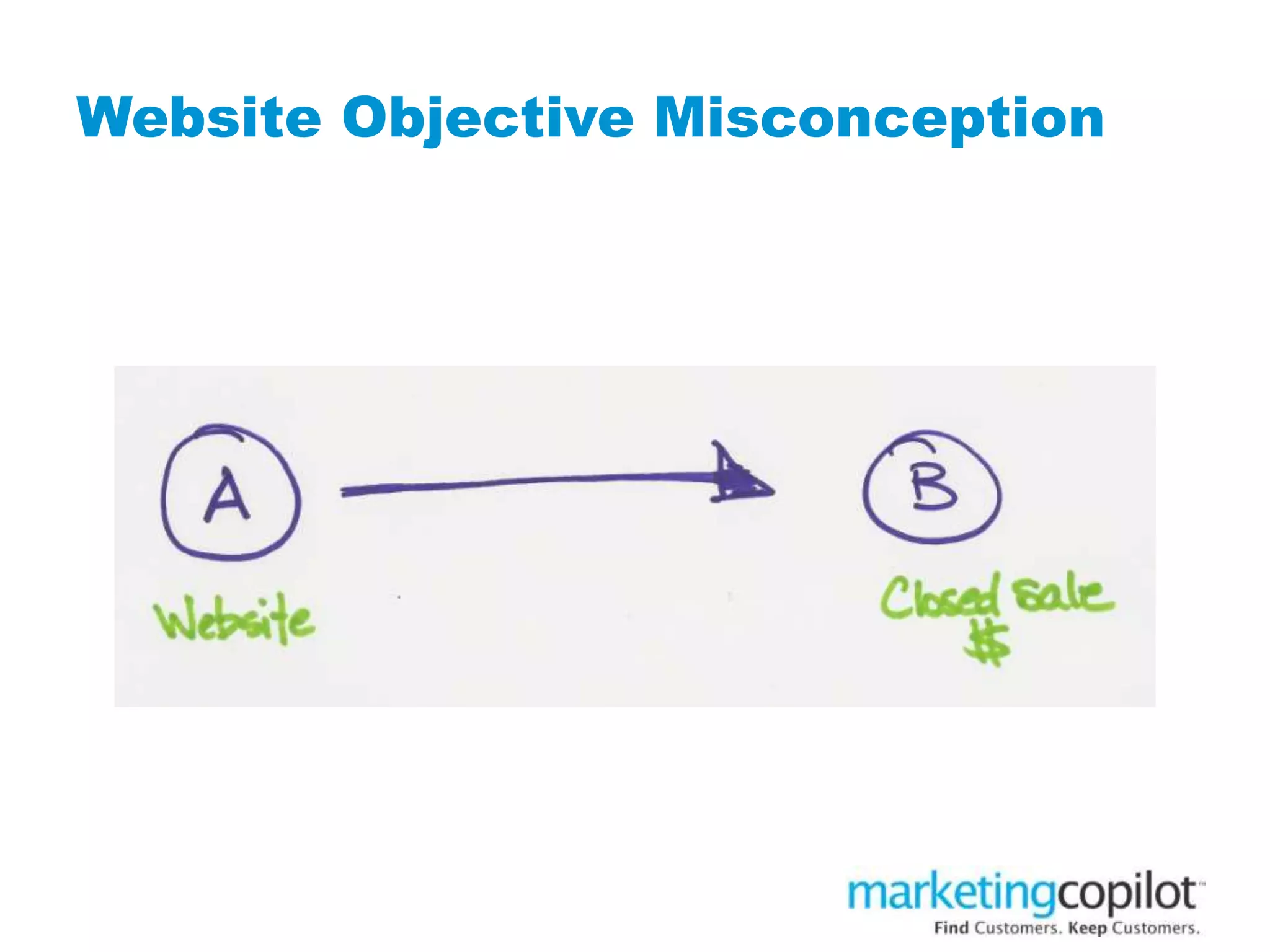
Website Objective Misconception
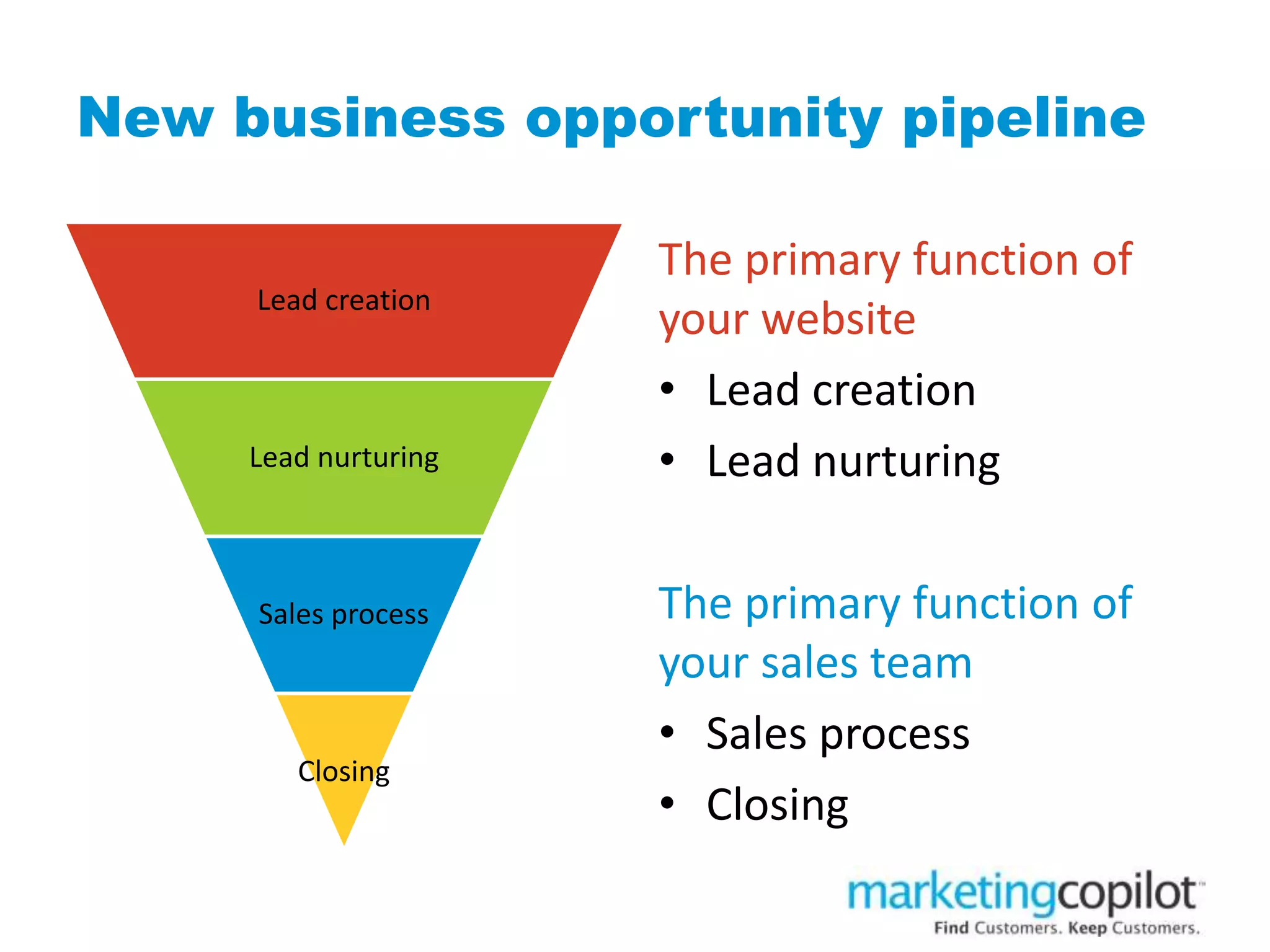
New business opportunity pipeline
Lead creation
Lead nurturing
Sales process
Closing
The primary function of
your website
• Lead creation
• Lead nurturing
The primary function of
your sales team
• Sales process
• Closing
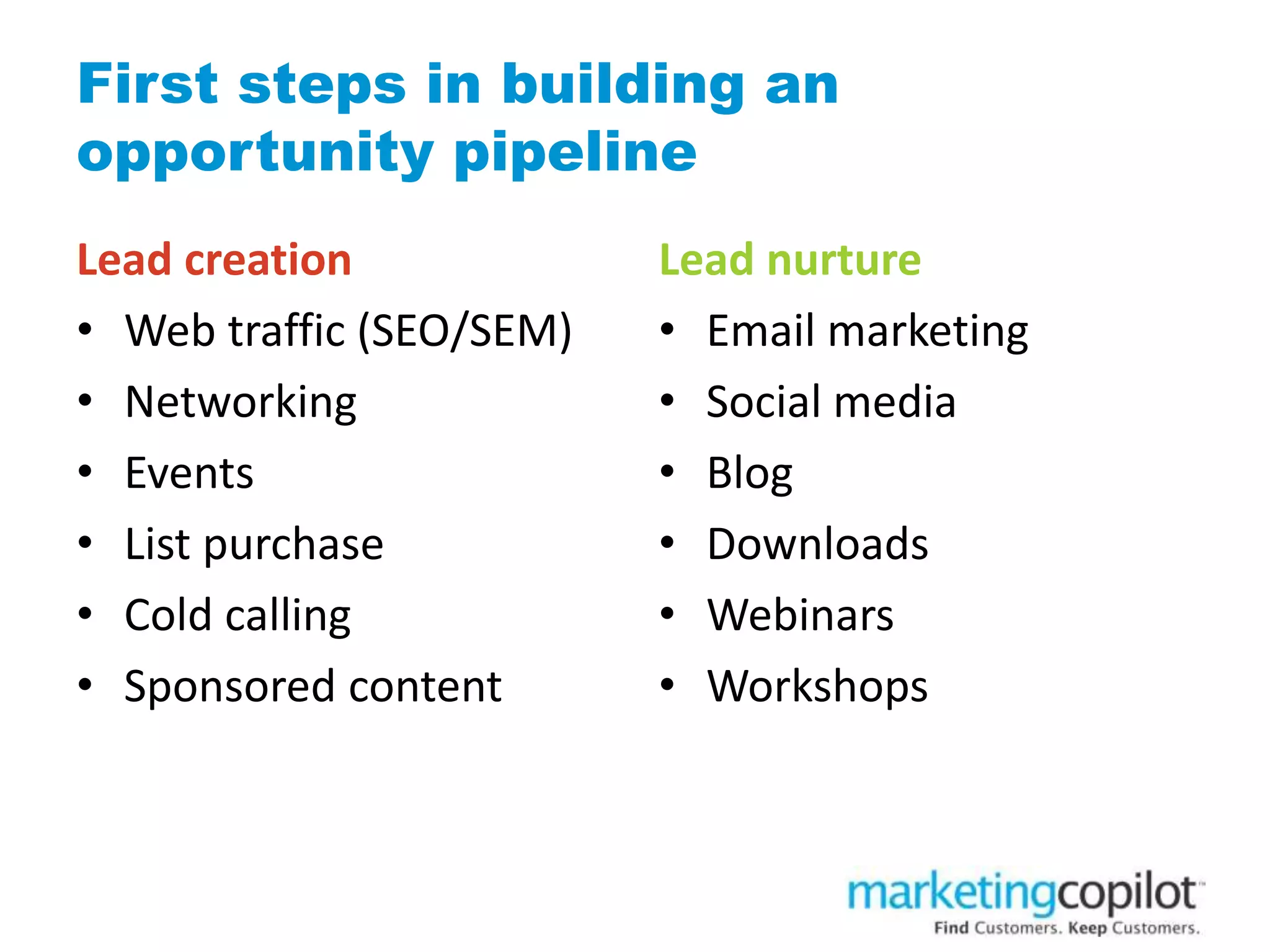
First steps in building an
opportunity pipeline
Lead creation
• Web traffic (SEO/SEM)
• Networking
• Events
• List purchase
• Cold calling
• Sponsored content
Lead nurture
• Email marketing
• Social media
• Blog
• Downloads
• Webinars
• Workshops
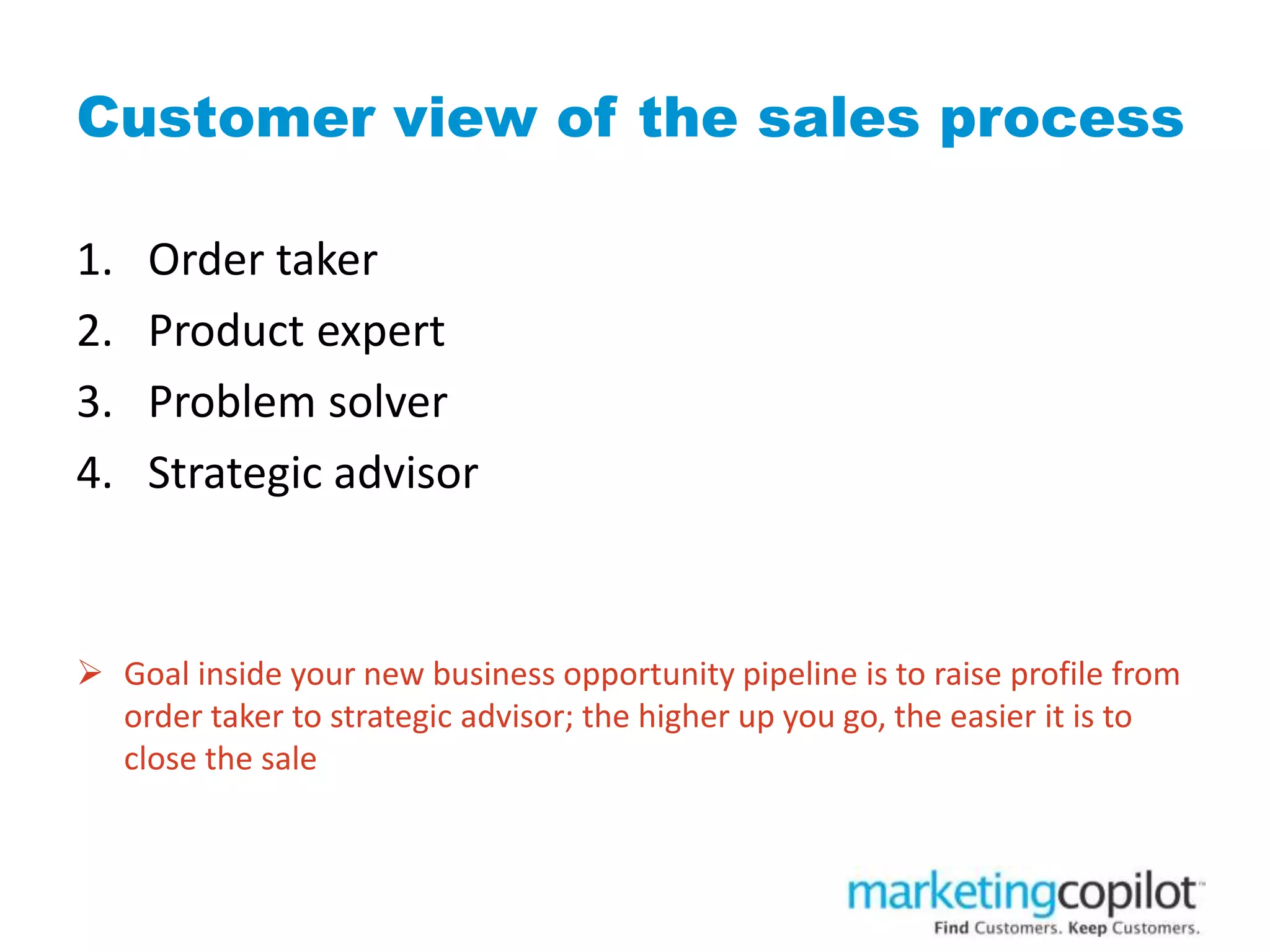
Customer view of the sales process
1. Order taker
2. Product expert
3. Problem solver
4. Strategic advisor
 Goal inside your new business opportunity pipeline is to raise profile from
order taker to strategic advisor; the higher up you go, the easier it is to
close the sale
MEASURE YOUR WEBSITE’S
PERFORMANCE AGAINST
LEAD NURTURING NOT
CLOSED SALES
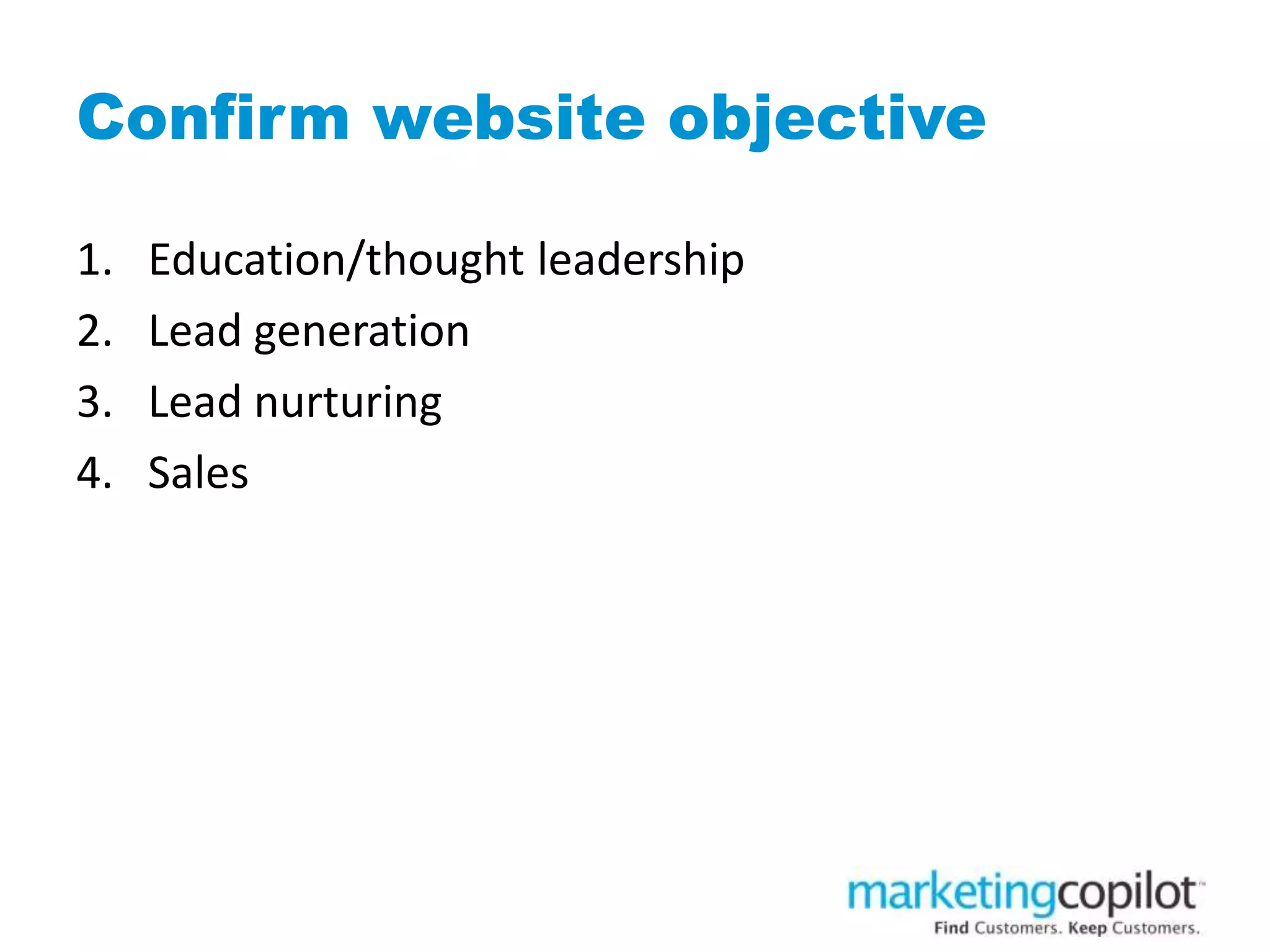
Confirm website objective
1. Education/thought leadership
2. Lead generation
3. Lead nurturing
4. Sales
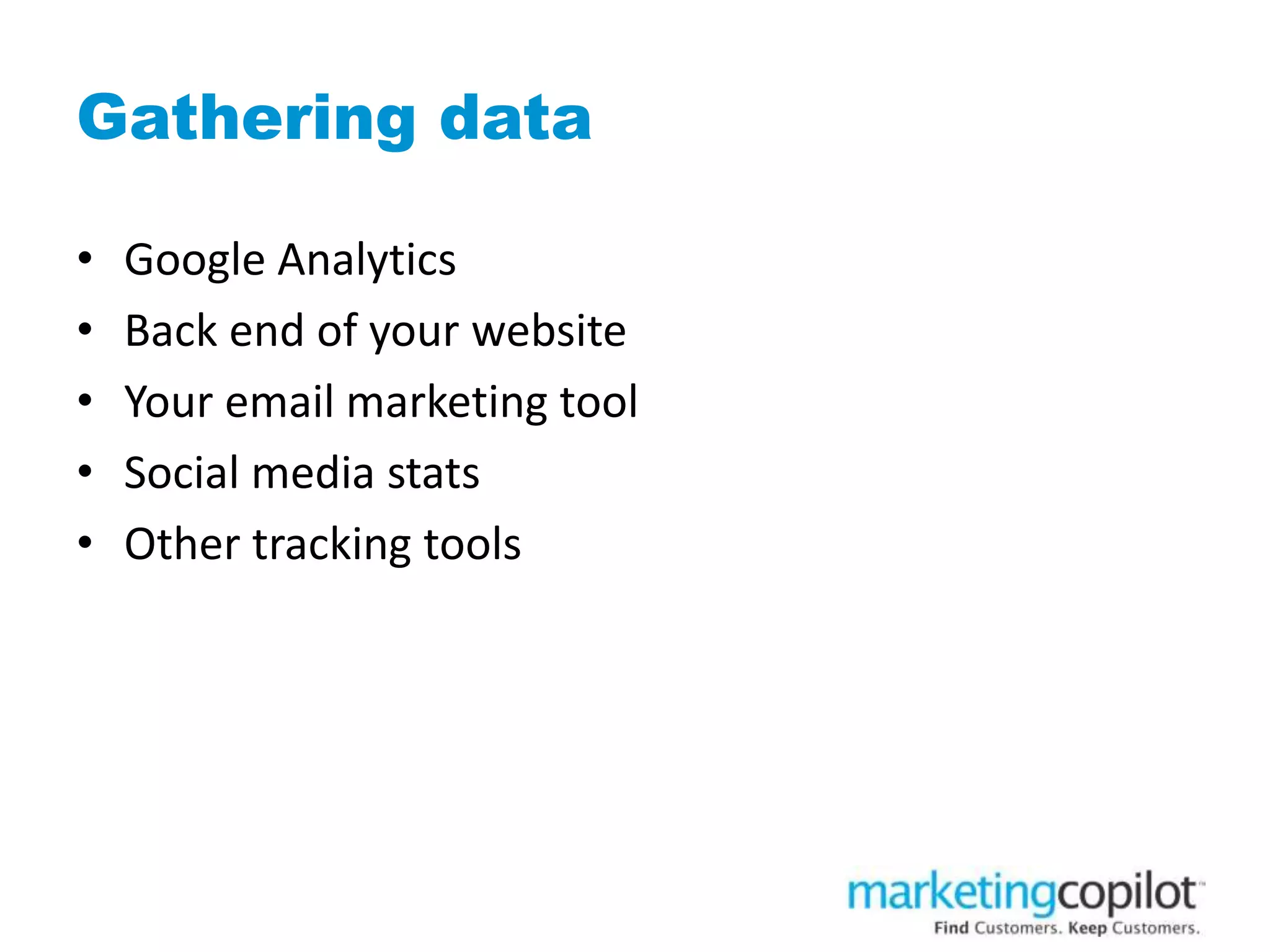
Gathering data
• Google Analytics
• Back end of your website
• Your email marketing tool
• Social media stats
• Other tracking tools
Google Analytics
The good news…
• It’s free
• It’s full of important and useful information
• It provides markers about search engine optimization
Google Analytics
The bad news…
• Its tracking everything about your website
• Its difficult to keep on top of changes
• Its tricky to manipulate
• Google makes you play by their rules
Education/thought leadership
• Being clear on market you serve and problems they
face
• Describing in things in a way no one else has done
before
• Offering something no one else is offering
• Be compelling enough that people will share
Lead generation
• Community building
• Getting to know people
• Inviting them back
Lead nurturing
• Understanding their needs
• Ongoing communication of value
• Inviting them to take a next step
Data that helps achieve your
goals
Goal: Education
• Time on page
• Number of pages visited
• Number of visits on blog/education pages
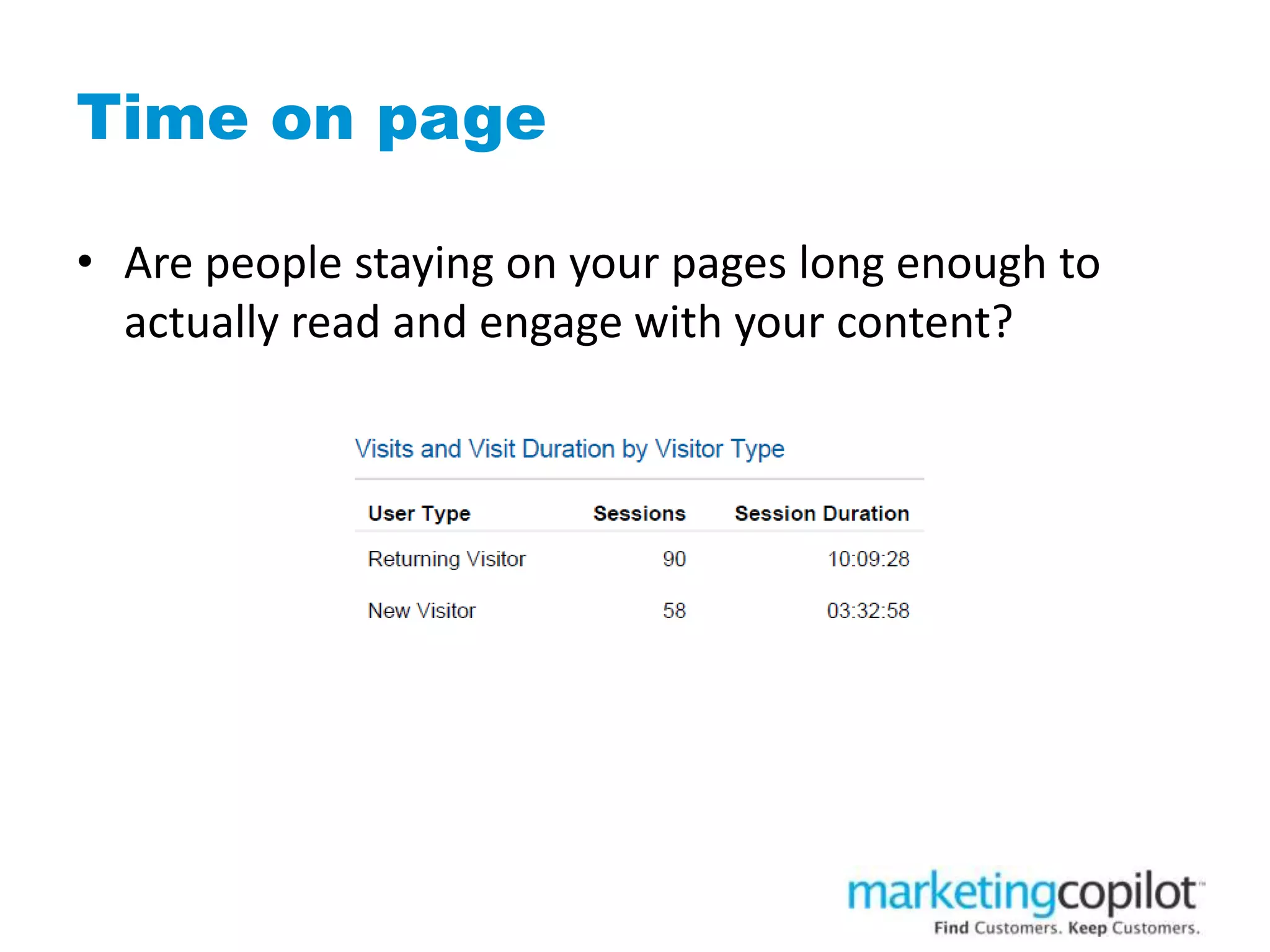
Time on page
• Are people staying on your pages long enough to
actually read and engage with your content?
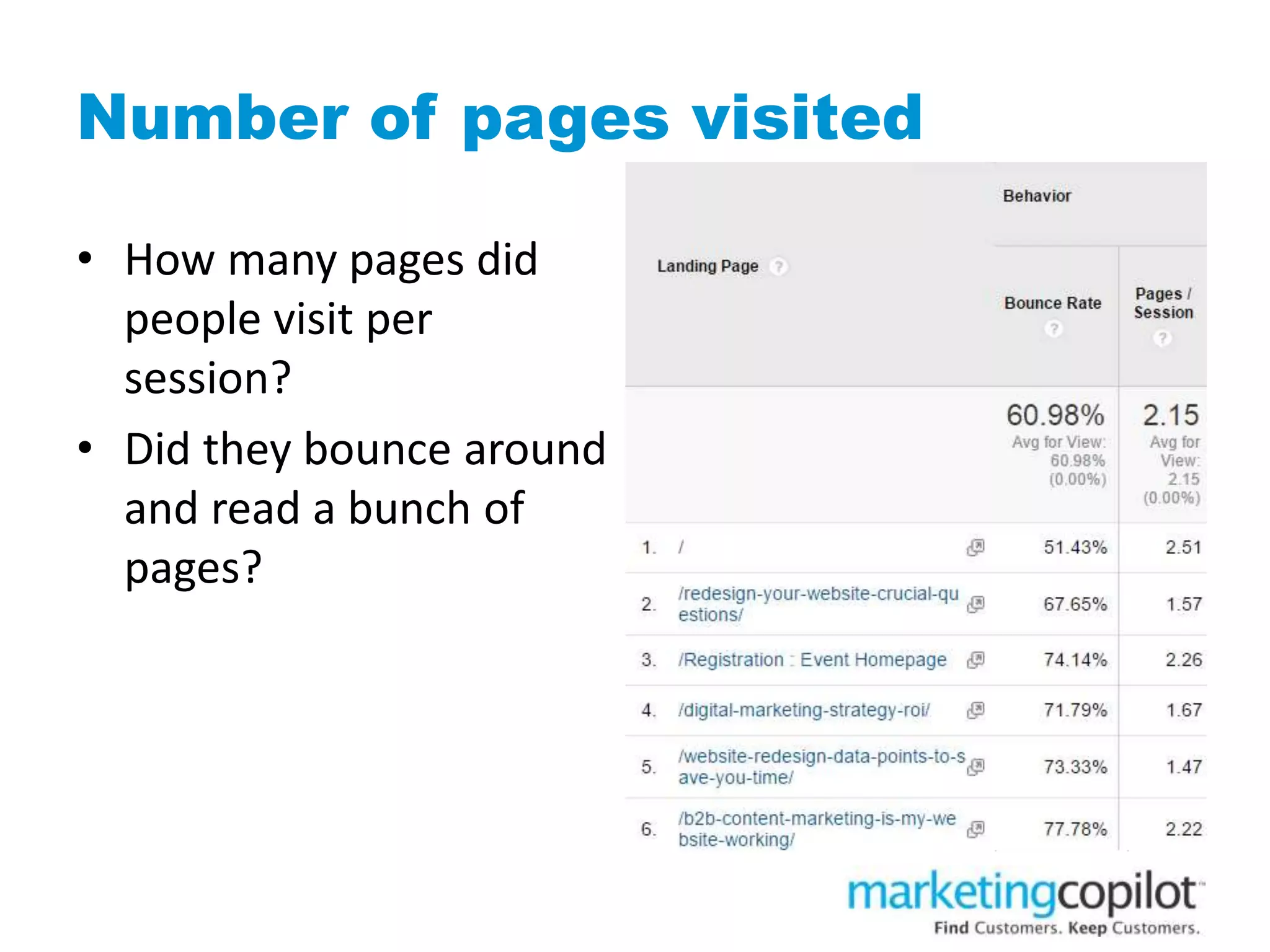
Number of pages visited
• How many pages did
people visit per
session?
• Did they bounce around
and read a bunch of
pages?
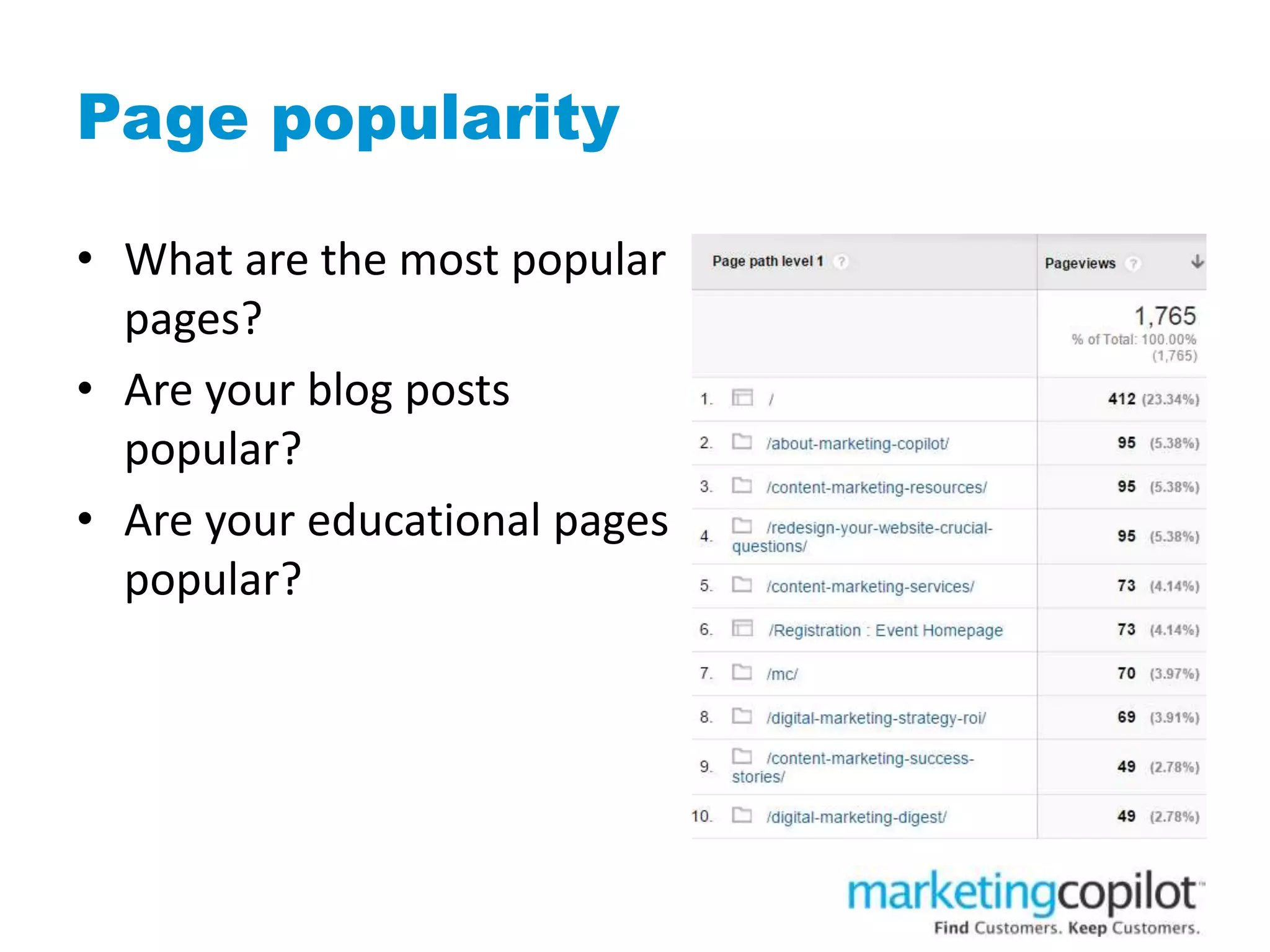
Page popularity
• What are the most popular
pages?
• Are your blog posts
popular?
• Are your educational pages
popular?
Goal: Lead generation
1. Goal completions
2. Geography
3. Keywords
4. Visits by traffic type
5. Referring sites
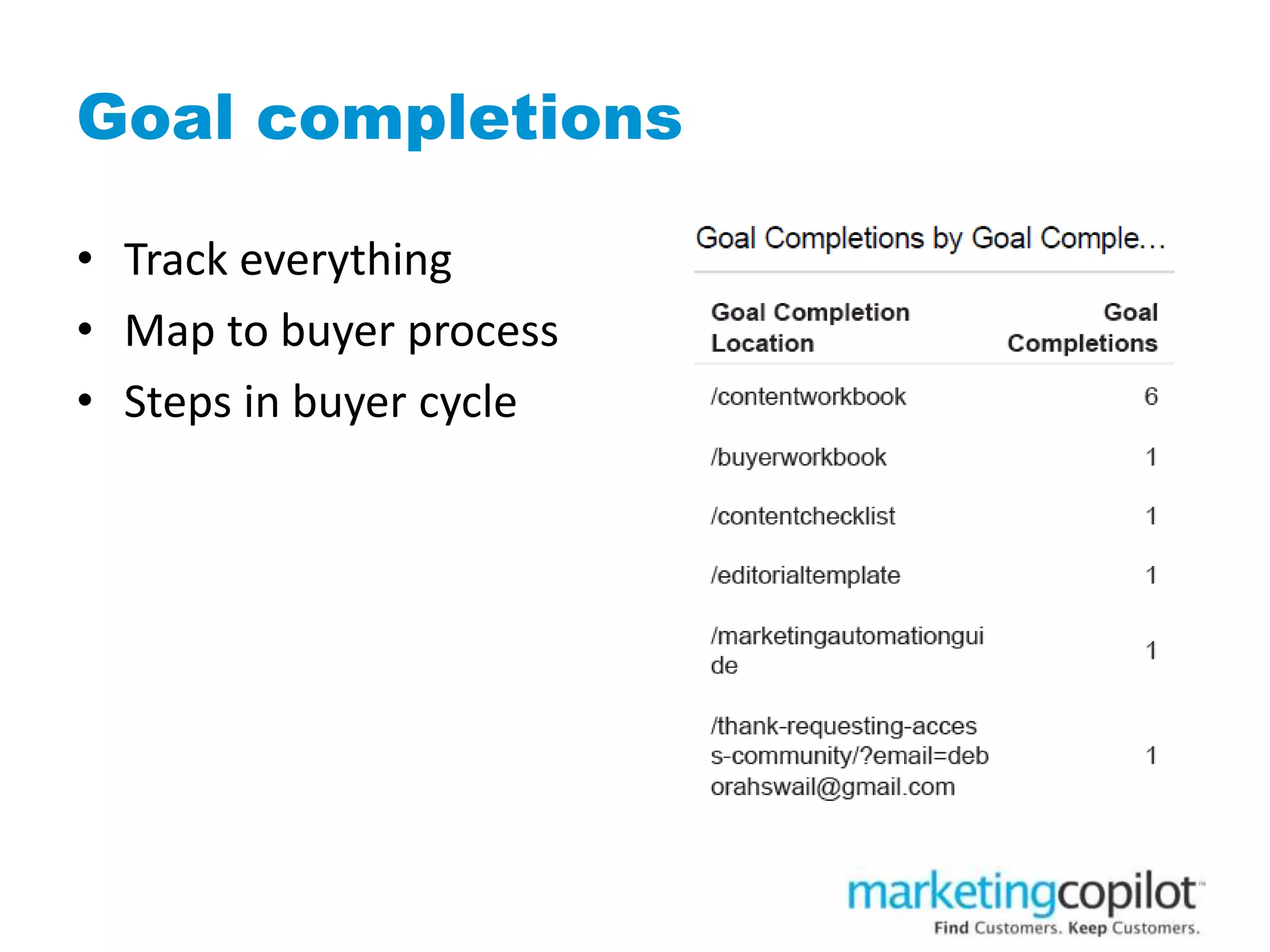
Goal completions
• Track everything
• Map to buyer process
• Steps in buyer cycle
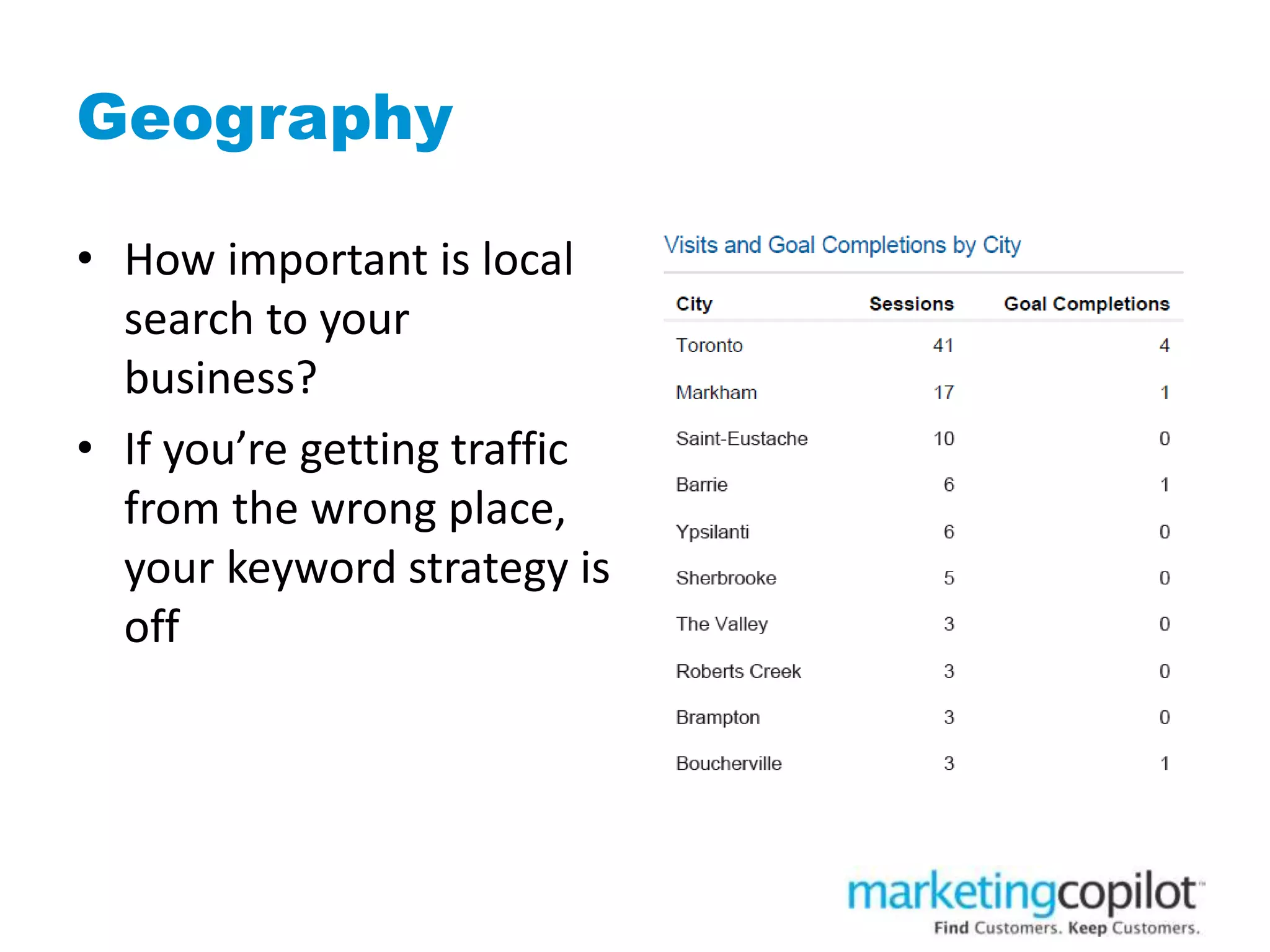
Geography
• How important is local
search to your
business?
• If you’re getting traffic
from the wrong place,
your keyword strategy is
off
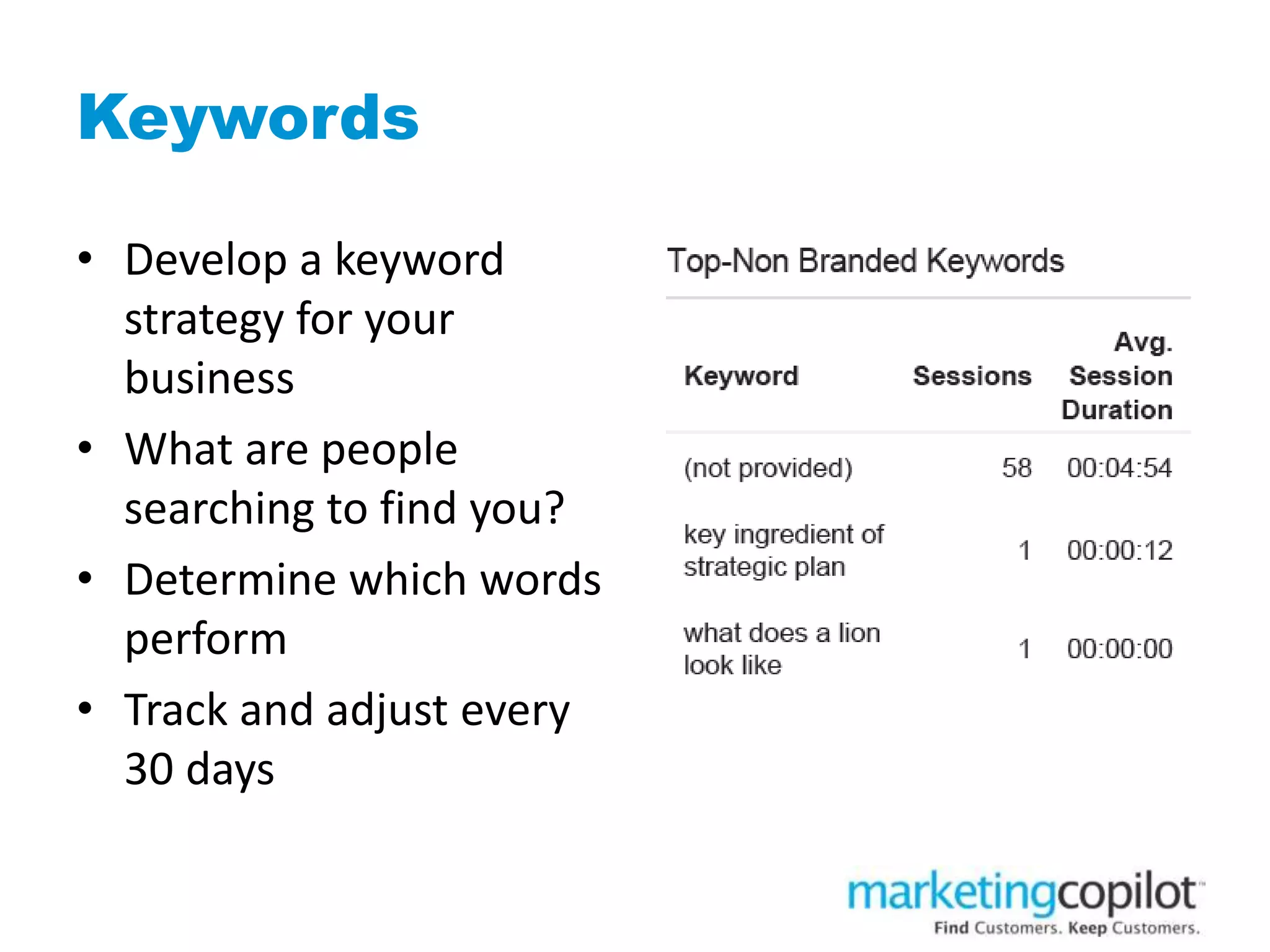
Keywords
• Develop a keyword
strategy for your
business
• What are people
searching to find you?
• Determine which words
perform
• Track and adjust every
30 days
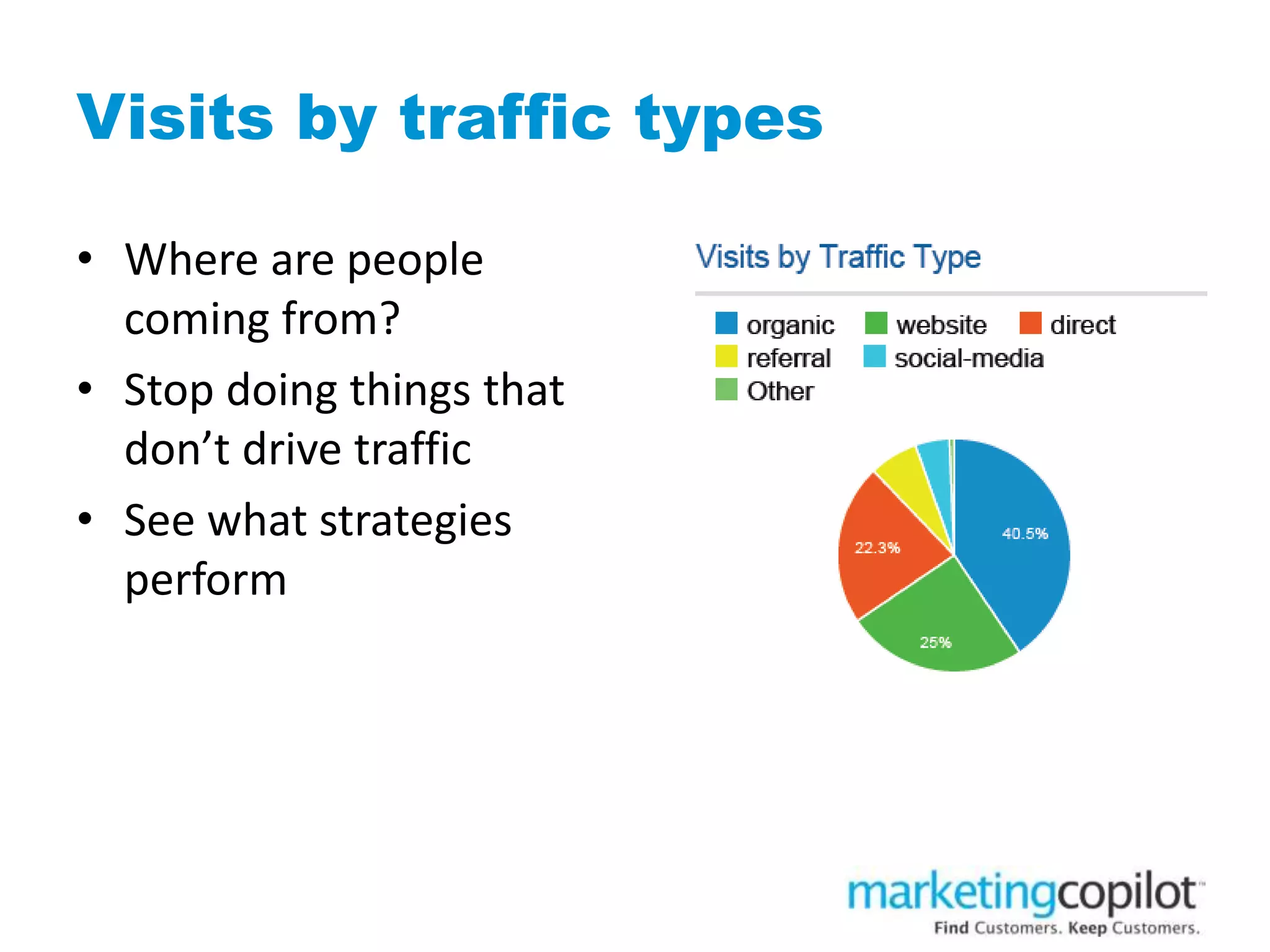
Visits by traffic types
• Where are people
coming from?
• Stop doing things that
don’t drive traffic
• See what strategies
perform
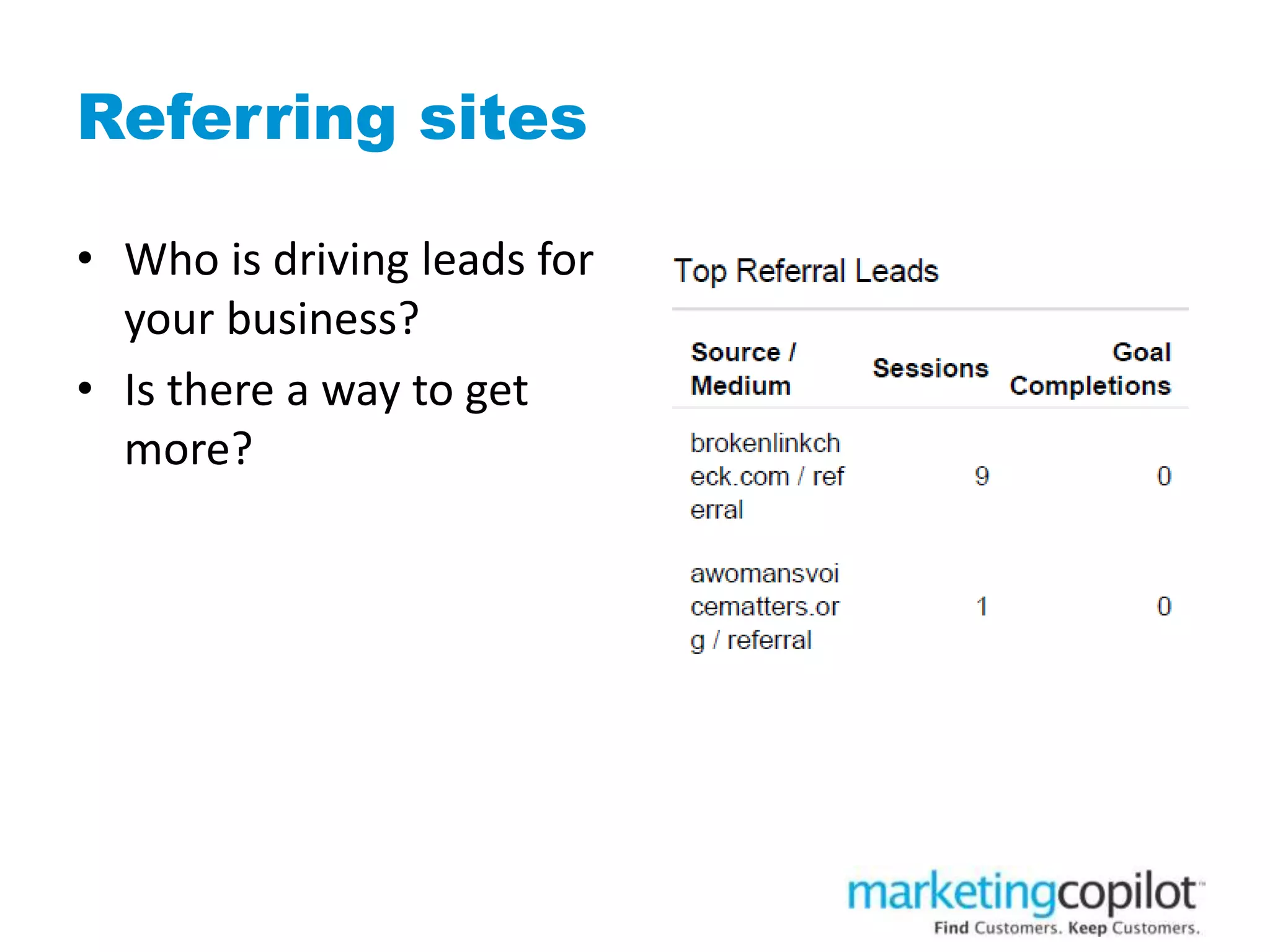
Referring sites
• Who is driving leads for
your business?
• Is there a way to get
more?
Goal: Lead nurturing
• New versus returning visitors
• Subscribes
• Bounce rate
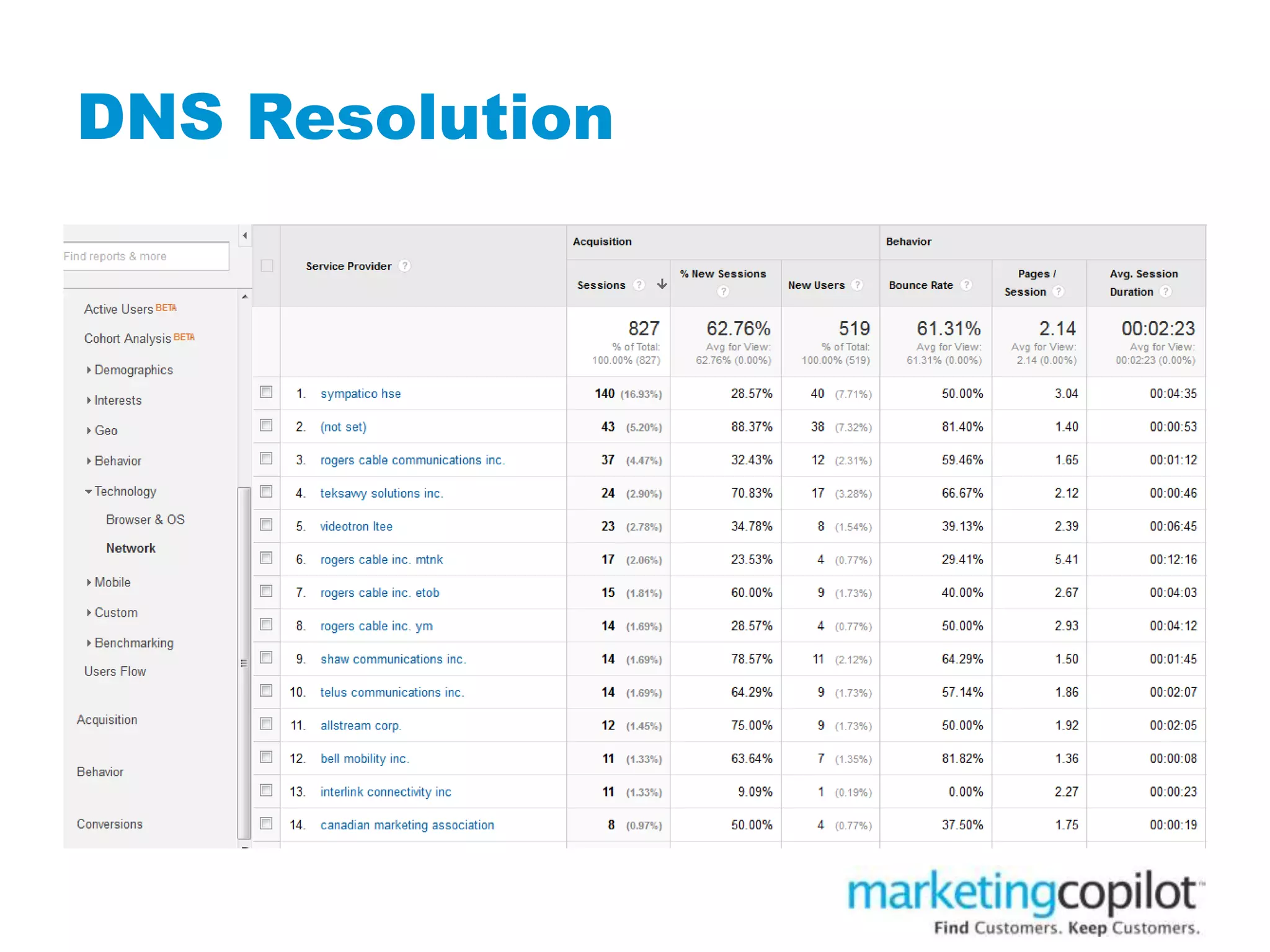
• DNS resolution
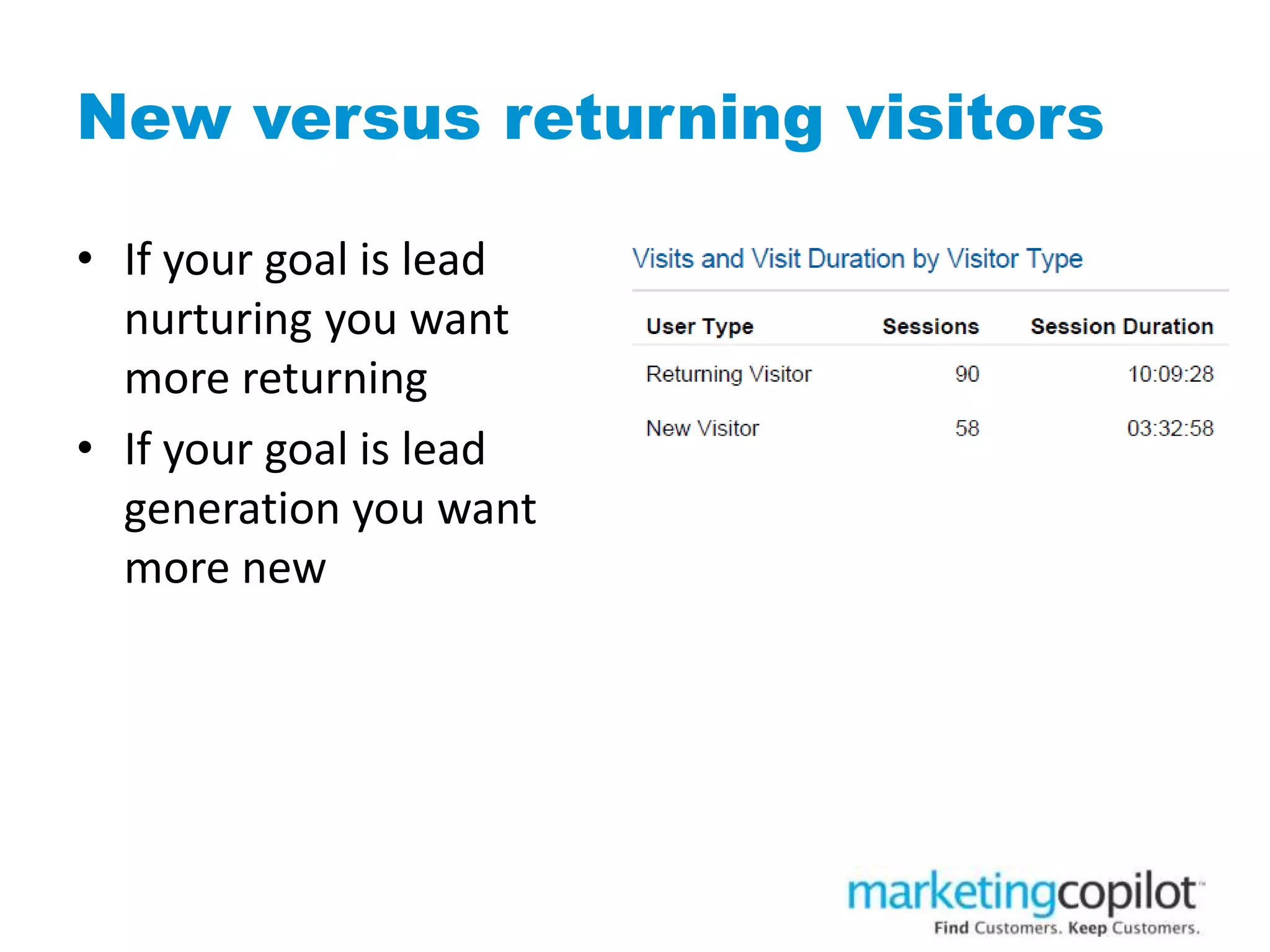
New versus returning visitors
• If your goal is lead
nurturing you want
more returning
• If your goal is lead
generation you want
more new
• Insert pic
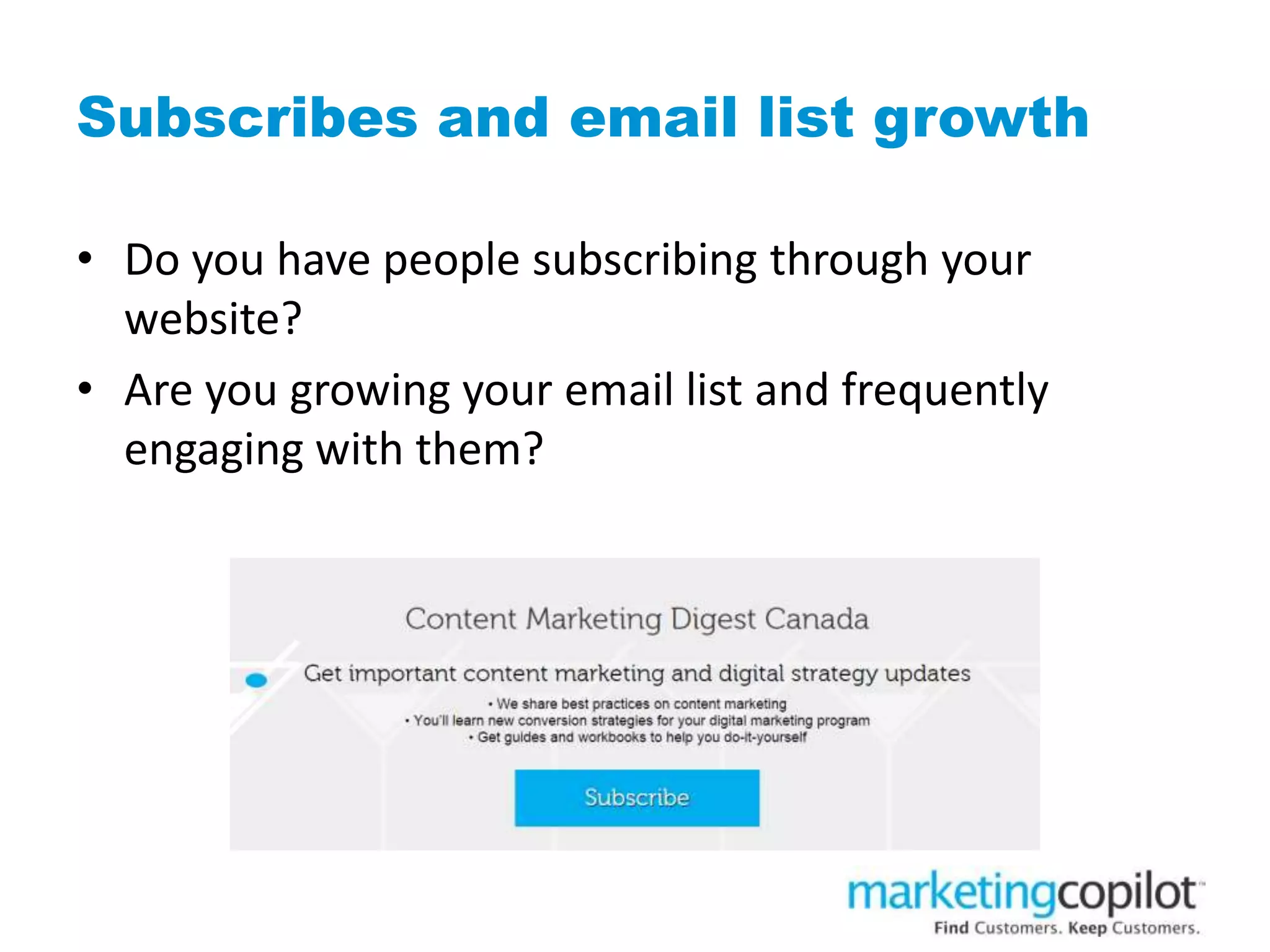
Subscribes and email list growth
• Do you have people subscribing through your
website?
• Are you growing your email list and frequently
engaging with them?
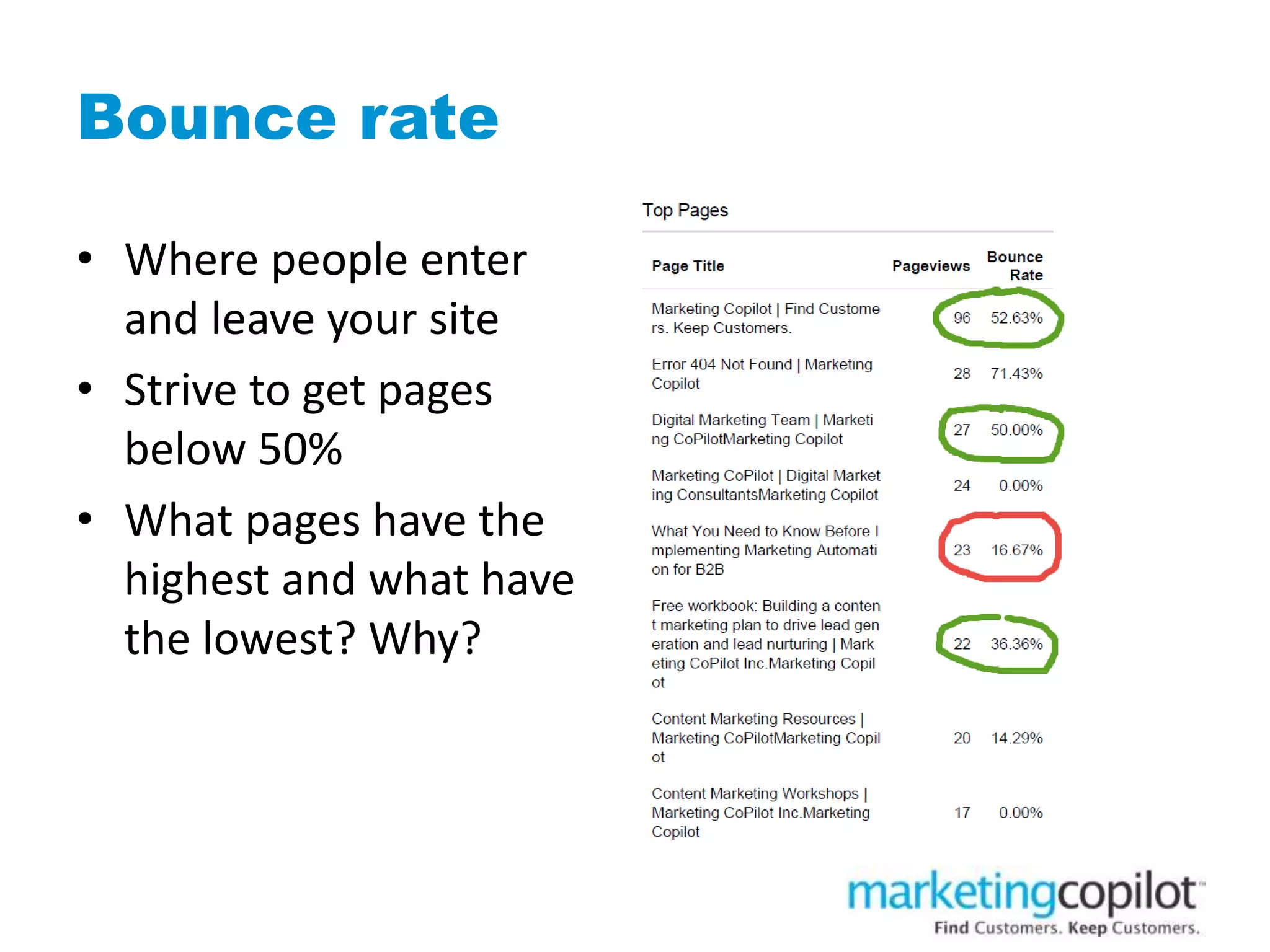
Bounce rate
• Where people enter
and leave your site
• Strive to get pages
below 50%
• What pages have the
highest and what have
the lowest? Why?
• Insert pic
DNS Resolution
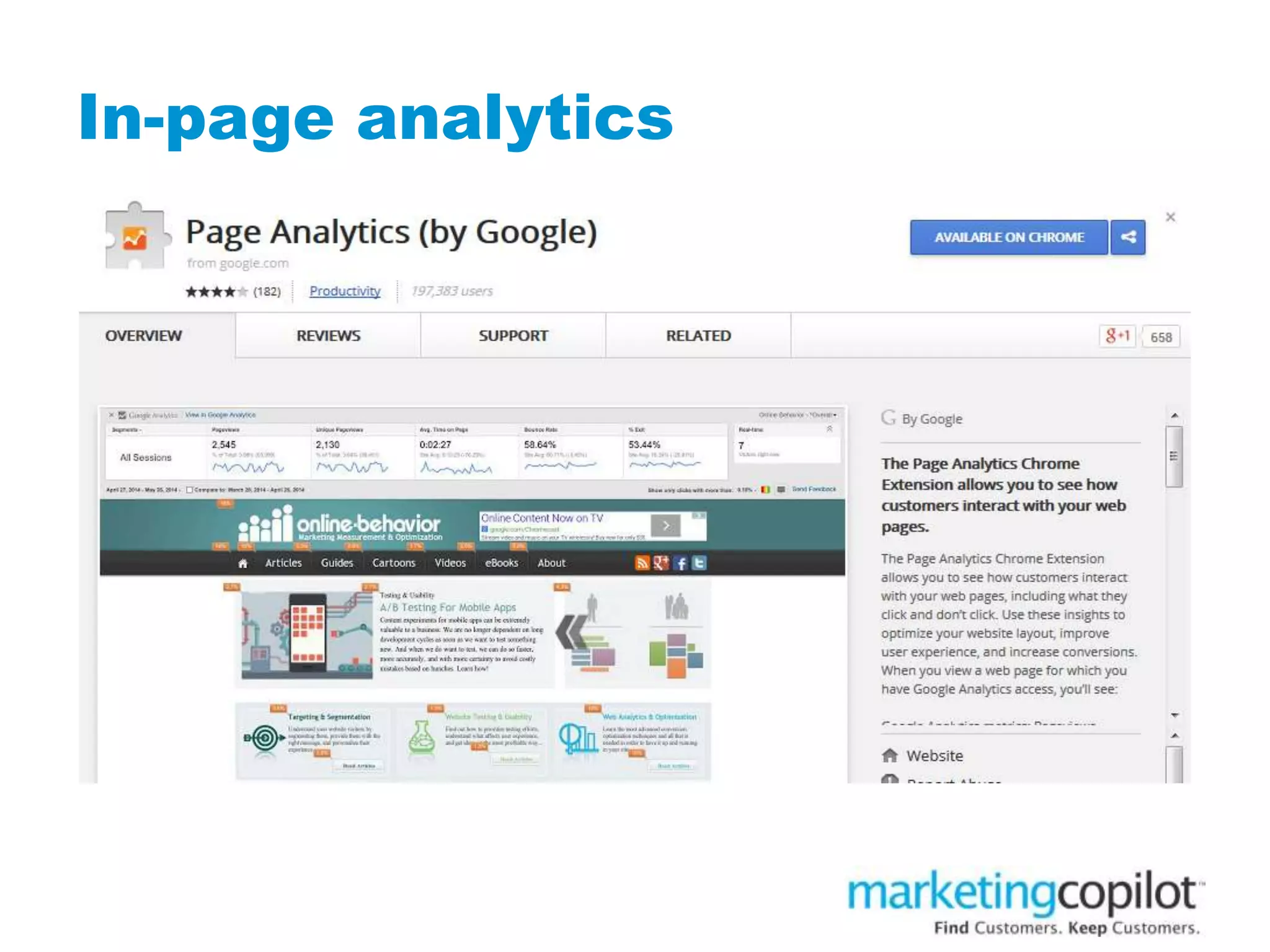
In-page analytics
In-page analytics
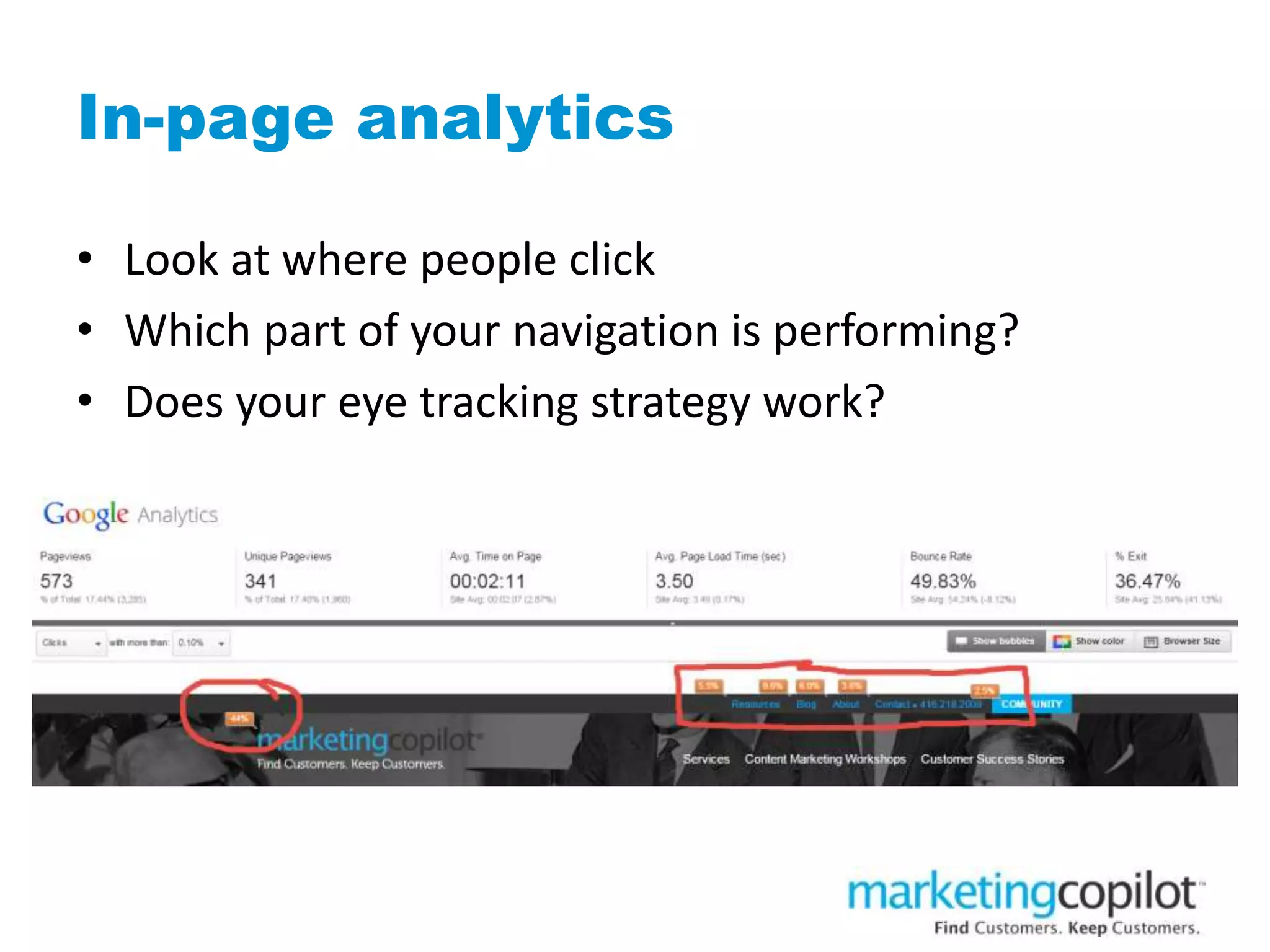
In-page analytics
• Look at where people click
• Which part of your navigation is performing?
• Does your eye tracking strategy work?
How do I analyze my website?
Case study: marketingcopilot.com
• Launched new homepage November 1, 2014
• Homepage analysis done December 31, 2014 (60
days after launch)
• Launched new homepage in March 2015
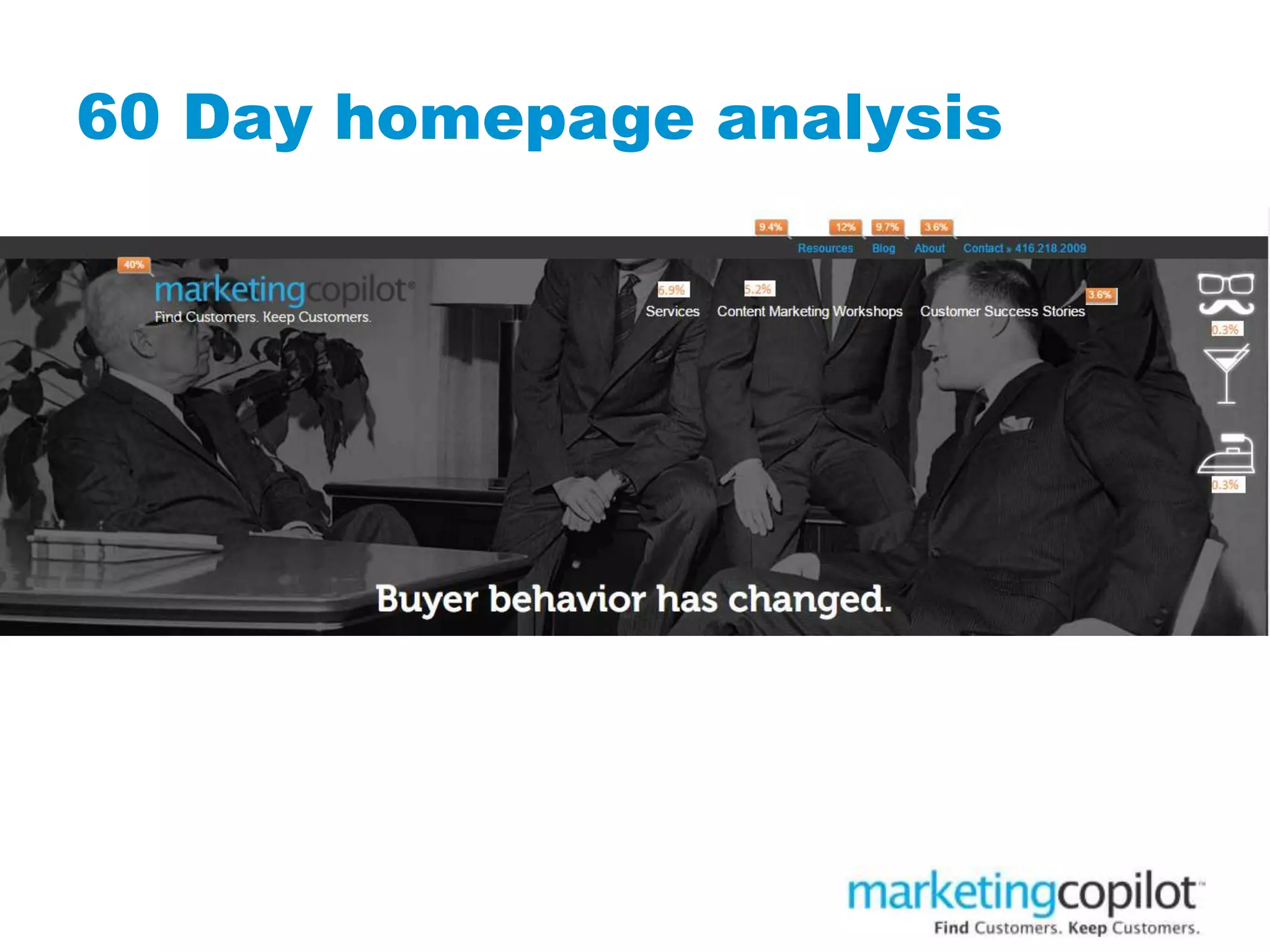
60 Day homepage analysis
Observations
• The main menu items are performing well
• Blog has the highest click thru, followed by About
and Resources
• We can determine people are interested based on
what they are clicking
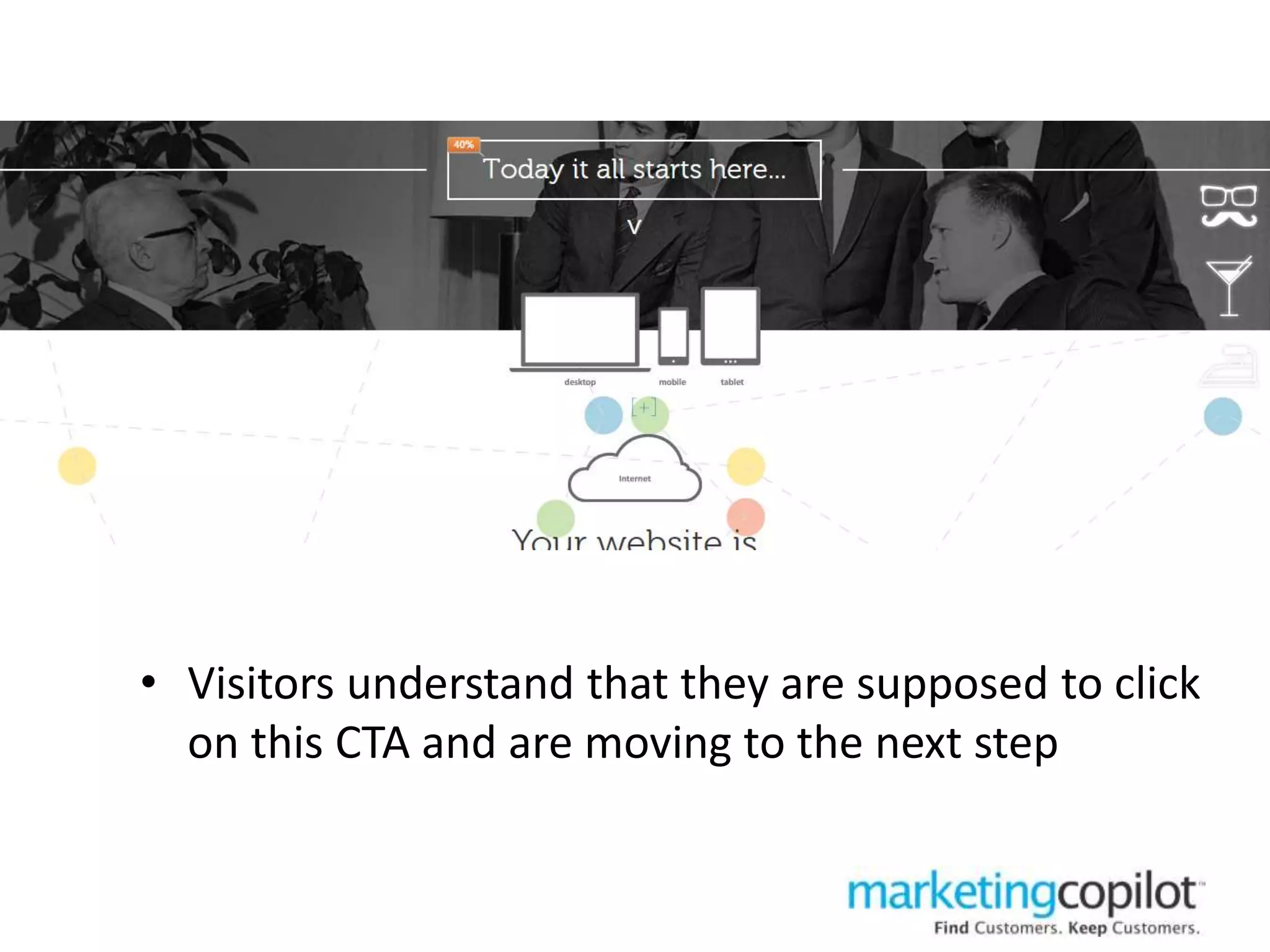
• Visitors understand that they are supposed to click
on this CTA and are moving to the next step
Observations
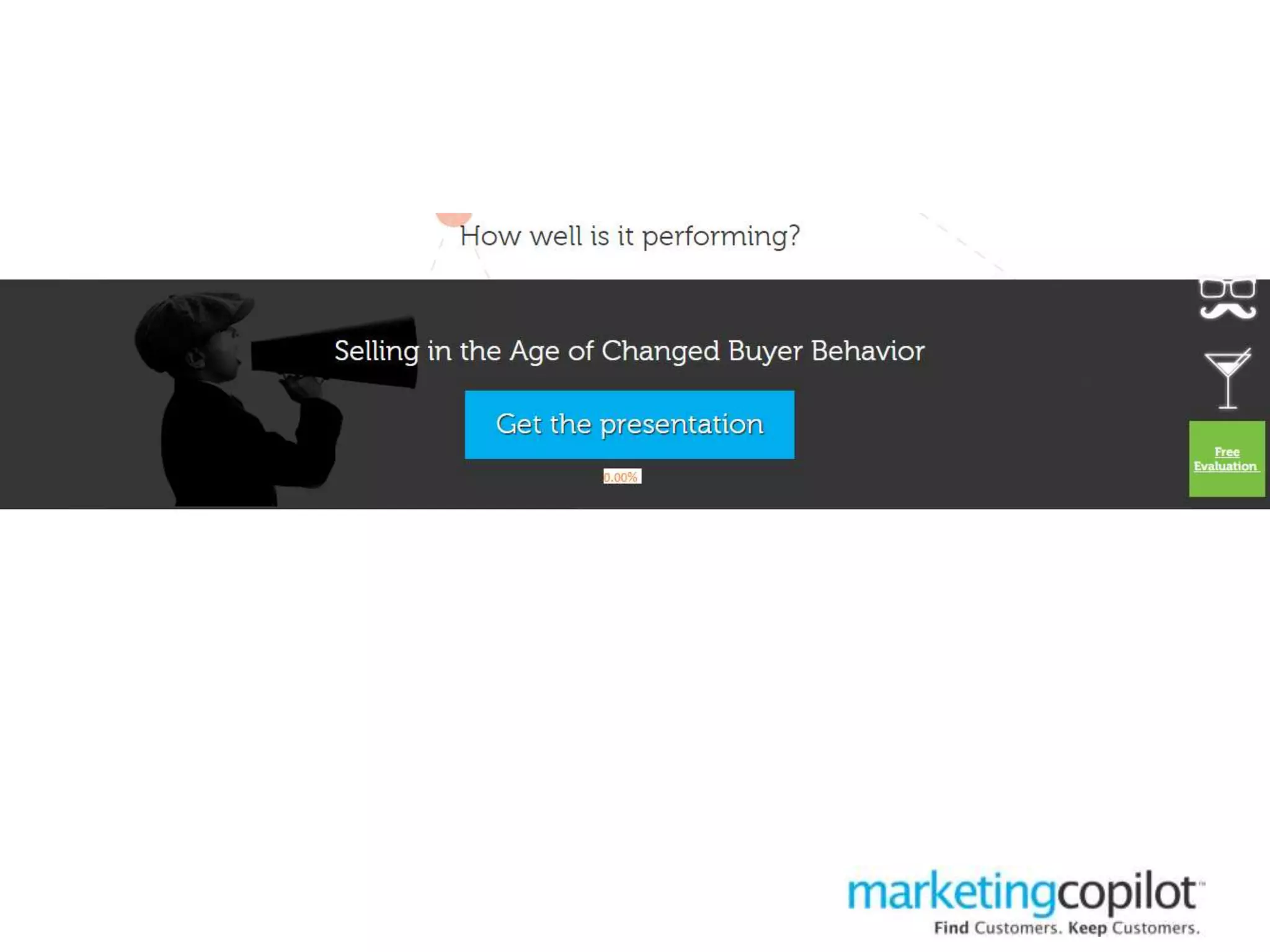
• Visitors are not clicking to download the
presentation
– They don’t understand the value of the presentation or
they want to learn more before downloading
• Visitors might think that they will need to give their
contact details and aren’t ready yet
– Afraid to click thru
Recommendations
• Remove this section of the homepage and place link
to presentation in a different area of the website
• Replace with another download or focus on one
choice only
Observation
• Visitors are not clicking on this link
– Maybe they don’t know why they should or don’t see the
value in clicking on this link
Recommendation
• Make the CTA more action oriented
– What are we providing them?
– Why should they click thru?
Observation
• Results should be higher if this is our main CTA
• People are jumping off before they see it
Recommendation
• Move this download further up the homepage to
support lead generation and lead nurturing
The aha moment…
• Moving from digital to content marketing
• Best customer searching for content marketing
• Being clear about what we do
• Being clear on the path to content marketing
What we did…
• Aligned our keywords to what people wanted not
just what we do
• Re-designed homepage based on Google Analytics
homepage analysis
• Re-wrote content based on keyword strategy
• Re-optimized content based on keyword strategy
• Did not change what was working, only changed
what we could prove wasn’t working
Steps to revamp your keyword and
content strategy
1. Use keyword tools to examine words
2. Create a list of keywords you have opportunity to
rank for that make sense for your website
3. Map your keyword strategy to your content map
4. Re-optimize your pages for those keywords
5. Adjust the name of your blog and blog categories
6. Align your social media bios to reflect keywords
7. Create editorial calendar to reflect new keywords
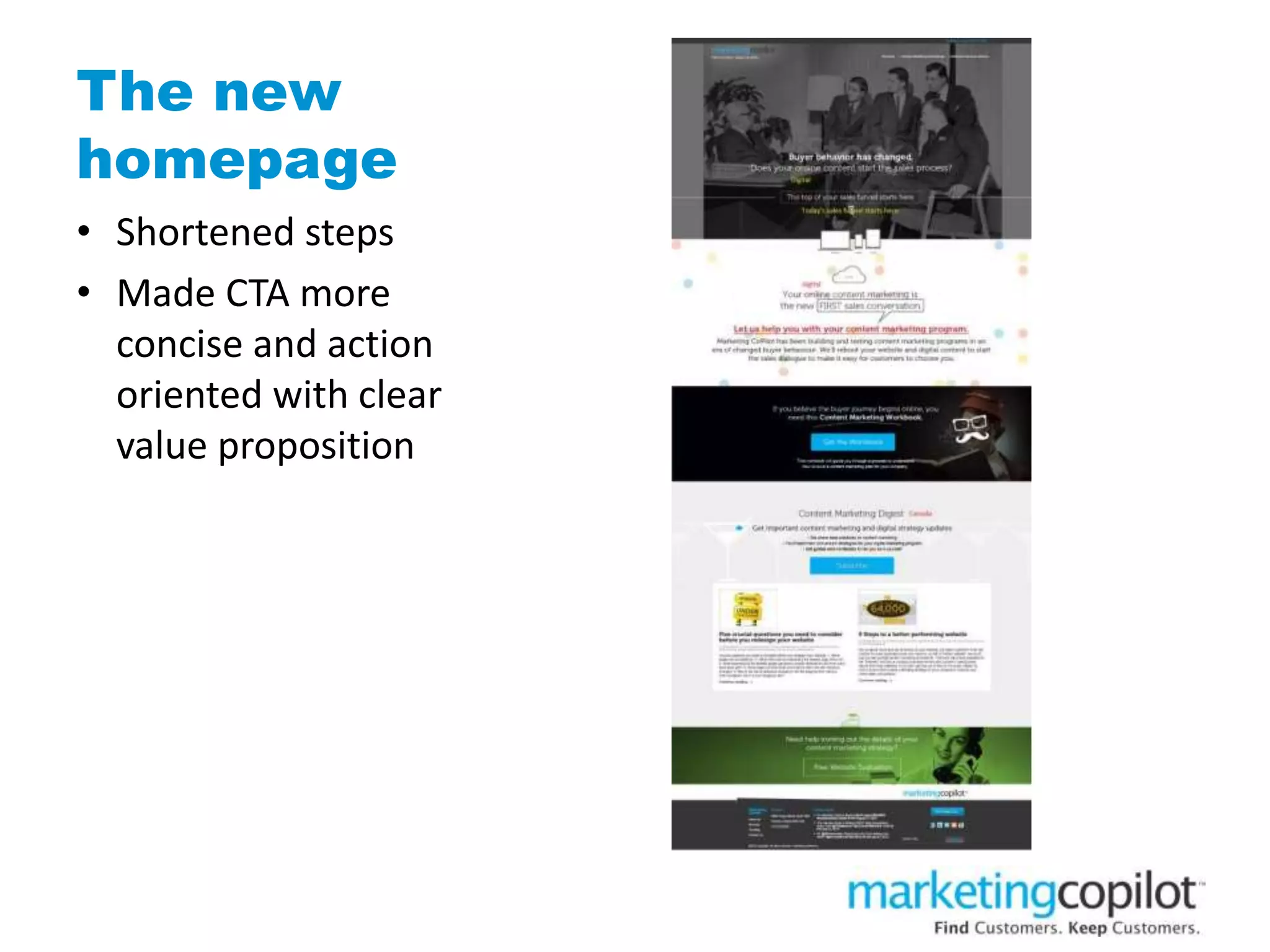
The new
homepage
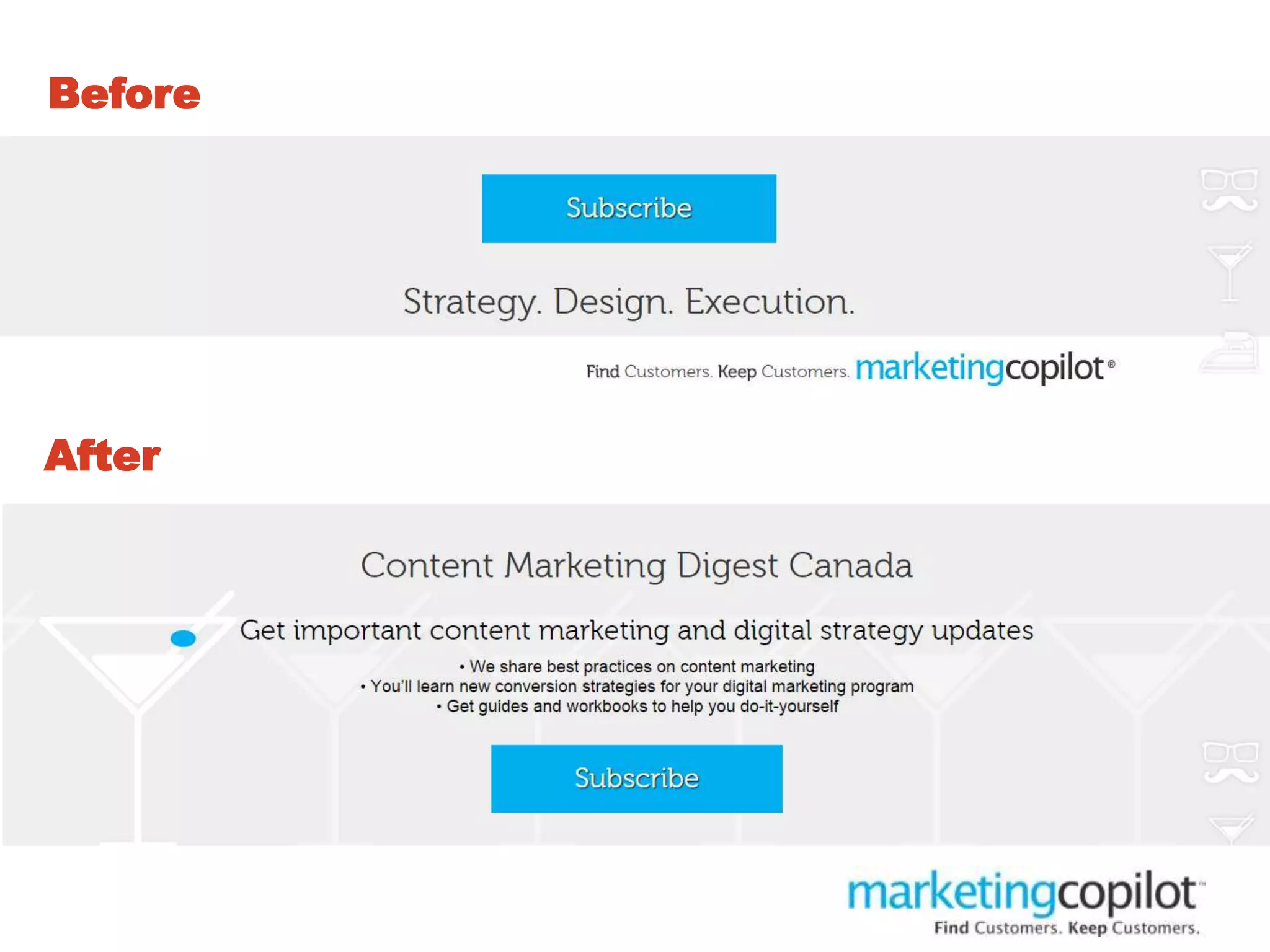
• Shortened steps
• Made CTA more
concise and action
oriented with clear
value proposition
Before
After
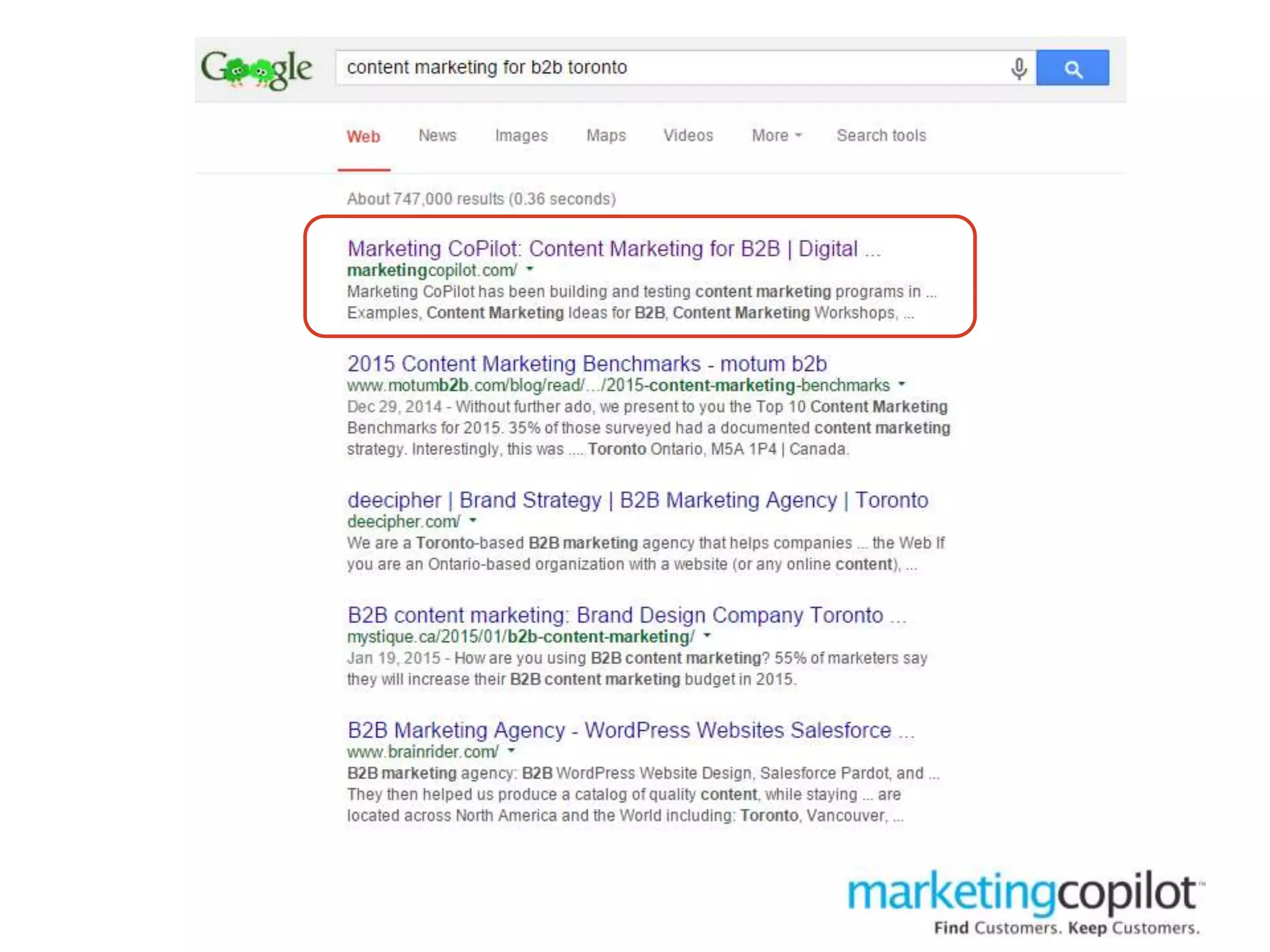
A few results…
• Better search results
• Higher quality leads
• Easier for current customers to share blog
• Easier to understand conversion points
Closing thoughts
1. Don’t make decisions based on opinion – use your
data
2. Make an assumption or identify one thing you want
to change and test that first
3. Don’t be afraid to test
4. Use your analytics often – you don’t need to be an
expert but looking at it once a year doesn’t help you
5. 30-60-90 day evaluation cycles work best
Get this presentation…
SlideShare
slideshare.net/marketingcopilot
Email us
marie@marketingcopilot.com
Follow us
@mcopilot

How to use Google Analytics to redesign your website

  • 1.
    How to useGoogle Analytics to redesign your website May 27, 2015 Marie Wiese
  • 2.
    Agenda 1. The truthabout website objectives 2. Collecting the right data 3. Analyzing the website 4. Making decisions 5. Making changes 6. Reviewing results
  • 3.
  • 4.
    New business opportunitypipeline Lead creation Lead nurturing Sales process Closing The primary function of your website • Lead creation • Lead nurturing The primary function of your sales team • Sales process • Closing
  • 5.
    First steps inbuilding an opportunity pipeline Lead creation • Web traffic (SEO/SEM) • Networking • Events • List purchase • Cold calling • Sponsored content Lead nurture • Email marketing • Social media • Blog • Downloads • Webinars • Workshops
  • 6.
    Customer view ofthe sales process 1. Order taker 2. Product expert 3. Problem solver 4. Strategic advisor  Goal inside your new business opportunity pipeline is to raise profile from order taker to strategic advisor; the higher up you go, the easier it is to close the sale
  • 7.
    MEASURE YOUR WEBSITE’S PERFORMANCEAGAINST LEAD NURTURING NOT CLOSED SALES
  • 8.
    Confirm website objective 1.Education/thought leadership 2. Lead generation 3. Lead nurturing 4. Sales
  • 9.
    Gathering data • GoogleAnalytics • Back end of your website • Your email marketing tool • Social media stats • Other tracking tools
  • 10.
    Google Analytics The goodnews… • It’s free • It’s full of important and useful information • It provides markers about search engine optimization
  • 11.
    Google Analytics The badnews… • Its tracking everything about your website • Its difficult to keep on top of changes • Its tricky to manipulate • Google makes you play by their rules
  • 12.
    Education/thought leadership • Beingclear on market you serve and problems they face • Describing in things in a way no one else has done before • Offering something no one else is offering • Be compelling enough that people will share
  • 13.
    Lead generation • Communitybuilding • Getting to know people • Inviting them back
  • 14.
    Lead nurturing • Understandingtheir needs • Ongoing communication of value • Inviting them to take a next step
  • 15.
    Data that helpsachieve your goals
  • 16.
    Goal: Education • Timeon page • Number of pages visited • Number of visits on blog/education pages
  • 17.
    Time on page •Are people staying on your pages long enough to actually read and engage with your content?
  • 18.
    Number of pagesvisited • How many pages did people visit per session? • Did they bounce around and read a bunch of pages?
  • 19.
    Page popularity • Whatare the most popular pages? • Are your blog posts popular? • Are your educational pages popular?
  • 20.
    Goal: Lead generation 1.Goal completions 2. Geography 3. Keywords 4. Visits by traffic type 5. Referring sites
  • 21.
    Goal completions • Trackeverything • Map to buyer process • Steps in buyer cycle
  • 22.
    Geography • How importantis local search to your business? • If you’re getting traffic from the wrong place, your keyword strategy is off
  • 23.
    Keywords • Develop akeyword strategy for your business • What are people searching to find you? • Determine which words perform • Track and adjust every 30 days
  • 24.
    Visits by traffictypes • Where are people coming from? • Stop doing things that don’t drive traffic • See what strategies perform
  • 25.
    Referring sites • Whois driving leads for your business? • Is there a way to get more?
  • 26.
    Goal: Lead nurturing •New versus returning visitors • Subscribes • Bounce rate • DNS resolution
  • 27.
    New versus returningvisitors • If your goal is lead nurturing you want more returning • If your goal is lead generation you want more new • Insert pic
  • 28.
    Subscribes and emaillist growth • Do you have people subscribing through your website? • Are you growing your email list and frequently engaging with them?
  • 29.
    Bounce rate • Wherepeople enter and leave your site • Strive to get pages below 50% • What pages have the highest and what have the lowest? Why? • Insert pic
  • 30.
  • 31.
  • 32.
  • 33.
    In-page analytics • Lookat where people click • Which part of your navigation is performing? • Does your eye tracking strategy work?
  • 34.
    How do Ianalyze my website?
  • 35.
    Case study: marketingcopilot.com •Launched new homepage November 1, 2014 • Homepage analysis done December 31, 2014 (60 days after launch) • Launched new homepage in March 2015
  • 36.
  • 37.
    Observations • The mainmenu items are performing well • Blog has the highest click thru, followed by About and Resources • We can determine people are interested based on what they are clicking
  • 38.
    • Visitors understandthat they are supposed to click on this CTA and are moving to the next step
  • 40.
    Observations • Visitors arenot clicking to download the presentation – They don’t understand the value of the presentation or they want to learn more before downloading • Visitors might think that they will need to give their contact details and aren’t ready yet – Afraid to click thru
  • 41.
    Recommendations • Remove thissection of the homepage and place link to presentation in a different area of the website • Replace with another download or focus on one choice only
  • 43.
    Observation • Visitors arenot clicking on this link – Maybe they don’t know why they should or don’t see the value in clicking on this link
  • 44.
    Recommendation • Make theCTA more action oriented – What are we providing them? – Why should they click thru?
  • 46.
    Observation • Results shouldbe higher if this is our main CTA • People are jumping off before they see it
  • 47.
    Recommendation • Move thisdownload further up the homepage to support lead generation and lead nurturing
  • 48.
    The aha moment… •Moving from digital to content marketing • Best customer searching for content marketing • Being clear about what we do • Being clear on the path to content marketing
  • 49.
    What we did… •Aligned our keywords to what people wanted not just what we do • Re-designed homepage based on Google Analytics homepage analysis • Re-wrote content based on keyword strategy • Re-optimized content based on keyword strategy • Did not change what was working, only changed what we could prove wasn’t working
  • 50.
    Steps to revampyour keyword and content strategy 1. Use keyword tools to examine words 2. Create a list of keywords you have opportunity to rank for that make sense for your website 3. Map your keyword strategy to your content map 4. Re-optimize your pages for those keywords 5. Adjust the name of your blog and blog categories 6. Align your social media bios to reflect keywords 7. Create editorial calendar to reflect new keywords
  • 51.
    The new homepage • Shortenedsteps • Made CTA more concise and action oriented with clear value proposition
  • 55.
  • 57.
    A few results… •Better search results • Higher quality leads • Easier for current customers to share blog • Easier to understand conversion points
  • 59.
    Closing thoughts 1. Don’tmake decisions based on opinion – use your data 2. Make an assumption or identify one thing you want to change and test that first 3. Don’t be afraid to test 4. Use your analytics often – you don’t need to be an expert but looking at it once a year doesn’t help you 5. 30-60-90 day evaluation cycles work best
  • 60.
    Get this presentation… SlideShare slideshare.net/marketingcopilot Emailus marie@marketingcopilot.com Follow us @mcopilot

Editor's Notes

  • #8 If you do not sell a product or service in a highly commoditized category where a product or service can be simply bought on price alone, online, you need to view your new business opportunity pipeline in terms of lead creation and lead nurturing. This is why social selling and email marketing are so important in today’s digital marketing world. People are
  • #53 Menu items using keywords on Content Marketing Made the homepage shorter only keeping items that were performing on the previous homepage Opening CTA making people think about their digital content and if it starts the sales process (more explicit)
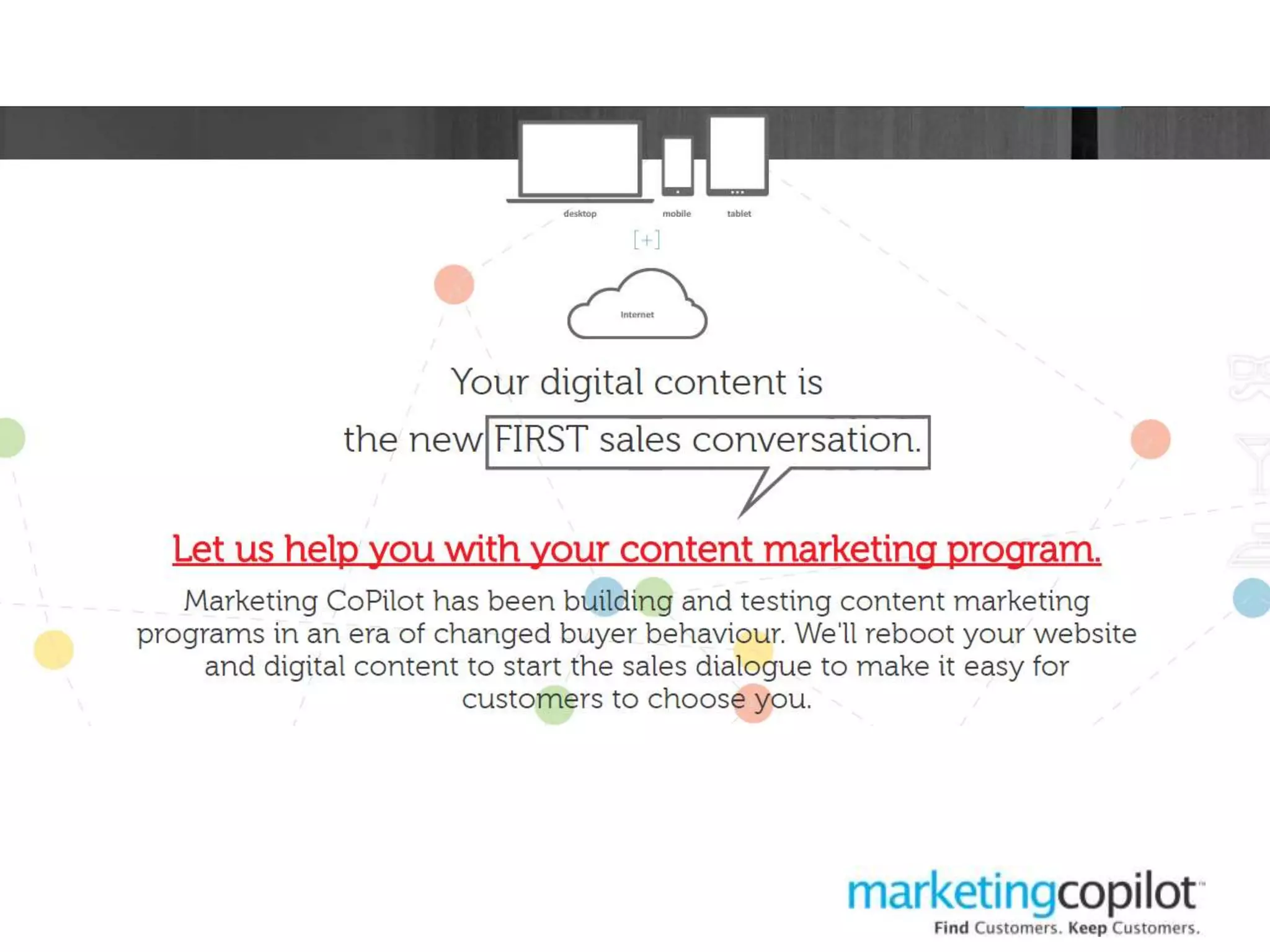
  • #54 - Added content that leads to our services page and what we do and what value we will bring to you if you are struggling with your online content starting the sales process
  • #55 - Moved the content marketing workbook up further on the homepage with a clearer CTA and reason to download
  • #56 - Added why you should subscribe to our blog above the blog snippets to increase visitors interest in subscribing and catching their eye before they read the blog posts
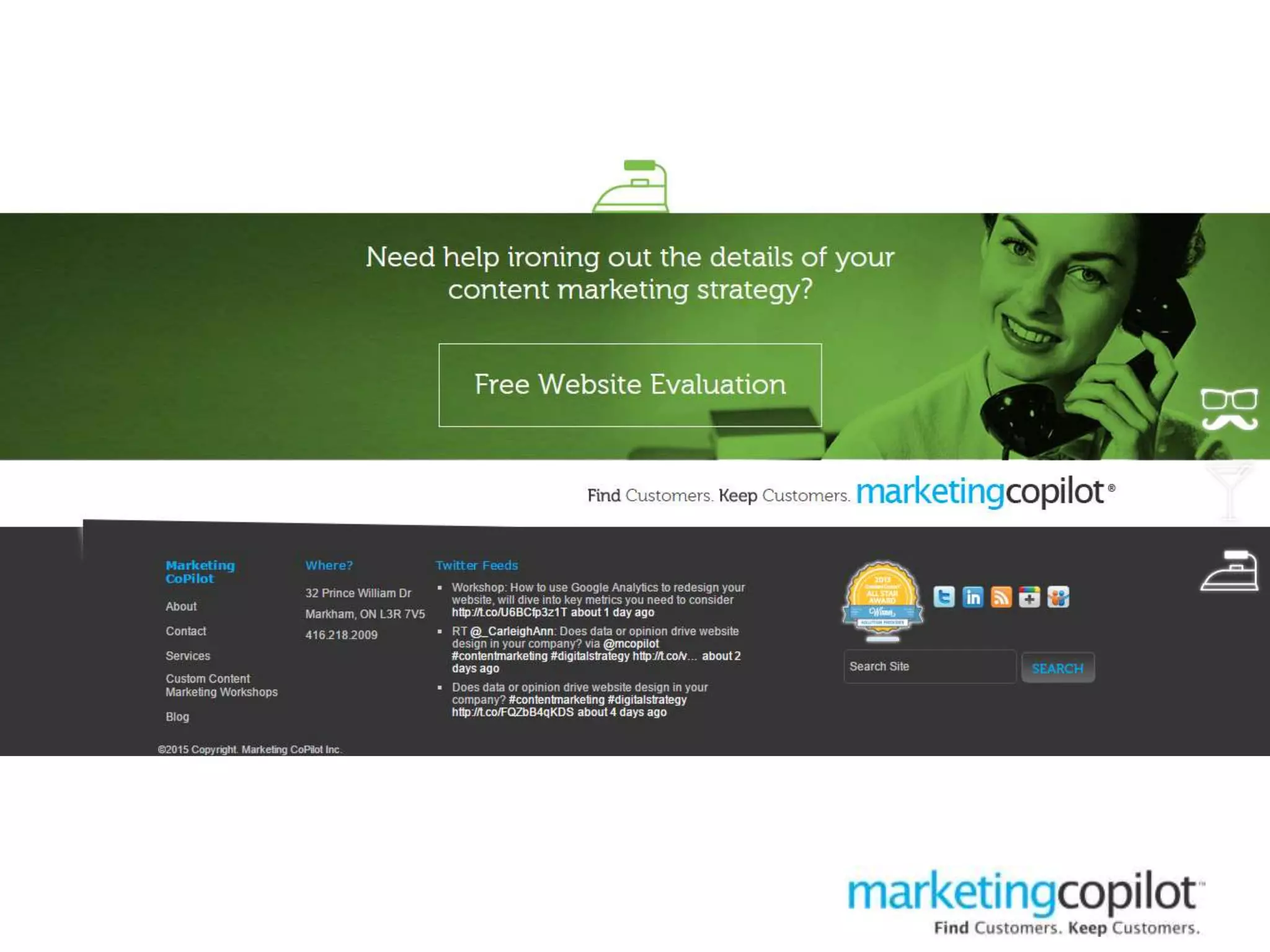
  • #57 - Added the CTA for a free website evaluation as this gets people into the sales cycle and allows us to qualify fairly quickly