Dockers & Containers
By Gaurav KS
Dockers & Containers
PREREQUISITE:
Command line fundamentals
Networking
File System
Cloud
l
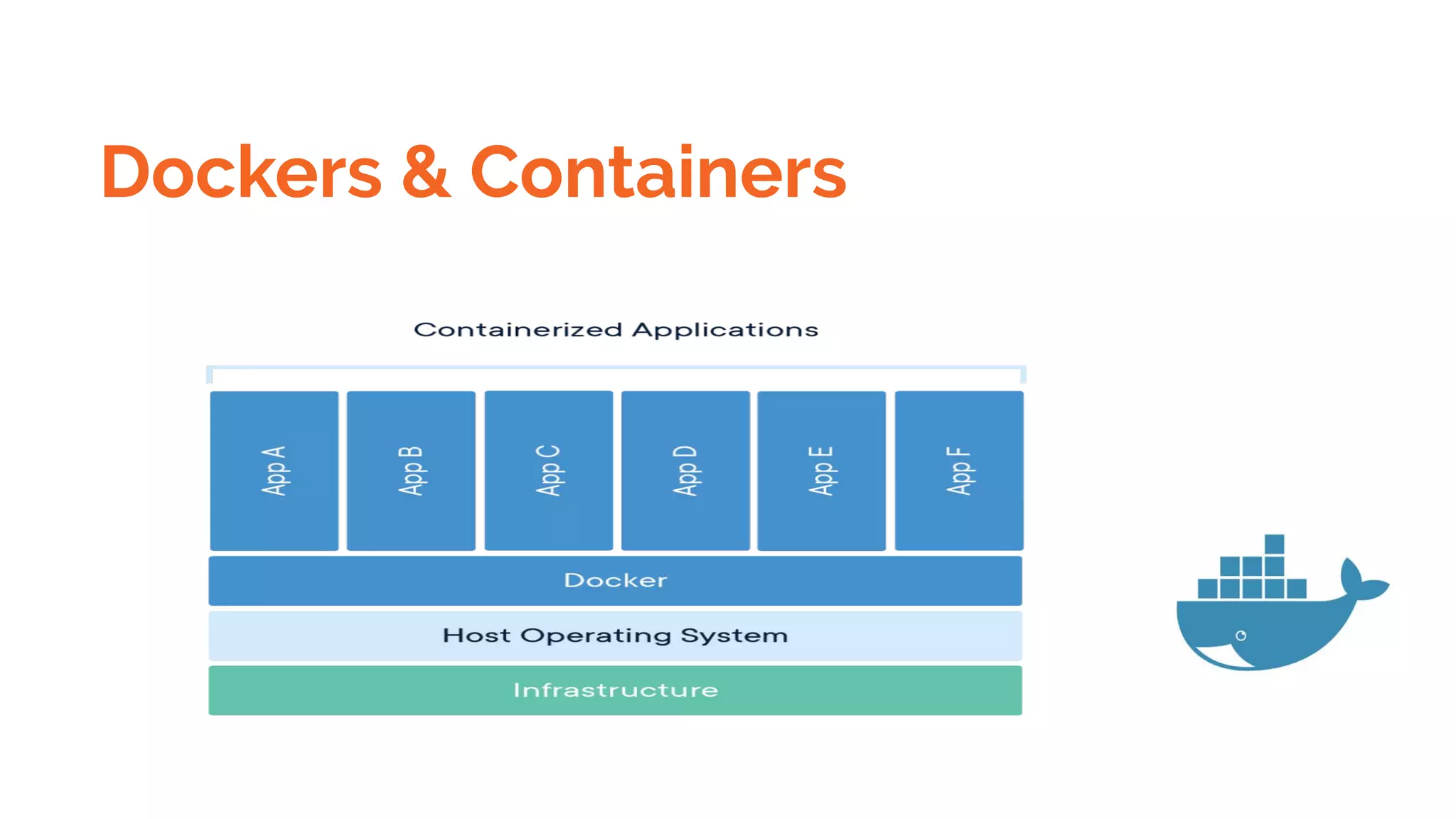
Dockers & Containers
Docker is a platform and tool for building, distributing, and running Docker
containers. It offers its own native clustering tool that can be used to
orchestrate and schedule containers on machine clusters.
Docker is an open source project that makes it easy to create containers and
container-based apps. Originally built for Linux, Docker now runs on Windows
and MacOS as well.
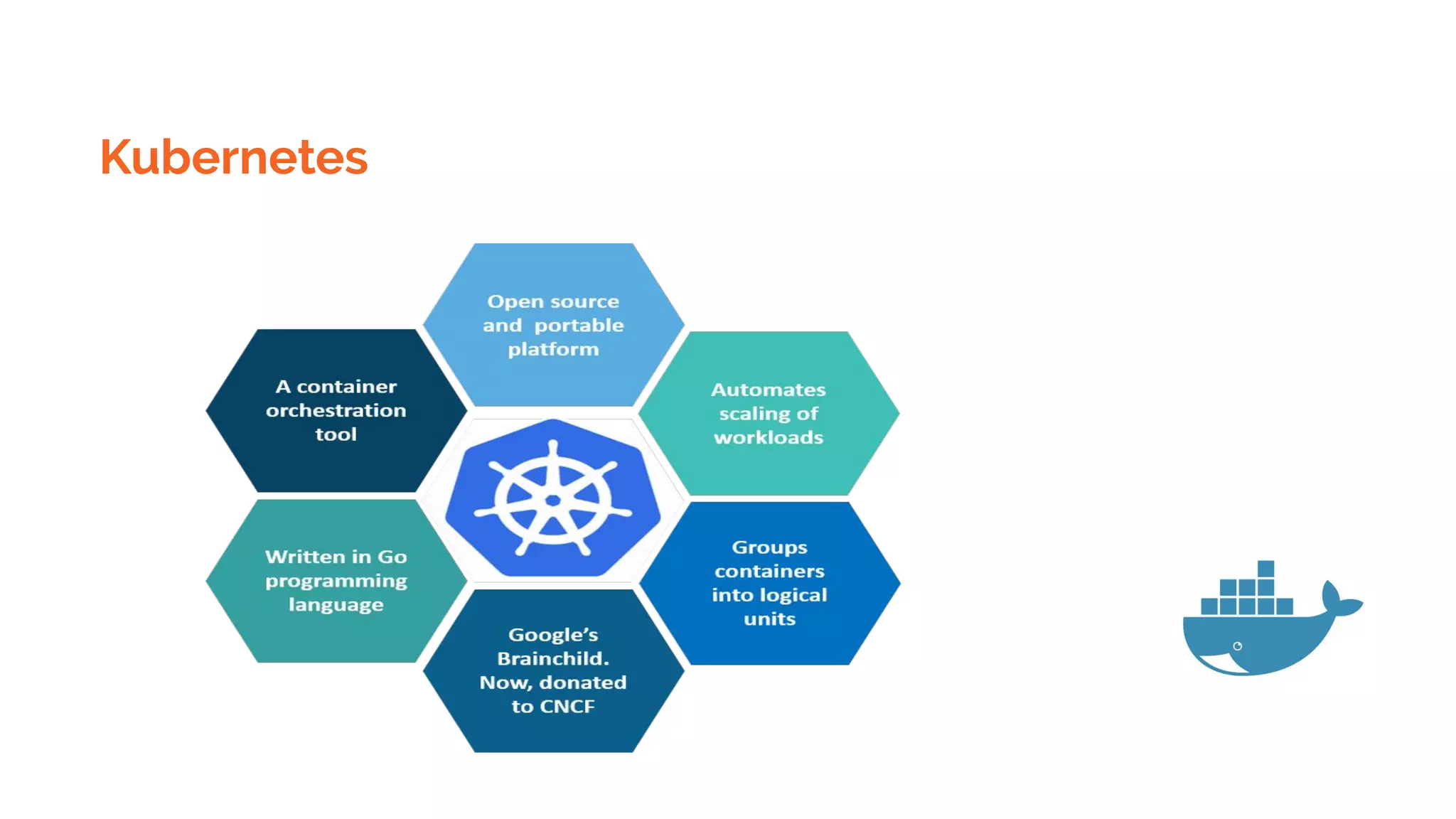
Kubernetes is a container orchestration system for Docker containers that
is more extensive than Docker Swarm and is meant to coordinate clusters
of nodes at scale in production in an efficient manner.
Dockers & Containers
High Velocity Innovation
Any App Anywhere
Intrinsic Security
Docker Images Vs Containers
Docker Images
You have an image, which is a set of layers .
Containers are instance of Images .
Example of Image is Ubuntu and Apache httpd process running inside the image is container.
Dockers Usecases
Testing applications specific to a server or production server
Developer and Tester Friendly
Time and Money saving
Used in Devops
Docker Technology
Docker is a set of coupled software-as-a-service (SAAS) and platform-as-a-service (PAAS) products
that use operating-system-level virtualization to develop and deliver software in packages called
containers. The software that hosts the containers is called Docker Engine.
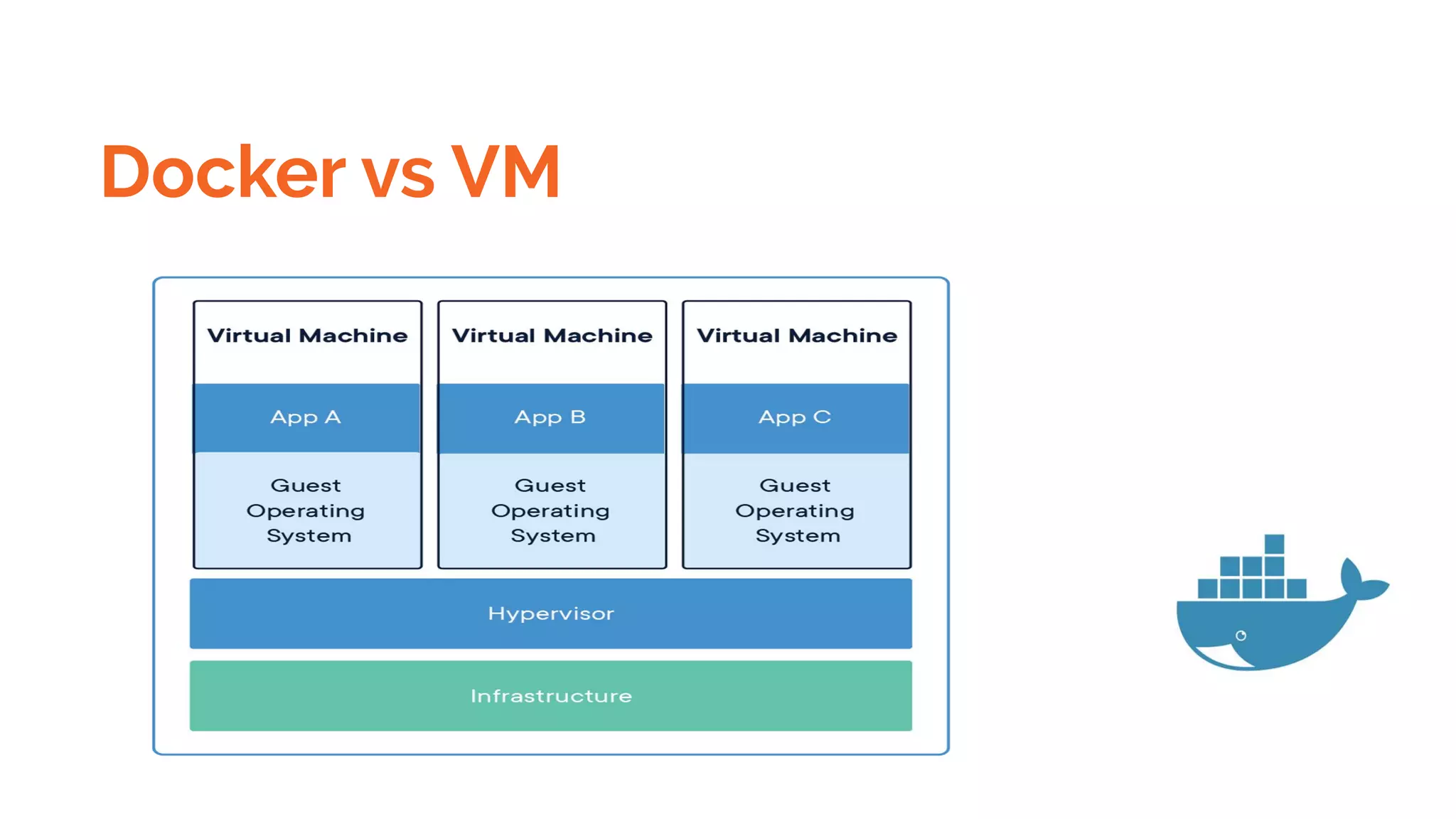
All containers are run by a single operating-system kernel and are thus more lightweight than virtual
machines. Containers are created from images that specify their precise contents. Images are often created
by combining and modifying standard images downloaded from public repositories.
Dockers & Containers
Docker vs VM
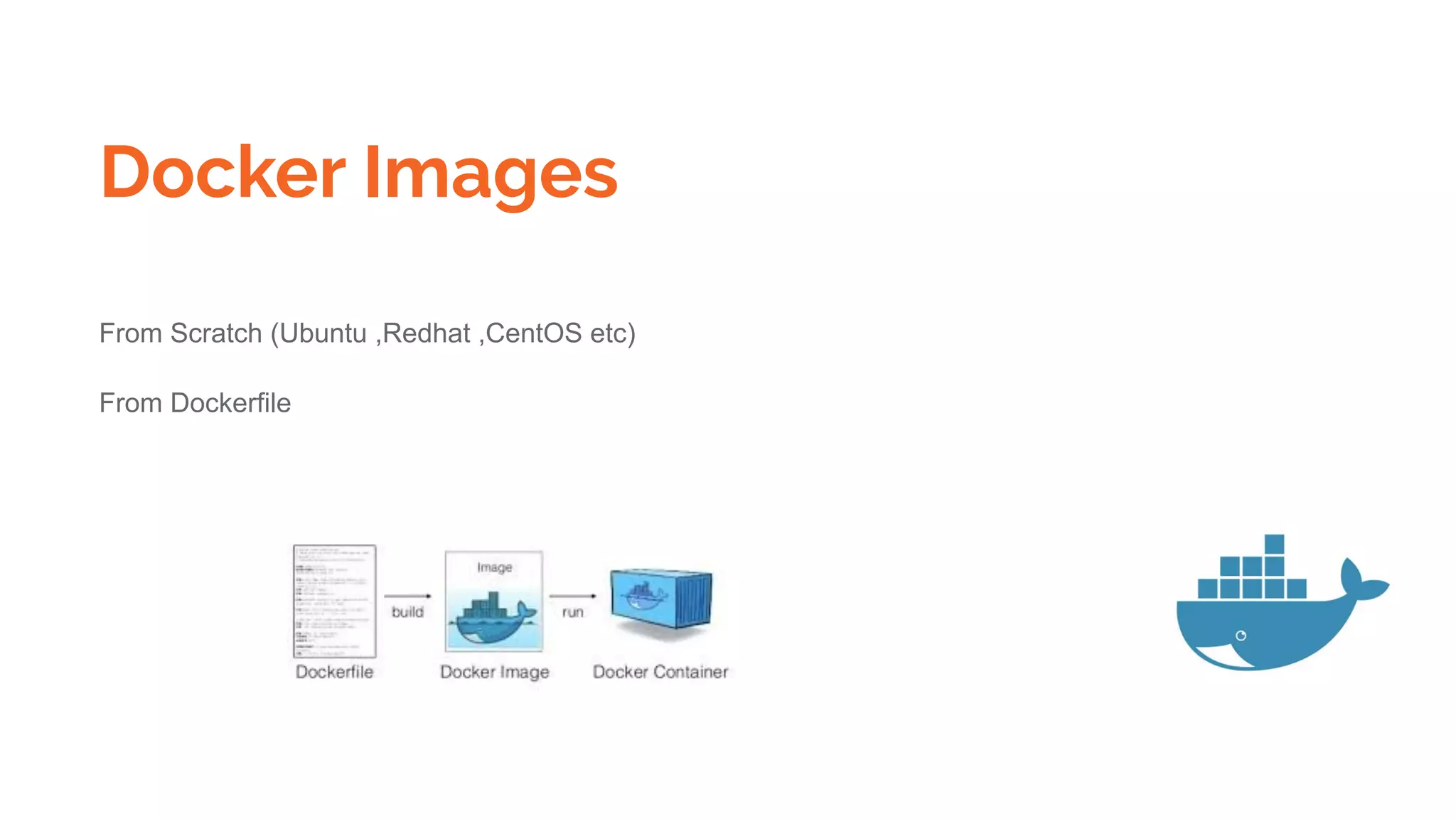
Docker Images
From Scratch (Ubuntu ,Redhat ,CentOS etc)
From Dockerfile
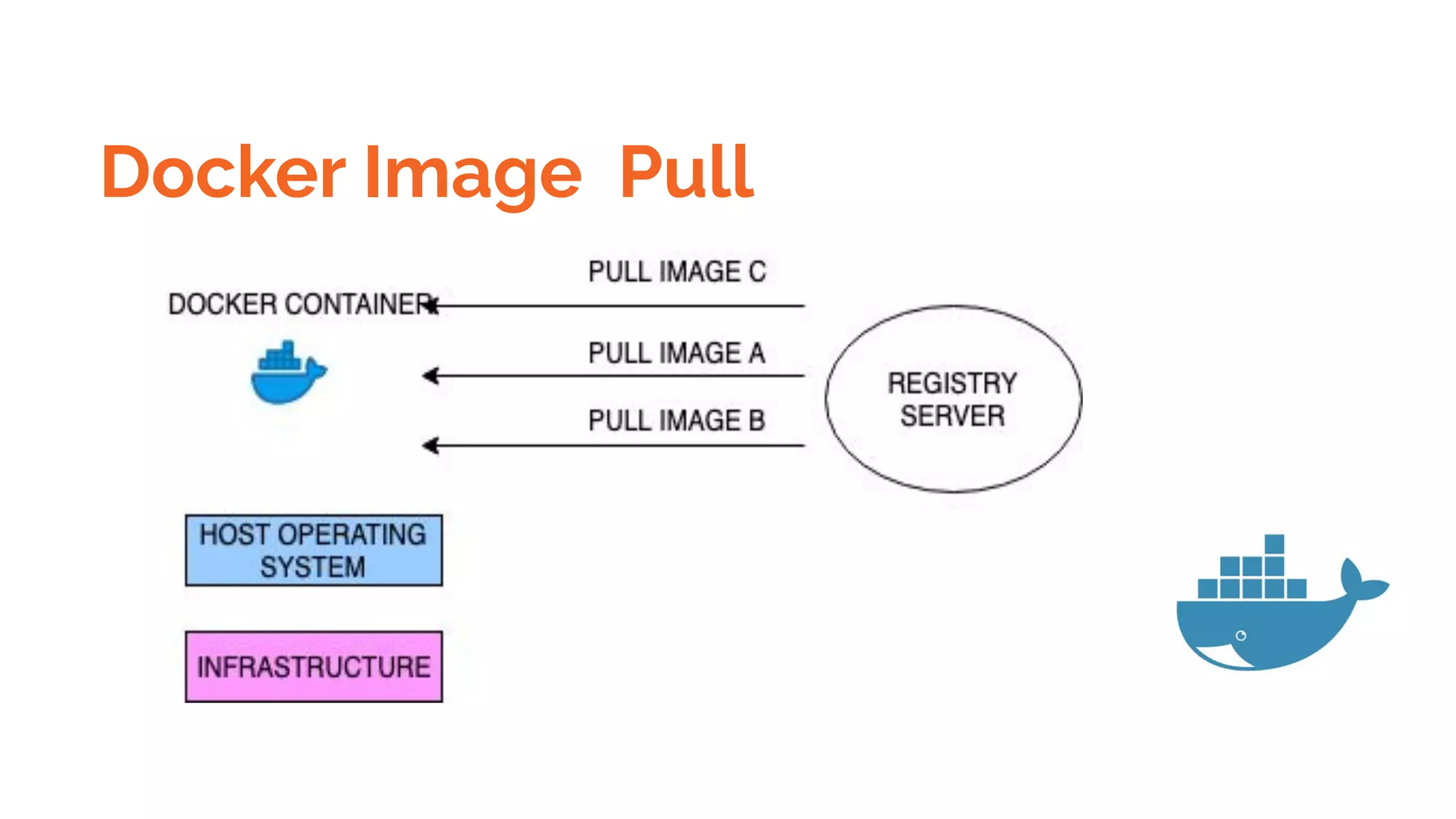
Docker Image Pull
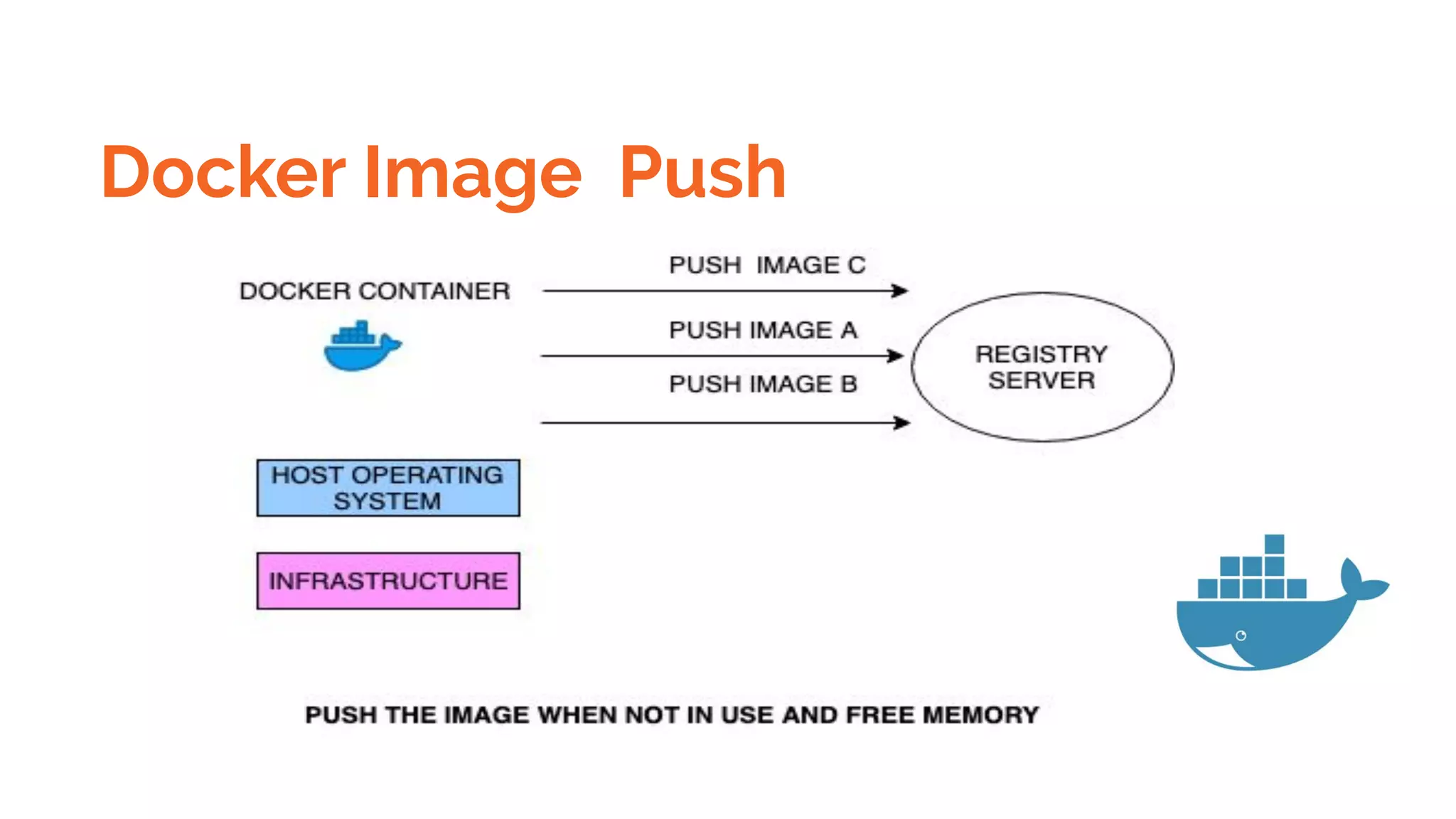
Docker Image Push
Dockers Content -
Introduction
What is a Docker
Use case of Docker
Platforms for Docker
Dockers vs. Virtualization
Architecture of Docker Architecture.
Understanding the Docker components
Installation o Installing Docker on Linux.
Docker Content
Understanding Installation of Docker on windows.
Some Docker commands. on Provisioning
Docker Hub.
Downloading Docker images.
Uploading the images in Docker Registry and AWS ECS on
Understanding the containers
Running commands in container. Running multiple containers.
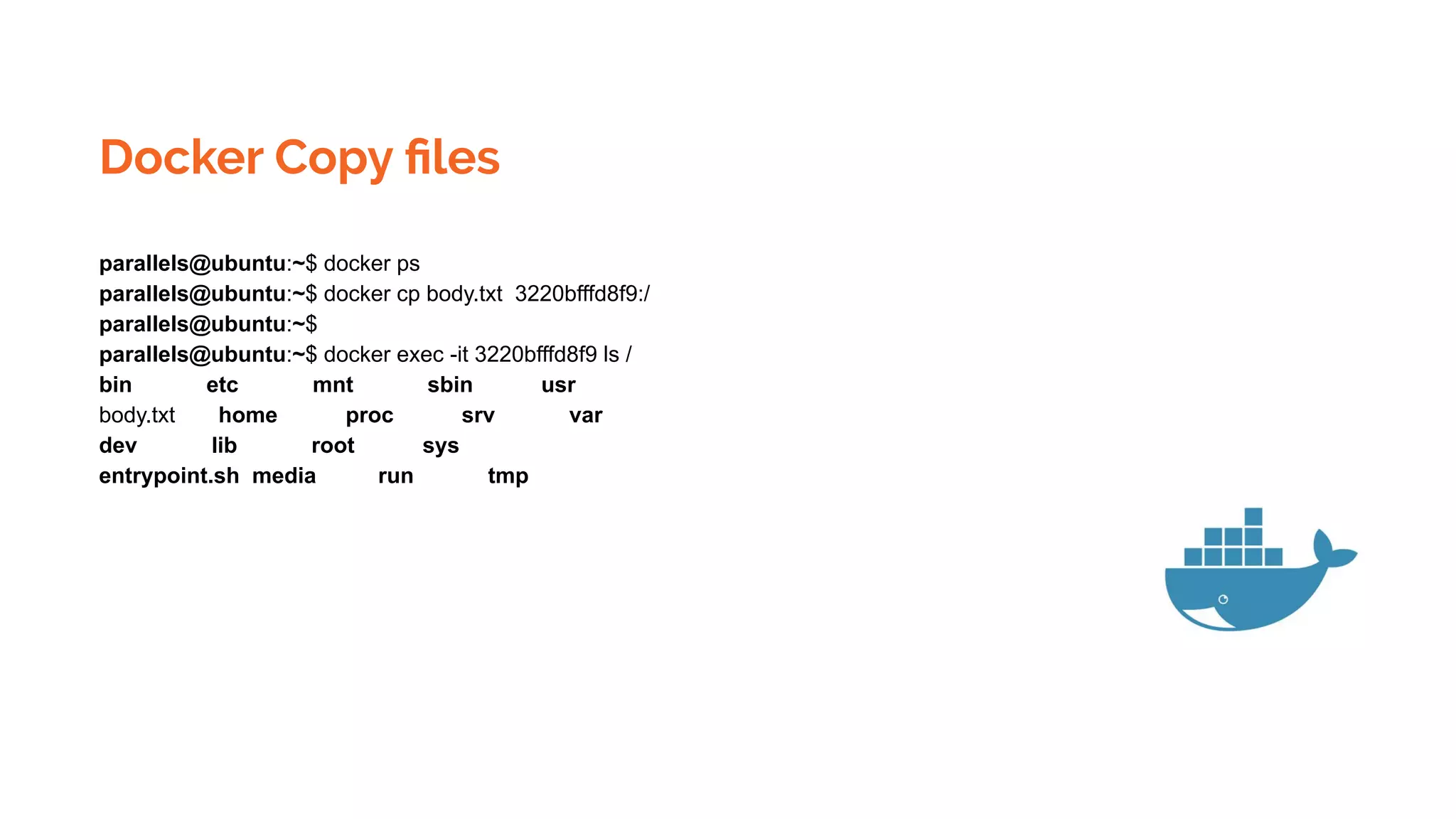
Docker Copy files
parallels@ubuntu:~$ docker ps
parallels@ubuntu:~$ docker cp body.txt 3220bfffd8f9:/
parallels@ubuntu:~$
parallels@ubuntu:~$ docker exec -it 3220bfffd8f9 ls /
bin etc mnt sbin usr
body.txt home proc srv var
dev lib root sys
entrypoint.sh media run tmp
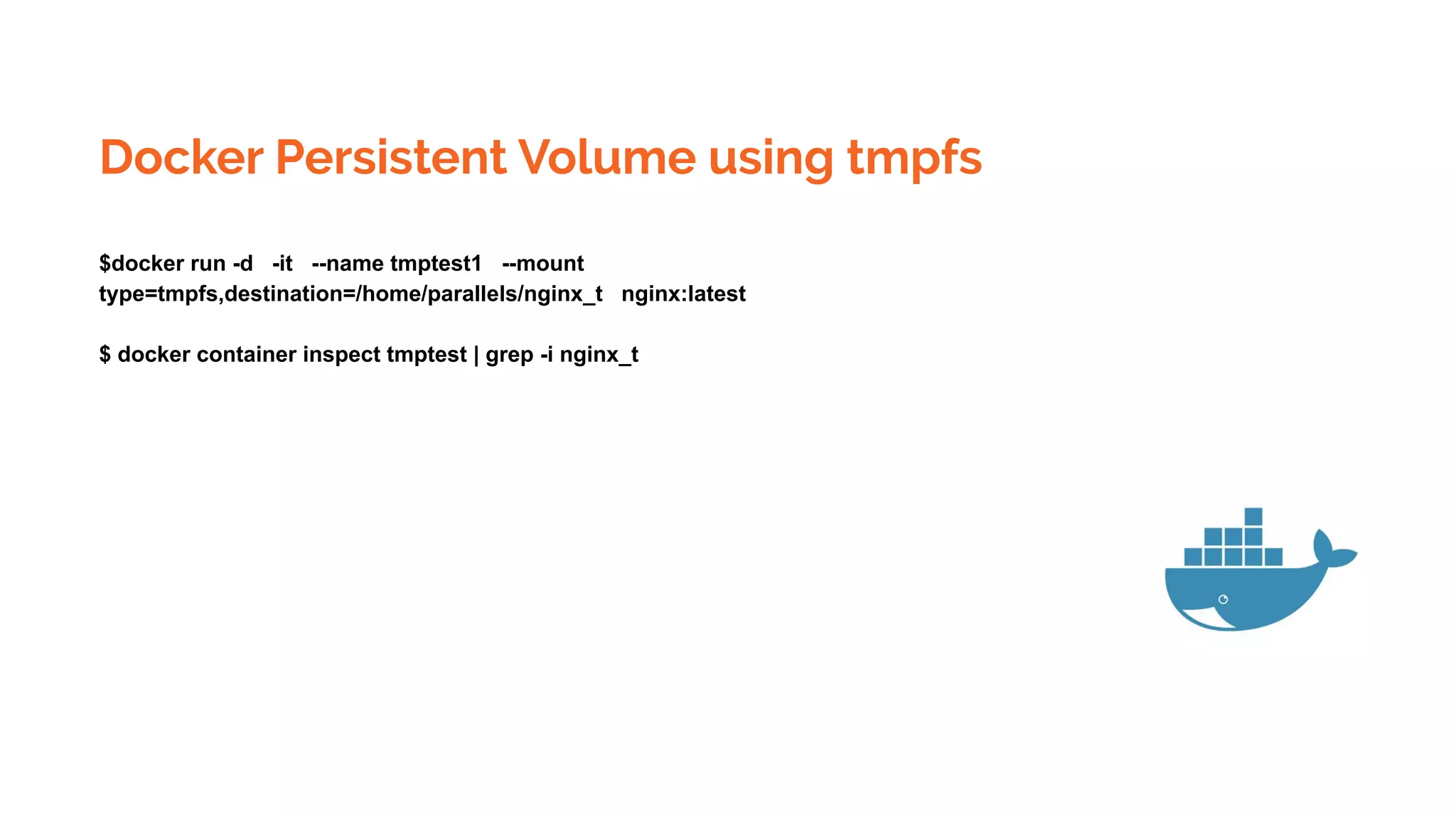
Docker Persistent Volume using tmpfs
$docker run -d -it --name tmptest1 --mount
type=tmpfs,destination=/home/parallels/nginx_t nginx:latest
$ docker container inspect tmptest | grep -i nginx_t
Docker Compose
Compose is a tool for defining and running multi-container Docker applications. With Compose, you use a
YAML file to configure your application’s services. Then, with a single command, you create and start all the
services from your configuration.
A docker-compose.yml looks like this:
version: '3'
services:
web:
build: .
ports:
- "5000:5000"
volumes:
- .:/code
- logvolume01:/var/log
links:
- redis
redis:
image: redis
volumes:
logvolume01: {}
Docker Container intercommunication &
Networking
$docker pull centos
$docker pull ubuntu
docker run -it 08844ee334
Ifconfig
and ping other container ,it will work
Docker Container Exposing
$sudo docker run -it -d -p 8082:80 nginx
$curl http://localhost:8082
Docker Registry and push pull images
$docker run -d -p 5001:5001 --restart=always --name registry1 registry:2
$docker pull ubuntu:18.04
$docker tag ubuntu:18.04 localhost:5000/mylocal-ubuntu
$docker push localhost:5000/mylocal-ubuntu
$docker image remove ubuntu:18.04
$docker image remove localhost:5000/mylocal-ubuntu
Docker Registry and push pull images
$docker tag SOURCE_IMAGE[:TAG] TARGET_IMAGE[:TAG]
Tag an image for a private repository
To push an image to a private registry and not the central Docker registry you must tag it with the registry
hostname and port (if needed).
$ docker tag 0e5574283393 myregistryhost:5000/fedora/httpd:version1.0
Save docker images as tar gz
$sudo docker save localhost:5000/nginx_abc| gzip > myimage_latest.tar.gz
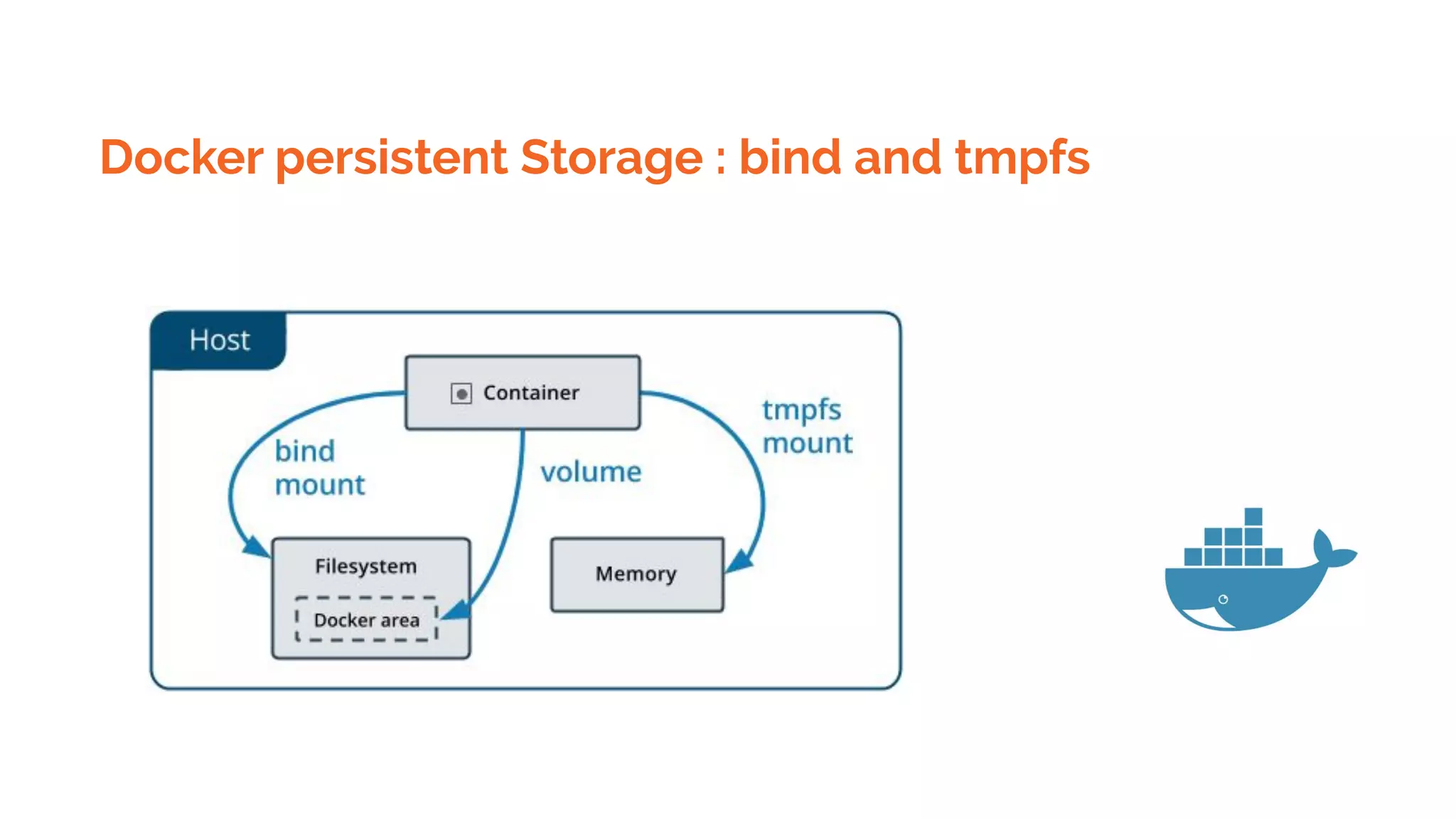
Docker persistent Storage : bind and tmpfs
● Volumes are stored in a part of the host filesystem which is managed by
Docker(/var/lib/docker/volumes/ on Linux). Non-Docker processes should not modify this
part of the filesystem. Volumes are the best way to persist data in Docker.
● Bind mounts may be stored anywhere on the host system. They may even be important system
files or directories. Non-Docker processes on the Docker host or a Docker container can modify
them at any time.
● tmpfs mounts are stored in the host system’s memory only, and are never written to the host
system’s filesystem.
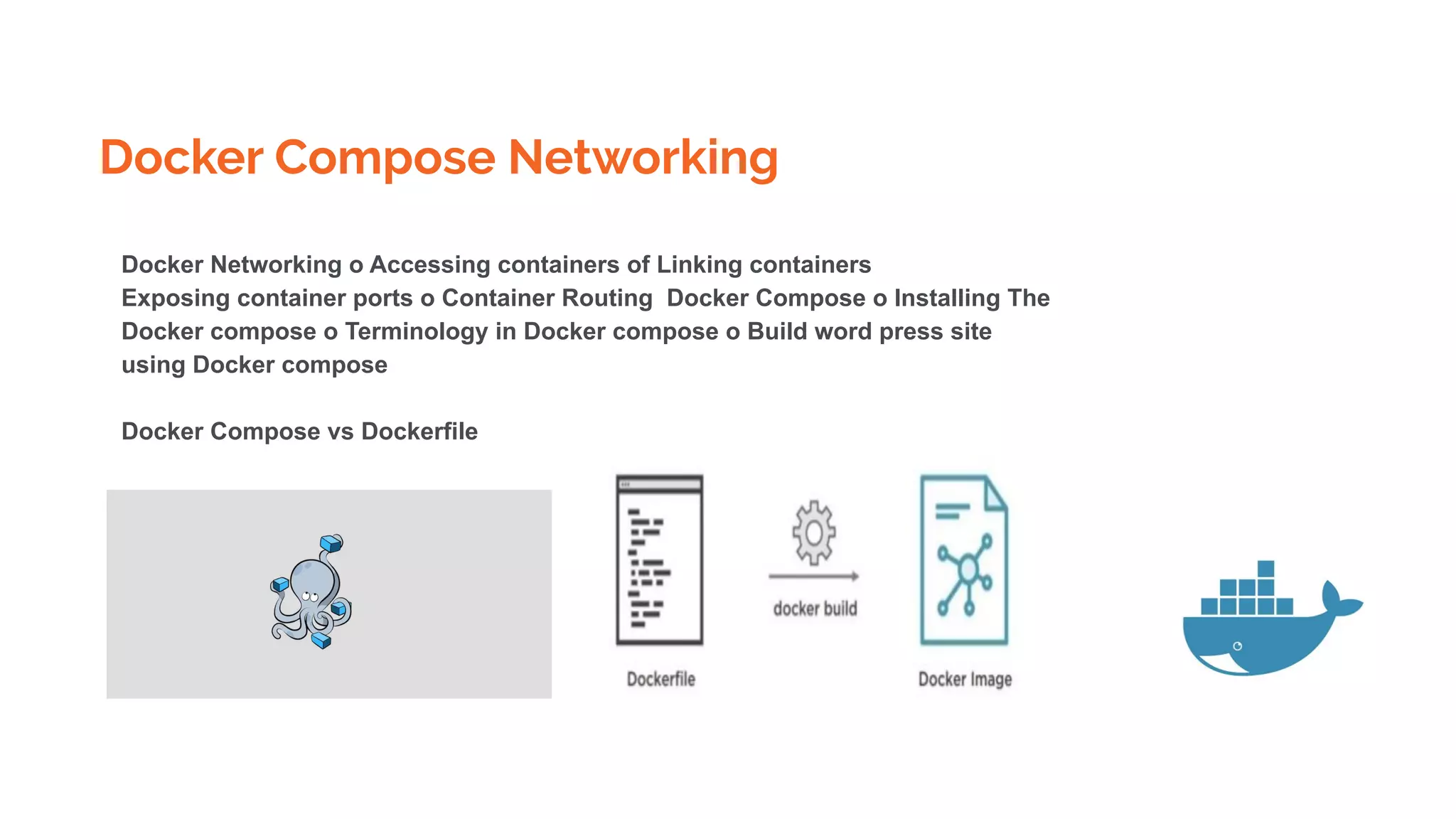
Docker Compose Networking
Docker Networking o Accessing containers of Linking containers
Exposing container ports o Container Routing Docker Compose o Installing The
Docker compose o Terminology in Docker compose o Build word press site
using Docker compose
Docker Compose vs Dockerfile
Docker Compose Networking
Compose is a tool for defining and running multi-container Docker applications. With Compose, you use
a YAML file to configure your application’s services. Then, with a single command, you create and start
all the services from your configuration. To learn more about all the features of Compose, see the list of
features.
Compose works in all environments: production, staging, development, testing, as well as CI workflows.
You can learn more about each case in
$ docker-compose up -d
$ ./run_tests
$ docker-compose down
Docker Security
Docker containers are, by default, quite secure; especially if you run your processes as
non-privileged users inside the container. You can add an extra layer of safety by enabling
AppArmor, SELinux, GRSEC, or another appropriate hardening system.
When a Dockerfile doesn’t specify a USER, it defaults to executing the container
using the root user.
Docker Security
Verify docker images
Docker defaults allow pulling Docker images without validating their authenticity, thus
potentially exposing you to arbitrary Docker images whose origin and author aren’t
verified.
Make it a best practice that you always verify images before pulling them in, regardless
of policy. To experiment with verification, temporarily enable Docker Content Trust with
the following command:
export DOCKER_CONTENT_TRUST=1
Docker Security
Sign docker images
Prefer Docker Certified images that come from trusted partners who have been vetted
and curated by Docker Hub rather than images whose origin and authenticity you can’t
validate.
Docker allows signing images, and by this, provides another layer of protection. To sign
images, use Docker Notary. Notary verifies the image signature for you, and blocks you
from running an image if the signature of the image is invalid.
When Docker Content Trust is enabled, as we exhibited above, a Docker image build
signs the image. When the image is signed for the first time, Docker generates and saves
a private key in ~/docker/trust for your user. This private key is then used to sign any
additional images as they are built.
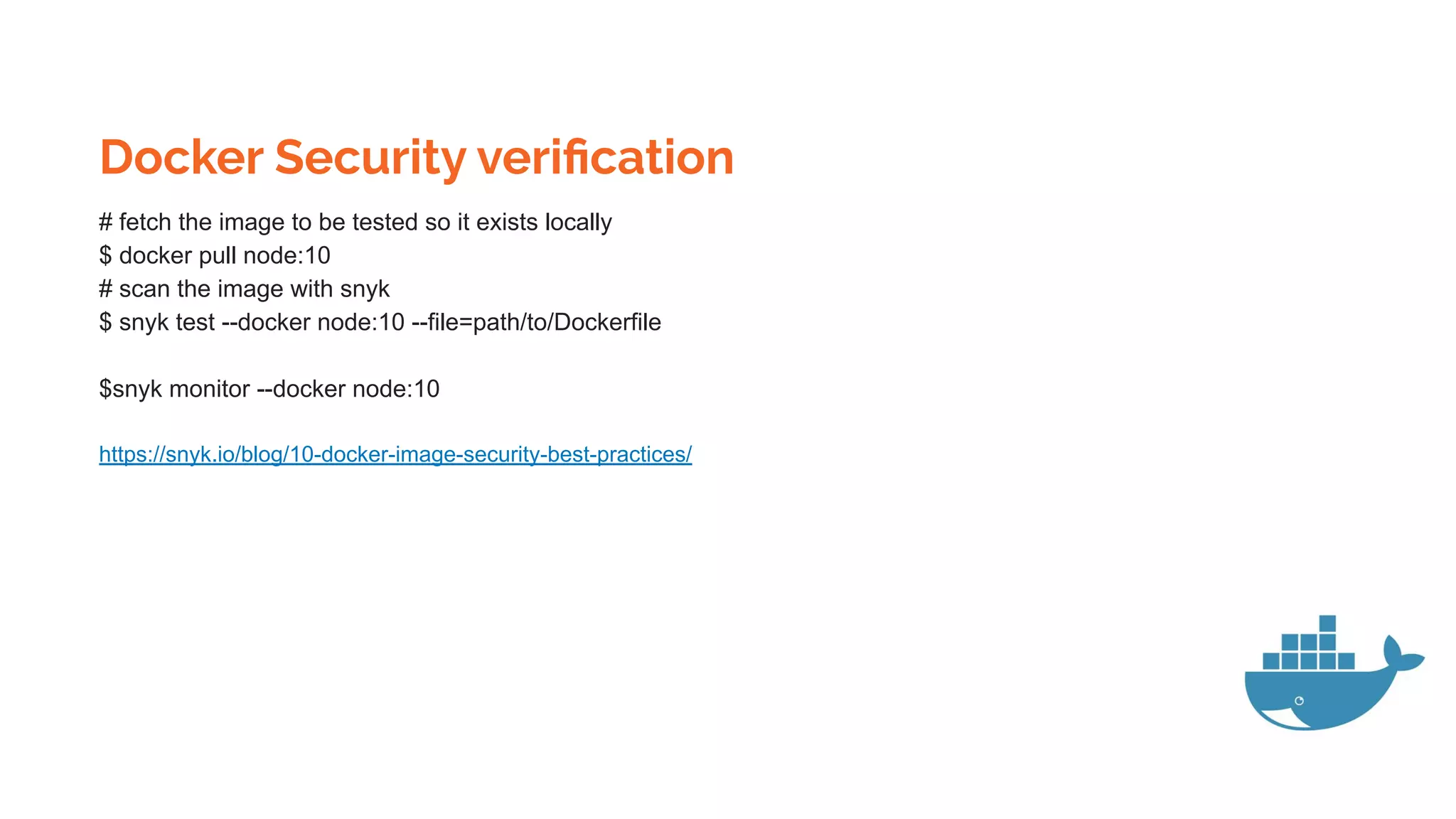
Docker Security verification
# fetch the image to be tested so it exists locally
$ docker pull node:10
# scan the image with snyk
$ snyk test --docker node:10 --file=path/to/Dockerfile
$snyk monitor --docker node:10
https://snyk.io/blog/10-docker-image-security-best-practices/
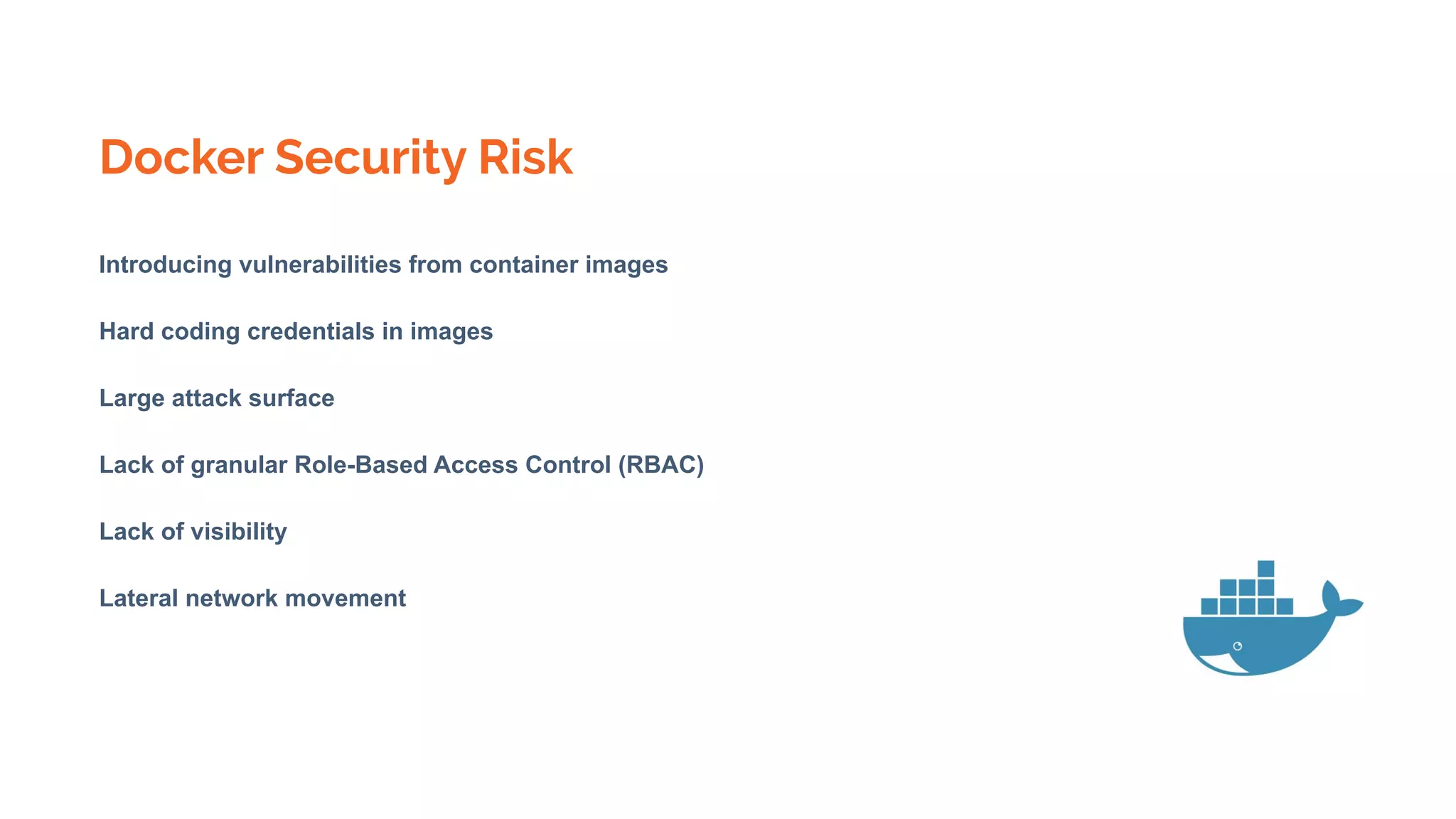
Docker Security Risk
Introducing vulnerabilities from container images
Hard coding credentials in images
Large attack surface
Lack of granular Role-Based Access Control (RBAC)
Lack of visibility
Lateral network movement
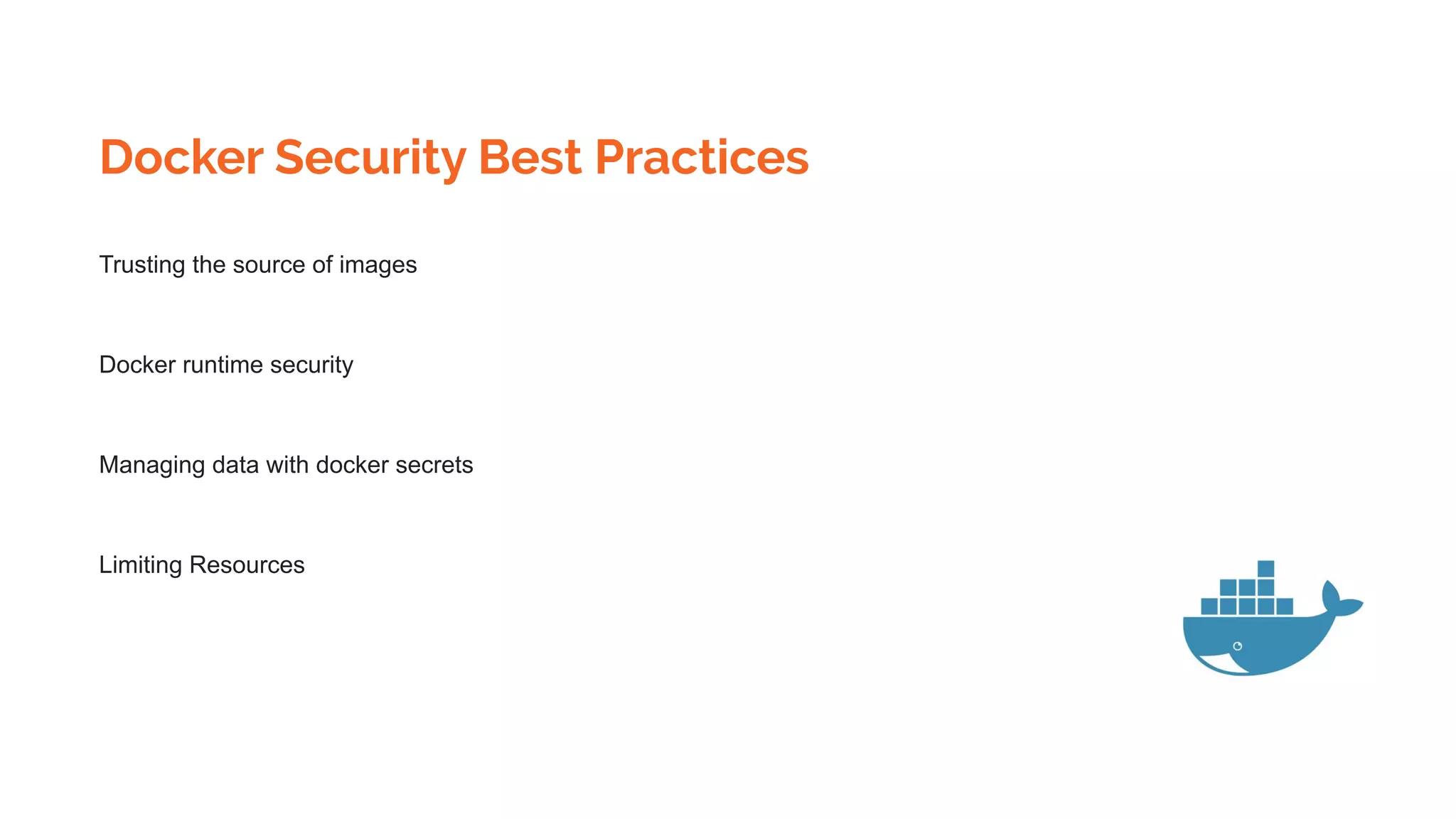
Docker Security Best Practices
Trusting the source of images
Docker runtime security
Managing data with docker secrets
Limiting Resources
Docker Swarm
Docker Swarm
https://linuxconfig.org/how-to-configure-docker-swarm-with-multiple-docker-nodes-on-ubuntu-18-04
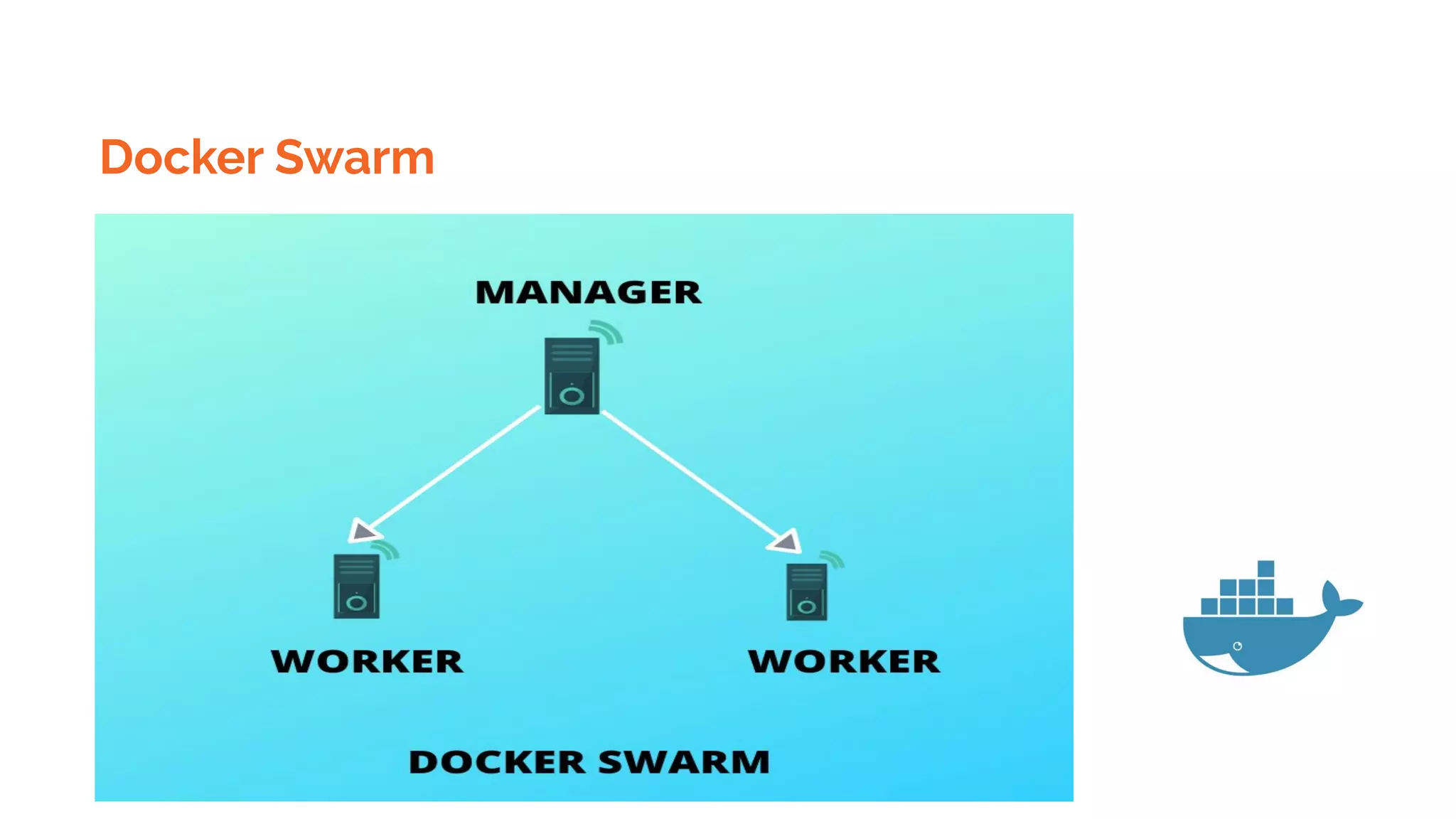
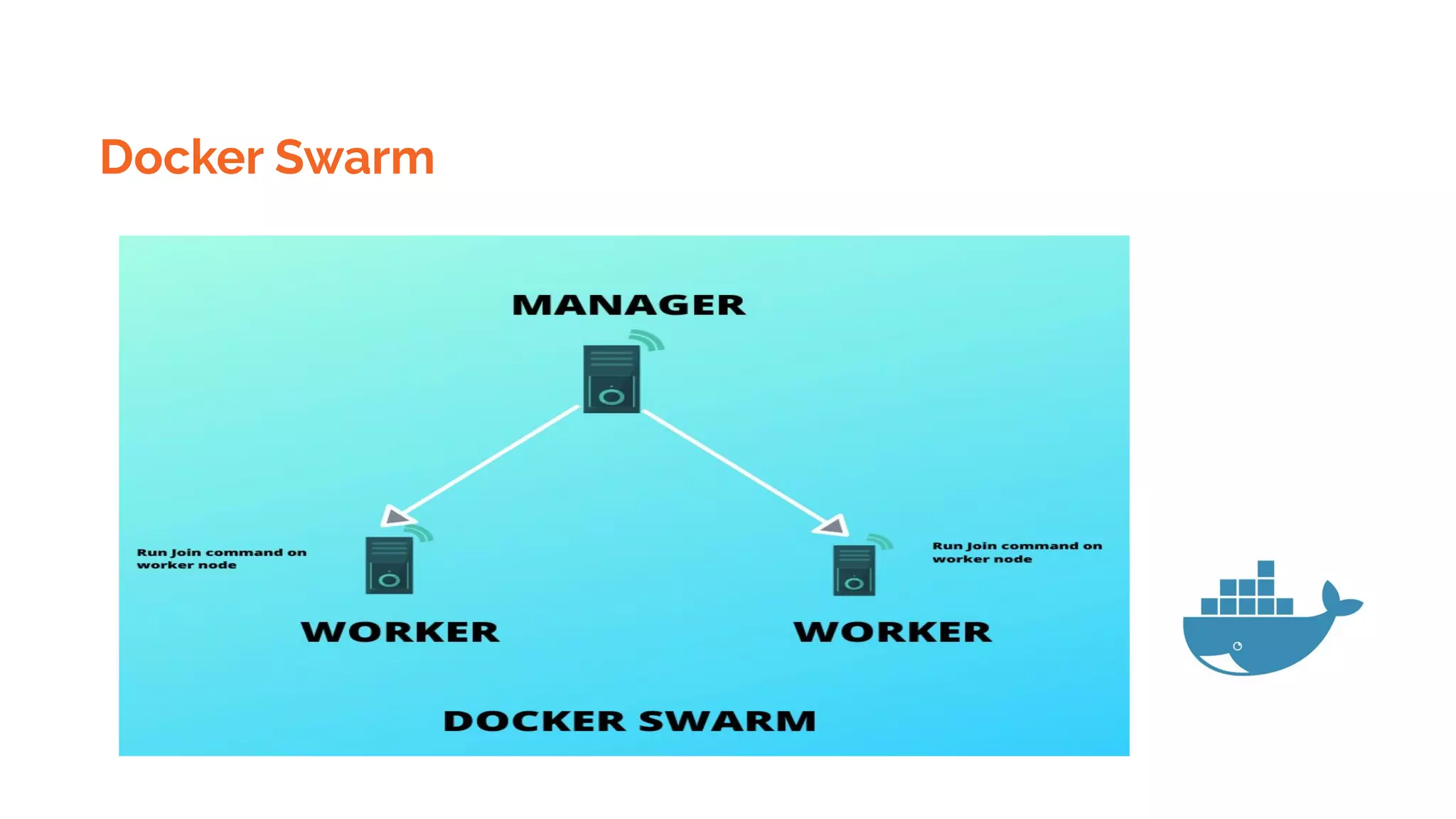
Initiate docker swarm from manager
$ docker swarm init --advertise-addr 192.168.1.103
Where 192.168.1.103 is manager ip
Run on all worker node( below command is result of above command )
$ docker swarm join --token
SWMTKN-1-4htf3vnzmbhc88vxjyguipo91ihmutrxi2p1si2de4whaqylr6-3oed1hnttwkalur
1ey7zkdp9l 192.168.1.103:2377
Docker Swarm
Verify swarm cluster from Manager
$ docker node ls
If at any time, you lost your join token, it can be retrieved by running the following command on
the manager node for the manager token:
$ docker swarm join-token manager -q
The same way to retrieve the worker token run the following command on the manager node:
$ docker swarm join-token worker -q
Docker Swarm
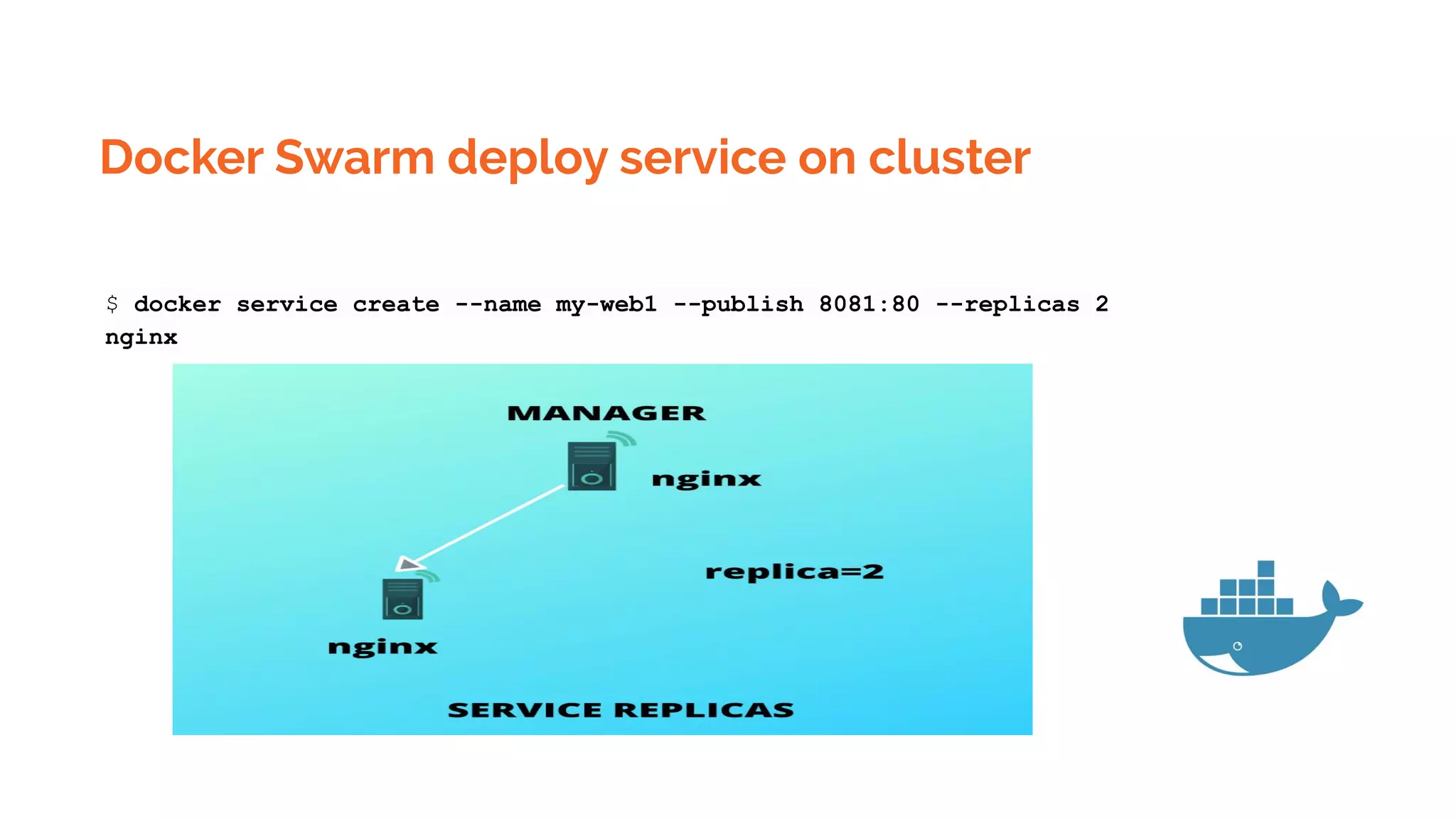
Docker Swarm deploy service on cluster
$ docker service create --name my-web1 --publish 8081:80 --replicas 2
nginx
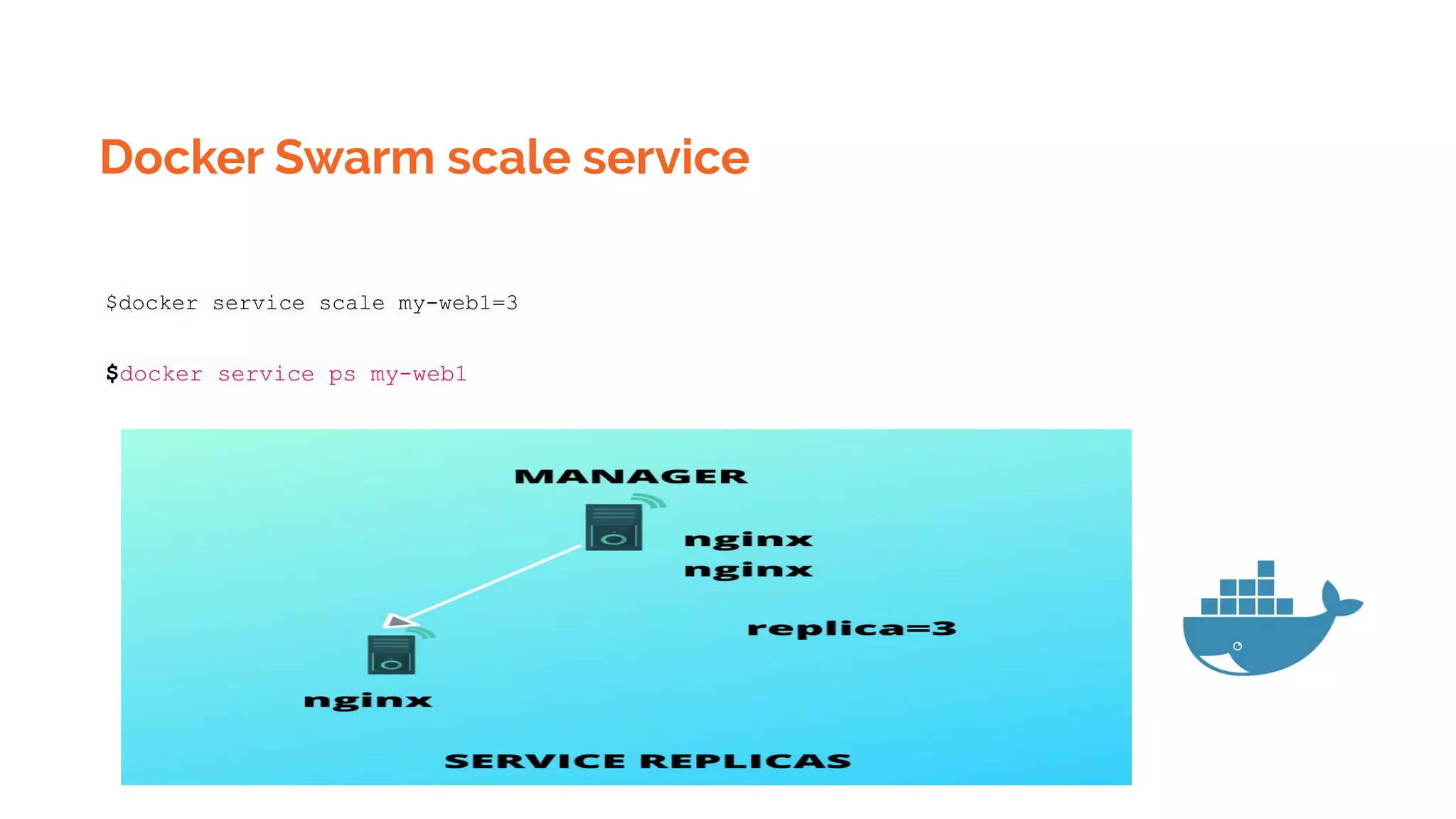
Docker Swarm scale service
$docker service scale my-web1=3
$docker service ps my-web1
Docker Swarm scale service
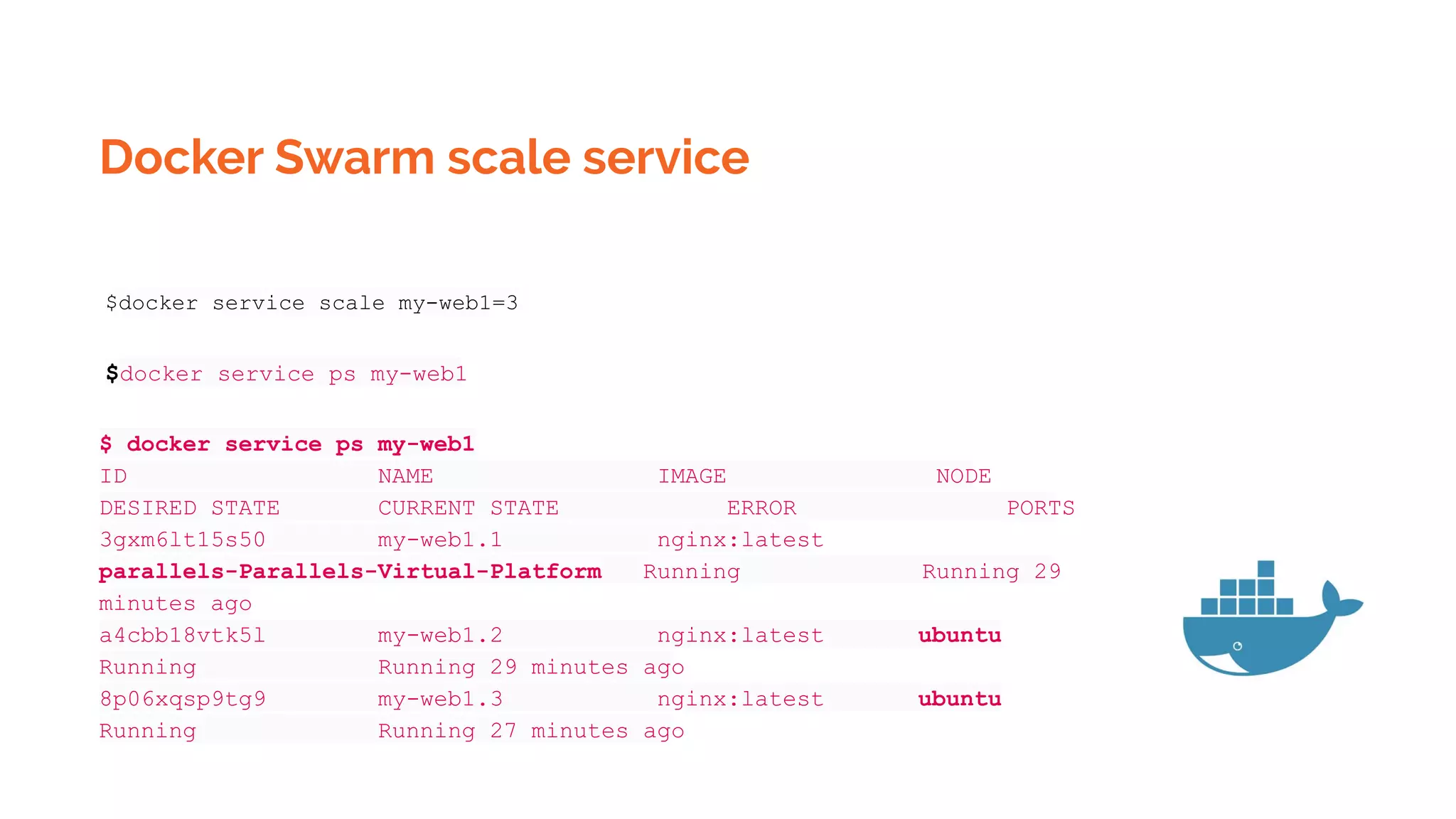
$docker service scale my-web1=3
$docker service ps my-web1
$ docker service ps my-web1
ID NAME IMAGE NODE
DESIRED STATE CURRENT STATE ERROR PORTS
3gxm6lt15s50 my-web1.1 nginx:latest
parallels-Parallels-Virtual-Platform Running Running 29
minutes ago
a4cbb18vtk5l my-web1.2 nginx:latest ubuntu
Running Running 29 minutes ago
8p06xqsp9tg9 my-web1.3 nginx:latest ubuntu
Running Running 27 minutes ago
Docker Swarm remove service
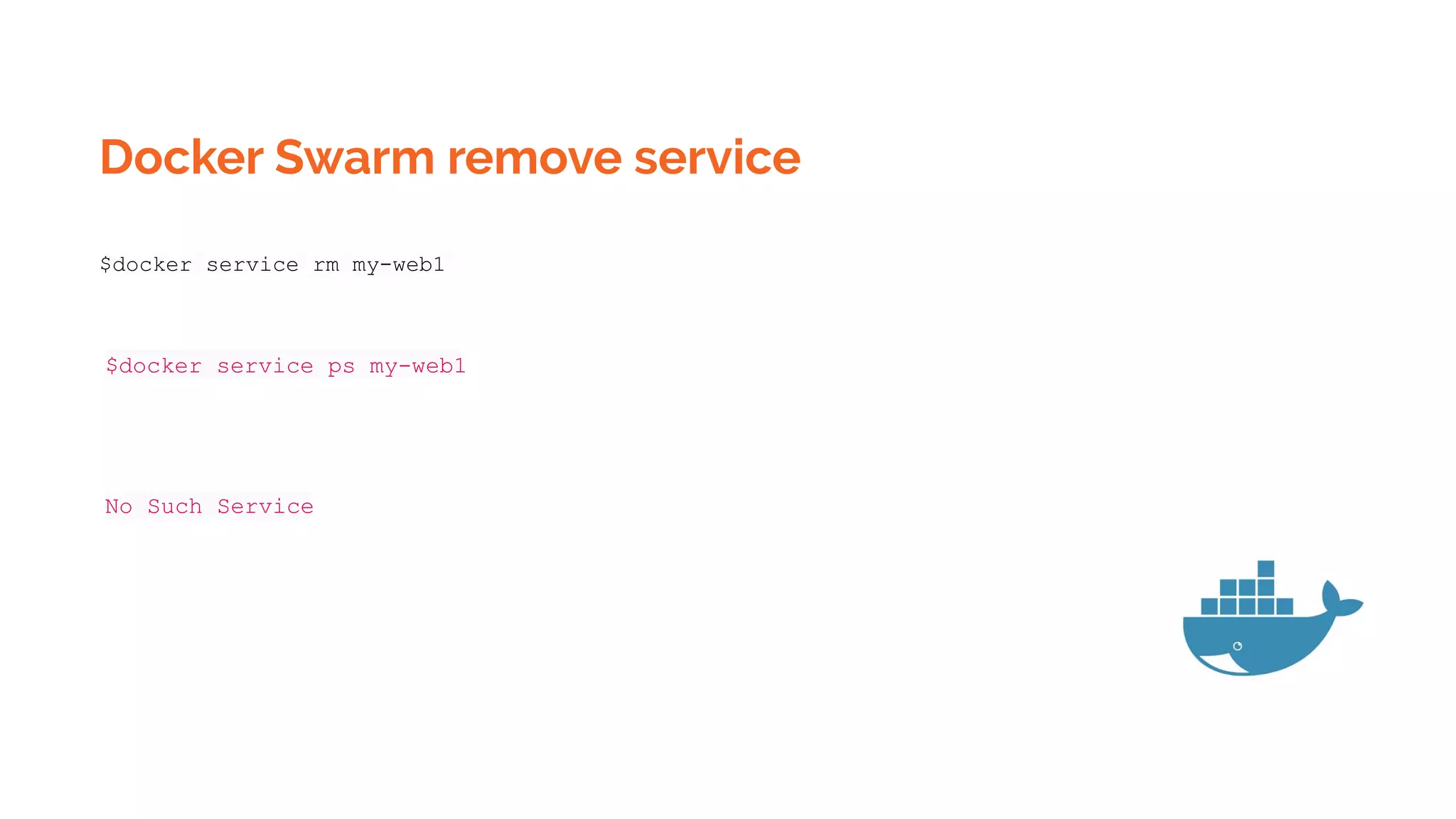
$docker service rm my-web1
$docker service ps my-web1
No Such Service
Docker Swarm scale service
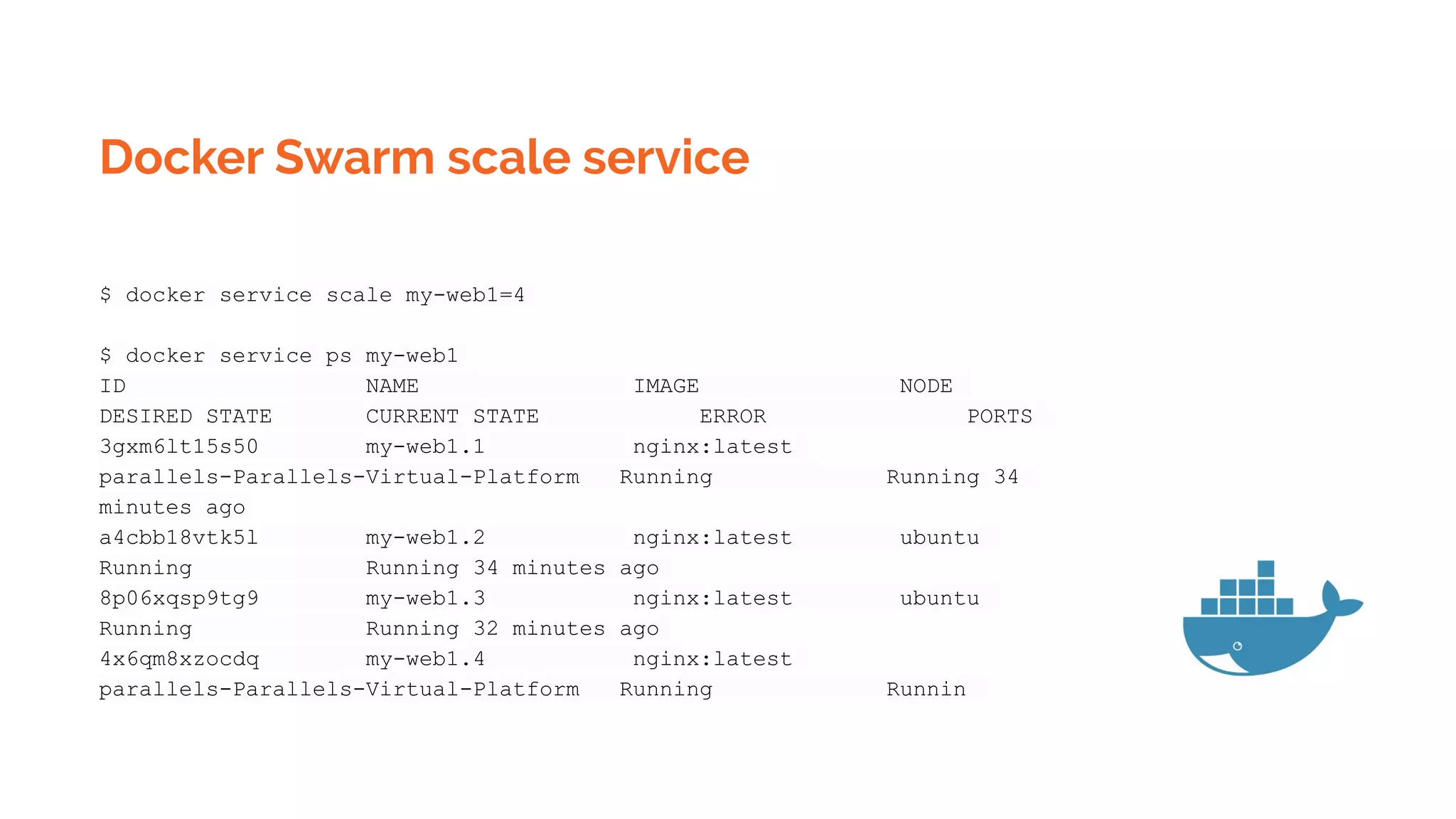
$ docker service scale my-web1=4
$ docker service ps my-web1
ID NAME IMAGE NODE
DESIRED STATE CURRENT STATE ERROR PORTS
3gxm6lt15s50 my-web1.1 nginx:latest
parallels-Parallels-Virtual-Platform Running Running 34
minutes ago
a4cbb18vtk5l my-web1.2 nginx:latest ubuntu
Running Running 34 minutes ago
8p06xqsp9tg9 my-web1.3 nginx:latest ubuntu
Running Running 32 minutes ago
4x6qm8xzocdq my-web1.4 nginx:latest
parallels-Parallels-Virtual-Platform Running Runnin
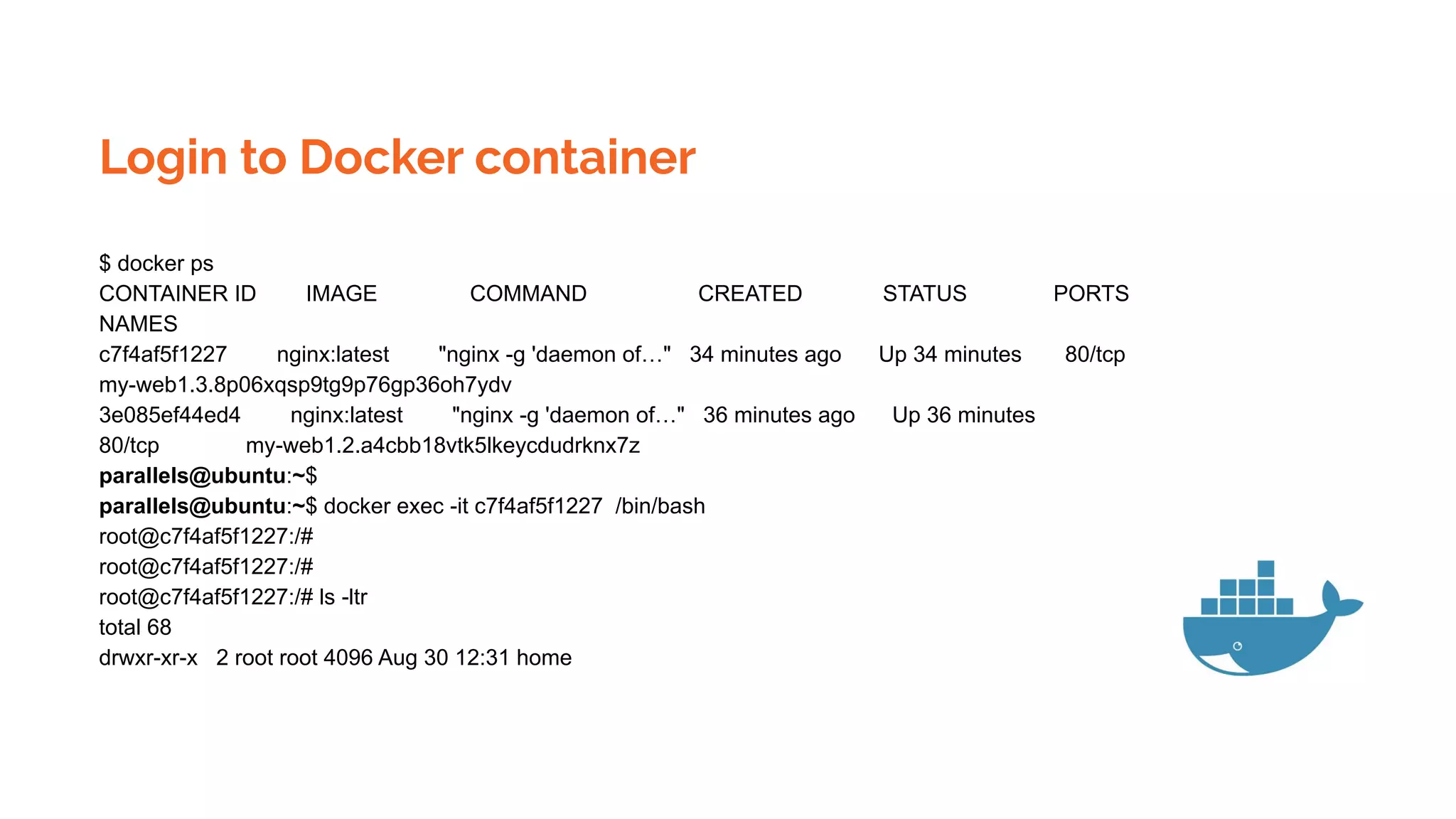
Login to Docker container
$ docker ps
CONTAINER ID IMAGE COMMAND CREATED STATUS PORTS
NAMES
c7f4af5f1227 nginx:latest "nginx -g 'daemon of…" 34 minutes ago Up 34 minutes 80/tcp
my-web1.3.8p06xqsp9tg9p76gp36oh7ydv
3e085ef44ed4 nginx:latest "nginx -g 'daemon of…" 36 minutes ago Up 36 minutes
80/tcp my-web1.2.a4cbb18vtk5lkeycdudrknx7z
parallels@ubuntu:~$
parallels@ubuntu:~$ docker exec -it c7f4af5f1227 /bin/bash
root@c7f4af5f1227:/#
root@c7f4af5f1227:/# ls -ltr
total 68
drwxr-xr-x 2 root root 4096 Aug 30 12:31 home
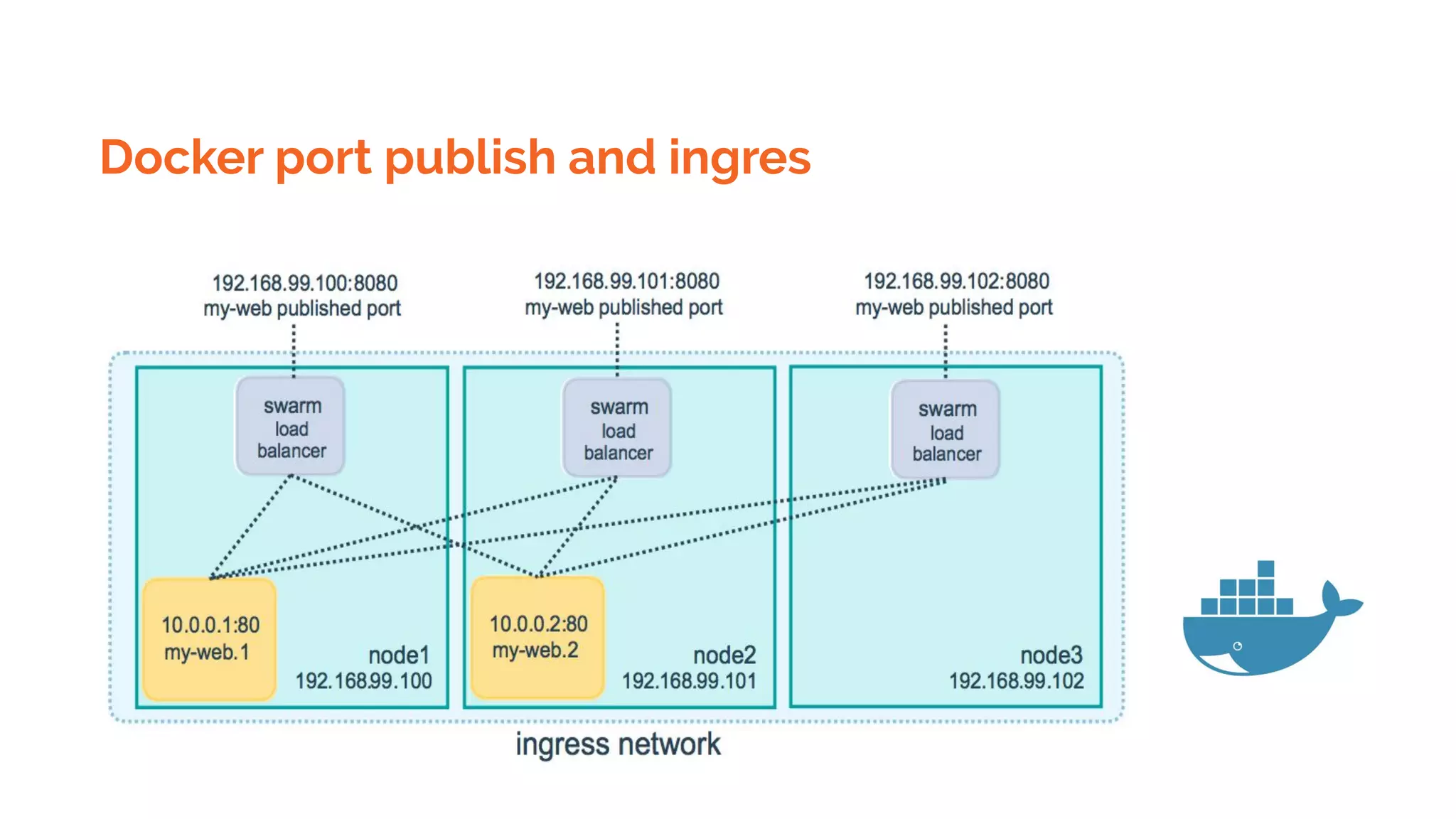
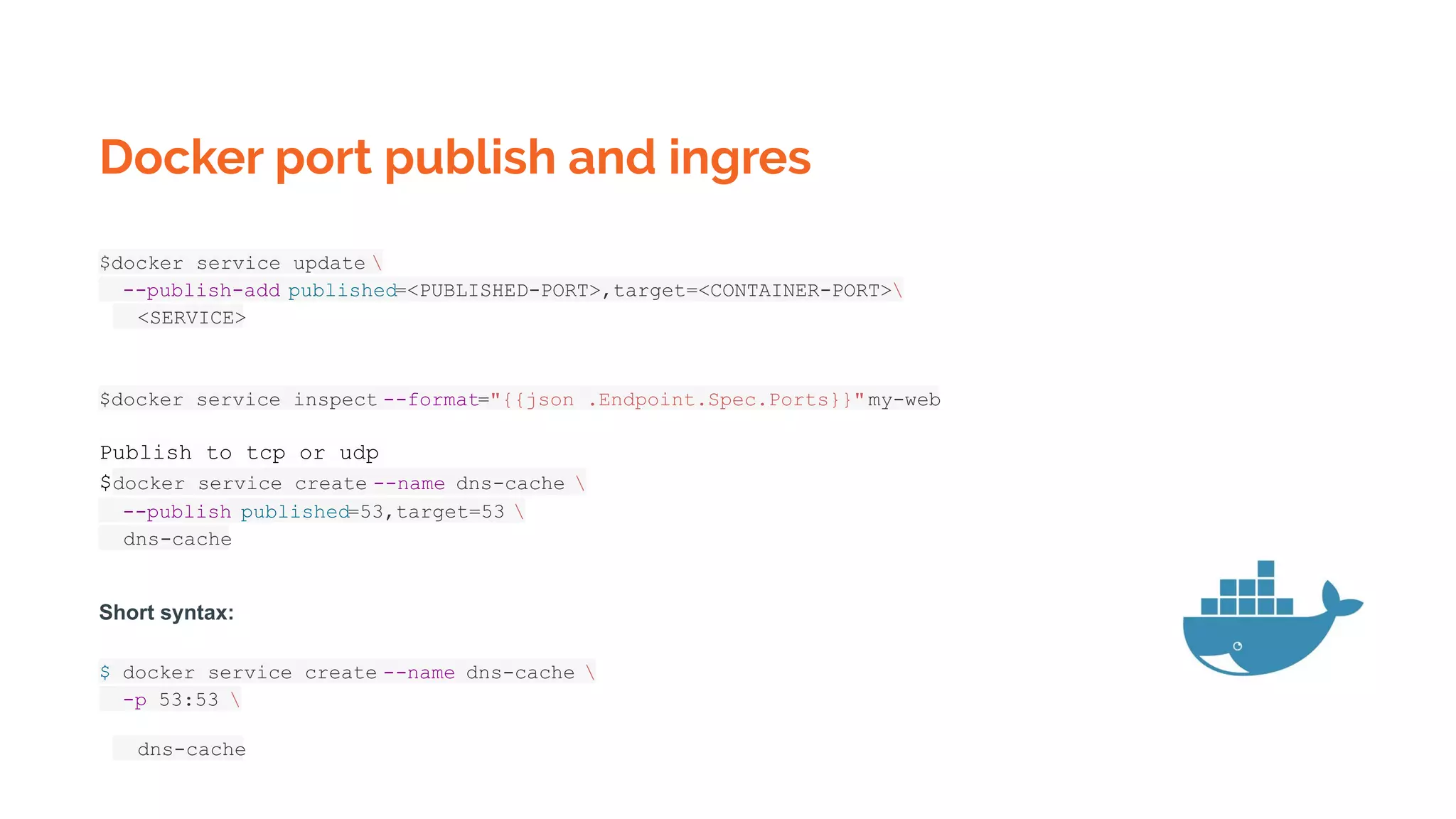
Docker port publish and ingres
$docker service update 
--publish-add published=<PUBLISHED-PORT>,target=<CONTAINER-PORT>
<SERVICE>
$docker service inspect --format="{{json .Endpoint.Spec.Ports}}"my-web
Publish to tcp or udp
$docker service create --name dns-cache 
--publish published=53,target=53 
dns-cache
Short syntax:
$ docker service create --name dns-cache 
-p 53:53 
dns-cache
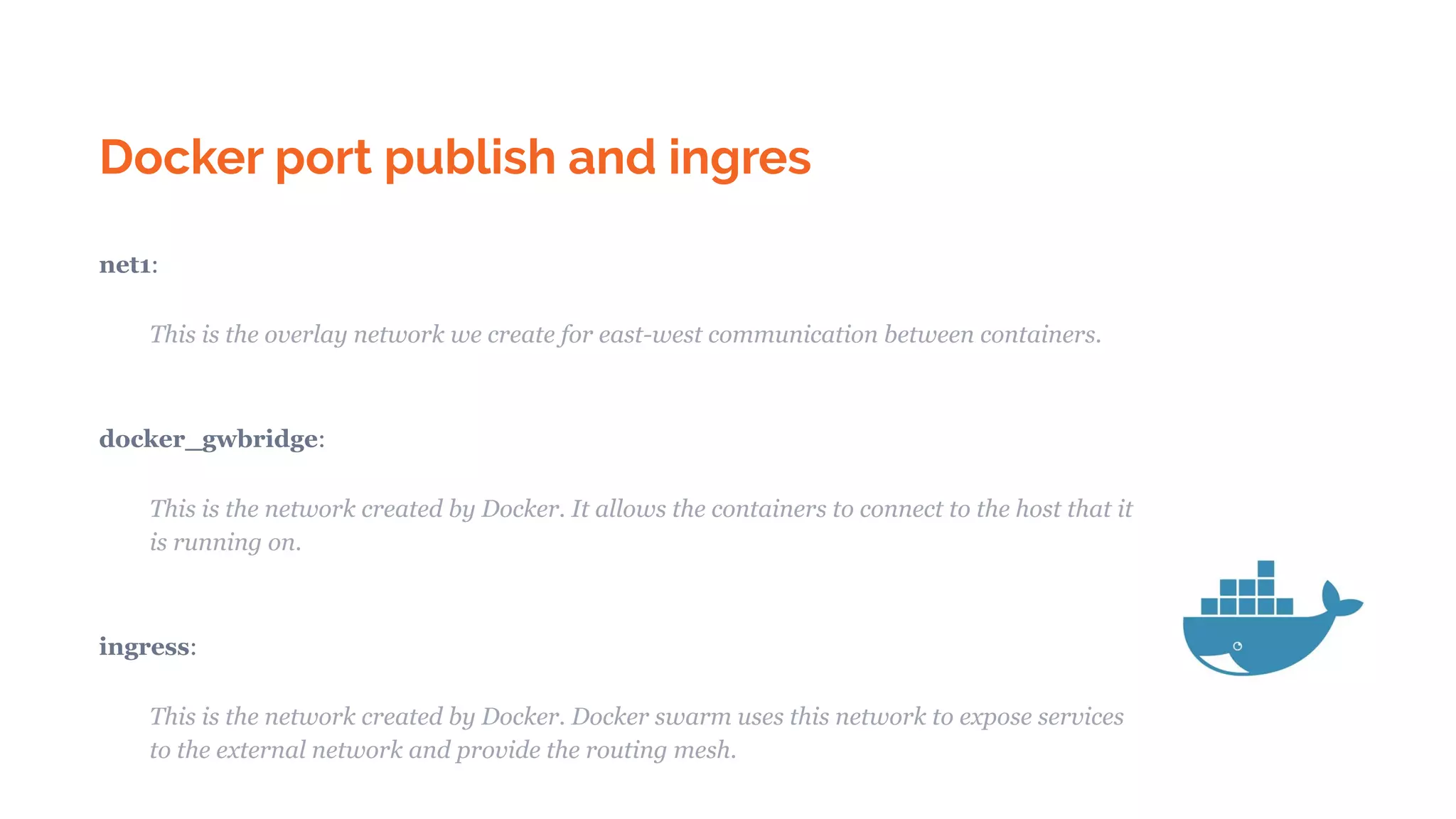
Docker port publish and ingres
net1:
This is the overlay network we create for east-west communication between containers.
docker_gwbridge:
This is the network created by Docker. It allows the containers to connect to the host that it
is running on.
ingress:
This is the network created by Docker. Docker swarm uses this network to expose services
to the external network and provide the routing mesh.
Docker swarm monitoring
http://your-host:9090
Kubernetes
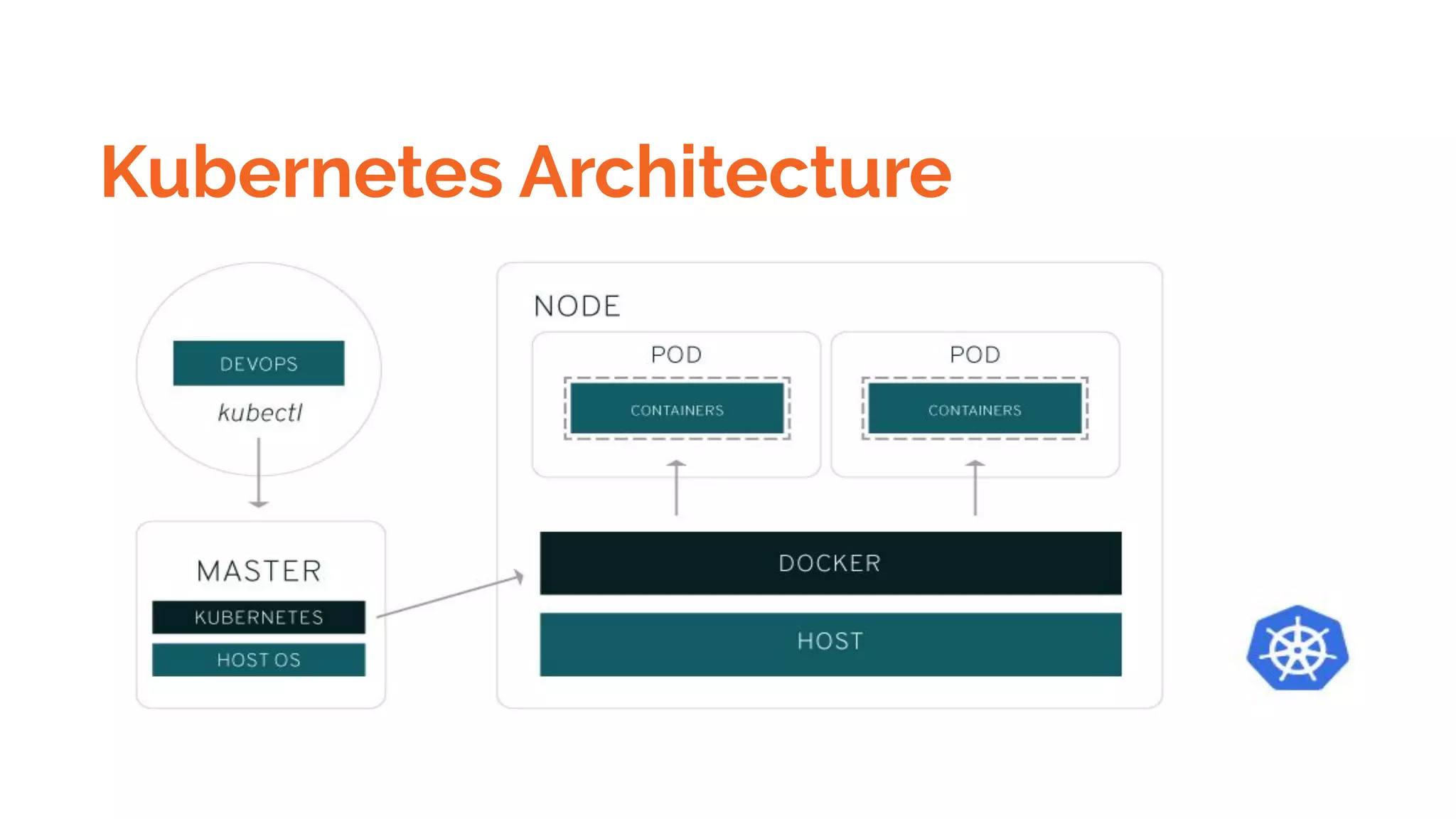
Kubernetes Architecture
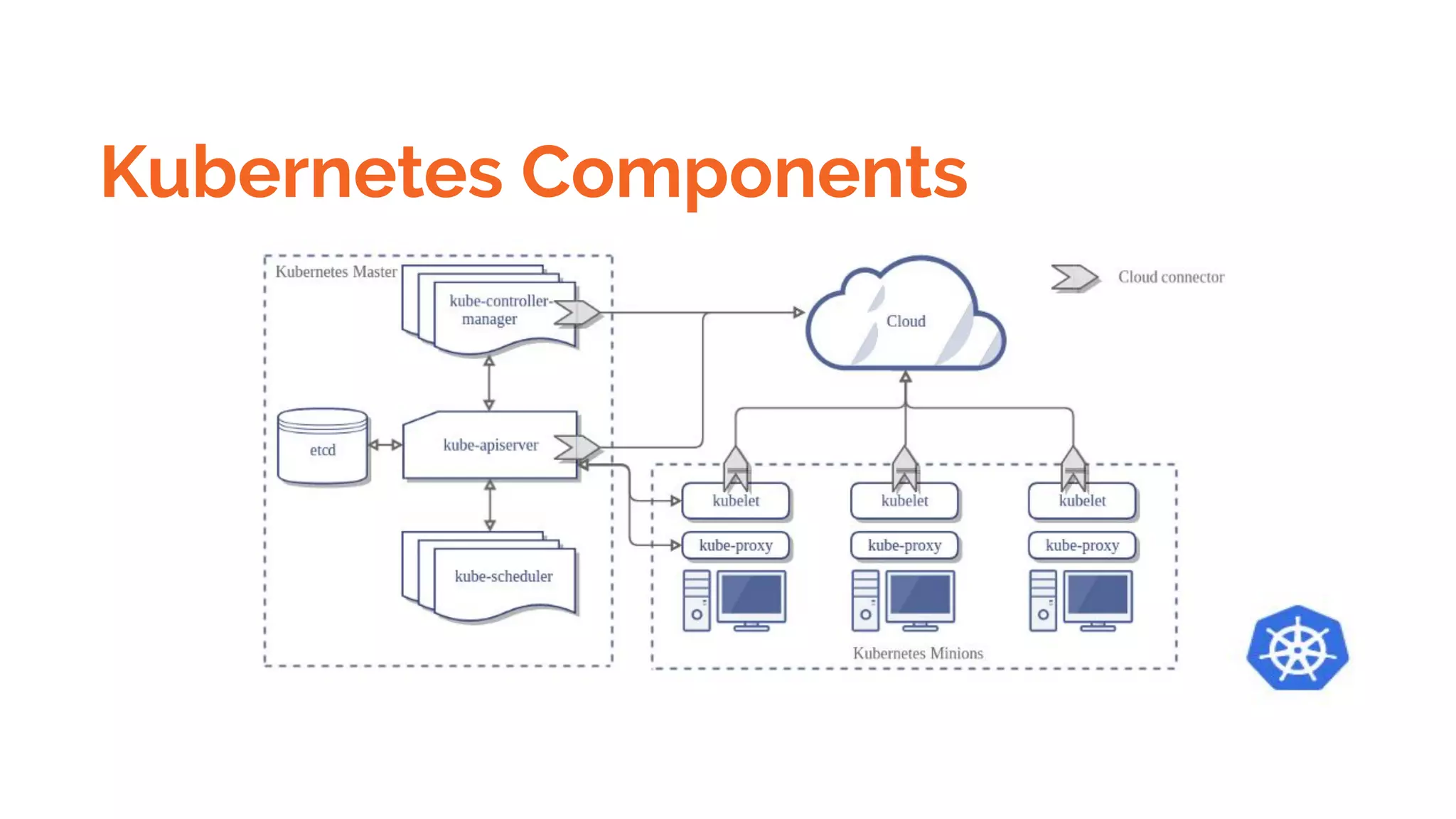
Kubernetes Components
Master Components
Node Components
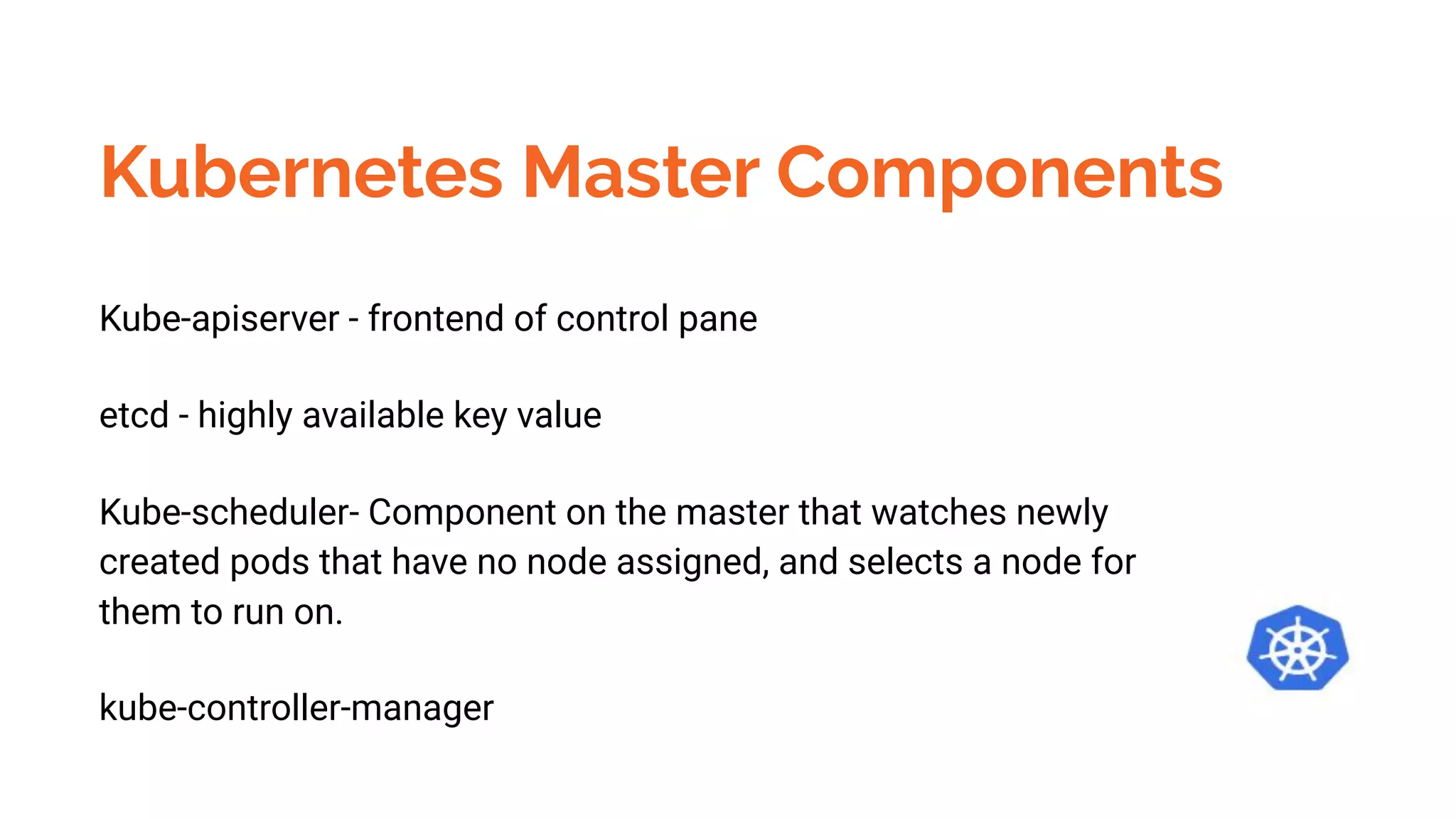
Kubernetes Master Components
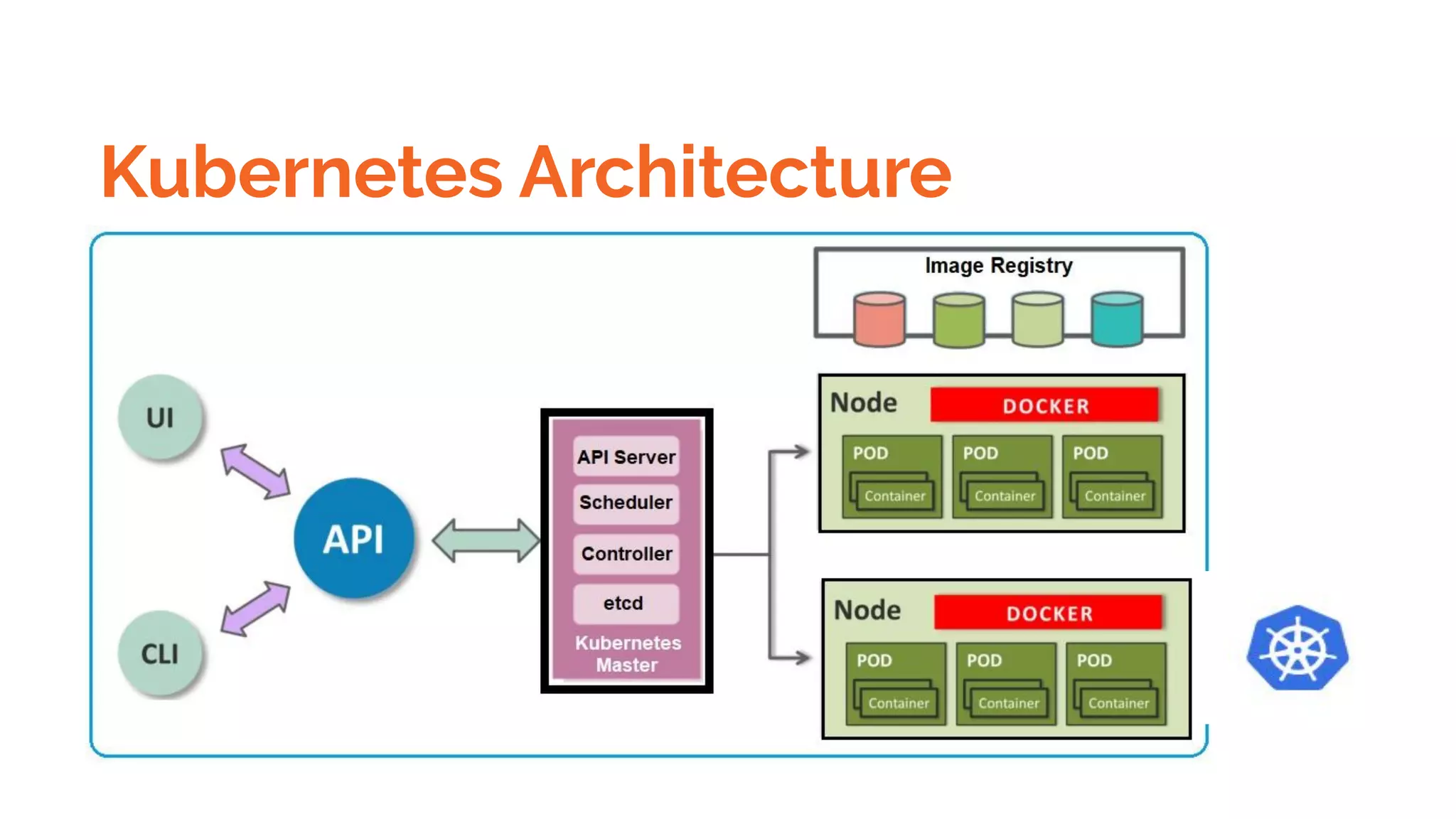
Kube-apiserver - frontend of control pane
etcd - highly available key value
Kube-scheduler- Component on the master that watches newly
created pods that have no node assigned, and selects a node for
them to run on.
kube-controller-manager
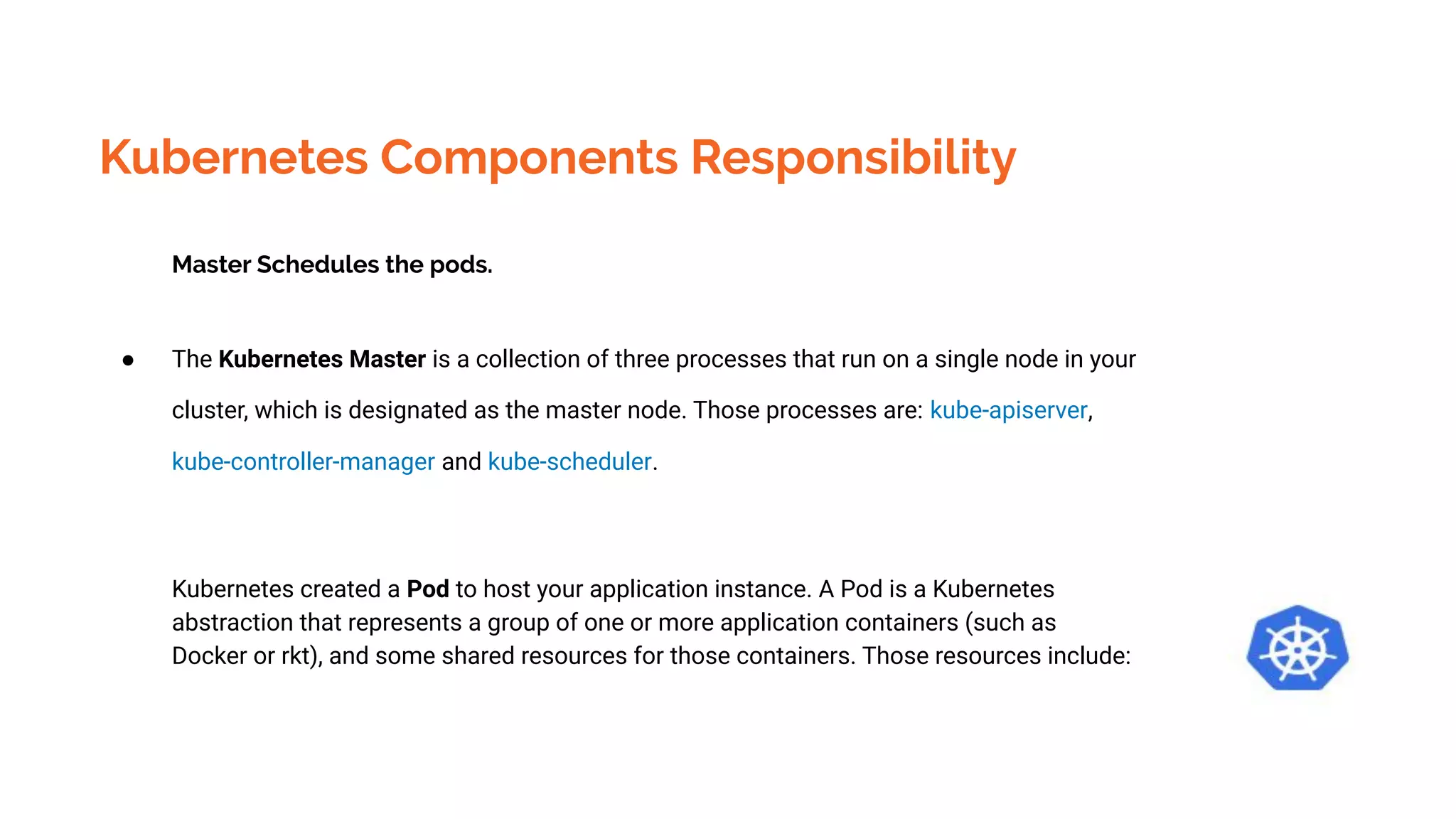
Kubernetes Components Responsibility
Master Schedules the pods.
● The Kubernetes Master is a collection of three processes that run on a single node in your
cluster, which is designated as the master node. Those processes are: kube-apiserver,
kube-controller-manager and kube-scheduler.
Kubernetes created a Pod to host your application instance. A Pod is a Kubernetes
abstraction that represents a group of one or more application containers (such as
Docker or rkt), and some shared resources for those containers. Those resources include:
Kubernetes Components Responsibility
Kubernetes created a Pod to host your application instance. A Pod is a Kubernetes abstraction
that represents a group of one or more application containers (such as Docker or rkt), and some
shared resources for those containers. Those resources include:
●
Kubernetes Objects
The basic Kubernetes objects include:
● Pod
● Service
● Volume
● Namespace
Kubernetes High level Abstraction
Kubernetes also contains higher-level abstractions that rely on Controllers to build upon the
basic objects, and provide additional functionality and convenience features. These include:
● Deployment
● DaemonSet
● StatefulSet
● ReplicaSet
● Job
Kubernetes pods characteristics
❖ A group of docker container with shared namespaces and shared filesystems volumes.
❖ Pods are ephemeral ( rather than durable entities)
❖ Pods are created ,assigned a UID ,Scheduled to nodes where they remain until termination
( according to restart policy) or deletion.If a Node dies ,the Pods scheduled to that are
scheduled for deletion ,after a timeout period .
Kubernetes pods characteristics
❖ A given pod is not rescheduled to different nodes ;instead;it can be replaced by an
identical Pod,with even the same name if desired ,but with a new UID.
❖ If a Pod containing app goes down and another Pod is created in its place ,running your
app . Users should still be able to use your app after that .
❖ Pod shouldn’t be refer by IP address ,pod can come up with different ip address after it
goes down.
Kubernetes Pods Failures & Avoiding Mechanism
Ensure your pod Requests the resources it needs.
Replicate your application ,if you need higher availability
Spread your application to different Zones and Racks.
Voluntary Disruptions
This depends on admin that how rolling updates done.
Autoscaling may also cause issues.
InVoluntary Disruptions
Pods do not disappear until disappear until someone(a person or a controller ) destroys them,or
them is an unavoidable hardware or system software error.
A hardware failure of the physical machine backing the node.
Cluster Administration deletes VM (instance ) by mistake
Cloud provider or hypervisor failure makes VM disappear
A Kernel Panic
The Node disappears from the cluster due to cluster network partition
Disruption Budget for Prevention from pod
failures
An Application owner can create a PodDisruptionBudget object (PDB) for each .
It put a constraint on how many pods can be brought down .
Kubernetes Components
Master Components
Node Components
Kubernetes Components
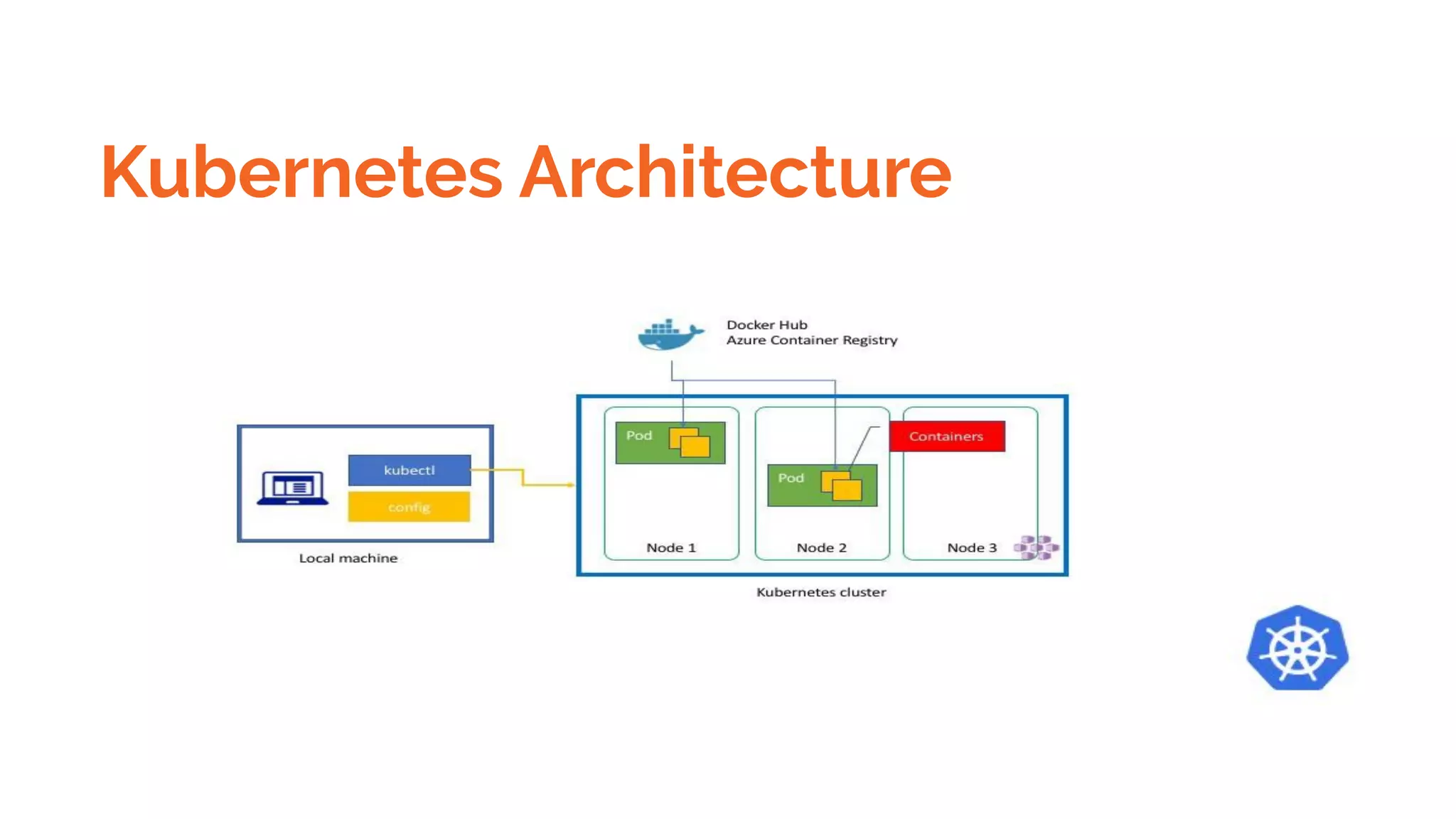
● kubeadm and kubelet installed on all machines. kubectl is optional.
The kubectl command itself is a command line utility that always executes locally however all it
really does is issue commands against a Kubernetes server via its Kubernetes API
Which Kubernetes server it acts against is determined by the local environment the command is run
with. This is configured using a "kubeconfig" file which is is read from the KUBECONFIG
environment variable (or defaults to the file in in $HOME/.kube/config)
Kubernetes Node Components
Kubeletes
Kube-Proxy
Container Runtime
Kubernetes Addons
WebUI
Container Resource Monitoring
Cluster level logging
Kubernetes Addons
WebUI
Container Resource Monitoring
Cluster level logging
Kubernetes Objects
Yaml file
● apiVersion - Which version of the Kubernetes API you’re using to create this object
● kind - What kind of object you want to create
● metadata - Data that helps uniquely identify the object, including a name string, UID, and
optional namespace
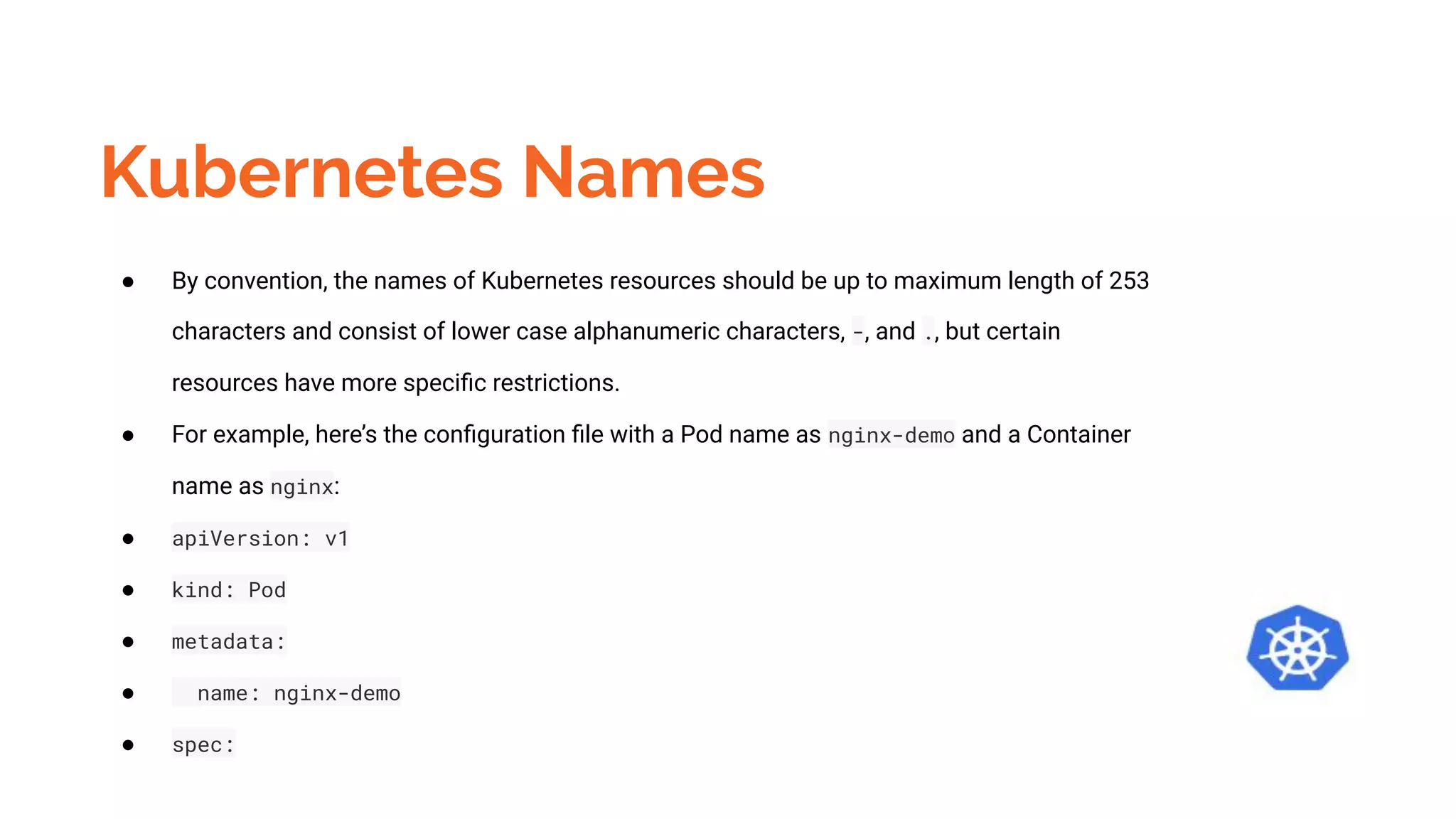
Kubernetes Names
● By convention, the names of Kubernetes resources should be up to maximum length of 253
characters and consist of lower case alphanumeric characters, -, and ., but certain
resources have more specific restrictions.
● For example, here’s the configuration file with a Pod name as nginx-demo and a Container
name as nginx:
● apiVersion: v1
● kind: Pod
● metadata:
● name: nginx-demo
● spec:
Kubernetes Namespaces
● Namespaces are intended for use in environments with many users spread across multiple
teams, or projects. For clusters with a few to tens of users, you should not need to create or
think about namespaces at all. Start using namespaces when you need the features they
provide.
● Memory demo example shows the limit is only applied within mem-example namespace and
not to other clusters.
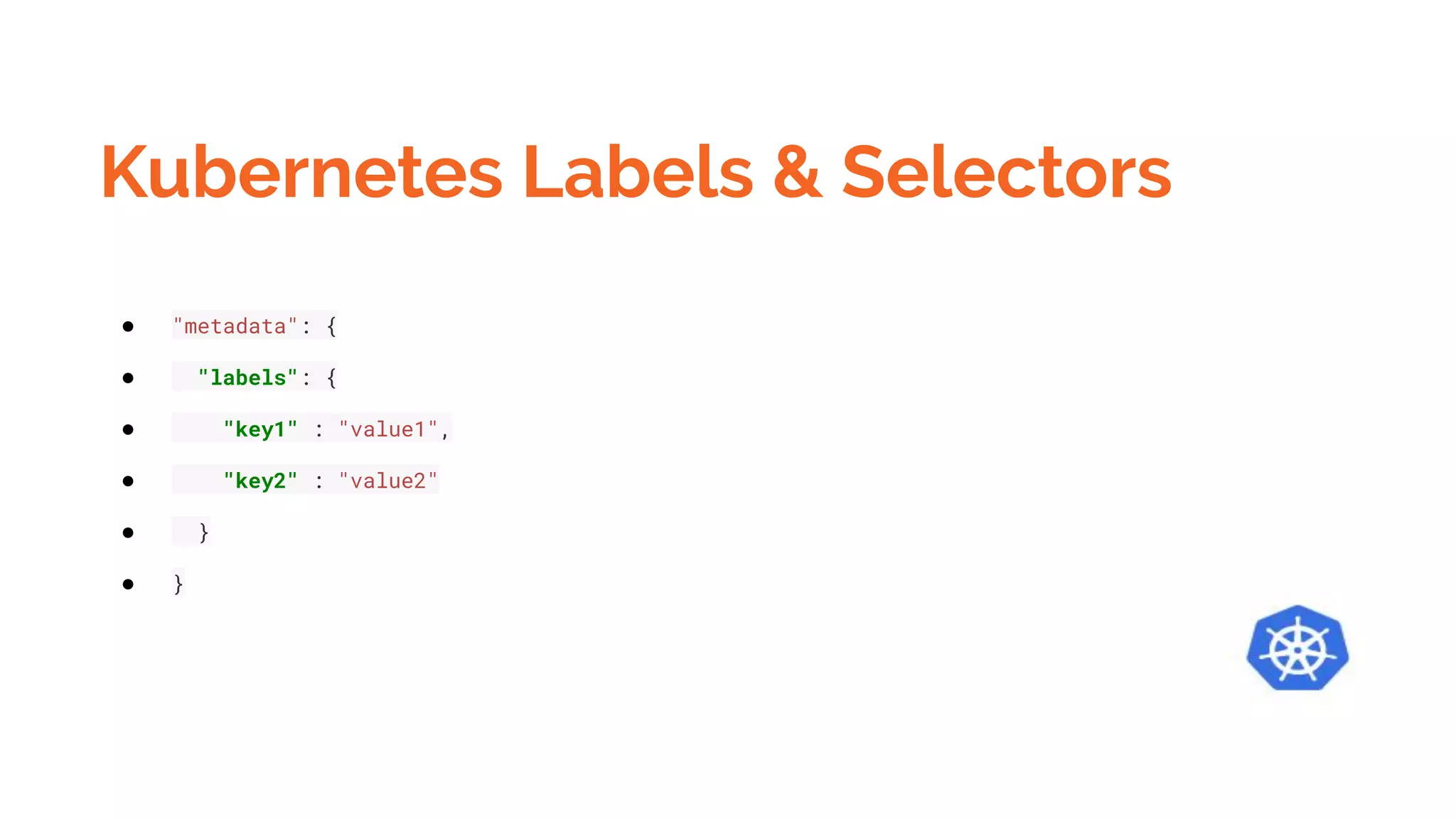
Kubernetes Labels & Selectors
● "metadata": {
● "labels": {
● "key1" : "value1",
● "key2" : "value2"
● }
● }
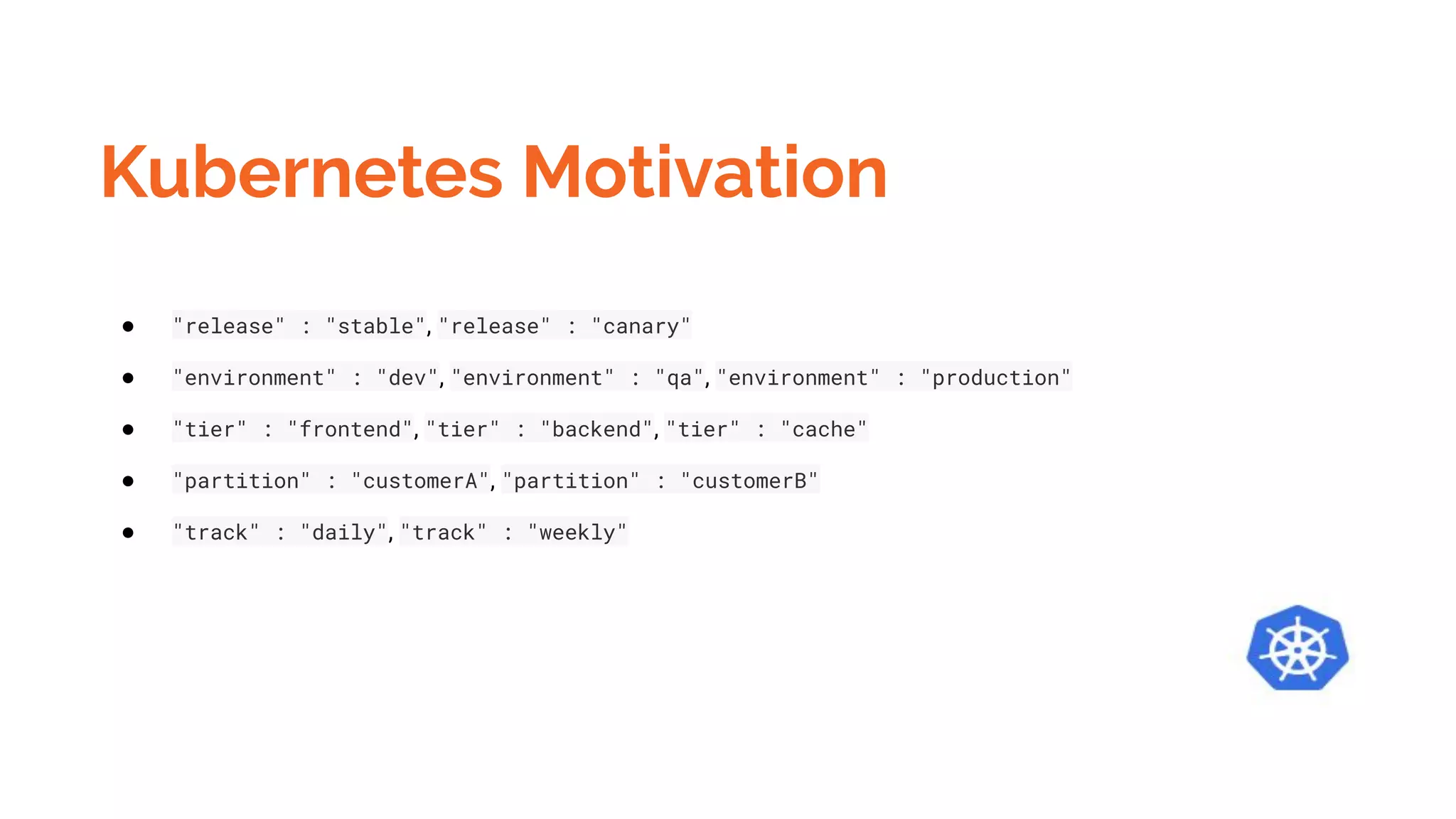
Kubernetes Motivation
● "release" : "stable", "release" : "canary"
● "environment" : "dev", "environment" : "qa", "environment" : "production"
● "tier" : "frontend", "tier" : "backend", "tier" : "cache"
● "partition" : "customerA", "partition" : "customerB"
● "track" : "daily", "track" : "weekly"
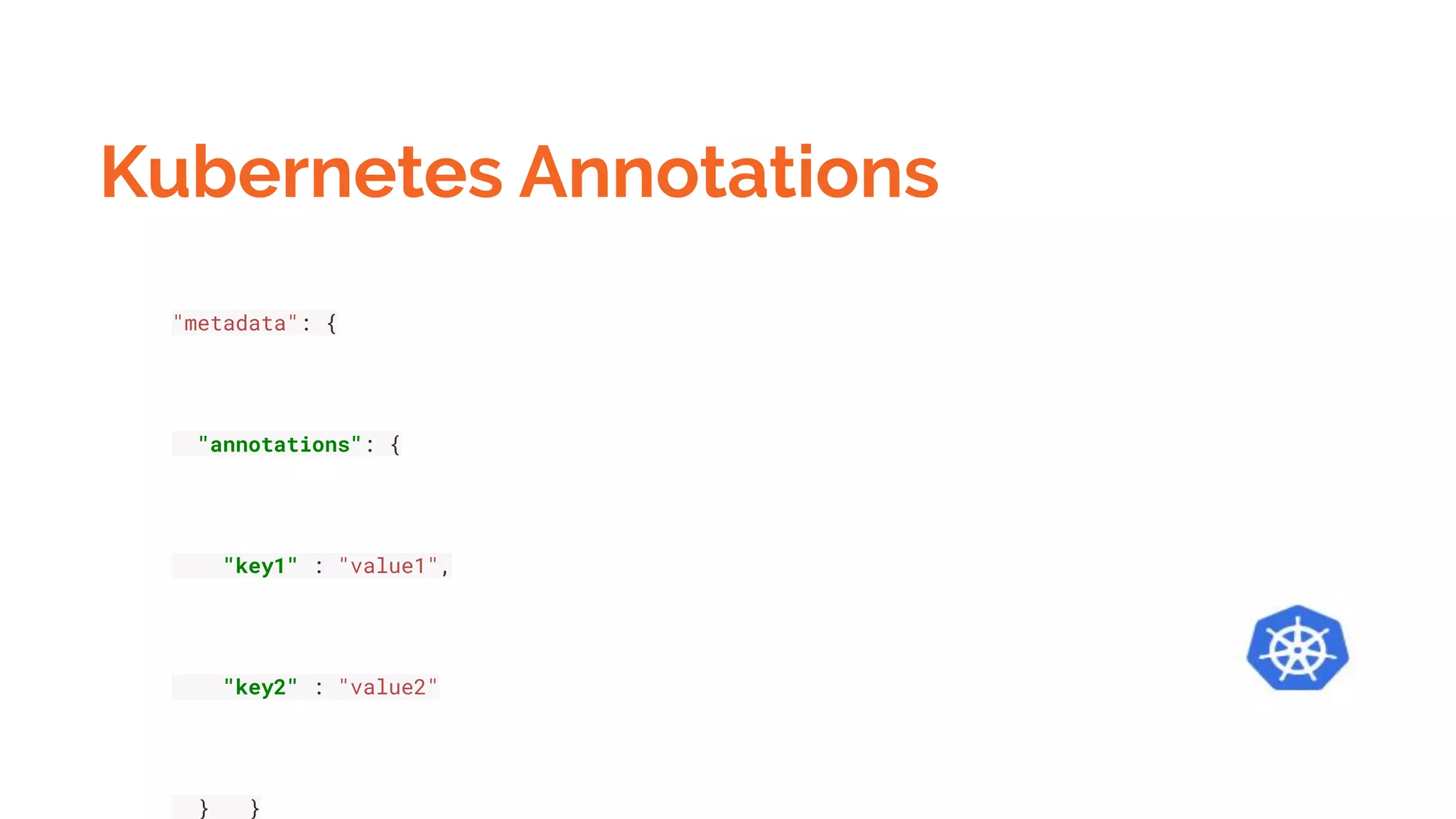
Kubernetes Annotations
"metadata": {
"annotations": {
"key1" : "value1",
"key2" : "value2"
} }
Kubernetes Annotations
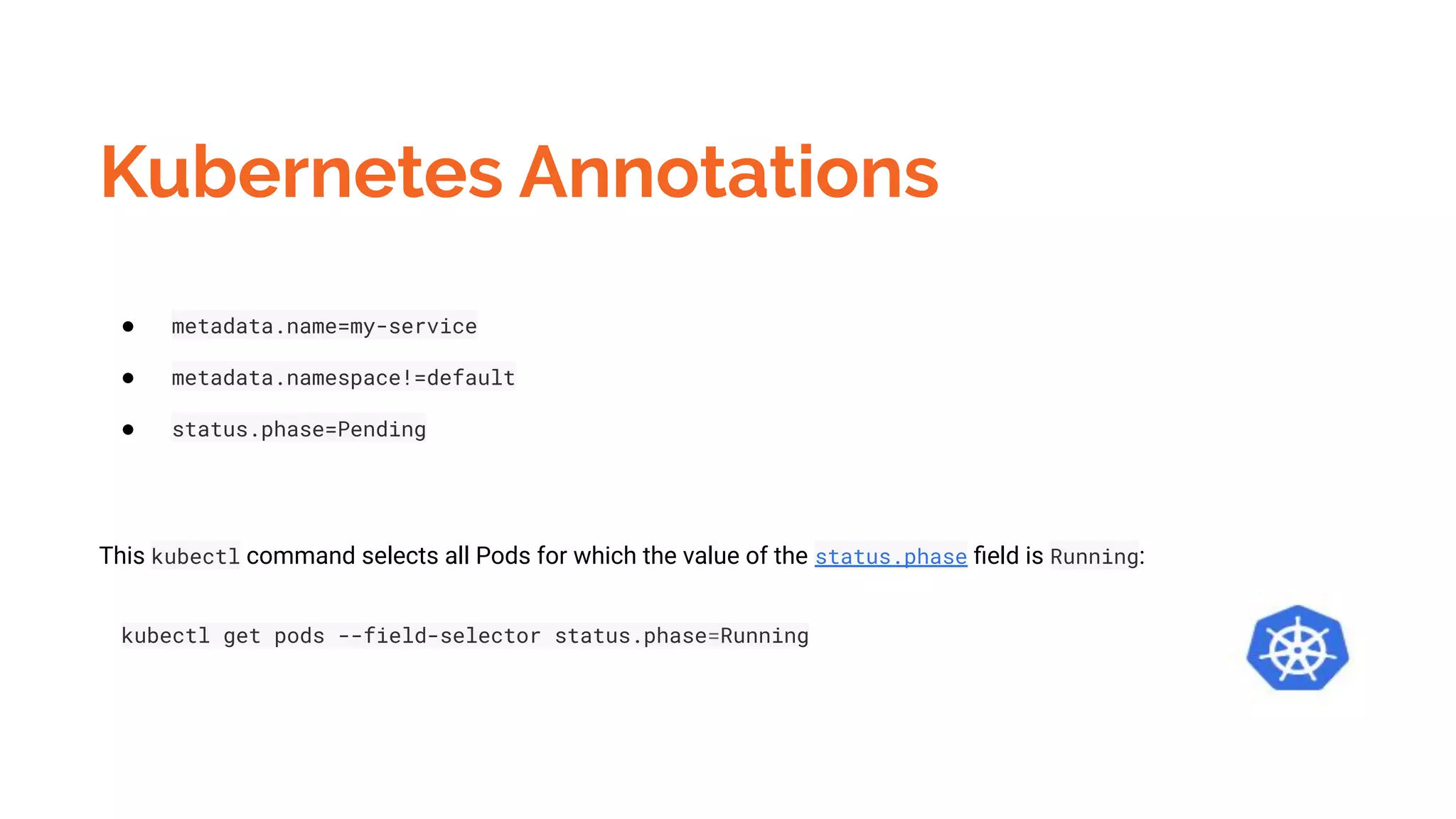
● metadata.name=my-service
● metadata.namespace!=default
● status.phase=Pending
This kubectl command selects all Pods for which the value of the status.phase field is Running:
kubectl get pods --field-selector status.phase=Running
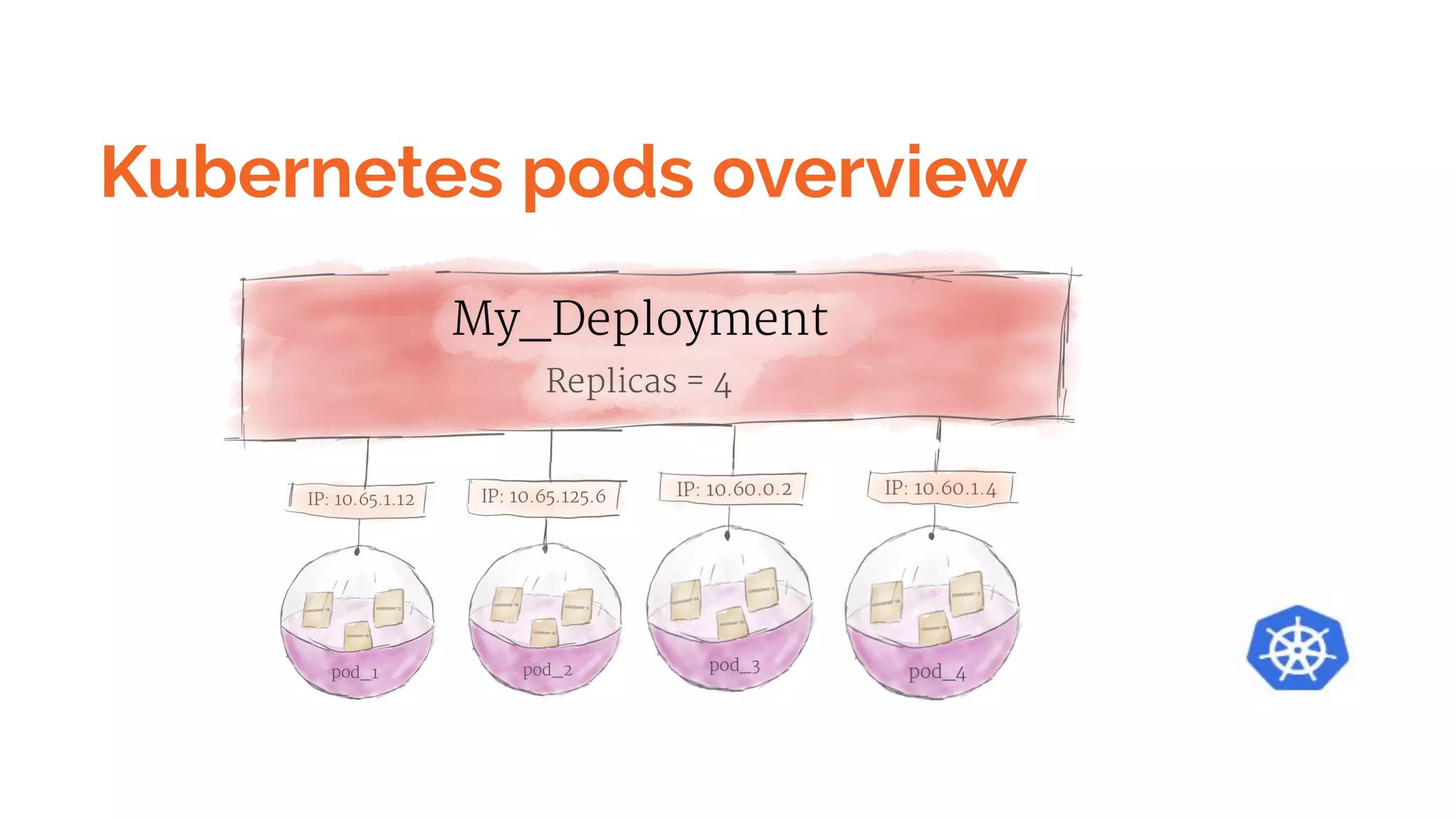
Kubernetes pods overview
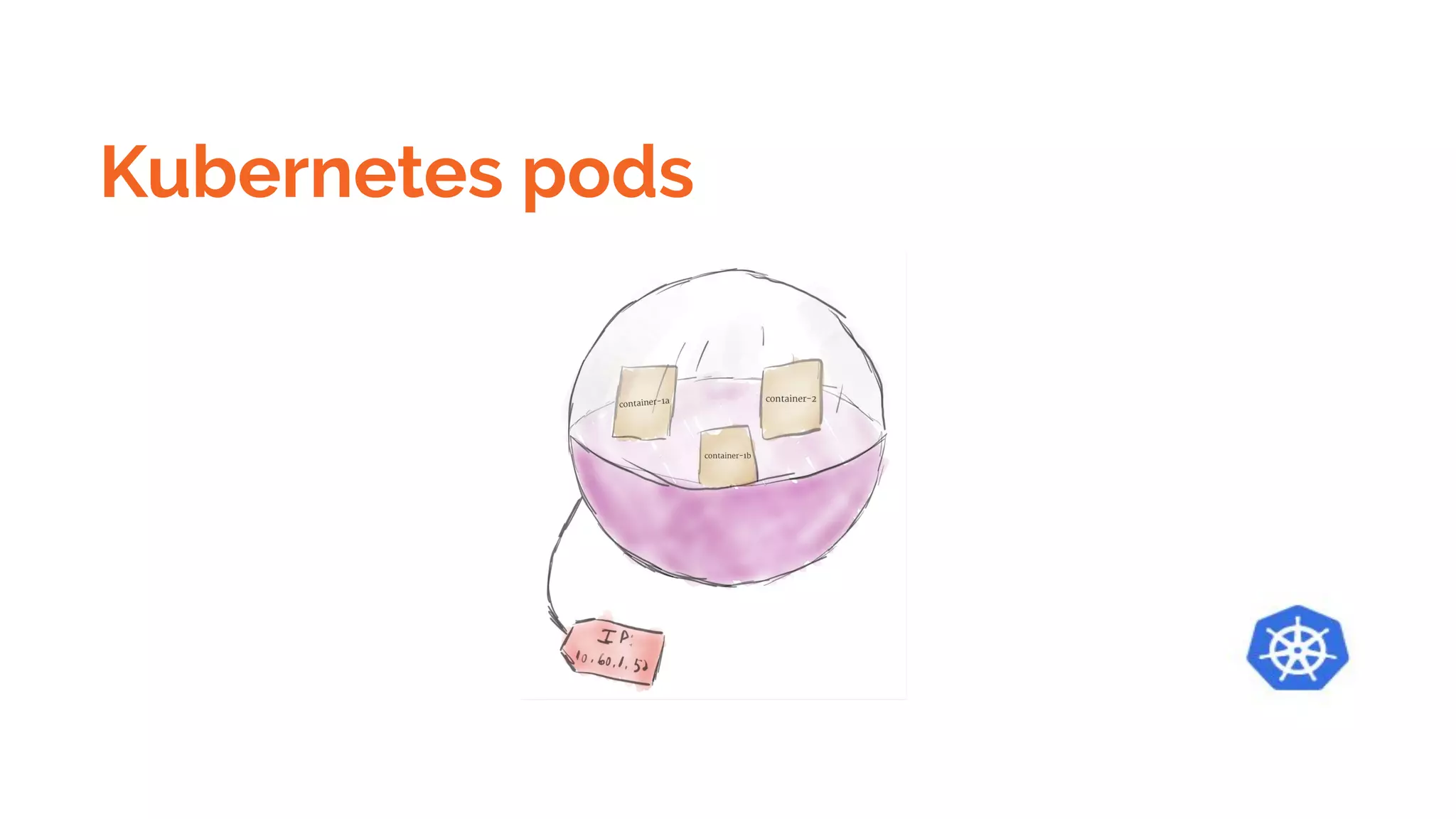
Kubernetes pods
Kubernetes -
Kubernetes is an open source orchestration system for automating the management, placement,
scaling and routing of containers. The Docker platform includes a secure and fully-conformant
Kubernetes environment for developers and operators of all skill levels, providing out-of-the-box
integrations for common enterprise requirements while still enabling complete flexibility for
expert users. With the Docker platform, organizations can run Kubernetes interchangeably with
Swarm orchestration in the same cluster for ultimate flexibility at runtime.
Kubernetes
A Pod is the basic execution unit of a Kubernetes application–the smallest and simplest unit in the
Kubernetes object model that you create or deploy. A Pod represents processes running on your Cluster
.
A Pod encapsulates an application’s container (or, in some cases, multiple containers), storage
resources, a unique network IP, and options that govern how the container(s) should run. A Pod
represents a unit of deployment: a single instance of an application in Kubernetes, which might consist of
either a single container
or a small number of containers that are tightly coupled and that share resources.
Docker is the most common container runtime used in a Kubernetes Pod, but Pods support other
container runtimes as well.
Kubernetes Pods
Pods in a Kubernetes cluster can be used in two main ways:
● Pods that run a single container. The “one-container-per-Pod” model is the most common
Kubernetes use case; in this case, you can think of a Pod as a wrapper around a single
container, and Kubernetes manages the Pods rather than the containers directly.
● Pods that run multiple containers that need to work together. A Pod might encapsulate an
application composed of multiple co-located containers that are tightly coupled and need to
share resources.
Kubernetes pod status
Pod can be in one of the following possible phases:
● Pending: Pod has been created and accepted by the cluster, but one or more of its containers
are not yet running. This phase includes time spent being scheduled on a node and
downloading images.
● Running: Pod has been bound to a node, and all of the containers have been created. At least
one container is running, is in the process of starting, or is restarting.
● Succeeded: All containers in the Pod have terminated successfully. Terminated Pods do not
restart.
● Failed: All containers in the Pod have terminated, and at least one container has terminated in
failure. A container "fails" if it exits with a non-zero status.
● Unknown: The state of the Pod cannot be determined.
Kubernetes
● These co-located containers might form a single cohesive unit of service–one container serving
files from a shared volume to the public, while a separate “sidecar” container refreshes or updates
those files. The Pod wraps these containers and storage resources together as a single
manageable entity. The Kubernetes Blog has some additional information on Pod use cases. For
more information, see:
○ The Distributed System Toolkit: Patterns for Composite Containers
○ Container Design Patterns
Kubernetes
● Each Pod is meant to run a single instance of a given application.
Create multiple replica
https://cloud.google.com/kubernetes-engine/docs/tutorials/hello-app
Kubernetes Scale it
Kubernetes
Networking
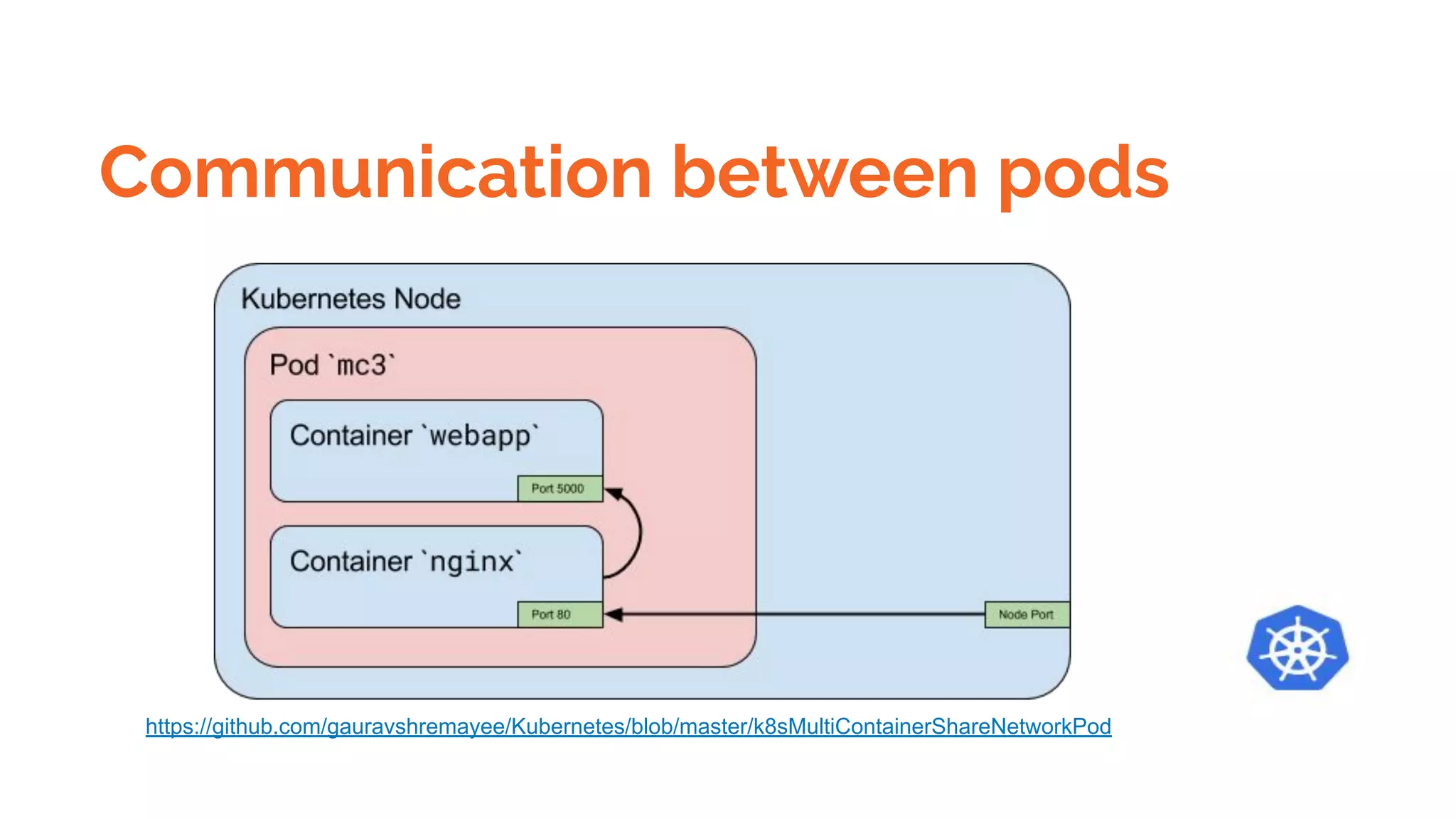
Each Pod is assigned a unique IP address. Every container in a Pod shares the network namespace,
including the IP address and network ports. Containers inside a Pod can communicate with one another
using localhost. When containers in a Pod communicate with entities outside the Pod, they must
coordinate how they use the shared network resources (such as ports).
Storage
A Pod can specify a set of shared storage Volumes
. All containers in the Pod can access the shared volumes, allowing those containers to share data.
Volumes also allow persistent data in a Pod to survive in case one of the containers within needs to be
restarted. See Volumes for more information on how Kubernetes implements shared storage in a Pod.
Kubernetes
REPLICA SETS
Getting Started with ReplicaSets
Creating ReplicaSets
Sequential Breakdown of the Process
Operating ReplicaSets
Kubernetes
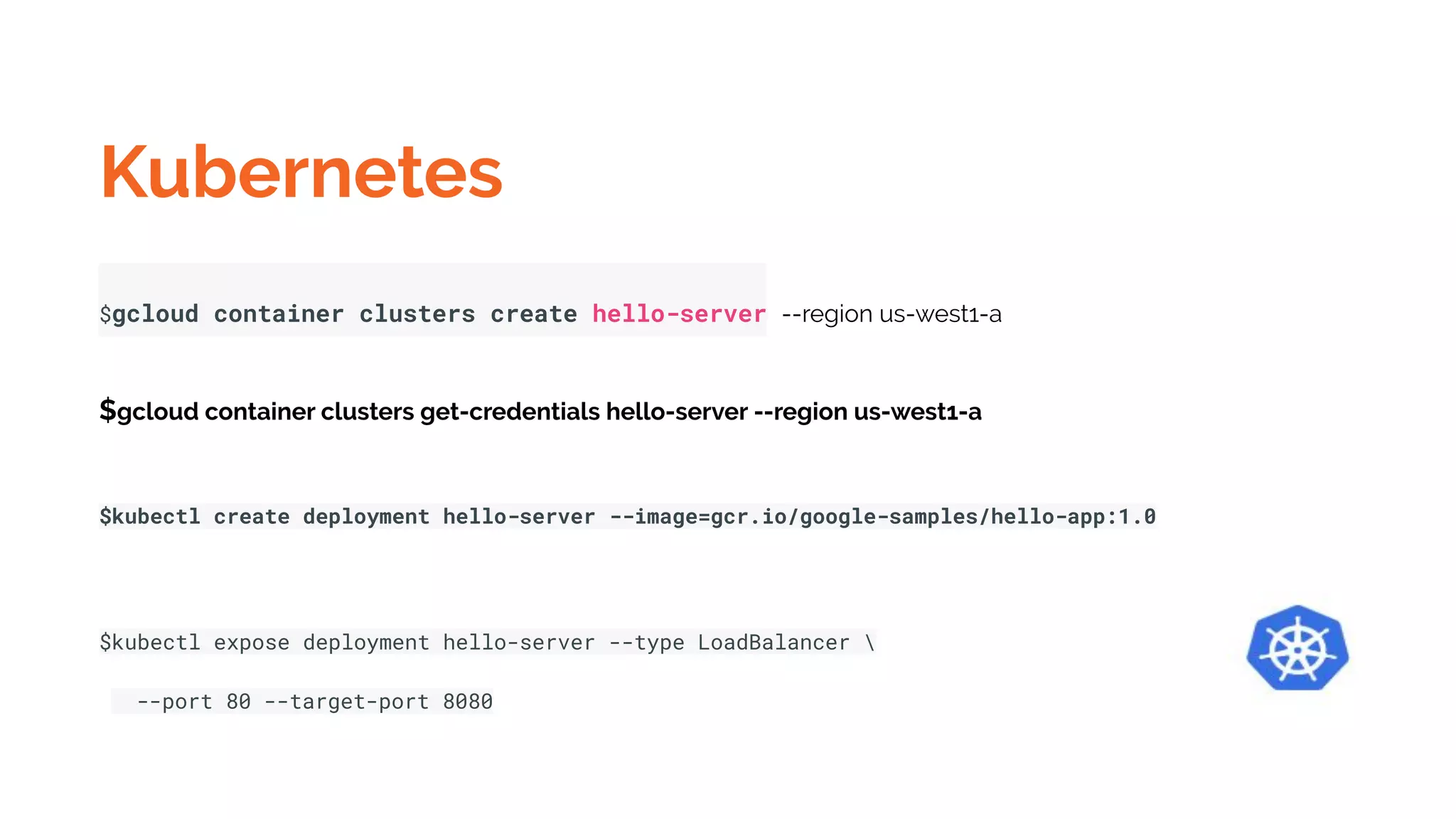
$gcloud container clusters create hello-server --region us-west1-a
$gcloud container clusters get-credentials hello-server --region us-west1-a
$kubectl create deployment hello-server --image=gcr.io/google-samples/hello-app:1.0
$kubectl expose deployment hello-server --type LoadBalancer 
--port 80 --target-port 8080
Kubernetes
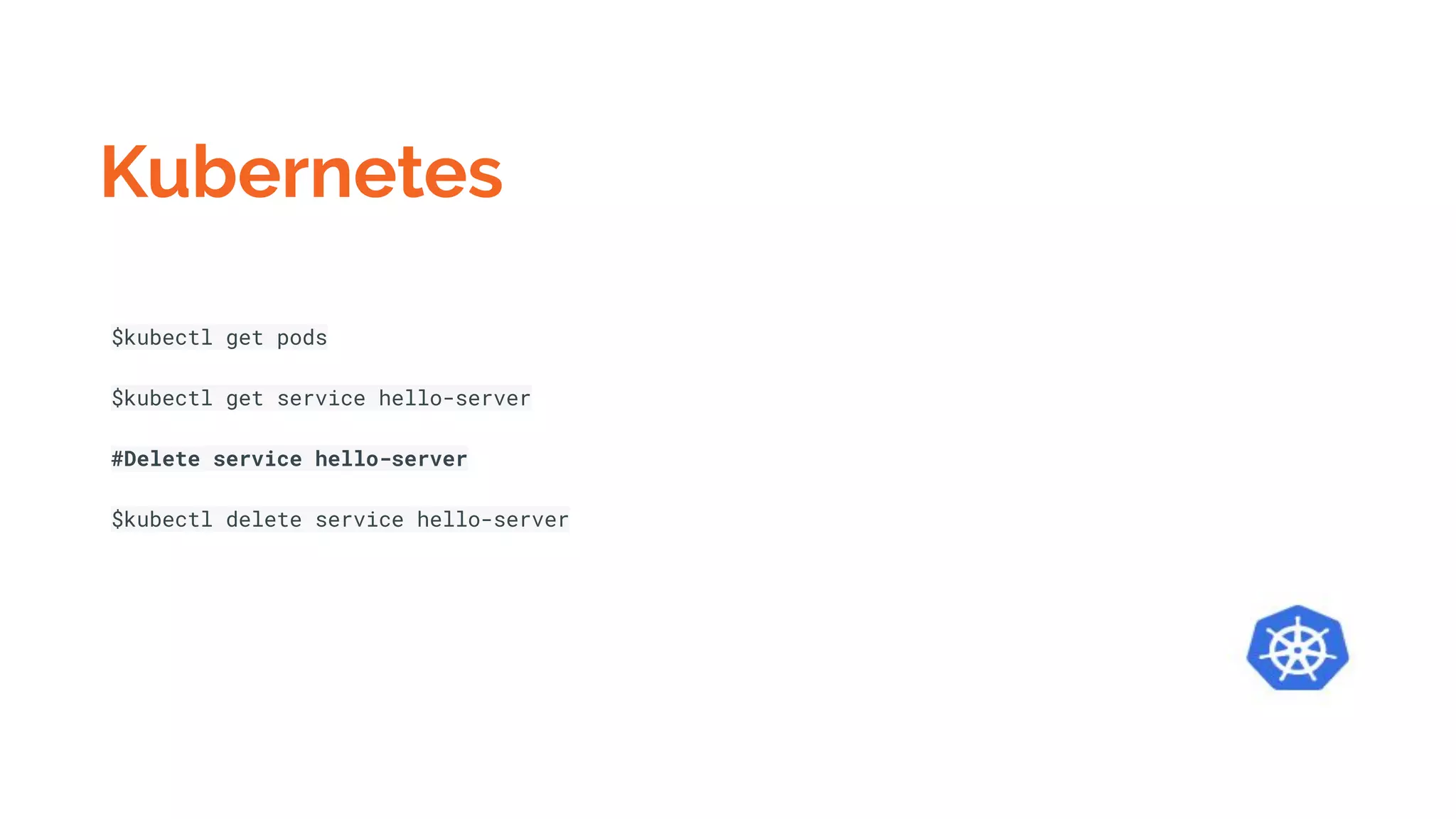
$kubectl get pods
$kubectl get service hello-server
#Delete service hello-server
$kubectl delete service hello-server
Kubernetes gcloud
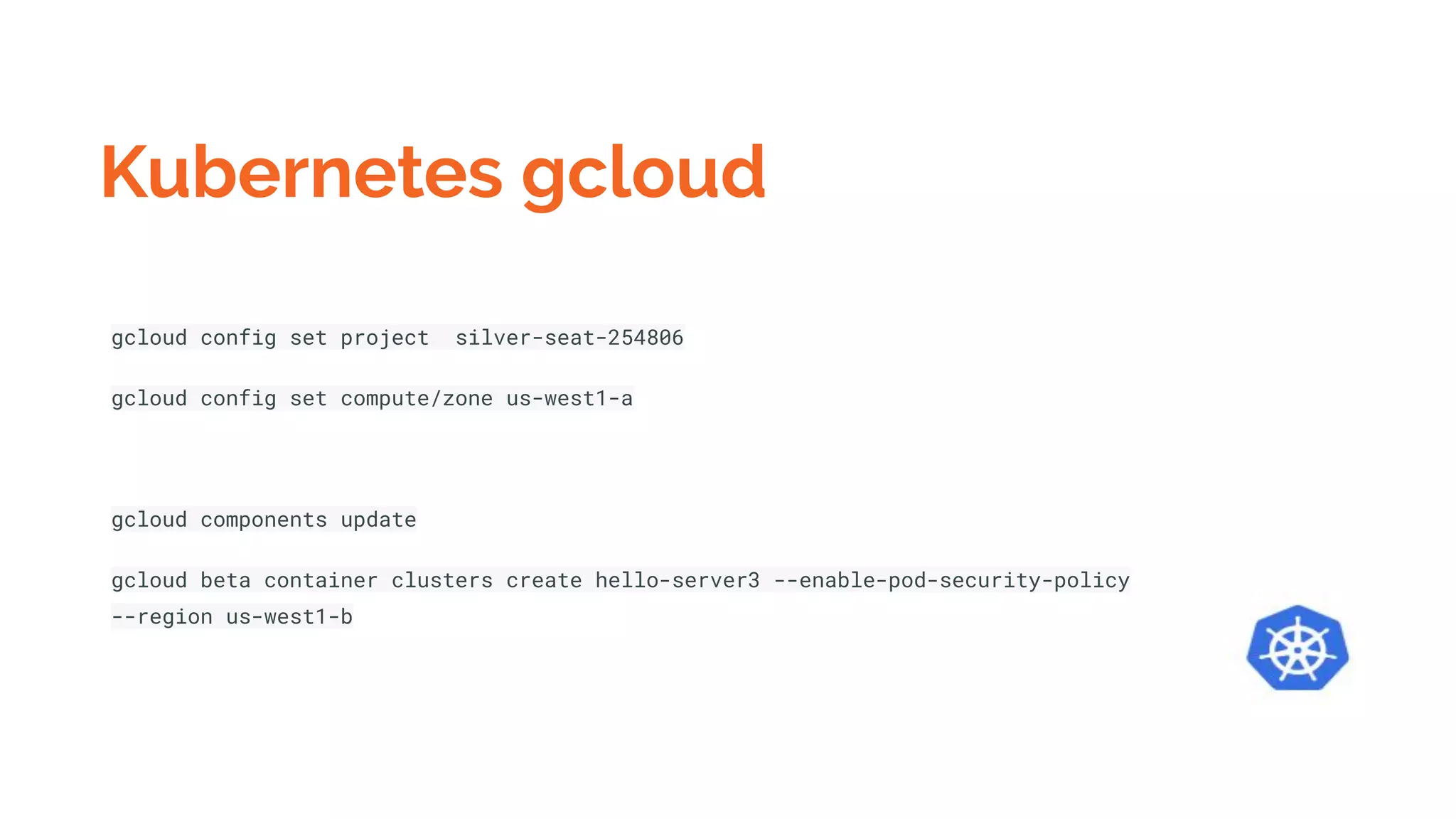
gcloud config set project silver-seat-254806
gcloud config set compute/zone us-west1-a
gcloud components update
gcloud beta container clusters create hello-server3 --enable-pod-security-policy
--region us-west1-b
Kubernetes
$gcloud container clusters delete cluster-name
Multi Container Pods
Why does Kubernetes allow more than one container in a Pod?
Containers in a Pod run on a “logical host”; they use the same network
namespace (in other words, the same IP address and port space), and the same
IPC namespace. They can also use shared volumes. These properties make it
possible for these containers to efficiently communicate, ensuring data locality.
Also, Pods enable you to manage several tightly coupled application containers as
a single unit.
Use of Multi Container Pods
Why does Kubernetes allow more than one container in a Pod?
Containers in a Pod run on a “logical host”; they use the same network
namespace (in other words, the same IP address and port space), and the same
IPC namespace. They can also use shared volumes. These properties make it
possible for these containers to efficiently communicate, ensuring data locality.
Also, Pods enable you to manage several tightly coupled application containers as
a single unit.
Use of Multi Container Pods
The primary purpose of a multi-container Pod is to support co-located,
co-managed helper processes for a primary application. There are some general
patterns for using helper processes in Pods:
● Sidecar containers “help” the main container. Some examples include log or
data change watchers, monitoring adapters, and so on. A log watcher, for
example, can be built once by a different team and reused across different
applications. Another example of a sidecar container is a file or data loader
that generates data for the main container.
Use of Multi Container Pods
● Proxies, bridges, and adapters connect the main container with the external
world. For example, Apache HTTP server or nginx can serve static files. It can
also act as a reverse proxy to a web application in the main container to log
and limit HTTP requests. Another example is a helper container that
re-routes requests from the main container to the external world. This
makes it possible for the main container to connect to localhost to access,
for example, an external database, but without any service discovery.
While you can host a multi-tier application (such as WordPress) in a single Pod,
the recommended way is to use separate Pods for each tier, for the simple reason
that you can scale tiers up independently and distribute them across cluster
nodes.
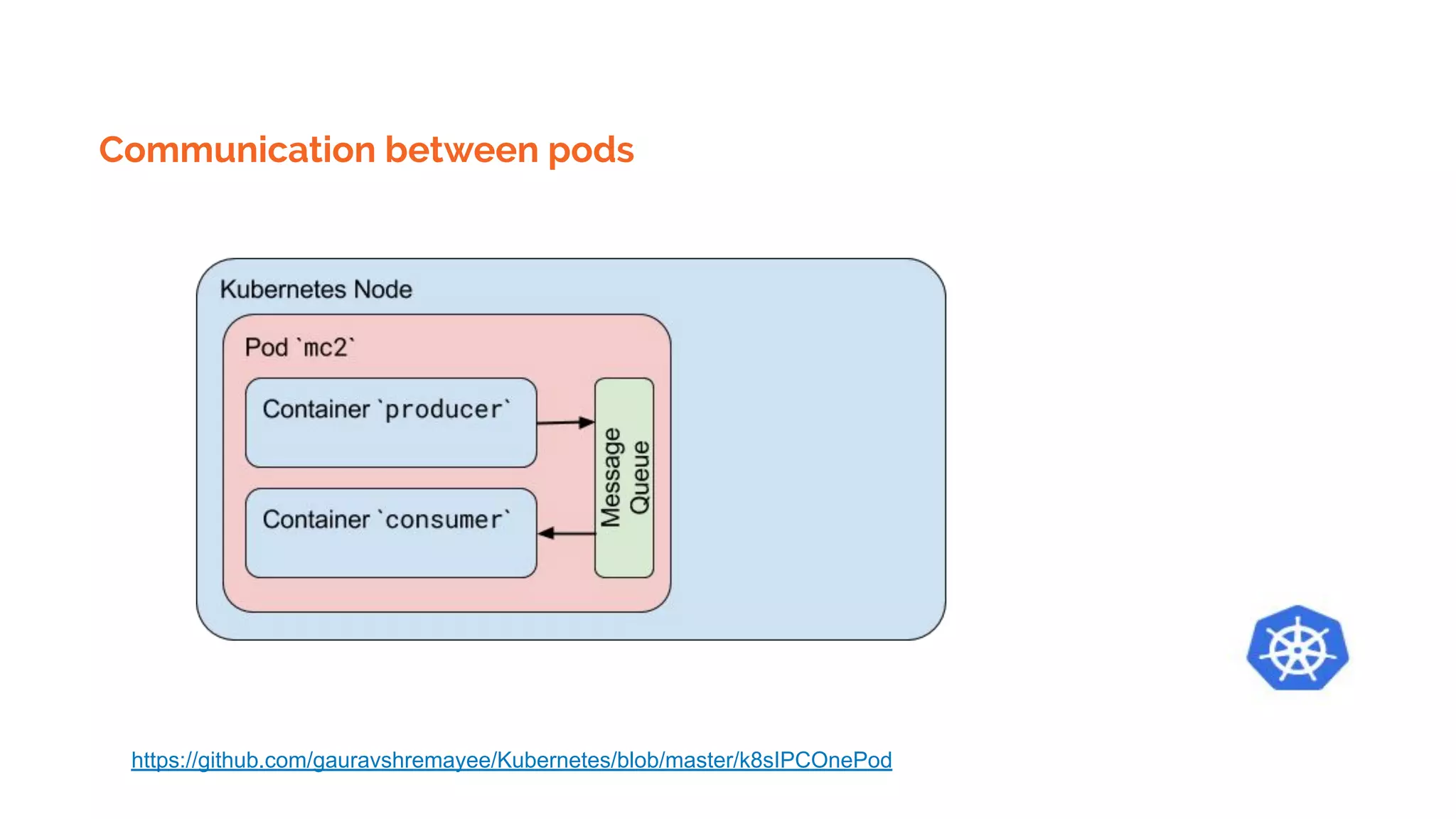
Kubernetes Pods starting order
Currently, all containers in a Pod are being started in parallel and there is no way
to define that one container must be started after other container. For example, in
the IPC example, there is a chance that the second container might finish starting
before the first one has started and created the message queue. In this case, the
second container will fail, because it expects that the message queue already
exists.
Kubernetes Pod templates
Pod templates are pod specifications which are included in other objects, such as Replication
Controllers, Jobs, and DaemonSets. Controllers use Pod Templates to make actual pods. The sample
below is a simple manifest for a Pod which contains a container that prints a message.
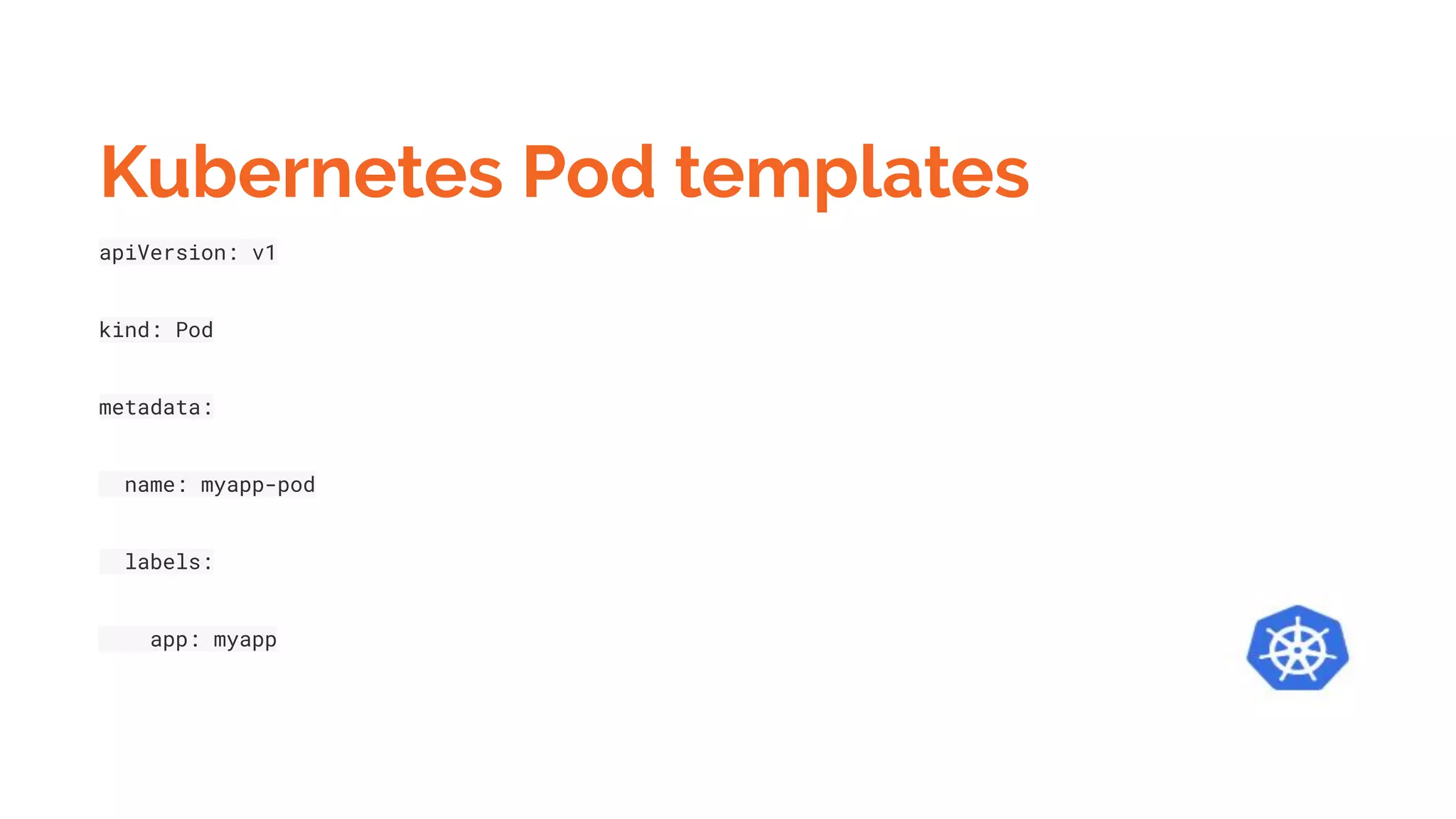
Kubernetes Pod templates
apiVersion: v1
kind: Pod
metadata:
name: myapp-pod
labels:
app: myapp
Kubernetes Pod templates
spec:
containers:
- name: myapp-container
image: busybox
command: ['sh', '-c', 'echo Hello Kubernetes! && sleep 3600']
Kubernetes Pod templates
Create a pod using template
$kubectl apply -f mc2demo.yaml
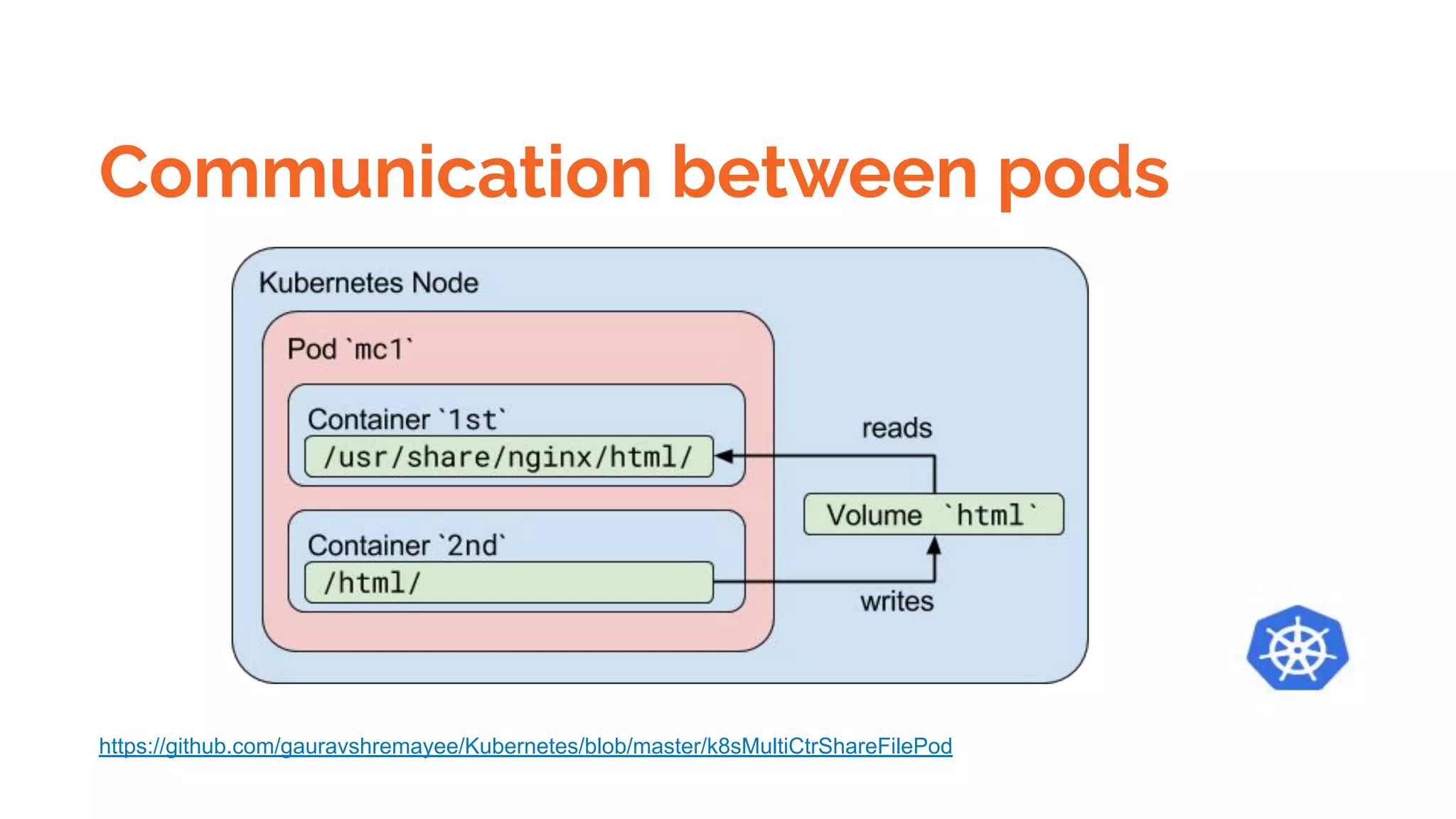
Communication between pods
https://github.com/gauravshremayee/Kubernetes/blob/master/k8sMultiCtrShareFilePod
Communication between pods
https://github.com/gauravshremayee/Kubernetes/blob/master/k8sMultiContainerShareNetworkPod
Communication between pods
https://github.com/gauravshremayee/Kubernetes/blob/master/k8sIPCOnePod
Communication between pods- Networking
Kubernetes imposes the following fundamental requirements on any networking implementation
(barring any intentional network segmentation policies):
● pods on a node can communicate with all pods on all nodes without NAT
● agents on a node (e.g. system daemons, kubelet) can communicate with all pods on that node
Note: For those platforms that support Pods running in the host network (e.g. Linux):
● pods in the host network of a node can communicate with all pods on all nodes without NAT
Inter container communication
Shared volumes in a Kubernetes within container in same pod.
Kubernetes assign pods to Nodes
Running Command within pod
kubectl exec <POD-NAME> -c <CONTAINER-NAME> -- <COMMAND>
Pods Security
Pod Security Policies allow you to control:
● The running of privileged containers
● Usage of host namespaces
● Usage of host networking and ports
● Usage of volume types
● Usage of the host filesystem
● A white list of Flexvolume drivers
● The allocation of an FSGroup that owns the pod’s volumes
● Requirments for use of a read only root file system
● The user and group IDs of the container
● Escalations of root privileges
● Linux capabilities, SELinux context, AppArmor, seccomp, sysctl profile
Pods Security
● EKS doesn’t support it yet
● AKS doesn’t support it yet
● GKE does supports it, when enabled
Kubernetes Services
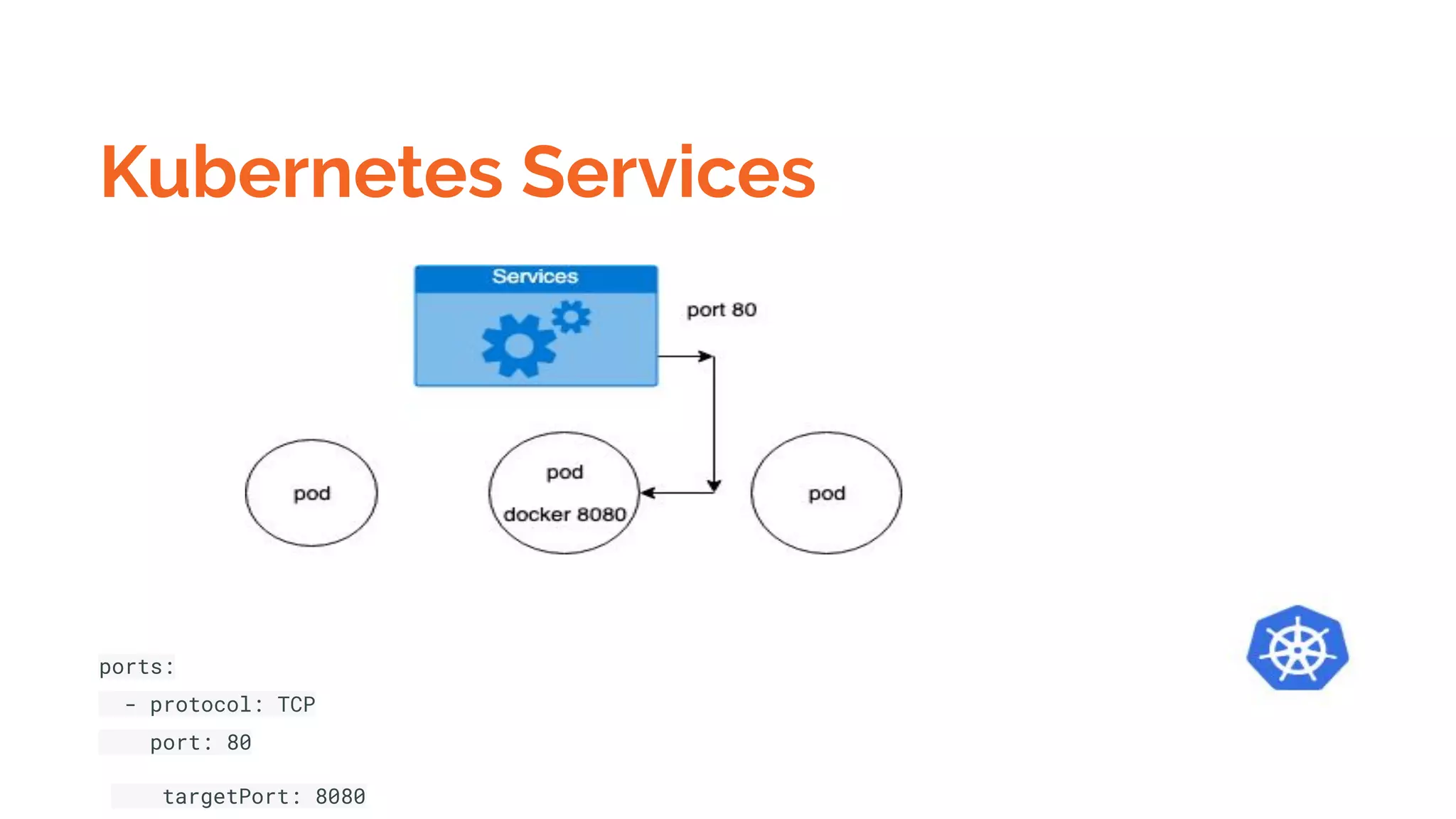
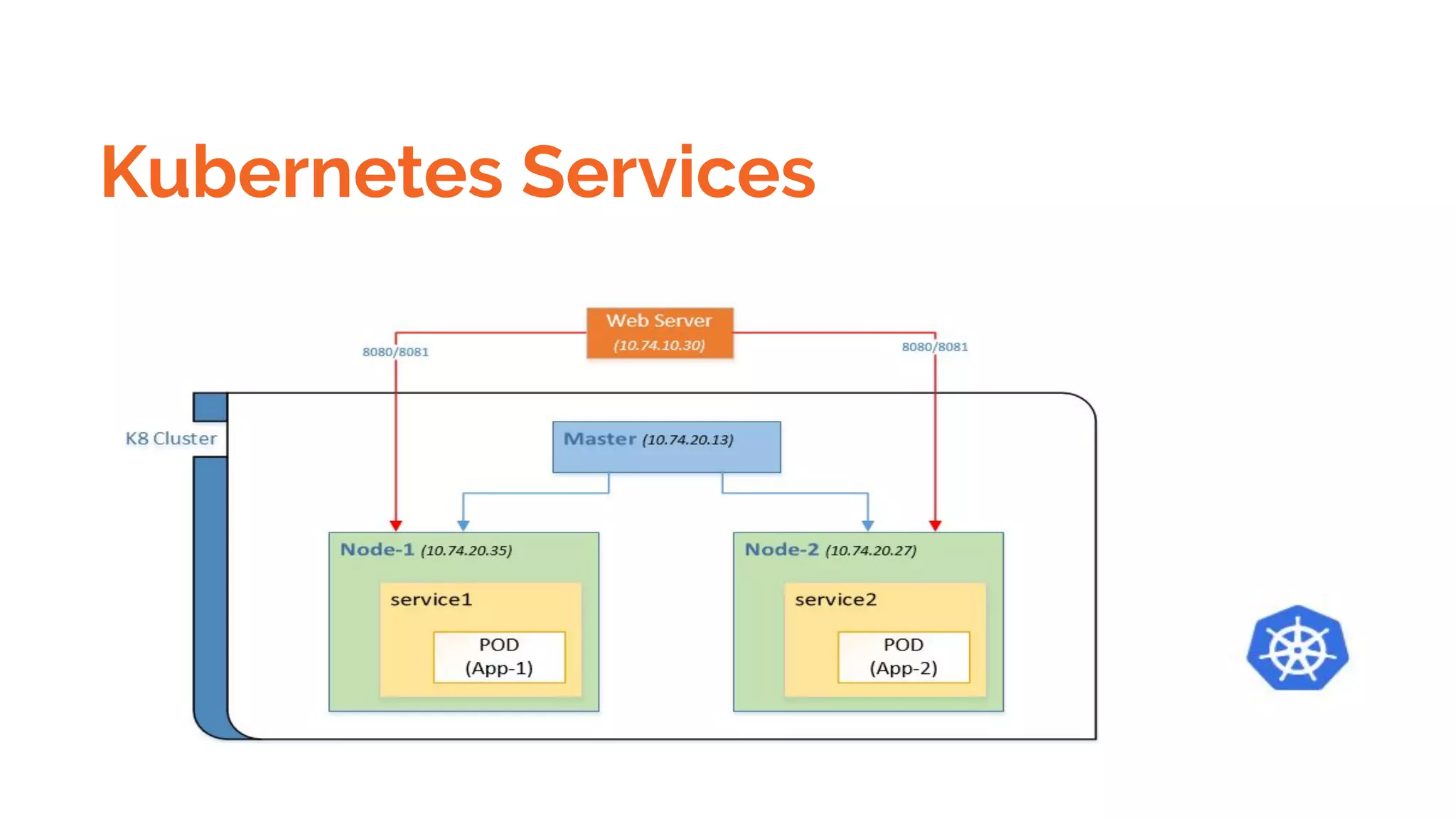
The idea of a Service is to group a set of Pod endpoints into a single resource. You can configure various
ways to access the grouping. By default, you get a stable cluster IP address that clients inside the
cluster can use to contact Pods in the Service. A client sends a request to the stable IP address, and the
request is routed to one of the Pods in the Service.
K8s has a solution called nodeSelector which lets you bind your pod to a specific: node
Kubernetes Services
ports:
- protocol: TCP
port: 80
targetPort: 8080
Kubernetes Services
Kubernetes Services
Kubernetes Services
Expose a pod using Service
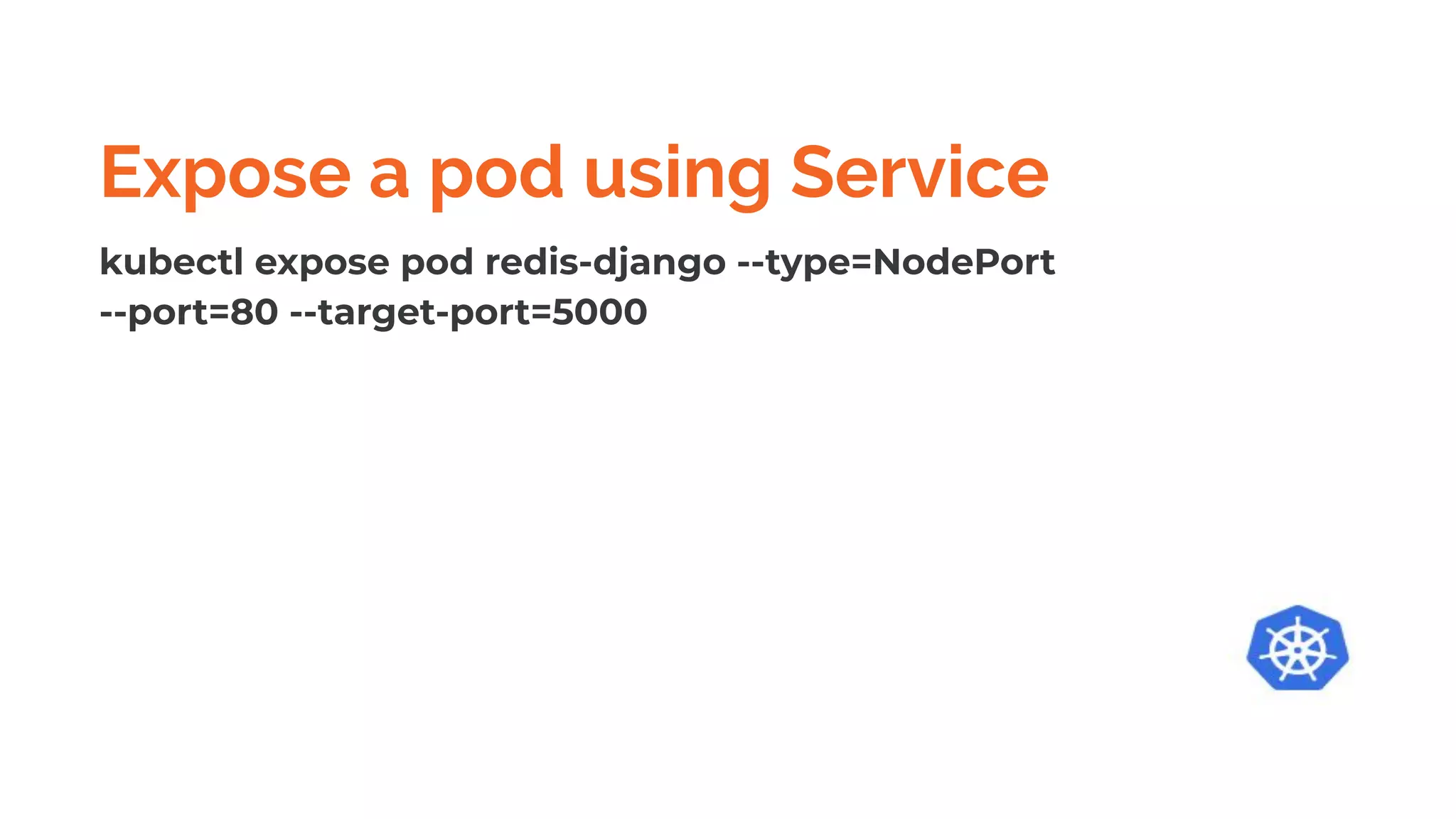
kubectl expose pod redis-django --type=NodePort
--port=80 --target-port=5000
Kubernetes Services Types
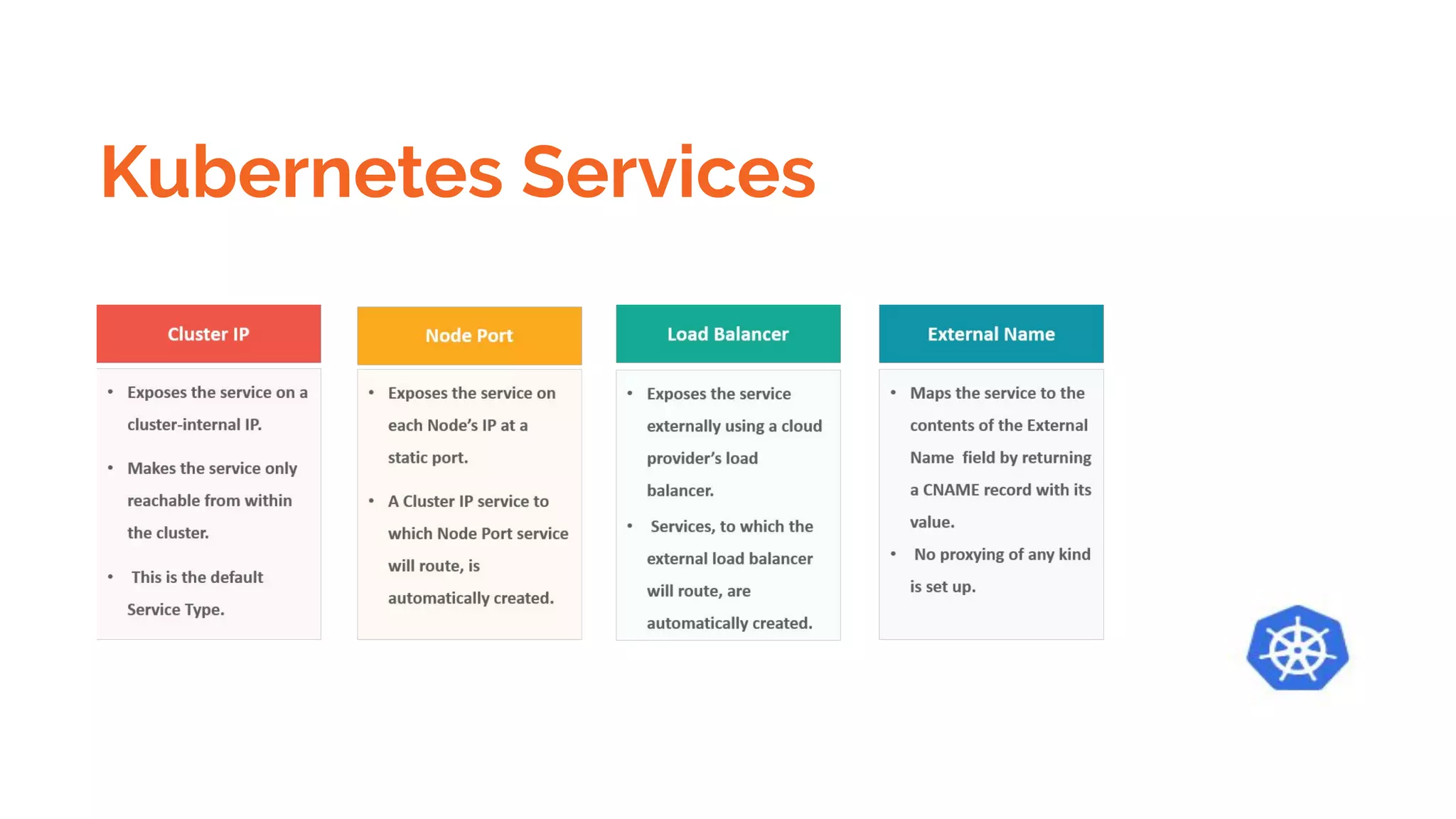
There are five types of Services:
● ClusterIP (default): Internal clients send requests to a stable internal IP address.
● NodePort: Clients send requests to the IP address of a node on one or more nodePort values
that are specified by the Service.
● LoadBalancer: Clients send requests to the IP address of a network load balancer.
● ExternalName: Internal clients use the DNS name of a Service as an alias for an external DNS
name.
● Headless: You can use a headless service in situations where you want a Pod grouping, but don't
need a stable IP address.
Kubernetes Services Types
$Kubectl describe services
#List pods within services
$Kubectl get pods -l app=hello-server
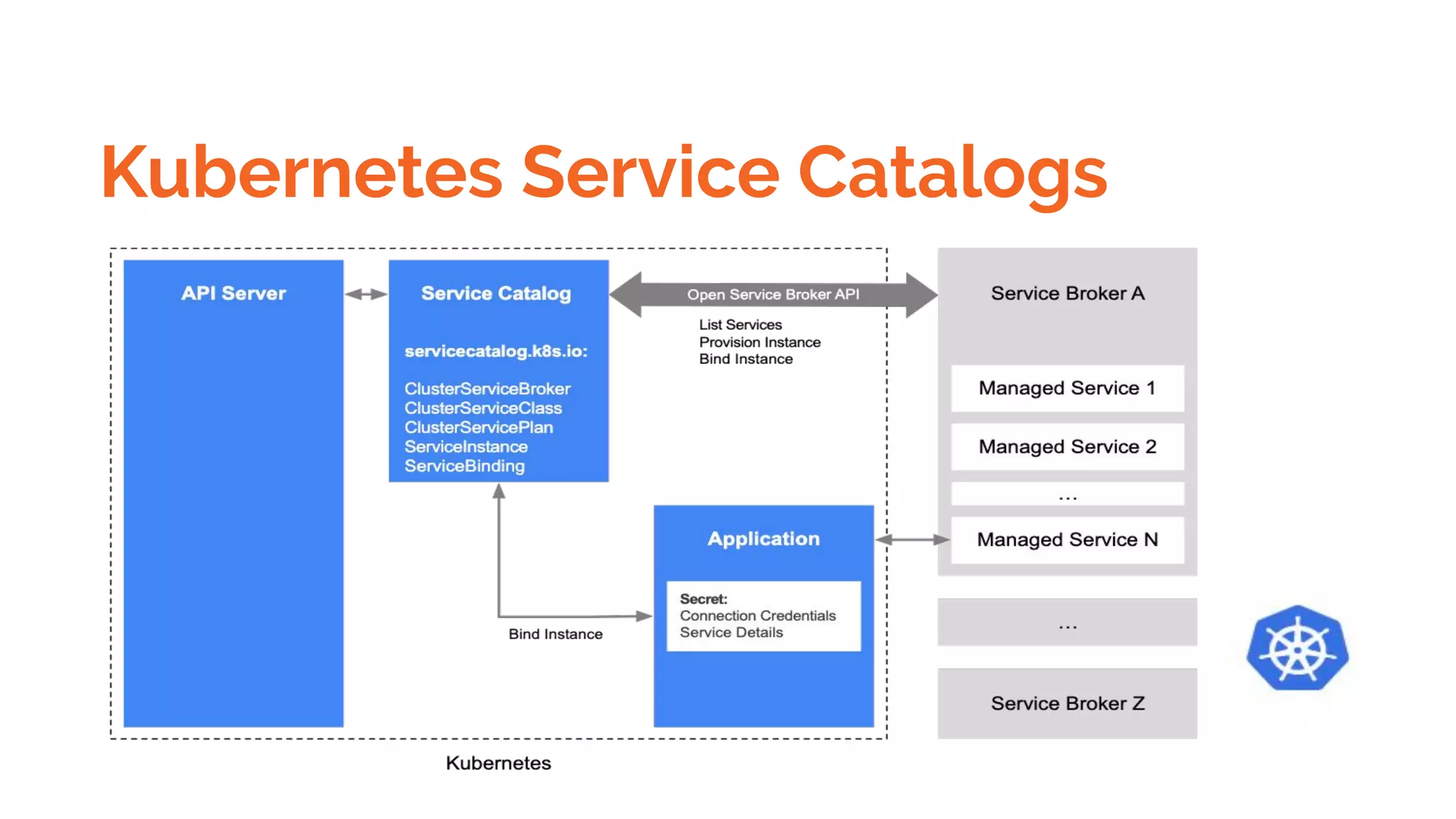
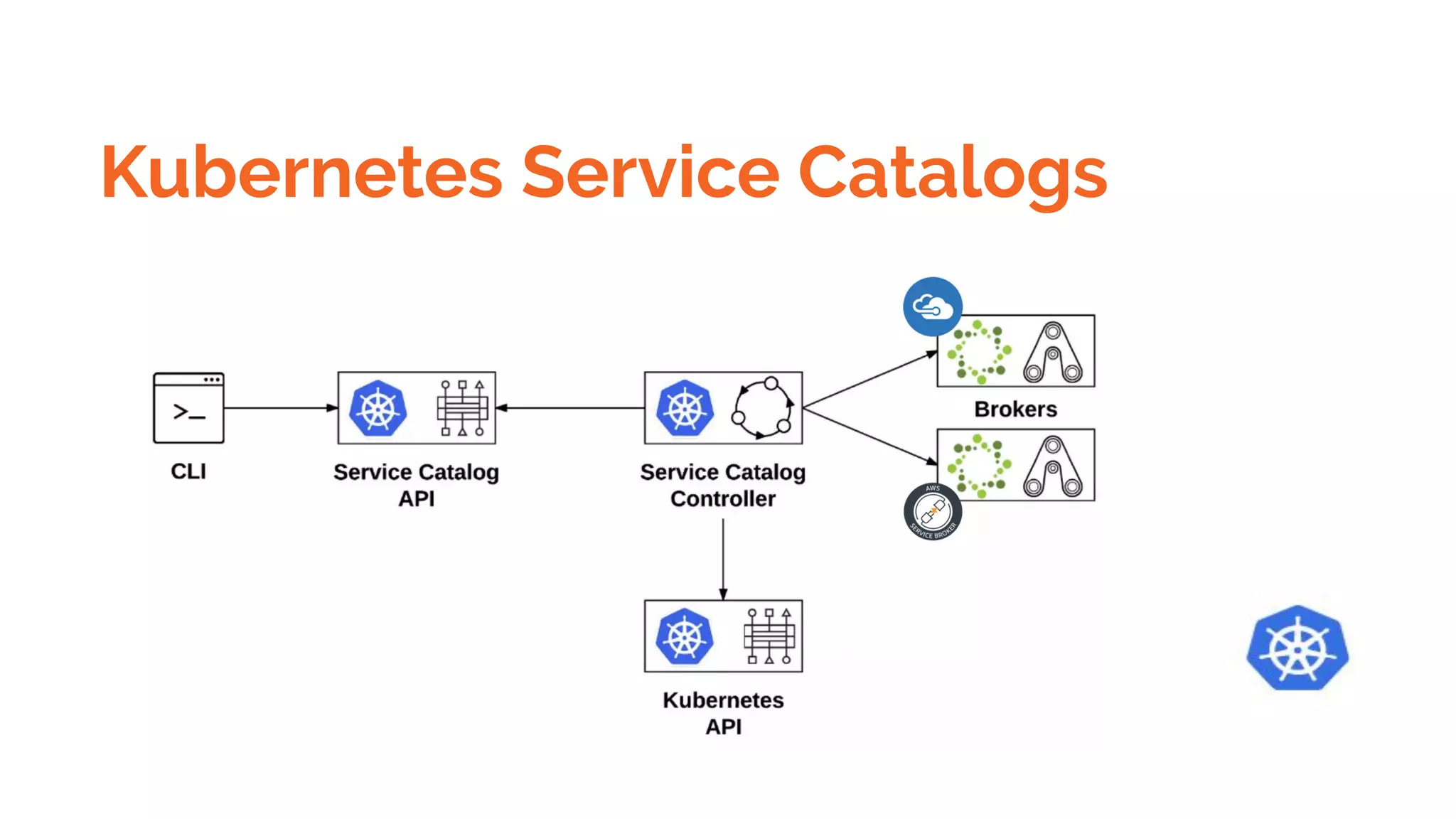
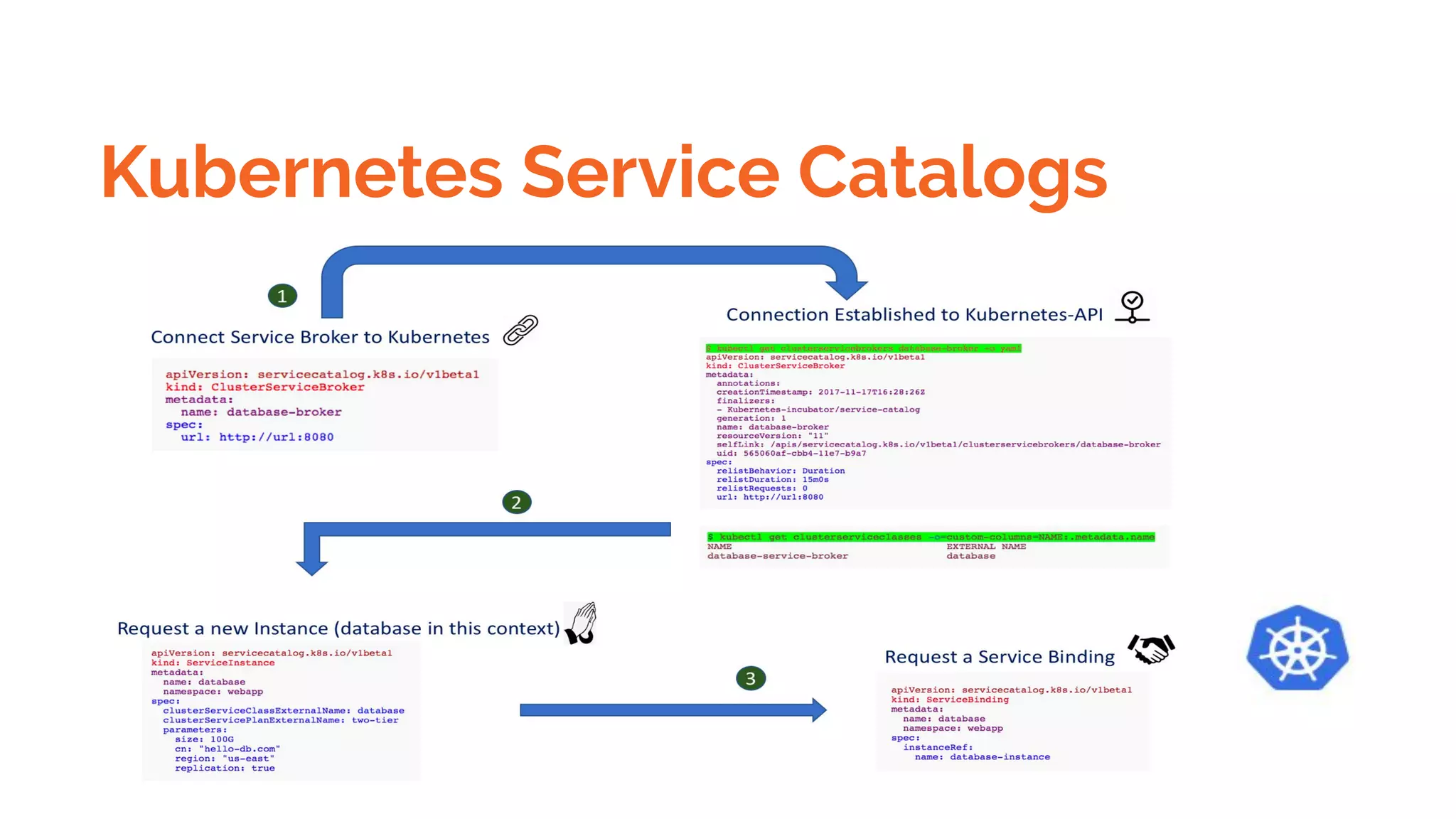
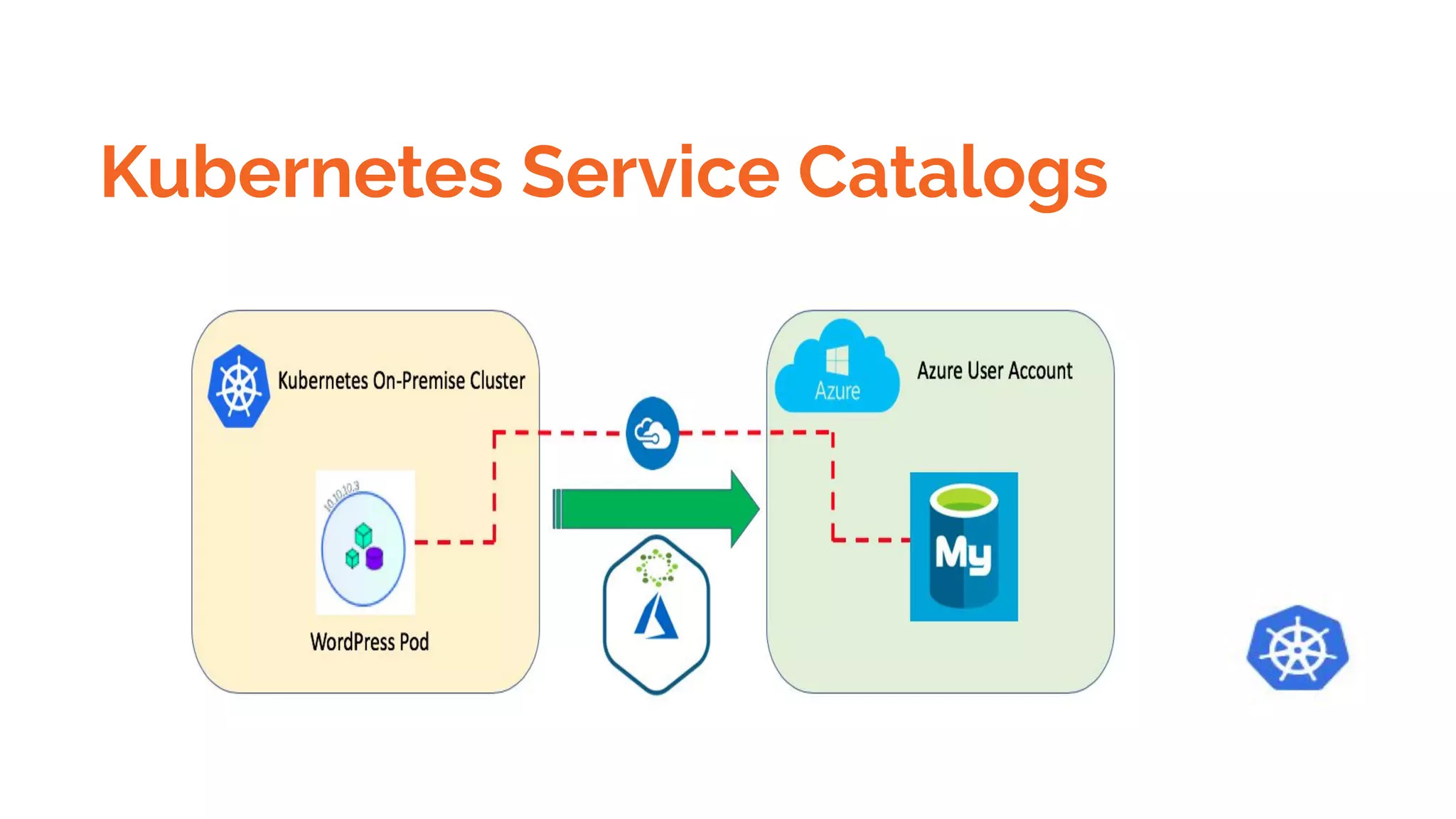
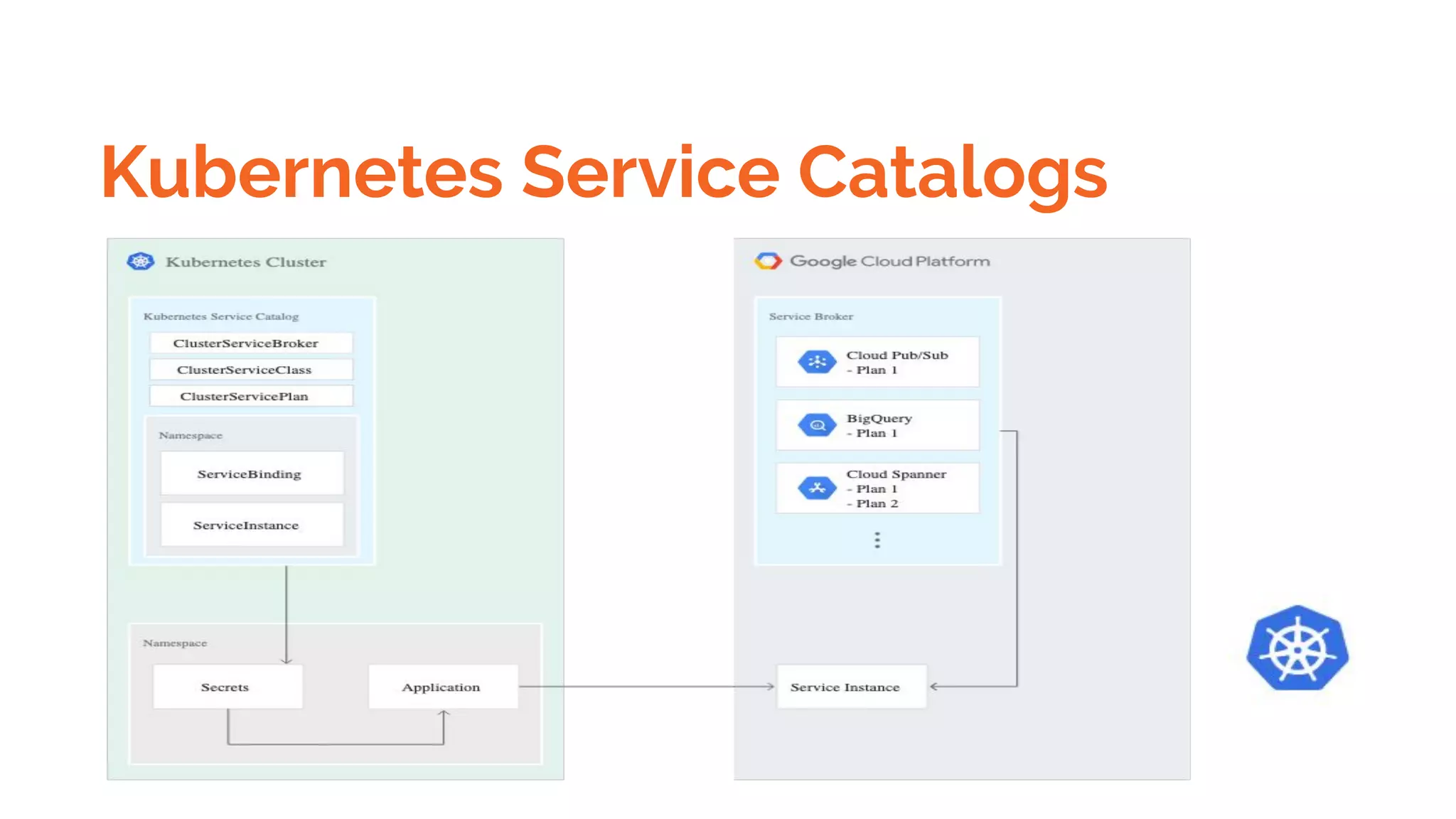
Kubernetes Service Catalogs
Kubernetes AWS conf
https://docs.bitnami.com/aws/get-started-eks/
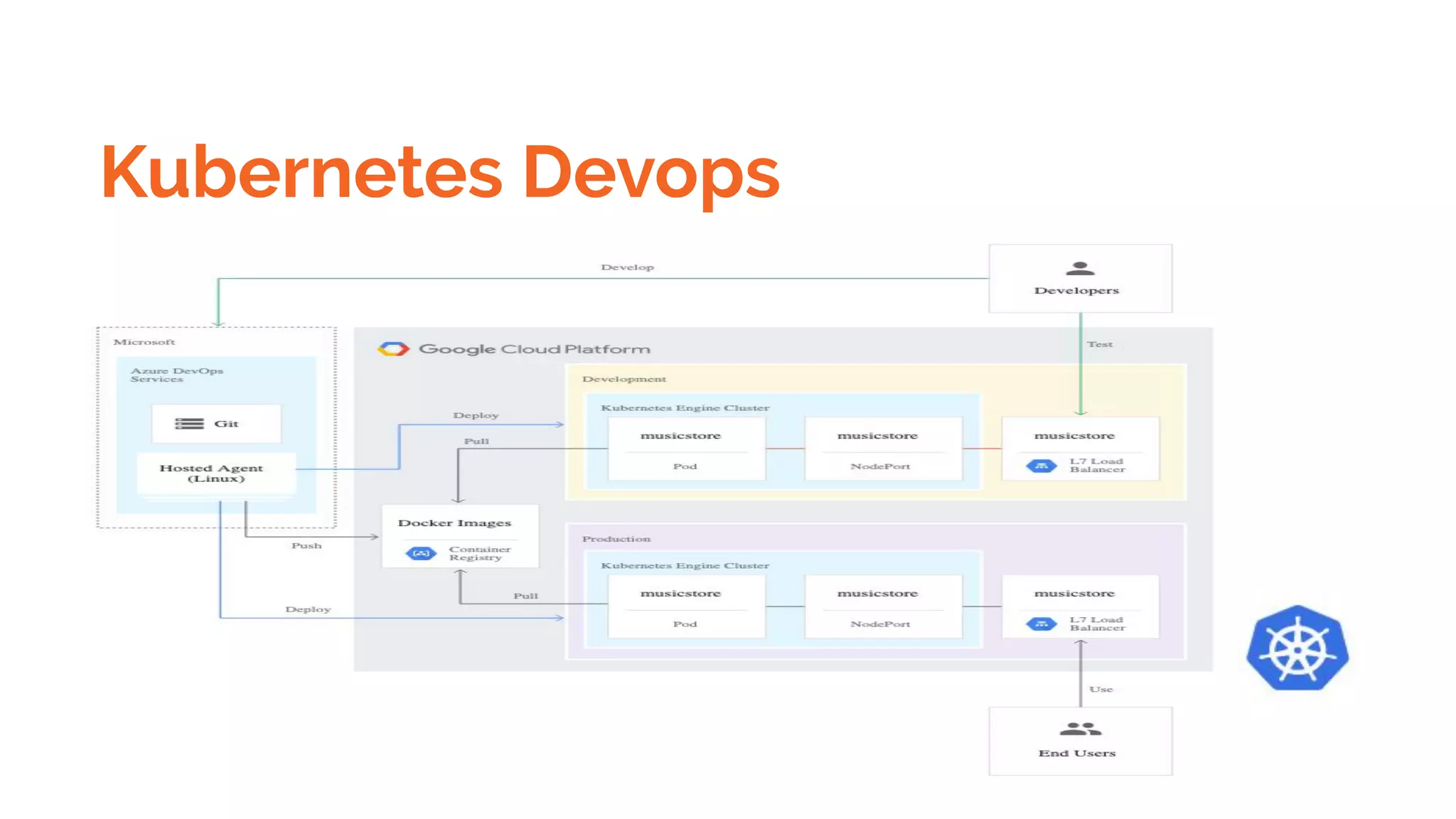
Kubernetes Devops
Kubernetes Devops
Azure Devops
Azure Board
https://cloud.google.com/solutions/creating-cicd-pipeline-vsts-kubernetes-engine
Kubernetes
SERVICES
Getting Started with Communication
Creating Services by Exposing Ports
Sequential Breakdown of the Process
Creating Services through Declarative Syntax
Splitting the Pod and Establishing Communication through Services
Creating the Split API Pods
Defining Multiple Objects in the Same YAML file
Kubernetes
SERVICES
Getting Started with Communication
Creating Services by Exposing Ports
Sequential Breakdown of the Process
Creating Services through Declarative Syntax
Splitting the Pod and Establishing Communication through Services
Creating the Split API Pods
Defining Multiple Objects in the Same YAML file
Kubernetes
DEPLOYMENTS
Getting Started with Deploying Releases
Deploying New Releases
Sequential Breakdown of the Process
Updating Deployments
Defining a Zero-Downtime Deployment
Creating a Zero-Downtime Deployment
Rolling Back or Rolling Forward?
Playing around with the Deployment
Rolling Back Failed Deployments
Merging Everything into the Same YAML Definition
Updating Multiple Objects
Scaling Deployments
Kubernetes
DEPLOYMENTS
Getting Started with Deploying Releases
Deploying New Releases
Sequential Breakdown of the Process
Updating Deployments
Defining a Zero-Downtime Deployment
Creating a Zero-Downtime Deployment
Rolling Back or Rolling Forward?
Playing around with the Deployment
Rolling Back Failed Deployments
Merging Everything into the Same YAML Definition
Updating Multiple Objects
Scaling Deployments
Kubernetes
DEPLOYMENTS
Getting Started with Ingress
Why Services Are Not the Best Fit for External Access?
Enabling Ingress Controllers
Creating Ingress Resources Based on Paths
Sequential Breakdown of the Process
Creating Ingress Resources Based on Domains
Creating an Ingress Resource with Default Backend
Kubernetes
VOLUMES
CONFIGMAP
INGRES
SECRETS
NAMESPACES
SECURING KUBERNETES CLUSTER
MANAGING RESOURCES
CREATING A PRODUCTION READY KUBERNETES SETUP USING AWS
PERSISTING STATE

Dockers & kubernetes detailed - Beginners to Geek

  • 1.
  • 2.
    Dockers & Containers PREREQUISITE: Commandline fundamentals Networking File System Cloud l
  • 3.
    Dockers & Containers Dockeris a platform and tool for building, distributing, and running Docker containers. It offers its own native clustering tool that can be used to orchestrate and schedule containers on machine clusters. Docker is an open source project that makes it easy to create containers and container-based apps. Originally built for Linux, Docker now runs on Windows and MacOS as well. Kubernetes is a container orchestration system for Docker containers that is more extensive than Docker Swarm and is meant to coordinate clusters of nodes at scale in production in an efficient manner.
  • 4.
  • 5.
    Dockers & Containers HighVelocity Innovation Any App Anywhere Intrinsic Security
  • 6.
    Docker Images VsContainers Docker Images You have an image, which is a set of layers . Containers are instance of Images . Example of Image is Ubuntu and Apache httpd process running inside the image is container.
  • 7.
    Dockers Usecases Testing applicationsspecific to a server or production server Developer and Tester Friendly Time and Money saving Used in Devops
  • 8.
    Docker Technology Docker isa set of coupled software-as-a-service (SAAS) and platform-as-a-service (PAAS) products that use operating-system-level virtualization to develop and deliver software in packages called containers. The software that hosts the containers is called Docker Engine. All containers are run by a single operating-system kernel and are thus more lightweight than virtual machines. Containers are created from images that specify their precise contents. Images are often created by combining and modifying standard images downloaded from public repositories.
  • 9.
  • 10.
  • 11.
    Docker Images From Scratch(Ubuntu ,Redhat ,CentOS etc) From Dockerfile
  • 12.
  • 13.
  • 14.
    Dockers Content - Introduction Whatis a Docker Use case of Docker Platforms for Docker Dockers vs. Virtualization Architecture of Docker Architecture. Understanding the Docker components Installation o Installing Docker on Linux.
  • 15.
    Docker Content Understanding Installationof Docker on windows. Some Docker commands. on Provisioning Docker Hub. Downloading Docker images. Uploading the images in Docker Registry and AWS ECS on Understanding the containers Running commands in container. Running multiple containers.
  • 16.
    Docker Copy files parallels@ubuntu:~$docker ps parallels@ubuntu:~$ docker cp body.txt 3220bfffd8f9:/ parallels@ubuntu:~$ parallels@ubuntu:~$ docker exec -it 3220bfffd8f9 ls / bin etc mnt sbin usr body.txt home proc srv var dev lib root sys entrypoint.sh media run tmp
  • 17.
    Docker Persistent Volumeusing tmpfs $docker run -d -it --name tmptest1 --mount type=tmpfs,destination=/home/parallels/nginx_t nginx:latest $ docker container inspect tmptest | grep -i nginx_t
  • 18.
    Docker Compose Compose isa tool for defining and running multi-container Docker applications. With Compose, you use a YAML file to configure your application’s services. Then, with a single command, you create and start all the services from your configuration. A docker-compose.yml looks like this: version: '3' services: web: build: . ports: - "5000:5000" volumes: - .:/code - logvolume01:/var/log links: - redis redis: image: redis volumes: logvolume01: {}
  • 19.
    Docker Container intercommunication& Networking $docker pull centos $docker pull ubuntu docker run -it 08844ee334 Ifconfig and ping other container ,it will work
  • 20.
    Docker Container Exposing $sudodocker run -it -d -p 8082:80 nginx $curl http://localhost:8082
  • 21.
    Docker Registry andpush pull images $docker run -d -p 5001:5001 --restart=always --name registry1 registry:2 $docker pull ubuntu:18.04 $docker tag ubuntu:18.04 localhost:5000/mylocal-ubuntu $docker push localhost:5000/mylocal-ubuntu $docker image remove ubuntu:18.04 $docker image remove localhost:5000/mylocal-ubuntu
  • 22.
    Docker Registry andpush pull images $docker tag SOURCE_IMAGE[:TAG] TARGET_IMAGE[:TAG] Tag an image for a private repository To push an image to a private registry and not the central Docker registry you must tag it with the registry hostname and port (if needed). $ docker tag 0e5574283393 myregistryhost:5000/fedora/httpd:version1.0
  • 23.
    Save docker imagesas tar gz $sudo docker save localhost:5000/nginx_abc| gzip > myimage_latest.tar.gz
  • 24.
    Docker persistent Storage: bind and tmpfs
  • 25.
    Docker persistent Storage: bind and tmpfs ● Volumes are stored in a part of the host filesystem which is managed by Docker(/var/lib/docker/volumes/ on Linux). Non-Docker processes should not modify this part of the filesystem. Volumes are the best way to persist data in Docker. ● Bind mounts may be stored anywhere on the host system. They may even be important system files or directories. Non-Docker processes on the Docker host or a Docker container can modify them at any time. ● tmpfs mounts are stored in the host system’s memory only, and are never written to the host system’s filesystem.
  • 26.
    Docker Compose Networking DockerNetworking o Accessing containers of Linking containers Exposing container ports o Container Routing Docker Compose o Installing The Docker compose o Terminology in Docker compose o Build word press site using Docker compose Docker Compose vs Dockerfile
  • 27.
    Docker Compose Networking Composeis a tool for defining and running multi-container Docker applications. With Compose, you use a YAML file to configure your application’s services. Then, with a single command, you create and start all the services from your configuration. To learn more about all the features of Compose, see the list of features. Compose works in all environments: production, staging, development, testing, as well as CI workflows. You can learn more about each case in $ docker-compose up -d $ ./run_tests $ docker-compose down
  • 28.
    Docker Security Docker containersare, by default, quite secure; especially if you run your processes as non-privileged users inside the container. You can add an extra layer of safety by enabling AppArmor, SELinux, GRSEC, or another appropriate hardening system. When a Dockerfile doesn’t specify a USER, it defaults to executing the container using the root user.
  • 29.
    Docker Security Verify dockerimages Docker defaults allow pulling Docker images without validating their authenticity, thus potentially exposing you to arbitrary Docker images whose origin and author aren’t verified. Make it a best practice that you always verify images before pulling them in, regardless of policy. To experiment with verification, temporarily enable Docker Content Trust with the following command: export DOCKER_CONTENT_TRUST=1
  • 30.
    Docker Security Sign dockerimages Prefer Docker Certified images that come from trusted partners who have been vetted and curated by Docker Hub rather than images whose origin and authenticity you can’t validate. Docker allows signing images, and by this, provides another layer of protection. To sign images, use Docker Notary. Notary verifies the image signature for you, and blocks you from running an image if the signature of the image is invalid. When Docker Content Trust is enabled, as we exhibited above, a Docker image build signs the image. When the image is signed for the first time, Docker generates and saves a private key in ~/docker/trust for your user. This private key is then used to sign any additional images as they are built.
  • 31.
    Docker Security verification #fetch the image to be tested so it exists locally $ docker pull node:10 # scan the image with snyk $ snyk test --docker node:10 --file=path/to/Dockerfile $snyk monitor --docker node:10 https://snyk.io/blog/10-docker-image-security-best-practices/
  • 32.
    Docker Security Risk Introducingvulnerabilities from container images Hard coding credentials in images Large attack surface Lack of granular Role-Based Access Control (RBAC) Lack of visibility Lateral network movement
  • 33.
    Docker Security BestPractices Trusting the source of images Docker runtime security Managing data with docker secrets Limiting Resources
  • 34.
  • 35.
    Docker Swarm https://linuxconfig.org/how-to-configure-docker-swarm-with-multiple-docker-nodes-on-ubuntu-18-04 Initiate dockerswarm from manager $ docker swarm init --advertise-addr 192.168.1.103 Where 192.168.1.103 is manager ip Run on all worker node( below command is result of above command ) $ docker swarm join --token SWMTKN-1-4htf3vnzmbhc88vxjyguipo91ihmutrxi2p1si2de4whaqylr6-3oed1hnttwkalur 1ey7zkdp9l 192.168.1.103:2377
  • 36.
    Docker Swarm Verify swarmcluster from Manager $ docker node ls If at any time, you lost your join token, it can be retrieved by running the following command on the manager node for the manager token: $ docker swarm join-token manager -q The same way to retrieve the worker token run the following command on the manager node: $ docker swarm join-token worker -q
  • 37.
  • 38.
    Docker Swarm deployservice on cluster $ docker service create --name my-web1 --publish 8081:80 --replicas 2 nginx
  • 39.
    Docker Swarm scaleservice $docker service scale my-web1=3 $docker service ps my-web1
  • 40.
    Docker Swarm scaleservice $docker service scale my-web1=3 $docker service ps my-web1 $ docker service ps my-web1 ID NAME IMAGE NODE DESIRED STATE CURRENT STATE ERROR PORTS 3gxm6lt15s50 my-web1.1 nginx:latest parallels-Parallels-Virtual-Platform Running Running 29 minutes ago a4cbb18vtk5l my-web1.2 nginx:latest ubuntu Running Running 29 minutes ago 8p06xqsp9tg9 my-web1.3 nginx:latest ubuntu Running Running 27 minutes ago
  • 41.
    Docker Swarm removeservice $docker service rm my-web1 $docker service ps my-web1 No Such Service
  • 42.
    Docker Swarm scaleservice $ docker service scale my-web1=4 $ docker service ps my-web1 ID NAME IMAGE NODE DESIRED STATE CURRENT STATE ERROR PORTS 3gxm6lt15s50 my-web1.1 nginx:latest parallels-Parallels-Virtual-Platform Running Running 34 minutes ago a4cbb18vtk5l my-web1.2 nginx:latest ubuntu Running Running 34 minutes ago 8p06xqsp9tg9 my-web1.3 nginx:latest ubuntu Running Running 32 minutes ago 4x6qm8xzocdq my-web1.4 nginx:latest parallels-Parallels-Virtual-Platform Running Runnin
  • 43.
    Login to Dockercontainer $ docker ps CONTAINER ID IMAGE COMMAND CREATED STATUS PORTS NAMES c7f4af5f1227 nginx:latest "nginx -g 'daemon of…" 34 minutes ago Up 34 minutes 80/tcp my-web1.3.8p06xqsp9tg9p76gp36oh7ydv 3e085ef44ed4 nginx:latest "nginx -g 'daemon of…" 36 minutes ago Up 36 minutes 80/tcp my-web1.2.a4cbb18vtk5lkeycdudrknx7z parallels@ubuntu:~$ parallels@ubuntu:~$ docker exec -it c7f4af5f1227 /bin/bash root@c7f4af5f1227:/# root@c7f4af5f1227:/# root@c7f4af5f1227:/# ls -ltr total 68 drwxr-xr-x 2 root root 4096 Aug 30 12:31 home
  • 44.
  • 45.
    Docker port publishand ingres $docker service update --publish-add published=<PUBLISHED-PORT>,target=<CONTAINER-PORT> <SERVICE> $docker service inspect --format="{{json .Endpoint.Spec.Ports}}"my-web Publish to tcp or udp $docker service create --name dns-cache --publish published=53,target=53 dns-cache Short syntax: $ docker service create --name dns-cache -p 53:53 dns-cache
  • 46.
    Docker port publishand ingres net1: This is the overlay network we create for east-west communication between containers. docker_gwbridge: This is the network created by Docker. It allows the containers to connect to the host that it is running on. ingress: This is the network created by Docker. Docker swarm uses this network to expose services to the external network and provide the routing mesh.
  • 47.
  • 48.
  • 49.
  • 50.
  • 51.
  • 52.
  • 53.
    Kubernetes Master Components Kube-apiserver- frontend of control pane etcd - highly available key value Kube-scheduler- Component on the master that watches newly created pods that have no node assigned, and selects a node for them to run on. kube-controller-manager
  • 54.
    Kubernetes Components Responsibility MasterSchedules the pods. ● The Kubernetes Master is a collection of three processes that run on a single node in your cluster, which is designated as the master node. Those processes are: kube-apiserver, kube-controller-manager and kube-scheduler. Kubernetes created a Pod to host your application instance. A Pod is a Kubernetes abstraction that represents a group of one or more application containers (such as Docker or rkt), and some shared resources for those containers. Those resources include:
  • 55.
    Kubernetes Components Responsibility Kubernetescreated a Pod to host your application instance. A Pod is a Kubernetes abstraction that represents a group of one or more application containers (such as Docker or rkt), and some shared resources for those containers. Those resources include: ●
  • 56.
    Kubernetes Objects The basicKubernetes objects include: ● Pod ● Service ● Volume ● Namespace
  • 57.
    Kubernetes High levelAbstraction Kubernetes also contains higher-level abstractions that rely on Controllers to build upon the basic objects, and provide additional functionality and convenience features. These include: ● Deployment ● DaemonSet ● StatefulSet ● ReplicaSet ● Job
  • 58.
    Kubernetes pods characteristics ❖A group of docker container with shared namespaces and shared filesystems volumes. ❖ Pods are ephemeral ( rather than durable entities) ❖ Pods are created ,assigned a UID ,Scheduled to nodes where they remain until termination ( according to restart policy) or deletion.If a Node dies ,the Pods scheduled to that are scheduled for deletion ,after a timeout period .
  • 59.
    Kubernetes pods characteristics ❖A given pod is not rescheduled to different nodes ;instead;it can be replaced by an identical Pod,with even the same name if desired ,but with a new UID. ❖ If a Pod containing app goes down and another Pod is created in its place ,running your app . Users should still be able to use your app after that . ❖ Pod shouldn’t be refer by IP address ,pod can come up with different ip address after it goes down.
  • 60.
    Kubernetes Pods Failures& Avoiding Mechanism Ensure your pod Requests the resources it needs. Replicate your application ,if you need higher availability Spread your application to different Zones and Racks.
  • 61.
    Voluntary Disruptions This dependson admin that how rolling updates done. Autoscaling may also cause issues.
  • 62.
    InVoluntary Disruptions Pods donot disappear until disappear until someone(a person or a controller ) destroys them,or them is an unavoidable hardware or system software error. A hardware failure of the physical machine backing the node. Cluster Administration deletes VM (instance ) by mistake Cloud provider or hypervisor failure makes VM disappear A Kernel Panic The Node disappears from the cluster due to cluster network partition
  • 63.
    Disruption Budget forPrevention from pod failures An Application owner can create a PodDisruptionBudget object (PDB) for each . It put a constraint on how many pods can be brought down .
  • 64.
  • 65.
    Kubernetes Components ● kubeadmand kubelet installed on all machines. kubectl is optional. The kubectl command itself is a command line utility that always executes locally however all it really does is issue commands against a Kubernetes server via its Kubernetes API Which Kubernetes server it acts against is determined by the local environment the command is run with. This is configured using a "kubeconfig" file which is is read from the KUBECONFIG environment variable (or defaults to the file in in $HOME/.kube/config)
  • 66.
  • 67.
    Kubernetes Addons WebUI Container ResourceMonitoring Cluster level logging
  • 68.
    Kubernetes Addons WebUI Container ResourceMonitoring Cluster level logging
  • 69.
    Kubernetes Objects Yaml file ●apiVersion - Which version of the Kubernetes API you’re using to create this object ● kind - What kind of object you want to create ● metadata - Data that helps uniquely identify the object, including a name string, UID, and optional namespace
  • 70.
    Kubernetes Names ● Byconvention, the names of Kubernetes resources should be up to maximum length of 253 characters and consist of lower case alphanumeric characters, -, and ., but certain resources have more specific restrictions. ● For example, here’s the configuration file with a Pod name as nginx-demo and a Container name as nginx: ● apiVersion: v1 ● kind: Pod ● metadata: ● name: nginx-demo ● spec:
  • 71.
    Kubernetes Namespaces ● Namespacesare intended for use in environments with many users spread across multiple teams, or projects. For clusters with a few to tens of users, you should not need to create or think about namespaces at all. Start using namespaces when you need the features they provide. ● Memory demo example shows the limit is only applied within mem-example namespace and not to other clusters.
  • 72.
    Kubernetes Labels &Selectors ● "metadata": { ● "labels": { ● "key1" : "value1", ● "key2" : "value2" ● } ● }
  • 73.
    Kubernetes Motivation ● "release": "stable", "release" : "canary" ● "environment" : "dev", "environment" : "qa", "environment" : "production" ● "tier" : "frontend", "tier" : "backend", "tier" : "cache" ● "partition" : "customerA", "partition" : "customerB" ● "track" : "daily", "track" : "weekly"
  • 74.
    Kubernetes Annotations "metadata": { "annotations":{ "key1" : "value1", "key2" : "value2" } }
  • 75.
    Kubernetes Annotations ● metadata.name=my-service ●metadata.namespace!=default ● status.phase=Pending This kubectl command selects all Pods for which the value of the status.phase field is Running: kubectl get pods --field-selector status.phase=Running
  • 76.
  • 77.
  • 78.
    Kubernetes - Kubernetes isan open source orchestration system for automating the management, placement, scaling and routing of containers. The Docker platform includes a secure and fully-conformant Kubernetes environment for developers and operators of all skill levels, providing out-of-the-box integrations for common enterprise requirements while still enabling complete flexibility for expert users. With the Docker platform, organizations can run Kubernetes interchangeably with Swarm orchestration in the same cluster for ultimate flexibility at runtime.
  • 79.
    Kubernetes A Pod isthe basic execution unit of a Kubernetes application–the smallest and simplest unit in the Kubernetes object model that you create or deploy. A Pod represents processes running on your Cluster . A Pod encapsulates an application’s container (or, in some cases, multiple containers), storage resources, a unique network IP, and options that govern how the container(s) should run. A Pod represents a unit of deployment: a single instance of an application in Kubernetes, which might consist of either a single container or a small number of containers that are tightly coupled and that share resources. Docker is the most common container runtime used in a Kubernetes Pod, but Pods support other container runtimes as well.
  • 80.
    Kubernetes Pods Pods ina Kubernetes cluster can be used in two main ways: ● Pods that run a single container. The “one-container-per-Pod” model is the most common Kubernetes use case; in this case, you can think of a Pod as a wrapper around a single container, and Kubernetes manages the Pods rather than the containers directly. ● Pods that run multiple containers that need to work together. A Pod might encapsulate an application composed of multiple co-located containers that are tightly coupled and need to share resources.
  • 81.
    Kubernetes pod status Podcan be in one of the following possible phases: ● Pending: Pod has been created and accepted by the cluster, but one or more of its containers are not yet running. This phase includes time spent being scheduled on a node and downloading images. ● Running: Pod has been bound to a node, and all of the containers have been created. At least one container is running, is in the process of starting, or is restarting. ● Succeeded: All containers in the Pod have terminated successfully. Terminated Pods do not restart. ● Failed: All containers in the Pod have terminated, and at least one container has terminated in failure. A container "fails" if it exits with a non-zero status. ● Unknown: The state of the Pod cannot be determined.
  • 82.
    Kubernetes ● These co-locatedcontainers might form a single cohesive unit of service–one container serving files from a shared volume to the public, while a separate “sidecar” container refreshes or updates those files. The Pod wraps these containers and storage resources together as a single manageable entity. The Kubernetes Blog has some additional information on Pod use cases. For more information, see: ○ The Distributed System Toolkit: Patterns for Composite Containers ○ Container Design Patterns
  • 83.
    Kubernetes ● Each Podis meant to run a single instance of a given application. Create multiple replica https://cloud.google.com/kubernetes-engine/docs/tutorials/hello-app
  • 84.
  • 85.
    Kubernetes Networking Each Pod isassigned a unique IP address. Every container in a Pod shares the network namespace, including the IP address and network ports. Containers inside a Pod can communicate with one another using localhost. When containers in a Pod communicate with entities outside the Pod, they must coordinate how they use the shared network resources (such as ports). Storage A Pod can specify a set of shared storage Volumes . All containers in the Pod can access the shared volumes, allowing those containers to share data. Volumes also allow persistent data in a Pod to survive in case one of the containers within needs to be restarted. See Volumes for more information on how Kubernetes implements shared storage in a Pod.
  • 86.
    Kubernetes REPLICA SETS Getting Startedwith ReplicaSets Creating ReplicaSets Sequential Breakdown of the Process Operating ReplicaSets
  • 87.
    Kubernetes $gcloud container clusterscreate hello-server --region us-west1-a $gcloud container clusters get-credentials hello-server --region us-west1-a $kubectl create deployment hello-server --image=gcr.io/google-samples/hello-app:1.0 $kubectl expose deployment hello-server --type LoadBalancer --port 80 --target-port 8080
  • 88.
    Kubernetes $kubectl get pods $kubectlget service hello-server #Delete service hello-server $kubectl delete service hello-server
  • 89.
    Kubernetes gcloud gcloud configset project silver-seat-254806 gcloud config set compute/zone us-west1-a gcloud components update gcloud beta container clusters create hello-server3 --enable-pod-security-policy --region us-west1-b
  • 90.
  • 91.
    Multi Container Pods Whydoes Kubernetes allow more than one container in a Pod? Containers in a Pod run on a “logical host”; they use the same network namespace (in other words, the same IP address and port space), and the same IPC namespace. They can also use shared volumes. These properties make it possible for these containers to efficiently communicate, ensuring data locality. Also, Pods enable you to manage several tightly coupled application containers as a single unit.
  • 92.
    Use of MultiContainer Pods Why does Kubernetes allow more than one container in a Pod? Containers in a Pod run on a “logical host”; they use the same network namespace (in other words, the same IP address and port space), and the same IPC namespace. They can also use shared volumes. These properties make it possible for these containers to efficiently communicate, ensuring data locality. Also, Pods enable you to manage several tightly coupled application containers as a single unit.
  • 93.
    Use of MultiContainer Pods The primary purpose of a multi-container Pod is to support co-located, co-managed helper processes for a primary application. There are some general patterns for using helper processes in Pods: ● Sidecar containers “help” the main container. Some examples include log or data change watchers, monitoring adapters, and so on. A log watcher, for example, can be built once by a different team and reused across different applications. Another example of a sidecar container is a file or data loader that generates data for the main container.
  • 94.
    Use of MultiContainer Pods ● Proxies, bridges, and adapters connect the main container with the external world. For example, Apache HTTP server or nginx can serve static files. It can also act as a reverse proxy to a web application in the main container to log and limit HTTP requests. Another example is a helper container that re-routes requests from the main container to the external world. This makes it possible for the main container to connect to localhost to access, for example, an external database, but without any service discovery. While you can host a multi-tier application (such as WordPress) in a single Pod, the recommended way is to use separate Pods for each tier, for the simple reason that you can scale tiers up independently and distribute them across cluster nodes.
  • 95.
    Kubernetes Pods startingorder Currently, all containers in a Pod are being started in parallel and there is no way to define that one container must be started after other container. For example, in the IPC example, there is a chance that the second container might finish starting before the first one has started and created the message queue. In this case, the second container will fail, because it expects that the message queue already exists.
  • 96.
    Kubernetes Pod templates Podtemplates are pod specifications which are included in other objects, such as Replication Controllers, Jobs, and DaemonSets. Controllers use Pod Templates to make actual pods. The sample below is a simple manifest for a Pod which contains a container that prints a message.
  • 97.
    Kubernetes Pod templates apiVersion:v1 kind: Pod metadata: name: myapp-pod labels: app: myapp
  • 98.
    Kubernetes Pod templates spec: containers: -name: myapp-container image: busybox command: ['sh', '-c', 'echo Hello Kubernetes! && sleep 3600']
  • 99.
    Kubernetes Pod templates Createa pod using template $kubectl apply -f mc2demo.yaml
  • 100.
  • 101.
  • 102.
  • 103.
    Communication between pods-Networking Kubernetes imposes the following fundamental requirements on any networking implementation (barring any intentional network segmentation policies): ● pods on a node can communicate with all pods on all nodes without NAT ● agents on a node (e.g. system daemons, kubelet) can communicate with all pods on that node Note: For those platforms that support Pods running in the host network (e.g. Linux): ● pods in the host network of a node can communicate with all pods on all nodes without NAT
  • 104.
    Inter container communication Sharedvolumes in a Kubernetes within container in same pod.
  • 105.
  • 106.
    Running Command withinpod kubectl exec <POD-NAME> -c <CONTAINER-NAME> -- <COMMAND>
  • 107.
    Pods Security Pod SecurityPolicies allow you to control: ● The running of privileged containers ● Usage of host namespaces ● Usage of host networking and ports ● Usage of volume types ● Usage of the host filesystem ● A white list of Flexvolume drivers ● The allocation of an FSGroup that owns the pod’s volumes ● Requirments for use of a read only root file system ● The user and group IDs of the container ● Escalations of root privileges ● Linux capabilities, SELinux context, AppArmor, seccomp, sysctl profile
  • 108.
    Pods Security ● EKSdoesn’t support it yet ● AKS doesn’t support it yet ● GKE does supports it, when enabled
  • 109.
    Kubernetes Services The ideaof a Service is to group a set of Pod endpoints into a single resource. You can configure various ways to access the grouping. By default, you get a stable cluster IP address that clients inside the cluster can use to contact Pods in the Service. A client sends a request to the stable IP address, and the request is routed to one of the Pods in the Service. K8s has a solution called nodeSelector which lets you bind your pod to a specific: node
  • 110.
    Kubernetes Services ports: - protocol:TCP port: 80 targetPort: 8080
  • 111.
  • 112.
  • 113.
  • 114.
    Expose a podusing Service kubectl expose pod redis-django --type=NodePort --port=80 --target-port=5000
  • 115.
    Kubernetes Services Types Thereare five types of Services: ● ClusterIP (default): Internal clients send requests to a stable internal IP address. ● NodePort: Clients send requests to the IP address of a node on one or more nodePort values that are specified by the Service. ● LoadBalancer: Clients send requests to the IP address of a network load balancer. ● ExternalName: Internal clients use the DNS name of a Service as an alias for an external DNS name. ● Headless: You can use a headless service in situations where you want a Pod grouping, but don't need a stable IP address.
  • 116.
    Kubernetes Services Types $Kubectldescribe services #List pods within services $Kubectl get pods -l app=hello-server
  • 117.
  • 118.
  • 119.
  • 120.
  • 121.
  • 122.
  • 123.
  • 124.
    Kubernetes Devops Azure Devops AzureBoard https://cloud.google.com/solutions/creating-cicd-pipeline-vsts-kubernetes-engine
  • 125.
    Kubernetes SERVICES Getting Started withCommunication Creating Services by Exposing Ports Sequential Breakdown of the Process Creating Services through Declarative Syntax Splitting the Pod and Establishing Communication through Services Creating the Split API Pods Defining Multiple Objects in the Same YAML file
  • 126.
    Kubernetes SERVICES Getting Started withCommunication Creating Services by Exposing Ports Sequential Breakdown of the Process Creating Services through Declarative Syntax Splitting the Pod and Establishing Communication through Services Creating the Split API Pods Defining Multiple Objects in the Same YAML file
  • 127.
    Kubernetes DEPLOYMENTS Getting Started withDeploying Releases Deploying New Releases Sequential Breakdown of the Process Updating Deployments Defining a Zero-Downtime Deployment Creating a Zero-Downtime Deployment Rolling Back or Rolling Forward? Playing around with the Deployment Rolling Back Failed Deployments Merging Everything into the Same YAML Definition Updating Multiple Objects Scaling Deployments
  • 128.
    Kubernetes DEPLOYMENTS Getting Started withDeploying Releases Deploying New Releases Sequential Breakdown of the Process Updating Deployments Defining a Zero-Downtime Deployment Creating a Zero-Downtime Deployment Rolling Back or Rolling Forward? Playing around with the Deployment Rolling Back Failed Deployments Merging Everything into the Same YAML Definition Updating Multiple Objects Scaling Deployments
  • 129.
    Kubernetes DEPLOYMENTS Getting Started withIngress Why Services Are Not the Best Fit for External Access? Enabling Ingress Controllers Creating Ingress Resources Based on Paths Sequential Breakdown of the Process Creating Ingress Resources Based on Domains Creating an Ingress Resource with Default Backend
  • 130.
    Kubernetes VOLUMES CONFIGMAP INGRES SECRETS NAMESPACES SECURING KUBERNETES CLUSTER MANAGINGRESOURCES CREATING A PRODUCTION READY KUBERNETES SETUP USING AWS PERSISTING STATE