HDR Photography
  High Dynamic Range

   Scott Wyden Kivowitz
   www.scottwyden.com
Sponsored By
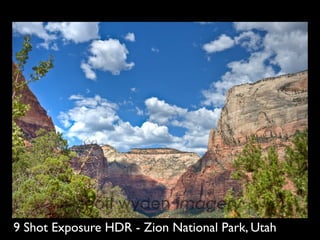
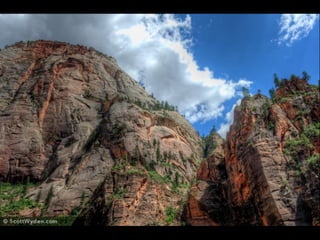
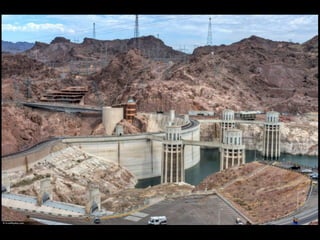
9 Shot Exposure HDR - Zion National Park, Utah
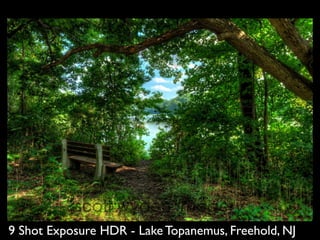
9 Shot Exposure HDR - Lake Topanemus, Freehold, NJ
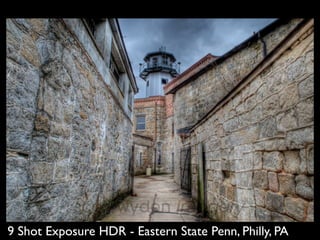
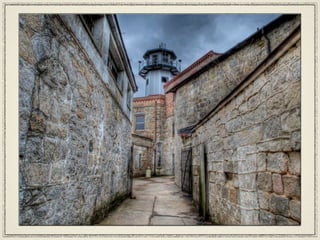
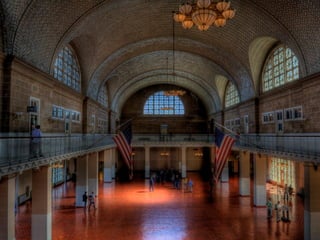
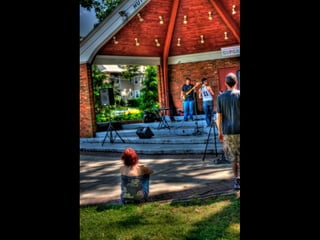
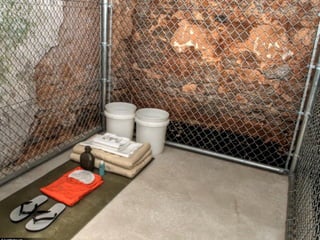
9 Shot Exposure HDR - Eastern State Penn, Philly, PA
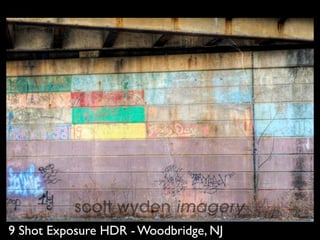
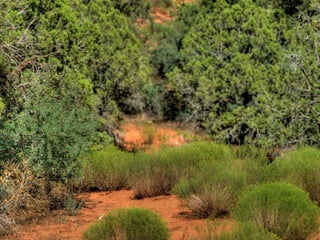
9 Shot Exposure HDR - Woodbridge, NJ
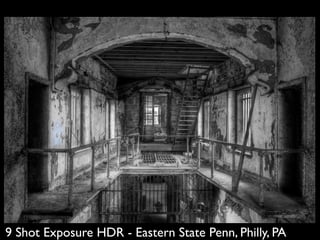
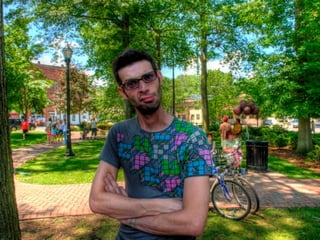
9 Shot Exposure HDR - Eastern State Penn, Philly, PA
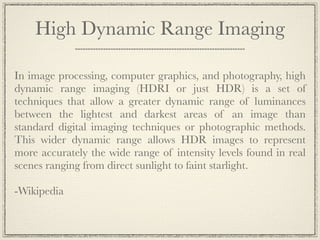
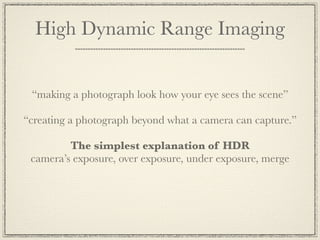
High Dynamic Range Imaging

In image processing, computer graphics, and photography, high
dynamic range imaging (HDRI or just HDR) is a set of
techniques that allow a greater dynamic range of luminances
between the lightest and darkest areas of an image than
standard digital imaging techniques or photographic methods.
This wider dynamic range allows HDR images to represent
more accurately the wide range of intensity levels found in real
scenes ranging from direct sunlight to faint starlight.

-Wikipedia
High Dynamic Range Imaging


 “making a photograph look how your eye sees the scene”

“creating a photograph beyond what a camera can capture.”

         The simplest explanation of HDR
 camera’s exposure, over exposure, under exposure, merge
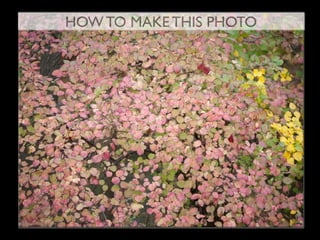
HOW TO MAKE THIS PHOTO
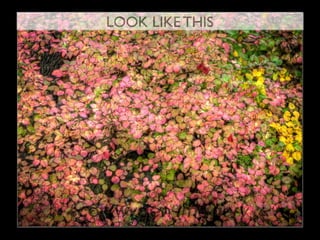
LOOK LIKE THIS
Why and how you do it
Benefits of HDR Photography

Boosts Creativity
Shoot Mid Day
Overcast Is Ok!
The Sun Is Ok!
Many Options
A Closer Reproduction Of Your Eye
Uses for HDR

Real estate photography
Landscape/Nature photography
Automobile photography
Product photography
Photographers Block
Just being creative!
What you need to get started

A camera that can take RAW image files
A good tripod (wind will create shake)
A remote trigger release recommended but not
required (will prevent shake)
HDR Software (PhotoMatix, LR/Enfuse, etc...)
Photo editing software (Lightroom, Photoshop,
Aperture, etc...)
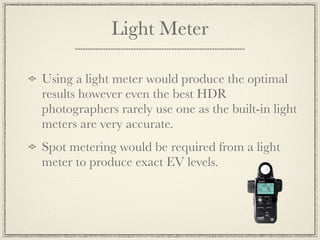
Light Meter

Using a light meter would produce the optimal
results however even the best HDR
photographers rarely use one as the built-in light
meters are very accurate.
Spot metering would be required from a light
meter to produce exact EV levels.
Portraits
It is possible to create HDR portraits, however
they are not simple and take a lot of practice
and time to do it correctly. If the subject is
moving between the multiple exposures the
HDR will not turn out well. (Ghosting effect)
HDR portraits can be done using the single
RAW image style of HDR creation when an
exposure is perfect!
Typically HDR portraits are more artistic than
realistic
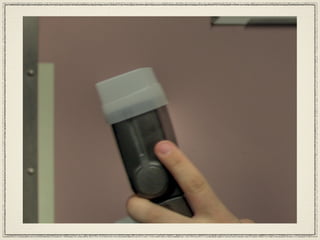
Ghosting


Ghosting is caused by an object or subject
moving between exposures
Types of HDR Photography


Multi Blended (Typical HDR)
Single RAW Image
TTHDR (True Tone HDR)
Multi Blended

Get master exposure
RAW format
Aperture priority with bracketing
3, 5, 7 or 9 Exposures to create a highly dynamic
photograph
Blend & Tone mapping in HDR software
Finalized in Photo Editing Software
Single RAW Image


Get Master Exposure
RAW format
Pseudo HDR generated & tone mapping in
HDR Software
Finalized in Photo Editing Software
True Tone HDR


Same as Blended HDR
Tone mapping should resemble a more realistic
look rather than surreal.
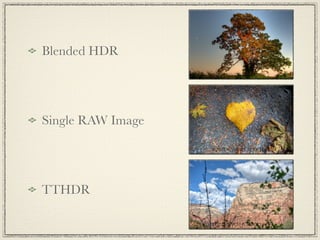
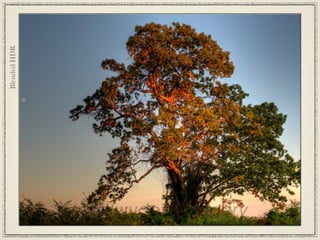
Blended HDR


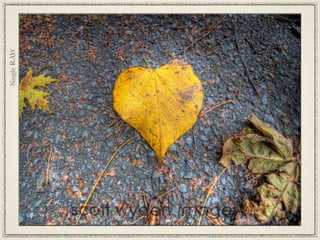
Single RAW Image


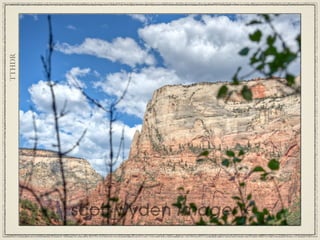
TTHDR
Blended HDR
Single RAW
TTHDR
Steps to shooting a HDR
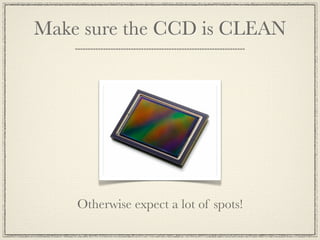
1. Make sure your CCD is CLEAN
2. Change the camera to RAW !!!
3. Put the camera on a tripod
4. Meter the scene
5. Put the camera on Aperture Priority
6. Set to Continuous
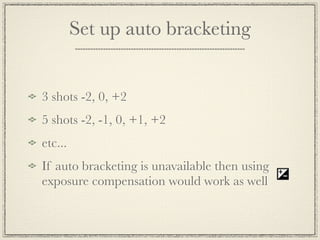
7. Set up auto bracketing
8. Ready, Aim, Fire! (MANUAL FOCUS)
Make sure the CCD is CLEAN


    Otherwise expect a lot of spots!
Change the camera to RAW

RAW files are uncompressed high resolution
images which capture more data and detail than
what the exposure requires
JPG files are compressed and only contain data
that can be seen. All extra RAW data is purged
during compression. A HDR from JPG images
can become distorted.
Put the camera on a tripod
Stability
Shake
Blur
Wind
Bumps
You will have long shutter speeds!
Earthquakes
Put the camera on a tripod
Stability
Shake                   Using a remote cable
Blur                     release will also help
                        reduce shake and blur
Wind
Bumps
You will have long shutter speeds!
Earthquakes
Meter the scene


The master exposure needs to be perfect
otherwise the HDR can not be realistic
The master exposure is your starting point
Put the camera on Aperture Priority

  The camera could also be on manual but you
  would need to adjust the shutter speed for each
  exposure
  If the camera was on shutter priority then each
  photo would have different focus
  Aperture Priority is the easiest and best way to
  capture the photos for an HDR
Set to continuous


Not required for still life, but if something is
moving you want speed so there is no ghosting
during the HDR generating.
Continuous High would be required if doing a
multiple image HDR of a person
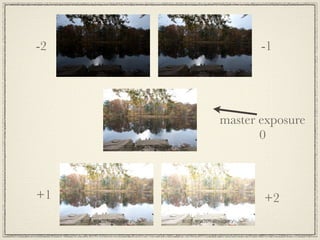
Set up auto bracketing


3 shots -2, 0, +2
5 shots -2, -1, 0, +1, +2
etc...
If auto bracketing is unavailable then using
exposure compensation would work as well
Ready, Aim, Fire

 Camera on Manual Focus


GO FOR IT!
master exposure
       0
-2


     master exposure
            0
-2          -1


     master exposure
            0
-2          -1


     master exposure
            0


+1
-2          -1


     master exposure
            0


+1          +2
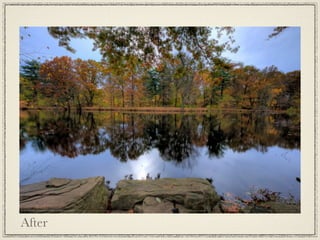
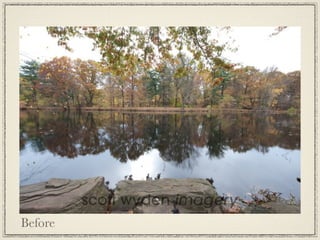
Before
After
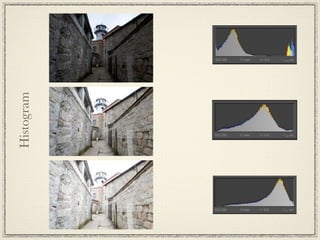
Histogram
Tone Mapping
Tone mapping reduces the dynamic range, or contrast ratio, of
the entire image, while retaining localized contrast (between
neighboring pixels), tapping into research on how the human
eye and visual cortex perceive a scene, trying to represent the
whole dynamic range while retaining realistic colour and
contrast.

Images with too much tone mapping processing have their range
over-compressed, creating a surreal low-dynamic-range
rendering of a high-dynamic-range scene.

-Wikipedia
Tone Mapping


The adjustments which you tweak to create your HDR look
Some
Tone Mapping
   Options
Luminosity


Adjusts the brightness of shadows
Strength


Controls the strength of contrast enhancements.
Lower for a more realistic look
Color Saturation


Controls the saturation of the RGB color
channels. The greater the saturation, the more
intense the color. The value affects each color
channel equally.
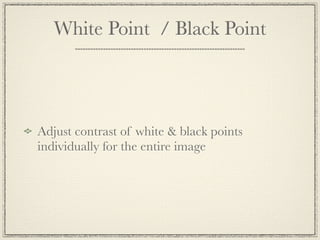
White Point / Black Point


Adjust contrast of white & black points
individually for the entire image
Gamma


Adjust brightness of the entire image
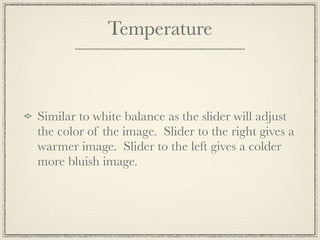
Temperature


Similar to white balance as the slider will adjust
the color of the image. Slider to the right gives a
warmer image. Slider to the left gives a colder
more bluish image.
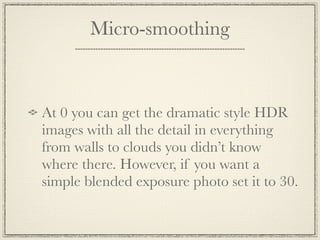
Micro-smoothing


At 0 you can get the dramatic style HDR
images with all the detail in everything
from walls to clouds you didn’t know
where there. However, if you want a
simple blended exposure photo set it to 30.
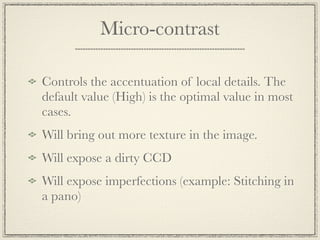
Micro-contrast

Controls the accentuation of local details. The
default value (High) is the optimal value in most
cases.
Will bring out more texture in the image.
Will expose a dirty CCD
Will expose imperfections (example: Stitching in
a pano)
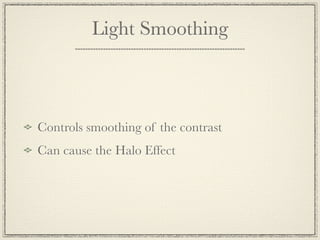
Light Smoothing


Controls smoothing of the contrast
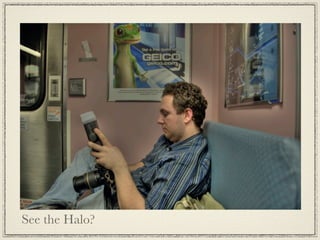
Can cause the Halo Effect
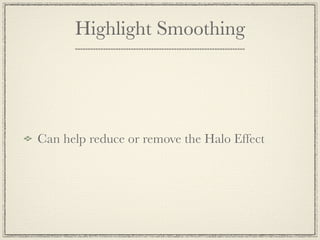
Highlight Smoothing


Can help reduce or remove the Halo Effect
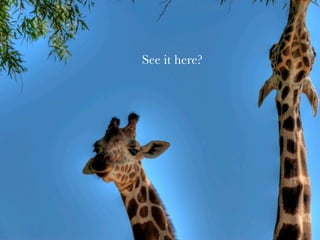
See the Halo?
See it here?
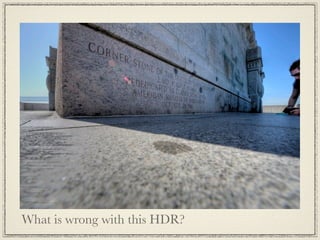
What is wrong with this HDR?
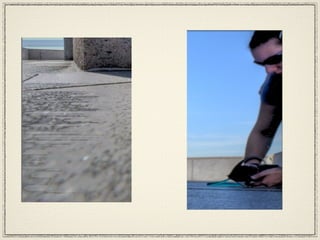
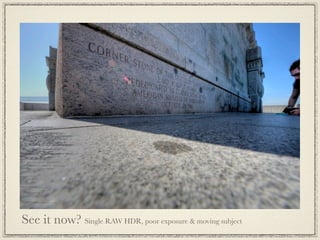
See it now? Single RAW HDR, poor exposure & moving subject
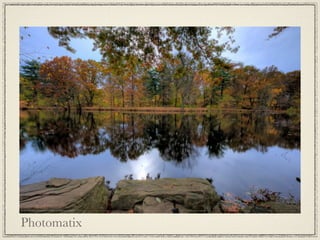
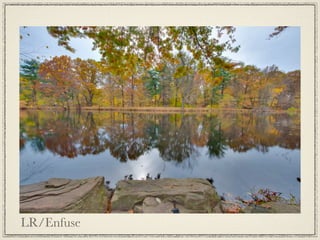
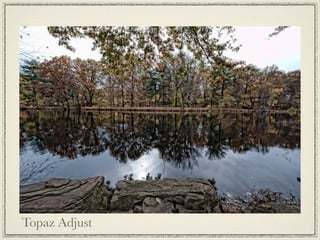
Default settings of
Photomatix, LR/Enfuse & Topaz Adjust
Photomatix
LR/Enfuse
Topaz Adjust
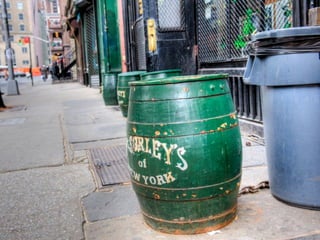
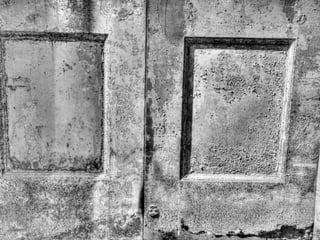
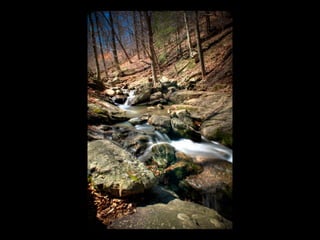
Various examples of uses for HDR
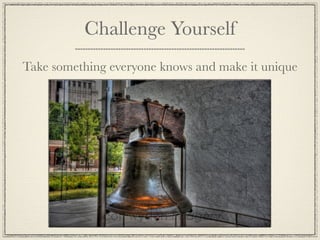
Challenge Yourself
Take something everyone knows and make it unique
Final Tips
HDRs will not fix bad lighting
Turn off auto adjustments in camera (contrast,
saturation, sharpening, etc...)
Shoot fast if your subject is moving
For long exposures mirror lockup can save the
HDR
Try to use f/5.6, f/8 & f/11 for sharpest images
A lens hood can help reduce unwanted flare
Final Tips


Fine tune your HDR photography in image
editing software like Photoshop or Lightroom
Remove any dirty CCD spots
Adjust contrast, color, white balance, saturation
Extra Fun


Add a layer of texture to the image to create
something even more artistic!
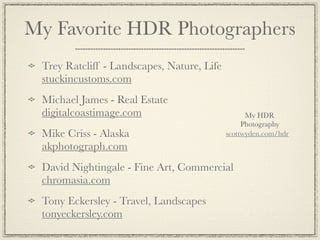
My Favorite HDR Photographers
 Trey Ratcliff - Landscapes, Nature, Life
 stuckincustoms.com
 Michael James - Real Estate
 digitalcoastimage.com                            My HDR
                                                 Photography
 Mike Criss - Alaska                        scottwyden.com/hdr
 akphotograph.com
 David Nightingale - Fine Art, Commercial
 chromasia.com
 Tony Eckersley - Travel, Landscapes
 tonyeckersley.com
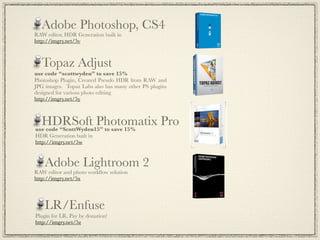
Adobe Photoshop, CS4
RAW editor, HDR Generation built in
http://imgry.net/5v


  Topaz Adjust
use code “scottwyden” to save 15%
Photoshop Plugin, Created Pseudo HDR from RAW and
JPG images. Topaz Labs also has many other PS plugins
designed for various photo editing
http://imgry.net/5y


  HDRSoft Photomatix Pro
use code “ScottWyden15” to save 15%
HDR Generation built in
http://imgry.net/5w


    Adobe Lightroom 2
RAW editor and photo workflow solution
http://imgry.net/5x


    LR/Enfuse
Plugin for LR, Pay by donation!
http://imgry.net/5z
Great HDR Books
Trey Ratcliff - A World In HDR
http://imgry.net/71
David Nightingale - Practical HDR
http://imgry.net/72
Christian Bloch - The HDRI
Handbook
http://imgry.net/73
Michael Freeman - Mastering HDR
Photography
http://imgry.net/74
•Flexible plans and prices you’ll be pleased with
•The best & only elegant photography hosting and selling solution
•Professional-quality presentations using highly intuitive online tools
•Elegantly designed, ad-free!
•Upload, present, and sell
•Printing services via Mpix!

HDR Workshop attendees receive 15% off using the affiliate link and
coupon code below:

Link: http://imgry.net/75
Coupon code: SWK-HDR-15

Visit photos.scottwyden.com to see a Zenfolio in action!
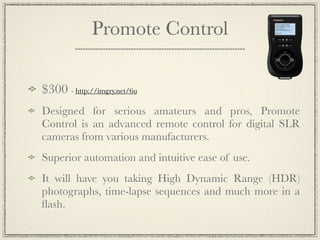
Promote Control

$300 - http://imgry.net/6u
Designed for serious amateurs and pros, Promote
Control is an advanced remote control for digital SLR
cameras from various manufacturers.
Superior automation and intuitive ease of use.
It will have you taking High Dynamic Range (HDR)
photographs, time-lapse sequences and much more in a
flash.
Scott Wyden Kivowitz
                         Workshop
My Photography scottwyden.com

Find a Photowalk Near You! photowalklist.com


Find me on Twitter, Facebook, Flickr,
LinkedIn, Vimeo & YouTube

HDR Workshop

  • 1.
    HDR Photography High Dynamic Range Scott Wyden Kivowitz www.scottwyden.com
  • 2.
  • 3.
    9 Shot ExposureHDR - Zion National Park, Utah
  • 4.
    9 Shot ExposureHDR - Lake Topanemus, Freehold, NJ
  • 5.
    9 Shot ExposureHDR - Eastern State Penn, Philly, PA
  • 6.
    9 Shot ExposureHDR - Woodbridge, NJ
  • 7.
    9 Shot ExposureHDR - Eastern State Penn, Philly, PA
  • 8.
    High Dynamic RangeImaging In image processing, computer graphics, and photography, high dynamic range imaging (HDRI or just HDR) is a set of techniques that allow a greater dynamic range of luminances between the lightest and darkest areas of an image than standard digital imaging techniques or photographic methods. This wider dynamic range allows HDR images to represent more accurately the wide range of intensity levels found in real scenes ranging from direct sunlight to faint starlight. -Wikipedia
  • 9.
    High Dynamic RangeImaging “making a photograph look how your eye sees the scene” “creating a photograph beyond what a camera can capture.” The simplest explanation of HDR camera’s exposure, over exposure, under exposure, merge
  • 10.
    HOW TO MAKETHIS PHOTO
  • 11.
  • 12.
    Why and howyou do it
  • 13.
    Benefits of HDRPhotography Boosts Creativity Shoot Mid Day Overcast Is Ok! The Sun Is Ok! Many Options A Closer Reproduction Of Your Eye
  • 14.
    Uses for HDR Realestate photography Landscape/Nature photography Automobile photography Product photography Photographers Block Just being creative!
  • 15.
    What you needto get started A camera that can take RAW image files A good tripod (wind will create shake) A remote trigger release recommended but not required (will prevent shake) HDR Software (PhotoMatix, LR/Enfuse, etc...) Photo editing software (Lightroom, Photoshop, Aperture, etc...)
  • 16.
    Light Meter Using alight meter would produce the optimal results however even the best HDR photographers rarely use one as the built-in light meters are very accurate. Spot metering would be required from a light meter to produce exact EV levels.
  • 17.
    Portraits It is possibleto create HDR portraits, however they are not simple and take a lot of practice and time to do it correctly. If the subject is moving between the multiple exposures the HDR will not turn out well. (Ghosting effect) HDR portraits can be done using the single RAW image style of HDR creation when an exposure is perfect! Typically HDR portraits are more artistic than realistic
  • 18.
    Ghosting Ghosting is causedby an object or subject moving between exposures
  • 20.
    Types of HDRPhotography Multi Blended (Typical HDR) Single RAW Image TTHDR (True Tone HDR)
  • 21.
    Multi Blended Get masterexposure RAW format Aperture priority with bracketing 3, 5, 7 or 9 Exposures to create a highly dynamic photograph Blend & Tone mapping in HDR software Finalized in Photo Editing Software
  • 22.
    Single RAW Image GetMaster Exposure RAW format Pseudo HDR generated & tone mapping in HDR Software Finalized in Photo Editing Software
  • 23.
    True Tone HDR Sameas Blended HDR Tone mapping should resemble a more realistic look rather than surreal.
  • 25.
  • 26.
  • 27.
  • 28.
  • 29.
    Steps to shootinga HDR 1. Make sure your CCD is CLEAN 2. Change the camera to RAW !!! 3. Put the camera on a tripod 4. Meter the scene 5. Put the camera on Aperture Priority 6. Set to Continuous 7. Set up auto bracketing 8. Ready, Aim, Fire! (MANUAL FOCUS)
  • 30.
    Make sure theCCD is CLEAN Otherwise expect a lot of spots!
  • 31.
    Change the camerato RAW RAW files are uncompressed high resolution images which capture more data and detail than what the exposure requires JPG files are compressed and only contain data that can be seen. All extra RAW data is purged during compression. A HDR from JPG images can become distorted.
  • 32.
    Put the cameraon a tripod Stability Shake Blur Wind Bumps You will have long shutter speeds! Earthquakes
  • 33.
    Put the cameraon a tripod Stability Shake Using a remote cable Blur release will also help reduce shake and blur Wind Bumps You will have long shutter speeds! Earthquakes
  • 34.
    Meter the scene Themaster exposure needs to be perfect otherwise the HDR can not be realistic The master exposure is your starting point
  • 35.
    Put the cameraon Aperture Priority The camera could also be on manual but you would need to adjust the shutter speed for each exposure If the camera was on shutter priority then each photo would have different focus Aperture Priority is the easiest and best way to capture the photos for an HDR
  • 36.
    Set to continuous Notrequired for still life, but if something is moving you want speed so there is no ghosting during the HDR generating. Continuous High would be required if doing a multiple image HDR of a person
  • 37.
    Set up autobracketing 3 shots -2, 0, +2 5 shots -2, -1, 0, +1, +2 etc... If auto bracketing is unavailable then using exposure compensation would work as well
  • 38.
    Ready, Aim, Fire Camera on Manual Focus GO FOR IT!
  • 40.
  • 41.
    -2 master exposure 0
  • 42.
    -2 -1 master exposure 0
  • 43.
    -2 -1 master exposure 0 +1
  • 44.
    -2 -1 master exposure 0 +1 +2
  • 45.
  • 46.
  • 47.
  • 49.
    Tone Mapping Tone mappingreduces the dynamic range, or contrast ratio, of the entire image, while retaining localized contrast (between neighboring pixels), tapping into research on how the human eye and visual cortex perceive a scene, trying to represent the whole dynamic range while retaining realistic colour and contrast. Images with too much tone mapping processing have their range over-compressed, creating a surreal low-dynamic-range rendering of a high-dynamic-range scene. -Wikipedia
  • 50.
    Tone Mapping The adjustmentswhich you tweak to create your HDR look
  • 51.
  • 52.
  • 53.
    Strength Controls the strengthof contrast enhancements. Lower for a more realistic look
  • 54.
    Color Saturation Controls thesaturation of the RGB color channels. The greater the saturation, the more intense the color. The value affects each color channel equally.
  • 55.
    White Point /Black Point Adjust contrast of white & black points individually for the entire image
  • 56.
  • 57.
    Temperature Similar to whitebalance as the slider will adjust the color of the image. Slider to the right gives a warmer image. Slider to the left gives a colder more bluish image.
  • 58.
    Micro-smoothing At 0 youcan get the dramatic style HDR images with all the detail in everything from walls to clouds you didn’t know where there. However, if you want a simple blended exposure photo set it to 30.
  • 59.
    Micro-contrast Controls the accentuationof local details. The default value (High) is the optimal value in most cases. Will bring out more texture in the image. Will expose a dirty CCD Will expose imperfections (example: Stitching in a pano)
  • 60.
    Light Smoothing Controls smoothingof the contrast Can cause the Halo Effect
  • 61.
    Highlight Smoothing Can helpreduce or remove the Halo Effect
  • 62.
  • 63.
  • 64.
    What is wrongwith this HDR?
  • 66.
    See it now?Single RAW HDR, poor exposure & moving subject
  • 67.
    Default settings of Photomatix,LR/Enfuse & Topaz Adjust
  • 68.
  • 69.
  • 70.
  • 71.
    Various examples ofuses for HDR
  • 89.
    Challenge Yourself Take somethingeveryone knows and make it unique
  • 90.
    Final Tips HDRs willnot fix bad lighting Turn off auto adjustments in camera (contrast, saturation, sharpening, etc...) Shoot fast if your subject is moving For long exposures mirror lockup can save the HDR Try to use f/5.6, f/8 & f/11 for sharpest images A lens hood can help reduce unwanted flare
  • 91.
    Final Tips Fine tuneyour HDR photography in image editing software like Photoshop or Lightroom Remove any dirty CCD spots Adjust contrast, color, white balance, saturation
  • 92.
    Extra Fun Add alayer of texture to the image to create something even more artistic!
  • 93.
    My Favorite HDRPhotographers Trey Ratcliff - Landscapes, Nature, Life stuckincustoms.com Michael James - Real Estate digitalcoastimage.com My HDR Photography Mike Criss - Alaska scottwyden.com/hdr akphotograph.com David Nightingale - Fine Art, Commercial chromasia.com Tony Eckersley - Travel, Landscapes tonyeckersley.com
  • 94.
    Adobe Photoshop, CS4 RAWeditor, HDR Generation built in http://imgry.net/5v Topaz Adjust use code “scottwyden” to save 15% Photoshop Plugin, Created Pseudo HDR from RAW and JPG images. Topaz Labs also has many other PS plugins designed for various photo editing http://imgry.net/5y HDRSoft Photomatix Pro use code “ScottWyden15” to save 15% HDR Generation built in http://imgry.net/5w Adobe Lightroom 2 RAW editor and photo workflow solution http://imgry.net/5x LR/Enfuse Plugin for LR, Pay by donation! http://imgry.net/5z
  • 95.
    Great HDR Books TreyRatcliff - A World In HDR http://imgry.net/71 David Nightingale - Practical HDR http://imgry.net/72 Christian Bloch - The HDRI Handbook http://imgry.net/73 Michael Freeman - Mastering HDR Photography http://imgry.net/74
  • 96.
    •Flexible plans andprices you’ll be pleased with •The best & only elegant photography hosting and selling solution •Professional-quality presentations using highly intuitive online tools •Elegantly designed, ad-free! •Upload, present, and sell •Printing services via Mpix! HDR Workshop attendees receive 15% off using the affiliate link and coupon code below: Link: http://imgry.net/75 Coupon code: SWK-HDR-15 Visit photos.scottwyden.com to see a Zenfolio in action!
  • 97.
    Promote Control $300 -http://imgry.net/6u Designed for serious amateurs and pros, Promote Control is an advanced remote control for digital SLR cameras from various manufacturers. Superior automation and intuitive ease of use. It will have you taking High Dynamic Range (HDR) photographs, time-lapse sequences and much more in a flash.
  • 98.
    Scott Wyden Kivowitz Workshop My Photography scottwyden.com Find a Photowalk Near You! photowalklist.com Find me on Twitter, Facebook, Flickr, LinkedIn, Vimeo & YouTube