HDR Photography Basics
What is it…
how do you shoot for it…
and how do you process it.
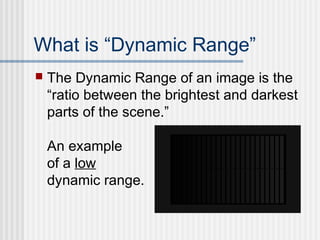
What is “Dynamic Range”
 The Dynamic Range of an image is the
“ratio between the brightest and darkest
parts of the scene.”
An example
of a low
dynamic range.
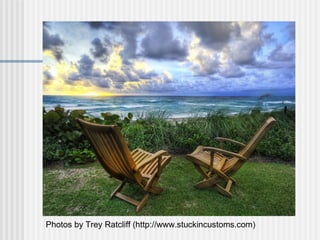
Photos by Trey Ratcliff (http://www.stuckincustoms.com)
What is HDR Photography?
 “HDR is an acronym for High Dynamic
Range. It is a post-processing task of
taking either one image or a series of
images, combining them, and adjusting
the contrast ratios to do things that are
virtually impossible with a single aperture
and shutter speed.”
(from Trey Ratcliff, http://www.stuckincustoms.com/hdr/)
What is HDR Photography?
 Humans eyes can see a much wider dynamic
range than a single DSLR image can capture.
HDR photography combines the “highs” and
“lows” of multiple exposures into a single image.
 For me, it is a way to create a photograph that
better captures the highlights (bright whites) and
shadows (the dark blacks) that might get lost
when taking a photo.
How to shoot for it…
1. Mount your camera on a tripod
2. Use manual or Aperture Priority mode. Take at least
three exposures: good exposure, under-exposed, and
over-exposed. Number of exposures varies based on
how wide the dynamic range of your scene is.
“I recommend using a camera that has
autobracketing. Autobracketing is the ability for your
camera to take at least 3 pictures right after one
another, each at different exposures. Sometimes it’s
called “Exposure Bracketing”. If you have a DSLR
camera, then you probably already have this ability.”
(www.stuckincustoms.com)
How to process it…
Use “HDR” software such as:
• Photomatix Pro
• Nik HDR Efex Pro
• Photoshop 5
A GREAT tutorial can be found at:
http://www.stuckincustoms.com/hdr-tutorial/
David’s example
 Now I will demonstrate how to use
Photomatix Pro with three exposures…

HDR Basics

  • 1.
    HDR Photography Basics Whatis it… how do you shoot for it… and how do you process it.
  • 2.
    What is “DynamicRange”  The Dynamic Range of an image is the “ratio between the brightest and darkest parts of the scene.” An example of a low dynamic range.
  • 3.
    Photos by TreyRatcliff (http://www.stuckincustoms.com)
  • 4.
    What is HDRPhotography?  “HDR is an acronym for High Dynamic Range. It is a post-processing task of taking either one image or a series of images, combining them, and adjusting the contrast ratios to do things that are virtually impossible with a single aperture and shutter speed.” (from Trey Ratcliff, http://www.stuckincustoms.com/hdr/)
  • 5.
    What is HDRPhotography?  Humans eyes can see a much wider dynamic range than a single DSLR image can capture. HDR photography combines the “highs” and “lows” of multiple exposures into a single image.  For me, it is a way to create a photograph that better captures the highlights (bright whites) and shadows (the dark blacks) that might get lost when taking a photo.
  • 10.
    How to shootfor it… 1. Mount your camera on a tripod 2. Use manual or Aperture Priority mode. Take at least three exposures: good exposure, under-exposed, and over-exposed. Number of exposures varies based on how wide the dynamic range of your scene is. “I recommend using a camera that has autobracketing. Autobracketing is the ability for your camera to take at least 3 pictures right after one another, each at different exposures. Sometimes it’s called “Exposure Bracketing”. If you have a DSLR camera, then you probably already have this ability.” (www.stuckincustoms.com)
  • 13.
    How to processit… Use “HDR” software such as: • Photomatix Pro • Nik HDR Efex Pro • Photoshop 5 A GREAT tutorial can be found at: http://www.stuckincustoms.com/hdr-tutorial/
  • 14.
    David’s example  NowI will demonstrate how to use Photomatix Pro with three exposures…

Editor's Notes

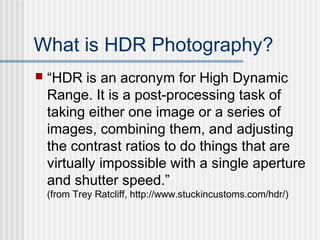
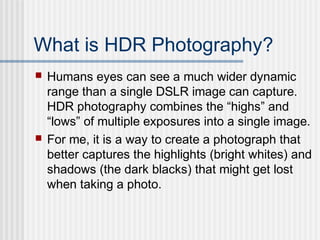
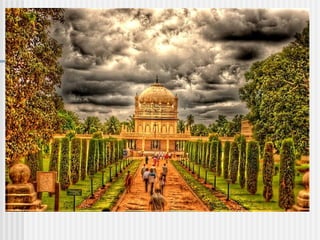
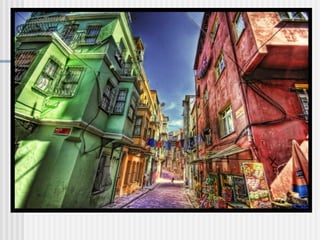
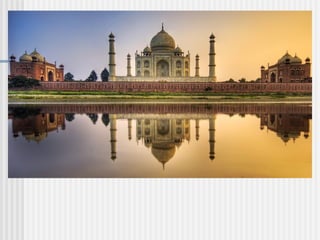
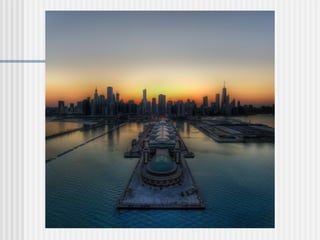
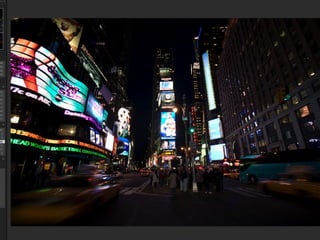
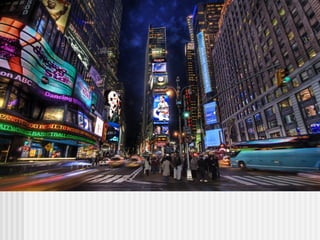
  • #4 This is an example of a High Dynamic Range photo.
  • #9 This is an example of a High Dynamic Range photo.