Real World Experience Running
       GoldenGate on Exadata
            Presented by: Alex Fatkulin
                     Senior Consultant
                         January 20, 2013
Who am I ?
 Senior Technical Consultant at Enkitec

 11 years using Oracle

 Clustered and HA solutions

 Database Development and Design

 Technical Reviewer

 Blog at http://afatkulin.blogspot.com


                                           3
My Replication Experience
 Materialized View Replication – since 8i

 Oracle Streams – since 9iR2

 Oracle GoldenGate – since 10.4 (2009)


                                             4
GoldenGate + Exadata
 Gaining a lot of market momentum

 Common scenarios
   Zero Downtime Migrations and Upgrades
   ETL Data Feeds
   Data Replication

 Solution effectiveness depends on in-depth technical
  knowledge

 Standard documentation is often not enough


                                                         5
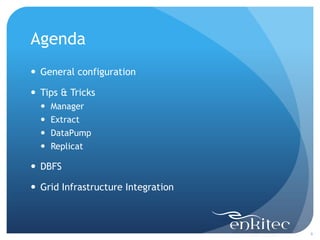
Agenda
 General configuration

 Tips & Tricks
     Manager
     Extract
     DataPump
     Replicat

 DBFS

 Grid Infrastructure Integration


                                    6
General Configuration


                        7
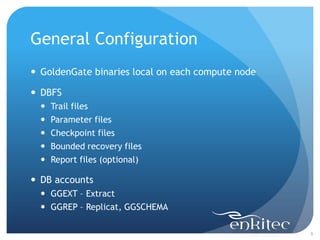
General Configuration
 GoldenGate binaries local on each compute node

 DBFS
     Trail files
     Parameter files
     Checkpoint files
     Bounded recovery files
     Report files (optional)

 DB accounts
   GGEXT – Extract
   GGREP – Replicat, GGSCHEMA

                                                   8
Manager


          9
Manager
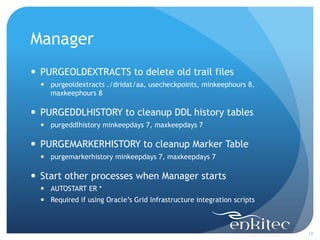
 PURGEOLDEXTRACTS to delete old trail files
   purgeoldextracts ./dridat/aa, usecheckpoints, minkeephours 8,
    maxkeephours 8

 PURGEDDLHISTORY to cleanup DDL history tables
   purgeddlhistory minkeepdays 7, maxkeepdays 7

 PURGEMARKERHISTORY to cleanup Marker Table
   purgemarkerhistory minkeepdays 7, maxkeepdays 7

 Start other processes when Manager starts
   AUTOSTART ER *
   Required if using Oracle’s Grid Infrastructure integration scripts


                                                                         10
Extract


          11
Redo Access
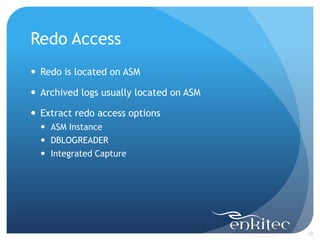
 Redo is located on ASM

 Archived logs usually located on ASM

 Extract redo access options
   ASM Instance
   DBLOGREADER
   Integrated Capture


                                         12
Redo Access - ASM Instance
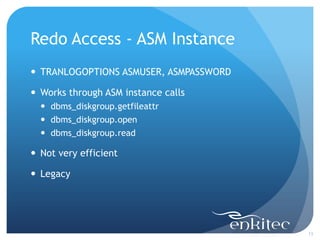
 TRANLOGOPTIONS ASMUSER, ASMPASSWORD

 Works through ASM instance calls
   dbms_diskgroup.getfileattr
   dbms_diskgroup.open
   dbms_diskgroup.read

 Not very efficient

 Legacy


                                        13
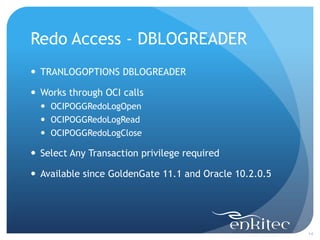
Redo Access - DBLOGREADER
 TRANLOGOPTIONS DBLOGREADER

 Works through OCI calls
   OCIPOGGRedoLogOpen
   OCIPOGGRedoLogRead
   OCIPOGGRedoLogClose

 Select Any Transaction privilege required

 Available since GoldenGate 11.1 and Oracle 10.2.0.5


                                                        14
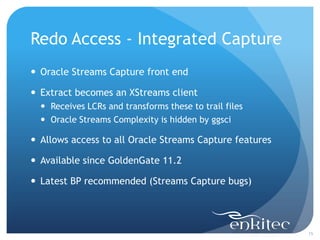
Redo Access - Integrated Capture
 Oracle Streams Capture front end

 Extract becomes an XStreams client
   Receives LCRs and transforms these to trail files
   Oracle Streams Complexity is hidden by ggsci

 Allows access to all Oracle Streams Capture features

 Available since GoldenGate 11.2

 Latest BP recommended (Streams Capture bugs)


                                                         15
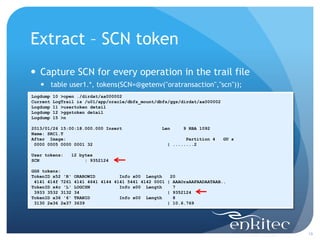
Extract – SCN token
 Capture SCN for every operation in the trail file
    table user1.*, tokens(SCN=@getenv("oratransaction","scn"));
Logdump   10 >open ./dirdat/aa000002
Current   LogTrail is /u01/app/oracle/dbfs_mount/dbfs/ggs/dirdat/aa000002
Logdump   11 >usertoken detail
Logdump   12 >ggstoken detail
Logdump   15 >n

2013/01/26 15:00:18.000.000 Insert                 Len    9 RBA 1092
Name: SRC1.T
After Image:                                               Partition 4      GU s
 0000 0005 0000 0001 32                             | ........2

User tokens:    12 bytes
SCN                  : 9352124

GGS tokens:
TokenID x52 'R'   ORAROWID         Info x00 Length    20
 4141 414f 7261   4141 4641 4144 4141 5441 4142 0001 | AAAOraAAFAADAATAAB..
TokenID x4c 'L'   LOGCSN           Info x00 Length     7
 3933 3532 3132   34                                 | 9352124
TokenID x36 '6'   TRANID           Info x00 Length     8
 3130 2e36 2e37   3639                               | 10.6.769


                                                                                   16
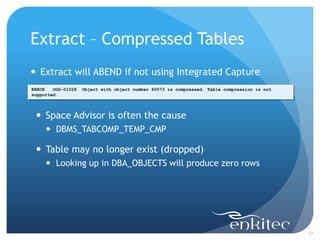
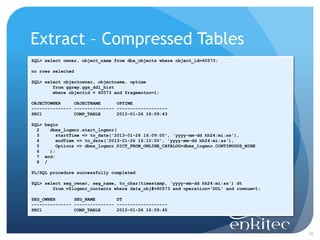
Extract – Compressed Tables
 Extract will ABEND if not using Integrated Capture
ERROR   OGG-01028   Object with object number 60573 is compressed. Table compression is not
supported.


  Space Advisor is often the cause
      DBMS_TABCOMP_TEMP_CMP

  Table may no longer exist (dropped)
      Looking up in DBA_OBJECTS will produce zero rows


                                                                                              17
Extract – Compressed Tables
SQL> select owner, object_name from dba_objects where object_id=60573;

no rows selected

SQL> select objectowner, objectname, optime
        from ggrep.ggs_ddl_hist
        where objectid = 60573 and fragmentno=1;

OBJECTOWNER     OBJECTNAME      OPTIME
--------------- --------------- -------------------
SRC1            COMP_TABLE      2013-01-26 16:09:43

SQL> begin
  2    dbms_logmnr.start_logmnr(
  3       startTime => to_date('2013-01-26 16:09:00', 'yyyy-mm-dd hh24:mi:ss'),
  4       endTime => to_date('2013-01-26 16:10:00', 'yyyy-mm-dd hh24:mi:ss'),
  5       Options => dbms_logmnr.DICT_FROM_ONLINE_CATALOG+dbms_logmnr.CONTINUOUS_MINE
  6    );
  7 end;
  8 /

PL/SQL procedure successfully completed

SQL> select seg_owner, seg_name, to_char(timestamp, 'yyyy-mm-dd hh24:mi:ss') dt
        from v$logmnr_contents where data_obj#=60573 and operation='DDL' and rownum=1;

SEG_OWNER       SEG_NAME        DT
--------------- --------------- -------------------
SRC1            COMP_TABLE      2013-01-26 16:09:45


                                                                                         18
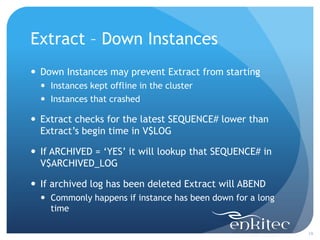
Extract – Down Instances
 Down Instances may prevent Extract from starting
   Instances kept offline in the cluster
   Instances that crashed

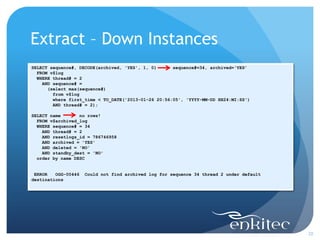
 Extract checks for the latest SEQUENCE# lower than
  Extract’s begin time in V$LOG

 If ARCHIVED = ‘YES’ it will lookup that SEQUENCE# in
  V$ARCHIVED_LOG

 If archived log has been deleted Extract will ABEND
   Commonly happens if instance has been down for a long
    time

                                                            19
Extract – Down Instances
SELECT sequence#, DECODE(archived, 'YES', 1, 0)      sequence#=34, archived=‘YES’
  FROM v$log
  WHERE thread# = 2
    AND sequence# =
      (select max(sequence#)
        from v$log
        where first_time < TO_DATE('2013-01-26 20:56:05', 'YYYY-MM-DD HH24:MI:SS')
        AND thread# = 2);

SELECT name       no rows!
  FROM v$archived_log
  WHERE sequence# = 34
    AND thread# = 2
    AND resetlogs_id = 786746958
    AND archived = 'YES'
    AND deleted = 'NO'
    AND standby_dest = 'NO'
  order by name DESC


 ERROR   OGG-00446   Could not find archived log for sequence 34 thread 2 under default
destinations


                                                                                          20
Extract – Down Instances
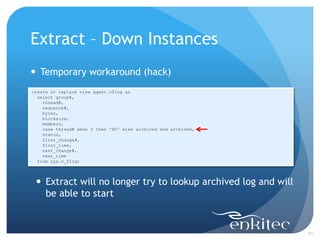
 Temporary workaround (hack)
create or replace view ggext.v$log as
  select group#,
    thread#,
    sequence#,
    bytes,
    blocksize,
    members,
    case thread# when 2 then 'NO' else archived end archived,
    status,
    first_change#,
    first_time,
    next_change#,
    next_time
  from sys.v_$log;


  Extract will no longer try to lookup archived log and will
   be able to start


                                                                21
Extract – Cache Manager
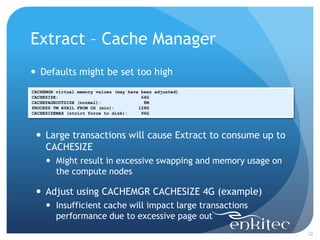
 Defaults might be set too high
CACHEMGR virtual memory values (may have been adjusted)
CACHESIZE:                               64G
CACHEPAGEOUTSIZE (normal):                8M
PROCESS VM AVAIL FROM OS (min):         128G
CACHESIZEMAX (strict force to disk):     96G


  Large transactions will cause Extract to consume up to
   CACHESIZE
      Might result in excessive swapping and memory usage on
       the compute nodes

  Adjust using CACHEMGR CACHESIZE 4G (example)
      Insufficient cache will impact large transactions
       performance due to excessive page out
                                                                22
Extract – Bounded Recovery
 Allows Extract to save in-flight transactions state

 Located in GGS_HOME/BR directory

 Done every 4 hours by default
   Perform now: SEND <GROUP> BR BRCHECKPOINT IMMEDIATE

 Make these available to each node in case of a failover

 If bounded recovery files got corrupted Extract can still
  be started with BRRESET


                                                              23
Extract – Bounded Recovery
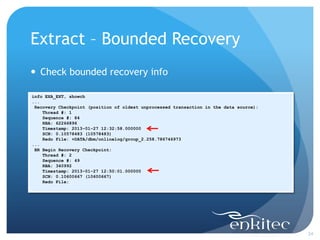
 Check bounded recovery info

info EXA_EXT, showch
...
 Recovery Checkpoint (position of oldest unprocessed transaction in the data source):
    Thread #: 1
    Sequence #: 84
    RBA: 62266896
    Timestamp: 2013-01-27 12:32:58.000000
    SCN: 0.10578483 (10578483)
    Redo File: +DATA/dbm/onlinelog/group_2.258.786746973
...
 BR Begin Recovery Checkpoint:
    Thread #: 2
    Sequence #: 49
    RBA: 340992
    Timestamp: 2013-01-27 12:50:01.000000
    SCN: 0.10600667 (10600667)
    Redo File:


                                                                                        24
DataPump


           25
DataPump – General Config
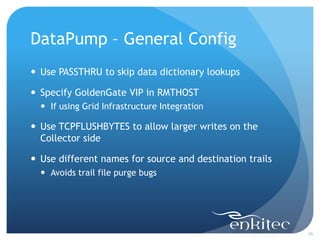
 Use PASSTHRU to skip data dictionary lookups

 Specify GoldenGate VIP in RMTHOST
   If using Grid Infrastructure Integration

 Use TCPFLUSHBYTES to allow larger writes on the
  Collector side

 Use different names for source and destination trails
   Avoids trail file purge bugs


                                                          26
DataPump – Network Compression
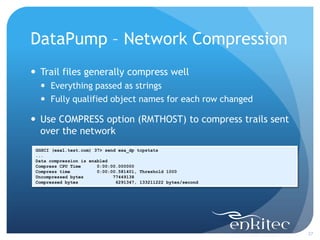
 Trail files generally compress well
   Everything passed as strings
   Fully qualified object names for each row changed

 Use COMPRESS option (RMTHOST) to compress trails sent
  over the network
 GGSCI (exa1.test.com) 37> send exa_dp tcpstats
 ...
 Data compression is enabled
 Compress CPU Time      0:00:00.000000
 Compress time          0:00:00.581401, Threshold 1000
 Uncompressed bytes           77449138
 Compressed bytes              6291347, 133211222 bytes/second


                                                                 27
DataPump – Trail not Available
 Process will get stuck on positioning if trail [sequence]
  is not available
GGSCI (exa1.test.com) 4> add extract exa_dp, exttrailsource ./dirdat/aa
EXTRACT added.
GGSCI (exa1.test.com) 2> info EXA_DP

EXTRACT    EXA_DP     Last Started 2013-01-26 19:51   Status RUNNING
Checkpoint Lag        00:00:00 (updated 00:00:03 ago)
Log Read Checkpoint   File ./dirdat/aa000000
                      First Record RBA 0

...
open("./dirdat/aa000000", O_RDONLY)     =   -1 ENOENT (No such file or directory)
nanosleep({1, 0}, NULL)                 =   0
open("./dirdat/aa000000", O_RDONLY)     =   -1 ENOENT (No such file or directory)
nanosleep({1, 0}, NULL)                 =   0
...

GGSCI (exa1.test.com) 7> alter EXA_DP, extseqno 2
EXTRACT altered.


                                                                                    28
Replicat


           29
Replicat – General Configuration
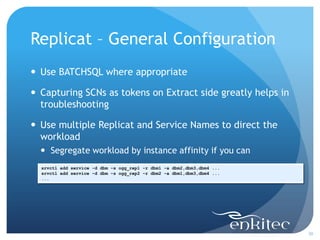
 Use BATCHSQL where appropriate

 Capturing SCNs as tokens on Extract side greatly helps in
  troubleshooting

 Use multiple Replicat and Service Names to direct the
  workload
   Segregate workload by instance affinity if you can
  srvctl add service -d dbm -s ogg_rep1 -r dbm1 -a dbm2,dbm3,dbm4 ...
  srvctl add service -d dbm -s ogg_rep2 -r dbm2 -a dbm1,dbm3,dbm4 ...
  ...


                                                                        30
Replicat - Sequences
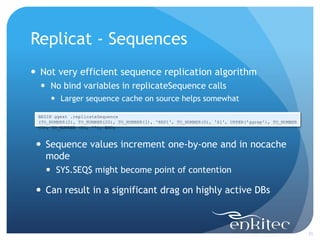
 Not very efficient sequence replication algorithm
   No bind variables in replicateSequence calls
      Larger sequence cache on source helps somewhat

 BEGIN ggext .replicateSequence
 (TO_NUMBER(2), TO_NUMBER(20), TO_NUMBER(1), 'REP1', TO_NUMBER(0), 'S1', UPPER('ggrep'), TO_NUMBER
 (1), TO_NUMBER (0), ''); END;


  Sequence values increment one-by-one and in nocache
   mode
    SYS.SEQ$ might become point of contention

  Can result in a significant drag on highly active DBs


                                                                                                     31
Replicat – Transient PK Updates
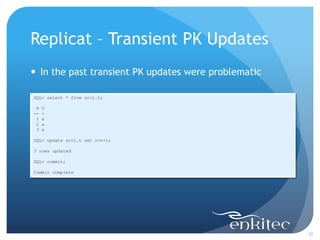
 In the past transient PK updates were problematic

SQL> select * from src1.t;

 N   V
--   -
 1   a
 2   a
 3   a

SQL> update src1.t set n=n+1;

3 rows updated

SQL> commit;

Commit complete


                                                      32
Replicat – Transient PK Updates
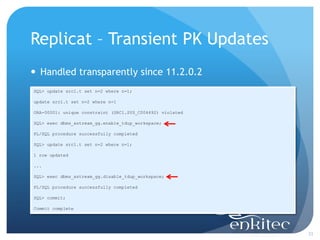
 Handled transparently since 11.2.0.2
SQL> update src1.t set n=2 where n=1;

update src1.t set n=2 where n=1

ORA-00001: unique constraint (SRC1.SYS_C004692) violated

SQL> exec dbms_xstream_gg.enable_tdup_workspace;

PL/SQL procedure successfully completed

SQL> update src1.t set n=2 where n=1;

1 row updated

...

SQL> exec dbms_xstream_gg.disable_tdup_workspace;

PL/SQL procedure successfully completed

SQL> commit;

Commit complete


                                                           33
Replicat – GGS_STICK table
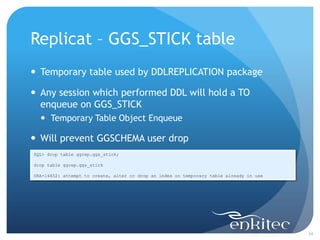
 Temporary table used by DDLREPLICATION package

 Any session which performed DDL will hold a TO
  enqueue on GGS_STICK
   Temporary Table Object Enqueue

 Will prevent GGSCHEMA user drop
SQL> drop table ggrep.ggs_stick;

drop table ggrep.ggs_stick

ORA-14452: attempt to create, alter or drop an index on temporary table already in use


                                                                                         34
DBFS


       35
DBFS
 Create non-partitioned file system

 Mount on all nodes

 Use Oracle Grid Infrastructure to control where
  GoldenGate is running
   Avoids accidental trail corruption


                                                    36
DBFS Performance
 Understanding I/O profile
   Extract
     4KB writes into the trail
   DataPump
     1MB reads from the trail
   Collector
     24KB (and smaller) writes into the trail (default)
     Use DataPump’s RMTHOST TCPFLUSHBYTES to tune
   Replicat
     1MB reads from the trail
   AIO not utilized by GoldenGate


                                                           37
DBFS Performance
 All IO ends up in a SecureFile segment inside a DB
   Relatively long code path
   Favors throughput vs latency

 Set SecureFiles segments to cache
   alter table dbfs.t_dbfs modify lob (filedata) (cache)

 Put segments into recycle pool (if configured)
   alter table dbfs.t_dbfs modify lob (filedata) (storage
    (buffer_pool recycle))


                                                             38
Grid Infrastructure
Integration


                      39
Grid Infrastructure Integration
 Note 1313703.1 Oracle GoldenGate high availability
  using Oracle Clusterware
   Relies on Manager process to control everything else
   GoldenGate checkpoint files manipulations (copy/delete)

 Use Oracle Grid Infrastructure Bundled Agents
   Relies on Manager process as well

 Write your own scripts


                                                              40
Grid Infrastructure Bundle Agents
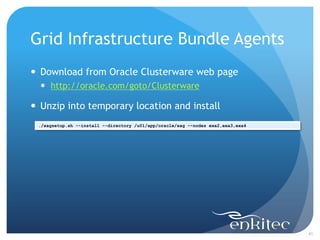
 Download from Oracle Clusterware web page
   http://oracle.com/goto/Clusterware

 Unzip into temporary location and install
 ./xagsetup.sh --install --directory /u01/app/oracle/xag --nodes exa2,exa3,exa4


                                                                                  41
Grid Infrastructure Bundle Agents
 Make sure CRS_HOME environment variable is set
   Script relies on CRS_HOME to find crsctl executable
 ./agctl.pl add goldengate ogg1 
 --gg_home /u01/app/oracle/ggs 
 --instance_type both 
 --oracle_home /u01/app/oracle/product/11.2.0/db_1 
 --db_services dbm.ogg_rep1 
 --databases dbm 
 --monitor_extracts exa_ext 
 --monitor_replicats exa_rep 
 --vip_name ora.dbm1.vip

 [oracle@exa1 ~]$ crsctl status res xag.ogg1.goldengate
 NAME=xag.ogg1.goldengate
 TYPE=xag.goldengate.type
 TARGET=OFFLINE
 STATE=OFFLINE

 [oracle@exa1 ~]$ crsctl start res xag.ogg1.goldengate
 CRS-2672: Attempting to start 'xag.ogg1.goldengate' on ‘exa1'
 CRS-2676: Start of 'xag.ogg1.goldengate' on ‘exa1' succeeded


                                                                 42
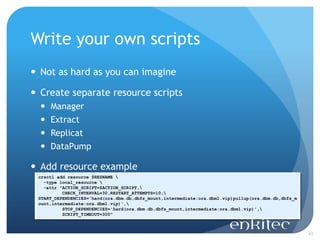
Write your own scripts
 Not as hard as you can imagine

 Create separate resource scripts
     Manager
     Extract
     Replicat
     DataPump

 Add resource example
 crsctl add resource $RESNAME 
   -type local_resource 
   -attr "ACTION_SCRIPT=$ACTION_SCRIPT,
          CHECK_INTERVAL=30,RESTART_ATTEMPTS=10,
 START_DEPENDENCIES='hard(ora.dbm.db,dbfs_mount,intermediate:ora.dbm1.vip)pullup(ora.dbm.db,dbfs_m
 ount,intermediate:ora.dbm1.vip)',
          STOP_DEPENDENCIES='hard(ora.dbm.db,dbfs_mount,intermediate:ora.dbm1.vip)',
          SCRIPT_TIMEOUT=300"


                                                                                                     43
Q&A
Email: alex.fatkulin@enkitec.com
Blog: http://afatkulin.blogspot.com


                                      44

Fatkulin presentation

  • 1.
    Real World ExperienceRunning GoldenGate on Exadata Presented by: Alex Fatkulin Senior Consultant January 20, 2013
  • 2.
    Who am I?  Senior Technical Consultant at Enkitec  11 years using Oracle  Clustered and HA solutions  Database Development and Design  Technical Reviewer  Blog at http://afatkulin.blogspot.com 3
  • 3.
    My Replication Experience Materialized View Replication – since 8i  Oracle Streams – since 9iR2  Oracle GoldenGate – since 10.4 (2009) 4
  • 4.
    GoldenGate + Exadata Gaining a lot of market momentum  Common scenarios  Zero Downtime Migrations and Upgrades  ETL Data Feeds  Data Replication  Solution effectiveness depends on in-depth technical knowledge  Standard documentation is often not enough 5
  • 5.
    Agenda  General configuration Tips & Tricks  Manager  Extract  DataPump  Replicat  DBFS  Grid Infrastructure Integration 6
  • 6.
  • 7.
    General Configuration  GoldenGatebinaries local on each compute node  DBFS  Trail files  Parameter files  Checkpoint files  Bounded recovery files  Report files (optional)  DB accounts  GGEXT – Extract  GGREP – Replicat, GGSCHEMA 8
  • 8.
  • 9.
    Manager  PURGEOLDEXTRACTS todelete old trail files  purgeoldextracts ./dridat/aa, usecheckpoints, minkeephours 8, maxkeephours 8  PURGEDDLHISTORY to cleanup DDL history tables  purgeddlhistory minkeepdays 7, maxkeepdays 7  PURGEMARKERHISTORY to cleanup Marker Table  purgemarkerhistory minkeepdays 7, maxkeepdays 7  Start other processes when Manager starts  AUTOSTART ER *  Required if using Oracle’s Grid Infrastructure integration scripts 10
  • 10.
  • 11.
    Redo Access  Redois located on ASM  Archived logs usually located on ASM  Extract redo access options  ASM Instance  DBLOGREADER  Integrated Capture 12
  • 12.
    Redo Access -ASM Instance  TRANLOGOPTIONS ASMUSER, ASMPASSWORD  Works through ASM instance calls  dbms_diskgroup.getfileattr  dbms_diskgroup.open  dbms_diskgroup.read  Not very efficient  Legacy 13
  • 13.
    Redo Access -DBLOGREADER  TRANLOGOPTIONS DBLOGREADER  Works through OCI calls  OCIPOGGRedoLogOpen  OCIPOGGRedoLogRead  OCIPOGGRedoLogClose  Select Any Transaction privilege required  Available since GoldenGate 11.1 and Oracle 10.2.0.5 14
  • 14.
    Redo Access -Integrated Capture  Oracle Streams Capture front end  Extract becomes an XStreams client  Receives LCRs and transforms these to trail files  Oracle Streams Complexity is hidden by ggsci  Allows access to all Oracle Streams Capture features  Available since GoldenGate 11.2  Latest BP recommended (Streams Capture bugs) 15
  • 15.
    Extract – SCNtoken  Capture SCN for every operation in the trail file  table user1.*, tokens(SCN=@getenv("oratransaction","scn")); Logdump 10 >open ./dirdat/aa000002 Current LogTrail is /u01/app/oracle/dbfs_mount/dbfs/ggs/dirdat/aa000002 Logdump 11 >usertoken detail Logdump 12 >ggstoken detail Logdump 15 >n 2013/01/26 15:00:18.000.000 Insert Len 9 RBA 1092 Name: SRC1.T After Image: Partition 4 GU s 0000 0005 0000 0001 32 | ........2 User tokens: 12 bytes SCN : 9352124 GGS tokens: TokenID x52 'R' ORAROWID Info x00 Length 20 4141 414f 7261 4141 4641 4144 4141 5441 4142 0001 | AAAOraAAFAADAATAAB.. TokenID x4c 'L' LOGCSN Info x00 Length 7 3933 3532 3132 34 | 9352124 TokenID x36 '6' TRANID Info x00 Length 8 3130 2e36 2e37 3639 | 10.6.769 16
  • 16.
    Extract – CompressedTables  Extract will ABEND if not using Integrated Capture ERROR OGG-01028 Object with object number 60573 is compressed. Table compression is not supported.  Space Advisor is often the cause  DBMS_TABCOMP_TEMP_CMP  Table may no longer exist (dropped)  Looking up in DBA_OBJECTS will produce zero rows 17
  • 17.
    Extract – CompressedTables SQL> select owner, object_name from dba_objects where object_id=60573; no rows selected SQL> select objectowner, objectname, optime from ggrep.ggs_ddl_hist where objectid = 60573 and fragmentno=1; OBJECTOWNER OBJECTNAME OPTIME --------------- --------------- ------------------- SRC1 COMP_TABLE 2013-01-26 16:09:43 SQL> begin 2 dbms_logmnr.start_logmnr( 3 startTime => to_date('2013-01-26 16:09:00', 'yyyy-mm-dd hh24:mi:ss'), 4 endTime => to_date('2013-01-26 16:10:00', 'yyyy-mm-dd hh24:mi:ss'), 5 Options => dbms_logmnr.DICT_FROM_ONLINE_CATALOG+dbms_logmnr.CONTINUOUS_MINE 6 ); 7 end; 8 / PL/SQL procedure successfully completed SQL> select seg_owner, seg_name, to_char(timestamp, 'yyyy-mm-dd hh24:mi:ss') dt from v$logmnr_contents where data_obj#=60573 and operation='DDL' and rownum=1; SEG_OWNER SEG_NAME DT --------------- --------------- ------------------- SRC1 COMP_TABLE 2013-01-26 16:09:45 18
  • 18.
    Extract – DownInstances  Down Instances may prevent Extract from starting  Instances kept offline in the cluster  Instances that crashed  Extract checks for the latest SEQUENCE# lower than Extract’s begin time in V$LOG  If ARCHIVED = ‘YES’ it will lookup that SEQUENCE# in V$ARCHIVED_LOG  If archived log has been deleted Extract will ABEND  Commonly happens if instance has been down for a long time 19
  • 19.
    Extract – DownInstances SELECT sequence#, DECODE(archived, 'YES', 1, 0) sequence#=34, archived=‘YES’ FROM v$log WHERE thread# = 2 AND sequence# = (select max(sequence#) from v$log where first_time < TO_DATE('2013-01-26 20:56:05', 'YYYY-MM-DD HH24:MI:SS') AND thread# = 2); SELECT name no rows! FROM v$archived_log WHERE sequence# = 34 AND thread# = 2 AND resetlogs_id = 786746958 AND archived = 'YES' AND deleted = 'NO' AND standby_dest = 'NO' order by name DESC ERROR OGG-00446 Could not find archived log for sequence 34 thread 2 under default destinations 20
  • 20.
    Extract – DownInstances  Temporary workaround (hack) create or replace view ggext.v$log as select group#, thread#, sequence#, bytes, blocksize, members, case thread# when 2 then 'NO' else archived end archived, status, first_change#, first_time, next_change#, next_time from sys.v_$log;  Extract will no longer try to lookup archived log and will be able to start 21
  • 21.
    Extract – CacheManager  Defaults might be set too high CACHEMGR virtual memory values (may have been adjusted) CACHESIZE: 64G CACHEPAGEOUTSIZE (normal): 8M PROCESS VM AVAIL FROM OS (min): 128G CACHESIZEMAX (strict force to disk): 96G  Large transactions will cause Extract to consume up to CACHESIZE  Might result in excessive swapping and memory usage on the compute nodes  Adjust using CACHEMGR CACHESIZE 4G (example)  Insufficient cache will impact large transactions performance due to excessive page out 22
  • 22.
    Extract – BoundedRecovery  Allows Extract to save in-flight transactions state  Located in GGS_HOME/BR directory  Done every 4 hours by default  Perform now: SEND <GROUP> BR BRCHECKPOINT IMMEDIATE  Make these available to each node in case of a failover  If bounded recovery files got corrupted Extract can still be started with BRRESET 23
  • 23.
    Extract – BoundedRecovery  Check bounded recovery info info EXA_EXT, showch ... Recovery Checkpoint (position of oldest unprocessed transaction in the data source): Thread #: 1 Sequence #: 84 RBA: 62266896 Timestamp: 2013-01-27 12:32:58.000000 SCN: 0.10578483 (10578483) Redo File: +DATA/dbm/onlinelog/group_2.258.786746973 ... BR Begin Recovery Checkpoint: Thread #: 2 Sequence #: 49 RBA: 340992 Timestamp: 2013-01-27 12:50:01.000000 SCN: 0.10600667 (10600667) Redo File: 24
  • 24.
  • 25.
    DataPump – GeneralConfig  Use PASSTHRU to skip data dictionary lookups  Specify GoldenGate VIP in RMTHOST  If using Grid Infrastructure Integration  Use TCPFLUSHBYTES to allow larger writes on the Collector side  Use different names for source and destination trails  Avoids trail file purge bugs 26
  • 26.
    DataPump – NetworkCompression  Trail files generally compress well  Everything passed as strings  Fully qualified object names for each row changed  Use COMPRESS option (RMTHOST) to compress trails sent over the network GGSCI (exa1.test.com) 37> send exa_dp tcpstats ... Data compression is enabled Compress CPU Time 0:00:00.000000 Compress time 0:00:00.581401, Threshold 1000 Uncompressed bytes 77449138 Compressed bytes 6291347, 133211222 bytes/second 27
  • 27.
    DataPump – Trailnot Available  Process will get stuck on positioning if trail [sequence] is not available GGSCI (exa1.test.com) 4> add extract exa_dp, exttrailsource ./dirdat/aa EXTRACT added. GGSCI (exa1.test.com) 2> info EXA_DP EXTRACT EXA_DP Last Started 2013-01-26 19:51 Status RUNNING Checkpoint Lag 00:00:00 (updated 00:00:03 ago) Log Read Checkpoint File ./dirdat/aa000000 First Record RBA 0 ... open("./dirdat/aa000000", O_RDONLY) = -1 ENOENT (No such file or directory) nanosleep({1, 0}, NULL) = 0 open("./dirdat/aa000000", O_RDONLY) = -1 ENOENT (No such file or directory) nanosleep({1, 0}, NULL) = 0 ... GGSCI (exa1.test.com) 7> alter EXA_DP, extseqno 2 EXTRACT altered. 28
  • 28.
  • 29.
    Replicat – GeneralConfiguration  Use BATCHSQL where appropriate  Capturing SCNs as tokens on Extract side greatly helps in troubleshooting  Use multiple Replicat and Service Names to direct the workload  Segregate workload by instance affinity if you can srvctl add service -d dbm -s ogg_rep1 -r dbm1 -a dbm2,dbm3,dbm4 ... srvctl add service -d dbm -s ogg_rep2 -r dbm2 -a dbm1,dbm3,dbm4 ... ... 30
  • 30.
    Replicat - Sequences Not very efficient sequence replication algorithm  No bind variables in replicateSequence calls  Larger sequence cache on source helps somewhat BEGIN ggext .replicateSequence (TO_NUMBER(2), TO_NUMBER(20), TO_NUMBER(1), 'REP1', TO_NUMBER(0), 'S1', UPPER('ggrep'), TO_NUMBER (1), TO_NUMBER (0), ''); END;  Sequence values increment one-by-one and in nocache mode  SYS.SEQ$ might become point of contention  Can result in a significant drag on highly active DBs 31
  • 31.
    Replicat – TransientPK Updates  In the past transient PK updates were problematic SQL> select * from src1.t; N V -- - 1 a 2 a 3 a SQL> update src1.t set n=n+1; 3 rows updated SQL> commit; Commit complete 32
  • 32.
    Replicat – TransientPK Updates  Handled transparently since 11.2.0.2 SQL> update src1.t set n=2 where n=1; update src1.t set n=2 where n=1 ORA-00001: unique constraint (SRC1.SYS_C004692) violated SQL> exec dbms_xstream_gg.enable_tdup_workspace; PL/SQL procedure successfully completed SQL> update src1.t set n=2 where n=1; 1 row updated ... SQL> exec dbms_xstream_gg.disable_tdup_workspace; PL/SQL procedure successfully completed SQL> commit; Commit complete 33
  • 33.
    Replicat – GGS_STICKtable  Temporary table used by DDLREPLICATION package  Any session which performed DDL will hold a TO enqueue on GGS_STICK  Temporary Table Object Enqueue  Will prevent GGSCHEMA user drop SQL> drop table ggrep.ggs_stick; drop table ggrep.ggs_stick ORA-14452: attempt to create, alter or drop an index on temporary table already in use 34
  • 34.
  • 35.
    DBFS  Create non-partitionedfile system  Mount on all nodes  Use Oracle Grid Infrastructure to control where GoldenGate is running  Avoids accidental trail corruption 36
  • 36.
    DBFS Performance  UnderstandingI/O profile  Extract  4KB writes into the trail  DataPump  1MB reads from the trail  Collector  24KB (and smaller) writes into the trail (default)  Use DataPump’s RMTHOST TCPFLUSHBYTES to tune  Replicat  1MB reads from the trail  AIO not utilized by GoldenGate 37
  • 37.
    DBFS Performance  AllIO ends up in a SecureFile segment inside a DB  Relatively long code path  Favors throughput vs latency  Set SecureFiles segments to cache  alter table dbfs.t_dbfs modify lob (filedata) (cache)  Put segments into recycle pool (if configured)  alter table dbfs.t_dbfs modify lob (filedata) (storage (buffer_pool recycle)) 38
  • 38.
  • 39.
    Grid Infrastructure Integration Note 1313703.1 Oracle GoldenGate high availability using Oracle Clusterware  Relies on Manager process to control everything else  GoldenGate checkpoint files manipulations (copy/delete)  Use Oracle Grid Infrastructure Bundled Agents  Relies on Manager process as well  Write your own scripts 40
  • 40.
    Grid Infrastructure BundleAgents  Download from Oracle Clusterware web page  http://oracle.com/goto/Clusterware  Unzip into temporary location and install ./xagsetup.sh --install --directory /u01/app/oracle/xag --nodes exa2,exa3,exa4 41
  • 41.
    Grid Infrastructure BundleAgents  Make sure CRS_HOME environment variable is set  Script relies on CRS_HOME to find crsctl executable ./agctl.pl add goldengate ogg1 --gg_home /u01/app/oracle/ggs --instance_type both --oracle_home /u01/app/oracle/product/11.2.0/db_1 --db_services dbm.ogg_rep1 --databases dbm --monitor_extracts exa_ext --monitor_replicats exa_rep --vip_name ora.dbm1.vip [oracle@exa1 ~]$ crsctl status res xag.ogg1.goldengate NAME=xag.ogg1.goldengate TYPE=xag.goldengate.type TARGET=OFFLINE STATE=OFFLINE [oracle@exa1 ~]$ crsctl start res xag.ogg1.goldengate CRS-2672: Attempting to start 'xag.ogg1.goldengate' on ‘exa1' CRS-2676: Start of 'xag.ogg1.goldengate' on ‘exa1' succeeded 42
  • 42.
    Write your ownscripts  Not as hard as you can imagine  Create separate resource scripts  Manager  Extract  Replicat  DataPump  Add resource example crsctl add resource $RESNAME -type local_resource -attr "ACTION_SCRIPT=$ACTION_SCRIPT, CHECK_INTERVAL=30,RESTART_ATTEMPTS=10, START_DEPENDENCIES='hard(ora.dbm.db,dbfs_mount,intermediate:ora.dbm1.vip)pullup(ora.dbm.db,dbfs_m ount,intermediate:ora.dbm1.vip)', STOP_DEPENDENCIES='hard(ora.dbm.db,dbfs_mount,intermediate:ora.dbm1.vip)', SCRIPT_TIMEOUT=300" 43
  • 43.