
Chris Casal
Technology Coordinator/Teacher
P. S. 10 Brooklyn (15K010)
ccasal@ps10.org
Twitter: @mr_casal
Hack the DOE
Making it Work Even When You Thought You Couldn’t
School Technology Summit 2014 - 7/30/14
Presentation Materials:
http://goo.gl/irH2Mo (case sensitive)
What doesn’t work?
The usual suspects
YouTube is blocked
Flash wont update
iPads wont update
what else…?
My top tricks
Flash, iOS updates, Chromebook & iPad printing
iPads wont update?
No problem
Running iOS 6 or older?
can’t update on DOE network
use Configurator via USB
take device home & update to iOS 7
Running iOS 7?
problem is solved, will update in DOE
might need to wait for quiet network time (ie: before or after
school)
No Flash on iPads?
No problem
Download either:
Rover - plays Flash, geared toward edu content
Puffin Lite - plays all Flash for a limited time
Puffin - unlimited Flash access
Flash won’t update?
Of course it won’t, installer is blocked by the proxy
Download full version here:
http://get.adobe.com/flashplayer/otherversions/
Bottom of page click: your operating system/
browser combination is not displayed, click here for
older versions of Adobe Flash Player.
Scroll to Flash Player Archives
Download latest version (it’ll be 100+ MB)
Flash pt 2…
A .zip file downloads
Double-click to open
Navigate to the main folder (not the “debug” one)
For Mac users:
double click the “_pkg.dmg” file and then use the enclosed
package to install & distribute
For Windows users:
double click the one of the Windows files (either .msi or .exe - to be
honest I’m not sure, I’m a Mac guy, nay a Windows box in sight)
Flash pt 3
Here is a step-by-step tutorial of how to update Flash
within the NYCDOE (Mac specific)
https://www.dropbox.com/s/xxmtzsc1cc9e1co/
Flash_Update_setup.pdf
Easiest way to update
Flash?
Use Chrome
the Flash updates are embedded within the browser
auto-update so you should never have a problem
Print from a Chromebook
Why?
It’s a Chromebook, everything is in the cloud
It’s paperless, that’s kind of the point…
Ok, you really need to print?
log in to your Google account on a printer-connected
computer & print away
or Print from Chrome
Log in to Chrome, the browser, on a machine already
configured to print
Go to Settings -> Show Advanced Settings
Google Cloud Print -> Manage -> Classic Printers ->
Add printers
this will add locally connected printers to your
Google Account
sign in to a Chromebook, with the same account,
and print away…
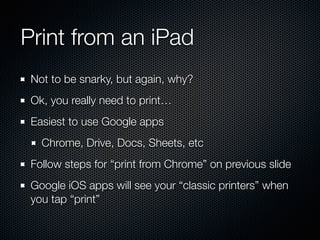
Print from an iPad
Not to be snarky, but again, why?
Ok, you really need to print…
Easiest to use Google apps
Chrome, Drive, Docs, Sheets, etc
Follow steps for “print from Chrome” on previous slide
Google iOS apps will see your “classic printers” when
you tap “print”
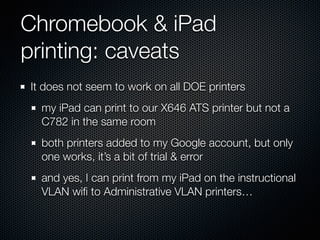
Chromebook & iPad
printing: caveats
It does not seem to work on all DOE printers
my iPad can print to our X646 ATS printer but not a
C782 in the same room
both printers added to my Google account, but only
one works, it’s a bit of trial & error
and yes, I can print from my iPad on the instructional
VLAN wifi to Administrative VLAN printers…
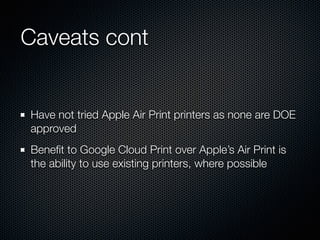
Caveats cont
Have not tried Apple Air Print printers as none are DOE
approved
Benefit to Google Cloud Print over Apple’s Air Print is
the ability to use existing printers, where possible
YouTube
the scourge
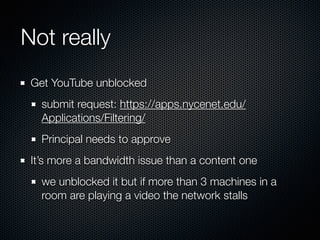
Not really
Get YouTube unblocked
submit request: https://apps.nycenet.edu/
Applications/Filtering/
Principal needs to approve
It’s more a bandwidth issue than a content one
we unblocked it but if more than 3 machines in a
room are playing a video the network stalls
Principal wont approve
YouTube?
Try these sites, that often stream YouTube videos (or
content similar to YouTube) even if YouTube the URL is
blocked:
http://www.watchknowlearn.org/
https://www.khanacademy.org/
http://www.schooltube.com/
Prep your YouTube lesson at
home
Find the video at home, download it to your Drive or
Drobpox or Box account, then play that clip in school
clipconverter.cc
keepvid.com
savefrom.net (or just as “ss” before “youtube” in the
URL to prompt the download - as in
www.ssyoutube.com….)
Websites…
because sometimes the easiest hack is
knowledge
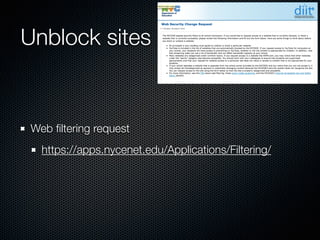
Unblock sites
Web filtering request
https://apps.nycenet.edu/Applications/Filtering/
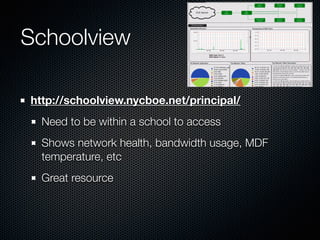
Schoolview
http://schoolview.nycboe.net/principal/
Need to be within a school to access
Shows network health, bandwidth usage, MDF
temperature, etc
Great resource
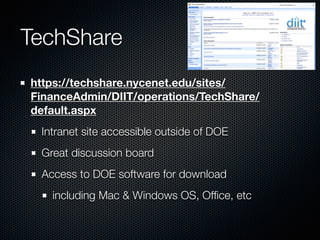
TechShare
https://techshare.nycenet.edu/sites/
FinanceAdmin/DIIT/operations/TechShare/
default.aspx
Intranet site accessible outside of DOE
Great discussion board
Access to DOE software for download
including Mac & Windows OS, Office, etc
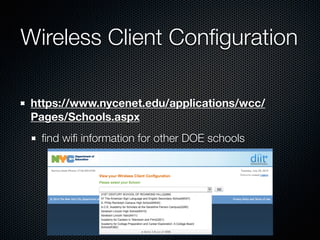
Wireless Client Configuration
https://www.nycenet.edu/applications/wcc/
Pages/Schools.aspx
find wifi information for other DOE schools
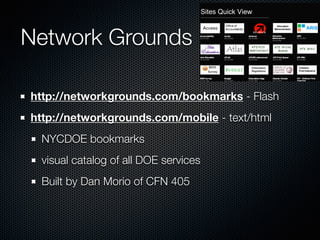
Network Grounds
http://networkgrounds.com/bookmarks - Flash
http://networkgrounds.com/mobile - text/html
NYCDOE bookmarks
visual catalog of all DOE services
Built by Dan Morio of CFN 405
What do you need?
Lets solve some problems while we’re here…
Hacking
It’s about changing the way we approach things
and making the most of what we have for the
benefit of our students
Be inspired, follow Michelle Cordy @cordym
Watch this: http://youtu.be/puSPuSviWaE?t=20m15s (20:15-26:06)
Contact
Presentation Materials:
http://goo.gl/irH2Mo (case sensitive)
!
Christopher M. Casal 

Technology Teacher/Coordinator 

P. S. 10 (15K010)
Email: ccasal@ps10.org
Twitter: @mr_casal
Diigo: mrcasal
slideshare.net/mr_casal
thecasalos.blogspot.com
ps10ipads.wikispaces.com

Hack the DOE: Making it work even when you thought you couldn't - #NYCSTS14

  • 1.
    Chris Casal Technology Coordinator/Teacher P.S. 10 Brooklyn (15K010) ccasal@ps10.org Twitter: @mr_casal Hack the DOE Making it Work Even When You Thought You Couldn’t School Technology Summit 2014 - 7/30/14 Presentation Materials: http://goo.gl/irH2Mo (case sensitive)
  • 2.
    What doesn’t work? Theusual suspects YouTube is blocked Flash wont update iPads wont update what else…?
  • 3.
    My top tricks Flash,iOS updates, Chromebook & iPad printing
  • 4.
    iPads wont update? Noproblem Running iOS 6 or older? can’t update on DOE network use Configurator via USB take device home & update to iOS 7 Running iOS 7? problem is solved, will update in DOE might need to wait for quiet network time (ie: before or after school)
  • 5.
    No Flash oniPads? No problem Download either: Rover - plays Flash, geared toward edu content Puffin Lite - plays all Flash for a limited time Puffin - unlimited Flash access
  • 6.
    Flash won’t update? Ofcourse it won’t, installer is blocked by the proxy Download full version here: http://get.adobe.com/flashplayer/otherversions/ Bottom of page click: your operating system/ browser combination is not displayed, click here for older versions of Adobe Flash Player. Scroll to Flash Player Archives Download latest version (it’ll be 100+ MB)
  • 7.
    Flash pt 2… A.zip file downloads Double-click to open Navigate to the main folder (not the “debug” one) For Mac users: double click the “_pkg.dmg” file and then use the enclosed package to install & distribute For Windows users: double click the one of the Windows files (either .msi or .exe - to be honest I’m not sure, I’m a Mac guy, nay a Windows box in sight)
  • 8.
    Flash pt 3 Hereis a step-by-step tutorial of how to update Flash within the NYCDOE (Mac specific) https://www.dropbox.com/s/xxmtzsc1cc9e1co/ Flash_Update_setup.pdf
  • 9.
    Easiest way toupdate Flash? Use Chrome the Flash updates are embedded within the browser auto-update so you should never have a problem
  • 10.
    Print from aChromebook Why? It’s a Chromebook, everything is in the cloud It’s paperless, that’s kind of the point… Ok, you really need to print? log in to your Google account on a printer-connected computer & print away
  • 11.
    or Print fromChrome Log in to Chrome, the browser, on a machine already configured to print Go to Settings -> Show Advanced Settings Google Cloud Print -> Manage -> Classic Printers -> Add printers this will add locally connected printers to your Google Account sign in to a Chromebook, with the same account, and print away…
  • 12.
    Print from aniPad Not to be snarky, but again, why? Ok, you really need to print… Easiest to use Google apps Chrome, Drive, Docs, Sheets, etc Follow steps for “print from Chrome” on previous slide Google iOS apps will see your “classic printers” when you tap “print”
  • 13.
    Chromebook & iPad printing:caveats It does not seem to work on all DOE printers my iPad can print to our X646 ATS printer but not a C782 in the same room both printers added to my Google account, but only one works, it’s a bit of trial & error and yes, I can print from my iPad on the instructional VLAN wifi to Administrative VLAN printers…
  • 14.
    Caveats cont Have nottried Apple Air Print printers as none are DOE approved Benefit to Google Cloud Print over Apple’s Air Print is the ability to use existing printers, where possible
  • 15.
  • 16.
    Not really Get YouTubeunblocked submit request: https://apps.nycenet.edu/ Applications/Filtering/ Principal needs to approve It’s more a bandwidth issue than a content one we unblocked it but if more than 3 machines in a room are playing a video the network stalls
  • 17.
    Principal wont approve YouTube? Trythese sites, that often stream YouTube videos (or content similar to YouTube) even if YouTube the URL is blocked: http://www.watchknowlearn.org/ https://www.khanacademy.org/ http://www.schooltube.com/
  • 18.
    Prep your YouTubelesson at home Find the video at home, download it to your Drive or Drobpox or Box account, then play that clip in school clipconverter.cc keepvid.com savefrom.net (or just as “ss” before “youtube” in the URL to prompt the download - as in www.ssyoutube.com….)
  • 19.
    Websites… because sometimes theeasiest hack is knowledge
  • 20.
    Unblock sites Web filteringrequest https://apps.nycenet.edu/Applications/Filtering/
  • 21.
    Schoolview http://schoolview.nycboe.net/principal/ Need to bewithin a school to access Shows network health, bandwidth usage, MDF temperature, etc Great resource
  • 22.
    TechShare https://techshare.nycenet.edu/sites/ FinanceAdmin/DIIT/operations/TechShare/ default.aspx Intranet site accessibleoutside of DOE Great discussion board Access to DOE software for download including Mac & Windows OS, Office, etc
  • 23.
  • 24.
    Network Grounds http://networkgrounds.com/bookmarks -Flash http://networkgrounds.com/mobile - text/html NYCDOE bookmarks visual catalog of all DOE services Built by Dan Morio of CFN 405
  • 25.
    What do youneed? Lets solve some problems while we’re here…
  • 26.
    Hacking It’s about changingthe way we approach things and making the most of what we have for the benefit of our students Be inspired, follow Michelle Cordy @cordym Watch this: http://youtu.be/puSPuSviWaE?t=20m15s (20:15-26:06)
  • 27.
    Contact Presentation Materials: http://goo.gl/irH2Mo (casesensitive) ! Christopher M. Casal 
 Technology Teacher/Coordinator 
 P. S. 10 (15K010) Email: ccasal@ps10.org Twitter: @mr_casal Diigo: mrcasal slideshare.net/mr_casal thecasalos.blogspot.com ps10ipads.wikispaces.com