Experience the GTM Evolution!Paperless Online Payroll, Integrated HR& Report Generating System better advice, better service, better value…for an easier life!
Welcome to GTM Payroll Services’ demo of our Internet Payroll, Integrated HR & Report Generating Software tool. This self running demo will introduce you to our online solution for payroll data management and reporting.
The demo is structured to provide an overview of the software’s ability to:Add and manage employee control data,
Input and process payroll by use of both batch and individual employee options,
Schedule earnings and deductions,
Collect and print reporting data, and…
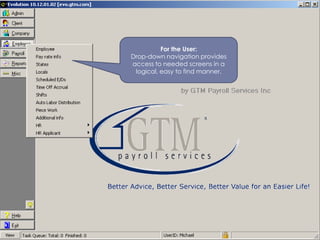
Document HR-related informationFor the User: Drop-down navigation provides access to needed screens in a logical, easy to find manner.
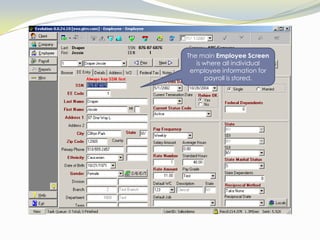
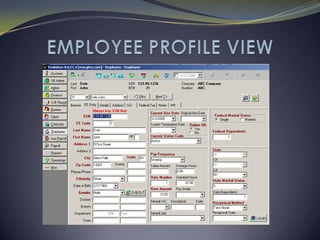
The main Employee Screen is where all individual employee information for payroll is stored.
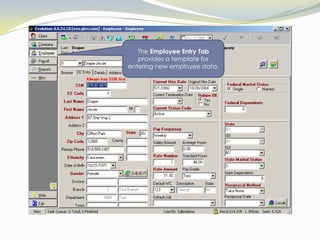
The Employee Entry Tab provides a template for entering new employee data.
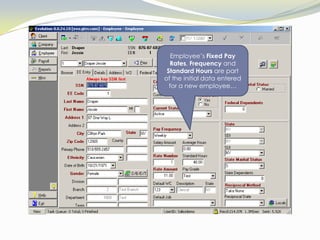
Employee’s Fixed Pay Rates, Frequency and Standard Hours are part of the initial data entered for a new employee…
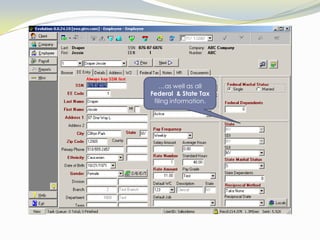
…as well as all Federal  & State Taxfiling information.
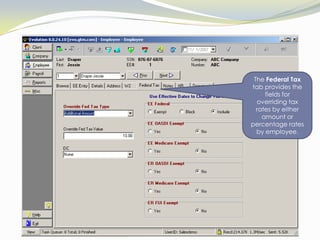
The Federal Tax tab provides the fields for overriding tax rates by either amount or percentage rates by employee.
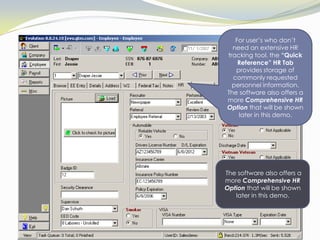
For user’s who don’t need an extensive HR tracking tool, the “Quick Reference” HR Tab provides storage of commonly requested personnel information.  The software also offers a more Comprehensive HR Option that will be shown later in this demo. The software also offers a more Comprehensive HR Option that will be shown later in this demo.
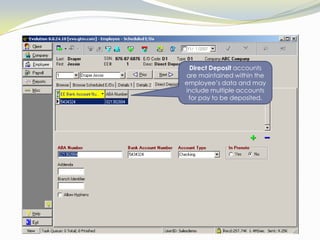
Direct Deposit accounts are maintained within the employee’s data and may  include multiple accounts for pay to be deposited.
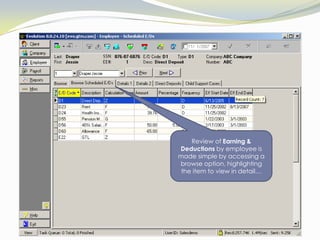
Review of Earning & Deductions by employee is made simple by accessing a browse option, highlighting the item to view in detail…
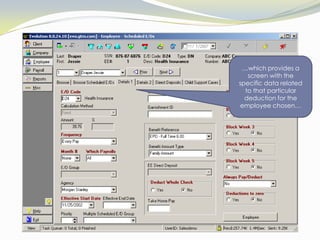
…which provides a screen with the specific data related to that particular deduction for the employee chosen…
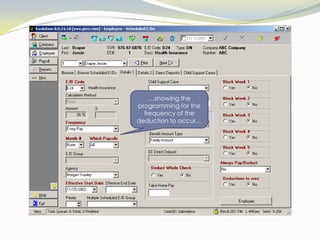
…showing the programming for the frequency of the deduction to occur…
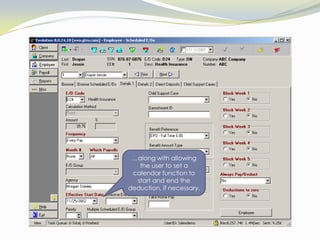
…along with allowing the user to set a calendar function to start and end the deduction, if necessary.
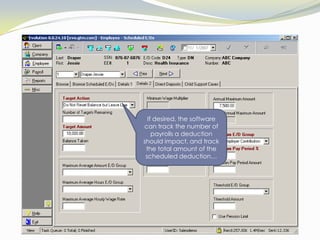
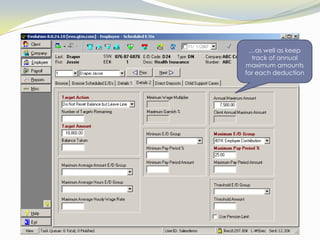
If desired, the software can track the number of payrolls a deduction should impact, and track the total amount of the scheduled deduction…
…as well as keep track of annual maximum amounts for each deduction
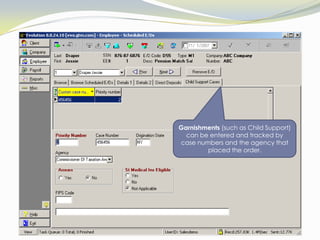
Garnishments (such as Child Support) can be entered and tracked by case numbers and the agency that placed the order.
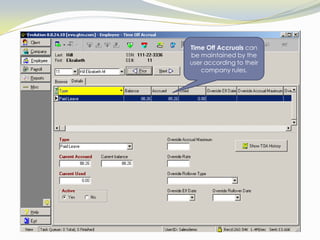
Time Off Accruals can be maintained by the user according to their company rules.
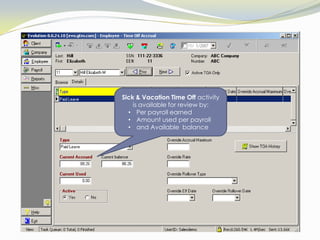
Sick & Vacation Time Off activity is available for review by:Per payroll earned
Amount used per payroll
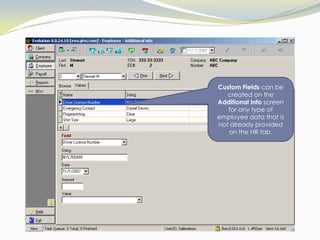
and Available  balanceCustom Fields can be created on the Additional Info screen for any type of employee data that is not already provided on the HR tab.
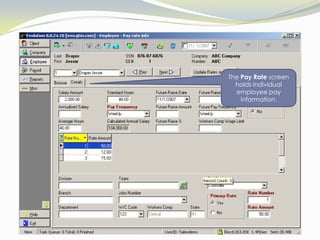
The Pay Rate screen holds individual employee pay information.
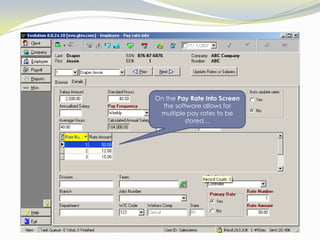
On the Pay Rate Info Screen the software allows for multiple pay rates to be stored…
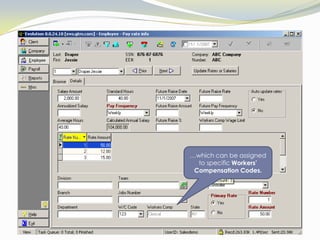
…which can be assigned to specific Workers’ Compensation Codes.
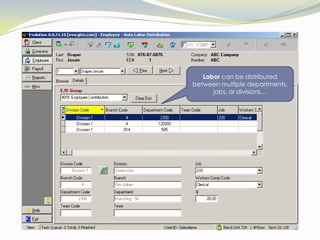
Labor can be distributed between multiple departments, jobs, or divisions…
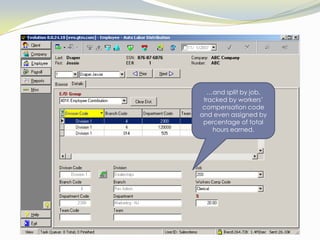
…and split by job, tracked by workers’ compensation code and even assigned by percentage of total hours earned.
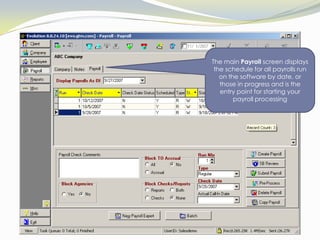
The main Payroll screen displays the schedule for all payrolls run on the software by date, or those in progress and is the entry point for starting your payroll processing
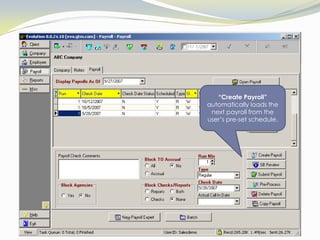
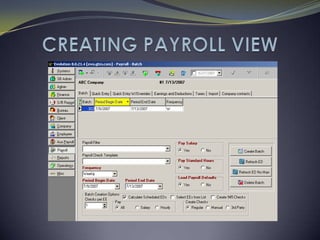
“Create Payroll” automatically loads the next payroll from the user’s pre-set schedule.
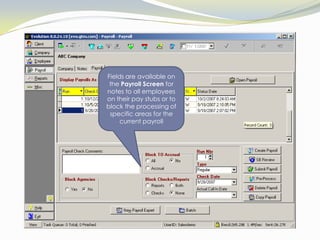
Fields are available on the Payroll Screen for notes to all employees on their pay stubs or to block the processing of specific areas for the current payroll
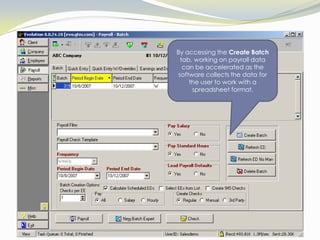
By accessing the Create Batch tab, working on payroll data can be accelerated as the software collects the data for the user to work with a spreadsheet format.
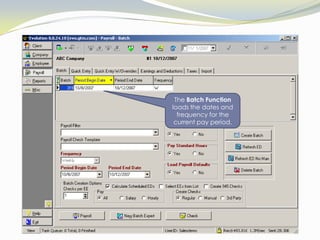
The Batch Function loads the dates and frequency for the current pay period.
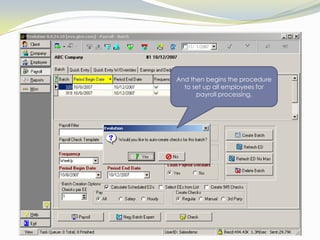
And then begins the procedure to set up all employees for payroll processing.
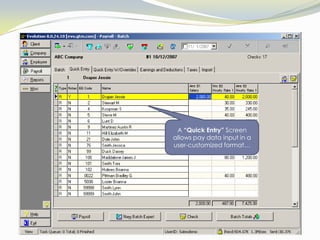
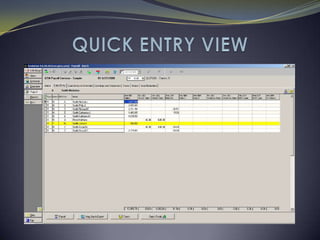
A “Quick Entry” Screen allows pay data input in a user-customized format…
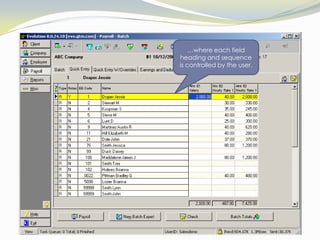
…where each field heading and sequence is controlled by the user.
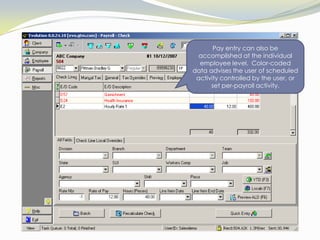
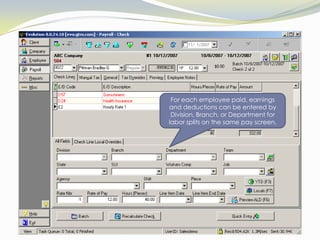
Pay entry can also be accomplished at the individual employee level.  Color-coded data advises the user of scheduled activity controlled by the user, or set per-payroll activity.
For each employee paid, earnings and deductions can be entered by Division, Branch, or Department for labor splits on the same pay screen.
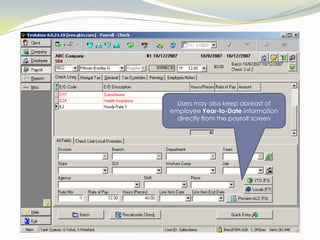
Users may also keep abreast of employee Year-to-Date information directly from the payroll screen
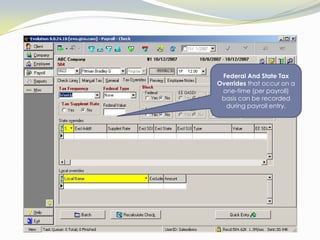
Federal And State Tax Overrides that occur on a one-time (per payroll) basis can be recorded during payroll entry.
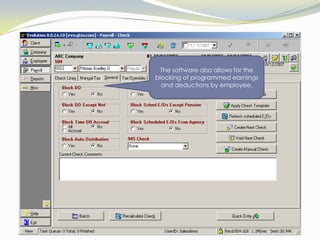
The software also allows for the blocking of programmed earnings and deductions by employee.
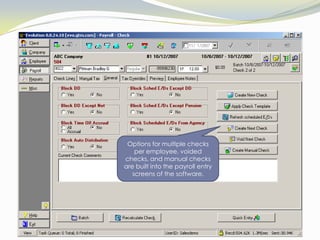
Options for multiple checks per employee, voided checks, and manual checks are built into the payroll entry screens of the software.
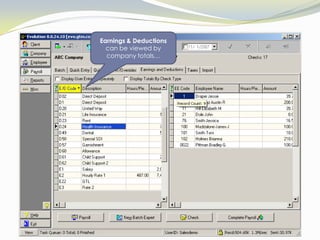
Earnings & Deductions can be viewed by company totals…
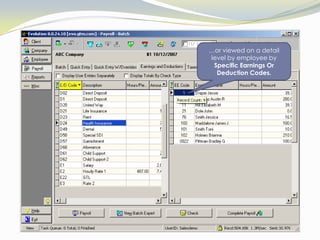
…or viewed on a detail level by employee by Specific Earnings Or Deduction Codes.
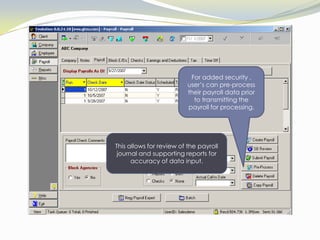
For added security , user’s can pre-process their payroll data prior to transmitting the payroll for processing.This allows for review of the payroll journal and supporting reports for accuracy of data input.
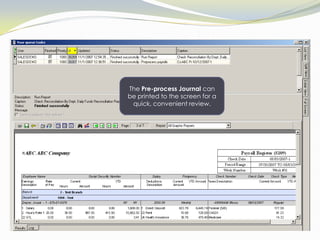
The Pre-process Journal canbe printed to the screen for a quick, convenient review.
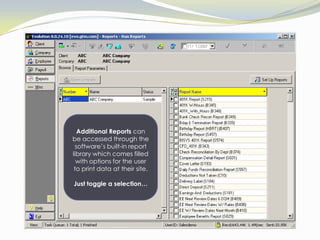
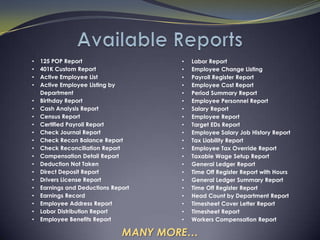
AdditionalReports can be accessed through the software’s built-in report library which comes filled with options for the user to print data at their site.Just toggle a selection…
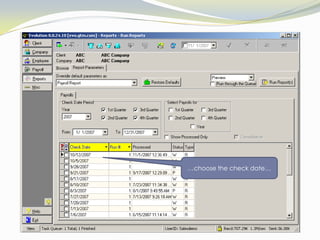
…choose the check date…
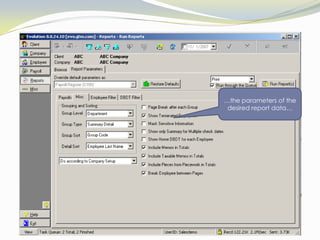
…the parameters of the desired report data…
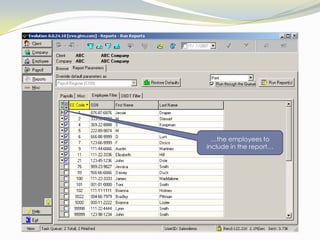
…the employees to include in the report…
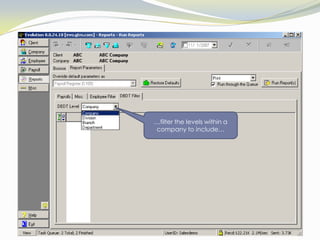
…filter the levels within a company to include…
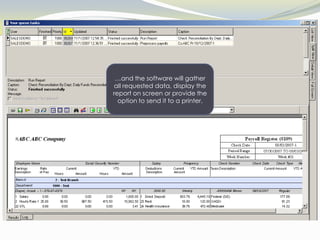
…and the software will gather all requested data, display the report on screen or provide the option to send it to a printer.
EMPLOYEE PROFILE VIEW
CREATING PAYROLL VIEW

GTM's Evolution Demo

  • 1.
    Experience the GTMEvolution!Paperless Online Payroll, Integrated HR& Report Generating System better advice, better service, better value…for an easier life!
  • 2.
    Welcome to GTMPayroll Services’ demo of our Internet Payroll, Integrated HR & Report Generating Software tool. This self running demo will introduce you to our online solution for payroll data management and reporting.
  • 3.
    The demo isstructured to provide an overview of the software’s ability to:Add and manage employee control data,
  • 4.
    Input and processpayroll by use of both batch and individual employee options,
  • 5.
  • 6.
    Collect and printreporting data, and…
  • 7.
    Document HR-related informationForthe User: Drop-down navigation provides access to needed screens in a logical, easy to find manner.
  • 8.
    The main EmployeeScreen is where all individual employee information for payroll is stored.
  • 9.
    The Employee EntryTab provides a template for entering new employee data.
  • 10.
    Employee’s Fixed PayRates, Frequency and Standard Hours are part of the initial data entered for a new employee…
  • 11.
    …as well asall Federal & State Taxfiling information.
  • 12.
    The Federal Taxtab provides the fields for overriding tax rates by either amount or percentage rates by employee.
  • 13.
    For user’s whodon’t need an extensive HR tracking tool, the “Quick Reference” HR Tab provides storage of commonly requested personnel information. The software also offers a more Comprehensive HR Option that will be shown later in this demo. The software also offers a more Comprehensive HR Option that will be shown later in this demo.
  • 14.
    Direct Deposit accountsare maintained within the employee’s data and may include multiple accounts for pay to be deposited.
  • 15.
    Review of Earning& Deductions by employee is made simple by accessing a browse option, highlighting the item to view in detail…
  • 16.
    …which provides ascreen with the specific data related to that particular deduction for the employee chosen…
  • 17.
    …showing the programmingfor the frequency of the deduction to occur…
  • 18.
    …along with allowingthe user to set a calendar function to start and end the deduction, if necessary.
  • 19.
    If desired, thesoftware can track the number of payrolls a deduction should impact, and track the total amount of the scheduled deduction…
  • 20.
    …as well askeep track of annual maximum amounts for each deduction
  • 21.
    Garnishments (such asChild Support) can be entered and tracked by case numbers and the agency that placed the order.
  • 22.
    Time Off Accrualscan be maintained by the user according to their company rules.
  • 23.
    Sick & VacationTime Off activity is available for review by:Per payroll earned
  • 24.
  • 25.
    and Available balanceCustom Fields can be created on the Additional Info screen for any type of employee data that is not already provided on the HR tab.
  • 26.
    The Pay Ratescreen holds individual employee pay information.
  • 27.
    On the PayRate Info Screen the software allows for multiple pay rates to be stored…
  • 28.
    …which can beassigned to specific Workers’ Compensation Codes.
  • 29.
    Labor can bedistributed between multiple departments, jobs, or divisions…
  • 30.
    …and split byjob, tracked by workers’ compensation code and even assigned by percentage of total hours earned.
  • 31.
    The main Payrollscreen displays the schedule for all payrolls run on the software by date, or those in progress and is the entry point for starting your payroll processing
  • 32.
    “Create Payroll” automaticallyloads the next payroll from the user’s pre-set schedule.
  • 33.
    Fields are availableon the Payroll Screen for notes to all employees on their pay stubs or to block the processing of specific areas for the current payroll
  • 34.
    By accessing theCreate Batch tab, working on payroll data can be accelerated as the software collects the data for the user to work with a spreadsheet format.
  • 35.
    The Batch Functionloads the dates and frequency for the current pay period.
  • 36.
    And then beginsthe procedure to set up all employees for payroll processing.
  • 37.
    A “Quick Entry”Screen allows pay data input in a user-customized format…
  • 38.
    …where each fieldheading and sequence is controlled by the user.
  • 39.
    Pay entry canalso be accomplished at the individual employee level. Color-coded data advises the user of scheduled activity controlled by the user, or set per-payroll activity.
  • 40.
    For each employeepaid, earnings and deductions can be entered by Division, Branch, or Department for labor splits on the same pay screen.
  • 41.
    Users may alsokeep abreast of employee Year-to-Date information directly from the payroll screen
  • 42.
    Federal And StateTax Overrides that occur on a one-time (per payroll) basis can be recorded during payroll entry.
  • 43.
    The software alsoallows for the blocking of programmed earnings and deductions by employee.
  • 44.
    Options for multiplechecks per employee, voided checks, and manual checks are built into the payroll entry screens of the software.
  • 45.
    Earnings & Deductionscan be viewed by company totals…
  • 46.
    …or viewed ona detail level by employee by Specific Earnings Or Deduction Codes.
  • 47.
    For added security, user’s can pre-process their payroll data prior to transmitting the payroll for processing.This allows for review of the payroll journal and supporting reports for accuracy of data input.
  • 48.
    The Pre-process Journalcanbe printed to the screen for a quick, convenient review.
  • 49.
    AdditionalReports can beaccessed through the software’s built-in report library which comes filled with options for the user to print data at their site.Just toggle a selection…
  • 50.
  • 51.
    …the parameters ofthe desired report data…
  • 52.
    …the employees toinclude in the report…
  • 53.
    …filter the levelswithin a company to include…
  • 54.
    …and the softwarewill gather all requested data, display the report on screen or provide the option to send it to a printer.
  • 55.
  • 56.