Journey to GTD Zen
Implementing GTD with
✔
Preface
Most of my implementation of GTD techniques are
based on blog posts and youtube videos
The key to GTD is finding a system and workflow that
works for you
Last Fall, I knew I needed to make some
organizational changes in order to maintain work-life
balance and be even more efficient with my time
My goal is just to show my system and the tool I’ve
decided to use as well as the strategies I’ve learned
along the way
I’ll discuss the tools I use but the practices are not
limited to a particular tool
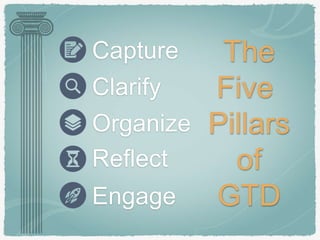
Capture
Clarify
Organize
Reflect
Engage
The
Five
Pillars
of
GTD
GTD Basics
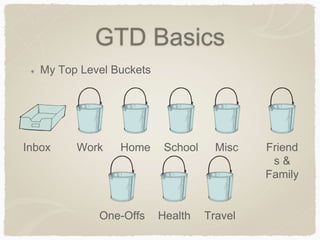
My Top Level Buckets
Friend
s &
Family
Work Home School Misc
One-Offs Health Travel
Inbox
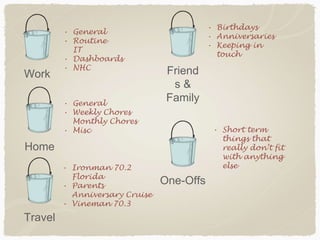
Friend
s &
Family
Work
Home
One-Offs
Travel
• General
• Routine
IT
• Dashboards
• NHC
• General
• Weekly Chores
Monthly Chores
• Misc
• Ironman 70.2
Florida
• Parents
Anniversary Cruise
• Vineman 70.3
• Birthdays
• Anniversaries
• Keeping in
touch
• Short term
things that
really don’t fit
with anything
else
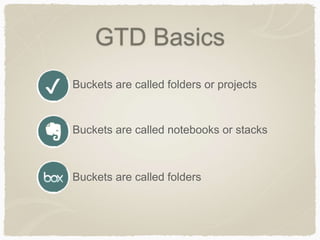
GTD Basics
Buckets are called folders or projects✔
Buckets are called folders
Buckets are called notebooks or stacks
GTD Basics
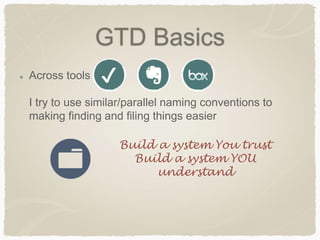
Across tools
I try to use similar/parallel naming conventions to
making finding and filing things easier
✔
Build a system You trust
Build a system YOU
understand
GTD Basics
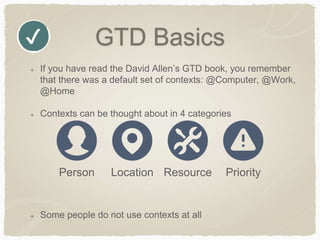
If you have read the David Allen’s GTD book, you remember
that there was a default set of contexts: @Computer, @Work,
@Home
Contexts can be thought about in 4 categories
Some people do not use contexts at all
✔
Person Location Resource Priority
GTD Basics
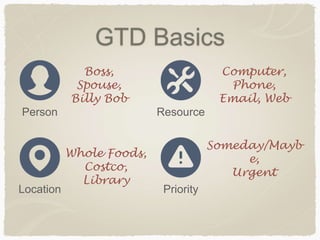
Person
Location
Resource
Priority
Boss,
Spouse,
Billy Bob
Whole Foods,
Costco,
Library
Computer,
Phone,
Email, Web
Someday/Mayb
e,
Urgent
GTD Basics
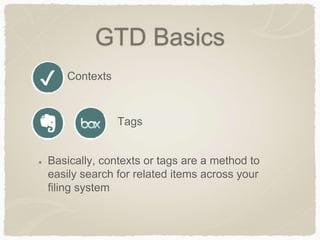
Contexts✔
Tags
Basically, contexts or tags are a method to
easily search for related items across your
filing system
GTD Basics
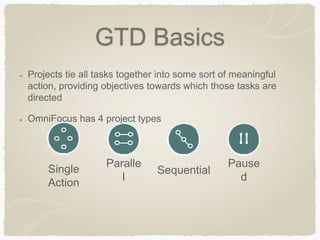
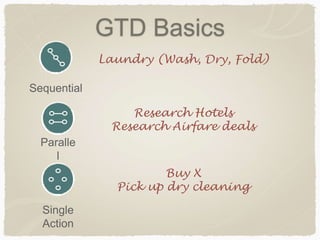
Projects tie all tasks together into some sort of meaningful
action, providing objectives towards which those tasks are
directed
OmniFocus has 4 project types
Single
Action
Paralle
l
Sequential
Pause
d
GTD Basics
Single
Action
Paralle
l
Sequential
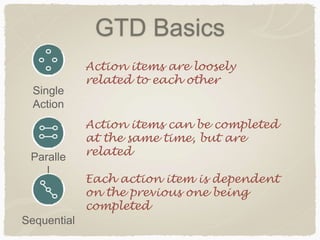
Each action item is dependent
on the previous one being
completed
Action items can be completed
at the same time, but are
related
Action items are loosely
related to each other
GTD Basics
Single
Action
Paralle
l
Sequential
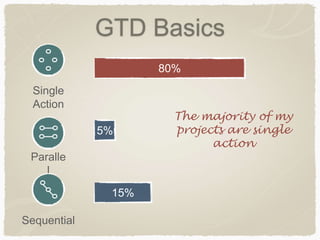
80%
15%
5%
The majority of my
projects are single
action
GTD Basics
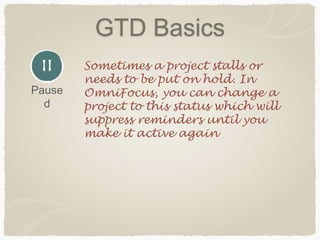
Sometimes a project stalls or
needs to be put on hold. In
OmniFocus, you can change a
project to this status which will
suppress reminders until you
make it active again
Pause
d
GTD Basics
Action items — Basically, for any project (and
a project is anything that takes more than 1
action), you need to ask yourself, “What is
the very next physical action necessary to
move this project forward?”
These actions get added to your project
GTD Basics
Single
Action
Paralle
l
Sequential
Laundry (Wash, Dry, Fold)
Research Hotels
Research Airfare deals
Buy X
Pick up dry cleaning
GTD Basics
Capturing actions is key to successful
GTD implementation
Get the action item into your system and
then trust your system
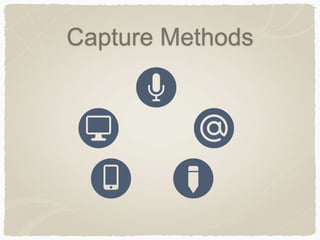
Capture Methods
Capture Methods
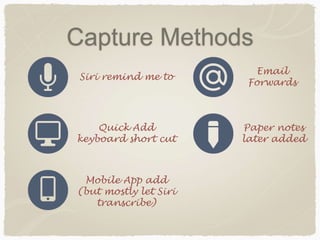
Siri remind me to
Quick Add
keyboard short cut
Email
Forwards
Paper notes
later added
Mobile App add
(but mostly let Siri
transcribe)
Clarify & Organize
Sometimes you capture the minimal aspects
of an action item to you inbox and then later
add it to a project, give it a context/due date,
etc
Have a well thought out filing system is key
Build a system You trust
Build a system YOU
understand
Reviewing
Optimal success comes from regularly
reviewing your projects and lists
Otherwise, your projects just become a black
hole and nothing gets done
Setup time to regularly review your projects
Some might be day, weekly, month, every
6 months depending on the project
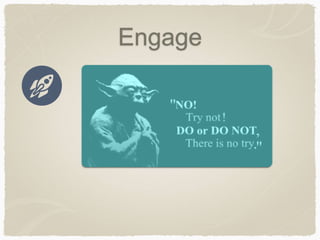
Engage

Getting Things Done

  • 1.
    Journey to GTDZen Implementing GTD with ✔
  • 2.
    Preface Most of myimplementation of GTD techniques are based on blog posts and youtube videos The key to GTD is finding a system and workflow that works for you Last Fall, I knew I needed to make some organizational changes in order to maintain work-life balance and be even more efficient with my time
  • 3.
    My goal isjust to show my system and the tool I’ve decided to use as well as the strategies I’ve learned along the way I’ll discuss the tools I use but the practices are not limited to a particular tool
  • 4.
  • 5.
    GTD Basics My TopLevel Buckets Friend s & Family Work Home School Misc One-Offs Health Travel Inbox
  • 6.
    Friend s & Family Work Home One-Offs Travel • General •Routine IT • Dashboards • NHC • General • Weekly Chores Monthly Chores • Misc • Ironman 70.2 Florida • Parents Anniversary Cruise • Vineman 70.3 • Birthdays • Anniversaries • Keeping in touch • Short term things that really don’t fit with anything else
  • 7.
    GTD Basics Buckets arecalled folders or projects✔ Buckets are called folders Buckets are called notebooks or stacks
  • 8.
    GTD Basics Across tools Itry to use similar/parallel naming conventions to making finding and filing things easier ✔ Build a system You trust Build a system YOU understand
  • 9.
    GTD Basics If youhave read the David Allen’s GTD book, you remember that there was a default set of contexts: @Computer, @Work, @Home Contexts can be thought about in 4 categories Some people do not use contexts at all ✔ Person Location Resource Priority
  • 10.
    GTD Basics Person Location Resource Priority Boss, Spouse, Billy Bob WholeFoods, Costco, Library Computer, Phone, Email, Web Someday/Mayb e, Urgent
  • 11.
    GTD Basics Contexts✔ Tags Basically, contextsor tags are a method to easily search for related items across your filing system
  • 12.
    GTD Basics Projects tieall tasks together into some sort of meaningful action, providing objectives towards which those tasks are directed OmniFocus has 4 project types Single Action Paralle l Sequential Pause d
  • 13.
    GTD Basics Single Action Paralle l Sequential Each actionitem is dependent on the previous one being completed Action items can be completed at the same time, but are related Action items are loosely related to each other
  • 14.
  • 15.
    GTD Basics Sometimes aproject stalls or needs to be put on hold. In OmniFocus, you can change a project to this status which will suppress reminders until you make it active again Pause d
  • 16.
    GTD Basics Action items— Basically, for any project (and a project is anything that takes more than 1 action), you need to ask yourself, “What is the very next physical action necessary to move this project forward?” These actions get added to your project
  • 17.
    GTD Basics Single Action Paralle l Sequential Laundry (Wash,Dry, Fold) Research Hotels Research Airfare deals Buy X Pick up dry cleaning
  • 18.
    GTD Basics Capturing actionsis key to successful GTD implementation Get the action item into your system and then trust your system
  • 19.
  • 20.
    Capture Methods Siri remindme to Quick Add keyboard short cut Email Forwards Paper notes later added Mobile App add (but mostly let Siri transcribe)
  • 21.
    Clarify & Organize Sometimesyou capture the minimal aspects of an action item to you inbox and then later add it to a project, give it a context/due date, etc Have a well thought out filing system is key Build a system You trust Build a system YOU understand
  • 22.
    Reviewing Optimal success comesfrom regularly reviewing your projects and lists Otherwise, your projects just become a black hole and nothing gets done Setup time to regularly review your projects Some might be day, weekly, month, every 6 months depending on the project
  • 23.