Learning to Solve Problems
      with Technology:
      A Constructivist Perspective

                    P. Brandon Crenshaw
                    TED 8770
                    March 4, 2009


Table of Contents
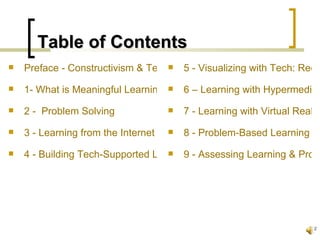
Table of Contents
   Preface - Constructivism & TechnologyVisualizing with Tech: Reco
                                    5-


   1- What is Meaningful Learning?     6 – Learning with Hypermedia
   2 - Problem Solving                 7 - Learning with Virtual Realiti
   3 - Learning from the Internet      8 - Problem-Based Learning En
   4 - Building Tech-Supported Learning -Communities
                                    9 Assessing Learning & Probl


                                                                        2
Preface


                    Constructivism & Technology


Table of Contents
Preface
   People naturally construct meaning.


   Teaching/learning that relies on efficient
    transmission of pre-packaged material is not
    natural.
   This book is about how to use technology to
    support constructive learning.
                          learning                 4
Preface
   Meaningful learning is:
       active
       constructive
       intentional
       authentic
       cooperative


   Students learn best by solving problems.
                                               5
Preface
   I could not agree with these statements more.
       We expect our students to learn material simply
        because it is there.
       We rarely give true meaning to what we do in
        class.
           It is assumed that because it’s in the book, it’s important to
            students.
           Conversely, if it’s not in the book/curriculum, then it needn’t
            be taught because it’s not important.


   These ideas have to change if today’s students
    are to take education seriously.
                          seriously                                       6
Chapter 1


                    What is Meaningful Learning?


Table of Contents
What is Learning?
   a biochemical activity in the brain
   a change in behavior
   information processing
   remembering and recalling
   social negotiation
   thinking skills                       8
What is Learning?
   knowledge construction
   conceptual change
   contextual change
   distributed among the community
   chaotic! (at times)

                                      9
What is Meaningful Learning?
   Active         (Manipulative, Observant)
   Constructive   (Articulative, Reflective)
   Intentional    (Reflective, Regulatory)
   Authentic      (Complex, Contextualized)
   Cooperative (Collaborative, Conversational)


                                              10
How does technology
        facilitate learning?
   In the Past: educators used new tech to
    teach in old ways.
       Students’ role was to learn from tech, just like
        they did from the teacher.
       Students used tech to produce products, but
        they've been simply reproducing what the teacher
        told them.


                                                           11
How does technology
     facilitate learning
   Students should use tech to present what
    they know, not simply reproduce it.

   Tech should function as a tool kit to let
    learners build meaning.


   Students don't learn from teachers or tech,
    but learn from thinking and doing.            12
How Tech Fosters Learning:
   Supports:
       knowledge construction
       learning by doing
       learning by collaborating


   Provides:
       information to explore learning
       means to reflect
                                          13
My Thoughts on
      Educational Technology
   Tech should be used as a tool for learning, not
    the end goal itself.
   Tech should make the job easier and better.
   We shouldn’t use tech just to say we did so.
   Not all tech is good, and we should carefully
    inspect what’s out there before purchasing.


                                                      14
Implications of Constructivism
   Teachers:
       must relinquish some authority
       help students evaluate what others think
       be familiar with technology


   Students:
       must construct own meaning from learning
       assume responsibility for own learning     15
Chapter 2


         Problem Solving is Meaningful Learning


Table of Contents                             16
What Drives Learning?
   The nature of the task is what drives learning.
       Memorizing for a test engages learners in
        rehearsal and organization.
       Writing a paper engages learners in finding
        information and writing.


   In order for learning to be meaningful, students
    must be engaged in meaningful tasks.               17
What Drives Learning?
   The most meaningful tasks require learners
    to solve problems.
       Everyday life is about problem solving!
           Doctors cure disease.
           Business people maximize profits.
           Homeowners care for their living spaces.


       Students should solve problems, too!
                                                       18
What Drives Learning?
   I don’t believe that we ask students to
    problem-solve enough (or at all!).

   This will take a major shift in education, as
    we have forgotten how to teach these skills.


                                                    19
What Drives Learning?
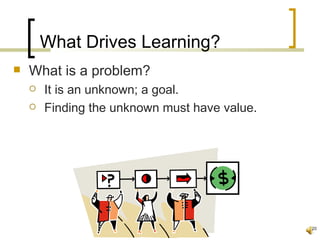
   What is a problem?
       It is an unknown; a goal.
       Finding the unknown must have value.


                                               20
Kinds of Problem-Solving
   Logical Problems
       abstract puzzle tests
       used to measure logical reasoning

   Algorithmic Problems
       solve questions using rigid procedures
       ex. – most Math problems

   Story Problems
       attempt to make algorithmic problems mimic real
        situations
                                                          21
Kinds of Problem-Solving
   Rule-Use Problems
       have a correct solution but multiple methods
       ex. – filing taxes, doing web info searches

   Decision-Making Problems
       decisions with limited number of solutions
       ex. – which health plan to select

   Troubleshooting Problems
       Very common real-life problem
       experience is usually very helpful
       ex. – fix a computer problem
                                                       22
Kinds of Problem-Solving
   Diagnosis-Solution Problems
       very similar to troubleshooting
       the goal is to fix a system and get it back online

   Tactical/Strategic Problems
       real-time, complex decision making
       solve a situation with multiple activities to achieve an
        objective

   Case/Systems Analysis Problems
       learners must understand complex systems in which the
        problem is often vague
       ex. – deciding factory production levels
                                                                   23
Kinds of Problem-Solving
   Design Problems
       require a great deal of knowledge to make an
        original design
       the goal is to design things (products) as
        solutions

   Dilemmas
       can be very difficult, as there is usually no
        solution that is acceptable to all
                                                        24
Kinds of Problem-Solving
   I know this list of problem-solving is
    extensive.
       I don’t think it’s severely important what kind of
        problems students are solving (yet).
       Just get them started thinking and not repeating!


                                                             25
Problem Solving with Technology
   Information Searching
       Webquests do no guarantee learning; students
        simply fill in info that teachers are looking for.
       Activities must have a purpose other than
        finishing an assignment.
       Students must be able to evaluate the info that
        they find on the internet.


                                                             26
Problem Solving with Technology
   Modeling Tasks or Content
       building models of real-world phenomena can
        help solve problems through virtual trials
       technology can be used to efficiently model
        situations


                                                      27
Problem Solving with Technology
   Decision Making
       these problems involve selecting an option from
        a list of choices
       technology can be used to model situations to
        try to predict the best outcome


                                                          28
Problem Solving with Technology
   Designing
       design problems are difficult because the goals
        are unclear and feedback is delayed
       people use technology for design problems
        when they create videos, webpages, etc.


                                                          29
Problem Solving with Technology
   Again, be careful with tech!!!
       Don’t use it just because it’s there.
       Don’t make tech the focus of your work.


                                                  30
Chapter 3


          Learning from the Internet:
          Information to Knowledge Through Inquiry


Table of Contents                             31
What is the Internet?
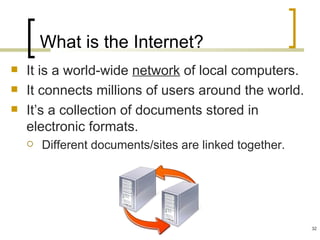
   It is a world-wide network of local computers.
   It connects millions of users around the world.
   It’s a collection of documents stored in
    electronic formats.
       Different documents/sites are linked together.


                                                         32
What’s New with the Internet?
   Increased Access, Bandwith, Multimedia
   Videoconferencing / Distance Learning
   Internet 2 (advanced applications and tech)
   Wireless & Human-Centric Computing


                                                  33
What Should We Do with the Internet?

   search for information
   evaluate information
   webquests
   web collections
   web publishing
   virtual field trips                    34
My Thoughts on the Internet
   Try to keep current with what’s new.
       I’ve found myself not keeping current, and now I feel
        like I’m playing catch-up.
       It’s easiest to absorb a bit at a time.
       Keep notes on what you like so that you can revisit
        sites later.
       Don’t be afraid to ask the students for help!!!


                                                                35
Chapter 4


             Building Technology-Supported
             Learning Communities on the Internet


Table of Contents                              36
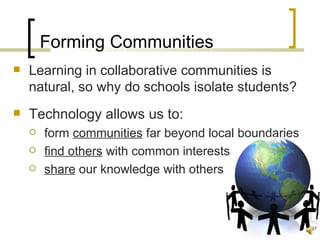
Forming Communities
   Learning in collaborative communities is
    natural, so why do schools isolate students?
   Technology allows us to:
       form communities far beyond local boundaries
       find others with common interests
       share our knowledge with others


                                                       37
Supportive Technologies
   The internet has many aspects:
       Email
       Listservs
       Electronic Bulletin Boards
       Chats
       Videoconferencing
       Groupware (ex. Google Docs)


                                      38
Scaffolding Conversations in
        Computer Conferences
   Online communication requires students:
       interpret messages
       appropriately respond
       construct coherent statements


                                              39
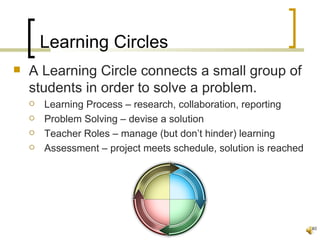
Learning Circles
   A Learning Circle connects a small group of
    students in order to solve a problem.
       Learning Process – research, collaboration, reporting
       Problem Solving – devise a solution
       Teacher Roles – manage (but don’t hinder) learning
       Assessment – project meets schedule, solution is reached


                                                                   40
Chapter 5


           Learning by Visualizing with Technology:
           Recording Realities with Video


Table of Contents                               41
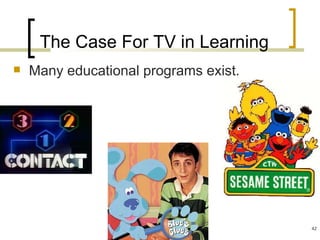
The Case For TV in Learning
   Many educational programs exist.


                                       42
The Case Against TV in Learning
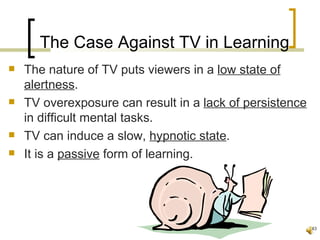
   The nature of TV puts viewers in a low state of
    alertness.
   TV overexposure can result in a lack of persistence
    in difficult mental tasks.
   TV can induce a slow, hypnotic state.
   It is a passive form of learning.


                                                          43
Video in Schools
   Student-made video has several benefits:
       involves planning, producing, sharing
       provides valuable feedback
       fosters cooperative learning
       creates good PR material to be used


                                                44
Necessary Equipment
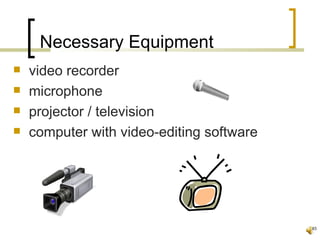
   video recorder
   microphone
   projector / television
   computer with video-editing software


                                           45
Video Learning Activities
   Video press conference
   Newscast
   Talk show
   Digital storytelling
   Documentary
   Videoconferencing


                                 46
Chapter 6


                    Learning by Constructing
                    Realities with Hypermedia


Table of Contents                               47
What are Multimedia?
   DVD
   CD
   Internet (hypermedia)
   Computer-based multimedia
       flash, video games


                                48
Student-Created Hypermedia
   Students are actively engaged when creating
    hypermedia projects.
       networking
       interactivity
       problem-solving
       creativity
       flexibility


                                                  49
Chapter 7


                    Learning by Exploring
                    Micro-Worlds & Virtual Realities


Table of Contents                                      50
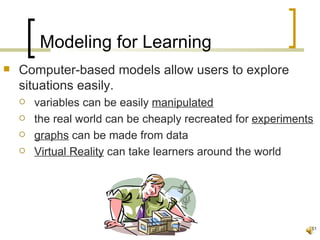
Modeling for Learning
   Computer-based models allow users to explore
    situations easily.
       variables can be easily manipulated
       the real world can be cheaply recreated for experiments
       graphs can be made from data
       Virtual Reality can take learners around the world


                                                              51
Chapter 8


                    Learning in Problem-Based
                    Learning Environments


Table of Contents                               52
Story Problems
   the most common type of problem-solving
   Students take info from the story, run numbers
    through a formula, and get the answer.
   Students are rarely successful at transferring their
    ability to solve these problems to other problems.
       From a personal standpoint, I like using these to
        provide a context for problems.
       Although not perfect, they are better than simple
        problems.
                                                            53
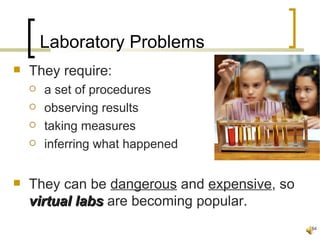
Laboratory Problems
   They require:
       a set of procedures
       observing results
       taking measures
       inferring what happened


   They can be dangerous and expensive, so
    virtual labs are becoming popular.
                                              54
Chapter 9


                    Assessing Constructive Learning &
                    Problem-Solving with Technology


Table of Contents                                   55
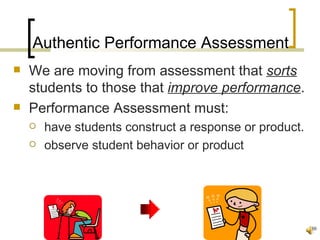
Authentic Performance Assessment
   We are moving from assessment that sorts
    students to those that improve performance.
   Performance Assessment must:
       have students construct a response or product.
       observe student behavior or product


                                                         56
Assessing Learning with Rubrics
   A rubric is designed to govern action.
   Good rubrics:
       include all important elements
       each element is easy to understand
       ratings are distinct and descriptive


                                               57

Green5&7

  • 1.
    Learning to SolveProblems with Technology: A Constructivist Perspective P. Brandon Crenshaw TED 8770 March 4, 2009 Table of Contents
  • 2.
    Table of Contents  Preface - Constructivism & TechnologyVisualizing with Tech: Reco  5-  1- What is Meaningful Learning? 6 – Learning with Hypermedia  2 - Problem Solving  7 - Learning with Virtual Realiti  3 - Learning from the Internet  8 - Problem-Based Learning En  4 - Building Tech-Supported Learning -Communities  9 Assessing Learning & Probl 2
  • 3.
    Preface Constructivism & Technology Table of Contents
  • 4.
    Preface  People naturally construct meaning.  Teaching/learning that relies on efficient transmission of pre-packaged material is not natural.  This book is about how to use technology to support constructive learning. learning 4
  • 5.
    Preface  Meaningful learning is:  active  constructive  intentional  authentic  cooperative  Students learn best by solving problems. 5
  • 6.
    Preface  I could not agree with these statements more.  We expect our students to learn material simply because it is there.  We rarely give true meaning to what we do in class.  It is assumed that because it’s in the book, it’s important to students.  Conversely, if it’s not in the book/curriculum, then it needn’t be taught because it’s not important.  These ideas have to change if today’s students are to take education seriously. seriously 6
  • 7.
    Chapter 1 What is Meaningful Learning? Table of Contents
  • 8.
    What is Learning?  a biochemical activity in the brain  a change in behavior  information processing  remembering and recalling  social negotiation  thinking skills 8
  • 9.
    What is Learning?  knowledge construction  conceptual change  contextual change  distributed among the community  chaotic! (at times) 9
  • 10.
    What is MeaningfulLearning?  Active (Manipulative, Observant)  Constructive (Articulative, Reflective)  Intentional (Reflective, Regulatory)  Authentic (Complex, Contextualized)  Cooperative (Collaborative, Conversational) 10
  • 11.
    How does technology facilitate learning?  In the Past: educators used new tech to teach in old ways.  Students’ role was to learn from tech, just like they did from the teacher.  Students used tech to produce products, but they've been simply reproducing what the teacher told them. 11
  • 12.
    How does technology facilitate learning  Students should use tech to present what they know, not simply reproduce it.  Tech should function as a tool kit to let learners build meaning.  Students don't learn from teachers or tech, but learn from thinking and doing. 12
  • 13.
    How Tech FostersLearning:  Supports:  knowledge construction  learning by doing  learning by collaborating  Provides:  information to explore learning  means to reflect 13
  • 14.
    My Thoughts on Educational Technology  Tech should be used as a tool for learning, not the end goal itself.  Tech should make the job easier and better.  We shouldn’t use tech just to say we did so.  Not all tech is good, and we should carefully inspect what’s out there before purchasing. 14
  • 15.
    Implications of Constructivism  Teachers:  must relinquish some authority  help students evaluate what others think  be familiar with technology  Students:  must construct own meaning from learning  assume responsibility for own learning 15
  • 16.
    Chapter 2 Problem Solving is Meaningful Learning Table of Contents 16
  • 17.
    What Drives Learning?  The nature of the task is what drives learning.  Memorizing for a test engages learners in rehearsal and organization.  Writing a paper engages learners in finding information and writing.  In order for learning to be meaningful, students must be engaged in meaningful tasks. 17
  • 18.
    What Drives Learning?  The most meaningful tasks require learners to solve problems.  Everyday life is about problem solving!  Doctors cure disease.  Business people maximize profits.  Homeowners care for their living spaces.  Students should solve problems, too! 18
  • 19.
    What Drives Learning?  I don’t believe that we ask students to problem-solve enough (or at all!).  This will take a major shift in education, as we have forgotten how to teach these skills. 19
  • 20.
    What Drives Learning?  What is a problem?  It is an unknown; a goal.  Finding the unknown must have value. 20
  • 21.
    Kinds of Problem-Solving  Logical Problems  abstract puzzle tests  used to measure logical reasoning  Algorithmic Problems  solve questions using rigid procedures  ex. – most Math problems  Story Problems  attempt to make algorithmic problems mimic real situations 21
  • 22.
    Kinds of Problem-Solving  Rule-Use Problems  have a correct solution but multiple methods  ex. – filing taxes, doing web info searches  Decision-Making Problems  decisions with limited number of solutions  ex. – which health plan to select  Troubleshooting Problems  Very common real-life problem  experience is usually very helpful  ex. – fix a computer problem 22
  • 23.
    Kinds of Problem-Solving  Diagnosis-Solution Problems  very similar to troubleshooting  the goal is to fix a system and get it back online  Tactical/Strategic Problems  real-time, complex decision making  solve a situation with multiple activities to achieve an objective  Case/Systems Analysis Problems  learners must understand complex systems in which the problem is often vague  ex. – deciding factory production levels 23
  • 24.
    Kinds of Problem-Solving  Design Problems  require a great deal of knowledge to make an original design  the goal is to design things (products) as solutions  Dilemmas  can be very difficult, as there is usually no solution that is acceptable to all 24
  • 25.
    Kinds of Problem-Solving  I know this list of problem-solving is extensive.  I don’t think it’s severely important what kind of problems students are solving (yet).  Just get them started thinking and not repeating! 25
  • 26.
    Problem Solving withTechnology  Information Searching  Webquests do no guarantee learning; students simply fill in info that teachers are looking for.  Activities must have a purpose other than finishing an assignment.  Students must be able to evaluate the info that they find on the internet. 26
  • 27.
    Problem Solving withTechnology  Modeling Tasks or Content  building models of real-world phenomena can help solve problems through virtual trials  technology can be used to efficiently model situations 27
  • 28.
    Problem Solving withTechnology  Decision Making  these problems involve selecting an option from a list of choices  technology can be used to model situations to try to predict the best outcome 28
  • 29.
    Problem Solving withTechnology  Designing  design problems are difficult because the goals are unclear and feedback is delayed  people use technology for design problems when they create videos, webpages, etc. 29
  • 30.
    Problem Solving withTechnology  Again, be careful with tech!!!  Don’t use it just because it’s there.  Don’t make tech the focus of your work. 30
  • 31.
    Chapter 3 Learning from the Internet: Information to Knowledge Through Inquiry Table of Contents 31
  • 32.
    What is theInternet?  It is a world-wide network of local computers.  It connects millions of users around the world.  It’s a collection of documents stored in electronic formats.  Different documents/sites are linked together. 32
  • 33.
    What’s New withthe Internet?  Increased Access, Bandwith, Multimedia  Videoconferencing / Distance Learning  Internet 2 (advanced applications and tech)  Wireless & Human-Centric Computing 33
  • 34.
    What Should WeDo with the Internet?  search for information  evaluate information  webquests  web collections  web publishing  virtual field trips 34
  • 35.
    My Thoughts onthe Internet  Try to keep current with what’s new.  I’ve found myself not keeping current, and now I feel like I’m playing catch-up.  It’s easiest to absorb a bit at a time.  Keep notes on what you like so that you can revisit sites later.  Don’t be afraid to ask the students for help!!! 35
  • 36.
    Chapter 4 Building Technology-Supported Learning Communities on the Internet Table of Contents 36
  • 37.
    Forming Communities  Learning in collaborative communities is natural, so why do schools isolate students?  Technology allows us to:  form communities far beyond local boundaries  find others with common interests  share our knowledge with others 37
  • 38.
    Supportive Technologies  The internet has many aspects:  Email  Listservs  Electronic Bulletin Boards  Chats  Videoconferencing  Groupware (ex. Google Docs) 38
  • 39.
    Scaffolding Conversations in Computer Conferences  Online communication requires students:  interpret messages  appropriately respond  construct coherent statements 39
  • 40.
    Learning Circles  A Learning Circle connects a small group of students in order to solve a problem.  Learning Process – research, collaboration, reporting  Problem Solving – devise a solution  Teacher Roles – manage (but don’t hinder) learning  Assessment – project meets schedule, solution is reached 40
  • 41.
    Chapter 5 Learning by Visualizing with Technology: Recording Realities with Video Table of Contents 41
  • 42.
    The Case ForTV in Learning  Many educational programs exist. 42
  • 43.
    The Case AgainstTV in Learning  The nature of TV puts viewers in a low state of alertness.  TV overexposure can result in a lack of persistence in difficult mental tasks.  TV can induce a slow, hypnotic state.  It is a passive form of learning. 43
  • 44.
    Video in Schools  Student-made video has several benefits:  involves planning, producing, sharing  provides valuable feedback  fosters cooperative learning  creates good PR material to be used 44
  • 45.
    Necessary Equipment  video recorder  microphone  projector / television  computer with video-editing software 45
  • 46.
    Video Learning Activities  Video press conference  Newscast  Talk show  Digital storytelling  Documentary  Videoconferencing 46
  • 47.
    Chapter 6 Learning by Constructing Realities with Hypermedia Table of Contents 47
  • 48.
    What are Multimedia?  DVD  CD  Internet (hypermedia)  Computer-based multimedia  flash, video games 48
  • 49.
    Student-Created Hypermedia  Students are actively engaged when creating hypermedia projects.  networking  interactivity  problem-solving  creativity  flexibility 49
  • 50.
    Chapter 7 Learning by Exploring Micro-Worlds & Virtual Realities Table of Contents 50
  • 51.
    Modeling for Learning  Computer-based models allow users to explore situations easily.  variables can be easily manipulated  the real world can be cheaply recreated for experiments  graphs can be made from data  Virtual Reality can take learners around the world 51
  • 52.
    Chapter 8 Learning in Problem-Based Learning Environments Table of Contents 52
  • 53.
    Story Problems  the most common type of problem-solving  Students take info from the story, run numbers through a formula, and get the answer.  Students are rarely successful at transferring their ability to solve these problems to other problems.  From a personal standpoint, I like using these to provide a context for problems.  Although not perfect, they are better than simple problems. 53
  • 54.
    Laboratory Problems  They require:  a set of procedures  observing results  taking measures  inferring what happened  They can be dangerous and expensive, so virtual labs are becoming popular. 54
  • 55.
    Chapter 9 Assessing Constructive Learning & Problem-Solving with Technology Table of Contents 55
  • 56.
    Authentic Performance Assessment  We are moving from assessment that sorts students to those that improve performance.  Performance Assessment must:  have students construct a response or product.  observe student behavior or product 56
  • 57.
    Assessing Learning withRubrics  A rubric is designed to govern action.  Good rubrics:  include all important elements  each element is easy to understand  ratings are distinct and descriptive 57