European
Forum
           March 19-23, 2012   | Lisbon
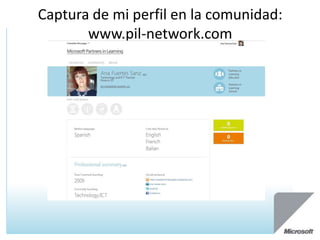
Captura de mi perfil en la comunidad:
       www.pil-network.com
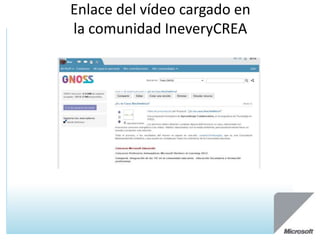
Enlace del vídeo cargado en
la comunidad IneveryCREA
Virtual Classroom Tour - VCT
Partners in Learning European Forum
         March 19 – 23, 2012
               Lisbon
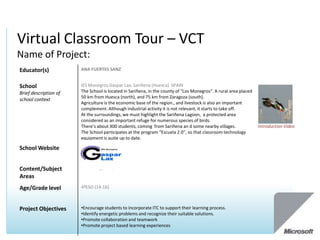
Virtual Classroom Tour – VCT
Name of Project:
Educator(s)            ANA FUERTES SANZ


School                 IES Monegros Gaspar Lax, Sariñena (Huesca) SPAIN
Brief description of   The School is located in Sariñena, in the county of “Los Monegros”. A rural area placed
                       50 km from Huesca (north), and 75 km from Zaragoza (south).
school context
                       Agriculture is the economic base of the region., and livestock is also an important
                       complement. Although industrial activity it is not relevant, it starts to take off.
                       At the surroundings, we must highlight the Sariñena Lagoon, a protected area
                       considered as an important refuge for numerous species of birds.
                       There’s about 300 students, coming from Sariñena an d some nearby villages.               Introduction Video
                       The School participates at the program “Escuela 2.0”, so that classroom technology
                       equipment is quite up to date.

School Website


Content/Subject        Technology, ICT,
Areas
Age/Grade level        4ºESO (14-16)


Project Objectives     •Encourage students to incorporate ITC to support their learning process.
                       •Identify energetic problems and recognize their suitable solutions.
                       •Promote collaboration and teamwork
                       •Promote project based learning experiences
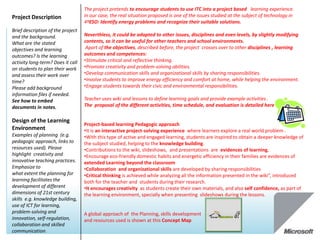
The project pretends to encourage students to use ITC into a project based learning experience.
Project Description                In our case, the real situation proposed is one of the issues studied at the subject of technology in
                                   4ºESO: Identify energy problems and recognize their suitable solutions.
Brief description of the project
and the background.                Neverthless, it could be adapted to other issues, disciplines and even levels, by slightly modifying
What are the stated                contents, so it can be useful for other teachers and school environments.
objectives and learning             Apart of the objectives, described before, the project crosses over to other disciplines , learning
outcomes? Is the learning          outcomes and competences:
activity long-term? Does it call   •Stimulate critical and reflective thinking.
on students to plan their work     •Promote creativity and problem-solving abilities.
and assess their work over         •Develop communication skills and organizational skills by sharing responsibilities.
time?                              •Involve students to improve energy efficiency and comfort at home, while helping the environment.
Please add background              •Engage students towards their civic and environmental responsibilities.
information files if needed.
See how to embed                   Teacher uses wiki and lessons to define learning goals and provide example activities .
documents in notes.                The proposal of the different activities, time schedule, and evaluation is detailed here

Design of the Learning
                                   Project-based learning Pedagogic approach
Environment                        •It is an interactive project-solving experience where learners explore a real world problem .
Examples of planning (e.g.         •With this type of active and engaged learning, students are inspired to obtain a deeper knowledge of
pedagogic approach, links to       the subject studied, helping to the knowledge building.
resources used). Please            •Contributions to the wiki, slideshows, and presentations are evidences of learning,
highlight creativity and           •Encourage eco-friendly domestic habits and energetic efficiency in their families are evidences of
innovative teaching practices.     extended Learning beyond the classroom
Emphasize to                       •Collaboration and organizational skills are developed by sharing responsibilities
what extent the planning for       •Critical thinking is achieved while analyzing all the information presented in the wiki”, introduced
learning facilitates the           both for the teacher and students during their research.
development of different           •It encourages creativity as students create their own materials, and also self confidence, as part of
dimensions of 21st century         the learning environment, specially when presenting slideshows during the lessons.
skills e.g. knowledge building,
use of ICT for learning,
problem-solving and                A global approach of the Planning, skills development
innovation, self-regulation,       and resources used is shown at this Concept Map
collaboration and skilled
communication.
Evidence of Learning

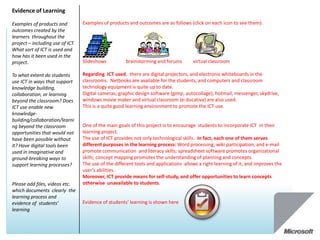
Examples of products and          Examples of products and outcomes are as follows (click on each icon to see them):
outcomes created by the
learners throughout the
project – including use of ICT.
What sort of ICT is used and
how has it been used in the
project.                          Slideshows          brainstorming and forums        virtual classroom

To what extent do students        Regarding ICT used, there are digital projectors, and electronic whiteboards in the
use ICT in ways that support      classrooms. Netbooks are available for the students, and computers and classroom
knowledge building,               technology equipment is quite up to date.
collaboration, or learning        Digital cameras, graphic design software (gimp, autocollage), hotmail, messenger, skydrive,
beyond the classroom? Does        windows movie maker and virtual classroom (e-ducativa) are also used.
ICT use enable new                This is a quite good learning environment to promote the ICT use.
knowledge-
building/collaboration/learni
ng beyond the classroom           One of the main goals of this project is to encourage students to incorporate ICT in their
opportunities that would not      learning project.
have been possible without        The use of ICT provides not only technological skills. In fact, each one of them serves
it? Have digital tools been       different purposes in the learning process: Word processing, wiki participation, and e-mail
used in imaginative and           promote communication and literacy skills; spreadsheet software promotes organizational
ground-breaking ways to           skills; concept mapping promotes the understanding of planning and concepts.
support learning processes?       The use of the different tools and applications allows a right learning of it, and improves the
                                  user’s abilities.
                                  Moreover, ICT provide means for self-study, and offer opportunities to learn concepts
Please add files, videos etc.     otherwise unavailable to students.
which documents clearly the
learning process and
evidence of students’             Evidence of students’ learning is shown here
learning
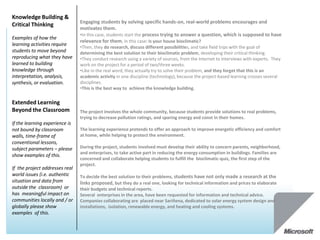
Knowledge Building &
                                Engaging students by solving specific hands-on, real-world problems encourages and
Critical Thinking
                                motivates them.
                                •In this case, students start the process trying to answer a question, which is supposed to have
Examples of how the
                                relevance for them, in this case: Is your house bioclimatic?
learning activities require
                                •Then, they do research, discuss different possibilities, and take field trips with the goal of
students to move beyond         determining the best solution to their bioclimatic problem, developing their critical thinking.
reproducing what they have      •They conduct research using a variety of sources, from the Internet to interviews with experts. They
learned to building             work on the project for a period of two/three weeks.
knowledge through               •Like in the real word, they actually try to solve their problem, and they forget that this is an
interpretation, analysis,       academic activity in one discipline (technology), because the project-based learning crosses several
synthesis, or evaluation.       disciplines.
                                •This is the best way to achieve the knowledge building.

Extended Learning
Beyond the Classroom            The project involves the whole community, because students provide solutions to real problems,
                                trying to decrease pollution ratings, and sparing energy and const in their homes.
If the learning experience is
not bound by classroom          The learning experience pretends to offer an approach to improve energetic efficiency and comfort
walls, time-frame of            at home, while helping to protect the environment.
conventional lessons,
subject parameters – please     During the project, students involved must develop their ability to concern parents, neighborhood,
                                and enterprises, to take active part in reducing the energy consumption in buildings. Families are
show examples of this.
                                concerned and collaborate helping students to fulfill the bioclimatic-quiz, the first step of the
                                project.
If the project addresses real
world issues (i.e. authentic    To decide the best solution to their problems, students have not only made a research at the
situation and data from         links proposed, but they do a real one, looking for technical information and prices to elaborate
outside the classroom) or       their budgets and technical reports.
has meaningful impact on        Several enterprises in the area, have been requested for information and technical advice.
communities locally and / or    Companies collaborating are placed near Sariñena, dedicated to solar energy system design and
globally please show            installations, isolation, renewable energy, and heating and cooling systems.
examples of this.
The concept of wiki itself involves collaboration: Students have all editing rights, so they can
Collaboration                    add, modify or delete its content easily, and it is created collaboratively, under the teacher’s
                                 supervision .
Examples of how the              It is used as cooperative ICT tool, less static than a blog, it’s intuitive and easy-to-use for
students work with other         students, and its openness allows interactions in real time, because the uploads appear
people, sharing responsibility   almost instantly online. This fact encourages them to go on.
while making substantive         In this sense, teacher must be careful to avoid inappropriate behavior, or information. The
decisions for developing a       wiki requires user authentication to edit, to avoid abuses.
joint product, a design, or an
answer to a complex              Here are some examples:
question. Students may be        Students can do the research individually or in group, and work with other people by
collaborating with their peers   sharing the information on the wiki.
in the classroom, or with        Share responsibility when establishing the way they doing research, who’s going to take
students or adults outside the   field trips, or how are they going to share the different tasks during the project.
classroom                        They make substantive decisions when determining the best solution to their bioclimatic
                                 problem, developing its critical thinking, and so when they create they slideshows.
                                 They collaborate with their peers, thanks to their contributions to the wiki.
                                 They also collaborate with adults outside the classroom when conducting research, during
                                 the field trips, and interviews with experts, as long as with families when fulfilling the quiz at
                                 the beginning of the process.


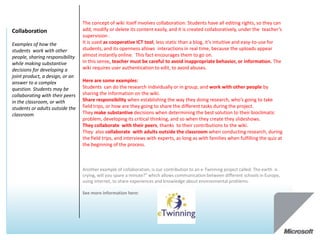
                                 Another example of collaboration, is our contribution to an e-Twinning project called: The earth is
                                 crying, will you spare a minute?” which allows communication between different schools in Europe,
                                 using internet, to share experiences and knowledge about environmental problems.

                                 See more information here:

Vct anafuertes2-120111093510

  • 1.
    European Forum March 19-23, 2012 | Lisbon
  • 2.
    Captura de miperfil en la comunidad: www.pil-network.com
  • 3.
    Enlace del vídeocargado en la comunidad IneveryCREA
  • 4.
    Virtual Classroom Tour- VCT Partners in Learning European Forum March 19 – 23, 2012 Lisbon
  • 5.
    Virtual Classroom Tour– VCT Name of Project: Educator(s) ANA FUERTES SANZ School IES Monegros Gaspar Lax, Sariñena (Huesca) SPAIN Brief description of The School is located in Sariñena, in the county of “Los Monegros”. A rural area placed 50 km from Huesca (north), and 75 km from Zaragoza (south). school context Agriculture is the economic base of the region., and livestock is also an important complement. Although industrial activity it is not relevant, it starts to take off. At the surroundings, we must highlight the Sariñena Lagoon, a protected area considered as an important refuge for numerous species of birds. There’s about 300 students, coming from Sariñena an d some nearby villages. Introduction Video The School participates at the program “Escuela 2.0”, so that classroom technology equipment is quite up to date. School Website Content/Subject Technology, ICT, Areas Age/Grade level 4ºESO (14-16) Project Objectives •Encourage students to incorporate ITC to support their learning process. •Identify energetic problems and recognize their suitable solutions. •Promote collaboration and teamwork •Promote project based learning experiences
  • 6.
    The project pretendsto encourage students to use ITC into a project based learning experience. Project Description In our case, the real situation proposed is one of the issues studied at the subject of technology in 4ºESO: Identify energy problems and recognize their suitable solutions. Brief description of the project and the background. Neverthless, it could be adapted to other issues, disciplines and even levels, by slightly modifying What are the stated contents, so it can be useful for other teachers and school environments. objectives and learning Apart of the objectives, described before, the project crosses over to other disciplines , learning outcomes? Is the learning outcomes and competences: activity long-term? Does it call •Stimulate critical and reflective thinking. on students to plan their work •Promote creativity and problem-solving abilities. and assess their work over •Develop communication skills and organizational skills by sharing responsibilities. time? •Involve students to improve energy efficiency and comfort at home, while helping the environment. Please add background •Engage students towards their civic and environmental responsibilities. information files if needed. See how to embed Teacher uses wiki and lessons to define learning goals and provide example activities . documents in notes. The proposal of the different activities, time schedule, and evaluation is detailed here Design of the Learning Project-based learning Pedagogic approach Environment •It is an interactive project-solving experience where learners explore a real world problem . Examples of planning (e.g. •With this type of active and engaged learning, students are inspired to obtain a deeper knowledge of pedagogic approach, links to the subject studied, helping to the knowledge building. resources used). Please •Contributions to the wiki, slideshows, and presentations are evidences of learning, highlight creativity and •Encourage eco-friendly domestic habits and energetic efficiency in their families are evidences of innovative teaching practices. extended Learning beyond the classroom Emphasize to •Collaboration and organizational skills are developed by sharing responsibilities what extent the planning for •Critical thinking is achieved while analyzing all the information presented in the wiki”, introduced learning facilitates the both for the teacher and students during their research. development of different •It encourages creativity as students create their own materials, and also self confidence, as part of dimensions of 21st century the learning environment, specially when presenting slideshows during the lessons. skills e.g. knowledge building, use of ICT for learning, problem-solving and A global approach of the Planning, skills development innovation, self-regulation, and resources used is shown at this Concept Map collaboration and skilled communication.
  • 7.
    Evidence of Learning Examplesof products and Examples of products and outcomes are as follows (click on each icon to see them): outcomes created by the learners throughout the project – including use of ICT. What sort of ICT is used and how has it been used in the project. Slideshows brainstorming and forums virtual classroom To what extent do students Regarding ICT used, there are digital projectors, and electronic whiteboards in the use ICT in ways that support classrooms. Netbooks are available for the students, and computers and classroom knowledge building, technology equipment is quite up to date. collaboration, or learning Digital cameras, graphic design software (gimp, autocollage), hotmail, messenger, skydrive, beyond the classroom? Does windows movie maker and virtual classroom (e-ducativa) are also used. ICT use enable new This is a quite good learning environment to promote the ICT use. knowledge- building/collaboration/learni ng beyond the classroom One of the main goals of this project is to encourage students to incorporate ICT in their opportunities that would not learning project. have been possible without The use of ICT provides not only technological skills. In fact, each one of them serves it? Have digital tools been different purposes in the learning process: Word processing, wiki participation, and e-mail used in imaginative and promote communication and literacy skills; spreadsheet software promotes organizational ground-breaking ways to skills; concept mapping promotes the understanding of planning and concepts. support learning processes? The use of the different tools and applications allows a right learning of it, and improves the user’s abilities. Moreover, ICT provide means for self-study, and offer opportunities to learn concepts Please add files, videos etc. otherwise unavailable to students. which documents clearly the learning process and evidence of students’ Evidence of students’ learning is shown here learning
  • 8.
    Knowledge Building & Engaging students by solving specific hands-on, real-world problems encourages and Critical Thinking motivates them. •In this case, students start the process trying to answer a question, which is supposed to have Examples of how the relevance for them, in this case: Is your house bioclimatic? learning activities require •Then, they do research, discuss different possibilities, and take field trips with the goal of students to move beyond determining the best solution to their bioclimatic problem, developing their critical thinking. reproducing what they have •They conduct research using a variety of sources, from the Internet to interviews with experts. They learned to building work on the project for a period of two/three weeks. knowledge through •Like in the real word, they actually try to solve their problem, and they forget that this is an interpretation, analysis, academic activity in one discipline (technology), because the project-based learning crosses several synthesis, or evaluation. disciplines. •This is the best way to achieve the knowledge building. Extended Learning Beyond the Classroom The project involves the whole community, because students provide solutions to real problems, trying to decrease pollution ratings, and sparing energy and const in their homes. If the learning experience is not bound by classroom The learning experience pretends to offer an approach to improve energetic efficiency and comfort walls, time-frame of at home, while helping to protect the environment. conventional lessons, subject parameters – please During the project, students involved must develop their ability to concern parents, neighborhood, and enterprises, to take active part in reducing the energy consumption in buildings. Families are show examples of this. concerned and collaborate helping students to fulfill the bioclimatic-quiz, the first step of the project. If the project addresses real world issues (i.e. authentic To decide the best solution to their problems, students have not only made a research at the situation and data from links proposed, but they do a real one, looking for technical information and prices to elaborate outside the classroom) or their budgets and technical reports. has meaningful impact on Several enterprises in the area, have been requested for information and technical advice. communities locally and / or Companies collaborating are placed near Sariñena, dedicated to solar energy system design and globally please show installations, isolation, renewable energy, and heating and cooling systems. examples of this.
  • 9.
    The concept ofwiki itself involves collaboration: Students have all editing rights, so they can Collaboration add, modify or delete its content easily, and it is created collaboratively, under the teacher’s supervision . Examples of how the It is used as cooperative ICT tool, less static than a blog, it’s intuitive and easy-to-use for students work with other students, and its openness allows interactions in real time, because the uploads appear people, sharing responsibility almost instantly online. This fact encourages them to go on. while making substantive In this sense, teacher must be careful to avoid inappropriate behavior, or information. The decisions for developing a wiki requires user authentication to edit, to avoid abuses. joint product, a design, or an answer to a complex Here are some examples: question. Students may be Students can do the research individually or in group, and work with other people by collaborating with their peers sharing the information on the wiki. in the classroom, or with Share responsibility when establishing the way they doing research, who’s going to take students or adults outside the field trips, or how are they going to share the different tasks during the project. classroom They make substantive decisions when determining the best solution to their bioclimatic problem, developing its critical thinking, and so when they create they slideshows. They collaborate with their peers, thanks to their contributions to the wiki. They also collaborate with adults outside the classroom when conducting research, during the field trips, and interviews with experts, as long as with families when fulfilling the quiz at the beginning of the process. Another example of collaboration, is our contribution to an e-Twinning project called: The earth is crying, will you spare a minute?” which allows communication between different schools in Europe, using internet, to share experiences and knowledge about environmental problems. See more information here:

Editor's Notes

  • #2 To embed a project resource or materialsHave the resource document available. From the Insert menu choose Object.Select Create from File… and click Browse….Find the file you want to include and click OK.Select Display as icon and click Change Icon… and add a suitable caption.Click OK to add the caption and click OK to embed the file. Use the Action button on the Insert ribbon to activate the object.Use Hyperlinks to link to websites, audio and video that show . Do not embed video or audio, use links to video hosting sites or your school site.Open the Word documents by double clicking the icons. Clicking Save in Word will save the changes.Please ensure that you have the full permission to use any images and video, as this project will be in the public domain.
  • #3 To embed a project resource or materialsHave the resource document available. From the Insert menu choose Object.Select Create from File… and click Browse….Find the file you want to include and click OK.Select Display as icon and click Change Icon… and add a suitable caption.Click OK to add the caption and click OK to embed the file. Use the Action button on the Insert ribbon to activate the object.Use Hyperlinks to link to websites, audio and video that show . Do not embed video or audio, use links to video hosting sites or your school site.Open the Word documents by double clicking the icons. Clicking Save in Word will save the changes.Please ensure that you have the full permission to use any images and video, as this project will be in the public domain.
  • #4 To embed a project resource or materialsHave the resource document available. From the Insert menu choose Object.Select Create from File… and click Browse….Find the file you want to include and click OK.Select Display as icon and click Change Icon… and add a suitable caption.Click OK to add the caption and click OK to embed the file. Use the Action button on the Insert ribbon to activate the object.Use Hyperlinks to link to websites, audio and video that show . Do not embed video or audio, use links to video hosting sites or your school site.Open the Word documents by double clicking the icons. Clicking Save in Word will save the changes.Please ensure that you have the full permission to use any images and video, as this project will be in the public domain.
  • #5 To embed a project resource or materialsHave the resource document available. From the Insert menu choose Object.Select Create from File… and click Browse….Find the file you want to include and click OK.Select Display as icon and click Change Icon… and add a suitable caption.Click OK to add the caption and click OK to embed the file. Use the Action button on the Insert ribbon to activate the object.Use Hyperlinks to link to websites, audio and video that show . Do not embed video or audio, use links to video hosting sites or your school site.Open the Word documents by double clicking the icons. Clicking Save in Word will save the changes.Please ensure that you have the full permission to use any images and video, as this project will be in the public domain.
  • #6 To embed a project resource or materialsHave the resource document available. From the Insert menu choose Object.Select Create from File… and click Browse….Find the file you want to include and click OK.Select Display as icon and click Change Icon… and add a suitable caption.Click OK to add the caption and click OK to embed the file. Use the Action button on the Insert ribbon to activate the object.Use Hyperlinks to link to websites, audio and video that show . Do not embed video or audio, use links to video hosting sites or your school site.Open the Word documents by double clicking the icons. Clicking Save in Word will save the changes.Please ensure that you have the full permission to use any images and video, as this project will be in the public domain.
  • #7 To embed a project resource or materialsHave the resource document available. From the Insert menu choose Object.Select Create from File… and click Browse….Find the file you want to include and click OK.Select Display as icon and click Change Icon… and add a suitable caption.Click OK to add the caption and click OK to embed the file. Use the Action button on the Insert ribbon to activate the object.Use Hyperlinks to link to websites, audio and video that show . Do not embed video or audio, use links to video hosting sites or your school site.Open the Word documents by double clicking the icons. Clicking Save in Word will save the changes.Please ensure that you have the full permission to use any images and video, as this project will be in the public domain.
  • #8 To embed a project resource or materialsHave the resource document available. From the Insert menu choose Object.Select Create from File… and click Browse….Find the file you want to include and click OK.Select Display as icon and click Change Icon… and add a suitable caption.Click OK to add the caption and click OK to embed the file. Use the Action button on the Insert ribbon to activate the object.Use Hyperlinks to link to websites, audio and video that show . Do not embed video or audio, use links to video hosting sites or your school site.Open the Word documents by double clicking the icons. Clicking Save in Word will save the changes.Please ensure that you have the full permission to use any images and video, as this project will be in the public domain.
  • #9 To embed a project resource or materialsHave the resource document available. From the Insert menu choose Object.Select Create from File… and click Browse….Find the file you want to include and click OK.Select Display as icon and click Change Icon… and add a suitable caption.Click OK to add the caption and click OK to embed the file. Use the Action button on the Insert ribbon to activate the object.Use Hyperlinks to link to websites, audio and video that show . Do not embed video or audio, use links to video hosting sites or your school site.Open the Word documents by double clicking the icons. Clicking Save in Word will save the changes.Please ensure that you have the full permission to use any images and video, as this project will be in the public domain.
  • #10 To embed a project resource or materialsHave the resource document available. From the Insert menu choose Object.Select Create from File… and click Browse….Find the file you want to include and click OK.Select Display as icon and click Change Icon… and add a suitable caption.Click OK to add the caption and click OK to embed the file. Use the Action button on the Insert ribbon to activate the object.Use Hyperlinks to link to websites, audio and video that show . Do not embed video or audio, use links to video hosting sites or your school site.Open the Word documents by double clicking the icons. Clicking Save in Word will save the changes.Please ensure that you have the full permission to use any images and video, as this project will be in the public domain.