Presented
By
Saul Pila
MAPMAKER
*
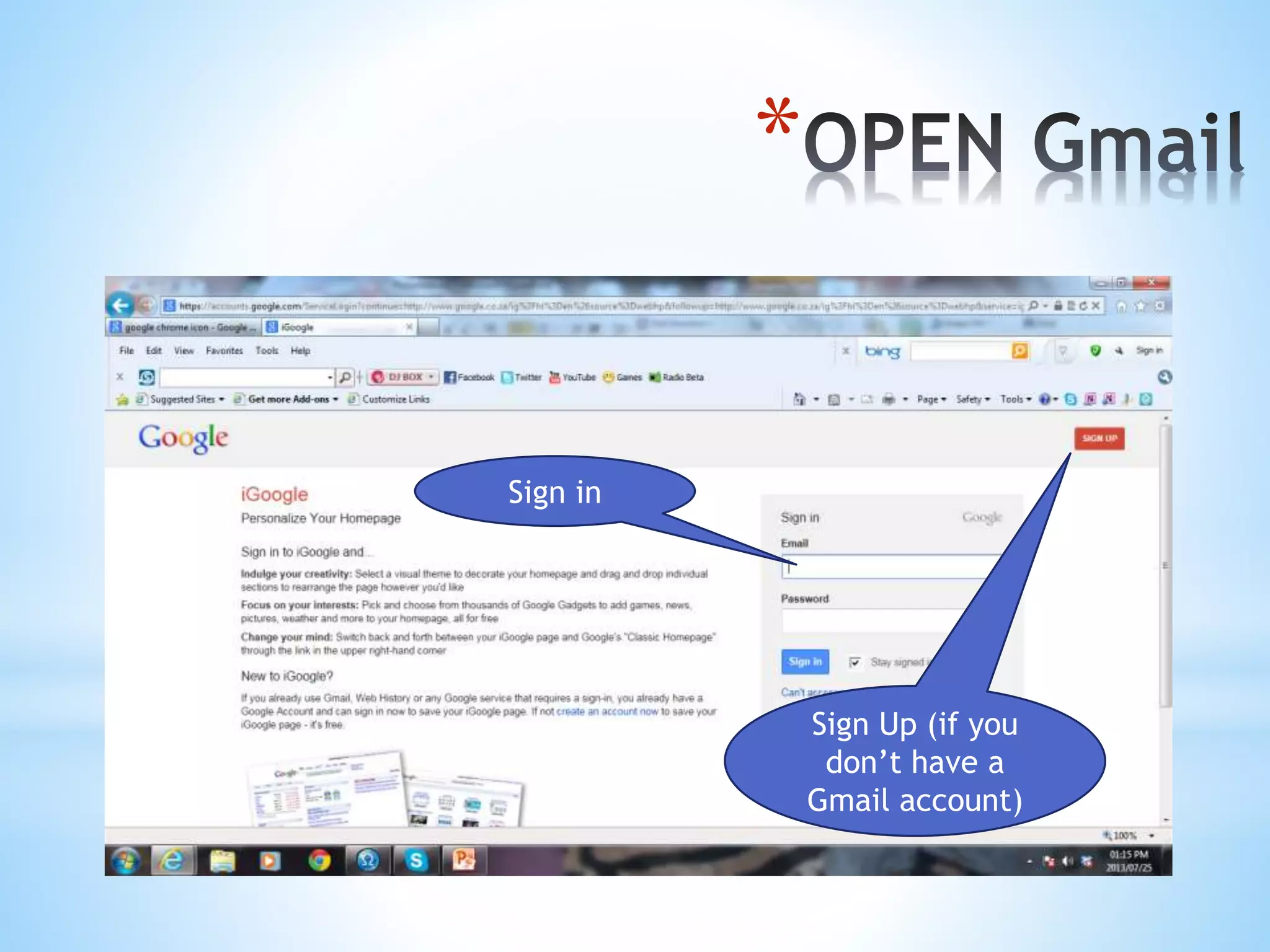
*Use Google chrome to sign in
*
Sign in
Sign Up (if you
don’t have a
Gmail account)
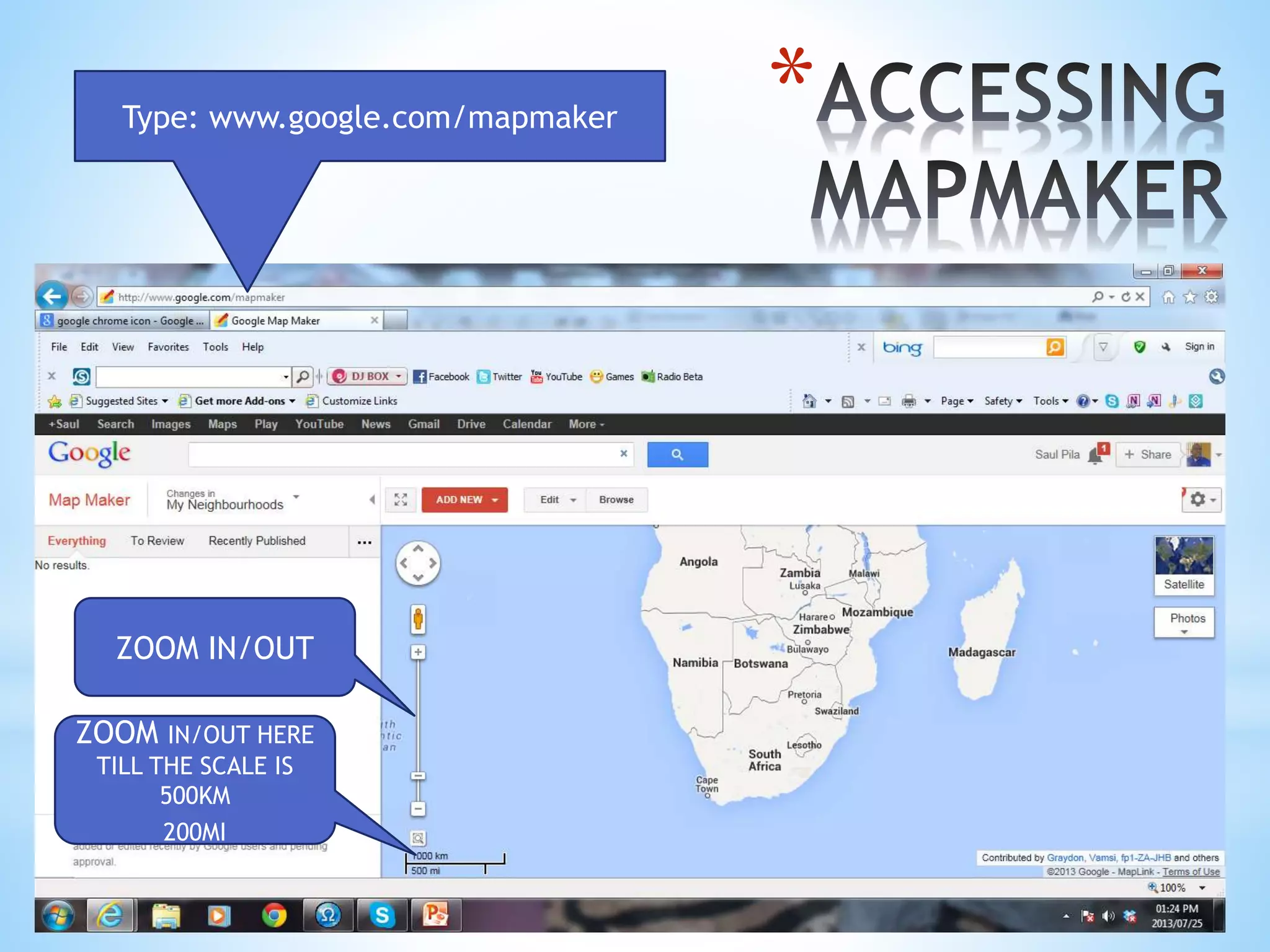
*Type: www.google.com/mapmaker
ZOOM IN/OUT
ZOOM IN/OUT HERE
TILL THE SCALE IS
500KM
200MI
*
*
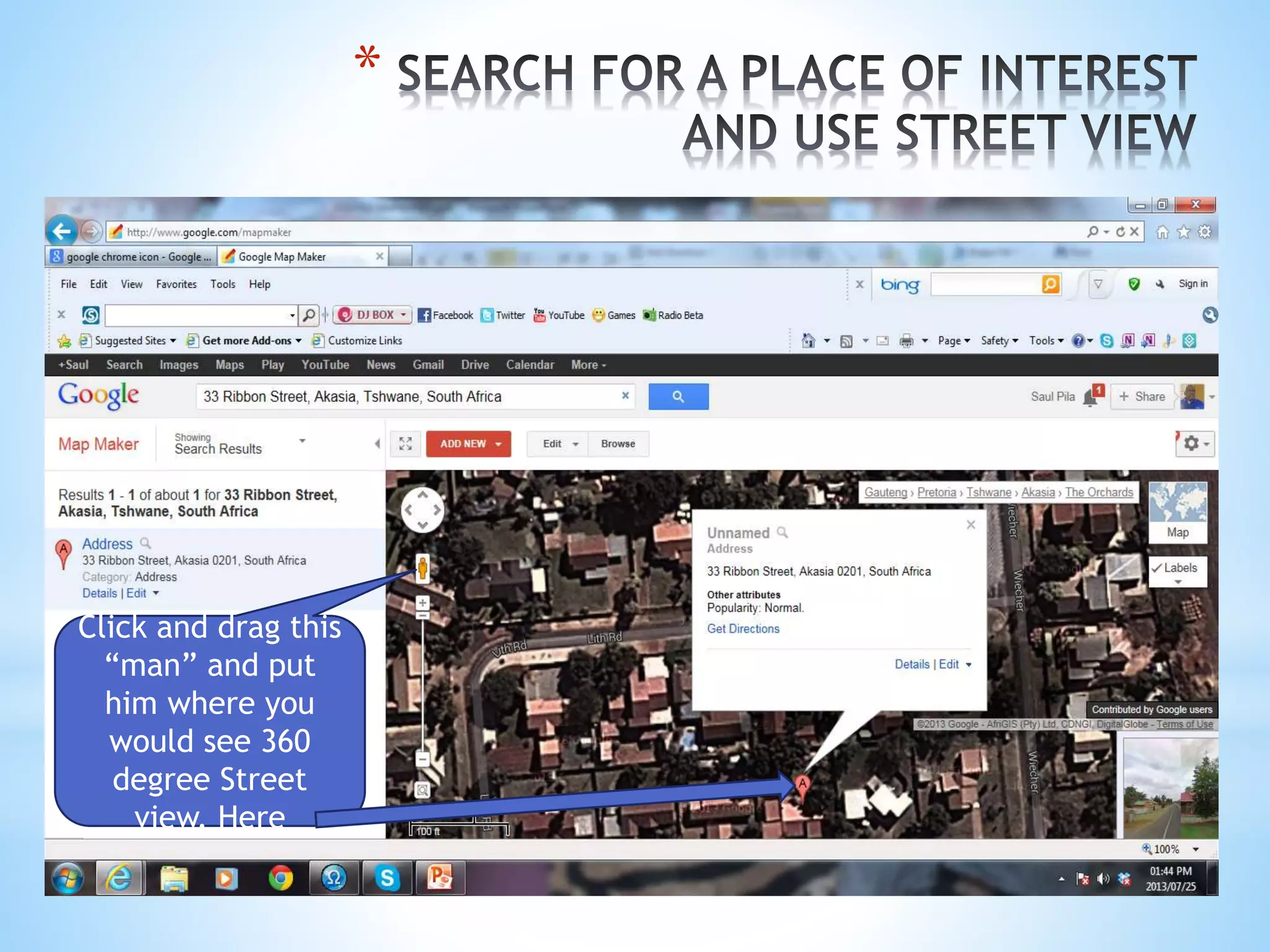
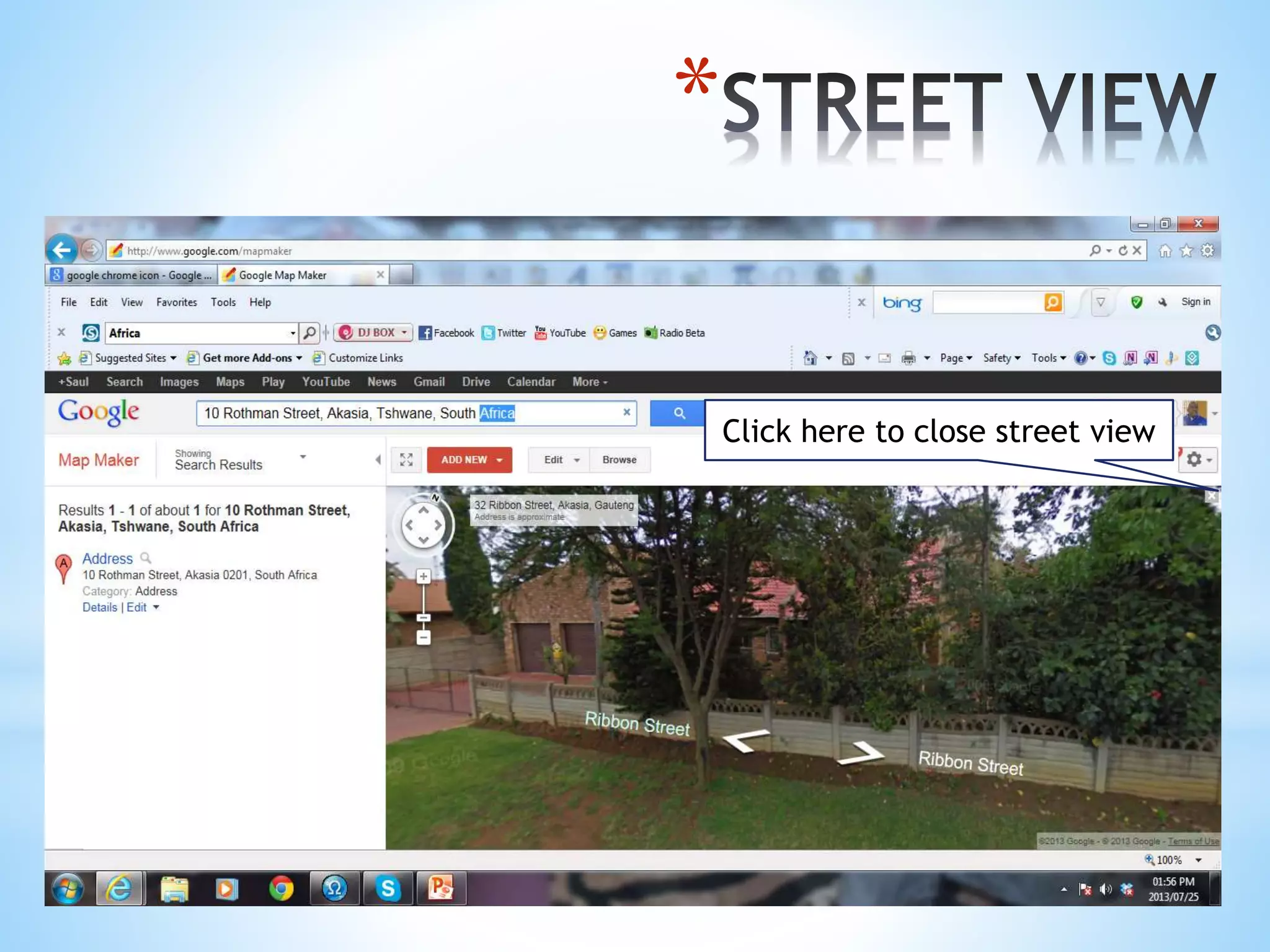
Click and drag this
“man” and put
him where you
would see 360
degree Street
view. Here
*
Click here to close street view
*
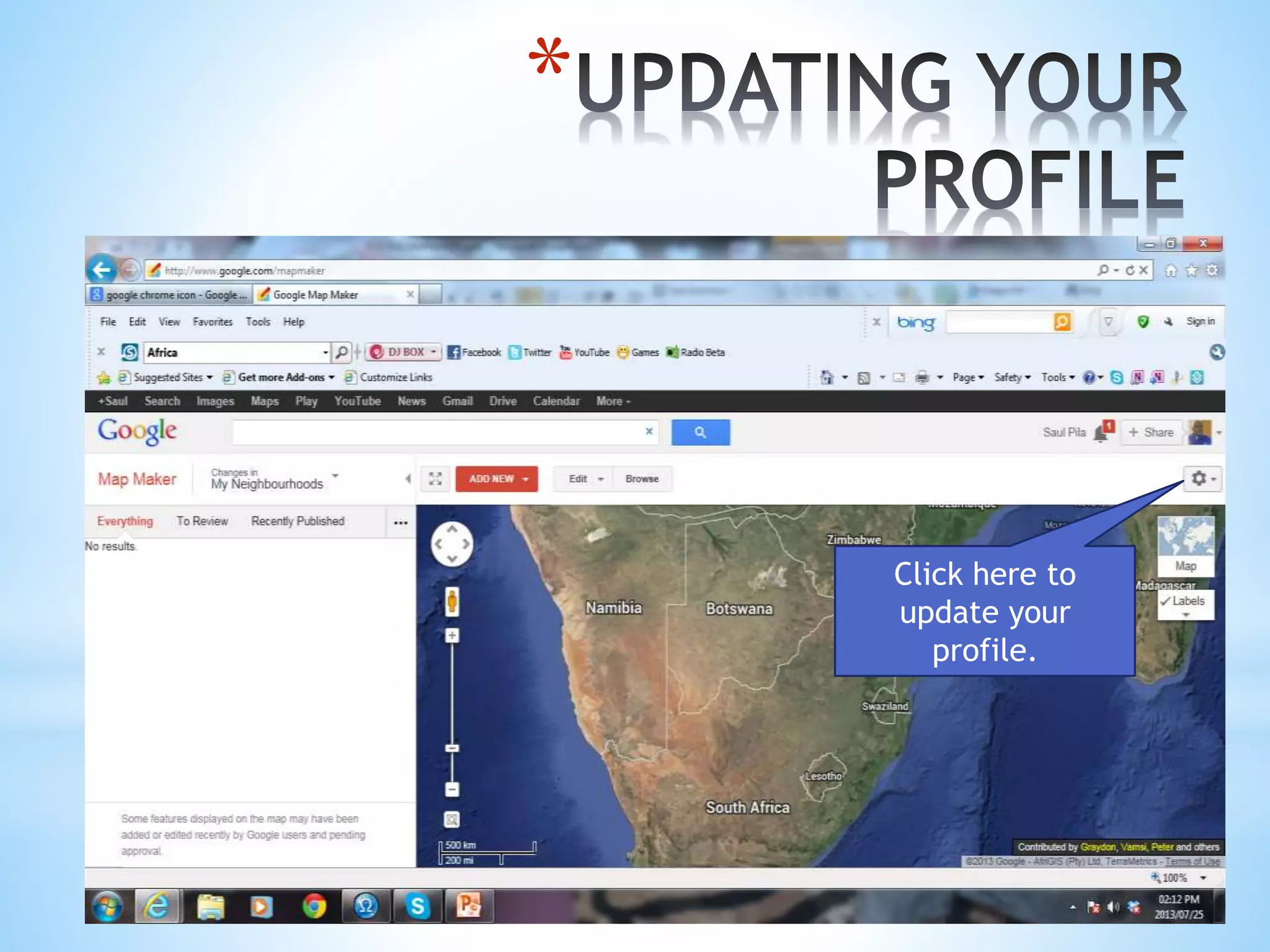
Click here to
update your
profile.
*
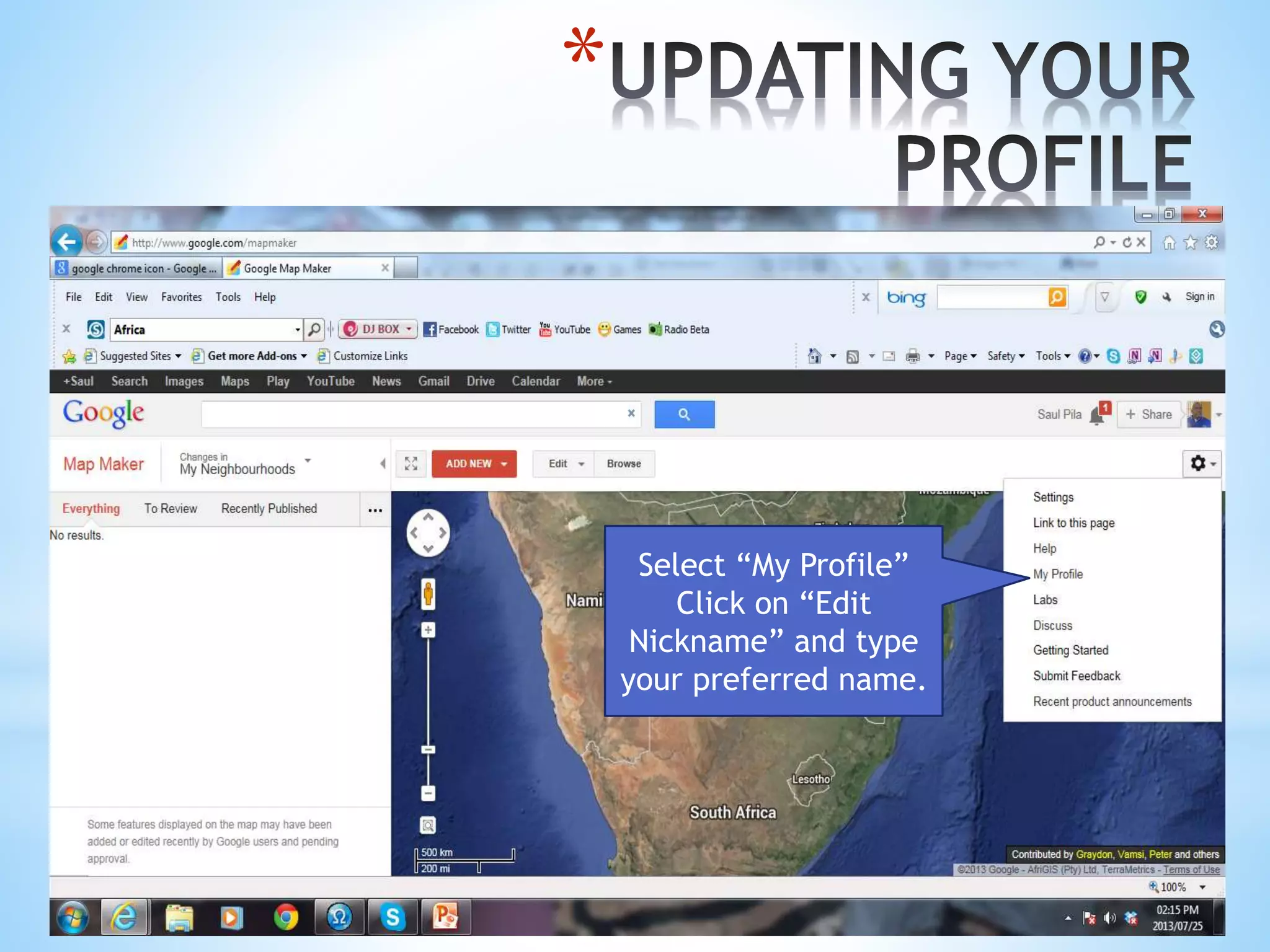
Select “My Profile”
Click on “Edit
Nickname” and type
your preferred name.
*
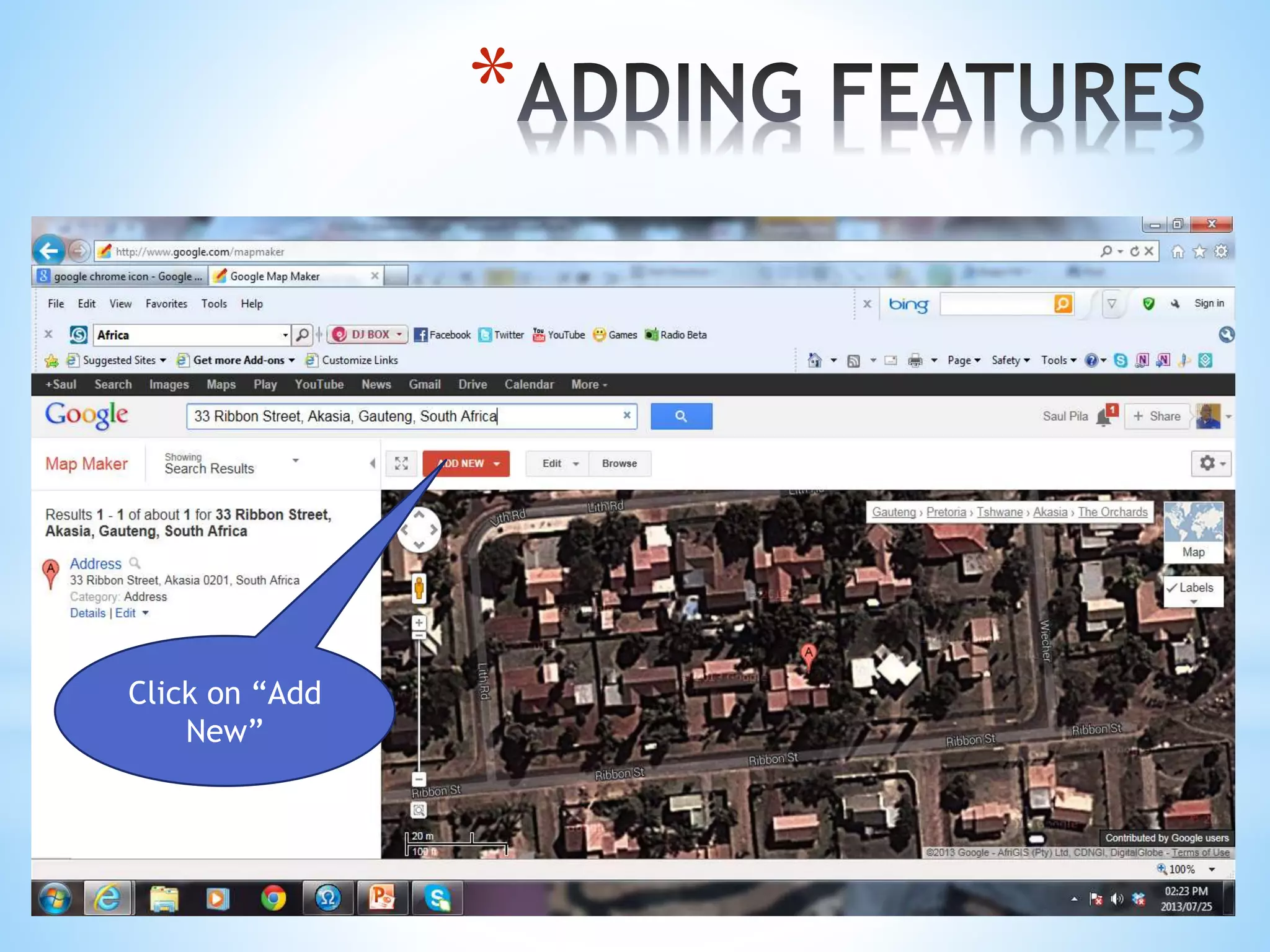
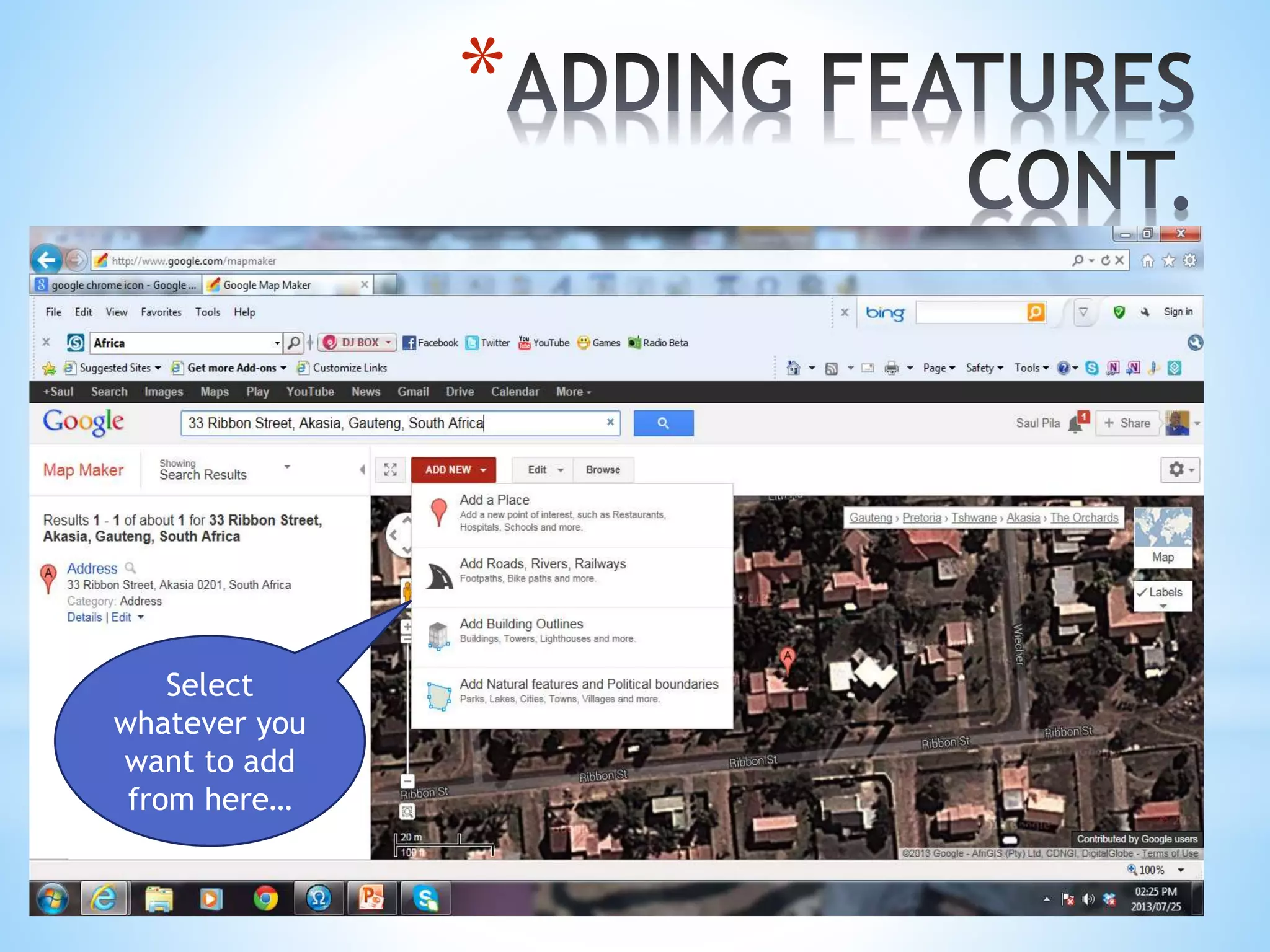
Click on “Add
New”
*
Select
whatever you
want to add
from here…
*
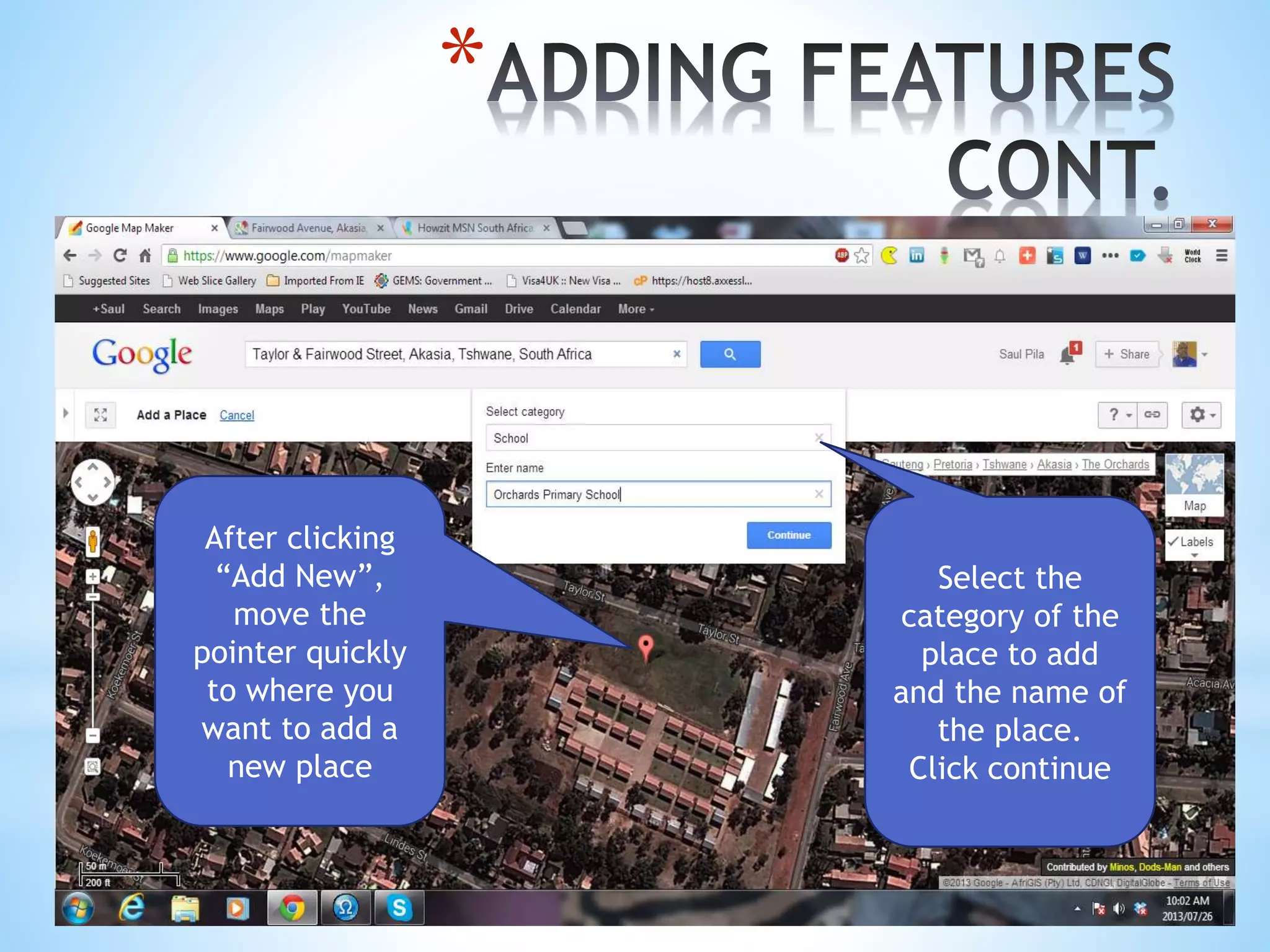
After clicking
“Add New”,
move the
pointer quickly
to where you
want to add a
new place
Select the
category of the
place to add
and the name of
the place.
Click continue
*
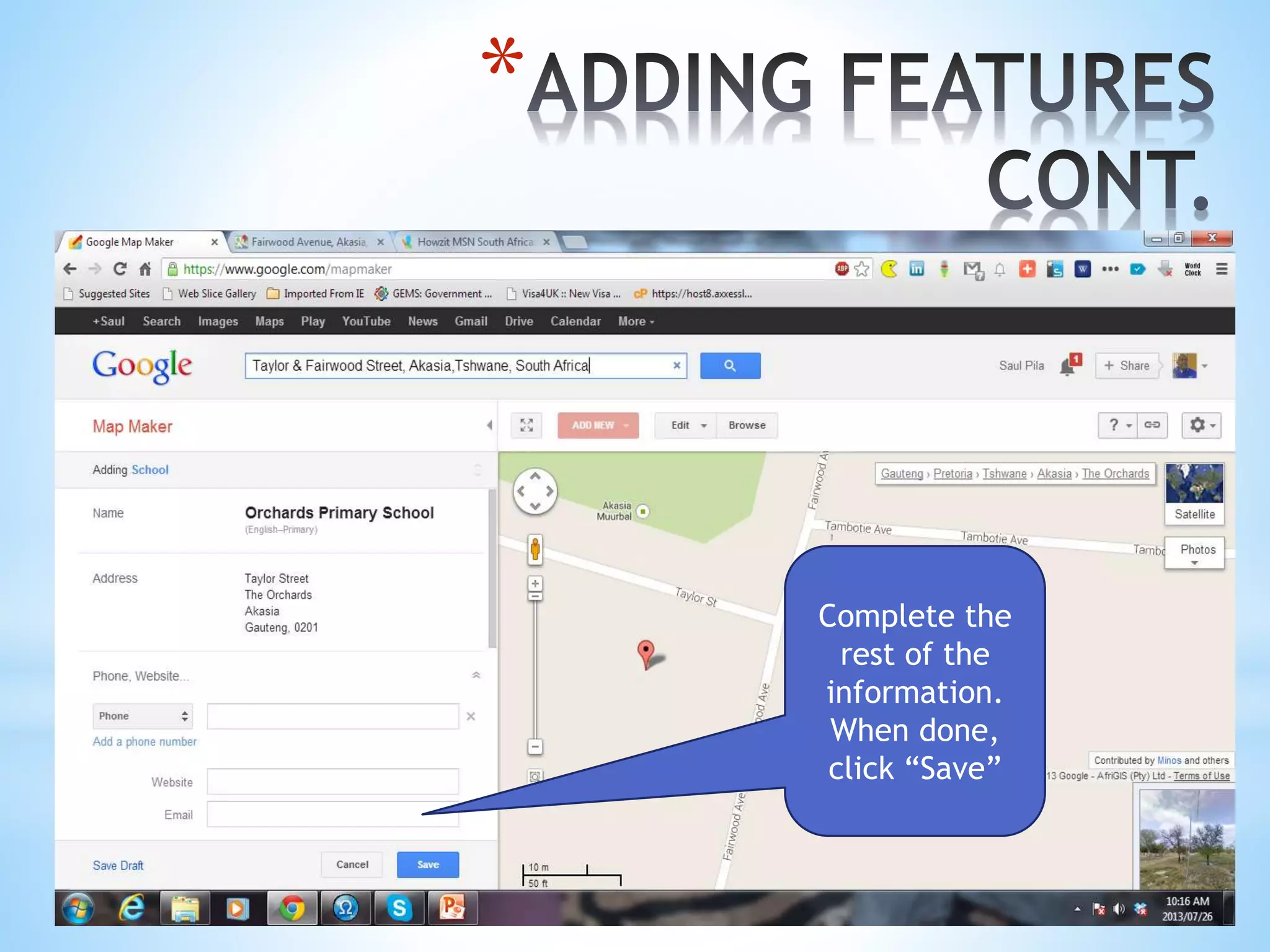
Complete the
rest of the
information.
When done,
click “Save”
*
Complete the
rest of the
information.
When done,
click “Save”
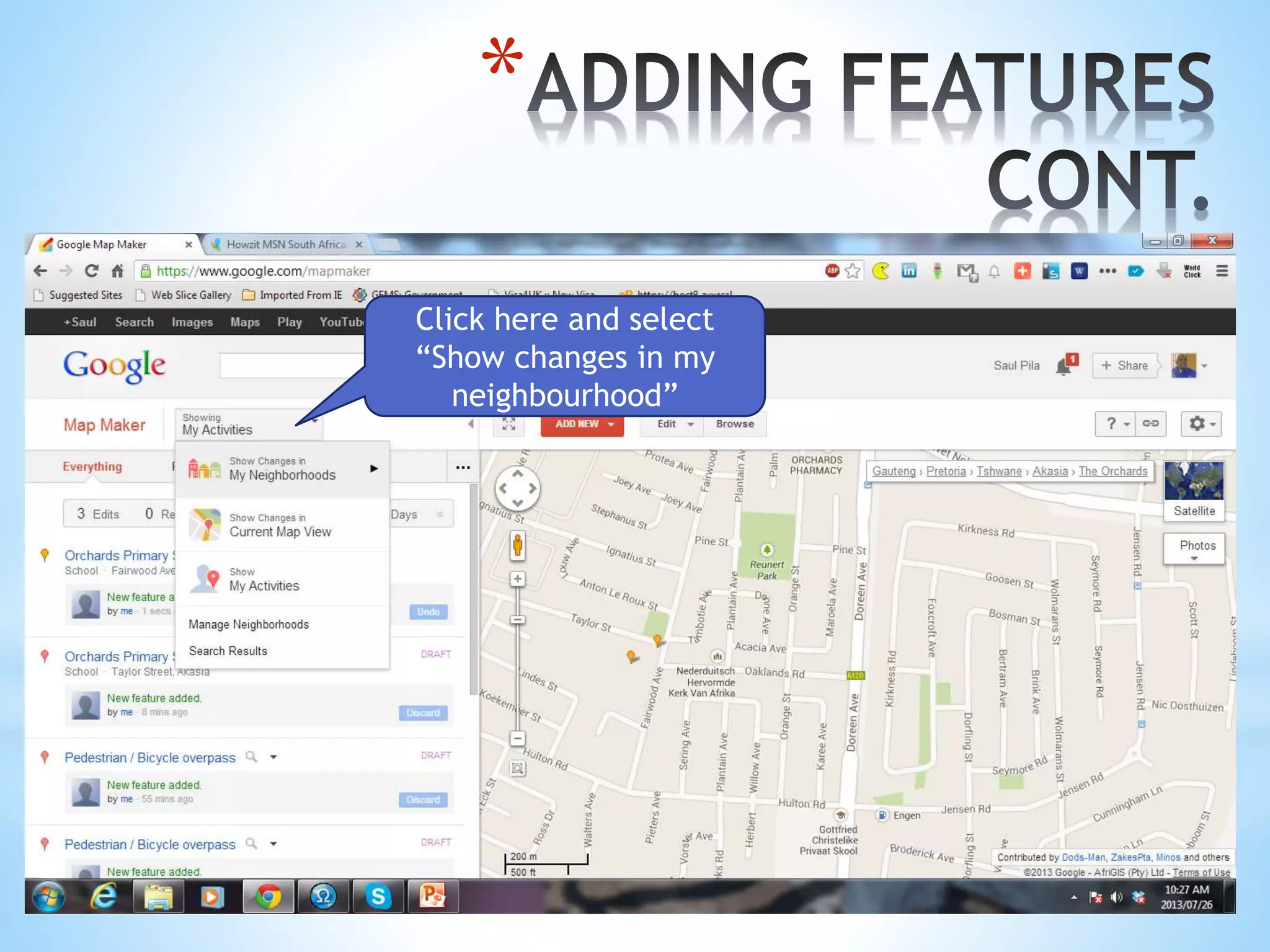
Click here and select
“Show changes in my
neighbourhood”
*
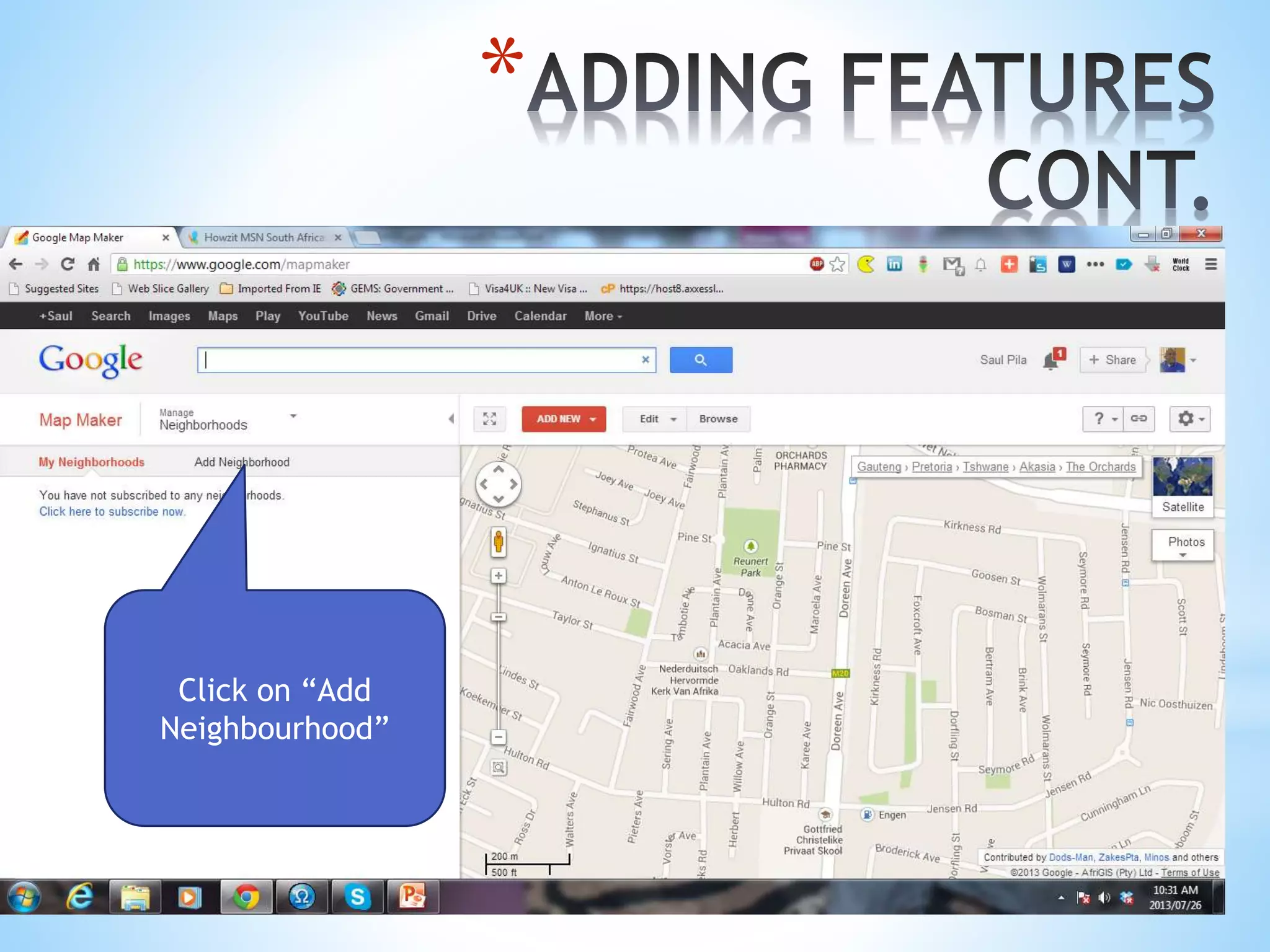
Click on “Add
Neighbourhood”
*
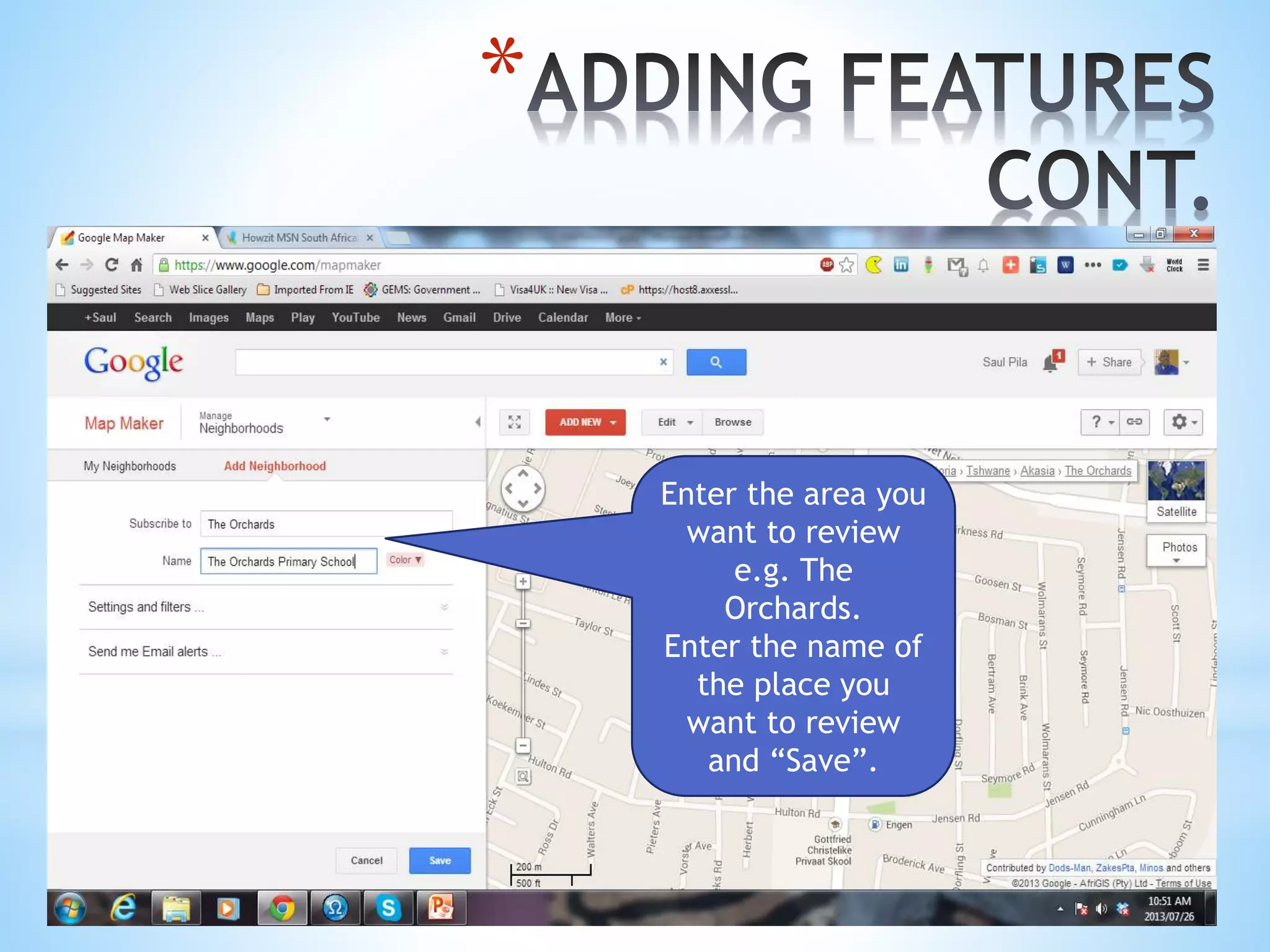
Enter the area you
want to review
e.g. The
Orchards.
Enter the name of
the place you
want to review
and “Save”.
*
Enter the area you
want to review
e.g. The
Orchards.
Enter the name of
the place you
want to review
and “Save”.
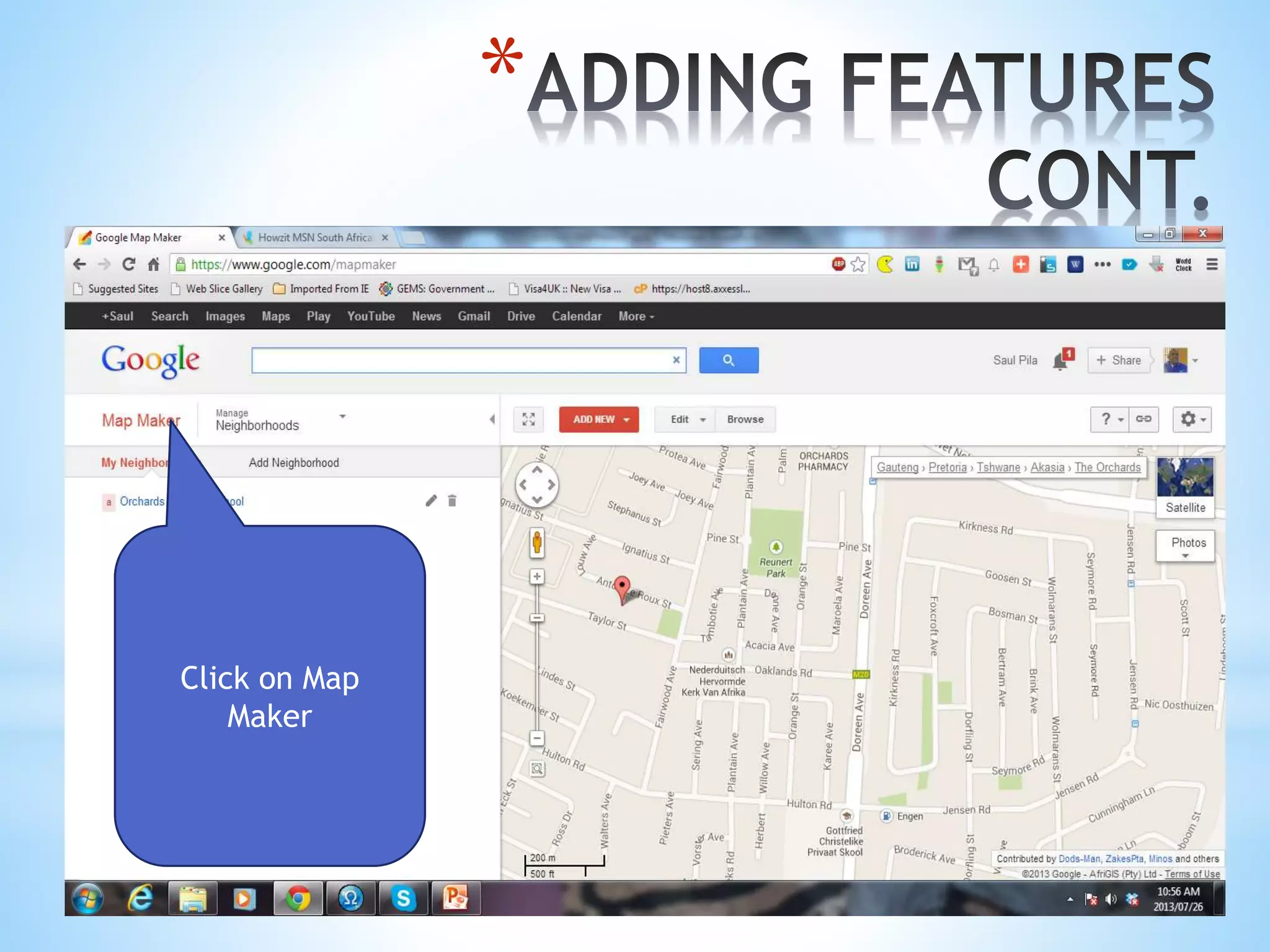
Click on Map
Maker
*
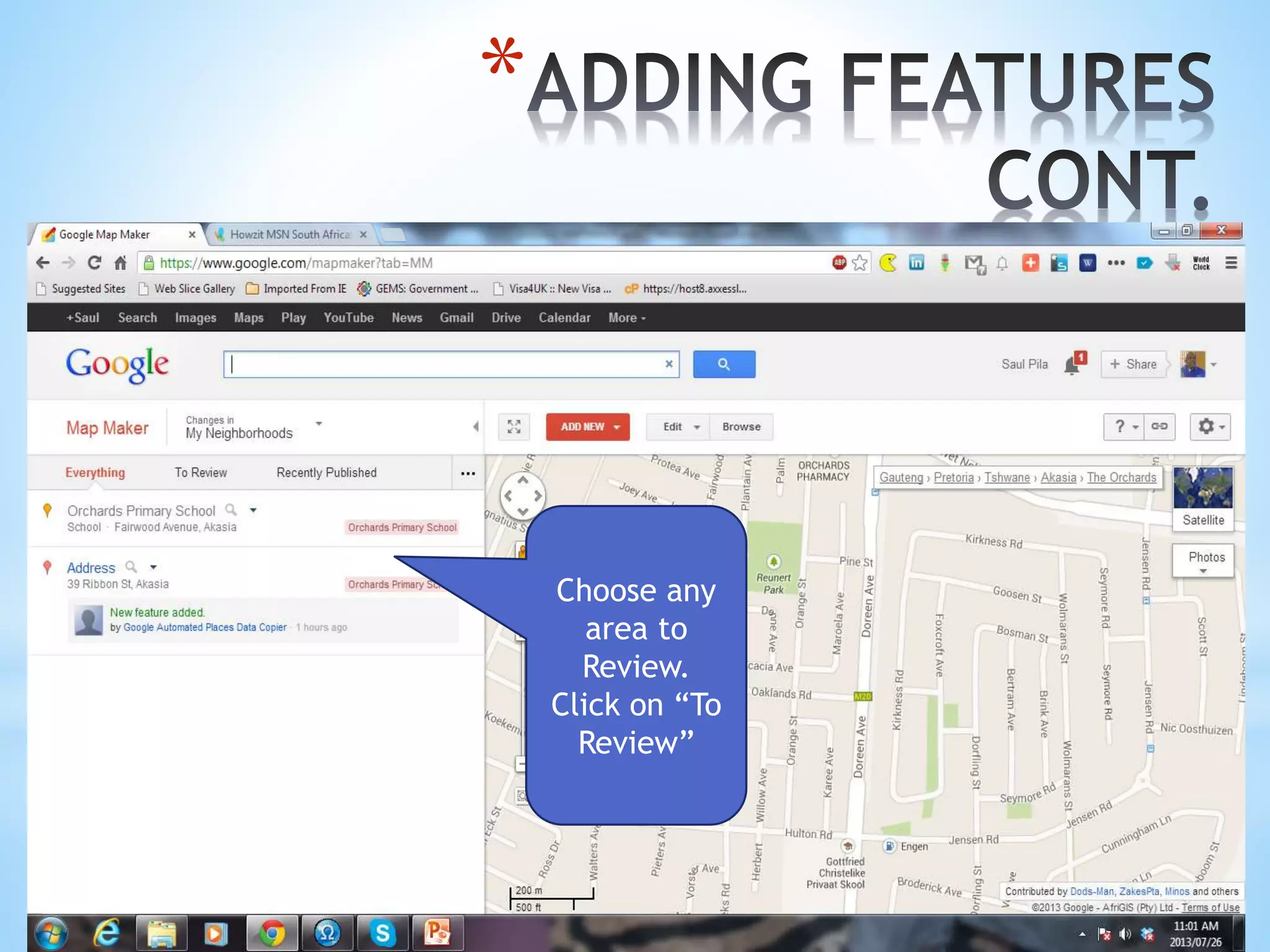
Choose any
area to
Review.
Click on “To
Review”
*
*A person who reviews the changes should do the following:
oClick on Review
oVerify the details of the area
oIf you agree: Click Yes
oIf you disagree: Click No. Give reasons for disagreeing
oSUBMIT
*The End
Thank You
Presented by Saul Pila
Twitter: @saulpila
Facebook: Saul Pila
eMail: pila_saul@yahoo.com

Google Mapmaker by Saul Pila