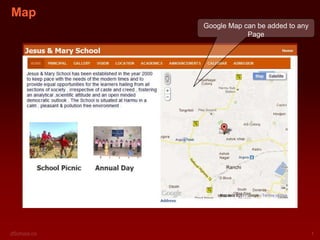
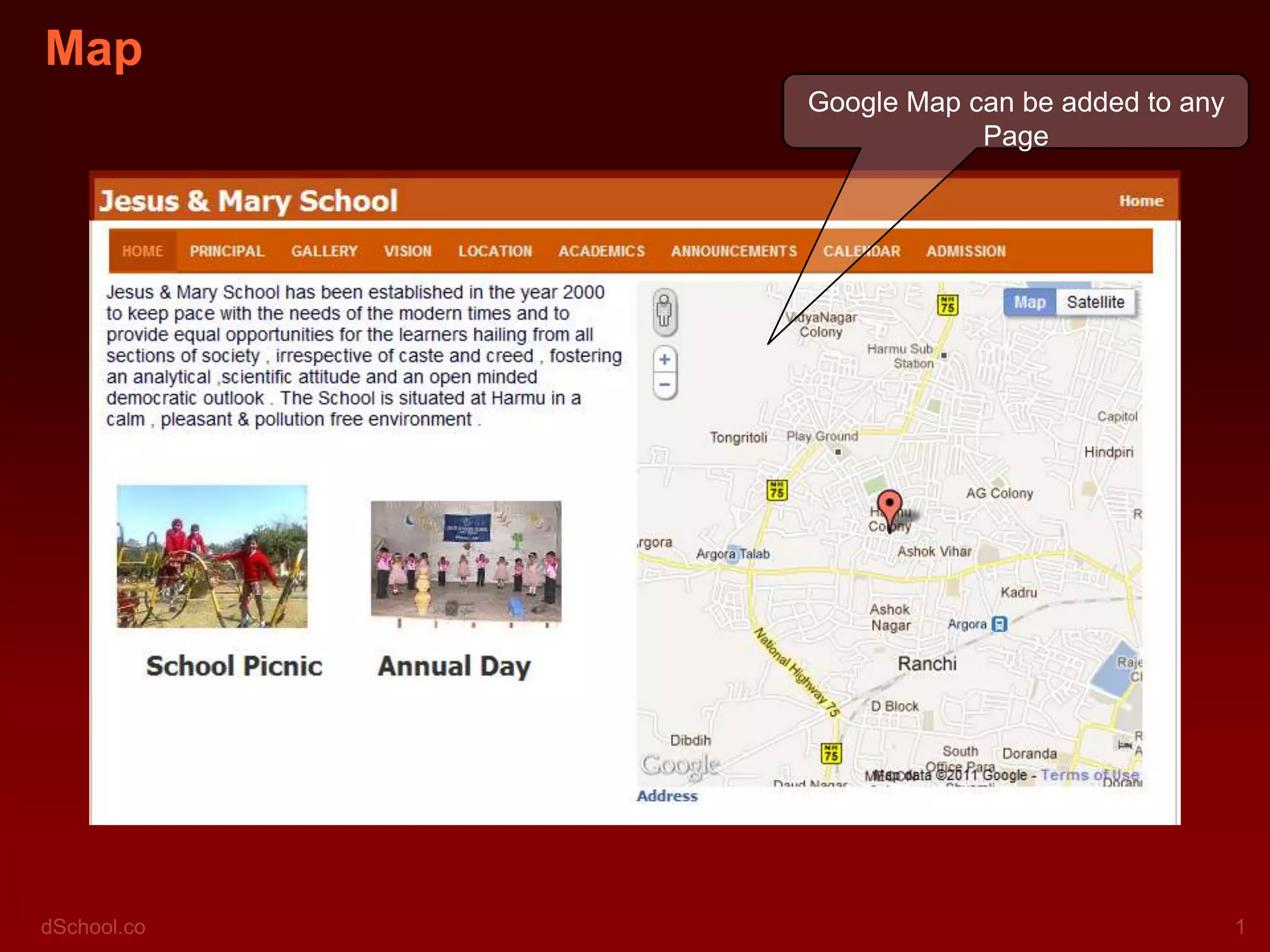
Map
      Google Map can be added to any
                  Page
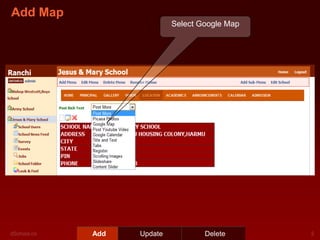
Add Map
                         Select Google Map


          Add   Update           Delete
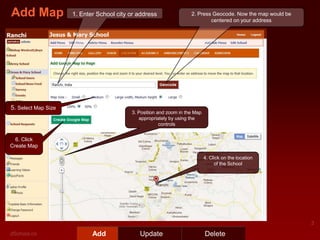
Add Map              1. Enter School city or address                2. Press Geocode. Now the map would be
                                                                            centered on your address


5. Select Map Size
                                          3. Position and zoom in the Map
                                             appropriately by using the
                                                       controls


  6. Click
Create Map

                                                                            4. Click on the location
                                                                                 of the School


                            Add              Update                         Delete
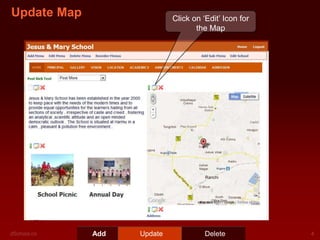
Update Map                  Click on ‘Edit’ Icon for
                                   the Map


             Add   Update             Delete
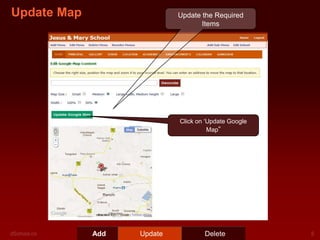
Update Map                  Update the Required
                                   Items


                            Click on ‘Update Google
                                      Map”


             Add   Update           Delete
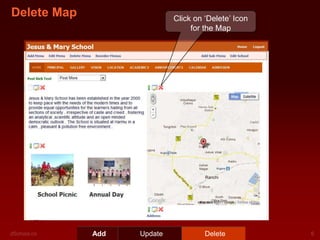
Delete Map                  Click on ‘Delete’ Icon
                                 for the Map


             Add   Update            Delete
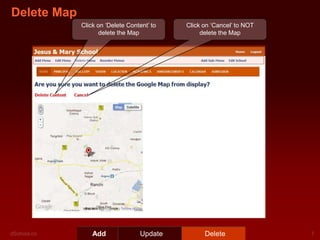
Delete Map
             Click on ‘Delete Content’ to   Click on ‘Cancel’ to NOT
                   delete the Map                delete the Map


                 Add               Update         Delete

Dschoolpresentationaddingmap

  • 1.
    Map Google Map can be added to any Page
  • 2.
    Add Map Select Google Map Add Update Delete
  • 3.
    Add Map 1. Enter School city or address 2. Press Geocode. Now the map would be centered on your address 5. Select Map Size 3. Position and zoom in the Map appropriately by using the controls 6. Click Create Map 4. Click on the location of the School Add Update Delete
  • 4.
    Update Map Click on ‘Edit’ Icon for the Map Add Update Delete
  • 5.
    Update Map Update the Required Items Click on ‘Update Google Map” Add Update Delete
  • 6.
    Delete Map Click on ‘Delete’ Icon for the Map Add Update Delete
  • 7.
    Delete Map Click on ‘Delete Content’ to Click on ‘Cancel’ to NOT delete the Map delete the Map Add Update Delete