Using Google Docs in  the Classroom Shaughn Bittner EDIM 510
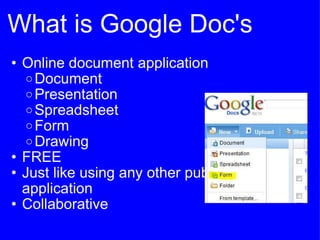
What is Google Doc's Online document application Document Presentation Spreadsheet Form Drawing FREE Just like using any other publishing application Collaborative
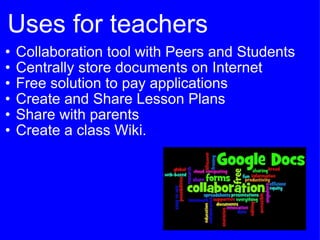
Uses for teachers Collaboration tool with Peers and Students Centrally store documents on Internet Free solution to pay applications  Create and Share Lesson Plans Share with parents Create a class Wiki.
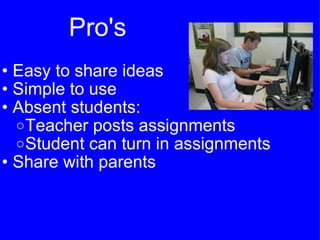
Pro's  Easy to share ideas Simple to use Absent students: Teacher posts assignments Student can turn in assignments Share with parents
Con's Cheating   Basic functions only Requires Internet access  Students needs a Google Account
Suggested applications of Google Docs Document Journals Research Papers Outlines Note Taking Lesson Plans Spreadsheet Data Collection Grade Sheets Budgets Math Problems Charts Presentations Biographies Oral Reports Visual Portfolio Drawing Flyers Mind Mapping Form Surveys Evaluations 
References: Slide 1 Francis, T. (Photographer). (2007). ds-1.jpg. [Web]. Retrieved from Collaborative research using google docs. (2010). [Web]. Retrieved from http://www.flickr.com/photos/theunquietlibrary/4904522404/  Slide 2 Overland, H. (Photographer). (2009). Create a new form in google docs. [Web]. Retrieved from http://www.flickr.com/photos/semlady/3530258332/  Slide 3 Nedral, . (Photographer). (2009). google doc 3. [Web]. Retrieved from http://www.flickr.com/photos/nedrai/3856604474  Slide 4 Collaborative research using google docs. (2010). [Web]. Retrieved from http://www.flickr.com/photos/theunquietlibrary/4904522404/  Slide 5 Stein, J. (Photographer). (2008). Inappropriate collaboration or just plain cheating? i feel dirty!. [Web]. Retrieved from http://www.flickr.com/photos/5tein/2347818403/

Google docs

  • 1.
    Using Google Docsin  the Classroom Shaughn Bittner EDIM 510
  • 2.
    What is GoogleDoc's Online document application Document Presentation Spreadsheet Form Drawing FREE Just like using any other publishing application Collaborative
  • 3.
    Uses for teachersCollaboration tool with Peers and Students Centrally store documents on Internet Free solution to pay applications Create and Share Lesson Plans Share with parents Create a class Wiki.
  • 4.
    Pro's Easyto share ideas Simple to use Absent students: Teacher posts assignments Student can turn in assignments Share with parents
  • 5.
    Con's Cheating  Basic functions only Requires Internet access Students needs a Google Account
  • 6.
    Suggested applications ofGoogle Docs Document Journals Research Papers Outlines Note Taking Lesson Plans Spreadsheet Data Collection Grade Sheets Budgets Math Problems Charts Presentations Biographies Oral Reports Visual Portfolio Drawing Flyers Mind Mapping Form Surveys Evaluations 
  • 7.
    References: Slide 1Francis, T. (Photographer). (2007). ds-1.jpg. [Web]. Retrieved from Collaborative research using google docs. (2010). [Web]. Retrieved from http://www.flickr.com/photos/theunquietlibrary/4904522404/ Slide 2 Overland, H. (Photographer). (2009). Create a new form in google docs. [Web]. Retrieved from http://www.flickr.com/photos/semlady/3530258332/ Slide 3 Nedral, . (Photographer). (2009). google doc 3. [Web]. Retrieved from http://www.flickr.com/photos/nedrai/3856604474 Slide 4 Collaborative research using google docs. (2010). [Web]. Retrieved from http://www.flickr.com/photos/theunquietlibrary/4904522404/ Slide 5 Stein, J. (Photographer). (2008). Inappropriate collaboration or just plain cheating? i feel dirty!. [Web]. Retrieved from http://www.flickr.com/photos/5tein/2347818403/