1
94.204* Object-Oriented Software
Development
Unit 9
Exception Hierarchy
(A Case Study of an Inheritance
Hierarchy)
• revised January 30, 2000
2
What is an Exception ?
• The compilation process will detect
programming mistakes such as syntax errors and
type mismatches. Such errors can therefore be
referred to as compilation errors.
• But once code is compiled and running, it will
have to face the real world of erroneous input,
inexistent files, hardware failure… Such
problems are commonly known as runtime
errors, which are likely to cause the program to
abort.
• It is therefore important to anticipate such
problems and handle them correctly, by
avoiding loss of data or premature termination,
and by notifying the user.
3
The Exception Class Hierarchy
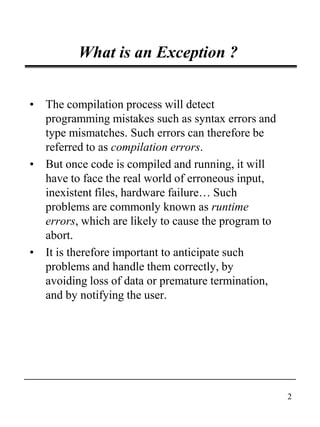
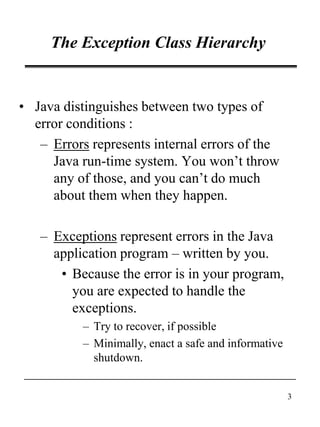
• Java distinguishes between two types of
error conditions :
– Errors represents internal errors of the
Java run-time system. You won’t throw
any of those, and you can’t do much
about them when they happen.
– Exceptions represent errors in the Java
application program – written by you.
• Because the error is in your program,
you are expected to handle the
exceptions.
– Try to recover, if possible
– Minimally, enact a safe and informative
shutdown.
4
The Exception Class Hierarchy
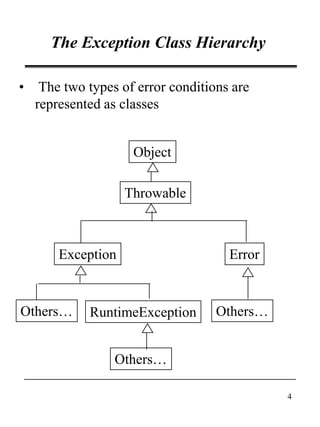
• The two types of error conditions are
represented as classes
Object
Throwable
Exception Error
RuntimeExceptionOthers…
Others…
Others…
5
The Exception Class Hierarchy
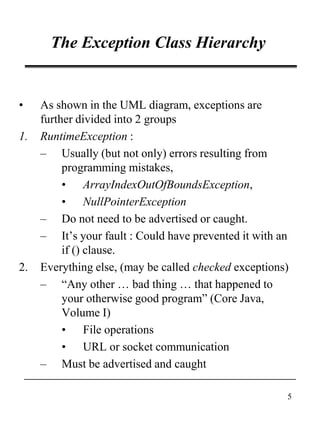
• As shown in the UML diagram, exceptions are
further divided into 2 groups
1. RuntimeException :
– Usually (but not only) errors resulting from
programming mistakes,
• ArrayIndexOutOfBoundsException,
• NullPointerException
– Do not need to be advertised or caught.
– It’s your fault : Could have prevented it with an
if () clause.
2. Everything else, (may be called checked exceptions)
– “Any other … bad thing … that happened to
your otherwise good program” (Core Java,
Volume I)
• File operations
• URL or socket communication
– Must be advertised and caught
6
The Exception Class Hierarchy
• Subtle implication of the Exception classes :
– Exceptions are objects, with state and
behaviour
• Not just a transient event with no
information.
• It has an identity
• Can be referenced, stored, passed
about, queried.
7
The Exception Class Hierarchy
• Exceptions are handled in Java by the
throw/catch pair.
– Throw : Identifies an exception situation
• Actually creates an exception object
containing relevant information.
– Catch : An exception handler that knows
how to recover from an exception (if only
to print out a meaningful message before
dying)
• If you don’t catch an exception, the
program ends abruptly (ie not
gracefully).
• Throw/catch is essentially a more flexible
syntax than the if () and goto statements
based on exceptions being objects
themselves (ie. Object orientation)
8
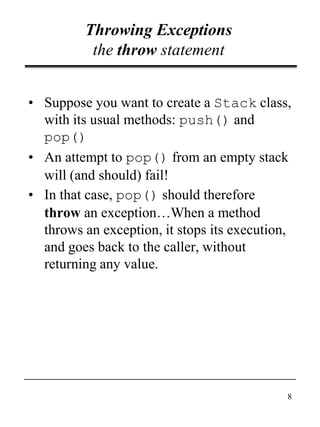
Throwing Exceptions
the throw statement
• Suppose you want to create a Stack class,
with its usual methods: push() and
pop()
• An attempt to pop() from an empty stack
will (and should) fail!
• In that case, pop() should therefore
throw an exception…When a method
throws an exception, it stops its execution,
and goes back to the caller, without
returning any value.
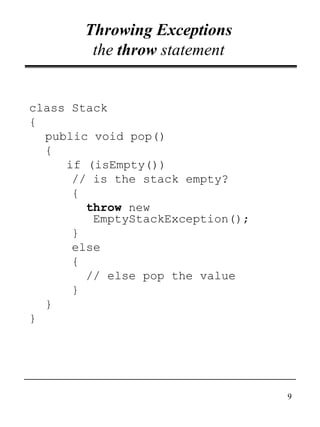
9
Throwing Exceptions
the throw statement
class Stack
{
public void pop()
{
if (isEmpty())
// is the stack empty?
{
throw new
EmptyStackException();
}
else
{
// else pop the value
}
}
}
10
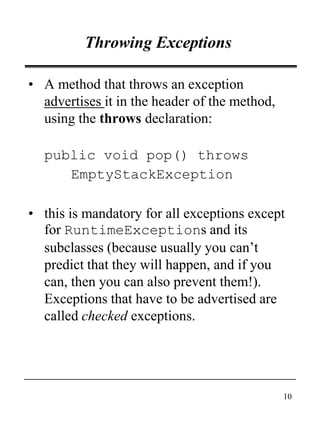
Throwing Exceptions
• A method that throws an exception
advertises it in the header of the method,
using the throws declaration:
public void pop() throws
EmptyStackException
• this is mandatory for all exceptions except
for RuntimeExceptions and its
subclasses (because usually you can’t
predict that they will happen, and if you
can, then you can also prevent them!).
Exceptions that have to be advertised are
called checked exceptions.
11
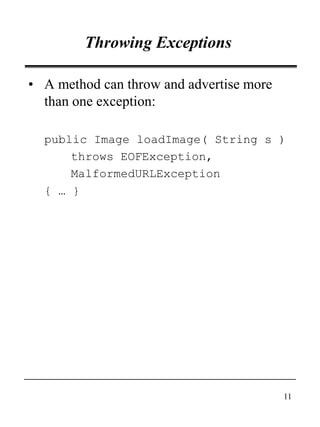
Throwing Exceptions
• A method can throw and advertise more
than one exception:
public Image loadImage( String s )
throws EOFException,
MalformedURLException
{ … }
12
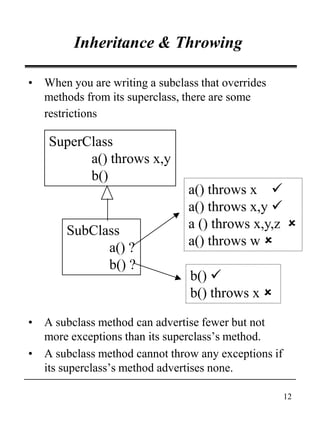
Inheritance & Throwing
• When you are writing a subclass that overrides
methods from its superclass, there are some
restrictions
• A subclass method can advertise fewer but not
more exceptions than its superclass’s method.
• A subclass method cannot throw any exceptions if
its superclass’s method advertises none.
SuperClass
a() throws x,y
b()
SubClass
a() ?
b() ?
a() throws x 
a() throws x,y 
a () throws x,y,z 
a() throws w 
b() 
b() throws x 
13
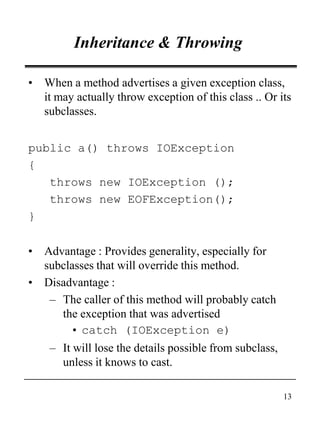
Inheritance & Throwing
• When a method advertises a given exception class,
it may actually throw exception of this class .. Or its
subclasses.
public a() throws IOException
{
throws new IOException ();
throws new EOFException();
}
• Advantage : Provides generality, especially for
subclasses that will override this method.
• Disadvantage :
– The caller of this method will probably catch
the exception that was advertised
• catch (IOException e)
– It will lose the details possible from subclass,
unless it knows to cast.
14
Exception handling
• Now the calling method needs to do
something with the exception that has
been thrown by the invoked method, or
the program will terminate abruptly! Two
possibilities:
1. Catching the exception: the caller
knows what went wrong, and knows
how to solve the problem and go on
with the rest of the code, or at least,
how to allow the program to terminate
“gracefully”;
2. Not catching it: the caller doesn’t have
all the elements in hand, and prefers to
forward it to its own caller.
15
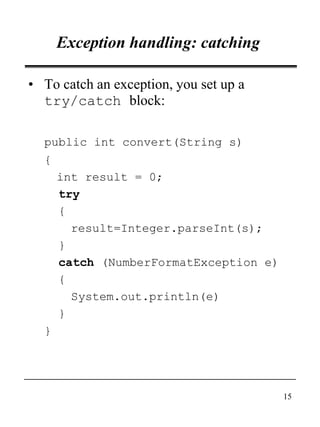
Exception handling: catching
• To catch an exception, you set up a
try/catch block:
public int convert(String s)
{
int result = 0;
try
{
result=Integer.parseInt(s);
}
catch (NumberFormatException e)
{
System.out.println(e)
}
}
16
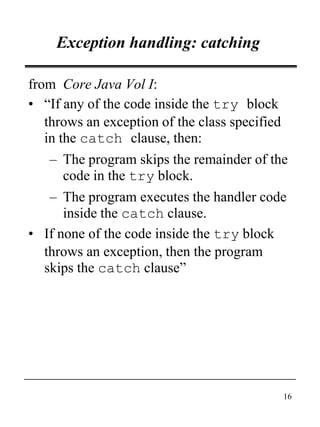
Exception handling: catching
from Core Java Vol I:
• “If any of the code inside the try block
throws an exception of the class specified
in the catch clause, then:
– The program skips the remainder of the
code in the try block.
– The program executes the handler code
inside the catch clause.
• If none of the code inside the try block
throws an exception, then the program
skips the catch clause”
17
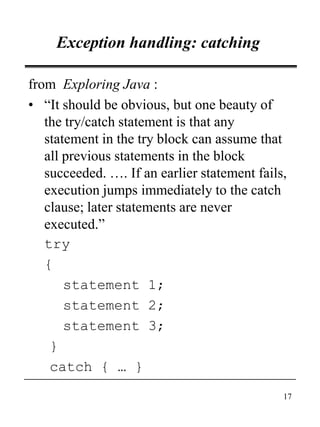
Exception handling: catching
from Exploring Java :
• “It should be obvious, but one beauty of
the try/catch statement is that any
statement in the try block can assume that
all previous statements in the block
succeeded. …. If an earlier statement fails,
execution jumps immediately to the catch
clause; later statements are never
executed.”
try
{
statement 1;
statement 2;
statement 3;
}
catch { … }
18
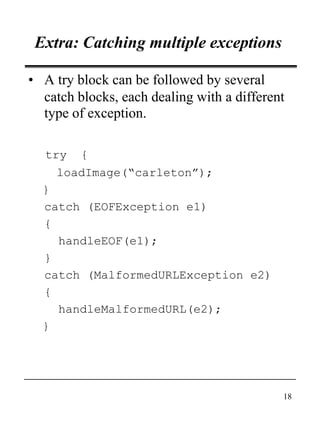
Extra: Catching multiple exceptions
• A try block can be followed by several
catch blocks, each dealing with a different
type of exception.
try {
loadImage(“carleton”);
}
catch (EOFException e1)
{
handleEOF(e1);
}
catch (MalformedURLException e2)
{
handleMalformedURL(e2);
}
19
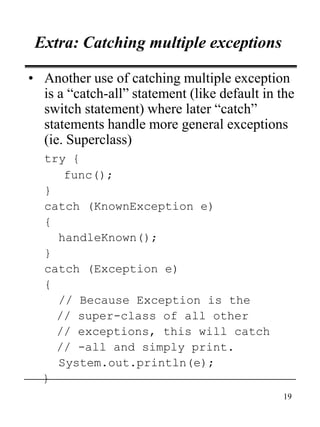
Extra: Catching multiple exceptions
• Another use of catching multiple exception
is a “catch-all” statement (like default in the
switch statement) where later “catch”
statements handle more general exceptions
(ie. Superclass)
try {
func();
}
catch (KnownException e)
{
handleKnown();
}
catch (Exception e)
{
// Because Exception is the
// super-class of all other
// exceptions, this will catch
// -all and simply print.
System.out.println(e);
}
20
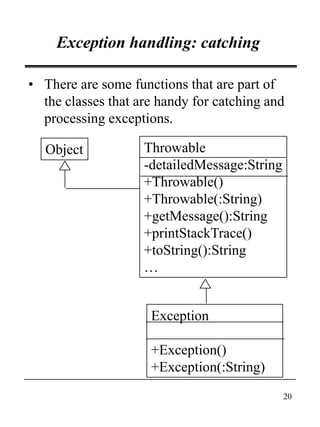
Exception handling: catching
• There are some functions that are part of
the classes that are handy for catching and
processing exceptions.
Object
Exception
+Exception()
+Exception(:String)
Throwable
-detailedMessage:String
+Throwable()
+Throwable(:String)
+getMessage():String
+printStackTrace()
+toString():String
…
21
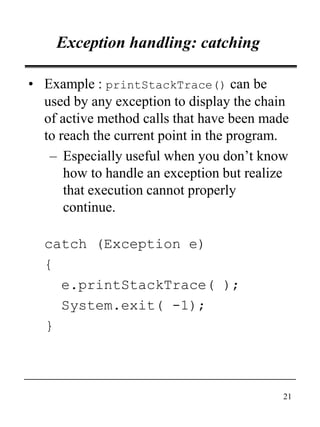
Exception handling: catching
• Example : printStackTrace() can be
used by any exception to display the chain
of active method calls that have been made
to reach the current point in the program.
– Especially useful when you don’t know
how to handle an exception but realize
that execution cannot properly
continue.
catch (Exception e)
{
e.printStackTrace( );
System.exit( -1);
}
22
Exception handling: not catching
• Alternatively, the calling method may
decide not to catch any exception thrown.
• In this case, the exception is passed
upwards to the caller of this method… and
so on up the chain of method calls, until
– Some method does catch it
– It reaches the main() method and the
default handler catches it, throws the
exception and terminates the program.
• This is called exception propagation.
23
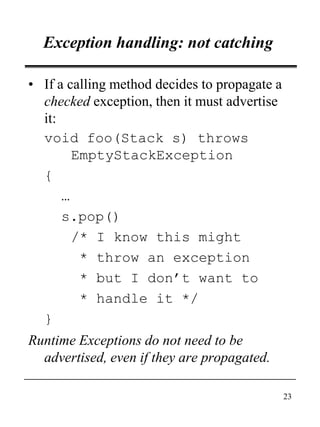
Exception handling: not catching
• If a calling method decides to propagate a
checked exception, then it must advertise
it:
void foo(Stack s) throws
EmptyStackException
{
…
s.pop()
/* I know this might
* throw an exception
* but I don’t want to
* handle it */
}
Runtime Exceptions do not need to be
advertised, even if they are propagated.
24
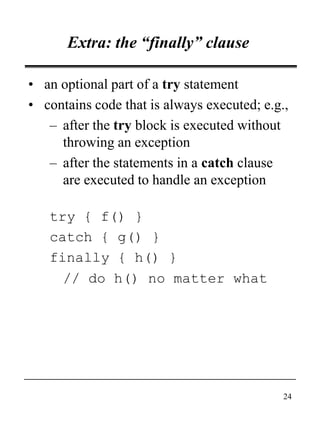
Extra: the “finally” clause
• an optional part of a try statement
• contains code that is always executed; e.g.,
– after the try block is executed without
throwing an exception
– after the statements in a catch clause
are executed to handle an exception
try { f() }
catch { g() }
finally { h() }
// do h() no matter what
25
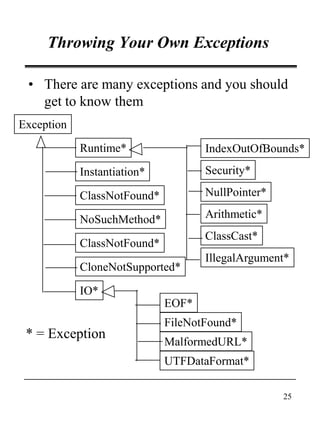
• There are many exceptions and you should
get to know them
Throwing Your Own Exceptions
Exception
ClassNotFound*
ClassNotFound*
IndexOutOfBounds*
NullPointer*
CloneNotSupported*
IO*
EOF*
FileNotFound*
MalformedURL*
Instantiation*
NoSuchMethod*
Runtime*
UTFDataFormat*
Security*
Arithmetic*
ClassCast*
IllegalArgument*
* = Exception
26
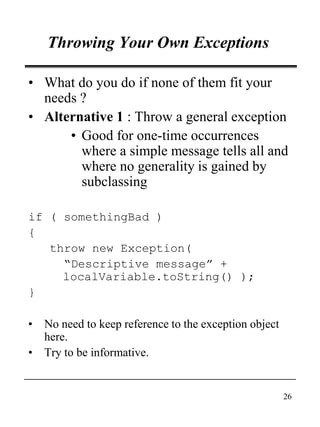
Throwing Your Own Exceptions
• What do you do if none of them fit your
needs ?
• Alternative 1 : Throw a general exception
• Good for one-time occurrences
where a simple message tells all and
where no generality is gained by
subclassing
if ( somethingBad )
{
throw new Exception(
“Descriptive message” +
localVariable.toString() );
}
• No need to keep reference to the exception object
here.
• Try to be informative.
27
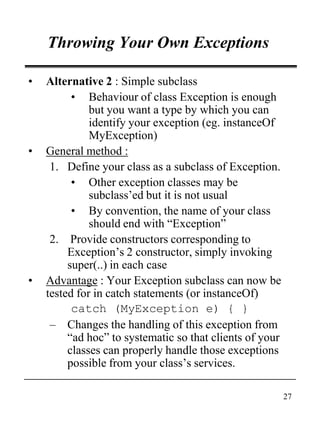
Throwing Your Own Exceptions
• Alternative 2 : Simple subclass
• Behaviour of class Exception is enough
but you want a type by which you can
identify your exception (eg. instanceOf
MyException)
• General method :
1. Define your class as a subclass of Exception.
• Other exception classes may be
subclass’ed but it is not usual
• By convention, the name of your class
should end with “Exception”
2. Provide constructors corresponding to
Exception’s 2 constructor, simply invoking
super(..) in each case
• Advantage : Your Exception subclass can now be
tested for in catch statements (or instanceOf)
catch (MyException e) { }
– Changes the handling of this exception from
“ad hoc” to systematic so that clients of your
classes can properly handle those exceptions
possible from your class’s services.
28
Throwing Your Own Exceptions
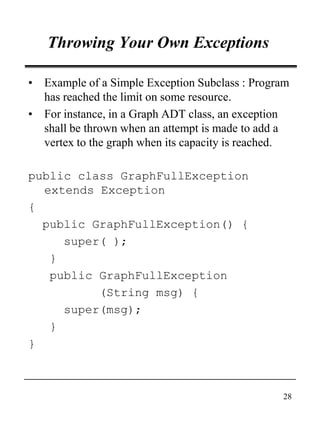
• Example of a Simple Exception Subclass : Program
has reached the limit on some resource.
• For instance, in a Graph ADT class, an exception
shall be thrown when an attempt is made to add a
vertex to the graph when its capacity is reached.
public class GraphFullException
extends Exception
{
public GraphFullException() {
super( );
}
public GraphFullException
(String msg) {
super(msg);
}
}
29
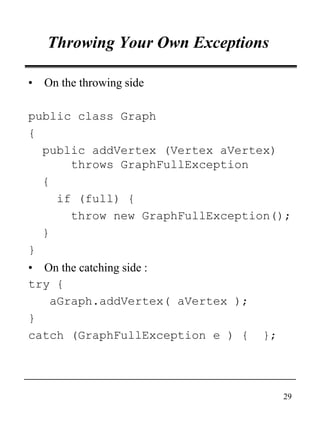
Throwing Your Own Exceptions
• On the throwing side
public class Graph
{
public addVertex (Vertex aVertex)
throws GraphFullException
{
if (full) {
throw new GraphFullException();
}
}
• On the catching side :
try {
aGraph.addVertex( aVertex );
}
catch (GraphFullException e ) { };
30
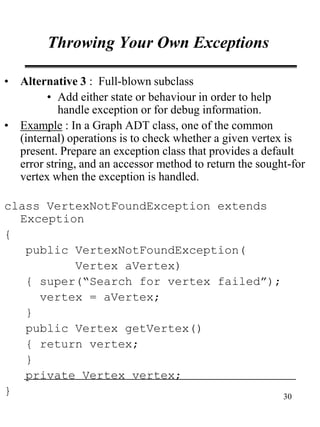
Throwing Your Own Exceptions
• Alternative 3 : Full-blown subclass
• Add either state or behaviour in order to help
handle exception or for debug information.
• Example : In a Graph ADT class, one of the common
(internal) operations is to check whether a given vertex is
present. Prepare an exception class that provides a default
error string, and an accessor method to return the sought-for
vertex when the exception is handled.
class VertexNotFoundException extends
Exception
{
public VertexNotFoundException(
Vertex aVertex)
{ super(“Search for vertex failed”);
vertex = aVertex;
}
public Vertex getVertex()
{ return vertex;
}
private Vertex vertex;
}
31
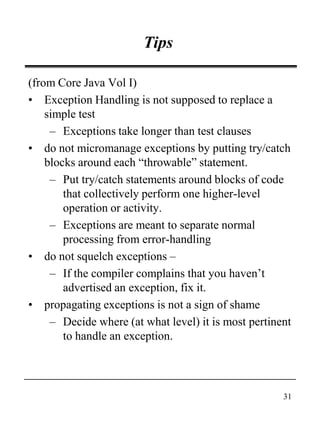
Tips
(from Core Java Vol I)
• Exception Handling is not supposed to replace a
simple test
– Exceptions take longer than test clauses
• do not micromanage exceptions by putting try/catch
blocks around each “throwable” statement.
– Put try/catch statements around blocks of code
that collectively perform one higher-level
operation or activity.
– Exceptions are meant to separate normal
processing from error-handling
• do not squelch exceptions –
– If the compiler complains that you haven’t
advertised an exception, fix it.
• propagating exceptions is not a sign of shame
– Decide where (at what level) it is most pertinent
to handle an exception.
32
JavadocTags
You must document every exception thrown
by every methods
– Along with @param and @returns
@exception : For runtime exceptions
@exception
IllegalArgumentException
if the specified initial
capacity
@throws : For checkede exceptions
@throws StackException if
popping from empty stack

Exception hierarchy

  • 1.
    1 94.204* Object-Oriented Software Development Unit9 Exception Hierarchy (A Case Study of an Inheritance Hierarchy) • revised January 30, 2000
  • 2.
    2 What is anException ? • The compilation process will detect programming mistakes such as syntax errors and type mismatches. Such errors can therefore be referred to as compilation errors. • But once code is compiled and running, it will have to face the real world of erroneous input, inexistent files, hardware failure… Such problems are commonly known as runtime errors, which are likely to cause the program to abort. • It is therefore important to anticipate such problems and handle them correctly, by avoiding loss of data or premature termination, and by notifying the user.
  • 3.
    3 The Exception ClassHierarchy • Java distinguishes between two types of error conditions : – Errors represents internal errors of the Java run-time system. You won’t throw any of those, and you can’t do much about them when they happen. – Exceptions represent errors in the Java application program – written by you. • Because the error is in your program, you are expected to handle the exceptions. – Try to recover, if possible – Minimally, enact a safe and informative shutdown.
  • 4.
    4 The Exception ClassHierarchy • The two types of error conditions are represented as classes Object Throwable Exception Error RuntimeExceptionOthers… Others… Others…
  • 5.
    5 The Exception ClassHierarchy • As shown in the UML diagram, exceptions are further divided into 2 groups 1. RuntimeException : – Usually (but not only) errors resulting from programming mistakes, • ArrayIndexOutOfBoundsException, • NullPointerException – Do not need to be advertised or caught. – It’s your fault : Could have prevented it with an if () clause. 2. Everything else, (may be called checked exceptions) – “Any other … bad thing … that happened to your otherwise good program” (Core Java, Volume I) • File operations • URL or socket communication – Must be advertised and caught
  • 6.
    6 The Exception ClassHierarchy • Subtle implication of the Exception classes : – Exceptions are objects, with state and behaviour • Not just a transient event with no information. • It has an identity • Can be referenced, stored, passed about, queried.
  • 7.
    7 The Exception ClassHierarchy • Exceptions are handled in Java by the throw/catch pair. – Throw : Identifies an exception situation • Actually creates an exception object containing relevant information. – Catch : An exception handler that knows how to recover from an exception (if only to print out a meaningful message before dying) • If you don’t catch an exception, the program ends abruptly (ie not gracefully). • Throw/catch is essentially a more flexible syntax than the if () and goto statements based on exceptions being objects themselves (ie. Object orientation)
  • 8.
    8 Throwing Exceptions the throwstatement • Suppose you want to create a Stack class, with its usual methods: push() and pop() • An attempt to pop() from an empty stack will (and should) fail! • In that case, pop() should therefore throw an exception…When a method throws an exception, it stops its execution, and goes back to the caller, without returning any value.
  • 9.
    9 Throwing Exceptions the throwstatement class Stack { public void pop() { if (isEmpty()) // is the stack empty? { throw new EmptyStackException(); } else { // else pop the value } } }
  • 10.
    10 Throwing Exceptions • Amethod that throws an exception advertises it in the header of the method, using the throws declaration: public void pop() throws EmptyStackException • this is mandatory for all exceptions except for RuntimeExceptions and its subclasses (because usually you can’t predict that they will happen, and if you can, then you can also prevent them!). Exceptions that have to be advertised are called checked exceptions.
  • 11.
    11 Throwing Exceptions • Amethod can throw and advertise more than one exception: public Image loadImage( String s ) throws EOFException, MalformedURLException { … }
  • 12.
    12 Inheritance & Throwing •When you are writing a subclass that overrides methods from its superclass, there are some restrictions • A subclass method can advertise fewer but not more exceptions than its superclass’s method. • A subclass method cannot throw any exceptions if its superclass’s method advertises none. SuperClass a() throws x,y b() SubClass a() ? b() ? a() throws x  a() throws x,y  a () throws x,y,z  a() throws w  b()  b() throws x 
  • 13.
    13 Inheritance & Throwing •When a method advertises a given exception class, it may actually throw exception of this class .. Or its subclasses. public a() throws IOException { throws new IOException (); throws new EOFException(); } • Advantage : Provides generality, especially for subclasses that will override this method. • Disadvantage : – The caller of this method will probably catch the exception that was advertised • catch (IOException e) – It will lose the details possible from subclass, unless it knows to cast.
  • 14.
    14 Exception handling • Nowthe calling method needs to do something with the exception that has been thrown by the invoked method, or the program will terminate abruptly! Two possibilities: 1. Catching the exception: the caller knows what went wrong, and knows how to solve the problem and go on with the rest of the code, or at least, how to allow the program to terminate “gracefully”; 2. Not catching it: the caller doesn’t have all the elements in hand, and prefers to forward it to its own caller.
  • 15.
    15 Exception handling: catching •To catch an exception, you set up a try/catch block: public int convert(String s) { int result = 0; try { result=Integer.parseInt(s); } catch (NumberFormatException e) { System.out.println(e) } }
  • 16.
    16 Exception handling: catching fromCore Java Vol I: • “If any of the code inside the try block throws an exception of the class specified in the catch clause, then: – The program skips the remainder of the code in the try block. – The program executes the handler code inside the catch clause. • If none of the code inside the try block throws an exception, then the program skips the catch clause”
  • 17.
    17 Exception handling: catching fromExploring Java : • “It should be obvious, but one beauty of the try/catch statement is that any statement in the try block can assume that all previous statements in the block succeeded. …. If an earlier statement fails, execution jumps immediately to the catch clause; later statements are never executed.” try { statement 1; statement 2; statement 3; } catch { … }
  • 18.
    18 Extra: Catching multipleexceptions • A try block can be followed by several catch blocks, each dealing with a different type of exception. try { loadImage(“carleton”); } catch (EOFException e1) { handleEOF(e1); } catch (MalformedURLException e2) { handleMalformedURL(e2); }
  • 19.
    19 Extra: Catching multipleexceptions • Another use of catching multiple exception is a “catch-all” statement (like default in the switch statement) where later “catch” statements handle more general exceptions (ie. Superclass) try { func(); } catch (KnownException e) { handleKnown(); } catch (Exception e) { // Because Exception is the // super-class of all other // exceptions, this will catch // -all and simply print. System.out.println(e); }
  • 20.
    20 Exception handling: catching •There are some functions that are part of the classes that are handy for catching and processing exceptions. Object Exception +Exception() +Exception(:String) Throwable -detailedMessage:String +Throwable() +Throwable(:String) +getMessage():String +printStackTrace() +toString():String …
  • 21.
    21 Exception handling: catching •Example : printStackTrace() can be used by any exception to display the chain of active method calls that have been made to reach the current point in the program. – Especially useful when you don’t know how to handle an exception but realize that execution cannot properly continue. catch (Exception e) { e.printStackTrace( ); System.exit( -1); }
  • 22.
    22 Exception handling: notcatching • Alternatively, the calling method may decide not to catch any exception thrown. • In this case, the exception is passed upwards to the caller of this method… and so on up the chain of method calls, until – Some method does catch it – It reaches the main() method and the default handler catches it, throws the exception and terminates the program. • This is called exception propagation.
  • 23.
    23 Exception handling: notcatching • If a calling method decides to propagate a checked exception, then it must advertise it: void foo(Stack s) throws EmptyStackException { … s.pop() /* I know this might * throw an exception * but I don’t want to * handle it */ } Runtime Exceptions do not need to be advertised, even if they are propagated.
  • 24.
    24 Extra: the “finally”clause • an optional part of a try statement • contains code that is always executed; e.g., – after the try block is executed without throwing an exception – after the statements in a catch clause are executed to handle an exception try { f() } catch { g() } finally { h() } // do h() no matter what
  • 25.
    25 • There aremany exceptions and you should get to know them Throwing Your Own Exceptions Exception ClassNotFound* ClassNotFound* IndexOutOfBounds* NullPointer* CloneNotSupported* IO* EOF* FileNotFound* MalformedURL* Instantiation* NoSuchMethod* Runtime* UTFDataFormat* Security* Arithmetic* ClassCast* IllegalArgument* * = Exception
  • 26.
    26 Throwing Your OwnExceptions • What do you do if none of them fit your needs ? • Alternative 1 : Throw a general exception • Good for one-time occurrences where a simple message tells all and where no generality is gained by subclassing if ( somethingBad ) { throw new Exception( “Descriptive message” + localVariable.toString() ); } • No need to keep reference to the exception object here. • Try to be informative.
  • 27.
    27 Throwing Your OwnExceptions • Alternative 2 : Simple subclass • Behaviour of class Exception is enough but you want a type by which you can identify your exception (eg. instanceOf MyException) • General method : 1. Define your class as a subclass of Exception. • Other exception classes may be subclass’ed but it is not usual • By convention, the name of your class should end with “Exception” 2. Provide constructors corresponding to Exception’s 2 constructor, simply invoking super(..) in each case • Advantage : Your Exception subclass can now be tested for in catch statements (or instanceOf) catch (MyException e) { } – Changes the handling of this exception from “ad hoc” to systematic so that clients of your classes can properly handle those exceptions possible from your class’s services.
  • 28.
    28 Throwing Your OwnExceptions • Example of a Simple Exception Subclass : Program has reached the limit on some resource. • For instance, in a Graph ADT class, an exception shall be thrown when an attempt is made to add a vertex to the graph when its capacity is reached. public class GraphFullException extends Exception { public GraphFullException() { super( ); } public GraphFullException (String msg) { super(msg); } }
  • 29.
    29 Throwing Your OwnExceptions • On the throwing side public class Graph { public addVertex (Vertex aVertex) throws GraphFullException { if (full) { throw new GraphFullException(); } } • On the catching side : try { aGraph.addVertex( aVertex ); } catch (GraphFullException e ) { };
  • 30.
    30 Throwing Your OwnExceptions • Alternative 3 : Full-blown subclass • Add either state or behaviour in order to help handle exception or for debug information. • Example : In a Graph ADT class, one of the common (internal) operations is to check whether a given vertex is present. Prepare an exception class that provides a default error string, and an accessor method to return the sought-for vertex when the exception is handled. class VertexNotFoundException extends Exception { public VertexNotFoundException( Vertex aVertex) { super(“Search for vertex failed”); vertex = aVertex; } public Vertex getVertex() { return vertex; } private Vertex vertex; }
  • 31.
    31 Tips (from Core JavaVol I) • Exception Handling is not supposed to replace a simple test – Exceptions take longer than test clauses • do not micromanage exceptions by putting try/catch blocks around each “throwable” statement. – Put try/catch statements around blocks of code that collectively perform one higher-level operation or activity. – Exceptions are meant to separate normal processing from error-handling • do not squelch exceptions – – If the compiler complains that you haven’t advertised an exception, fix it. • propagating exceptions is not a sign of shame – Decide where (at what level) it is most pertinent to handle an exception.
  • 32.
    32 JavadocTags You must documentevery exception thrown by every methods – Along with @param and @returns @exception : For runtime exceptions @exception IllegalArgumentException if the specified initial capacity @throws : For checkede exceptions @throws StackException if popping from empty stack