Google Gadgets API Gadgets can be added to your Google personalized homepage or embedded in a webpage via a script tag. Gadgets are small, customizable pieces of HTML (RSS viewers, games, slideshows, etc.)
Google Gadgets API: Overview  Easy way to create interactive content : Little AJAX webpages (HTML+JS) No SDK, Nothing to download, No keys User settings can be saved to google server or cookies – No Login Required Google supplies free hosting, bandwidth, caching Write once (FF/IE/Opera/Safari), run all over the place: google.com: homepage, desktop, pages, blogger enterprises: IBM WebSphere, BEA WebLogic, … content ads network: gadgets as ads! independent websites & blogs: 25,000 and counting! Free, effective distribution:   http://google.com/ig/directory
Google Gadgets API: Basic Example Gadgets are just HTML wrapped in a little XML with metadata 2 basic types: html, url Specifies pointer to content <?xml version=&quot;1.0&quot; encoding=&quot;UTF-8&quot;?> <Module> <ModulePrefs title=&quot;Hello module”/> <Content type=&quot;url“  href=&quot;http://foo.com/foo.cgi&quot;/> </Module> Standard heading for XML Gadget title Specify content type Protect content from XML parser Specifies content <?xml version=&quot;1.0&quot; encoding=&quot;UTF-8&quot;?> <Module> <ModulePrefs title=&quot;Hello module&quot;/> <Content type=&quot;html&quot;> <![CDATA[ Hello, world! ]]></Content> </Module>
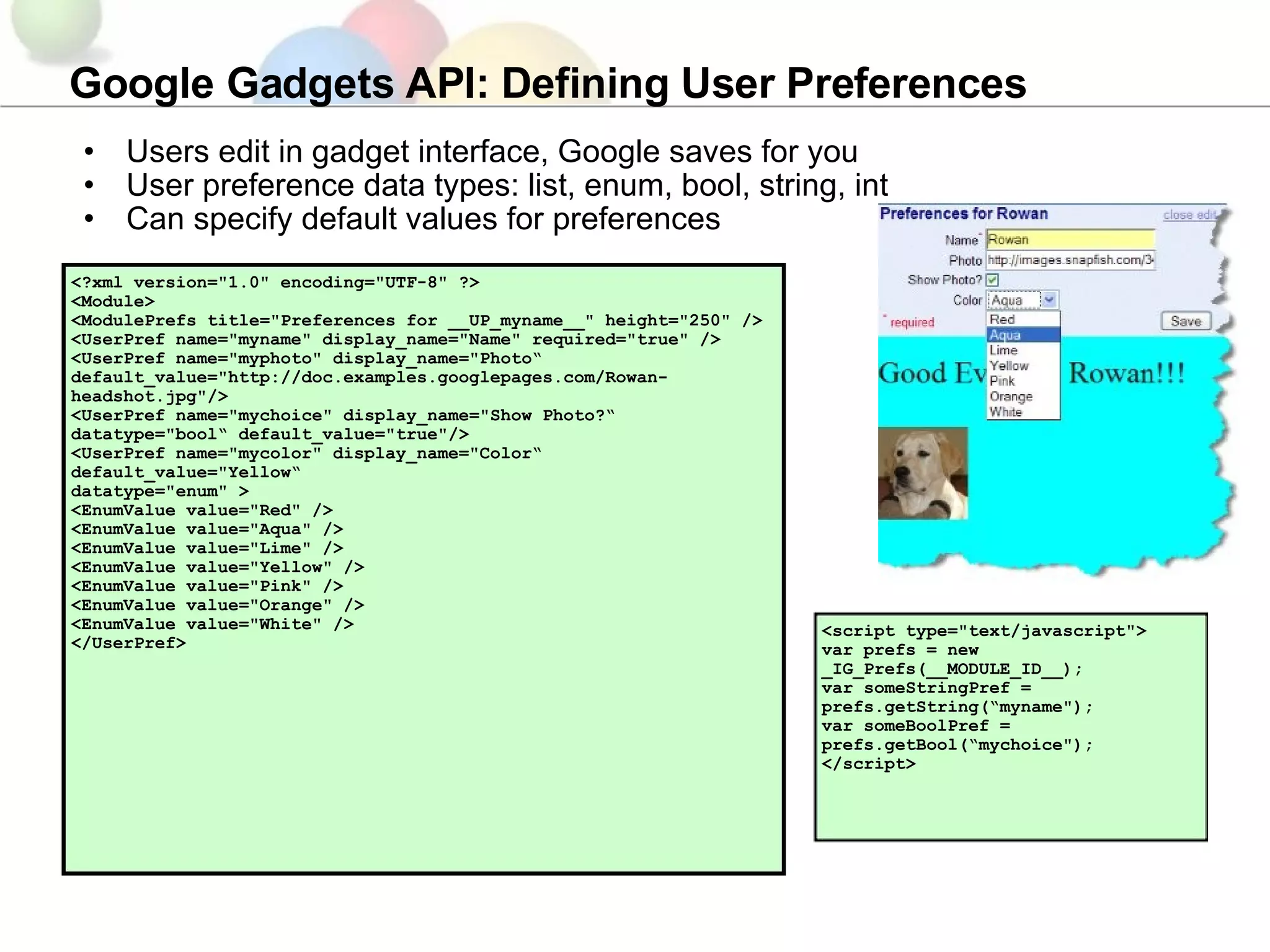
Google Gadgets API: Defining User Preferences Users edit in gadget interface, Google saves for you User preference data types: list, enum, bool, string, int Can specify default values for preferences <?xml version=&quot;1.0&quot; encoding=&quot;UTF-8&quot; ?>  <Module>  <ModulePrefs title=&quot;Preferences for __UP_myname__&quot; height=&quot;250&quot; /> <UserPref name=&quot;myname&quot; display_name=&quot;Name&quot; required=&quot;true&quot; /> <UserPref name=&quot;myphoto&quot; display_name=&quot;Photo“ default_value=&quot;http://doc.examples.googlepages.com/Rowan-headshot.jpg&quot;/> <UserPref name=&quot;mychoice&quot; display_name=&quot;Show Photo?“ datatype=&quot;bool“ default_value=&quot;true&quot;/> <UserPref name=&quot;mycolor&quot; display_name=&quot;Color“ default_value=&quot;Yellow“ datatype=&quot;enum&quot; >  <EnumValue value=&quot;Red&quot; />  <EnumValue value=&quot;Aqua&quot; /> <EnumValue value=&quot;Lime&quot; />  <EnumValue value=&quot;Yellow&quot; />  <EnumValue value=&quot;Pink&quot; />  <EnumValue value=&quot;Orange&quot; />  <EnumValue value=&quot;White&quot; />  </UserPref>  <script type=&quot;text/javascript&quot;>  var prefs = new _IG_Prefs(__MODULE_ID__);  var someStringPref = prefs.getString(“myname&quot;);  var someBoolPref = prefs.getBool(“mychoice&quot;);  </script>
Google Gadgets API: AJAX Google Gadgets has its own asynchronous functions for getting data: IG_FetchContent(url, func) IG_FetchXMLContent(url, func)  These use a Google proxy that can get data from any public URL! Built in caching mechanisms to reduce hitting poor fellow's servers <?xml version=&quot;1.0&quot; encoding=&quot;UTF-8&quot; ?>  <Module> <ModulePrefs title=“Songs Example&quot; height=&quot;300&quot; scaling=&quot;false&quot; /> <Content type=&quot;html&quot;>  <script language=&quot;javascript&quot; type=&quot;text/javascript&quot;>  function sendRequest() {     url = “findsongs.php?singer=Madonna&quot;;     _IG_FetchXMLContent(url, processRequest);  }  function processRequest(responseXML) {     var resultsDIV = document.createElement(“results”);    document.appendChild(resultsDIV);    results = response.getElementsByTagName(“Result”);    for (var i=0; i < results.length; i++) {      var song = results[i].getAttribute(“song”);      resultsDIV.appendChild(document.createTextNode(song));    } } _IG_RegisterOnloadHandler(sendRequest); </script> ]]>  </Content>  </Module>
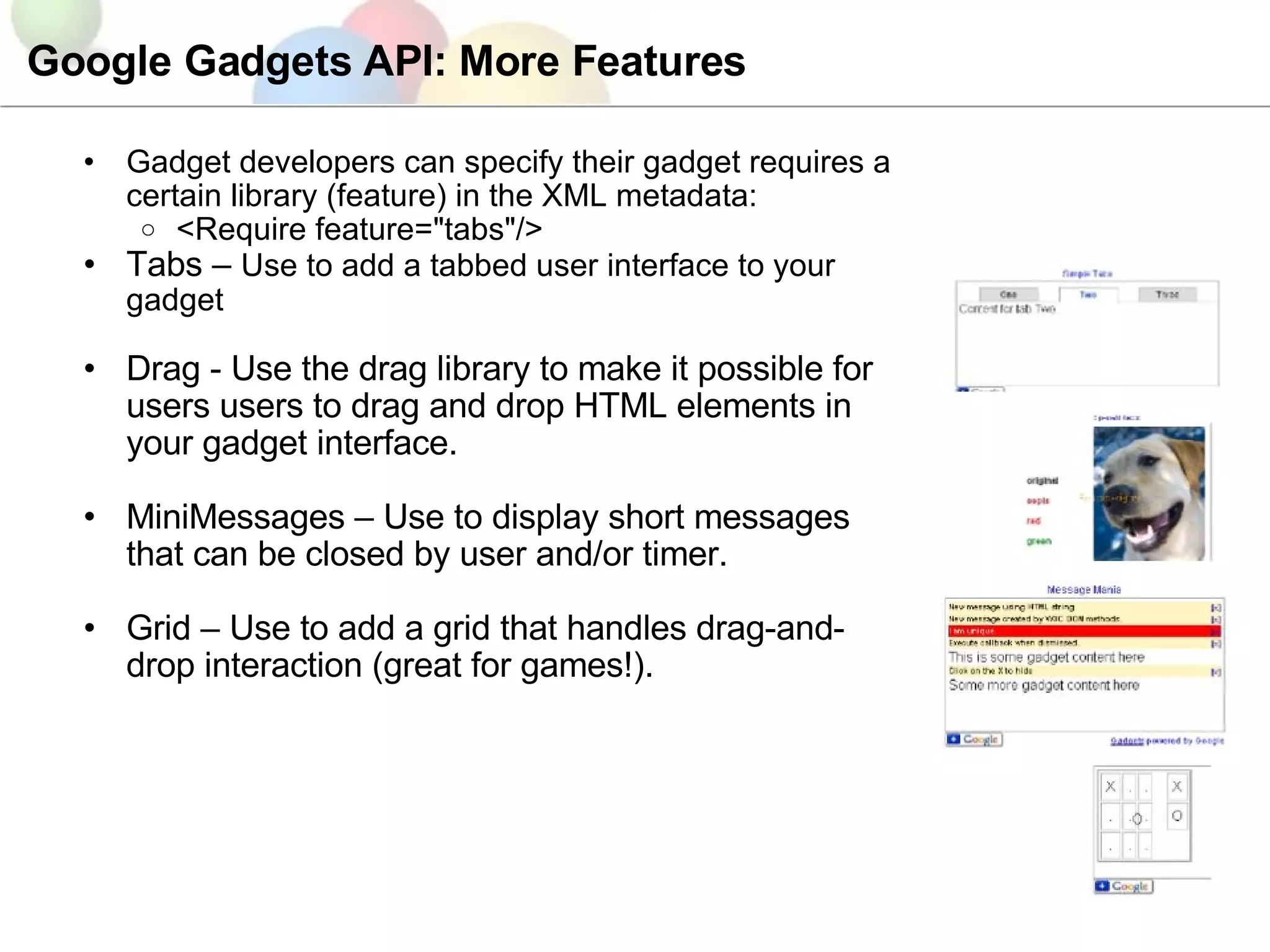
Google Gadgets API: More Features Gadget developers can specify their gadget requires a certain library (feature) in the XML metadata: <Require feature=&quot;tabs&quot;/>  Tabs –  Use to add a tabbed user interface to your gadget Drag - Use the drag library to make it possible for users users to drag and drop HTML elements in your gadget interface. MiniMessages – Use to display short messages that can be closed by user and/or timer. Grid – Use to add a grid that handles drag-and-drop interaction (great for games!).
Google Gadgets API with Maps: Examples Try these out in iGoogle: Latest Global Earthquakes Clouds & Daylight Map Google Mapsearch Gadget Caveats with maps in gadgets: - Register API key for gmodules.com - Use Static Maps API if you want fast loading
Gadgets Variations Gadget Ads Require feature = &quot;ads&quot; Runs in Google content ad networks Visualization API Gadgets: No required feature Load visualization JS API Defines table_query_url UserPref to define data source Loads in spreadsheets, iGoogle, webpage Social Gadgets Require feature = &quot;opensocial&quot; Loads in social networks that implement OpenSocial (e.g. Orkut, Hi5) Mapplets Require feature = &quot;sharedmap&quot; Loads in Google Maps Uses a special version of the Maps API (Mapplets API)
Mapplets API: Examples Try in Google Maps: 360cities Clouds US Census Data Browse the Directory for More Article: Converting a Maps API Mashup into a Mapplet

Gadgets Intro (Plus Mapplets)

  • 1.
    Google Gadgets APIGadgets can be added to your Google personalized homepage or embedded in a webpage via a script tag. Gadgets are small, customizable pieces of HTML (RSS viewers, games, slideshows, etc.)
  • 2.
    Google Gadgets API:Overview Easy way to create interactive content : Little AJAX webpages (HTML+JS) No SDK, Nothing to download, No keys User settings can be saved to google server or cookies – No Login Required Google supplies free hosting, bandwidth, caching Write once (FF/IE/Opera/Safari), run all over the place: google.com: homepage, desktop, pages, blogger enterprises: IBM WebSphere, BEA WebLogic, … content ads network: gadgets as ads! independent websites & blogs: 25,000 and counting! Free, effective distribution: http://google.com/ig/directory
  • 3.
    Google Gadgets API:Basic Example Gadgets are just HTML wrapped in a little XML with metadata 2 basic types: html, url Specifies pointer to content <?xml version=&quot;1.0&quot; encoding=&quot;UTF-8&quot;?> <Module> <ModulePrefs title=&quot;Hello module”/> <Content type=&quot;url“ href=&quot;http://foo.com/foo.cgi&quot;/> </Module> Standard heading for XML Gadget title Specify content type Protect content from XML parser Specifies content <?xml version=&quot;1.0&quot; encoding=&quot;UTF-8&quot;?> <Module> <ModulePrefs title=&quot;Hello module&quot;/> <Content type=&quot;html&quot;> <![CDATA[ Hello, world! ]]></Content> </Module>
  • 4.
    Google Gadgets API:Defining User Preferences Users edit in gadget interface, Google saves for you User preference data types: list, enum, bool, string, int Can specify default values for preferences <?xml version=&quot;1.0&quot; encoding=&quot;UTF-8&quot; ?> <Module> <ModulePrefs title=&quot;Preferences for __UP_myname__&quot; height=&quot;250&quot; /> <UserPref name=&quot;myname&quot; display_name=&quot;Name&quot; required=&quot;true&quot; /> <UserPref name=&quot;myphoto&quot; display_name=&quot;Photo“ default_value=&quot;http://doc.examples.googlepages.com/Rowan-headshot.jpg&quot;/> <UserPref name=&quot;mychoice&quot; display_name=&quot;Show Photo?“ datatype=&quot;bool“ default_value=&quot;true&quot;/> <UserPref name=&quot;mycolor&quot; display_name=&quot;Color“ default_value=&quot;Yellow“ datatype=&quot;enum&quot; > <EnumValue value=&quot;Red&quot; /> <EnumValue value=&quot;Aqua&quot; /> <EnumValue value=&quot;Lime&quot; /> <EnumValue value=&quot;Yellow&quot; /> <EnumValue value=&quot;Pink&quot; /> <EnumValue value=&quot;Orange&quot; /> <EnumValue value=&quot;White&quot; /> </UserPref> <script type=&quot;text/javascript&quot;> var prefs = new _IG_Prefs(__MODULE_ID__); var someStringPref = prefs.getString(“myname&quot;); var someBoolPref = prefs.getBool(“mychoice&quot;); </script>
  • 5.
    Google Gadgets API:AJAX Google Gadgets has its own asynchronous functions for getting data: IG_FetchContent(url, func) IG_FetchXMLContent(url, func) These use a Google proxy that can get data from any public URL! Built in caching mechanisms to reduce hitting poor fellow's servers <?xml version=&quot;1.0&quot; encoding=&quot;UTF-8&quot; ?> <Module> <ModulePrefs title=“Songs Example&quot; height=&quot;300&quot; scaling=&quot;false&quot; /> <Content type=&quot;html&quot;> <script language=&quot;javascript&quot; type=&quot;text/javascript&quot;> function sendRequest() {   url = “findsongs.php?singer=Madonna&quot;;   _IG_FetchXMLContent(url, processRequest); } function processRequest(responseXML) {   var resultsDIV = document.createElement(“results”);   document.appendChild(resultsDIV);   results = response.getElementsByTagName(“Result”);   for (var i=0; i < results.length; i++) {     var song = results[i].getAttribute(“song”);     resultsDIV.appendChild(document.createTextNode(song));   } } _IG_RegisterOnloadHandler(sendRequest); </script> ]]> </Content> </Module>
  • 6.
    Google Gadgets API:More Features Gadget developers can specify their gadget requires a certain library (feature) in the XML metadata: <Require feature=&quot;tabs&quot;/> Tabs – Use to add a tabbed user interface to your gadget Drag - Use the drag library to make it possible for users users to drag and drop HTML elements in your gadget interface. MiniMessages – Use to display short messages that can be closed by user and/or timer. Grid – Use to add a grid that handles drag-and-drop interaction (great for games!).
  • 7.
    Google Gadgets APIwith Maps: Examples Try these out in iGoogle: Latest Global Earthquakes Clouds & Daylight Map Google Mapsearch Gadget Caveats with maps in gadgets: - Register API key for gmodules.com - Use Static Maps API if you want fast loading
  • 8.
    Gadgets Variations GadgetAds Require feature = &quot;ads&quot; Runs in Google content ad networks Visualization API Gadgets: No required feature Load visualization JS API Defines table_query_url UserPref to define data source Loads in spreadsheets, iGoogle, webpage Social Gadgets Require feature = &quot;opensocial&quot; Loads in social networks that implement OpenSocial (e.g. Orkut, Hi5) Mapplets Require feature = &quot;sharedmap&quot; Loads in Google Maps Uses a special version of the Maps API (Mapplets API)
  • 9.
    Mapplets API: ExamplesTry in Google Maps: 360cities Clouds US Census Data Browse the Directory for More Article: Converting a Maps API Mashup into a Mapplet