Vishal Kumar06131A1258
IntroductionWhy you’re going to love jQuery!
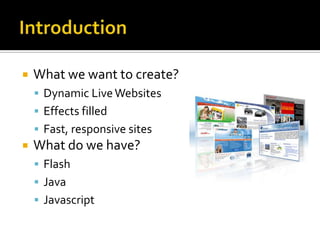
IntroductionWhat we want to create?Dynamic Live WebsitesEffects filled Fast, responsive sitesWhat do we have?FlashJavaJavascript
The Solution : jQueryWhat is jQuery?jQuery is a fast and concise JavaScript Library that simplifies HTML document traversing, event handling, animating, and Ajax interactions for rapid web development. jQuery is designed to change the way that you write JavaScript.
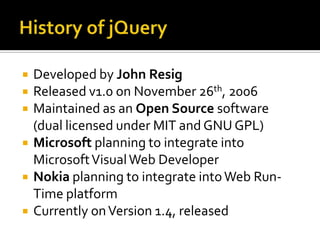
History of jQueryDeveloped by John ResigReleased v1.0 on November 26th, 2006Maintained as an Open Source software (dual licensed under MIT and GNU GPL)Microsoft planning to integrate into Microsoft Visual Web DeveloperNokia planning to integrate into Web Run-Time platformCurrently on Version 1.4, released
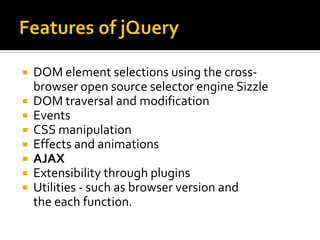
Features of jQueryDOM element selections using the cross-browser open source selector engine SizzleDOM traversal and modificationEventsCSS manipulationEffects and animationsAJAXExtensibility through pluginsUtilities - such as browser version and the each function.
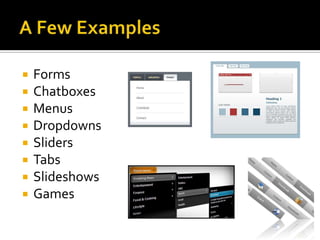
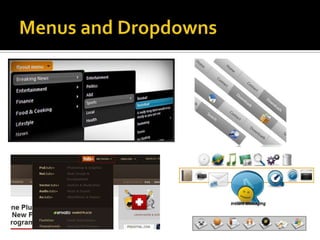
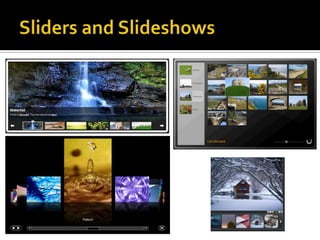
A Few ExamplesFormsChatboxesMenusDropdownsSlidersTabsSlideshowsGames
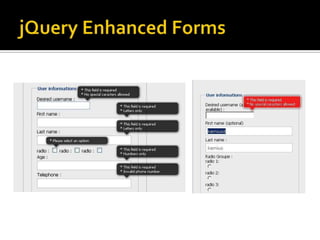
jQuery Enhanced Forms
Menus and Dropdowns
Sliders and Slideshows
Technical ImplementationBecause, after all, we are I.T. folks.
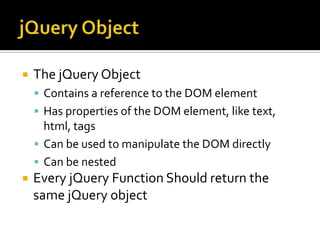
jQuery ObjectThe jQuery ObjectContains a reference to the DOM elementHas properties of the DOM element, like text, html, tagsCan be used to manipulate the DOM directlyCan be nestedEvery jQuery Function Should return the same jQuery object
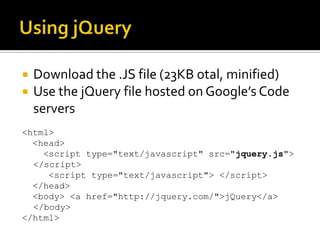
Using jQueryDownload the .JS file (23KB otal, minified)Use the jQuery file hosted on Google’s Code servers<html>   <head>     <script type="text/javascript" src="jquery.js">       </script>      <script type="text/javascript"> </script>   </head>   <body> <a href="http://jquery.com/">jQuery</a>    </body> </html>
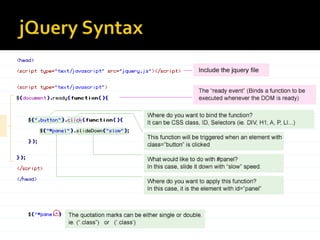
jQuery Syntax$(document).ready(function(){ 	$("a").click(function(event)	{ 		alert("Thanks for visiting!"); 	});});
The  $ Symbol$ is the Shortcut for the jQuery Global ClassUse it to access any part of the DOMSearch by CSS to get the element.Returns a jQuery object which can be futher manipulated
DOM TraversingDocument Object Model:The way of representing the Elements of a Document as ObjectsWay we represent HTML, XML, XHTMLFrom BODY, P, DIV, SPAN, etc. Any element can be accessed from its DOM structure
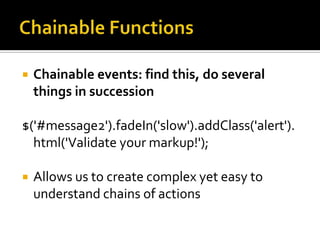
Chainable FunctionsChainable events: find this, do several things in succession$('#message2').fadeIn('slow').addClass('alert').html('Validate your markup!');Allows us to create complex yet easy to understand chains of actions
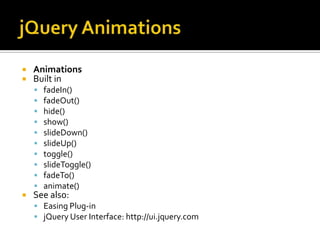
jQuery AnimationsAnimationsBuilt infadeIn()fadeOut()hide()show()slideDown()slideUp()toggle()slideToggle()fadeTo()animate()See also:Easing Plug-injQuery User Interface: http://ui.jquery.com
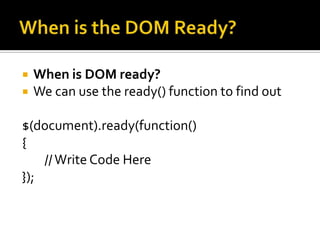
When is the DOM Ready?When is DOM ready?We can use the ready() function to find out$(document).ready(function() {    // Write Code Here});
CSS & Attribute MatchingSearch with Tags and CSS:$('p');$('p.message');$('#message .text');$('ul#menu > li');$('ul#menuul');Attribute Matching:$('img[@alt]');$('a[@href*=google]');
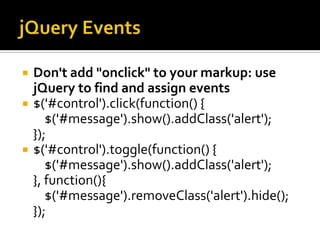
jQuery EventsDon't add "onclick" to your markup: use jQuery to find and assign events$('#control').click(function() {    $('#message').show().addClass('alert');});$('#control').toggle(function() {    $('#message').show().addClass('alert');}, function(){    $('#message').removeClass('alert').hide();});
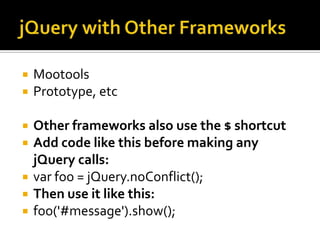
jQuery with Other FrameworksMootoolsPrototype, etcOther frameworks also use the $ shortcutAdd code like this before making any jQuery calls:varfoo = jQuery.noConflict();Then use it like this:foo('#message').show();
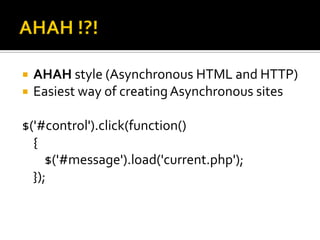
AHAH !?!AHAH style (Asynchronous HTML and HTTP)Easiest way of creating Asynchronous sites$('#control').click(function() 	{    $('#message').load('current.php');});
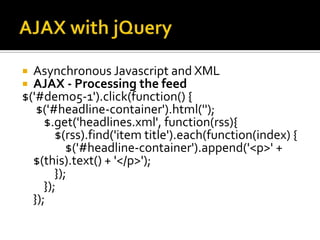
AJAX with jQueryAsynchronous Javascript and XMLAJAX - Processing the feed$('#demo5-1').click(function() { $('#headline-container').html('');    $.get('headlines.xml', function(rss){        $(rss).find('item title').each(function(index) {            $('#headline-container').append('<p>' + $(this).text() + '</p>');        });    });});
Live ExamplesI can’t believe its not Flash!
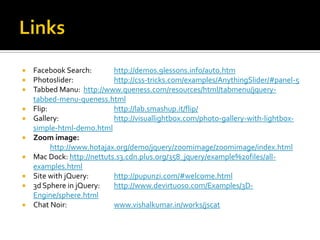
LinksFacebook Search: 	http://demos.9lessons.info/auto.htmPhotoslider:		http://css-tricks.com/examples/AnythingSlider/#panel-5Tabbed Manu:	 http://www.queness.com/resources/html/tabmenu/jquery-tabbed-menu-queness.htmlFlip: 			http://lab.smashup.it/flip/Gallery:		http://visuallightbox.com/photo-gallery-with-lightbox-simple-html-demo.htmlZoom image: 	http://www.hotajax.org/demo/jquery/zoomimage/zoomimage/index.htmlMac Dock: http://nettuts.s3.cdn.plus.org/358_jquery/example%20files/all-examples.htmlSite with jQuery: 	http://pupunzi.com/#welcome.html3d Sphere in jQuery: 	http://www.devirtuoso.com/Examples/3D-Engine/sphere.htmlChat Noir: 		www.vishalkumar.in/works/jscat
ConclusionImpressed?
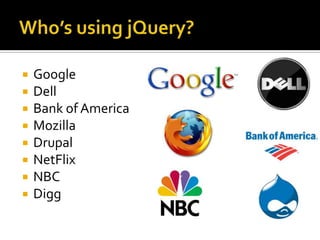
Who’s using jQuery?GoogleDellBank of AmericaMozillaDrupalNetFlixNBCDigg
How can I learn and use jQueryCheck out jQuery.com DocumentationSites like www.jquerytutorials.comPlugins for many of the featuresApply it to any web based applicationChange the way you develop websites, and bring life to the online experience!
Closing RemarksThank you for listening.If you have any queries, please feel free to ask . If you want to know how you can use a particular module of technology for your project or application, contact me atvishalkumar@gmail.com+91 9985 463 469
ReferencesjQuery: www.jQuery.comjQuery 1.4 Reference Guide(Jan 2010), Pack Publishingwww.noupe.comwww.jquerytutorials.comhttp://www.webdesignerwall.com/tutorials/jquery-tutorials-for-designers/www.google.com/images (search “jquery <feature>”)

J Query Presentation

  • 1.
  • 2.
  • 3.
    IntroductionWhat we wantto create?Dynamic Live WebsitesEffects filled Fast, responsive sitesWhat do we have?FlashJavaJavascript
  • 4.
    The Solution :jQueryWhat is jQuery?jQuery is a fast and concise JavaScript Library that simplifies HTML document traversing, event handling, animating, and Ajax interactions for rapid web development. jQuery is designed to change the way that you write JavaScript.
  • 5.
    History of jQueryDevelopedby John ResigReleased v1.0 on November 26th, 2006Maintained as an Open Source software (dual licensed under MIT and GNU GPL)Microsoft planning to integrate into Microsoft Visual Web DeveloperNokia planning to integrate into Web Run-Time platformCurrently on Version 1.4, released
  • 6.
    Features of jQueryDOM elementselections using the cross-browser open source selector engine SizzleDOM traversal and modificationEventsCSS manipulationEffects and animationsAJAXExtensibility through pluginsUtilities - such as browser version and the each function.
  • 7.
  • 8.
  • 9.
  • 10.
  • 11.
  • 12.
    jQuery ObjectThe jQueryObjectContains a reference to the DOM elementHas properties of the DOM element, like text, html, tagsCan be used to manipulate the DOM directlyCan be nestedEvery jQuery Function Should return the same jQuery object
  • 13.
    Using jQueryDownload the.JS file (23KB otal, minified)Use the jQuery file hosted on Google’s Code servers<html> <head> <script type="text/javascript" src="jquery.js"> </script> <script type="text/javascript"> </script> </head> <body> <a href="http://jquery.com/">jQuery</a> </body> </html>
  • 14.
  • 15.
    The $Symbol$ is the Shortcut for the jQuery Global ClassUse it to access any part of the DOMSearch by CSS to get the element.Returns a jQuery object which can be futher manipulated
  • 16.
    DOM TraversingDocument ObjectModel:The way of representing the Elements of a Document as ObjectsWay we represent HTML, XML, XHTMLFrom BODY, P, DIV, SPAN, etc. Any element can be accessed from its DOM structure
  • 17.
    Chainable FunctionsChainable events:find this, do several things in succession$('#message2').fadeIn('slow').addClass('alert').html('Validate your markup!');Allows us to create complex yet easy to understand chains of actions
  • 18.
  • 19.
    When is theDOM Ready?When is DOM ready?We can use the ready() function to find out$(document).ready(function() {    // Write Code Here});
  • 20.
    CSS & AttributeMatchingSearch with Tags and CSS:$('p');$('p.message');$('#message .text');$('ul#menu > li');$('ul#menuul');Attribute Matching:$('img[@alt]');$('a[@href*=google]');
  • 21.
    jQuery EventsDon't add"onclick" to your markup: use jQuery to find and assign events$('#control').click(function() {    $('#message').show().addClass('alert');});$('#control').toggle(function() {    $('#message').show().addClass('alert');}, function(){    $('#message').removeClass('alert').hide();});
  • 22.
    jQuery with OtherFrameworksMootoolsPrototype, etcOther frameworks also use the $ shortcutAdd code like this before making any jQuery calls:varfoo = jQuery.noConflict();Then use it like this:foo('#message').show();
  • 23.
    AHAH !?!AHAH style(Asynchronous HTML and HTTP)Easiest way of creating Asynchronous sites$('#control').click(function() {    $('#message').load('current.php');});
  • 24.
    AJAX with jQueryAsynchronousJavascript and XMLAJAX - Processing the feed$('#demo5-1').click(function() { $('#headline-container').html('');    $.get('headlines.xml', function(rss){        $(rss).find('item title').each(function(index) {            $('#headline-container').append('<p>' + $(this).text() + '</p>');        });    });});
  • 25.
    Live ExamplesI can’tbelieve its not Flash!
  • 26.
    LinksFacebook Search: http://demos.9lessons.info/auto.htmPhotoslider: http://css-tricks.com/examples/AnythingSlider/#panel-5TabbedManu: http://www.queness.com/resources/html/tabmenu/jquery-tabbed-menu-queness.htmlFlip: http://lab.smashup.it/flip/Gallery: http://visuallightbox.com/photo-gallery-with-lightbox-simple-html-demo.htmlZoom image: http://www.hotajax.org/demo/jquery/zoomimage/zoomimage/index.htmlMac Dock: http://nettuts.s3.cdn.plus.org/358_jquery/example%20files/all-examples.htmlSite with jQuery: http://pupunzi.com/#welcome.html3d Sphere in jQuery: http://www.devirtuoso.com/Examples/3D-Engine/sphere.htmlChat Noir: www.vishalkumar.in/works/jscat
  • 27.
  • 28.
    Who’s using jQuery?GoogleDellBankof AmericaMozillaDrupalNetFlixNBCDigg
  • 29.
    How can Ilearn and use jQueryCheck out jQuery.com DocumentationSites like www.jquerytutorials.comPlugins for many of the featuresApply it to any web based applicationChange the way you develop websites, and bring life to the online experience!
  • 30.
    Closing RemarksThank youfor listening.If you have any queries, please feel free to ask . If you want to know how you can use a particular module of technology for your project or application, contact me atvishalkumar@gmail.com+91 9985 463 469
  • 31.
    ReferencesjQuery: www.jQuery.comjQuery 1.4Reference Guide(Jan 2010), Pack Publishingwww.noupe.comwww.jquerytutorials.comhttp://www.webdesignerwall.com/tutorials/jquery-tutorials-for-designers/www.google.com/images (search “jquery <feature>”)