GBS Presents 10 Things You're Not Doing A Developer's Guide to Simple Yet Overlooked Techniques & Resources for the IBM Lotus Domino Application Developer   Chris Toohey Guru, GBS
Overview Empowering your “Project Champions” with Wireframes
Employing CSS & JavaScript Frameworks
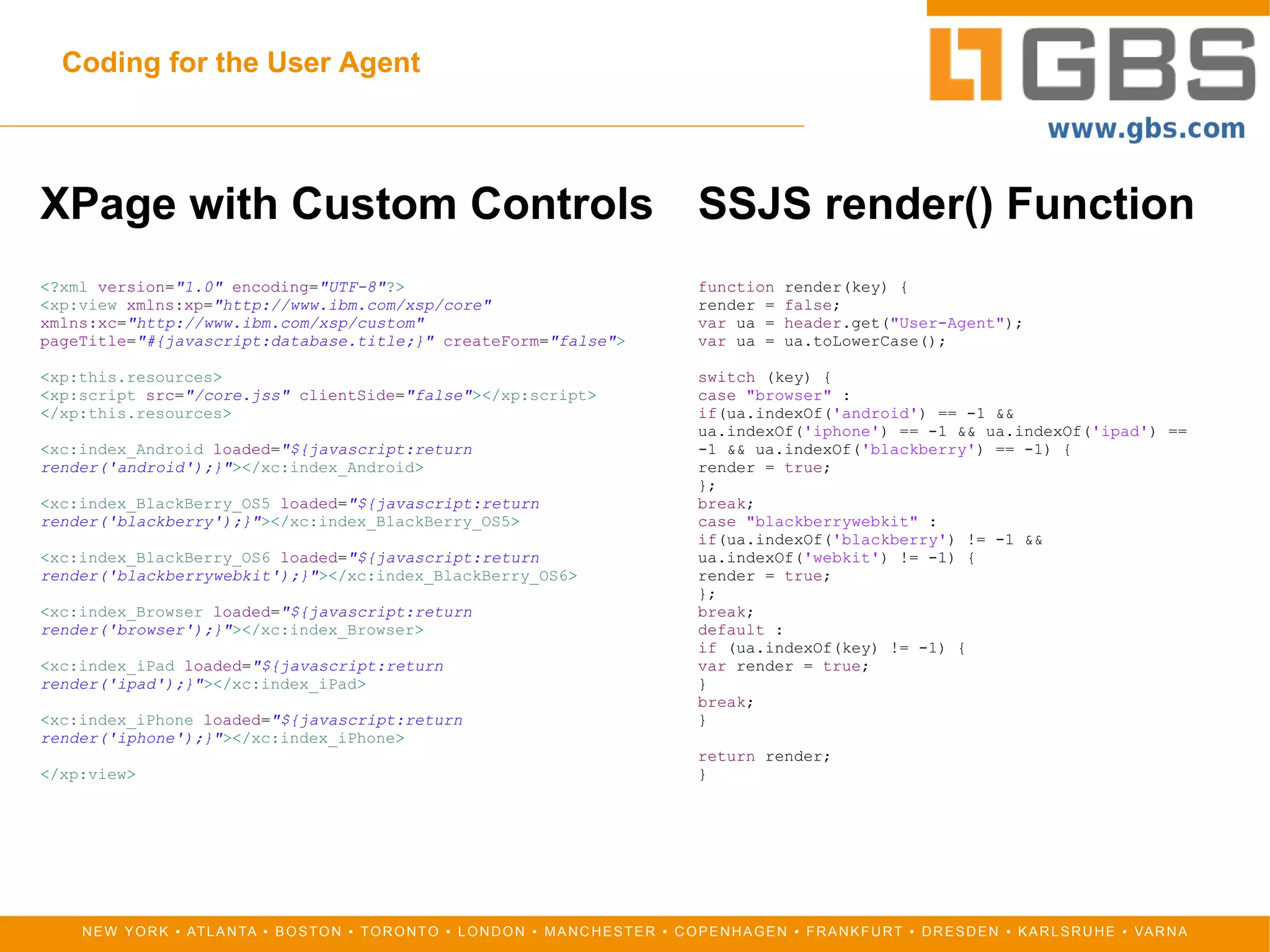
Coding for the User Agent
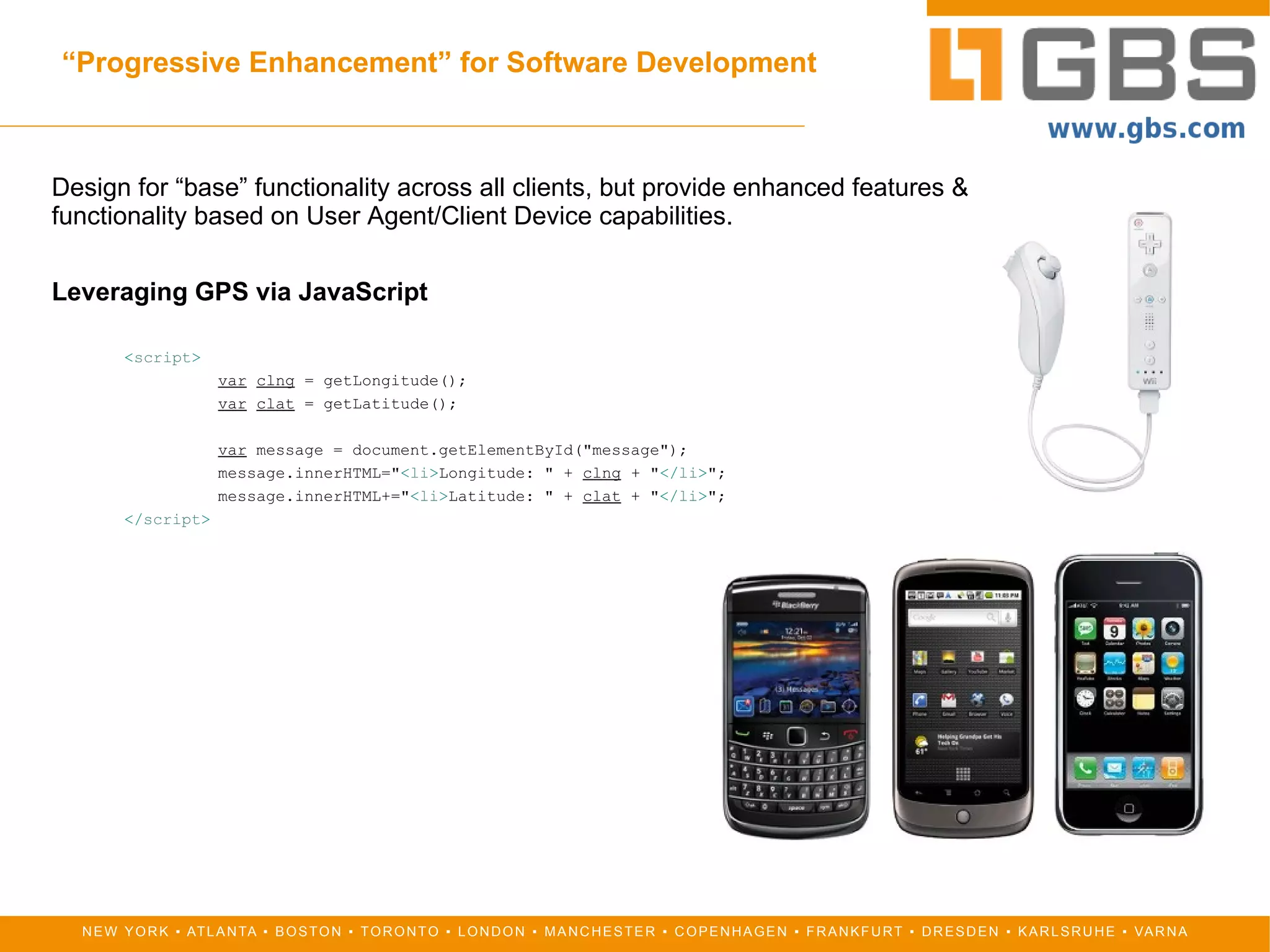
“ Progressive Enhancement” for Software Development
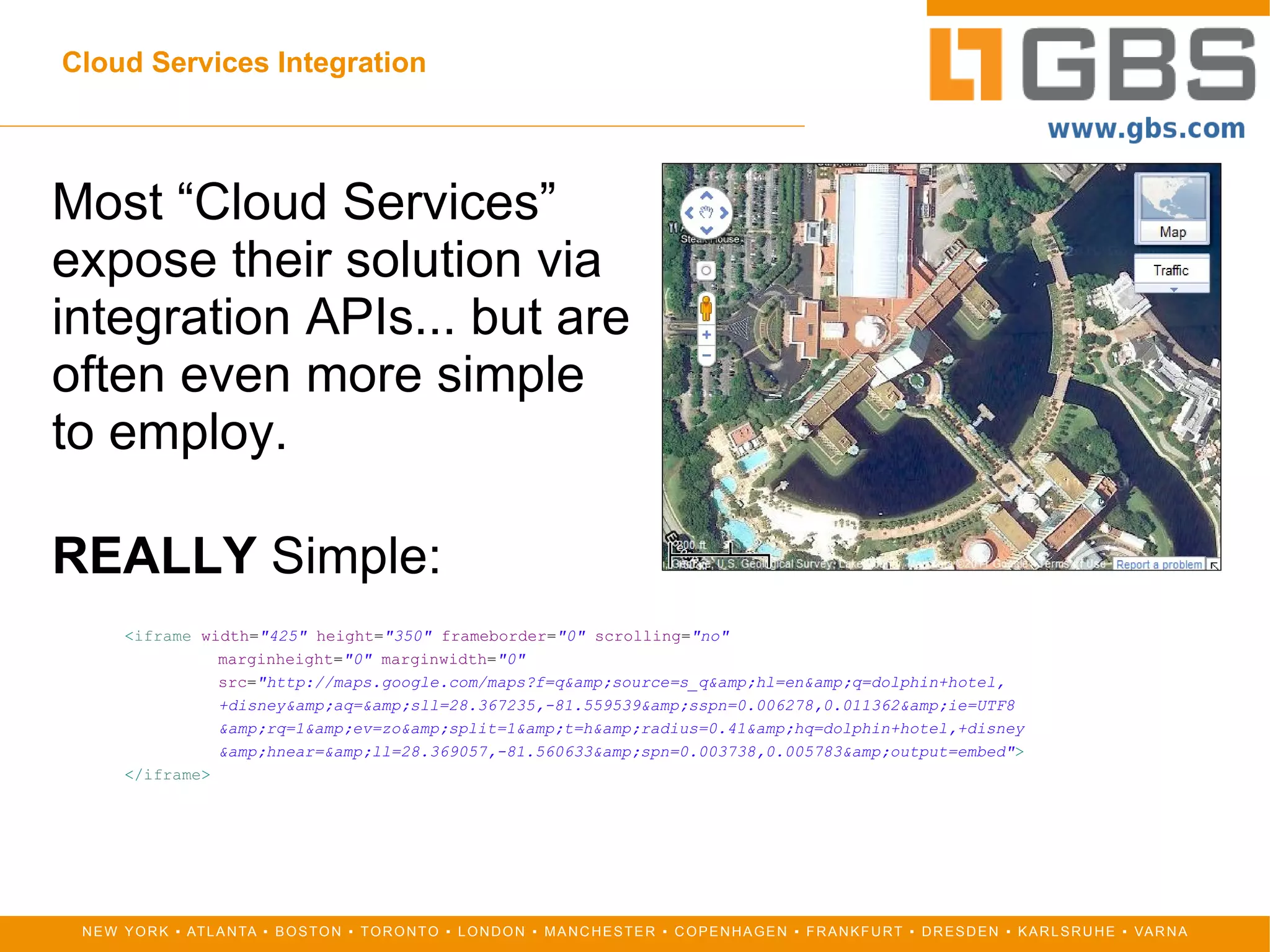
Cloud Services Integration
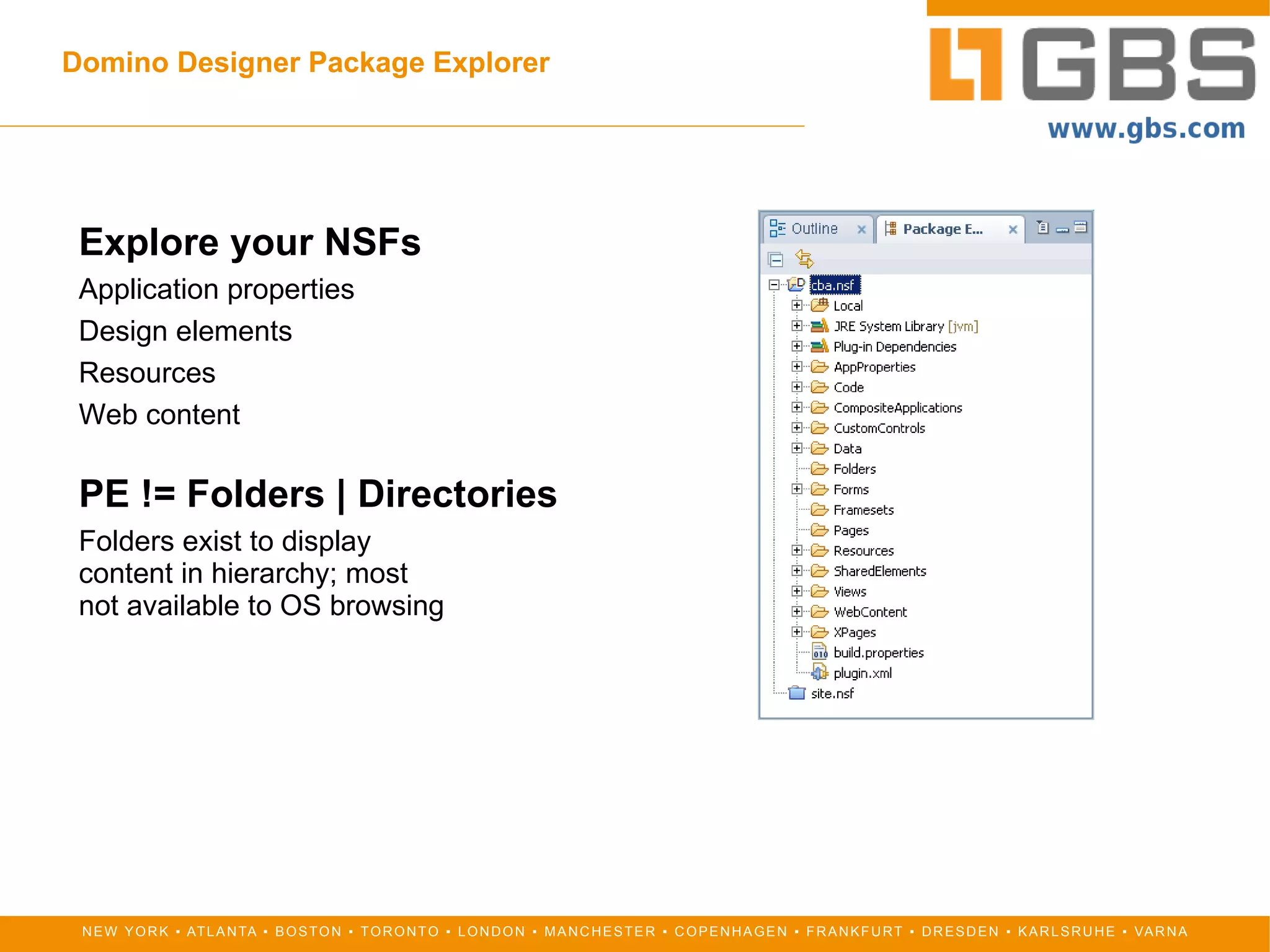
Domino Designer Package Explorer
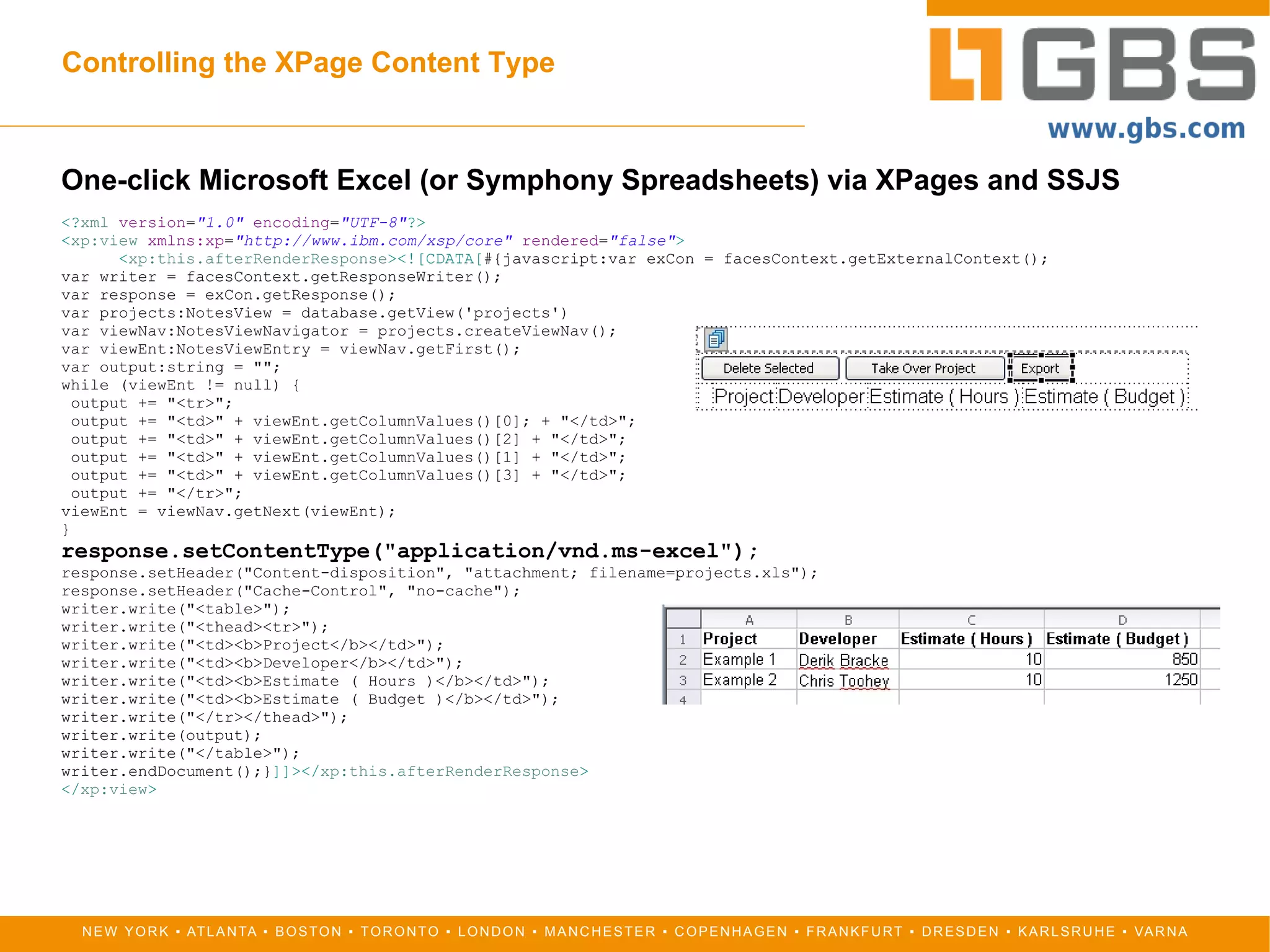
Controlling the XPage Content Type
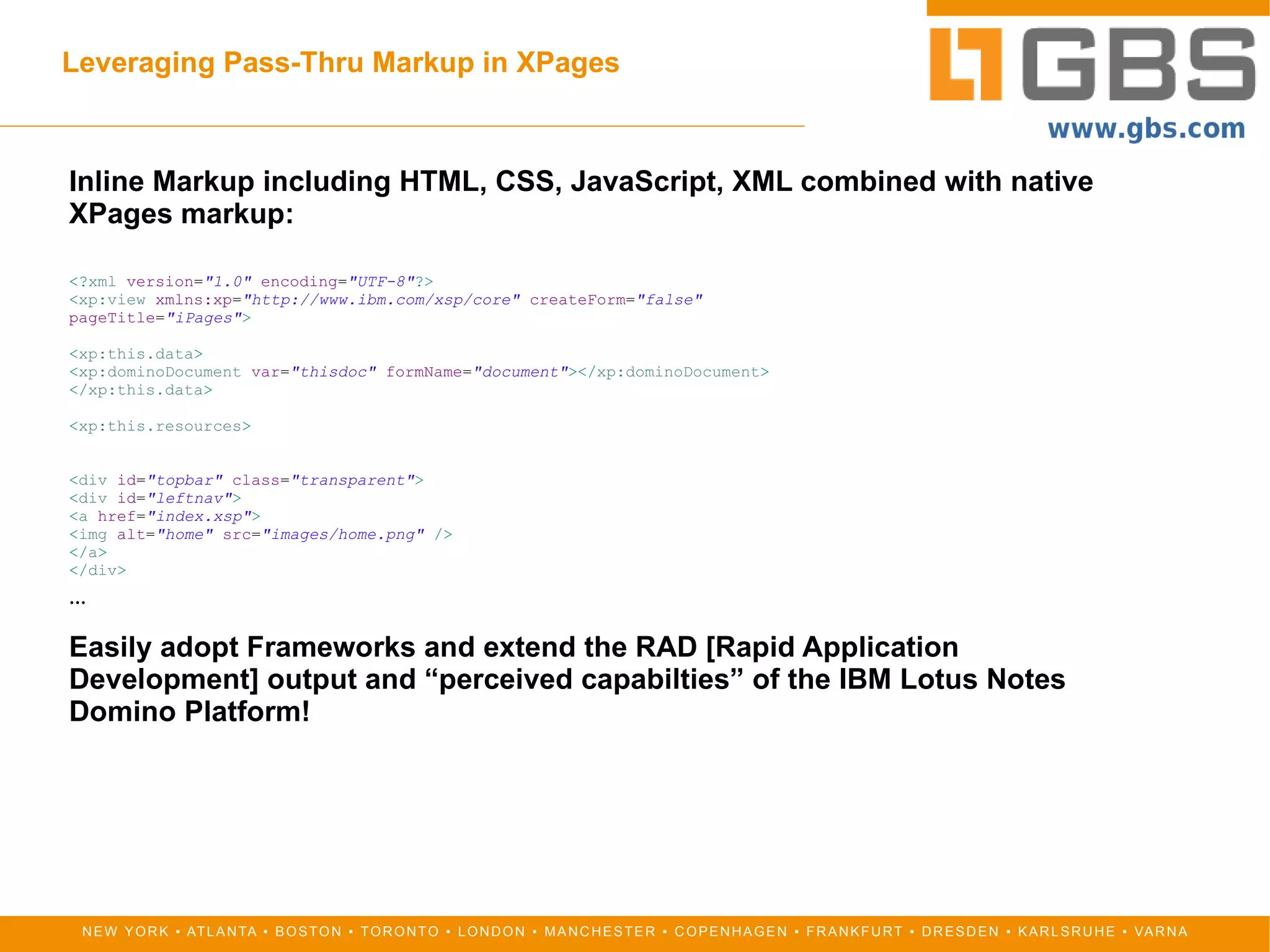
Leveraging Pass-Thru Markup in XPages
Dev.Opera
The Lotus Online Community
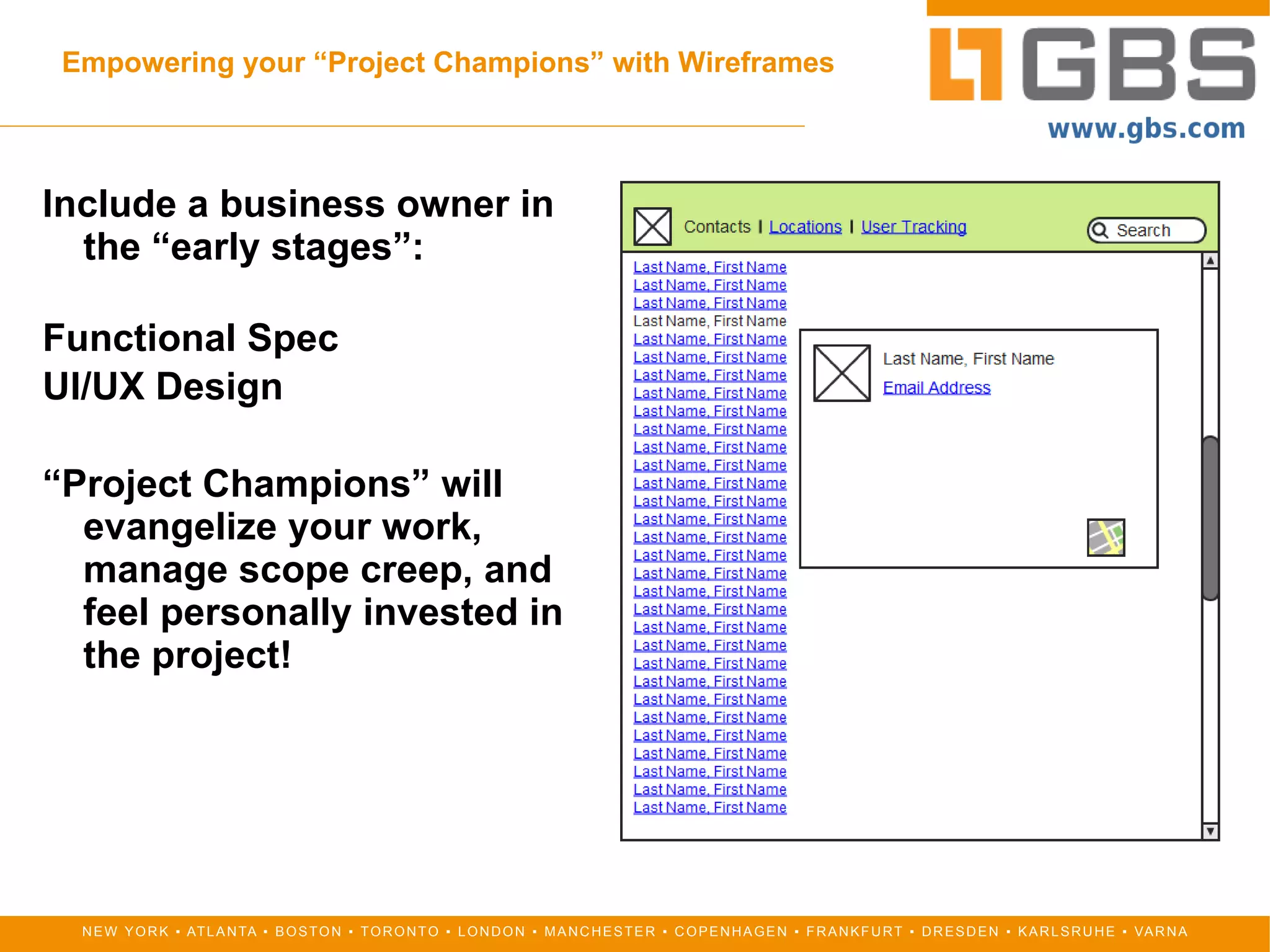
Empowering your “Project Champions” with Wireframes Include a business owner in the “early stages”: Functional Spec
UI/UX Design “ Project Champions” will evangelize your work, manage scope creep, and feel personally invested in the project!

10 Things You're Not Doing [IBM Lotus Notes Domino Application Development]

  • 1.
    GBS Presents 10Things You're Not Doing A Developer's Guide to Simple Yet Overlooked Techniques & Resources for the IBM Lotus Domino Application Developer Chris Toohey Guru, GBS
  • 2.
    Overview Empowering your“Project Champions” with Wireframes
  • 3.
    Employing CSS &JavaScript Frameworks
  • 4.
    Coding for theUser Agent
  • 5.
    “ Progressive Enhancement”for Software Development
  • 6.
  • 7.
  • 8.
  • 9.
  • 10.
  • 11.
  • 12.
    Empowering your “ProjectChampions” with Wireframes Include a business owner in the “early stages”: Functional Spec
  • 13.
    UI/UX Design “Project Champions” will evangelize your work, manage scope creep, and feel personally invested in the project!
  • 14.
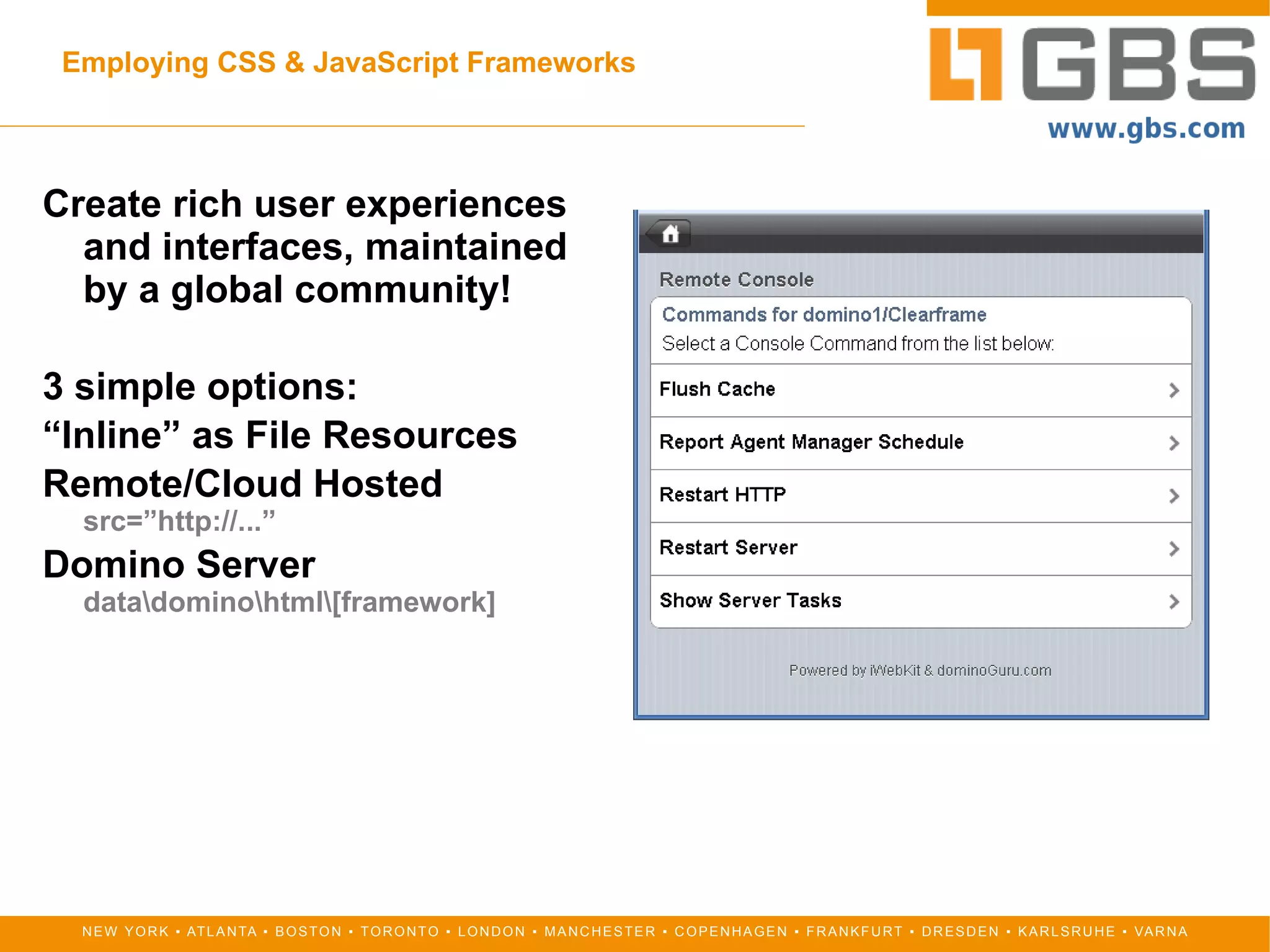
    Employing CSS &JavaScript Frameworks Create rich user experiences and interfaces, maintained by a global community! 3 simple options: “ Inline” as File Resources
  • 15.
  • 16.
  • 17.
    Coding for theUser Agent XPage with Custom Controls <? xml version = &quot;1.0&quot; encoding = &quot;UTF-8&quot; ?> < xp:view xmlns:xp = &quot;http://www.ibm.com/xsp/core&quot; xmlns:xc = &quot;http://www.ibm.com/xsp/custom&quot; pageTitle = &quot;#{javascript:database.title;}&quot; createForm = &quot;false&quot; > < xp:this.resources > < xp:script src = &quot;/core.jss&quot; clientSide = &quot;false&quot; ></ xp:script > </ xp:this.resources > < xc:index_Android loaded = &quot;${javascript:return render('android');}&quot; ></ xc:index_Android > < xc:index_BlackBerry_OS5 loaded = &quot;${javascript:return render('blackberry');}&quot; ></ xc:index_BlackBerry_OS5 > < xc:index_BlackBerry_OS6 loaded = &quot;${javascript:return render('blackberrywebkit');}&quot; ></ xc:index_BlackBerry_OS6 > < xc:index_Browser loaded = &quot;${javascript:return render('browser');}&quot; ></ xc:index_Browser > < xc:index_iPad loaded = &quot;${javascript:return render('ipad');}&quot; ></ xc:index_iPad > < xc:index_iPhone loaded = &quot;${javascript:return render('iphone');}&quot; ></ xc:index_iPhone > </ xp:view > SSJS render() Function function render(key) { render = false ; var ua = header .get( &quot;User-Agent&quot; ); var ua = ua.toLowerCase(); switch (key) { case &quot;browser&quot; : if (ua.indexOf( 'android' ) == -1 && ua.indexOf( 'iphone' ) == -1 && ua.indexOf( 'ipad' ) == -1 && ua.indexOf( 'blackberry' ) == -1) { render = true ; }; break ; case &quot;blackberrywebkit&quot; : if (ua.indexOf( 'blackberry' ) != -1 && ua.indexOf( 'webkit' ) != -1) { render = true ; }; break ; default : if (ua.indexOf(key) != -1) { var render = true ; } break ; } return render; }
  • 18.
    “ Progressive Enhancement”for Software Development Design for “base” functionality across all clients, but provide enhanced features & functionality based on User Agent/Client Device capabilities. Leveraging GPS via JavaScript < script > var clng = getLongitude(); var clat = getLatitude(); var message = document.getElementById(&quot;message&quot;); message.innerHTML=&quot; < li > Longitude: &quot; + clng + &quot; </ li > &quot;; message.innerHTML+=&quot; < li > Latitude: &quot; + clat + &quot; </ li > &quot;; </ script >
  • 19.
    Cloud Services IntegrationMost “Cloud Services” expose their solution via integration APIs... but are often even more simple to employ. REALLY Simple: < iframe width = &quot;425&quot; height = &quot;350&quot; frameborder = &quot;0&quot; scrolling = &quot;no&quot; marginheight = &quot;0&quot; marginwidth = &quot;0&quot; src = &quot;http://maps.google.com/maps?f=q&amp;source=s_q&amp;hl=en&amp;q=dolphin+hotel, +disney&amp;aq=&amp;sll=28.367235,-81.559539&amp;sspn=0.006278,0.011362&amp;ie=UTF8 &amp;rq=1&amp;ev=zo&amp;split=1&amp;t=h&amp;radius=0.41&amp;hq=dolphin+hotel,+disney &amp;hnear=&amp;ll=28.369057,-81.560633&amp;spn=0.003738,0.005783&amp;output=embed&quot; > </ iframe >
  • 20.
    Domino Designer PackageExplorer Explore your NSFs Application properties
  • 21.
  • 22.
  • 23.
    Web content PE!= Folders | Directories Folders exist to display content in hierarchy; most not available to OS browsing
  • 24.
    Controlling the XPageContent Type One-click Microsoft Excel (or Symphony Spreadsheets) via XPages and SSJS <? xml version = &quot;1.0&quot; encoding = &quot;UTF-8&quot; ?> < xp:view xmlns:xp = &quot;http://www.ibm.com/xsp/core&quot; rendered = &quot;false&quot; > < xp:this.afterRenderResponse ><![CDATA[ #{javascript:var exCon = facesContext.getExternalContext(); var writer = facesContext.getResponseWriter(); var response = exCon.getResponse(); var projects:NotesView = database.getView('projects') var viewNav:NotesViewNavigator = projects.createViewNav(); var viewEnt:NotesViewEntry = viewNav.getFirst(); var output:string = &quot;&quot;; while (viewEnt != null) { output += &quot;<tr>&quot;; output += &quot;<td>&quot; + viewEnt.getColumnValues()[0]; + &quot;</td>&quot;; output += &quot;<td>&quot; + viewEnt.getColumnValues()[2] + &quot;</td>&quot;; output += &quot;<td>&quot; + viewEnt.getColumnValues()[1] + &quot;</td>&quot;; output += &quot;<td>&quot; + viewEnt.getColumnValues()[3] + &quot;</td>&quot;; output += &quot;</tr>&quot;; viewEnt = viewNav.getNext(viewEnt); } response.setContentType(&quot;application/vnd.ms-excel&quot;); response.setHeader(&quot;Content-disposition&quot;, &quot;attachment; filename=projects.xls&quot;); response.setHeader(&quot;Cache-Control&quot;, &quot;no-cache&quot;); writer.write(&quot;<table>&quot;); writer.write(&quot;<thead><tr>&quot;); writer.write(&quot;<td><b>Project</b></td>&quot;); writer.write(&quot;<td><b>Developer</b></td>&quot;); writer.write(&quot;<td><b>Estimate ( Hours )</b></td>&quot;); writer.write(&quot;<td><b>Estimate ( Budget )</b></td>&quot;); writer.write(&quot;</tr></thead>&quot;); writer.write(output); writer.write(&quot;</table>&quot;); writer.endDocument();} ]]></ xp:this.afterRenderResponse > </ xp:view >
  • 25.
    Leveraging Pass-Thru Markupin XPages Inline Markup including HTML, CSS, JavaScript, XML combined with native XPages markup: <? xml version = &quot;1.0&quot; encoding = &quot;UTF-8&quot; ?> < xp:view xmlns:xp = &quot;http://www.ibm.com/xsp/core&quot; createForm = &quot;false&quot; pageTitle = &quot;iPages&quot; > < xp:this.data > < xp:dominoDocument var = &quot;thisdoc&quot; formName = &quot;document&quot; ></ xp:dominoDocument > </ xp:this.data > < xp:this.resources > < div id = &quot;topbar&quot; class = &quot;transparent&quot; > < div id = &quot;leftnav&quot; > < a href = &quot;index.xsp&quot; > < img alt = &quot;home&quot; src = &quot;images/home.png&quot; /> </ a > </ div > … Easily adopt Frameworks and extend the RAD [Rapid Application Development] output and “perceived capabilties” of the IBM Lotus Notes Domino Platform!
  • 26.
    Dev.Opera HTML, CSS,JavaScript, XML, and more! The premier destination to learn HTML5, CSS3, SVG, JavaScript, and other cutting-edge technologies and techniques from the browser with the Open Web at its core. http://dev.opera.com
  • 27.
    The Lotus OnlineCommunity Connect with your fellow Lotus IT Professionals online and across the various social networks! http://greenhouse.lotus.com [sametime.lotus.com Sametime] http://bleedyellow.com [community Sametime] http://planetlotus.org [Lotus-themed blogger community] http://twitter.com/LotusTechInfo [Official LTIE Twitter] http://facebook.com/LotusTechInfo [Official LTIE Facebook Fan & Events Page] http://linkedIn.com Groups: Lotus Notes Professionals Lotus Professionals (3500+ Members)
  • 28.
    For more... ContactMe Chris Toohey Guru, GBS http://www.gbs.com My blog: dominoGuru.com Social Networking Facebook.com/christoohey Twitter.com/christoohey LinkedIn.com/christoohey

Editor's Notes

  • #2 Three pillars &amp; strategy Live PaaS for ISV’s (Public Cloud) Corporate Cloud (Infrastructure &amp; PaaS) Application Framework Business applications Cont. merger Freedom of choice for the market (Saas-ified or client/server-based) Framework Corporate Cloud (PaaS) Services Hosting &amp; Infrastructure Upgrades Administration Development (xPages) using framework 3