Google API


Karola Weischenberg, André Küpper, Marco Vreydal, Russel Fossi
                                                             The slides are licensed under a
                                                  Creative Commons Attribution 3.0 License

      14.12.2010        Web Technologies
Overview
●   What's an API?
●   Google APIs
     ●   List of all APIs
     ●   Google Custom Search API
     ●   YouTube API
     ●   Google Maps API
●   Example Google Maps API
     ●   Adding map
     ●   Adding mouse event listener
     ●   Adding User Input to Map
●   MashUp (Live Coding)

2                           Web Technologies
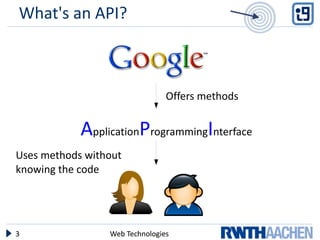
What's an API?


                                Offers methods


            ApplicationProgrammingInterface
Uses methods without
knowing the code


3                Web Technologies
What's an API?
    Application Programming Interface
    Pros:
●   Easy to use, if API is well documented
●   Not everybody has to programm eyerything
    (reinvent the wheel)
●   Mashups are easier to create
    Cons:
●   You don´t know exactly how it works
●   It´s Google!
                                         http://trendsupdates.com/good-ridance-arthur-levinson/


4                     Web Technologies
Overview
●   What's an API?
●   Google APIs
     ●   List of all APIs
     ●   Google Custom Search API
     ●   YouTube API
     ●   Google Maps API
●   Example Google Maps API
     ●   Adding map
     ●   Adding mouse event listener
     ●   Adding User Input to Map
●   MashUp (Live Coding)

5                           Web Technologies
Google API

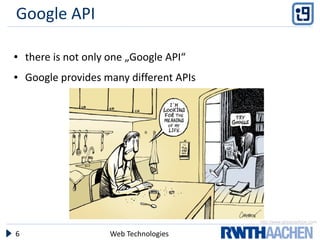
●   there is not only one „Google API“
●   Google provides many different APIs


                                          http://www.globecartoon.com

6                    Web Technologies
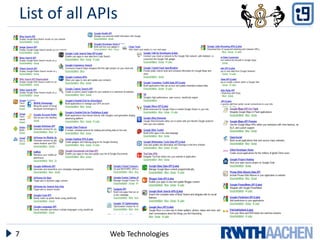
List of all APIs


7             Web Technologies
Google API


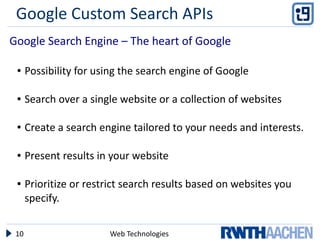
    Short introduction of three main APIs:
    ●   Google Custom Search Engine
    ●   YouTube
    ●   Google Maps


                                         http://www.techforceindia.co.uk/How_we_Work.htm


8                     Web Technologies
Overview
●   What's an API?
●   Google APIs
     ●   List of all APIs
     ●   Google Custom Search API
     ●   YouTube API
     ●   Google Maps API
●   Example Google Maps API
     ●   Adding map
     ●   Adding mouse event listener
     ●   Adding User Input to Map
●   MashUp (Live Coding)

9                           Web Technologies
Google Custom Search APIs
Google Search Engine – The heart of Google

 ●    Possibility for using the search engine of Google

 ●    Search over a single website or a collection of websites

 ●    Create a search engine tailored to your needs and interests.

 ●    Present results in your website

 ●    Prioritize or restrict search results based on websites you
      specify.


 10                     Web Technologies
Google Custom Search APIs
Google Search Engine – The heart of Google

 ●    Possibility for using the search engine of Google

 ●    Search over a single website or a collection of websites

 ●    Create a search engine tailored to your needs and interests.

 ●    Present results in your website

 ●    Prioritize or restrict search results based on websites you
      specify.


 11                     Web Technologies
Google Custom Search APIs
Very easy to use:

●    Sign in to Google account
●    Choose your settings
●    Get generated code
●    Embed code to your website


12                    Web Technologies
Google Custom Search APIs

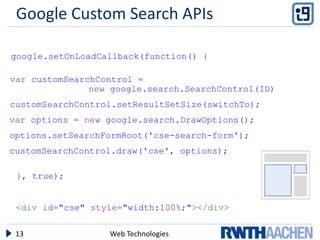
google.setOnLoadCallback(function() {

var customSearchControl =
               new google.search.SearchControl(ID)
customSearchControl.setResultSetSize(switchTo);
var options = new google.search.DrawOptions();
options.setSearchFormRoot('cse-search-form');
customSearchControl.draw('cse', options);

 }, true);


 <div id="cse" style="width:100%;"></div>

 13               Web Technologies
Overview
●    What's an API?
●    Google APIs
     ●   List of all APIs
     ●   Google Custom Search API
     ●   YouTube API
     ●   Google Maps API
●    Example Google Maps API
     ●   Adding map
     ●   Adding mouse event listener
     ●   Adding User Input to Map
●    MashUp (Live Coding)

14                          Web Technologies
YouTube API
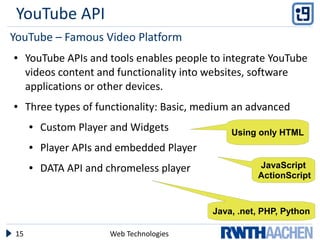
YouTube – Famous Video Platform
●    YouTube APIs and tools enables people to integrate YouTube
     videos content and functionality into websites, software
     applications or other devices.
●    Three types of functionality: Basic, medium an advanced
     ●   Custom Player and Widgets             Using only HTML
     ●   Player APIs and embedded Player
     ●   DATA API and chromeless player              JavaScript
                                                     ActionScript


                                           Java, .net, PHP, Python

15                    Web Technologies
YouTube API

●    More flexible than regular embedded players
      ●   add videos favourites, or play list
      ●   Choose from different layouts and Schemes


●    Any change updated automatically
      ●   colour change


●    The API enable your application to search for YouTube
      content(demonstrate it in the mash up)


16                          Web Technologies
Overview
●    What's an API?
●    Google APIs
     ●   List of all APIs
     ●   Google Custom Search API
     ●   YouTube API
     ●   Google Maps API
●    Example Google Maps API
     ●   Adding map
     ●   Adding mouse event listener
     ●   Adding User Input to Map
●    MashUp (Live Coding)

17                          Web Technologies
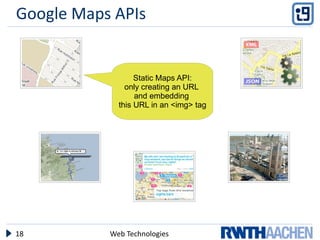
Google Maps APIs


                  Static Maps API:
               only creating an URL
                  and embedding
             this URL in an <img> tag


18         Web Technologies
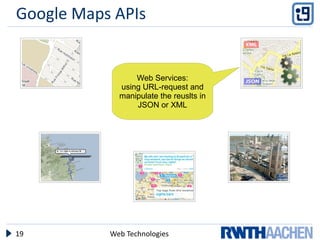
Google Maps APIs


                 Web Services:
             using URL-request and
             manipulate the reuslts in
                 JSON or XML


19         Web Technologies
Google Maps APIs


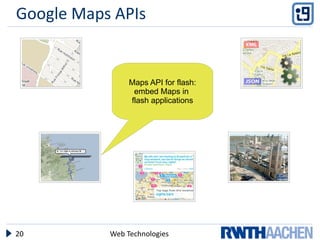
                Maps API for flash:
                 embed Maps in
                flash applications


20         Web Technologies
Google Maps APIs


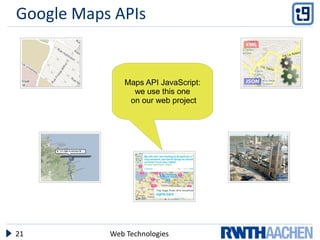
              Maps API JavaScript:
                we use this one
               on our web project


21         Web Technologies
Google Maps APIs


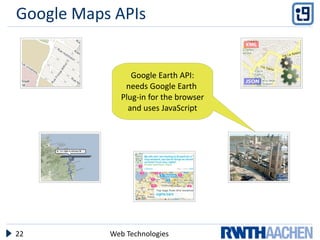
                 Google Earth API:
               needs Google Earth
              Plug-in for the browser
                and uses JavaScript


22         Web Technologies
Overview
●    What's an API?
●    Google APIs
     ●   List of all APIs
     ●   Google Custom Search API
     ●   YouTube API
     ●   Google Maps API
●    Example Google Maps API
     ●   Adding map
     ●   Adding mouse event listener
     ●   Adding User Input to Map
●    MashUp (Live Coding)

23                          Web Technologies
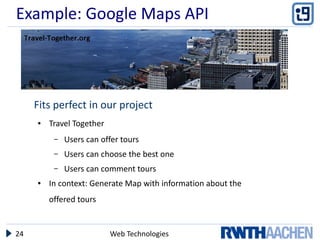
Example: Google Maps API


     Fits perfect in our project
     ●   Travel Together
          –   Users can offer tours
          –   Users can choose the best one
          –   Users can comment tours
     ●   In context: Generate Map with information about the
         offered tours


24                         Web Technologies
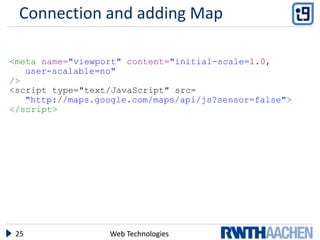
Connection and adding Map

<meta name="viewport" content="initial-scale=1.0,
   user-scalable=no"
/>
<script type="text/JavaScript" src=
   "http://maps.google.com/maps/api/js?sensor=false">
</script>


 25               Web Technologies
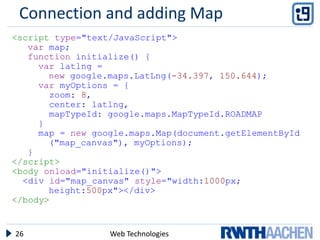
Connection and adding Map
<script type="text/JavaScript">
   var map;
   function initialize() {
     var latlng =
       new google.maps.LatLng(-34.397, 150.644);
     var myOptions = {
       zoom: 8,
       center: latlng,
       mapTypeId: google.maps.MapTypeId.ROADMAP
     }
     map = new google.maps.Map(document.getElementById
       ("map_canvas"), myOptions);
   }
</script>
<body onload="initialize()">
  <div id="map_canvas" style="width:1000px;
       height:500px"></div>
</body>


26                Web Technologies
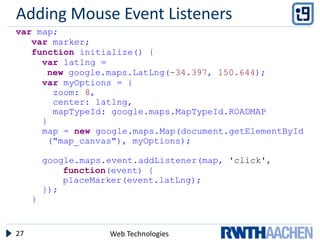
Adding Mouse Event Listeners
var map;
   var marker;
   function initialize() {
     var latlng =
      new google.maps.LatLng(-34.397, 150.644);
     var myOptions = {
       zoom: 8,
       center: latlng,
       mapTypeId: google.maps.MapTypeId.ROADMAP
     }
     map = new google.maps.Map(document.getElementById
      ("map_canvas"), myOptions);

         google.maps.event.addListener(map, 'click',
             function(event) {
             placeMarker(event.latLng);
         });
     }


27                   Web Technologies
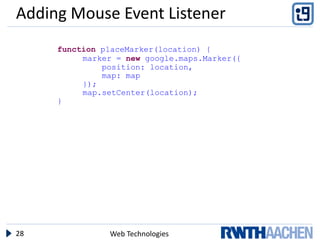
Adding Mouse Event Listener
     function placeMarker(location) {
          marker = new google.maps.Marker({
              position: location,
              map: map
          });
          map.setCenter(location);
     }


28             Web Technologies
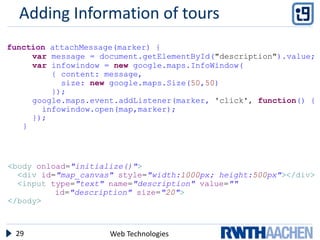
Adding Information of tours
function attachMessage(marker) {
     var message = document.getElementById("description").value;
     var infowindow = new google.maps.InfoWindow(
         { content: message,
           size: new google.maps.Size(50,50)
         });
     google.maps.event.addListener(marker, 'click', function() {
       infowindow.open(map,marker);
     });
   }


<body onload="initialize()">
  <div id="map_canvas" style="width:1000px; height:500px"></div>
  <input type="text" name="description" value=""
          id="description" size="20">
</body>


 29                  Web Technologies
Overview
●    What's an API?
●    Google APIs
     ●   List of all APIs
     ●   Google Custom Search API
     ●   YouTube API
     ●   Google Maps API
●    Example Google Maps API
     ●   Adding map
     ●   Adding mouse event listener
     ●   Adding User Input to Map
●    MashUp (Live Coding)

30                          Web Technologies
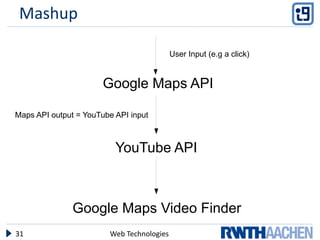
Mashup

                                           User Input (e.g a click)


                       Google Maps API

Maps API output = YouTube API input


                          YouTube API


               Google Maps Video Finder
31                      Web Technologies
Any other places you want to travel to?

         Thank you, for your attention.


32              Web Technologies

Google API

  • 1.
    Google API Karola Weischenberg,André Küpper, Marco Vreydal, Russel Fossi The slides are licensed under a Creative Commons Attribution 3.0 License 14.12.2010 Web Technologies
  • 2.
    Overview ● What's an API? ● Google APIs ● List of all APIs ● Google Custom Search API ● YouTube API ● Google Maps API ● Example Google Maps API ● Adding map ● Adding mouse event listener ● Adding User Input to Map ● MashUp (Live Coding) 2 Web Technologies
  • 3.
    What's an API? Offers methods ApplicationProgrammingInterface Uses methods without knowing the code 3 Web Technologies
  • 4.
    What's an API? Application Programming Interface Pros: ● Easy to use, if API is well documented ● Not everybody has to programm eyerything (reinvent the wheel) ● Mashups are easier to create Cons: ● You don´t know exactly how it works ● It´s Google! http://trendsupdates.com/good-ridance-arthur-levinson/ 4 Web Technologies
  • 5.
    Overview ● What's an API? ● Google APIs ● List of all APIs ● Google Custom Search API ● YouTube API ● Google Maps API ● Example Google Maps API ● Adding map ● Adding mouse event listener ● Adding User Input to Map ● MashUp (Live Coding) 5 Web Technologies
  • 6.
    Google API ● there is not only one „Google API“ ● Google provides many different APIs http://www.globecartoon.com 6 Web Technologies
  • 7.
    List of allAPIs 7 Web Technologies
  • 8.
    Google API Short introduction of three main APIs: ● Google Custom Search Engine ● YouTube ● Google Maps http://www.techforceindia.co.uk/How_we_Work.htm 8 Web Technologies
  • 9.
    Overview ● What's an API? ● Google APIs ● List of all APIs ● Google Custom Search API ● YouTube API ● Google Maps API ● Example Google Maps API ● Adding map ● Adding mouse event listener ● Adding User Input to Map ● MashUp (Live Coding) 9 Web Technologies
  • 10.
    Google Custom SearchAPIs Google Search Engine – The heart of Google ● Possibility for using the search engine of Google ● Search over a single website or a collection of websites ● Create a search engine tailored to your needs and interests. ● Present results in your website ● Prioritize or restrict search results based on websites you specify. 10 Web Technologies
  • 11.
    Google Custom SearchAPIs Google Search Engine – The heart of Google ● Possibility for using the search engine of Google ● Search over a single website or a collection of websites ● Create a search engine tailored to your needs and interests. ● Present results in your website ● Prioritize or restrict search results based on websites you specify. 11 Web Technologies
  • 12.
    Google Custom SearchAPIs Very easy to use: ● Sign in to Google account ● Choose your settings ● Get generated code ● Embed code to your website 12 Web Technologies
  • 13.
    Google Custom SearchAPIs google.setOnLoadCallback(function() { var customSearchControl = new google.search.SearchControl(ID) customSearchControl.setResultSetSize(switchTo); var options = new google.search.DrawOptions(); options.setSearchFormRoot('cse-search-form'); customSearchControl.draw('cse', options); }, true); <div id="cse" style="width:100%;"></div> 13 Web Technologies
  • 14.
    Overview ● What's an API? ● Google APIs ● List of all APIs ● Google Custom Search API ● YouTube API ● Google Maps API ● Example Google Maps API ● Adding map ● Adding mouse event listener ● Adding User Input to Map ● MashUp (Live Coding) 14 Web Technologies
  • 15.
    YouTube API YouTube –Famous Video Platform ● YouTube APIs and tools enables people to integrate YouTube videos content and functionality into websites, software applications or other devices. ● Three types of functionality: Basic, medium an advanced ● Custom Player and Widgets Using only HTML ● Player APIs and embedded Player ● DATA API and chromeless player JavaScript ActionScript Java, .net, PHP, Python 15 Web Technologies
  • 16.
    YouTube API ● More flexible than regular embedded players ● add videos favourites, or play list ● Choose from different layouts and Schemes ● Any change updated automatically ● colour change ● The API enable your application to search for YouTube content(demonstrate it in the mash up) 16 Web Technologies
  • 17.
    Overview ● What's an API? ● Google APIs ● List of all APIs ● Google Custom Search API ● YouTube API ● Google Maps API ● Example Google Maps API ● Adding map ● Adding mouse event listener ● Adding User Input to Map ● MashUp (Live Coding) 17 Web Technologies
  • 18.
    Google Maps APIs Static Maps API: only creating an URL and embedding this URL in an <img> tag 18 Web Technologies
  • 19.
    Google Maps APIs Web Services: using URL-request and manipulate the reuslts in JSON or XML 19 Web Technologies
  • 20.
    Google Maps APIs Maps API for flash: embed Maps in flash applications 20 Web Technologies
  • 21.
    Google Maps APIs Maps API JavaScript: we use this one on our web project 21 Web Technologies
  • 22.
    Google Maps APIs Google Earth API: needs Google Earth Plug-in for the browser and uses JavaScript 22 Web Technologies
  • 23.
    Overview ● What's an API? ● Google APIs ● List of all APIs ● Google Custom Search API ● YouTube API ● Google Maps API ● Example Google Maps API ● Adding map ● Adding mouse event listener ● Adding User Input to Map ● MashUp (Live Coding) 23 Web Technologies
  • 24.
    Example: Google MapsAPI Fits perfect in our project ● Travel Together – Users can offer tours – Users can choose the best one – Users can comment tours ● In context: Generate Map with information about the offered tours 24 Web Technologies
  • 25.
    Connection and addingMap <meta name="viewport" content="initial-scale=1.0, user-scalable=no" /> <script type="text/JavaScript" src= "http://maps.google.com/maps/api/js?sensor=false"> </script> 25 Web Technologies
  • 26.
    Connection and addingMap <script type="text/JavaScript"> var map; function initialize() { var latlng = new google.maps.LatLng(-34.397, 150.644); var myOptions = { zoom: 8, center: latlng, mapTypeId: google.maps.MapTypeId.ROADMAP } map = new google.maps.Map(document.getElementById ("map_canvas"), myOptions); } </script> <body onload="initialize()"> <div id="map_canvas" style="width:1000px; height:500px"></div> </body> 26 Web Technologies
  • 27.
    Adding Mouse EventListeners var map; var marker; function initialize() { var latlng = new google.maps.LatLng(-34.397, 150.644); var myOptions = { zoom: 8, center: latlng, mapTypeId: google.maps.MapTypeId.ROADMAP } map = new google.maps.Map(document.getElementById ("map_canvas"), myOptions); google.maps.event.addListener(map, 'click', function(event) { placeMarker(event.latLng); }); } 27 Web Technologies
  • 28.
    Adding Mouse EventListener function placeMarker(location) { marker = new google.maps.Marker({ position: location, map: map }); map.setCenter(location); } 28 Web Technologies
  • 29.
    Adding Information oftours function attachMessage(marker) { var message = document.getElementById("description").value; var infowindow = new google.maps.InfoWindow( { content: message, size: new google.maps.Size(50,50) }); google.maps.event.addListener(marker, 'click', function() { infowindow.open(map,marker); }); } <body onload="initialize()"> <div id="map_canvas" style="width:1000px; height:500px"></div> <input type="text" name="description" value="" id="description" size="20"> </body> 29 Web Technologies
  • 30.
    Overview ● What's an API? ● Google APIs ● List of all APIs ● Google Custom Search API ● YouTube API ● Google Maps API ● Example Google Maps API ● Adding map ● Adding mouse event listener ● Adding User Input to Map ● MashUp (Live Coding) 30 Web Technologies
  • 31.
    Mashup User Input (e.g a click) Google Maps API Maps API output = YouTube API input YouTube API Google Maps Video Finder 31 Web Technologies
  • 32.
    Any other placesyou want to travel to? Thank you, for your attention. 32 Web Technologies