G+ for Educators
Ellen Cordeiro
Note - video is a little dated, but still a good intro to G+
https://www.youtube.com/watch?v=hC_M6PzXS9g
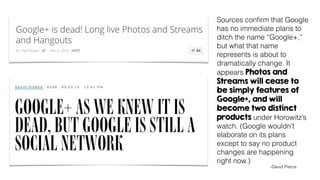
Sources confirm that Google
has no immediate plans to
ditch the name “Google+,”
but what that name
represents is about to
dramatically change. It
appears Photos and
Streams will cease to
be simply features of
Google+, and will
become two distinct
products under Horowitz’s
watch. (Google wouldn’t
elaborate on its plans
except to say no product
changes are happening
right now.)
-David Pierce
Here are some basics.
Information about yourself. When using G+ for professional development it’s a good
idea to include your school information in your profile description.
Profile
Circles
Think of Circles as groups. When you share information, you can share with
everyone (public) or just a select circle (group) of people. This is great if you you’re
working in a PLC and only want to share resources with specific people.
Connect with up to 10 people in a private video call. Share your screen, chat,
collaborate on a Google Doc, wear a party hat all in one place. Hangouts on Air
allow you to Broadcast publicly and your Hangout is recorded and published to your
Youtube Channel. Connect with another class or meet with someone across campus
in Google Hangouts.
Hangouts
Connect with others who have common interests in a Google Community. Organize
posts in topics and keep your community private or public. A lot like subscribing to a
group, but not to be confused with circles.
Communities
Organize all your photos in Google plus. Auto back up all your images and play with
some cool features like auto awesomeness and stories. Share publicly or privately.
Photos
Let’s take a tour.
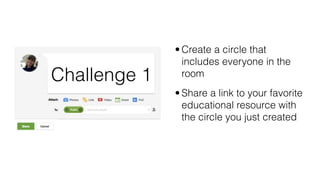
• Create a circle that
includes everyone in the
room
• Share a link to your favorite
educational resource with
the circle you just created
Challenge 1
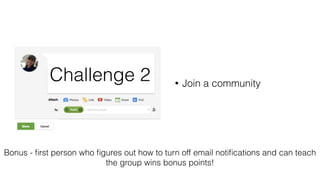
• Join a community
Challenge 2
Bonus - first person who figures out how to turn off email notifications and can teach
the group wins bonus points!
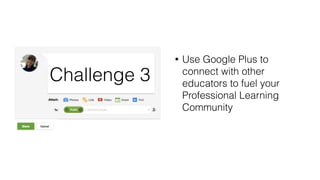
• Use Google Plus to
connect with other
educators to fuel your
Professional Learning
Community
Challenge 3
Fall in love with learning

G+ for educators

  • 1.
  • 2.
    Note - videois a little dated, but still a good intro to G+ https://www.youtube.com/watch?v=hC_M6PzXS9g
  • 3.
    Sources confirm thatGoogle has no immediate plans to ditch the name “Google+,” but what that name represents is about to dramatically change. It appears Photos and Streams will cease to be simply features of Google+, and will become two distinct products under Horowitz’s watch. (Google wouldn’t elaborate on its plans except to say no product changes are happening right now.) -David Pierce
  • 5.
  • 6.
    Information about yourself.When using G+ for professional development it’s a good idea to include your school information in your profile description. Profile
  • 7.
    Circles Think of Circlesas groups. When you share information, you can share with everyone (public) or just a select circle (group) of people. This is great if you you’re working in a PLC and only want to share resources with specific people.
  • 8.
    Connect with upto 10 people in a private video call. Share your screen, chat, collaborate on a Google Doc, wear a party hat all in one place. Hangouts on Air allow you to Broadcast publicly and your Hangout is recorded and published to your Youtube Channel. Connect with another class or meet with someone across campus in Google Hangouts. Hangouts
  • 9.
    Connect with otherswho have common interests in a Google Community. Organize posts in topics and keep your community private or public. A lot like subscribing to a group, but not to be confused with circles. Communities
  • 10.
    Organize all yourphotos in Google plus. Auto back up all your images and play with some cool features like auto awesomeness and stories. Share publicly or privately. Photos
  • 11.
  • 12.
    • Create acircle that includes everyone in the room • Share a link to your favorite educational resource with the circle you just created Challenge 1
  • 13.
    • Join acommunity Challenge 2 Bonus - first person who figures out how to turn off email notifications and can teach the group wins bonus points!
  • 14.
    • Use GooglePlus to connect with other educators to fuel your Professional Learning Community Challenge 3
  • 15.
    Fall in lovewith learning