

From PSD to WordPress Theme:
      Bringing designs to life

        Derek Christensen
(name)


(email)   derek@derekchristensen.com
                               (website)

             media-spine.com

             @derekdac

             quora.com/Derek-Christensen

             github.com/derekdac
designer v developer
• most designers are not developers. there are
  things that look good on a poster that don't work
  well on a website
• walk before you run – as you start out, don’t try
  to be too unique
• if you’re a designer, sit with a developer for a few
  days to learn some of the constraints that exist
• if you’re a developer, sit with a designer for a few
  days to learn some of the elements of good
  design
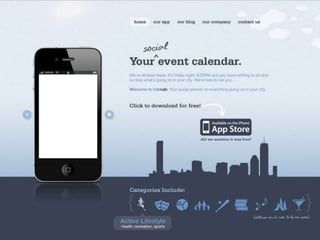
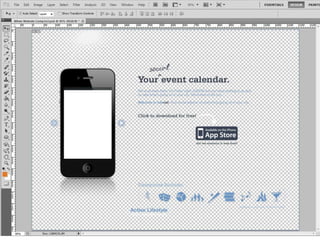
considerations
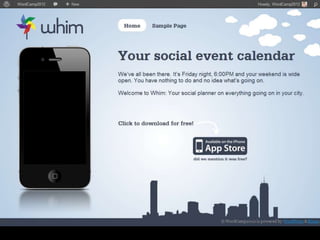
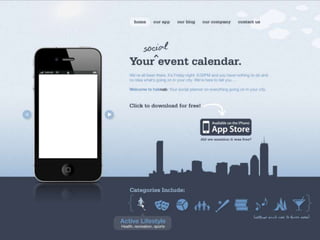
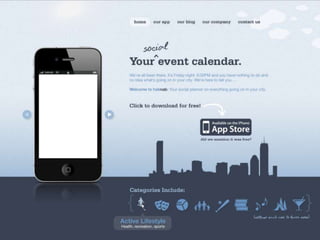
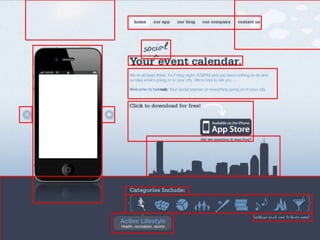
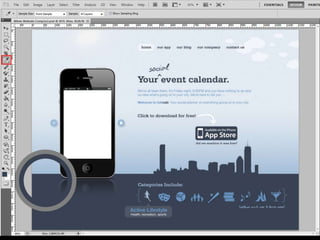
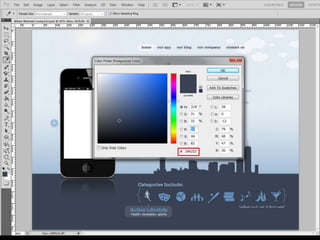
•   overlapping design elements
•   custom font
•   clouds cut in half
•   category icons in two colors
•   background texture overlay
•   only front page design provided
•   not sliced
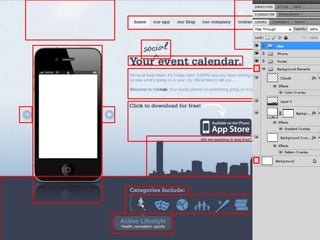
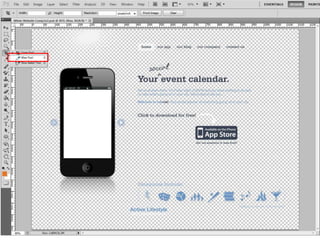
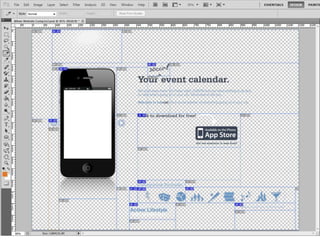
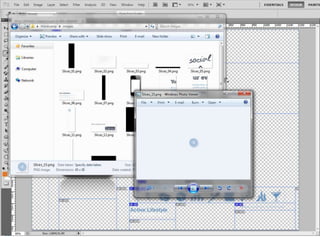
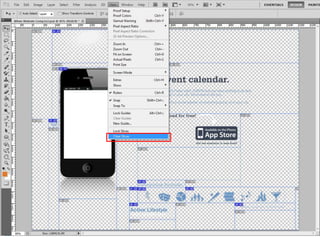
slicing
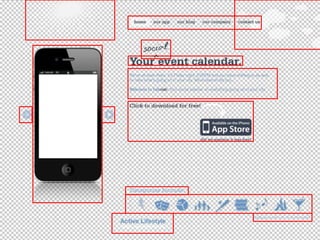
•   identify the elements
•   transparent background
•   slice
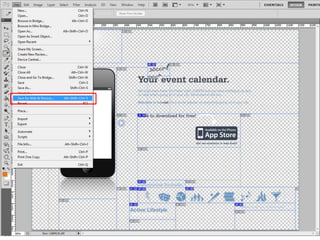
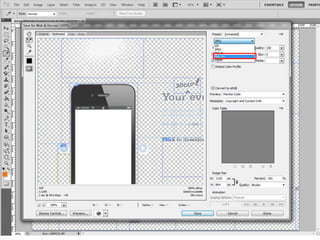
•   save for web and devices
things to remember
• you don’t have to slice everything at once
• don’t slice text unless you really need to
  – use CSS3 @font-face instead
  – don’t use images for words in menus
• CSS sprites
• multiple use of the same image - slice
  once, reuse
layer-based slicing
• faster
• flatten and combine layers
• less control
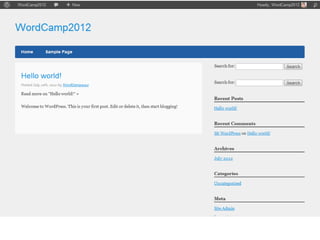
building your own theme
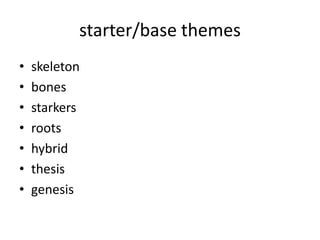
starter/base themes
•   skeleton
•   bones
•   starkers
•   roots
•   hybrid
•   thesis
•   genesis
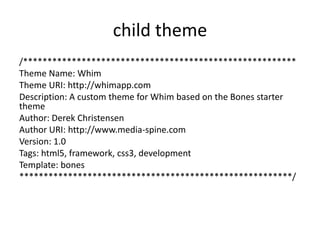
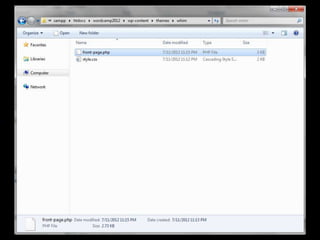
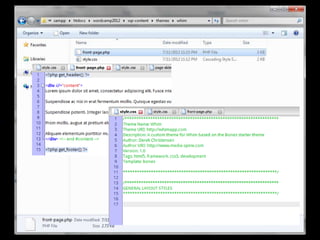
child theme
/********************************************************
Theme Name: Whim
Theme URI: http://whimapp.com
Description: A custom theme for Whim based on the Bones starter
theme
Author: Derek Christensen
Author URI: http://www.media-spine.com
Version: 1.0
Tags: html5, framework, css3, development
Template: bones
********************************************************/
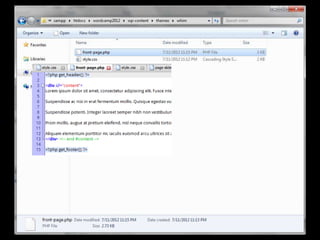
start building
• low-hanging fruit
• hundreds of right ways to do it – the perfect is
  the enemy of the good
• study and understand the structure of your
  parent theme
body {

/* Fallback if browser cannot support CSS3 gradients */
 background-color: #abc5df;
 background-image: url("background_tall.jpg") ;
 background-position: top;
 background-repeat: repeat-x fixed;

  background: -webkit-gradient(radial, center center, 0, center
center, 460, from(#fff), to(#abc5df)); /* Safari 4-5, Chrome 1-9 */
  background: -webkit-radial-gradient(circle, #fff, #abc5df); /* Safari
5.1+, Chrome 10+ */
  background: -moz-radial-gradient(circle, #fff, #abc5df); /* Firefox 3.6+ */
  background: -ms-radial-gradient(circle, #fff, #abc5df); /* IE 10 */
 }
footer {
     background-color:#394253;
     height:185px;
     margin-top:0;
     border-top:0;
     padding: 0 0 0 0;
}
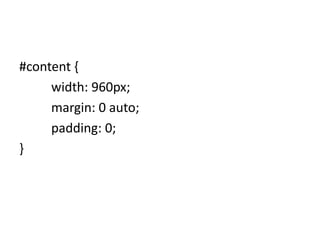
#content {
     width: 960px;
     margin: 0 auto;
     padding: 0;
}
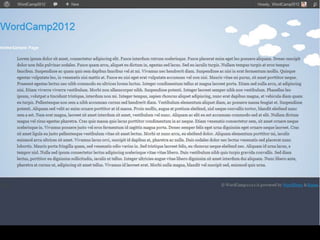
body:before {
  display: block;
  height: 0px;
  content: url(background_cloud.png);
  float: right;
}

:before selector inserts content before the content of that element
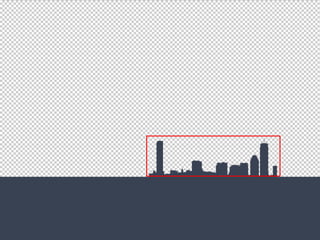
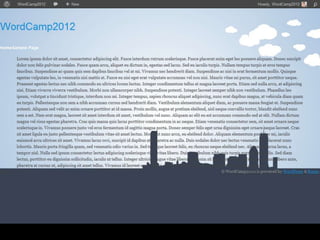
#slideshow {
       background-image: url(background_skyline.png);
       background-position: right bottom;
       background-repeat: no-repeat;
}
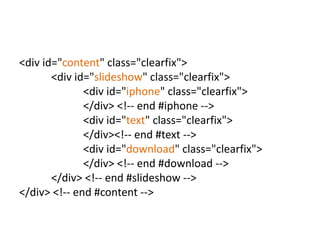
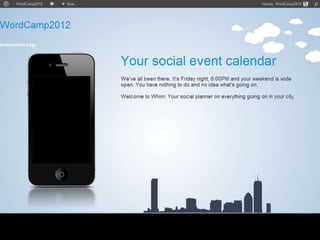
<div id="content" class="clearfix">
       <div id="slideshow" class="clearfix">
              <div id="iphone" class="clearfix">
              </div> <!-- end #iphone -->
              <div id="text" class="clearfix">
              </div><!-- end #text -->
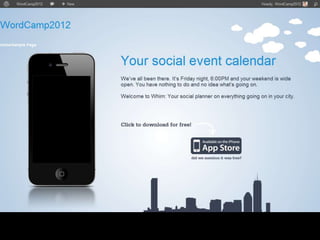
              <div id="download" class="clearfix">
              </div> <!-- end #download -->
       </div> <!-- end #slideshow -->
</div> <!-- end #content -->
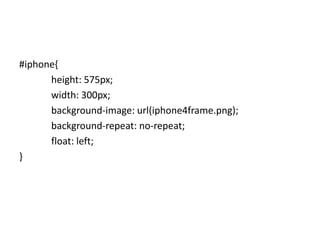
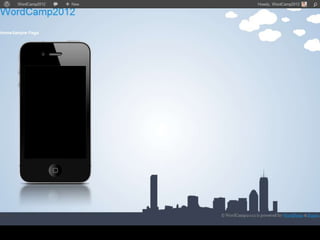
#iphone{
      height: 575px;
      width: 300px;
      background-image: url(iphone4frame.png);
      background-repeat: no-repeat;
      float: left;
}
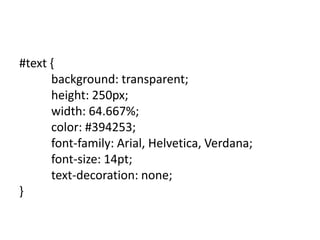
#text {
   background: transparent;
   height: 250px;
   width: 620px;
   color: #394253;
   font-family: Arial, Helvetica, Verdana;
   font-size: 14pt;
   text-decoration: none;
float:right;
}
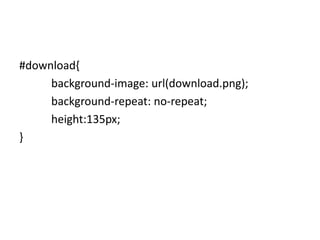
#download{
     background-image: url(download.png);
     background-repeat: no-repeat;
     height:135px;
}
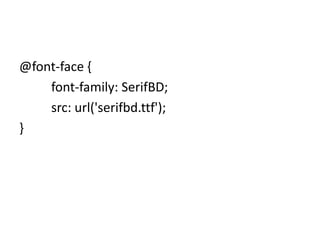
@font-face {
    font-family: SerifBD;
    src: url('serifbd.ttf');
}
h1, .h1, h2, .h2, h3, .h3 {
          font-family: SerifBD, Arial, Helvetica, Verdana;
          color: #394253;
}
h2, .h2 {
          margin: 0 0 7px 0;
}
h3, .h3 {
          margin: 0 0 7px 0;
          font-size: 14pt
 }
h1 a, h2 a, h3 a {
          font-family: SerifBD, Arial, Helvetica, Verdana;
          color: #394253;
}
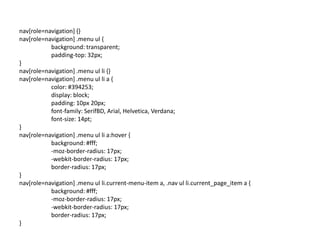
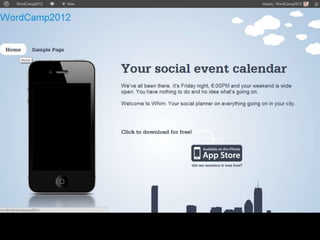
nav[role=navigation] {}
nav[role=navigation] .menu ul {
           background: transparent;
           padding-top: 32px;
}
nav[role=navigation] .menu ul li {}
nav[role=navigation] .menu ul li a {
           color: #394253;
           display: block;
           padding: 10px 20px;
           font-family: SerifBD, Arial, Helvetica, Verdana;
           font-size: 14pt;
}
nav[role=navigation] .menu ul li a:hover {
           background: #fff;
           -moz-border-radius: 17px;
           -webkit-border-radius: 17px;
           border-radius: 17px;
}
nav[role=navigation] .menu ul li.current-menu-item a, .nav ul li.current_page_item a {
           background: #fff;
           -moz-border-radius: 17px;
           -webkit-border-radius: 17px;
           border-radius: 17px;
}
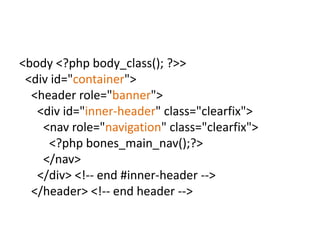
<body <?php body_class(); ?>>
 <div id="container">
  <header role="banner">
   <div id="inner-header" class="clearfix">
    <nav role="navigation" class="clearfix">
     <?php bones_main_nav();?>
    </nav>
   </div> <!-- end #inner-header -->
  </header> <!-- end header -->
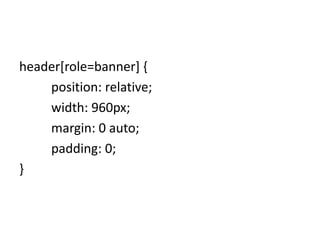
header[role=banner] {
    position: relative;
    width: 960px;
    margin: 0 auto;
    padding: 0;
}
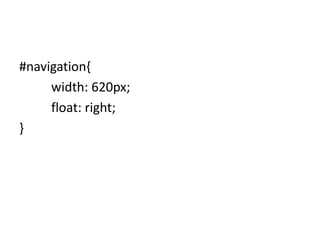
#navigation{
     width: 620px;
     float: right;
}
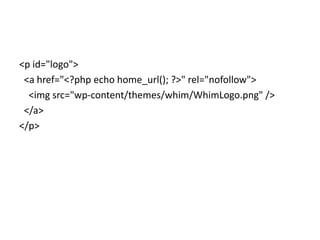
<p id="logo">
 <a href="<?php echo home_url(); ?>" rel="nofollow">
  <img src="wp-content/themes/whim/WhimLogo.png" />
 </a>
</p>
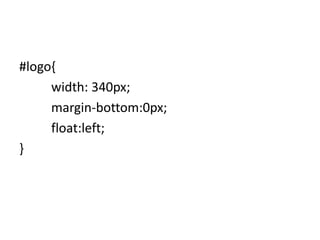
#logo{
     width: 340px;
     margin-bottom:0px;
     float:left;
}
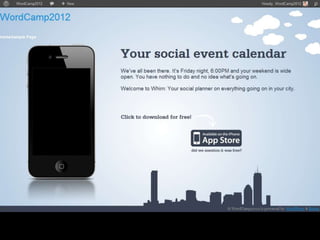
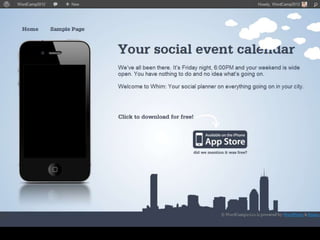
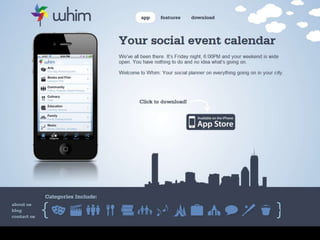
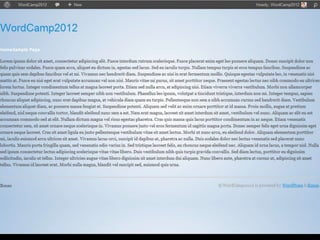
http://whimapp.com
tools
•   e-text editor (Like textmate, but for windows)
•   XAMPP
•   adobe photoshop (or gimp)
•   adobe illustrator (or inkscape)
•   firebug for firefox
web resources
•   http://slideshare.net/derekdac/
•   http://css3please.com/
•   http://css-tricks.com/
•   http://nettuts.com/
•   http://stackexchange.com/
•   http://fontsquirrel.com/
•   http://yoast.com/wordpress-theme-anatomy/
questions?

                              (name)


(email)   derek@derekchristensen.com
                                 (website)


           http://slideshare.net/derekdac/

From PSD to WordPress Theme: Bringing designs to life

  • 1.
    From PSD toWordPress Theme: Bringing designs to life Derek Christensen
  • 2.
    (name) (email) derek@derekchristensen.com (website) media-spine.com @derekdac quora.com/Derek-Christensen github.com/derekdac
  • 4.
    designer v developer •most designers are not developers. there are things that look good on a poster that don't work well on a website • walk before you run – as you start out, don’t try to be too unique • if you’re a designer, sit with a developer for a few days to learn some of the constraints that exist • if you’re a developer, sit with a designer for a few days to learn some of the elements of good design
  • 6.
    considerations • overlapping design elements • custom font • clouds cut in half • category icons in two colors • background texture overlay • only front page design provided • not sliced
  • 8.
    slicing • identify the elements • transparent background • slice • save for web and devices
  • 9.
    things to remember •you don’t have to slice everything at once • don’t slice text unless you really need to – use CSS3 @font-face instead – don’t use images for words in menus • CSS sprites • multiple use of the same image - slice once, reuse
  • 10.
    layer-based slicing • faster •flatten and combine layers • less control
  • 22.
  • 23.
    starter/base themes • skeleton • bones • starkers • roots • hybrid • thesis • genesis
  • 25.
    child theme /******************************************************** Theme Name:Whim Theme URI: http://whimapp.com Description: A custom theme for Whim based on the Bones starter theme Author: Derek Christensen Author URI: http://www.media-spine.com Version: 1.0 Tags: html5, framework, css3, development Template: bones ********************************************************/
  • 30.
    start building • low-hangingfruit • hundreds of right ways to do it – the perfect is the enemy of the good • study and understand the structure of your parent theme
  • 31.
    body { /* Fallbackif browser cannot support CSS3 gradients */ background-color: #abc5df; background-image: url("background_tall.jpg") ; background-position: top; background-repeat: repeat-x fixed; background: -webkit-gradient(radial, center center, 0, center center, 460, from(#fff), to(#abc5df)); /* Safari 4-5, Chrome 1-9 */ background: -webkit-radial-gradient(circle, #fff, #abc5df); /* Safari 5.1+, Chrome 10+ */ background: -moz-radial-gradient(circle, #fff, #abc5df); /* Firefox 3.6+ */ background: -ms-radial-gradient(circle, #fff, #abc5df); /* IE 10 */ }
  • 33.
    footer { background-color:#394253; height:185px; margin-top:0; border-top:0; padding: 0 0 0 0; }
  • 37.
    #content { width: 960px; margin: 0 auto; padding: 0; }
  • 39.
    body:before { display: block; height: 0px; content: url(background_cloud.png); float: right; } :before selector inserts content before the content of that element
  • 41.
    #slideshow { background-image: url(background_skyline.png); background-position: right bottom; background-repeat: no-repeat; }
  • 43.
    <div id="content" class="clearfix"> <div id="slideshow" class="clearfix"> <div id="iphone" class="clearfix"> </div> <!-- end #iphone --> <div id="text" class="clearfix"> </div><!-- end #text --> <div id="download" class="clearfix"> </div> <!-- end #download --> </div> <!-- end #slideshow --> </div> <!-- end #content -->
  • 44.
    #iphone{ height: 575px; width: 300px; background-image: url(iphone4frame.png); background-repeat: no-repeat; float: left; }
  • 46.
    #text { background: transparent; height: 250px; width: 620px; color: #394253; font-family: Arial, Helvetica, Verdana; font-size: 14pt; text-decoration: none; float:right; }
  • 48.
    #download{ background-image: url(download.png); background-repeat: no-repeat; height:135px; }
  • 50.
    @font-face { font-family: SerifBD; src: url('serifbd.ttf'); }
  • 51.
    h1, .h1, h2,.h2, h3, .h3 { font-family: SerifBD, Arial, Helvetica, Verdana; color: #394253; } h2, .h2 { margin: 0 0 7px 0; } h3, .h3 { margin: 0 0 7px 0; font-size: 14pt } h1 a, h2 a, h3 a { font-family: SerifBD, Arial, Helvetica, Verdana; color: #394253; }
  • 53.
    nav[role=navigation] {} nav[role=navigation] .menuul { background: transparent; padding-top: 32px; } nav[role=navigation] .menu ul li {} nav[role=navigation] .menu ul li a { color: #394253; display: block; padding: 10px 20px; font-family: SerifBD, Arial, Helvetica, Verdana; font-size: 14pt; } nav[role=navigation] .menu ul li a:hover { background: #fff; -moz-border-radius: 17px; -webkit-border-radius: 17px; border-radius: 17px; } nav[role=navigation] .menu ul li.current-menu-item a, .nav ul li.current_page_item a { background: #fff; -moz-border-radius: 17px; -webkit-border-radius: 17px; border-radius: 17px; }
  • 56.
    <body <?php body_class();?>> <div id="container"> <header role="banner"> <div id="inner-header" class="clearfix"> <nav role="navigation" class="clearfix"> <?php bones_main_nav();?> </nav> </div> <!-- end #inner-header --> </header> <!-- end header -->
  • 57.
    header[role=banner] { position: relative; width: 960px; margin: 0 auto; padding: 0; }
  • 59.
    #navigation{ width: 620px; float: right; }
  • 60.
    <p id="logo"> <ahref="<?php echo home_url(); ?>" rel="nofollow"> <img src="wp-content/themes/whim/WhimLogo.png" /> </a> </p>
  • 61.
    #logo{ width: 340px; margin-bottom:0px; float:left; }
  • 65.
  • 66.
    tools • e-text editor (Like textmate, but for windows) • XAMPP • adobe photoshop (or gimp) • adobe illustrator (or inkscape) • firebug for firefox
  • 67.
    web resources • http://slideshare.net/derekdac/ • http://css3please.com/ • http://css-tricks.com/ • http://nettuts.com/ • http://stackexchange.com/ • http://fontsquirrel.com/ • http://yoast.com/wordpress-theme-anatomy/
  • 68.
    questions? (name) (email) derek@derekchristensen.com (website) http://slideshare.net/derekdac/