HTML 5 Mobile Nitty-Gritty
Who the heck are you?
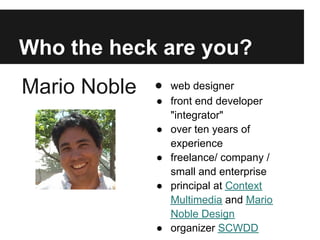
Mario Noble   ● web designer
              ● front end developer
                "integrator"
              ● over ten years of
                experience
              ● freelance/ company /
                small and enterprise
              ● principal at Context
                Multimedia and Mario
                Noble Design
              ● organizer SCWDD
What this is and isn't
This is a medium dive
into "HTML 5"
practices for mobile.

This isn't
comprehensive guide
to everything
mobile/HTML5 nor a
guide on native mobile
app development.         HTML5 = new Web 2.0?
Goals
● Give a mental model and
  context
● Show/tour a basic
  version in action
● Act as a guide to starting
  points for research
● Inspire people to get
  going or to be advocates
  for a Universal approach
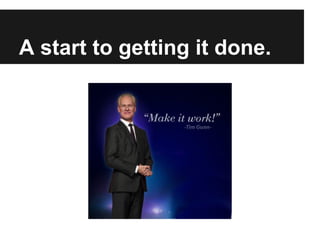
A start to getting it done.
Agenda

●   Overview - General tour of a typical page
●   Gritty Tips and Tricks.
●   Some useful tools and plugins
●   Summary
●   Q&A

10-20 minutes each
High level overview
Why are we doing it?


Usability, Usefulness and Relevancy
It's not just about
mobile
It's about Universal Design
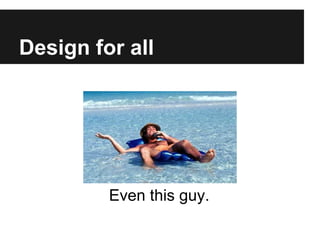
Design for all


         Even this guy.
Dovetails
with Accessibility
 Not just political correctness
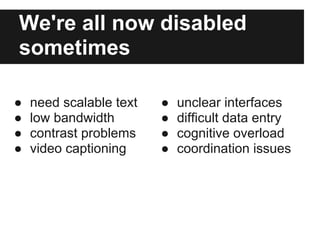
We're all now disabled
sometimes

●   need scalable text   ●   unclear interfaces
●   low bandwidth        ●   difficult data entry
●   contrast problems    ●   cognitive overload
●   video captioning     ●   coordination issues
Warning: Cliches ahead!

 ●   Less is More.
 ●   Form follows Function.
 ●   In Crisis, Opportunity.
 ●   KISS
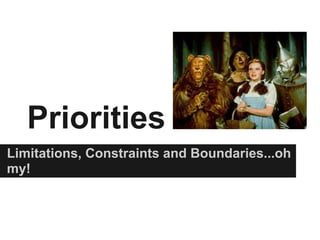
Priorities
Limitations, Constraints and Boundaries...oh
my!
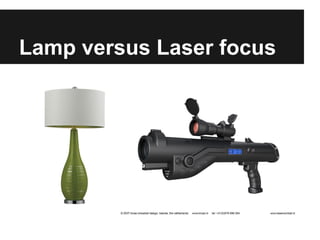
Lamp versus Laser focus
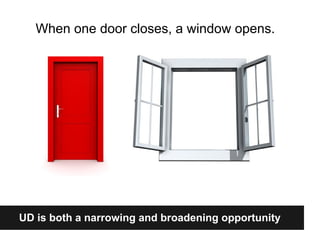
When one door closes, a window opens.


UD is both a narrowing and broadening opportunity
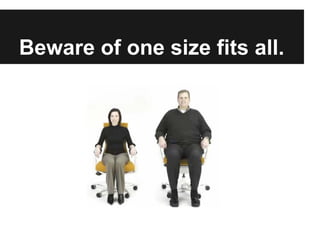
Beware of one size fits all.
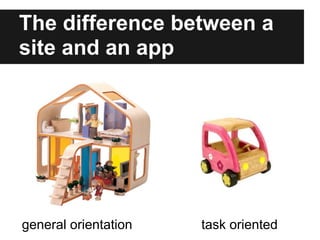
The difference between a
site and an app


general orientation   task oriented
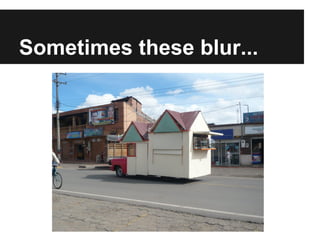
Sometimes these blur...
A little nitty gritty
Shared approaches and differences
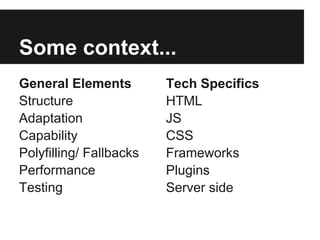
Some context...
General Elements         Tech Specifics
Structure                HTML
Adaptation               JS
Capability               CSS
Polyfilling/ Fallbacks   Frameworks
Performance              Plugins
Testing                  Server side
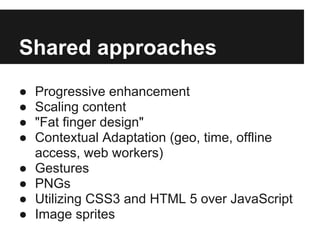
Shared approaches
●   Progressive enhancement
●   Scaling content
●   "Fat finger design"
●   Contextual Adaptation (geo, time, offline
    access, web workers)
●   Gestures
●   PNGs
●   Utilizing CSS3 and HTML 5 over JavaScript
●   Image sprites
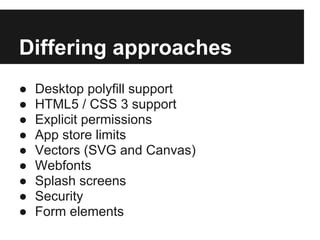
Differing approaches
●   Desktop polyfill support
●   HTML5 / CSS 3 support
●   Explicit permissions
●   App store limits
●   Vectors (SVG and Canvas)
●   Webfonts
●   Splash screens
●   Security
●   Form elements
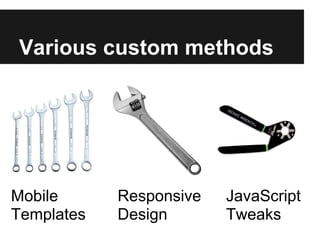
Various custom methods


Mobile      Responsive   JavaScript
Templates   Design       Tweaks
Mobile
Templates
May be user agent sniffing dependent
JavaScript
Tweaks
Various options
Responsive
Design
Needs CSS3 media queries
I prefer Responsive Design


But sometimes it's almost a religious debate...
No one says you can't mix and match.
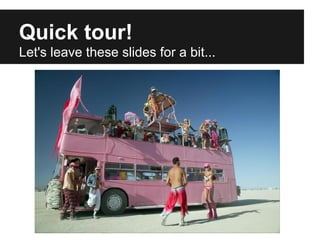
Quick tour!
Let's leave these slides for a bit...
Whew!
...we're back to the slides.
Tips and Tricks
Let's get a little dirty.


                Well, not that dirty...
Let's Start!
We'll focus on Content, Presentation and
Behavior
Content
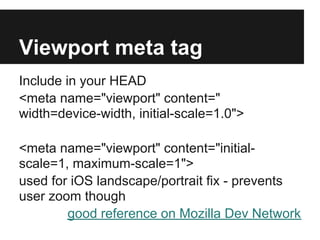
Viewport meta tag
Include in your HEAD
<meta name="viewport" content="
width=device-width, initial-scale=1.0">

<meta name="viewport" content="initial-
scale=1, maximum-scale=1">
used for iOS landscape/portrait fix - prevents
user zoom though
        good reference on Mozilla Dev Network
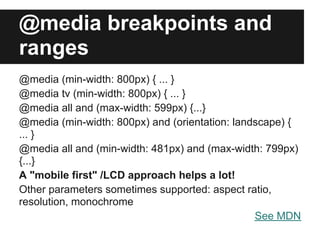
@media breakpoints and
ranges
@media (min-width: 800px) { ... }
@media tv (min-width: 800px) { ... }
@media all and (max-width: 599px) {...}
@media (min-width: 800px) and (orientation: landscape) {
... }
@media all and (min-width: 481px) and (max-width: 799px)
{...}
A "mobile first" /LCD approach helps a lot!
Other parameters sometimes supported: aspect ratio,
resolution, monochrome
                                                See MDN
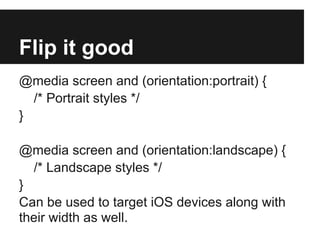
Flip it good
@media screen and (orientation:portrait) {
  /* Portrait styles */
}

@media screen and (orientation:landscape) {
  /* Landscape styles */
}
Can be used to target iOS devices along with
their width as well.
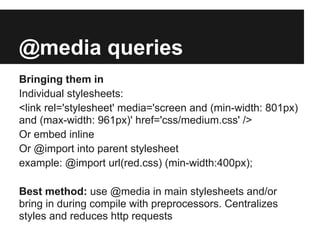
@media queries
Bringing them in
Individual stylesheets:
<link rel='stylesheet' media='screen and (min-width: 801px)
and (max-width: 961px)' href='css/medium.css' />
Or embed inline
Or @import into parent stylesheet
example: @import url(red.css) (min-width:400px);

Best method: use @media in main stylesheets and/or
bring in during compile with preprocessors. Centralizes
styles and reduces http requests
HTML5 tags and ARIA roles
<HEAD>                  role="banner"
<NAV>                   role="navigation"
<SECTION>               role="main" (new!)
<ARTICLE>               role="complementary"
<ASIDE>                 role="search"
<FOOTER>                role="contentinfo"
<HGROUP>                use instead of a class
                        header[role="banner"]
Needs Shiv for IE < 9   {}
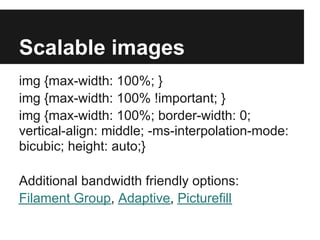
Scalable images
img {max-width: 100%; }
img {max-width: 100% !important; }
img {max-width: 100%; border-width: 0;
vertical-align: middle; -ms-interpolation-mode:
bicubic; height: auto;}

Additional bandwidth friendly options:
Filament Group, Adaptive, Picturefill
HTML Video
Too complex to go over here.
Use something like fitvids.js for scaling third
party embedded videos.

Useful resources if you want to roll your own:
https://developer.mozilla.org/en-
US/docs/HTML/Element/video
http://diveintohtml5.info/video.html
Normalization vs.
Reset Styles
Processing overload vs maintenance
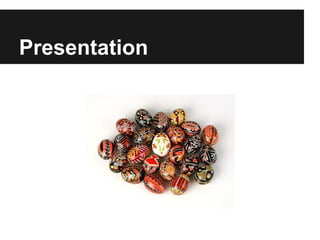
Presentation
"Fat finger"
touch guidelines
28 pixels to 72 pixels
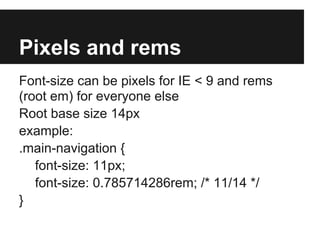
Pixels and rems
Font-size can be pixels for IE < 9 and rems
(root em) for everyone else
Root base size 14px
example:
.main-navigation {
   font-size: 11px;
   font-size: 0.785714286rem; /* 11/14 */
}
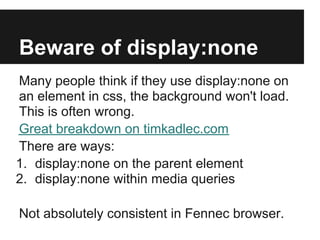
Beware of display:none
Many people think if they use display:none on
an element in css, the background won't load.
This is often wrong.
Great breakdown on timkadlec.com
There are ways:
1. display:none on the parent element
2. display:none within media queries

Not absolutely consistent in Fennec browser.
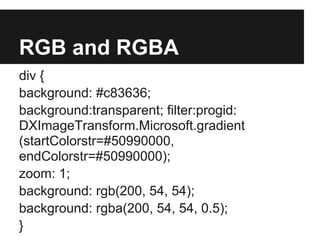
RGB and RGBA
div {
background: #c83636;
background:transparent; filter:progid:
DXImageTransform.Microsoft.gradient
(startColorstr=#50990000,
endColorstr=#50990000);
zoom: 1;
background: rgb(200, 54, 54);
background: rgba(200, 54, 54, 0.5);
}
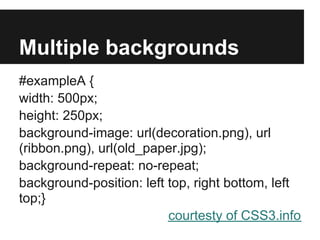
Multiple backgrounds
#exampleA {
width: 500px;
height: 250px;
background-image: url(decoration.png), url
(ribbon.png), url(old_paper.jpg);
background-repeat: no-repeat;
background-position: left top, right bottom, left
top;}
                          courtesty of CSS3.info
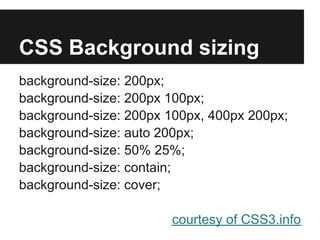
CSS Background sizing
background-size: 200px;
background-size: 200px 100px;
background-size: 200px 100px, 400px 200px;
background-size: auto 200px;
background-size: 50% 25%;
background-size: contain;
background-size: cover;

                       courtesy of CSS3.info
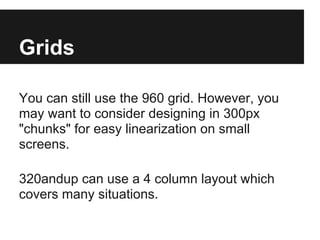
Grids

You can still use the 960 grid. However, you
may want to consider designing in 300px
"chunks" for easy linearization on small
screens.

320andup can use a 4 column layout which
covers many situations.
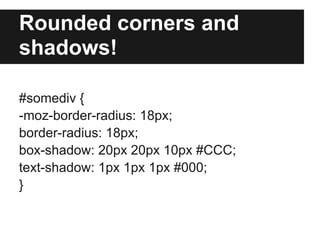
Rounded corners and
shadows!

#somediv {
-moz-border-radius: 18px;
border-radius: 18px;
box-shadow: 20px 20px 10px #CCC;
text-shadow: 1px 1px 1px #000;
}
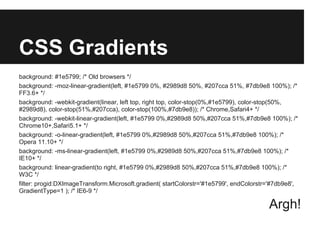
CSS Gradients
background: #1e5799; /* Old browsers */
background: -moz-linear-gradient(left, #1e5799 0%, #2989d8 50%, #207cca 51%, #7db9e8 100%); /*
FF3.6+ */
background: -webkit-gradient(linear, left top, right top, color-stop(0%,#1e5799), color-stop(50%,
#2989d8), color-stop(51%,#207cca), color-stop(100%,#7db9e8)); /* Chrome,Safari4+ */
background: -webkit-linear-gradient(left, #1e5799 0%,#2989d8 50%,#207cca 51%,#7db9e8 100%); /*
Chrome10+,Safari5.1+ */
background: -o-linear-gradient(left, #1e5799 0%,#2989d8 50%,#207cca 51%,#7db9e8 100%); /*
Opera 11.10+ */
background: -ms-linear-gradient(left, #1e5799 0%,#2989d8 50%,#207cca 51%,#7db9e8 100%); /*
IE10+ */
background: linear-gradient(to right, #1e5799 0%,#2989d8 50%,#207cca 51%,#7db9e8 100%); /*
W3C */
filter: progid:DXImageTransform.Microsoft.gradient( startColorstr='#1e5799', endColorstr='#7db9e8',
GradientType=1 ); /* IE6-9 */

                                                                                        Argh!
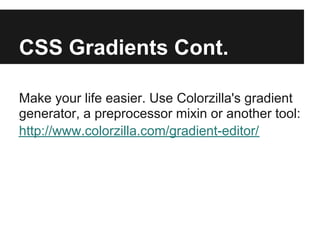
CSS Gradients Cont.

Make your life easier. Use Colorzilla's gradient
generator, a preprocessor mixin or another tool:
http://www.colorzilla.com/gradient-editor/
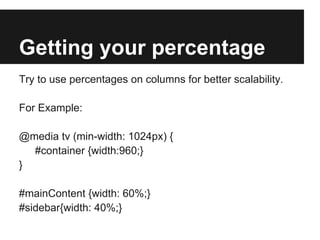
Getting your percentage
Try to use percentages on columns for better scalability.

For Example:

@media tv (min-width: 1024px) {
  #container {width:960;}
}

#mainContent {width: 60%;}
#sidebar{width: 40%;}
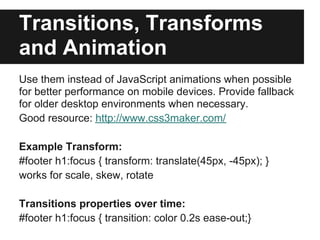
Transitions, Transforms
and Animation
Use them instead of JavaScript animations when possible
for better performance on mobile devices. Provide fallback
for older desktop environments when necessary.
Good resource: http://www.css3maker.com/

Example Transform:
#footer h1:focus { transform: translate(45px, -45px); }
works for scale, skew, rotate

Transitions properties over time:
#footer h1:focus { transition: color 0.2s ease-out;}
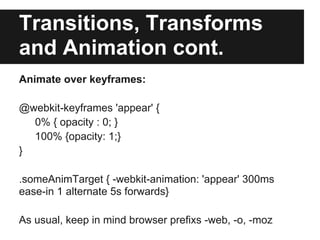
Transitions, Transforms
and Animation cont.
Animate over keyframes:

@webkit-keyframes 'appear' {
  0% { opacity : 0; }
  100% {opacity: 1;}
}

.someAnimTarget { -webkit-animation: 'appear' 300ms
ease-in 1 alternate 5s forwards}

As usual, keep in mind browser prefixs -web, -o, -moz
Floats and fixed

Complex floating doesn't always play well with
mobile/UD and smooth fixed positioning of
items is spotty in older versions of Android.
Behavior
Navigation
Many different patterns

One of the most prominent is by the Filament
Group

Good rundown of current patterns
Brad Frost's Basic Patterns , Complex

I use a Return to Top in the footer and Sitemap
"Easy" Validation
If creating a mobile only site/app, HTML5 has
some great new form attributes for validation
and finer control.

Examples: required, pattern, autocomplete,
placeholder

See MDN for more examples
Modal hell
If you're using modals don't rely on the
close button. Enable close outside modal.
No hover, but
click
There is no such thing as hover for touch
Reduce, reduce, reduce

Do all the things you should normally do to
optimize but actually do them.

Remember to minify code, gzip files, cache,
CDNs, image sprites and dynamic server side
image resizing where possible on
production/live sites.
Geolocation
Involves some javascript and the user's explicit
permission to allow you to use their location.
This also depends on their GPS and network
capabilities to determine where they are.
Fist detect for support using something like
modernizr.js then run a query against the
device.
You may need a fallback
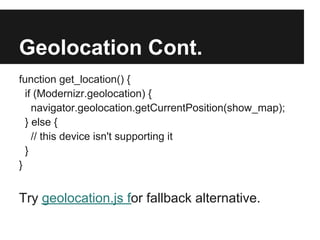
Geolocation Cont.
function get_location() {
  if (Modernizr.geolocation) {
    navigator.geolocation.getCurrentPosition(show_map);
  } else {
    // this device isn't supporting it
  }
}


Try geolocation.js for fallback alternative.
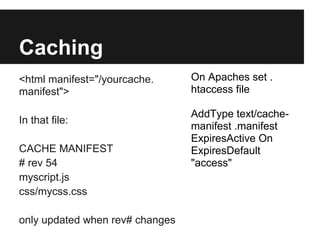
Caching
<html manifest="/yourcache.      On Apaches set .
manifest">                       htaccess file

                                 AddType text/cache-
In that file:
                                 manifest .manifest
                                 ExpiresActive On
CACHE MANIFEST                   ExpiresDefault
# rev 54                         "access"
myscript.js
css/mycss.css

only updated when rev# changes
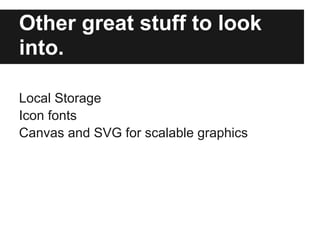
Other great stuff to look
into.

Local Storage
Icon fonts
Canvas and SVG for scalable graphics
I probably
missed some
things
But there's only so much time in an hour.
Time to rinse off.
Useful Tools
When you don't want to roll your own
Useful HTML5 frameworks
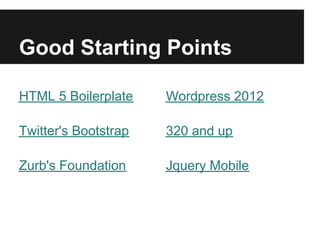
Good Starting Points

HTML 5 Boilerplate    Wordpress 2012

Twitter's Bootstrap   320 and up

Zurb's Foundation     Jquery Mobile
Polyfills/Fallbacks
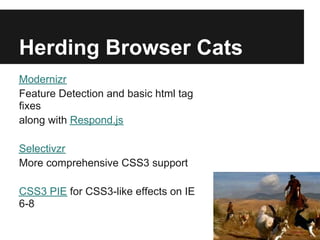
Herding Browser Cats
Modernizr
Feature Detection and basic html tag
fixes
along with Respond.js

Selectivzr
More comprehensive CSS3 support

CSS3 PIE for CSS3-like effects on IE
6-8
Some good
helpers/plugins
Warning : Your mileage may vary.
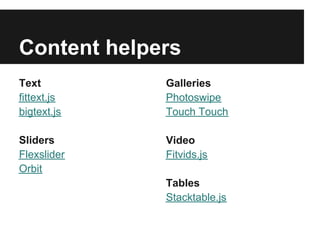
Content helpers
Text         Galleries
fittext.js   Photoswipe
bigtext.js   Touch Touch

Sliders      Video
Flexslider   Fitvids.js
Orbit
             Tables
             Stacktable.js
Process and Test
A few good building processors and
testing tools
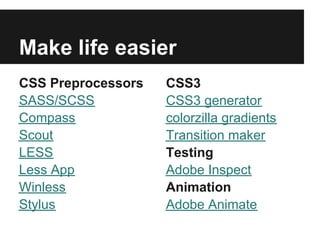
Make life easier
CSS Preprocessors   CSS3
SASS/SCSS           CSS3 generator
Compass             colorzilla gradients
Scout               Transition maker
LESS                Testing
Less App            Adobe Inspect
Winless             Animation
Stylus              Adobe Animate
There's an App
for apps...to wrap that.
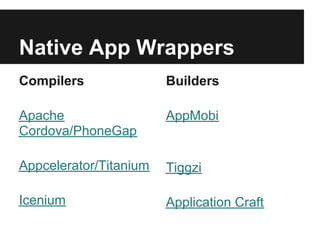
Native App Wrappers
Compilers               Builders

Apache                  AppMobi
Cordova/PhoneGap

Appcelerator/Titanium   Tiggzi

Icenium                 Application Craft
How does this relate to
me?
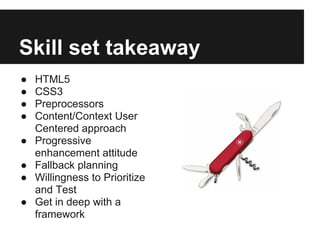
Skill set takeaway
●   HTML5
●   CSS3
●   Preprocessors
●   Content/Context User
    Centered approach
●   Progressive
    enhancement attitude
●   Fallback planning
●   Willingness to Prioritize
    and Test
●   Get in deep with a
    framework
To sum up
Mobile design and development can be both
challenging and rewarding.

Reach more people than ever before in more
contexts than ever.

The field is in flux but the reality is clear.
Something needs to be done.
Say more. Do more.


               Q&A?

Html 5 mobile - nitty gritty

  • 1.
    HTML 5 MobileNitty-Gritty
  • 2.
    Who the heckare you? Mario Noble ● web designer ● front end developer "integrator" ● over ten years of experience ● freelance/ company / small and enterprise ● principal at Context Multimedia and Mario Noble Design ● organizer SCWDD
  • 3.
    What this isand isn't This is a medium dive into "HTML 5" practices for mobile. This isn't comprehensive guide to everything mobile/HTML5 nor a guide on native mobile app development. HTML5 = new Web 2.0?
  • 4.
    Goals ● Give amental model and context ● Show/tour a basic version in action ● Act as a guide to starting points for research ● Inspire people to get going or to be advocates for a Universal approach
  • 5.
    A start togetting it done.
  • 6.
    Agenda ● Overview - General tour of a typical page ● Gritty Tips and Tricks. ● Some useful tools and plugins ● Summary ● Q&A 10-20 minutes each
  • 7.
  • 8.
    Why are wedoing it? Usability, Usefulness and Relevancy
  • 9.
    It's not justabout mobile It's about Universal Design
  • 10.
    Design for all Even this guy.
  • 11.
    Dovetails with Accessibility Notjust political correctness
  • 12.
    We're all nowdisabled sometimes ● need scalable text ● unclear interfaces ● low bandwidth ● difficult data entry ● contrast problems ● cognitive overload ● video captioning ● coordination issues
  • 13.
    Warning: Cliches ahead! ● Less is More. ● Form follows Function. ● In Crisis, Opportunity. ● KISS
  • 14.
  • 15.
  • 16.
    When one doorcloses, a window opens. UD is both a narrowing and broadening opportunity
  • 17.
    Beware of onesize fits all.
  • 18.
    The difference betweena site and an app general orientation task oriented
  • 19.
  • 20.
    A little nittygritty Shared approaches and differences
  • 21.
    Some context... General Elements Tech Specifics Structure HTML Adaptation JS Capability CSS Polyfilling/ Fallbacks Frameworks Performance Plugins Testing Server side
  • 22.
    Shared approaches ● Progressive enhancement ● Scaling content ● "Fat finger design" ● Contextual Adaptation (geo, time, offline access, web workers) ● Gestures ● PNGs ● Utilizing CSS3 and HTML 5 over JavaScript ● Image sprites
  • 23.
    Differing approaches ● Desktop polyfill support ● HTML5 / CSS 3 support ● Explicit permissions ● App store limits ● Vectors (SVG and Canvas) ● Webfonts ● Splash screens ● Security ● Form elements
  • 24.
    Various custom methods Mobile Responsive JavaScript Templates Design Tweaks
  • 25.
    Mobile Templates May be useragent sniffing dependent
  • 26.
  • 27.
  • 28.
    I prefer ResponsiveDesign But sometimes it's almost a religious debate... No one says you can't mix and match.
  • 29.
    Quick tour! Let's leavethese slides for a bit...
  • 30.
  • 31.
    Tips and Tricks Let'sget a little dirty. Well, not that dirty...
  • 32.
    Let's Start! We'll focuson Content, Presentation and Behavior
  • 33.
  • 34.
    Viewport meta tag Includein your HEAD <meta name="viewport" content=" width=device-width, initial-scale=1.0"> <meta name="viewport" content="initial- scale=1, maximum-scale=1"> used for iOS landscape/portrait fix - prevents user zoom though good reference on Mozilla Dev Network
  • 35.
    @media breakpoints and ranges @media(min-width: 800px) { ... } @media tv (min-width: 800px) { ... } @media all and (max-width: 599px) {...} @media (min-width: 800px) and (orientation: landscape) { ... } @media all and (min-width: 481px) and (max-width: 799px) {...} A "mobile first" /LCD approach helps a lot! Other parameters sometimes supported: aspect ratio, resolution, monochrome See MDN
  • 36.
    Flip it good @mediascreen and (orientation:portrait) { /* Portrait styles */ } @media screen and (orientation:landscape) { /* Landscape styles */ } Can be used to target iOS devices along with their width as well.
  • 37.
    @media queries Bringing themin Individual stylesheets: <link rel='stylesheet' media='screen and (min-width: 801px) and (max-width: 961px)' href='css/medium.css' /> Or embed inline Or @import into parent stylesheet example: @import url(red.css) (min-width:400px); Best method: use @media in main stylesheets and/or bring in during compile with preprocessors. Centralizes styles and reduces http requests
  • 38.
    HTML5 tags andARIA roles <HEAD> role="banner" <NAV> role="navigation" <SECTION> role="main" (new!) <ARTICLE> role="complementary" <ASIDE> role="search" <FOOTER> role="contentinfo" <HGROUP> use instead of a class header[role="banner"] Needs Shiv for IE < 9 {}
  • 39.
    Scalable images img {max-width:100%; } img {max-width: 100% !important; } img {max-width: 100%; border-width: 0; vertical-align: middle; -ms-interpolation-mode: bicubic; height: auto;} Additional bandwidth friendly options: Filament Group, Adaptive, Picturefill
  • 40.
    HTML Video Too complexto go over here. Use something like fitvids.js for scaling third party embedded videos. Useful resources if you want to roll your own: https://developer.mozilla.org/en- US/docs/HTML/Element/video http://diveintohtml5.info/video.html
  • 41.
  • 42.
  • 43.
  • 44.
    Pixels and rems Font-sizecan be pixels for IE < 9 and rems (root em) for everyone else Root base size 14px example: .main-navigation { font-size: 11px; font-size: 0.785714286rem; /* 11/14 */ }
  • 45.
    Beware of display:none Manypeople think if they use display:none on an element in css, the background won't load. This is often wrong. Great breakdown on timkadlec.com There are ways: 1. display:none on the parent element 2. display:none within media queries Not absolutely consistent in Fennec browser.
  • 46.
    RGB and RGBA div{ background: #c83636; background:transparent; filter:progid: DXImageTransform.Microsoft.gradient (startColorstr=#50990000, endColorstr=#50990000); zoom: 1; background: rgb(200, 54, 54); background: rgba(200, 54, 54, 0.5); }
  • 47.
    Multiple backgrounds #exampleA { width:500px; height: 250px; background-image: url(decoration.png), url (ribbon.png), url(old_paper.jpg); background-repeat: no-repeat; background-position: left top, right bottom, left top;} courtesty of CSS3.info
  • 48.
    CSS Background sizing background-size:200px; background-size: 200px 100px; background-size: 200px 100px, 400px 200px; background-size: auto 200px; background-size: 50% 25%; background-size: contain; background-size: cover; courtesy of CSS3.info
  • 49.
    Grids You can stilluse the 960 grid. However, you may want to consider designing in 300px "chunks" for easy linearization on small screens. 320andup can use a 4 column layout which covers many situations.
  • 50.
    Rounded corners and shadows! #somediv{ -moz-border-radius: 18px; border-radius: 18px; box-shadow: 20px 20px 10px #CCC; text-shadow: 1px 1px 1px #000; }
  • 51.
    CSS Gradients background: #1e5799;/* Old browsers */ background: -moz-linear-gradient(left, #1e5799 0%, #2989d8 50%, #207cca 51%, #7db9e8 100%); /* FF3.6+ */ background: -webkit-gradient(linear, left top, right top, color-stop(0%,#1e5799), color-stop(50%, #2989d8), color-stop(51%,#207cca), color-stop(100%,#7db9e8)); /* Chrome,Safari4+ */ background: -webkit-linear-gradient(left, #1e5799 0%,#2989d8 50%,#207cca 51%,#7db9e8 100%); /* Chrome10+,Safari5.1+ */ background: -o-linear-gradient(left, #1e5799 0%,#2989d8 50%,#207cca 51%,#7db9e8 100%); /* Opera 11.10+ */ background: -ms-linear-gradient(left, #1e5799 0%,#2989d8 50%,#207cca 51%,#7db9e8 100%); /* IE10+ */ background: linear-gradient(to right, #1e5799 0%,#2989d8 50%,#207cca 51%,#7db9e8 100%); /* W3C */ filter: progid:DXImageTransform.Microsoft.gradient( startColorstr='#1e5799', endColorstr='#7db9e8', GradientType=1 ); /* IE6-9 */ Argh!
  • 52.
    CSS Gradients Cont. Makeyour life easier. Use Colorzilla's gradient generator, a preprocessor mixin or another tool: http://www.colorzilla.com/gradient-editor/
  • 53.
    Getting your percentage Tryto use percentages on columns for better scalability. For Example: @media tv (min-width: 1024px) { #container {width:960;} } #mainContent {width: 60%;} #sidebar{width: 40%;}
  • 54.
    Transitions, Transforms and Animation Usethem instead of JavaScript animations when possible for better performance on mobile devices. Provide fallback for older desktop environments when necessary. Good resource: http://www.css3maker.com/ Example Transform: #footer h1:focus { transform: translate(45px, -45px); } works for scale, skew, rotate Transitions properties over time: #footer h1:focus { transition: color 0.2s ease-out;}
  • 55.
    Transitions, Transforms and Animationcont. Animate over keyframes: @webkit-keyframes 'appear' { 0% { opacity : 0; } 100% {opacity: 1;} } .someAnimTarget { -webkit-animation: 'appear' 300ms ease-in 1 alternate 5s forwards} As usual, keep in mind browser prefixs -web, -o, -moz
  • 56.
    Floats and fixed Complexfloating doesn't always play well with mobile/UD and smooth fixed positioning of items is spotty in older versions of Android.
  • 57.
  • 58.
    Navigation Many different patterns Oneof the most prominent is by the Filament Group Good rundown of current patterns Brad Frost's Basic Patterns , Complex I use a Return to Top in the footer and Sitemap
  • 59.
    "Easy" Validation If creatinga mobile only site/app, HTML5 has some great new form attributes for validation and finer control. Examples: required, pattern, autocomplete, placeholder See MDN for more examples
  • 60.
    Modal hell If you'reusing modals don't rely on the close button. Enable close outside modal.
  • 61.
    No hover, but click Thereis no such thing as hover for touch
  • 62.
    Reduce, reduce, reduce Doall the things you should normally do to optimize but actually do them. Remember to minify code, gzip files, cache, CDNs, image sprites and dynamic server side image resizing where possible on production/live sites.
  • 63.
    Geolocation Involves some javascriptand the user's explicit permission to allow you to use their location. This also depends on their GPS and network capabilities to determine where they are. Fist detect for support using something like modernizr.js then run a query against the device. You may need a fallback
  • 64.
    Geolocation Cont. function get_location(){ if (Modernizr.geolocation) { navigator.geolocation.getCurrentPosition(show_map); } else { // this device isn't supporting it } } Try geolocation.js for fallback alternative.
  • 65.
    Caching <html manifest="/yourcache. On Apaches set . manifest"> htaccess file AddType text/cache- In that file: manifest .manifest ExpiresActive On CACHE MANIFEST ExpiresDefault # rev 54 "access" myscript.js css/mycss.css only updated when rev# changes
  • 66.
    Other great stuffto look into. Local Storage Icon fonts Canvas and SVG for scalable graphics
  • 67.
    I probably missed some things Butthere's only so much time in an hour.
  • 68.
  • 69.
    Useful Tools When youdon't want to roll your own
  • 70.
  • 71.
    Good Starting Points HTML5 Boilerplate Wordpress 2012 Twitter's Bootstrap 320 and up Zurb's Foundation Jquery Mobile
  • 72.
  • 73.
    Herding Browser Cats Modernizr FeatureDetection and basic html tag fixes along with Respond.js Selectivzr More comprehensive CSS3 support CSS3 PIE for CSS3-like effects on IE 6-8
  • 74.
  • 75.
    Content helpers Text Galleries fittext.js Photoswipe bigtext.js Touch Touch Sliders Video Flexslider Fitvids.js Orbit Tables Stacktable.js
  • 76.
    Process and Test Afew good building processors and testing tools
  • 77.
    Make life easier CSSPreprocessors CSS3 SASS/SCSS CSS3 generator Compass colorzilla gradients Scout Transition maker LESS Testing Less App Adobe Inspect Winless Animation Stylus Adobe Animate
  • 78.
    There's an App forapps...to wrap that.
  • 79.
    Native App Wrappers Compilers Builders Apache AppMobi Cordova/PhoneGap Appcelerator/Titanium Tiggzi Icenium Application Craft
  • 80.
    How does thisrelate to me?
  • 81.
    Skill set takeaway ● HTML5 ● CSS3 ● Preprocessors ● Content/Context User Centered approach ● Progressive enhancement attitude ● Fallback planning ● Willingness to Prioritize and Test ● Get in deep with a framework
  • 82.
    To sum up Mobiledesign and development can be both challenging and rewarding. Reach more people than ever before in more contexts than ever. The field is in flux but the reality is clear. Something needs to be done.
  • 83.
    Say more. Domore. Q&A?