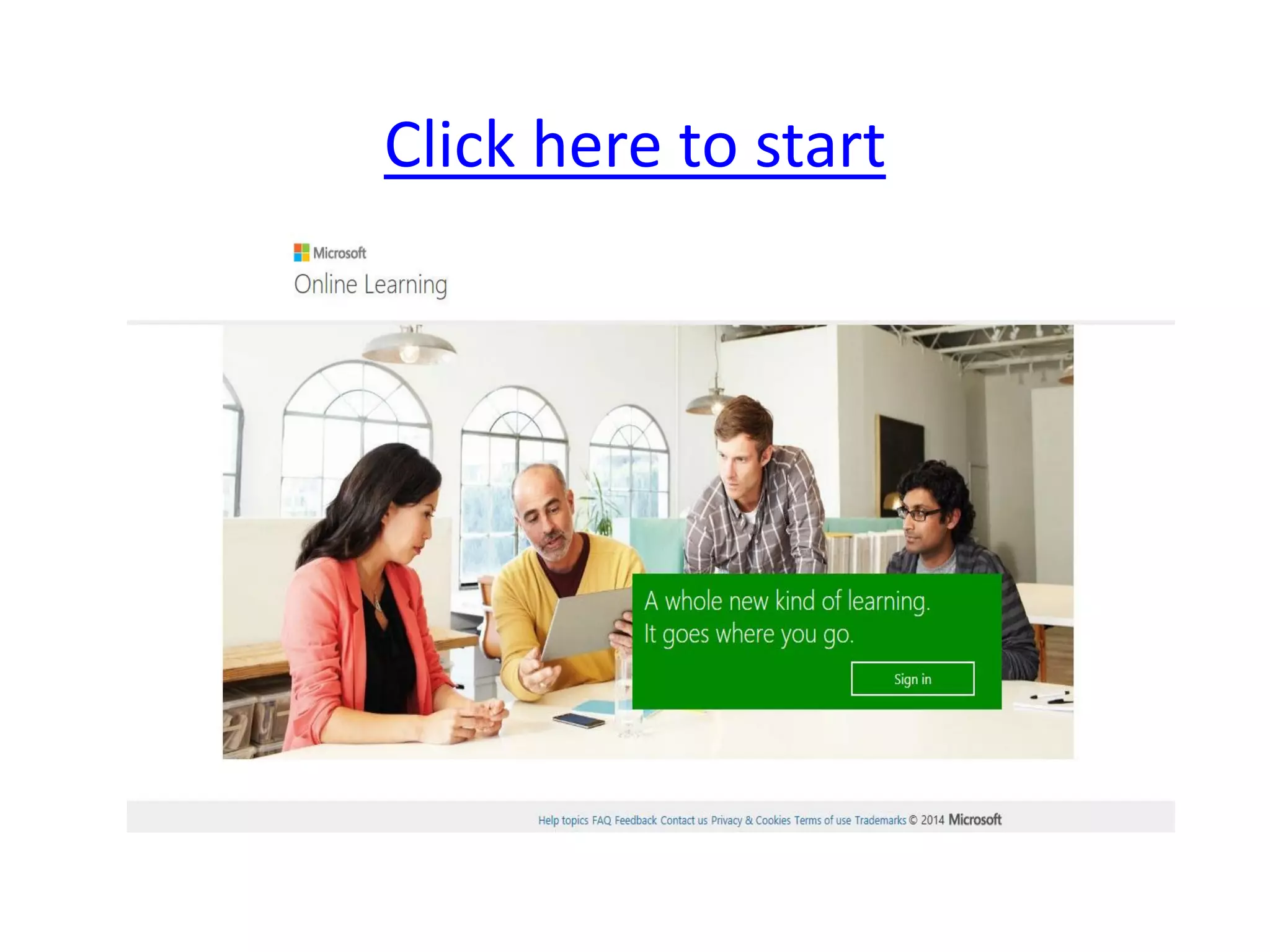
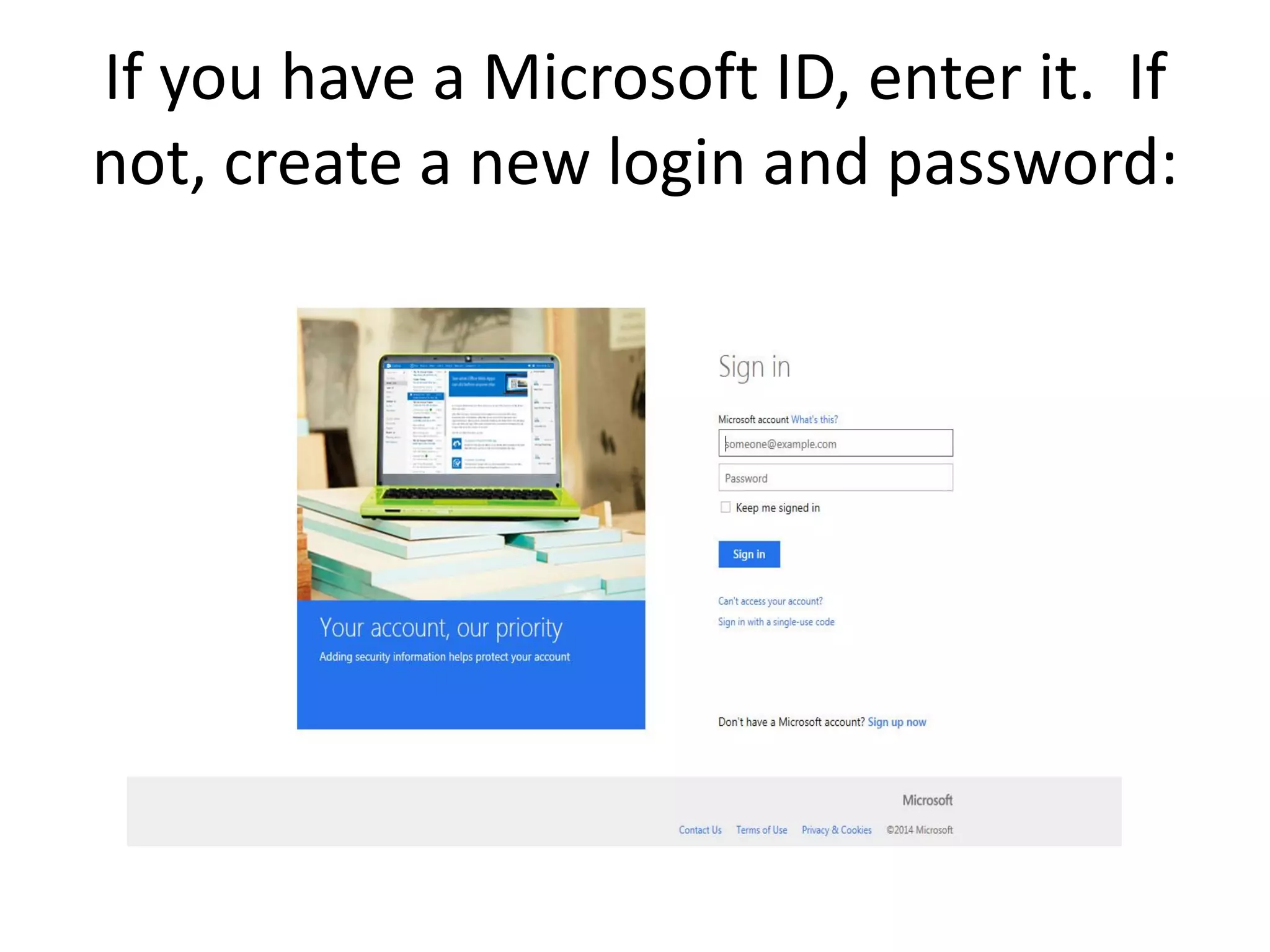
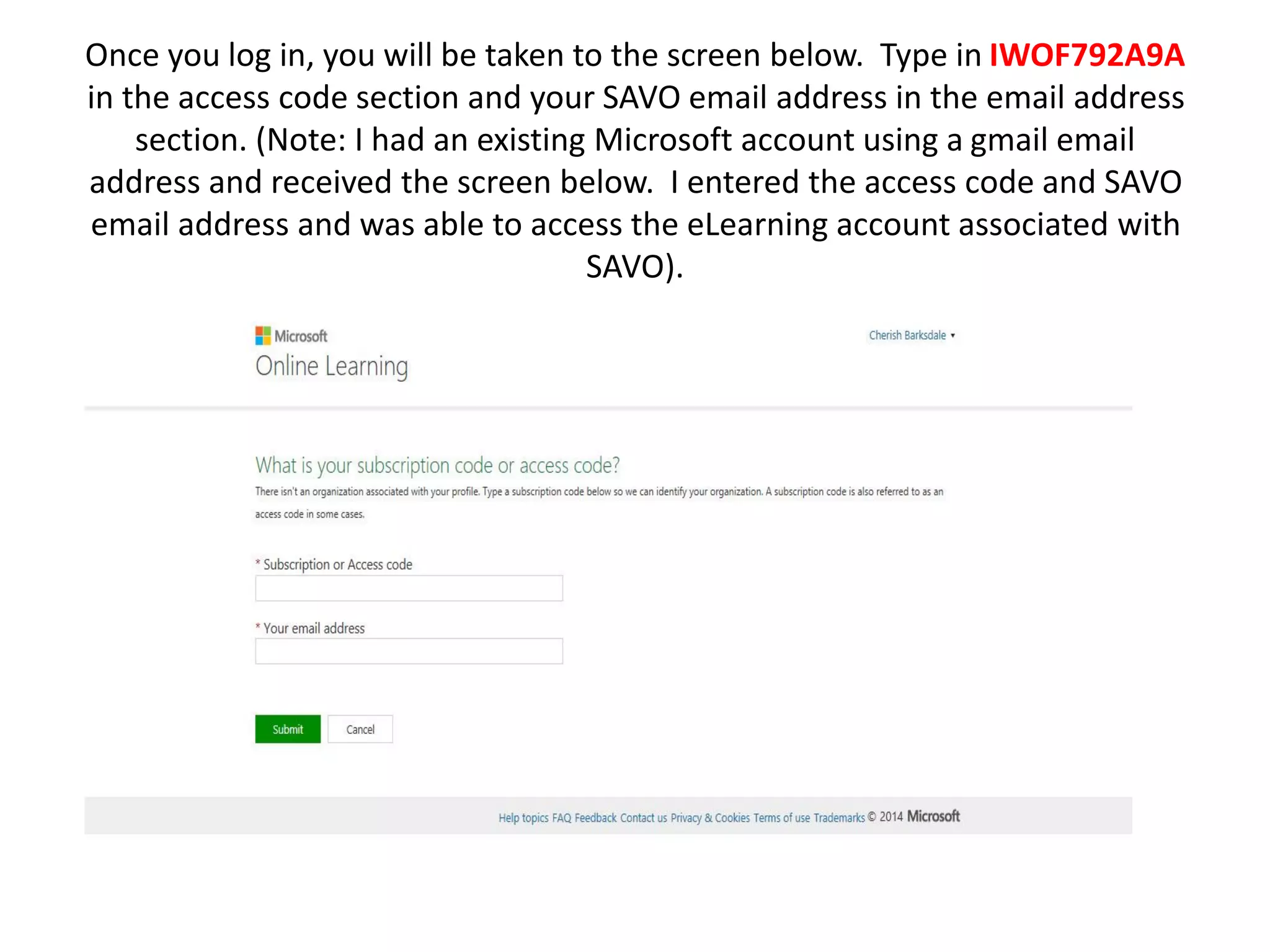
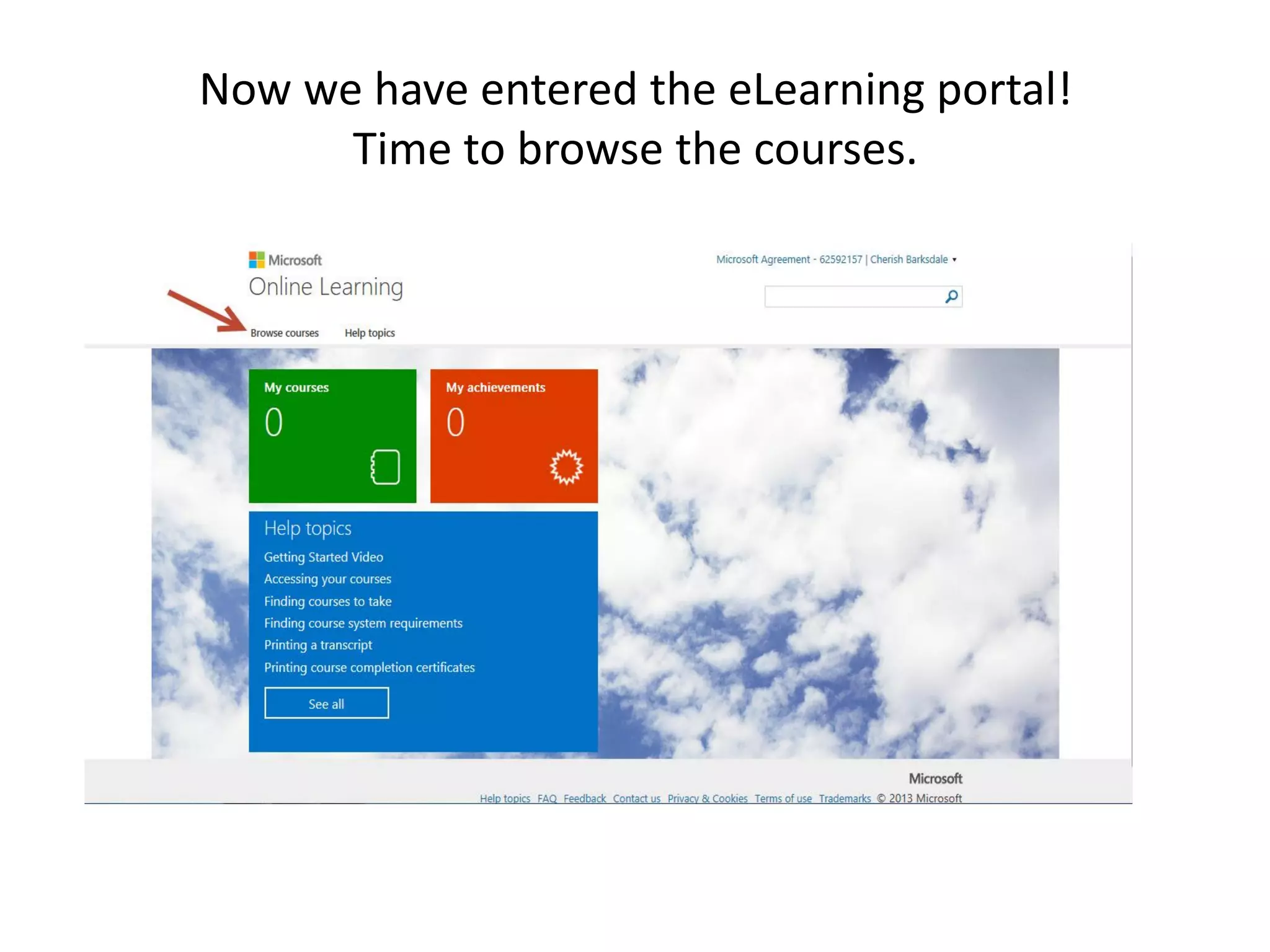
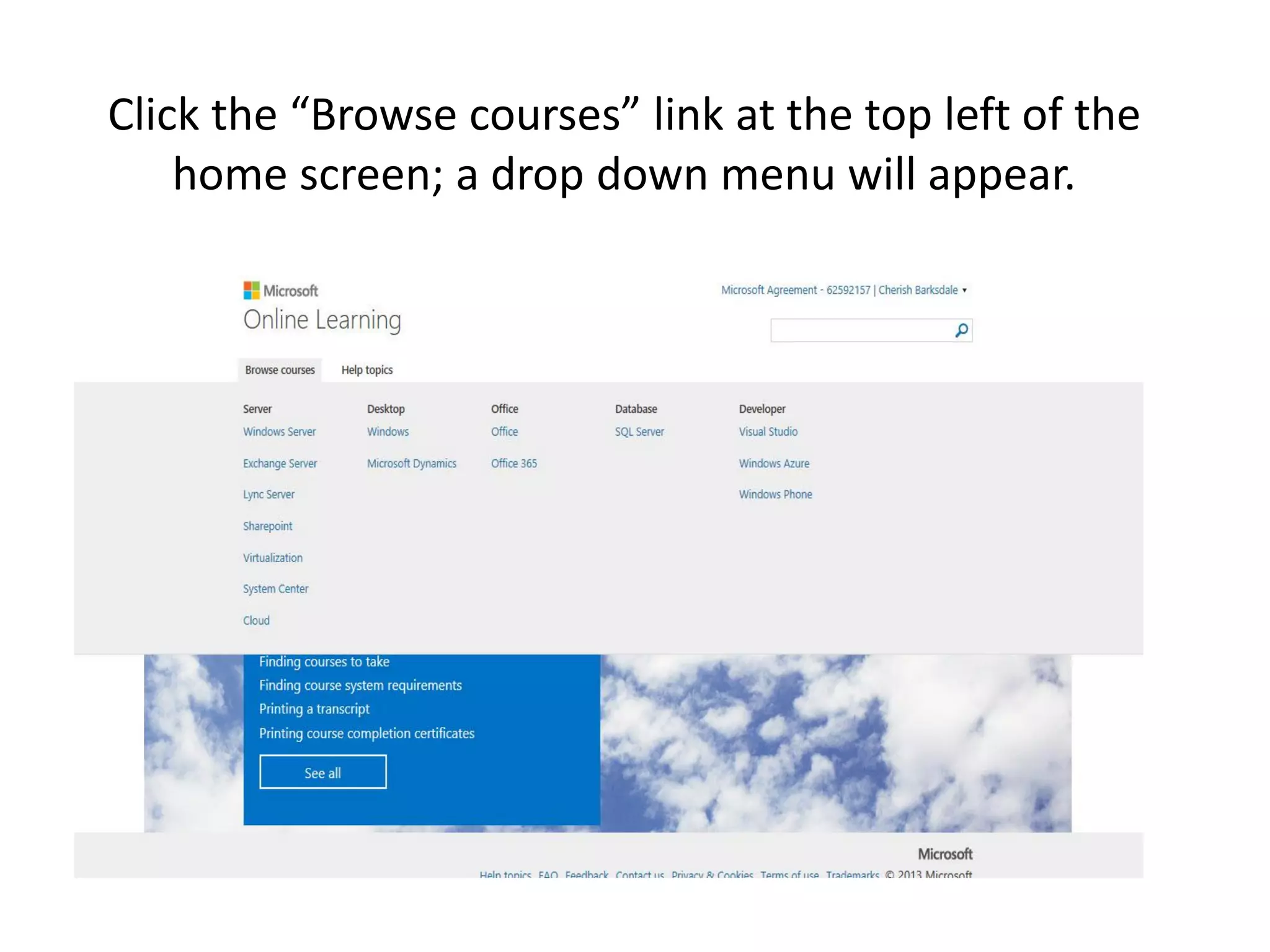
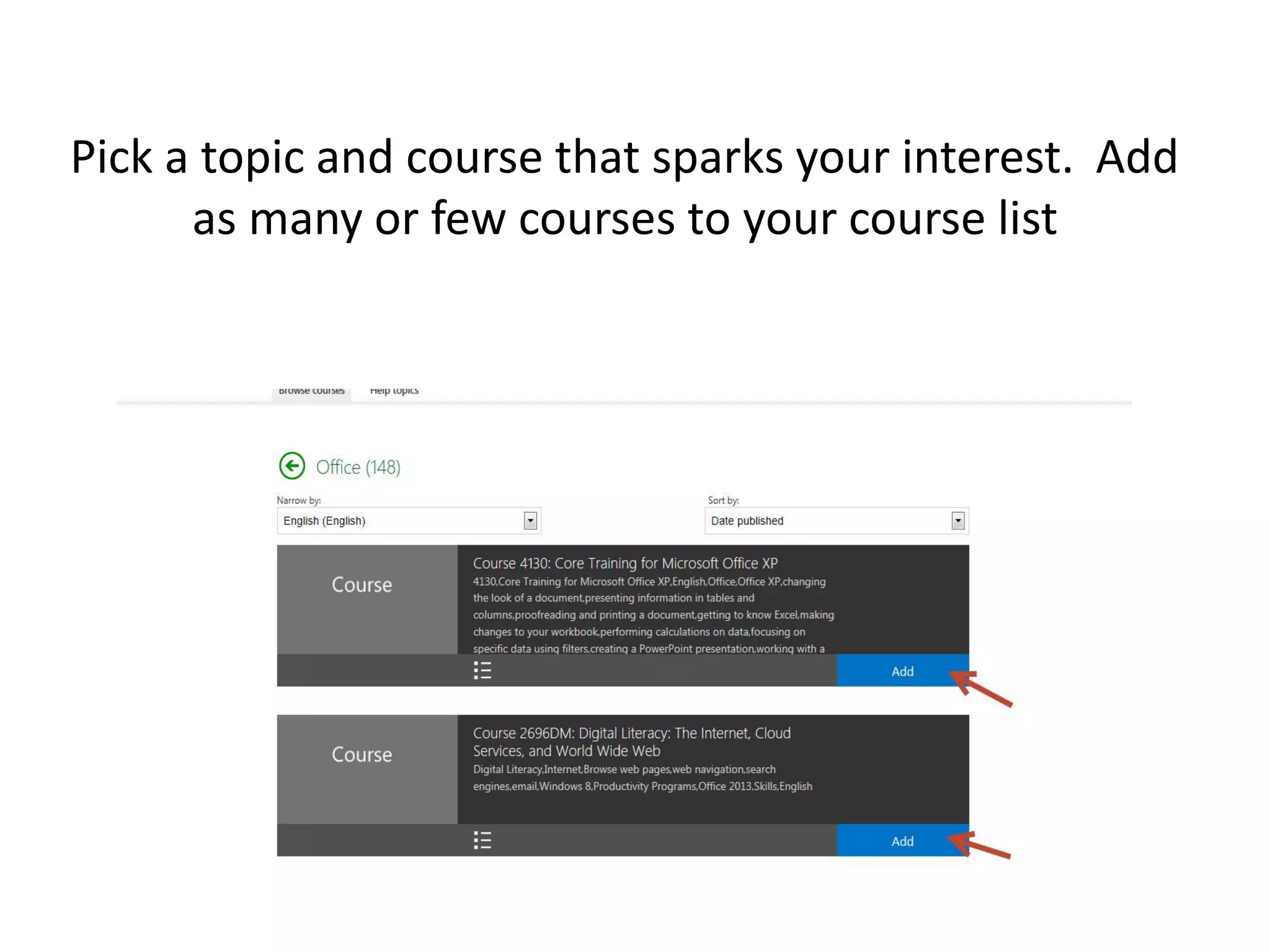
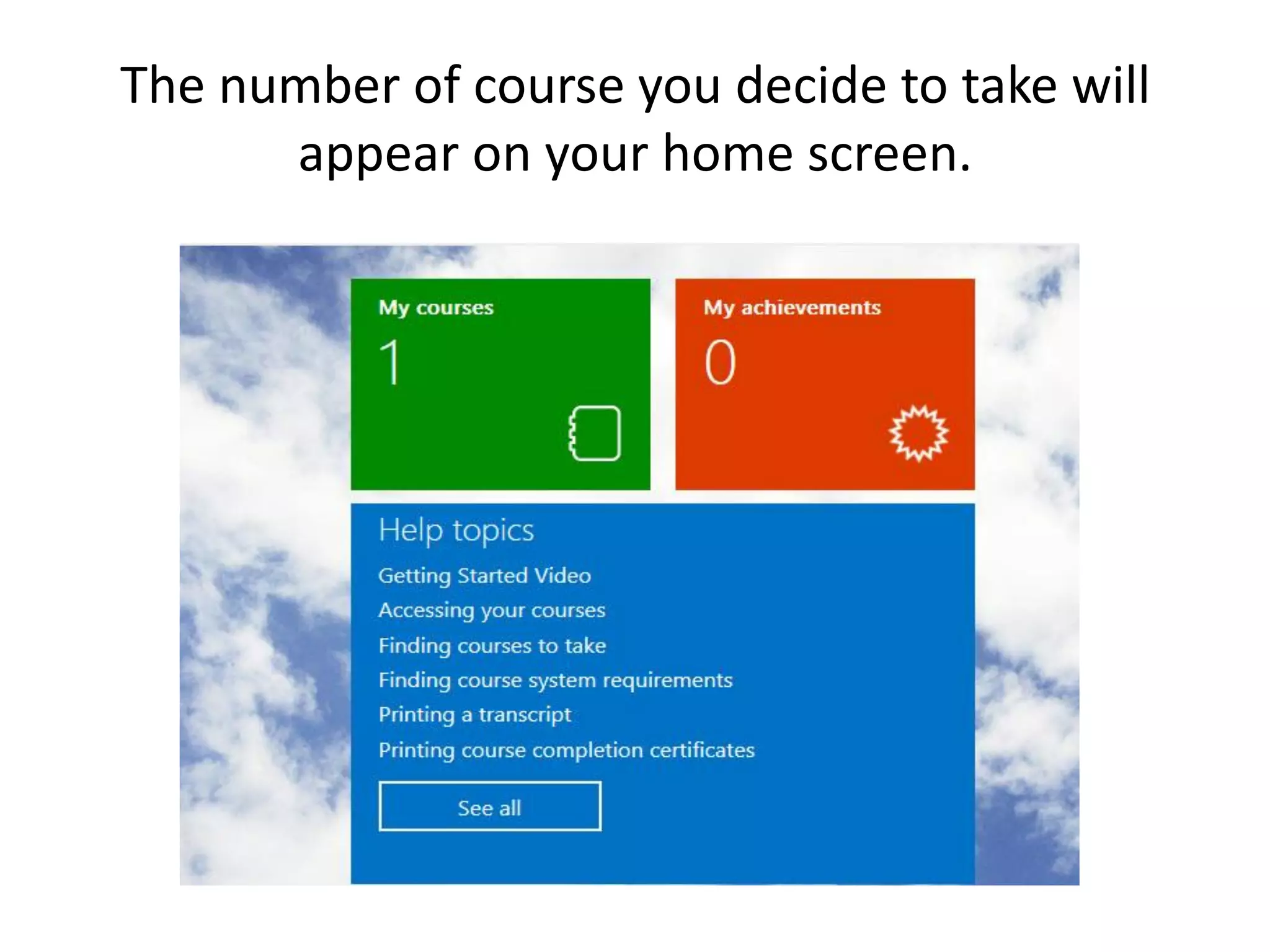
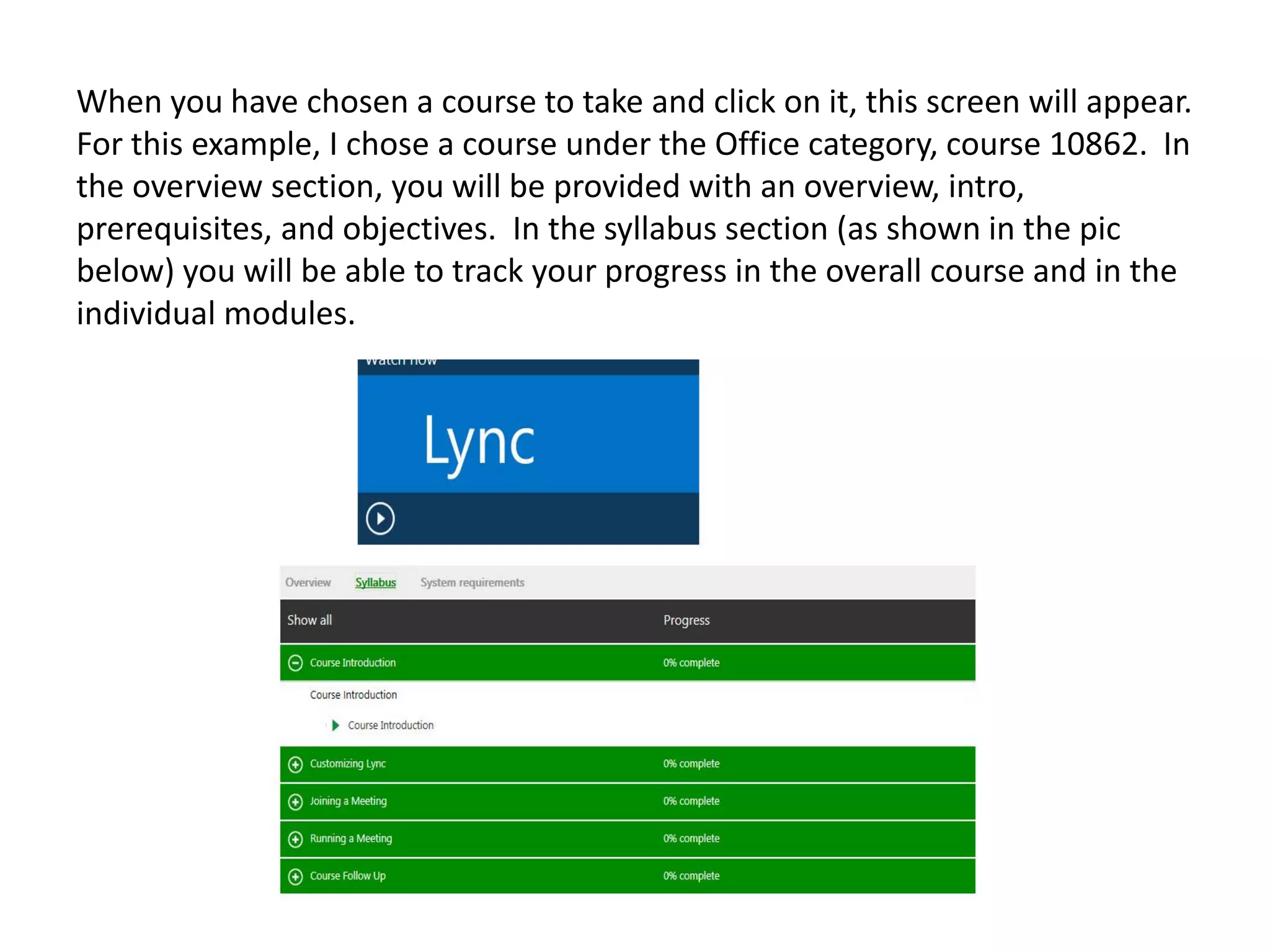
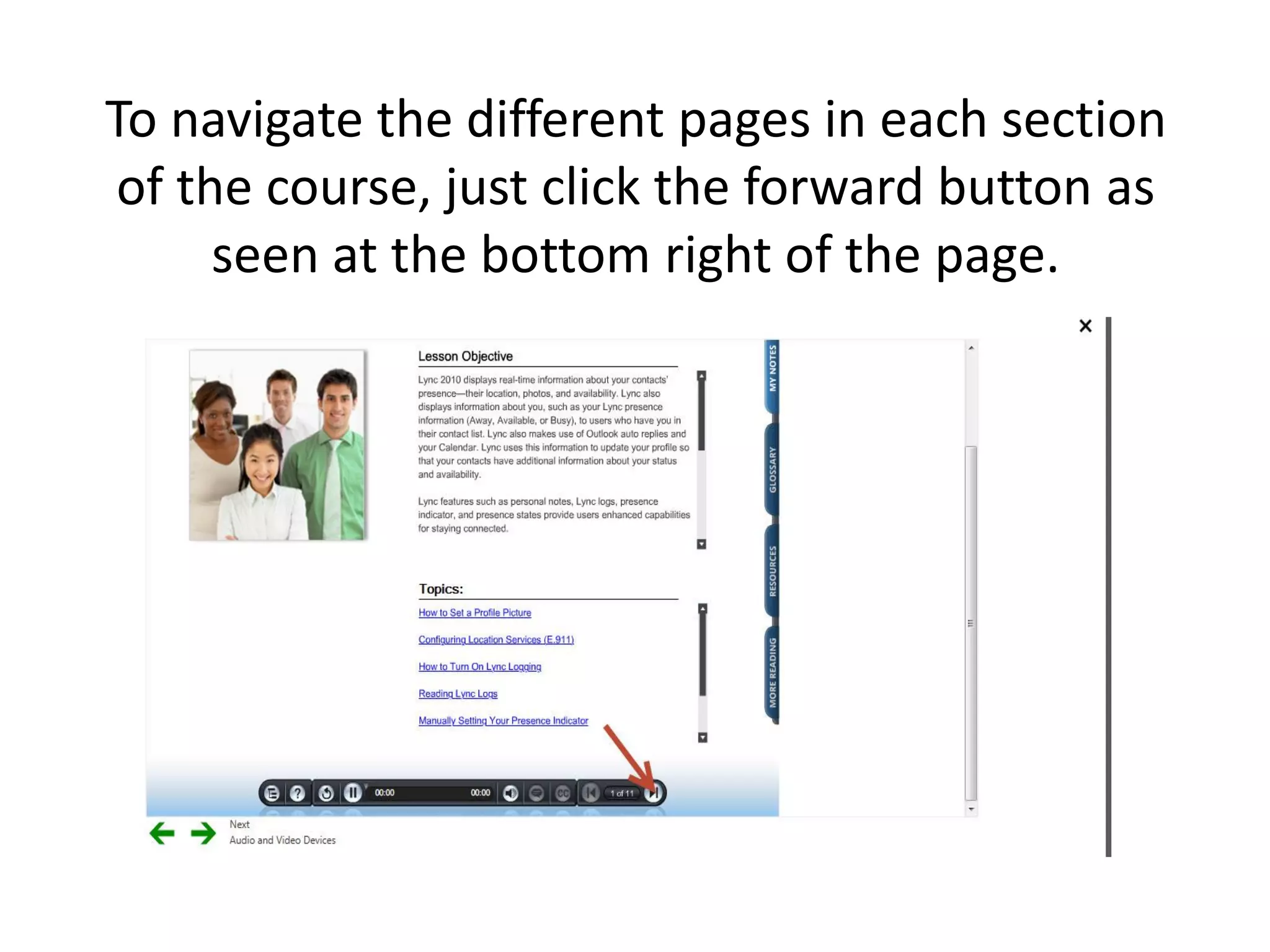
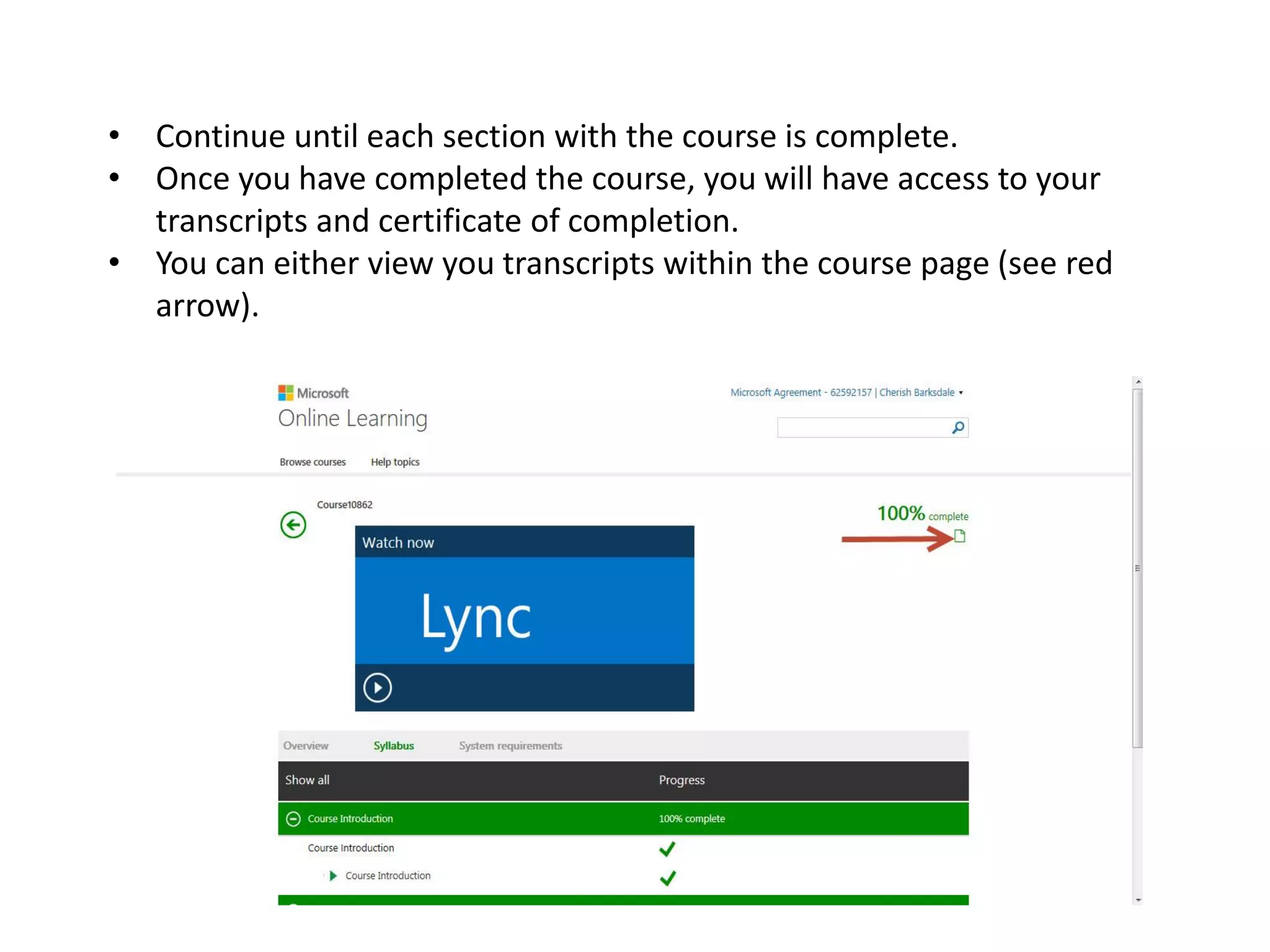
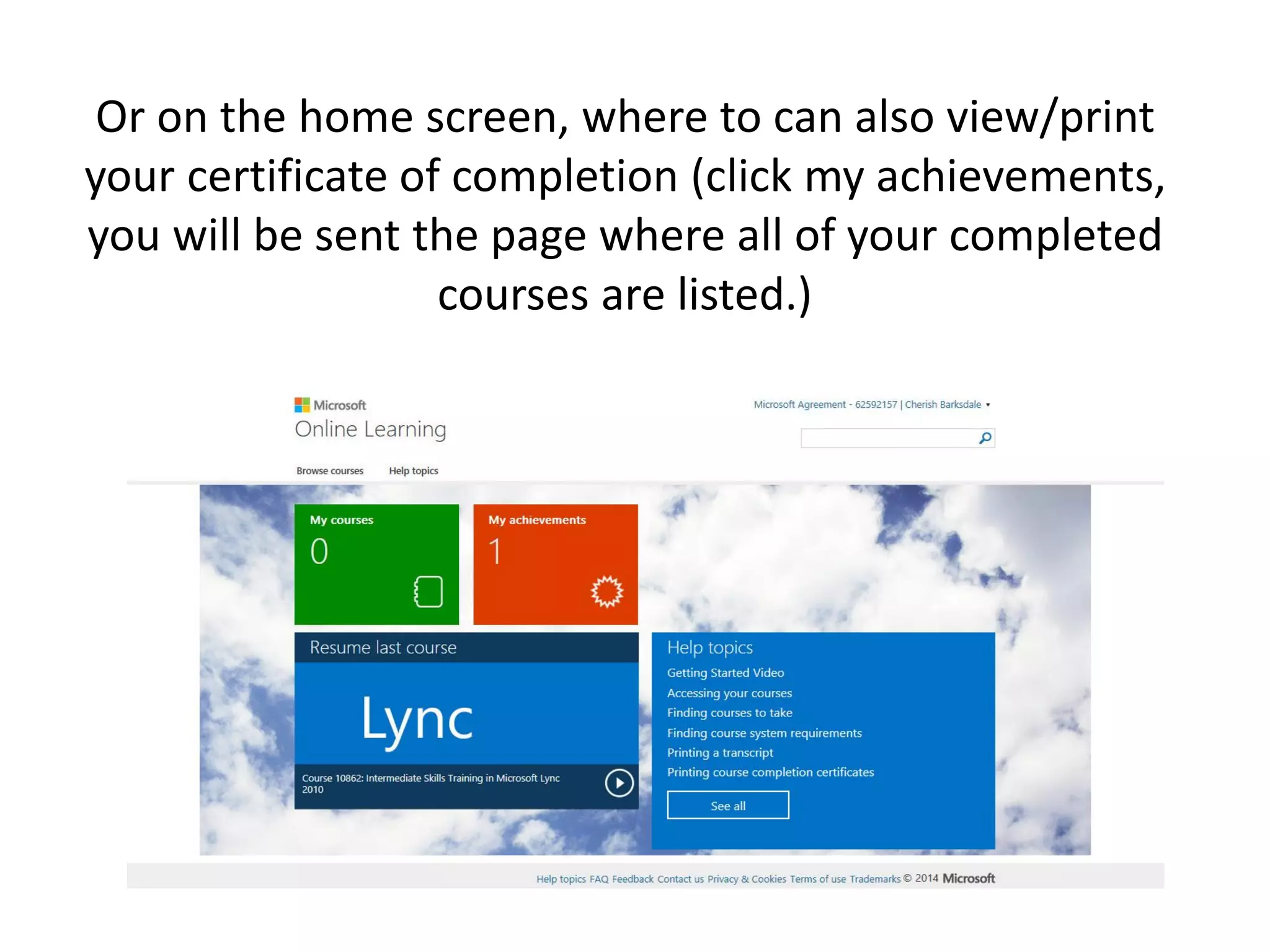
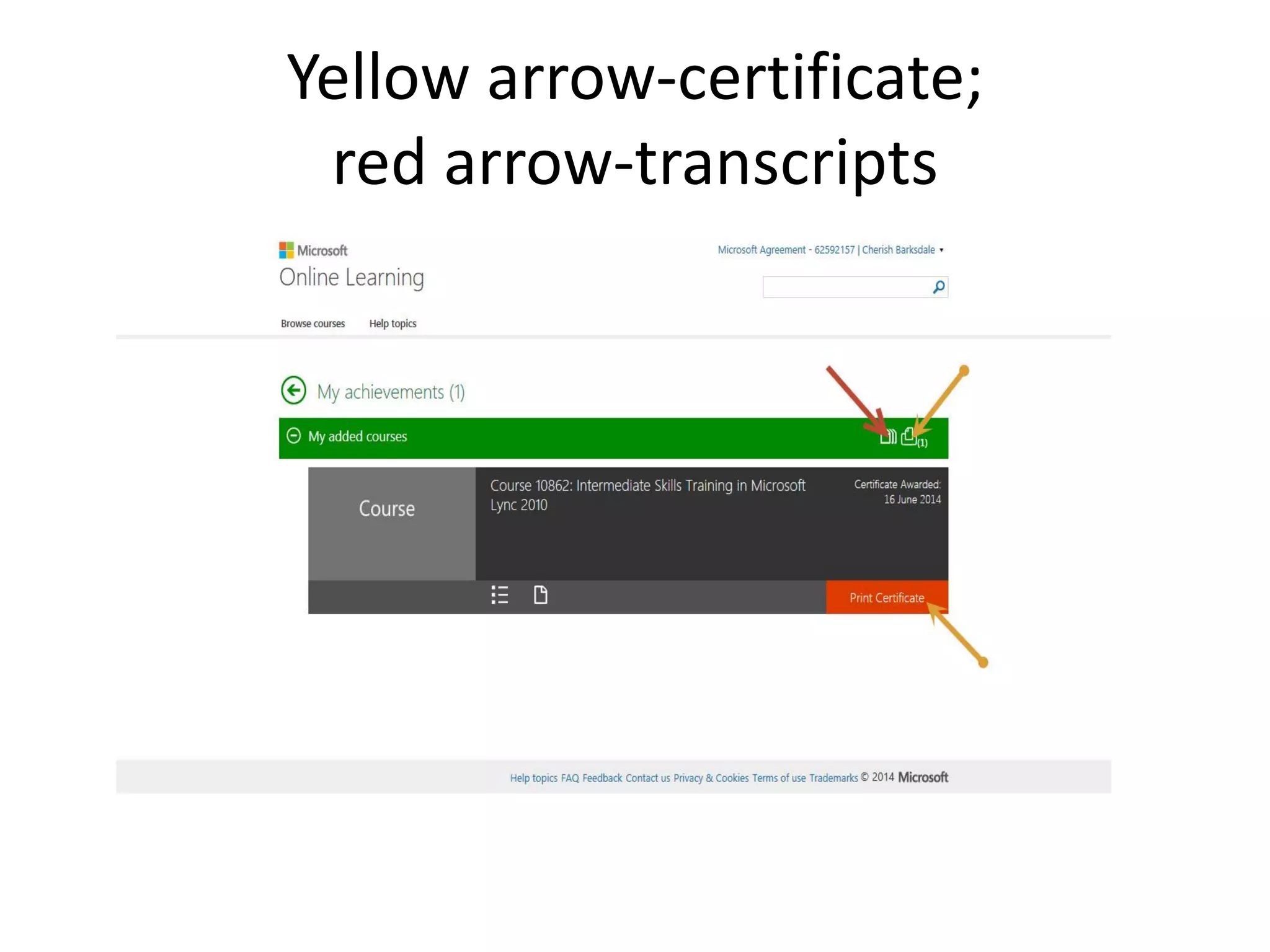
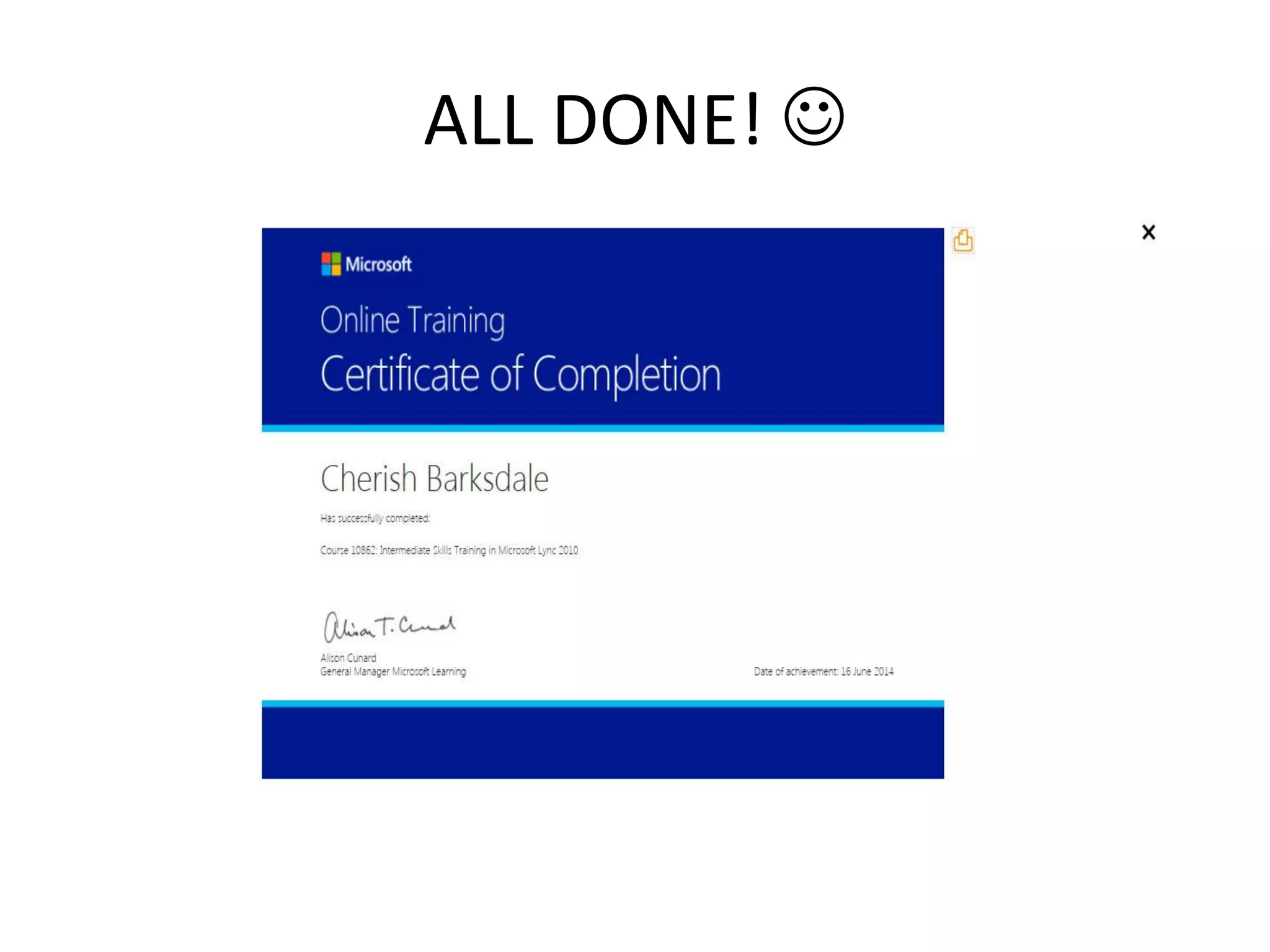
This document provides step-by-step instructions for logging into the elearning portal using a Microsoft ID and accessing courses. Users are guided on how to input an access code and select courses of interest, detailing the navigation and features available within the course overview and syllabus. Upon completion, users can access their transcripts and certificates through the portal.


![Powerpoint slideshare presentation[1]](https://cdn.slidesharecdn.com/ss_thumbnails/powerpointslidesharepresentation1-101015151744-phpapp01-thumbnail.jpg?width=640&height=640&fit=bounds)


