Welcome to Class!  Please find a computer and log in. Click on Internet Explorer. Go to  www.TrackClass.com .  Quietly wait until directions are given.
You are now on the Home Page.  Click “ Login ” in the upper right corner Enter: Email Address:  [email_address] Password:  sample123 Write this down so you can use TrackClass at home!
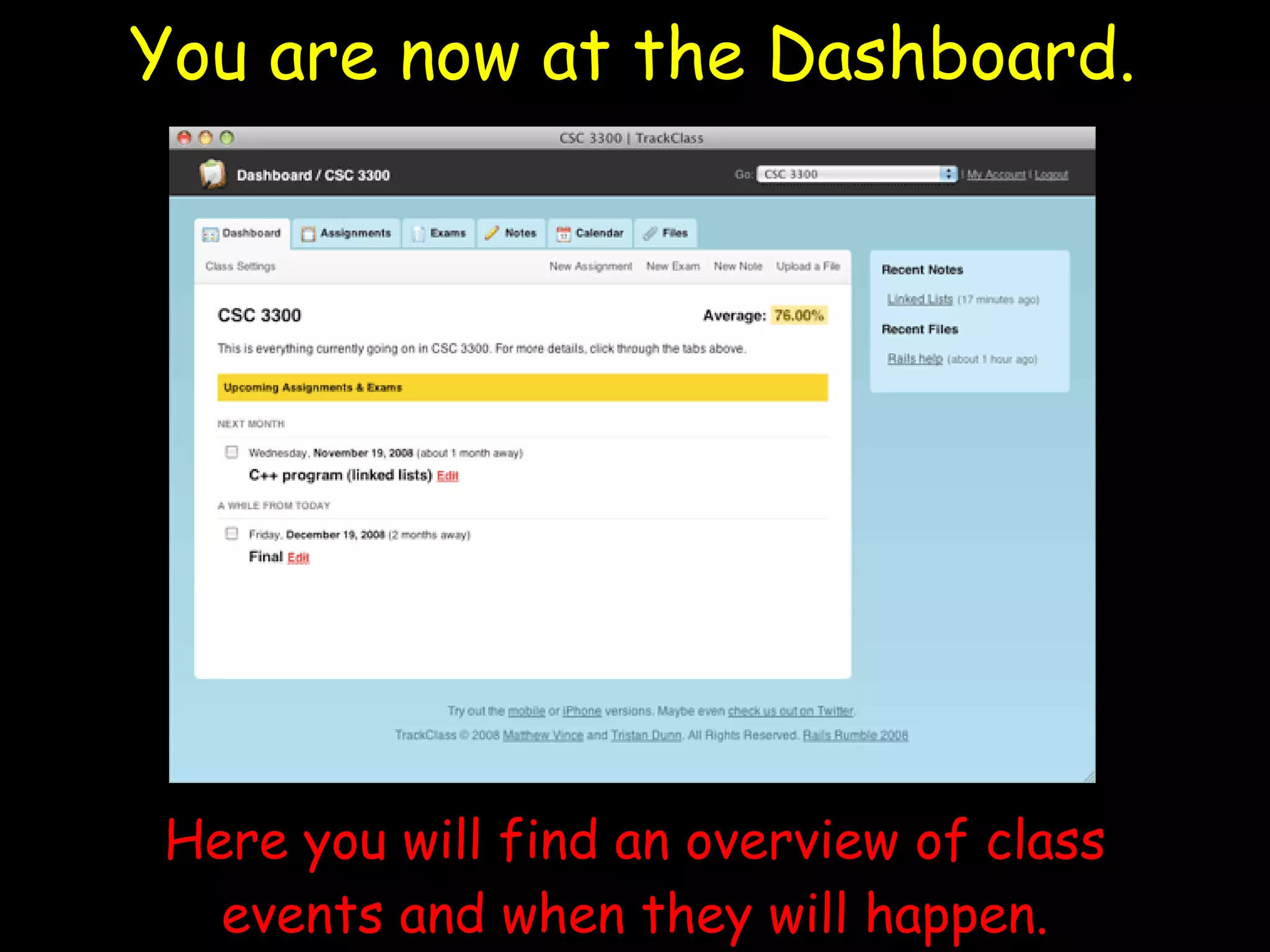
You are now at the Dashboard. Here you will find an overview of class events and when they will happen.
In the toolbar at the top of the page, click on “ Assignments ”
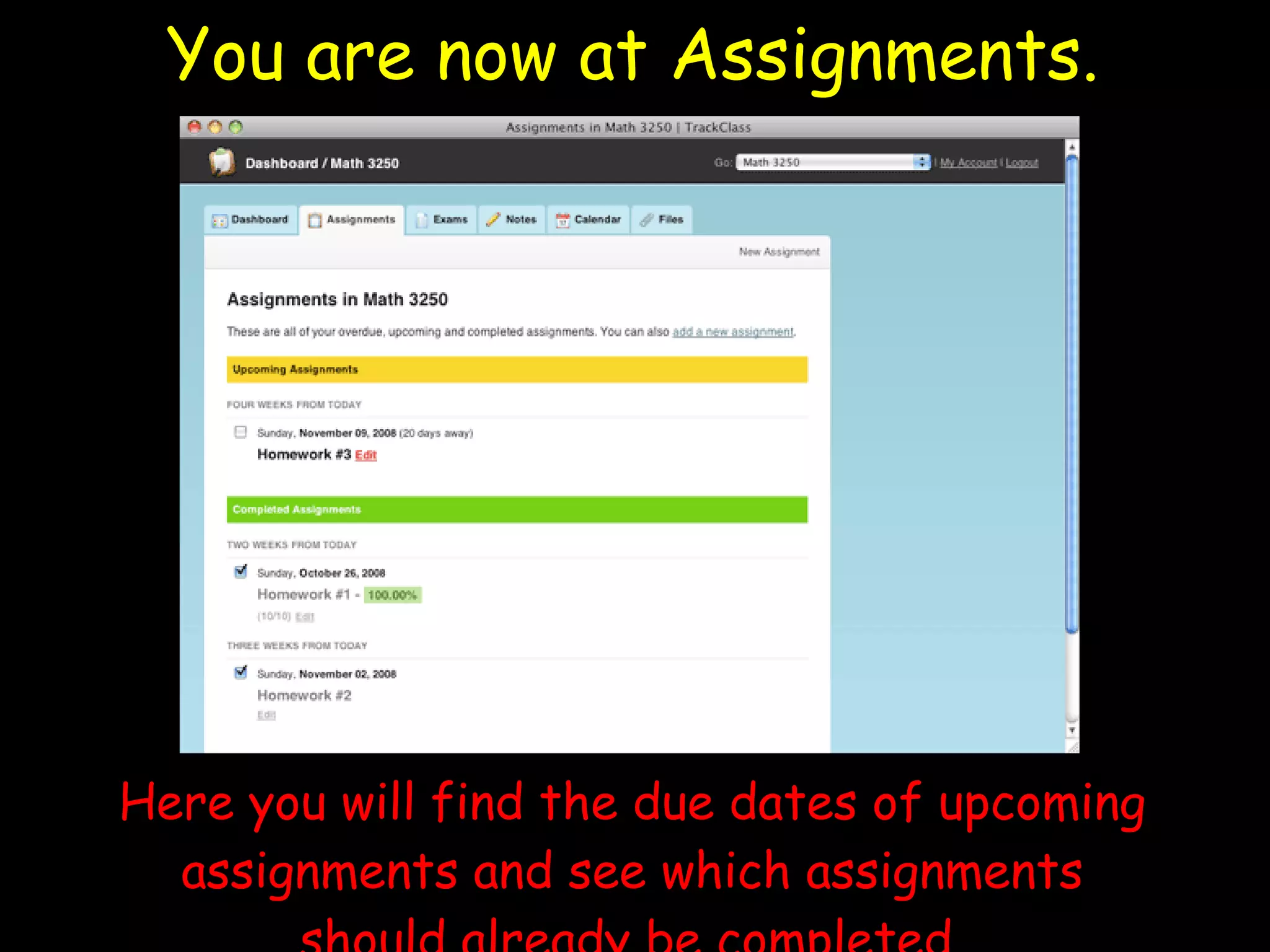
You are now at Assignments. Here you will find the due dates of upcoming assignments and see which assignments should already be completed.
In the toolbar at the top of the page, click on “ Exams ”
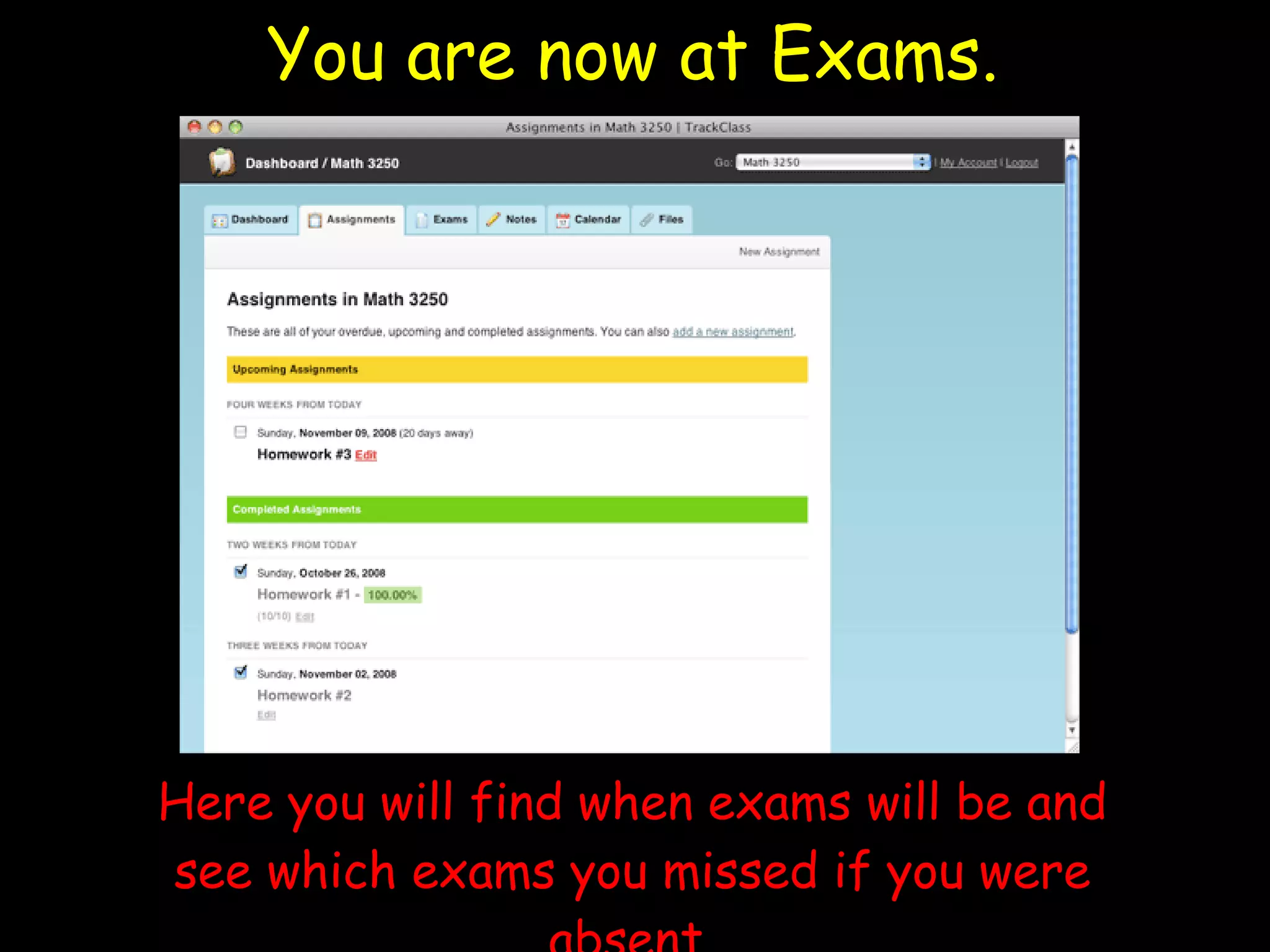
You are now at Exams. Here you will find when exams will be and see which exams you missed if you were absent.
In the toolbar at the top of the page, click on “ Notes ”
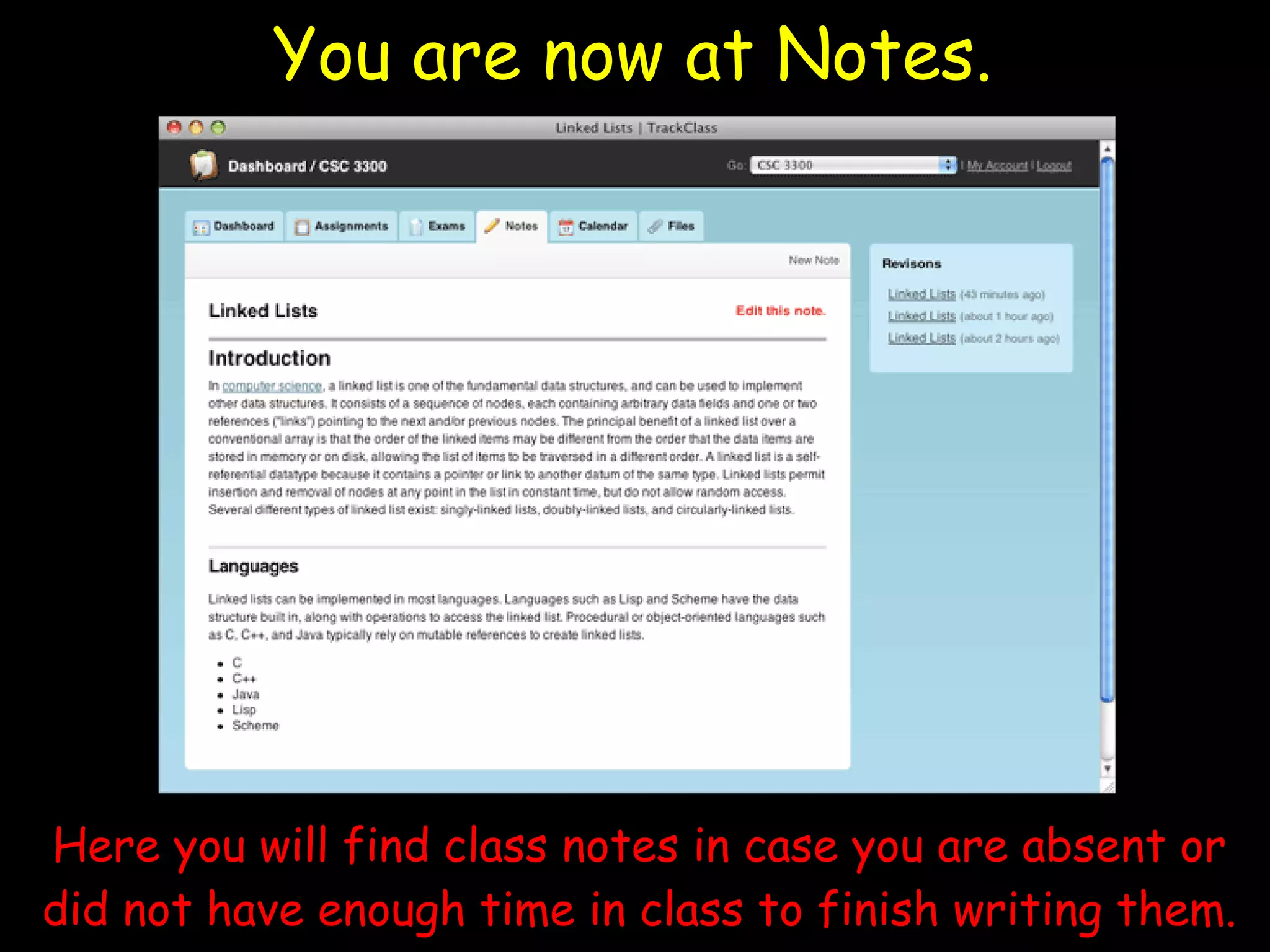
You are now at Notes. Here you will find class notes in case you are absent or did not have enough time in class to finish writing them.
In the toolbar at the top of the page, click on “ Calendar ”
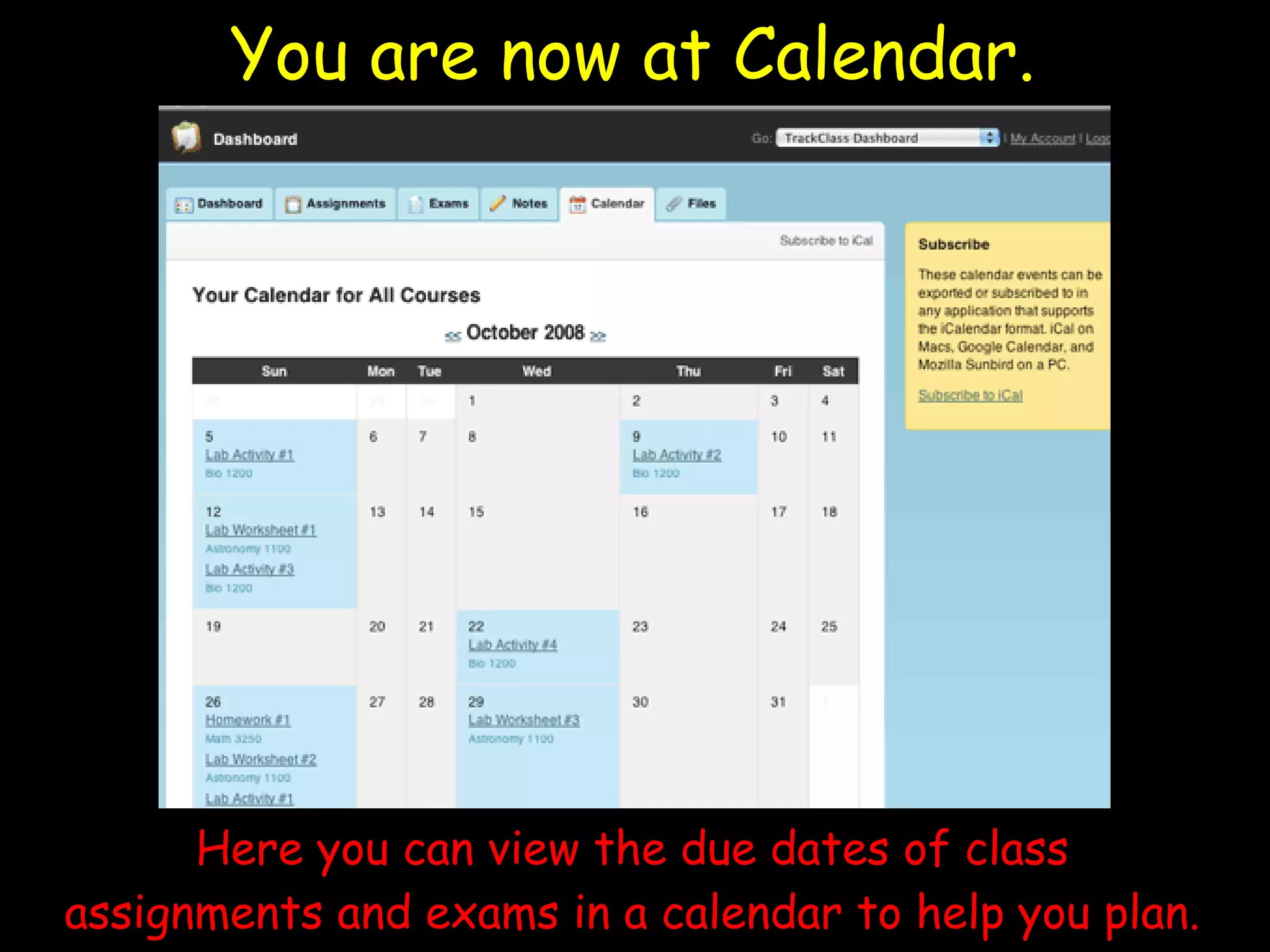
You are now at Calendar. Here you can view the due dates of class assignments and exams in a calendar to help you plan.
In the toolbar at the top of the page, click on “ Files ”
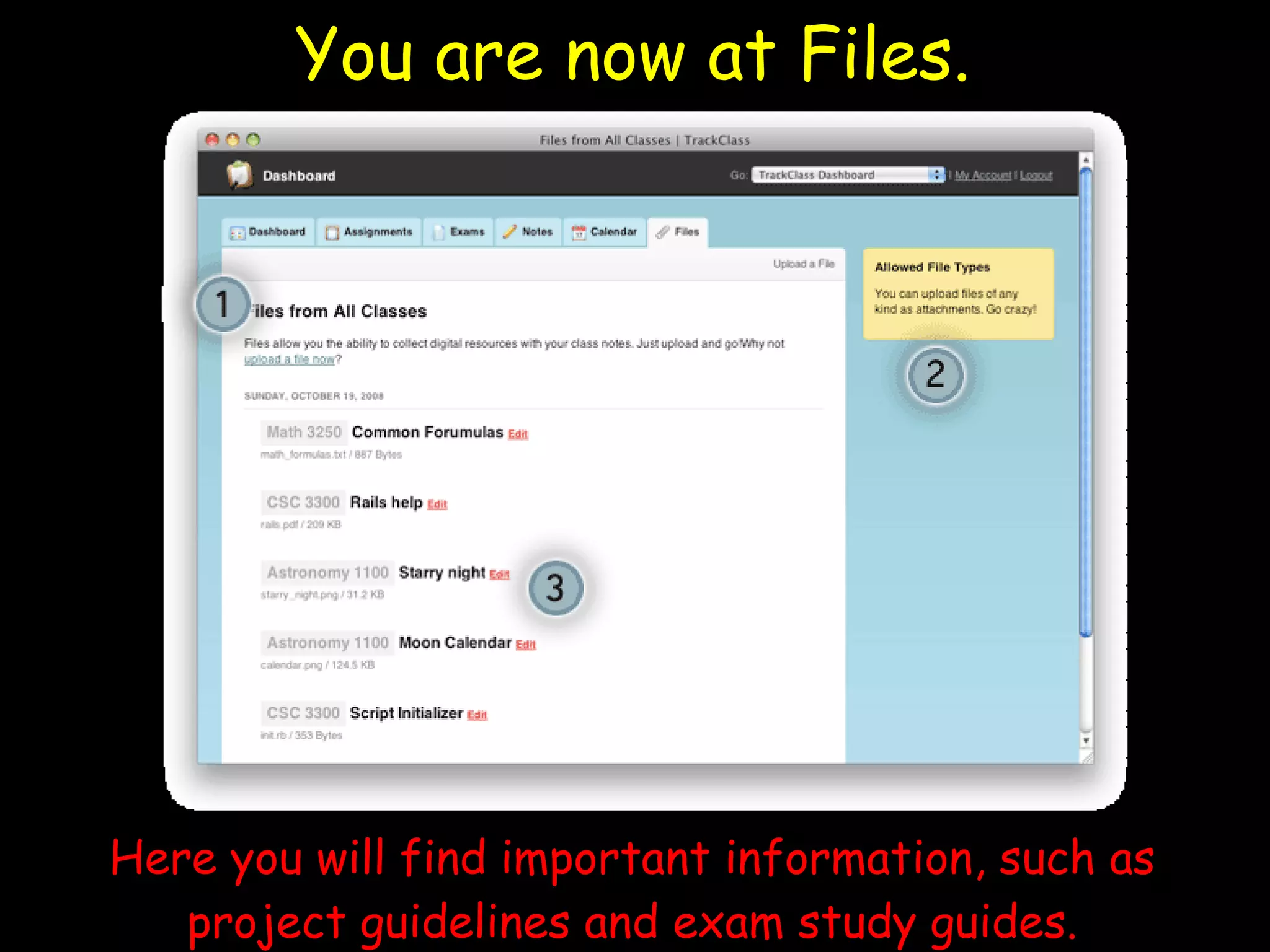
You are now at Files. Here you will find important information, such as project guidelines and exam study guides.
Spend the next 10 minutes exploring TrackClass  with a partner .
You do not have to use TrackClass… But this resource is to help  YOU  stay on top of school, manage your time, and  be successful !
Reference for Information and Images: www.TrackClass.com

Track class lesson powerpoint Update

  • 1.
    Welcome to Class! Please find a computer and log in. Click on Internet Explorer. Go to www.TrackClass.com . Quietly wait until directions are given.
  • 2.
    You are nowon the Home Page. Click “ Login ” in the upper right corner Enter: Email Address: [email_address] Password: sample123 Write this down so you can use TrackClass at home!
  • 3.
    You are nowat the Dashboard. Here you will find an overview of class events and when they will happen.
  • 4.
    In the toolbarat the top of the page, click on “ Assignments ”
  • 5.
    You are nowat Assignments. Here you will find the due dates of upcoming assignments and see which assignments should already be completed.
  • 6.
    In the toolbarat the top of the page, click on “ Exams ”
  • 7.
    You are nowat Exams. Here you will find when exams will be and see which exams you missed if you were absent.
  • 8.
    In the toolbarat the top of the page, click on “ Notes ”
  • 9.
    You are nowat Notes. Here you will find class notes in case you are absent or did not have enough time in class to finish writing them.
  • 10.
    In the toolbarat the top of the page, click on “ Calendar ”
  • 11.
    You are nowat Calendar. Here you can view the due dates of class assignments and exams in a calendar to help you plan.
  • 12.
    In the toolbarat the top of the page, click on “ Files ”
  • 13.
    You are nowat Files. Here you will find important information, such as project guidelines and exam study guides.
  • 14.
    Spend the next10 minutes exploring TrackClass with a partner .
  • 15.
    You do nothave to use TrackClass… But this resource is to help YOU stay on top of school, manage your time, and be successful !
  • 16.
    Reference for Informationand Images: www.TrackClass.com