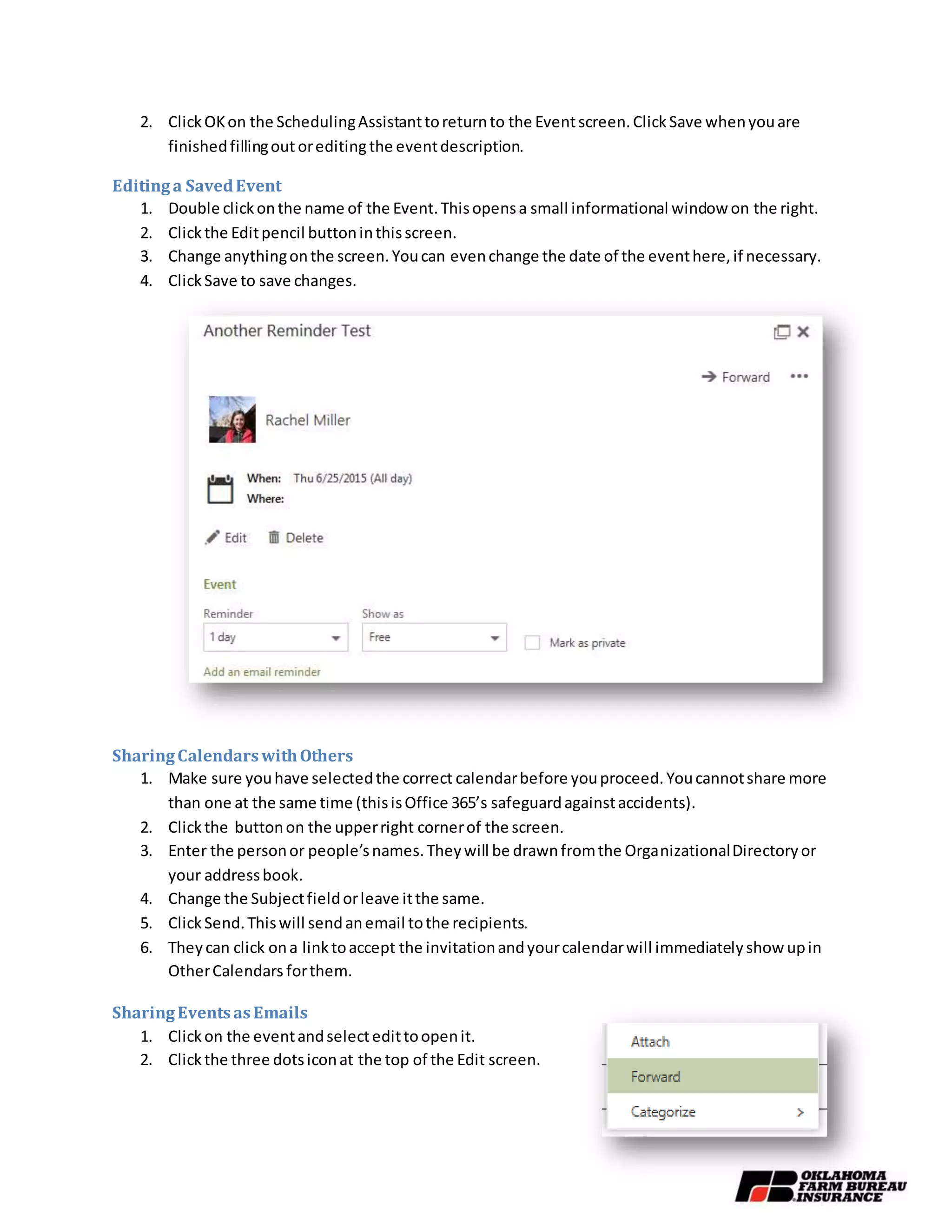
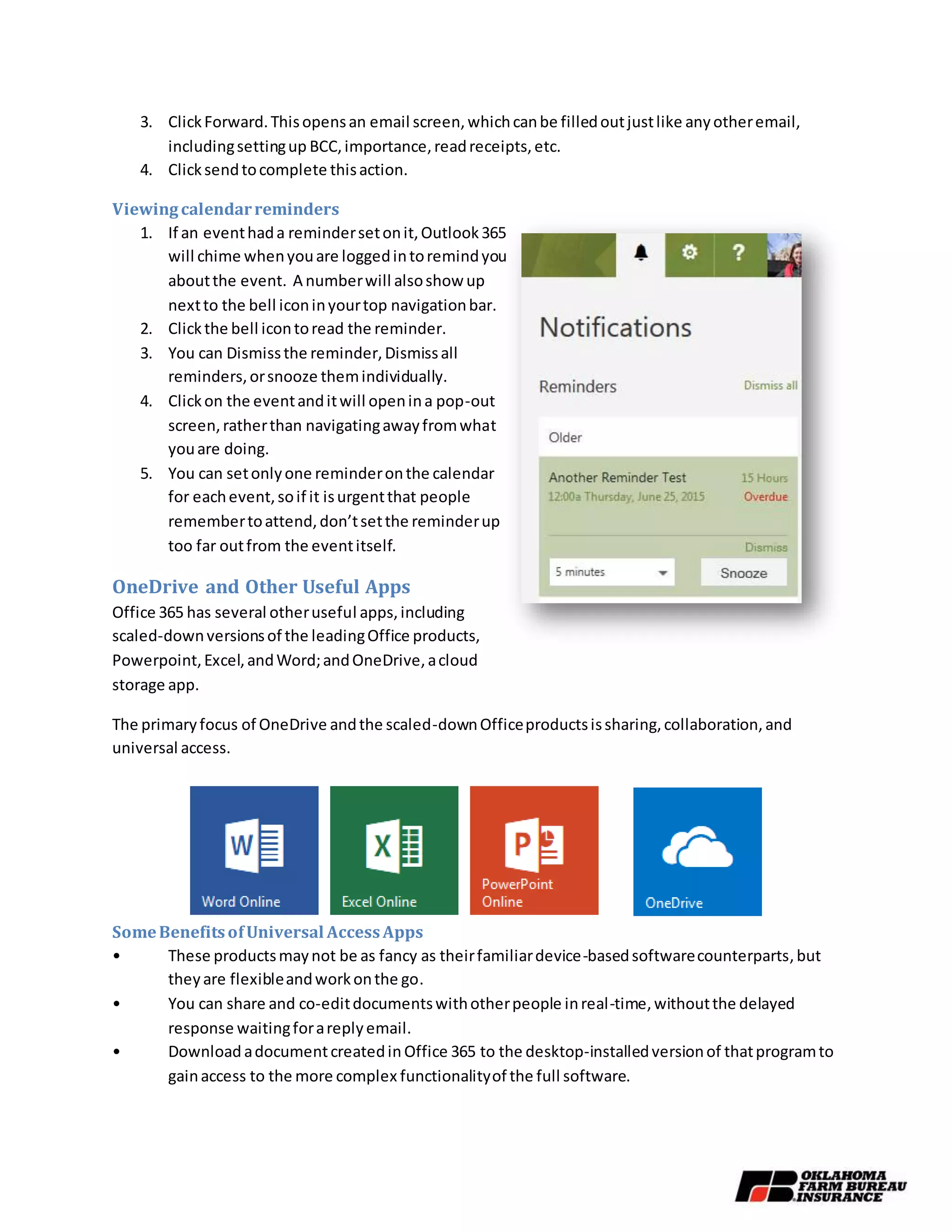
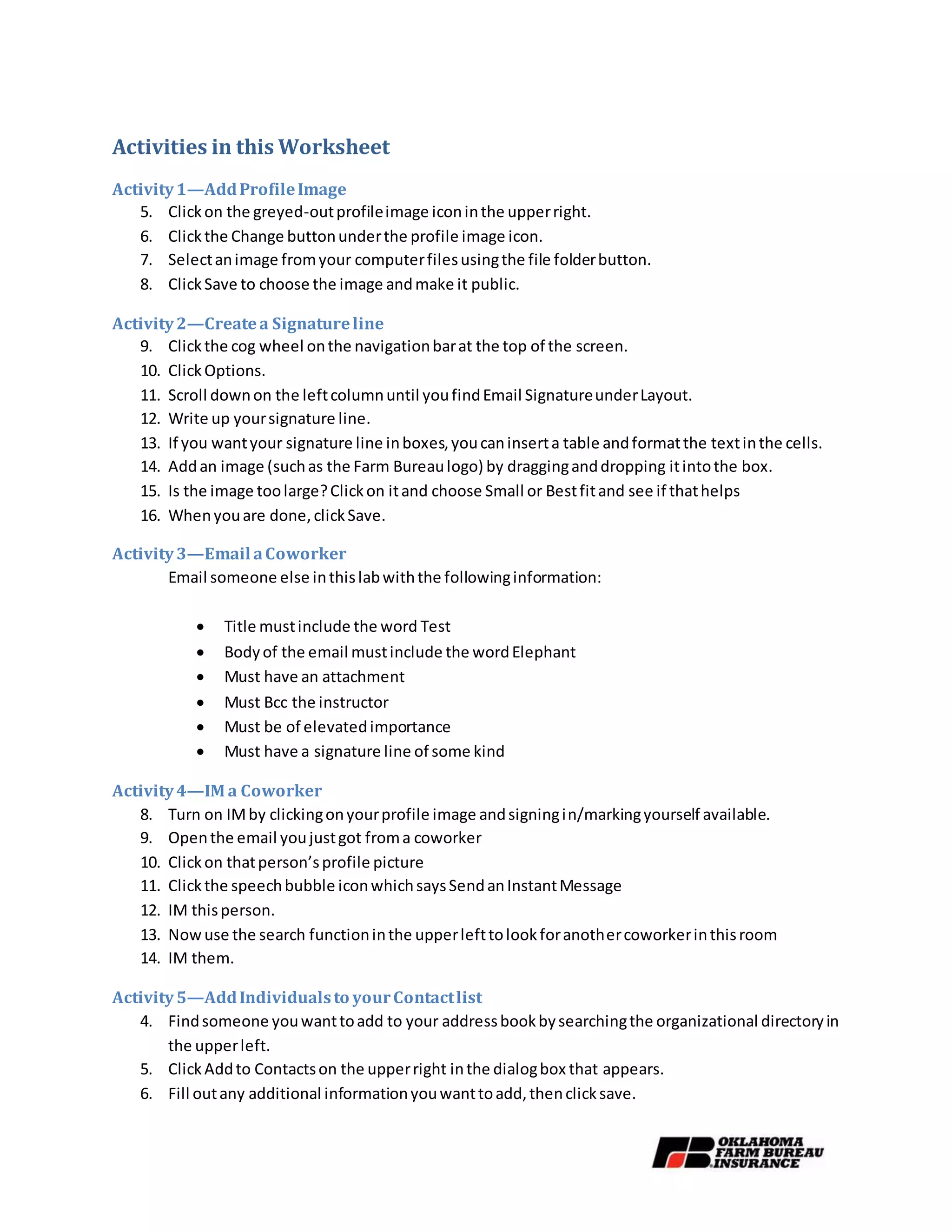
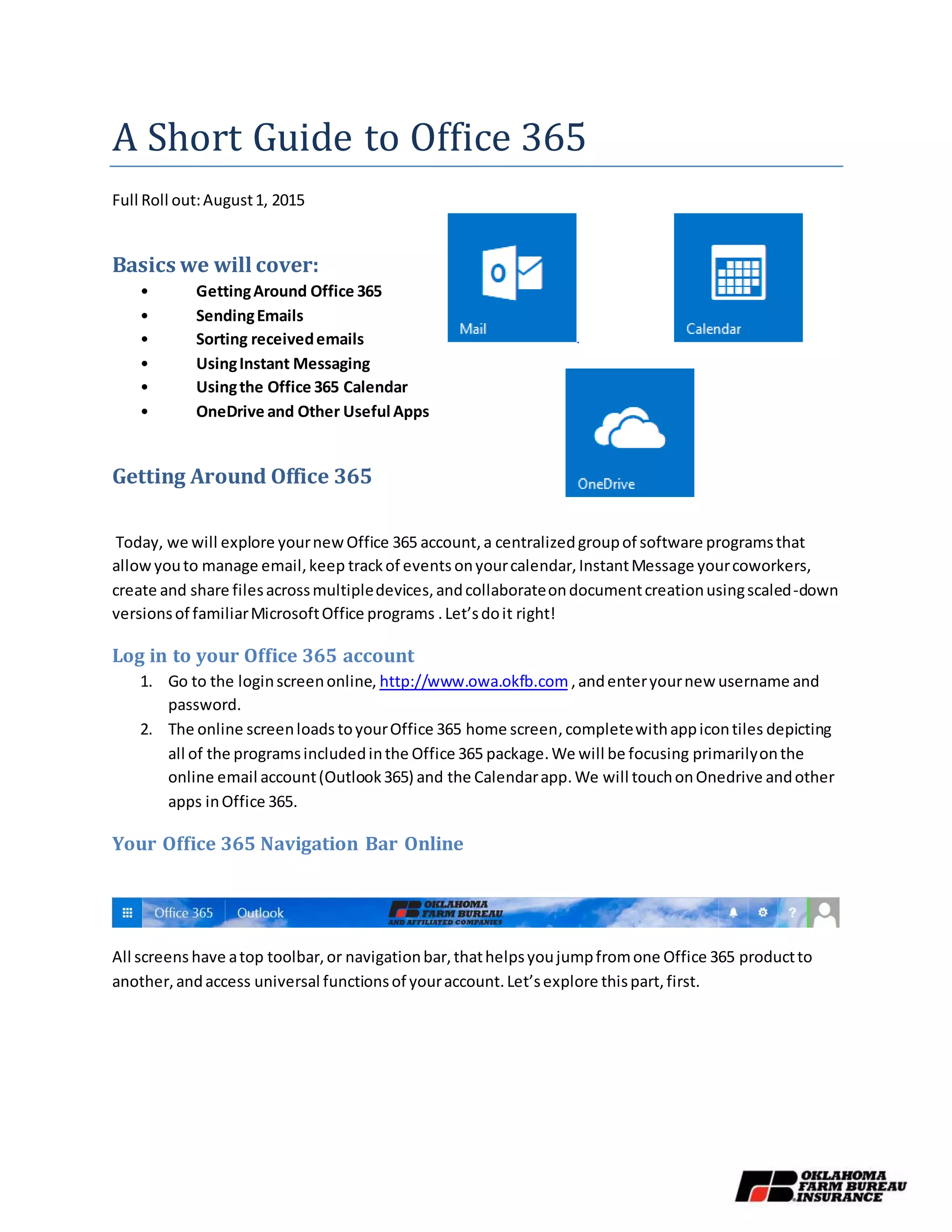
This document provides a summary of the key features and functions of Office 365. It outlines how to get started with Office 365 by logging in and exploring the navigation bar and app tiles. It then describes how to use key Office 365 apps like Outlook 365 for email, Calendar for scheduling, and OneDrive for file storage. The document includes step-by-step instructions and activities for adding a profile photo, sending an email with an attachment and BCC, instant messaging coworkers, adding contacts, and changing calendar views.
![Activity1—AddProfileImage
1. Clickon the greyed-outprofileimage iconinthe upperright.
2. Clickthe Change buttonunderthe profile image icon.
3. Selectanimage fromyour computerfilesusingthe file folderbutton.
4. ClickSave to choose the image andmake it public.
Using Outlook365 Online
Outlook365 isyour newemail account
1. On youronline Office 365home screen,locate the Outlook365 Icon
and click itto openthe email account.
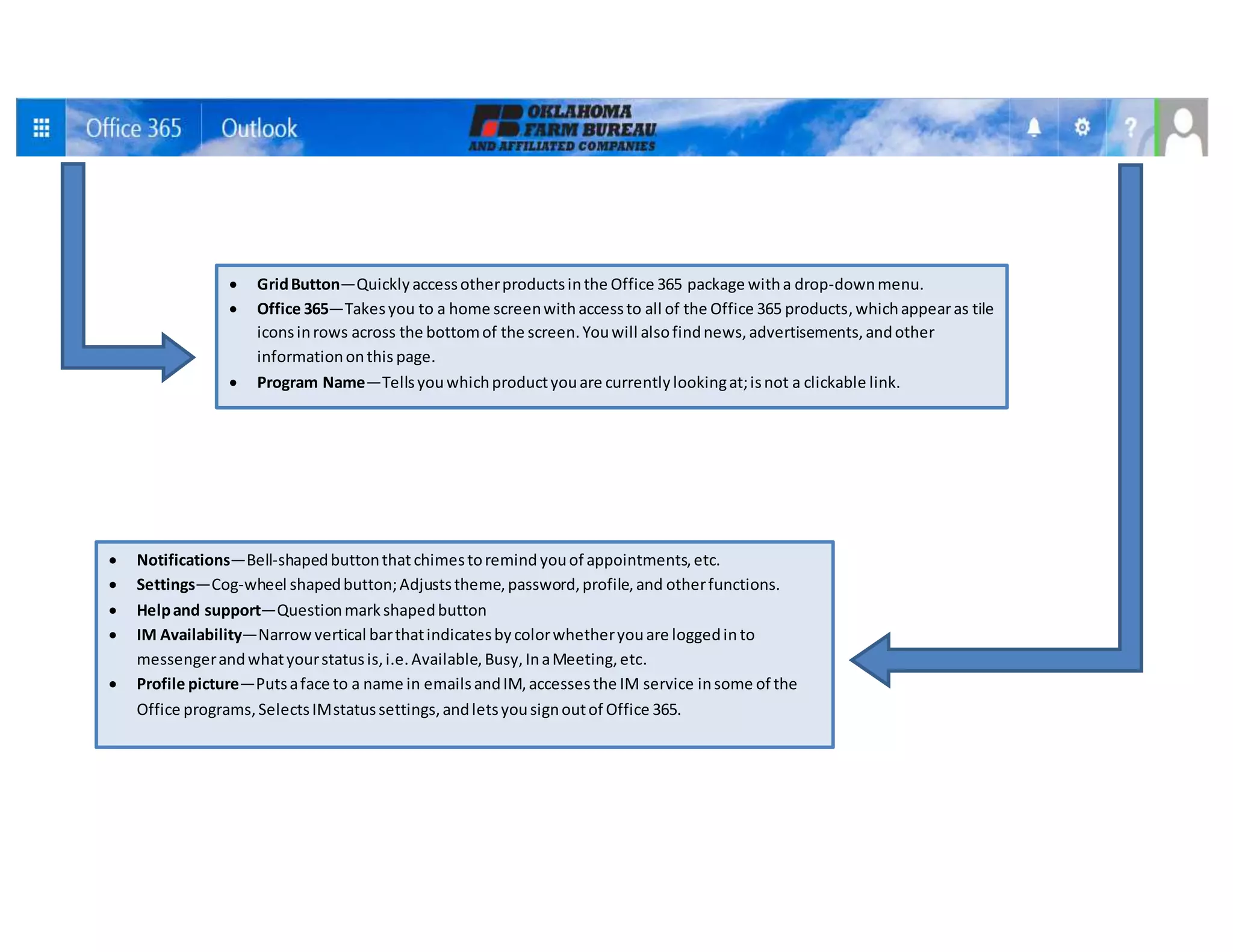
2. The Navigationbarat the topof the screen isessentiallythe same,
exceptthatthe SettingsandProfile Picture buttonsnow have some
email- andInstantMessenger-specific functionsintheirmenus.
3. Outlook365 has three workingcolumns:The inbox andfolderson
the left,receivedemailsinthe centercolumn,and space forreadingor
composingemailsonthe right.
Left Vertical Column (from the top)
4. NewEmail Button—Otherwiseknownasthe compose button.
5. Search Mail and People—Anadvancedsearchengineforyourinbox.
a. Searchyour inbox and specificfoldersbywordsinthe title and
bodyof the email.
b. Searchfor people you’ve emailed,orsearchthe company’s
directory.
c. Search bytime frame.
d. Whenyou are done searching,clickthe Xnexttothe magnifying
glassiconto close it.
6. Folders—Besidesthe familiarInbox,Drafts,andSentfolders,
youcan create otherfolders tosort savedemails.
a. The New Folderbutton+ is onlyvisibleonhover(if
your mouse isinthe vicinityof the Folderbutton).
b. Favorite Foldersvs. FoldersUnder[Your Name]—Under
the Foldersheading,there are twosubfolderscalledFavoritesand[YourName]. If you
have manyfolders, all foldersappearunderyourname,but some can be hidden until
the rare instance whenyouneedthem.Inthatcase,you can favorite foldersyouwant
to see,andtheywill display underthe favoritessubfolder.More onthat ina moment.
c. Read vs. Unread—Afterthe namesof the folders,there will oftenbe atinynumber,
indicatinghowmanyunreademailsare inthisfolder;this isnotthe total numberof](https://image.slidesharecdn.com/9aa7ab73-4514-4bd7-9555-ccc0dce2dc46-160107231554/75/Handout-for-Outlook-365-Email-and-Outlook-Calendar-3-2048.jpg)