How to make a Template.
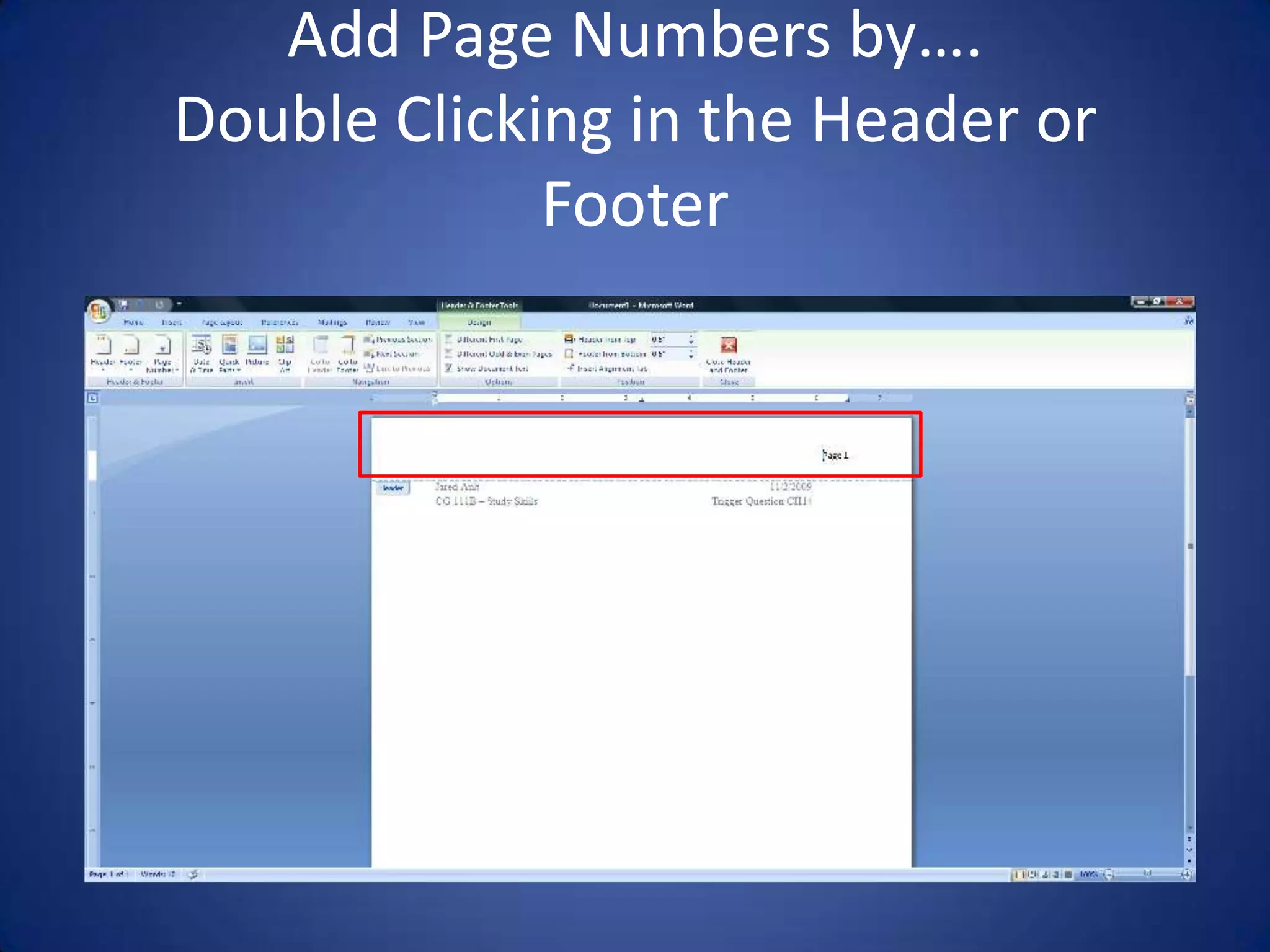
Add Page Numbers by….Double Clicking in the Header or Footer
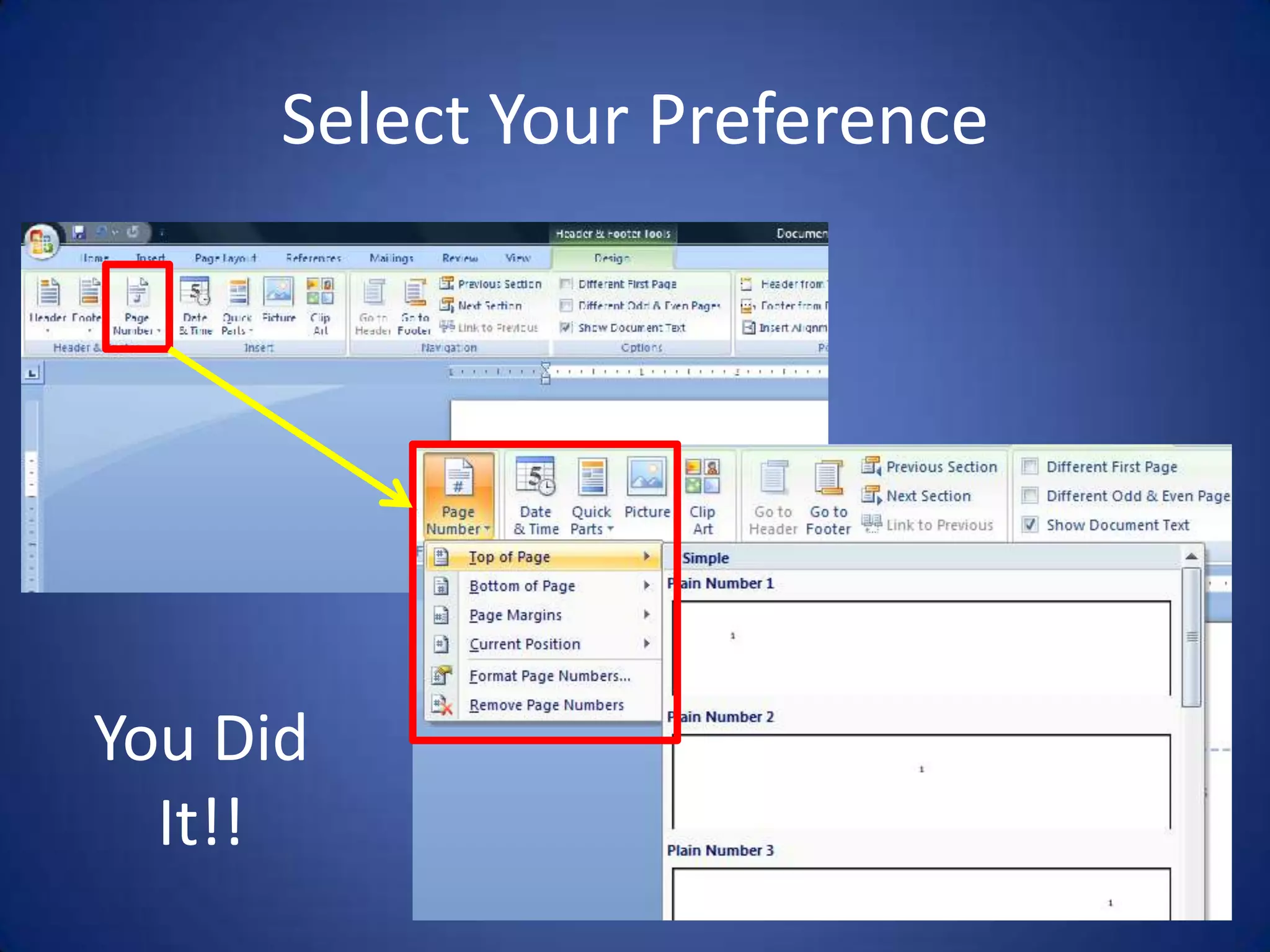
Select Your PreferenceYou Did It!!
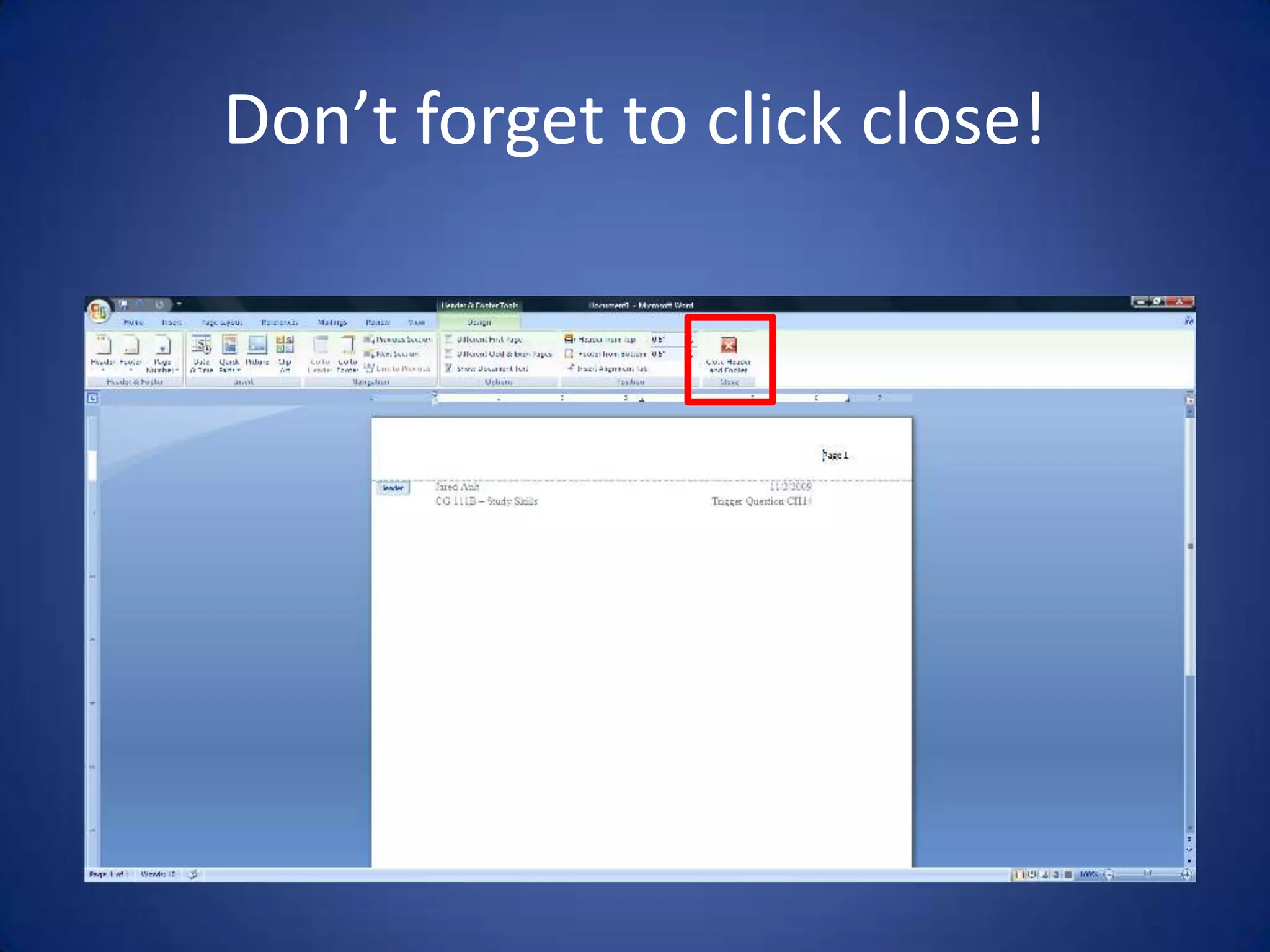
Don’t forget to click close!
Auto Date… WHAT?Every time you open your Template, your date will auto update. Once you save your work, the date will always remain as the original date that the work was started. IE; If you start the work today 11/2/09, save the file, and open it again tomorrow, the date will remain as 11/2/09. When you open your Template 3 days from now for your next assignment, the date will reflect that day’s date (11/05/09).Follow close, this will go quick…….
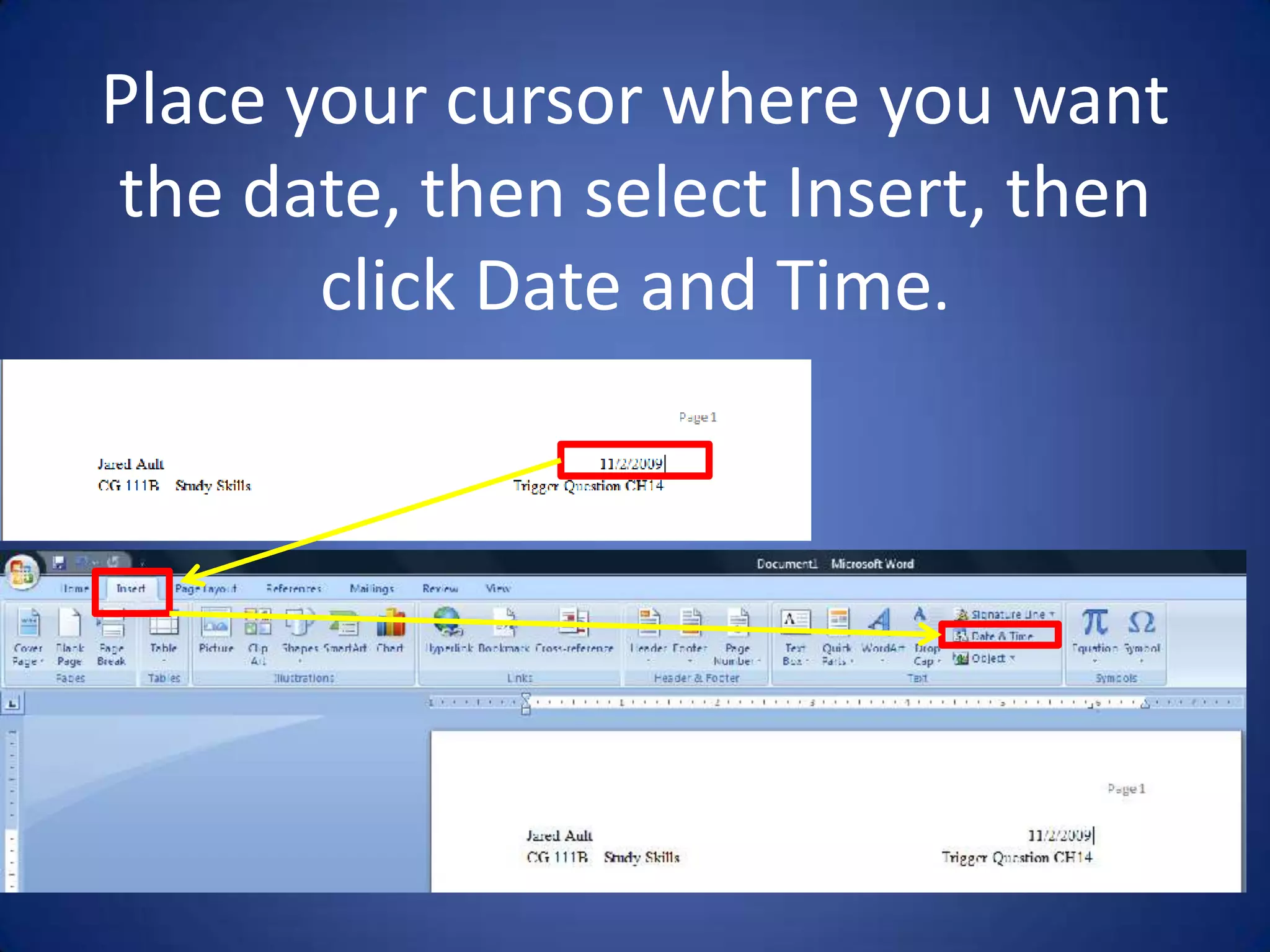
Place your cursor where you want the date, then select Insert, then clickDate and Time.
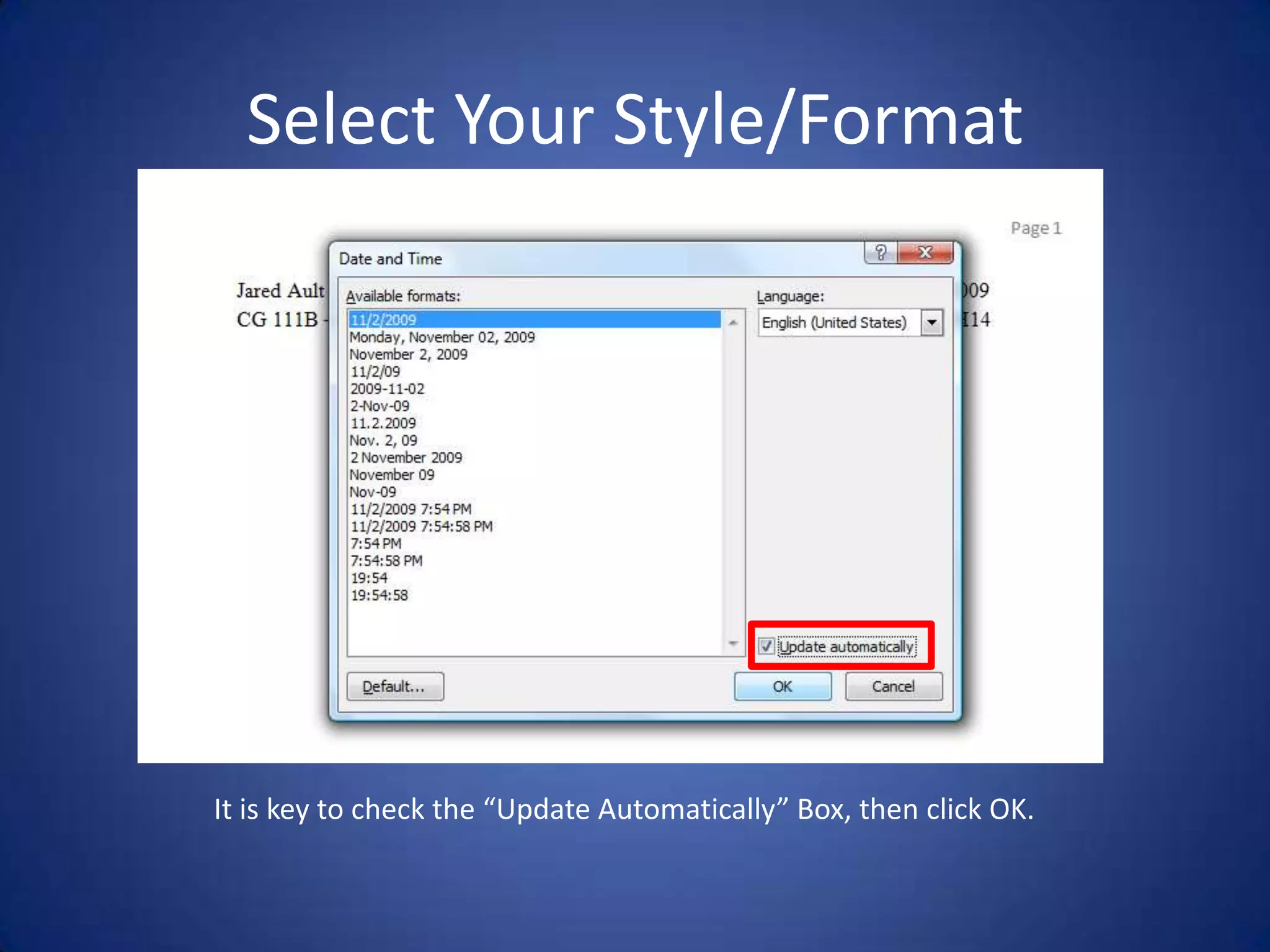
Select Your Style/FormatIt is key to check the “Update Automatically” Box, then click OK.
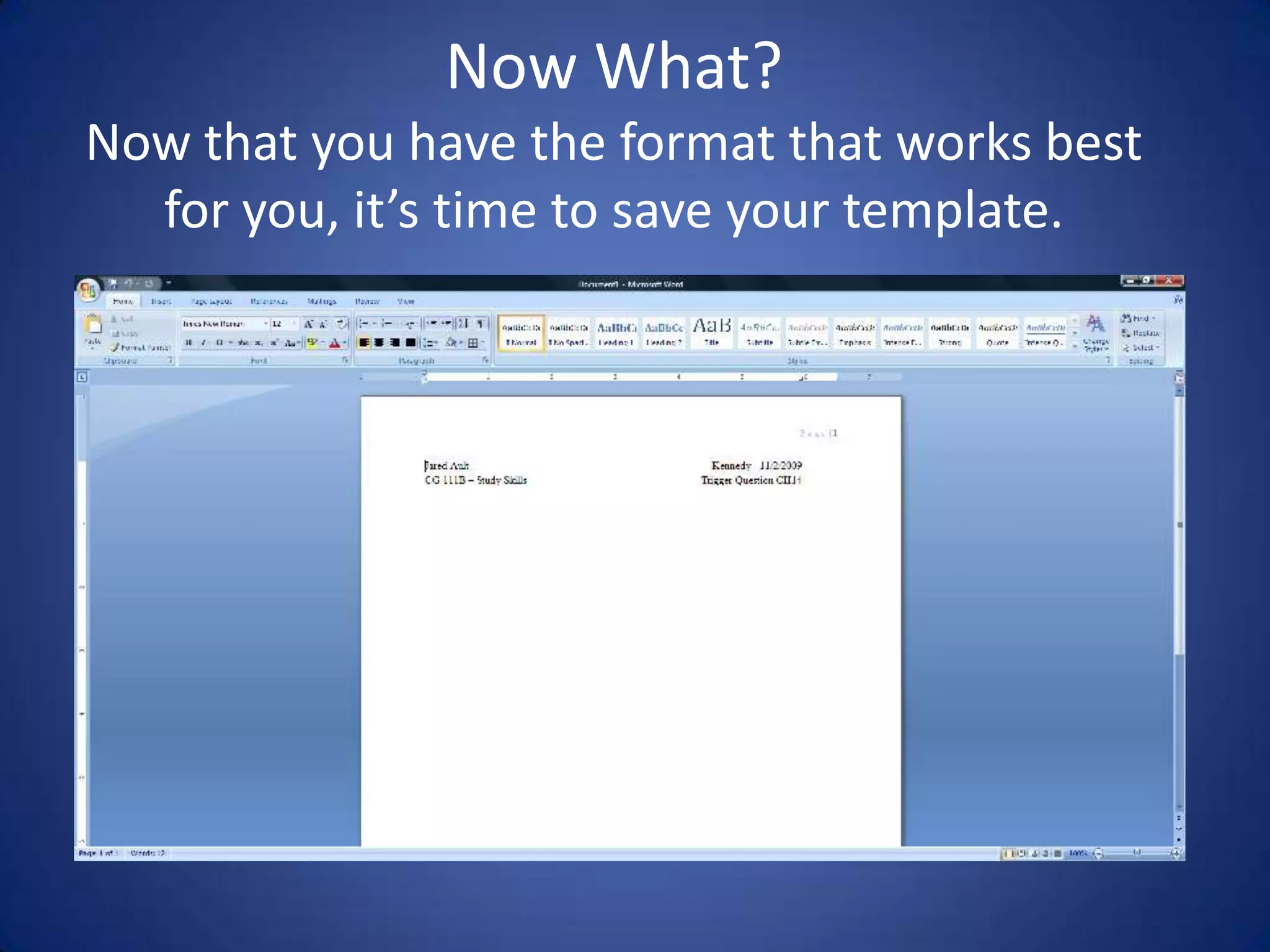
Now What?Now that you have the format that works best for you, it’s time to save your template.
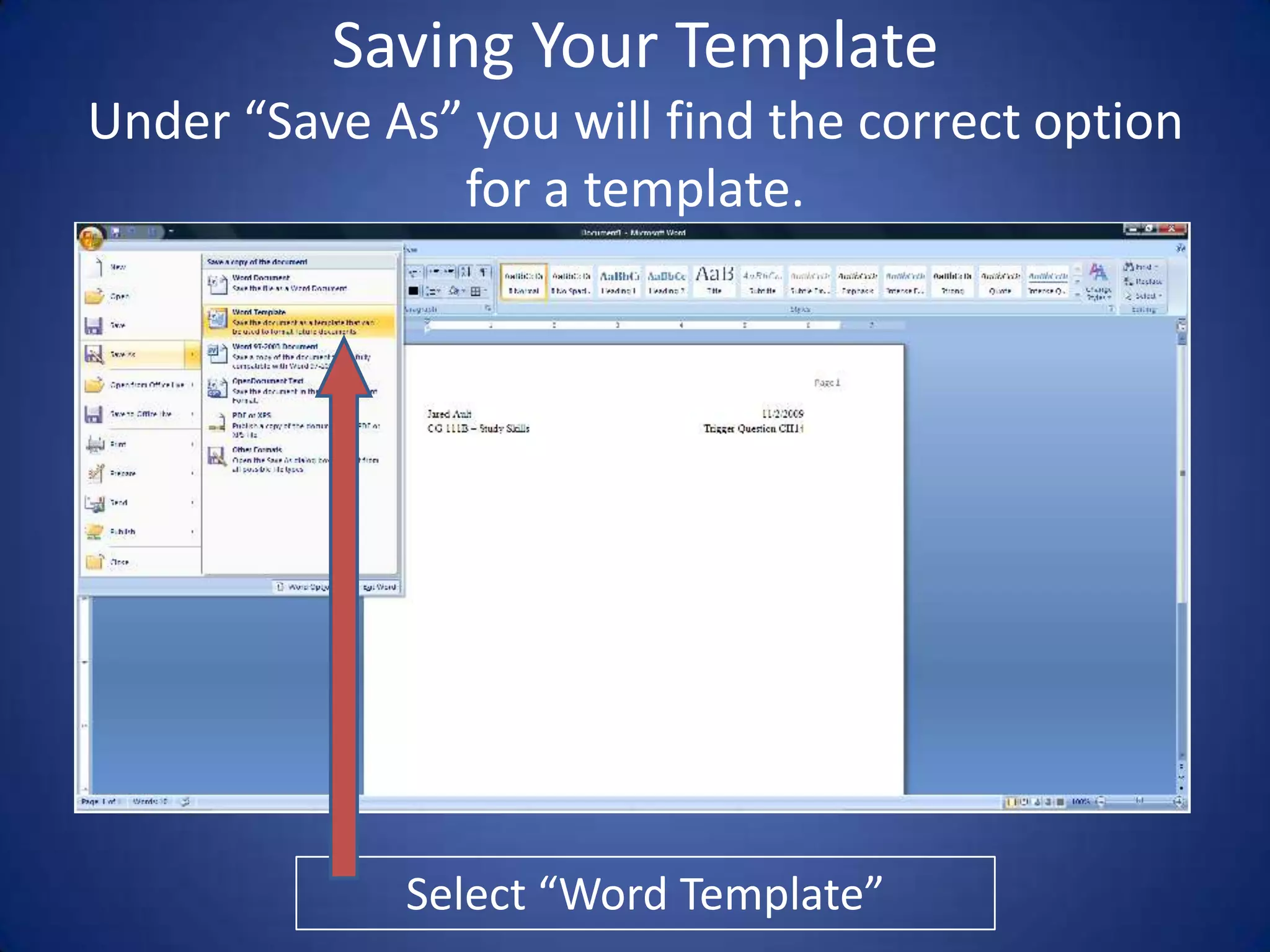
Saving Your TemplateUnder “Save As” you will find the correct option for a template.Select “Word Template”
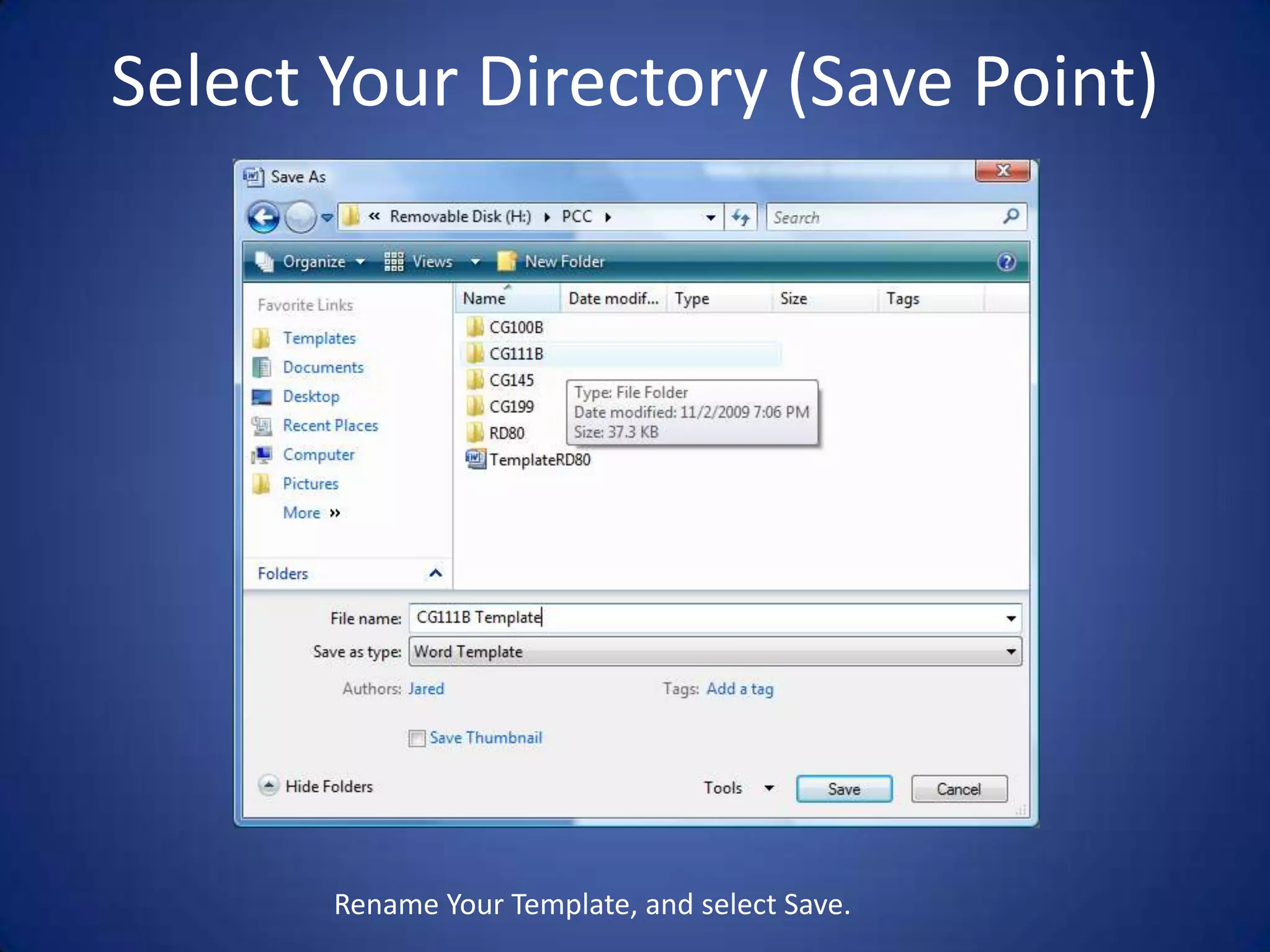
Select Your Directory (Save Point)Rename Your Template, and select Save.
YOU DID IT!!
That’s it!Remember that some instructors may require a different format for your heading, name, date and other such info.

How To Make A Template

  • 1.
    How to makea Template.
  • 2.
    Add Page Numbersby….Double Clicking in the Header or Footer
  • 3.
  • 4.
    Don’t forget toclick close!
  • 5.
    Auto Date… WHAT?Everytime you open your Template, your date will auto update. Once you save your work, the date will always remain as the original date that the work was started. IE; If you start the work today 11/2/09, save the file, and open it again tomorrow, the date will remain as 11/2/09. When you open your Template 3 days from now for your next assignment, the date will reflect that day’s date (11/05/09).Follow close, this will go quick…….
  • 6.
    Place your cursorwhere you want the date, then select Insert, then clickDate and Time.
  • 7.
    Select Your Style/FormatItis key to check the “Update Automatically” Box, then click OK.
  • 8.
    Now What?Now thatyou have the format that works best for you, it’s time to save your template.
  • 9.
    Saving Your TemplateUnder“Save As” you will find the correct option for a template.Select “Word Template”
  • 10.
    Select Your Directory(Save Point)Rename Your Template, and select Save.
  • 11.
  • 12.
    That’s it!Remember thatsome instructors may require a different format for your heading, name, date and other such info.