WRITE ONCE ON SILICON AND PLAY IT FOR EVER
            : AN EMBEDDED JOURNEY


                     Sandip Ray
                     April 29, 2011
WHAT TO WRITE ?


                                                              2/7/2013
   Any thing that comes to your mind.

   Any language you can choose.

   Write a small C code of your favorite game.

   Or your favorite algorithm that you have learned in
    your computer science class.


                                                          2
HOW TO WRITE ?


                                                           2/7/2013
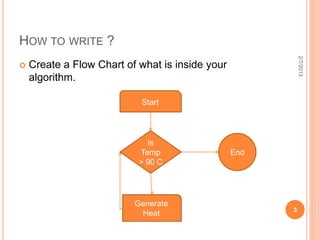
   Create a Flow Chart of what is inside your
    algorithm.

                           Start


                             Is
                           Temp                  End
                           > 90 C


                          Generate
                                                       3
                           Heat
IS YOUR CODE CORRECT ?


                                                          2/7/2013
 Review 2 times before a bug catches your eye.
 Share the code with your peer to review it once
  again.
 Compile the code.

 0 Warnings, 0 Errors !!!!

 Too good, you have written an excellent code.

 If errors are there, you have to go through your
  code and try to fix it.
 If warnings are there, you have to understand the
  source of it and try to avoid it.
                                                      4
THINK OF OPTIMIZATION


                                     2/7/2013
   Optimization in terms of :

 CPU Clocks
 Code Memory

 Data Memory

 Power etc.


                                 5
OPTIMIZATION IN TERMS OF CPU CLOCKS


                                                        2/7/2013
   for (i=0;i<100;i++)
    {
     for(j=0;j<50;j++)
     {
             for(k=0;k<25;k++)
             {

                 A[i][j][k]= B[i][j]*8 + C[i]*4;

             }

       }
   }

                                                    6
OPTIMIZATION IN TERMS OF CPU CLOCKS


                                           2/7/2013
   for (i=0;i<100;i++)
    {
      M= C[i]<<2;
     for(j=0;j<50;j++)
     {
             N= B[i][j]<<3;
             for(k=0;k<25;k++)

             {

                 A[i][j][k]= M + N;

             }

       }
   }                                  7
OPTIMIZATION IN TERMS OF CODE


                                    2/7/2013
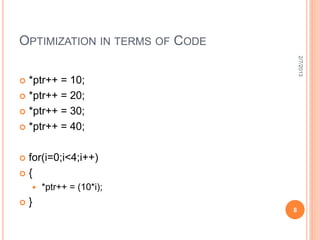
 *ptr++ = 10;
 *ptr++ = 20;

 *ptr++ = 30;

 *ptr++ = 40;


for(i=0;i<4;i++)
{
       *ptr++ = (10*i);
   }
                                8
OPTIMIZATION IN TERMS OF DATA


                                      2/7/2013
for(i=0;i<4;i++)
{
     B[i]=A[i]*3;
     for(j=0;j<10;j++)
     {
            C[i] [j]= B[i]*5+2;
        }
    }


                                  9
OPTIMIZATION IN TERMS OF DATA


                                    2/7/2013
for(i=0;i<4;i++)
{
     for(j=0;j<10;j++)
     {
            C[i][j] = A[i]*15+2;
        }
    }


                                   10
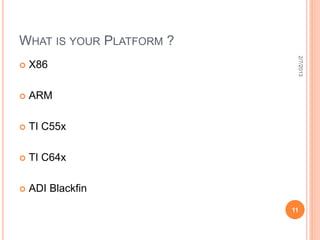
WHAT IS YOUR PLATFORM ?


                           2/7/2013
   X86

   ARM

   TI C55x

   TI C64x

   ADI Blackfin
                          11
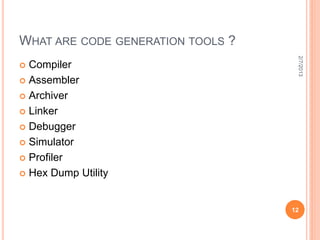
WHAT ARE CODE GENERATION TOOLS ?


                                    2/7/2013
 Compiler
 Assembler

 Archiver

 Linker

 Debugger

 Simulator

 Profiler

 Hex Dump Utility


                                   12
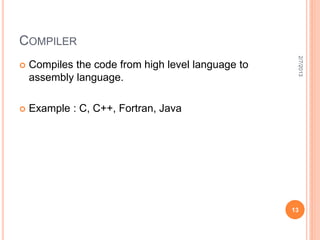
COMPILER


                                                     2/7/2013
   Compiles the code from high level language to
    assembly language.

   Example : C, C++, Fortran, Java


                                                    13
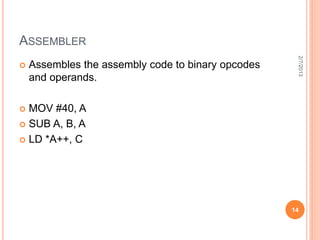
ASSEMBLER


                                                     2/7/2013
   Assembles the assembly code to binary opcodes
    and operands.

 MOV #40, A
 SUB A, B, A

 LD *A++, C


                                                    14
LINKER


                                                        2/7/2013
   Links the code as per the provided code and data
    memory map.


   Example : TI C64x Linker, gcc


                                                       15
DEBUGGER


                                                   2/7/2013
   To find the bug or fault in the code.

 Run
 Single Step
 Run Till This Point
 Step Over
 Step Through
 Breakpoint
 Log


   Example : TI Code Composer Studio IDE, gdb.   16
SIMULATOR


                                             2/7/2013
 Functional Simulator
 Instruction Set Simulator

 Cycle Accurate Simulator


   Example : TI Code Composer Studio IDE


                                            17
IS YOUR CODE RUNNING FINE ON SIMULATOR
?


                                                         2/7/2013
   Debug till the point your expected output doesn’t
    appear on the screen.


   Ahhhhh…… Finally it is coming !!!


                                                        18
WANT TO TRY IT OUT ON SILICON ?


                                                            2/7/2013
 Yes !!! You can run the code on silicon(provided it is
  not a mission critical one)
 Connect the hardware board with serial port,
  parallel port or PCI through JTAG.
 Load the object file on processor.
 Press Run and see if expected output are coming
  on the screen.

   If yes, you are done !!!

   And don’t forget to check the performance of your
    code by using a profiler.                              19
2/7/2013
THANK YOU


            20

Write once on silicon

  • 1.
    WRITE ONCE ONSILICON AND PLAY IT FOR EVER : AN EMBEDDED JOURNEY Sandip Ray April 29, 2011
  • 2.
    WHAT TO WRITE? 2/7/2013  Any thing that comes to your mind.  Any language you can choose.  Write a small C code of your favorite game.  Or your favorite algorithm that you have learned in your computer science class. 2
  • 3.
    HOW TO WRITE? 2/7/2013  Create a Flow Chart of what is inside your algorithm. Start Is Temp End > 90 C Generate 3 Heat
  • 4.
    IS YOUR CODECORRECT ? 2/7/2013  Review 2 times before a bug catches your eye.  Share the code with your peer to review it once again.  Compile the code.  0 Warnings, 0 Errors !!!!  Too good, you have written an excellent code.  If errors are there, you have to go through your code and try to fix it.  If warnings are there, you have to understand the source of it and try to avoid it. 4
  • 5.
    THINK OF OPTIMIZATION 2/7/2013  Optimization in terms of :  CPU Clocks  Code Memory  Data Memory  Power etc. 5
  • 6.
    OPTIMIZATION IN TERMSOF CPU CLOCKS 2/7/2013  for (i=0;i<100;i++) {  for(j=0;j<50;j++)  {  for(k=0;k<25;k++)  {  A[i][j][k]= B[i][j]*8 + C[i]*4;  }  }  } 6
  • 7.
    OPTIMIZATION IN TERMSOF CPU CLOCKS 2/7/2013  for (i=0;i<100;i++) { M= C[i]<<2;  for(j=0;j<50;j++)  {  N= B[i][j]<<3;  for(k=0;k<25;k++)  {  A[i][j][k]= M + N;  }  }  } 7
  • 8.
    OPTIMIZATION IN TERMSOF CODE 2/7/2013  *ptr++ = 10;  *ptr++ = 20;  *ptr++ = 30;  *ptr++ = 40; for(i=0;i<4;i++) {  *ptr++ = (10*i);  } 8
  • 9.
    OPTIMIZATION IN TERMSOF DATA 2/7/2013 for(i=0;i<4;i++) {  B[i]=A[i]*3;  for(j=0;j<10;j++)  { C[i] [j]= B[i]*5+2; } } 9
  • 10.
    OPTIMIZATION IN TERMSOF DATA 2/7/2013 for(i=0;i<4;i++) {  for(j=0;j<10;j++)  { C[i][j] = A[i]*15+2; } } 10
  • 11.
    WHAT IS YOURPLATFORM ? 2/7/2013  X86  ARM  TI C55x  TI C64x  ADI Blackfin 11
  • 12.
    WHAT ARE CODEGENERATION TOOLS ? 2/7/2013  Compiler  Assembler  Archiver  Linker  Debugger  Simulator  Profiler  Hex Dump Utility 12
  • 13.
    COMPILER 2/7/2013  Compiles the code from high level language to assembly language.  Example : C, C++, Fortran, Java 13
  • 14.
    ASSEMBLER 2/7/2013  Assembles the assembly code to binary opcodes and operands.  MOV #40, A  SUB A, B, A  LD *A++, C 14
  • 15.
    LINKER 2/7/2013  Links the code as per the provided code and data memory map.  Example : TI C64x Linker, gcc 15
  • 16.
    DEBUGGER 2/7/2013  To find the bug or fault in the code.  Run  Single Step  Run Till This Point  Step Over  Step Through  Breakpoint  Log  Example : TI Code Composer Studio IDE, gdb. 16
  • 17.
    SIMULATOR 2/7/2013  Functional Simulator  Instruction Set Simulator  Cycle Accurate Simulator  Example : TI Code Composer Studio IDE 17
  • 18.
    IS YOUR CODERUNNING FINE ON SIMULATOR ? 2/7/2013  Debug till the point your expected output doesn’t appear on the screen.  Ahhhhh…… Finally it is coming !!! 18
  • 19.
    WANT TO TRYIT OUT ON SILICON ? 2/7/2013  Yes !!! You can run the code on silicon(provided it is not a mission critical one)  Connect the hardware board with serial port, parallel port or PCI through JTAG.  Load the object file on processor.  Press Run and see if expected output are coming on the screen.  If yes, you are done !!!  And don’t forget to check the performance of your code by using a profiler. 19
  • 20.