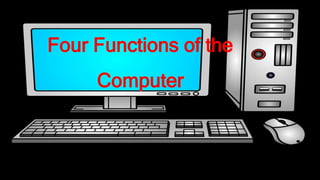
Four Functions of the
Computer
Input
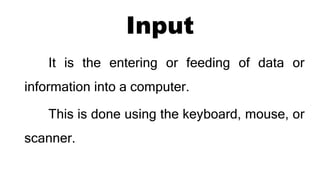
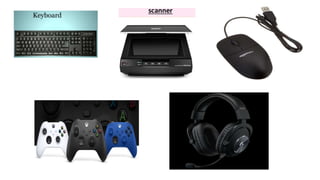
It is the entering or feeding of data or
information into a computer.
This is done using the keyboard, mouse, or
scanner.
Output
Once the data are processed, you can now
see, hear, and interact with it.
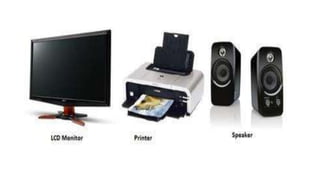
You can see the data in the monitor or hear
the sounds through the speaker.
Processing
The central processing unit (CPU) is the part
of the computer that handles the data by following
a set of instructions called program.
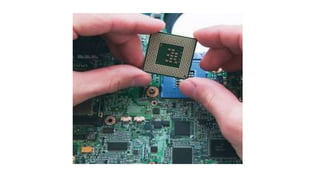
microprocessor- carries out complex calculations in
less than a second.
Storage
Storage is the component within
your computer that allows you to store and access data
on a long-term basis.
Storage is measured by bytes, kilobytes (KB),
megabytes (MB), gigabytes (GB), and terabytes (TB).
Two types of Storage
•Short term storage refers to random access
memory (RAM) which stores information
while you are using the computer but it is
constantly erased and rewritten as you open
and close the files.
•Long term storage stores and acts as backup
even if the power supply is off. .
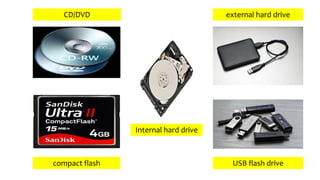
CD/DVD external hard drive
compact flash
Internal hard drive
USB flash drive

Four Functions of the Computer

  • 1.
    Four Functions ofthe Computer
  • 2.
    Input It is theentering or feeding of data or information into a computer. This is done using the keyboard, mouse, or scanner.
  • 4.
    Output Once the dataare processed, you can now see, hear, and interact with it. You can see the data in the monitor or hear the sounds through the speaker.
  • 6.
    Processing The central processingunit (CPU) is the part of the computer that handles the data by following a set of instructions called program. microprocessor- carries out complex calculations in less than a second.
  • 8.
    Storage Storage is thecomponent within your computer that allows you to store and access data on a long-term basis. Storage is measured by bytes, kilobytes (KB), megabytes (MB), gigabytes (GB), and terabytes (TB).
  • 9.
    Two types ofStorage •Short term storage refers to random access memory (RAM) which stores information while you are using the computer but it is constantly erased and rewritten as you open and close the files.
  • 10.
    •Long term storagestores and acts as backup even if the power supply is off. .
  • 11.
    CD/DVD external harddrive compact flash Internal hard drive USB flash drive