
Designed By Rita Gokani
<B> Tag
 It is a container tag i.e.<B>…</B>
 It is used to make text Strong.
<I> Tag
 It is a container tag i.e.<I>…</I>
 It is used to make text Slant.
<U> Tag
 It is a container tag i.e.<U>…</U>
 It is used to underline the text.
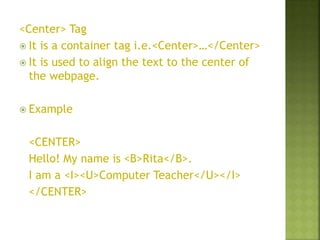
<Center> Tag
 It is a container tag i.e.<Center>…</Center>
 It is used to align the text to the center of
the webpage.
 Example
<CENTER>
Hello! My name is <B>Rita</B>.
I am a <I><U>Computer Teacher</U></I>
</CENTER>
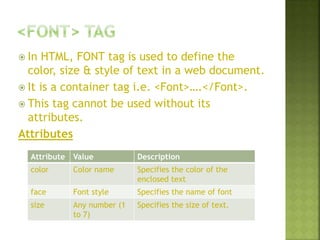
 In HTML, FONT tag is used to define the
color, size & style of text in a web document.
 It is a container tag i.e. <Font>….</Font>.
 This tag cannot be used without its
attributes.
Attributes
Attribute Value Description
color Color name Specifies the color of the
enclosed text
face Font style Specifies the name of font
size Any number (1
to 7)
Specifies the size of text.
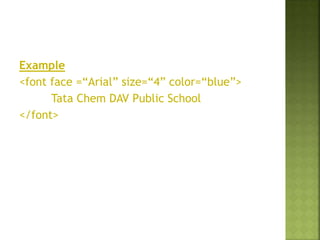
Example
<font face =“Arial” size=“4” color=“blue”>
Tata Chem DAV Public School
</font>
 Click on File menu Save as Option
 The Save as dialog box will appear
 Choose the desired location for saving your
file.
 Type the file name with .html as extension
 In drop down menu of Type of File, Change
File type to “All Files”.
 Click on save button.
Your Webpage will be saved as filename.html
It will be your Html document.
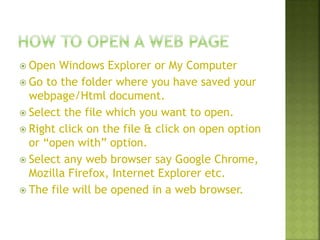
 Open Windows Explorer or My Computer
 Go to the folder where you have saved your
webpage/Html document.
 Select the file which you want to open.
 Right click on the file & click on open option
or “open with” option.
 Select any web browser say Google Chrome,
Mozilla Firefox, Internet Explorer etc.
 The file will be opened in a web browser.
Formatting Tags & Creating Html Page

Formatting Tags & Creating Html Page

  • 1.
  • 2.
    <B> Tag  Itis a container tag i.e.<B>…</B>  It is used to make text Strong. <I> Tag  It is a container tag i.e.<I>…</I>  It is used to make text Slant. <U> Tag  It is a container tag i.e.<U>…</U>  It is used to underline the text.
  • 3.
    <Center> Tag  Itis a container tag i.e.<Center>…</Center>  It is used to align the text to the center of the webpage.  Example <CENTER> Hello! My name is <B>Rita</B>. I am a <I><U>Computer Teacher</U></I> </CENTER>
  • 4.
     In HTML,FONT tag is used to define the color, size & style of text in a web document.  It is a container tag i.e. <Font>….</Font>.  This tag cannot be used without its attributes. Attributes Attribute Value Description color Color name Specifies the color of the enclosed text face Font style Specifies the name of font size Any number (1 to 7) Specifies the size of text.
  • 5.
    Example <font face =“Arial”size=“4” color=“blue”> Tata Chem DAV Public School </font>
  • 6.
     Click onFile menu Save as Option  The Save as dialog box will appear  Choose the desired location for saving your file.  Type the file name with .html as extension  In drop down menu of Type of File, Change File type to “All Files”.  Click on save button. Your Webpage will be saved as filename.html It will be your Html document.
  • 7.
     Open WindowsExplorer or My Computer  Go to the folder where you have saved your webpage/Html document.  Select the file which you want to open.  Right click on the file & click on open option or “open with” option.  Select any web browser say Google Chrome, Mozilla Firefox, Internet Explorer etc.  The file will be opened in a web browser.