HTml
Presented by:Rabin BK
Formatting Tags
1
01
02
03
CONTENTS
Introduction
Different formatting
tags
References
2
INTRODUCTION
3
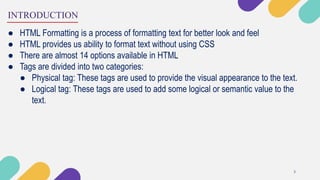
● HTML Formatting is a process of formatting text for better look and feel
● HTML provides us ability to format text without using CSS
● There are almost 14 options available in HTML
● Tags are divided into two categories:
● Physical tag: These tags are used to provide the visual appearance to the text.
● Logical tag: These tags are used to add some logical or semantic value to the
text.
TAGS
4
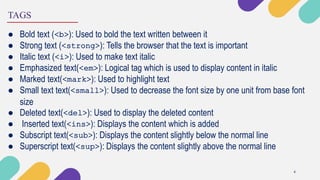
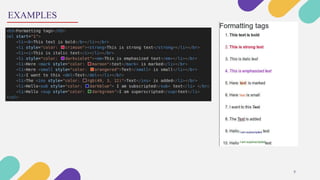
● Bold text (<b>): Used to bold the text written between it
● Strong text (<strong>): Tells the browser that the text is important
● Italic text (<i>): Used to make text italic
● Emphasized text(<em>): Logical tag which is used to display content in italic
● Marked text(<mark>): Used to highlight text
● Small text text(<small>): Used to decrease the font size by one unit from base font
size
● Deleted text(<del>): Used to display the deleted content
● Inserted text(<ins>): Displays the content which is added
● Subscript text(<sub>): Displays the content slightly below the normal line
● Superscript text(<sup>): Displays the content slightly above the normal line
EXAMPLES
5
REFERENCES
6
● https://www.javatpoint.com/html-formatting
● https://www.w3schools.com/html/html_formatting.asp
QUERY SESSION
7

HTML text formatting tags