Flipped Instruction:
Flipping It Without
Flipping Out!
Presenters:
Emmy Parkes
Leonia Houston
Mary Etta Moorachian
Overview
 Part 1: Defining flipped instruction and its
benefits for learning.
 Part 2: Flipped instruction models and
examples.
 Part 3: Structuring your flipped classroom and
conceptualizing your plan.
Question…
How Would You Best Describe Your Classroom
and Teaching Style?
The flipped classroom approach
is a pedagogical model in which
the typical lecture and homework
elements of a course are
reversed.
What Does the Flipped Approach Mean?
"Originators" Approximately 2007
 Jonathan Bergmann and Aaron Sams
 High school science teachers who used online
video to provide instruction to their students.
 Goal: Free up classroom time for lab work
 Salman Khan
 Khan Academy used videos to teach math
techniques
 Instructors began using the Khan videos as out of
class activities
How Was the Flipped Classroom Created?
Benefits of Flipped Instruction
 Increased flexibility and accessibility
 Increased interaction and engagement
 Greater student satisfaction and preparation
 Improved learning outcomes
 Emphasis on active learning and team based
learning.
Benefits of Flipped Instruction
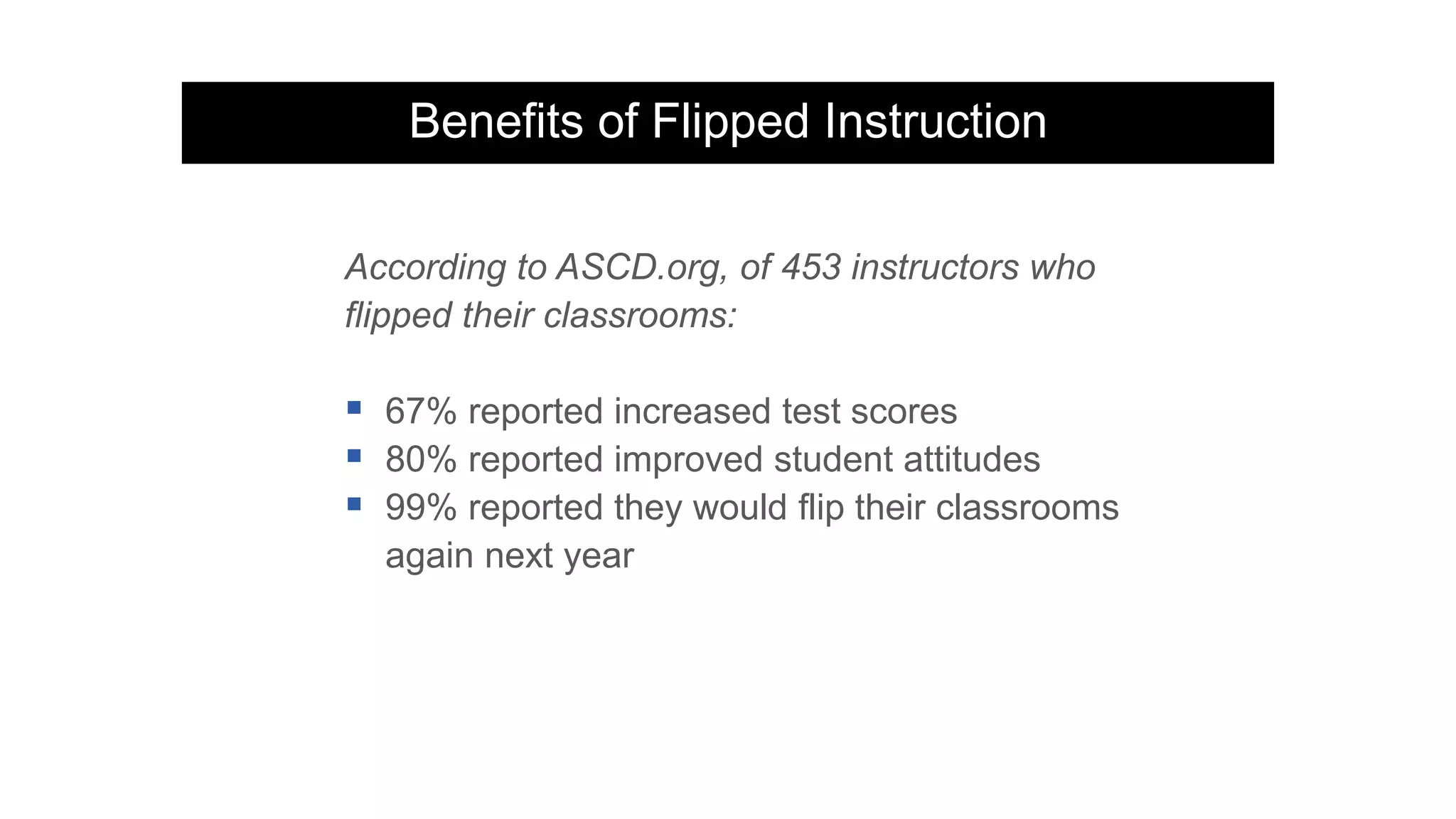
According to ASCD.org, of 453 instructors who
flipped their classrooms:
 67% reported increased test scores
 80% reported improved student attitudes
 99% reported they would flip their classrooms
again next year
Flipped Classroom: Student Perspective
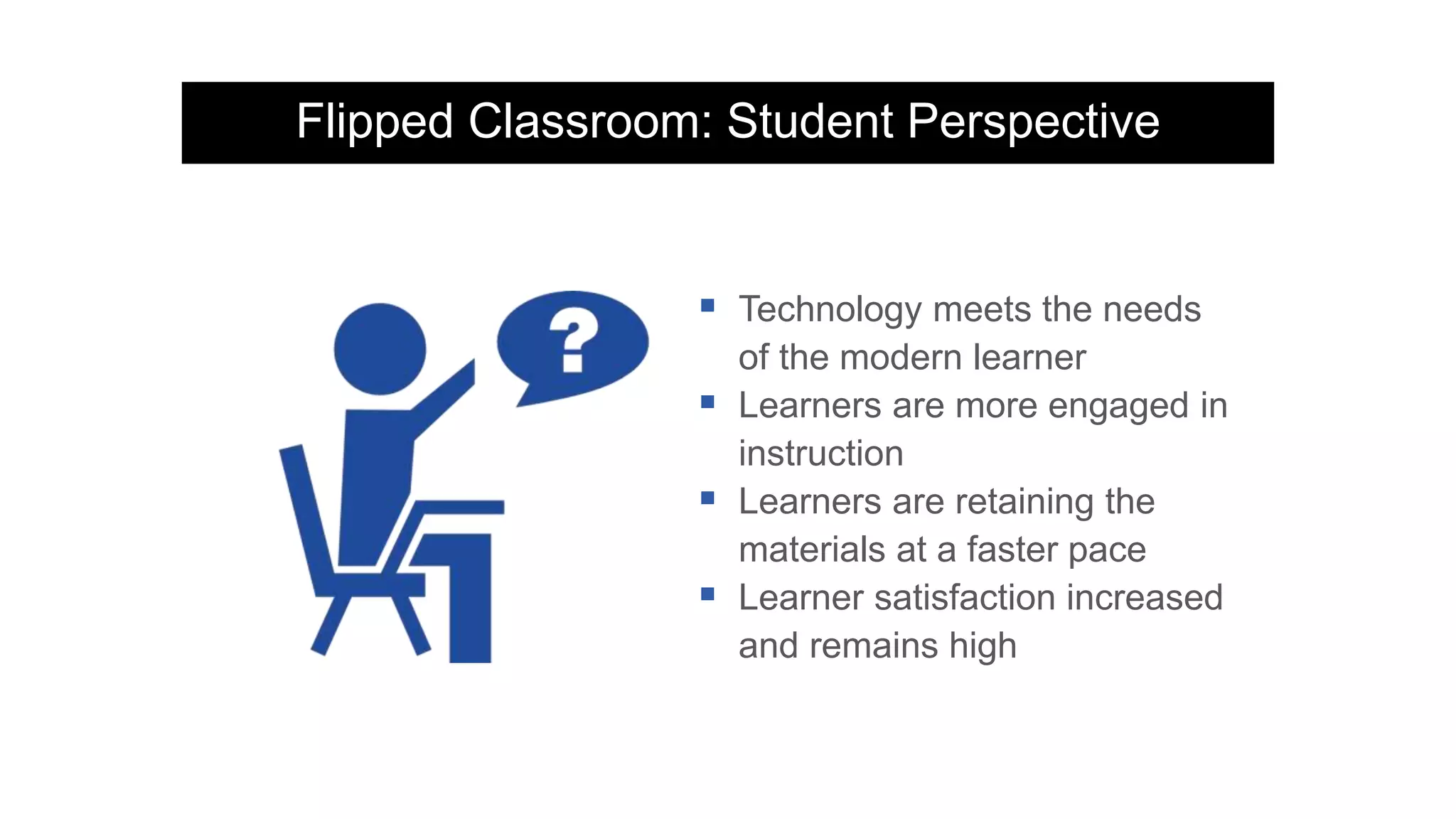
 Technology meets the needs
of the modern learner
 Learners are more engaged in
instruction
 Learners are retaining the
materials at a faster pace
 Learner satisfaction increased
and remains high
Flipped Classroom: Faculty Perspective
 Challenges current teaching style
 Method allows faculty to tailor
lessons to student’s abilities
 Courses can be consistent
across multiple sections
 Class time has a higher level of
discussion
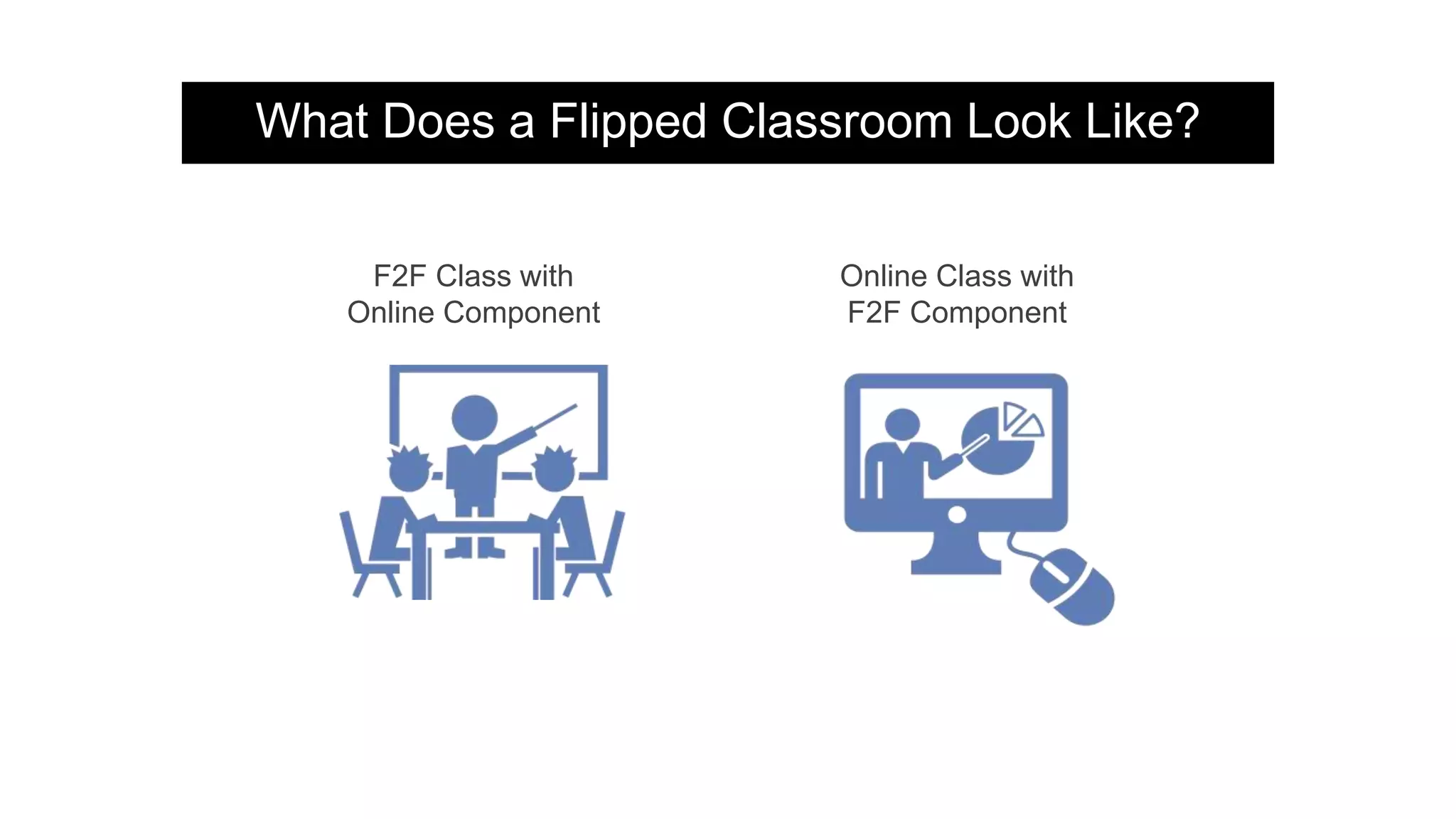
What Does a Flipped Classroom Look Like?
F2F Class with
Online Component
Online Class with
F2F Component
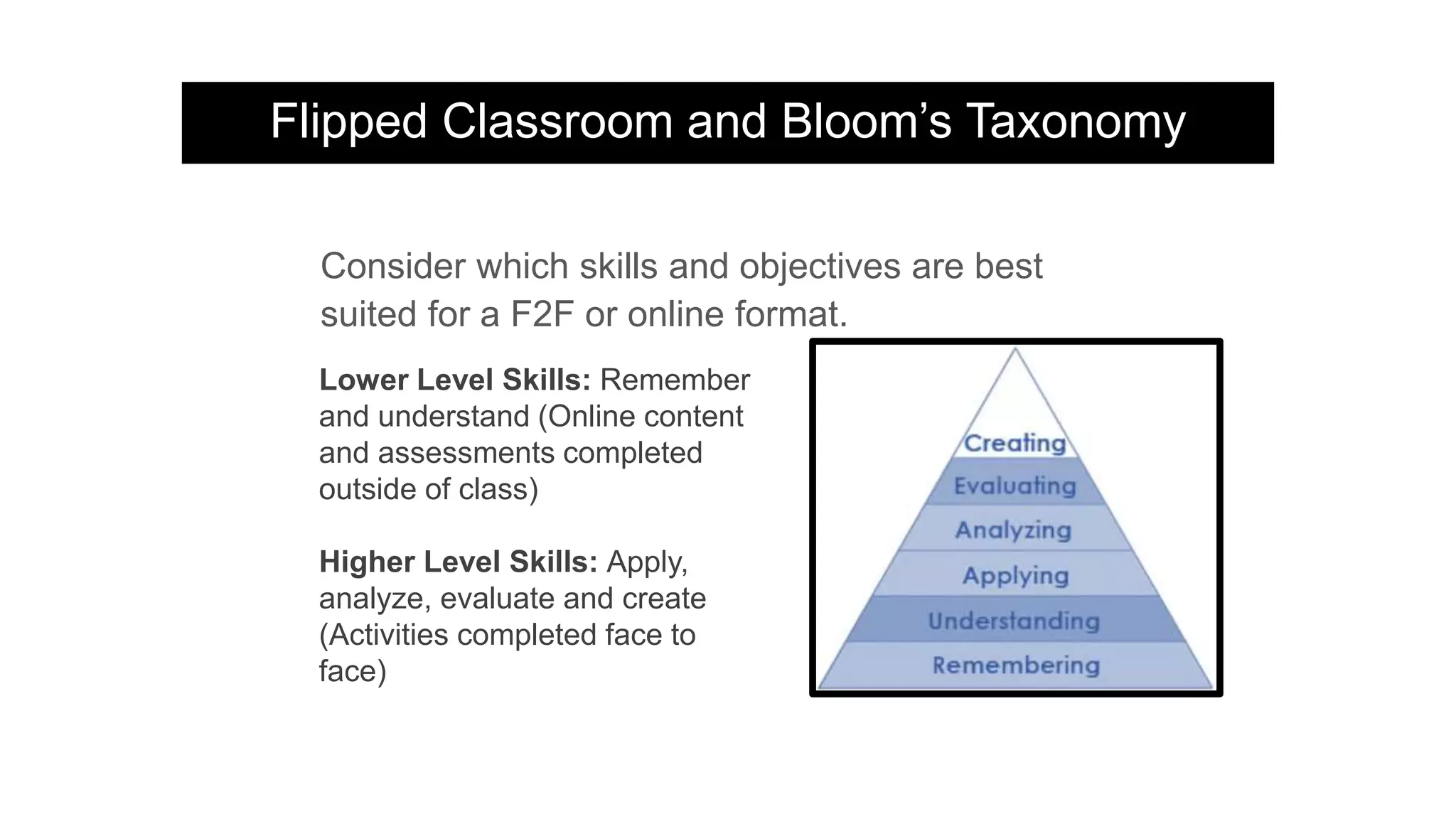
Flipped Classroom and Bloom’s Taxonomy
Consider which skills and objectives are best
suited for a F2F or online format.
Lower Level Skills: Remember
and understand (Online content
and assessments completed
outside of class)
Higher Level Skills: Apply,
analyze, evaluate and create
(Activities completed face to
face)
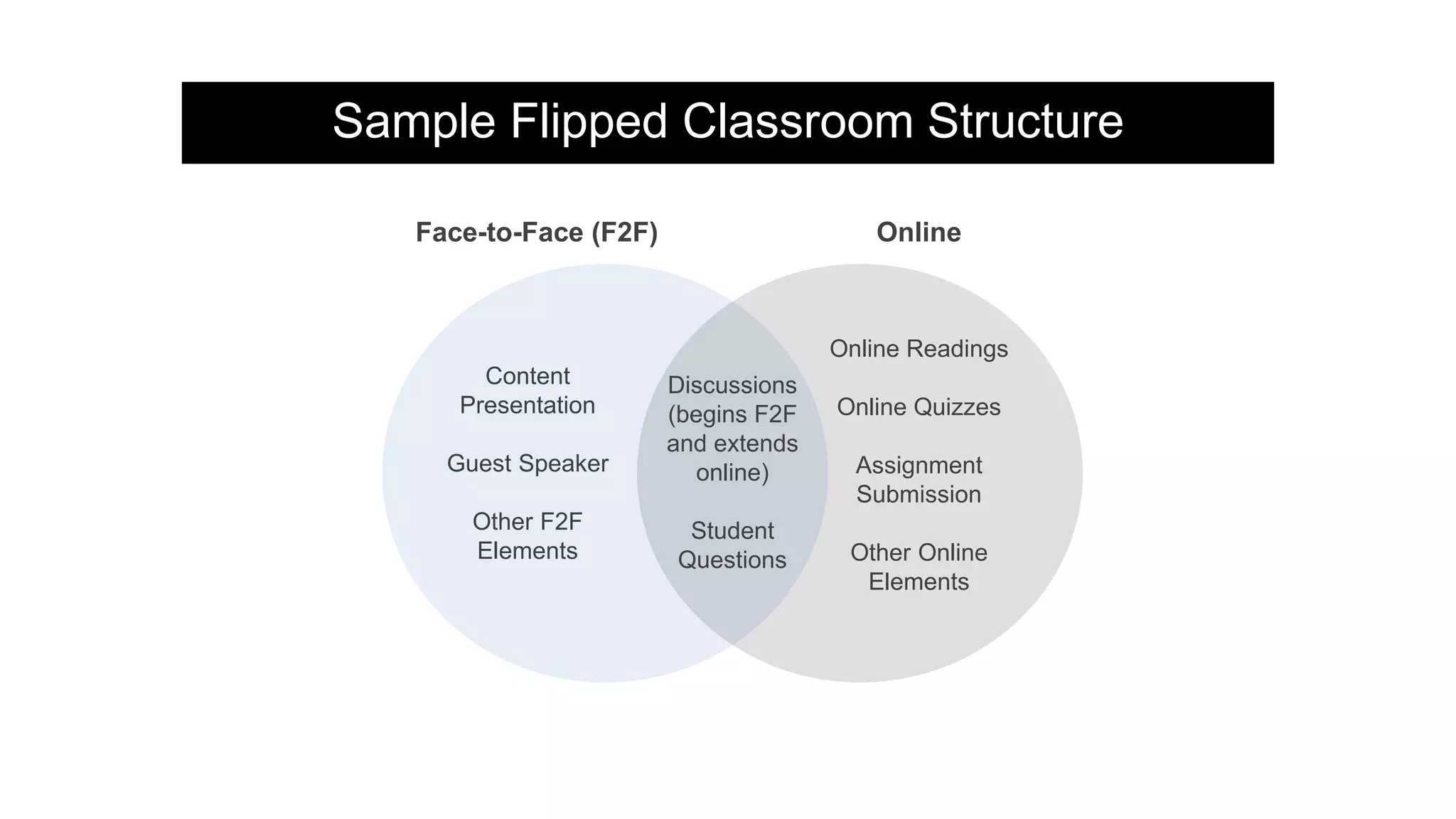
Sample Flipped Classroom Structure
Content
Presentation
Guest Speaker
Other F2F
Elements
Discussions
(begins F2F
and extends
online)
Student
Questions
Online Readings
Online Quizzes
Assignment
Submission
Other Online
Elements
Face-to-Face (F2F) Online
Sample Flipped Classroom Structure
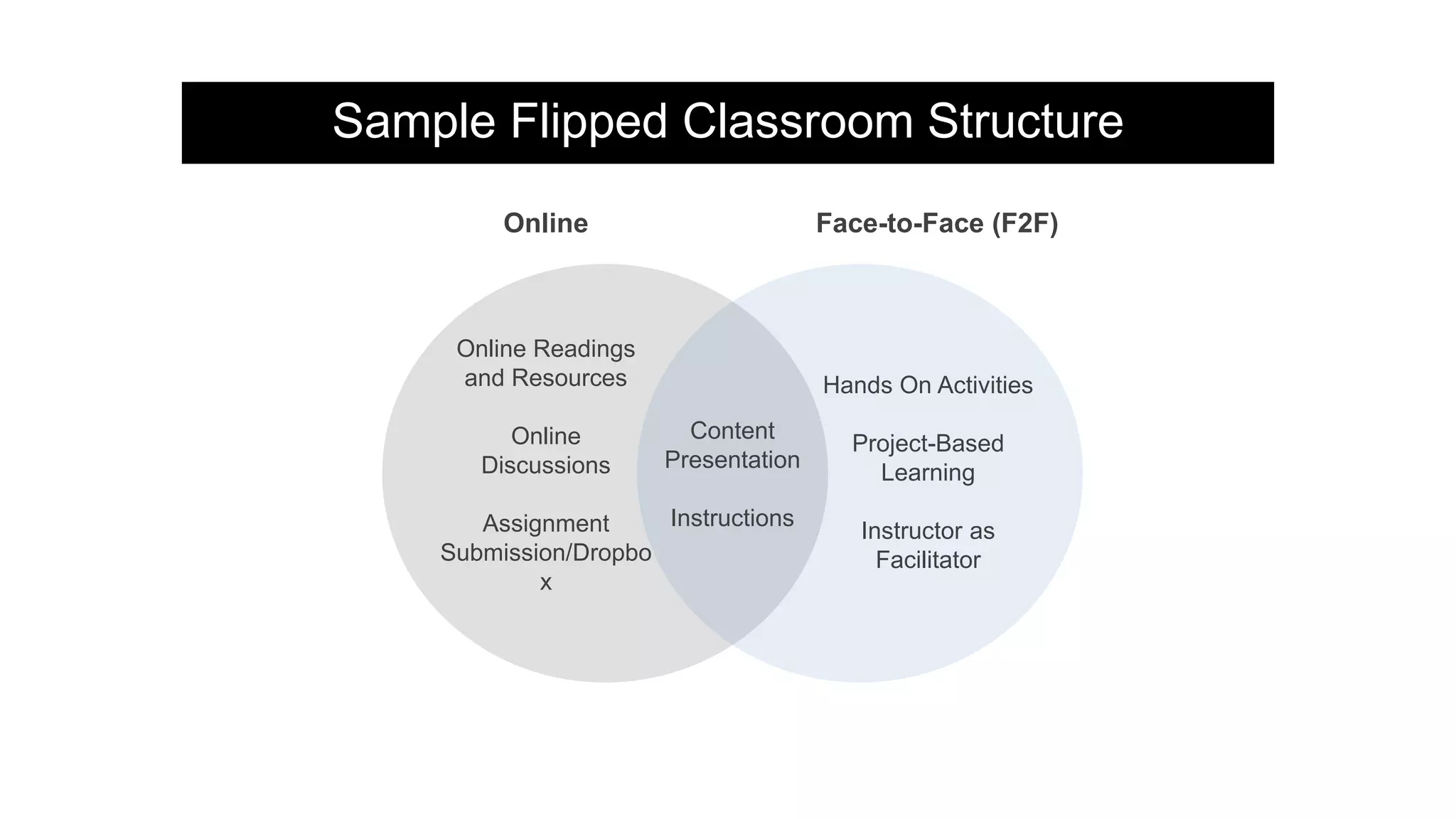
Hands On Activities
Project-Based
Learning
Instructor as
Facilitator
Content
Presentation
Instructions
Online Readings
and Resources
Online
Discussions
Assignment
Submission/Dropbo
x
Face-to-Face (F2F)Online
Part Two…
Flipped Instruction Models and Examples
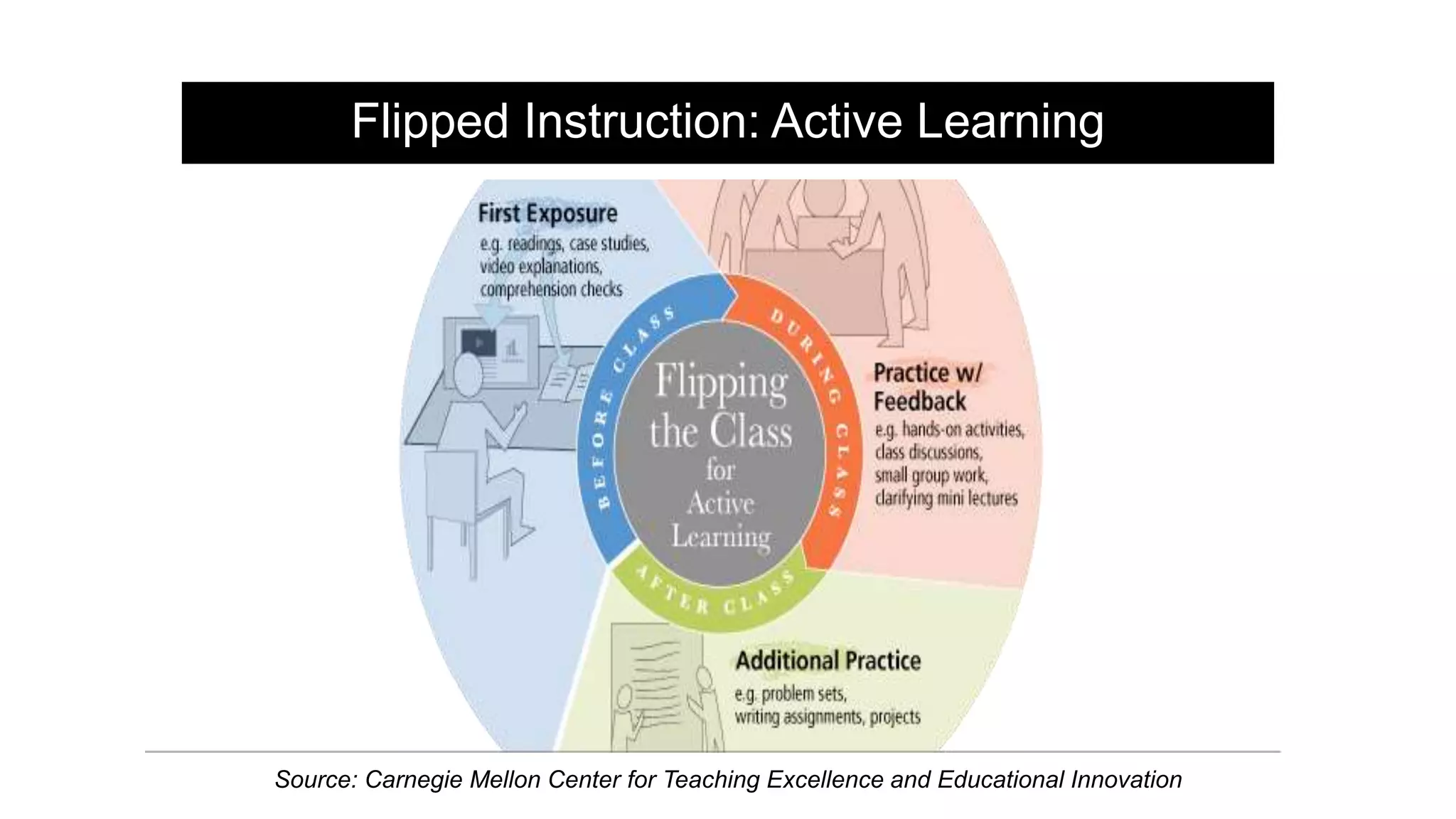
Flipped Instruction: Active Learning
Source: Carnegie Mellon Center for Teaching Excellence and Educational Innovation
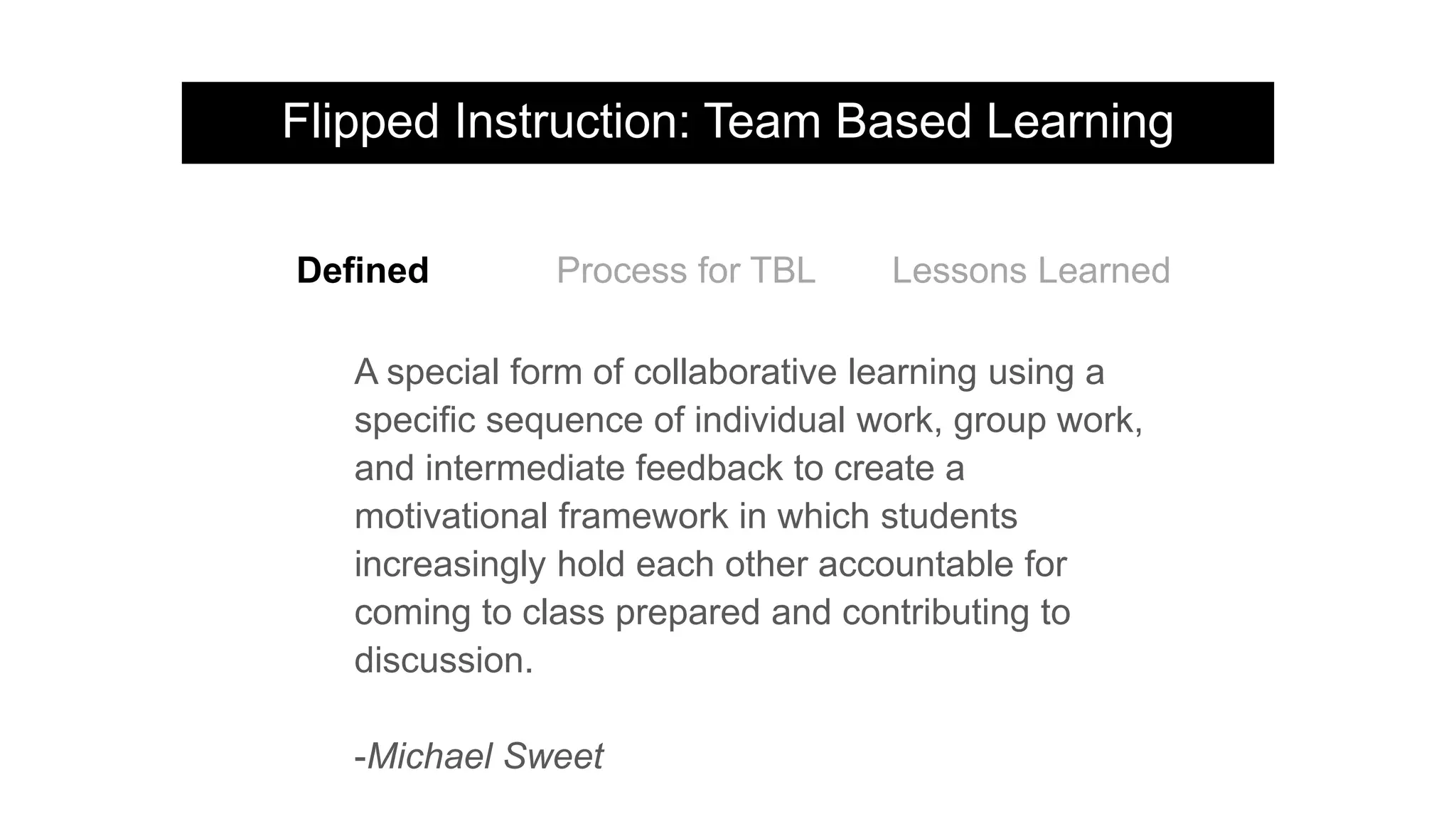
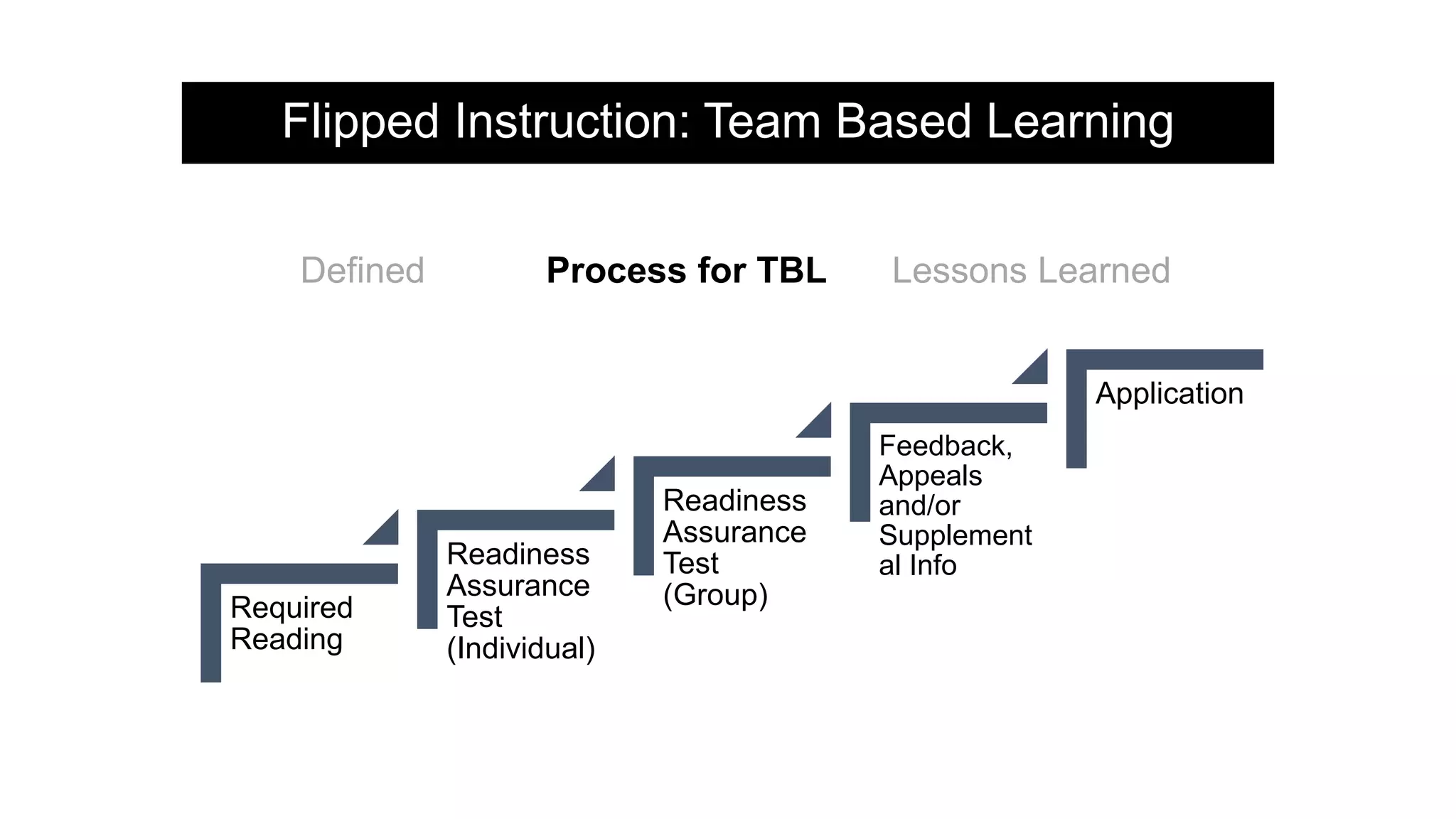
Flipped Instruction: Team Based Learning
A special form of collaborative learning using a
specific sequence of individual work, group work,
and intermediate feedback to create a
motivational framework in which students
increasingly hold each other accountable for
coming to class prepared and contributing to
discussion.
-Michael Sweet
Defined Process for TBL Lessons Learned
Flipped Instruction: Team Based Learning
Required
Reading
Readiness
Assurance
Test
(Individual)
Readiness
Assurance
Test
(Group)
Feedback,
Appeals
and/or
Supplement
al Info
Application
Defined Process for TBL Lessons Learned
Flipped Instruction: Team Based Learning
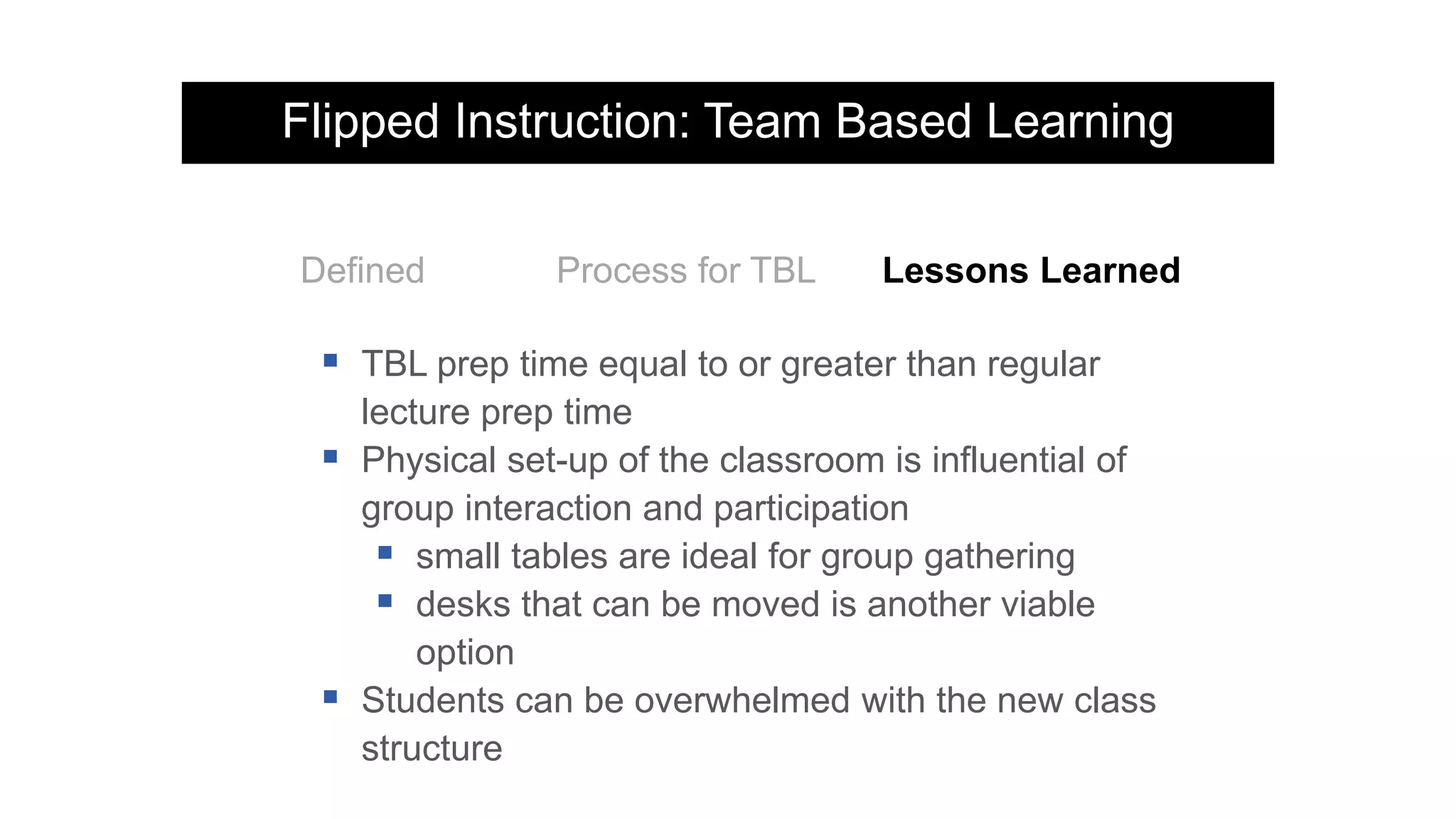
Defined Process for TBL Lessons Learned
 TBL prep time equal to or greater than regular
lecture prep time
 Physical set-up of the classroom is influential of
group interaction and participation
 small tables are ideal for group gathering
 desks that can be moved is another viable
option
 Students can be overwhelmed with the new class
structure
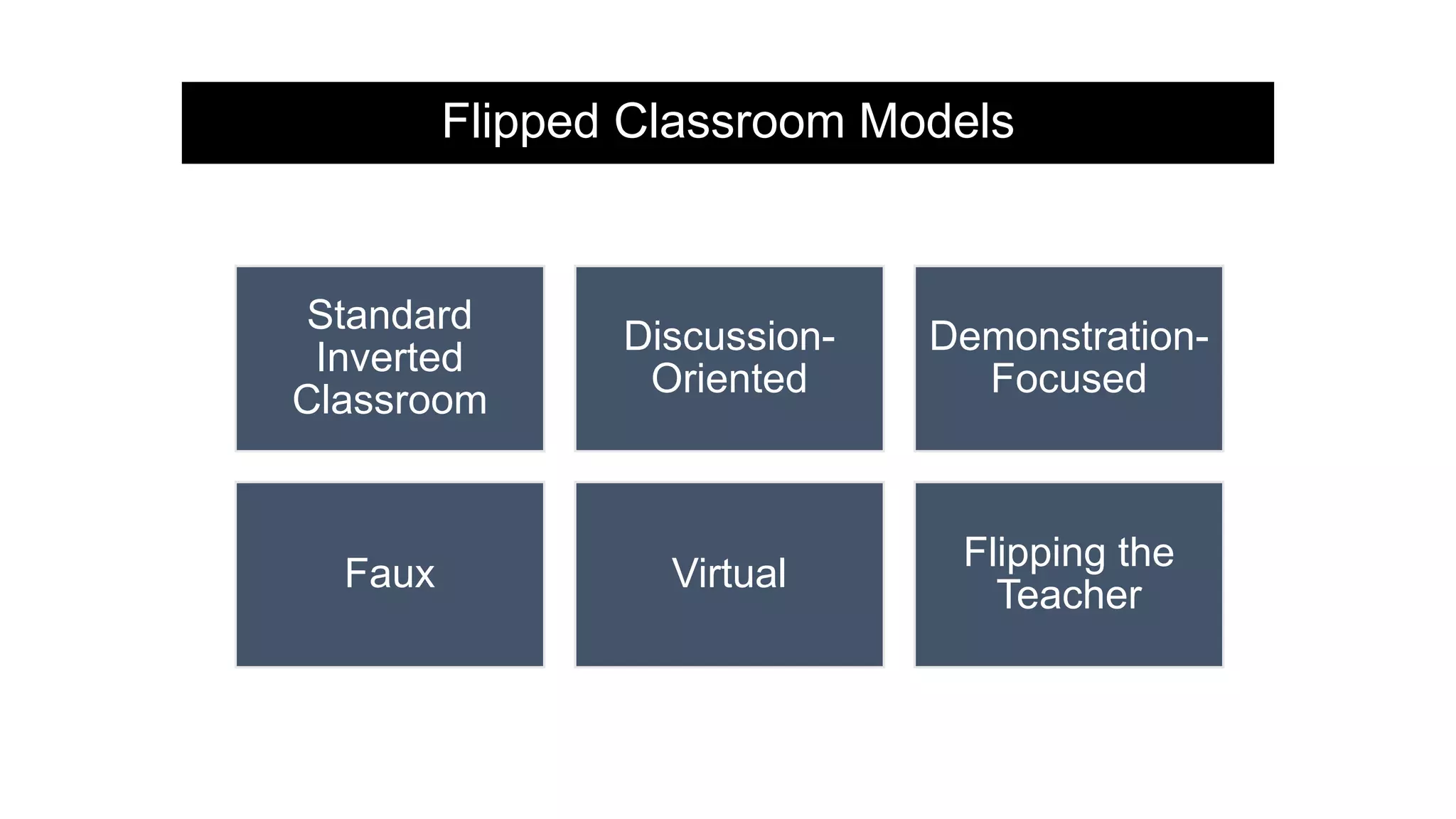
Flipped Classroom Models
Standard
Inverted
Classroom
Discussion-
Oriented
Demonstration-
Focused
Faux Virtual
Flipping the
Teacher
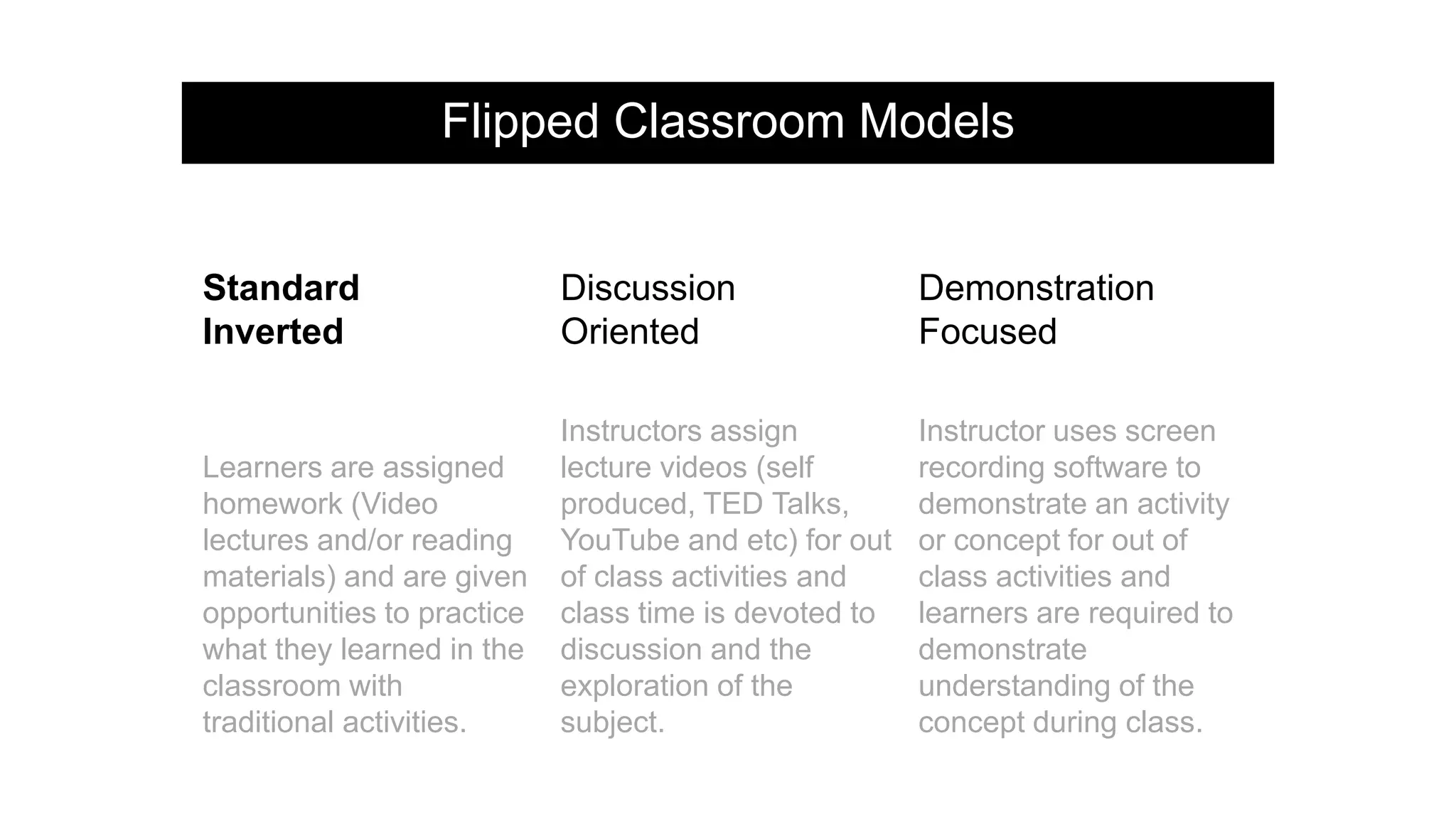
Flipped Classroom Models
Standard
Inverted
Discussion
Oriented
Demonstration
Focused
Learners are assigned
homework (Video
lectures and/or reading
materials) and are given
opportunities to practice
what they learned in the
classroom with
traditional activities.
Instructors assign
lecture videos (self
produced, TED Talks,
YouTube and etc) for out
of class activities and
class time is devoted to
discussion and the
exploration of the
subject.
Instructor uses screen
recording software to
demonstrate an activity
or concept for out of
class activities and
learners are required to
demonstrate
understanding of the
concept during class.
Flipped Classroom Models
Faux Virtual Flipping the Teacher
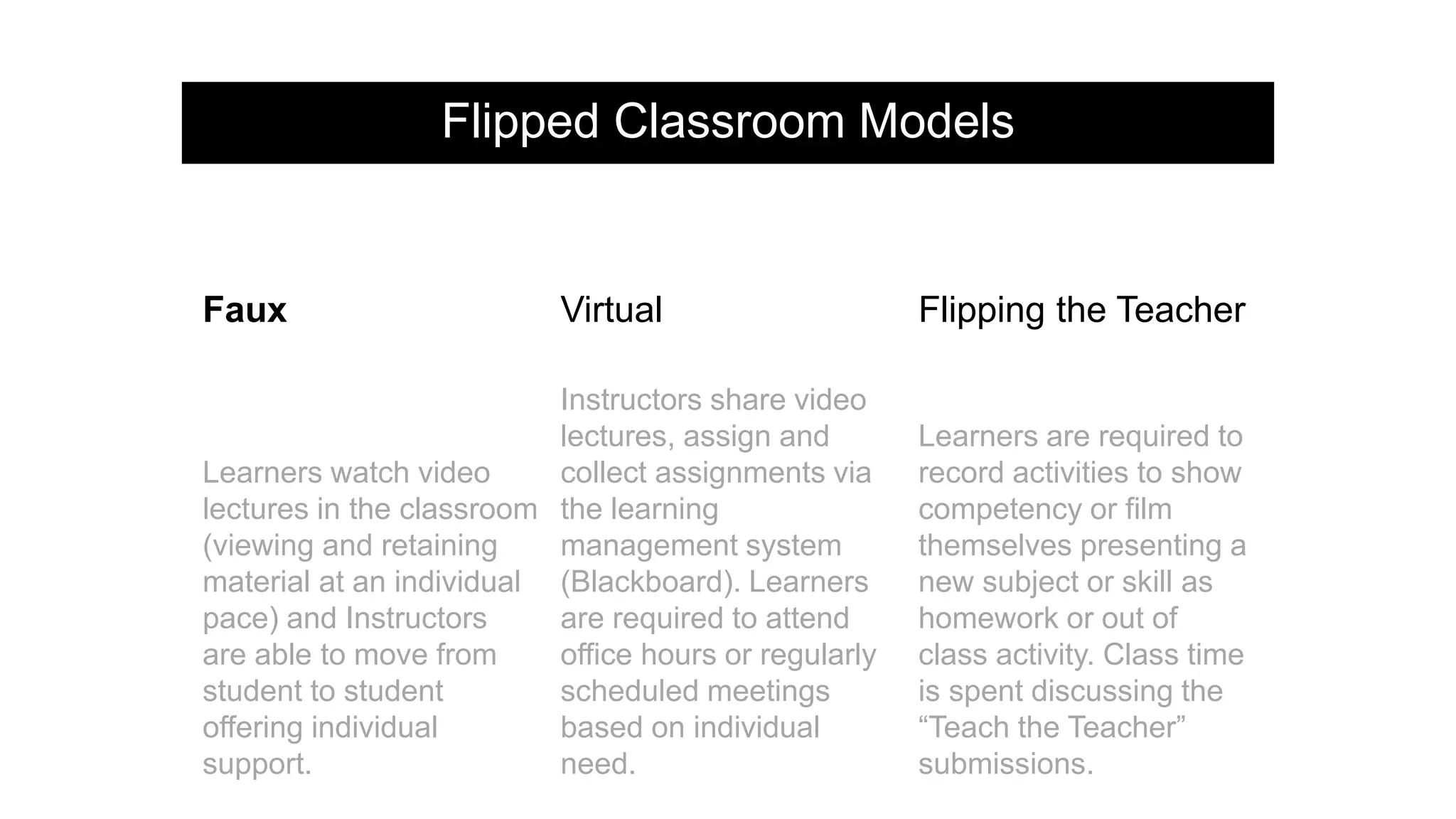
Learners watch video
lectures in the classroom
(viewing and retaining
material at an individual
pace) and Instructors
are able to move from
student to student
offering individual
support.
Instructors share video
lectures, assign and
collect assignments via
the learning
management system
(Blackboard). Learners
are required to attend
office hours or regularly
scheduled meetings
based on individual
need.
Learners are required to
record activities to show
competency or film
themselves presenting a
new subject or skill as
homework or out of
class activity. Class time
is spent discussing the
“Teach the Teacher”
submissions.
Flipped Model Example: Winthrop University
Course: Food Service Systems Management II
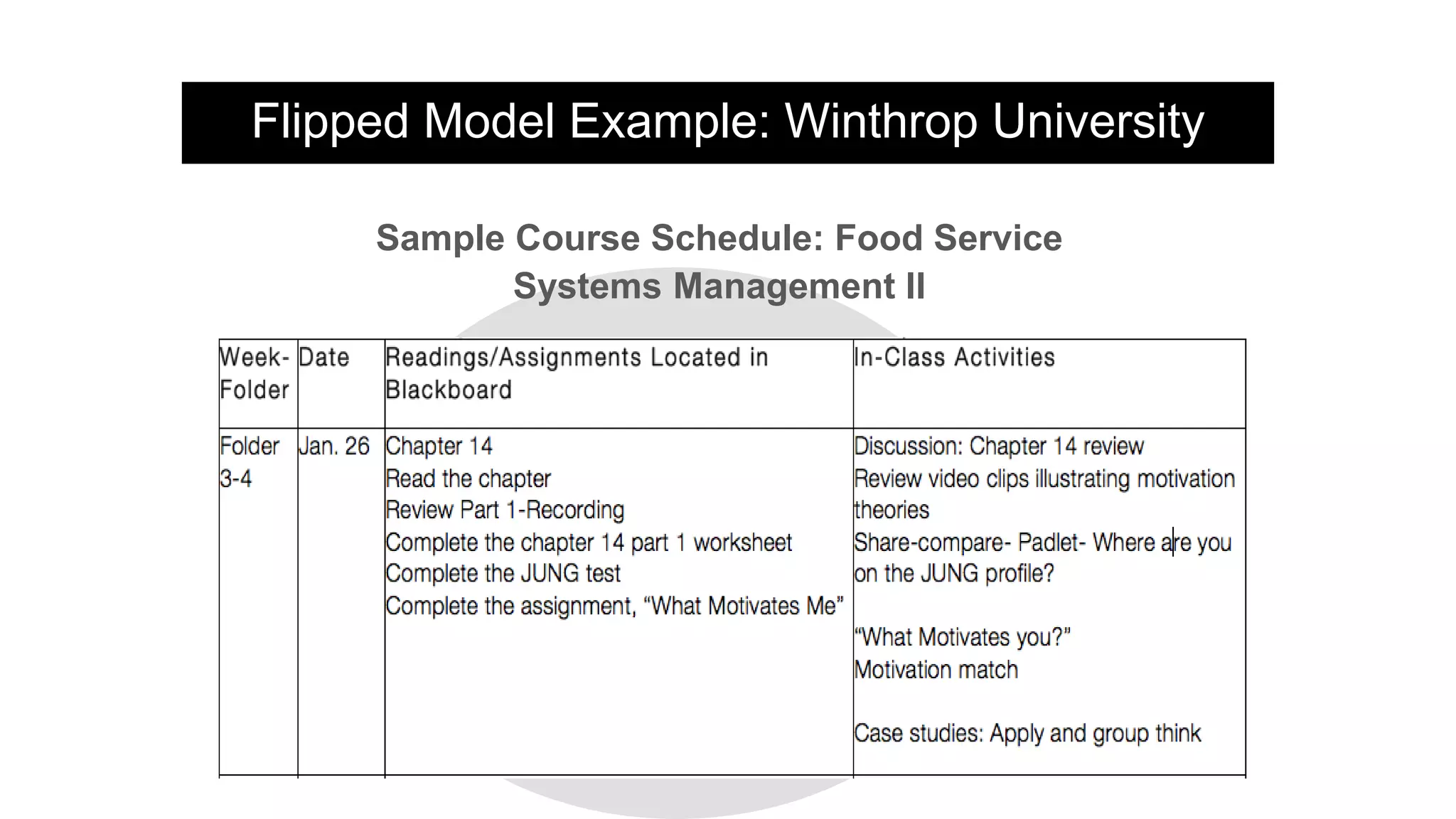
Flipped Model Example: Winthrop University
Sample Course Schedule: Food Service
Systems Management II
Part Three…
Structuring Your Flipped Classroom and
Conceptualizing Your Plan
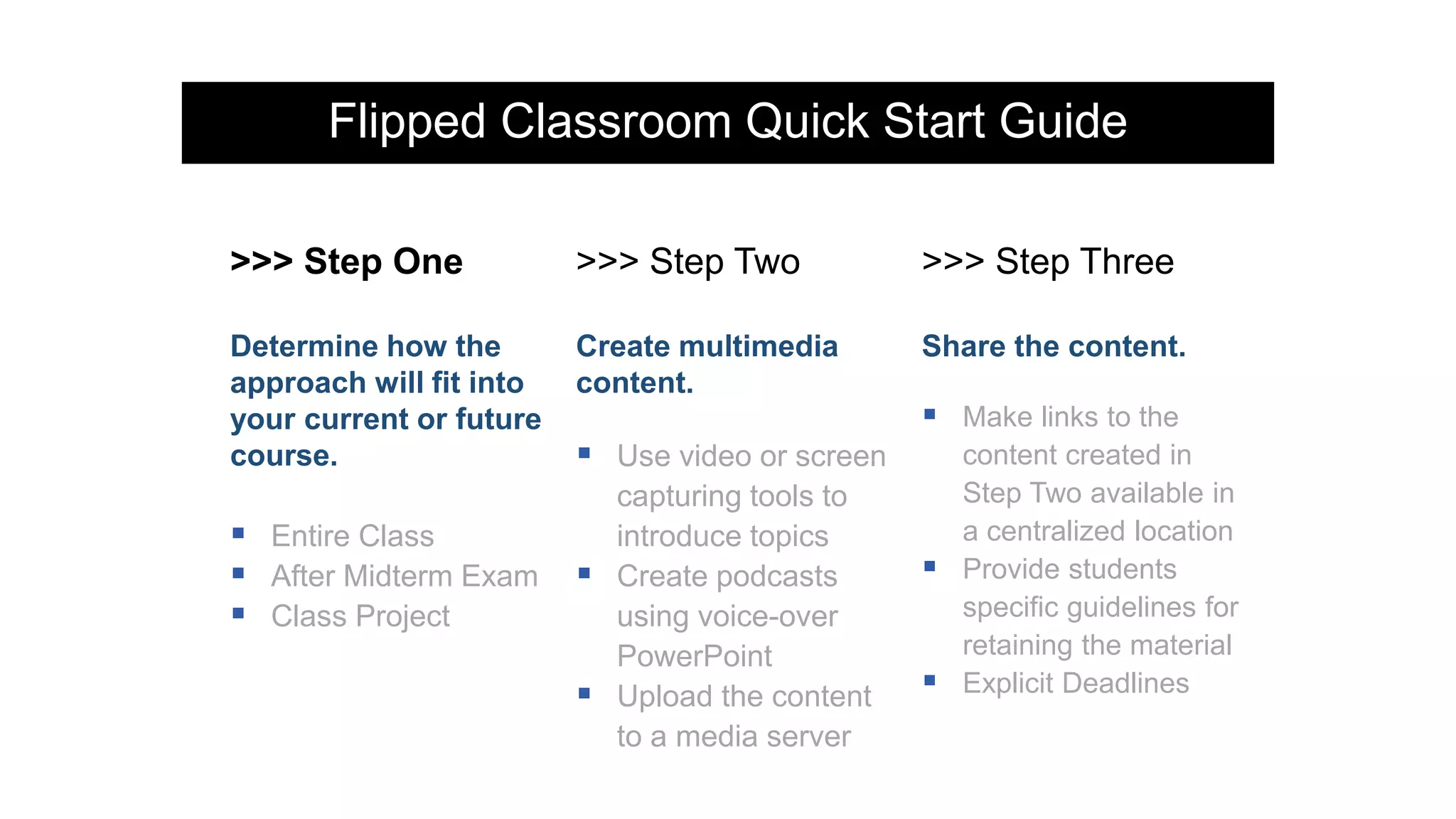
Flipped Classroom Quick Start Guide
>>> Step One >>> Step Two >>> Step Three
Determine how the
approach will fit into
your current or future
course.
 Entire Class
 After Midterm Exam
 Class Project
Create multimedia
content.
 Use video or screen
capturing tools to
introduce topics
 Create podcasts
using voice-over
PowerPoint
 Upload the content
to a media server
Share the content.
 Make links to the
content created in
Step Two available in
a centralized location
 Provide students
specific guidelines for
retaining the material
 Explicit Deadlines
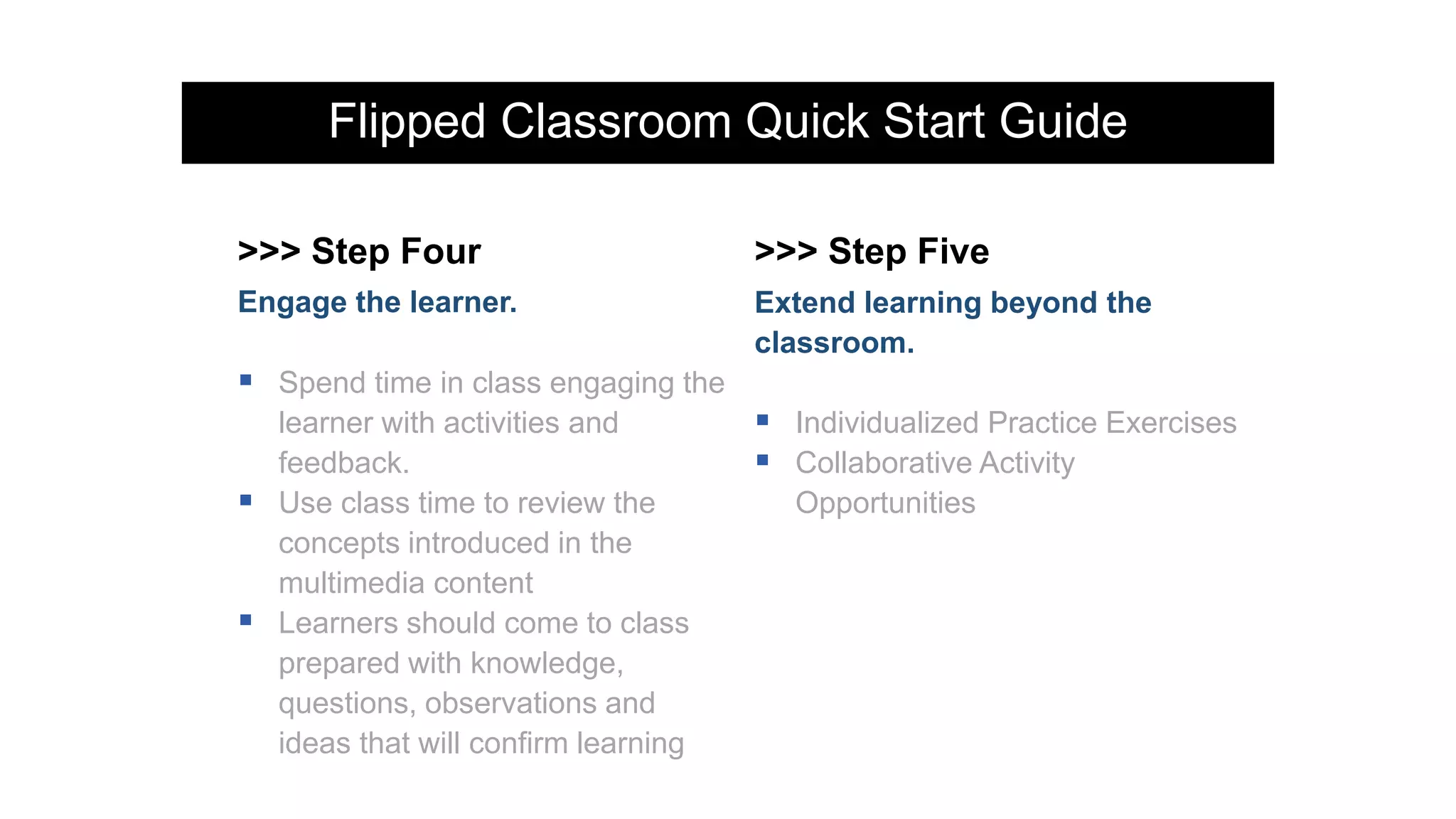
Flipped Classroom Quick Start Guide
>>> Step Four >>> Step Five
Engage the learner.
 Spend time in class engaging the
learner with activities and
feedback.
 Use class time to review the
concepts introduced in the
multimedia content
 Learners should come to class
prepared with knowledge,
questions, observations and
ideas that will confirm learning
Extend learning beyond the
classroom.
 Individualized Practice Exercises
 Collaborative Activity
Opportunities
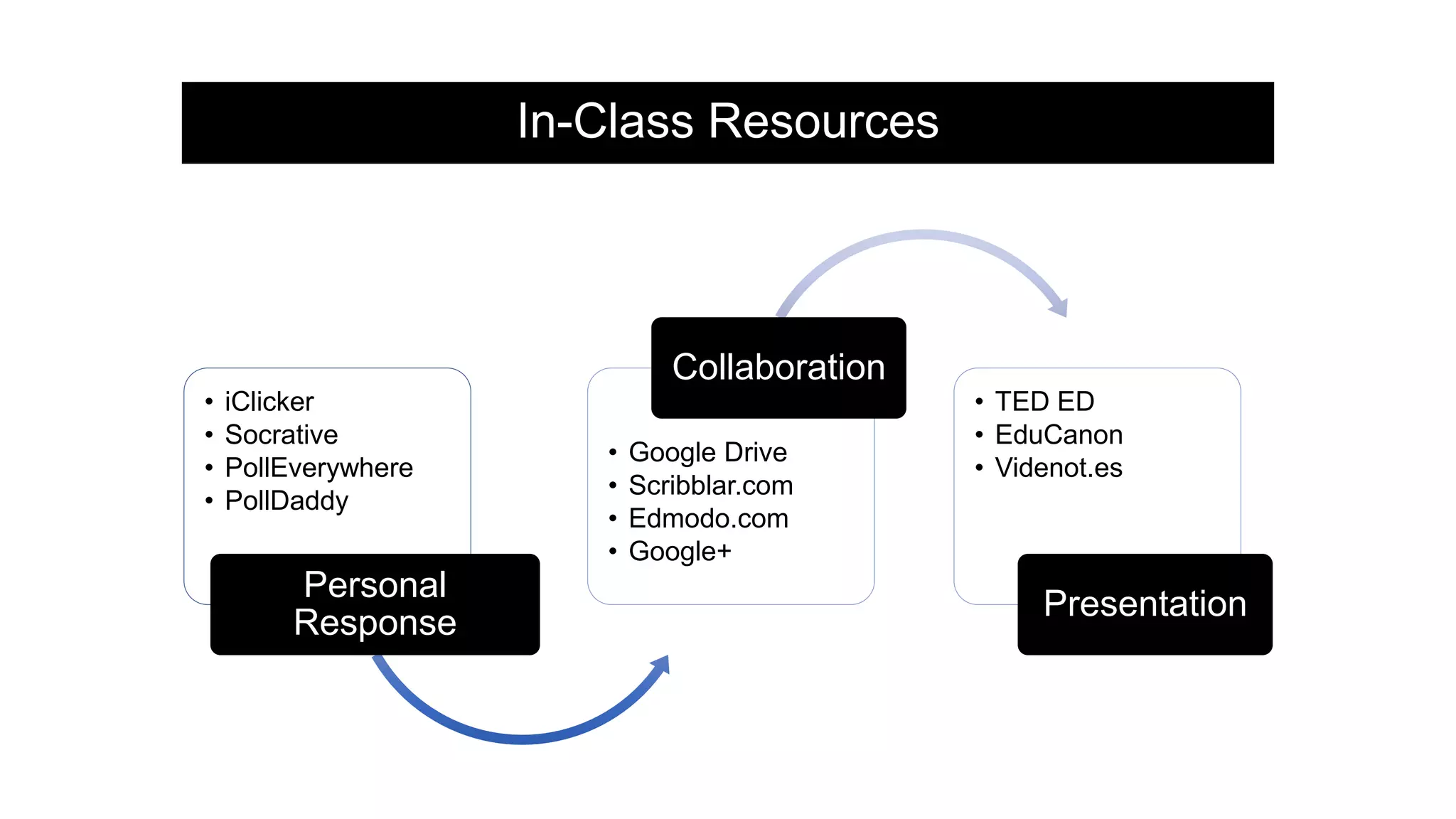
In-Class Resources
• iClicker
• Socrative
• PollEverywhere
• PollDaddy
Personal
Response
• Google Drive
• Scribblar.com
• Edmodo.com
• Google+
Collaboration
• TED ED
• EduCanon
• Videnot.es
Presentation
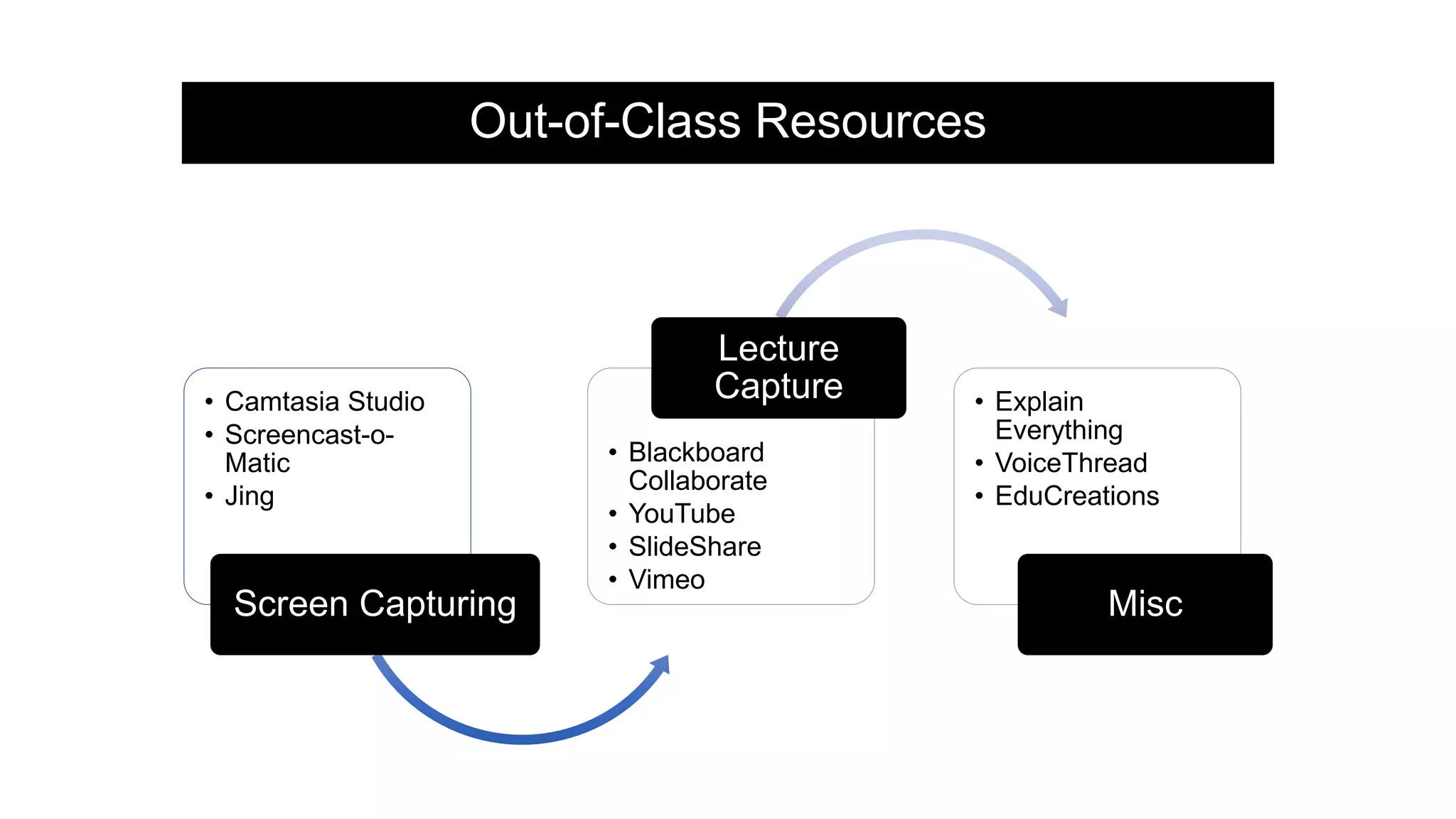
Out-of-Class Resources
• Camtasia Studio
• Screencast-o-
Matic
• Jing
Screen Capturing
• Blackboard
Collaborate
• YouTube
• SlideShare
• Vimeo
Lecture
Capture • Explain
Everything
• VoiceThread
• EduCreations
Misc
Presentation Resources
Presenters
Emmy Parkes, MS,
RDN, CDE
Leonia Houston,
MSIT
Mary Etta
Moorachian, PhD,
RD, LD, CCP,
CFCS
Instructor
The University of
Mississippi Department
of Nutrition and
Hospitality
Management
meparke1@olemiss.edu
Instructor and
Instructional Designer
University of Memphis
Center for Innnovative
Teaching and Learning
leonia.houston@memphis.edu
Professor,
JWU Charlotte College
of Culinary
maryetta.moorachian@jwu.ed
u
Presentation Resources
 "7 Unique Flipped Classroom Models: Which Is Right for You?" Panopto Video
Platform. Panopto, 29 Apr. 2014. Web. 06 Jan. 2015. http://panopto.com/blog/7-
unique-flipped-classroom-models-right/ .
 Demski, Jennifer. "6 Expert Tips for Flipping the Classroom." 6 Expert Tips for
Flipping the Classroom -- Campus Technology. Campus Technology, 23 Jan.
2013. Web. 06 Feb. 2015. http://campustechnology.com/articles/2013/01/23/6-
expert-tips-for-flipping-the-classroom.aspx .
 Eli. "7 Things You Should Know About Flipped Classrooms." EDUCAUSE
Learning Initiative 7 Things You Should Know About Flipped Classrooms (n.d.):
n. pag. Educause. Educasue. Web. 4 Nov. 2014.
https://net.educause.edu/ir/library/pdf/ELI7081.pdf .
 ""Flipping" a Class." "Flipping" a Class. N.p., n.d. Web. 06 Mar. 2015.
 Miller, Andrew. "5 Tips for Flipping Your PBL Classroom." Edutopia. Edutopia, 21
Jan. 2014. Web. 18 Feb. 2015. http://www.edutopia.org/blog/5-tips-flipping-pbl-
classroom-andrew-miller.
Presentation Resources
 "Quick Start Guide: Flipped Classroom." Quick Start Guide: Flipped Classroom
(n.d.): n. pag. Quick Start Guide: Flipped Classroom. Center for Teaching and
Learning University of Texas. Web. 28 Feb. 2015.
http://ctl.utexas.edu/sites/default/files/utflipquickstartguide112114.pdf .
 Riddell, Roger. "16 Flipped Learning Uses in K-12 and College Classrooms." Latest
News. Education Drive, 19 Nov. 2012. Web. 06 Jan. 2015.
http://www.educationdive.com/news/16-flipped-learning-uses-in-k-12-and-college-
classrooms/74311/ .
 Silvia. "Top 6 Apps for Flipping Your Classroom." Learning Games and Apps for
Kids. Avatar Generation, 26 Oct. 2012. Web. 16 Feb. 2015.
http://www.avatargeneration.com/2012/10/top-6-apps-for-flipping-your-classroom/ .
 Staff, TechThought. "5 Digital Tools For The Flipped Classroom." TeachThought.
N.p., 29 Mar. 2013. Web. 06 Mar. 2015.
 Staff, TechThought. "7 Must-Have Tools For The Flipped Classroom."
TeachThought. N.p., 17 Mar. 2013. Web. 06 Mar. 2015.
 "The Teacher’s Guide To Flipped Classrooms." The Teacher's Guide To Flipped
Classrooms. Edudemic, n.d. Web. 06 Mar. 2015.
http://www.edudemic.com/guides/flipped-classrooms-guide/ .

Flipped Instruction: Flipping it Without Flipping Out

  • 1.
    Flipped Instruction: Flipping ItWithout Flipping Out! Presenters: Emmy Parkes Leonia Houston Mary Etta Moorachian
  • 2.
    Overview  Part 1:Defining flipped instruction and its benefits for learning.  Part 2: Flipped instruction models and examples.  Part 3: Structuring your flipped classroom and conceptualizing your plan.
  • 3.
    Question… How Would YouBest Describe Your Classroom and Teaching Style?
  • 4.
    The flipped classroomapproach is a pedagogical model in which the typical lecture and homework elements of a course are reversed. What Does the Flipped Approach Mean?
  • 5.
    "Originators" Approximately 2007 Jonathan Bergmann and Aaron Sams  High school science teachers who used online video to provide instruction to their students.  Goal: Free up classroom time for lab work  Salman Khan  Khan Academy used videos to teach math techniques  Instructors began using the Khan videos as out of class activities How Was the Flipped Classroom Created?
  • 6.
    Benefits of FlippedInstruction  Increased flexibility and accessibility  Increased interaction and engagement  Greater student satisfaction and preparation  Improved learning outcomes  Emphasis on active learning and team based learning.
  • 7.
    Benefits of FlippedInstruction According to ASCD.org, of 453 instructors who flipped their classrooms:  67% reported increased test scores  80% reported improved student attitudes  99% reported they would flip their classrooms again next year
  • 8.
    Flipped Classroom: StudentPerspective  Technology meets the needs of the modern learner  Learners are more engaged in instruction  Learners are retaining the materials at a faster pace  Learner satisfaction increased and remains high
  • 9.
    Flipped Classroom: FacultyPerspective  Challenges current teaching style  Method allows faculty to tailor lessons to student’s abilities  Courses can be consistent across multiple sections  Class time has a higher level of discussion
  • 10.
    What Does aFlipped Classroom Look Like? F2F Class with Online Component Online Class with F2F Component
  • 11.
    Flipped Classroom andBloom’s Taxonomy Consider which skills and objectives are best suited for a F2F or online format. Lower Level Skills: Remember and understand (Online content and assessments completed outside of class) Higher Level Skills: Apply, analyze, evaluate and create (Activities completed face to face)
  • 12.
    Sample Flipped ClassroomStructure Content Presentation Guest Speaker Other F2F Elements Discussions (begins F2F and extends online) Student Questions Online Readings Online Quizzes Assignment Submission Other Online Elements Face-to-Face (F2F) Online
  • 13.
    Sample Flipped ClassroomStructure Hands On Activities Project-Based Learning Instructor as Facilitator Content Presentation Instructions Online Readings and Resources Online Discussions Assignment Submission/Dropbo x Face-to-Face (F2F)Online
  • 14.
  • 15.
    Flipped Instruction: ActiveLearning Source: Carnegie Mellon Center for Teaching Excellence and Educational Innovation
  • 16.
    Flipped Instruction: TeamBased Learning A special form of collaborative learning using a specific sequence of individual work, group work, and intermediate feedback to create a motivational framework in which students increasingly hold each other accountable for coming to class prepared and contributing to discussion. -Michael Sweet Defined Process for TBL Lessons Learned
  • 17.
    Flipped Instruction: TeamBased Learning Required Reading Readiness Assurance Test (Individual) Readiness Assurance Test (Group) Feedback, Appeals and/or Supplement al Info Application Defined Process for TBL Lessons Learned
  • 18.
    Flipped Instruction: TeamBased Learning Defined Process for TBL Lessons Learned  TBL prep time equal to or greater than regular lecture prep time  Physical set-up of the classroom is influential of group interaction and participation  small tables are ideal for group gathering  desks that can be moved is another viable option  Students can be overwhelmed with the new class structure
  • 19.
  • 20.
    Flipped Classroom Models Standard Inverted Discussion Oriented Demonstration Focused Learnersare assigned homework (Video lectures and/or reading materials) and are given opportunities to practice what they learned in the classroom with traditional activities. Instructors assign lecture videos (self produced, TED Talks, YouTube and etc) for out of class activities and class time is devoted to discussion and the exploration of the subject. Instructor uses screen recording software to demonstrate an activity or concept for out of class activities and learners are required to demonstrate understanding of the concept during class.
  • 21.
    Flipped Classroom Models FauxVirtual Flipping the Teacher Learners watch video lectures in the classroom (viewing and retaining material at an individual pace) and Instructors are able to move from student to student offering individual support. Instructors share video lectures, assign and collect assignments via the learning management system (Blackboard). Learners are required to attend office hours or regularly scheduled meetings based on individual need. Learners are required to record activities to show competency or film themselves presenting a new subject or skill as homework or out of class activity. Class time is spent discussing the “Teach the Teacher” submissions.
  • 22.
    Flipped Model Example:Winthrop University Course: Food Service Systems Management II
  • 23.
    Flipped Model Example:Winthrop University Sample Course Schedule: Food Service Systems Management II
  • 24.
    Part Three… Structuring YourFlipped Classroom and Conceptualizing Your Plan
  • 25.
    Flipped Classroom QuickStart Guide >>> Step One >>> Step Two >>> Step Three Determine how the approach will fit into your current or future course.  Entire Class  After Midterm Exam  Class Project Create multimedia content.  Use video or screen capturing tools to introduce topics  Create podcasts using voice-over PowerPoint  Upload the content to a media server Share the content.  Make links to the content created in Step Two available in a centralized location  Provide students specific guidelines for retaining the material  Explicit Deadlines
  • 26.
    Flipped Classroom QuickStart Guide >>> Step Four >>> Step Five Engage the learner.  Spend time in class engaging the learner with activities and feedback.  Use class time to review the concepts introduced in the multimedia content  Learners should come to class prepared with knowledge, questions, observations and ideas that will confirm learning Extend learning beyond the classroom.  Individualized Practice Exercises  Collaborative Activity Opportunities
  • 27.
    In-Class Resources • iClicker •Socrative • PollEverywhere • PollDaddy Personal Response • Google Drive • Scribblar.com • Edmodo.com • Google+ Collaboration • TED ED • EduCanon • Videnot.es Presentation
  • 28.
    Out-of-Class Resources • CamtasiaStudio • Screencast-o- Matic • Jing Screen Capturing • Blackboard Collaborate • YouTube • SlideShare • Vimeo Lecture Capture • Explain Everything • VoiceThread • EduCreations Misc
  • 29.
  • 30.
    Presenters Emmy Parkes, MS, RDN,CDE Leonia Houston, MSIT Mary Etta Moorachian, PhD, RD, LD, CCP, CFCS Instructor The University of Mississippi Department of Nutrition and Hospitality Management meparke1@olemiss.edu Instructor and Instructional Designer University of Memphis Center for Innnovative Teaching and Learning leonia.houston@memphis.edu Professor, JWU Charlotte College of Culinary maryetta.moorachian@jwu.ed u
  • 31.
    Presentation Resources  "7Unique Flipped Classroom Models: Which Is Right for You?" Panopto Video Platform. Panopto, 29 Apr. 2014. Web. 06 Jan. 2015. http://panopto.com/blog/7- unique-flipped-classroom-models-right/ .  Demski, Jennifer. "6 Expert Tips for Flipping the Classroom." 6 Expert Tips for Flipping the Classroom -- Campus Technology. Campus Technology, 23 Jan. 2013. Web. 06 Feb. 2015. http://campustechnology.com/articles/2013/01/23/6- expert-tips-for-flipping-the-classroom.aspx .  Eli. "7 Things You Should Know About Flipped Classrooms." EDUCAUSE Learning Initiative 7 Things You Should Know About Flipped Classrooms (n.d.): n. pag. Educause. Educasue. Web. 4 Nov. 2014. https://net.educause.edu/ir/library/pdf/ELI7081.pdf .  ""Flipping" a Class." "Flipping" a Class. N.p., n.d. Web. 06 Mar. 2015.  Miller, Andrew. "5 Tips for Flipping Your PBL Classroom." Edutopia. Edutopia, 21 Jan. 2014. Web. 18 Feb. 2015. http://www.edutopia.org/blog/5-tips-flipping-pbl- classroom-andrew-miller.
  • 32.
    Presentation Resources  "QuickStart Guide: Flipped Classroom." Quick Start Guide: Flipped Classroom (n.d.): n. pag. Quick Start Guide: Flipped Classroom. Center for Teaching and Learning University of Texas. Web. 28 Feb. 2015. http://ctl.utexas.edu/sites/default/files/utflipquickstartguide112114.pdf .  Riddell, Roger. "16 Flipped Learning Uses in K-12 and College Classrooms." Latest News. Education Drive, 19 Nov. 2012. Web. 06 Jan. 2015. http://www.educationdive.com/news/16-flipped-learning-uses-in-k-12-and-college- classrooms/74311/ .  Silvia. "Top 6 Apps for Flipping Your Classroom." Learning Games and Apps for Kids. Avatar Generation, 26 Oct. 2012. Web. 16 Feb. 2015. http://www.avatargeneration.com/2012/10/top-6-apps-for-flipping-your-classroom/ .  Staff, TechThought. "5 Digital Tools For The Flipped Classroom." TeachThought. N.p., 29 Mar. 2013. Web. 06 Mar. 2015.  Staff, TechThought. "7 Must-Have Tools For The Flipped Classroom." TeachThought. N.p., 17 Mar. 2013. Web. 06 Mar. 2015.  "The Teacher’s Guide To Flipped Classrooms." The Teacher's Guide To Flipped Classrooms. Edudemic, n.d. Web. 06 Mar. 2015. http://www.edudemic.com/guides/flipped-classrooms-guide/ .

Editor's Notes

  • #2 Mary Etta
  • #3 Mary Etta
  • #4 Leonia
  • #5 Leonia
  • #6 Leonia
  • #7 Leonia
  • #8 Leonia
  • #9 Leonia
  • #10 Leonia
  • #11 Leonia
  • #12 Leonia
  • #13 Leonia
  • #14 Leonia
  • #15 Leonia
  • #16 Leonia initial exposure to content is shifted outside of the classroom via readings, instructional videos, individual or collaborative activities, or a combination of these. During class, Lecture is ELIMINATED all or a significant portion of the time is used for practice, application exercises, discussion-based activities, team-based learning, or other active learning techniques. Optional Some preliminary assessment, such as an online quiz or brief assignment, may be used to gauge student understanding and tailor instructional plans prior to class.
  • #17 Emmy
  • #18 Emmy Step 1 – Required reading – outside classroom No grade Step 2 – Readiness Assurance Test for individuals Traditional multiple choice quiz - worth 40 points Ensures outside reading Step 3 – Readiness Assurance Test for groups with immediate feedback Video of immediate feedback sheet? - worth 60 points Immediate feedback ensures knowledge of major points Step 4 – Feedback, appeals and/or supplemental information from the instructor Supplemental information includes example case studies, video tours of clinics or patient stories, introduction to teaching tools like the exchange lists, etc. Step 5 – Application – usually on a different class day from steps 1-4 Case study – worth 50 points Video of groups????
  • #19 Emmy The prep time for quizzes, supplemental material, and case studies are equal to or greater than regular lecture prep time. The physical set-up of the classroom influences group dynamics & participation. If a student can’t be physically in a group or hear the group discussion, they cannot participate! Ideally, need small tables for students to gather around. Desks that can be moved into a circle will work, too. Students can be overwhelmed with the case studies at the beginning. By the end of MNT II, however, they are usually asking if MNT III has the same structure and express happiness that it does!
  • #20 Leonia
  • #21 Leonia
  • #22 Leonia
  • #23 Mary Etta
  • #24 Mary Etta Explain how students would translate this schedule.
  • #25 Leonia
  • #26 Leonia
  • #27 Leonia
  • #28 Leonia Scribllar is a great simple and effective online collaboration tool. It provides a multi-user whiteboard, live audio, image collaboration, text chat and more. TED Ed is a website that allows teachers to create lessons around YouTube videos. Teachers can select YouTube videos and use their URLs to add questions in different formats. The added value of this tool is that it has a section where teachers can track stats of how many has answered answers and hoa mnay students have seen the lesson. Educanon is another powerful tool that teachers can use to design lessons based on videos from both YouTube and Vimeo. And like Teachem, teachers can generate questions on the content of videos and share it together with videos in a single lesson. VideoNotes is a free web tool that allows students to take notes on a video they are watching. The notes are synchronized with the video being watched. The good thing about VideoNotes is that it is integrated into Google Drive which means that students will be able to save their notes directly to their Drive account and access, edit, and work on them anytime they want. All the notes are time-stamped.
  • #29 Leonia With Explain Everything, teachers can import PowerPoint presentations, PDF files and other documents. They can then add animation, annotation and narration to those documents. The app works like an interactive whiteboard, allowing teachers to create a traditional lecture with the app and then share it with students. With VoiceThread, classroom discussions take place online. Whether watching a video, viewing a presentation or simply answering a question, teachers and students can leave voice and text comments and drawings for one another. Instead of simply watching a video or lecture at home, students can actually interact with it as if they were in the classroom, adding a whole new dimension to flipping the classroom. An interactive whiteboard, Educreations gives teachers a way to create a video tutorial for students. Perfect for a flipped classroom, teachers can record their lectures and add visual elements to help students understand difficult concepts. Help offered in class can also be recorded and uploaded to make it accessible after class.
  • #30 Mary Etta
  • #31 Mary Etta