FacebookMarketingPresented by:Naper Solutions, Incwww.napersolutions.com
AgendaWhy Facebook?Importance of StrategyHow to Create a Facebook PageFacebook IntegrationEngage & InteractFacebook AdvertisingReporting & AnalyticsFuture of FacebookQ&A
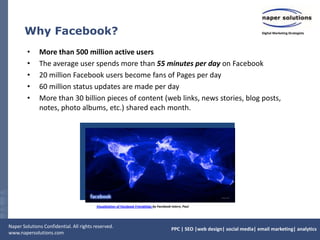
Why Facebook?More than 500 million active usersThe average user spends more than 55 minutes per day on Facebook20 million Facebook users become fans of Pages per day60 million status updates are made per dayMore than 30 billion pieces of content (web links, news stories, blog posts, notes, photo albums, etc.) shared each month. Visualization of Facebook Friendships by Facebook intern, Paul
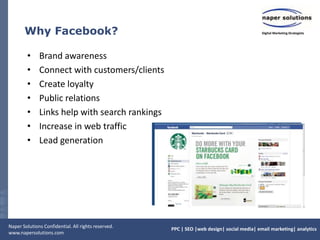
Why Facebook?Brand awarenessConnect with customers/clients Create loyaltyPublic relationsLinks help with search rankingsIncrease in web trafficLead generation
Why Facebook?Why Facebook users “Like” a brand on Facebook25% want to receive discounts and promotions21% are customers of the brand18% want to show support for the brandWhat caused Facebook users to like a brand’s page in the first place?75% connected because they were invited by the brand directly59% connected because they were invited by a friend49% connected as the result of personal research
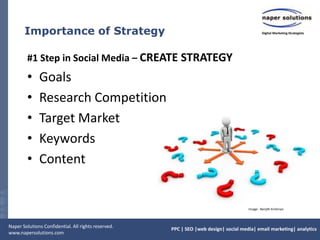
Importance of Strategy#1 Step in Social Media – CREATE STRATEGYGoalsResearch CompetitionTarget MarketKeywordsContentImage:  Renjith Krishnan
Facebook Page – 5 Tips & Tricks1. Create a “Page” not a profile.  Why?Facebook says so
SEO – search engines index pages
Analytics & widgets
Unlimited fans
New Page format (eff. March 11) offers more ways businesses can utilize pages
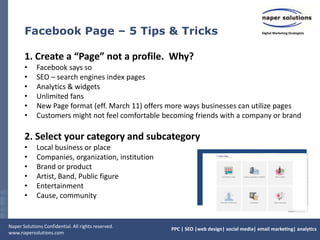
Customers might not feel comfortable becoming friends with a company or brand2. Select your category and subcategoryLocal business or place
Companies, organization, institution
Brand or product
Artist, Band, Public figure
Entertainment
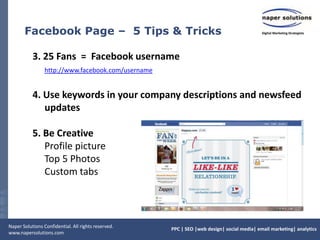
Cause, communityFacebook Page –  5 Tips & Tricks3. 25 Fans  =  Facebook usernamehttp://www.facebook.com/username4. Use keywords in your company descriptions and newsfeed updates5. Be Creative      Profile picture     Top 5 Photos 	Custom tabs
Facebook Page – More Tips & TricksGet Connections!Suggest your page to friends. Ask friends to suggest your page to their friends.
Upload your contact list on Facebook to send an invitation to “Like” your page

Facebook Marketing

  • 1.
  • 2.
    AgendaWhy Facebook?Importance ofStrategyHow to Create a Facebook PageFacebook IntegrationEngage & InteractFacebook AdvertisingReporting & AnalyticsFuture of FacebookQ&A
  • 3.
    Why Facebook?More than500 million active usersThe average user spends more than 55 minutes per day on Facebook20 million Facebook users become fans of Pages per day60 million status updates are made per dayMore than 30 billion pieces of content (web links, news stories, blog posts, notes, photo albums, etc.) shared each month. Visualization of Facebook Friendships by Facebook intern, Paul
  • 4.
    Why Facebook?Brand awarenessConnectwith customers/clients Create loyaltyPublic relationsLinks help with search rankingsIncrease in web trafficLead generation
  • 5.
    Why Facebook?Why Facebookusers “Like” a brand on Facebook25% want to receive discounts and promotions21% are customers of the brand18% want to show support for the brandWhat caused Facebook users to like a brand’s page in the first place?75% connected because they were invited by the brand directly59% connected because they were invited by a friend49% connected as the result of personal research
  • 6.
    Importance of Strategy#1Step in Social Media – CREATE STRATEGYGoalsResearch CompetitionTarget MarketKeywordsContentImage: Renjith Krishnan
  • 7.
    Facebook Page –5 Tips & Tricks1. Create a “Page” not a profile. Why?Facebook says so
  • 8.
    SEO – searchengines index pages
  • 9.
  • 10.
  • 11.
    New Page format(eff. March 11) offers more ways businesses can utilize pages
  • 12.
    Customers might notfeel comfortable becoming friends with a company or brand2. Select your category and subcategoryLocal business or place
  • 13.
  • 14.
  • 15.
  • 16.
  • 17.
    Cause, communityFacebook Page– 5 Tips & Tricks3. 25 Fans = Facebook usernamehttp://www.facebook.com/username4. Use keywords in your company descriptions and newsfeed updates5. Be Creative Profile picture Top 5 Photos Custom tabs
  • 18.
    Facebook Page –More Tips & TricksGet Connections!Suggest your page to friends. Ask friends to suggest your page to their friends.
  • 19.
    Upload your contactlist on Facebook to send an invitation to “Like” your page

Editor's Notes

  • #7 Social Media GoalsShort term goal in social media (drive more traffic to site, SEO)Long term goal (Receive “X” fan base in 6 months, year, brand awareness, etc)Measurable performance indicatorsCompetitionWho are your competitors?What social media sites do they use?What specific strategies do they use? Target MarketWho is your target market?DemographicsWhat social media platforms do they use?
  • #8 It’s a rule, if Facebook finds out you violated their terms of service, they can and have deleted your profile and all of your friends.Pages offer analytics and widgets to interact with your website “Like” buttons, sharing, etc.Personal profiles are limited to 5,000 friendsNew Pages: Use facebook as a business page – comment on other business pages postsSelect correct category and subcategory – the different categories give you different features to your page. For example, local business category gives you the option to add your business hours to your info. Your business category also shows up in Facebook search results, so it will help people find you.
  • #9 Fill out as much information as possible, use keywords in your descriptions, include links to your website, blog, other social media accounts. Utilize the 5 photos that show up at the top of your profile to highlight your products, services. Get creative. Custom tabs: Welcome tabs, highlight your products, contests, promotions, coupons, contact form/newsletter sign-up, list your locations, include your menus or specials, video
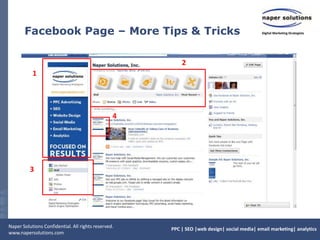
  • #11 Visual Branding on FacebookProfile Picture - give it visual weight as it occupies the “power corner” of the page. Maximum dimension-180px x 540pxUse the photo strip at the top of the page to display your products, post photos of employees. Get creative. You can choose the 5 photos that show up here, but the order is random.Tabs – Organize your tabs, set your landing tab, whether it’s a custom welcome tab, coupon, or info page. If you have custom pages with iFrame you can now change the photo that shows up next to the tab name. Delete tabs from this area that you are not using. Think of it as your website navigation.Profile thumbnail. Be sure to set your profile thumbnail so your logo or image isn’t skewed. The profile image is what people will see throughout Facebook, so you’ll want it to be a clean, clear image.Other notes – you can now set your featured “Likes” for your page. Choose up to five pages that you want to be associated and their logo/icon and link will show up on your page. In return, ask partners, clients, vendors to include you in their featured like section for more visibility.
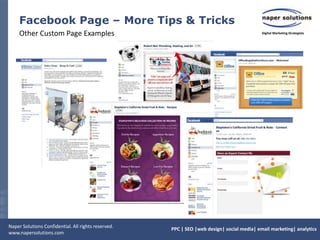
  • #12 Customfacebook tabs we’ve created for clients – Welcome tabs soliciting “likes” in return for a coupon. Recipe tab that links to the company’s recipe section on the website and a lead generation/contact/newsletter sign-up tab.
  • #13 Email Marketing – newsletters, event invites, eblasts - always include links to your social media profiles / pagesYou can also include links to your social media profiles within your email signatureInclude social media plug ins on your website, blog and ecommerce sits - share buttons, like buttons
  • #14 EdgeRankThe formula is based on three factors:1) how often two people interact on Facebook2) how many comments and likes a particular post has and3) how old the post is.
  • #15 If you host an event, take pictures. Post them to Facebook and ask your fans to tag themselves. (Make sure when you upload the photos you don’t restrict tagging.)Ask fans to post pictures – photos them using your product, make it fun. Have a photo contest and offer to use the best photo as your profile photo.
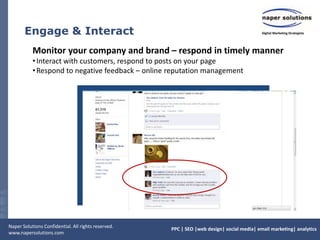
  • #16 Monitor page comments. This should be a part of your online reputation management. B2C - even more susceptible to customer feedback. Immediate urge is to delete negative comments. Refrain from doing so unless it’s REALLY offensive or includes obscenities. If possible, turn the negative review into something positive. Research shows that companies that respond promptly and publicly to feedback and criticism can actually increase their “Know, Like and Trust” factor with their customers.
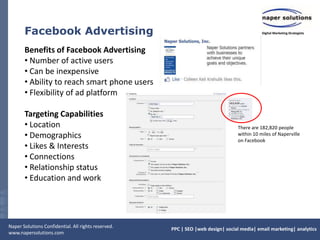
  • #17 Use the profile status example and ads for local wedding vendors.LocationAgeGenderKeywordsEducationWorkplaceRelationship StatusRelationship InterestsLanguages
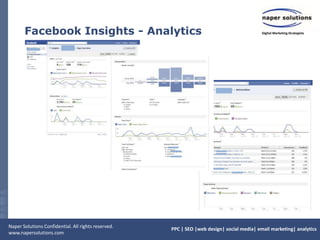
  • #18 Use insights to review trends. Demographics of your fan base, external referrers, what content works best. Insights can also be exported to excel – includes more detailed data if you want to manipulate.
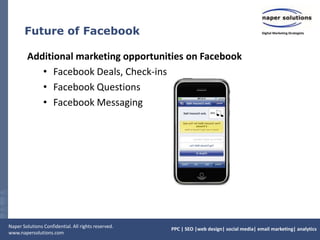
  • #19 Some things to mention, but not enough time to really discuss. Facebook is launching Deals. Businesses can offer coupon, promotions to customers who “check-in” using their smart phone. The also just launched Questions, which allows business to do polls, surveys, and discussions.