External Data Connector for SharePoint
• Query, Filter and Extract data from different external sources into SharePoint on-premise
and SharePoint online
• Apply metadata imported from external sources to SharePoint through column mapping
• Synchronize updates and changes in SharePoint data with their originating sources
• Create queries manually or use the Query Builder
• Import from SQL, Oracle, Exchange & ODBC clients apart from files
• Import Exchange Public Folder content to SharePoint Lists
• Import mails from Exchange user mailboxes to SharePoint Lists
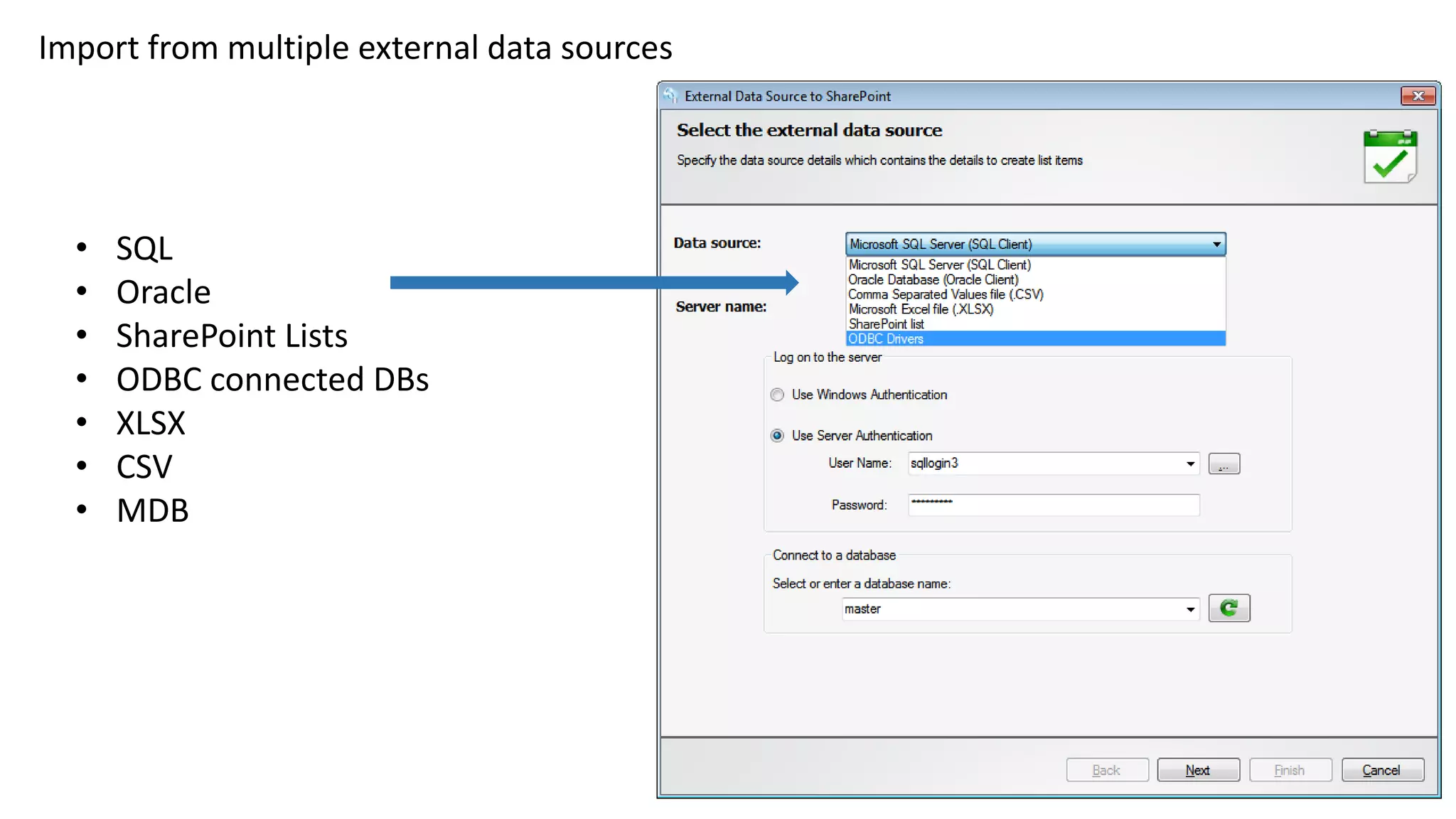
Import from multiple external data sources
• SQL
• Oracle
• SharePoint Lists
• ODBC connected DBs
• XLSX
• CSV
• MDB
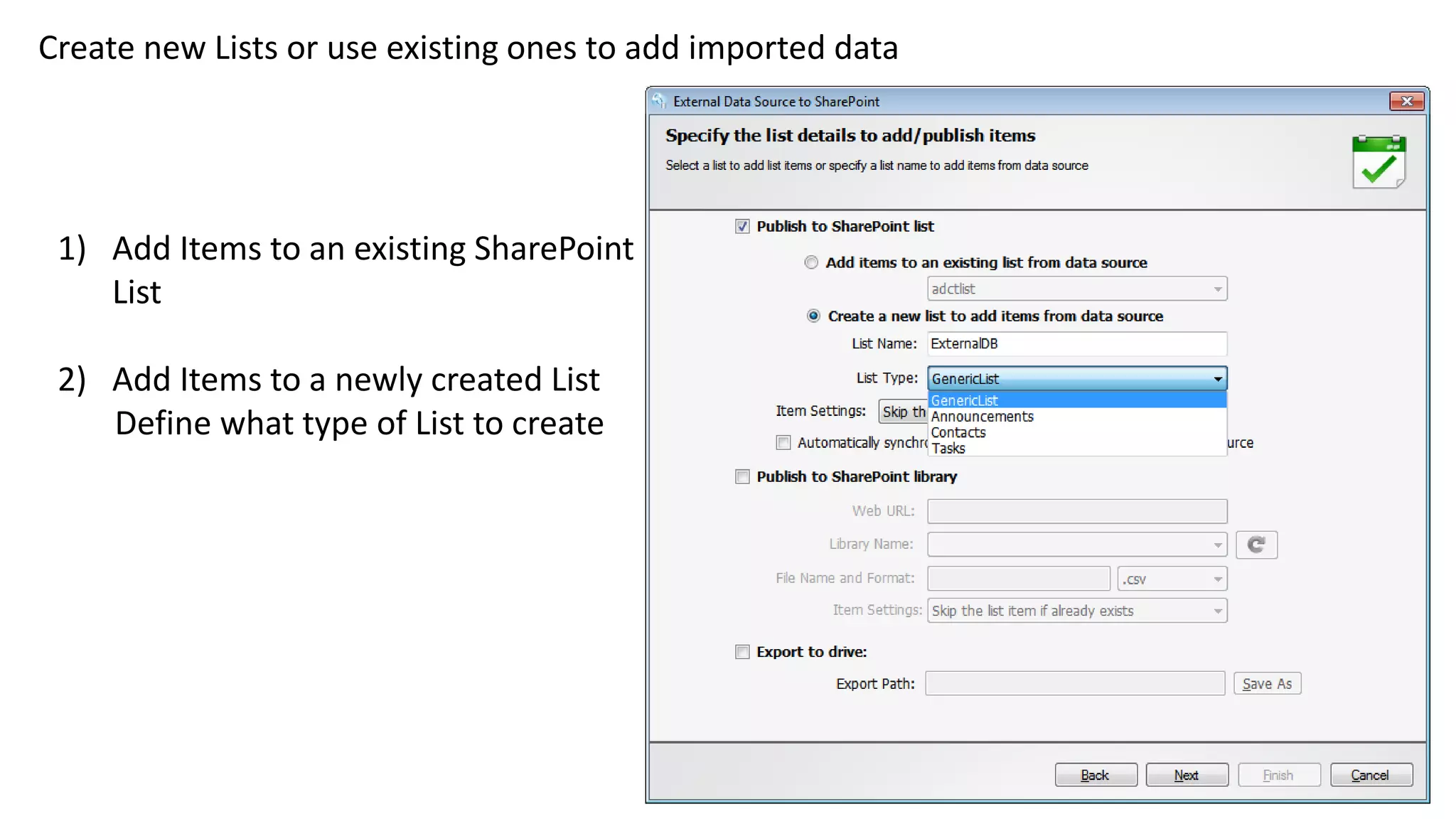
Create new Lists or use existing ones to add imported data
1) Add Items to an existing SharePoint
List
2) Add Items to a newly created List
Define what type of List to create
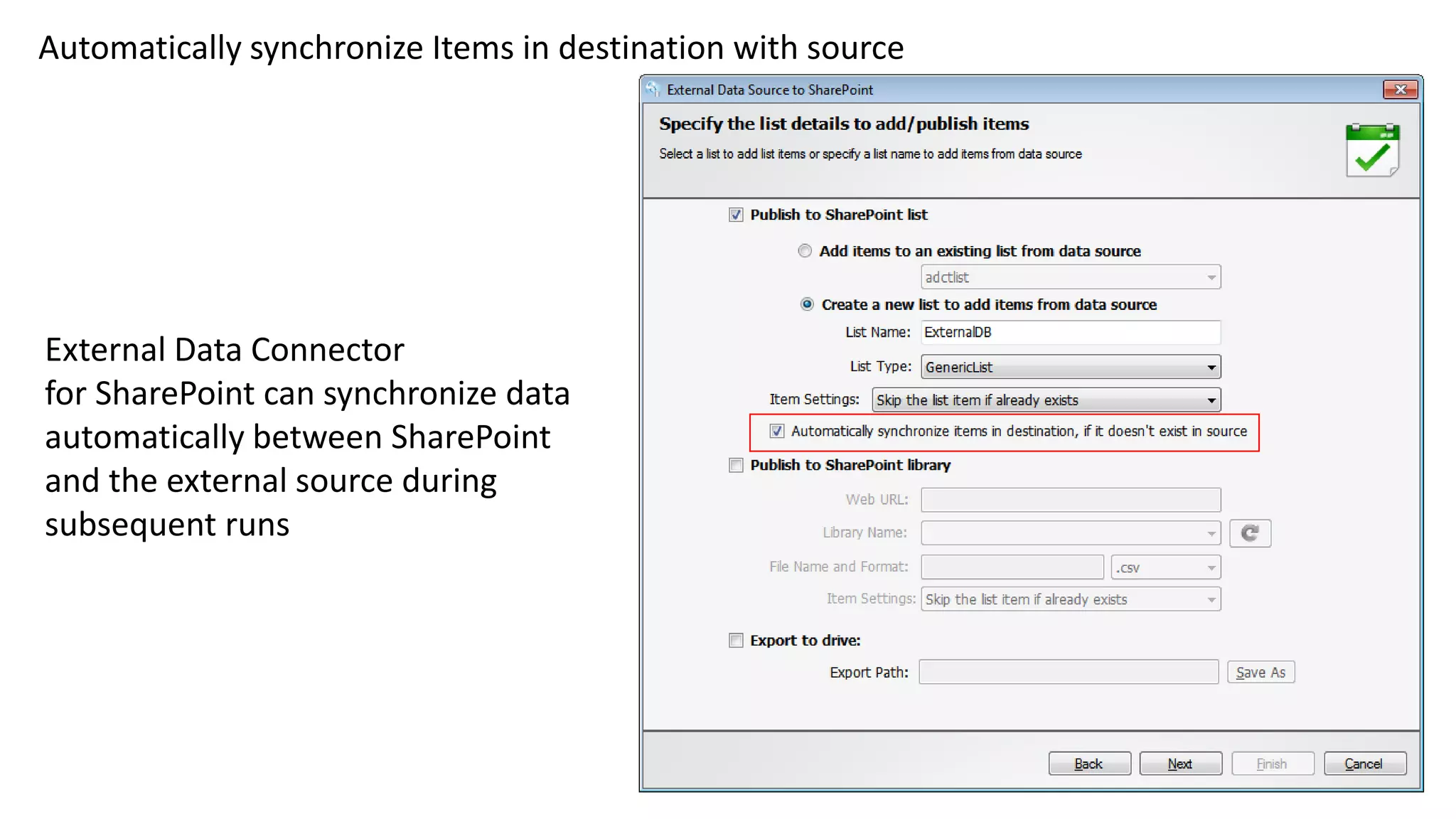
Automatically synchronize Items in destination with source
External Data Connector
for SharePoint can synchronize data
automatically between SharePoint
and the external source during
subsequent runs
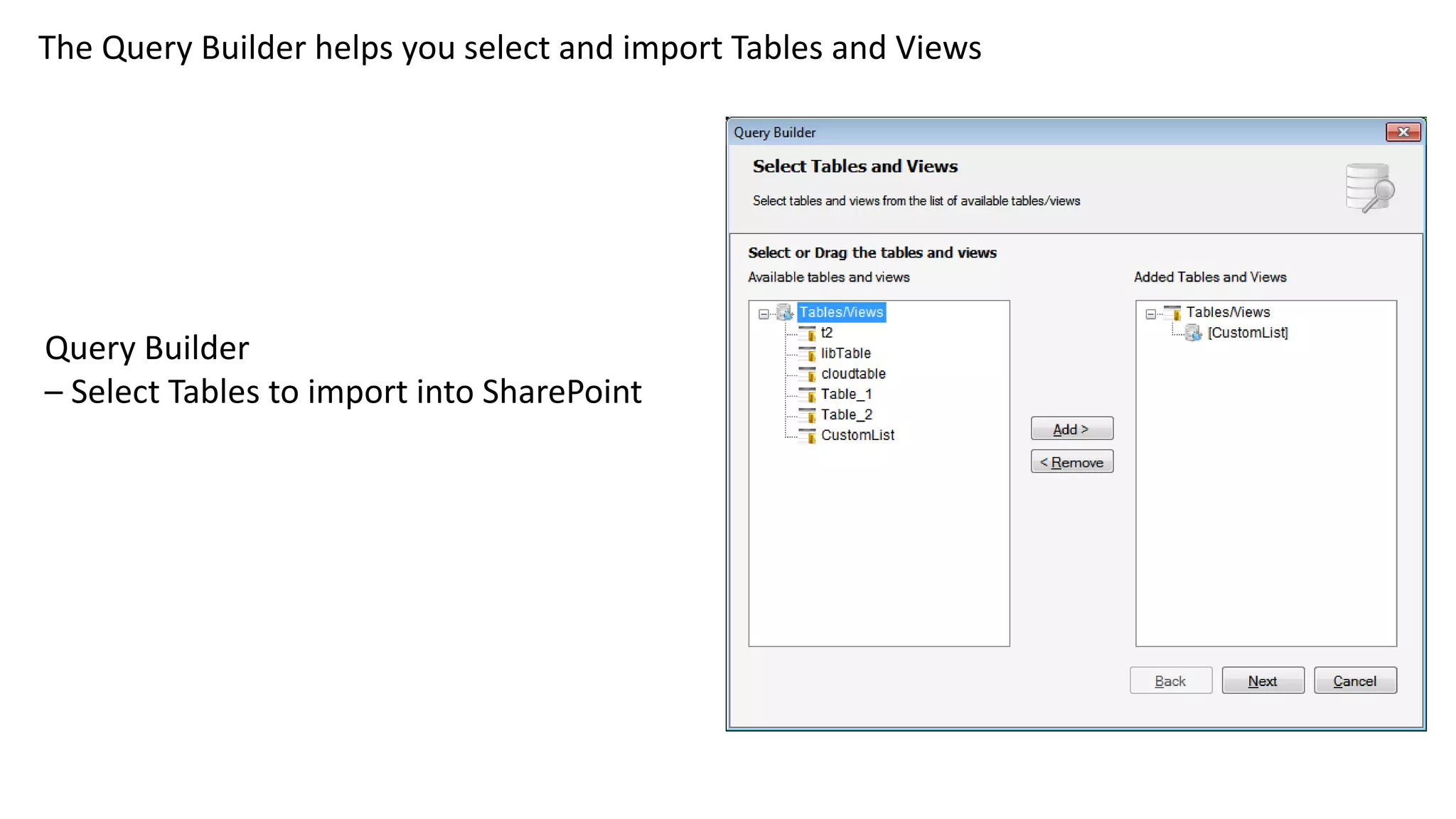
The Query Builder helps you select and import Tables and Views
Query Builder
– Select Tables to import into SharePoint
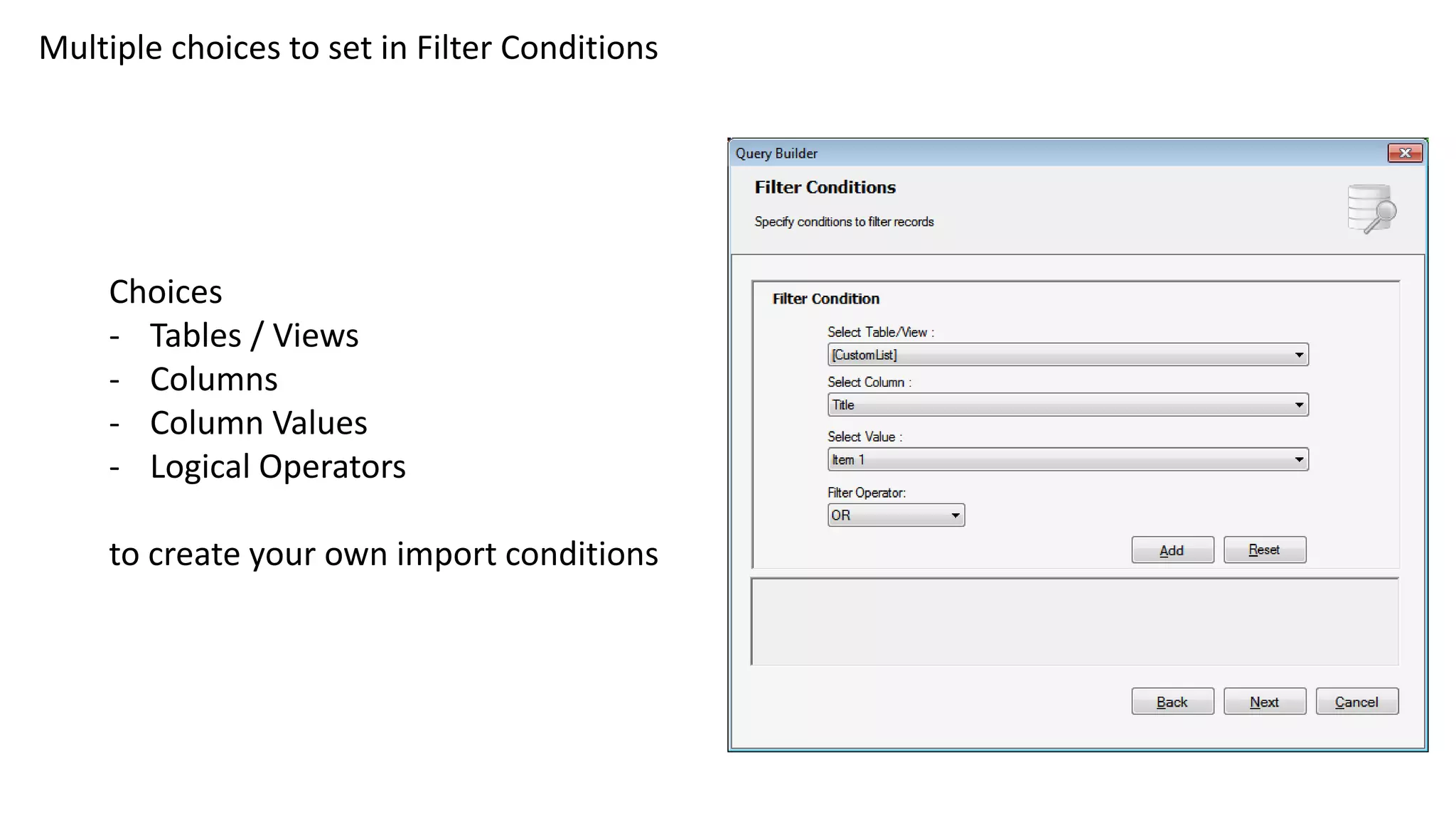
Multiple choices to set in Filter Conditions
Choices
- Tables / Views
- Columns
- Column Values
- Logical Operators
to create your own import conditions
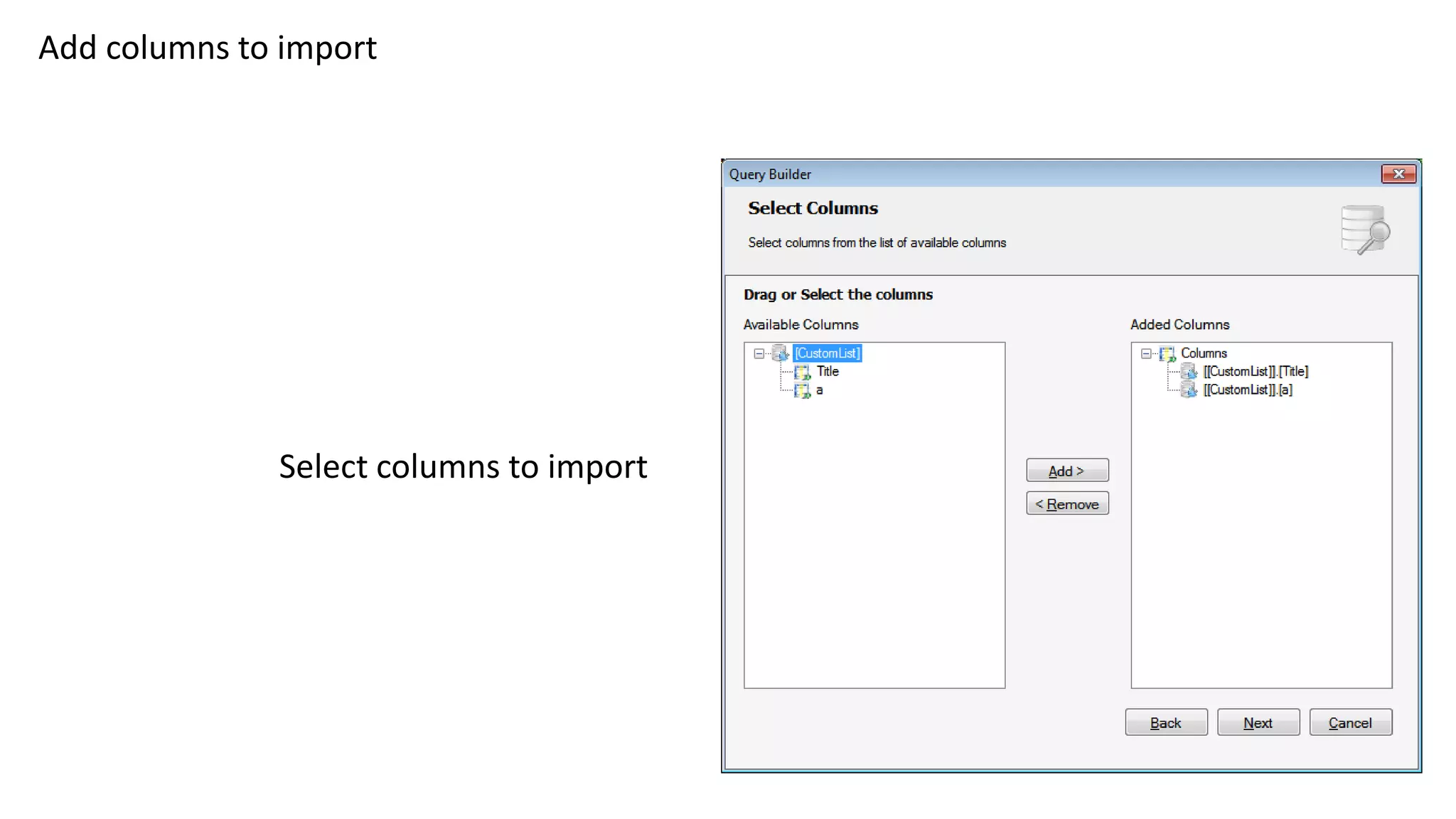
Add columns to import
Select columns to import
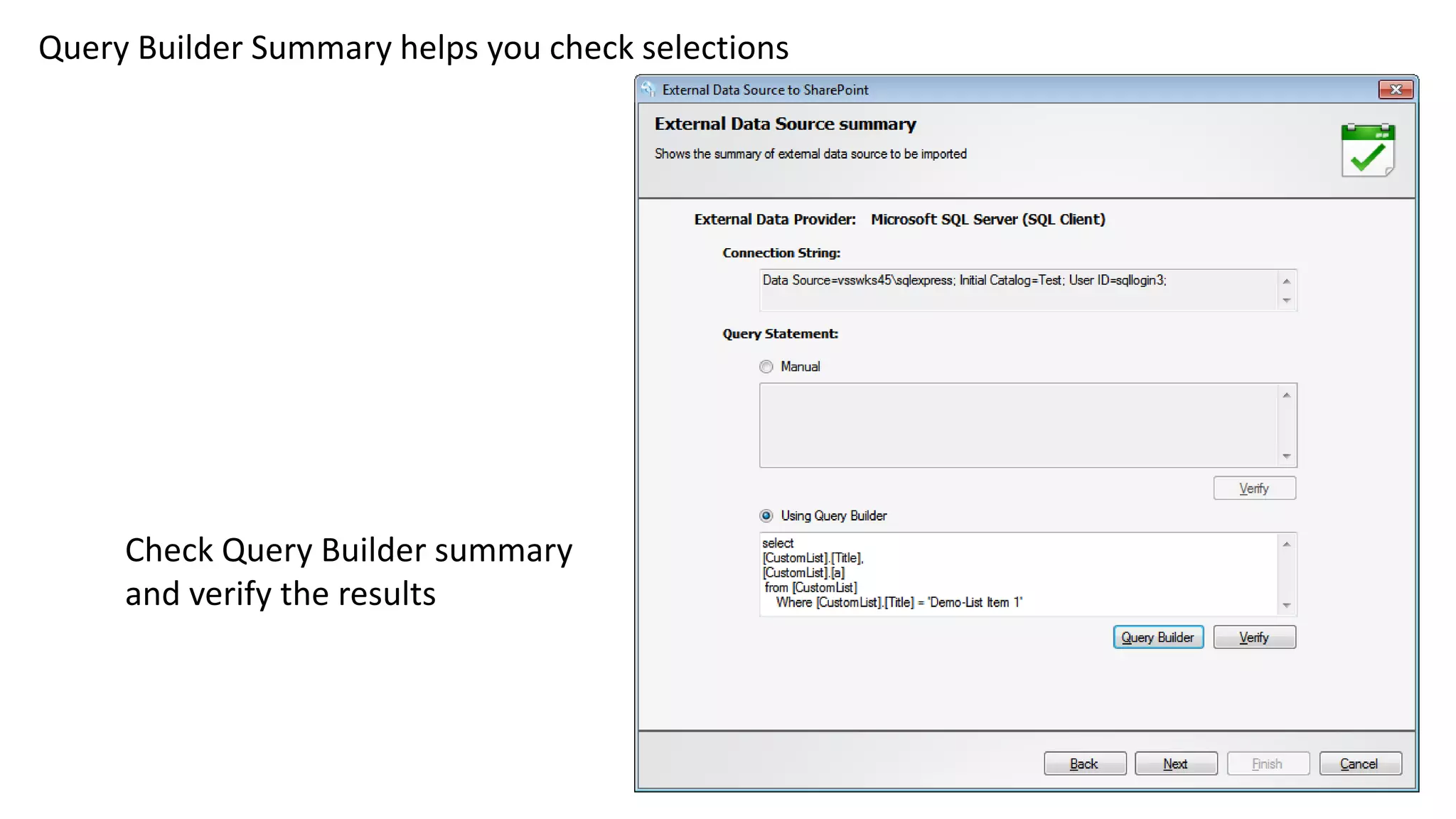
Query Builder Summary helps you check selections
Check Query Builder summary
and verify the results
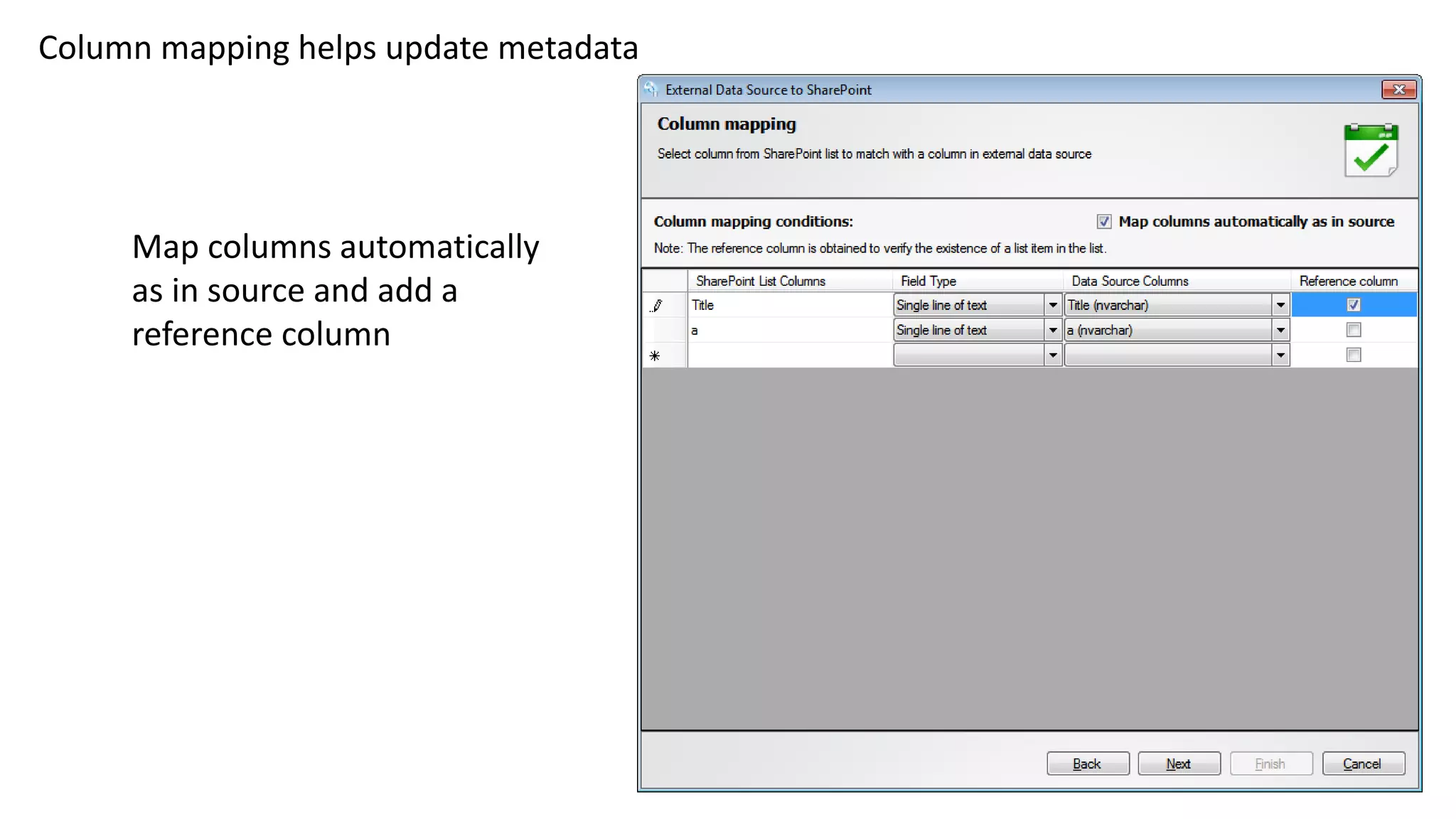
Column mapping helps update metadata
Map columns automatically
as in source and add a
reference column
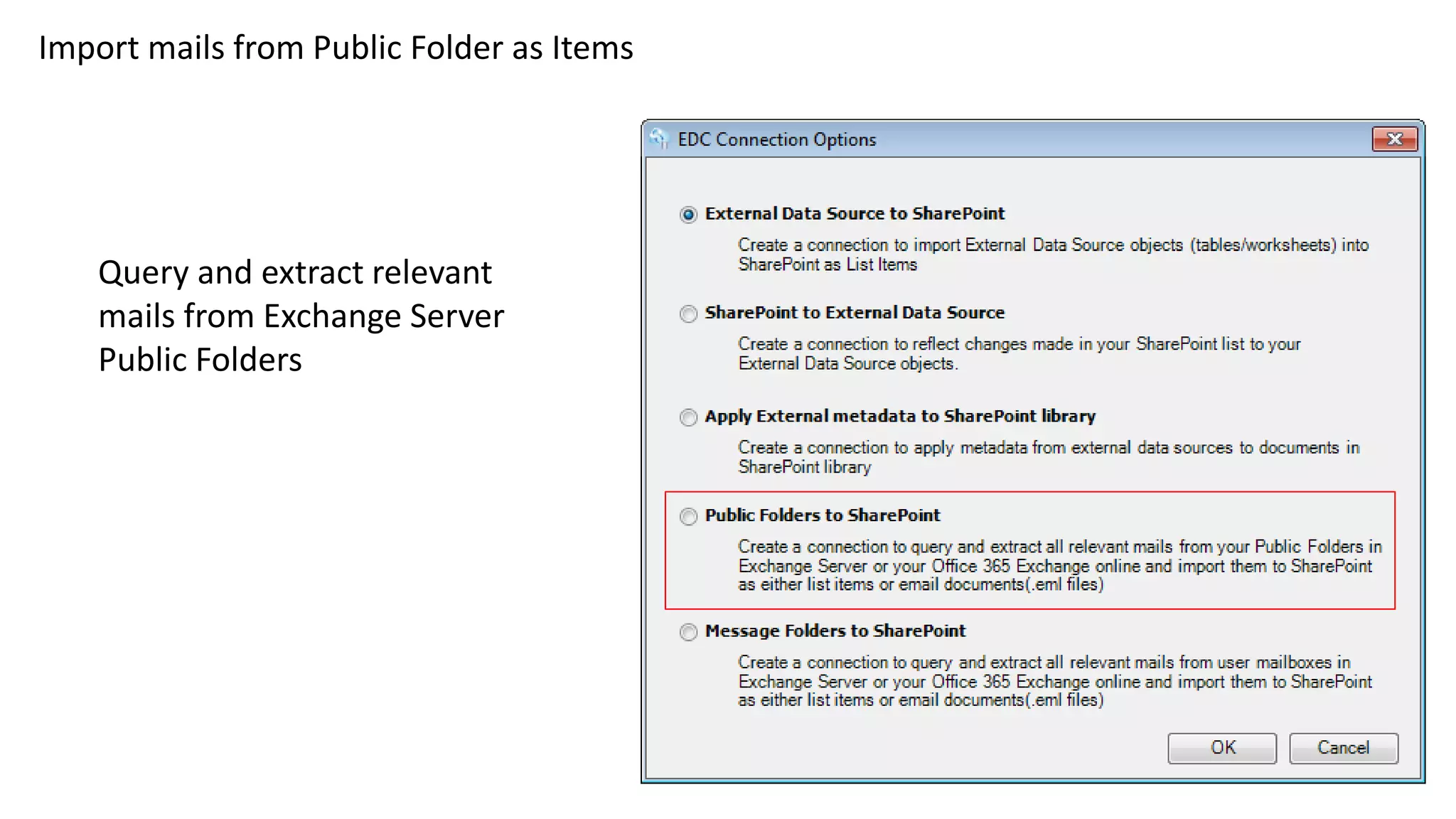
Import mails from Public Folder as Items
Query and extract relevant
mails from Exchange Server
Public Folders
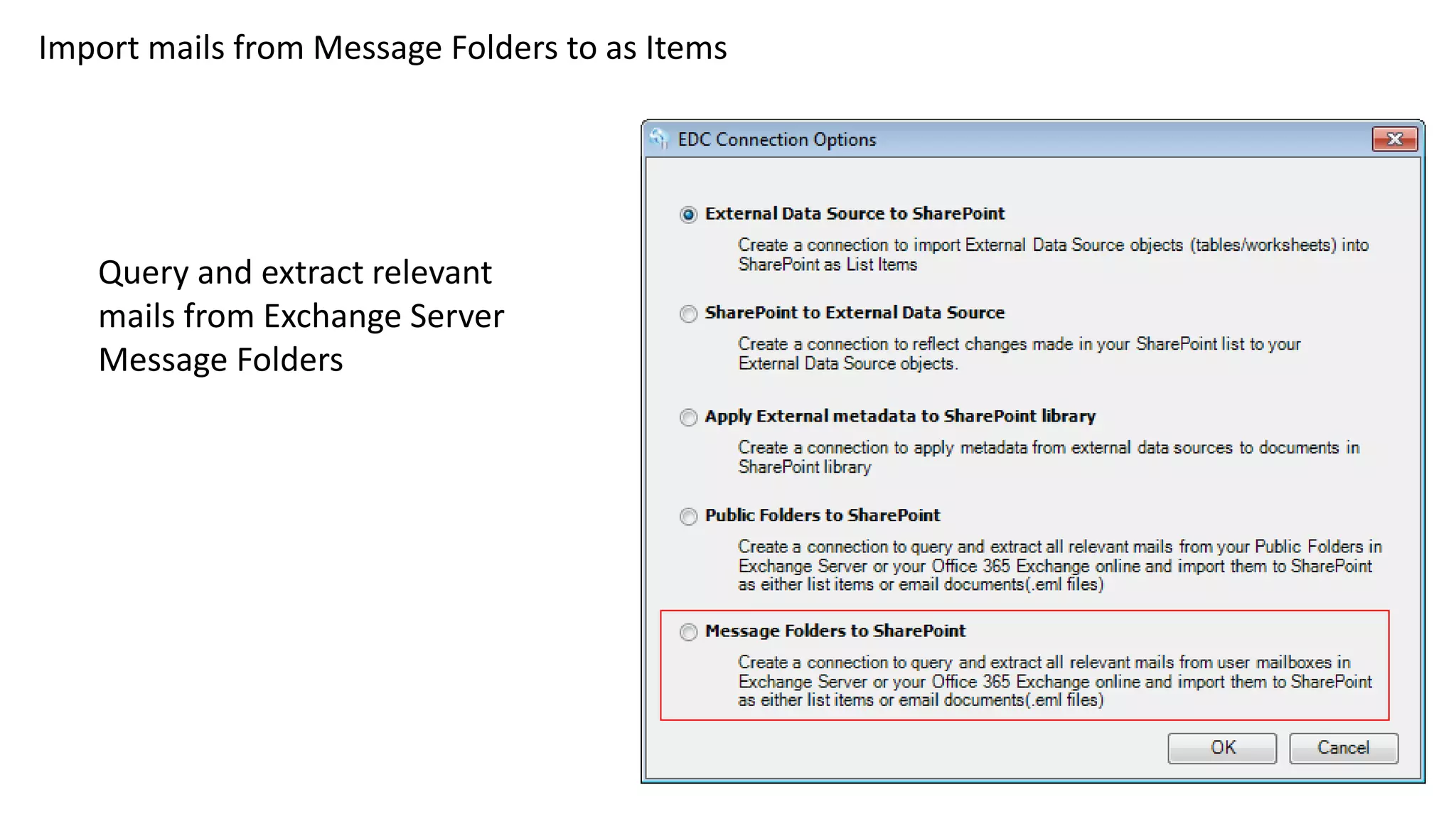
Import mails from Message Folders to as Items
Query and extract relevant
mails from Exchange Server
Message Folders
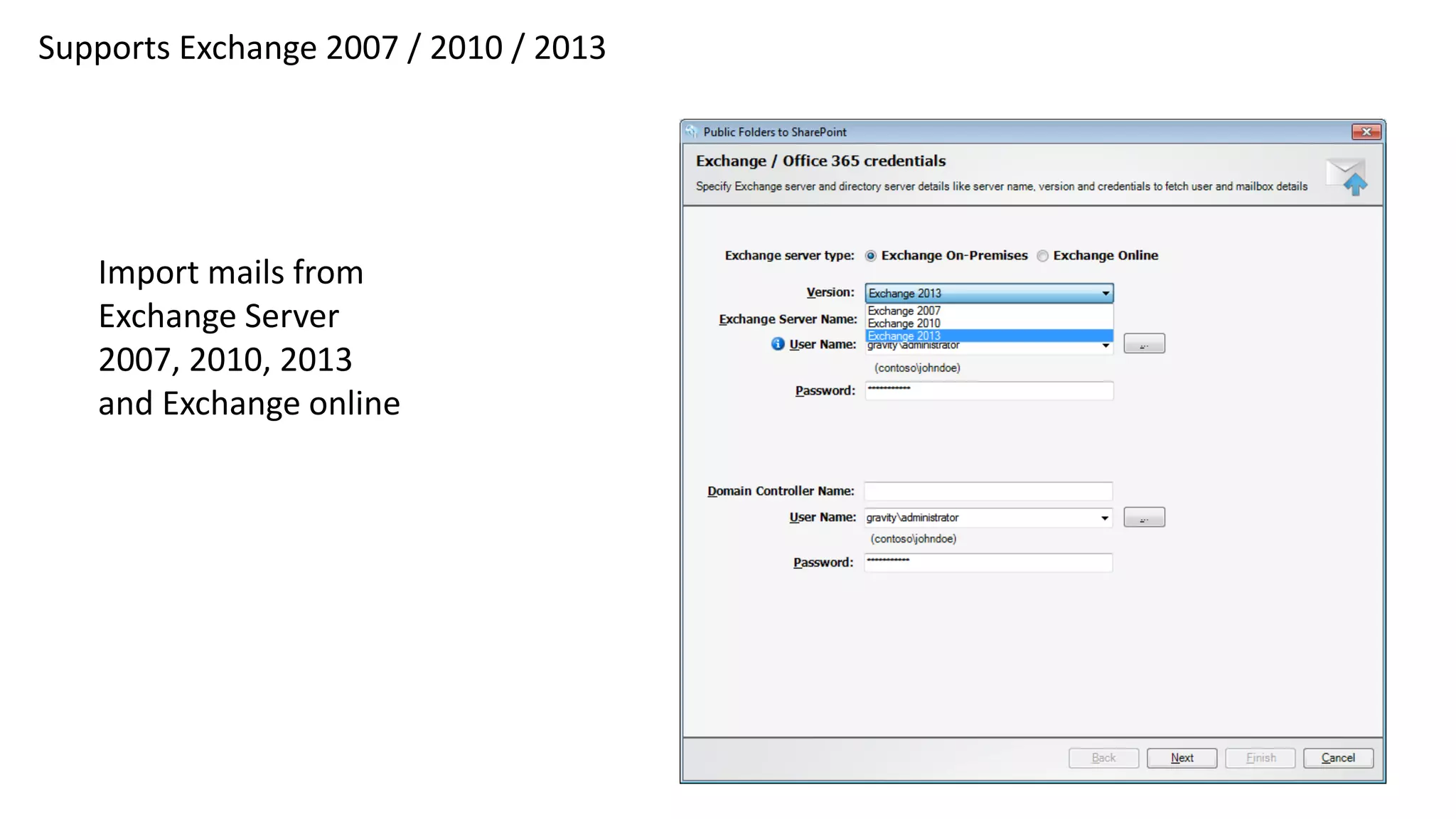
Supports Exchange 2007 / 2010 / 2013
Import mails from
Exchange Server
2007, 2010, 2013
and Exchange online
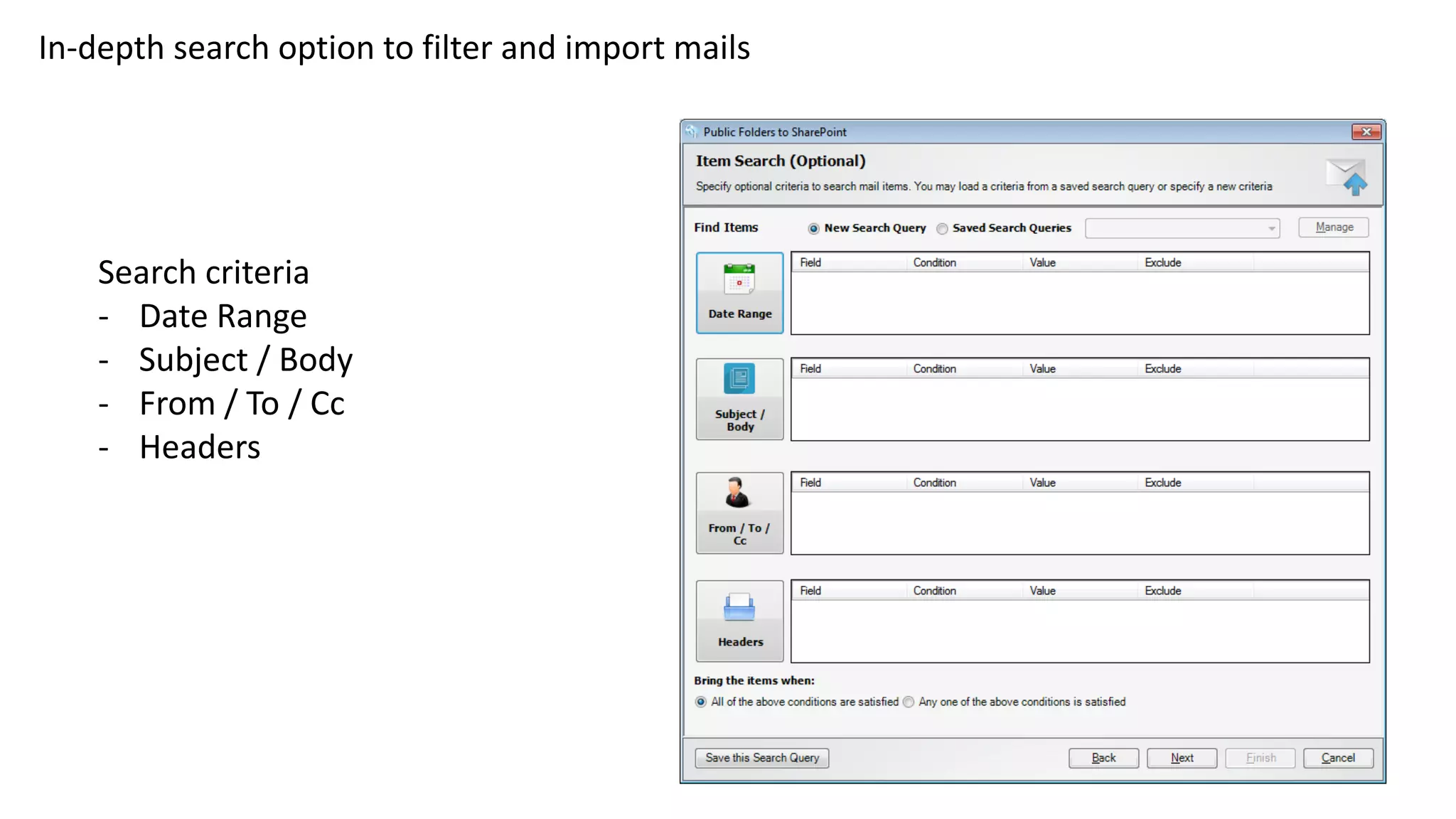
In-depth search option to filter and import mails
Search criteria
- Date Range
- Subject / Body
- From / To / Cc
- Headers
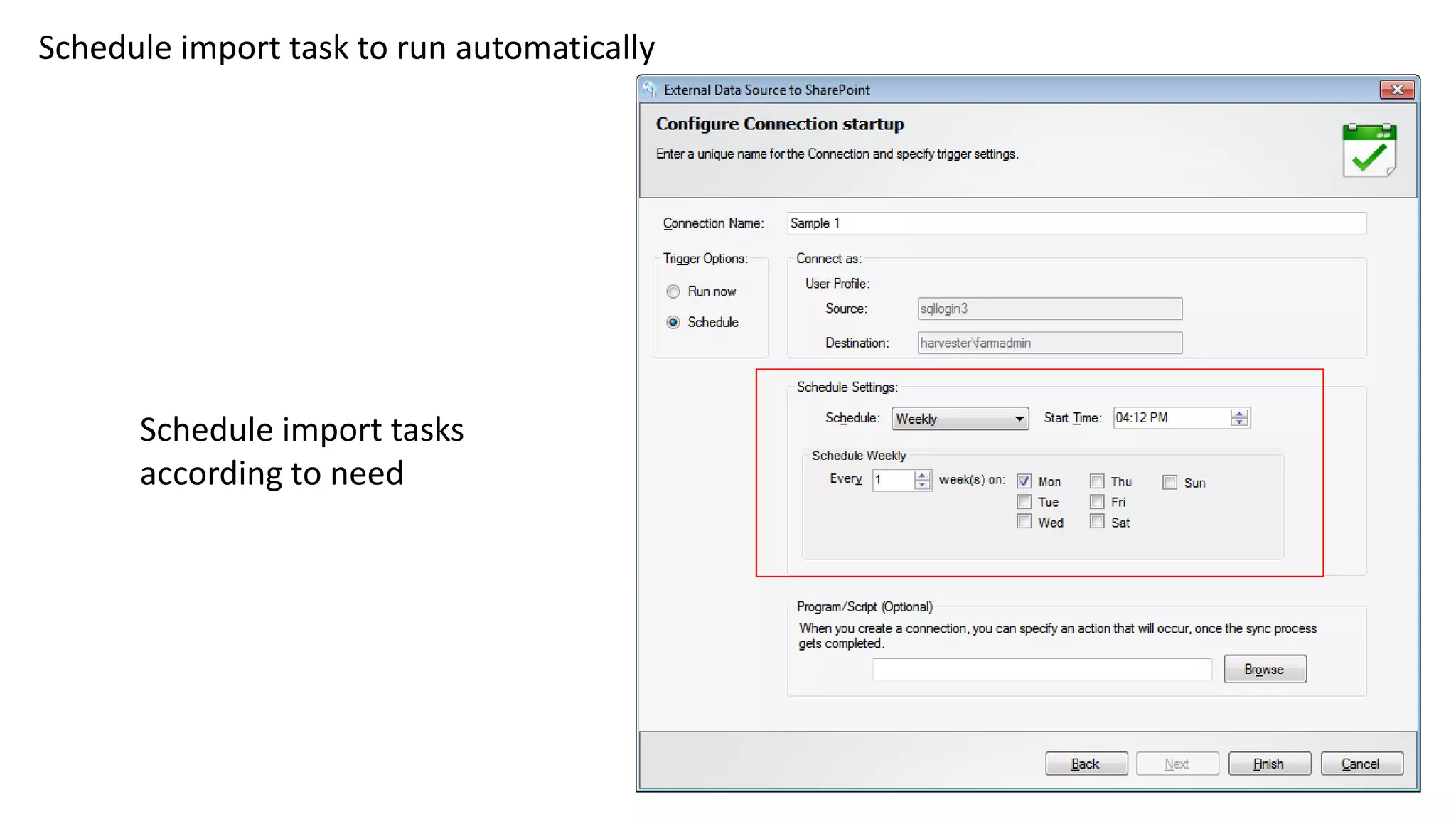
Schedule import task to run automatically
Schedule import tasks
according to need
External Data Connector for SharePoint
From Vyapin Software Systems Private Limited
Download a free trial pack today from
- http://www.vyapin.com/download/external-data-connector-license.htm

Import external data and files to SharePoint Lists & Libraries

  • 1.
    External Data Connectorfor SharePoint • Query, Filter and Extract data from different external sources into SharePoint on-premise and SharePoint online • Apply metadata imported from external sources to SharePoint through column mapping • Synchronize updates and changes in SharePoint data with their originating sources • Create queries manually or use the Query Builder • Import from SQL, Oracle, Exchange & ODBC clients apart from files • Import Exchange Public Folder content to SharePoint Lists • Import mails from Exchange user mailboxes to SharePoint Lists
  • 2.
    Import from multipleexternal data sources • SQL • Oracle • SharePoint Lists • ODBC connected DBs • XLSX • CSV • MDB
  • 3.
    Create new Listsor use existing ones to add imported data 1) Add Items to an existing SharePoint List 2) Add Items to a newly created List Define what type of List to create
  • 4.
    Automatically synchronize Itemsin destination with source External Data Connector for SharePoint can synchronize data automatically between SharePoint and the external source during subsequent runs
  • 5.
    The Query Builderhelps you select and import Tables and Views Query Builder – Select Tables to import into SharePoint
  • 6.
    Multiple choices toset in Filter Conditions Choices - Tables / Views - Columns - Column Values - Logical Operators to create your own import conditions
  • 7.
    Add columns toimport Select columns to import
  • 8.
    Query Builder Summaryhelps you check selections Check Query Builder summary and verify the results
  • 9.
    Column mapping helpsupdate metadata Map columns automatically as in source and add a reference column
  • 10.
    Import mails fromPublic Folder as Items Query and extract relevant mails from Exchange Server Public Folders
  • 11.
    Import mails fromMessage Folders to as Items Query and extract relevant mails from Exchange Server Message Folders
  • 12.
    Supports Exchange 2007/ 2010 / 2013 Import mails from Exchange Server 2007, 2010, 2013 and Exchange online
  • 13.
    In-depth search optionto filter and import mails Search criteria - Date Range - Subject / Body - From / To / Cc - Headers
  • 14.
    Schedule import taskto run automatically Schedule import tasks according to need
  • 15.
    External Data Connectorfor SharePoint From Vyapin Software Systems Private Limited Download a free trial pack today from - http://www.vyapin.com/download/external-data-connector-license.htm