Active Directory Change Tracker
Active Directory auditing and tracking solution
from
Vyapin Software Systems Private Limited
www.vyapin.com
ADCT Highlights
• Track and audit changes made to Active Directory, across the
Enterprise – example critical OUs and GPOs
• Incremental data collection process lessens the burden on the
servers
• Monitor specific objects – additions, modifications and deletions
on – specific Users & Groups, Organization Units, object property
values etc.
• Track changes with or without the use of Active Directory’s native
auditing capabilities
• Real time alerts provide instantaneous updates on marked events
• Search feature covers Domains, Event IDs, etc. for the specified
period and provides appropriate data
• Stores reports in databases – useful for long term study, analysis
and troubleshooting AD / domain problems
Some of the important features of the
Active Directory Change Tracker
(ADCT)
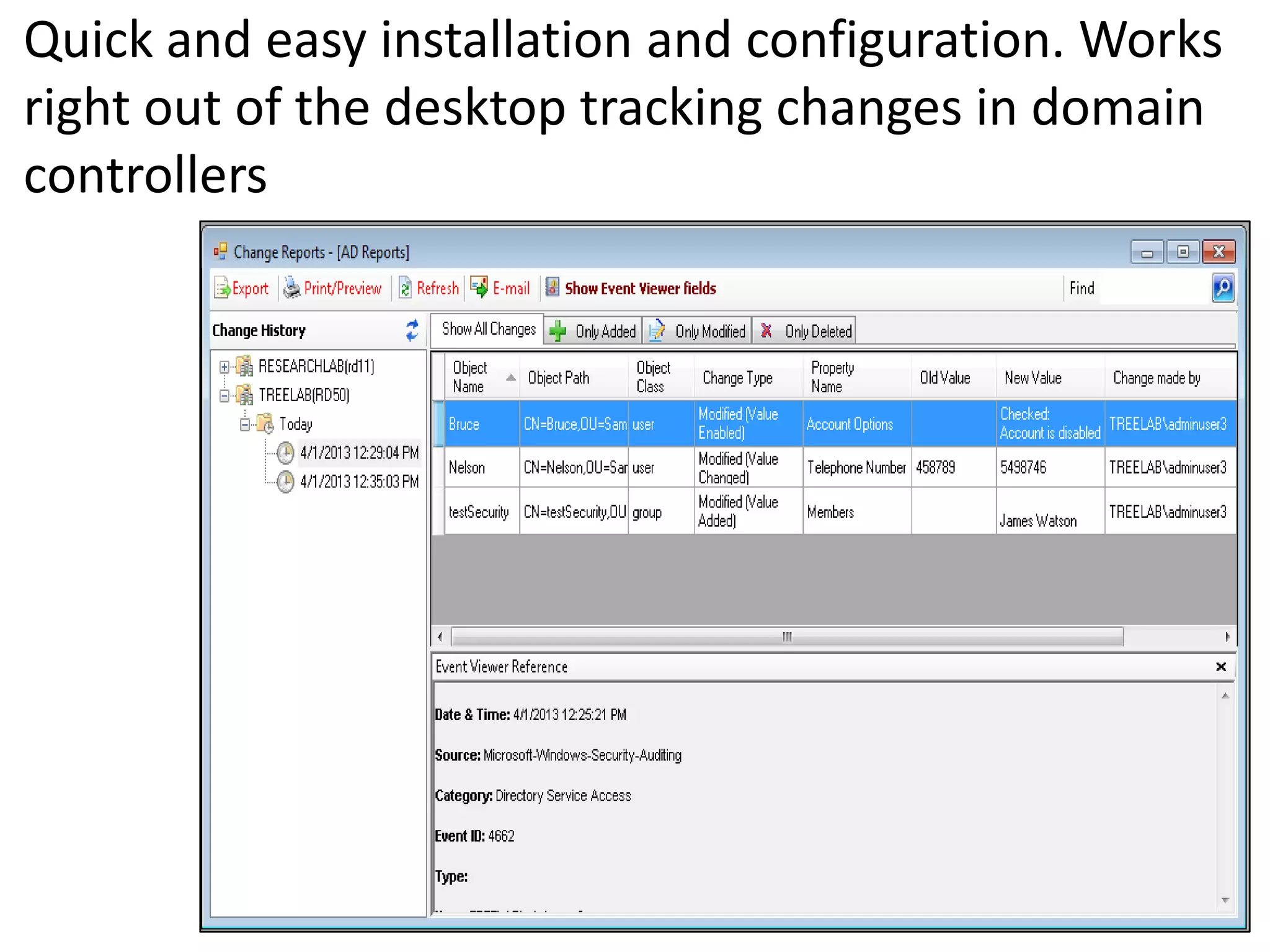
Quick and easy installation and configuration. Works
right out of the desktop tracking changes in domain
controllers
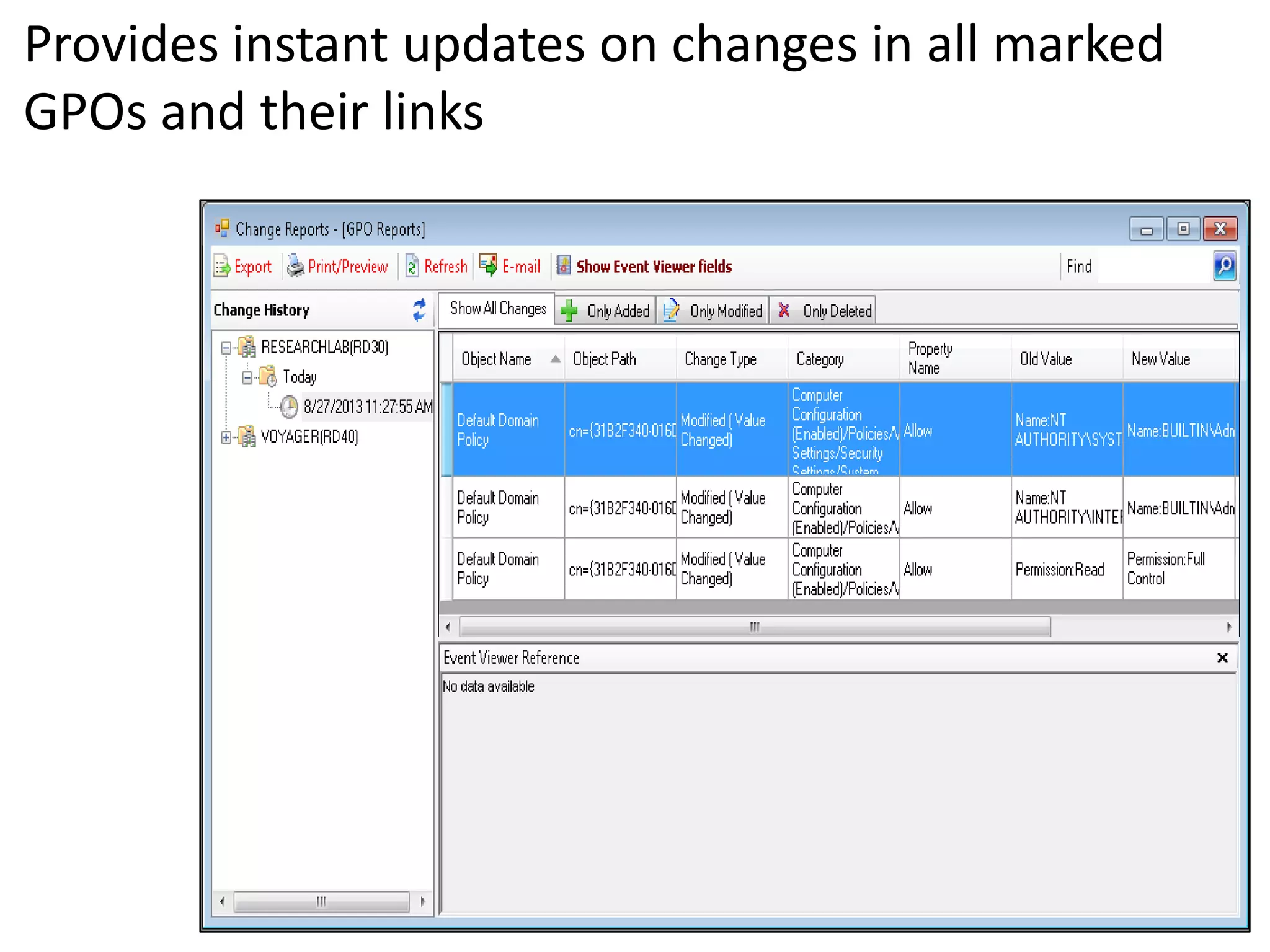
Provides instant updates on changes in all marked
GPOs and their links
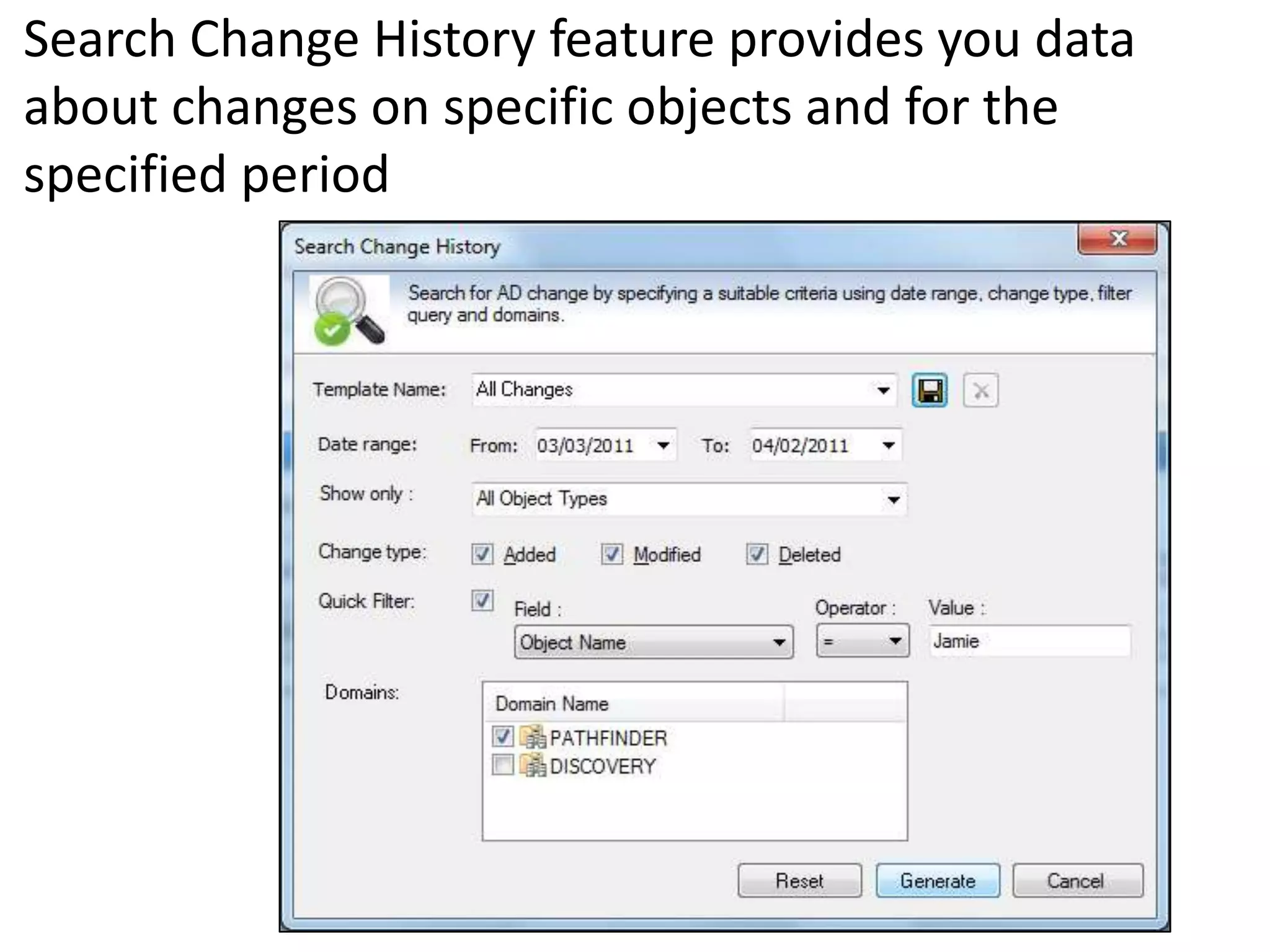
Search Change History feature provides you data
about changes on specific objects and for the
specified period
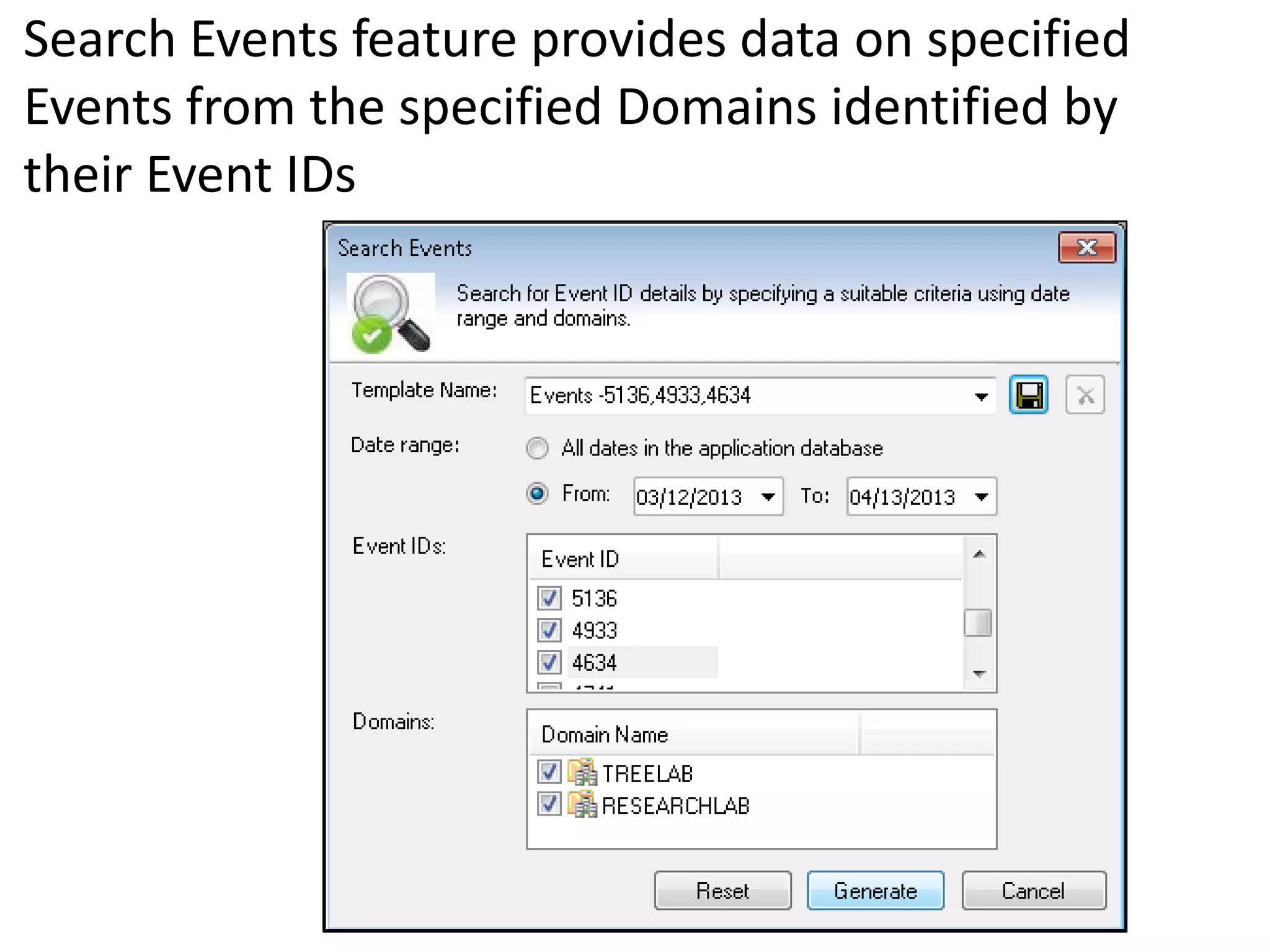
Search Events feature provides data on specified
Events from the specified Domains identified by
their Event IDs
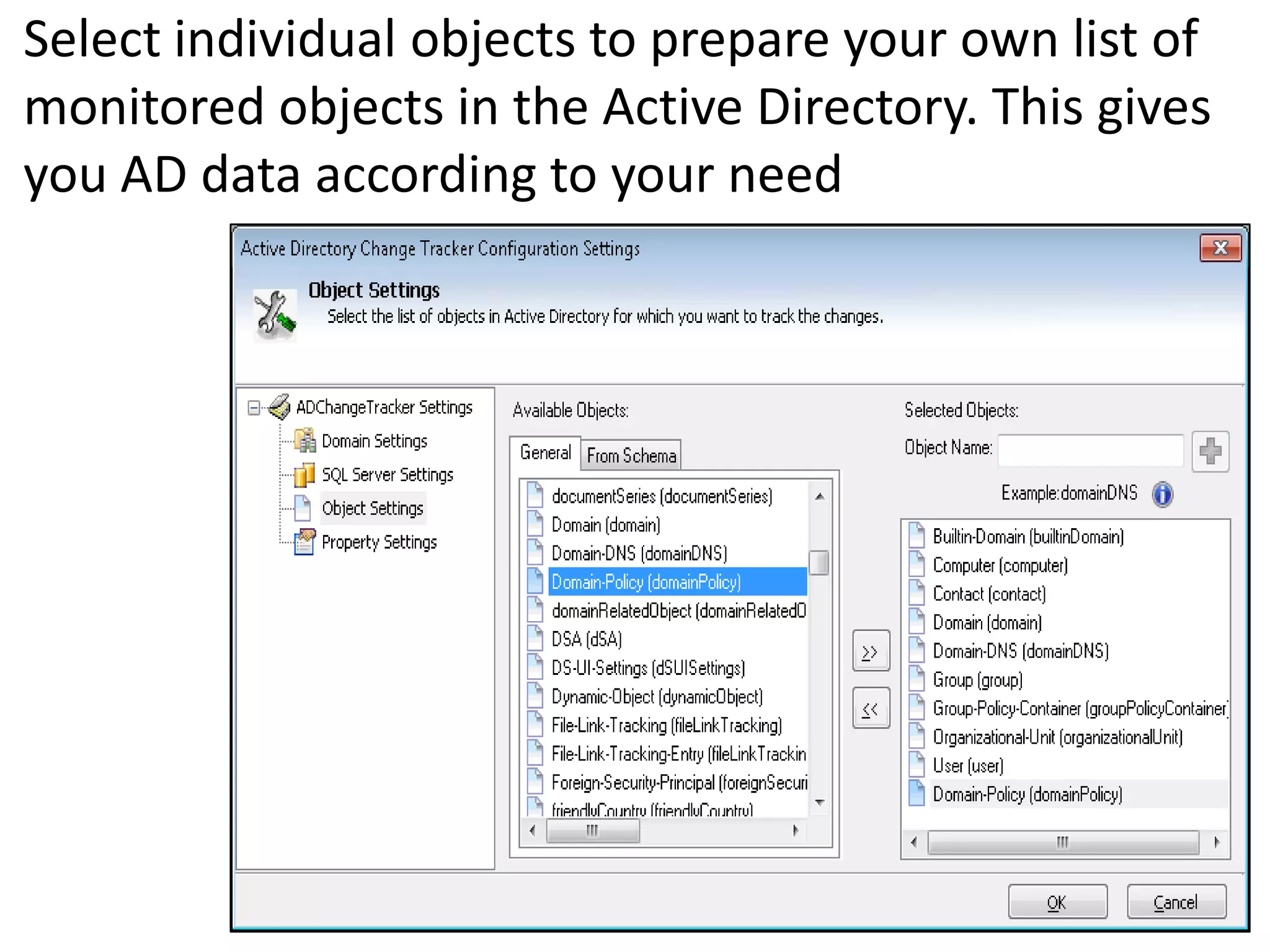
Select individual objects to prepare your own list of
monitored objects in the Active Directory. This gives
you AD data according to your need
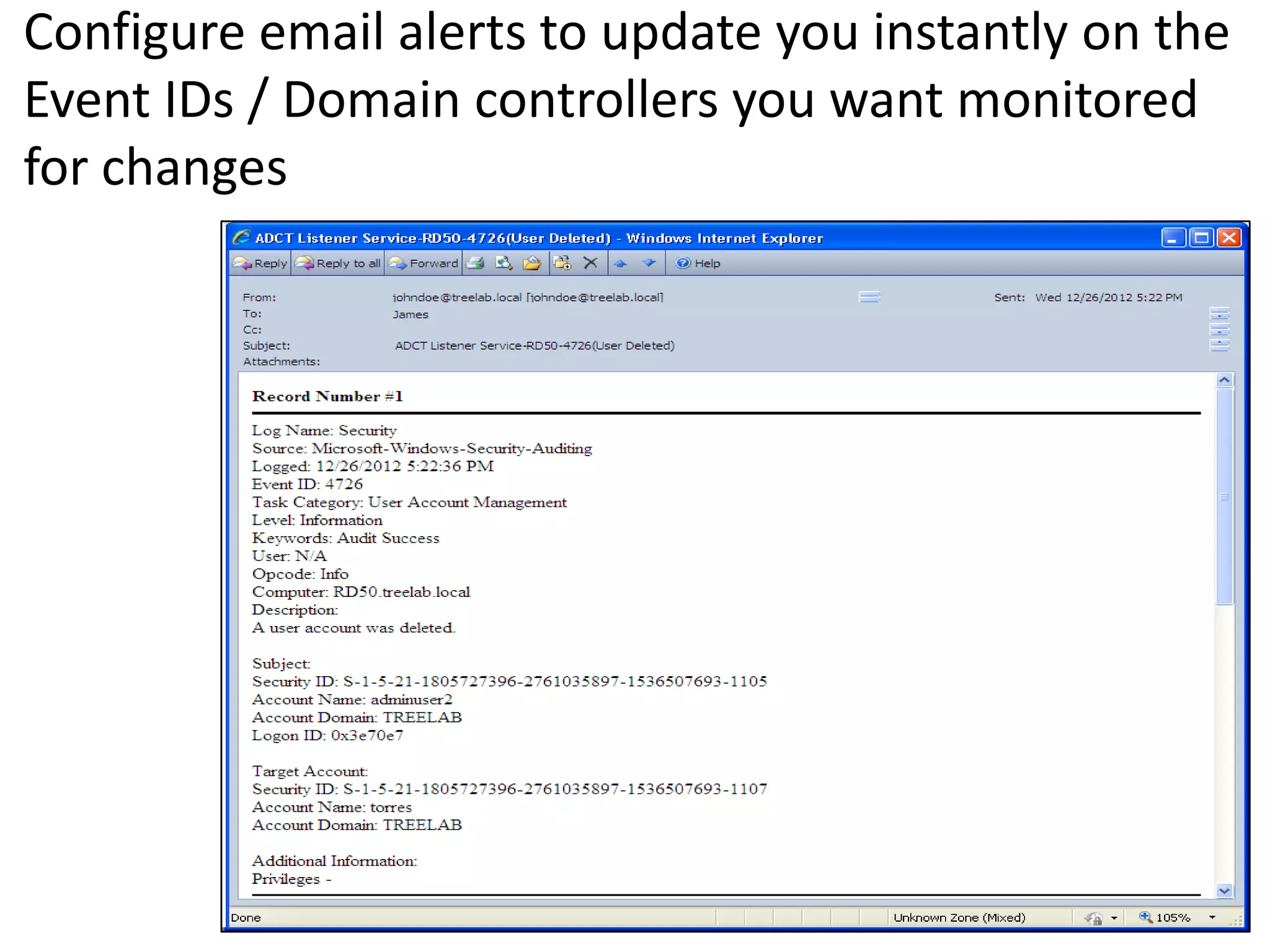
Configure email alerts to update you instantly on the
Event IDs / Domain controllers you want monitored
for changes
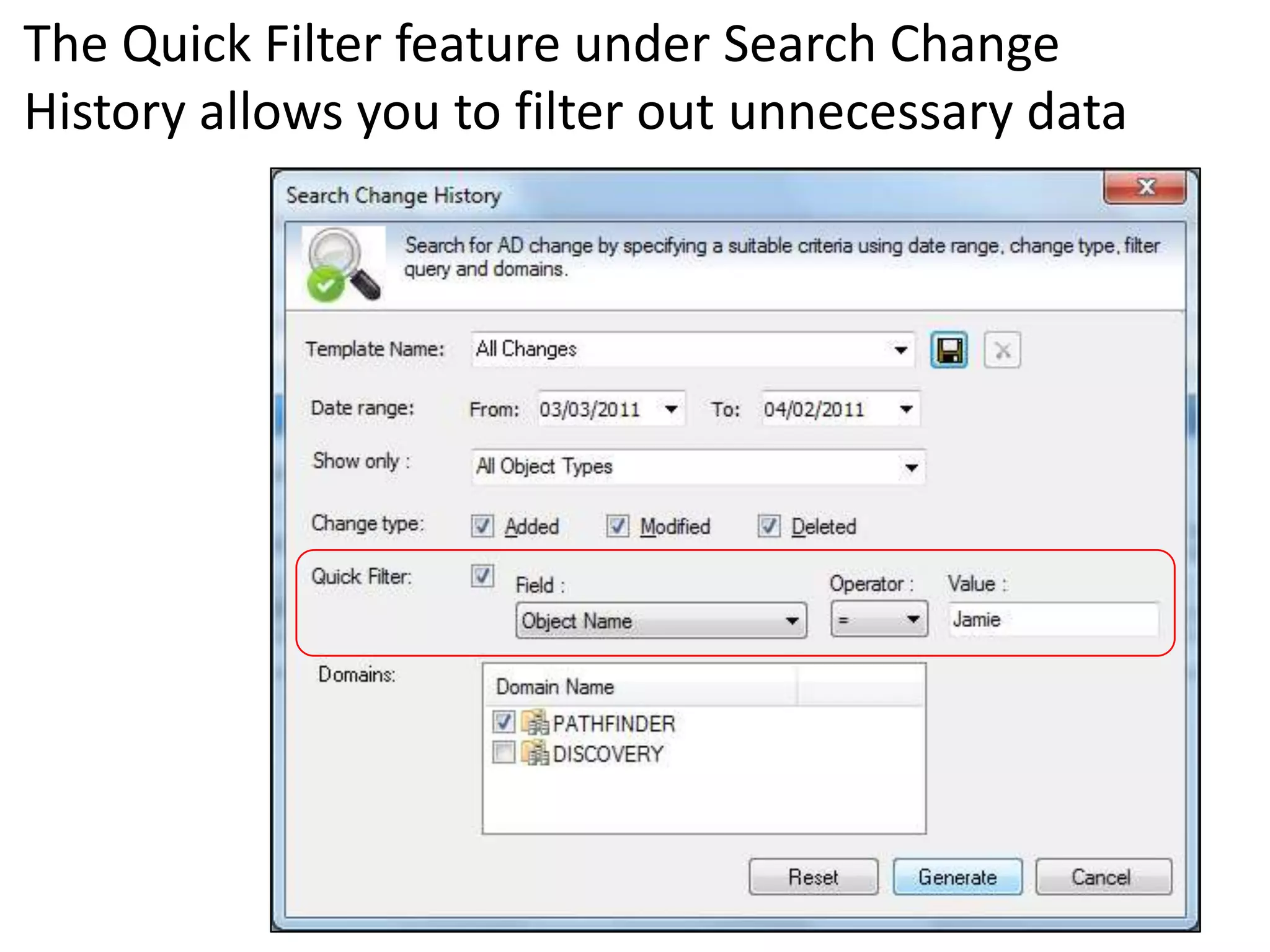
The Quick Filter feature under Search Change
History allows you to filter out unnecessary data
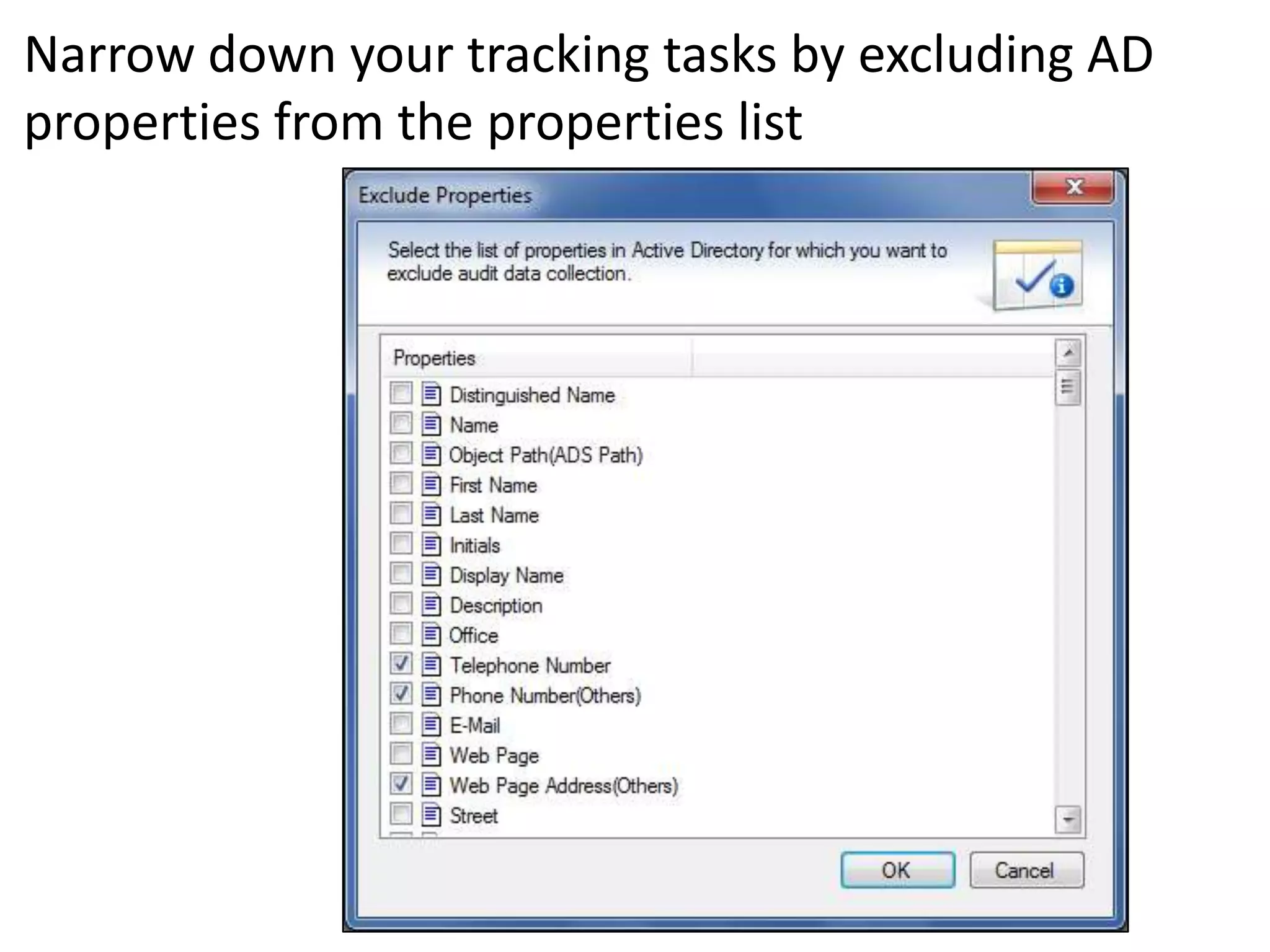
Narrow down your tracking tasks by excluding AD
properties from the properties list
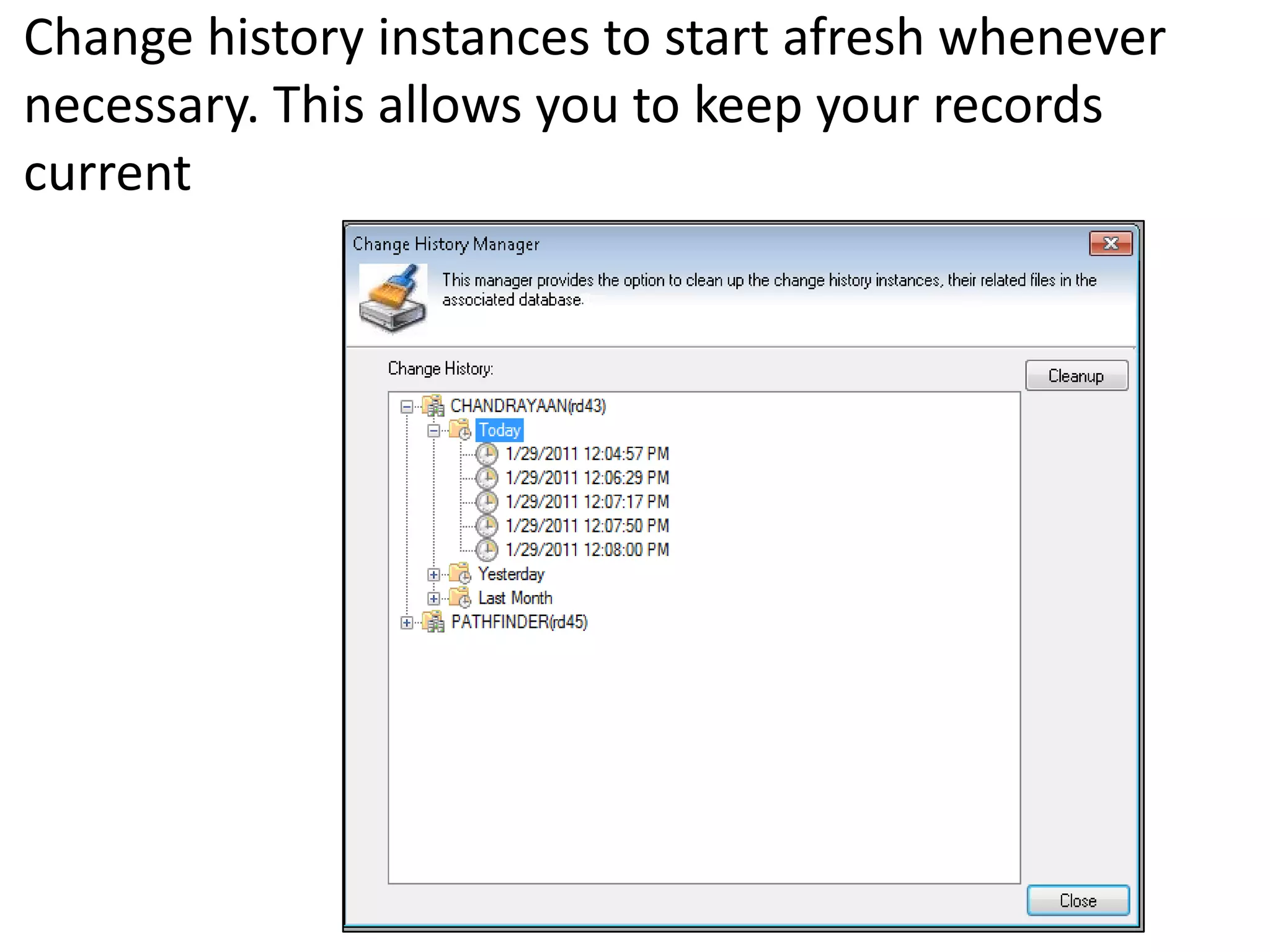
Change history instances to start afresh whenever
necessary. This allows you to keep your records
current
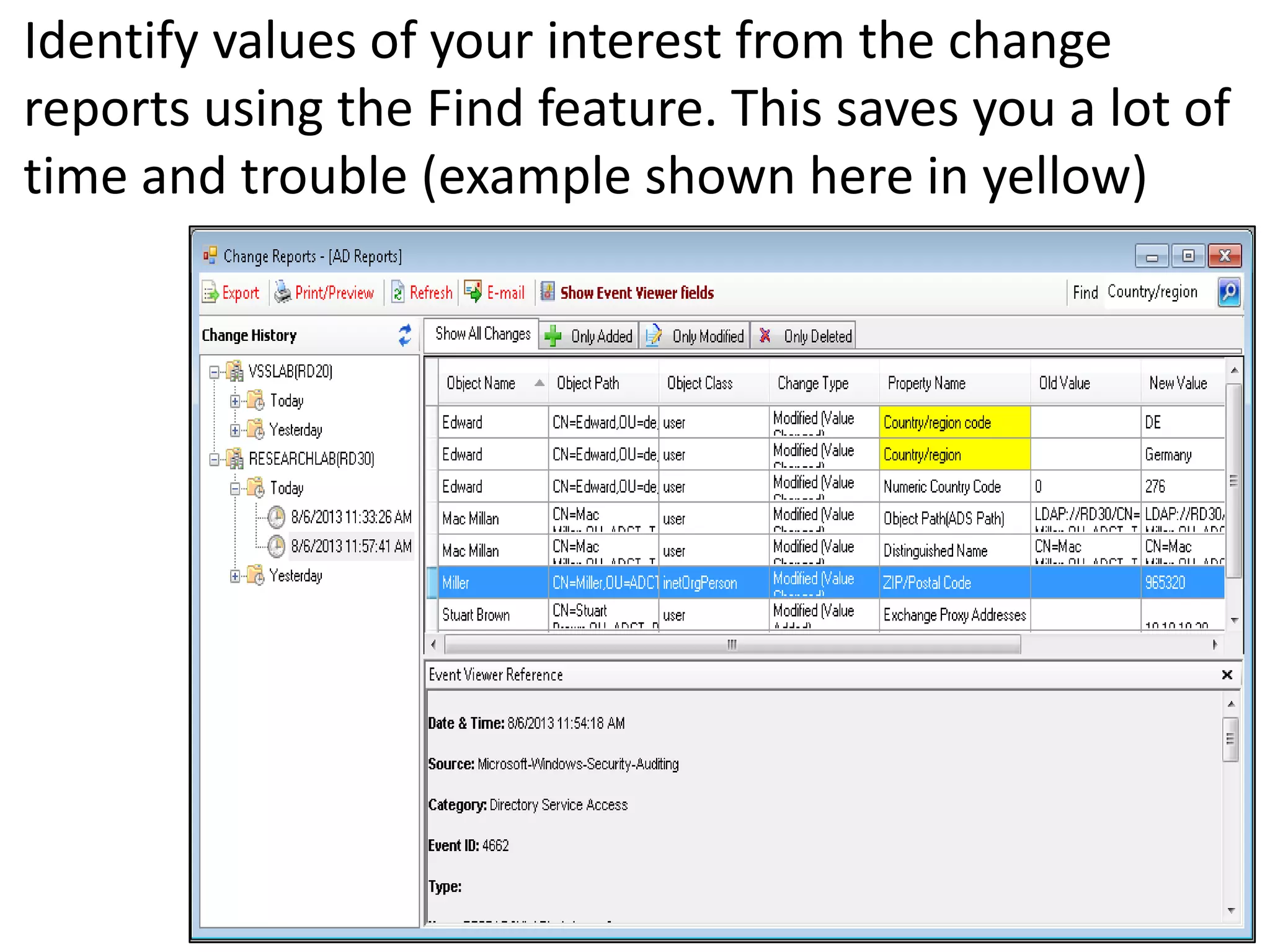
Identify values of your interest from the change
reports using the Find feature. This saves you a lot of
time and trouble (example shown here in yellow)
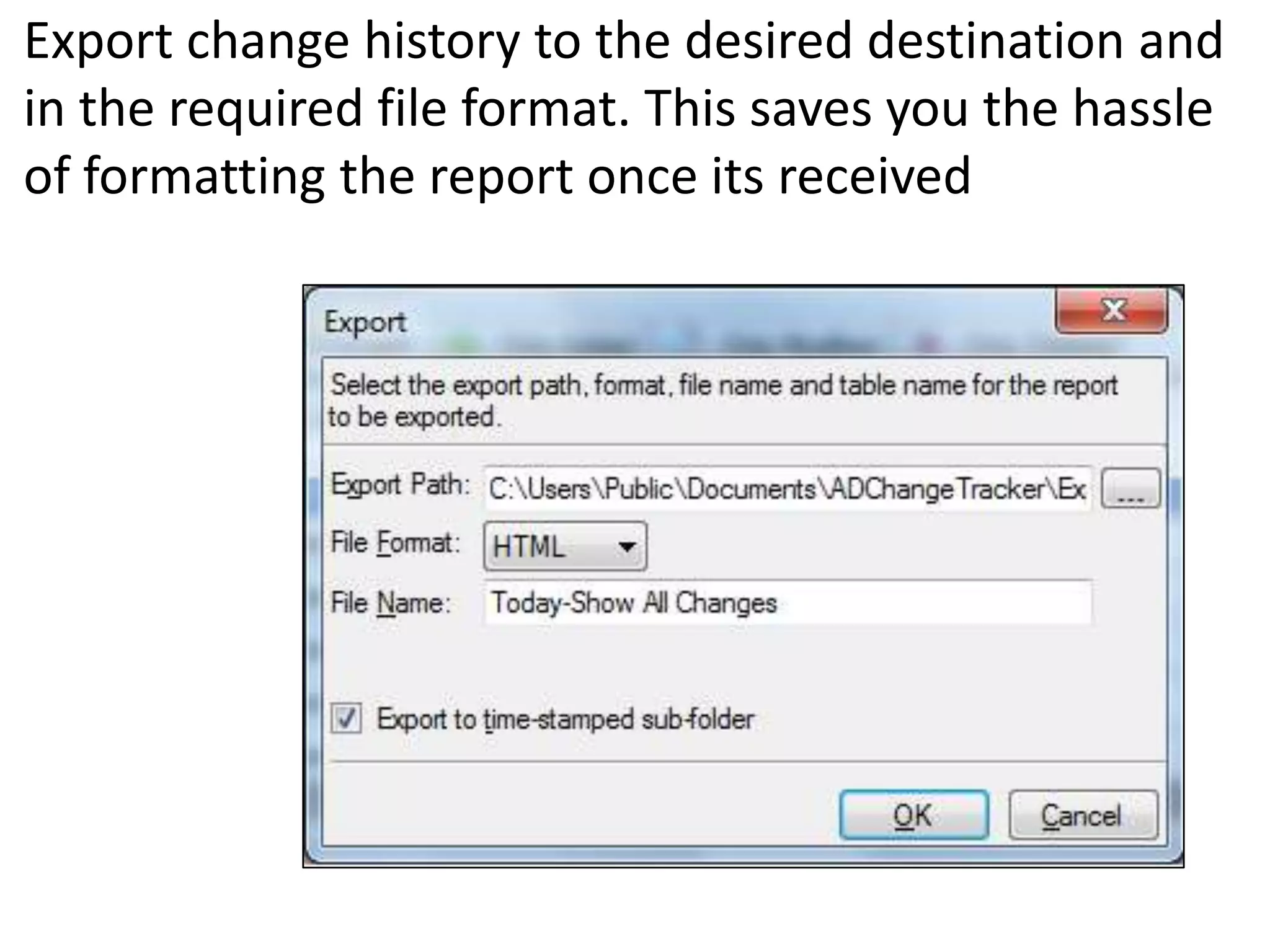
Export change history to the desired destination and
in the required file format. This saves you the hassle
of formatting the report once its received
For more on the
Active Directory Change Tracker
visit
http://www.vyapin.com/products/active-directory-change-
tracking/active-directory-change-reporting.htm

Tracking Active Directory Changes

  • 1.
    Active Directory ChangeTracker Active Directory auditing and tracking solution from Vyapin Software Systems Private Limited www.vyapin.com
  • 2.
    ADCT Highlights • Trackand audit changes made to Active Directory, across the Enterprise – example critical OUs and GPOs • Incremental data collection process lessens the burden on the servers • Monitor specific objects – additions, modifications and deletions on – specific Users & Groups, Organization Units, object property values etc. • Track changes with or without the use of Active Directory’s native auditing capabilities • Real time alerts provide instantaneous updates on marked events • Search feature covers Domains, Event IDs, etc. for the specified period and provides appropriate data • Stores reports in databases – useful for long term study, analysis and troubleshooting AD / domain problems
  • 3.
    Some of theimportant features of the Active Directory Change Tracker (ADCT)
  • 4.
    Quick and easyinstallation and configuration. Works right out of the desktop tracking changes in domain controllers
  • 5.
    Provides instant updateson changes in all marked GPOs and their links
  • 6.
    Search Change Historyfeature provides you data about changes on specific objects and for the specified period
  • 7.
    Search Events featureprovides data on specified Events from the specified Domains identified by their Event IDs
  • 8.
    Select individual objectsto prepare your own list of monitored objects in the Active Directory. This gives you AD data according to your need
  • 9.
    Configure email alertsto update you instantly on the Event IDs / Domain controllers you want monitored for changes
  • 10.
    The Quick Filterfeature under Search Change History allows you to filter out unnecessary data
  • 11.
    Narrow down yourtracking tasks by excluding AD properties from the properties list
  • 12.
    Change history instancesto start afresh whenever necessary. This allows you to keep your records current
  • 13.
    Identify values ofyour interest from the change reports using the Find feature. This saves you a lot of time and trouble (example shown here in yellow)
  • 14.
    Export change historyto the desired destination and in the required file format. This saves you the hassle of formatting the report once its received
  • 15.
    For more onthe Active Directory Change Tracker visit http://www.vyapin.com/products/active-directory-change- tracking/active-directory-change-reporting.htm