SharePoint Information Organizer
Centralized Content Management & Classification App
For SharePoint
from
Vyapin Software Systems Private Limited
SharePoint Information Organizer - Highlights
• Classify, manage & improve SharePoint Content
• Improve indexing & get better search results
• Manage, organize & update SharePoint Metadata in bulk
• Organize SharePoint Content Types
• Manage SharePoint features & users
• Consolidate content & distribute SharePoint resources
judiciously
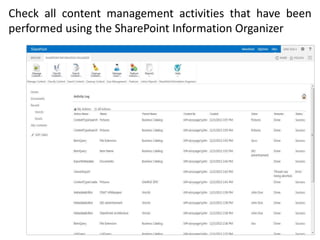
• Check activity logs to get an update on all content
management activities performed by the app
• Launch app from the SharePoint ribbon
SharePoint Information Organizer - Highlights
• Improves management of SharePoint content
• Helps improve SharePoint security and efficiency
• Offers content & metadata organization as well as
classification tasks under a single window
• Simplifies administrative responsibilities of Site
Owners and Content Managers
• Offers a wide scope of content organization
capability – From Sites at the top level to Items at the
bottom level of classification
• Helps you make the most of your SharePoint
infrastructure
Some of the important features of the
SharePoint Information Organizer
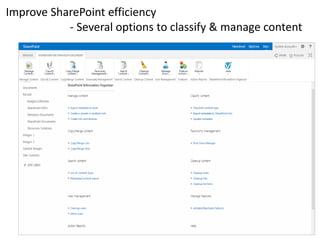
Improve SharePoint efficiency
- Several options to classify & manage content
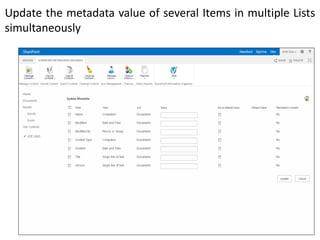
Update the metadata value of several Items in multiple Lists
simultaneously
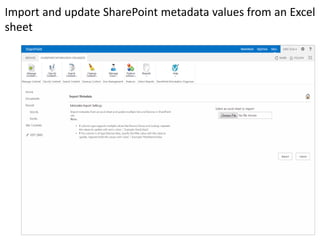
Import and update SharePoint metadata values from an Excel
sheet
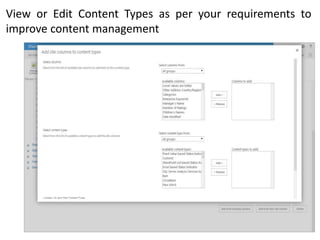
View or Edit Content Types as per your requirements to
improve content management
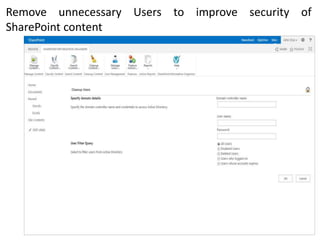
Remove unnecessary Users to improve security of
SharePoint content
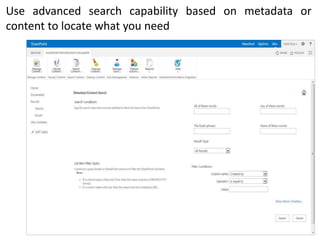
Use advanced search capability based on metadata or
content to locate what you need
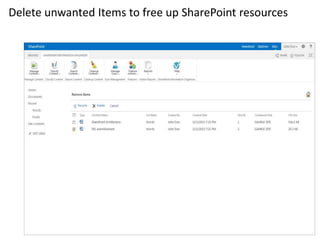
Delete unwanted Items to free up SharePoint resources
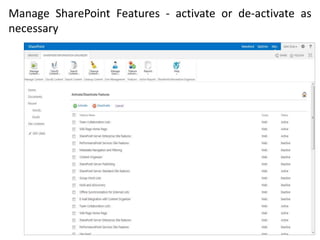
Manage SharePoint Features - activate or de-activate as
necessary
Check all content management activities that have been
performed using the SharePoint Information Organizer
SharePoint Information Organizer
http://www.vyapin.com/products/sharepoint-content-
management/sharepoint-information-organizer.htm
Vyapin’s
Watch a demo next

Classify Organize & Manage SharePoint Content

Editor's Notes

  • #2 DocKIT for SharePoint PPT
  • #3 DocKIT Highlights
  • #4 DocKIT Highlights
  • #5 DocKIT Highlights
  • #6 Migrate wizards
  • #7 Migrate file shares to SharePoint cloud
  • #8 Migrate file shares to SharePoint cloud
  • #9 Migrate file properties
  • #14 Test migration scenario