




Software solution
                                   Project
                    Financial      Management &
                    Management     Accounting

Integrates

                    Supply Chain
                    Management     Production
Small and midsize businesses
               Navision - Customizable, specialized ERP
               for the mid-market
               Great Plains - Full feature, “out-of-the-box”
                                                               Small and
               ERP (primarily the US market)
                                                               midsize
               Solomon - World class project accounting        businesses
               and feature rich distribution ERP for the
               mid-market

Enterprise organizations
               AX - Tailorable, enterprise ERP                 Enterprise
                                                               organizations
• Microsoft Dynamics AX 2012 is designed for enterprises with
  200 to 7,500 users.

• It includes rich industry and core ERP capabilities in a single,
  global solution.

• Supports global organizations by managing multisite
  operations through shared master data and business
  processes, as well as country specific capabilities, in a single
  instance.

• Ad hoc reports and streamlined workflows with a Microsoft
  Dynamics Role Tailored user interface
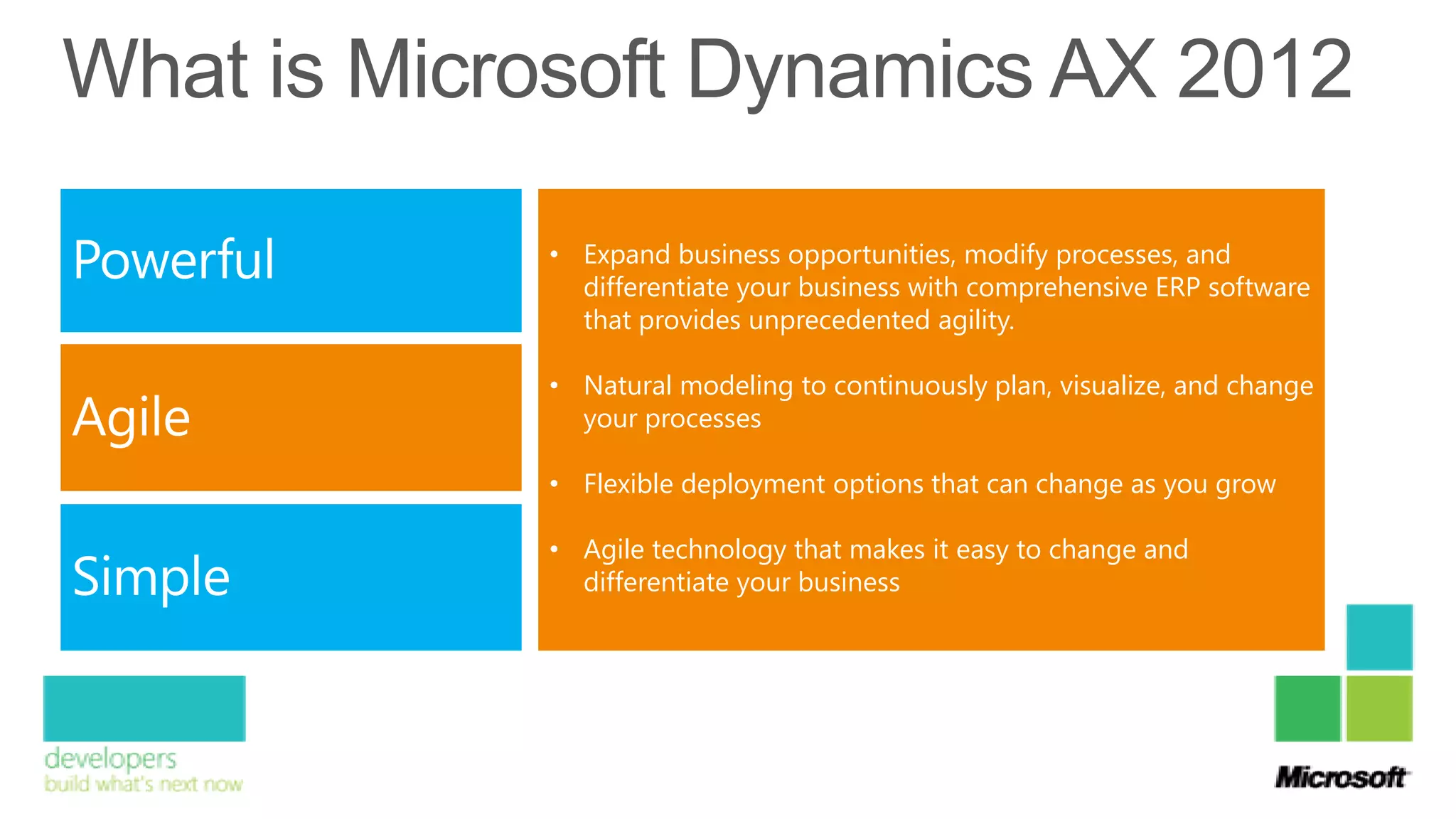
• Expand business opportunities, modify processes, and
  differentiate your business with comprehensive ERP software
  that provides unprecedented agility.

• Natural modeling to continuously plan, visualize, and change
  your processes

• Flexible deployment options that can change as you grow

• Agile technology that makes it easy to change and
  differentiate your business
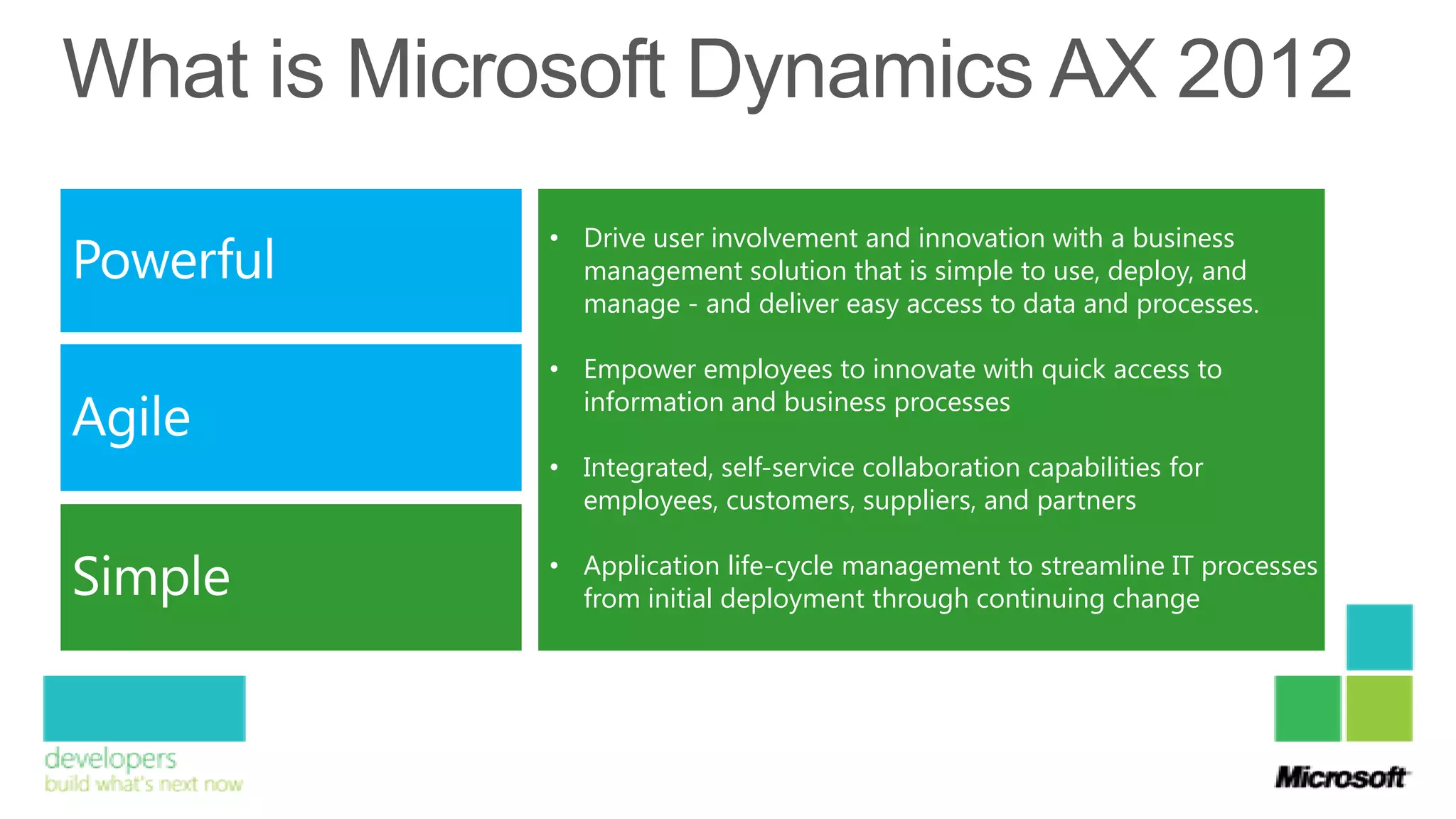
• Drive user involvement and innovation with a business
  management solution that is simple to use, deploy, and
  manage - and deliver easy access to data and processes.

• Empower employees to innovate with quick access to
  information and business processes

• Integrated, self-service collaboration capabilities for
  employees, customers, suppliers, and partners

• Application life-cycle management to streamline IT processes
  from initial deployment through continuing change
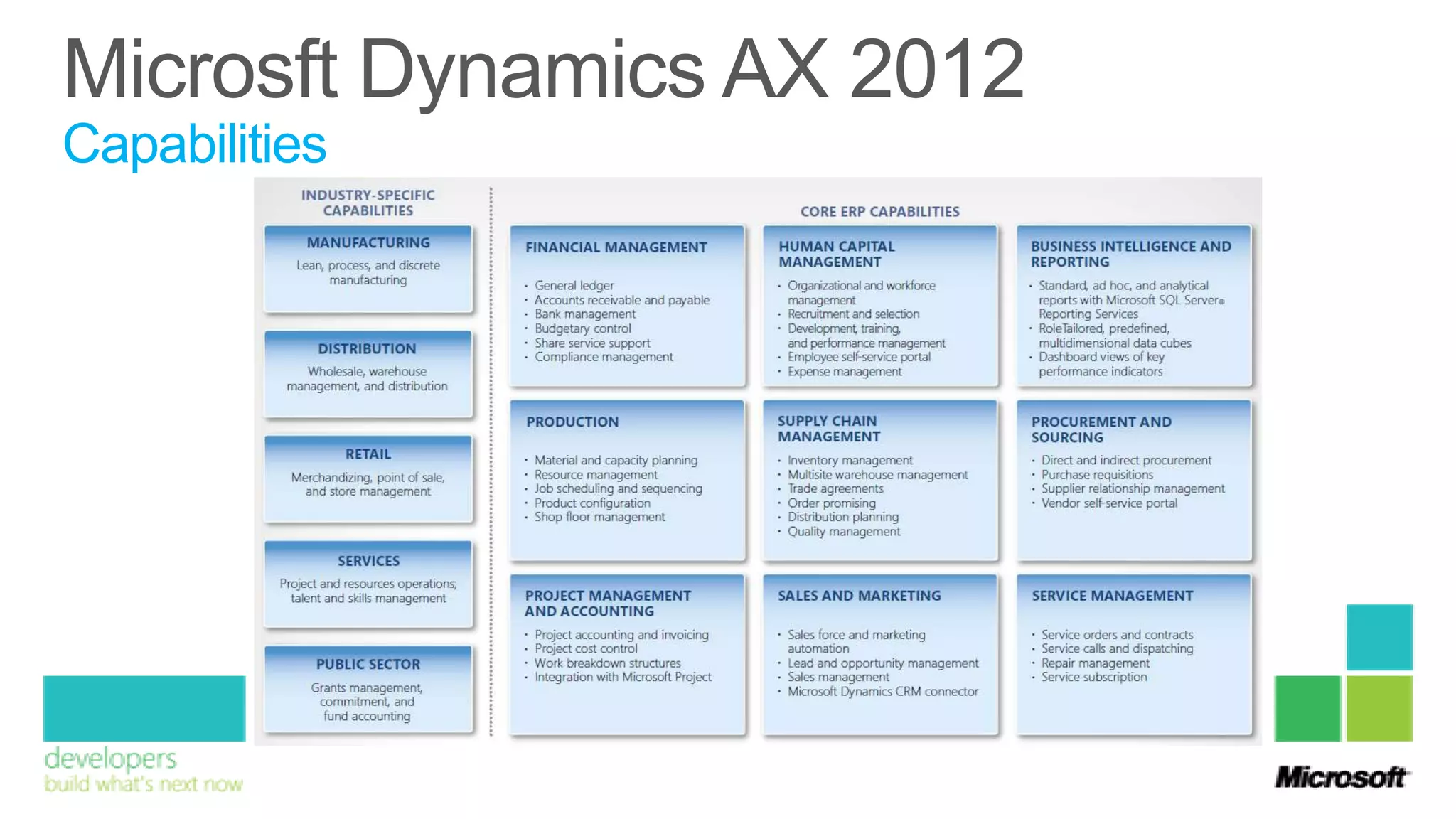
Capabilities
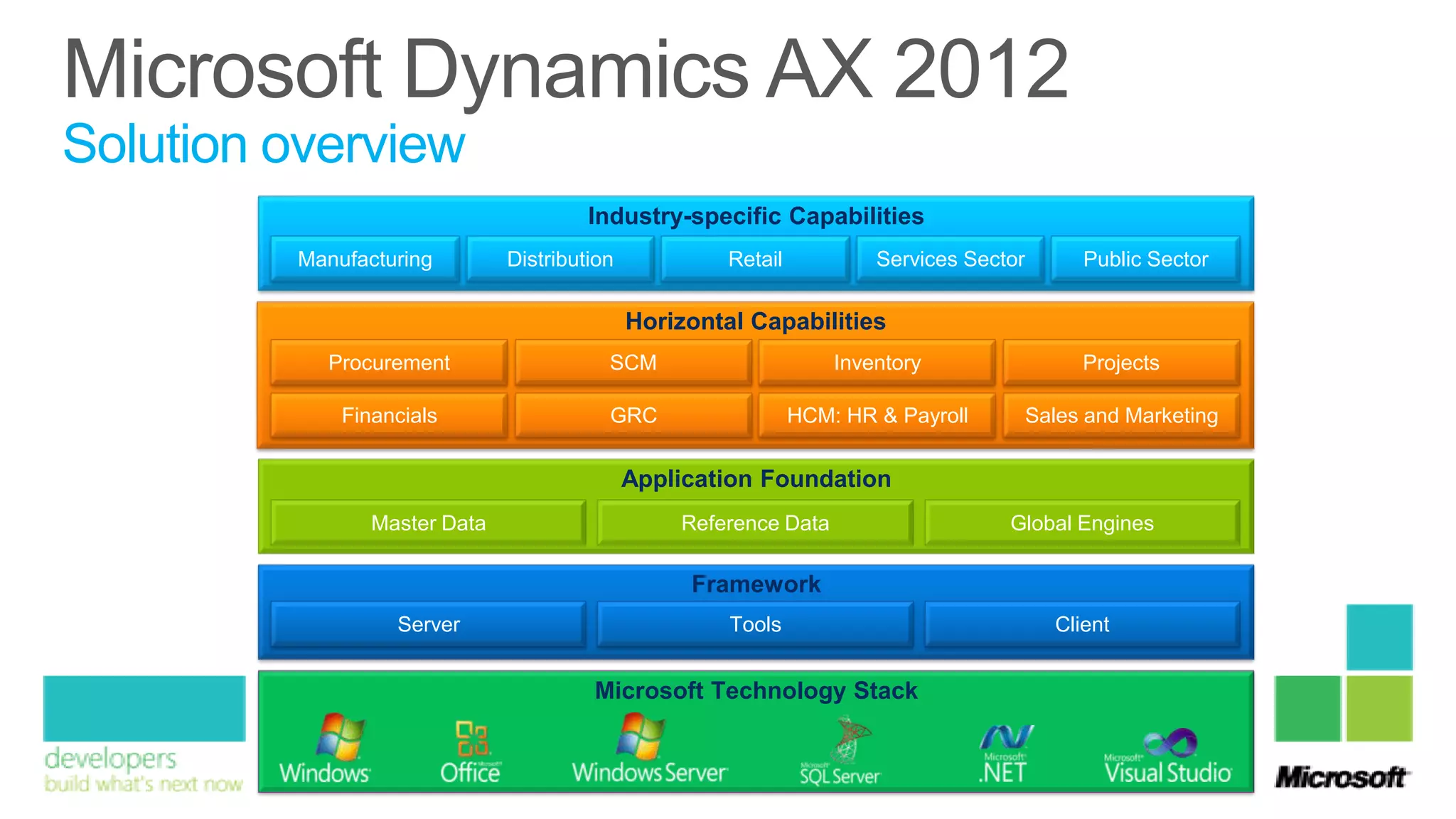
Solution overview
                                       Industry-specific Capabilities
         Manufacturing        Distribution            Retail           Services Sector        Public Sector

                                             Horizontal Capabilities
           Procurement                   SCM                       Inventory                  Projects

             Financials                  GRC                   HCM: HR & Payroll         Sales and Marketing


                                             Application Foundation
                Master Data                      Reference Data                     Global Engines

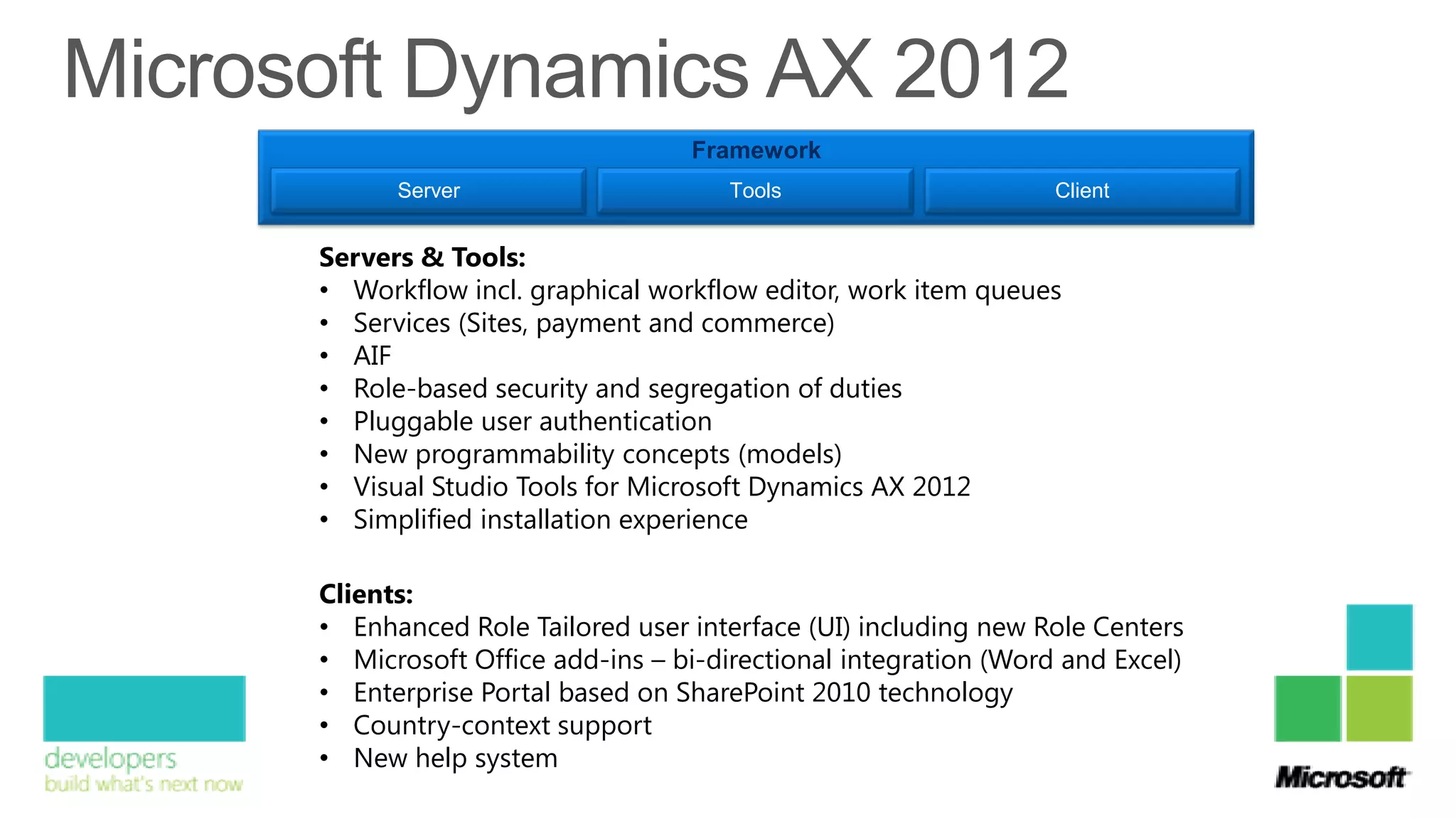
                                                  Framework
                  Server                              Tools                                Client


                                       Microsoft Technology Stack
Framework
      Server                      Tools                      Client


Servers & Tools:
• Workflow incl. graphical workflow editor, work item queues
• Services (Sites, payment and commerce)
• AIF
• Role-based security and segregation of duties
• Pluggable user authentication
• New programmability concepts (models)
• Visual Studio Tools for Microsoft Dynamics AX 2012
• Simplified installation experience

Clients:
• Enhanced Role Tailored user interface (UI) including new Role Centers
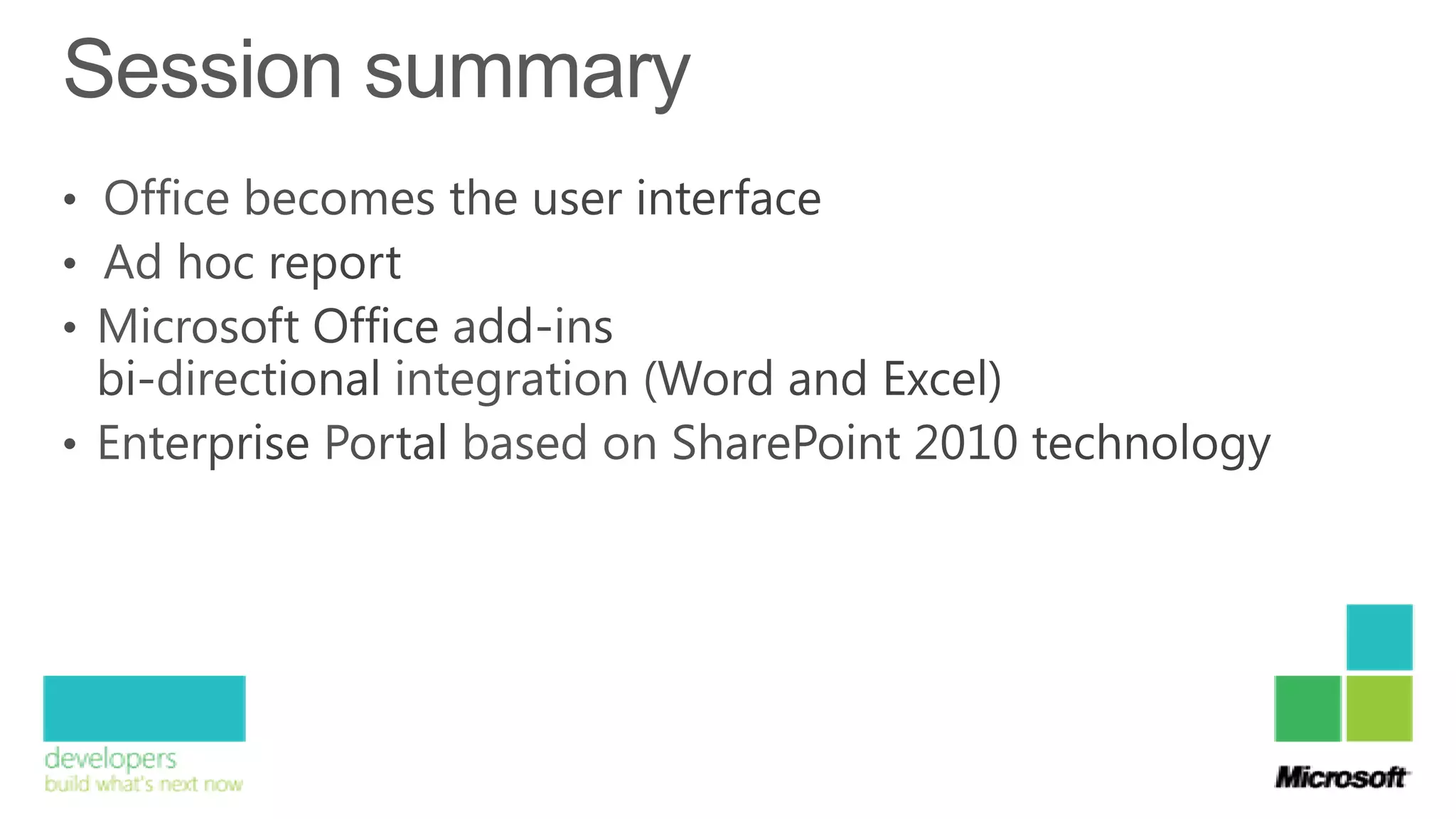
• Microsoft Office add-ins – bi-directional integration (Word and Excel)
• Enterprise Portal based on SharePoint 2010 technology
• Country-context support
• New help system
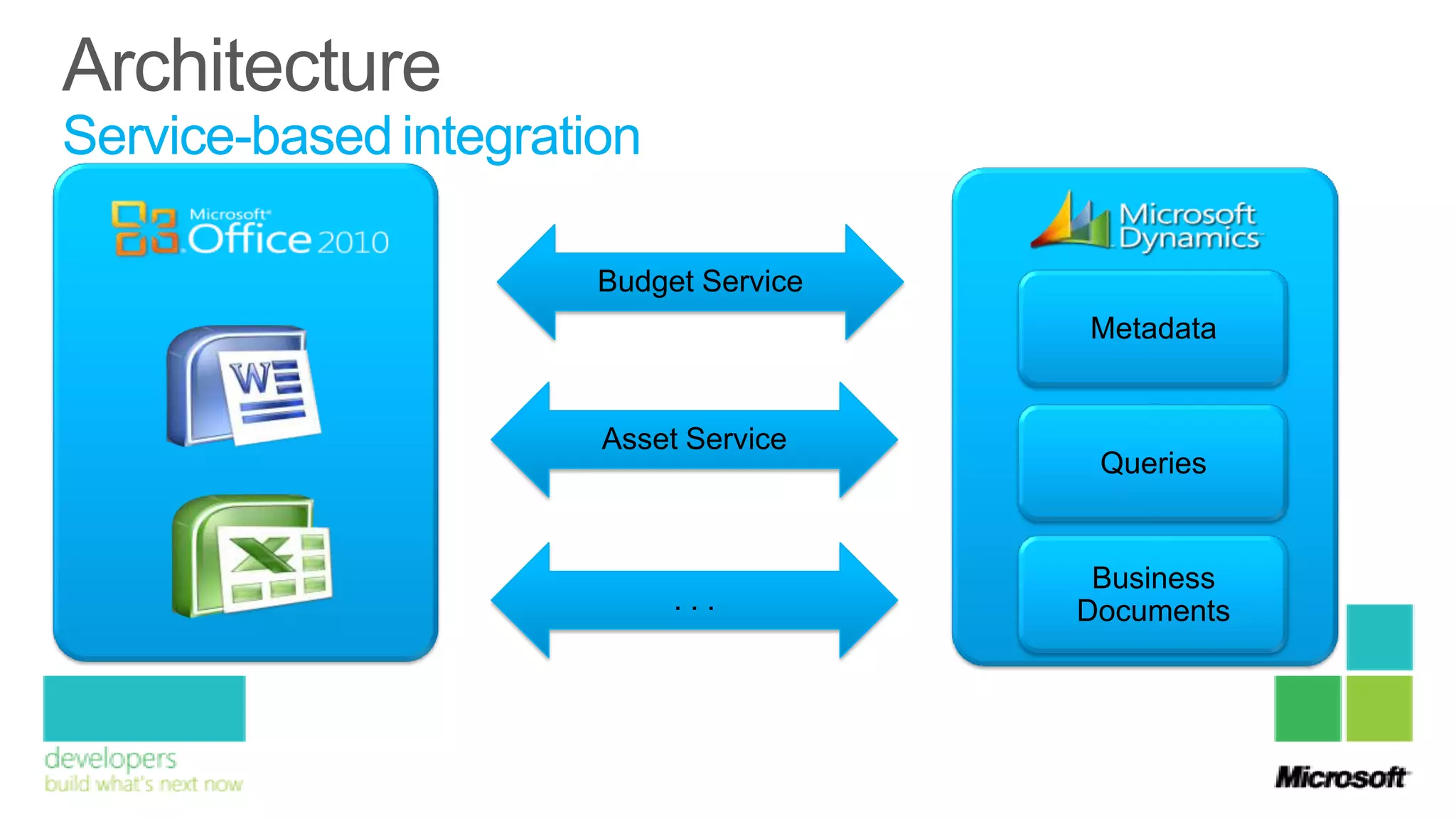
Service-based integration

                       Budget Service
                                        Metadata


                       Asset Service
                                         Queries


                                         Business
                            ...         Documents
Demo
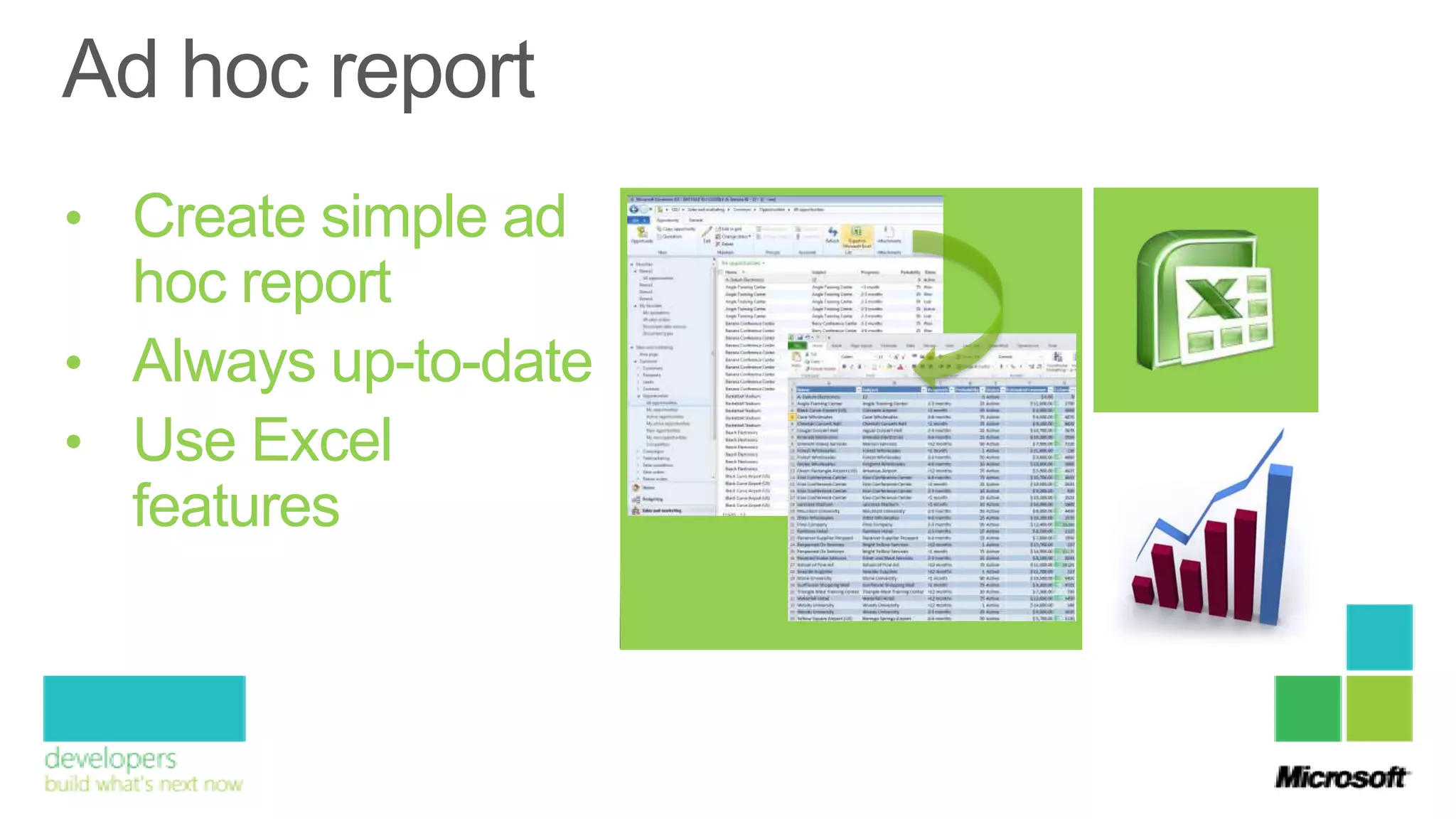
• Create simple ad
  hoc report
• Always up-to-date
• Use Excel
  features
Demo
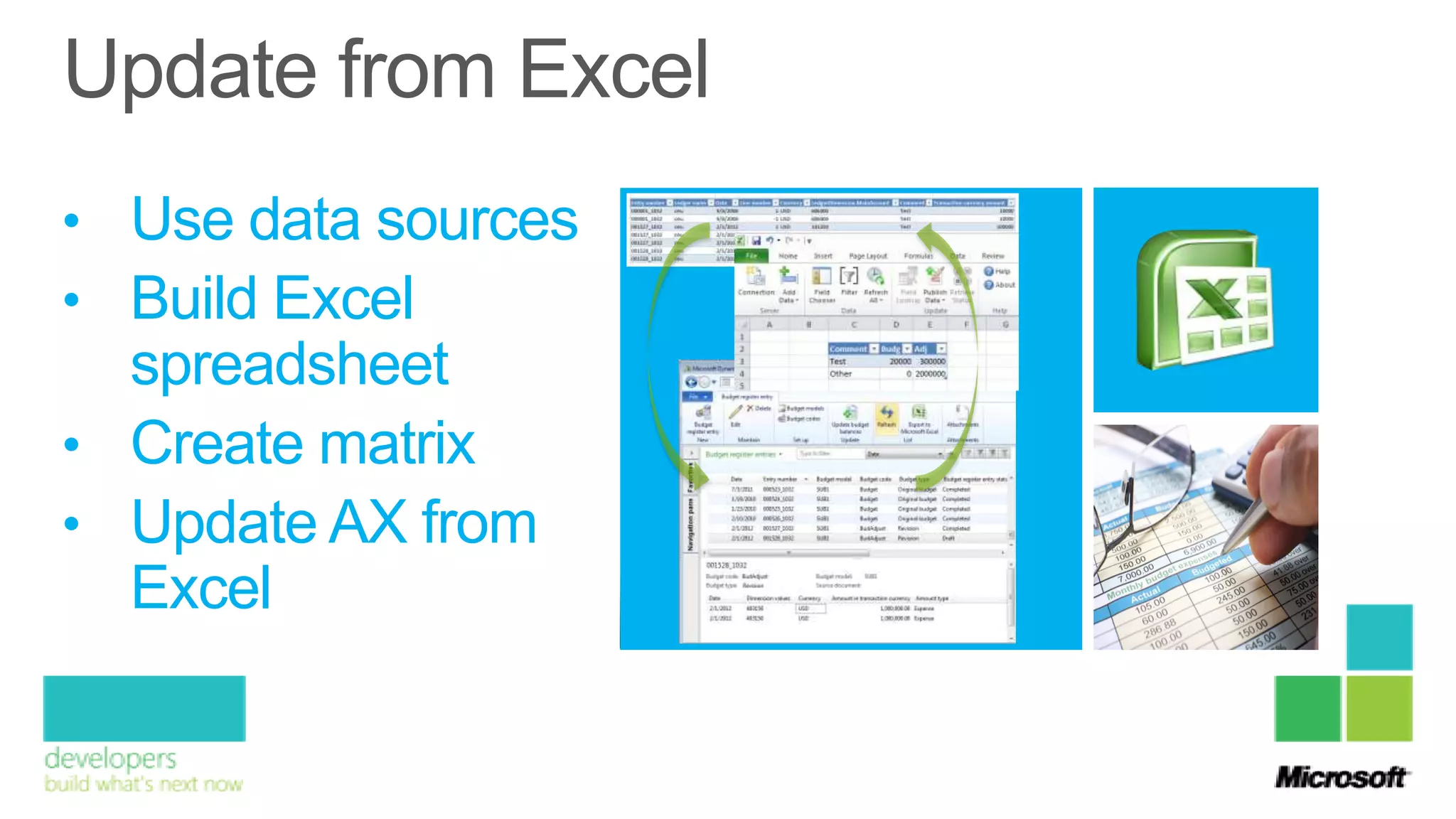
• Use data sources
• Build Excel
  spreadsheet
• Create matrix
• Update AX from
  Excel
Demo
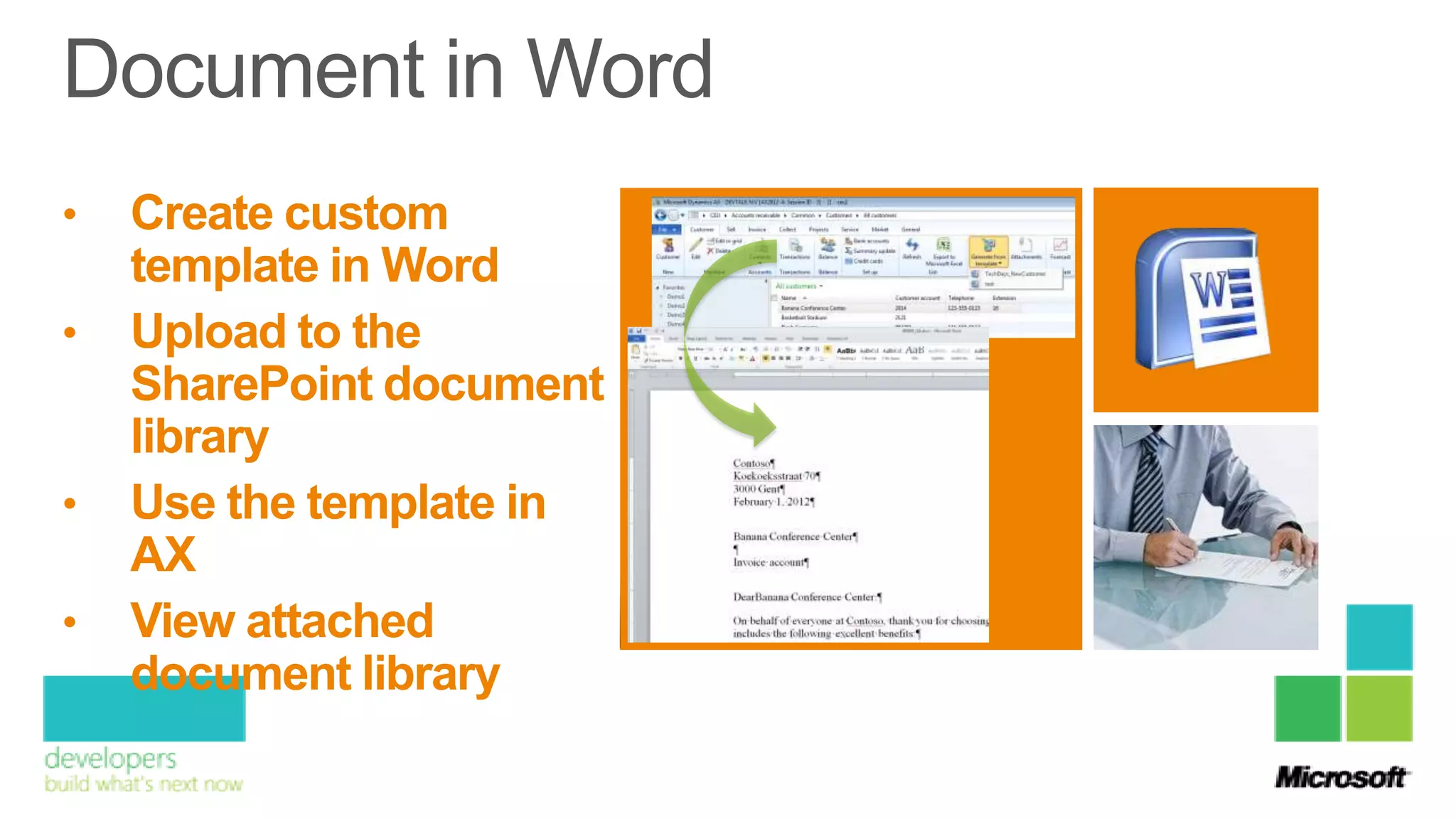
•   Create custom
    template in Word
•   Upload to the
    SharePoint document
    library
•   Use the template in
    AX
•   View attached
    document library
Demo
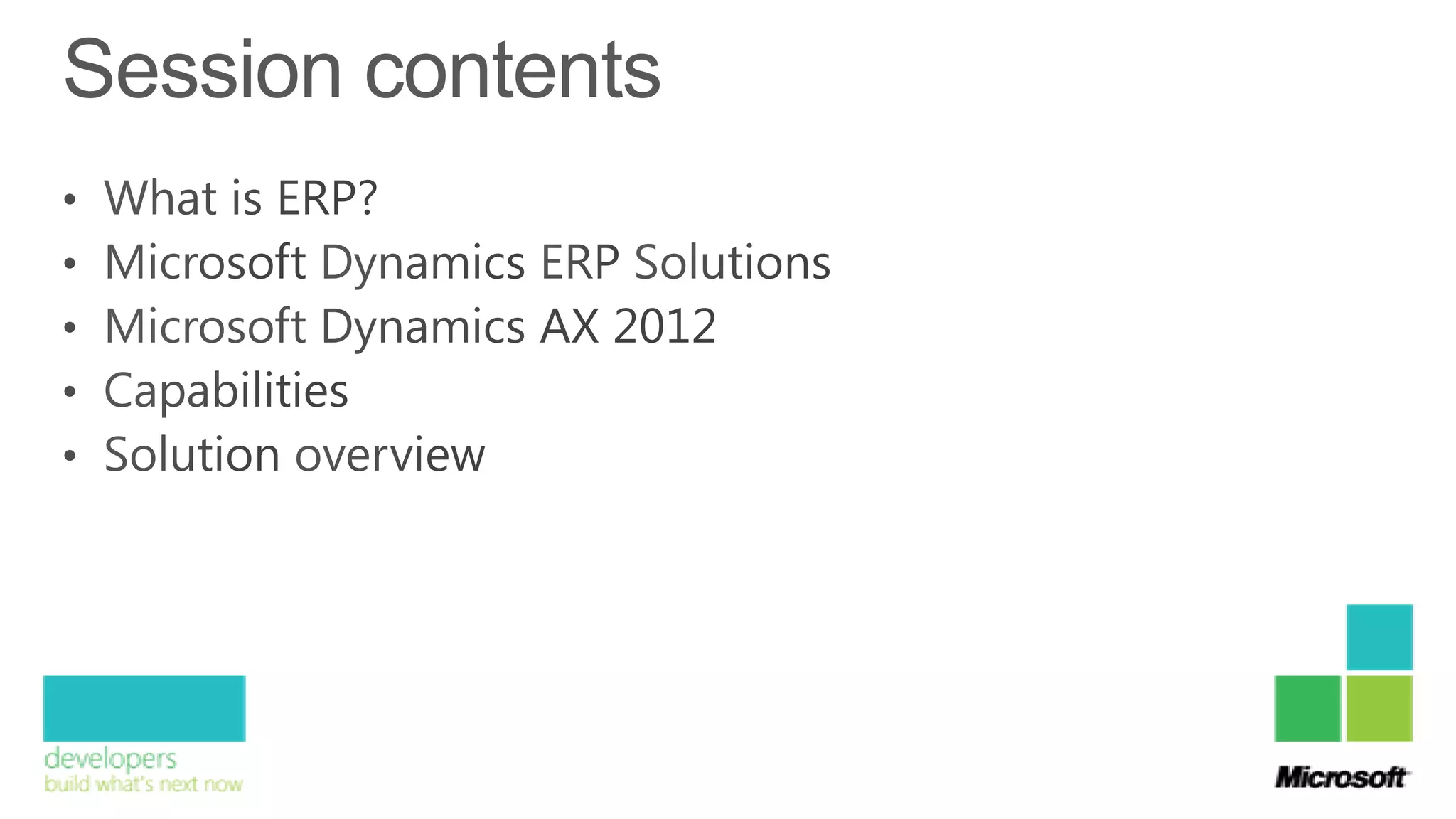
Extending the reach of Microsoft
Dynamics AX with Microsoft BI
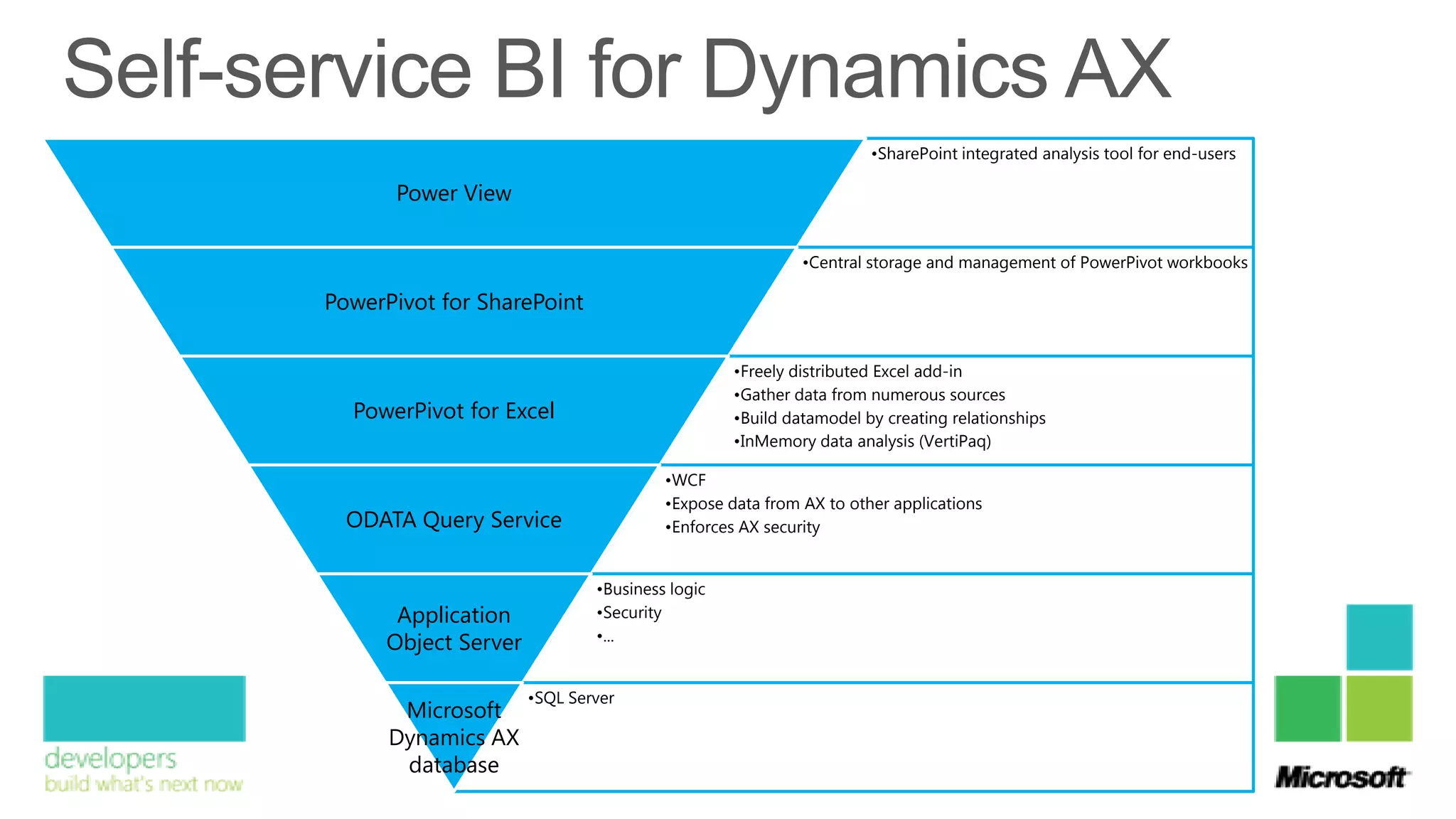
•SharePoint integrated analysis tool for end-users

      Power View

                                                        •Central storage and management of PowerPivot workbooks

PowerPivot for SharePoint

                                               •Freely distributed Excel add-in
                                               •Gather data from numerous sources
  PowerPivot for Excel                         •Build datamodel by creating relationships
                                               •InMemory data analysis (VertiPaq)

                                      •WCF
                                      •Expose data from AX to other applications
  ODATA Query Service                 •Enforces AX security


                             •Business logic
      Application            •Security
                             •...
     Object Server

                     •SQL Server
       Microsoft
      Dynamics AX
       database
Demo
Extending the reach of your Microsoft Dynamics AX Application with the next-gen tools

Extending the reach of your Microsoft Dynamics AX Application with the next-gen tools

  • 5.
    Software solution Project Financial Management & Management Accounting Integrates Supply Chain Management Production
  • 6.
    Small and midsizebusinesses Navision - Customizable, specialized ERP for the mid-market Great Plains - Full feature, “out-of-the-box” Small and ERP (primarily the US market) midsize Solomon - World class project accounting businesses and feature rich distribution ERP for the mid-market Enterprise organizations AX - Tailorable, enterprise ERP Enterprise organizations
  • 8.
    • Microsoft DynamicsAX 2012 is designed for enterprises with 200 to 7,500 users. • It includes rich industry and core ERP capabilities in a single, global solution. • Supports global organizations by managing multisite operations through shared master data and business processes, as well as country specific capabilities, in a single instance. • Ad hoc reports and streamlined workflows with a Microsoft Dynamics Role Tailored user interface
  • 9.
    • Expand businessopportunities, modify processes, and differentiate your business with comprehensive ERP software that provides unprecedented agility. • Natural modeling to continuously plan, visualize, and change your processes • Flexible deployment options that can change as you grow • Agile technology that makes it easy to change and differentiate your business
  • 10.
    • Drive userinvolvement and innovation with a business management solution that is simple to use, deploy, and manage - and deliver easy access to data and processes. • Empower employees to innovate with quick access to information and business processes • Integrated, self-service collaboration capabilities for employees, customers, suppliers, and partners • Application life-cycle management to streamline IT processes from initial deployment through continuing change
  • 11.
  • 12.
    Solution overview Industry-specific Capabilities Manufacturing Distribution Retail Services Sector Public Sector Horizontal Capabilities Procurement SCM Inventory Projects Financials GRC HCM: HR & Payroll Sales and Marketing Application Foundation Master Data Reference Data Global Engines Framework Server Tools Client Microsoft Technology Stack
  • 13.
    Framework Server Tools Client Servers & Tools: • Workflow incl. graphical workflow editor, work item queues • Services (Sites, payment and commerce) • AIF • Role-based security and segregation of duties • Pluggable user authentication • New programmability concepts (models) • Visual Studio Tools for Microsoft Dynamics AX 2012 • Simplified installation experience Clients: • Enhanced Role Tailored user interface (UI) including new Role Centers • Microsoft Office add-ins – bi-directional integration (Word and Excel) • Enterprise Portal based on SharePoint 2010 technology • Country-context support • New help system
  • 17.
    Service-based integration Budget Service Metadata Asset Service Queries Business ... Documents
  • 18.
  • 19.
    • Create simplead hoc report • Always up-to-date • Use Excel features
  • 20.
  • 21.
    • Use datasources • Build Excel spreadsheet • Create matrix • Update AX from Excel
  • 22.
  • 23.
    Create custom template in Word • Upload to the SharePoint document library • Use the template in AX • View attached document library
  • 26.
  • 28.
    Extending the reachof Microsoft Dynamics AX with Microsoft BI
  • 31.
    •SharePoint integrated analysistool for end-users Power View •Central storage and management of PowerPivot workbooks PowerPivot for SharePoint •Freely distributed Excel add-in •Gather data from numerous sources PowerPivot for Excel •Build datamodel by creating relationships •InMemory data analysis (VertiPaq) •WCF •Expose data from AX to other applications ODATA Query Service •Enforces AX security •Business logic Application •Security •... Object Server •SQL Server Microsoft Dynamics AX database
  • 32.

Editor's Notes

  • #19 DescriptionIn het volgende voorbeeld gaan we een sales director hebben die maandelijks moet rapporteren aan de board of directors. Eén van de rapporten die hij daarboor gebruikt is een lijst van de opportuniteiten AxSales and Marketing > Common > Opportunities > All opportunitiesExport to ExcelExcelFilter toepassen op de status (status active)Veld toevoegen (estimated revenue)Integratie met Excel (Formule =F2*D2/100 + celopmaak $ + conditional formatting data bars)
  • #21 DescriptionIn de volgede demo moet de IT department een tool aanleveren om de budgetten te beheren. Aangezien alle afdelingen over excel beschikken wordt excel als herkenbare client gebruikt. De wijzigingen vanuit excel worden in Ax doorgevoerd.AxShow Connection to AxShow CEU/Budgeting/Common/Budget register entries  draftsExcelAdd Datasource: Budget serviceAdd fields Enterynumer / Default date / Budget model / Budget codeAdd fields Entery number / Date / Line number / Currency / LedgerDim.MainAccount / Comment / Transaction currency amountFilter comment !””status draftEdit linesPublishShow modification in AxGroup in ExcelCreate matrix Original voor budgetCreate matrix Adjustments voor Adjustment coderename Tab 1 to Detailrename Tab 2 to OverviewAdd matrix Original / Addjustmenton Tab OverviewAddComment on TabOverviewEdit the adjustment on taboverviewShow new values on the Tab DetailShow update in Ax
  • #23 DescriptionIn de volgende demo maken we een brief om nieuwe klanten te verwelkomenWordOpen TechDays_NewCustBlanco.dotCreateconnection in WordAdd datasource Accounts Receivable CustReplace bookmarks in wordShow Developer modeSave the documentEPGo to the portalUpload document to document libraryAxGo to CEU/Organizationadministration/Setup/Document TypesShow template VBActivate new templateGo to CEU/Accounts receivable/Common/Customers/AllcustomersGenerate templateToon document automatisch toegevoegd via documentbeheer
  • #27 AxSales and Marketing > Common > Opportunities > All opportunitiesExport to ExcelExcelFilter toepassen op de status (status active)Veld toevoegen (estimated revenue)Integratie met Excel (Formule =F2*D2/100 + celopmaak $ + conditional formatting data bars)
  • #29 Kenny Peetermans:SQL Server and BI consultant with a focus on the integration with Dynamics AX.Jeroen  getting data in AX and editing itKenny  getting that data out and analyzing it
  • #30 Data often resides all over the companyExcel sheetsCustom appsDynamics AXBI:Gathering data from multiple sources transform it1 unified view on your datadecision makers have a single version of the truth
  • #33 Dynamics AX clientAOTQueriesTECH_CustomersTECH_CustomerTransactionsOrganization AdministrationSetup  Document Management  Document Data SourcesExcelPowerPivot WindowShow data source possibilitiesFrom Data Feedshttp://localhost:8101/dynamicsax/services/odataqueryservicePulls data into workbook memoryCreate PK for CustomerCreate FK for CustomerTransactionCreate relationship FK to PKPull in DateTable Excel file (use first row as column header !!)Rename Date sheetFormat datesCreate relationship in Diagram View from transdate to dateCreate PivotChart on existing worksheetExcelsheetToo many fields availablePowerPivot WindowHide recid, PK and FKExcelsheetRefreshRename sheet to CustomersDrag AccountNum, CustGroupSlicer DataareaidRename second sheet to SalesCreate PivotTable with custgroup, customername and amountmstHide other sheets and remove filtersFile  Save & Send  Save to SharePoint  PowerPivot Gallery  CustomerSalesWhile saving, open Internet ExplorerSharePointhttp://devtalkPowerPivot GalleryOpen CustomerSales  Slice and Refresh  Analysis Services for loadingClose CustomerSalesShow buttons and mention ability to automate refreshCreate Power View reportPower ViewAdd title Customer Sales ReportDrag Customername and amountmstResize and sortDrag AmountmstChoose scatterX  invoiceY  amountmstSize  accountnumColor  CustGroupPlayAxis  MonthNameDrag amountmst and countryregionidChoose column