Microsoft Business Intelligence
Overview
April 2015
Shan Kane
SharePoint/Cloud Architect
Agenda
• Introduction
• BI Success Factors
• Microsoft Dashboard BI Options
• Microsoft BI Progression
• Microsoft BI Stack
• SharePoint 2013 BI
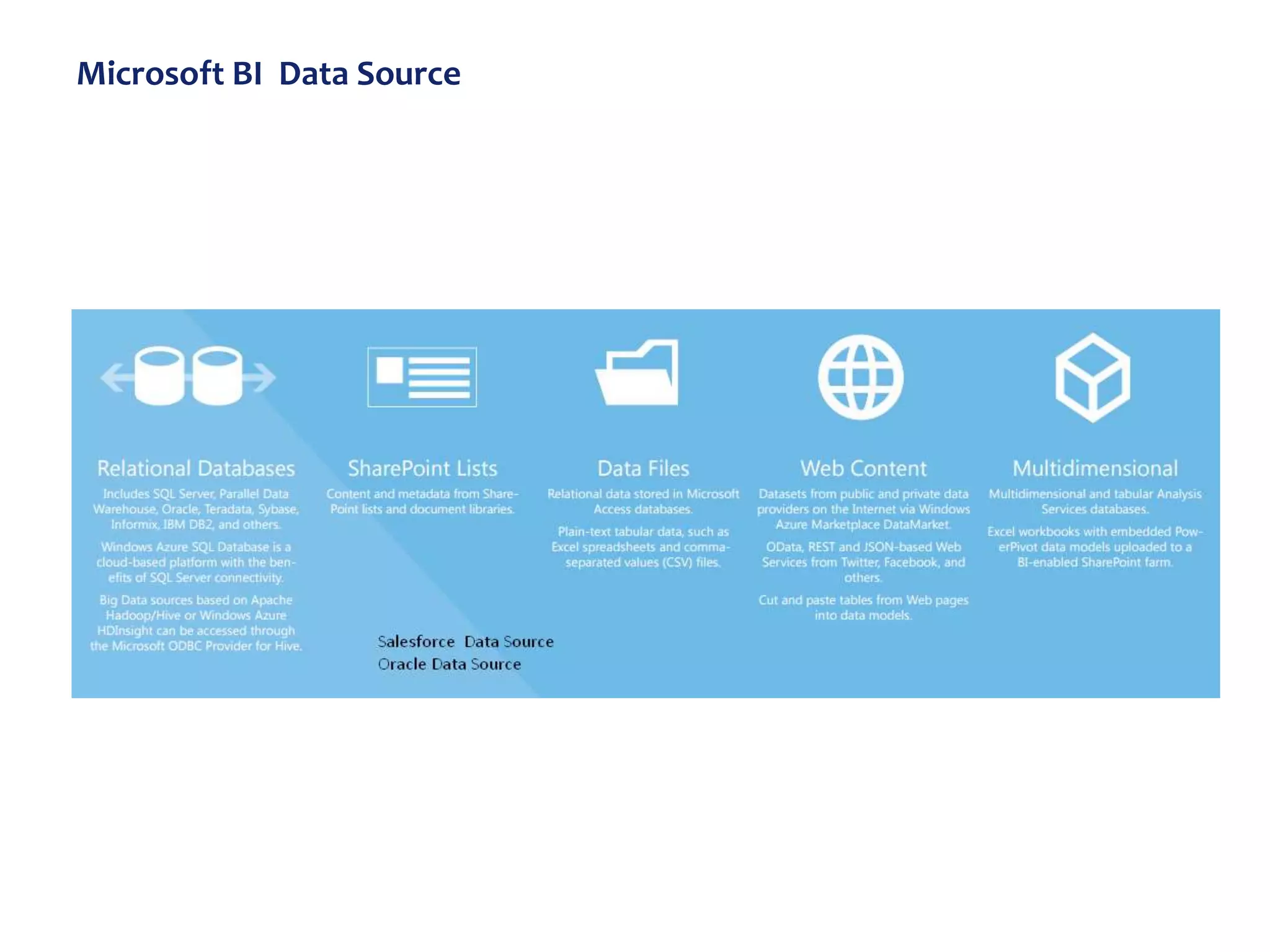
• Microsoft BI Data Source
• BI Options
• Hands on
– Excel, Performance Point, Visio ..
• Power BI and Power BI for Office 365
• Decision Matrix
BI Success Factors
What is BI?
Business intelligence (BI) is the set of techniques and tools for the transformation
of raw data into meaningful and useful information for business analysis purposes. -
Wikipedia
Business intelligence (BI) is an umbrella term that includes the applications,
infrastructure and tools, and best practices that enable access to and analysis of
information to improve and optimize decisions and performance - Gartner
• Business Sponsorship
• Initial data scrubbing time will be well spent.
• Solve current Business problem
• Strategic organization goals
• Amount and quality of data
• Validate the data ( At every level)
• Start small, lean and build in small but viable steps.
Introductions
• This presentation discusses high level Microsoft BI Stack
options.
• Focus will be on SharePoint and office 365 BI stack.
• The Approach will be combination of presentation slides
and Hands on.
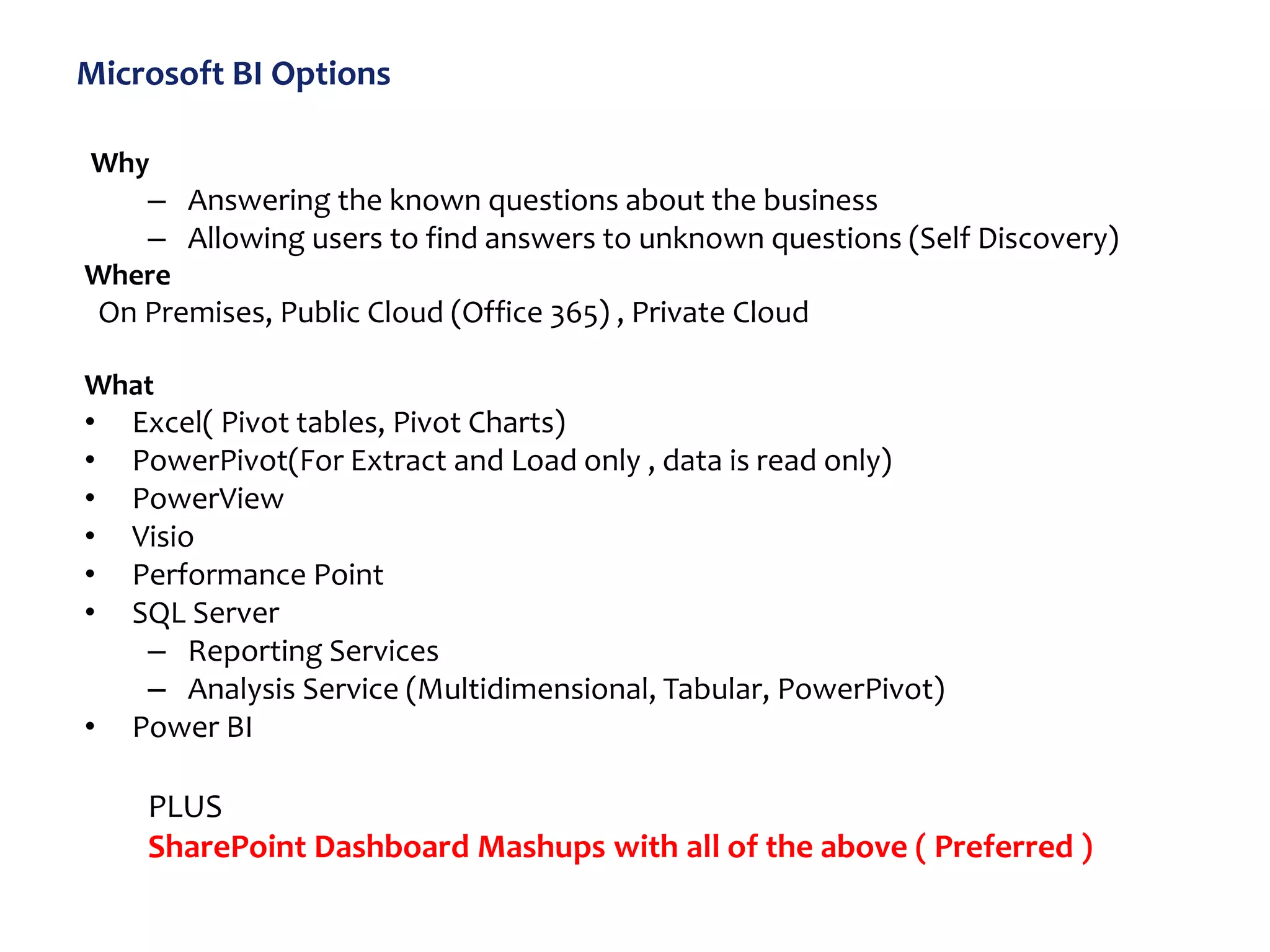
Microsoft BI Options
Why
– Answering the known questions about the business
– Allowing users to find answers to unknown questions (Self Discovery)
Where
On Premises, Public Cloud (Office 365) , Private Cloud
What
• Excel( Pivot tables, Pivot Charts)
• PowerPivot(For Extract and Load only , data is read only)
• PowerView
• Visio
• Performance Point
• SQL Server
– Reporting Services
– Analysis Service (Multidimensional, Tabular, PowerPivot)
• Power BI
PLUS
SharePoint Dashboard Mashups with all of the above ( Preferred )
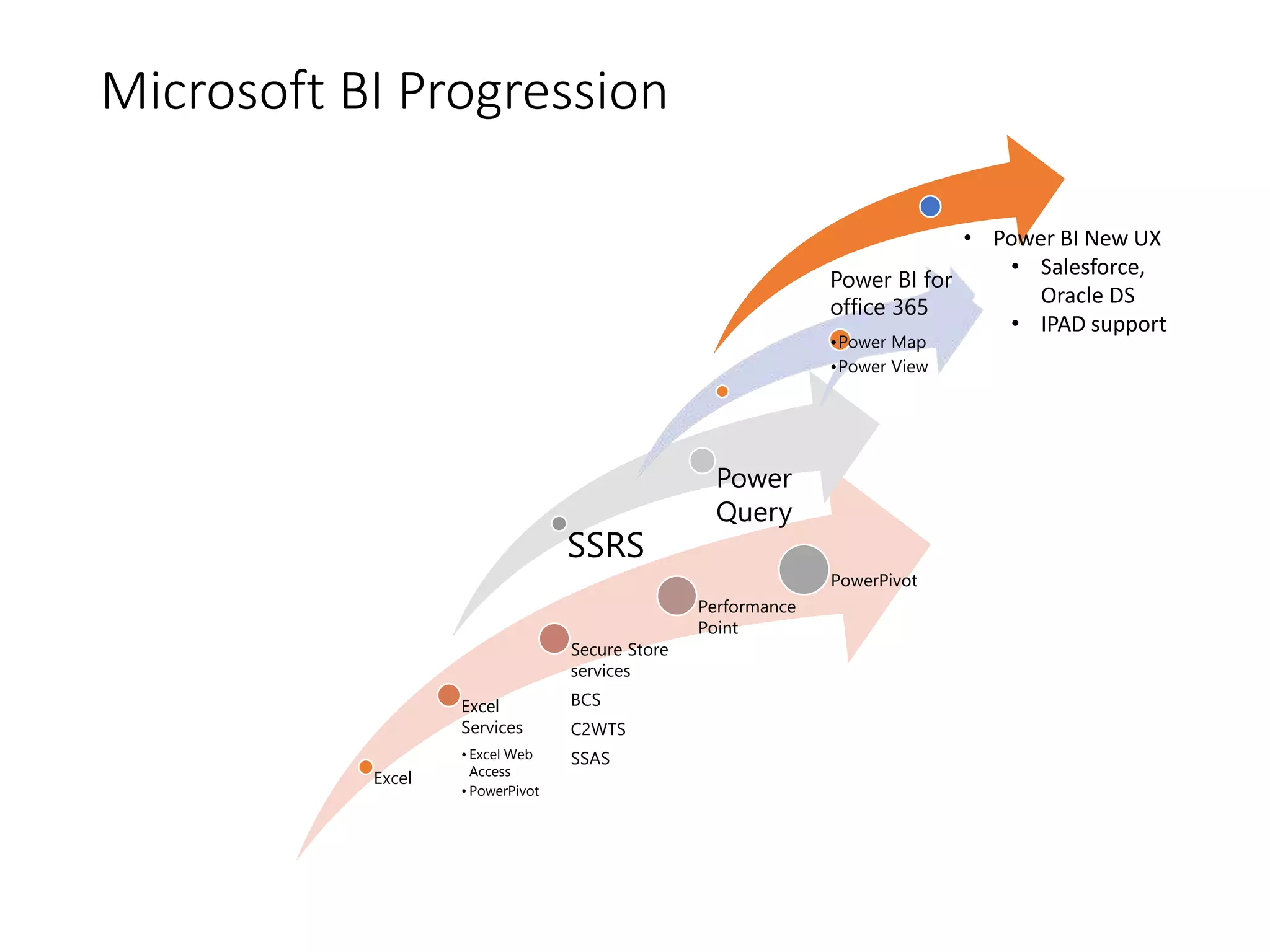
Microsoft BI Progression
Excel
Excel
Services
• Excel Web
Access
• PowerPivot
Secure Store
services
BCS
C2WTS
SSAS
Performance
Point
PowerPivot
SSRS
Power
Query
Power BI for
office 365
•Power Map
•Power View
• Power BI New UX
• Salesforce,
Oracle DS
• IPAD support
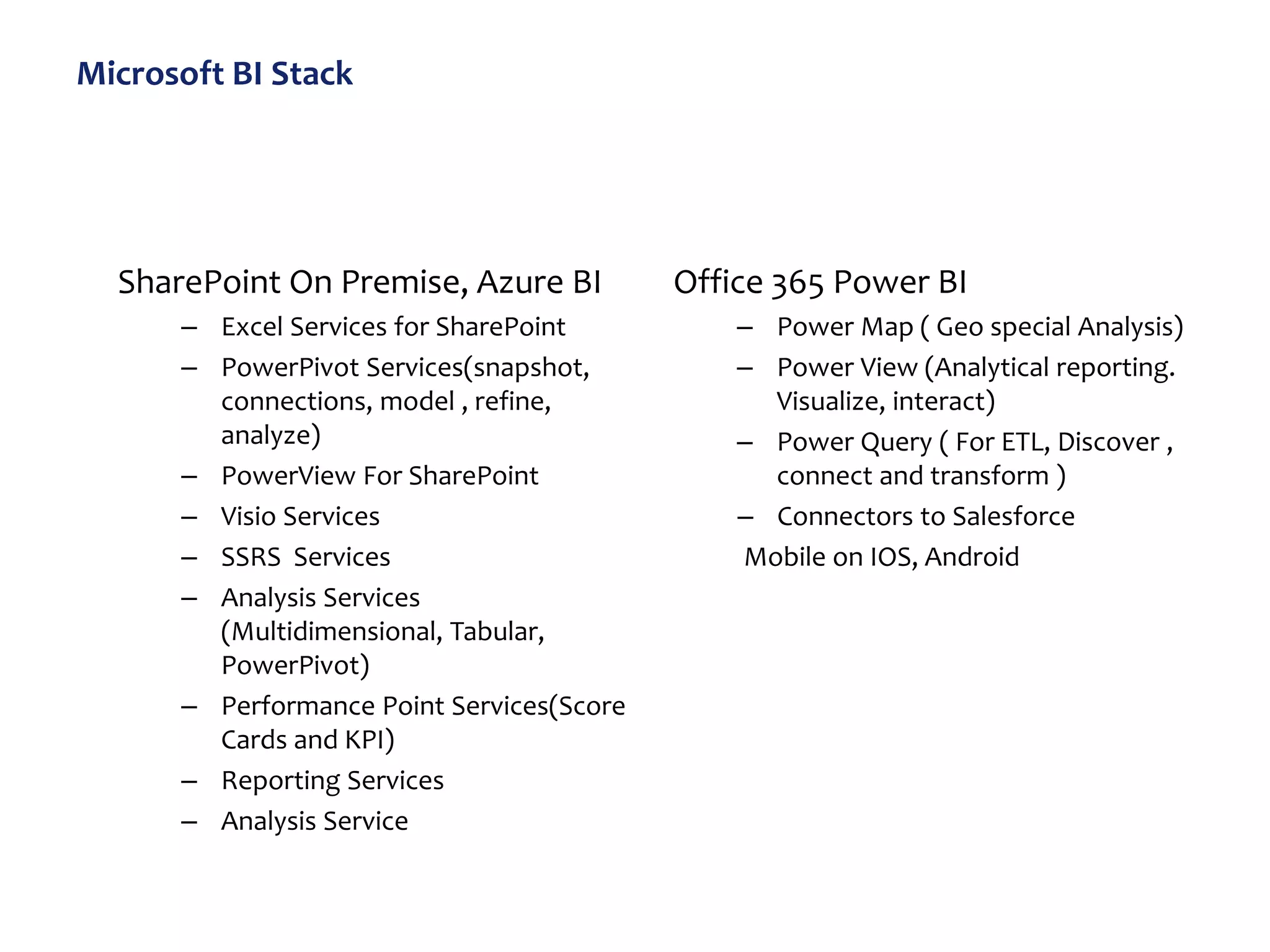
Microsoft BI Stack
SharePoint On Premise, Azure BI
– Excel Services for SharePoint
– PowerPivot Services(snapshot,
connections, model , refine,
analyze)
– PowerView For SharePoint
– Visio Services
– SSRS Services
– Analysis Services
(Multidimensional, Tabular,
PowerPivot)
– Performance Point Services(Score
Cards and KPI)
– Reporting Services
– Analysis Service
Office 365 Power BI
– Power Map ( Geo special Analysis)
– Power View (Analytical reporting.
Visualize, interact)
– Power Query ( For ETL, Discover ,
connect and transform )
– Connectors to Salesforce
Mobile on IOS, Android
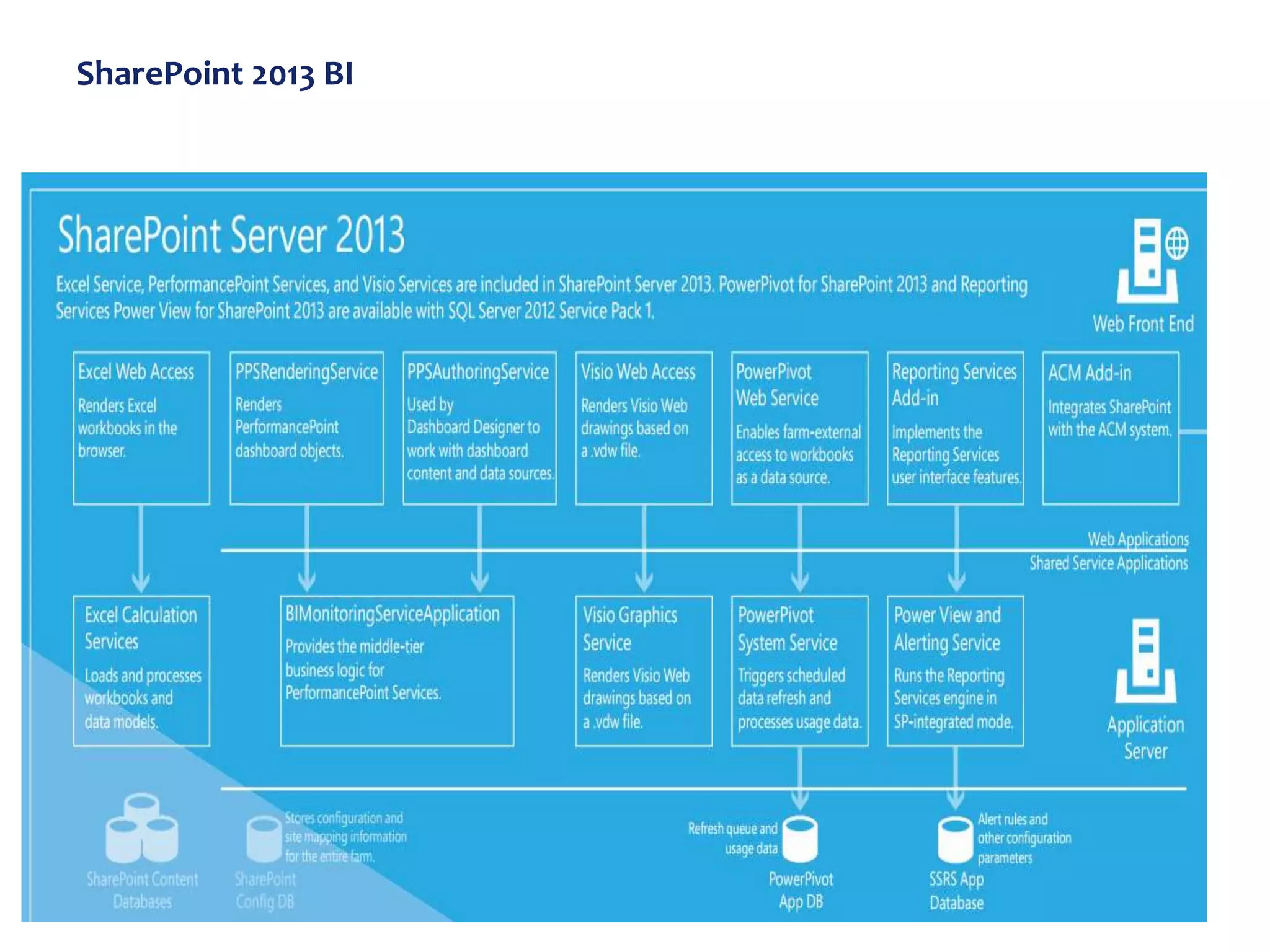
SharePoint 2013 BI
Microsoft BI Data Source
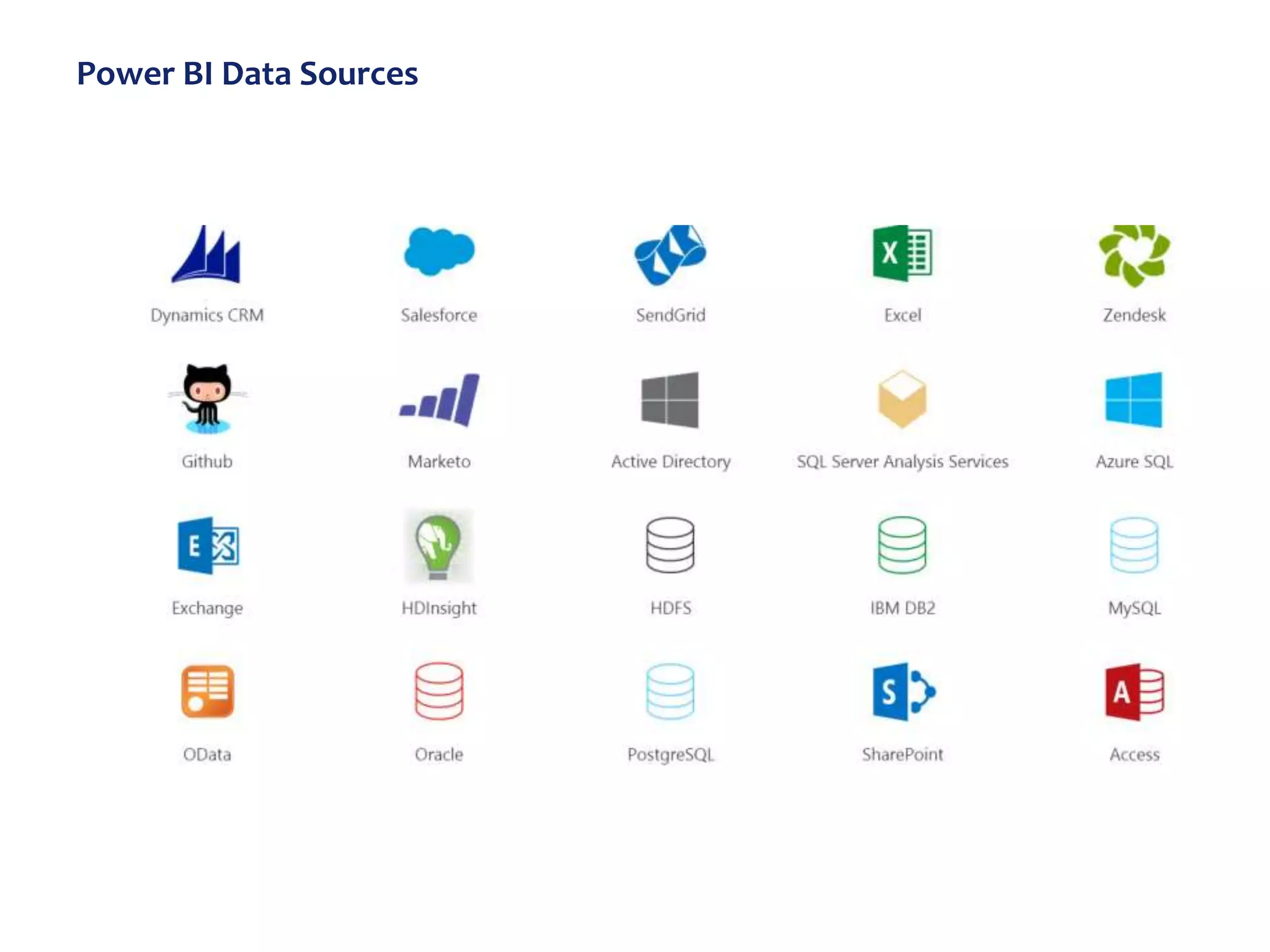
Power BI Data Sources
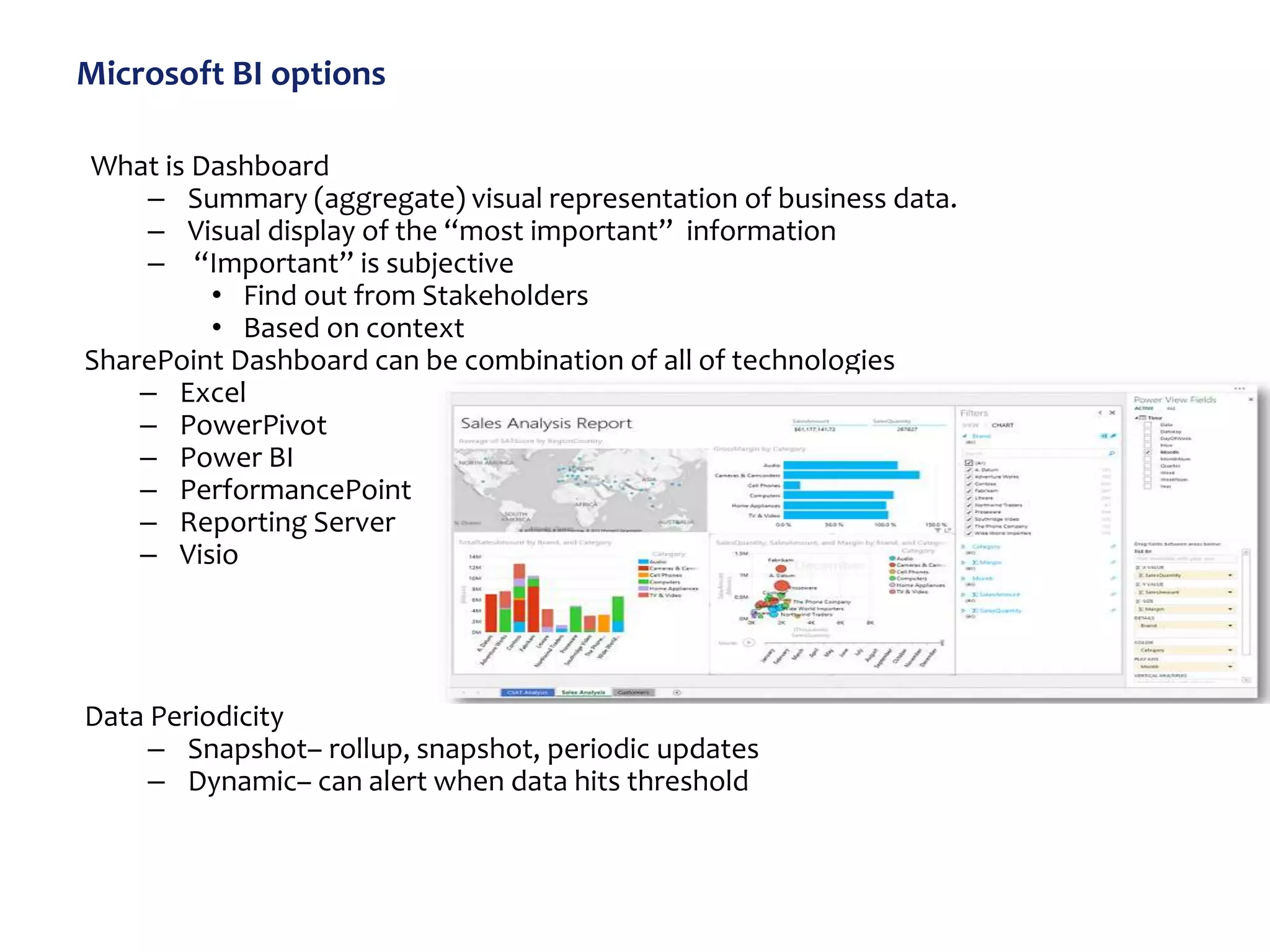
Microsoft BI options
What is Dashboard
– Summary (aggregate) visual representation of business data.
– Visual display of the “most important” information
– “Important” is subjective
• Find out from Stakeholders
• Based on context
SharePoint Dashboard can be combination of all of technologies
– Excel
– PowerPivot
– Power BI
– PerformancePoint
– Reporting Server
– Visio
Data Periodicity
– Snapshot– rollup, snapshot, periodic updates
– Dynamic– can alert when data hits threshold
High level steps and Suggestions for setting
up BI in SharePoint
Steps
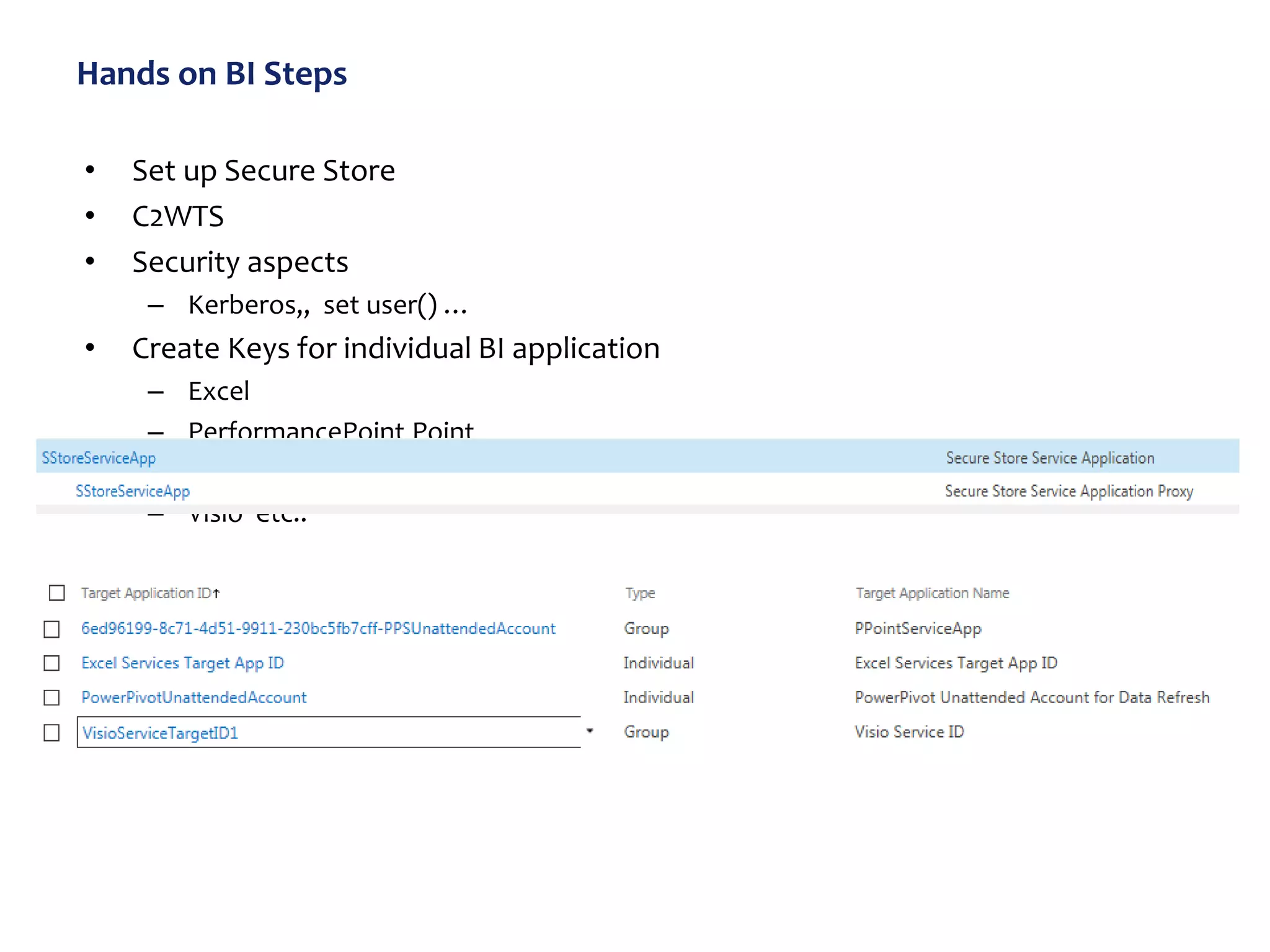
• Create Secure Store Apps
• Install C2WTS, MSOLAP100, MSOLAP110,
ado.net services on every WFE and App
Server
• Install Setup BI Services on SharePoint
Server ( and not on SQL Server)
• SSAS and SSIS goes on SQL Server
• Put SSAS on a separate server if available
• Create BI Site collection
Suggestions:
Take care of “double hop” problem (
Set up Kerberos( optional but
sometimes necessary) )
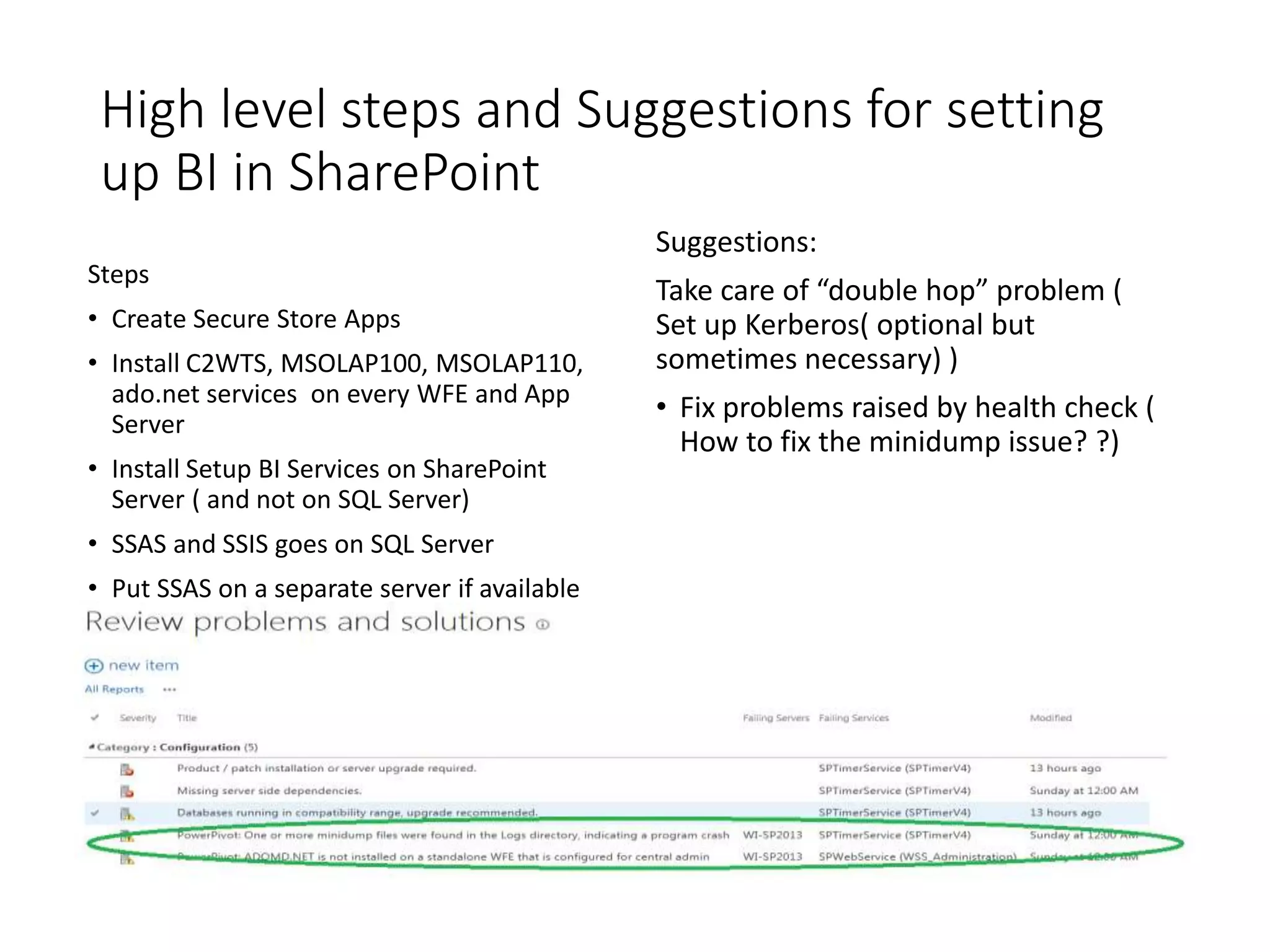
• Fix problems raised by health check (
How to fix the minidump issue? ?)
Hands on BI Steps
• Set up Secure Store
• C2WTS
• Security aspects
– Kerberos,, set user() …
• Create Keys for individual BI application
– Excel
– PerformancePoint Point
– PowerPivot
– Visio etc..
BI Security ( Challenging!!) : Focusing on
SharePoint 2013
• BI has set of components and
subsystems and connects to
multiple systems to create a BI
end to end system.
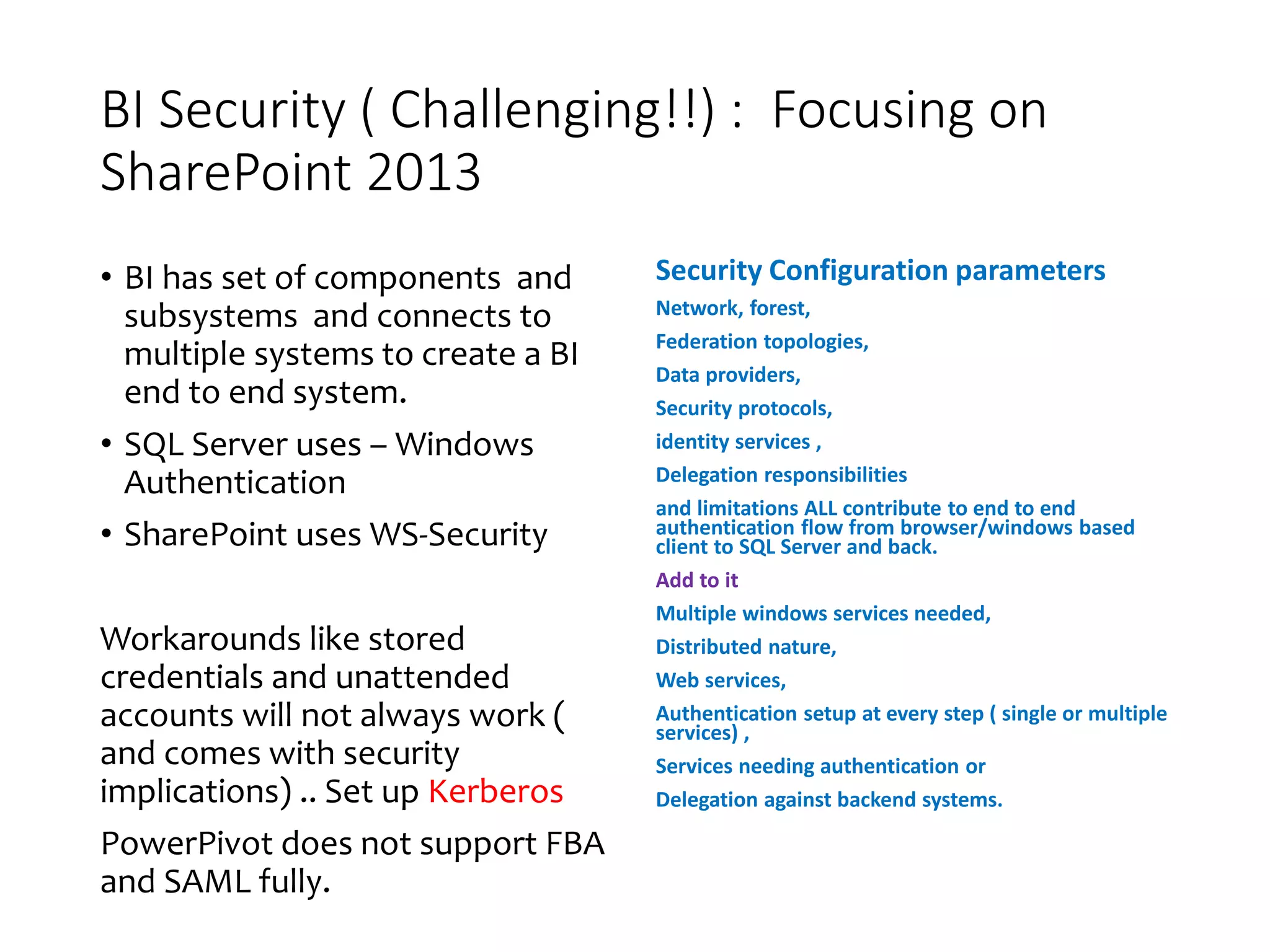
• SQL Server uses – Windows
Authentication
• SharePoint uses WS-Security
Workarounds like stored
credentials and unattended
accounts will not always work (
and comes with security
implications) .. Set up Kerberos
PowerPivot does not support FBA
and SAML fully.
Security Configuration parameters
Network, forest,
Federation topologies,
Data providers,
Security protocols,
identity services ,
Delegation responsibilities
and limitations ALL contribute to end to end
authentication flow from browser/windows based
client to SQL Server and back.
Add to it
Multiple windows services needed,
Distributed nature,
Web services,
Authentication setup at every step ( single or multiple
services) ,
Services needing authentication or
Delegation against backend systems.
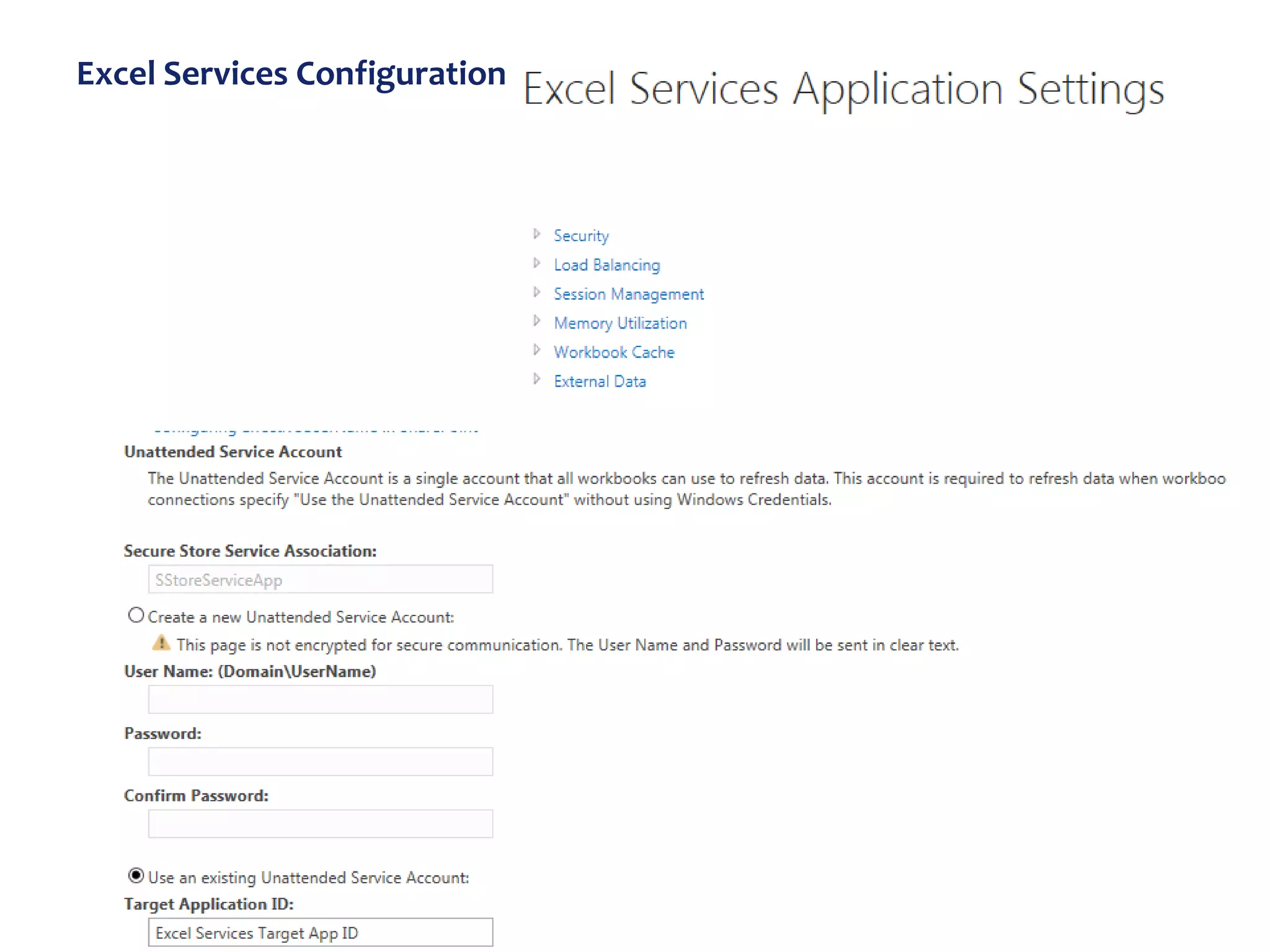
Excel Services Configuration
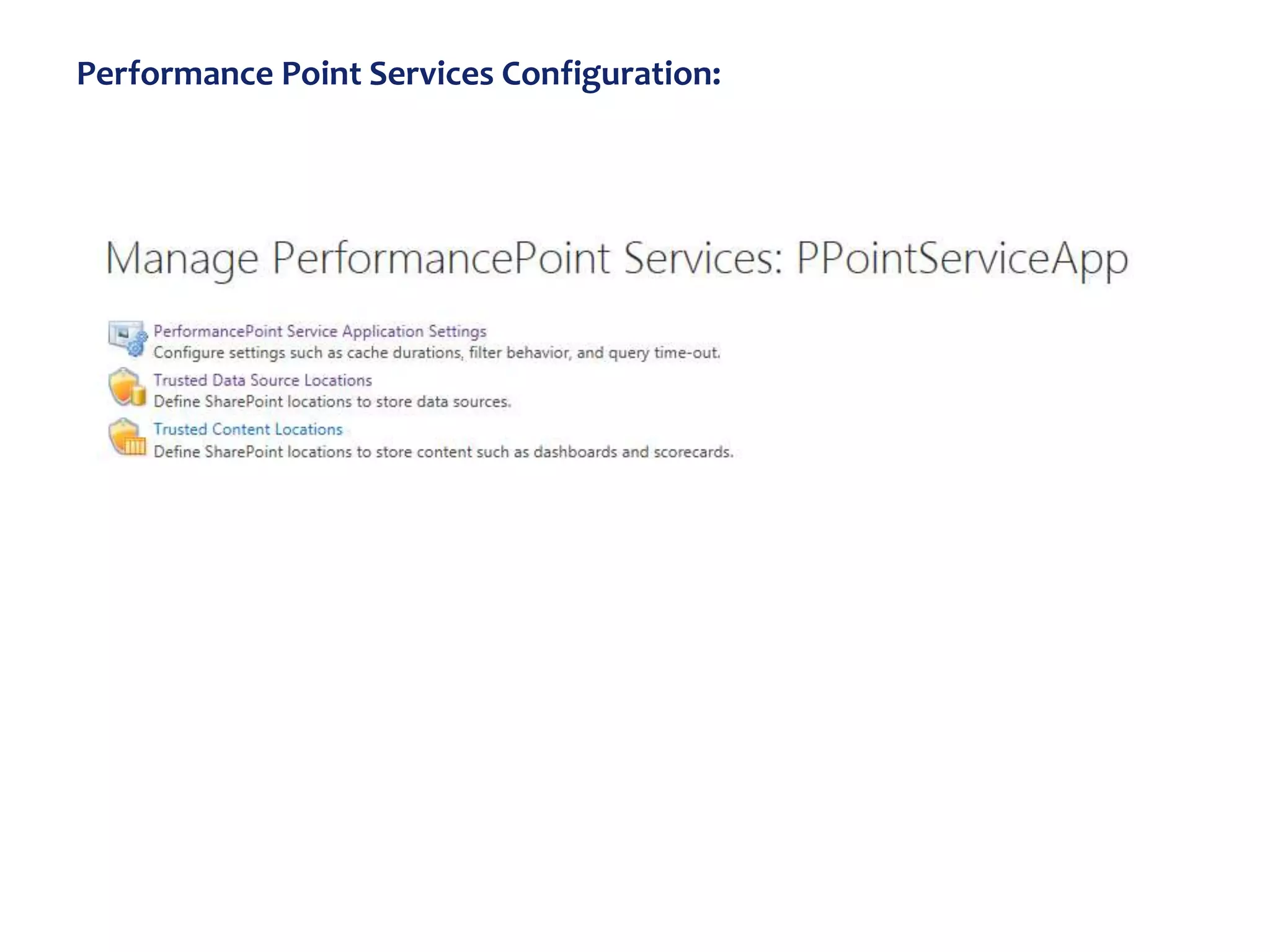
Performance Point Services Configuration:
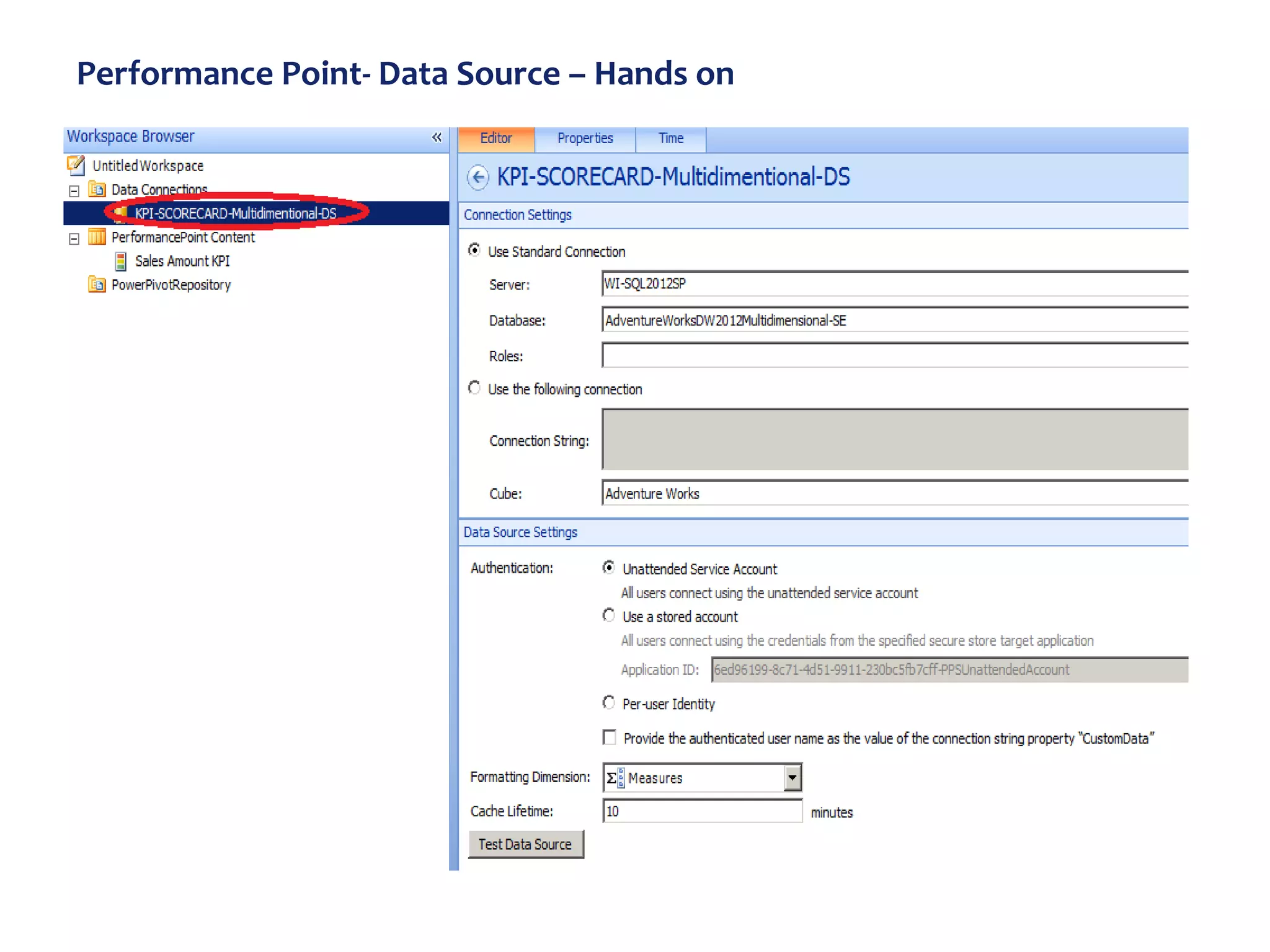
Performance Point- Data Source – Hands on
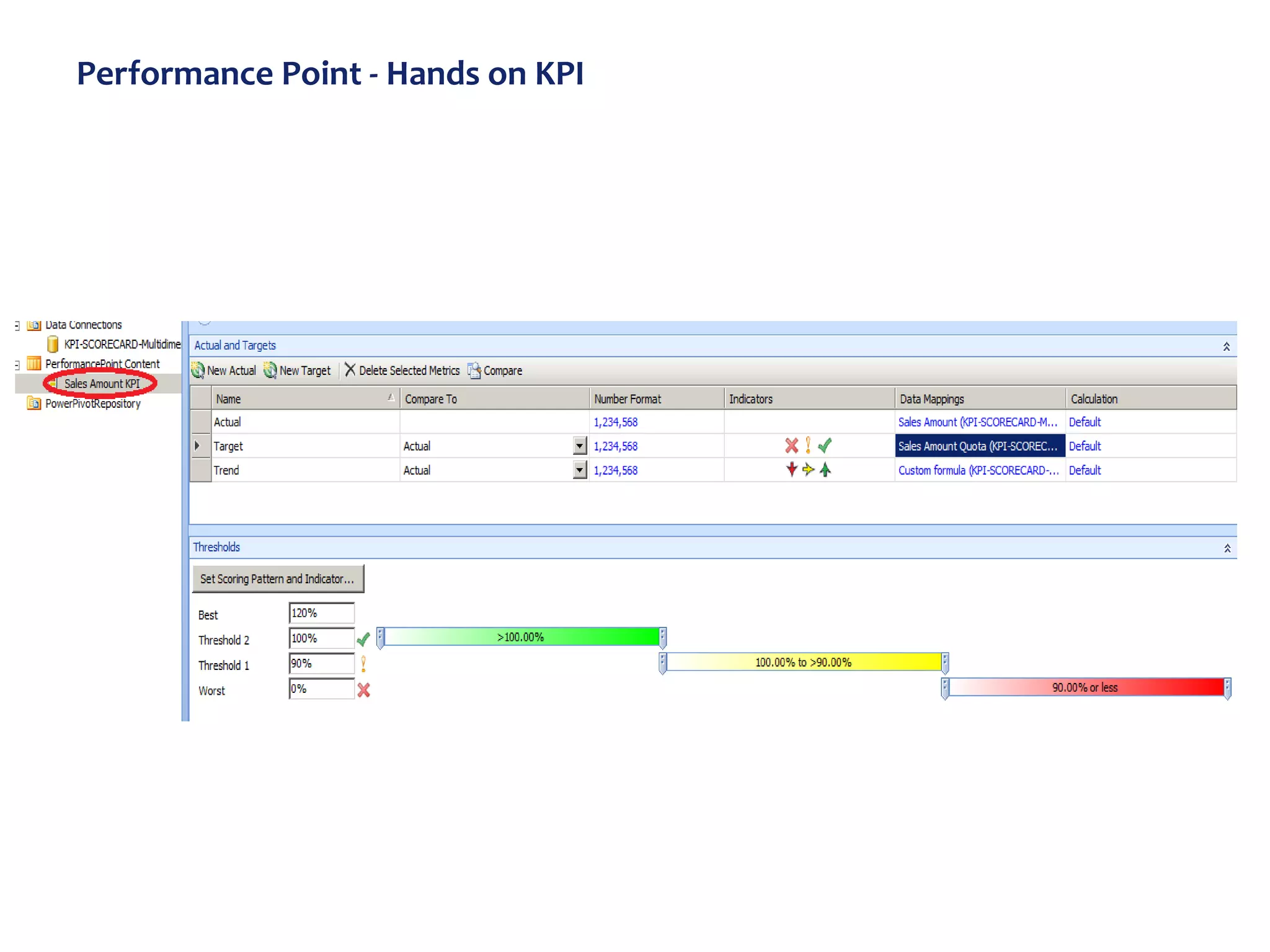
Performance Point - Hands on KPI
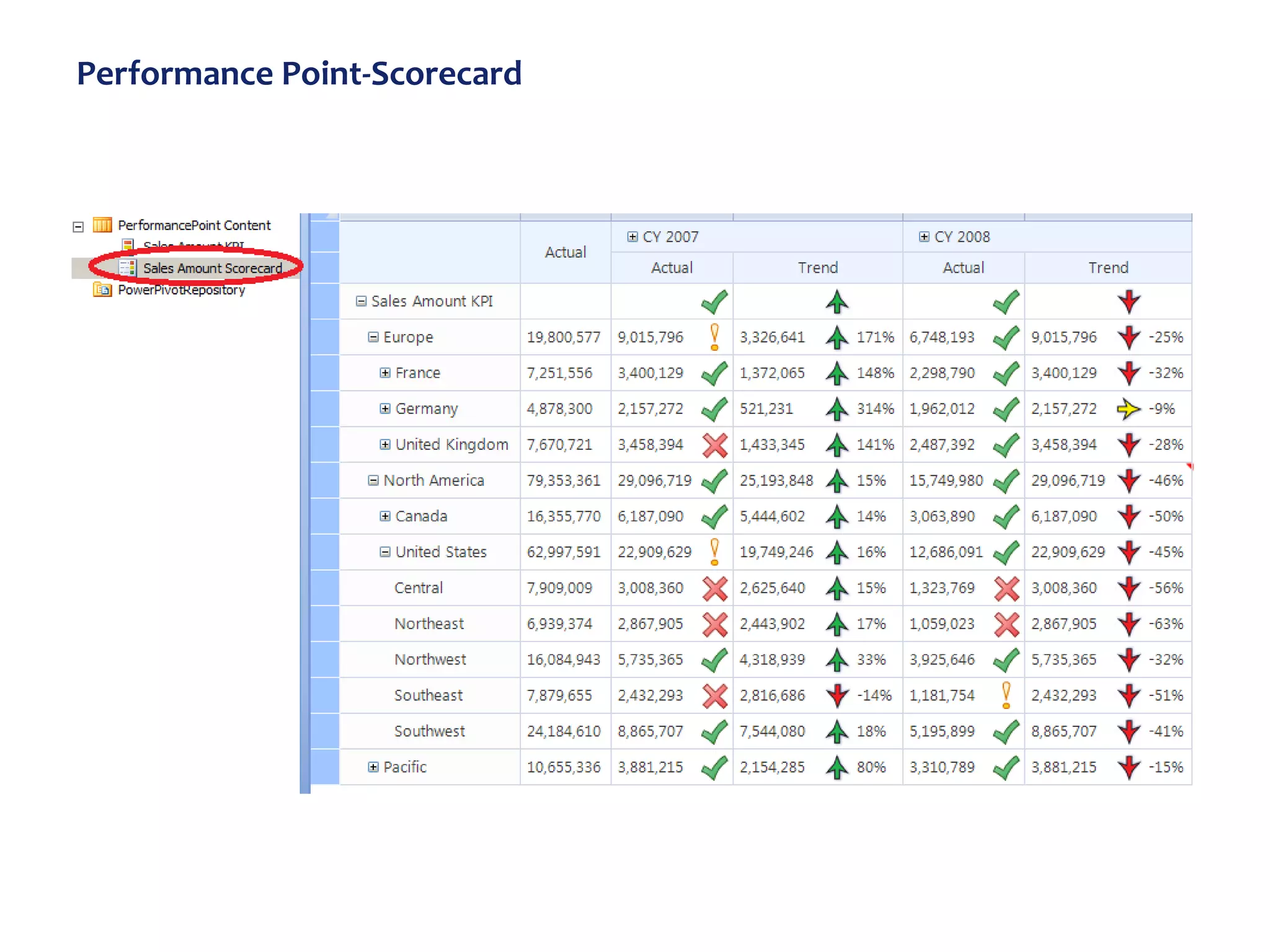
Performance Point-Scorecard
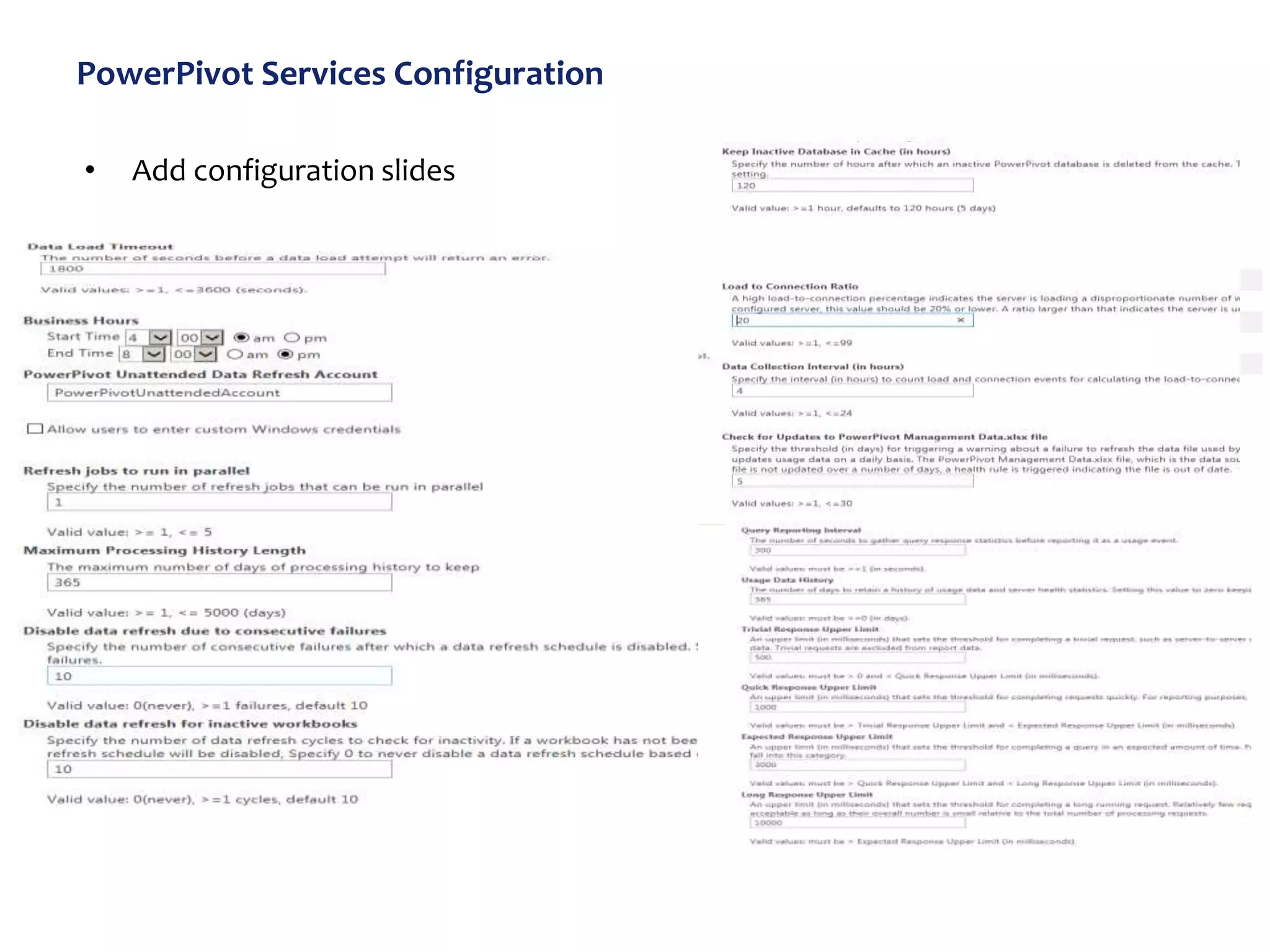
PowerPivot Services Configuration
• Add configuration slides
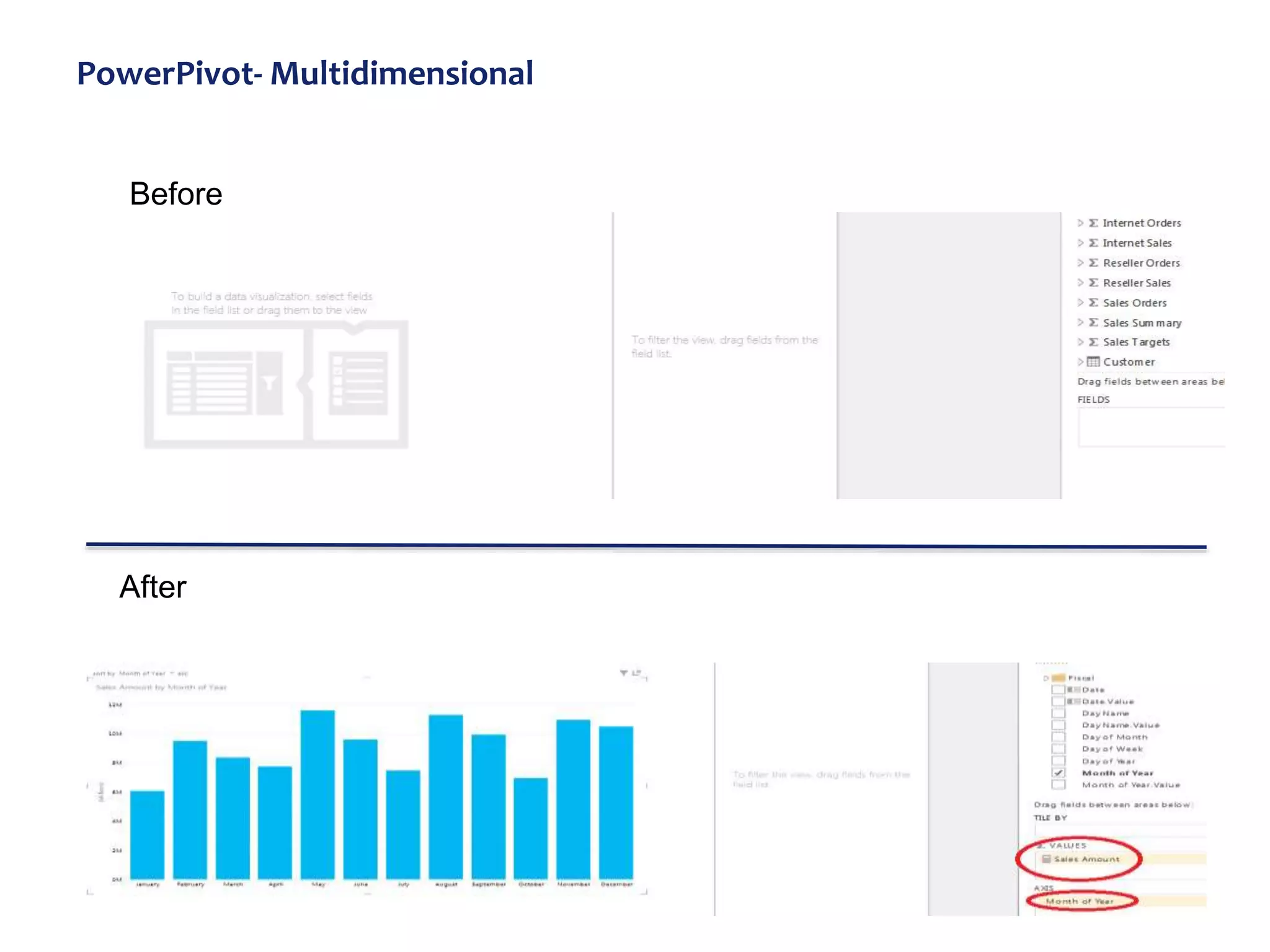
PowerPivot- Multidimensional
After
Before
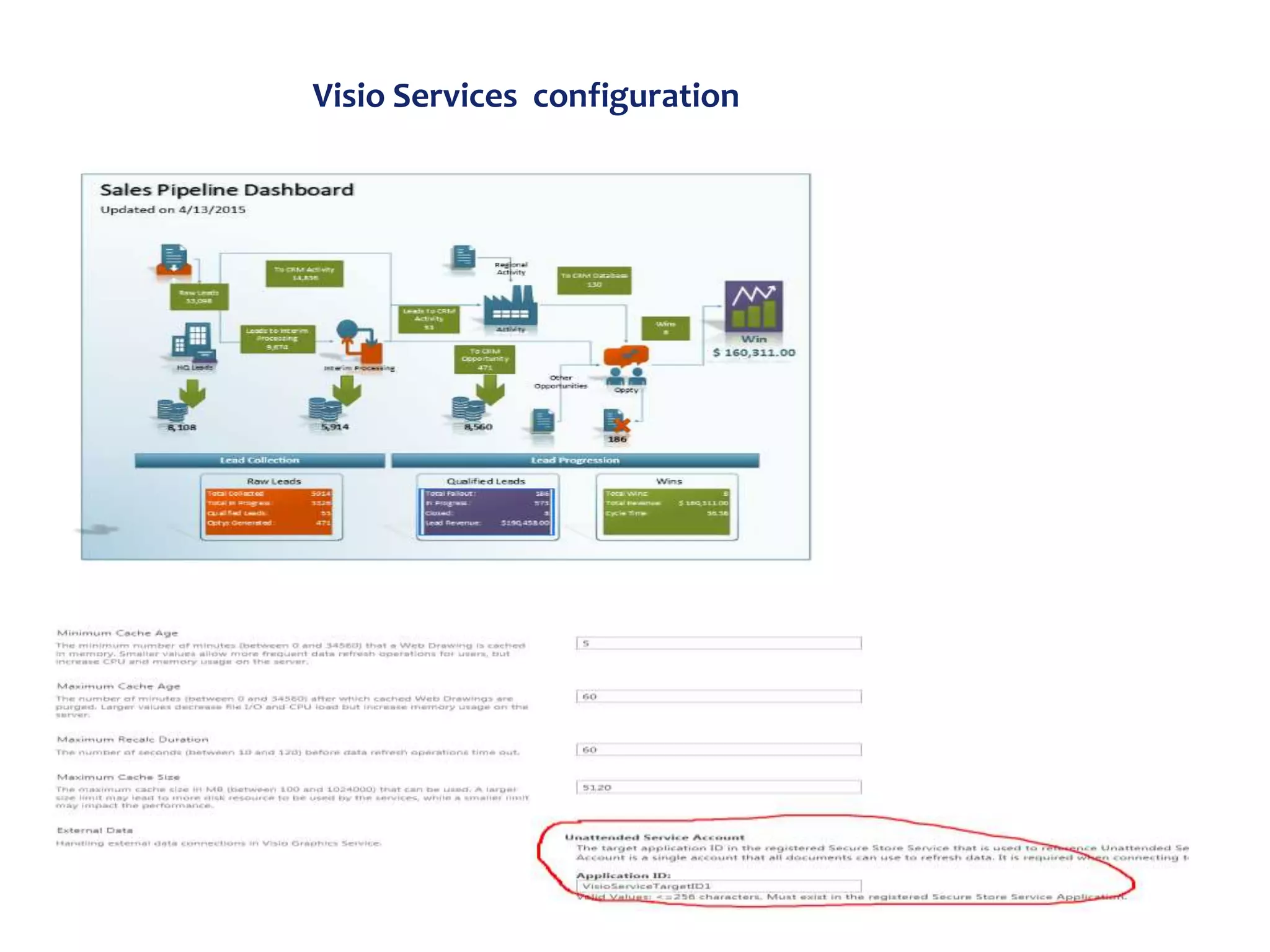
Visio Services configuration
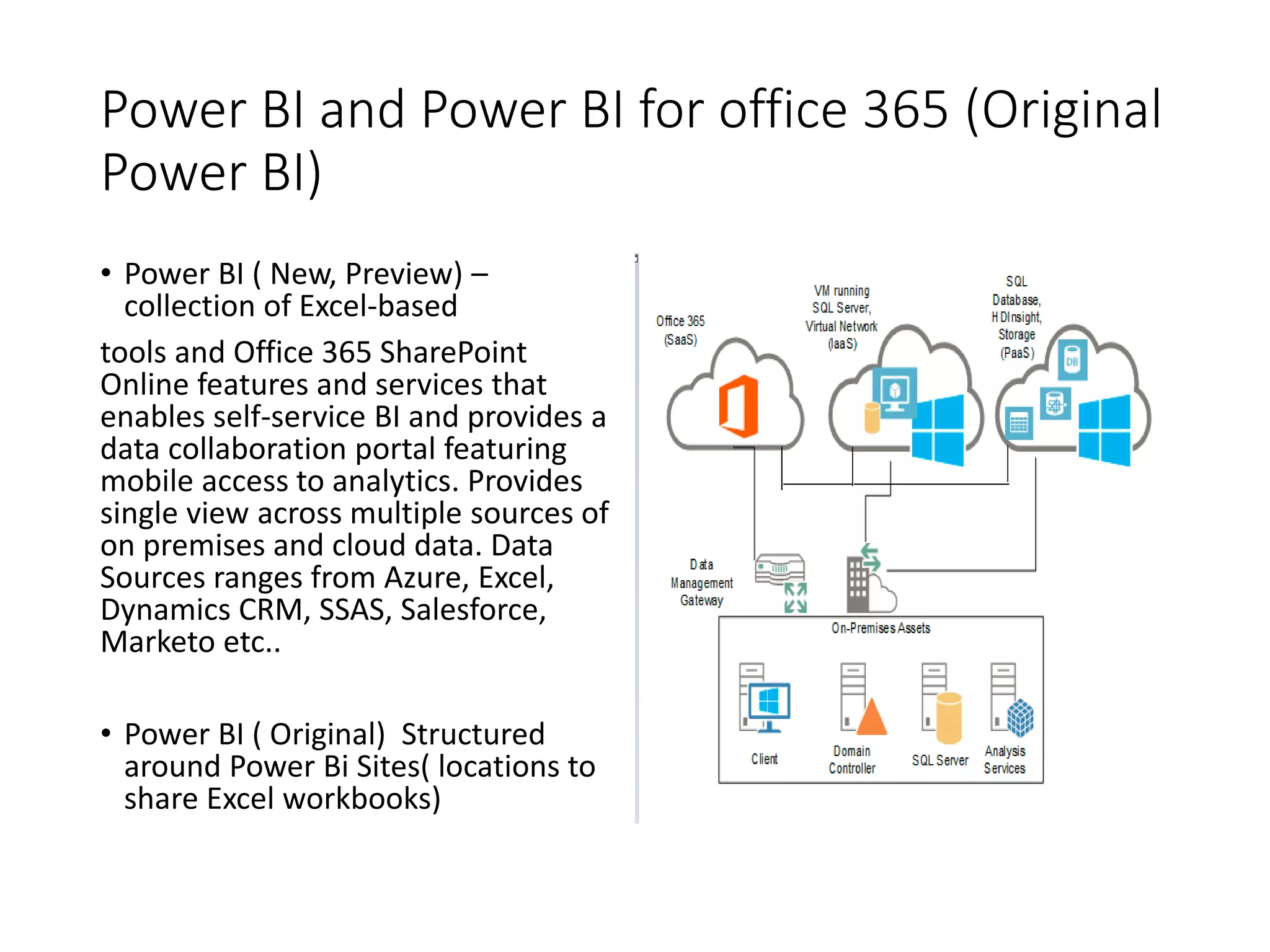
Power BI and Power BI for office 365 (Original
Power BI)
• Power BI ( New, Preview) –
collection of Excel-based
tools and Office 365 SharePoint
Online features and services that
enables self-service BI and provides a
data collaboration portal featuring
mobile access to analytics. Provides
single view across multiple sources of
on premises and cloud data. Data
Sources ranges from Azure, Excel,
Dynamics CRM, SSAS, Salesforce,
Marketo etc..
• Power BI ( Original) Structured
around Power Bi Sites( locations to
share Excel workbooks)
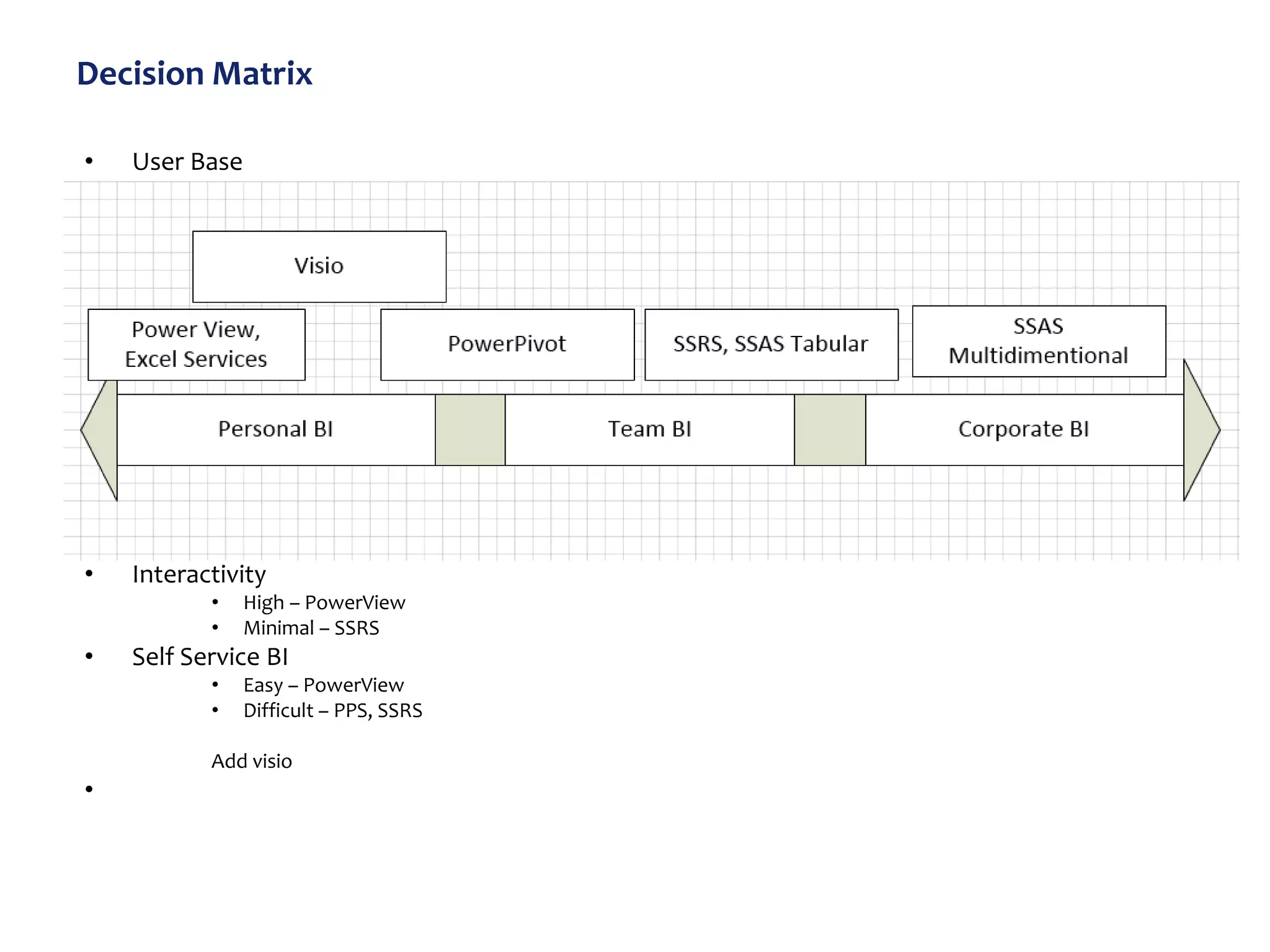
Decision Matrix
• User Base
• Interactivity
• High – PowerView
• Minimal – SSRS
• Self Service BI
• Easy – PowerView
• Difficult – PPS, SSRS
Add visio
•

Microsoft2013-BI-Overview-print

  • 1.
    Microsoft Business Intelligence Overview April2015 Shan Kane SharePoint/Cloud Architect
  • 2.
    Agenda • Introduction • BISuccess Factors • Microsoft Dashboard BI Options • Microsoft BI Progression • Microsoft BI Stack • SharePoint 2013 BI • Microsoft BI Data Source • BI Options • Hands on – Excel, Performance Point, Visio .. • Power BI and Power BI for Office 365 • Decision Matrix
  • 3.
    BI Success Factors Whatis BI? Business intelligence (BI) is the set of techniques and tools for the transformation of raw data into meaningful and useful information for business analysis purposes. - Wikipedia Business intelligence (BI) is an umbrella term that includes the applications, infrastructure and tools, and best practices that enable access to and analysis of information to improve and optimize decisions and performance - Gartner • Business Sponsorship • Initial data scrubbing time will be well spent. • Solve current Business problem • Strategic organization goals • Amount and quality of data • Validate the data ( At every level) • Start small, lean and build in small but viable steps.
  • 4.
    Introductions • This presentationdiscusses high level Microsoft BI Stack options. • Focus will be on SharePoint and office 365 BI stack. • The Approach will be combination of presentation slides and Hands on.
  • 5.
    Microsoft BI Options Why –Answering the known questions about the business – Allowing users to find answers to unknown questions (Self Discovery) Where On Premises, Public Cloud (Office 365) , Private Cloud What • Excel( Pivot tables, Pivot Charts) • PowerPivot(For Extract and Load only , data is read only) • PowerView • Visio • Performance Point • SQL Server – Reporting Services – Analysis Service (Multidimensional, Tabular, PowerPivot) • Power BI PLUS SharePoint Dashboard Mashups with all of the above ( Preferred )
  • 6.
    Microsoft BI Progression Excel Excel Services •Excel Web Access • PowerPivot Secure Store services BCS C2WTS SSAS Performance Point PowerPivot SSRS Power Query Power BI for office 365 •Power Map •Power View • Power BI New UX • Salesforce, Oracle DS • IPAD support
  • 7.
    Microsoft BI Stack SharePointOn Premise, Azure BI – Excel Services for SharePoint – PowerPivot Services(snapshot, connections, model , refine, analyze) – PowerView For SharePoint – Visio Services – SSRS Services – Analysis Services (Multidimensional, Tabular, PowerPivot) – Performance Point Services(Score Cards and KPI) – Reporting Services – Analysis Service Office 365 Power BI – Power Map ( Geo special Analysis) – Power View (Analytical reporting. Visualize, interact) – Power Query ( For ETL, Discover , connect and transform ) – Connectors to Salesforce Mobile on IOS, Android
  • 8.
  • 9.
  • 10.
  • 11.
    Microsoft BI options Whatis Dashboard – Summary (aggregate) visual representation of business data. – Visual display of the “most important” information – “Important” is subjective • Find out from Stakeholders • Based on context SharePoint Dashboard can be combination of all of technologies – Excel – PowerPivot – Power BI – PerformancePoint – Reporting Server – Visio Data Periodicity – Snapshot– rollup, snapshot, periodic updates – Dynamic– can alert when data hits threshold
  • 12.
    High level stepsand Suggestions for setting up BI in SharePoint Steps • Create Secure Store Apps • Install C2WTS, MSOLAP100, MSOLAP110, ado.net services on every WFE and App Server • Install Setup BI Services on SharePoint Server ( and not on SQL Server) • SSAS and SSIS goes on SQL Server • Put SSAS on a separate server if available • Create BI Site collection Suggestions: Take care of “double hop” problem ( Set up Kerberos( optional but sometimes necessary) ) • Fix problems raised by health check ( How to fix the minidump issue? ?)
  • 13.
    Hands on BISteps • Set up Secure Store • C2WTS • Security aspects – Kerberos,, set user() … • Create Keys for individual BI application – Excel – PerformancePoint Point – PowerPivot – Visio etc..
  • 14.
    BI Security (Challenging!!) : Focusing on SharePoint 2013 • BI has set of components and subsystems and connects to multiple systems to create a BI end to end system. • SQL Server uses – Windows Authentication • SharePoint uses WS-Security Workarounds like stored credentials and unattended accounts will not always work ( and comes with security implications) .. Set up Kerberos PowerPivot does not support FBA and SAML fully. Security Configuration parameters Network, forest, Federation topologies, Data providers, Security protocols, identity services , Delegation responsibilities and limitations ALL contribute to end to end authentication flow from browser/windows based client to SQL Server and back. Add to it Multiple windows services needed, Distributed nature, Web services, Authentication setup at every step ( single or multiple services) , Services needing authentication or Delegation against backend systems.
  • 15.
  • 16.
  • 17.
    Performance Point- DataSource – Hands on
  • 18.
    Performance Point -Hands on KPI
  • 19.
  • 20.
    PowerPivot Services Configuration •Add configuration slides
  • 21.
  • 22.
  • 23.
    Power BI andPower BI for office 365 (Original Power BI) • Power BI ( New, Preview) – collection of Excel-based tools and Office 365 SharePoint Online features and services that enables self-service BI and provides a data collaboration portal featuring mobile access to analytics. Provides single view across multiple sources of on premises and cloud data. Data Sources ranges from Azure, Excel, Dynamics CRM, SSAS, Salesforce, Marketo etc.. • Power BI ( Original) Structured around Power Bi Sites( locations to share Excel workbooks)
  • 24.
    Decision Matrix • UserBase • Interactivity • High – PowerView • Minimal – SSRS • Self Service BI • Easy – PowerView • Difficult – PPS, SSRS Add visio •