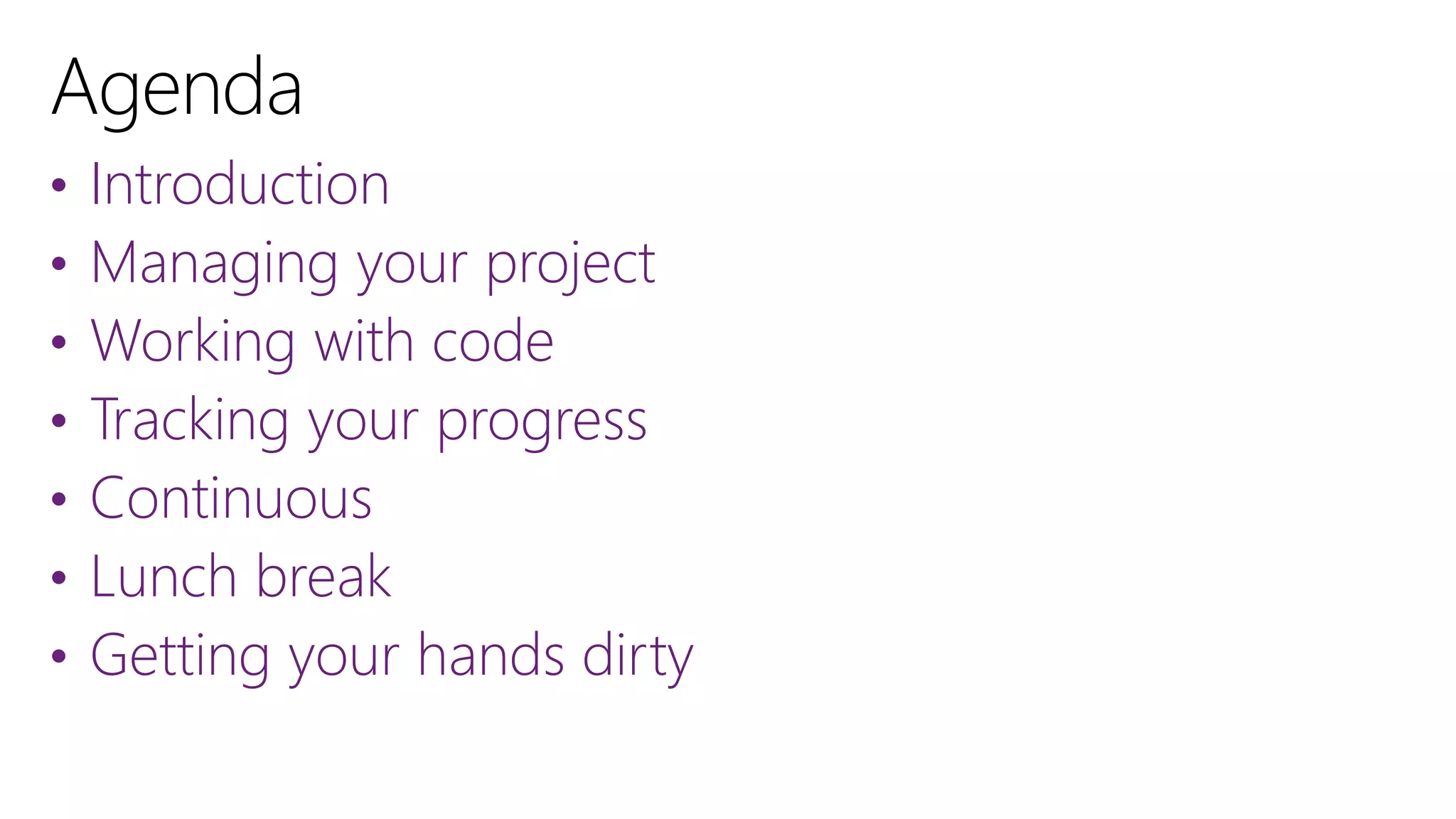



• Introduction
• Managing your project
• Working with code
• Tracking your progress
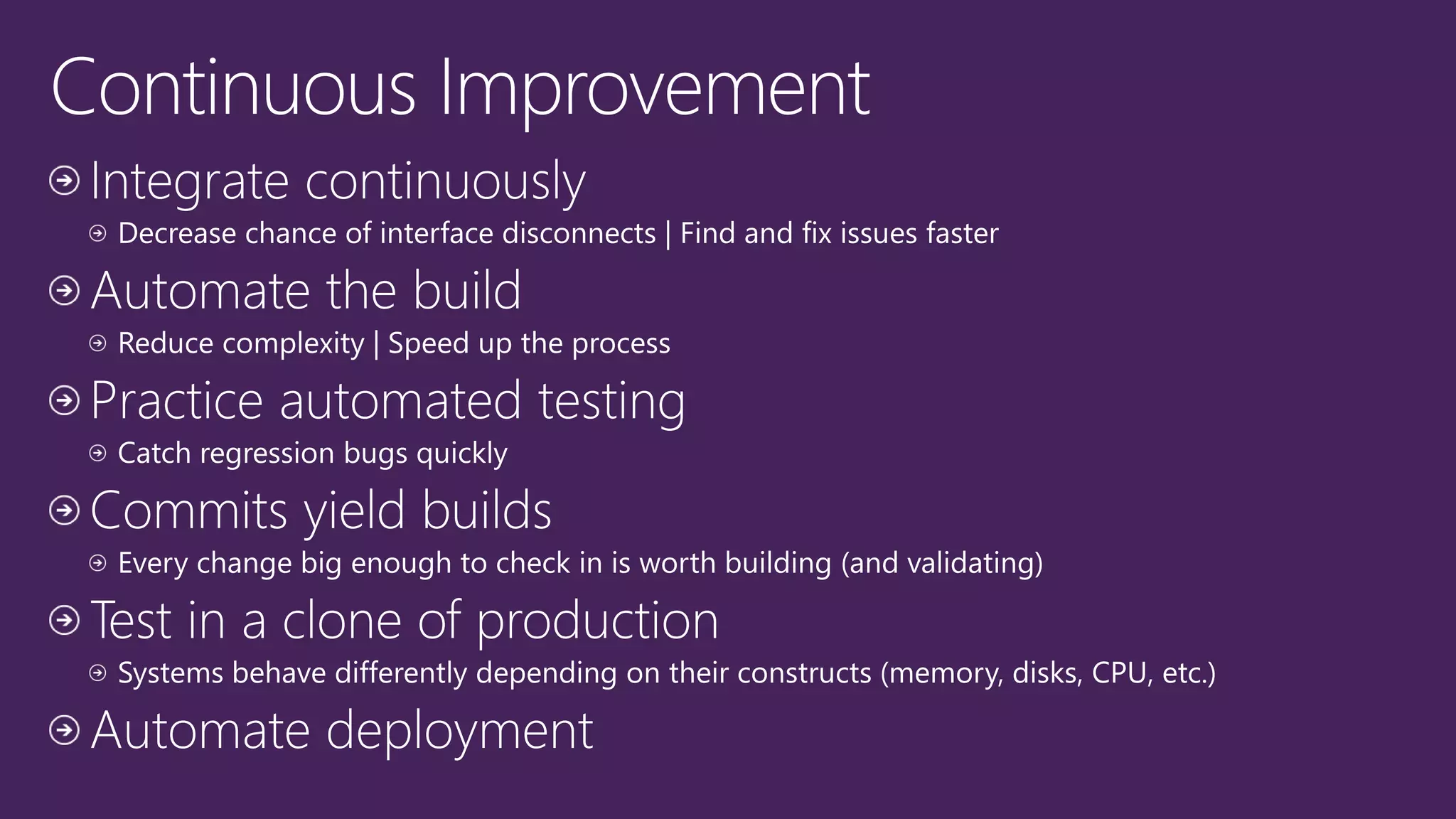
• Continuous
• Lunch break
• Getting your hands dirty
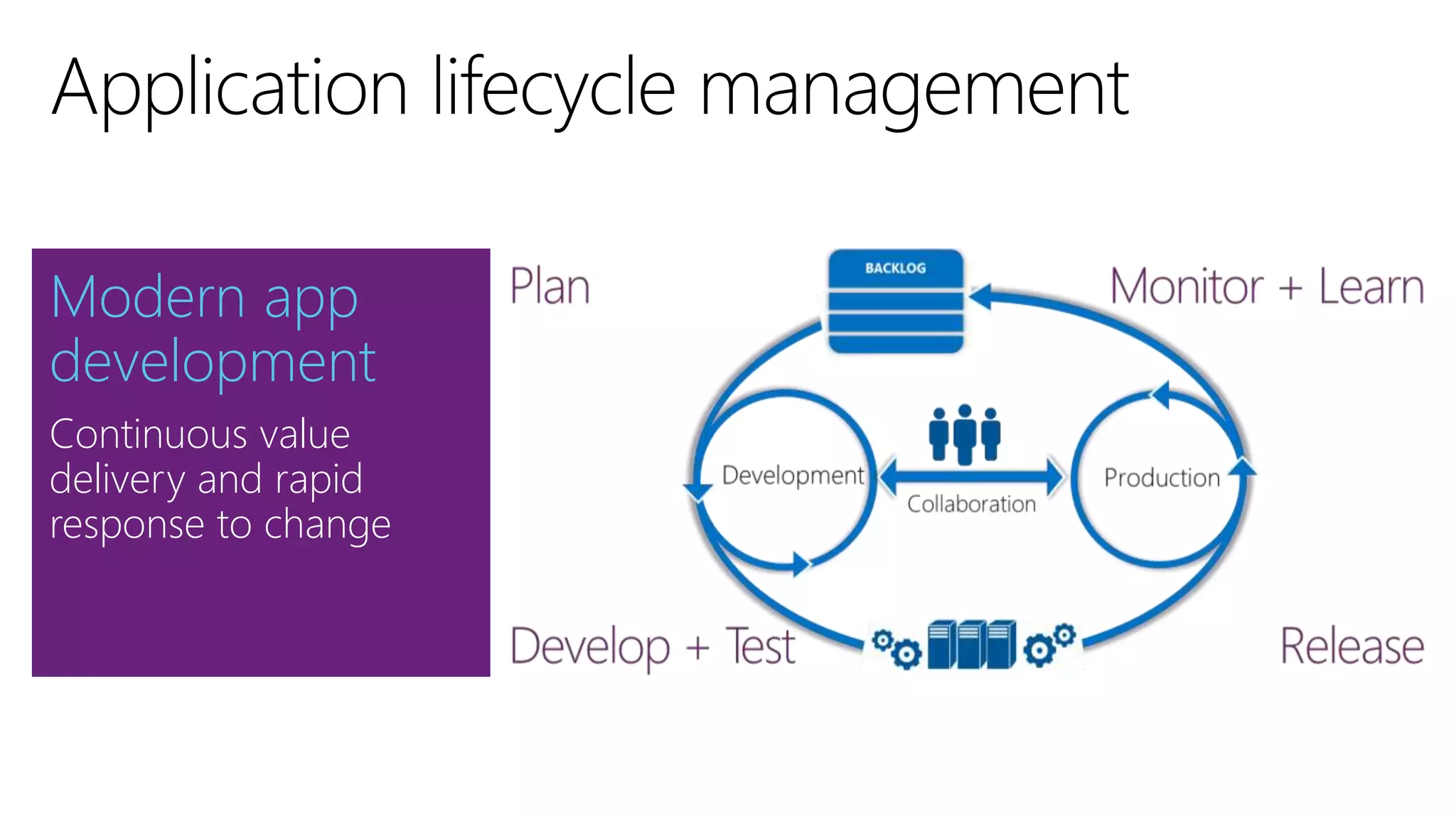
Modern app
development
Continuous value
delivery and rapid
response to change
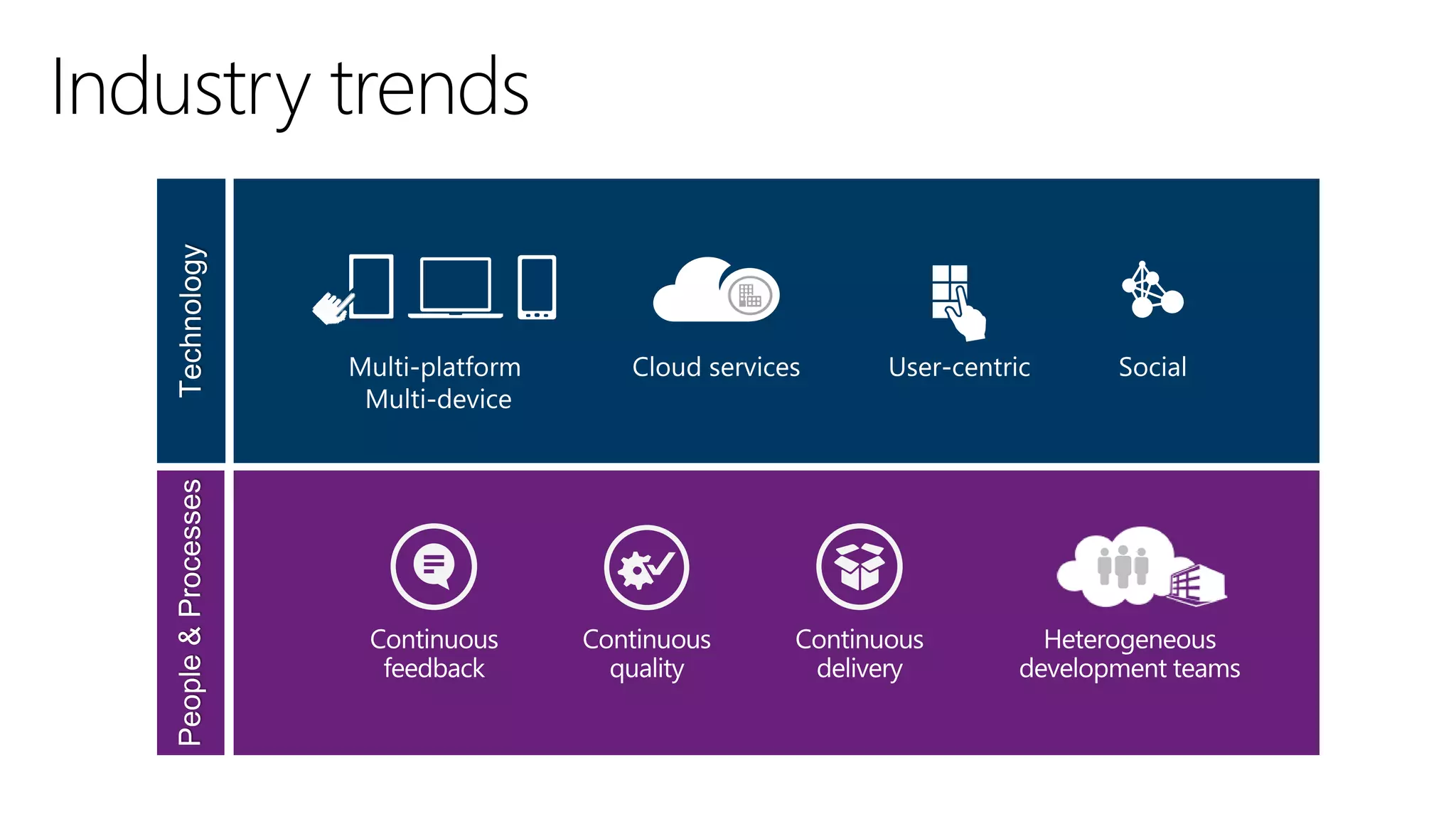
Industry trends
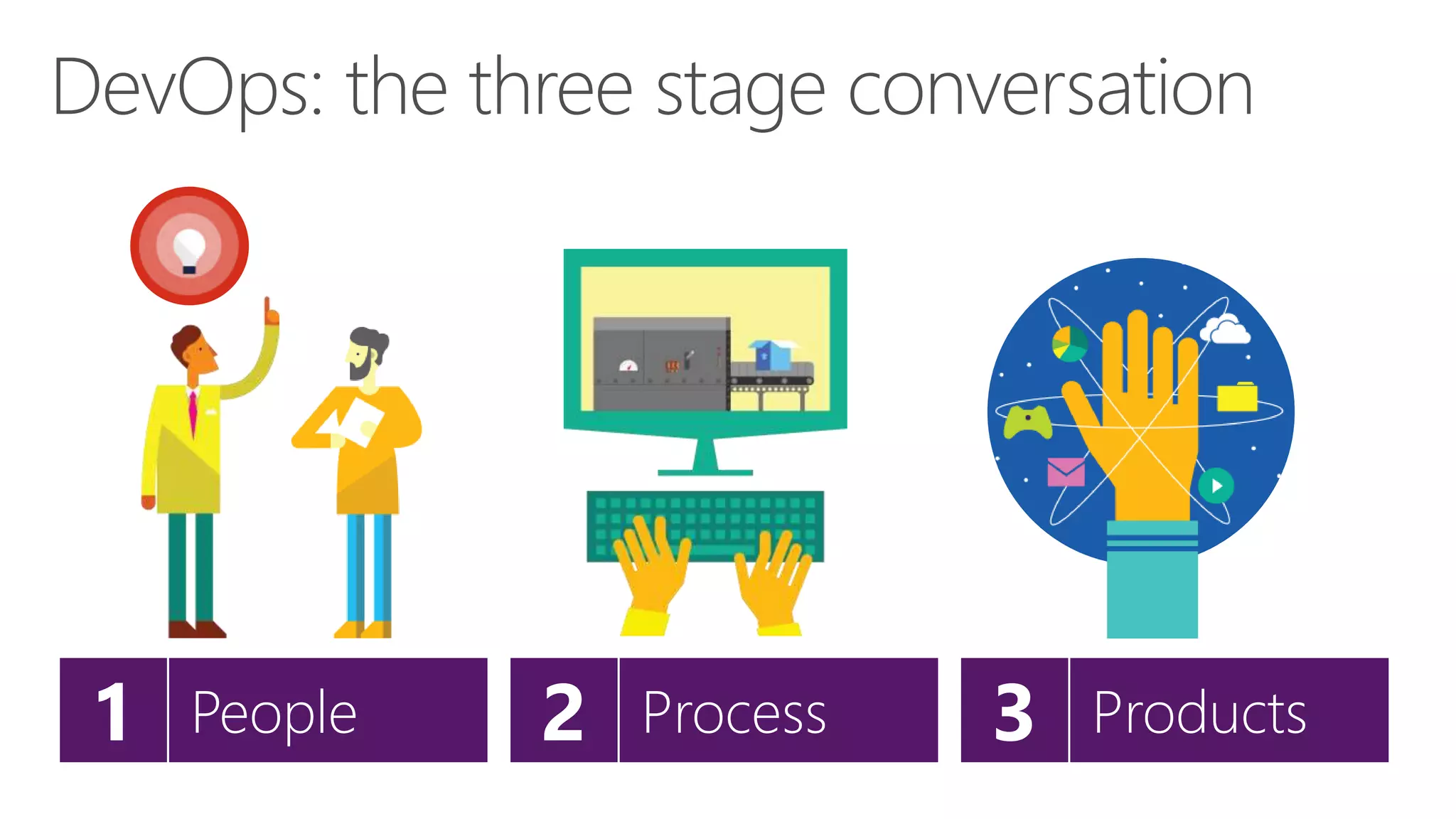
DevOps: the three stage conversation
3 Products2 Process1 People
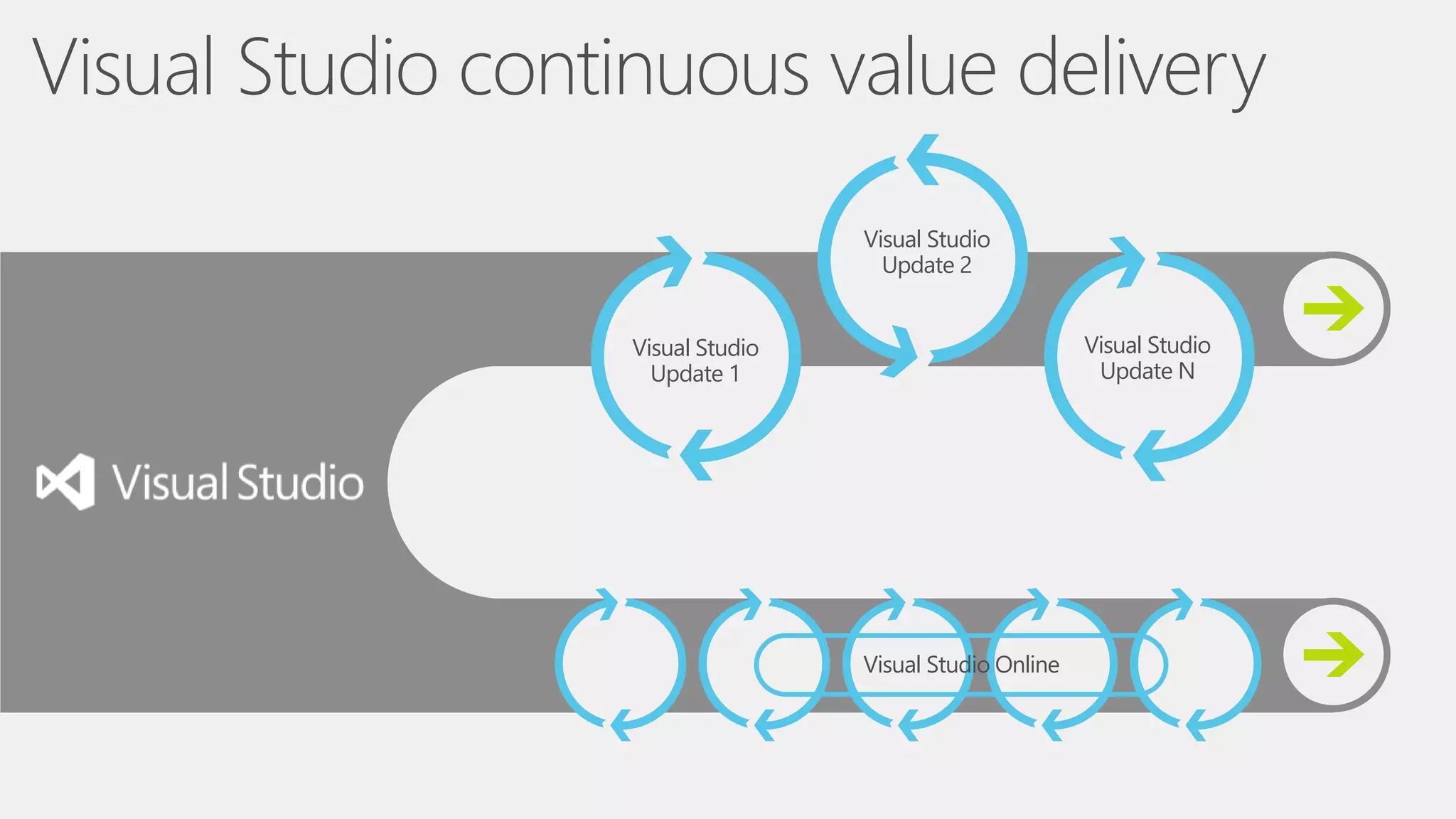
Visual Studio
Update 1
Visual Studio
Update 2
Visual Studio
Update N
Visual Studio Online
Visual Studio continuous value delivery
Plan, build, deploy and manage
applications using a comprehensive
suite of services that is accessible to the
entire team
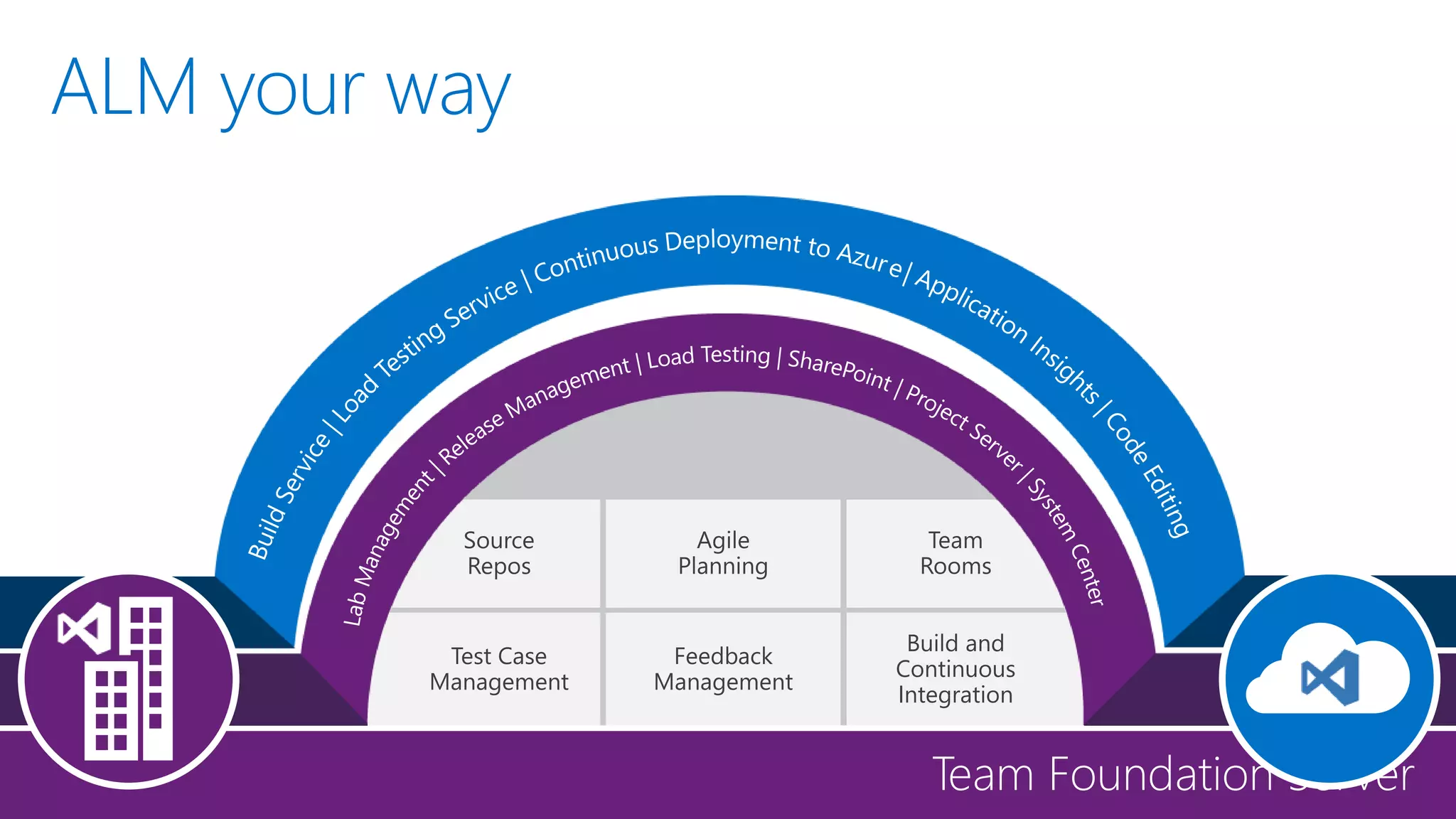
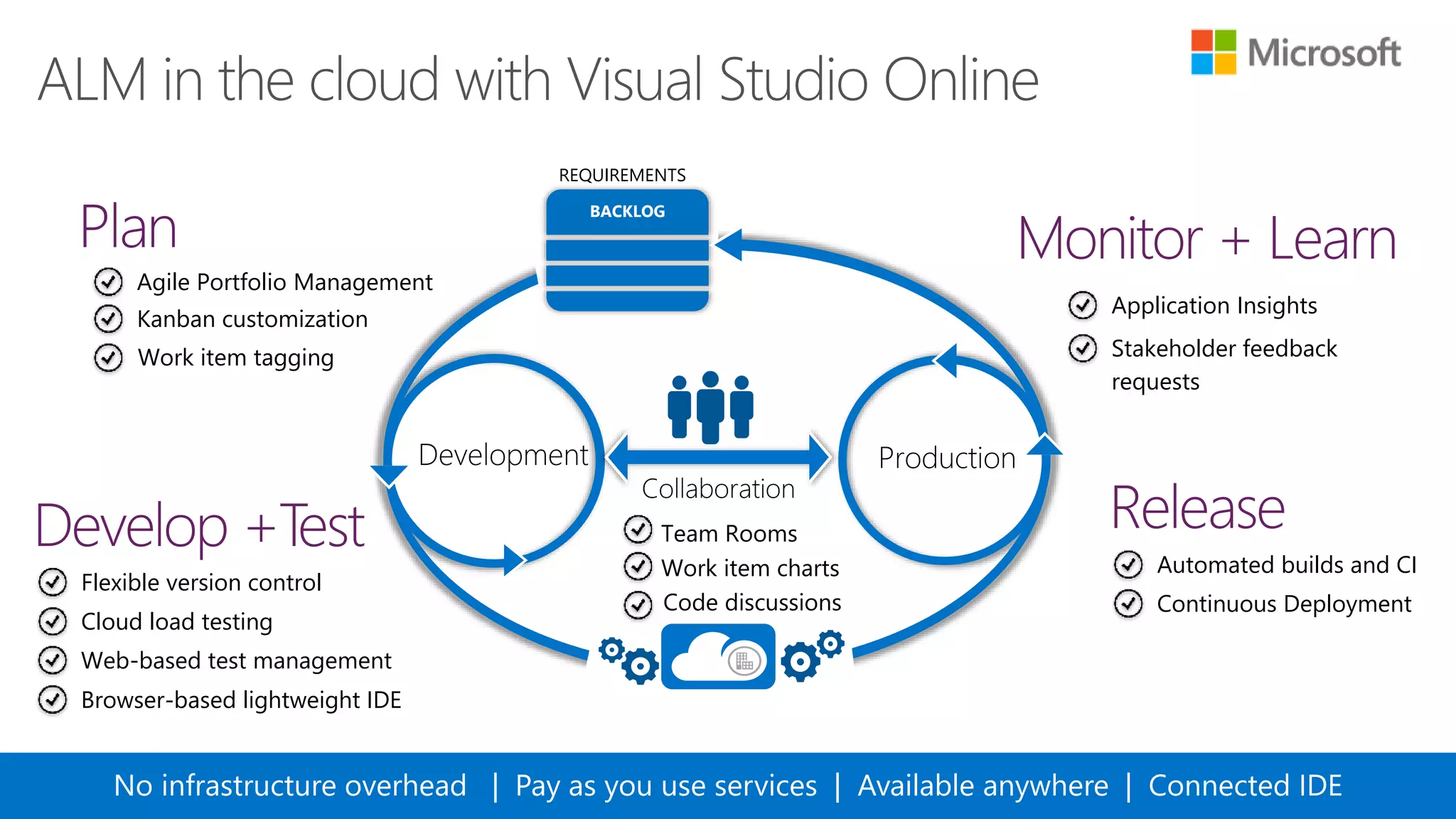
ALM your way
BACKLOG
REQUIREMENTS
No infrastructure overhead | Pay as you use services | Available anywhere | Connected IDE
Agile Portfolio Management
Kanban customization
Work item tagging
Work item charts
Team Rooms
Code discussions
Flexible version control
Cloud load testing
Web-based test management
Continuous Deployment
Automated builds and CI
Application Insights
Stakeholder feedback
requests
Browser-based lightweight IDE
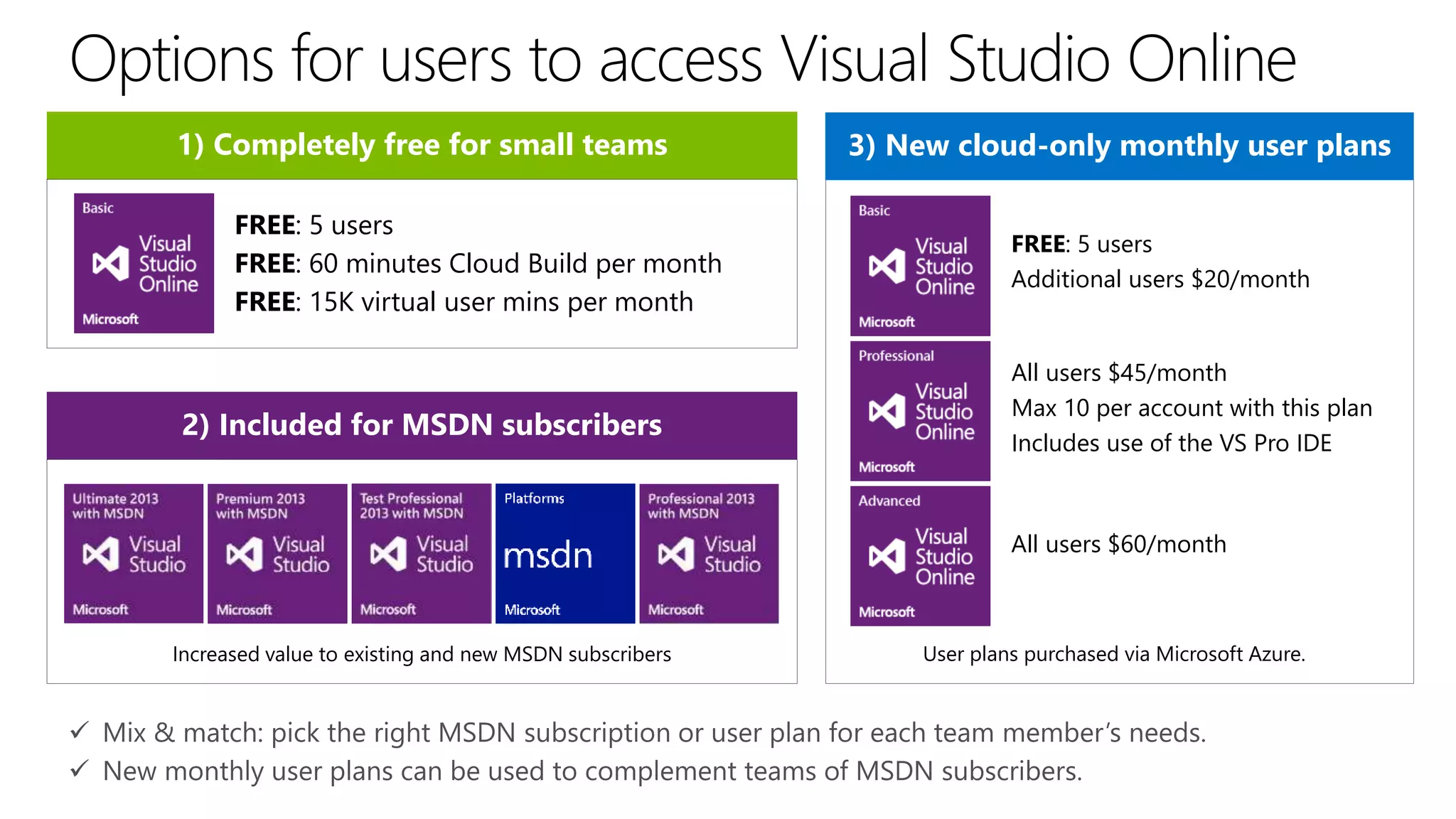
3) New cloud-only monthly user plans
2) Included for MSDN subscribers
Increased value to existing and new MSDN subscribers User plans purchased via Microsoft Azure.
1) Completely free for small teams
FREE: 5 users
FREE: 60 minutes Cloud Build per month
FREE: 15K virtual user mins per month
FREE: 5 users
Additional users $20/month
All users $45/month
Max 10 per account with this plan
Includes use of the VS Pro IDE
All users $60/month
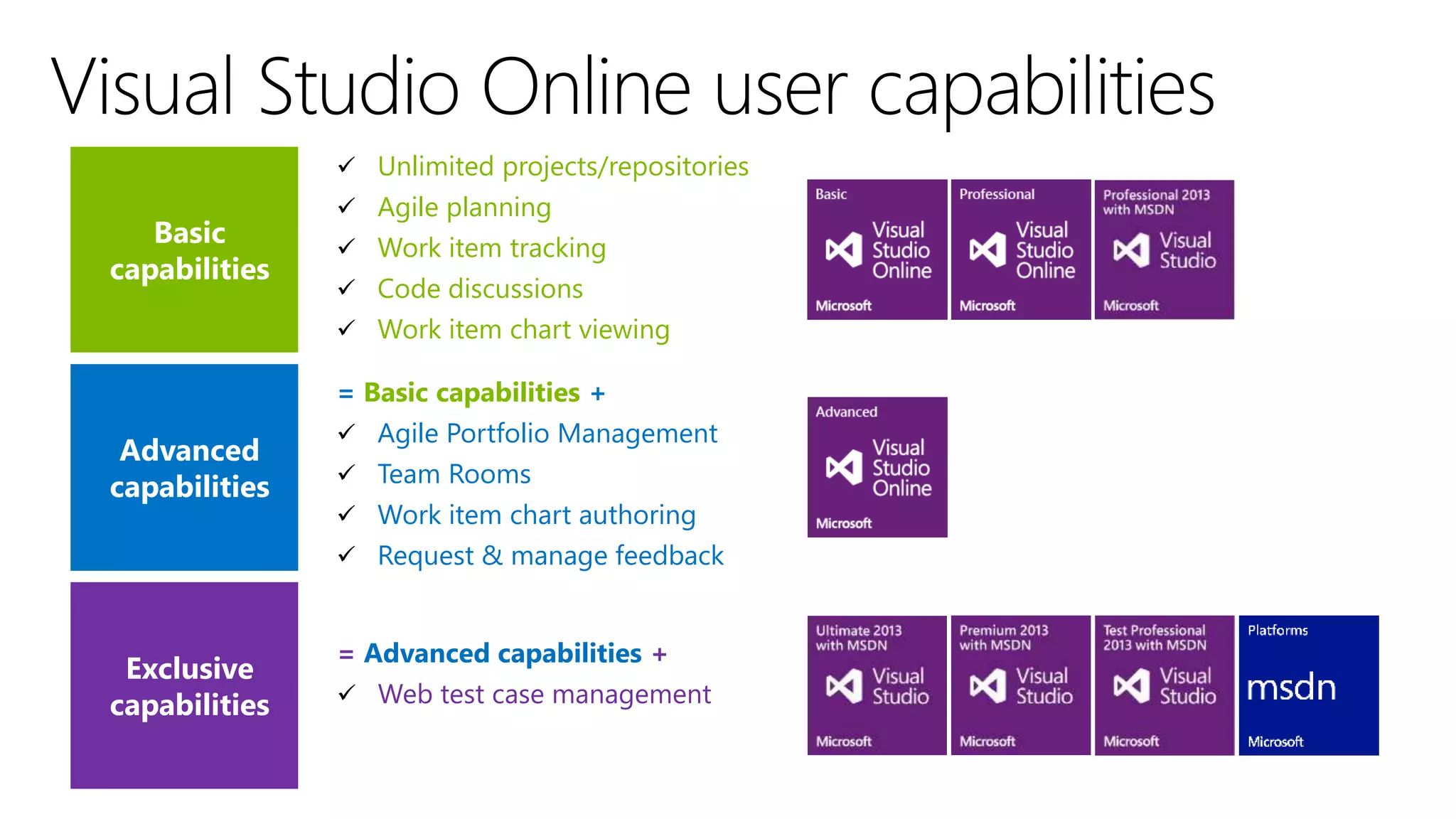
 Unlimited projects/repositories
 Agile planning
 Work item tracking
 Code discussions
 Work item chart viewing
= Basic capabilities +
 Agile Portfolio Management
 Team Rooms
 Work item chart authoring
 Request & manage feedback
= Advanced capabilities +
 Web test case management
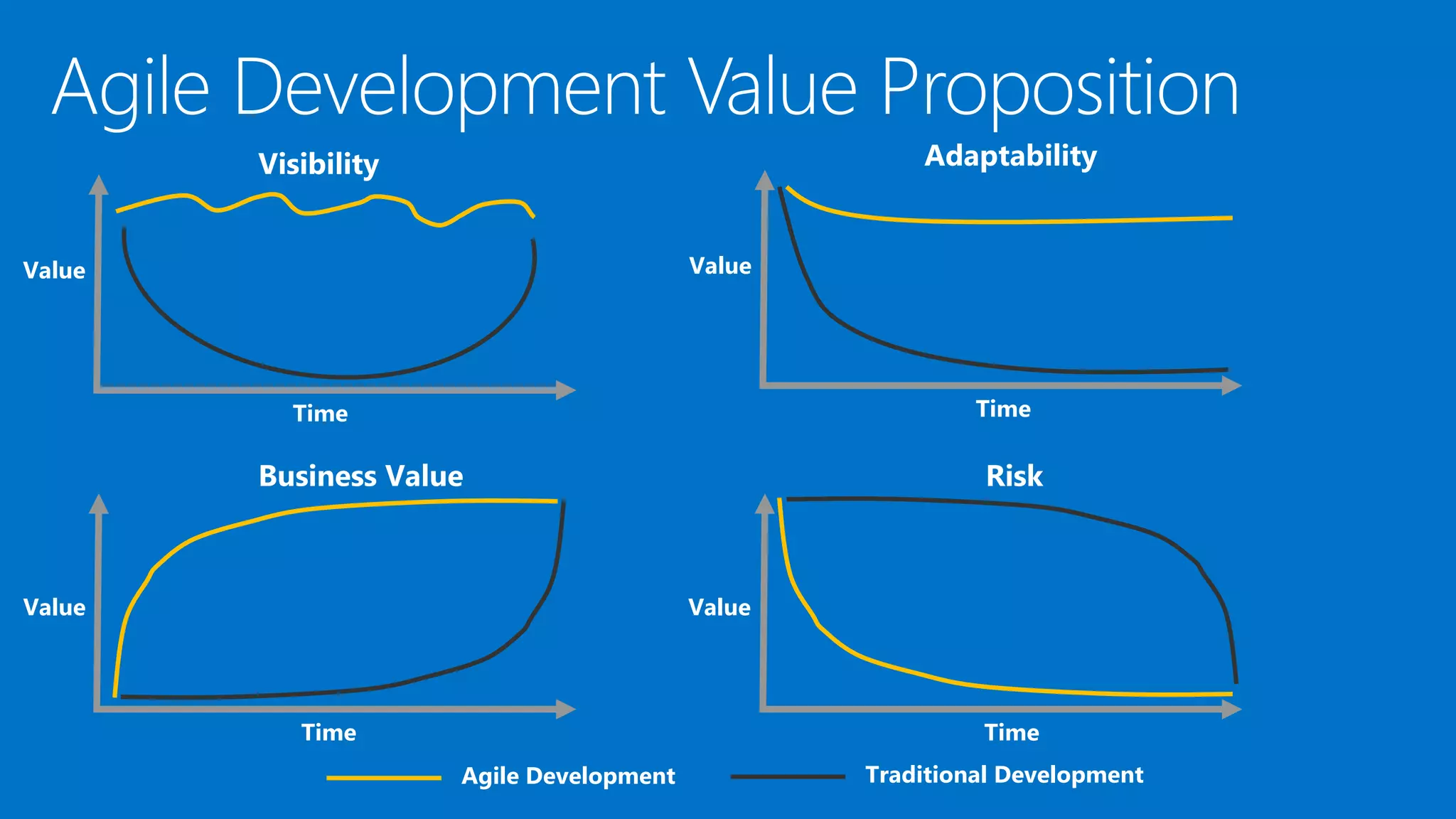
Benefits of an Agile
Team
Visibility
Time
Value
Time
Value
Adaptability
Time
Value
Business Value
Time
Risk
Agile Development Traditional Development
Value
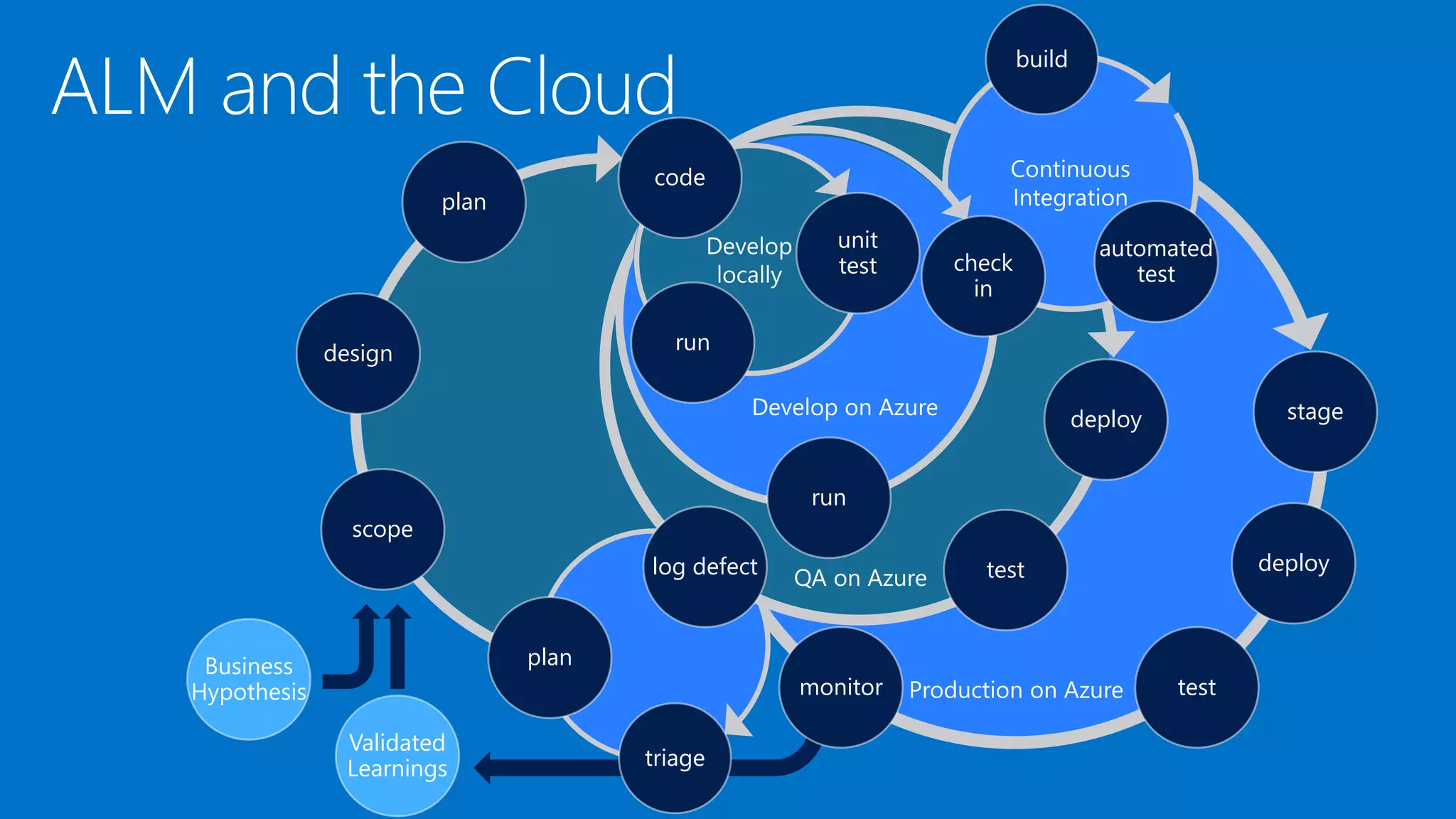
scope
design
plan
stage
deploy
testmonitor
triage
plan
deploy
testlog defect
build
automated
testcheck
in
run
code
unit
test
run
Business
Hypothesis
Validated
Learnings
Modern App Teams
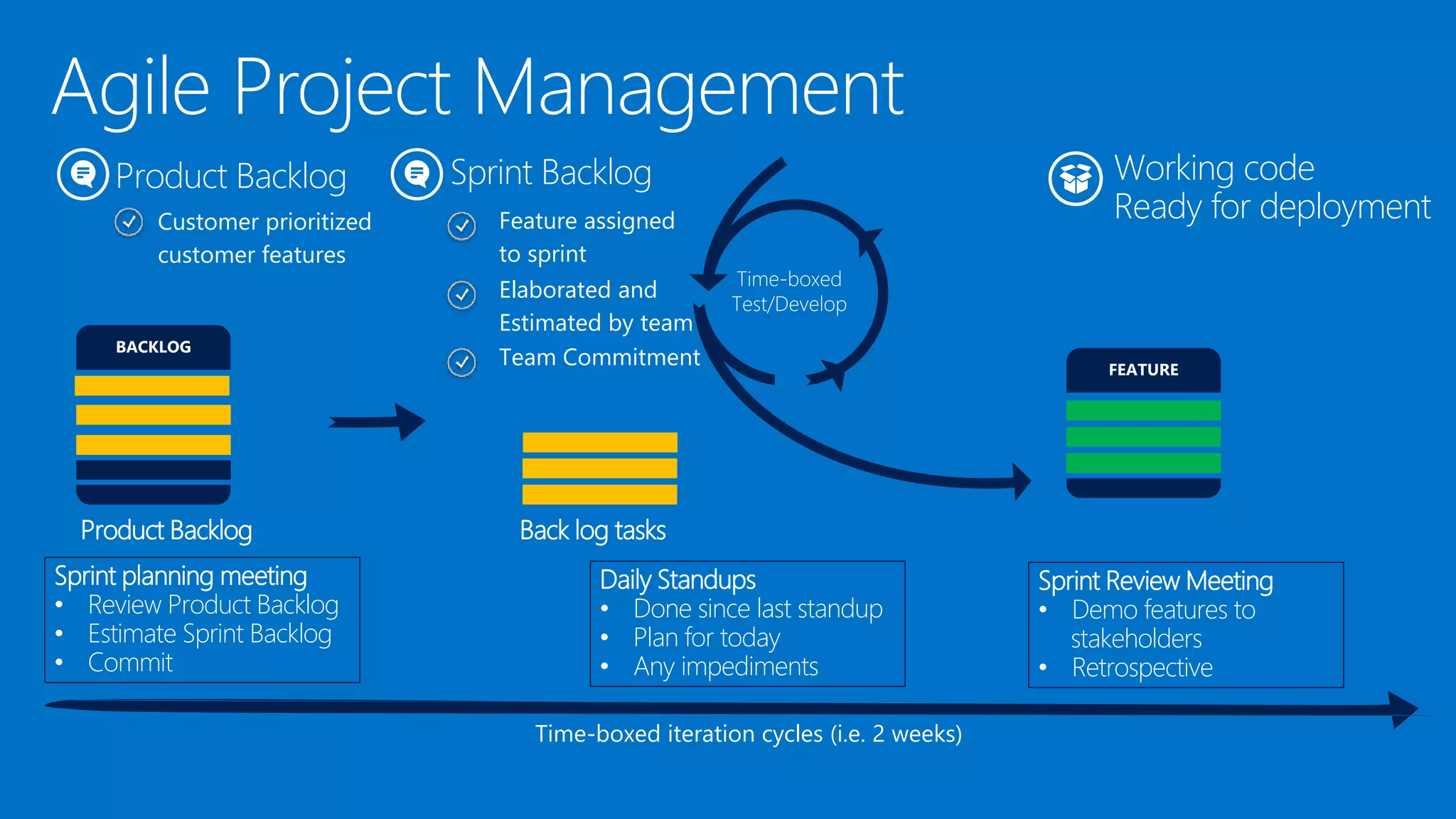
Product Backlog
Customer prioritized
customer features
Time-boxed
Test/Develop
Working code
Ready for deployment
Time-boxed iteration cycles (i.e. 2 weeks)
Product Backlog Back log tasks
Sprint Backlog
Feature assigned
to sprint
Sprint planning meeting
• Review Product Backlog
• Estimate Sprint Backlog
• Commit
Daily Standups
• Done since last standup
• Plan for today
• Any impediments
Sprint Review Meeting
• Demo features to
stakeholders
• Retrospective
Elaborated and
Estimated by team
Team Commitment
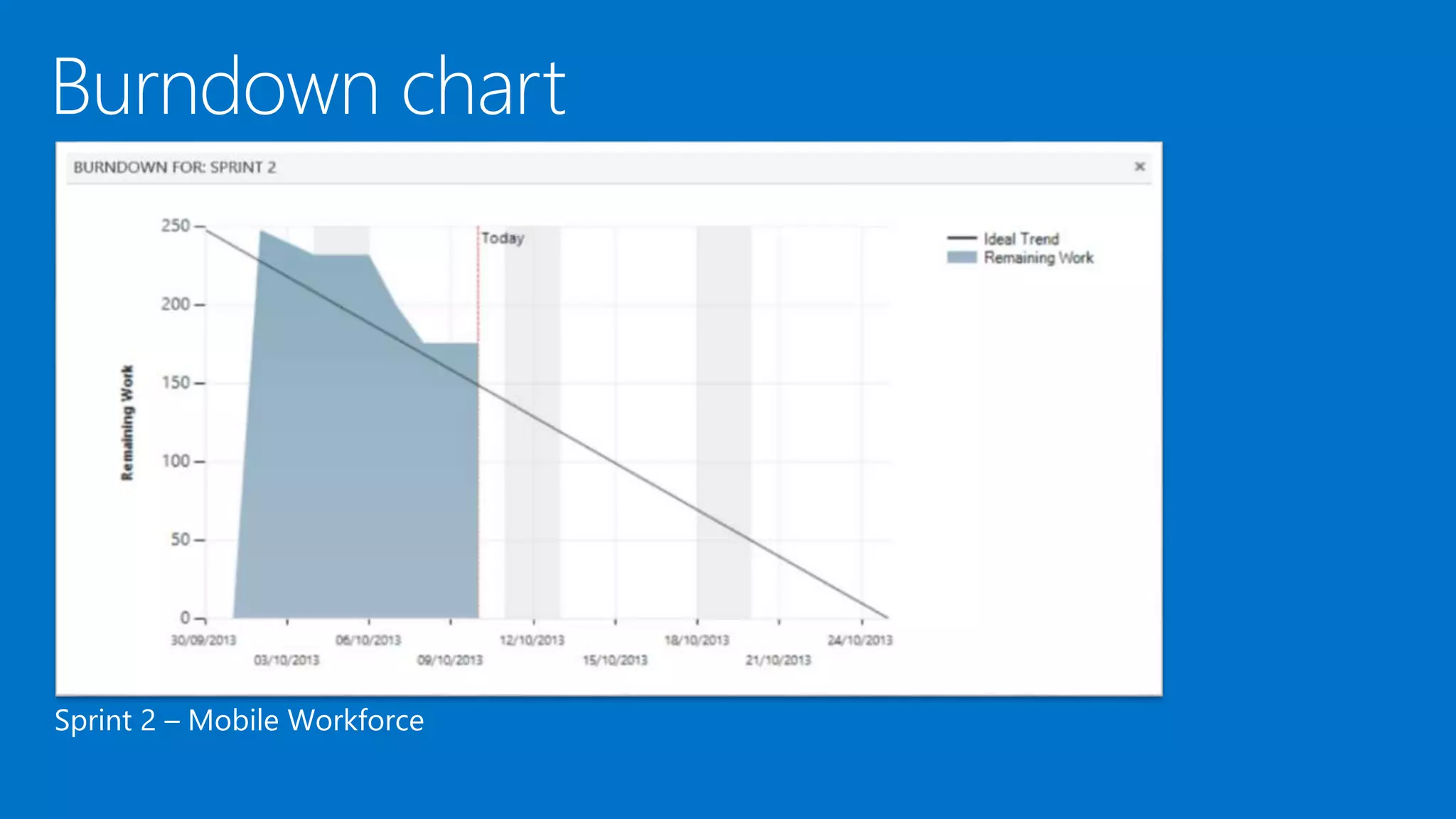
Sprint 2 – Mobile Workforce
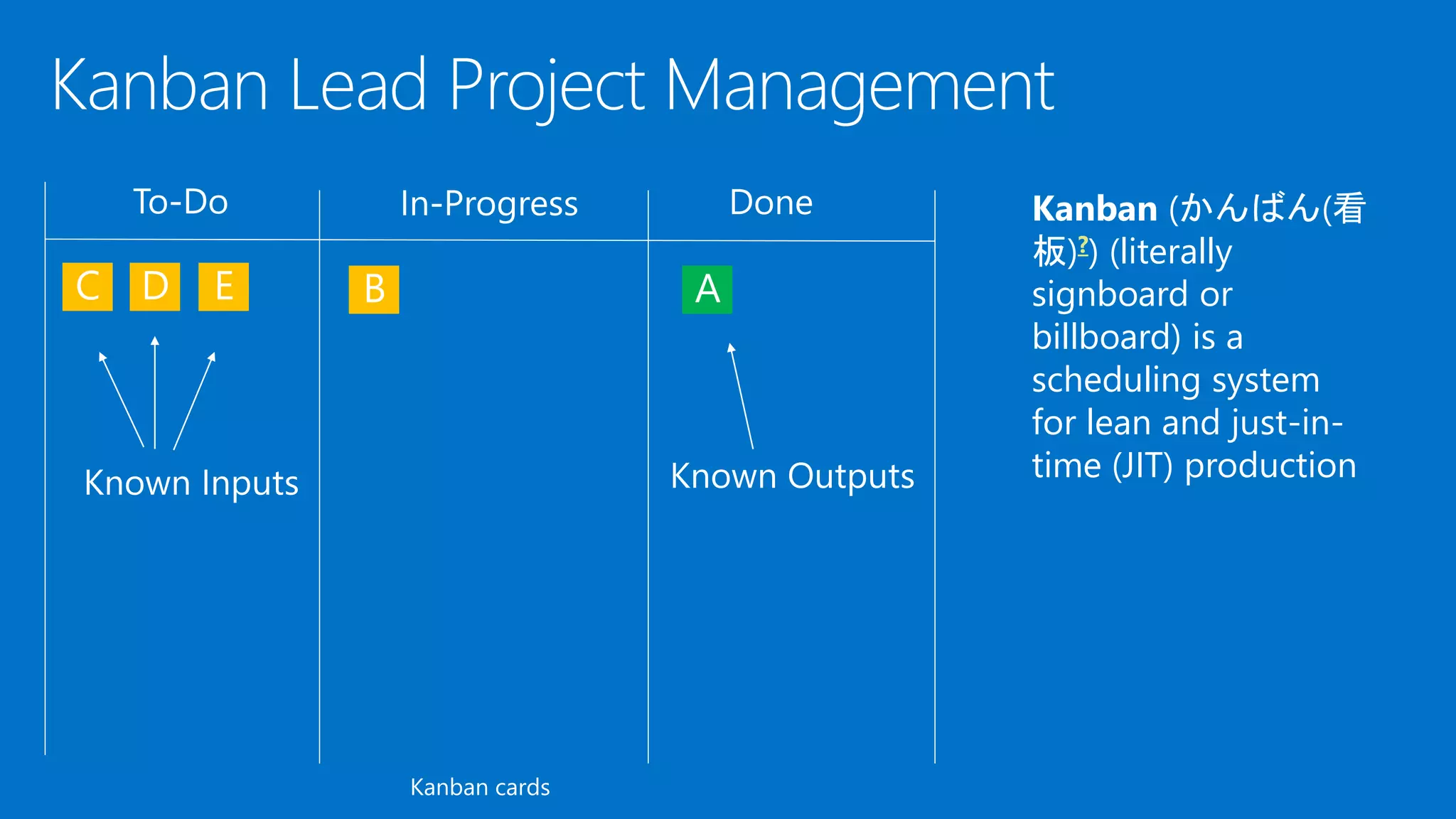
Kanban cards
Kanban (かんばん(看
板)?) (literally
signboard or
billboard) is a
scheduling system
for lean and just-in-
time (JIT) production
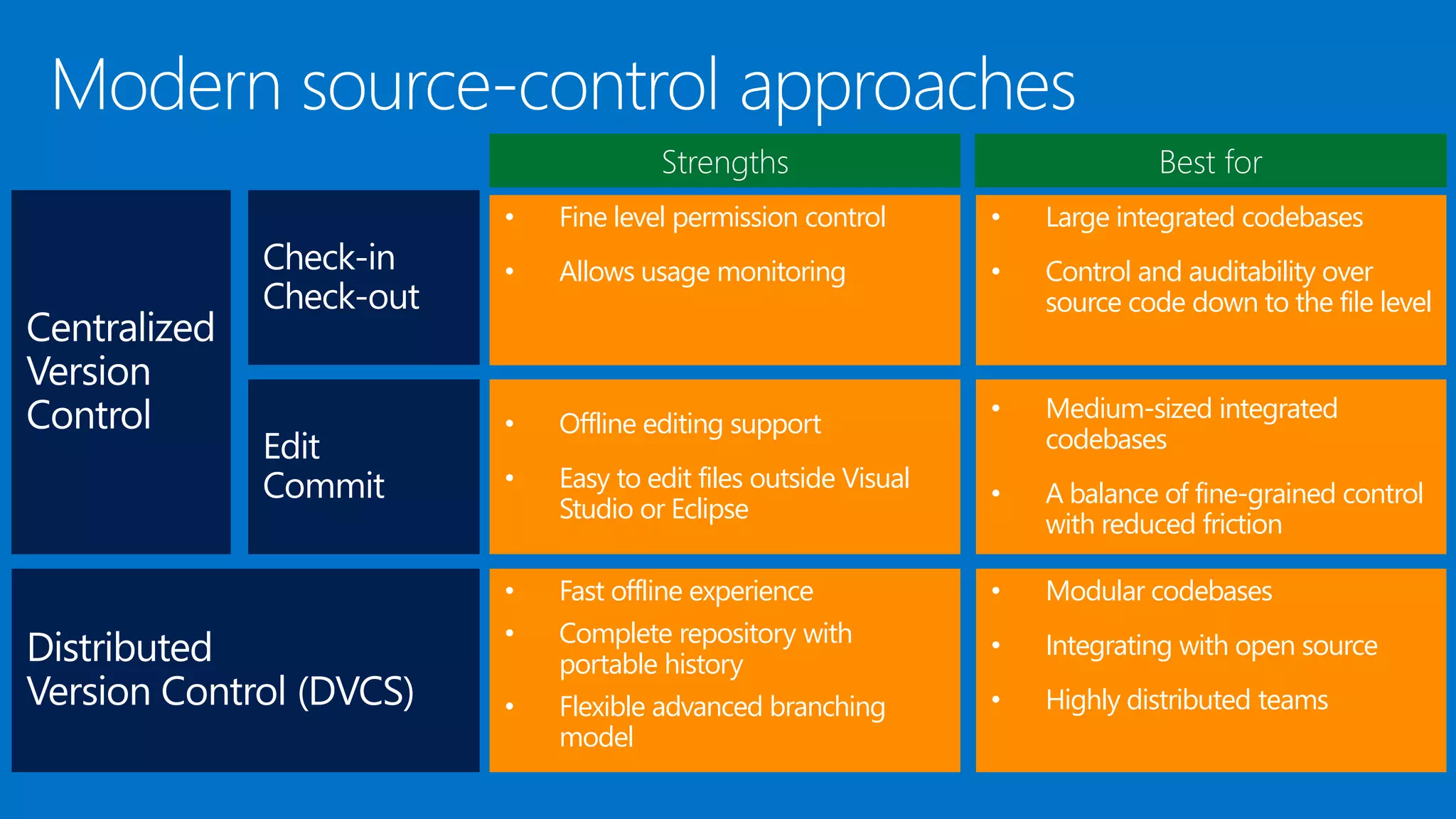
Modern Version
Control
Strengths Best for
Check-in
Check-out
• Fine level permission control
• Allows usage monitoring
• Large integrated codebases
• Control and auditability over
source code down to the file level
• Offline editing support
• Easy to edit files outside Visual
Studio or Eclipse
• Medium-sized integrated
codebases
• A balance of fine-grained control
with reduced friction
• Fast offline experience
• Complete repository with
portable history
• Flexible advanced branching
model
• Modular codebases
• Integrating with open source
• Highly distributed teams
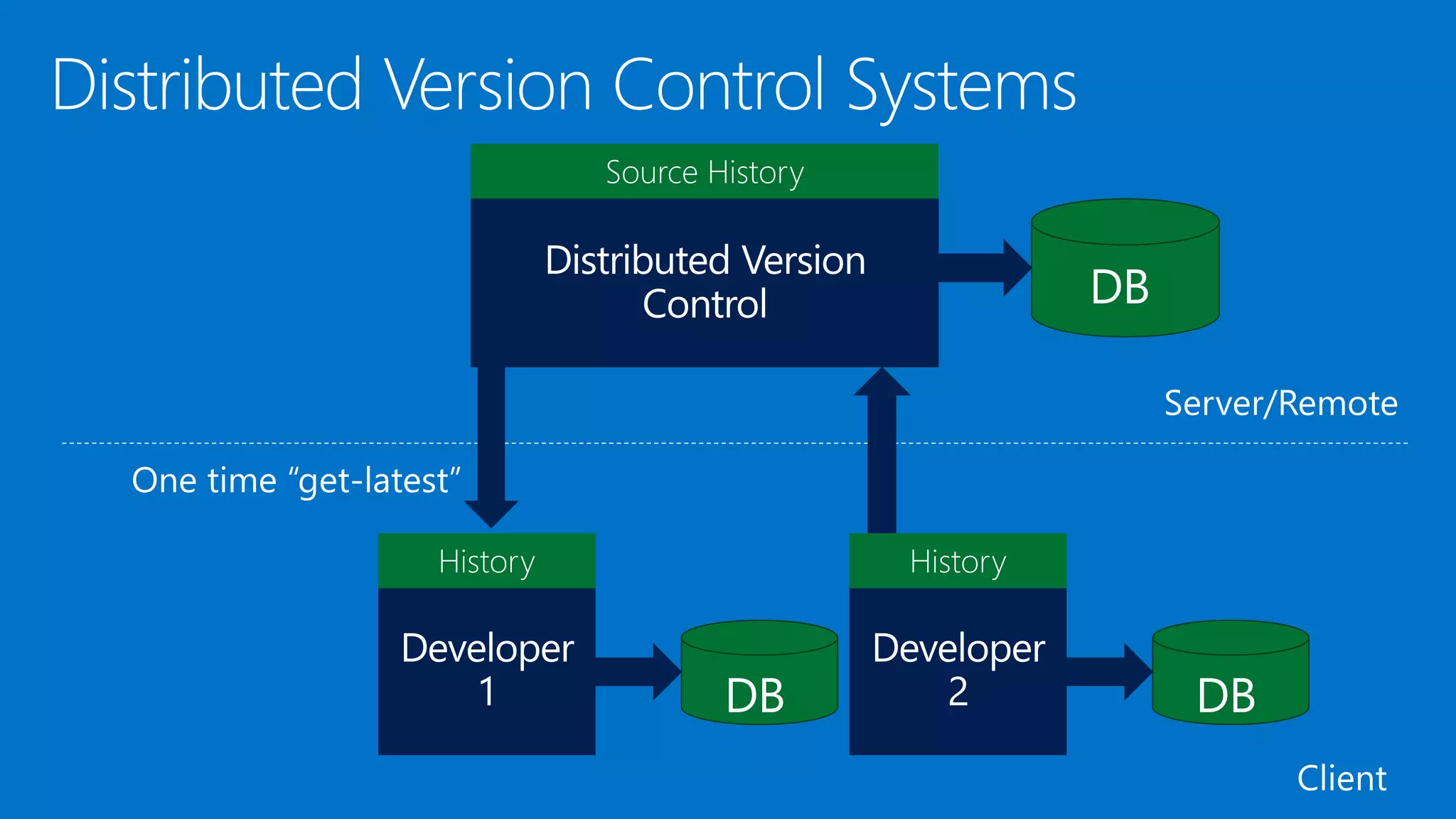
Source History
Source History
History History
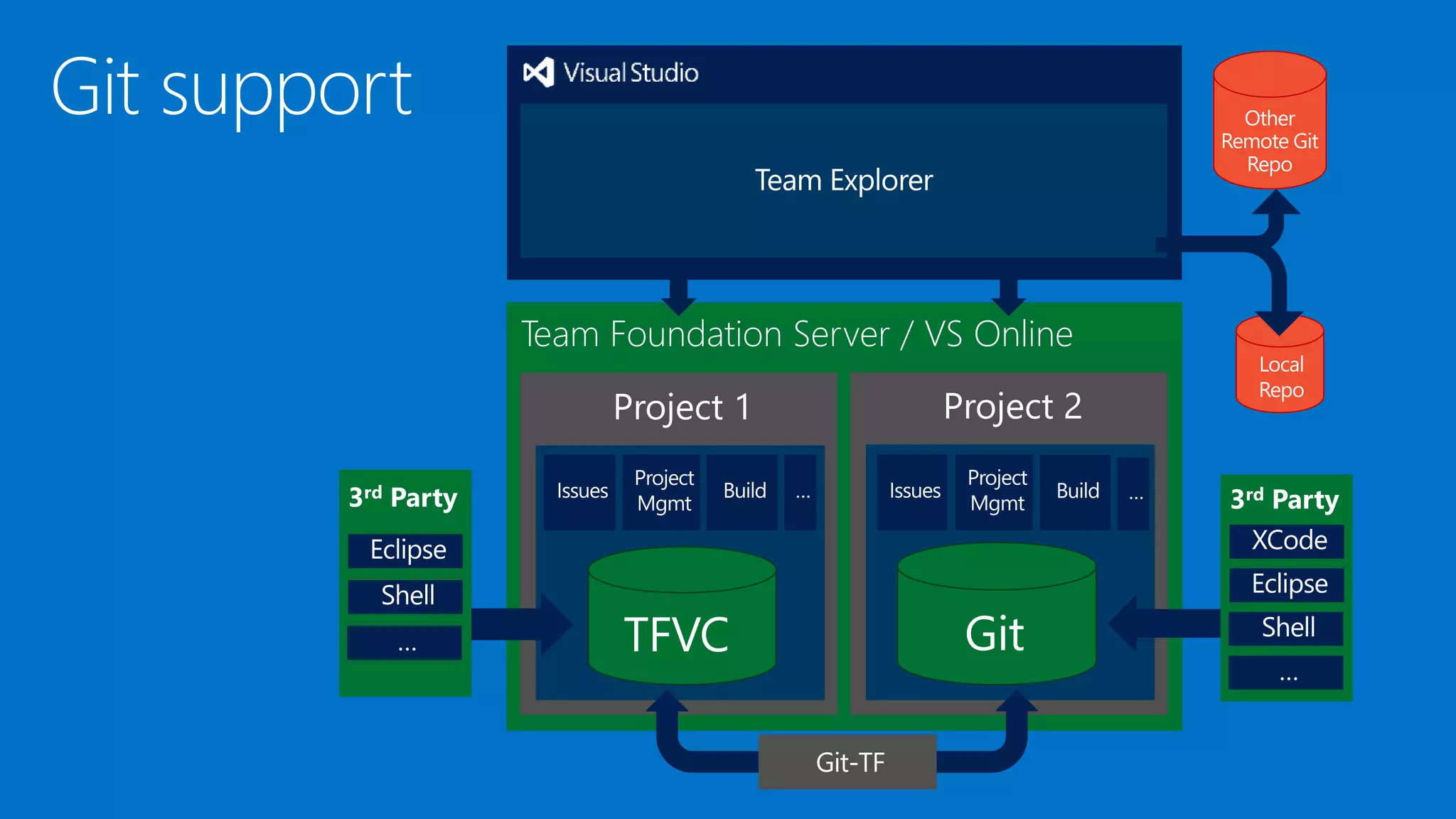
Team Foundation Server / VS Online
Project 2Project 1
3rd Party3rd Party
Local
Repo
Other
Remote Git
Repo
Git fully integrated
into TFS
 TDD is a robust way of designing software
components (“units”) interactively so that
their behavior is specified through unit
tests.
 Whenever you are tempted to type
something into a print statement or a
debugger expression, write it as a test
instead.
 Manual or automated testing is much
better for finding bugs.
 Automated integration tests are much
better for detecting regression (things that
used to work but have unexpectedly stopped
working).
[TestMethod]
public void Debit_WithValidAmount_UpdatesBalance()
{
// arrange
double beginningBalance = 11.99;
double debitAmount = 4.55;
double expected = 7.44;
BankAccount account =
new BankAccount("Mr. X", beginningBalance);
// act
account.Debit(debitAmount);
// assert
double actual = account.Balance;
Assert.AreEqual(expected, actual, 0.001,
"Account not debited correctly");
}
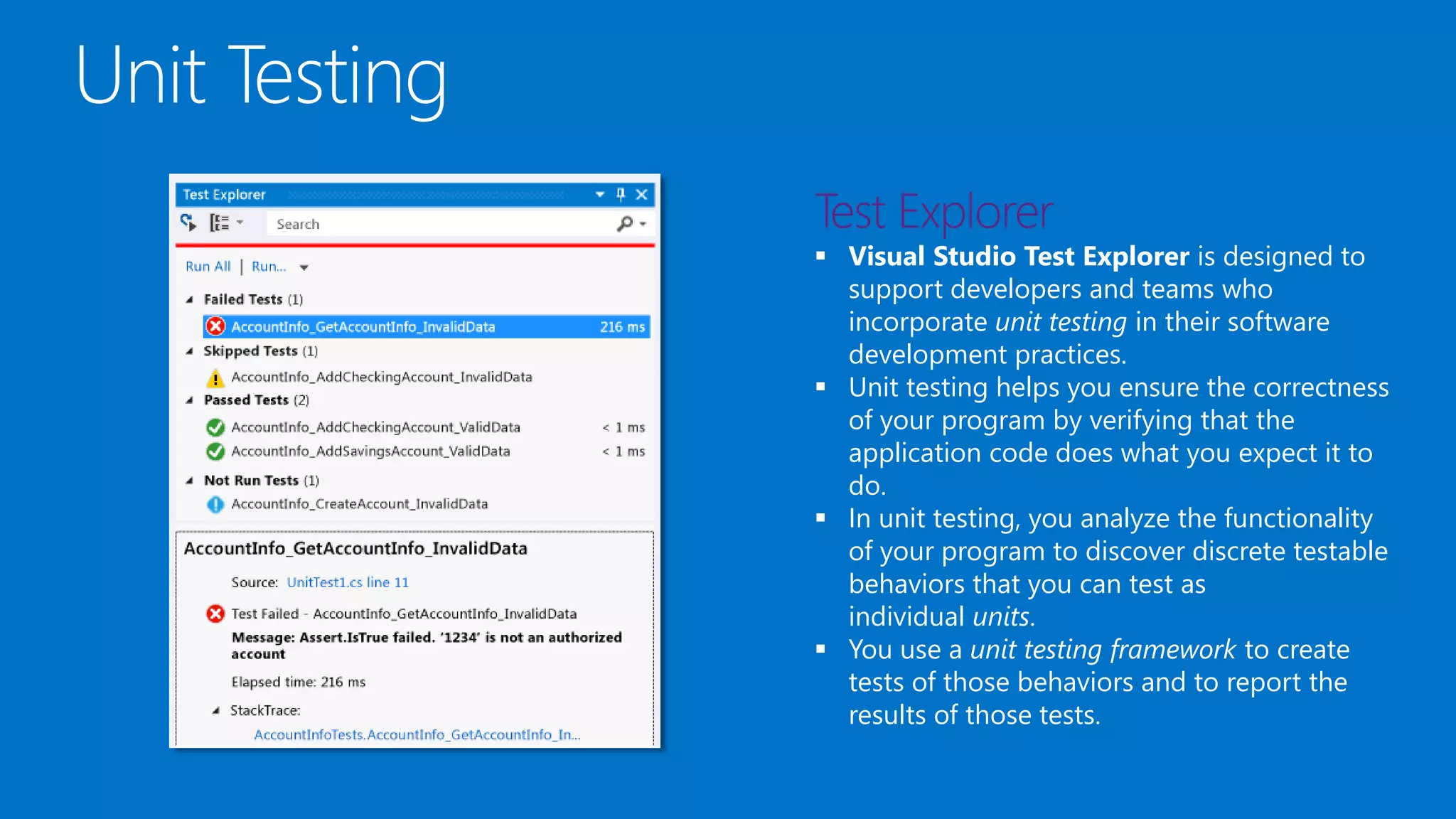
 Visual Studio Test Explorer is designed to
support developers and teams who
incorporate unit testing in their software
development practices.
 Unit testing helps you ensure the correctness
of your program by verifying that the
application code does what you expect it to
do.
 In unit testing, you analyze the functionality
of your program to discover discrete testable
behaviors that you can test as
individual units.
 You use a unit testing framework to create
tests of those behaviors and to report the
results of those tests.
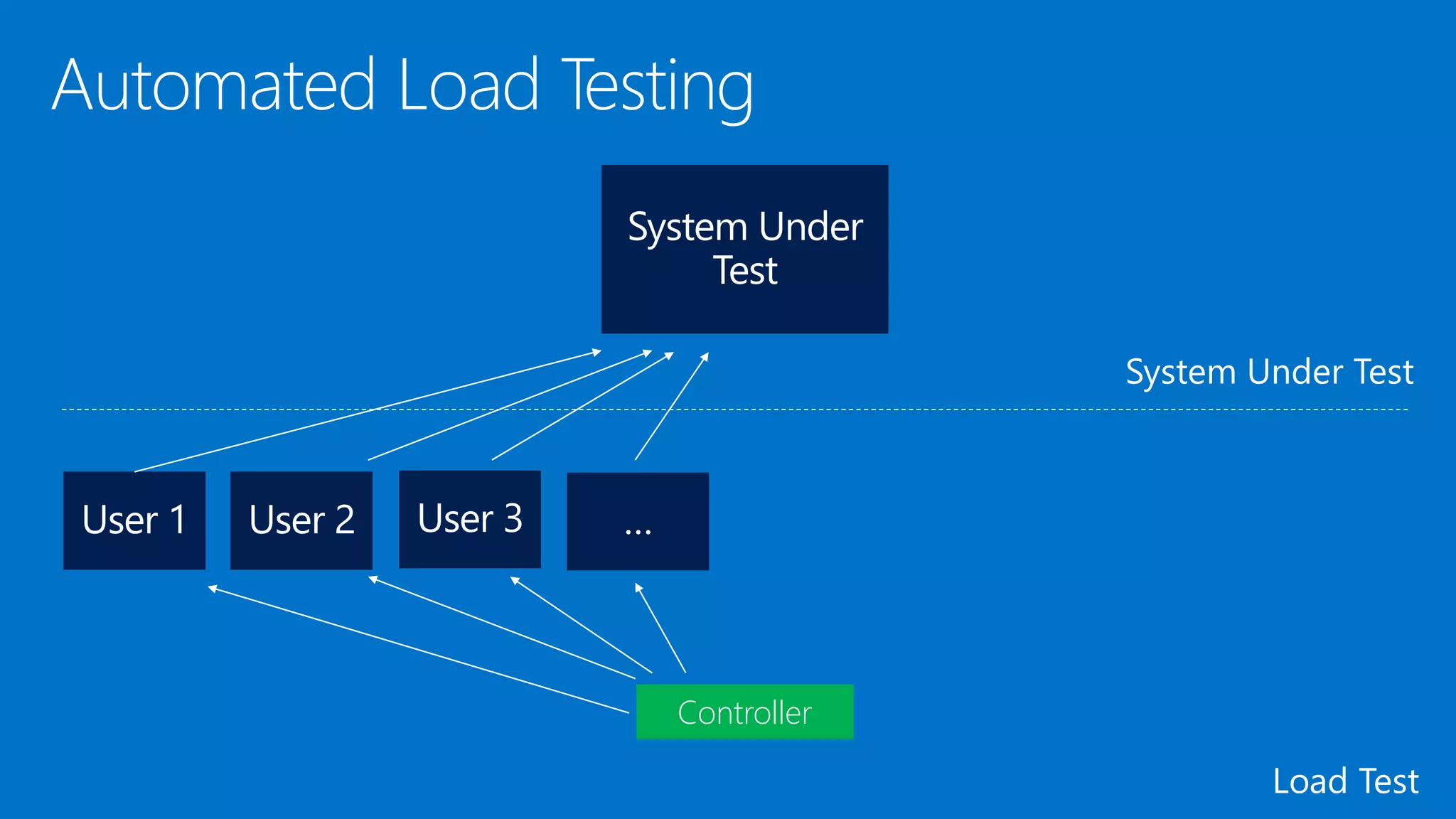
Controller
Business
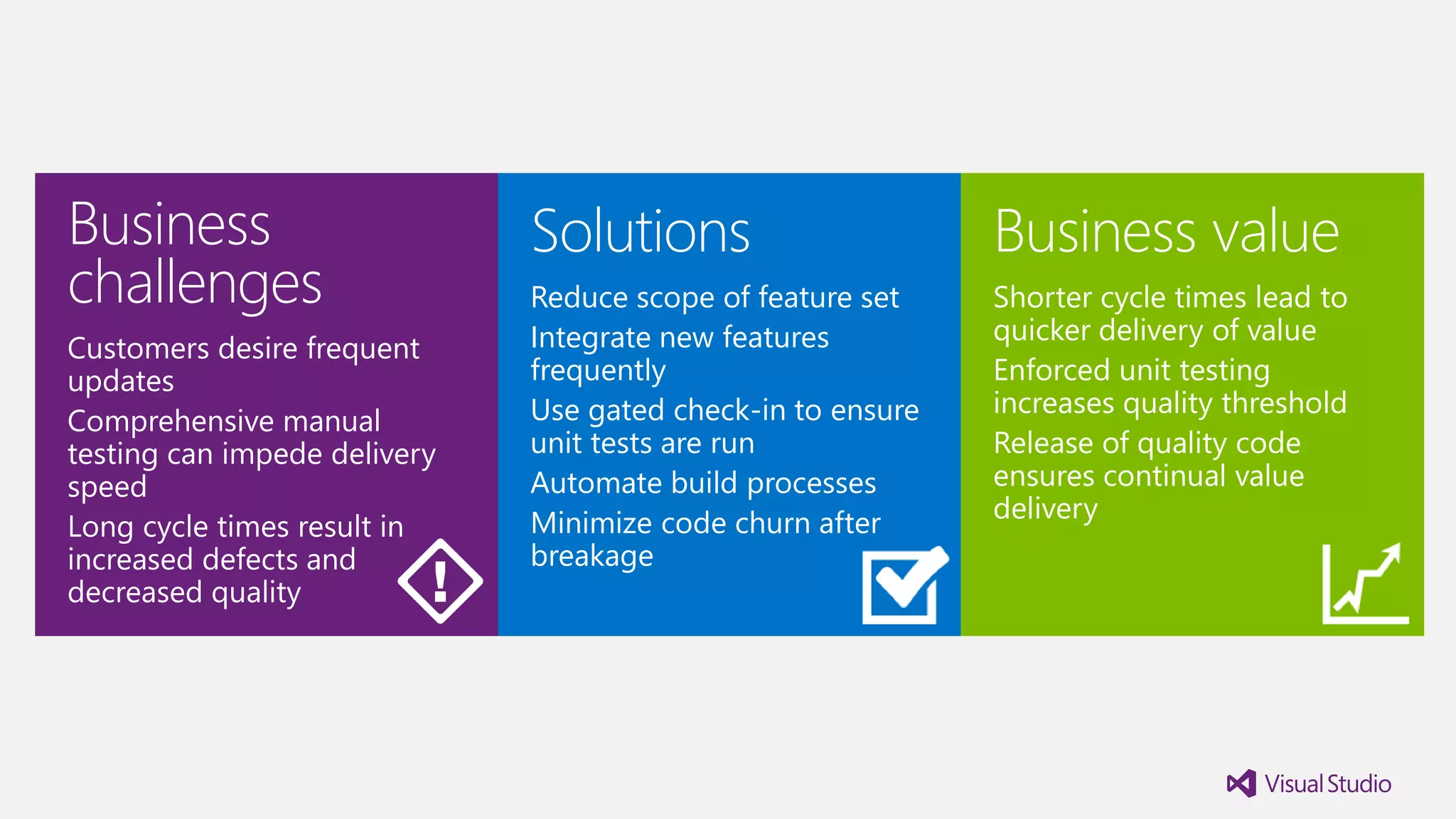
challenges
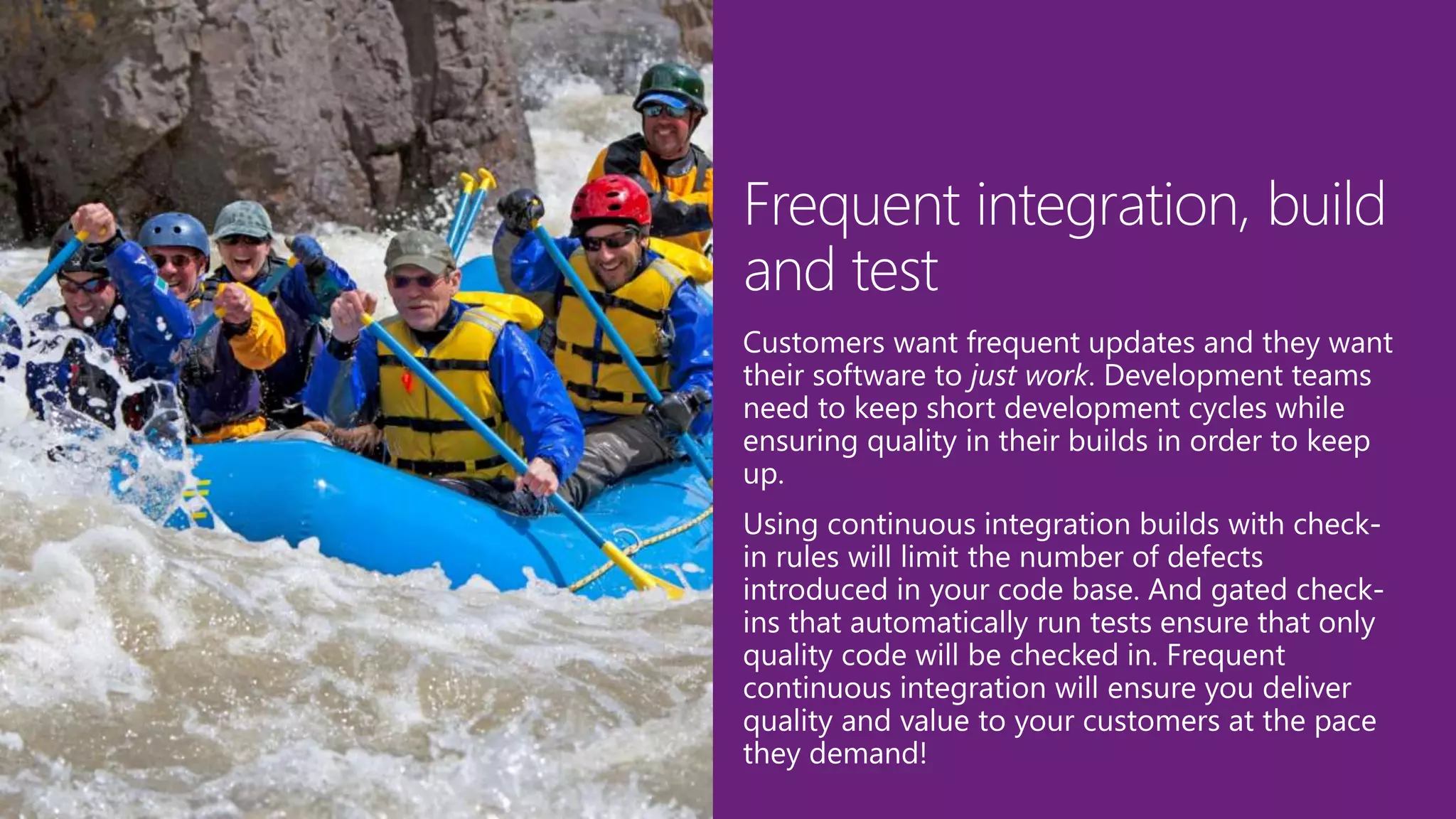
Customers desire frequent
updates
Comprehensive manual
testing can impede delivery
speed
Long cycle times result in
increased defects and
decreased quality
Solutions
Reduce scope of feature set
Integrate new features
frequently
Use gated check-in to ensure
unit tests are run
Automate build processes
Minimize code churn after
breakage
Business value
Shorter cycle times lead to
quicker delivery of value
Enforced unit testing
increases quality threshold
Release of quality code
ensures continual value
delivery
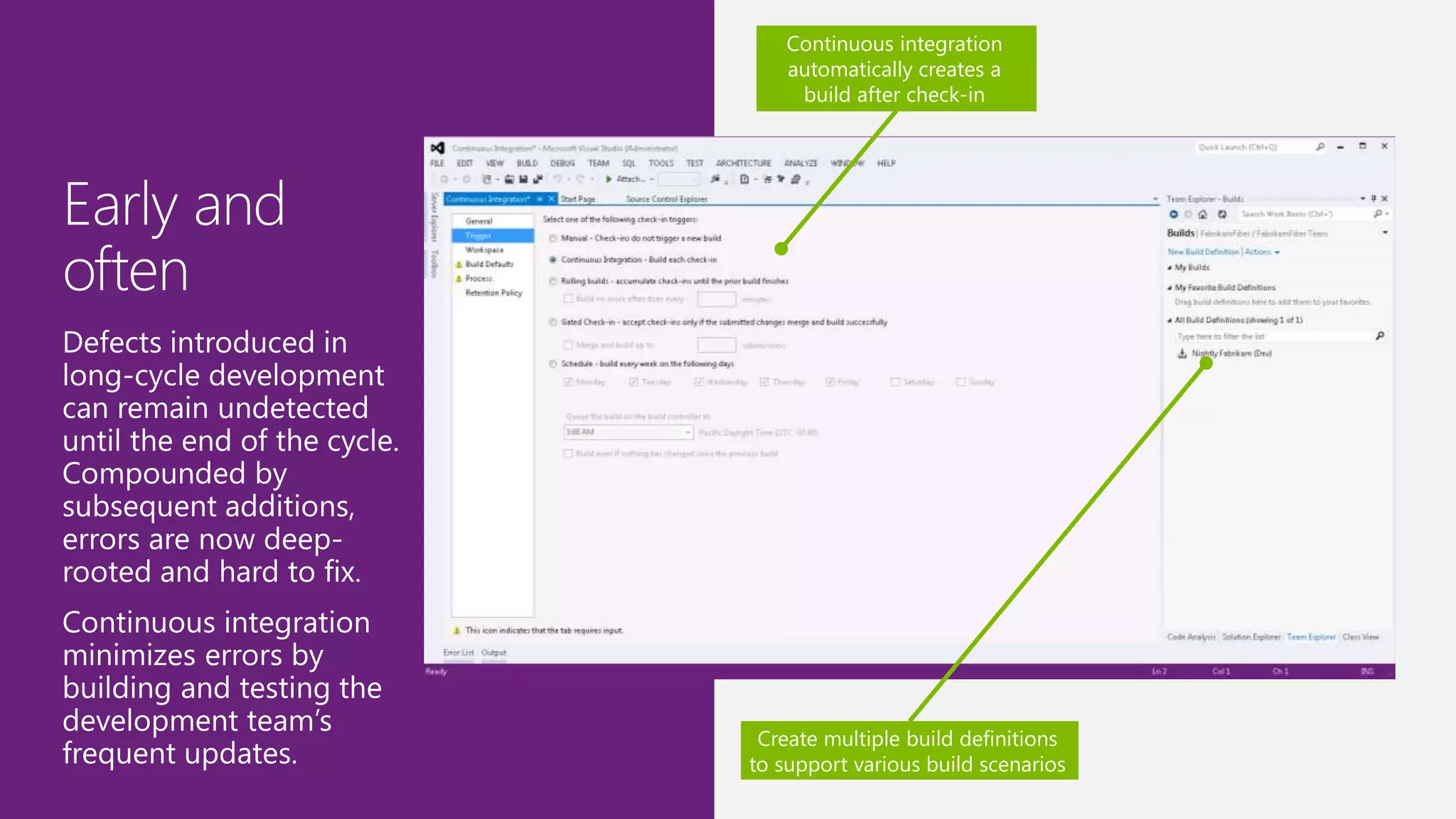
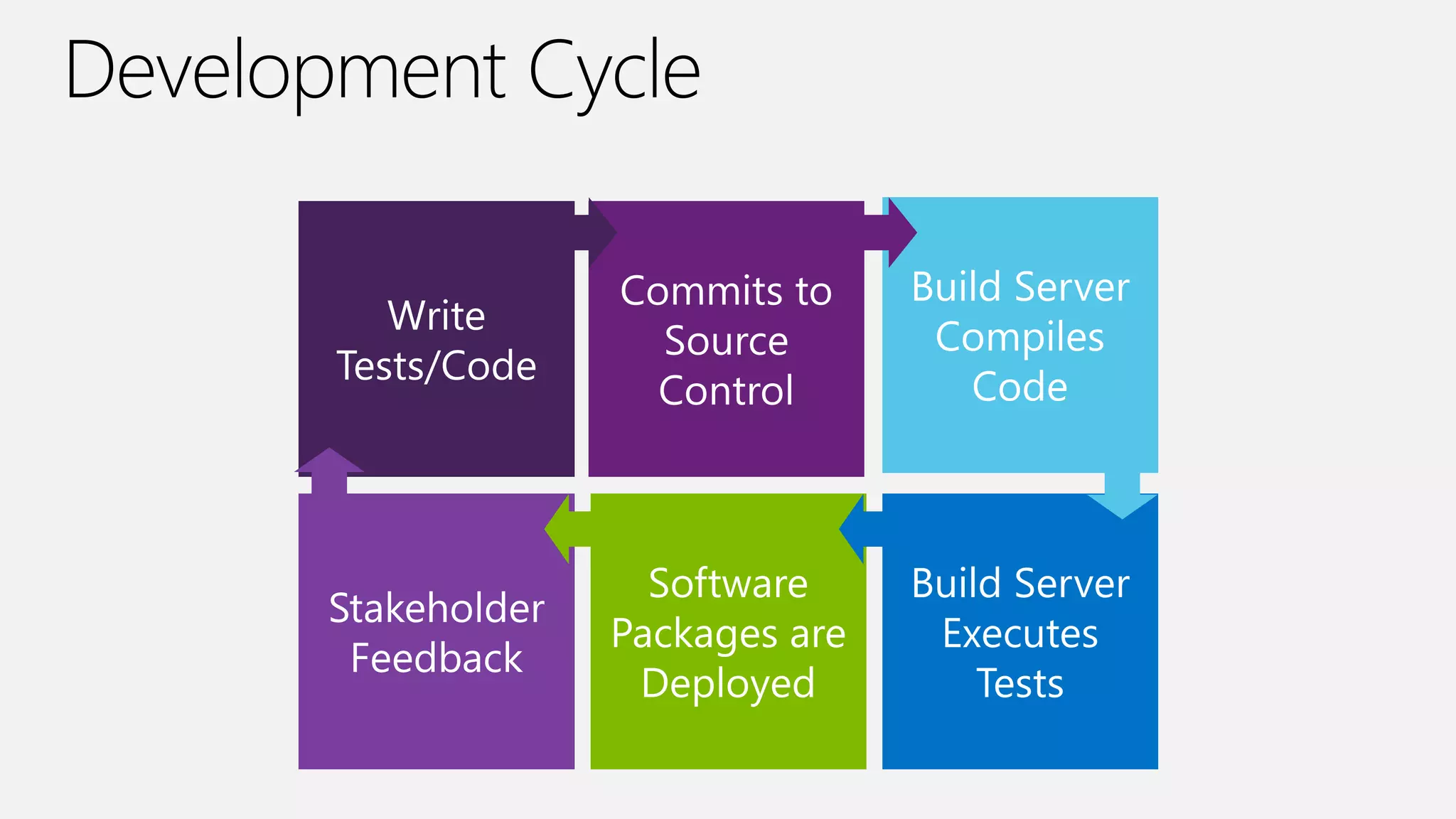
Continuous integration
automatically creates a
build after check-in
Create multiple build definitions
to support various build scenarios
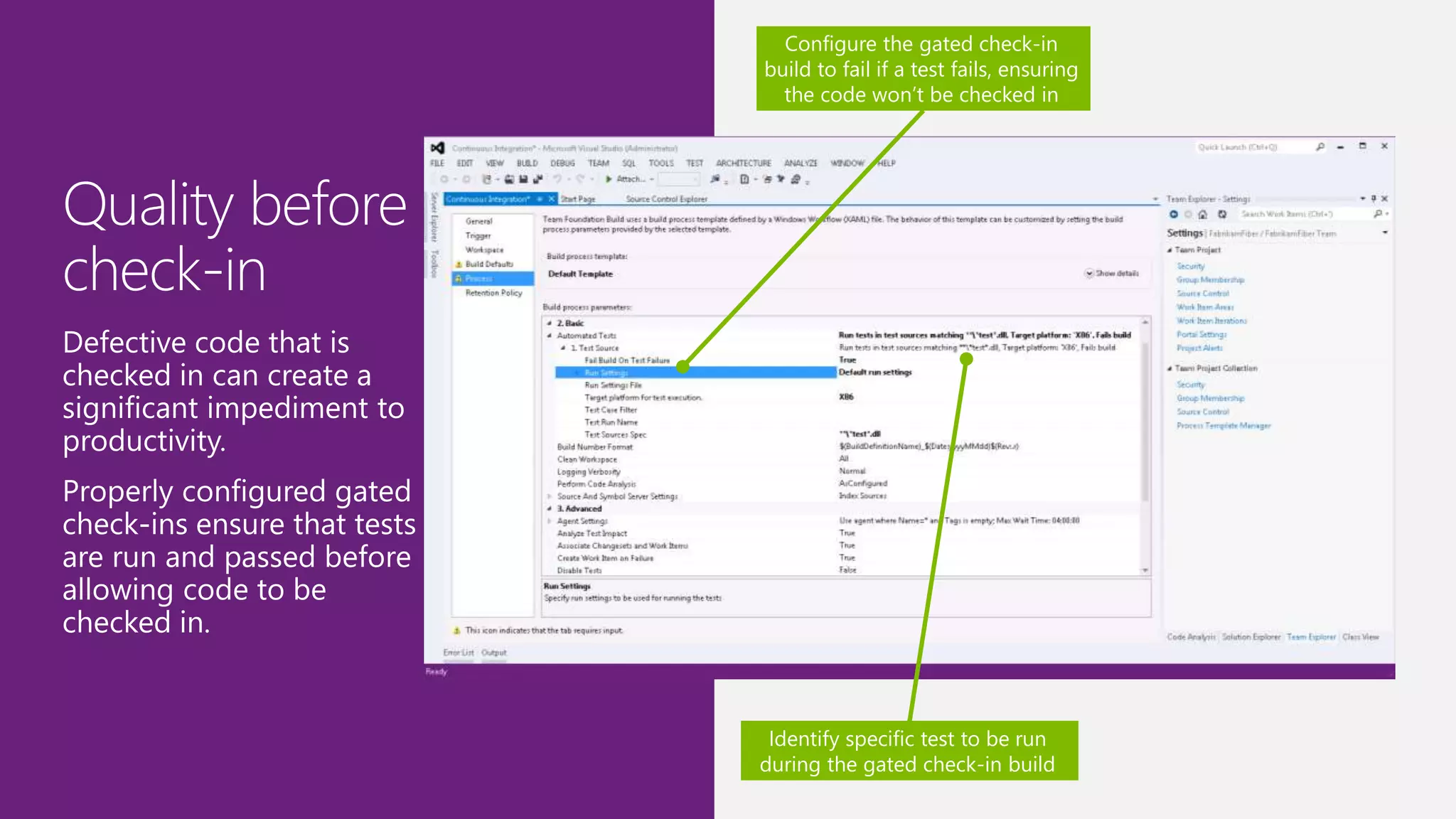
Configure the gated check-in
build to fail if a test fails, ensuring
the code won’t be checked in
Identify specific test to be run
during the gated check-in build
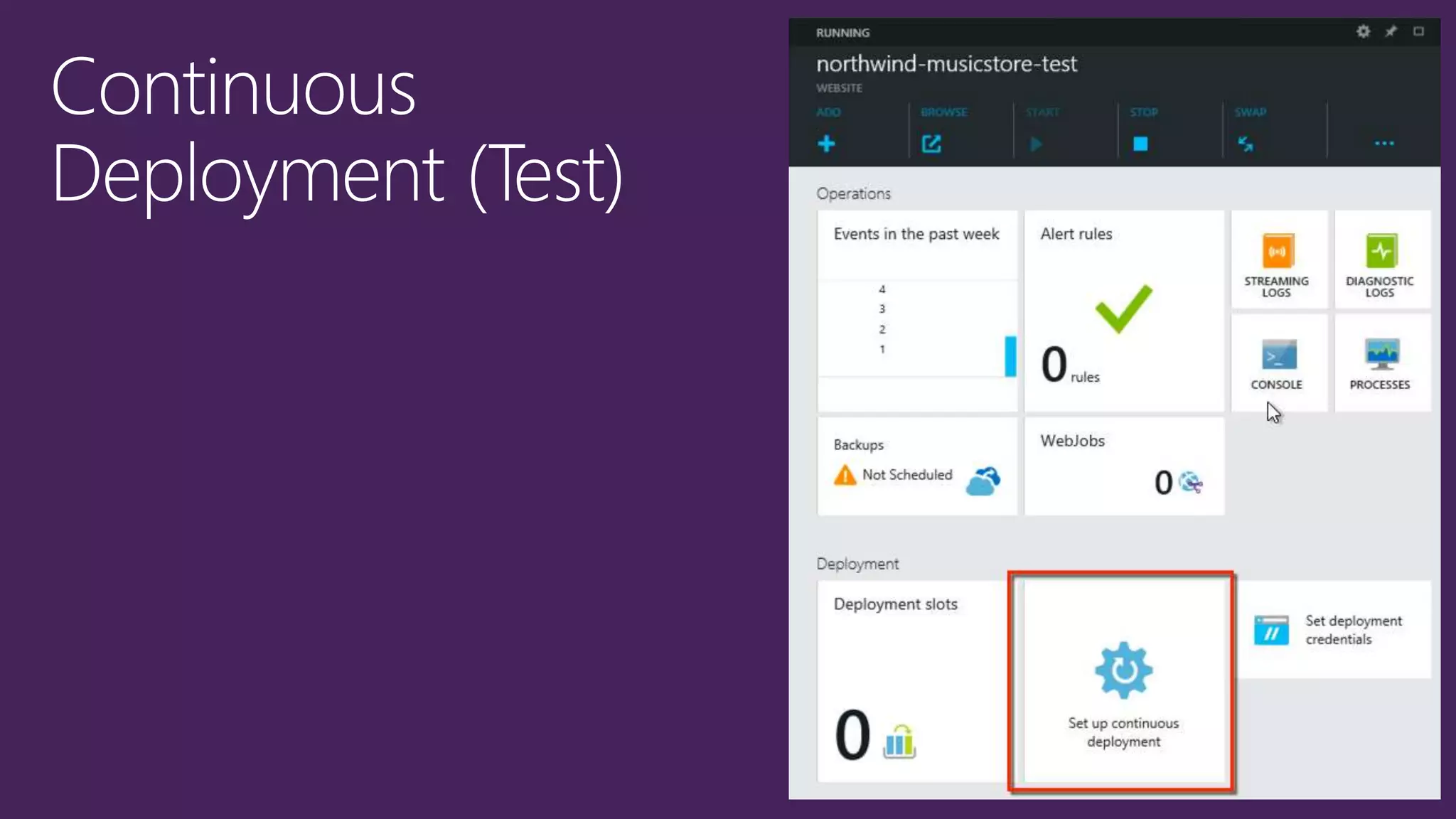
Continuous
Deployment
Modern Release
Management
Deploying early and often delivers business value fast, generates early
customer feedback and ensures ‘Go Live’ day ends with Champagne
and not a sleepless night
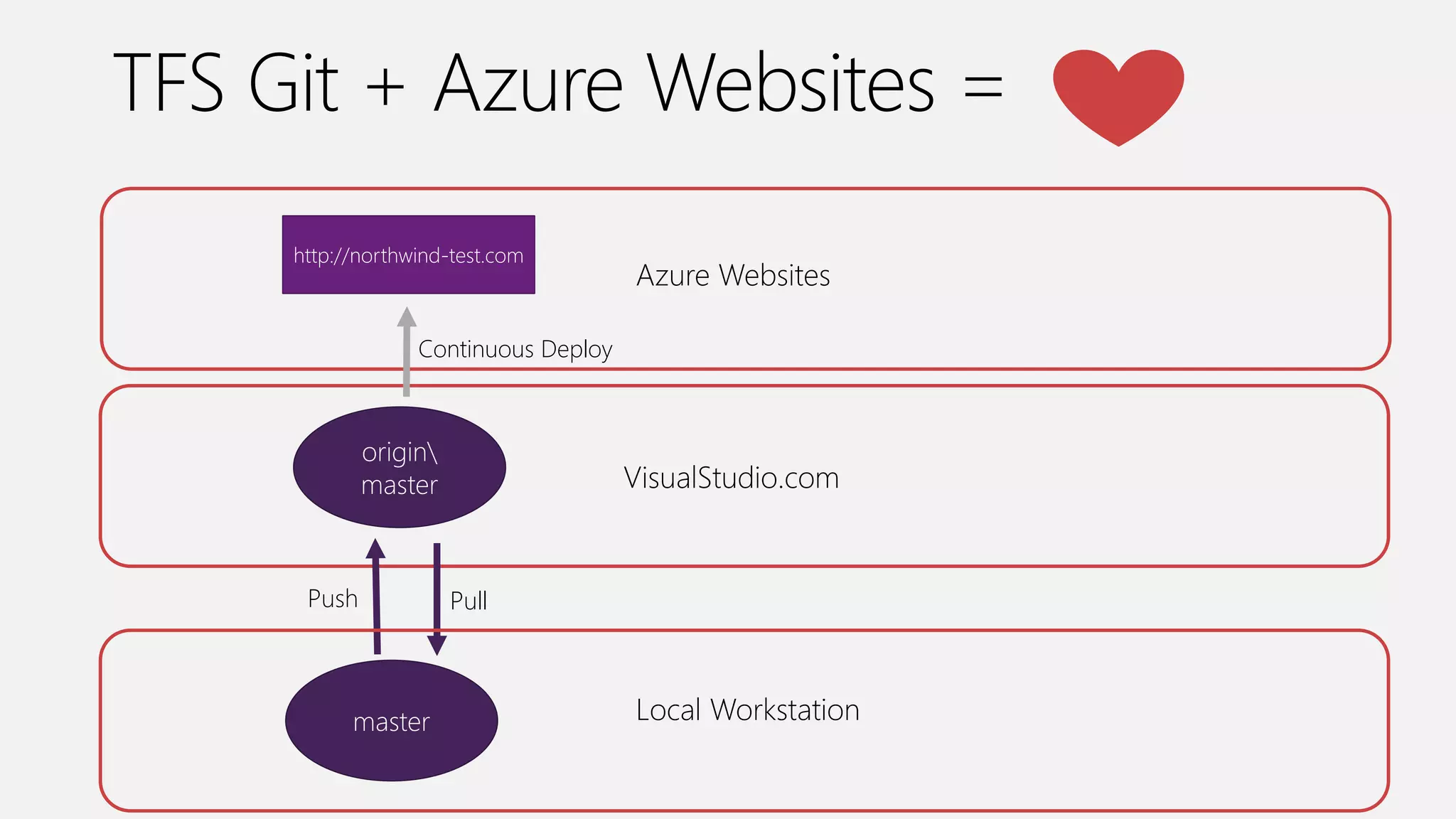
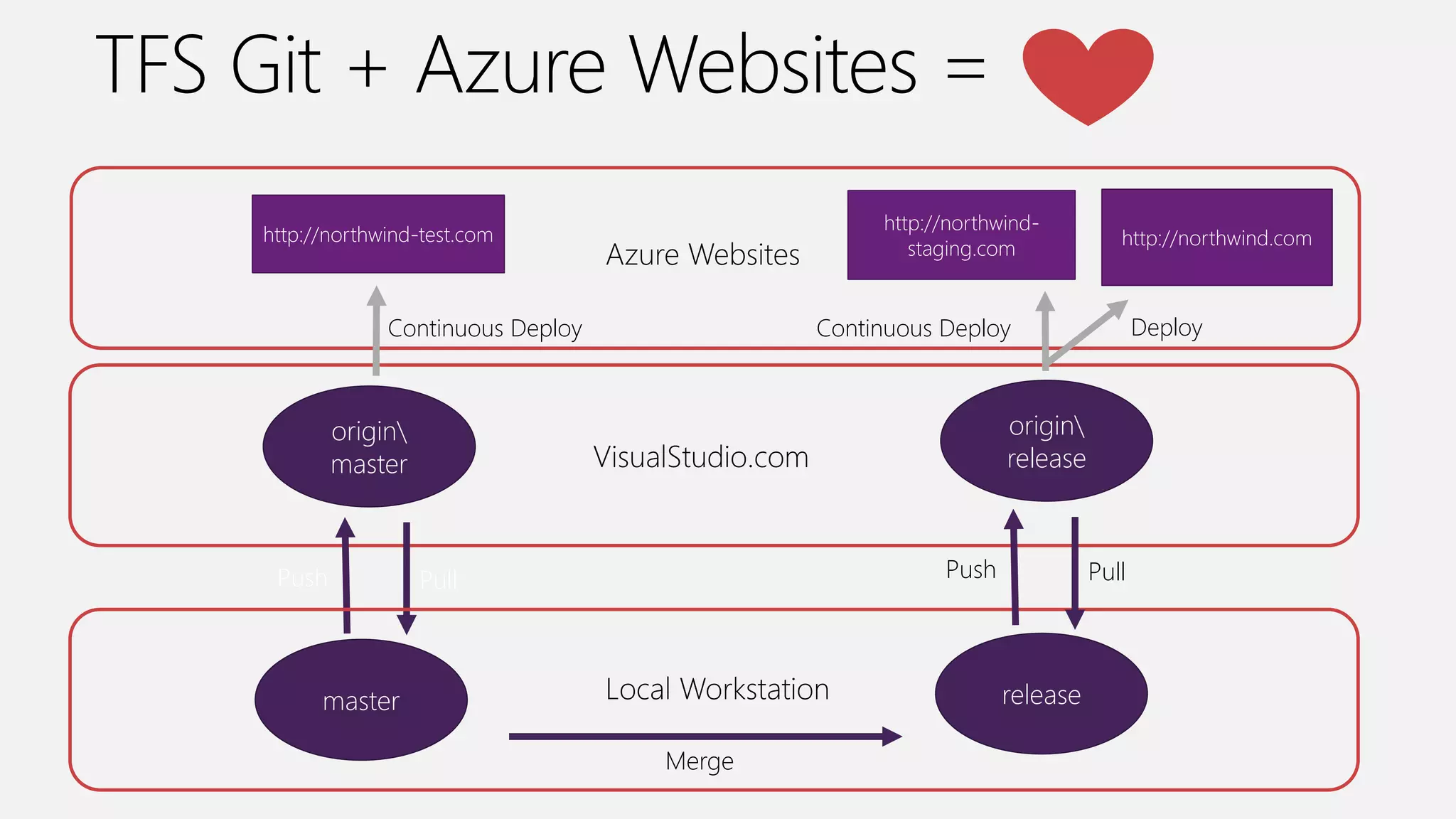
origin
master VisualStudio.com
http://northwind-test.com
Azure Websites
Continuous Deploy
Push Pull
master Local Workstation
origin
master VisualStudio.com
http://northwind-test.com
Azure Websites
Continuous Deploy
Push Pull
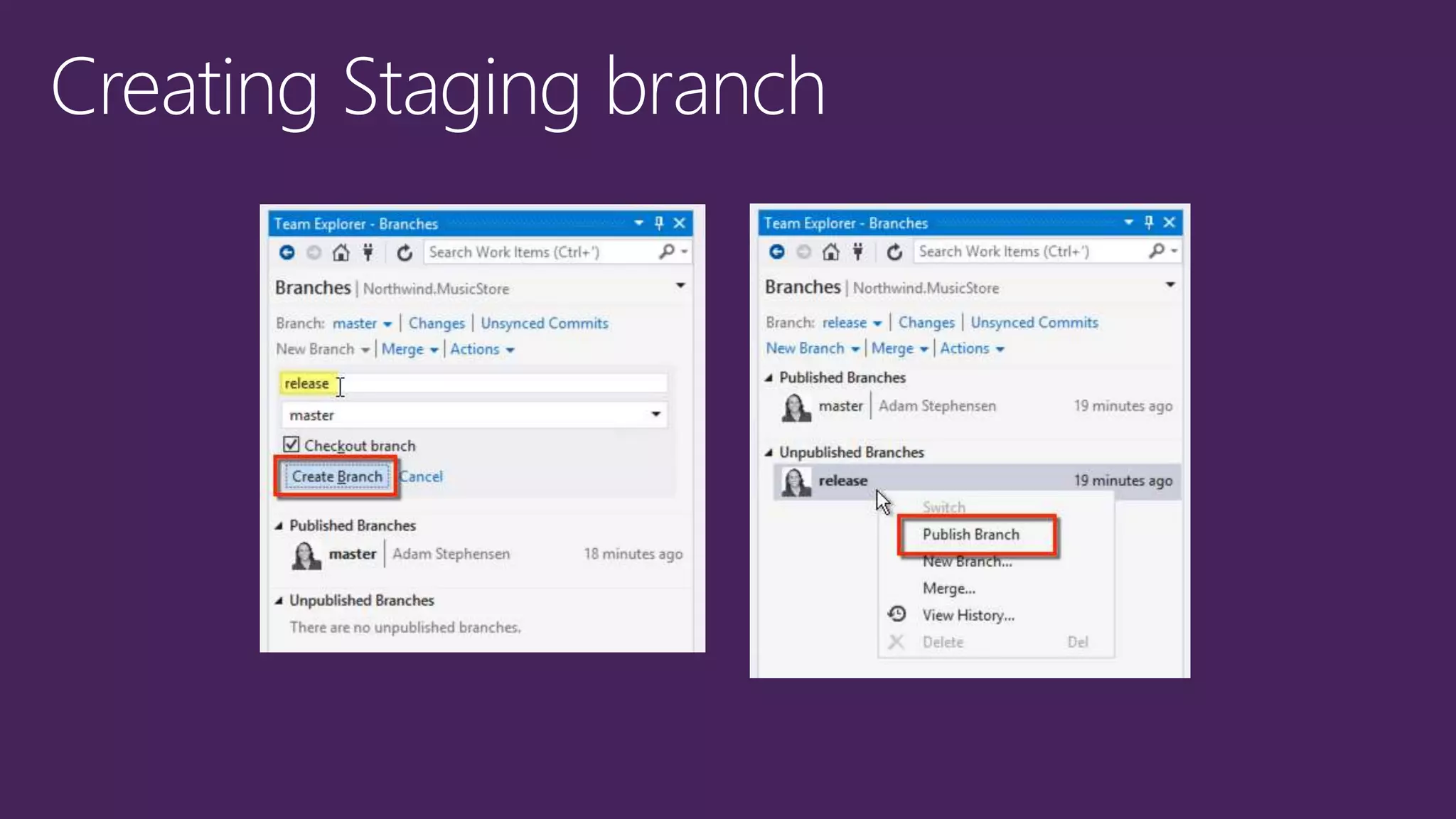
master Local Workstation release
Merge
origin
release
Push Pull
http://northwind-
staging.com
Continuous Deploy
http://northwind.com
Deploy
Monitoring
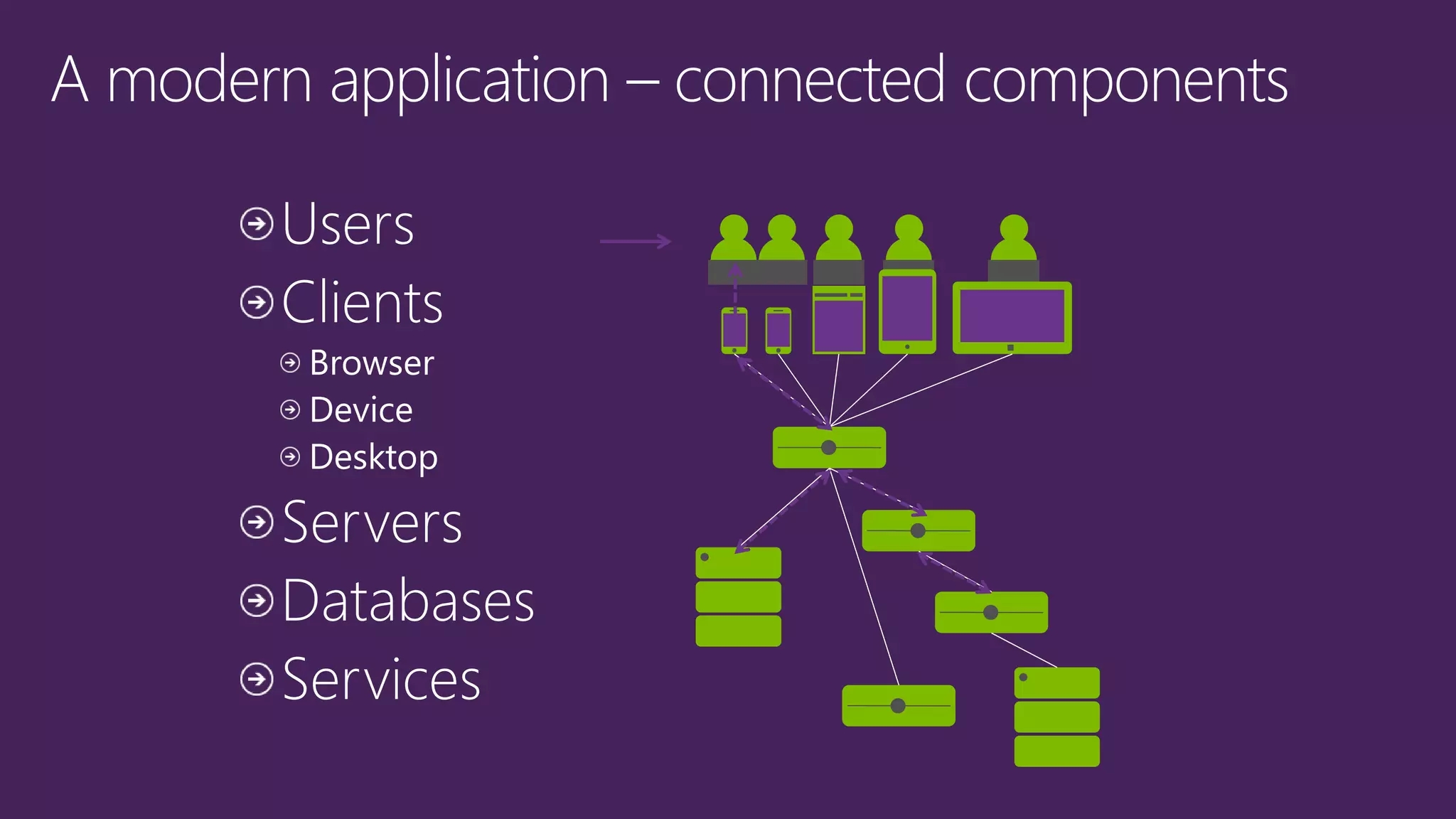
Applications
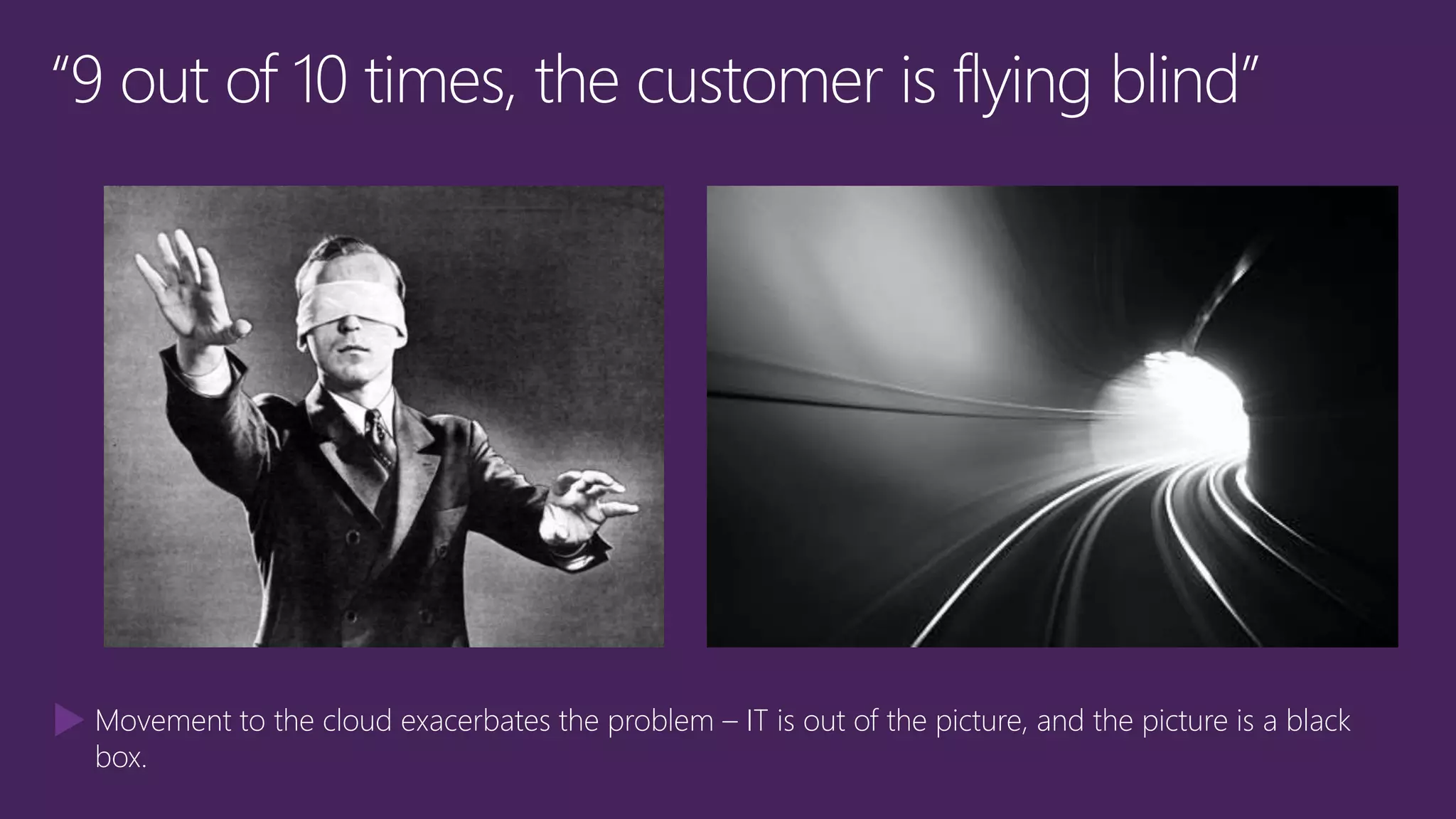
Movement to the cloud exacerbates the problem – IT is out of the picture, and the picture is a black
box.
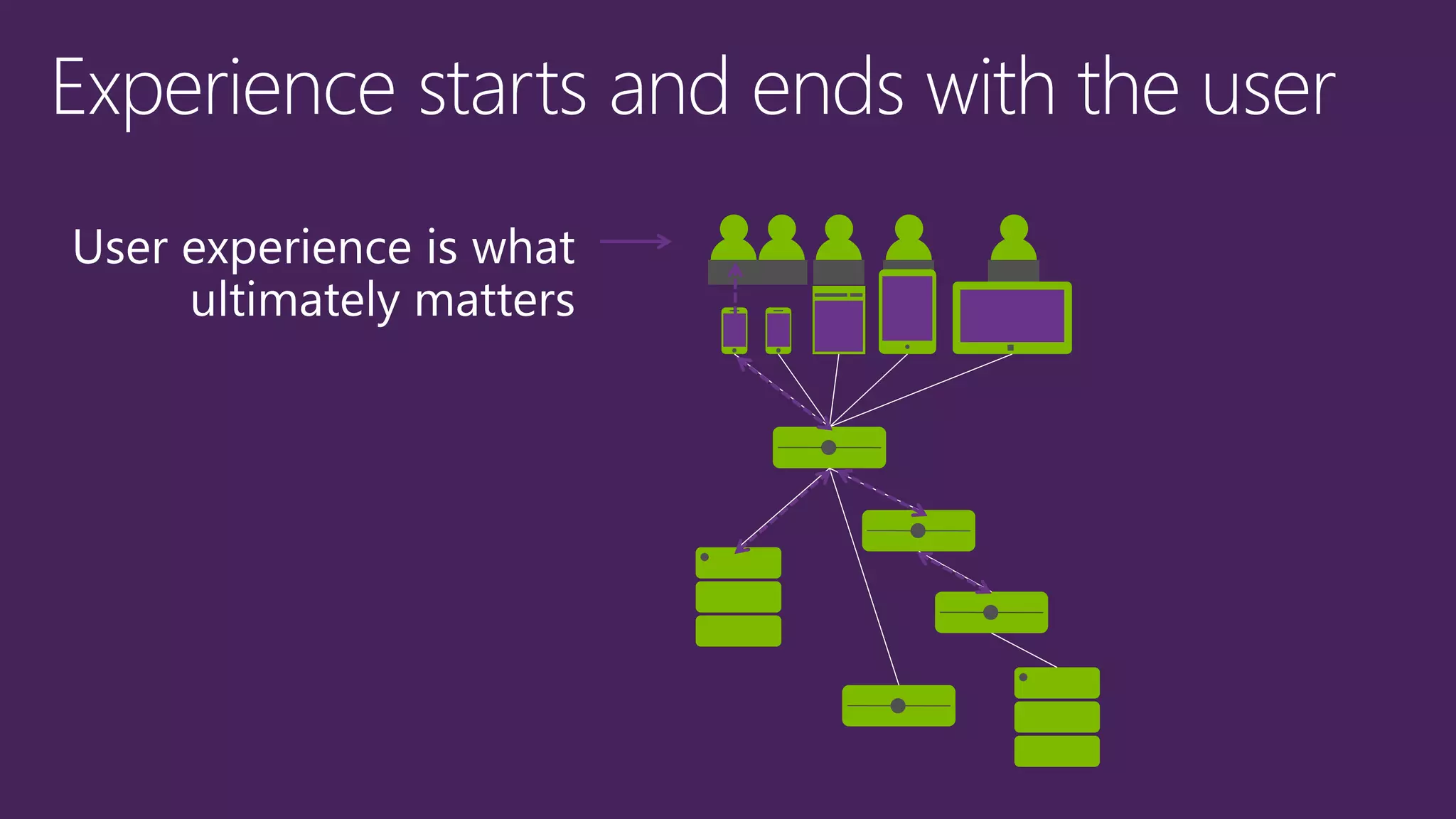
User experience is what
ultimately matters
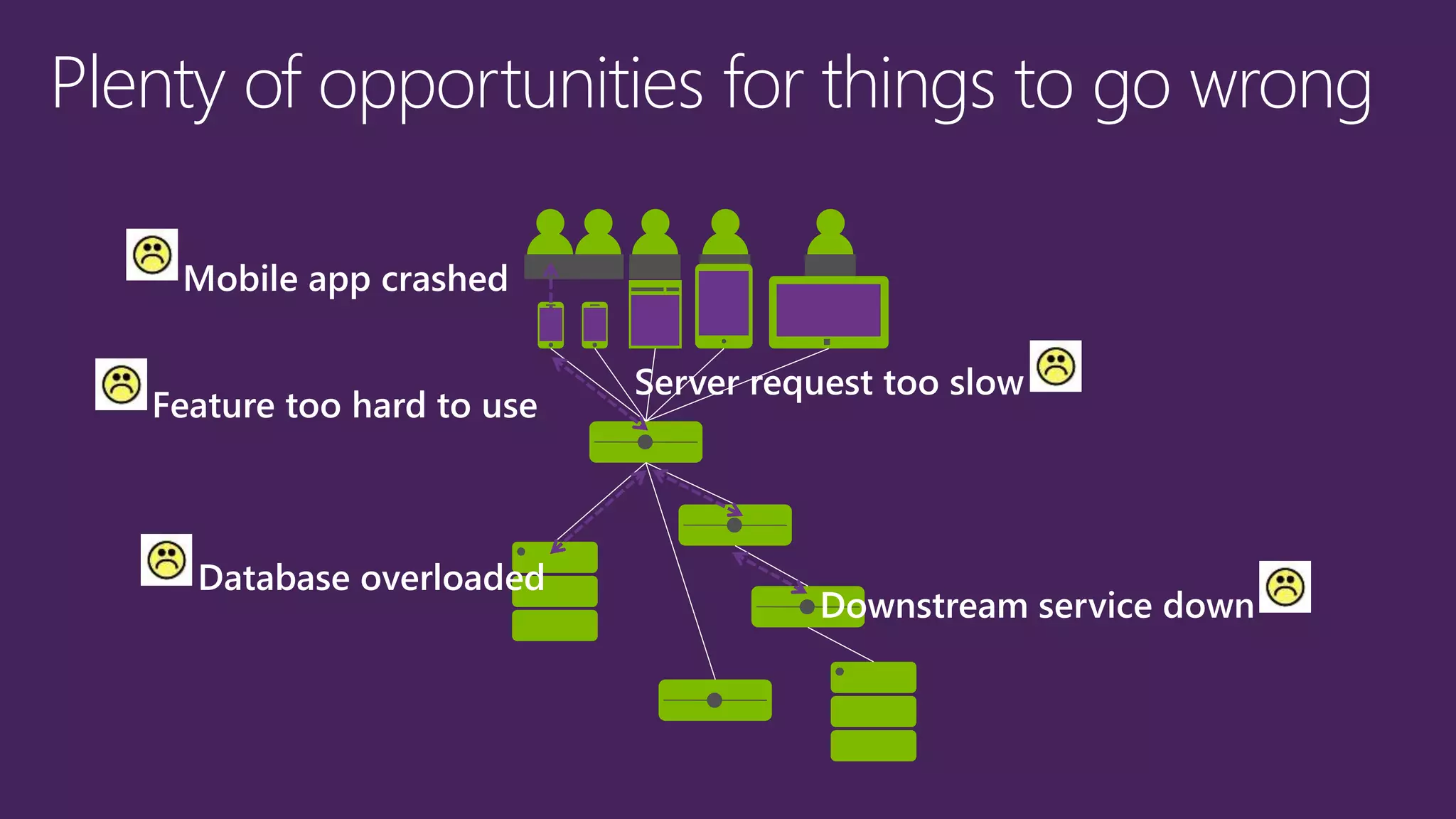
Plenty of opportunities for things to go wrong
Mobile app crashed
Server request too slow
Database overloaded
Downstream service down
Feature too hard to use
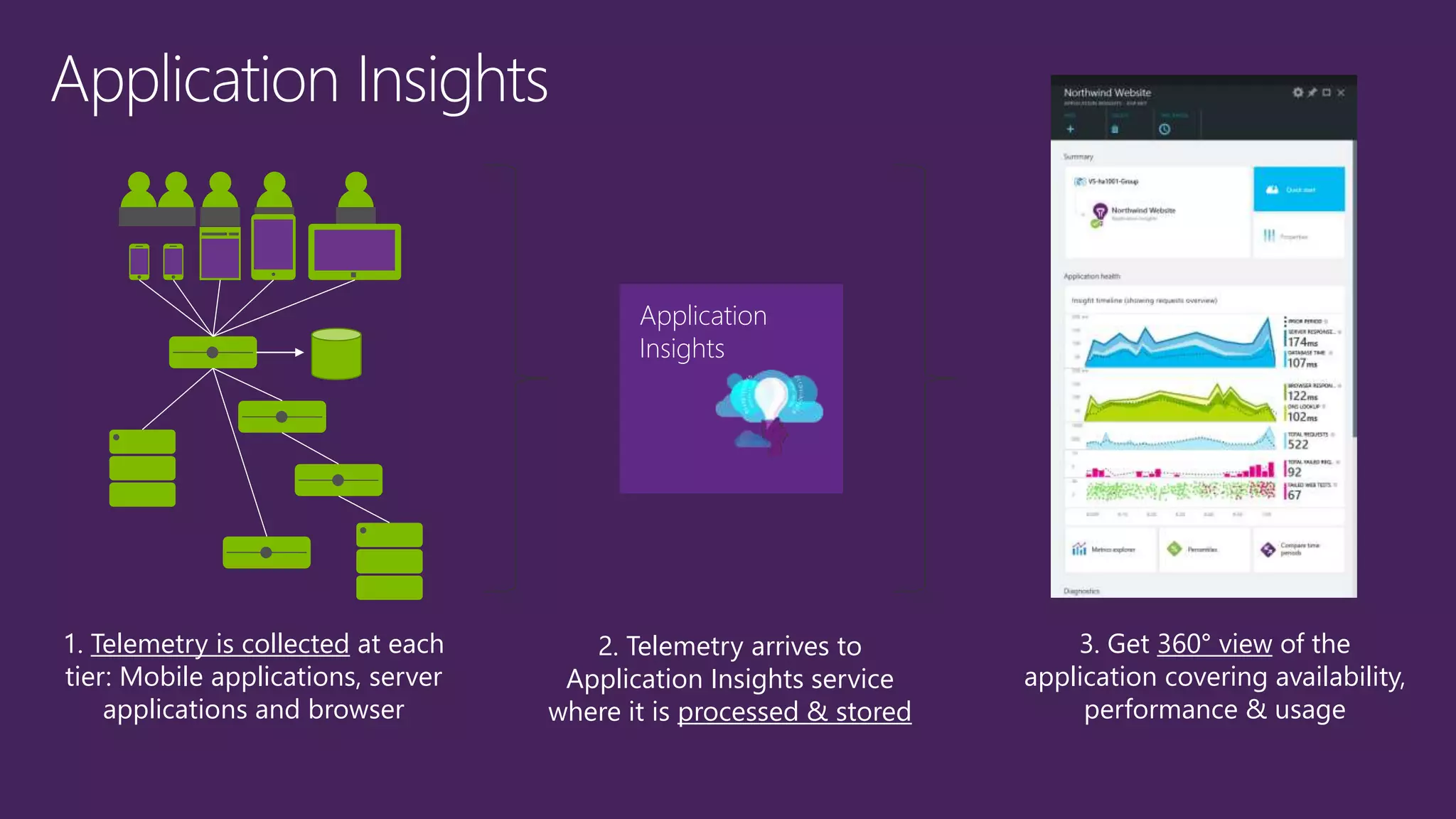
1. Telemetry is collected at each
tier: Mobile applications, server
applications and browser
2. Telemetry arrives to
Application Insights service
where it is processed & stored
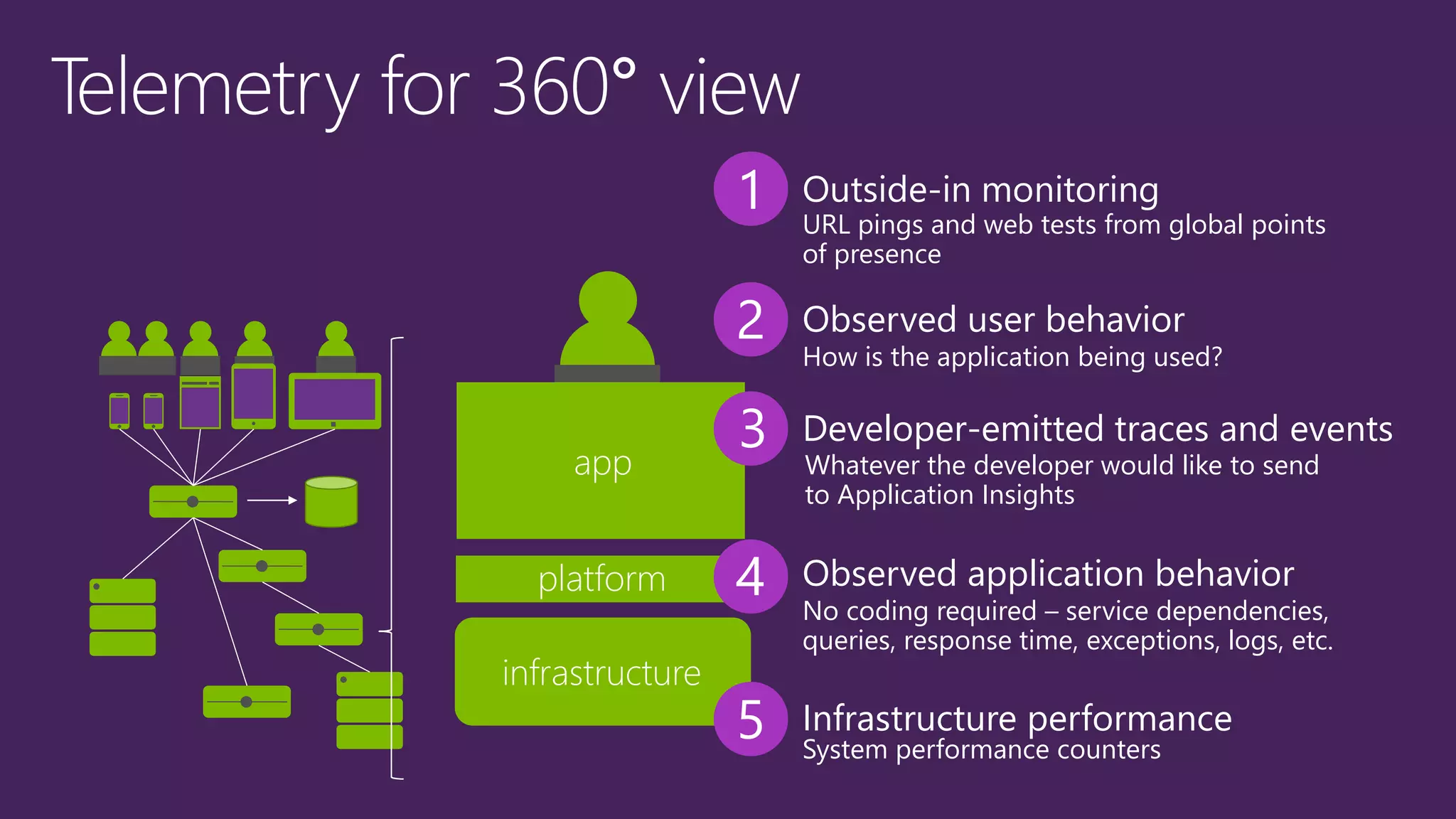
3. Get 360° view of the
application covering availability,
performance & usage
Application
Insights
platform
infrastructure
app
1
3
4
5
Outside-in monitoring
Developer-emitted traces and events
Observed application behavior
Infrastructure performance
URL pings and web tests from global points
of presence
Whatever the developer would like to send
to Application Insights
No coding required – service dependencies,
queries, response time, exceptions, logs, etc.
System performance counters
2 Observed user behavior
How is the application being used?
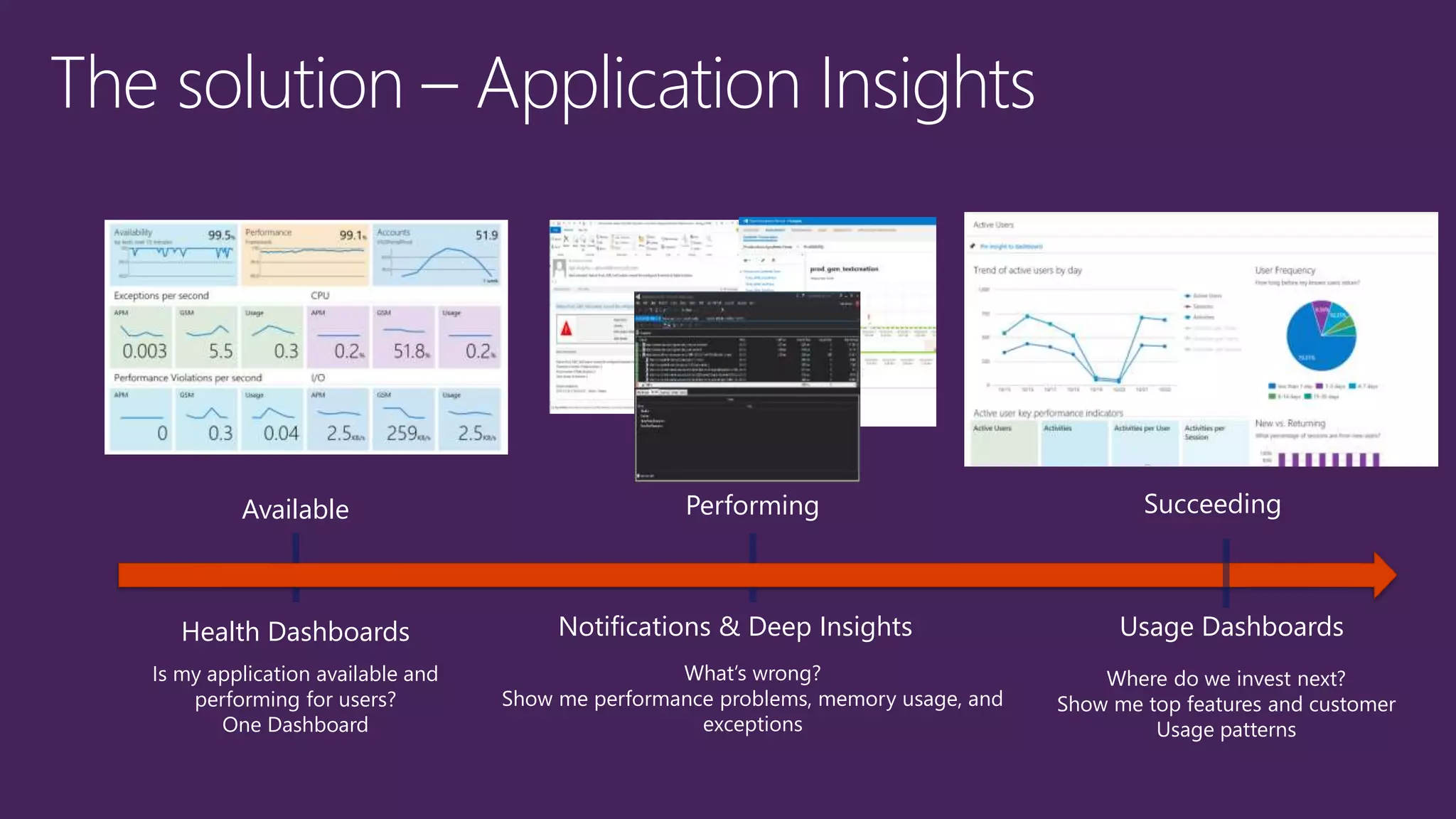
Performing
What’s wrong?
Show me performance problems, memory usage, and
exceptions
The solution – Application Insights
Available
Is my application available and
performing for users?
One Dashboard
Succeeding
Where do we invest next?
Show me top features and customer
Usage patterns
Health Dashboards Notifications & Deep Insights Usage Dashboards
Code in the Cloud - December 8th 2014

Code in the Cloud - December 8th 2014

  • 2.
    • Introduction • Managingyour project • Working with code • Tracking your progress • Continuous • Lunch break • Getting your hands dirty
  • 3.
  • 4.
  • 6.
    DevOps: the threestage conversation 3 Products2 Process1 People
  • 7.
    Visual Studio Update 1 VisualStudio Update 2 Visual Studio Update N Visual Studio Online Visual Studio continuous value delivery
  • 9.
    Plan, build, deployand manage applications using a comprehensive suite of services that is accessible to the entire team
  • 10.
  • 11.
    BACKLOG REQUIREMENTS No infrastructure overhead| Pay as you use services | Available anywhere | Connected IDE Agile Portfolio Management Kanban customization Work item tagging Work item charts Team Rooms Code discussions Flexible version control Cloud load testing Web-based test management Continuous Deployment Automated builds and CI Application Insights Stakeholder feedback requests Browser-based lightweight IDE
  • 12.
    3) New cloud-onlymonthly user plans 2) Included for MSDN subscribers Increased value to existing and new MSDN subscribers User plans purchased via Microsoft Azure. 1) Completely free for small teams FREE: 5 users FREE: 60 minutes Cloud Build per month FREE: 15K virtual user mins per month FREE: 5 users Additional users $20/month All users $45/month Max 10 per account with this plan Includes use of the VS Pro IDE All users $60/month
  • 13.
     Unlimited projects/repositories Agile planning  Work item tracking  Code discussions  Work item chart viewing = Basic capabilities +  Agile Portfolio Management  Team Rooms  Work item chart authoring  Request & manage feedback = Advanced capabilities +  Web test case management
  • 17.
    Benefits of anAgile Team
  • 20.
  • 21.
  • 22.
  • 23.
    Product Backlog Customer prioritized customerfeatures Time-boxed Test/Develop Working code Ready for deployment Time-boxed iteration cycles (i.e. 2 weeks) Product Backlog Back log tasks Sprint Backlog Feature assigned to sprint Sprint planning meeting • Review Product Backlog • Estimate Sprint Backlog • Commit Daily Standups • Done since last standup • Plan for today • Any impediments Sprint Review Meeting • Demo features to stakeholders • Retrospective Elaborated and Estimated by team Team Commitment
  • 24.
    Sprint 2 –Mobile Workforce
  • 25.
    Kanban cards Kanban (かんばん(看 板)?)(literally signboard or billboard) is a scheduling system for lean and just-in- time (JIT) production
  • 28.
  • 29.
    Strengths Best for Check-in Check-out •Fine level permission control • Allows usage monitoring • Large integrated codebases • Control and auditability over source code down to the file level • Offline editing support • Easy to edit files outside Visual Studio or Eclipse • Medium-sized integrated codebases • A balance of fine-grained control with reduced friction • Fast offline experience • Complete repository with portable history • Flexible advanced branching model • Modular codebases • Integrating with open source • Highly distributed teams
  • 31.
  • 32.
  • 33.
    Team Foundation Server/ VS Online Project 2Project 1 3rd Party3rd Party Local Repo Other Remote Git Repo
  • 34.
  • 39.
     TDD isa robust way of designing software components (“units”) interactively so that their behavior is specified through unit tests.  Whenever you are tempted to type something into a print statement or a debugger expression, write it as a test instead.  Manual or automated testing is much better for finding bugs.  Automated integration tests are much better for detecting regression (things that used to work but have unexpectedly stopped working). [TestMethod] public void Debit_WithValidAmount_UpdatesBalance() { // arrange double beginningBalance = 11.99; double debitAmount = 4.55; double expected = 7.44; BankAccount account = new BankAccount("Mr. X", beginningBalance); // act account.Debit(debitAmount); // assert double actual = account.Balance; Assert.AreEqual(expected, actual, 0.001, "Account not debited correctly"); }
  • 40.
     Visual StudioTest Explorer is designed to support developers and teams who incorporate unit testing in their software development practices.  Unit testing helps you ensure the correctness of your program by verifying that the application code does what you expect it to do.  In unit testing, you analyze the functionality of your program to discover discrete testable behaviors that you can test as individual units.  You use a unit testing framework to create tests of those behaviors and to report the results of those tests.
  • 41.
  • 46.
    Business challenges Customers desire frequent updates Comprehensivemanual testing can impede delivery speed Long cycle times result in increased defects and decreased quality Solutions Reduce scope of feature set Integrate new features frequently Use gated check-in to ensure unit tests are run Automate build processes Minimize code churn after breakage Business value Shorter cycle times lead to quicker delivery of value Enforced unit testing increases quality threshold Release of quality code ensures continual value delivery
  • 47.
    Continuous integration automatically createsa build after check-in Create multiple build definitions to support various build scenarios
  • 48.
    Configure the gatedcheck-in build to fail if a test fails, ensuring the code won’t be checked in Identify specific test to be run during the gated check-in build
  • 50.
  • 51.
    Deploying early andoften delivers business value fast, generates early customer feedback and ensures ‘Go Live’ day ends with Champagne and not a sleepless night
  • 52.
  • 54.
    origin master VisualStudio.com http://northwind-test.com Azure Websites ContinuousDeploy Push Pull master Local Workstation release Merge origin release Push Pull http://northwind- staging.com Continuous Deploy http://northwind.com Deploy
  • 56.
  • 58.
    Movement to thecloud exacerbates the problem – IT is out of the picture, and the picture is a black box.
  • 60.
    User experience iswhat ultimately matters
  • 61.
    Plenty of opportunitiesfor things to go wrong Mobile app crashed Server request too slow Database overloaded Downstream service down Feature too hard to use
  • 62.
    1. Telemetry iscollected at each tier: Mobile applications, server applications and browser 2. Telemetry arrives to Application Insights service where it is processed & stored 3. Get 360° view of the application covering availability, performance & usage Application Insights
  • 63.
    platform infrastructure app 1 3 4 5 Outside-in monitoring Developer-emitted tracesand events Observed application behavior Infrastructure performance URL pings and web tests from global points of presence Whatever the developer would like to send to Application Insights No coding required – service dependencies, queries, response time, exceptions, logs, etc. System performance counters 2 Observed user behavior How is the application being used?
  • 64.
    Performing What’s wrong? Show meperformance problems, memory usage, and exceptions The solution – Application Insights Available Is my application available and performing for users? One Dashboard Succeeding Where do we invest next? Show me top features and customer Usage patterns Health Dashboards Notifications & Deep Insights Usage Dashboards