MS Teams – Exploring Virtual Collaboration
@krimaitis
@innovation_nwc
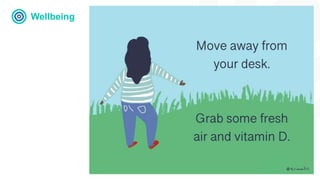
Wellbeing
Breathing break
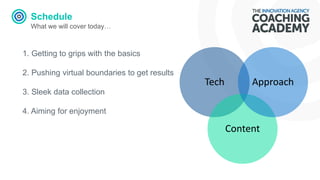
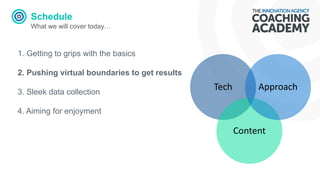
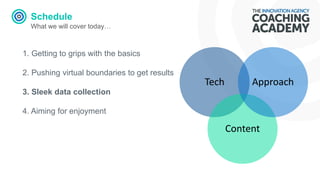
Schedule
What we will cover today…
Tech
Content
Approach
1. Getting to grips with the basics
2. Pushing virtual boundaries to get results
3. Sleek data collection
4. Aiming for enjoyment
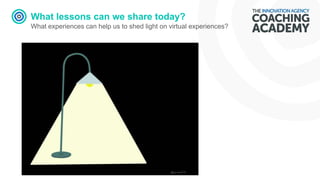
What lessons can we share today?
What experiences can help us to shed light on virtual experiences?
MS Teams
Always upfront….
• Simple method for video.
• Share screen.
• Creativeness lies in tasks and
chat/file sharing.
• Handouts and prep.
Basics
What does MS Teams promise
Pull together a team.
Use chat instead of email.
Securely edit files at the same time.
See likes, @mentions, and replies
with just a single tap.
Customise it by adding notes, web
sites, and apps.
What is a team and a channel?
A team is a collection of people,
conversations, files, and tools — all
in one place. A channel is a
discussion in a team, dedicated to a
department, project, or topic.
The best way to get familiar with
teams and channels is to pick a
team and channel and start
exploring!
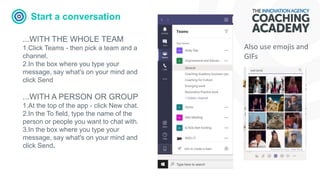
Start a conversation
...WITH THE WHOLE TEAM
1.Click Teams - then pick a team and a
channel.
2.In the box where you type your
message, say what's on your mind and
click Send
...WITH A PERSON OR GROUP
1.At the top of the app - click New chat.
2.In the To field, type the name of the
person or people you want to chat with.
3.In the box where you type your
message, say what's on your mind and
click Send.
Also use emojis and
GIFs
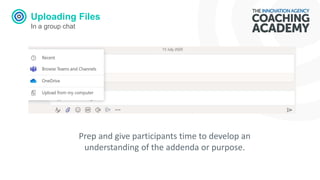
Uploading Files
In a group chat
Prep and give participants time to develop an
understanding of the addenda or purpose.
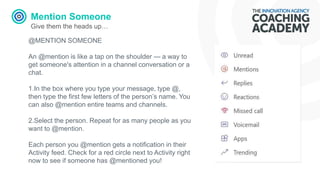
Mention Someone
Give them the heads up…
@MENTION SOMEONE
An @mention is like a tap on the shoulder — a way to
get someone's attention in a channel conversation or a
chat.
1.In the box where you type your message, type @,
then type the first few letters of the person’s name. You
can also @mention entire teams and channels.
2.Select the person. Repeat for as many people as you
want to @mention.
Each person you @mention gets a notification in their
Activity feed. Check for a red circle next to Activity right
now to see if someone has @mentioned you!
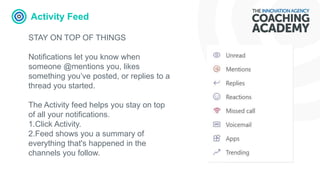
Activity Feed
STAY ON TOP OF THINGS
Notifications let you know when
someone @mentions you, likes
something you’ve posted, or replies to a
thread you started.
The Activity feed helps you stay on top
of all your notifications.
1.Click Activity.
2.Feed shows you a summary of
everything that's happened in the
channels you follow.
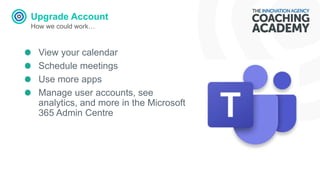
Upgrade Account
How we could work…
View your calendar
Schedule meetings
Use more apps
Manage user accounts, see
analytics, and more in the Microsoft
365 Admin Centre
Wellbeing
Schedule
What we will cover today…
Tech
Content
Approach
1. Getting to grips with the basics
2. Pushing virtual boundaries to get results
3. Sleek data collection
4. Aiming for enjoyment
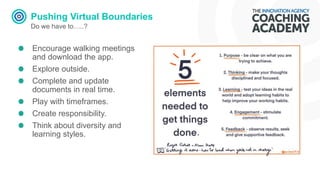
Pushing Virtual Boundaries
Do we have to…..?
Encourage walking meetings
and download the app.
Explore outside.
Complete and update
documents in real time.
Play with timeframes.
Create responsibility.
Think about diversity and
learning styles.
Schedule
What we will cover today…
Tech
Content
Approach
1. Getting to grips with the basics
2. Pushing virtual boundaries to get results
3. Sleek data collection
4. Aiming for enjoyment
Sleek Data Collection
Make the most of clear labelling
Design your channels upfront with
indications and descriptions of what
they are for and what they are NOT
for.
Take notes during meetings and
add to the group. Use @ to assign
tasks.
Use connected and external data
tools – create a baseline.
Always set a baseline – why not
develop competencies
Sleek data collection
Feed back….do you need it?…
• What do you want to determine? (feeling, experience,
knowledge)
• Are you also prepared/planned to show its value?
• How can you use feedback to motivate participants?
• Does it nee to be formal?
• How does the data/feedback need to be presented
for its purpose?
Software
Let the software do the hard stuff…
FORMAL
Menti
Sli.do
Kahootz
Survey Monkey
Doodle Poll
Google forms
Eventbrite
Document edit
INFORMAL
Chat
Hands Up
Reactions
Annotate
Sketchnotes
Social Media
GIF
Document edit
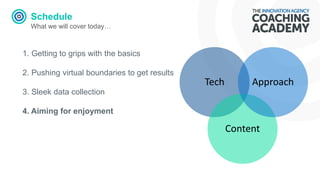
Schedule
What we will cover today…
Tech
Content
Approach
1. Getting to grips with the basics
2. Pushing virtual boundaries to get results
3. Sleek data collection
4. Aiming for enjoyment
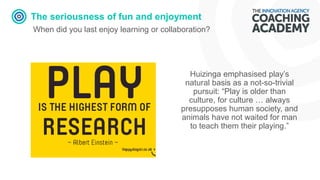
The seriousness of fun and enjoyment
When did you last enjoy learning or collaboration?
Huizinga emphasised play’s
natural basis as a not-so-trivial
pursuit: “Play is older than
culture, for culture … always
presupposes human society, and
animals have not waited for man
to teach them their playing.”
FACTS
It’s science…
If the learning isn’t fun, it won’t be effective. That’s not just a sneaking suspicion –
it’s cold, hard, scientific fact.
A study in the journal, College Teaching, found that students could recall a statistics
lecture more easily when the lecturer added jokes about relevant topics.
In her book, Neurologist, Judy Willis showed how fun experiences increase levels of
dopamine, endorphins, and oxygen – all things that promote learning.
In a study for the Journal of Vocational Behaviour, Michael Tews found that
employees are more likely to try new things if their work environment is fun.
Dr Laura Kubansky has undertaken research which demonstrates that fun is good
for your health.
Many influential researchers (Dulay & Burt, 1977; Krashen, 1982) have found
evidence that people learn better when they’re feeling strong positive emotions.
How can we encourage fun and enjoyment?
Building play into work…
Set challenges.
Use funny and interesting stories.
Share passions and personality.
Pick the right place and time - only go where its
appropriate to go.
Look for innovation – Yes, and…Improv.
Explore and research other examples that work.
Create visuals.
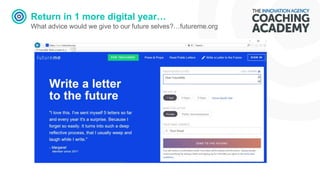
Return in 1 more digital year…
What advice would we give to our future selves?…futureme.org
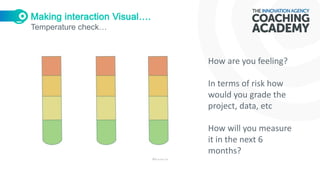
Temperature check…
How are you feeling?
In terms of risk how
would you grade the
project, data, etc
How will you measure
it in the next 6
months?
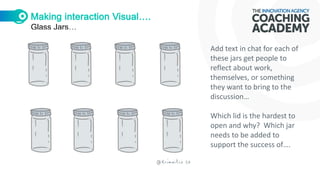
Glass Jars…
Add text in chat for each of
these jars get people to
reflect about work,
themselves, or something
they want to bring to the
discussion…
Which lid is the hardest to
open and why? Which jar
needs to be added to
support the success of….
Making interaction Visual….
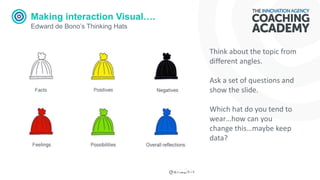
Edward de Bono’s Thinking Hats
Think about the topic from
different angles.
Ask a set of questions and
show the slide.
Which hat do you tend to
wear…how can you
change this…maybe keep
data?
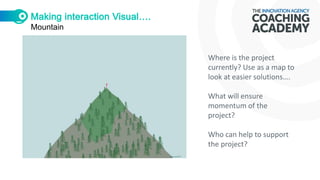
Mountain
Where is the project
currently? Use as a map to
look at easier solutions….
What will ensure
momentum of the
project?
Who can help to support
the project?
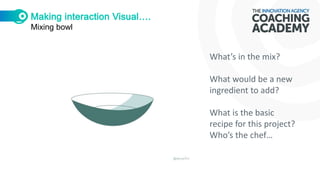
Mixing bowl
What’s in the mix?
What would be a new
ingredient to add?
What is the basic
recipe for this project?
Who’s the chef…
Making interaction interesting….
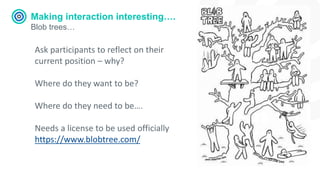
Blob trees…
Ask participants to reflect on their
current position – why?
Where do they want to be?
Where do they need to be….
Needs a license to be used officially
https://www.blobtree.com/
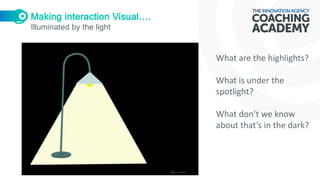
Illuminated by the light
What are the highlights?
What is under the
spotlight?
What don’t we know
about that’s in the dark?
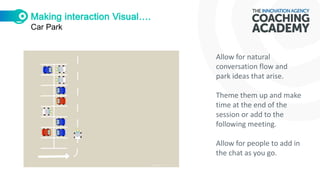
Car Park
Allow for natural
conversation flow and
park ideas that arise.
Theme them up and make
time at the end of the
session or add to the
following meeting.
Allow for people to add in
the chat as you go.
Exploring Virtual Collaboration: Microsoft Teams

Exploring Virtual Collaboration: Microsoft Teams

  • 1.
    MS Teams –Exploring Virtual Collaboration @krimaitis @innovation_nwc
  • 2.
  • 3.
    Schedule What we willcover today… Tech Content Approach 1. Getting to grips with the basics 2. Pushing virtual boundaries to get results 3. Sleek data collection 4. Aiming for enjoyment
  • 4.
    What lessons canwe share today? What experiences can help us to shed light on virtual experiences?
  • 5.
    MS Teams Always upfront…. •Simple method for video. • Share screen. • Creativeness lies in tasks and chat/file sharing. • Handouts and prep.
  • 6.
    Basics What does MSTeams promise Pull together a team. Use chat instead of email. Securely edit files at the same time. See likes, @mentions, and replies with just a single tap. Customise it by adding notes, web sites, and apps.
  • 7.
    What is ateam and a channel? A team is a collection of people, conversations, files, and tools — all in one place. A channel is a discussion in a team, dedicated to a department, project, or topic. The best way to get familiar with teams and channels is to pick a team and channel and start exploring!
  • 8.
    Start a conversation ...WITHTHE WHOLE TEAM 1.Click Teams - then pick a team and a channel. 2.In the box where you type your message, say what's on your mind and click Send ...WITH A PERSON OR GROUP 1.At the top of the app - click New chat. 2.In the To field, type the name of the person or people you want to chat with. 3.In the box where you type your message, say what's on your mind and click Send. Also use emojis and GIFs
  • 9.
    Uploading Files In agroup chat Prep and give participants time to develop an understanding of the addenda or purpose.
  • 10.
    Mention Someone Give themthe heads up… @MENTION SOMEONE An @mention is like a tap on the shoulder — a way to get someone's attention in a channel conversation or a chat. 1.In the box where you type your message, type @, then type the first few letters of the person’s name. You can also @mention entire teams and channels. 2.Select the person. Repeat for as many people as you want to @mention. Each person you @mention gets a notification in their Activity feed. Check for a red circle next to Activity right now to see if someone has @mentioned you!
  • 11.
    Activity Feed STAY ONTOP OF THINGS Notifications let you know when someone @mentions you, likes something you’ve posted, or replies to a thread you started. The Activity feed helps you stay on top of all your notifications. 1.Click Activity. 2.Feed shows you a summary of everything that's happened in the channels you follow.
  • 12.
    Upgrade Account How wecould work… View your calendar Schedule meetings Use more apps Manage user accounts, see analytics, and more in the Microsoft 365 Admin Centre
  • 13.
  • 14.
    Schedule What we willcover today… Tech Content Approach 1. Getting to grips with the basics 2. Pushing virtual boundaries to get results 3. Sleek data collection 4. Aiming for enjoyment
  • 15.
    Pushing Virtual Boundaries Dowe have to…..? Encourage walking meetings and download the app. Explore outside. Complete and update documents in real time. Play with timeframes. Create responsibility. Think about diversity and learning styles.
  • 16.
    Schedule What we willcover today… Tech Content Approach 1. Getting to grips with the basics 2. Pushing virtual boundaries to get results 3. Sleek data collection 4. Aiming for enjoyment
  • 17.
    Sleek Data Collection Makethe most of clear labelling Design your channels upfront with indications and descriptions of what they are for and what they are NOT for. Take notes during meetings and add to the group. Use @ to assign tasks. Use connected and external data tools – create a baseline. Always set a baseline – why not develop competencies
  • 18.
    Sleek data collection Feedback….do you need it?… • What do you want to determine? (feeling, experience, knowledge) • Are you also prepared/planned to show its value? • How can you use feedback to motivate participants? • Does it nee to be formal? • How does the data/feedback need to be presented for its purpose?
  • 19.
    Software Let the softwaredo the hard stuff… FORMAL Menti Sli.do Kahootz Survey Monkey Doodle Poll Google forms Eventbrite Document edit INFORMAL Chat Hands Up Reactions Annotate Sketchnotes Social Media GIF Document edit
  • 20.
    Schedule What we willcover today… Tech Content Approach 1. Getting to grips with the basics 2. Pushing virtual boundaries to get results 3. Sleek data collection 4. Aiming for enjoyment
  • 21.
    The seriousness offun and enjoyment When did you last enjoy learning or collaboration? Huizinga emphasised play’s natural basis as a not-so-trivial pursuit: “Play is older than culture, for culture … always presupposes human society, and animals have not waited for man to teach them their playing.”
  • 22.
    FACTS It’s science… If thelearning isn’t fun, it won’t be effective. That’s not just a sneaking suspicion – it’s cold, hard, scientific fact. A study in the journal, College Teaching, found that students could recall a statistics lecture more easily when the lecturer added jokes about relevant topics. In her book, Neurologist, Judy Willis showed how fun experiences increase levels of dopamine, endorphins, and oxygen – all things that promote learning. In a study for the Journal of Vocational Behaviour, Michael Tews found that employees are more likely to try new things if their work environment is fun. Dr Laura Kubansky has undertaken research which demonstrates that fun is good for your health. Many influential researchers (Dulay & Burt, 1977; Krashen, 1982) have found evidence that people learn better when they’re feeling strong positive emotions.
  • 23.
    How can weencourage fun and enjoyment? Building play into work… Set challenges. Use funny and interesting stories. Share passions and personality. Pick the right place and time - only go where its appropriate to go. Look for innovation – Yes, and…Improv. Explore and research other examples that work. Create visuals.
  • 24.
    Return in 1more digital year… What advice would we give to our future selves?…futureme.org
  • 25.
    Temperature check… How areyou feeling? In terms of risk how would you grade the project, data, etc How will you measure it in the next 6 months?
  • 26.
    Glass Jars… Add textin chat for each of these jars get people to reflect about work, themselves, or something they want to bring to the discussion… Which lid is the hardest to open and why? Which jar needs to be added to support the success of….
  • 27.
    Making interaction Visual…. Edwardde Bono’s Thinking Hats Think about the topic from different angles. Ask a set of questions and show the slide. Which hat do you tend to wear…how can you change this…maybe keep data?
  • 28.
    Mountain Where is theproject currently? Use as a map to look at easier solutions…. What will ensure momentum of the project? Who can help to support the project?
  • 29.
    Mixing bowl What’s inthe mix? What would be a new ingredient to add? What is the basic recipe for this project? Who’s the chef…
  • 30.
    Making interaction interesting…. Blobtrees… Ask participants to reflect on their current position – why? Where do they want to be? Where do they need to be…. Needs a license to be used officially https://www.blobtree.com/
  • 31.
    Illuminated by thelight What are the highlights? What is under the spotlight? What don’t we know about that’s in the dark?
  • 32.
    Car Park Allow fornatural conversation flow and park ideas that arise. Theme them up and make time at the end of the session or add to the following meeting. Allow for people to add in the chat as you go.