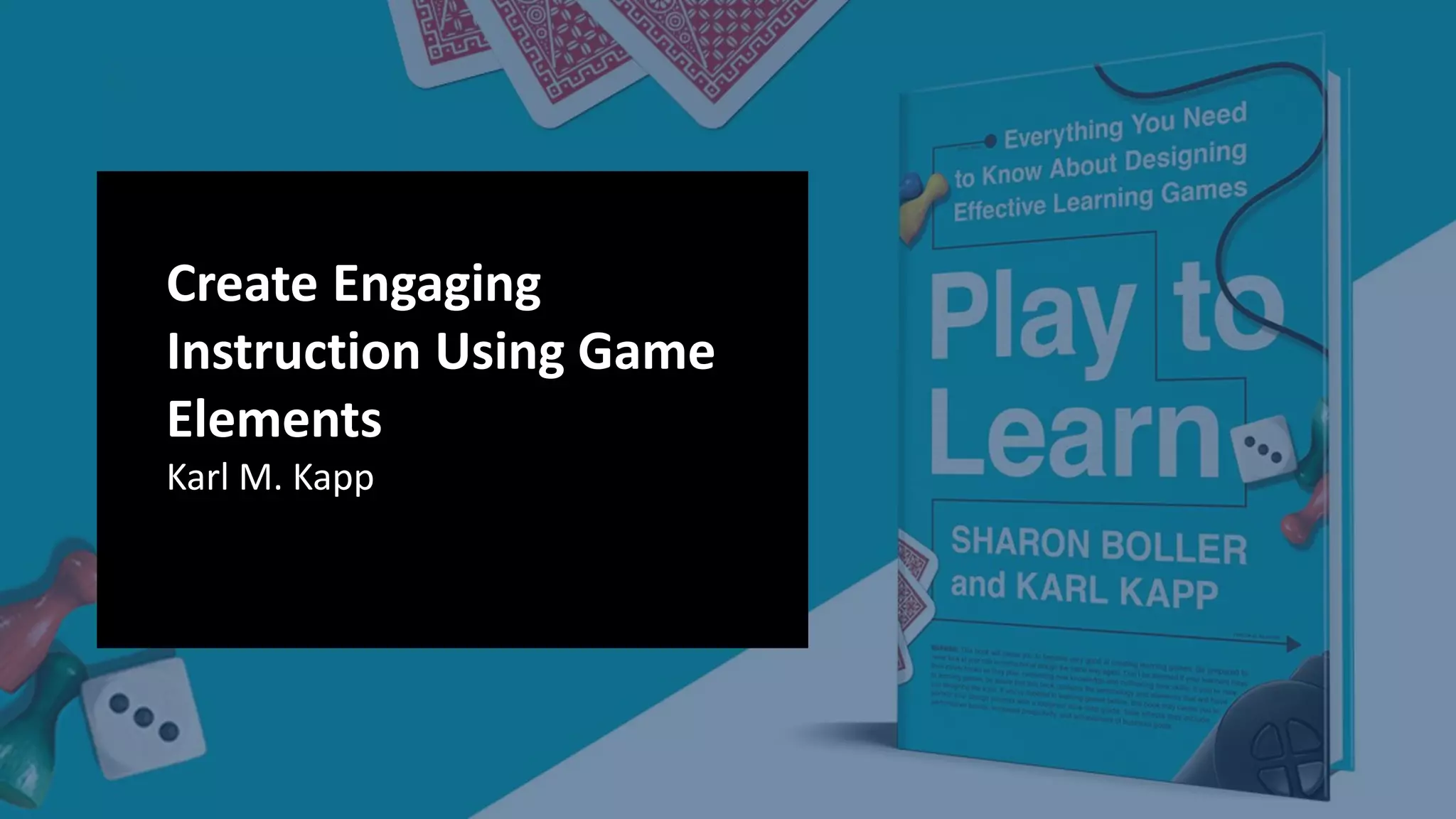





Create Engaging
Instruction Using Game
Elements
Karl M. Kapp
Wifi:
Network: DevLearn19
Password: ALLENCOMM
Karl Kapp 3
KARL KAPP
Professor, Author, Learning Game Designer
Bloomsburg University
Karl KappLinkedIn Learning Courses:
Web Site:www.karlkapp.com
Email: karlkapp@gmail.com
Twitter: @kkapp
Karl Kapp
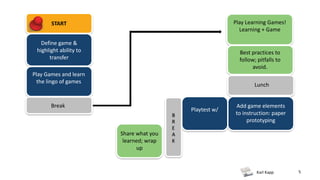
Play Learning Games!
Learning + Game
START
5
Define game &
highlight ability to
transfer
Play Games and learn
the lingo of games
Best practices to
follow; pitfalls to
avoid.
Break
Lunch
Add game elements
to instruction: paper
prototyping
Playtest w/
Share what you
learned; wrap
up
B
R
E
A
K
Karl Kapp 6
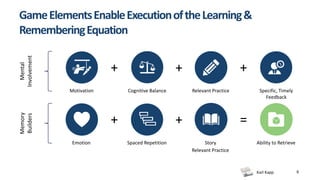
Mental
Involvement
Memory
Builders
Motivation Cognitive Balance Relevant Practice Specific, Timely
Feedback
Emotion Spaced Repetition Story Ability to Retrieve
+ + +
+ + =
GameElementsEnableExecutionoftheLearning&
RememberingEquation
Relevant Practice
Karl Kapp
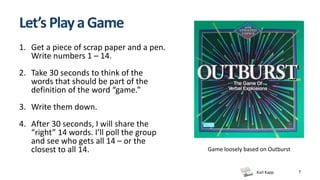
Let’s PlayaGame
1. Get a piece of scrap paper and a pen.
Write numbers 1 – 14.
2. Take 30 seconds to think of the
words that should be part of the
definition of the word “game.”
3. Write them down.
4. After 30 seconds, I will share the
“right” 14 words. I’ll poll the group
and see who gets all 14 – or the
closest to all 14.
7
Game loosely based on Outburst
Karl Kapp
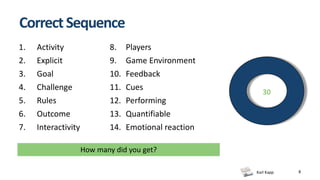
CorrectSequence
8
1. Activity
2. Explicit
3. Goal
4. Challenge
5. Rules
6. Outcome
7. Interactivity
8. Players
9. Game Environment
10. Feedback
11. Cues
12. Performing
13. Quantifiable
14. Emotional reaction
30
How many did you get?
Karl Kapp 9
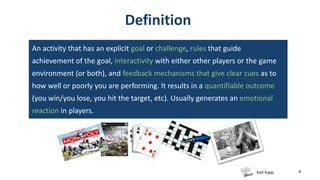
Definition
An activity that has an explicit goal or challenge, rules that guide
achievement of the goal, interactivity with either other players or the game
environment (or both), and feedback mechanisms that give clear cues as to
how well or poorly you are performing. It results in a quantifiable outcome
(you win/you lose, you hit the target, etc). Usually generates an emotional
reaction in players.
Karl Kapp
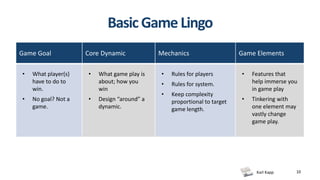
BasicGame Lingo
10
Game Goal Core Dynamic Mechanics Game Elements
• What player(s)
have to do to
win.
• No goal? Not a
game.
• What game play is
about; how you
win
• Design “around” a
dynamic.
• Rules for players
• Rules for system.
• Keep complexity
proportional to target
game length.
• Features that
help immerse you
in game play
• Tinkering with
one element may
vastly change
game play.
Karl Kapp 11
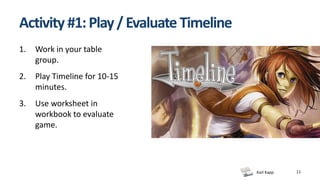
Activity #1:Play/Evaluate Timeline
1. Work in your table
group.
2. Play Timeline for 10-15
minutes.
3. Use worksheet in
workbook to evaluate
game.
Karl Kapp 12
Activity 1(cont): Evaluate Timeline
1. What was the game goal? Was it fun?
2. What was the core dynamic? Was it fun?
3. What were 1-3 mechanics (rules) that stood
out? Did they help – or confuse you?
4. What game elements did you notice?
5. How did you know how you were doing?
(What feedback did you get?)
Karl Kapp 13
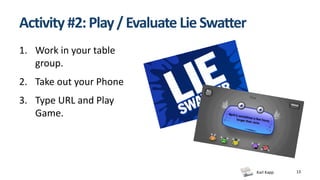
Activity #2:Play/Evaluate LieSwatter
1. Work in your table
group.
2. Take out your Phone
3. Type URL and Play
Game.
Karl Kapp 14
Activity 2(cont): Evaluate LieSwatter
1. What was the game goal? Was it fun?
2. What was the core dynamic? Was it fun?
3. What were 1-3 mechanics (rules) that stood
out? Did they help – or confuse you?
4. What game elements did you notice?
5. How did you know how you were doing?
(What feedback did you get?)
Karl Kapp 15
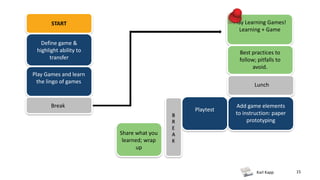
Play Learning Games!
Learning + Game
START
Define game &
highlight ability to
transfer
Play Games and learn
the lingo of games
Best practices to
follow; pitfalls to
avoid.
Break
Lunch
Add game elements
to instruction: paper
prototyping
Playtest
Share what you
learned; wrap
up
B
R
E
A
K
Karl Kapp 16
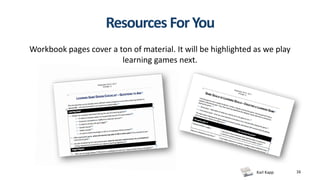
Resources ForYou
Workbook pages cover a ton of material. It will be highlighted as we play
learning games next.
Karl Kapp 17
MainTake-Aways
• Game goal ≠ learning goal - you need BOTH
• Before creating game, you:
– Define instructional goal and objectives; keep in focus as you design the game to achieve
them.
• Audience matters
• As you design the game, you want learning rationale for these things:
- Choice of game mechanics (rules)
- Game elements to include/exclude
- Rewards/scoring
Karl Kapp 18
Activity #3:Play/Evaluate Designing the
Winning Game
1. Use Your Smartphone
2. Log into PollEv.com/KarlKapp
3. Answer Questions for your Team.
Karl Kapp 19
Activity3(cont):EvaluateDesigningtheWinningGame
1. What was the game goal? Was it fun?
2. What was the core dynamic? Was it fun?
3. What were 1-3 mechanics (rules) that stood
out? Did they help – or confuse you?
4. What game elements did you notice?
5. How did you know how you were doing?
(What feedback did you get?)
90 Days of Premium: Free
1. Create a free account (create a free account)
2. Email code: K_Kapp
to support@polleverywhere.com
Automatically downgrades to the standard free plan
after 90 days
Karl Kapp 21
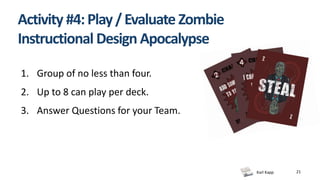
Activity #4:Play/Evaluate Zombie
Instructional Design Apocalypse
1. Group of no less than four.
2. Up to 8 can play per deck.
3. Answer Questions for your Team.
Karl Kapp 22
Activity4(cont):EvaluateZombieInstructionalDesign
Apocalypse
1. What was the game goal? Was it fun?
2. What was the core dynamic? Was it fun?
3. What were 1-3 mechanics (rules) that stood
out? Did they help – or confuse you?
4. What game elements did you notice?
5. How did you know how you were doing?
(What feedback did you get?)
Karl Kapp 23
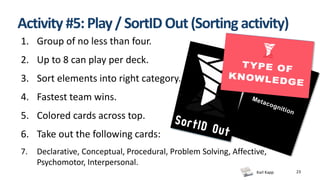
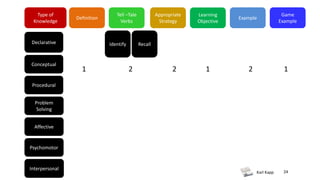
Activity #5:Play/SortID Out(Sorting activity)
1. Group of no less than four.
2. Up to 8 can play per deck.
3. Sort elements into right category.
4. Fastest team wins.
5. Colored cards across top.
6. Take out the following cards:
7. Declarative, Conceptual, Procedural, Problem Solving, Affective,
Psychomotor, Interpersonal.
Karl Kapp 24
Type of
Knowledge
Definition
Tell –Tale
Verbs
Appropriate
Strategy
Learning
Objective
Example
Declarative
Conceptual
Game
Example
Procedural
Problem
Solving
Affective
Psychomotor
Interpersonal
Identify Recall
1 2 2 1 12
Karl Kapp 25
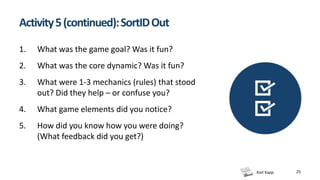
Activity5(continued):SortIDOut
1. What was the game goal? Was it fun?
2. What was the core dynamic? Was it fun?
3. What were 1-3 mechanics (rules) that stood
out? Did they help – or confuse you?
4. What game elements did you notice?
5. How did you know how you were doing?
(What feedback did you get?)
Karl Kapp 26
Learning +Game
1. Drive goal of “achieving mastery” correlates directly to sales success on the job.
2. Drive designed for spaced repetition; games played multiple times to earn mastery status.
3. Adaptive learning gives reps more practice where they need it most.
4. Every mini-game links to a level of Bloom’s taxonomy
5. Analytics help sales managers and reps spot areas where reps are either over- or under-
confident.
6. Games “just enough,” deliberately minimal style and complexity.
7. Variety of core dynamics, depending on mini-game. Forest Flight and Safecracker use a
“solve” dynamic. Fish Finder and Balloon Burst using a matching dynamic. Knowledge
Knight is quiz-based.
Karl Kapp 27
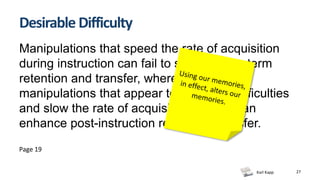
Desirable Difficulty
Manipulations that speed the rate of acquisition
during instruction can fail to support long-term
retention and transfer, whereas other
manipulations that appear to introduce difficulties
and slow the rate of acquisition learner can
enhance post-instruction recall and transfer.
Page 19
Karl Kapp 28
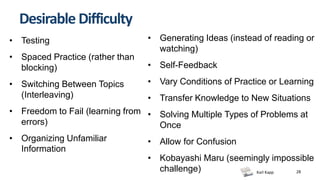
Desirable Difficulty
• Testing
• Spaced Practice (rather than
blocking)
• Switching Between Topics
(Interleaving)
• Freedom to Fail (learning from
errors)
• Organizing Unfamiliar
Information
• Generating Ideas (instead of reading or
watching)
• Self-Feedback
• Vary Conditions of Practice or Learning
• Transfer Knowledge to New Situations
• Solving Multiple Types of Problems at
Once
• Allow for Confusion
• Kobayashi Maru (seemingly impossible
challenge)
Karl Kapp 29
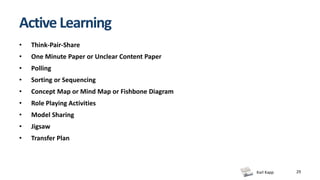
Active Learning
• Think-Pair-Share
• One Minute Paper or Unclear Content Paper
• Polling
• Sorting or Sequencing
• Concept Map or Mind Map or Fishbone Diagram
• Role Playing Activities
• Model Sharing
• Jigsaw
• Transfer Plan
Karl Kapp 30
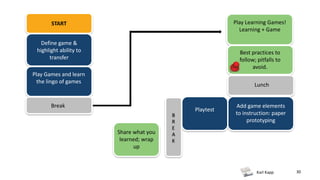
Play Learning Games!
Learning + Game
START
Define game &
highlight ability to
transfer
Play Games and learn
the lingo of games
Best practices to
follow; pitfalls to
avoid.
Break
Lunch
Add game elements
to instruction: paper
prototyping
Playtest
Share what you
learned; wrap
up
B
R
E
A
K
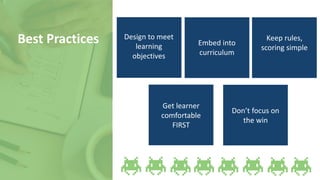
Design to meet
learning
objectives
Best Practices Embed into
curriculum
Keep rules,
scoring simple
Get learner
comfortable
FIRST
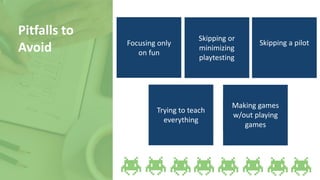
Don’t focus on
the win
Focusing only
on fun
Pitfalls to
Avoid
Skipping or
minimizing
playtesting
Skipping a pilot
Trying to teach
everything
Making games
w/out playing
games
Karl Kapp
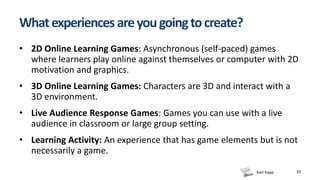
Whatexperiencesareyougoingtocreate?
• 2D Online Learning Games: Asynchronous (self-paced) games
where learners play online against themselves or computer with 2D
motivation and graphics.
• 3D Online Learning Games: Characters are 3D and interact with a
3D environment.
• Live Audience Response Games: Games you can use with a live
audience in classroom or large group setting.
• Learning Activity: An experience that has game elements but is not
necessarily a game.
33
Karl Kapp
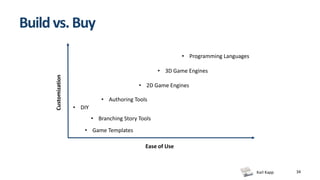
Buildvs.Buy
34
Customization
Ease of Use
• Authoring Tools
• 2D Game Engines
• Programming Languages
• Game Templates
• 3D Game Engines
• DIY
• Branching Story Tools
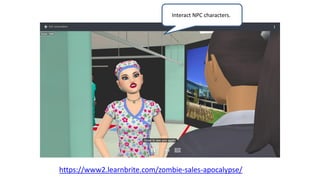
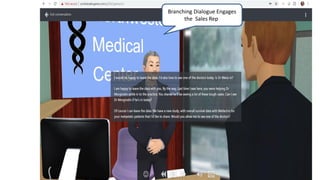
Interact NPC characters..
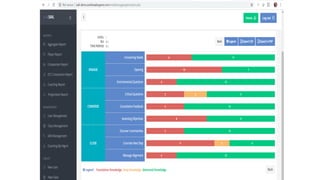
https://www2.learnbrite.com/zombie-sales-apocalypse/
Branching Dialogue Engages
the Sales Rep.
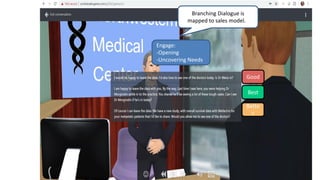
Engage:
-Opening
-Uncovering Needs
Good
Bette
r
Best
Branching Dialogue is
mapped to sales model. .
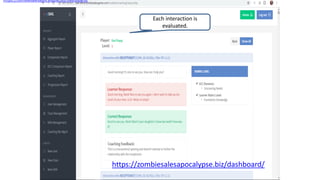
Each interaction is
evaluated.
https://zombiesalesapocalypse.biz/dashboard/
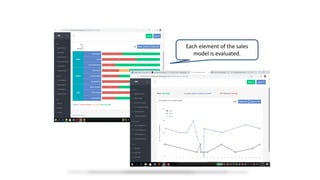
Each element of the sales
model is evaluated.
Karl Kapp
Karl Kapp
Summary
• Trade-offs exist between software flexibility and
ease-of-use with development tools.
• Tons of resources exist, including inexpensive or free
game development tools:
– to make simple digital games.
– to create non-digital games.
41
Karl Kapp 42
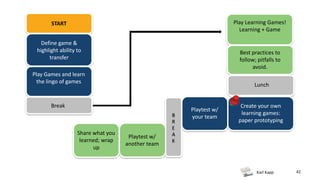
Play Learning Games!
Learning + Game
START
Define game &
highlight ability to
transfer
Play Games and learn
the lingo of games
Best practices to
follow; pitfalls to
avoid.
Break
Lunch
Create your own
learning games:
paper prototyping
Playtest w/
your team
Playtest w/
another team
Share what you
learned; wrap
up
B
R
E
A
K
Karl Kapp
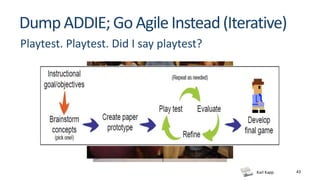
DumpADDIE;Go AgileInstead(Iterative)
43
Playtest. Playtest. Did I say playtest?
Karl Kapp 44
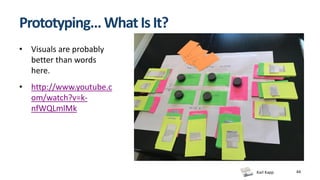
Prototyping… WhatIsIt?
• Visuals are probably
better than words
here.
• http://www.youtube.c
om/watch?v=k-
nfWQLmlMk
Karl Kapp 45
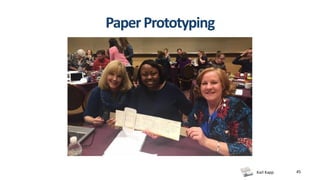
PaperPrototyping
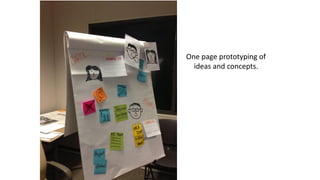
One page prototyping of
ideas and concepts.
Karl Kapp 47
WhatYouCanLearnFromaPrototype
• Is your game effective at helping people learn?
• Is your game engaging enough?
• Are your game elements supporting or detracting from learning experience?
• Are your rules clear and easy? Do they help or hinder learning?
• The cognitive load on the learner – too high, too low, just right?
• How complex the game might be to produce (without the expense of producing it
before you find out!)
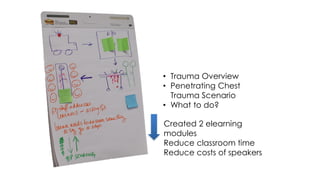
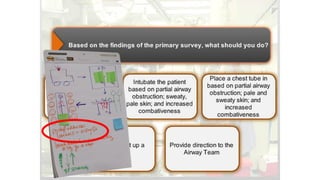
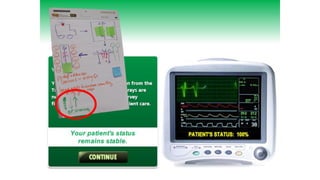
• Trauma Overview
• Penetrating Chest
Trauma Scenario
• What to do?
Created 2 elearning
modules
Reduce classroom time
Reduce costs of speakers
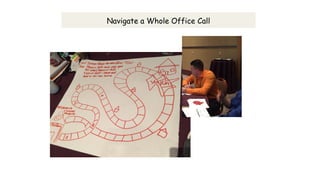
Navigate a Whole Office Call
You walk into the
Physicians office
and the physician
is not available,
what do you say
to receptionist?
Not a good answer,
try again.
AGAIN
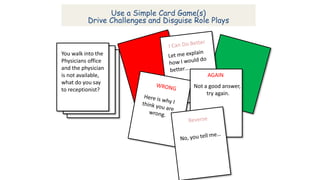
Use a Simple Card Game(s)
Drive Challenges and Disguise Role Plays
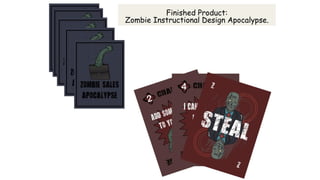
Finished Product:
Zombie Instructional Design Apocalypse.
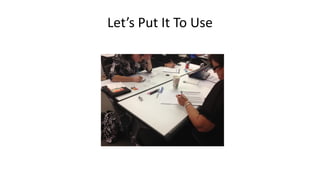
Let’s Put It To Use
Karl Kapp 63
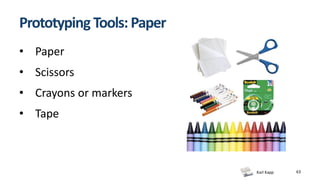
Prototyping Tools: Paper
• Paper
• Scissors
• Crayons or markers
• Tape
Karl Kapp
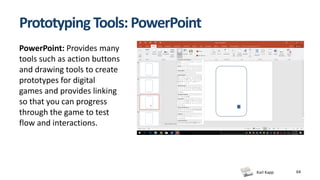
Prototyping Tools: PowerPoint
64
PowerPoint: Provides many
tools such as action buttons
and drawing tools to create
prototypes for digital
games and provides linking
so that you can progress
through the game to test
flow and interactions.
Karl Kapp
Activity: Learning Game Design
• As a team, create and playtest a learning game
prototype designed to reinforce a company
orientation program on customer service.
• Turn to p. 24 for instructions; we’ll go through them
together.
65
Karl Kapp
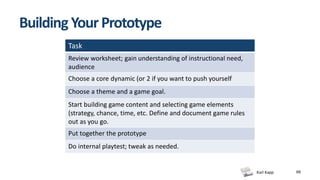
Building YourPrototype
Task
Review worksheet; gain understanding of instructional need,
audience
Choose a core dynamic (or 2 if you want to push yourself
Choose a theme and a game goal.
Start building game content and selecting game elements
(strategy, chance, time, etc. Define and document game rules
out as you go.
Put together the prototype
Do internal playtest; tweak as needed.
66
Karl Kapp 67
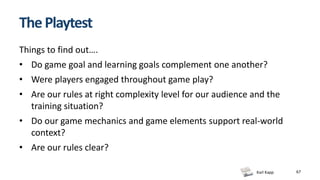
ThePlaytest
Things to find out….
• Do game goal and learning goals complement one another?
• Were players engaged throughout game play?
• Are our rules at right complexity level for our audience and the
training situation?
• Do our game mechanics and game elements support real-world
context?
• Are our rules clear?
Karl Kapp 68
So what did you learn today
about designing good
learning games?
Thank you!
Karl Kapp, Ed.D.
Professor
Bloomsburg University
karlkapp@gmail.com
@kkapp (Twitter)

DevLearn 2019 Create Engaging Instruction Using Game Elements

  • 1.
    Create Engaging Instruction UsingGame Elements Karl M. Kapp
  • 2.
  • 3.
    Karl Kapp 3 KARLKAPP Professor, Author, Learning Game Designer Bloomsburg University
  • 4.
    Karl KappLinkedIn LearningCourses: Web Site:www.karlkapp.com Email: karlkapp@gmail.com Twitter: @kkapp
  • 5.
    Karl Kapp Play LearningGames! Learning + Game START 5 Define game & highlight ability to transfer Play Games and learn the lingo of games Best practices to follow; pitfalls to avoid. Break Lunch Add game elements to instruction: paper prototyping Playtest w/ Share what you learned; wrap up B R E A K
  • 6.
    Karl Kapp 6 Mental Involvement Memory Builders MotivationCognitive Balance Relevant Practice Specific, Timely Feedback Emotion Spaced Repetition Story Ability to Retrieve + + + + + = GameElementsEnableExecutionoftheLearning& RememberingEquation Relevant Practice
  • 7.
    Karl Kapp Let’s PlayaGame 1.Get a piece of scrap paper and a pen. Write numbers 1 – 14. 2. Take 30 seconds to think of the words that should be part of the definition of the word “game.” 3. Write them down. 4. After 30 seconds, I will share the “right” 14 words. I’ll poll the group and see who gets all 14 – or the closest to all 14. 7 Game loosely based on Outburst
  • 8.
    Karl Kapp CorrectSequence 8 1. Activity 2.Explicit 3. Goal 4. Challenge 5. Rules 6. Outcome 7. Interactivity 8. Players 9. Game Environment 10. Feedback 11. Cues 12. Performing 13. Quantifiable 14. Emotional reaction 30 How many did you get?
  • 9.
    Karl Kapp 9 Definition Anactivity that has an explicit goal or challenge, rules that guide achievement of the goal, interactivity with either other players or the game environment (or both), and feedback mechanisms that give clear cues as to how well or poorly you are performing. It results in a quantifiable outcome (you win/you lose, you hit the target, etc). Usually generates an emotional reaction in players.
  • 10.
    Karl Kapp BasicGame Lingo 10 GameGoal Core Dynamic Mechanics Game Elements • What player(s) have to do to win. • No goal? Not a game. • What game play is about; how you win • Design “around” a dynamic. • Rules for players • Rules for system. • Keep complexity proportional to target game length. • Features that help immerse you in game play • Tinkering with one element may vastly change game play.
  • 11.
    Karl Kapp 11 Activity#1:Play/Evaluate Timeline 1. Work in your table group. 2. Play Timeline for 10-15 minutes. 3. Use worksheet in workbook to evaluate game.
  • 12.
    Karl Kapp 12 Activity1(cont): Evaluate Timeline 1. What was the game goal? Was it fun? 2. What was the core dynamic? Was it fun? 3. What were 1-3 mechanics (rules) that stood out? Did they help – or confuse you? 4. What game elements did you notice? 5. How did you know how you were doing? (What feedback did you get?)
  • 13.
    Karl Kapp 13 Activity#2:Play/Evaluate LieSwatter 1. Work in your table group. 2. Take out your Phone 3. Type URL and Play Game.
  • 14.
    Karl Kapp 14 Activity2(cont): Evaluate LieSwatter 1. What was the game goal? Was it fun? 2. What was the core dynamic? Was it fun? 3. What were 1-3 mechanics (rules) that stood out? Did they help – or confuse you? 4. What game elements did you notice? 5. How did you know how you were doing? (What feedback did you get?)
  • 15.
    Karl Kapp 15 PlayLearning Games! Learning + Game START Define game & highlight ability to transfer Play Games and learn the lingo of games Best practices to follow; pitfalls to avoid. Break Lunch Add game elements to instruction: paper prototyping Playtest Share what you learned; wrap up B R E A K
  • 16.
    Karl Kapp 16 ResourcesForYou Workbook pages cover a ton of material. It will be highlighted as we play learning games next.
  • 17.
    Karl Kapp 17 MainTake-Aways •Game goal ≠ learning goal - you need BOTH • Before creating game, you: – Define instructional goal and objectives; keep in focus as you design the game to achieve them. • Audience matters • As you design the game, you want learning rationale for these things: - Choice of game mechanics (rules) - Game elements to include/exclude - Rewards/scoring
  • 18.
    Karl Kapp 18 Activity#3:Play/Evaluate Designing the Winning Game 1. Use Your Smartphone 2. Log into PollEv.com/KarlKapp 3. Answer Questions for your Team.
  • 19.
    Karl Kapp 19 Activity3(cont):EvaluateDesigningtheWinningGame 1.What was the game goal? Was it fun? 2. What was the core dynamic? Was it fun? 3. What were 1-3 mechanics (rules) that stood out? Did they help – or confuse you? 4. What game elements did you notice? 5. How did you know how you were doing? (What feedback did you get?)
  • 20.
    90 Days ofPremium: Free 1. Create a free account (create a free account) 2. Email code: K_Kapp to support@polleverywhere.com Automatically downgrades to the standard free plan after 90 days
  • 21.
    Karl Kapp 21 Activity#4:Play/Evaluate Zombie Instructional Design Apocalypse 1. Group of no less than four. 2. Up to 8 can play per deck. 3. Answer Questions for your Team.
  • 22.
    Karl Kapp 22 Activity4(cont):EvaluateZombieInstructionalDesign Apocalypse 1.What was the game goal? Was it fun? 2. What was the core dynamic? Was it fun? 3. What were 1-3 mechanics (rules) that stood out? Did they help – or confuse you? 4. What game elements did you notice? 5. How did you know how you were doing? (What feedback did you get?)
  • 23.
    Karl Kapp 23 Activity#5:Play/SortID Out(Sorting activity) 1. Group of no less than four. 2. Up to 8 can play per deck. 3. Sort elements into right category. 4. Fastest team wins. 5. Colored cards across top. 6. Take out the following cards: 7. Declarative, Conceptual, Procedural, Problem Solving, Affective, Psychomotor, Interpersonal.
  • 24.
    Karl Kapp 24 Typeof Knowledge Definition Tell –Tale Verbs Appropriate Strategy Learning Objective Example Declarative Conceptual Game Example Procedural Problem Solving Affective Psychomotor Interpersonal Identify Recall 1 2 2 1 12
  • 25.
    Karl Kapp 25 Activity5(continued):SortIDOut 1.What was the game goal? Was it fun? 2. What was the core dynamic? Was it fun? 3. What were 1-3 mechanics (rules) that stood out? Did they help – or confuse you? 4. What game elements did you notice? 5. How did you know how you were doing? (What feedback did you get?)
  • 26.
    Karl Kapp 26 Learning+Game 1. Drive goal of “achieving mastery” correlates directly to sales success on the job. 2. Drive designed for spaced repetition; games played multiple times to earn mastery status. 3. Adaptive learning gives reps more practice where they need it most. 4. Every mini-game links to a level of Bloom’s taxonomy 5. Analytics help sales managers and reps spot areas where reps are either over- or under- confident. 6. Games “just enough,” deliberately minimal style and complexity. 7. Variety of core dynamics, depending on mini-game. Forest Flight and Safecracker use a “solve” dynamic. Fish Finder and Balloon Burst using a matching dynamic. Knowledge Knight is quiz-based.
  • 27.
    Karl Kapp 27 DesirableDifficulty Manipulations that speed the rate of acquisition during instruction can fail to support long-term retention and transfer, whereas other manipulations that appear to introduce difficulties and slow the rate of acquisition learner can enhance post-instruction recall and transfer. Page 19
  • 28.
    Karl Kapp 28 DesirableDifficulty • Testing • Spaced Practice (rather than blocking) • Switching Between Topics (Interleaving) • Freedom to Fail (learning from errors) • Organizing Unfamiliar Information • Generating Ideas (instead of reading or watching) • Self-Feedback • Vary Conditions of Practice or Learning • Transfer Knowledge to New Situations • Solving Multiple Types of Problems at Once • Allow for Confusion • Kobayashi Maru (seemingly impossible challenge)
  • 29.
    Karl Kapp 29 ActiveLearning • Think-Pair-Share • One Minute Paper or Unclear Content Paper • Polling • Sorting or Sequencing • Concept Map or Mind Map or Fishbone Diagram • Role Playing Activities • Model Sharing • Jigsaw • Transfer Plan
  • 30.
    Karl Kapp 30 PlayLearning Games! Learning + Game START Define game & highlight ability to transfer Play Games and learn the lingo of games Best practices to follow; pitfalls to avoid. Break Lunch Add game elements to instruction: paper prototyping Playtest Share what you learned; wrap up B R E A K
  • 31.
    Design to meet learning objectives BestPractices Embed into curriculum Keep rules, scoring simple Get learner comfortable FIRST Don’t focus on the win
  • 32.
    Focusing only on fun Pitfallsto Avoid Skipping or minimizing playtesting Skipping a pilot Trying to teach everything Making games w/out playing games
  • 33.
    Karl Kapp Whatexperiencesareyougoingtocreate? • 2DOnline Learning Games: Asynchronous (self-paced) games where learners play online against themselves or computer with 2D motivation and graphics. • 3D Online Learning Games: Characters are 3D and interact with a 3D environment. • Live Audience Response Games: Games you can use with a live audience in classroom or large group setting. • Learning Activity: An experience that has game elements but is not necessarily a game. 33
  • 34.
    Karl Kapp Buildvs.Buy 34 Customization Ease ofUse • Authoring Tools • 2D Game Engines • Programming Languages • Game Templates • 3D Game Engines • DIY • Branching Story Tools
  • 35.
  • 36.
  • 37.
  • 38.
  • 39.
    Each element ofthe sales model is evaluated.
  • 40.
  • 41.
    Karl Kapp Summary • Trade-offsexist between software flexibility and ease-of-use with development tools. • Tons of resources exist, including inexpensive or free game development tools: – to make simple digital games. – to create non-digital games. 41
  • 42.
    Karl Kapp 42 PlayLearning Games! Learning + Game START Define game & highlight ability to transfer Play Games and learn the lingo of games Best practices to follow; pitfalls to avoid. Break Lunch Create your own learning games: paper prototyping Playtest w/ your team Playtest w/ another team Share what you learned; wrap up B R E A K
  • 43.
  • 44.
    Karl Kapp 44 Prototyping…WhatIsIt? • Visuals are probably better than words here. • http://www.youtube.c om/watch?v=k- nfWQLmlMk
  • 45.
  • 46.
    One page prototypingof ideas and concepts.
  • 47.
    Karl Kapp 47 WhatYouCanLearnFromaPrototype •Is your game effective at helping people learn? • Is your game engaging enough? • Are your game elements supporting or detracting from learning experience? • Are your rules clear and easy? Do they help or hinder learning? • The cognitive load on the learner – too high, too low, just right? • How complex the game might be to produce (without the expense of producing it before you find out!)
  • 50.
    • Trauma Overview •Penetrating Chest Trauma Scenario • What to do? Created 2 elearning modules Reduce classroom time Reduce costs of speakers
  • 58.
    Navigate a WholeOffice Call
  • 59.
    You walk intothe Physicians office and the physician is not available, what do you say to receptionist? Not a good answer, try again. AGAIN Use a Simple Card Game(s) Drive Challenges and Disguise Role Plays
  • 60.
  • 61.
  • 63.
    Karl Kapp 63 PrototypingTools: Paper • Paper • Scissors • Crayons or markers • Tape
  • 64.
    Karl Kapp Prototyping Tools:PowerPoint 64 PowerPoint: Provides many tools such as action buttons and drawing tools to create prototypes for digital games and provides linking so that you can progress through the game to test flow and interactions.
  • 65.
    Karl Kapp Activity: LearningGame Design • As a team, create and playtest a learning game prototype designed to reinforce a company orientation program on customer service. • Turn to p. 24 for instructions; we’ll go through them together. 65
  • 66.
    Karl Kapp Building YourPrototype Task Reviewworksheet; gain understanding of instructional need, audience Choose a core dynamic (or 2 if you want to push yourself Choose a theme and a game goal. Start building game content and selecting game elements (strategy, chance, time, etc. Define and document game rules out as you go. Put together the prototype Do internal playtest; tweak as needed. 66
  • 67.
    Karl Kapp 67 ThePlaytest Thingsto find out…. • Do game goal and learning goals complement one another? • Were players engaged throughout game play? • Are our rules at right complexity level for our audience and the training situation? • Do our game mechanics and game elements support real-world context? • Are our rules clear?
  • 68.
    Karl Kapp 68 Sowhat did you learn today about designing good learning games?
  • 69.
    Thank you! Karl Kapp,Ed.D. Professor Bloomsburg University karlkapp@gmail.com @kkapp (Twitter)