Increasing Productivity
  with Enterprise 2.0
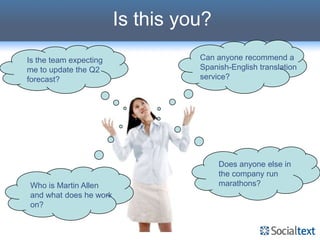
Is this you?
Is the team expecting             Can anyone recommend a
me to update the Q2               Spanish-English translation
forecast?                         service?


                                       Does anyone else in
                                       the company run
Who is Martin Allen                    marathons?
and what does he work
on?
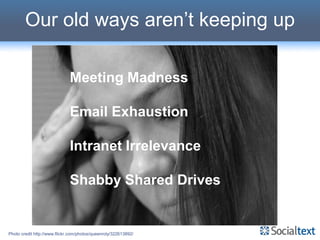
Our old ways aren’t keeping up

                              Meeting Madness

                              Email Exhaustion

                              Intranet Irrelevance

                              Shabby Shared Drives


Photo credit http://www.flickr.com/photos/queenroly/322613892/
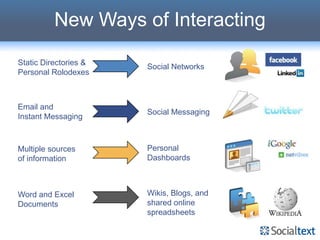
New Ways of Interacting
Static Directories &
                       Social Networks
Personal Rolodexes


Email and
                       Social Messaging
Instant Messaging


Multiple sources       Personal
of information         Dashboards


Word and Excel         Wikis, Blogs, and
Documents              shared online
                       spreadsheets
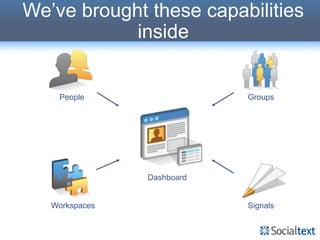
We’ve brought these capabilities
            inside


    People                  Groups


                Dashboard


   Workspaces               Signals
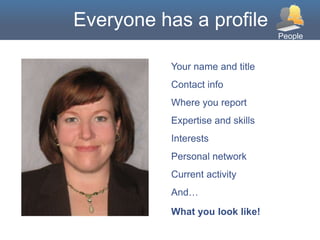
Everyone has a profile
                                  People


           Your name and title
           Contact info
           Where you report
           Expertise and skills
           Interests
           Personal network
           Current activity
           And…
           What you look like!
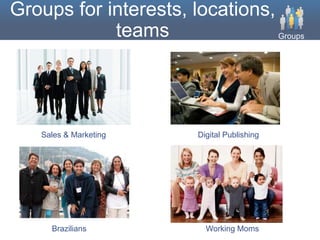
Groups for interests, locations,
            teams                Groups


    Sales & Marketing   Digital Publishing


      Brazilians          Working Moms
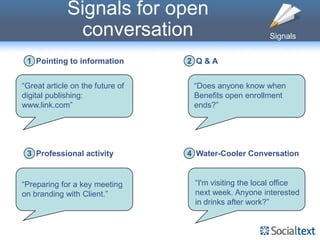
Signals for open
              conversation                              Signals


 1 Pointing to information        2 Q&A


“Great article on the future of    “Does anyone know when
digital publishing:                Benefits open enrollment
www.link.com”                      ends?”


 3 Professional activity          4 Water-Cooler Conversation


“Preparing for a key meeting       “I'm visiting the local office
on branding with Client.”          next week. Anyone interested
                                   in drinks after work?”
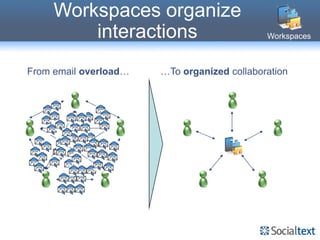
Workspaces organize
         interactions                        Workspaces


From email overload…   …To organized collaboration
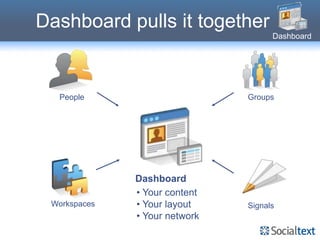
Dashboard pulls it together
                                     Dashboard


  People                       Groups


              Dashboard
              • Your content
 Workspaces   • Your layout    Signals
              • Your network
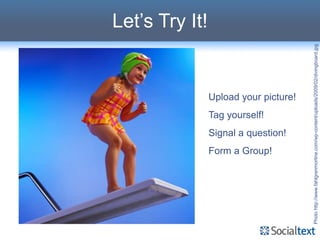
Let’s Try It!


                                                                  Tag yourself!


                             Form a Group!
                                             Signal a question!
                                                                                  Upload your picture!


Photo http://www.fahlgrenmortine.com/wp-content/uploads/2009/02/divingboard.jpg
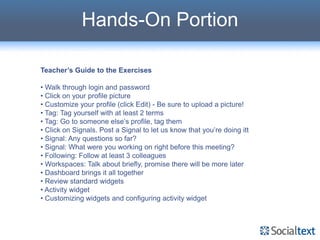
Hands-On Portion

Teacher’s Guide to the Exercises

• Walk through login and password
• Click on your profile picture
• Customize your profile (click Edit) - Be sure to upload a picture!
• Tag: Tag yourself with at least 2 terms
• Tag: Go to someone else’s profile, tag them
• Click on Signals. Post a Signal to let us know that you’re doing itt
• Signal: Any questions so far?
• Signal: What were you working on right before this meeting?
• Following: Follow at least 3 colleagues
• Workspaces: Talk about briefly, promise there will be more later
• Dashboard brings it all together
• Review standard widgets
• Activity widget
• Customizing widgets and configuring activity widget

Socialtext 101-training

  • 1.
    Increasing Productivity with Enterprise 2.0
  • 2.
    Is this you? Isthe team expecting Can anyone recommend a me to update the Q2 Spanish-English translation forecast? service? Does anyone else in the company run Who is Martin Allen marathons? and what does he work on?
  • 3.
    Our old waysaren’t keeping up Meeting Madness Email Exhaustion Intranet Irrelevance Shabby Shared Drives Photo credit http://www.flickr.com/photos/queenroly/322613892/
  • 4.
    New Ways ofInteracting Static Directories & Social Networks Personal Rolodexes Email and Social Messaging Instant Messaging Multiple sources Personal of information Dashboards Word and Excel Wikis, Blogs, and Documents shared online spreadsheets
  • 5.
    We’ve brought thesecapabilities inside People Groups Dashboard Workspaces Signals
  • 6.
    Everyone has aprofile People Your name and title Contact info Where you report Expertise and skills Interests Personal network Current activity And… What you look like!
  • 7.
    Groups for interests,locations, teams Groups Sales & Marketing Digital Publishing Brazilians Working Moms
  • 8.
    Signals for open conversation Signals 1 Pointing to information 2 Q&A “Great article on the future of “Does anyone know when digital publishing: Benefits open enrollment www.link.com” ends?” 3 Professional activity 4 Water-Cooler Conversation “Preparing for a key meeting “I'm visiting the local office on branding with Client.” next week. Anyone interested in drinks after work?”
  • 9.
    Workspaces organize interactions Workspaces From email overload… …To organized collaboration
  • 10.
    Dashboard pulls ittogether Dashboard People Groups Dashboard • Your content Workspaces • Your layout Signals • Your network
  • 11.
    Let’s Try It! Tag yourself! Form a Group! Signal a question! Upload your picture! Photo http://www.fahlgrenmortine.com/wp-content/uploads/2009/02/divingboard.jpg
  • 12.
    Hands-On Portion Teacher’s Guideto the Exercises • Walk through login and password • Click on your profile picture • Customize your profile (click Edit) - Be sure to upload a picture! • Tag: Tag yourself with at least 2 terms • Tag: Go to someone else’s profile, tag them • Click on Signals. Post a Signal to let us know that you’re doing itt • Signal: Any questions so far? • Signal: What were you working on right before this meeting? • Following: Follow at least 3 colleagues • Workspaces: Talk about briefly, promise there will be more later • Dashboard brings it all together • Review standard widgets • Activity widget • Customizing widgets and configuring activity widget