Exploring LearningExploring Learning
EcologiesEcologies
Paul D Hibbitts
Models and Experiences So Far
LEARNER EXPERIENCE
ADVISORY / DESIGN / EDUCATION
@hibbittsdesign #etug
ETUG Top 5ETUG Top 5
1. Academic Transformation
2. Faculty Development
3. Online + Blended Teaching and Learning
4. Assessment of Learning
5. Evaluating Technology Based Instructional Innovation
Topics for DiscussionTopics for Discussion
Tools for you (hopefully) to use
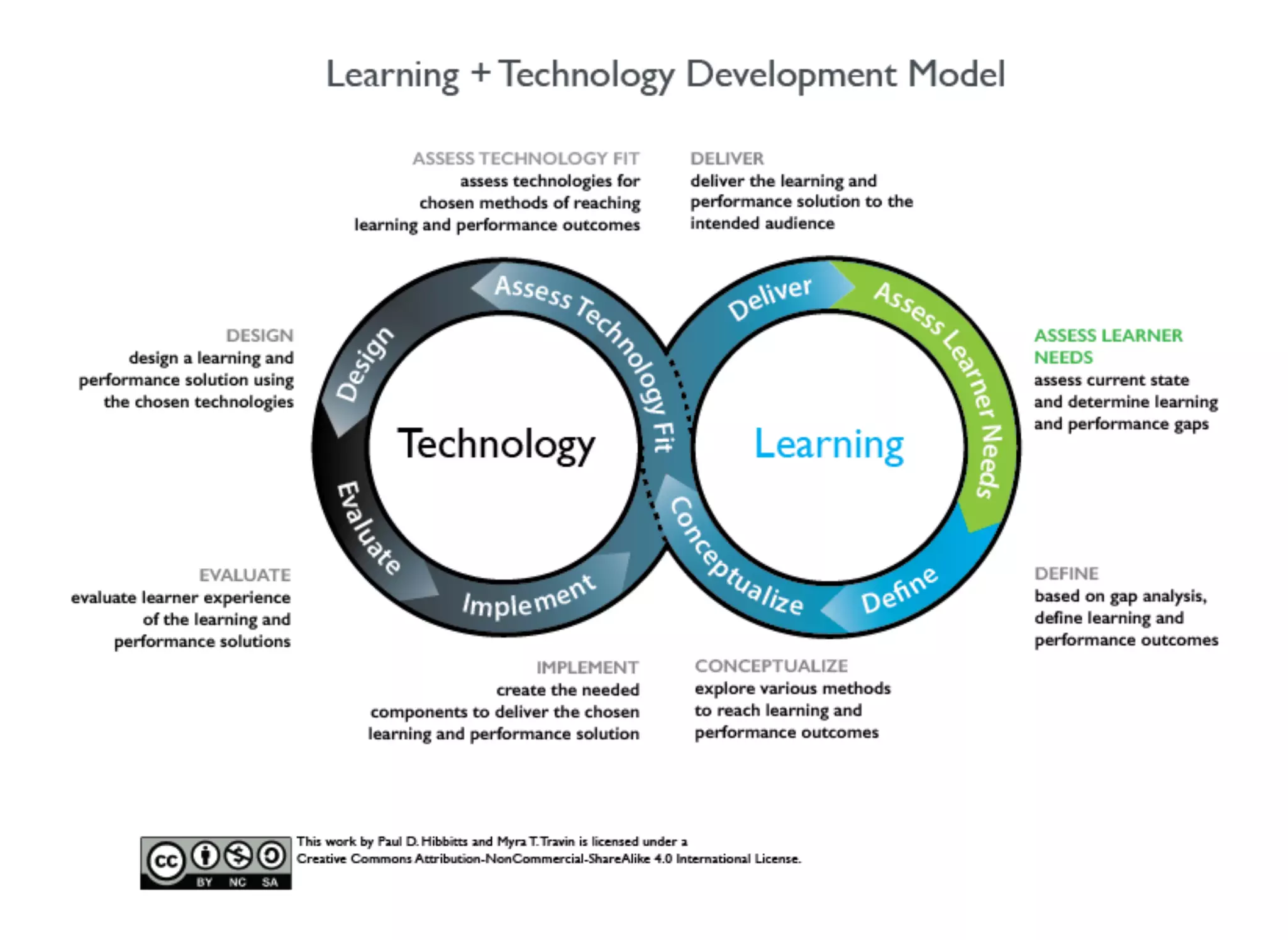
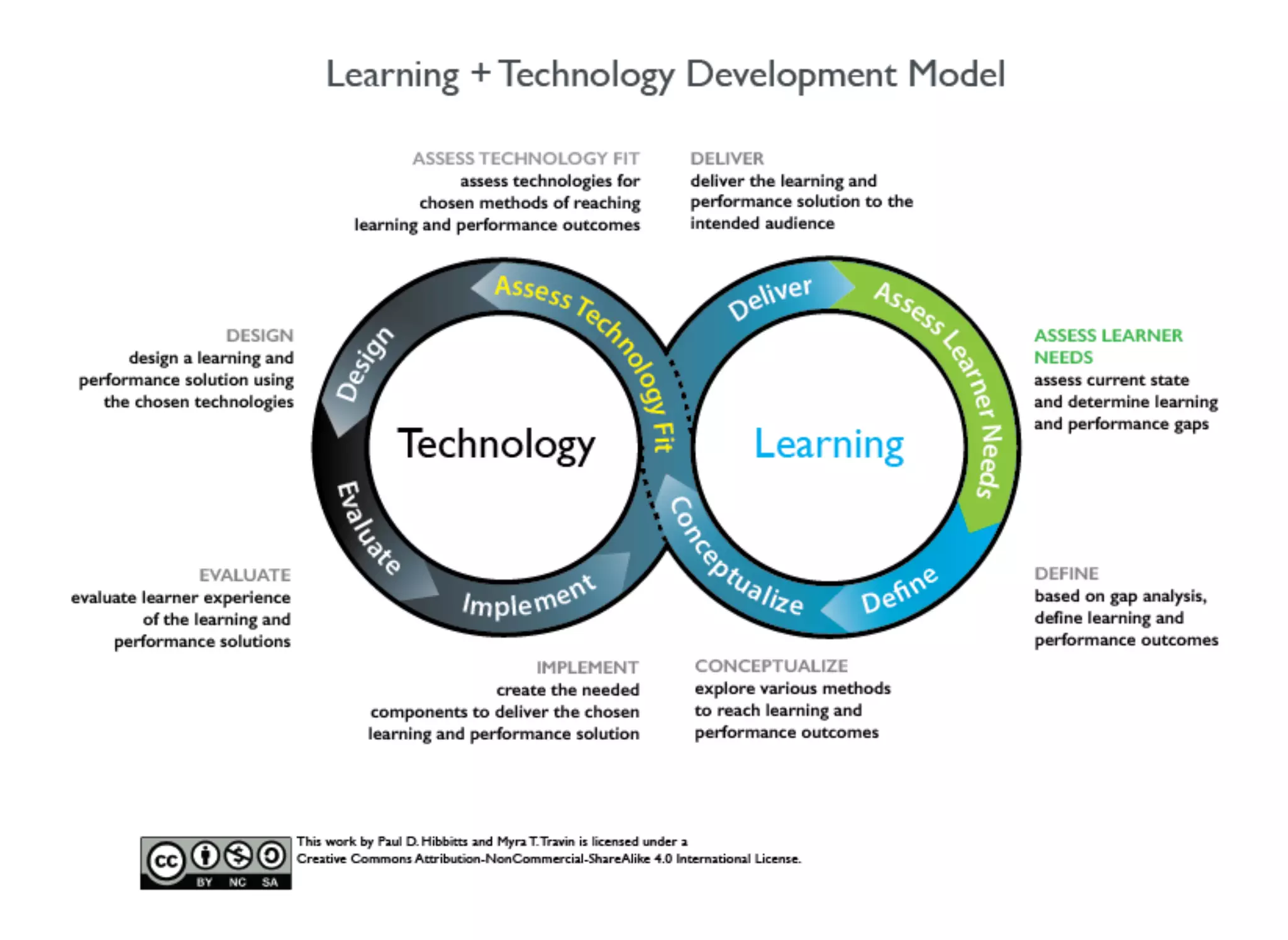
Learning + Technology Development Model
Learning Ecology Framework
Case study
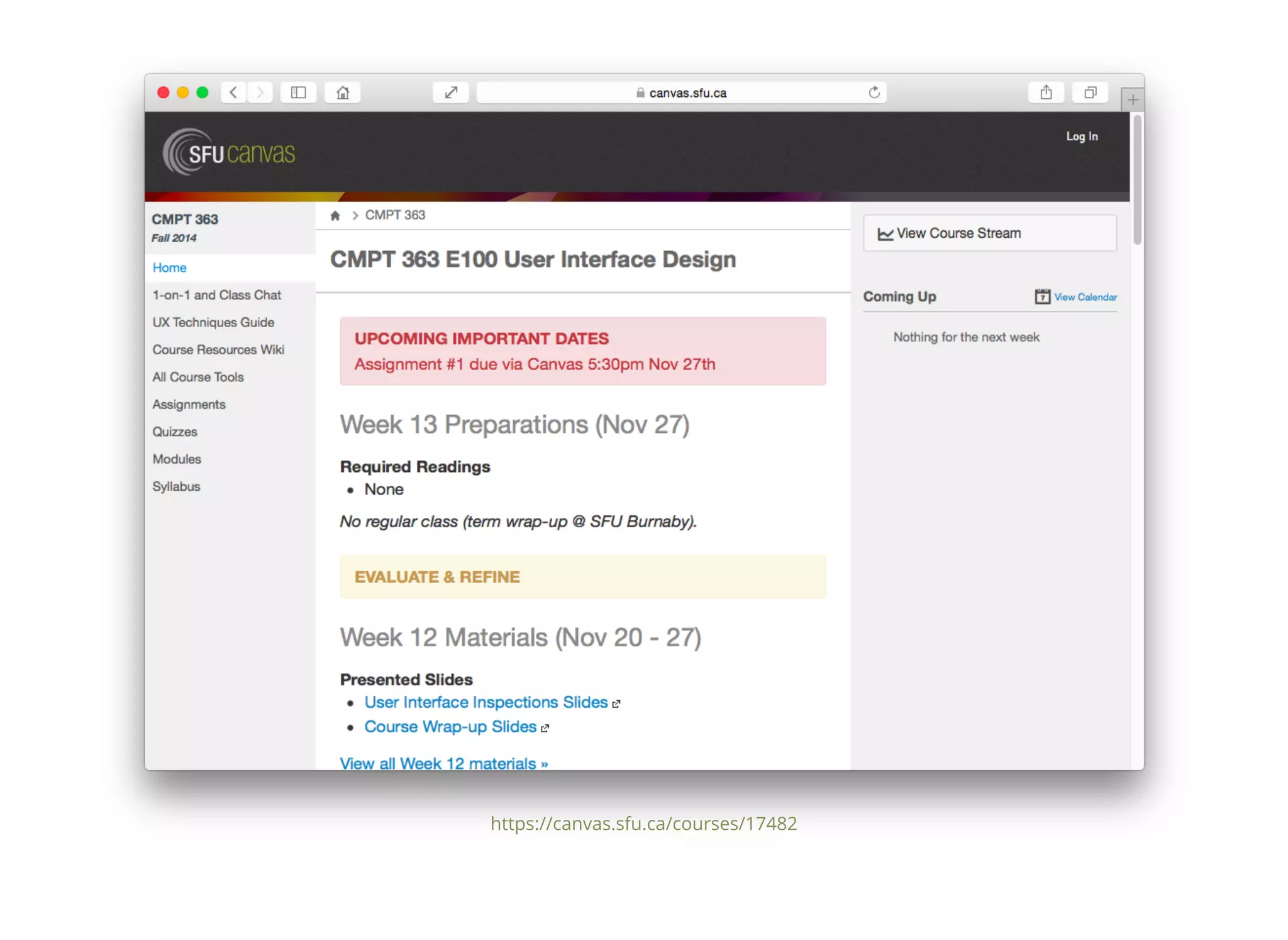
CMPT 363 Canvas LMS case study
Let'Let's begin with somes begin with some
background for the Learningbackground for the Learning
+ Development Model+ Development Model
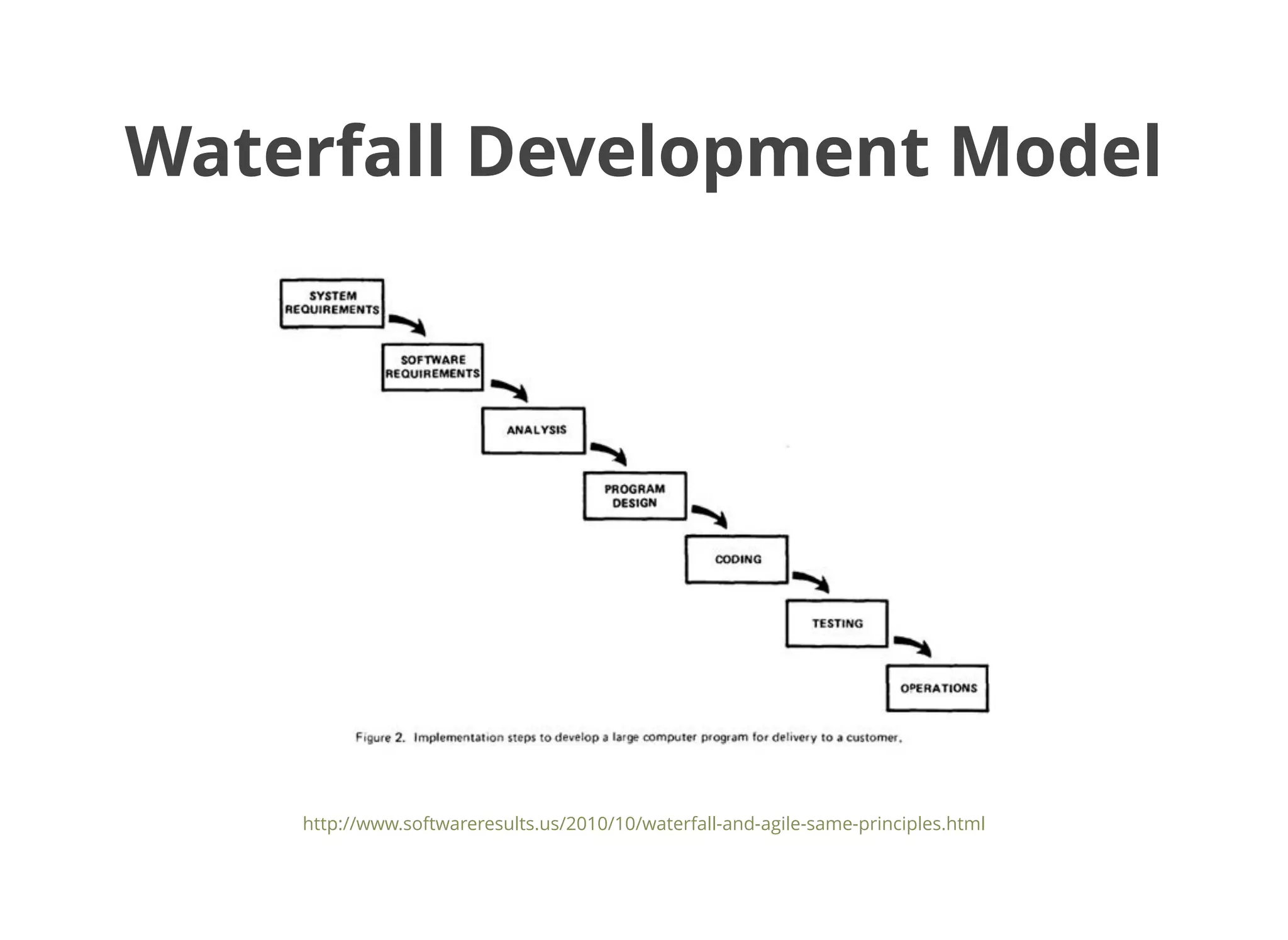
Waterfall Development ModelWaterfall Development Model
http://www.softwareresults.us/2010/10/waterfall-and-agile-same-principles.html
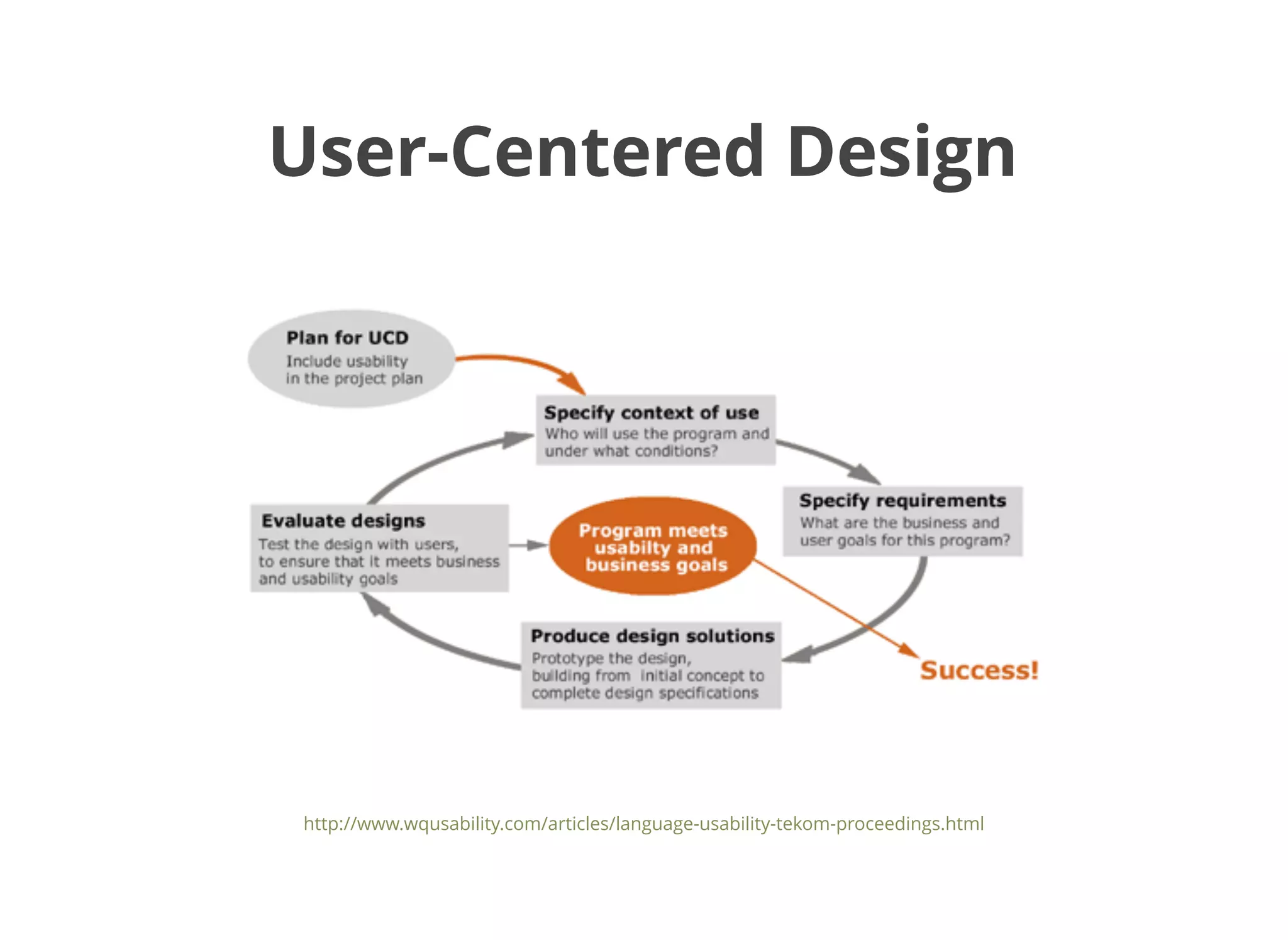
User-Centered DesignUser-Centered Design
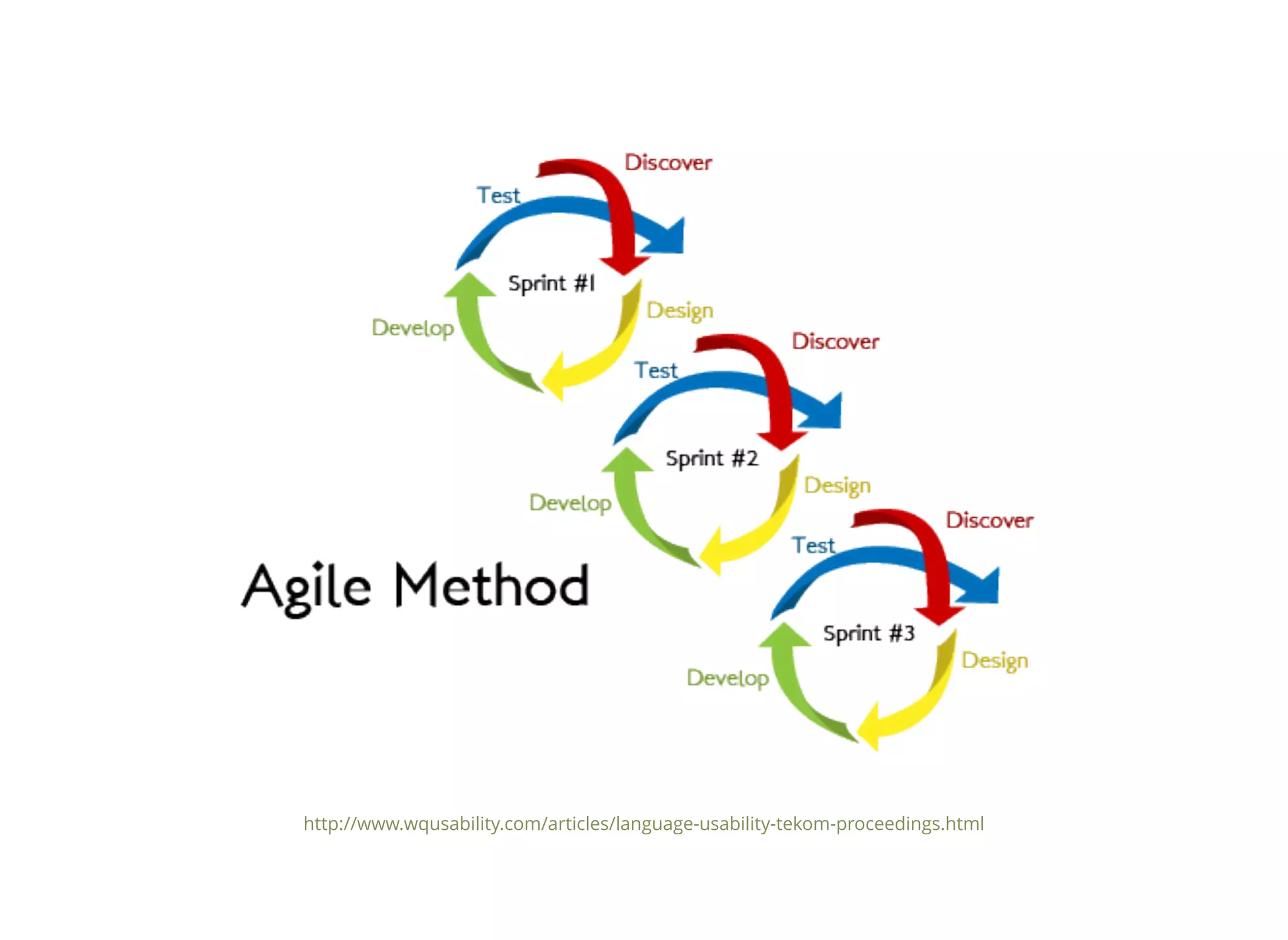
http://www.wqusability.com/articles/language-usability-tekom-proceedings.html
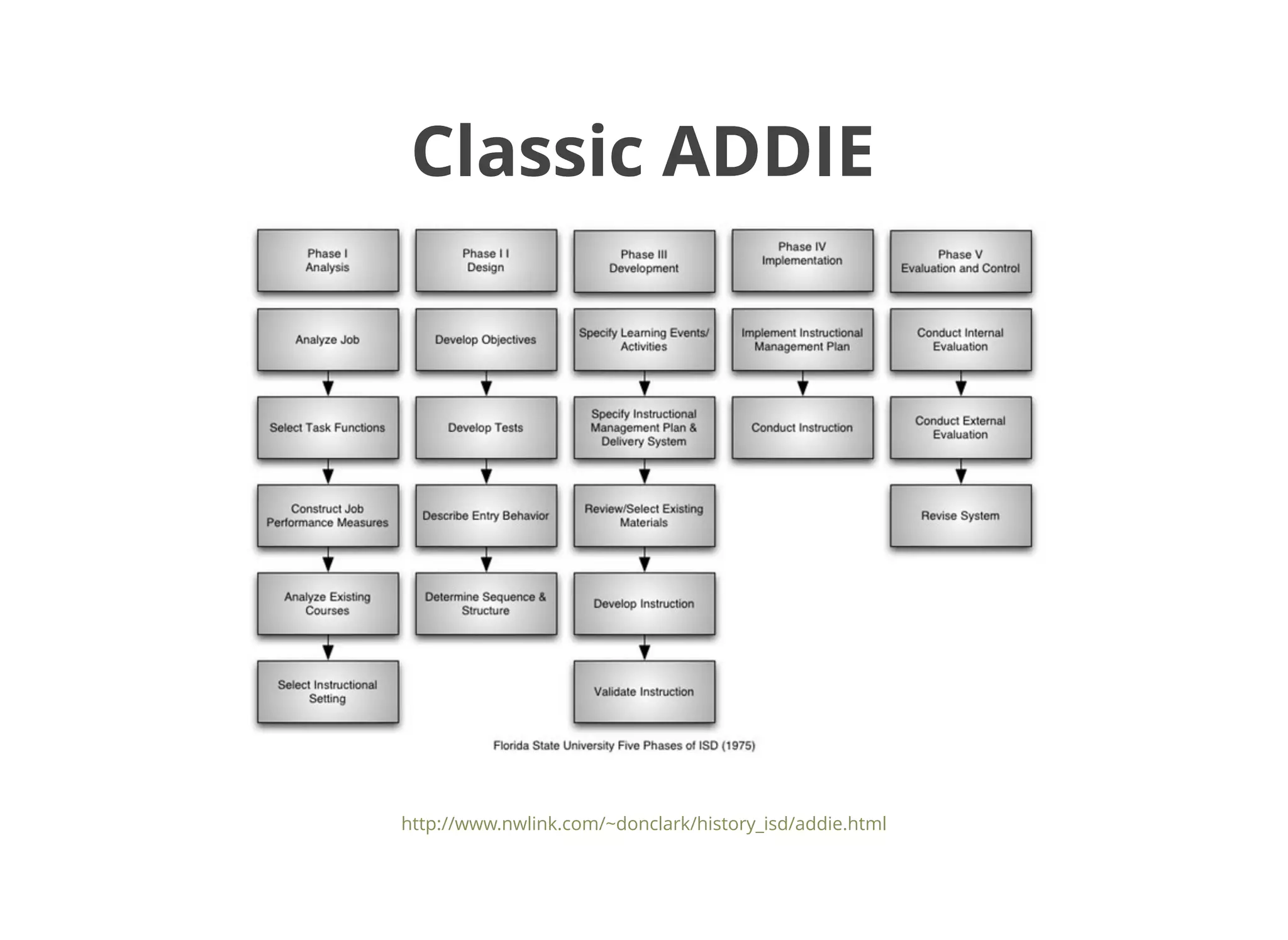
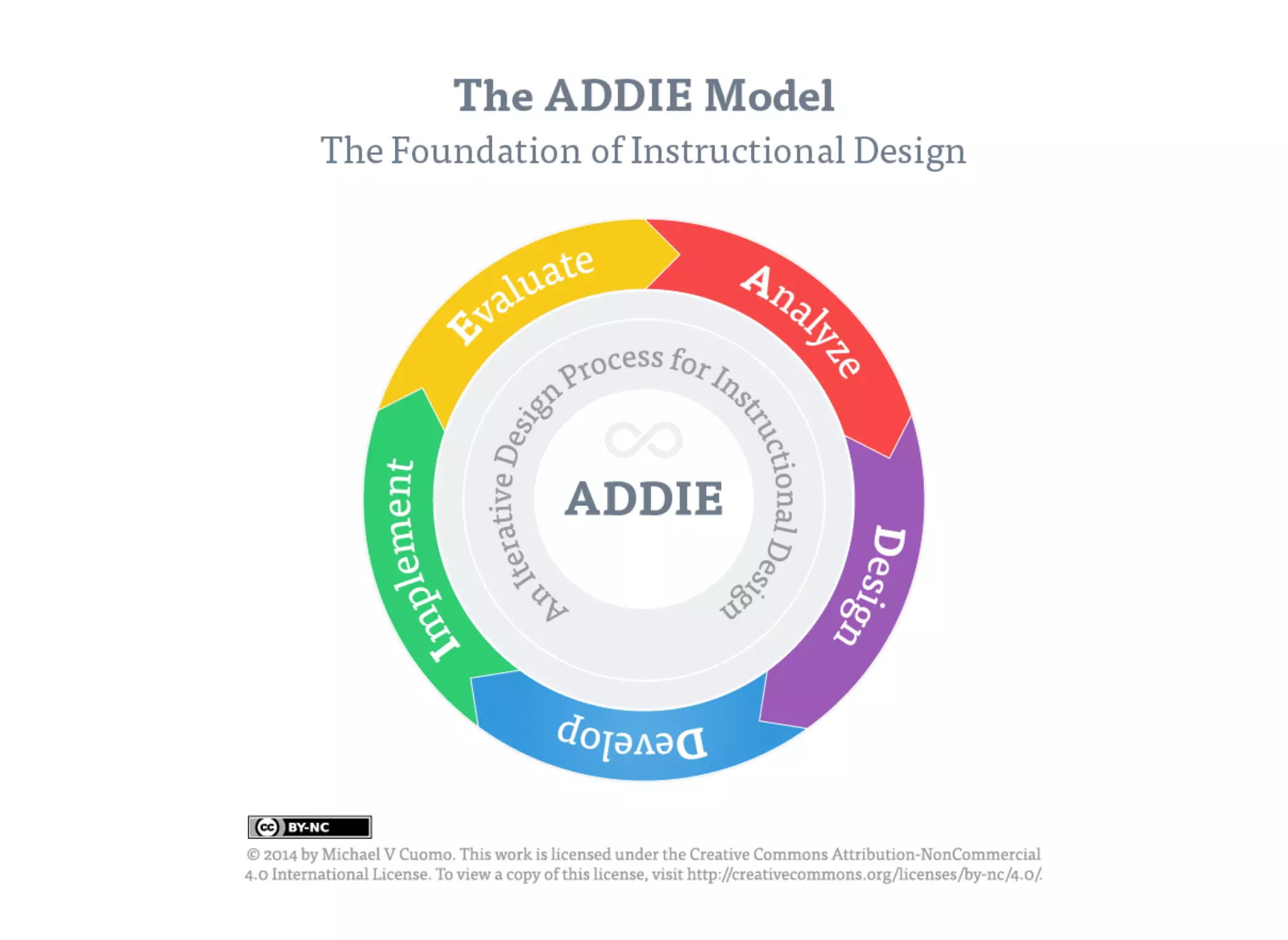
Classic ADDIEClassic ADDIE
http://www.nwlink.com/~donclark/history_isd/addie.html
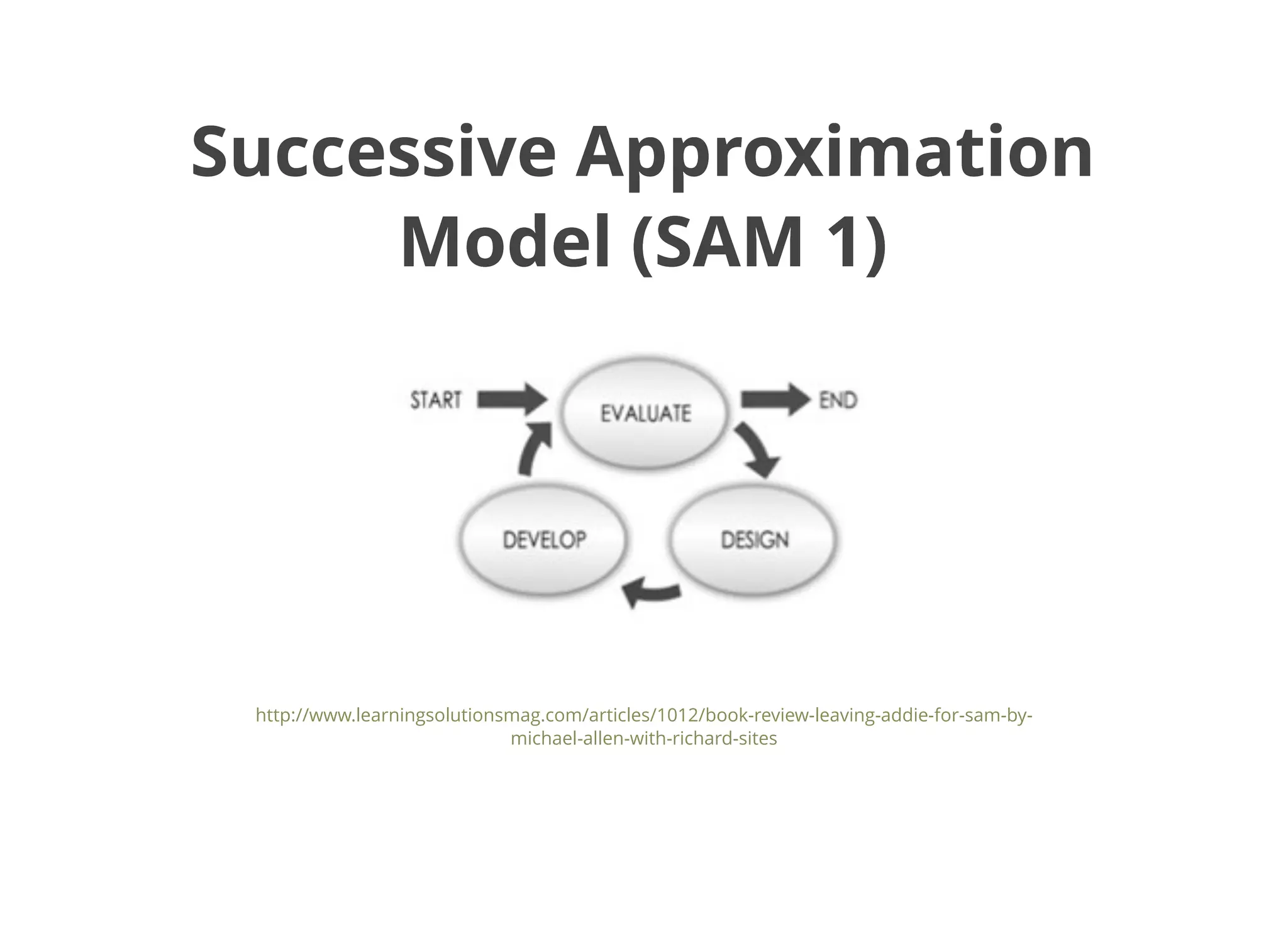
Successive ApproximationSuccessive Approximation
Model (SAM 1)Model (SAM 1)
http://www.learningsolutionsmag.com/articles/1012/book-review-leaving-addie-for-sam-by-
michael-allen-with-richard-sites
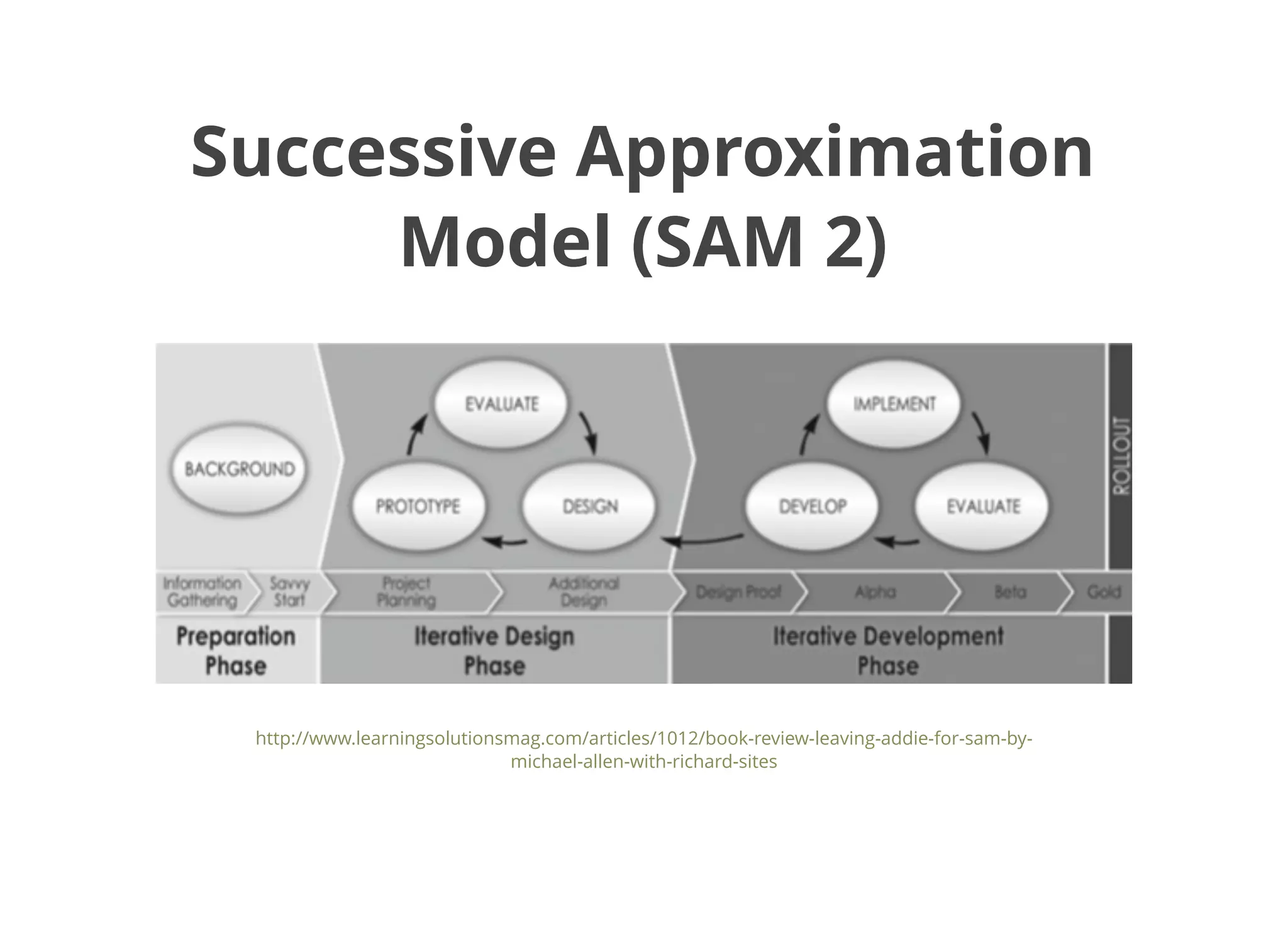
Successive ApproximationSuccessive Approximation
Model (SAM 2)Model (SAM 2)
http://www.learningsolutionsmag.com/articles/1012/book-review-leaving-addie-for-sam-by-
michael-allen-with-richard-sites
And now let's look atAnd now let's look at
the Learning + Technologythe Learning + Technology
Development Model...Development Model...
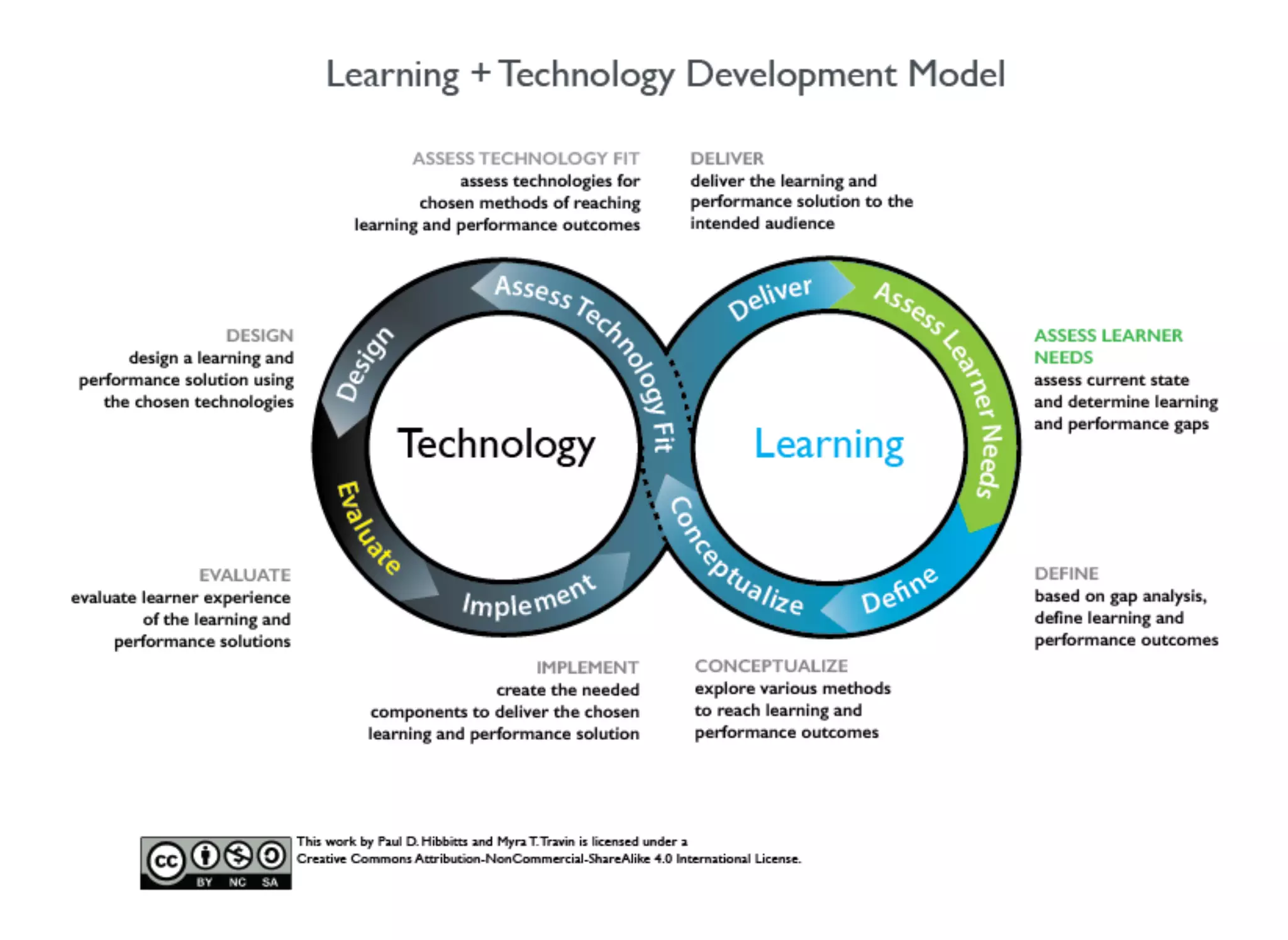
Learning + Technology ModelLearning + Technology Model
“An iterative development approach which takes into
consideration learner needs, experience, and technology
– all working together to support continual improvement
and a unified development strategy.”
(Hibbitts, , 2015)@hibbittsdesign
A Few Key Points...A Few Key Points...
Unifies learning, technology, and learner experience
An example of domain-specific design process model
Works with various development practices
(e.g. waterfall, agile, etc.)
Scales up/down (e.g. individual features, complete learning
objects, and even entire courses - more on this next!)
Identifies key competencies for digital learner experience
design (i.e. instructional/learning design, UX design and
software development)
Supports a continous improvement culture
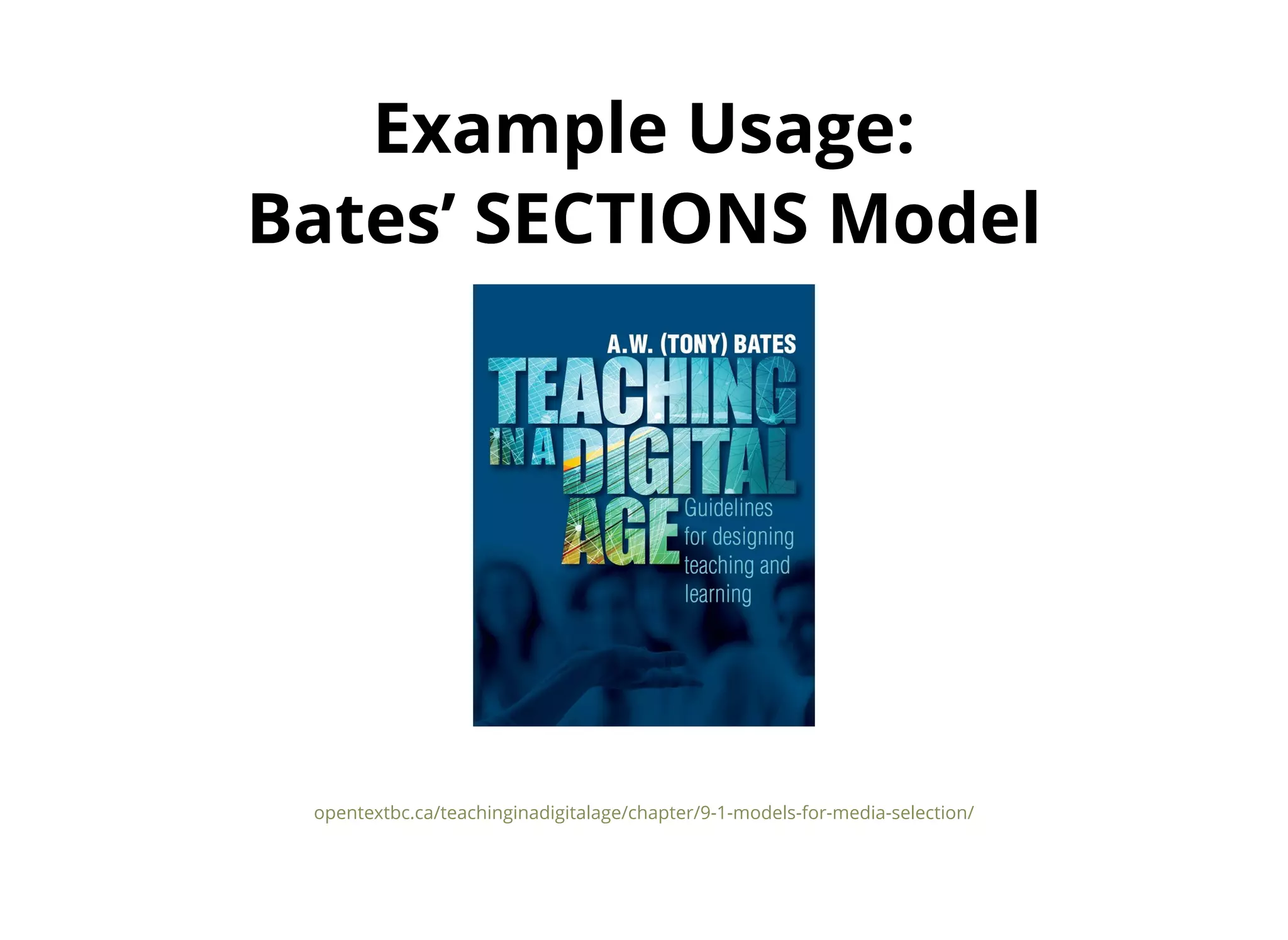
Example Usage:Example Usage:
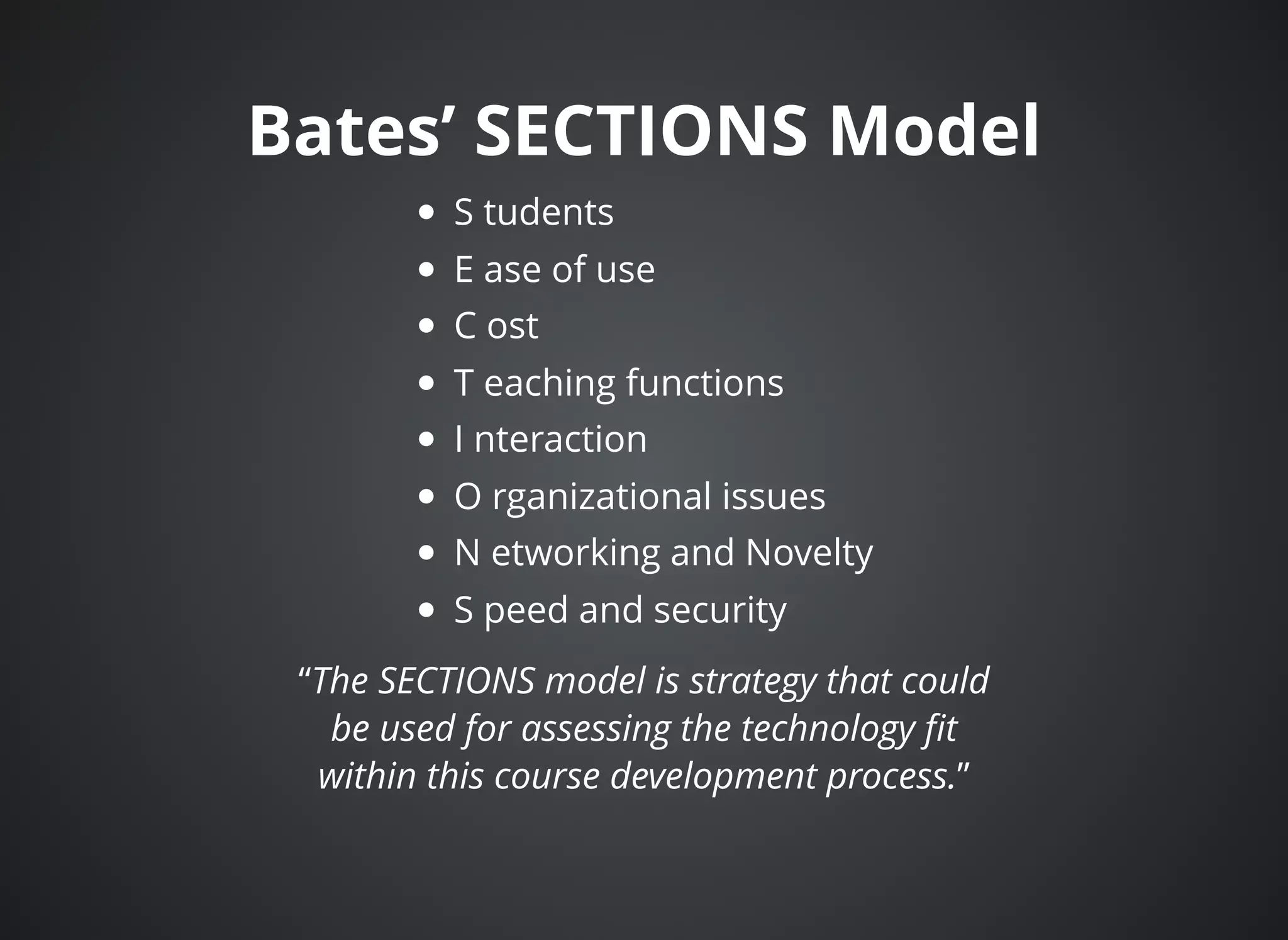
Bates’ SECTIONS ModelBates’ SECTIONS Model
opentextbc.ca/teachinginadigitalage/chapter/9-1-models-for-media-selection/
Bates’ SECTIONS ModelBates’ SECTIONS Model
S tudents
E ase of use
C ost
T eaching functions
I nteraction
O rganizational issues
N etworking and Novelty
S peed and security
“The SECTIONS model is strategy that could
be used for assessing the technology fit
within this course development process.”
Questions for Discussion:Questions for Discussion:
Learning + Technology ModelLearning + Technology Model
(Think / Pair / Share)(Think / Pair / Share)
What questions about this model do you have?
How might you utilize this model?
What are the strengths of this model for you?
What opportunities for improvement do you see?
Next up, the Learning EcologyNext up, the Learning Ecology
Framework, but firstFramework, but first
some background...some background...
Information EcologiesInformation Ecologies
“We define an information ecology to be a system of
people, practices, values, and technologies in a particular
local environment. In information ecologies, the spotlight
is not on technology, but on human activities that are
served by technology.” (Nardi and O'Day, 1999)
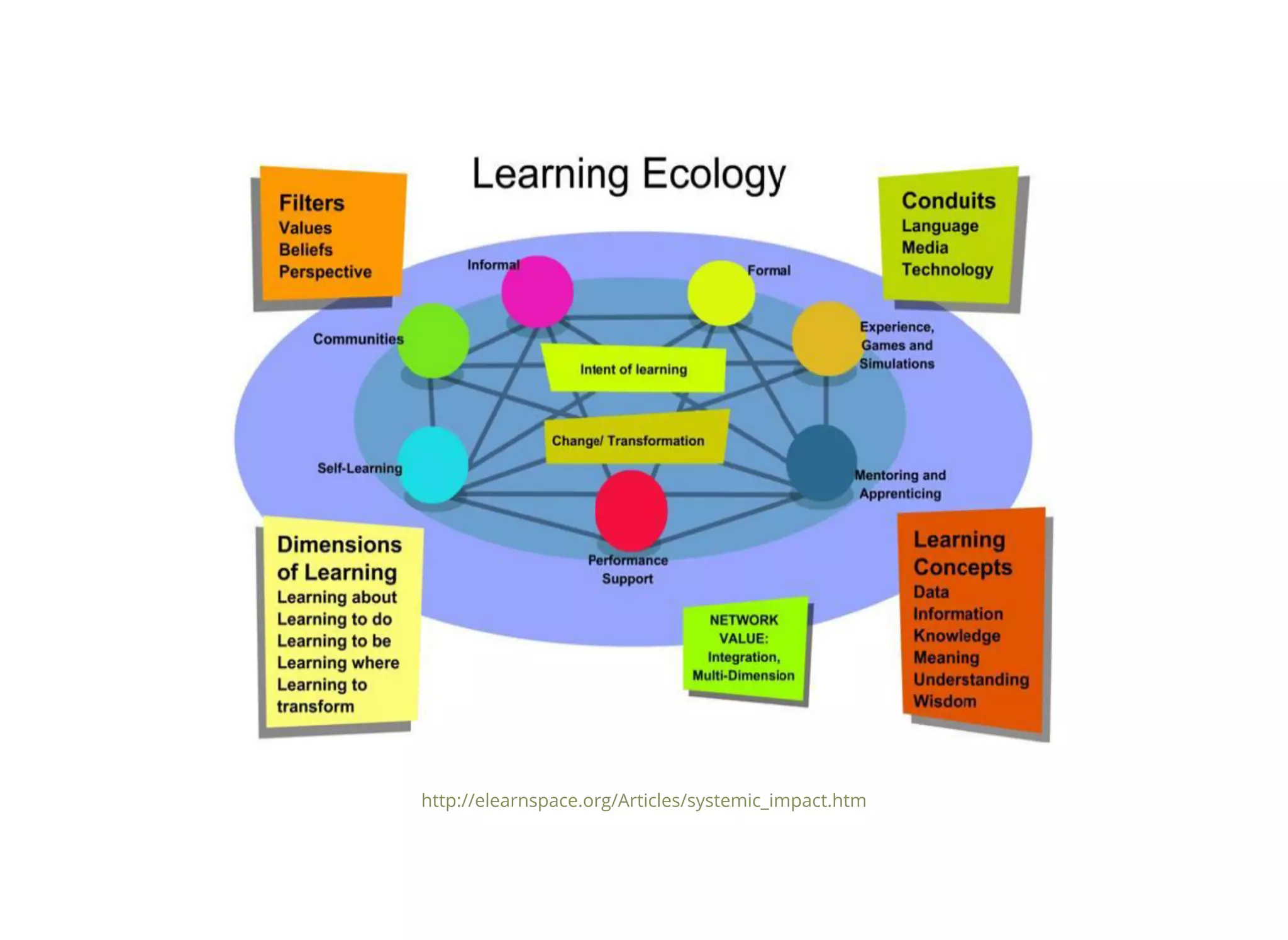
Learning EcologiesLearning Ecologies
“An ecology, for our purposes here, can be viewed as an
environment that fosters and supports the formation of
communities and networks.” (Siemens, 2008)
http://elearnspace.org/Articles/systemic_impact.htm
And now here is theAnd now here is the
Learning Ecology Framework...Learning Ecology Framework...
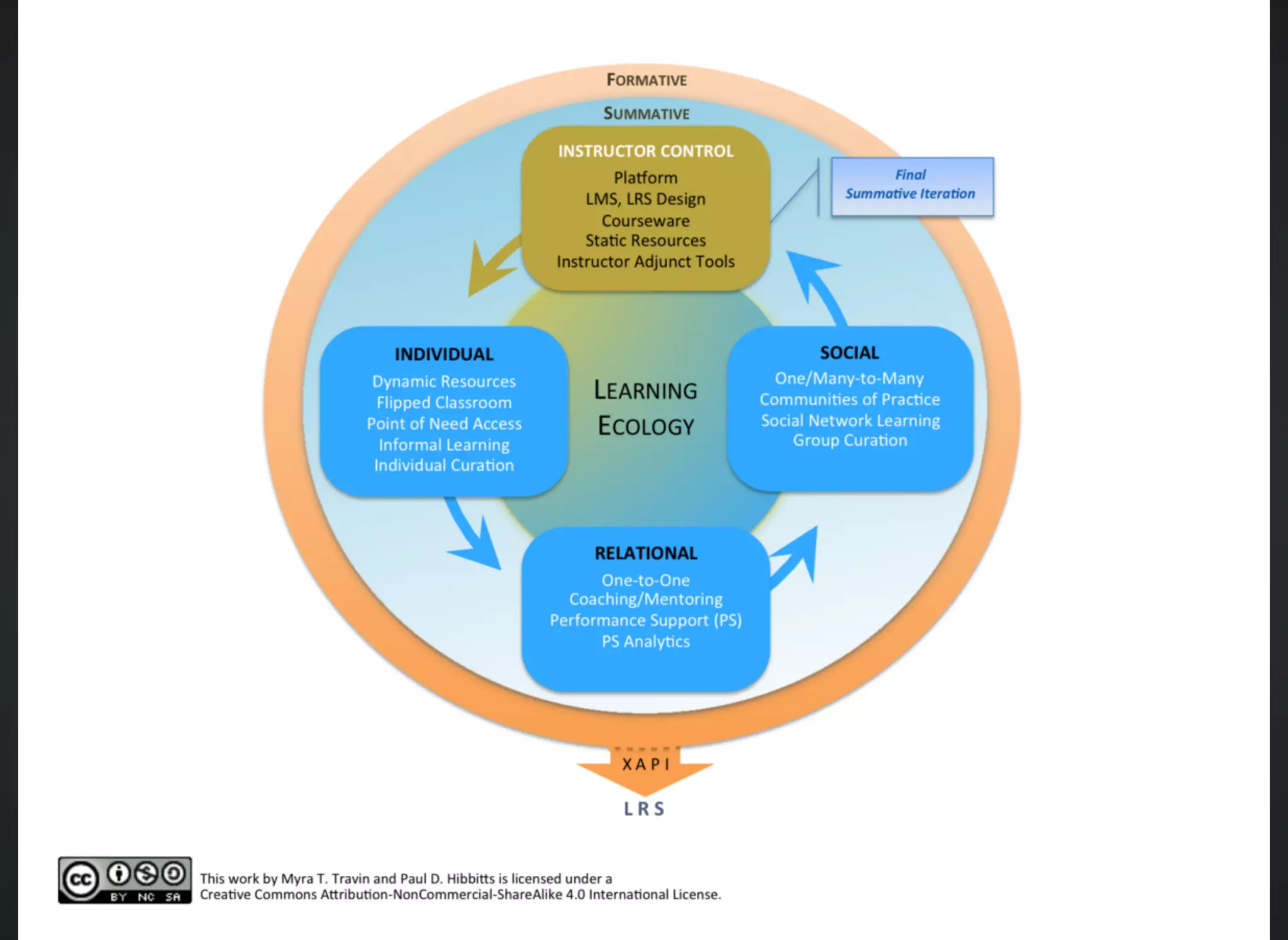
Learning Ecology FrameworkLearning Ecology Framework
“An educational philosophy and self-supporting ecosystem in
which individuals and groups are offered a collection of
curated resources and tools that will support their growth
and learning, and foster participation.”
(Travin, , 2015)@m_travin
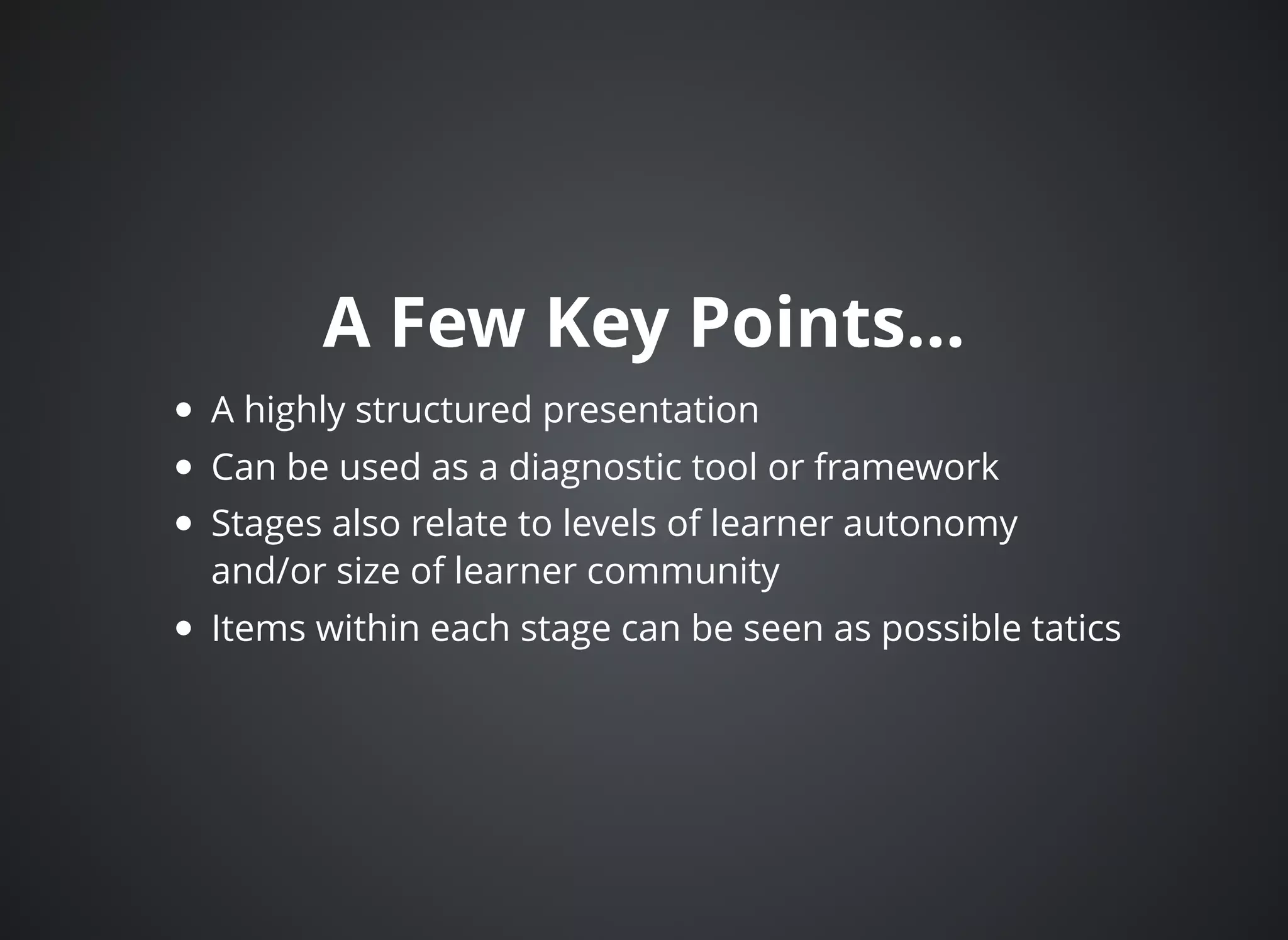
A Few Key Points...A Few Key Points...
A highly structured presentation
Can be used as a diagnostic tool or framework
Stages also relate to levels of learner autonomy
and/or size of learner community
Items within each stage can be seen as possible tatics
Questions for DiscussionQuestions for Discussion
Learning Ecology FrameworkLearning Ecology Framework
(Think / Pair / Share)(Think / Pair / Share)
What questions about this framework do you have?
How might you utilize this framework?
What are the strengths of this framework for you?
What opportunities for improvement do you see?
Case StudyCase Study
CMPT 363 (User Interface Design)CMPT 363 (User Interface Design)
Fall 2014, Simon Fraser UniversityFall 2014, Simon Fraser University
canvas.sfu.ca/courses/17482
https://canvas.sfu.ca/courses/17482​
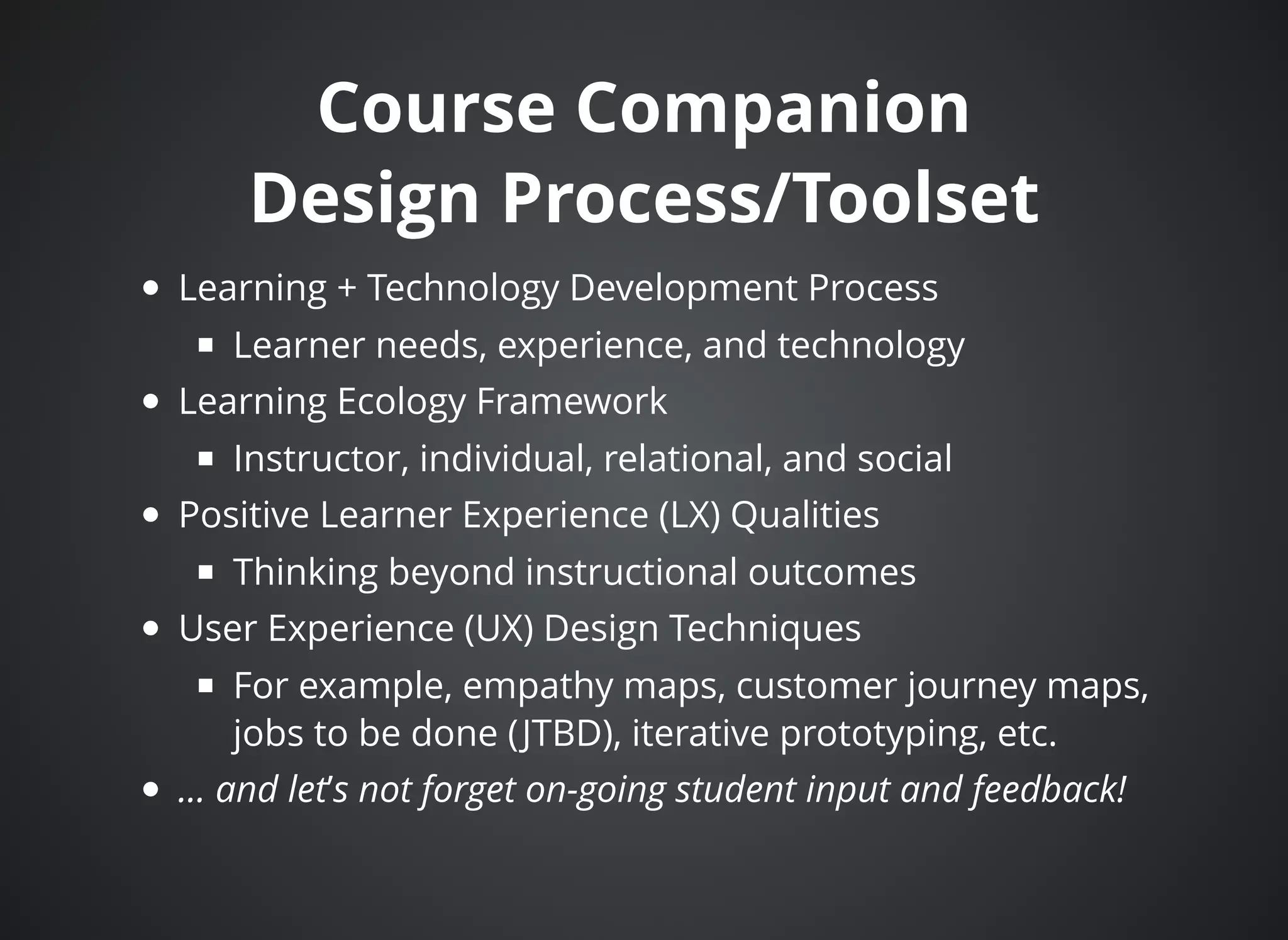
Course CompanionCourse Companion
Design Process/ToolsetDesign Process/Toolset
Learning + Technology Development Process
Learner needs, experience, and technology
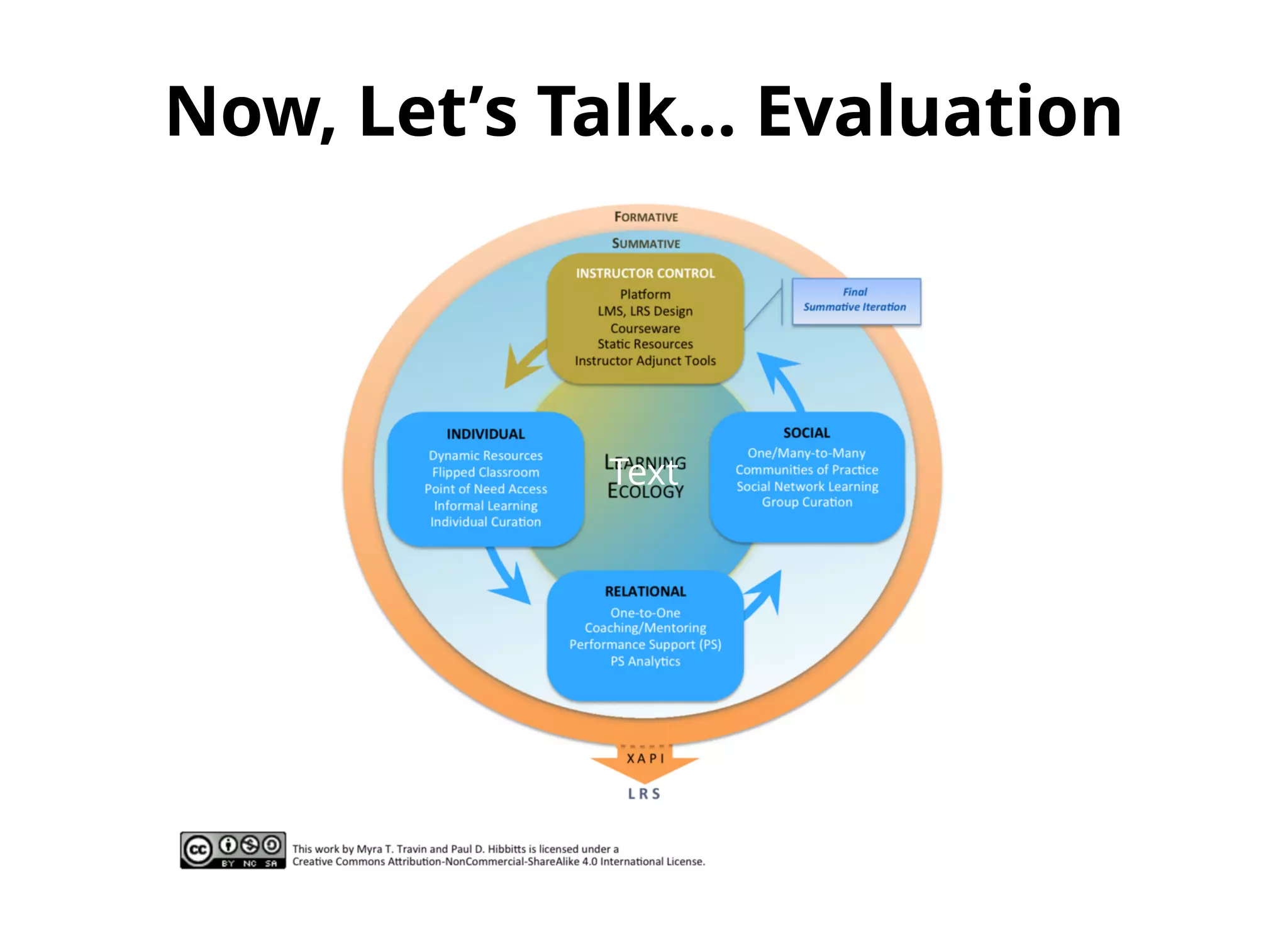
Learning Ecology Framework
Instructor, individual, relational, and social
Positive Learner Experience (LX) Qualities
Thinking beyond instructional outcomes
User Experience (UX) Design Techniques
For example, empathy maps, customer journey maps,
jobs to be done (JTBD), iterative prototyping, etc.
... and let’s not forget on-going student input and feedback!
Supporting aSupporting a
Learning EcologyLearning Ecology
Instructor Control
Individual Learning
Relational Learning
Social Learning
Instructor ControlInstructor Control
Platform (blended, face-to-face and online)
LMS/LRS (Instructure’s Canvas LMS)
Courseware (slides, assignments, case studies
and readings)
Static Resources (assigned readings)
Adjunct Tools (Workflowy, Slides.com, Kato.im,
myBalsamiq, Twitter, Diigo, TimeDriver, Poll
Everywhere and Google Forms)
IndividualIndividual
(aka Personal)(aka Personal)
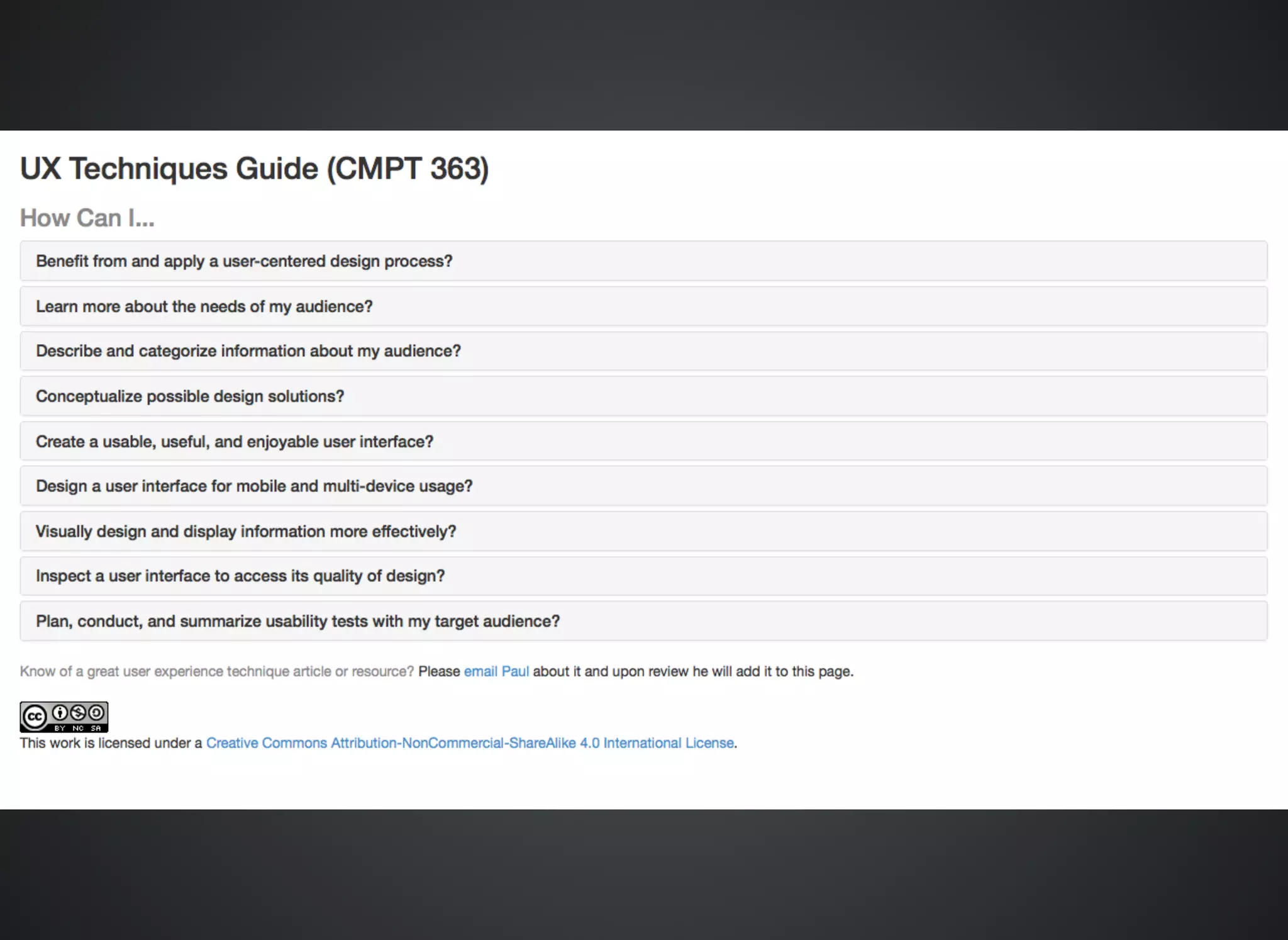
Dynamic Resources (i.e. course resources Wiki)
Flipped Classroom (semi-flipped, i.e. pre-class
required reading and in-class activities)
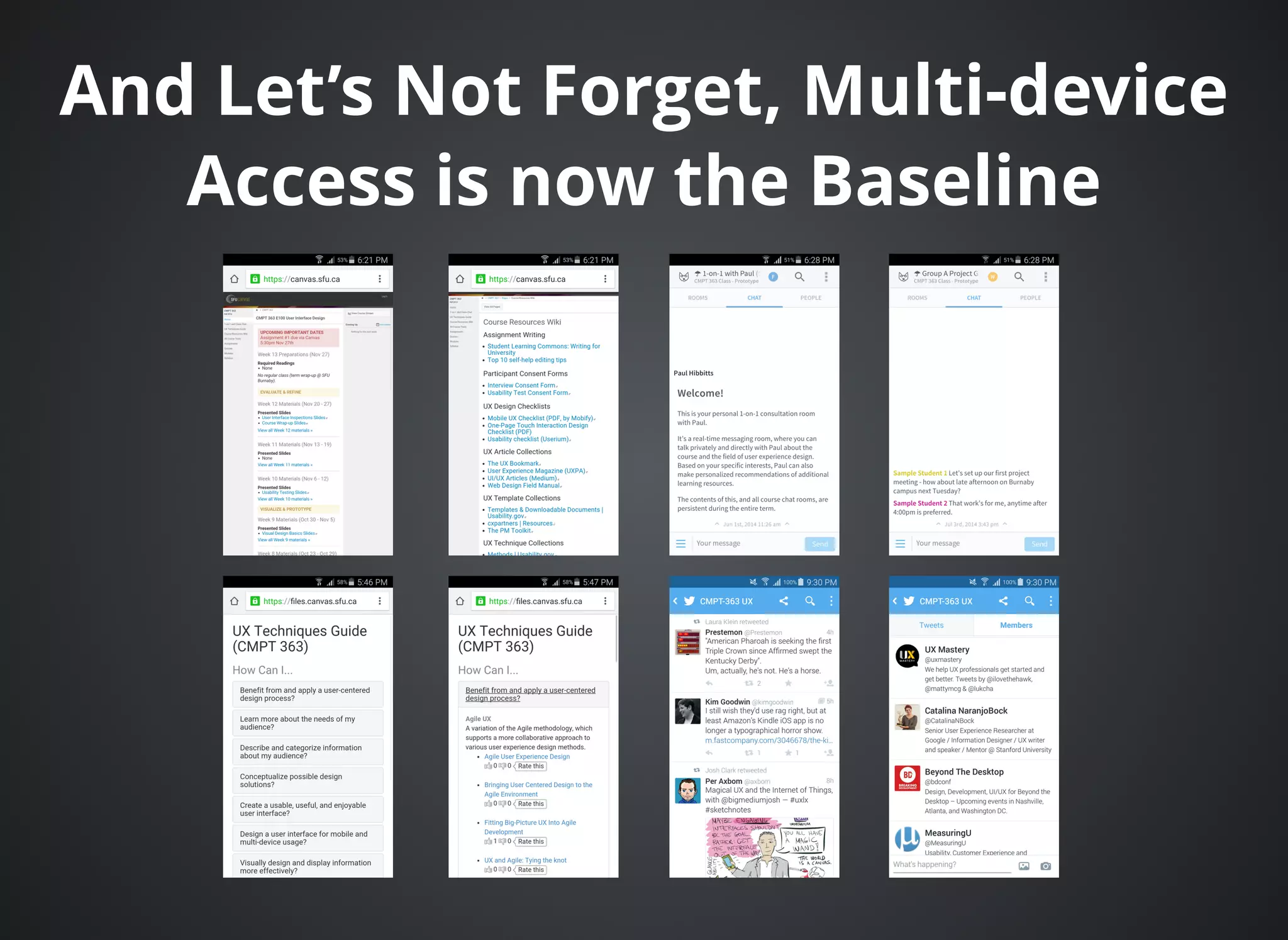
Point-of-need Access (i.e. multi-device access)
Informal Learning (i.e. optional videos, articles,
podcasts, other online courses, etc.)
Individual curation (i.e. bookmarks)
RelationalRelational
(aka Partnership)(aka Partnership)
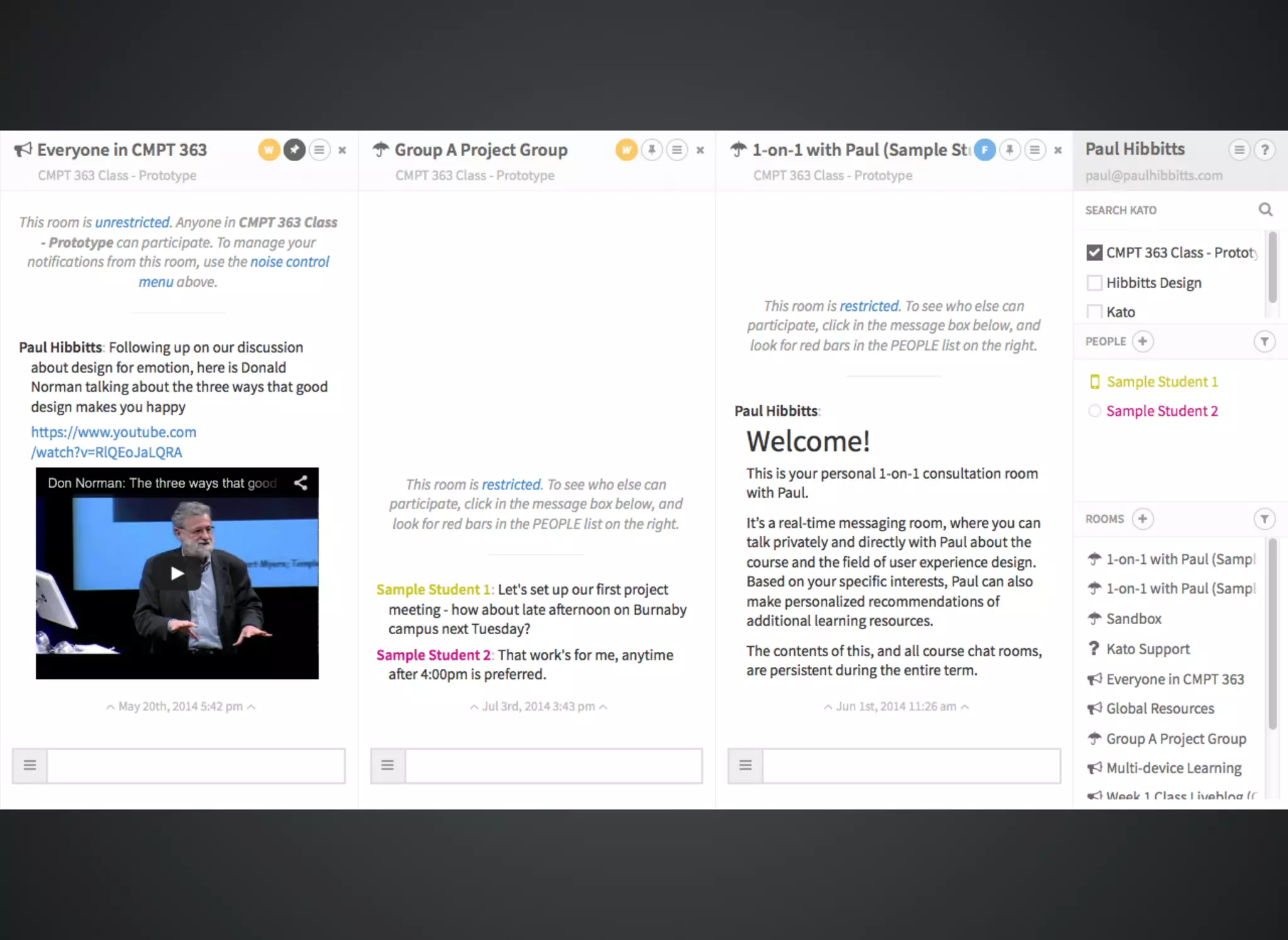
One-to-One Coaching/Mentoring (i.e. private and
persistent messaging spaces via Kato)
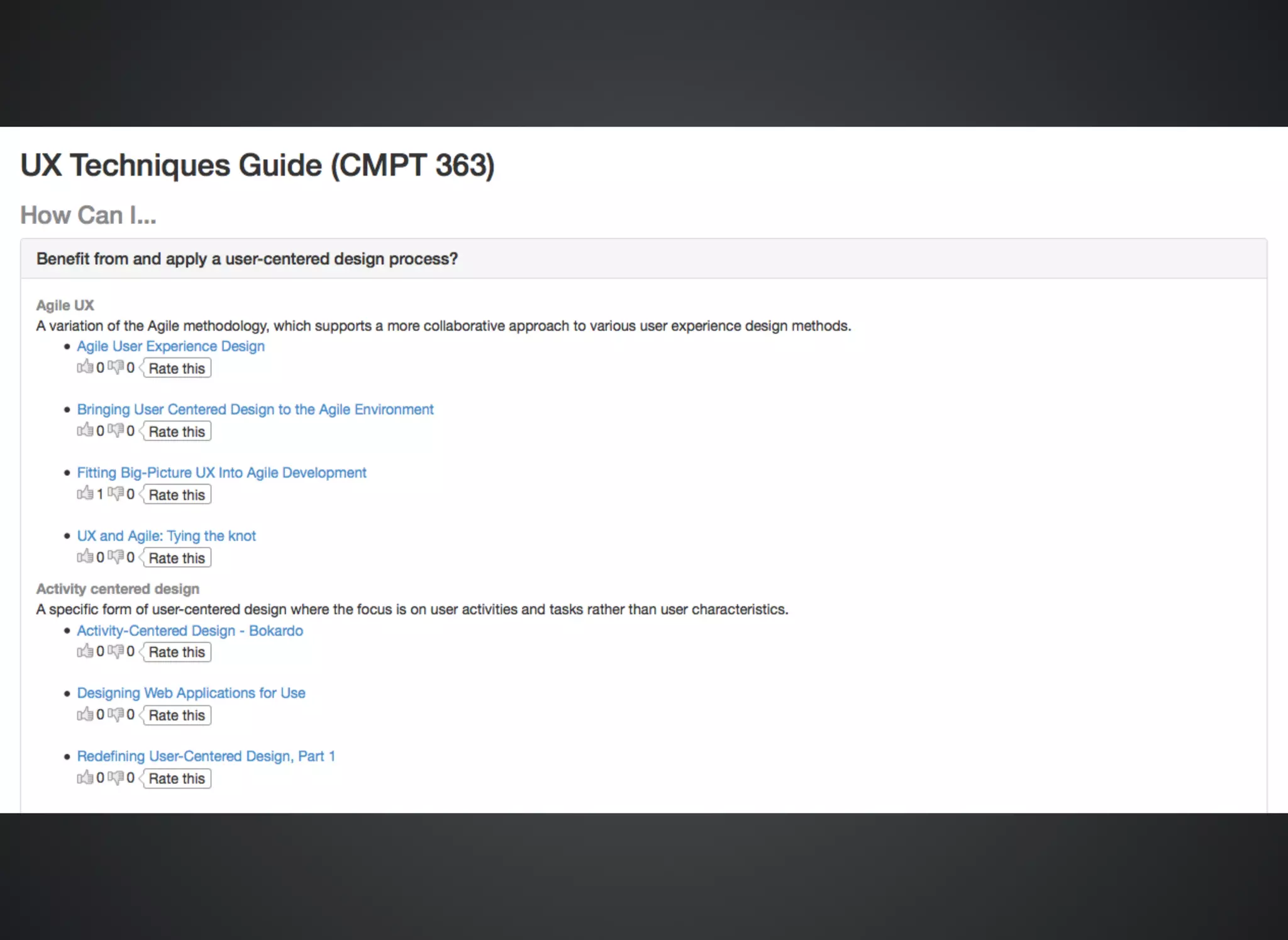
Performance Support (i.e. task-oriented UX
Techniques Guide)
PS Analytics (not directly supported)
SocialSocial
(aka Networked)(aka Networked)
One/Many-to-Many (i.e. group and/or class
discussions via Kato)
Communities of Practice (not directly supported)
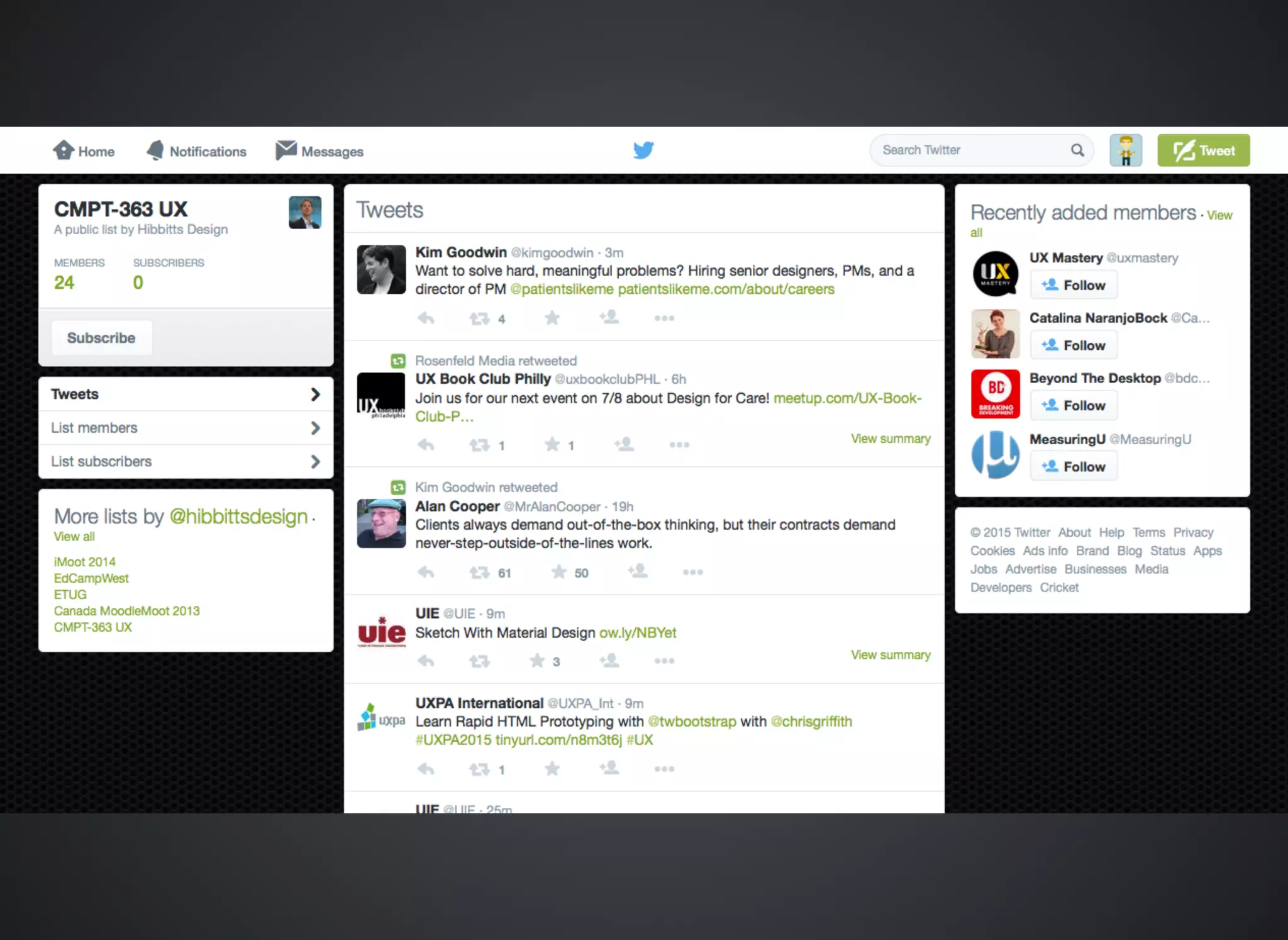
Social Network Learning (i.e. recommended industry
experts on Twitter)
Group Curation (not directly supported)
And Let’s Not Forget, Multi-deviceAnd Let’s Not Forget, Multi-device
Access is now the BaselineAccess is now the Baseline
Now, Let’Now, Let’s Talk... Evaluations Talk... Evaluation
Text
The Two Aspects of EvaluationThe Two Aspects of Evaluation
Learning ecology effectiveness/health
Student learning outcomes (our focus today)
Formative EvaluationFormative Evaluation
(Highlights)(Highlights)
One minute end-of-class summaries (on-line and in-person)
User interface assessments (review assessments on-line,
provide baseline expert assessment in-person, and finally
conduct 3 peer reviews of submitted assessments)
SPUNKI rubric results (reading summaries submitted online
before each class, then data table reviewed before each class
to adjust lesson plan)
User experience topic overview, with Creative Commons
License (submitted on-line and graded on-line using a rubric)
Three assignments during term (user research, design, and
usability testing), graded by unique rubrics
SPUNKI RubricSPUNKI Rubric
(Smith and Loomis)(Smith and Loomis)
What part or parts of the reading did you find
Surprising?
Puzzling?
Useful?
New?
Knew It Already?
Summative EvaluationSummative Evaluation
Student-selected user experience topic overview, with
Creative Commons License (submitted on-line at the
end of term and graded on-line using a rubric)
Which models discussedWhich models discussed
today are useful for you?today are useful for you?
Please cast your vote!Please cast your vote!
A) Both models look useful to me
B) Just the Learning + Technology Development model
C) Just the Learning Ecology Framework model
D) Neither model look useful to me (better luck next time...)
Thank you!Thank you!
Further Discussion/Questions?Further Discussion/Questions?
Contact Info
Web:
Email:
Twitter:
LinkedIn:
Accompanying Resources, via OneDrive:
Learning + Technology Development Model image files (CC)
Learning Ecology Framework image files (CC)
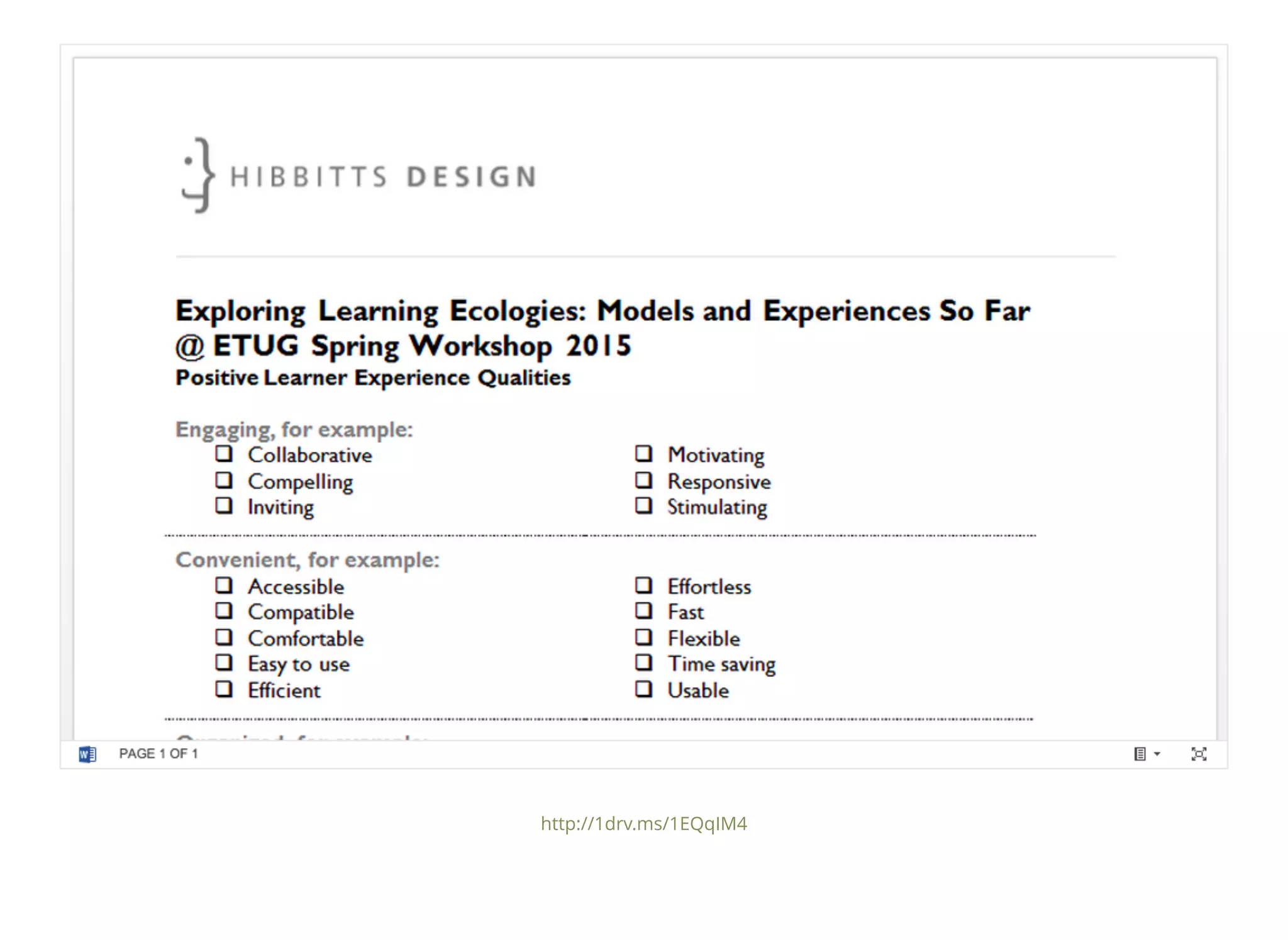
Positive Learner Experience Qualities (CC)
These slides, as a downloadable PDF file
Example course companion URLs (Fall 2014 & 2015 prototype)
paulhibbitts.com
paul@paulhibbitts.com
@hibbittsdesign
linkedin.com/in/paulhibbitts
1drv.ms/1EQqIM4
Bonus Tool:Bonus Tool:
Positive Learner ExperiencePositive Learner Experience
QualitiesQualities
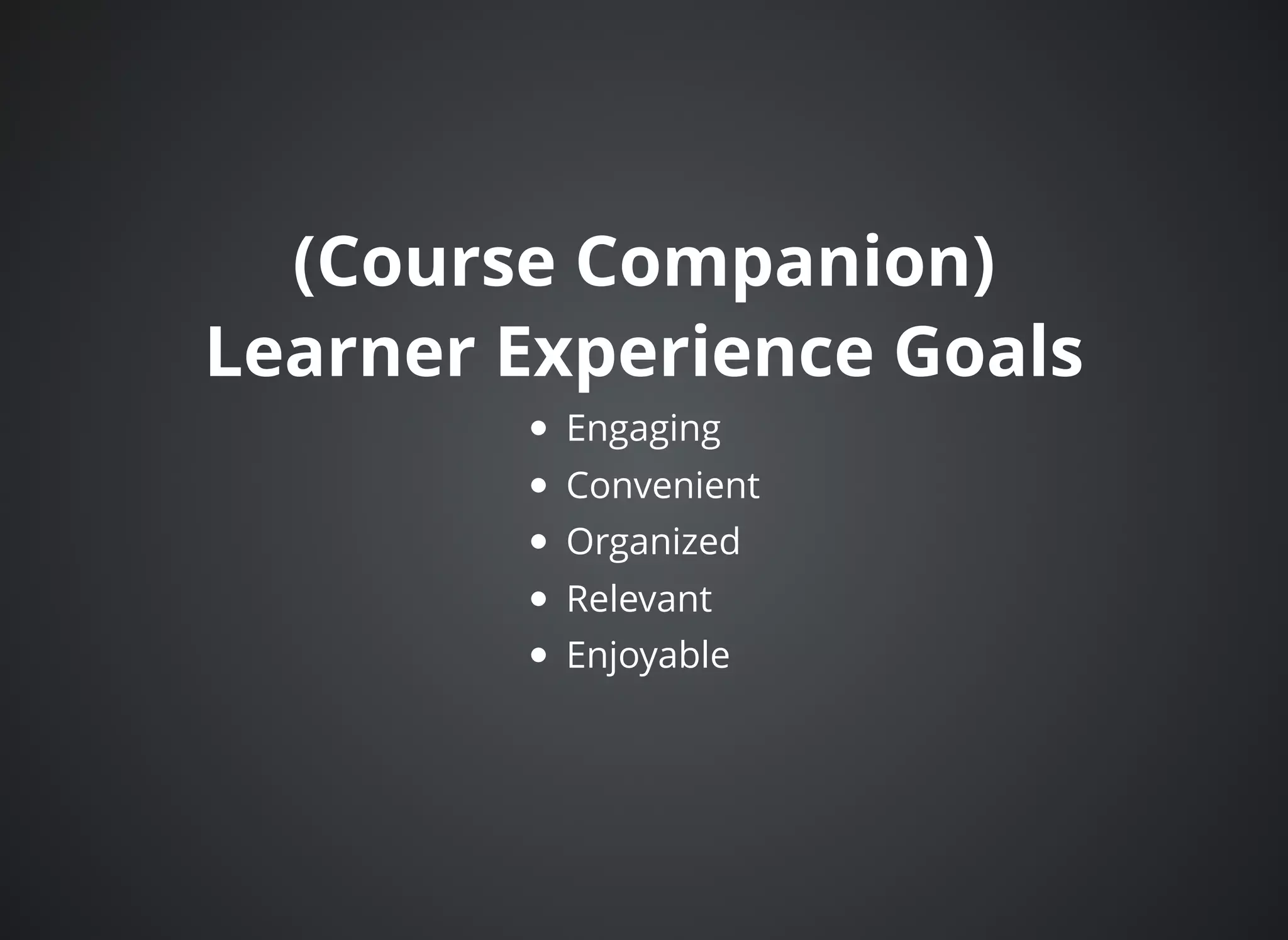
(Course Companion)(Course Companion)
Learner Experience GoalsLearner Experience Goals
Engaging
Convenient
Organized
Relevant
Enjoyable
http://1drv.ms/1EQqIM4
Bonus Feature:Bonus Feature:
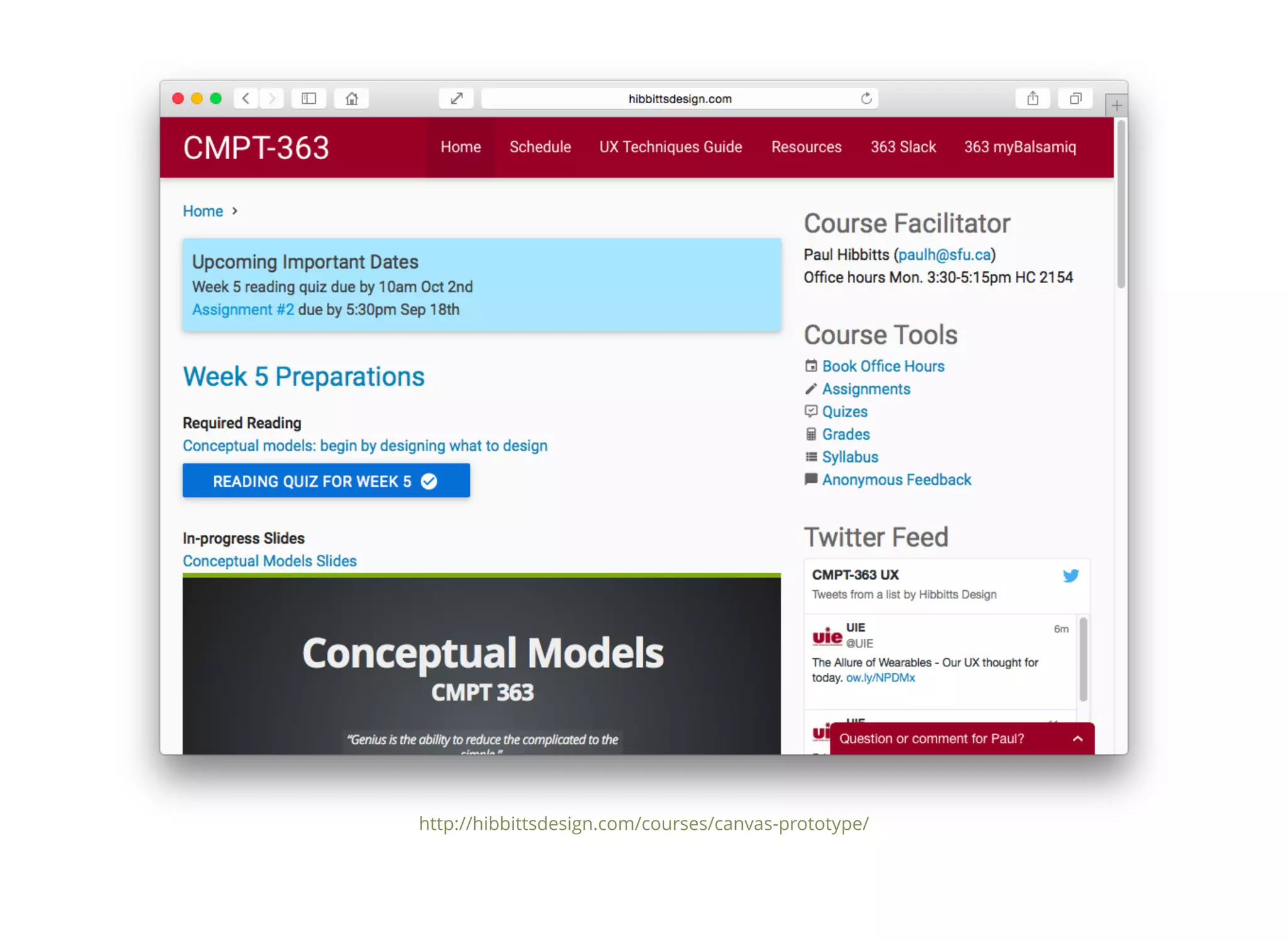
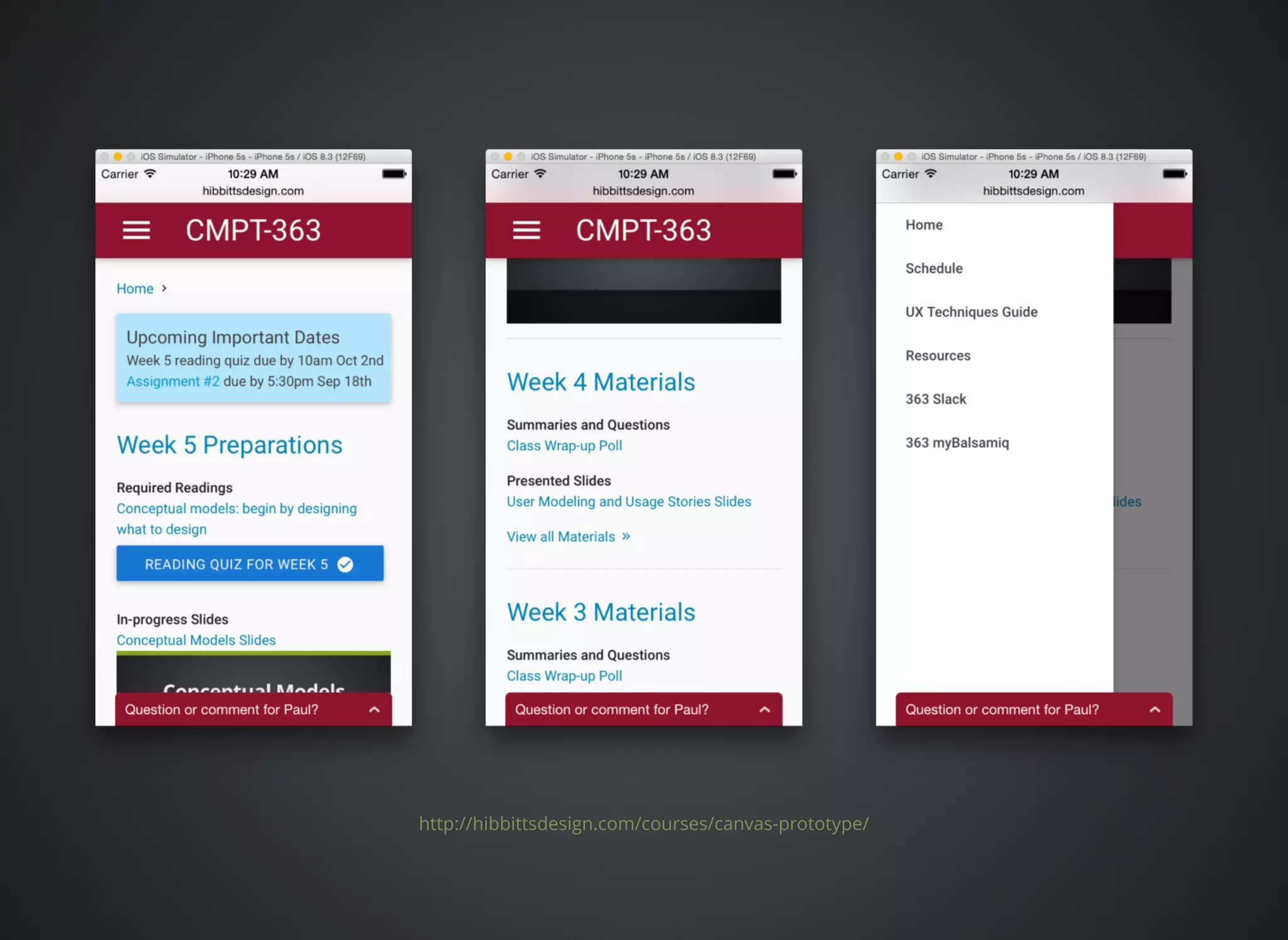
Fall 2015 CMPT 363 PrototypeFall 2015 CMPT 363 Prototype
My most recent approachMy most recent approach
(your mileage may vary)(your mileage may vary)
Use an open platform to create an alternative LMS
front-end (i.e. a new “front door”)
To provide a significantly better student experience
To enable faster/easier instructor updates
A modern flat-file CMS is a good great platform for
this approach
As simple (i.e. deep links to LMS) or as complex
(i.e. LTI - Learning Tools Interoperability) as you want
http://hibbittsdesign.com/courses/canvas-prototype/​

Exploring Learning Ecologies: Models and Experiences So Far

  • 1.
    Exploring LearningExploring Learning EcologiesEcologies PaulD Hibbitts Models and Experiences So Far LEARNER EXPERIENCE ADVISORY / DESIGN / EDUCATION @hibbittsdesign #etug
  • 2.
    ETUG Top 5ETUGTop 5 1. Academic Transformation 2. Faculty Development 3. Online + Blended Teaching and Learning 4. Assessment of Learning 5. Evaluating Technology Based Instructional Innovation
  • 3.
    Topics for DiscussionTopicsfor Discussion Tools for you (hopefully) to use Learning + Technology Development Model Learning Ecology Framework Case study CMPT 363 Canvas LMS case study
  • 4.
    Let'Let's begin withsomes begin with some background for the Learningbackground for the Learning + Development Model+ Development Model
  • 5.
    Waterfall Development ModelWaterfallDevelopment Model http://www.softwareresults.us/2010/10/waterfall-and-agile-same-principles.html
  • 6.
  • 7.
  • 8.
  • 10.
    Successive ApproximationSuccessive Approximation Model(SAM 1)Model (SAM 1) http://www.learningsolutionsmag.com/articles/1012/book-review-leaving-addie-for-sam-by- michael-allen-with-richard-sites
  • 11.
    Successive ApproximationSuccessive Approximation Model(SAM 2)Model (SAM 2) http://www.learningsolutionsmag.com/articles/1012/book-review-leaving-addie-for-sam-by- michael-allen-with-richard-sites
  • 12.
    And now let'slook atAnd now let's look at the Learning + Technologythe Learning + Technology Development Model...Development Model...
  • 14.
    Learning + TechnologyModelLearning + Technology Model “An iterative development approach which takes into consideration learner needs, experience, and technology – all working together to support continual improvement and a unified development strategy.” (Hibbitts, , 2015)@hibbittsdesign
  • 15.
    A Few KeyPoints...A Few Key Points... Unifies learning, technology, and learner experience An example of domain-specific design process model Works with various development practices (e.g. waterfall, agile, etc.) Scales up/down (e.g. individual features, complete learning objects, and even entire courses - more on this next!) Identifies key competencies for digital learner experience design (i.e. instructional/learning design, UX design and software development) Supports a continous improvement culture
  • 16.
    Example Usage:Example Usage: Bates’SECTIONS ModelBates’ SECTIONS Model opentextbc.ca/teachinginadigitalage/chapter/9-1-models-for-media-selection/
  • 18.
    Bates’ SECTIONS ModelBates’SECTIONS Model S tudents E ase of use C ost T eaching functions I nteraction O rganizational issues N etworking and Novelty S peed and security “The SECTIONS model is strategy that could be used for assessing the technology fit within this course development process.”
  • 19.
    Questions for Discussion:Questionsfor Discussion: Learning + Technology ModelLearning + Technology Model (Think / Pair / Share)(Think / Pair / Share) What questions about this model do you have? How might you utilize this model? What are the strengths of this model for you? What opportunities for improvement do you see?
  • 20.
    Next up, theLearning EcologyNext up, the Learning Ecology Framework, but firstFramework, but first some background...some background...
  • 21.
    Information EcologiesInformation Ecologies “Wedefine an information ecology to be a system of people, practices, values, and technologies in a particular local environment. In information ecologies, the spotlight is not on technology, but on human activities that are served by technology.” (Nardi and O'Day, 1999)
  • 22.
    Learning EcologiesLearning Ecologies “Anecology, for our purposes here, can be viewed as an environment that fosters and supports the formation of communities and networks.” (Siemens, 2008)
  • 23.
  • 24.
    And now hereis theAnd now here is the Learning Ecology Framework...Learning Ecology Framework...
  • 26.
    Learning Ecology FrameworkLearningEcology Framework “An educational philosophy and self-supporting ecosystem in which individuals and groups are offered a collection of curated resources and tools that will support their growth and learning, and foster participation.” (Travin, , 2015)@m_travin
  • 27.
    A Few KeyPoints...A Few Key Points... A highly structured presentation Can be used as a diagnostic tool or framework Stages also relate to levels of learner autonomy and/or size of learner community Items within each stage can be seen as possible tatics
  • 28.
    Questions for DiscussionQuestionsfor Discussion Learning Ecology FrameworkLearning Ecology Framework (Think / Pair / Share)(Think / Pair / Share) What questions about this framework do you have? How might you utilize this framework? What are the strengths of this framework for you? What opportunities for improvement do you see?
  • 29.
    Case StudyCase Study CMPT363 (User Interface Design)CMPT 363 (User Interface Design) Fall 2014, Simon Fraser UniversityFall 2014, Simon Fraser University canvas.sfu.ca/courses/17482
  • 30.
  • 31.
    Course CompanionCourse Companion DesignProcess/ToolsetDesign Process/Toolset Learning + Technology Development Process Learner needs, experience, and technology Learning Ecology Framework Instructor, individual, relational, and social Positive Learner Experience (LX) Qualities Thinking beyond instructional outcomes User Experience (UX) Design Techniques For example, empathy maps, customer journey maps, jobs to be done (JTBD), iterative prototyping, etc. ... and let’s not forget on-going student input and feedback!
  • 32.
    Supporting aSupporting a LearningEcologyLearning Ecology Instructor Control Individual Learning Relational Learning Social Learning
  • 33.
    Instructor ControlInstructor Control Platform(blended, face-to-face and online) LMS/LRS (Instructure’s Canvas LMS) Courseware (slides, assignments, case studies and readings) Static Resources (assigned readings) Adjunct Tools (Workflowy, Slides.com, Kato.im, myBalsamiq, Twitter, Diigo, TimeDriver, Poll Everywhere and Google Forms)
  • 34.
    IndividualIndividual (aka Personal)(aka Personal) DynamicResources (i.e. course resources Wiki) Flipped Classroom (semi-flipped, i.e. pre-class required reading and in-class activities) Point-of-need Access (i.e. multi-device access) Informal Learning (i.e. optional videos, articles, podcasts, other online courses, etc.) Individual curation (i.e. bookmarks)
  • 35.
    RelationalRelational (aka Partnership)(aka Partnership) One-to-OneCoaching/Mentoring (i.e. private and persistent messaging spaces via Kato) Performance Support (i.e. task-oriented UX Techniques Guide) PS Analytics (not directly supported)
  • 39.
    SocialSocial (aka Networked)(aka Networked) One/Many-to-Many(i.e. group and/or class discussions via Kato) Communities of Practice (not directly supported) Social Network Learning (i.e. recommended industry experts on Twitter) Group Curation (not directly supported)
  • 41.
    And Let’s NotForget, Multi-deviceAnd Let’s Not Forget, Multi-device Access is now the BaselineAccess is now the Baseline
  • 42.
    Now, Let’Now, Let’sTalk... Evaluations Talk... Evaluation Text
  • 43.
    The Two Aspectsof EvaluationThe Two Aspects of Evaluation Learning ecology effectiveness/health Student learning outcomes (our focus today)
  • 44.
    Formative EvaluationFormative Evaluation (Highlights)(Highlights) Oneminute end-of-class summaries (on-line and in-person) User interface assessments (review assessments on-line, provide baseline expert assessment in-person, and finally conduct 3 peer reviews of submitted assessments) SPUNKI rubric results (reading summaries submitted online before each class, then data table reviewed before each class to adjust lesson plan) User experience topic overview, with Creative Commons License (submitted on-line and graded on-line using a rubric) Three assignments during term (user research, design, and usability testing), graded by unique rubrics
  • 45.
    SPUNKI RubricSPUNKI Rubric (Smithand Loomis)(Smith and Loomis) What part or parts of the reading did you find Surprising? Puzzling? Useful? New? Knew It Already?
  • 46.
    Summative EvaluationSummative Evaluation Student-selecteduser experience topic overview, with Creative Commons License (submitted on-line at the end of term and graded on-line using a rubric)
  • 47.
    Which models discussedWhichmodels discussed today are useful for you?today are useful for you? Please cast your vote!Please cast your vote! A) Both models look useful to me B) Just the Learning + Technology Development model C) Just the Learning Ecology Framework model D) Neither model look useful to me (better luck next time...)
  • 48.
    Thank you!Thank you! FurtherDiscussion/Questions?Further Discussion/Questions? Contact Info Web: Email: Twitter: LinkedIn: Accompanying Resources, via OneDrive: Learning + Technology Development Model image files (CC) Learning Ecology Framework image files (CC) Positive Learner Experience Qualities (CC) These slides, as a downloadable PDF file Example course companion URLs (Fall 2014 & 2015 prototype) paulhibbitts.com paul@paulhibbitts.com @hibbittsdesign linkedin.com/in/paulhibbitts 1drv.ms/1EQqIM4
  • 49.
    Bonus Tool:Bonus Tool: PositiveLearner ExperiencePositive Learner Experience QualitiesQualities
  • 50.
    (Course Companion)(Course Companion) LearnerExperience GoalsLearner Experience Goals Engaging Convenient Organized Relevant Enjoyable
  • 52.
  • 53.
    Bonus Feature:Bonus Feature: Fall2015 CMPT 363 PrototypeFall 2015 CMPT 363 Prototype
  • 54.
    My most recentapproachMy most recent approach (your mileage may vary)(your mileage may vary) Use an open platform to create an alternative LMS front-end (i.e. a new “front door”) To provide a significantly better student experience To enable faster/easier instructor updates A modern flat-file CMS is a good great platform for this approach As simple (i.e. deep links to LMS) or as complex (i.e. LTI - Learning Tools Interoperability) as you want
  • 55.
  • 56.