Chapter 12
Cognitive Models
Overview
Cognitive models represent users of interactive systems.
 Hierarchical models - represent a user’s task and goal structure.
 Linguistic models- represent the user–system grammar.
 Physical and device models - represent human motor skills.
Cognitive models
 They model some aspects of the user’s:
i. understanding
ii. knowledge
iii. intentions
iv. processing
 To classify the model:
– Competence vs. Performance
 Competence models can predict legal behaviour
sequences
 Performance models describe what the user needs to
know and how this is employed in actual task
execution
Goal and task hierarchies
 Many models make use of a model of mental processing in which the
user achieves goals by solving sub goals in a divide-and-conquer
fashion.
 We will consider two models, GOMS(Goals, Operators, Methods and
Selection )and CCT (Cognitive Complexity Theory) , where this is a
central feature.
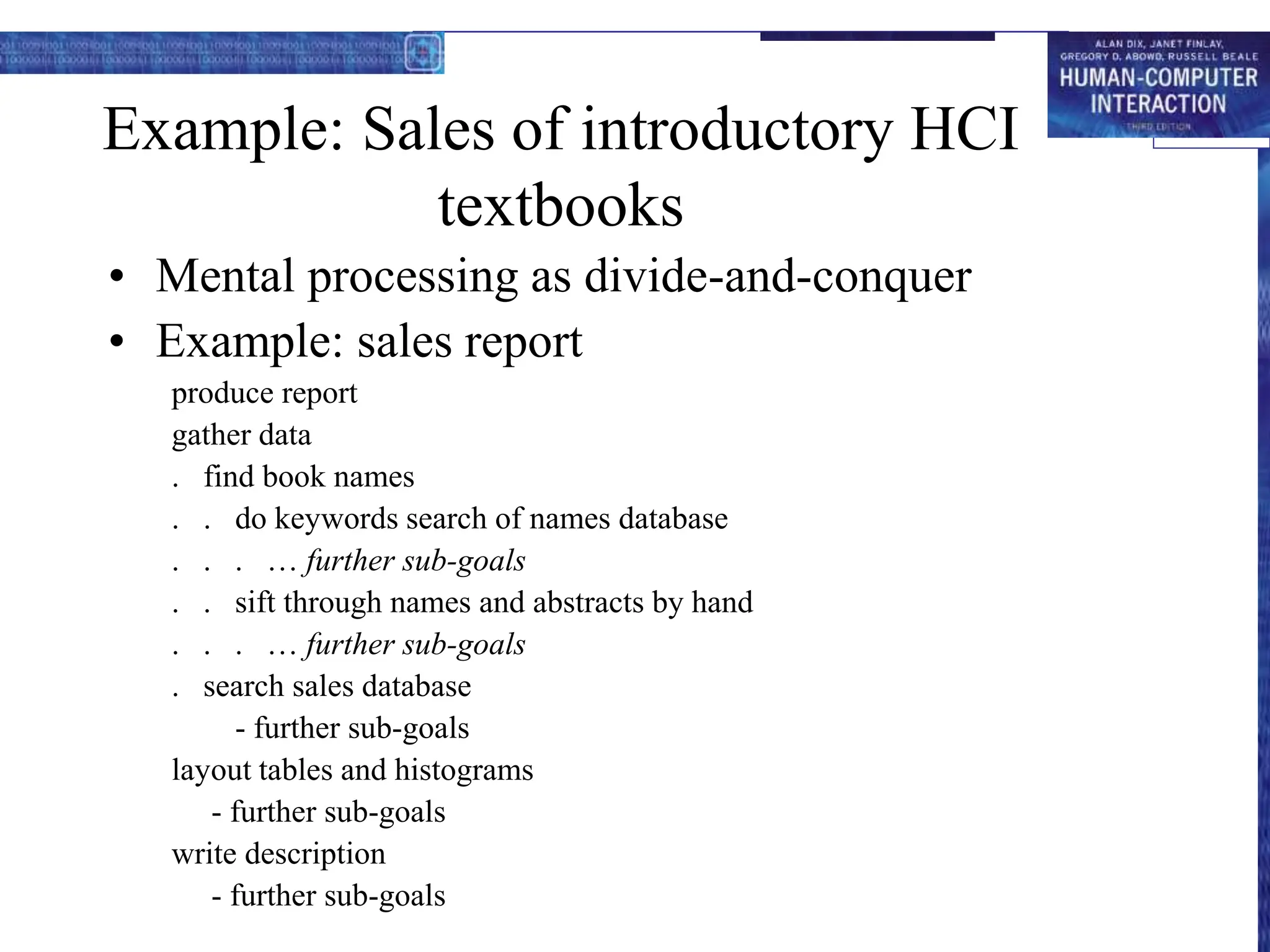
Example: Sales of introductory HCI
textbooks
• Mental processing as divide-and-conquer
• Example: sales report
produce report
gather data
. find book names
. . do keywords search of names database
. . . … further sub-goals
. . sift through names and abstracts by hand
. . . … further sub-goals
. search sales database
- further sub-goals
layout tables and histograms
- further sub-goals
write description
- further sub-goals
Issues for goal hierarchies
• Granularity
– Where do we start?
– Where do we stop?
• Conflict
– More than one way to achieve a goal
• Error
Techniques
• Goals, Operators, Methods and Selection (GOMS)
• Cognitive Complexity Theory (CCT)
• Hierarchical Task Analysis (HTA)
GOMS
Goals
– what the user wants to achieve
Operators
– basic actions user performs
Methods
– decomposition of a goal into subgoals/operators
Selection
– means of choosing between competing methods
GOMS example
GOAL: CLOSE-WINDOW
. [select GOAL: USE-MENU-METHOD
. MOVE-MOUSE-TO-FILE-MENU
. PULL-DOWN-FILE-MENU
. CLICK-OVER-CLOSE-OPTION
GOAL: USE-CTRL-W-METHOD
. PRESS-CONTROL-W-KEYS]
For a particular user:
Rule 1: Select USE-MENU-METHOD unless another
rule applies
Rule 2: If the application is GAME,
select CTRL-W-METHOD
How to do GOMS Analysis
• Generate task description
– pick high-level user Goal
– write Method for accomplishing Goal - may invoke
subgoals
– write Methods for subgoals
• this is recursive
• stops when Operators are reached
• Evaluate description of task
• Apply results to UI
• Iterate!
Example - DOS
• Goal: Delete a File
• Method for accomplishing goal of deleting a
file
– retrieve from Long term memory that command verb
is “del”
– think of directory name & file name and make it the
first listed parameter
– accomplish goal of entering & executing command
– return with goal accomplished
Example - Mac
• Goal: Delete a File
• Method for accomplishing goal of
deleting a file
– find file icon
– accomplish goal of dragging file to trash
– Return with goal accomplished
Advantages of GOMS
• Gives qualitative & quantitative
measures
• Model explains the results
• Less work than user study
• Easy to modify when UI is revised
Disadvantages of GOMS
• Takes lots of time, skill, & effort
• Only works for goal-directed tasks
• Assumes tasks performed by experts
without error
• Does not address several UI issues,
– readability, memorizability of icons,
commands
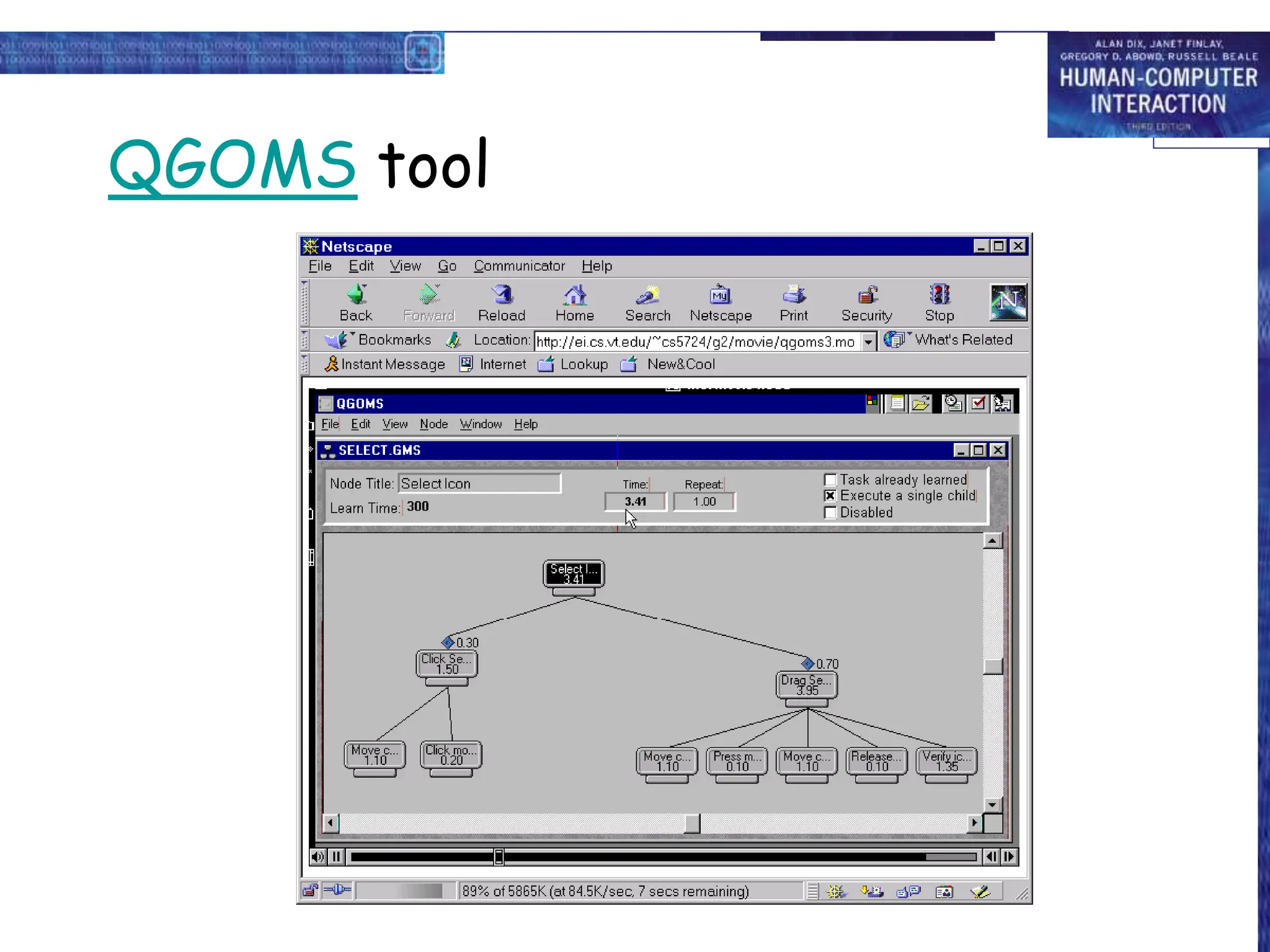
Automated GOMS Tools
• Can save, modify and re-use the model
• Automation of goal hierarchy, method,
selection rule creation
QGOMS tool
Cognitive Complexity Theory
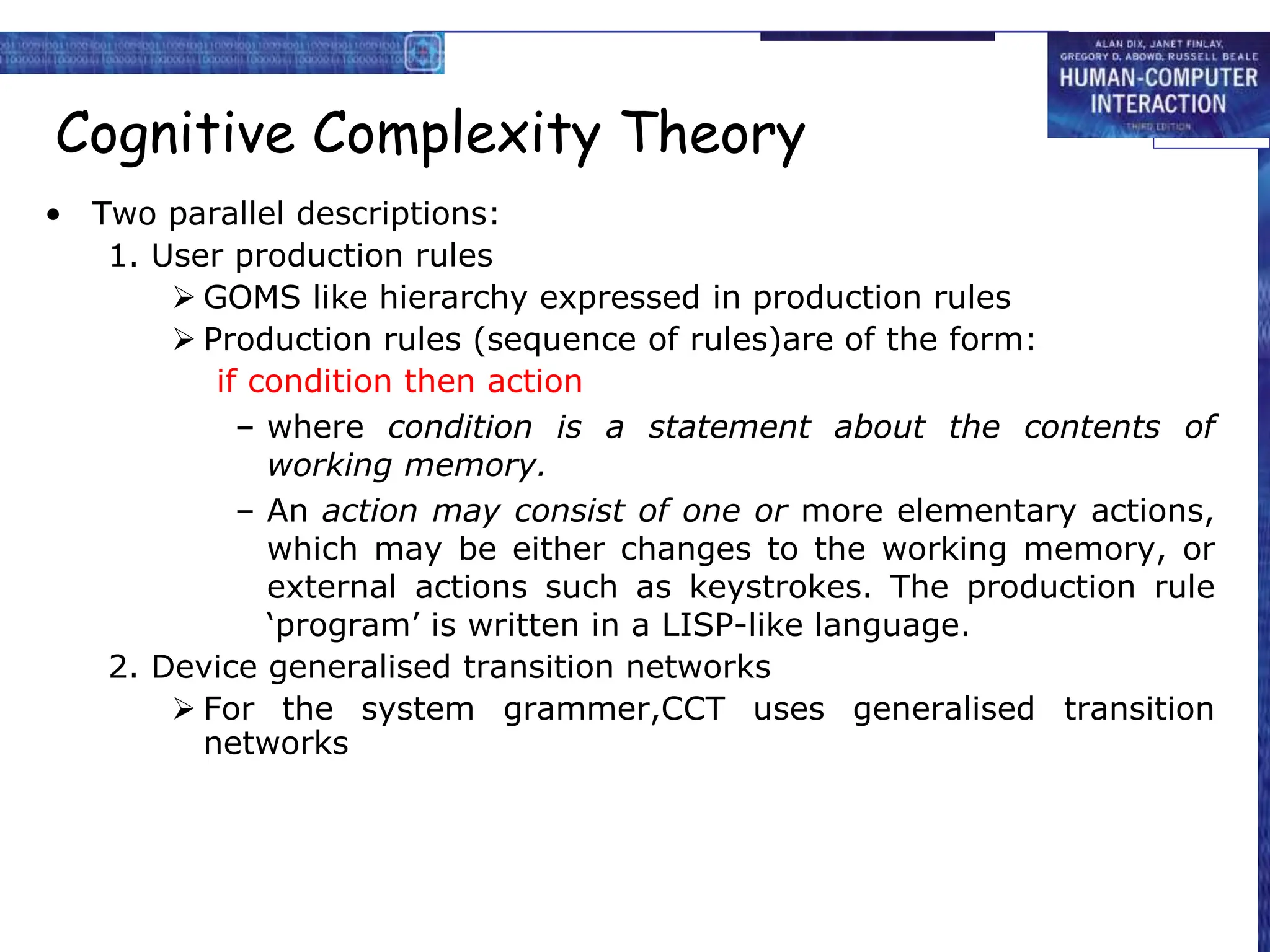
• Two parallel descriptions:
1. User production rules
 GOMS like hierarchy expressed in production rules
 Production rules (sequence of rules)are of the form:
if condition then action
– where condition is a statement about the contents of
working memory.
– An action may consist of one or more elementary actions,
which may be either changes to the working memory, or
external actions such as keystrokes. The production rule
‘program’ is written in a LISP-like language.
2. Device generalised transition networks
 For the system grammer,CCT uses generalised transition
networks
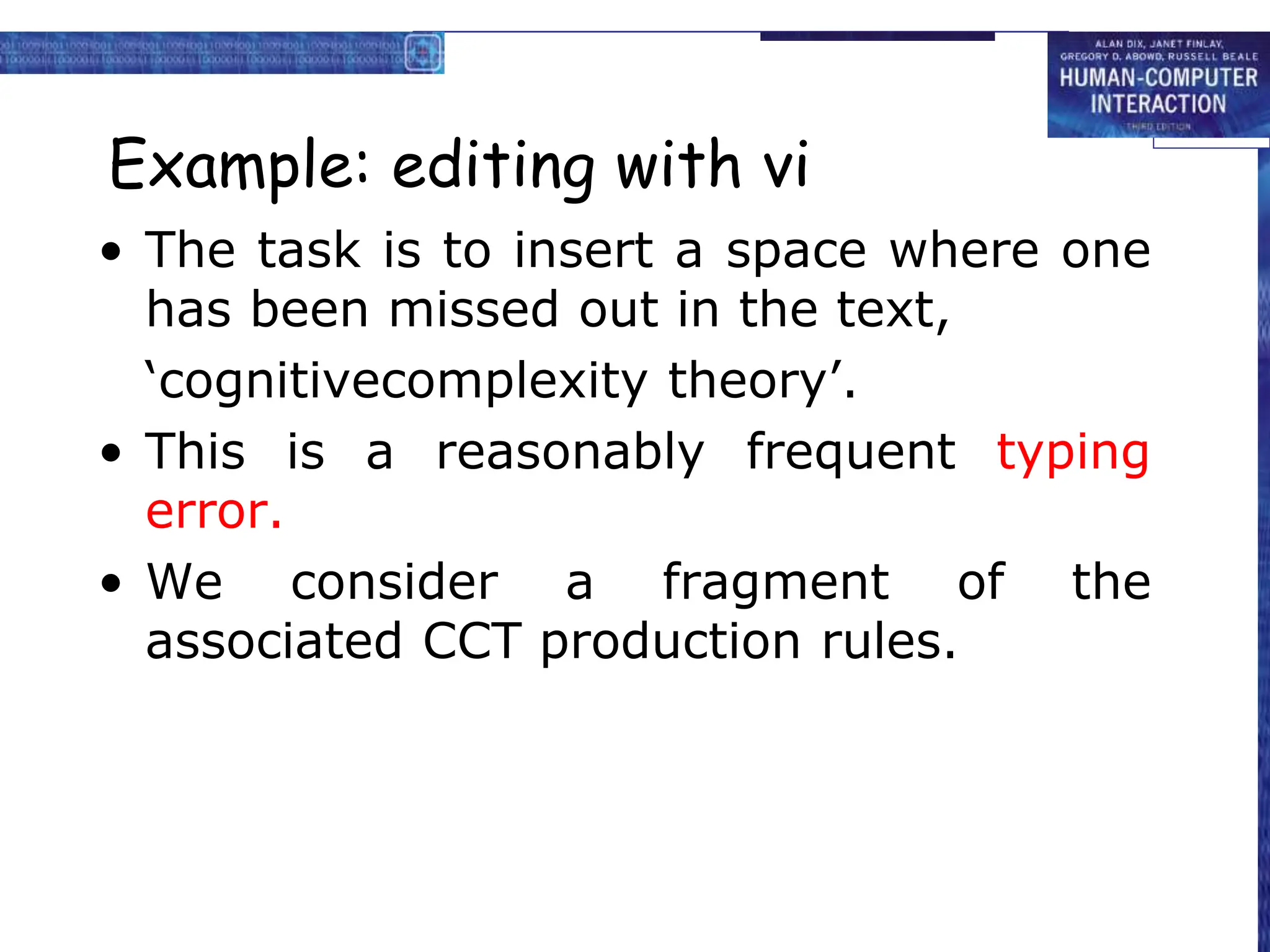
Example: editing with vi
• The task is to insert a space where one
has been missed out in the text,
‘cognitivecomplexity theory’.
• This is a reasonably frequent typing
error.
• We consider a fragment of the
associated CCT production rules.
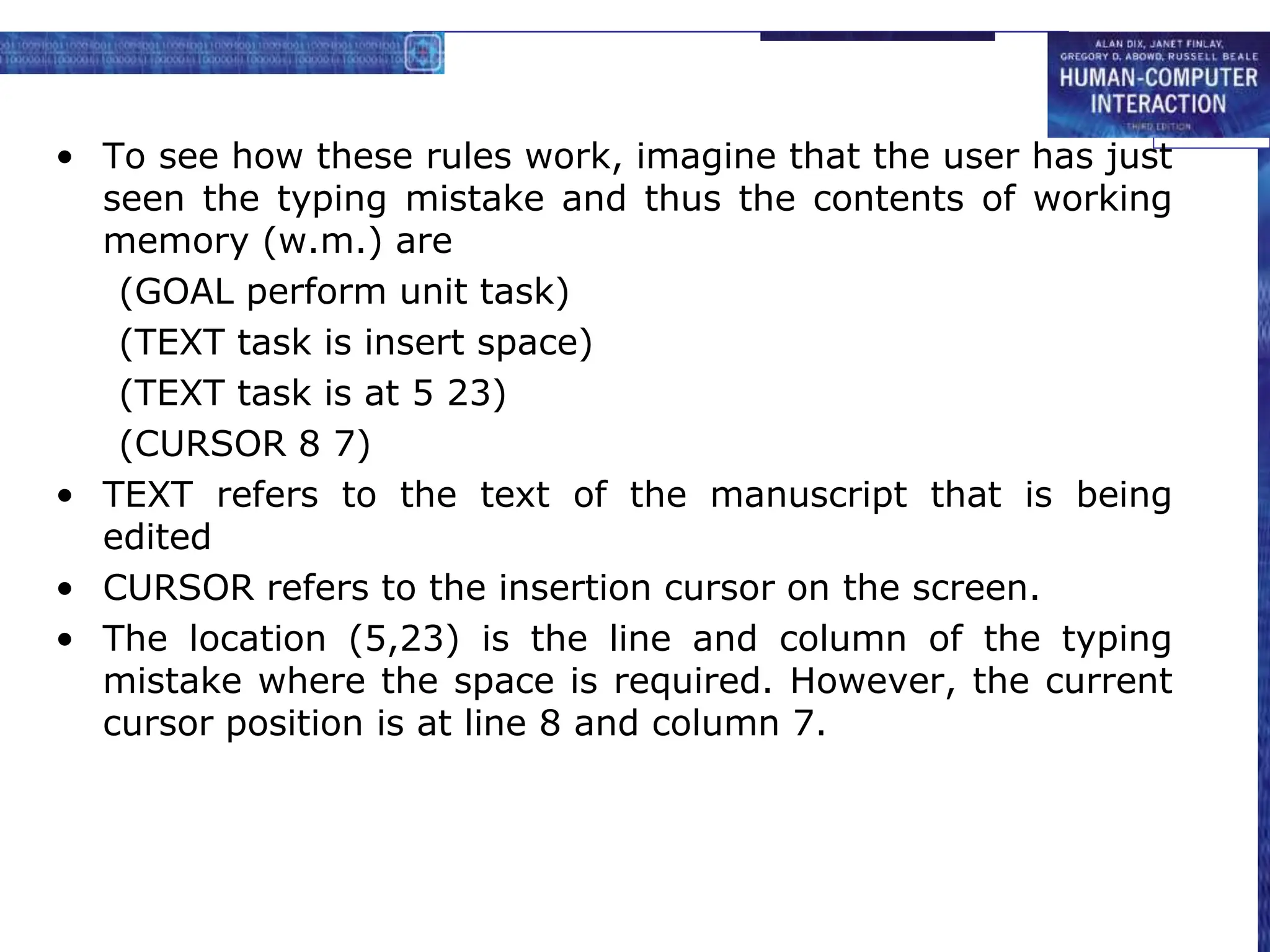
• To see how these rules work, imagine that the user has just
seen the typing mistake and thus the contents of working
memory (w.m.) are
(GOAL perform unit task)
(TEXT task is insert space)
(TEXT task is at 5 23)
(CURSOR 8 7)
• TEXT refers to the text of the manuscript that is being
edited
• CURSOR refers to the insertion cursor on the screen.
• The location (5,23) is the line and column of the typing
mistake where the space is required. However, the current
cursor position is at line 8 and column 7.
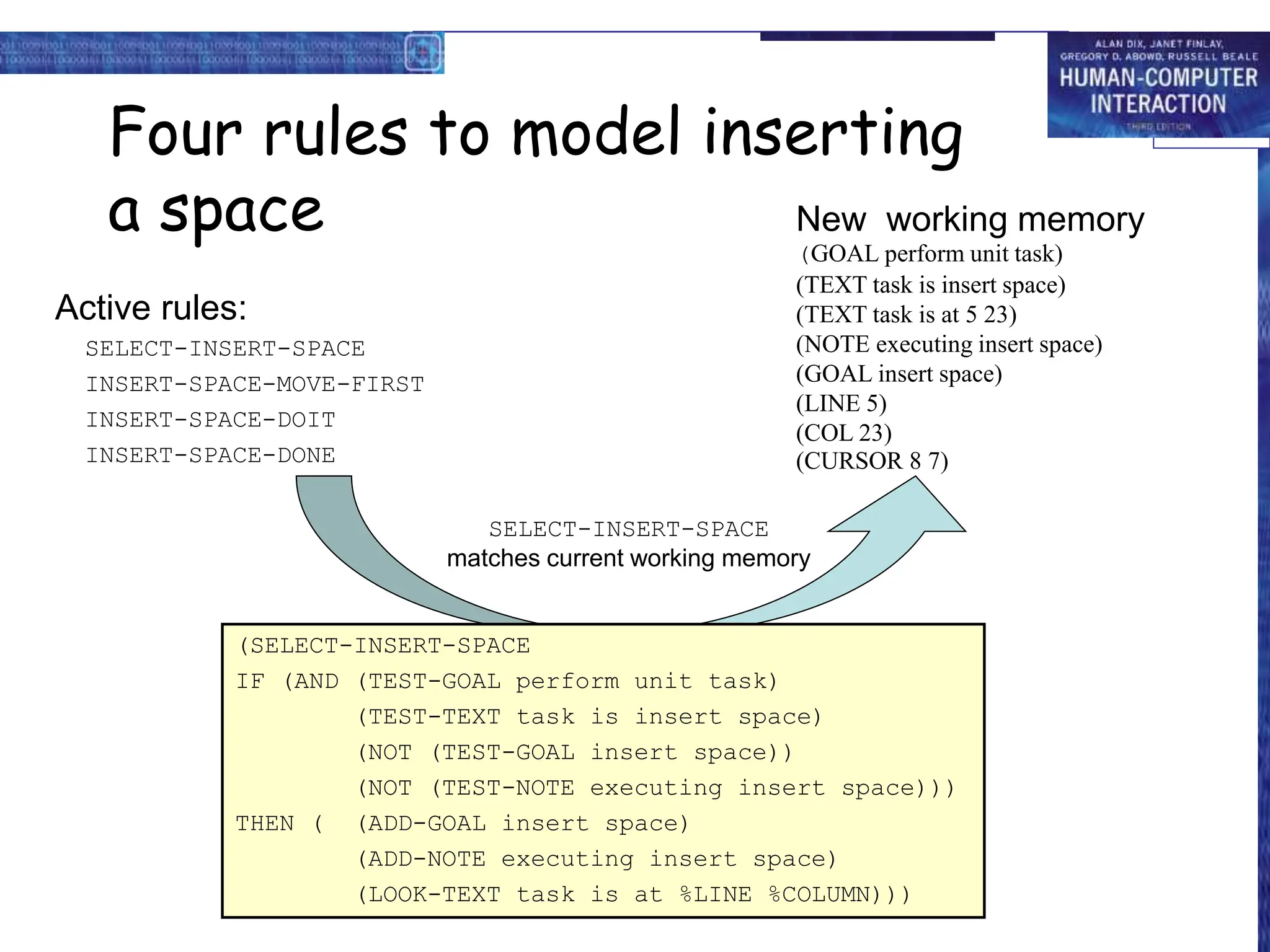
Active rules:
SELECT-INSERT-SPACE
INSERT-SPACE-MOVE-FIRST
INSERT-SPACE-DOIT
INSERT-SPACE-DONE
Four rules to model inserting
a space New working memory
(GOAL perform unit task)
(TEXT task is insert space)
(TEXT task is at 5 23)
(NOTE executing insert space)
(GOAL insert space)
(LINE 5)
(COL 23)
(CURSOR 8 7)
SELECT-INSERT-SPACE
matches current working memory
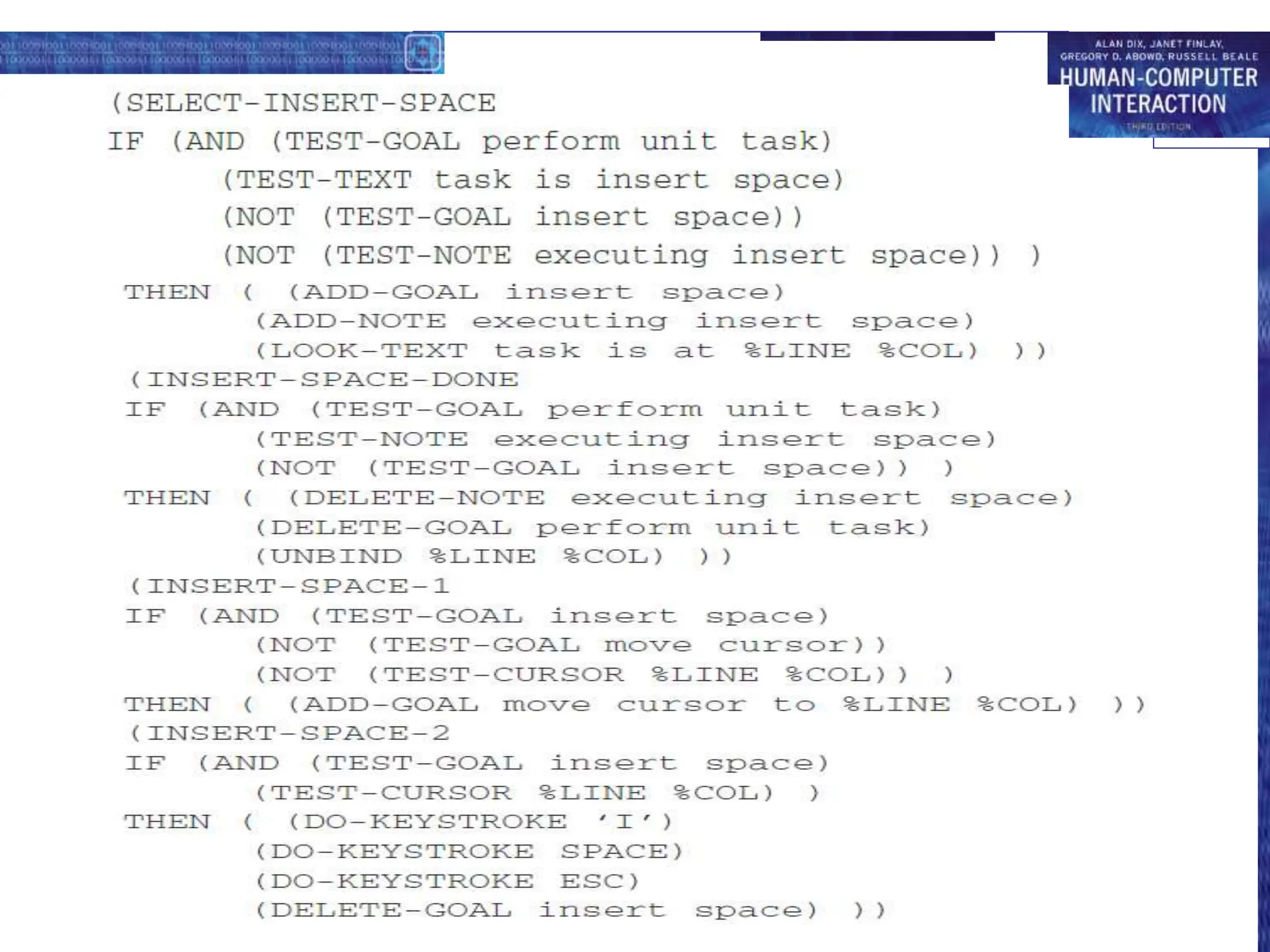
(SELECT-INSERT-SPACE
IF (AND (TEST-GOAL perform unit task)
(TEST-TEXT task is insert space)
(NOT (TEST-GOAL insert space))
(NOT (TEST-NOTE executing insert space)))
THEN ( (ADD-GOAL insert space)
(ADD-NOTE executing insert space)
(LOOK-TEXT task is at %LINE %COLUMN)))
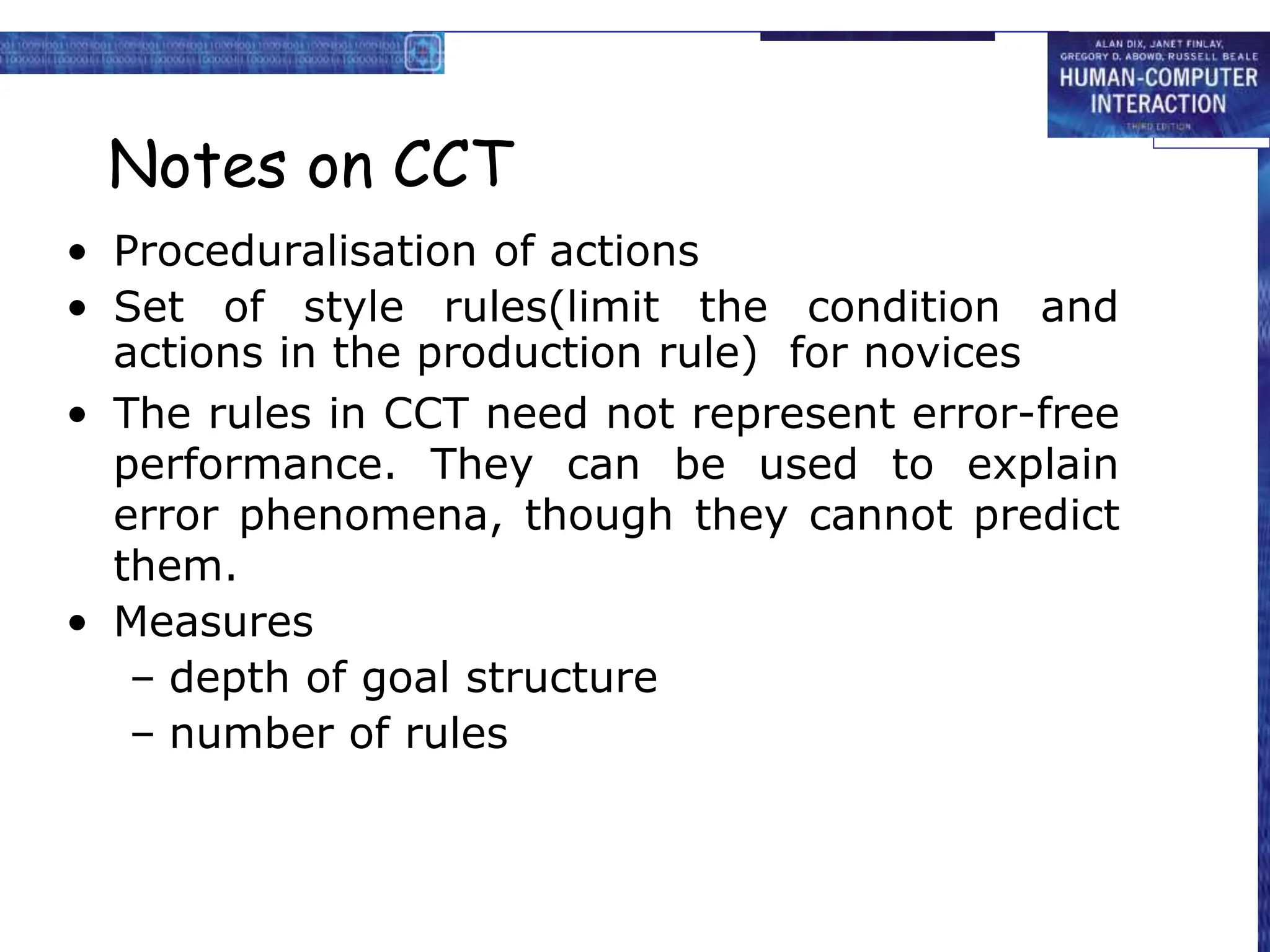
Notes on CCT
• Proceduralisation of actions
• Set of style rules(limit the condition and
actions in the production rule) for novices
• The rules in CCT need not represent error-free
performance. They can be used to explain
error phenomena, though they cannot predict
them.
• Measures
– depth of goal structure
– number of rules
Why CCT?
• CCT analyzed to discuss issues of
proceduralization and error behavior
• Related to GOMS-like goal hierarchies
• Main aim is to be able to measure complexity
of interface
• The more production rules in the CCT
description the more difficult the interface is to
learn
• Problem closure
– No higher level goal should be satisfied until all
subgoals have been satisfied
– Not easy to predict
Linguistic notations
• Understanding the user's behaviour and
cognitive difficulty based on analysis of
language between user and system.
1. Backus–Naur Form (BNF)
2. Task–Action Grammar (TAG)
1. Backus-Naur Form (BNF)
• BNF has been used widely to specify the syntax of computer
programming languages
• A purely syntactic view of the dialogue
The names in the description are of two types
• Terminals
– lowest level of user behaviour
– such as pressing a key, clicking a mouse button or
moving the mouse.
• Nonterminals
– higher level of abstraction
– e.g. select-menu, position-mouse
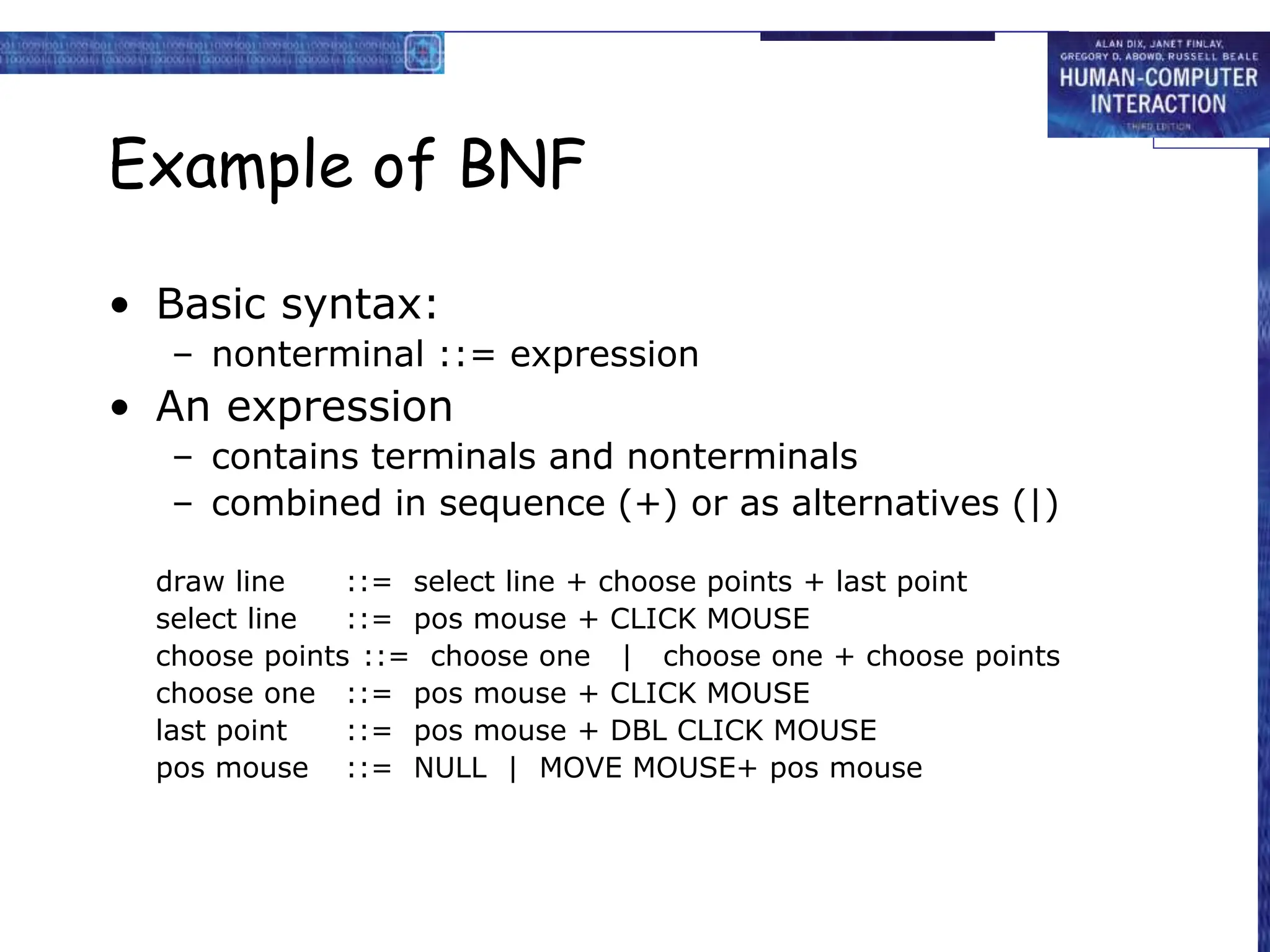
Example of BNF
• Basic syntax:
– nonterminal ::= expression
• An expression
– contains terminals and nonterminals
– combined in sequence (+) or as alternatives (|)
draw line ::= select line + choose points + last point
select line ::= pos mouse + CLICK MOUSE
choose points ::= choose one | choose one + choose points
choose one ::= pos mouse + CLICK MOUSE
last point ::= pos mouse + DBL CLICK MOUSE
pos mouse ::= NULL | MOVE MOUSE+ pos mouse
Measurements with BNF
• The BNF description of an interface can be analyzed in
various ways.
– count the number of rules
– counts the number of ‘+’ and ‘|’ operators
• Complications
– same syntax for different semantic
– not the user’s perception of the system’s responses
– minimal consistency checking
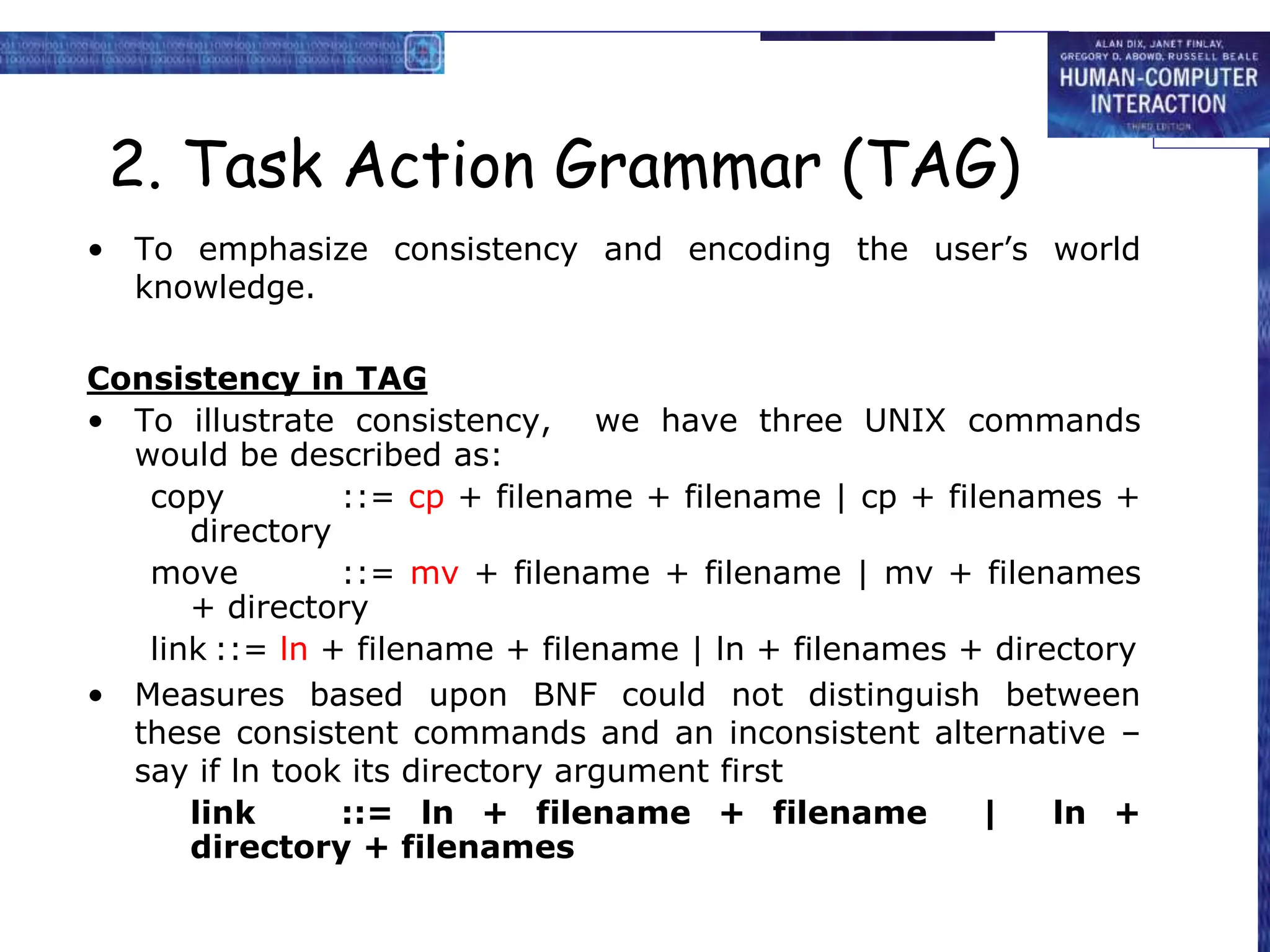
2. Task Action Grammar (TAG)
• To emphasize consistency and encoding the user’s world
knowledge.
Consistency in TAG
• To illustrate consistency, we have three UNIX commands
would be described as:
copy ::= cp + filename + filename | cp + filenames +
directory
move ::= mv + filename + filename | mv + filenames
+ directory
link ::= ln + filename + filename | ln + filenames + directory
• Measures based upon BNF could not distinguish between
these consistent commands and an inconsistent alternative –
say if ln took its directory argument first
link ::= ln + filename + filename | ln +
directory + filenames
Consistency in TAG (cont'd)
• consistency of argument order made explicit using
a parameter, or semantic feature for file
operations
• Feature Possible values
Op = copy; move; link
• Rules
file-op[Op] ::= command[Op] + filename + filename
| command[Op] + filenames + directory
command[Op = copy] ::= cp
command[Op = move] ::= mv
command[Op = link] ::= ln
Other uses of TAG
• User’s existing knowledge
• Congruence between features and
commands
• These are modelled as derived rules
Physical and device models
• KLM (Keystroke-Level Model ) uses the understanding
as a basis for detailed predictions about user
performance.
• It is aimed at unit tasks within interaction – the
execution of simple command sequences, typically
taking no more than 20 seconds. Examples of this
would be using a search and replace feature, or
changing the font of a word.
• KLM is related to the GOMS model. More complex tasks
would be split into subtasks (as in GOMS) before the
user attempts to map them into physical actions. The
task is split into two phases:
– acquisition of the task(how to accomplish the
task), when the user builds a mental representation
of the task;
– execution of the task(user is effectively expert)
using the system’s facilities.
• The model decomposes the execution phase into five different
physical motor operators, a mental operator and a system
response operator:
– K Keystroking, actually striking keys, including shifts and
other modifier keys.
– B Pressing a mouse button.
– P Pointing, moving the mouse (or similar device) at a
target.
– H Homing, switching the hand between mouse and
keyboard.
– D Drawing lines using the mouse.
– M Mentally preparing for a physical action.
– R System response which may be ignored if the user does
not have to wait for it, as in copy typing.
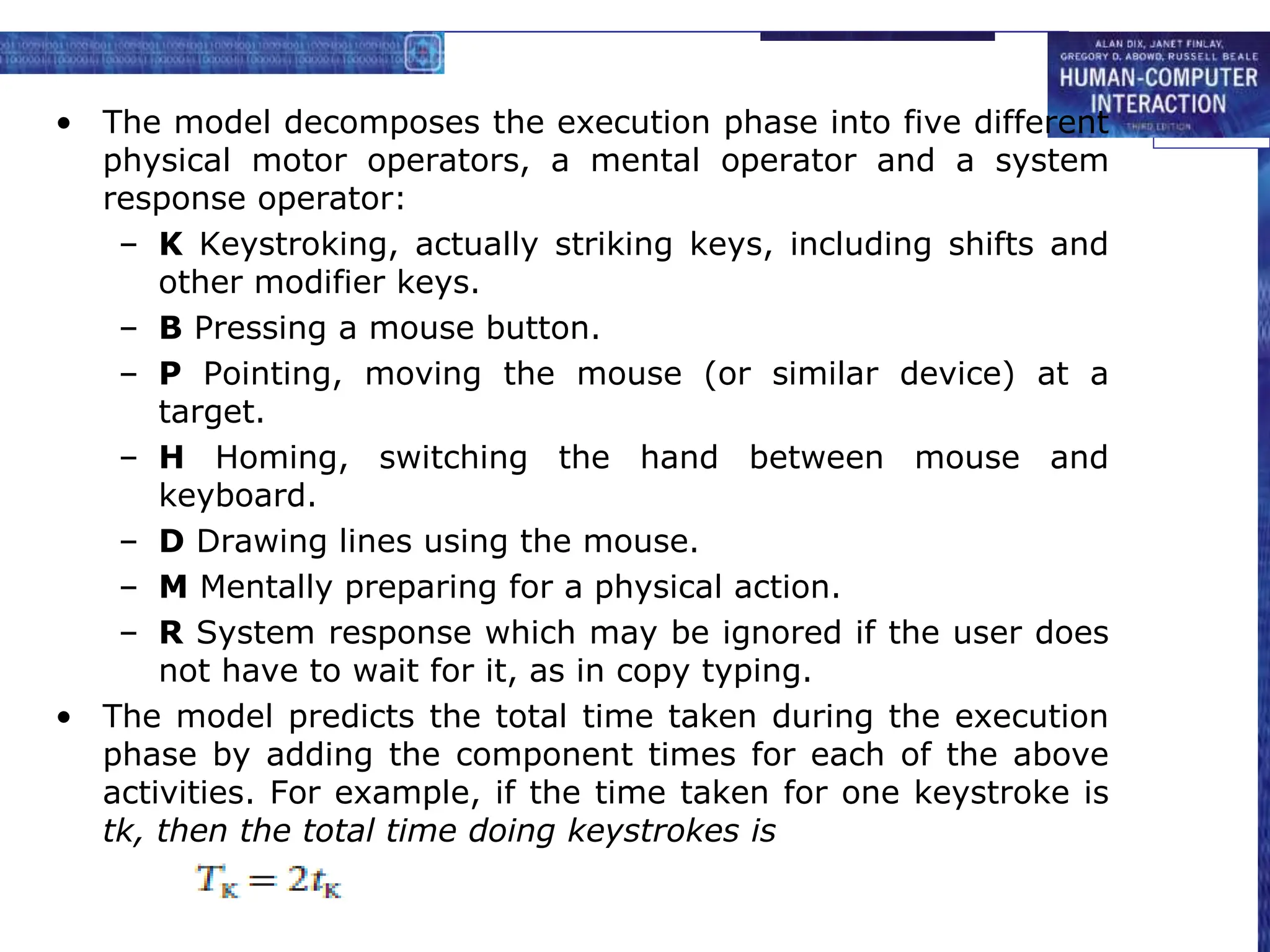
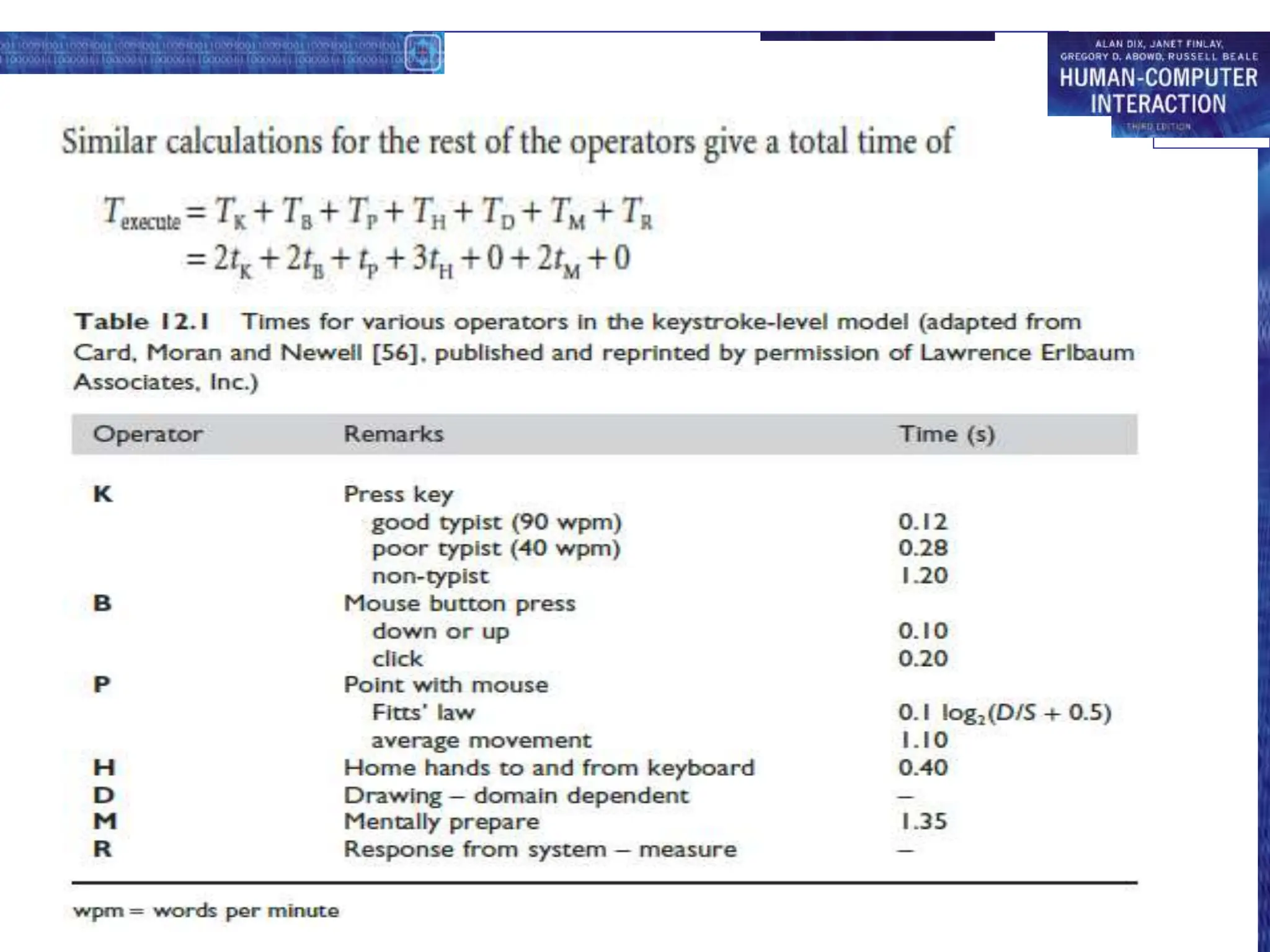
• The model predicts the total time taken during the execution
phase by adding the component times for each of the above
activities. For example, if the time taken for one keystroke is
tk, then the total time doing keystrokes is
KLM example
GOAL: ICONISE-WINDOW
[select
GOAL: USE-CLOSE-METHOD
. MOVE-MOUSE-TO- FILE-MENU
. PULL-DOWN-FILE-MENU
. CLICK-OVER-CLOSE-OPTION
GOAL: USE-CTRL-W-METHOD
PRESS-CONTROL-W-KEY]
• compare alternatives:
• USE-CTRL-W-METHOD vs.
• USE-CLOSE-METHOD
• assume hand starts on mouse
USE-CLOSE-METHOD
P[to menu] 1.1
B[LEFT down] 0.1
M 1.35
P[to option] 1.1
B[LEFT up] 0.1
Total 3.75 s
USE-CTRL-W-METHOD
H[to kbd] 0.40
M 1.35
K[ctrlW key] 0.28
Total 2.03 s
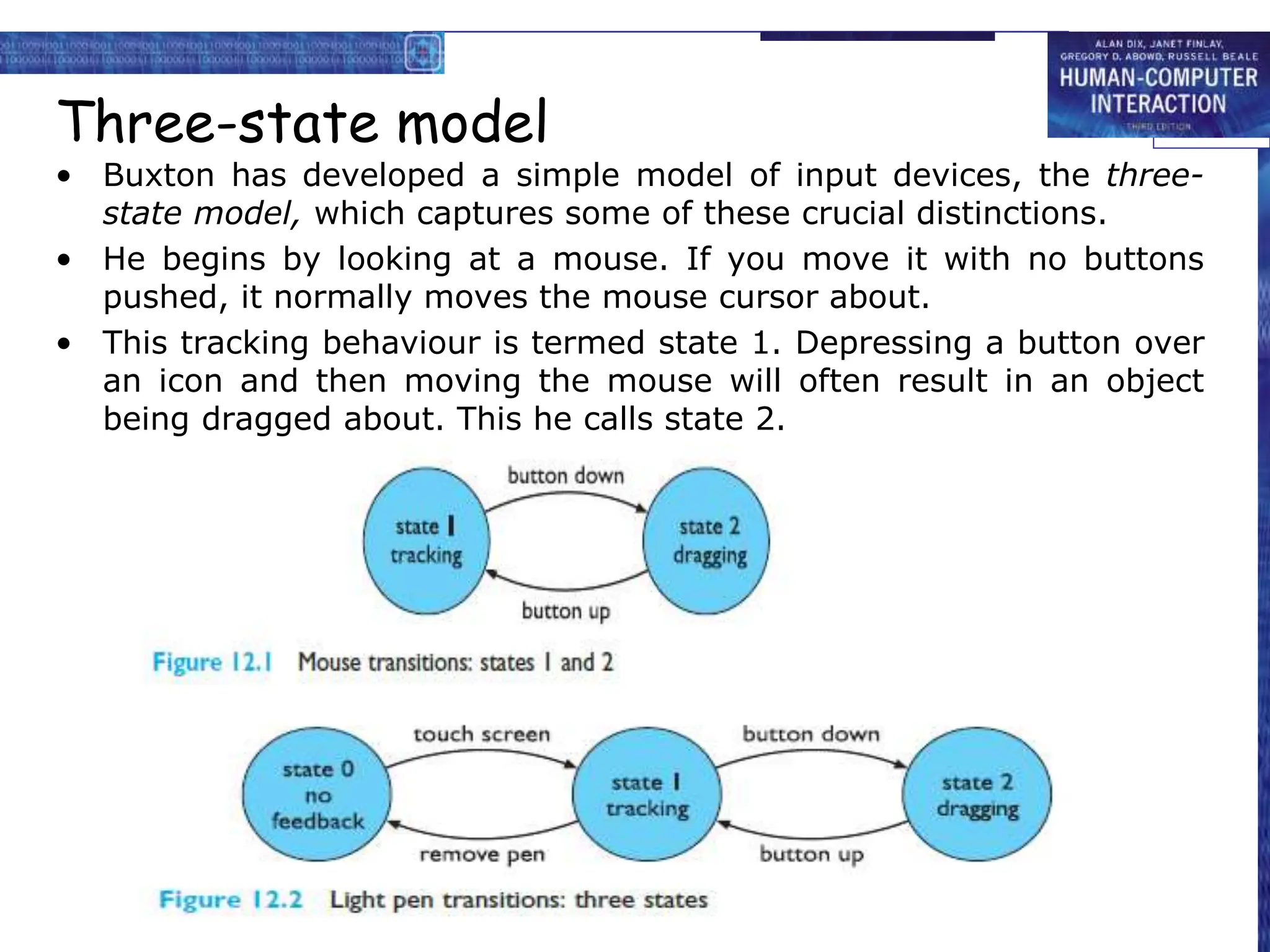
Three-state model
• Buxton has developed a simple model of input devices, the three-
state model, which captures some of these crucial distinctions.
• He begins by looking at a mouse. If you move it with no buttons
pushed, it normally moves the mouse cursor about.
• This tracking behaviour is termed state 1. Depressing a button over
an icon and then moving the mouse will often result in an object
being dragged about. This he calls state 2.

human computer Interaction cognitive models.ppt

  • 1.
  • 2.
    Overview Cognitive models representusers of interactive systems.  Hierarchical models - represent a user’s task and goal structure.  Linguistic models- represent the user–system grammar.  Physical and device models - represent human motor skills.
  • 3.
    Cognitive models  Theymodel some aspects of the user’s: i. understanding ii. knowledge iii. intentions iv. processing  To classify the model: – Competence vs. Performance  Competence models can predict legal behaviour sequences  Performance models describe what the user needs to know and how this is employed in actual task execution
  • 4.
    Goal and taskhierarchies  Many models make use of a model of mental processing in which the user achieves goals by solving sub goals in a divide-and-conquer fashion.  We will consider two models, GOMS(Goals, Operators, Methods and Selection )and CCT (Cognitive Complexity Theory) , where this is a central feature.
  • 5.
    Example: Sales ofintroductory HCI textbooks • Mental processing as divide-and-conquer • Example: sales report produce report gather data . find book names . . do keywords search of names database . . . … further sub-goals . . sift through names and abstracts by hand . . . … further sub-goals . search sales database - further sub-goals layout tables and histograms - further sub-goals write description - further sub-goals
  • 6.
    Issues for goalhierarchies • Granularity – Where do we start? – Where do we stop? • Conflict – More than one way to achieve a goal • Error
  • 7.
    Techniques • Goals, Operators,Methods and Selection (GOMS) • Cognitive Complexity Theory (CCT) • Hierarchical Task Analysis (HTA)
  • 8.
    GOMS Goals – what theuser wants to achieve Operators – basic actions user performs Methods – decomposition of a goal into subgoals/operators Selection – means of choosing between competing methods
  • 9.
    GOMS example GOAL: CLOSE-WINDOW .[select GOAL: USE-MENU-METHOD . MOVE-MOUSE-TO-FILE-MENU . PULL-DOWN-FILE-MENU . CLICK-OVER-CLOSE-OPTION GOAL: USE-CTRL-W-METHOD . PRESS-CONTROL-W-KEYS] For a particular user: Rule 1: Select USE-MENU-METHOD unless another rule applies Rule 2: If the application is GAME, select CTRL-W-METHOD
  • 10.
    How to doGOMS Analysis • Generate task description – pick high-level user Goal – write Method for accomplishing Goal - may invoke subgoals – write Methods for subgoals • this is recursive • stops when Operators are reached • Evaluate description of task • Apply results to UI • Iterate!
  • 11.
    Example - DOS •Goal: Delete a File • Method for accomplishing goal of deleting a file – retrieve from Long term memory that command verb is “del” – think of directory name & file name and make it the first listed parameter – accomplish goal of entering & executing command – return with goal accomplished
  • 12.
    Example - Mac •Goal: Delete a File • Method for accomplishing goal of deleting a file – find file icon – accomplish goal of dragging file to trash – Return with goal accomplished
  • 13.
    Advantages of GOMS •Gives qualitative & quantitative measures • Model explains the results • Less work than user study • Easy to modify when UI is revised
  • 14.
    Disadvantages of GOMS •Takes lots of time, skill, & effort • Only works for goal-directed tasks • Assumes tasks performed by experts without error • Does not address several UI issues, – readability, memorizability of icons, commands
  • 15.
    Automated GOMS Tools •Can save, modify and re-use the model • Automation of goal hierarchy, method, selection rule creation
  • 16.
  • 20.
    Cognitive Complexity Theory •Two parallel descriptions: 1. User production rules  GOMS like hierarchy expressed in production rules  Production rules (sequence of rules)are of the form: if condition then action – where condition is a statement about the contents of working memory. – An action may consist of one or more elementary actions, which may be either changes to the working memory, or external actions such as keystrokes. The production rule ‘program’ is written in a LISP-like language. 2. Device generalised transition networks  For the system grammer,CCT uses generalised transition networks
  • 21.
    Example: editing withvi • The task is to insert a space where one has been missed out in the text, ‘cognitivecomplexity theory’. • This is a reasonably frequent typing error. • We consider a fragment of the associated CCT production rules.
  • 23.
    • To seehow these rules work, imagine that the user has just seen the typing mistake and thus the contents of working memory (w.m.) are (GOAL perform unit task) (TEXT task is insert space) (TEXT task is at 5 23) (CURSOR 8 7) • TEXT refers to the text of the manuscript that is being edited • CURSOR refers to the insertion cursor on the screen. • The location (5,23) is the line and column of the typing mistake where the space is required. However, the current cursor position is at line 8 and column 7.
  • 24.
    Active rules: SELECT-INSERT-SPACE INSERT-SPACE-MOVE-FIRST INSERT-SPACE-DOIT INSERT-SPACE-DONE Four rulesto model inserting a space New working memory (GOAL perform unit task) (TEXT task is insert space) (TEXT task is at 5 23) (NOTE executing insert space) (GOAL insert space) (LINE 5) (COL 23) (CURSOR 8 7) SELECT-INSERT-SPACE matches current working memory (SELECT-INSERT-SPACE IF (AND (TEST-GOAL perform unit task) (TEST-TEXT task is insert space) (NOT (TEST-GOAL insert space)) (NOT (TEST-NOTE executing insert space))) THEN ( (ADD-GOAL insert space) (ADD-NOTE executing insert space) (LOOK-TEXT task is at %LINE %COLUMN)))
  • 25.
    Notes on CCT •Proceduralisation of actions • Set of style rules(limit the condition and actions in the production rule) for novices • The rules in CCT need not represent error-free performance. They can be used to explain error phenomena, though they cannot predict them. • Measures – depth of goal structure – number of rules
  • 26.
    Why CCT? • CCTanalyzed to discuss issues of proceduralization and error behavior • Related to GOMS-like goal hierarchies • Main aim is to be able to measure complexity of interface • The more production rules in the CCT description the more difficult the interface is to learn • Problem closure – No higher level goal should be satisfied until all subgoals have been satisfied – Not easy to predict
  • 27.
    Linguistic notations • Understandingthe user's behaviour and cognitive difficulty based on analysis of language between user and system. 1. Backus–Naur Form (BNF) 2. Task–Action Grammar (TAG)
  • 28.
    1. Backus-Naur Form(BNF) • BNF has been used widely to specify the syntax of computer programming languages • A purely syntactic view of the dialogue The names in the description are of two types • Terminals – lowest level of user behaviour – such as pressing a key, clicking a mouse button or moving the mouse. • Nonterminals – higher level of abstraction – e.g. select-menu, position-mouse
  • 29.
    Example of BNF •Basic syntax: – nonterminal ::= expression • An expression – contains terminals and nonterminals – combined in sequence (+) or as alternatives (|) draw line ::= select line + choose points + last point select line ::= pos mouse + CLICK MOUSE choose points ::= choose one | choose one + choose points choose one ::= pos mouse + CLICK MOUSE last point ::= pos mouse + DBL CLICK MOUSE pos mouse ::= NULL | MOVE MOUSE+ pos mouse
  • 30.
    Measurements with BNF •The BNF description of an interface can be analyzed in various ways. – count the number of rules – counts the number of ‘+’ and ‘|’ operators • Complications – same syntax for different semantic – not the user’s perception of the system’s responses – minimal consistency checking
  • 31.
    2. Task ActionGrammar (TAG) • To emphasize consistency and encoding the user’s world knowledge. Consistency in TAG • To illustrate consistency, we have three UNIX commands would be described as: copy ::= cp + filename + filename | cp + filenames + directory move ::= mv + filename + filename | mv + filenames + directory link ::= ln + filename + filename | ln + filenames + directory • Measures based upon BNF could not distinguish between these consistent commands and an inconsistent alternative – say if ln took its directory argument first link ::= ln + filename + filename | ln + directory + filenames
  • 32.
    Consistency in TAG(cont'd) • consistency of argument order made explicit using a parameter, or semantic feature for file operations • Feature Possible values Op = copy; move; link • Rules file-op[Op] ::= command[Op] + filename + filename | command[Op] + filenames + directory command[Op = copy] ::= cp command[Op = move] ::= mv command[Op = link] ::= ln
  • 33.
    Other uses ofTAG • User’s existing knowledge • Congruence between features and commands • These are modelled as derived rules
  • 34.
    Physical and devicemodels • KLM (Keystroke-Level Model ) uses the understanding as a basis for detailed predictions about user performance. • It is aimed at unit tasks within interaction – the execution of simple command sequences, typically taking no more than 20 seconds. Examples of this would be using a search and replace feature, or changing the font of a word. • KLM is related to the GOMS model. More complex tasks would be split into subtasks (as in GOMS) before the user attempts to map them into physical actions. The task is split into two phases: – acquisition of the task(how to accomplish the task), when the user builds a mental representation of the task; – execution of the task(user is effectively expert) using the system’s facilities.
  • 35.
    • The modeldecomposes the execution phase into five different physical motor operators, a mental operator and a system response operator: – K Keystroking, actually striking keys, including shifts and other modifier keys. – B Pressing a mouse button. – P Pointing, moving the mouse (or similar device) at a target. – H Homing, switching the hand between mouse and keyboard. – D Drawing lines using the mouse. – M Mentally preparing for a physical action. – R System response which may be ignored if the user does not have to wait for it, as in copy typing. • The model predicts the total time taken during the execution phase by adding the component times for each of the above activities. For example, if the time taken for one keystroke is tk, then the total time doing keystrokes is
  • 37.
    KLM example GOAL: ICONISE-WINDOW [select GOAL:USE-CLOSE-METHOD . MOVE-MOUSE-TO- FILE-MENU . PULL-DOWN-FILE-MENU . CLICK-OVER-CLOSE-OPTION GOAL: USE-CTRL-W-METHOD PRESS-CONTROL-W-KEY] • compare alternatives: • USE-CTRL-W-METHOD vs. • USE-CLOSE-METHOD • assume hand starts on mouse USE-CLOSE-METHOD P[to menu] 1.1 B[LEFT down] 0.1 M 1.35 P[to option] 1.1 B[LEFT up] 0.1 Total 3.75 s USE-CTRL-W-METHOD H[to kbd] 0.40 M 1.35 K[ctrlW key] 0.28 Total 2.03 s
  • 40.
    Three-state model • Buxtonhas developed a simple model of input devices, the three- state model, which captures some of these crucial distinctions. • He begins by looking at a mouse. If you move it with no buttons pushed, it normally moves the mouse cursor about. • This tracking behaviour is termed state 1. Depressing a button over an icon and then moving the mouse will often result in an object being dragged about. This he calls state 2.