Every step you take…
We’ll be watching you.
www.workcomms.com
Welcome
Se s s i o n 1

Measuring Campaign Performance
Anna Steele
Media Solutions & Insights Director
Work Communications
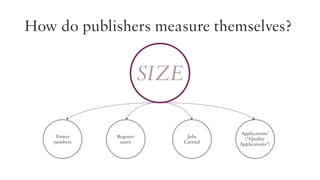
How do publishers measure themselves?

SIZE
Visitor
numbers

Register
users

Jobs
Carried

Applications’
(“Quality
Applications”)
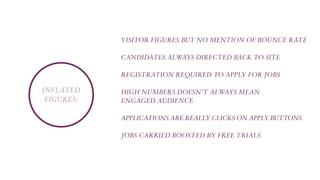
Visitor figures but no mention of bounce rate
CandidateS always directed back to site
Registration required to apply for jobs

Inflated
figures:

High numbers doesn’t always mean
engaged audience
Applications are really clicks on Apply buttons
Jobs carried boosted by free trials
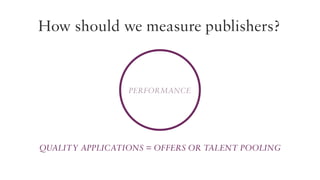
How should we measure publishers?

Performance

Quality applications = offers or talent pooling
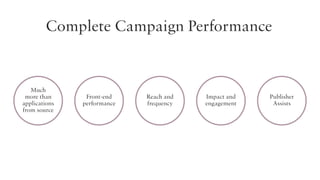
Complete Campaign Performance

Much
more than
applications
from source

Front-end
performance

Reach and
frequency

Impact and
engagement

Publisher
Assists
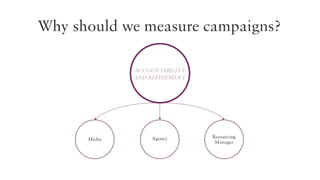
Why should we measure campaigns?
ACCOUNTABILITY
And refinement

Media

Agency

Resourcing
Manager
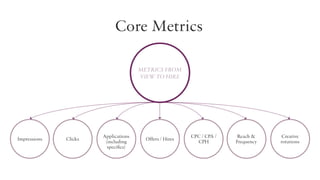
Core Metrics
Metrics from
view to hire

Impressions

Clicks

Applications
(including
specifics)

Offers / Hires

CPC / CPA /
CPH

Reach &
Frequency

Creative
rotations
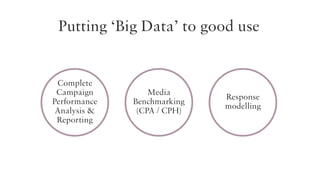
Putting ‘Big Data’ to good use

Complete
Campaign
Performance
Analysis &
Reporting

Media
Benchmarking
(CPA / CPH)

Response
modelling
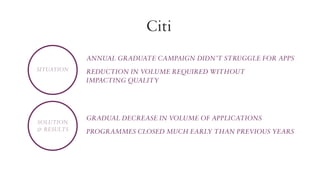
Citi
Annual graduate campaign didn’t struggle for apps
Situation

Solution
& Results

reduction in volume required without
impacting quality

Gradual decrease in volume of applications
Programmes closed much early than previous years
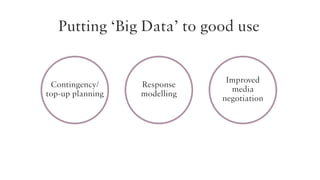
Putting ‘Big Data’ to good use

Contingency/
top-up planning

Response
modelling

Improved
media
negotiation
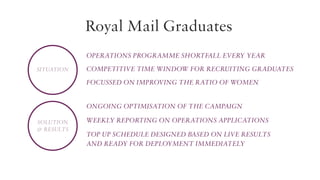
Royal Mail Graduates
Operations programme shortfall every year
Situation

Competitive time window for recruiting graduates
Focussed on improving the ratio of women
Ongoing optimisation of the campaign

Solution
& Results

Weekly reporting on Operations applications
Top up schedule designed based on live results
and ready for deployment immediately
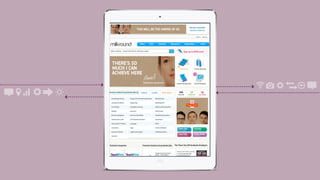
Web Banners
THIS WILL BE THE MAKING OF US

THERE’S SO
MUCH I CAN
ACHIEVE HERE
Operations graduate

Graduate Campaign | Graduates 2012/13
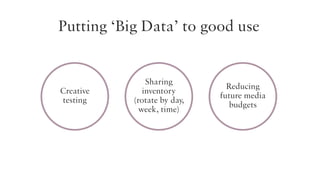
Putting ‘Big Data’ to good use

Creative
testing

Sharing
inventory
(rotate by day,
week, time)

Reducing
future media
budgets
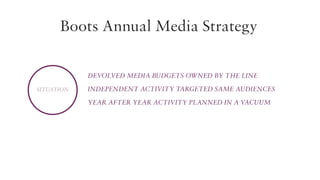
Boots Annual Media Strategy
Devolved media budgets owned by the line
Situation

Independent activity targeted same audiences
Year after year activity planned in a vacuum
3 month trial campaigns which were tracked
UDP enabled accurate business reporting
campaigns mapped according to requirements
Solution
& Results

Inventory negotiated according to success
and volume
Creative executions rotated between areas of
the business
Reduction of 45% on annual media spend
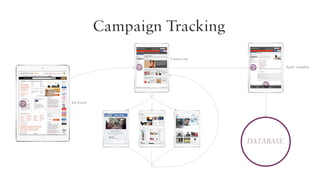
Campaign Tracking
Careers site
Apply complete

Web Banners

Job board

Graduate Campaign | Graduates 2012/13

Database
Any Questions?
Se s s i o n 2

Informed decisions
Ge t t i n g to k n ow yo u r d i g i ta l a u d i e n c e w i t h we b a na ly t i c s
Scott McGougan
Digital Director
Work Communications
Your talent shop window

Your careers website is your shop window
to the world – why wouldn’t you want to
monitor what’s selling your business?
The importance of your careers
section and measuring it...

You can’t
improve what
you don’t
measure
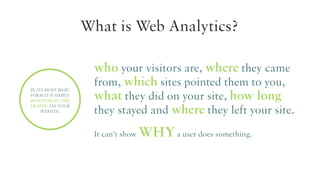
What is Web Analytics?

In its most basic
form it is simply
monitoring the
traffic on your
website.

who your visitors are, where they came
from, which sites pointed them to you,
what they did on your site, how long
they stayed and where they left your site.
It can’t show

WHY a user does something.
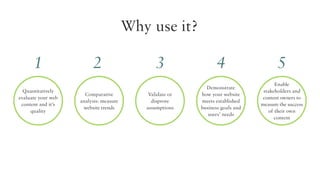
Why use it?

1
Quantitatively
evaluate your web
content and it’s
quality

2
Comparative
analysis: measure
website trends

3
Validate or
disprove
assumptions

4

5

Demonstrate
how your website
meets established
business goals and
users’ needs

Enable
stakeholders and
content owners to
measure the success
of their own
content
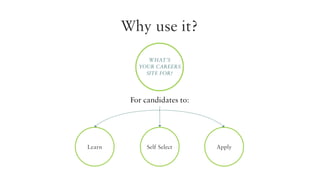
Why use it?
What’s
youR careers
site for?

For candidates to:

Learn

Self Select

Apply
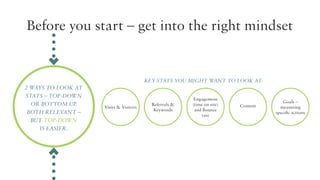
Before you start – get into the right mindset

Key stats you might want to look at:

2 ways to look at
stats – top-down
or bottom up.
Both relevant –
but top-down
is easier.

Visits & Visitors

Referrals &
Keywords

Engagement
(time on site)
and Bounce
rate

Content

Goals –
measuring
specific actions
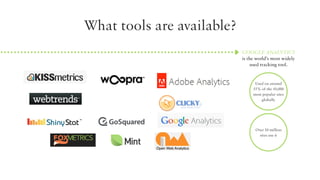
What tools are available?
Google Analytics
is the world’s most widely
used tracking tool.

Used on around
55% of the 10,000
most popular sites
globally

Over 10 million
sites use it
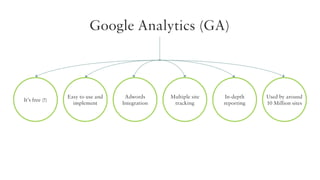
Google Analytics (GA)

What’s good about GA?
Google Analytics (GA)

It’s free (!)

Easy to use and
implement

Adwords
Integration

Multiple site
tracking

In-depth
reporting

Used by around
10 Million sites
Google Analytics (GA)

?
What you might want to consider?
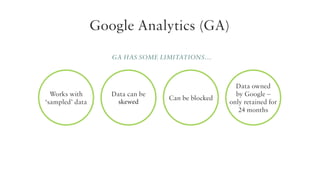
Google Analytics (GA)
GA has some limitations…

Works with
‘sampled’ data

Data can be
skewed

Can be blocked

Data owned
by Google –
only retained for
24 months
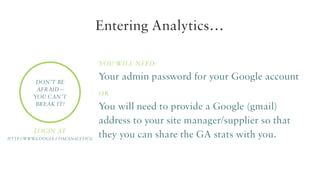
Entering Analytics…
You will need:
Don’t be
afraid –
you can’t
break it!

Login at
http://www
.google.com/analytics/

Your admin password for your Google account
or

You will need to provide a Google (gmail)
address to your site manager/supplier so that
they you can share the GA stats with you.
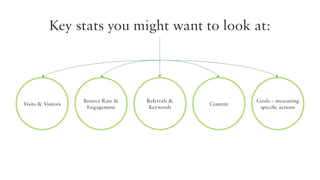
Key stats you might want to look at:

Visits & Visitors

Bounce Rate &
Engagement

Referrals &
Keywords

Content

Goals – measuring
specific actions
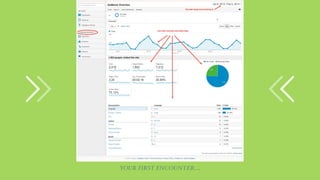
Your first encounter…
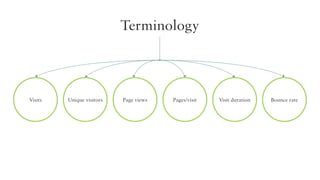
Terminology

Visits

Unique visitors

Page views

Pages/visit

Visit duration

Bounce rate
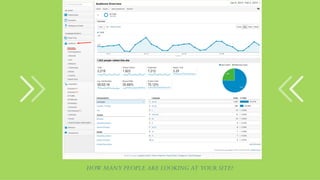
How many people are looking at your site?
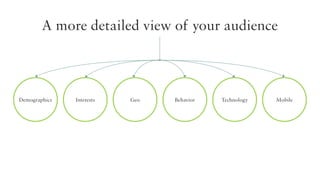
A more detailed view of your audience

Demographics

Interests

Geo

Behavior

Technology

Mobile
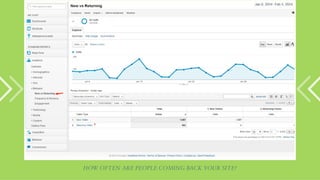
How often are people coming back your site?
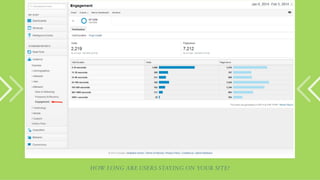
How long are users staying on your site?
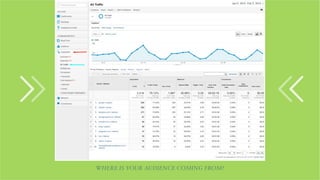
Where is your audience coming from?
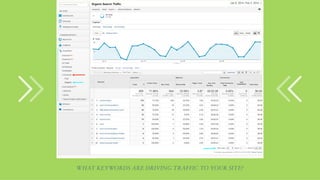
What keywords are driving traffic to your site?
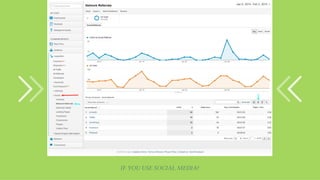
If you use Social Media?
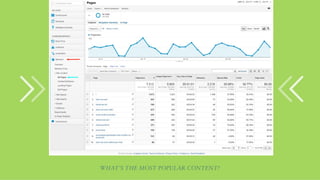
What’s the most popular content?
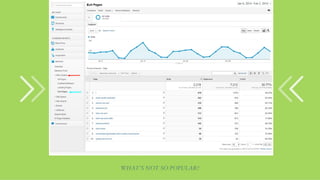
What’s not so popular?
Setting Goals
Goals are a way to measure how well your site
fulfils your target objectives. You can set up
individual Goals to track discrete actions such as
clicks on a certain page from other pages – or even
the amount of time spent on a particular screen.
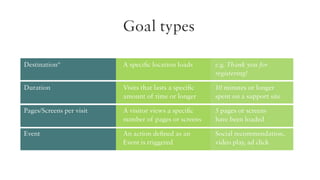
Goal types
Destination*	
A specific location loads	
e.g. Thank you for 					
		registering!
Duration	
	

Visits that lasts a specific 	
amount of time or longer	

10 minutes or longer
spent on a support site

Pages/Screens per visit	
	

A visitor views a specific 	
number of pages or screens	

5 pages or screens
have been loaded

Event	
	

An action defined as an	
Event is triggered	

Social recommendation,
video play, ad click
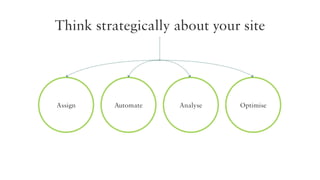
Think strategically about your site

Assign

Automate

Analyse

Optimise
Conclusion
Web analytics give you a picture of how users are interacting
with your brand online. They can show you where you can
improve engagement with your candidates.
If you haven’t already got Google Analytics installed – why not??
If you have what’s stopping you?
Any Questions?
For support with Google Analytics visit:

http://bit.ly/1l0DHUk
– or just call email/call me anytime:

scott.mcgougan@workcomms.com
0161 927 4437

Every step you take... We'll be watching you

  • 1.
    Every step youtake… We’ll be watching you. www.workcomms.com
  • 2.
  • 3.
    Se s si o n 1 Measuring Campaign Performance
  • 4.
    Anna Steele Media Solutions& Insights Director Work Communications
  • 5.
    How do publishersmeasure themselves? SIZE Visitor numbers Register users Jobs Carried Applications’ (“Quality Applications”)
  • 7.
    Visitor figures butno mention of bounce rate CandidateS always directed back to site Registration required to apply for jobs Inflated figures: High numbers doesn’t always mean engaged audience Applications are really clicks on Apply buttons Jobs carried boosted by free trials
  • 8.
    How should wemeasure publishers? Performance Quality applications = offers or talent pooling
  • 9.
    Complete Campaign Performance Much morethan applications from source Front-end performance Reach and frequency Impact and engagement Publisher Assists
  • 10.
    Why should wemeasure campaigns? ACCOUNTABILITY And refinement Media Agency Resourcing Manager
  • 12.
    Core Metrics Metrics from viewto hire Impressions Clicks Applications (including specifics) Offers / Hires CPC / CPA / CPH Reach & Frequency Creative rotations
  • 13.
    Putting ‘Big Data’to good use Complete Campaign Performance Analysis & Reporting Media Benchmarking (CPA / CPH) Response modelling
  • 14.
    Citi Annual graduate campaigndidn’t struggle for apps Situation Solution & Results reduction in volume required without impacting quality Gradual decrease in volume of applications Programmes closed much early than previous years
  • 16.
    Putting ‘Big Data’to good use Contingency/ top-up planning Response modelling Improved media negotiation
  • 17.
    Royal Mail Graduates Operationsprogramme shortfall every year Situation Competitive time window for recruiting graduates Focussed on improving the ratio of women Ongoing optimisation of the campaign Solution & Results Weekly reporting on Operations applications Top up schedule designed based on live results and ready for deployment immediately
  • 18.
    Web Banners THIS WILLBE THE MAKING OF US THERE’S SO MUCH I CAN ACHIEVE HERE Operations graduate Graduate Campaign | Graduates 2012/13
  • 19.
    Putting ‘Big Data’to good use Creative testing Sharing inventory (rotate by day, week, time) Reducing future media budgets
  • 20.
    Boots Annual MediaStrategy Devolved media budgets owned by the line Situation Independent activity targeted same audiences Year after year activity planned in a vacuum
  • 21.
    3 month trialcampaigns which were tracked UDP enabled accurate business reporting campaigns mapped according to requirements Solution & Results Inventory negotiated according to success and volume Creative executions rotated between areas of the business Reduction of 45% on annual media spend
  • 23.
    Campaign Tracking Careers site Applycomplete Web Banners Job board Graduate Campaign | Graduates 2012/13 Database
  • 24.
  • 25.
    Se s si o n 2 Informed decisions Ge t t i n g to k n ow yo u r d i g i ta l a u d i e n c e w i t h we b a na ly t i c s
  • 26.
  • 27.
    Your talent shopwindow Your careers website is your shop window to the world – why wouldn’t you want to monitor what’s selling your business?
  • 28.
    The importance ofyour careers section and measuring it... You can’t improve what you don’t measure
  • 29.
    What is WebAnalytics? In its most basic form it is simply monitoring the traffic on your website. who your visitors are, where they came from, which sites pointed them to you, what they did on your site, how long they stayed and where they left your site. It can’t show WHY a user does something.
  • 30.
    Why use it? 1 Quantitatively evaluateyour web content and it’s quality 2 Comparative analysis: measure website trends 3 Validate or disprove assumptions 4 5 Demonstrate how your website meets established business goals and users’ needs Enable stakeholders and content owners to measure the success of their own content
  • 31.
    Why use it? What’s youRcareers site for? For candidates to: Learn Self Select Apply
  • 32.
    Before you start– get into the right mindset Key stats you might want to look at: 2 ways to look at stats – top-down or bottom up. Both relevant – but top-down is easier. Visits & Visitors Referrals & Keywords Engagement (time on site) and Bounce rate Content Goals – measuring specific actions
  • 33.
    What tools areavailable? Google Analytics is the world’s most widely used tracking tool. Used on around 55% of the 10,000 most popular sites globally Over 10 million sites use it
  • 34.
  • 35.
    Google Analytics (GA) It’sfree (!) Easy to use and implement Adwords Integration Multiple site tracking In-depth reporting Used by around 10 Million sites
  • 36.
    Google Analytics (GA) ? Whatyou might want to consider?
  • 37.
    Google Analytics (GA) GAhas some limitations… Works with ‘sampled’ data Data can be skewed Can be blocked Data owned by Google – only retained for 24 months
  • 38.
    Entering Analytics… You willneed: Don’t be afraid – you can’t break it! Login at http://www .google.com/analytics/ Your admin password for your Google account or You will need to provide a Google (gmail) address to your site manager/supplier so that they you can share the GA stats with you.
  • 39.
    Key stats youmight want to look at: Visits & Visitors Bounce Rate & Engagement Referrals & Keywords Content Goals – measuring specific actions
  • 40.
  • 41.
  • 42.
    How many peopleare looking at your site?
  • 43.
    A more detailedview of your audience Demographics Interests Geo Behavior Technology Mobile
  • 44.
    How often arepeople coming back your site?
  • 45.
    How long areusers staying on your site?
  • 46.
    Where is youraudience coming from?
  • 47.
    What keywords aredriving traffic to your site?
  • 48.
    If you useSocial Media?
  • 49.
    What’s the mostpopular content?
  • 50.
  • 51.
    Setting Goals Goals area way to measure how well your site fulfils your target objectives. You can set up individual Goals to track discrete actions such as clicks on a certain page from other pages – or even the amount of time spent on a particular screen.
  • 52.
    Goal types Destination* A specificlocation loads e.g. Thank you for registering! Duration Visits that lasts a specific amount of time or longer 10 minutes or longer spent on a support site Pages/Screens per visit A visitor views a specific number of pages or screens 5 pages or screens have been loaded Event An action defined as an Event is triggered Social recommendation, video play, ad click
  • 53.
    Think strategically aboutyour site Assign Automate Analyse Optimise
  • 54.
    Conclusion Web analytics giveyou a picture of how users are interacting with your brand online. They can show you where you can improve engagement with your candidates. If you haven’t already got Google Analytics installed – why not?? If you have what’s stopping you?
  • 55.
    Any Questions? For supportwith Google Analytics visit: http://bit.ly/1l0DHUk – or just call email/call me anytime: scott.mcgougan@workcomms.com 0161 927 4437